

10 beste mobiele LMS’en beoordeeld in 2026

Beste shortlist van mobiele LMS-tools


Het beheren van een team brengt voortdurend eisen met zich mee, van training en onboarding tot betrokkenheid en doorlopende updates. Een mobielvriendelijk leerbeheersysteem (LMS) kan helpen door leren altijd en overal toegankelijk te maken, zodat teams de flexibiliteit hebben die ze nodig hebben om op één lijn en goed geïnformeerd te blijven.
Op basis van mijn ervaring met het beoordelen van deze platforms begint het vinden van de juiste oplossing met inzicht in hoe je team leert en welke functies die werkwijze daadwerkelijk ondersteunen. Ik heb verschillende opties geëvalueerd, met de nadruk op gebruiksvriendelijkheid, toegankelijkheid en zinvolle leermiddelen.
In dit artikel deel ik mijn belangrijkste aanbevelingen voor de beste mobiele LMS-tools. Ik belicht wat elke tool goed doet en hoe deze je team kan ondersteunen. Aan het einde heb je een duidelijker beeld van welk platform het beste bij je behoeften past.
Waarom u onze softwarebeoordelingen kunt vertrouwen
Ons team test en beoordeelt software sinds 2012. Als HR-experts weten we zelf hoe moeilijk — en belangrijk — het is om de juiste software te kiezen.
Voor deze gids hebben we tools geëvalueerd met behulp van praktijktests en onafhankelijk onderzoek, waarbij we tools beoordeelden aan de hand van onze selectiecriteria. We putten ook uit inzichten van vooraanstaande experts uit de branche en van praktiserende HR-professionals.
Onze reviews weerspiegelen ons menselijke redactionele oordeel, geen verkooppraatje.
Deskundige beoordelaars:
Vergelijkingstabel voor mobiele LMS-tools
Deze vergelijkingstabel vat de prijsgegevens van mijn beste keuzes voor mobiele LMS-tools samen:
| Tool | Best For | Trial Info | Price | ||
|---|---|---|---|---|---|
| 1 | Best for collaborative learning | 30-day free trial + free demo available | From $8/user/month | Website | |
| 2 | Best for course creation | Free 30-day trial available | From $24/month (billed annually) | Website | |
| 3 | Best for multimedia content | Free demo available | Pricing upon request | Website | |
| 4 | Best for AI features | Free demo available | Pricing upon request | Website | |
| 5 | Best for virtual classrooms | Free 14-day trial available | From $49/month (billed annually) | Website | |
| 6 | Best for academic use | Free to use | Free and open source | Website | |
| 7 | Best for compliance training | Free demo available | Pricing upon request | Website | |
| 8 | Best for higher education | Free trial + free demo available | Pricing upon request | Website | |
| 9 | Best for data analytics | Free demo available | Pricing upon request | Website | |
| 10 | Best for microlearning | Free plan + free 30-day trial + free demo available | From $5/learner/month (billed annually) | Website |
Beoordelingen van de beste mobiele LMS-tools
Hieronder vind je mijn uitgebreide samenvattingen van de beste mobiele LMS-tools die op mijn shortlist terechtkwamen. Mijn beoordelingen bieden een gedetailleerd overzicht van de belangrijkste functies, voor- en nadelen, integraties en ideale gebruiksscenario’s van elke tool, zodat je de beste keuze voor jou kunt vinden.

Best for collaborative learning
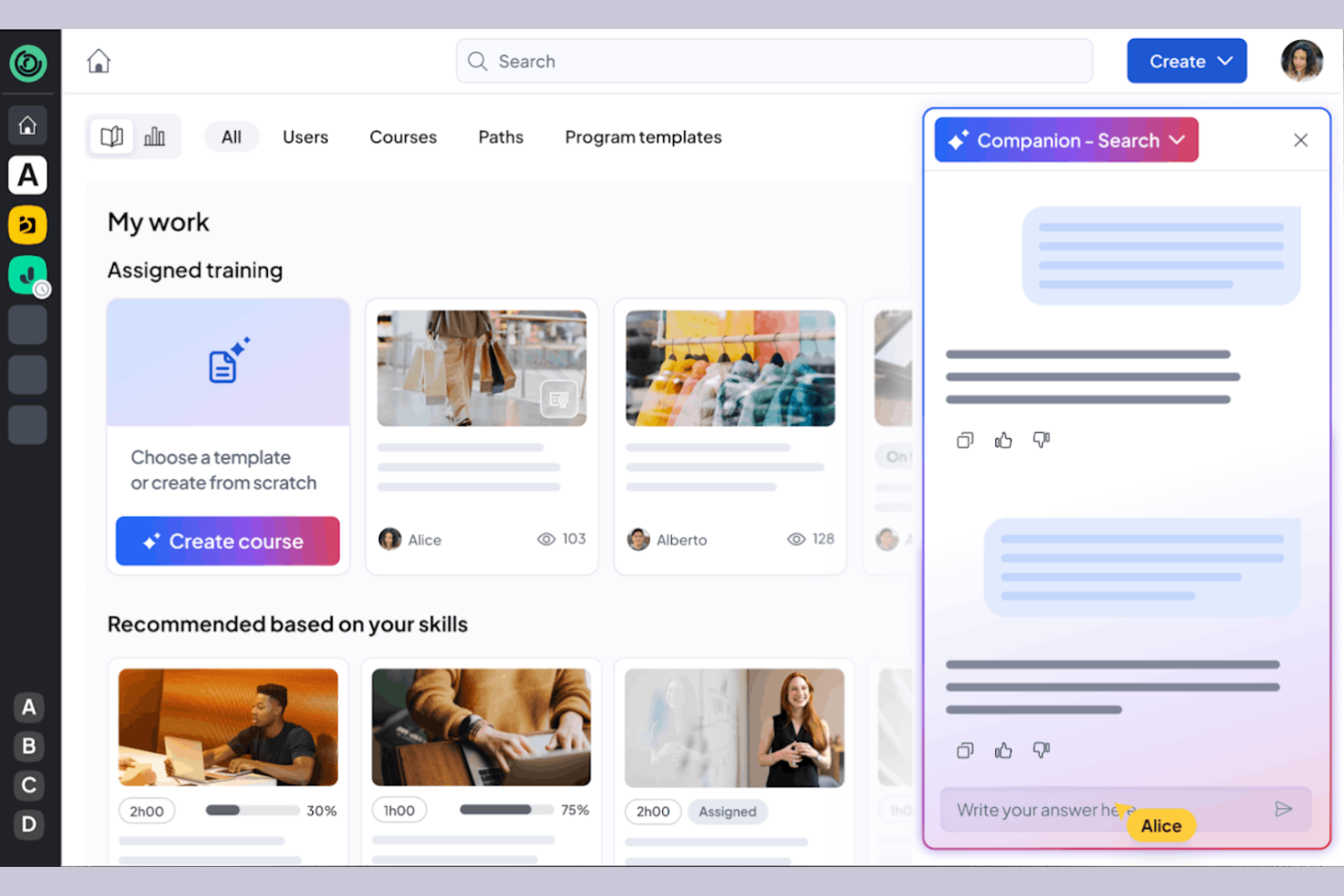
360learning is a learning management system tailored for businesses that prioritize collaborative learning and development. It caters to organizations by providing tools for team-based learning, course creation, and feedback collection.
Why I picked 360learning: It excels in promoting all-in-one collaborative learning, allowing your team to co-create courses and share knowledge. The platform enables peer feedback, fostering a culture of continuous improvement. You can create interactive courses using the built-in authoring tool, producing engaging content. 360learning also supports social learning features, making it easy for your team to connect and learn from each other.
Standout Features and Integrations:
Features include a mobile LMS app that provides learning access anytime, anywhere, and offers flexibility for remote teams. The learning platform supports gamification, adding a competitive edge to the learning experience. You can also use the analytics dashboard to track engagement and course performance.
Integrations include Salesforce, Slack, Microsoft Teams, Zoom, BambooHR, SAP SuccessFactors, Workday, and more.
Pros and Cons
Pros:
- Social learning features
- Supports peer feedback
- Strong focus on collaborative learning
Cons:
- Branding limits
- Weak SCORM support

Best for course creation
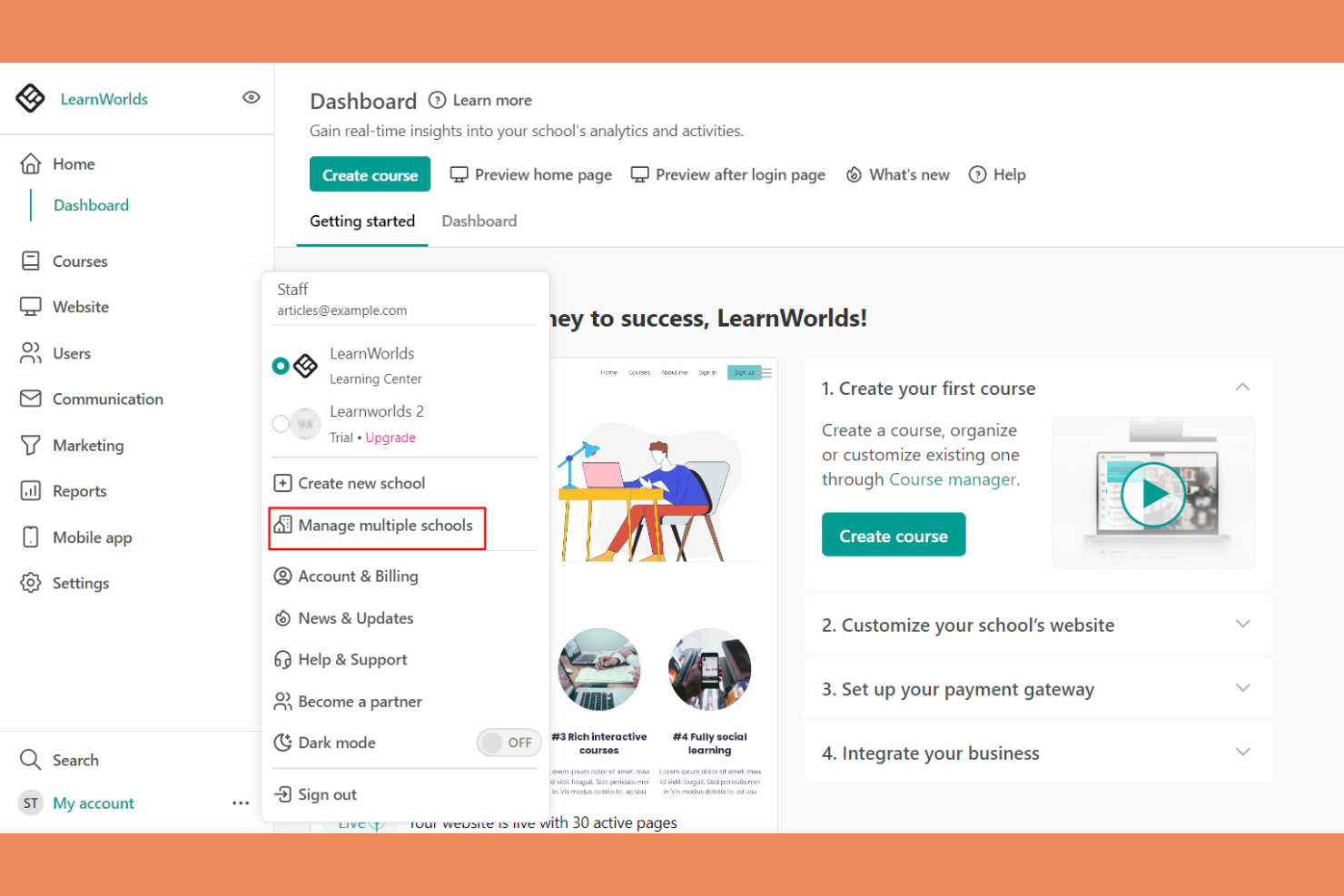
LearnWorlds is an online course platform designed for educators and businesses looking to create engaging learning experiences. It offers tools for course creation, video hosting, and student interaction.
Why I picked LearnWorlds: It excels at course creation with its intuitive drag-and-drop builder, making it easy to design courses. The platform’s interactive learning features improve retention by adding quizzes and notes directly into videos. You can also create branded mobile apps that provide a tailored experience for your learners. The analytics dashboard gives insights into learner engagement, helping you refine your courses.
Standout Features and Integrations:
Features include a built-in social network that encourages student interaction and community building. You can use customizable templates to quickly set up courses and landing pages. The platform also supports advanced eCommerce capabilities, allowing you to monetize your courses effectively.
Integrations include Zoom, Zapier, Mailchimp, Google Analytics, Shopify, Stripe, PayPal, HubSpot, ActiveCampaign, and more.
Pros and Cons
Pros:
- Flexible course templates and learning activities
- Interactive video capabilities
- Powerful drag-and-drop course builder
Cons:
- Marketing tool gaps
- Limited site customization
Best for multimedia content
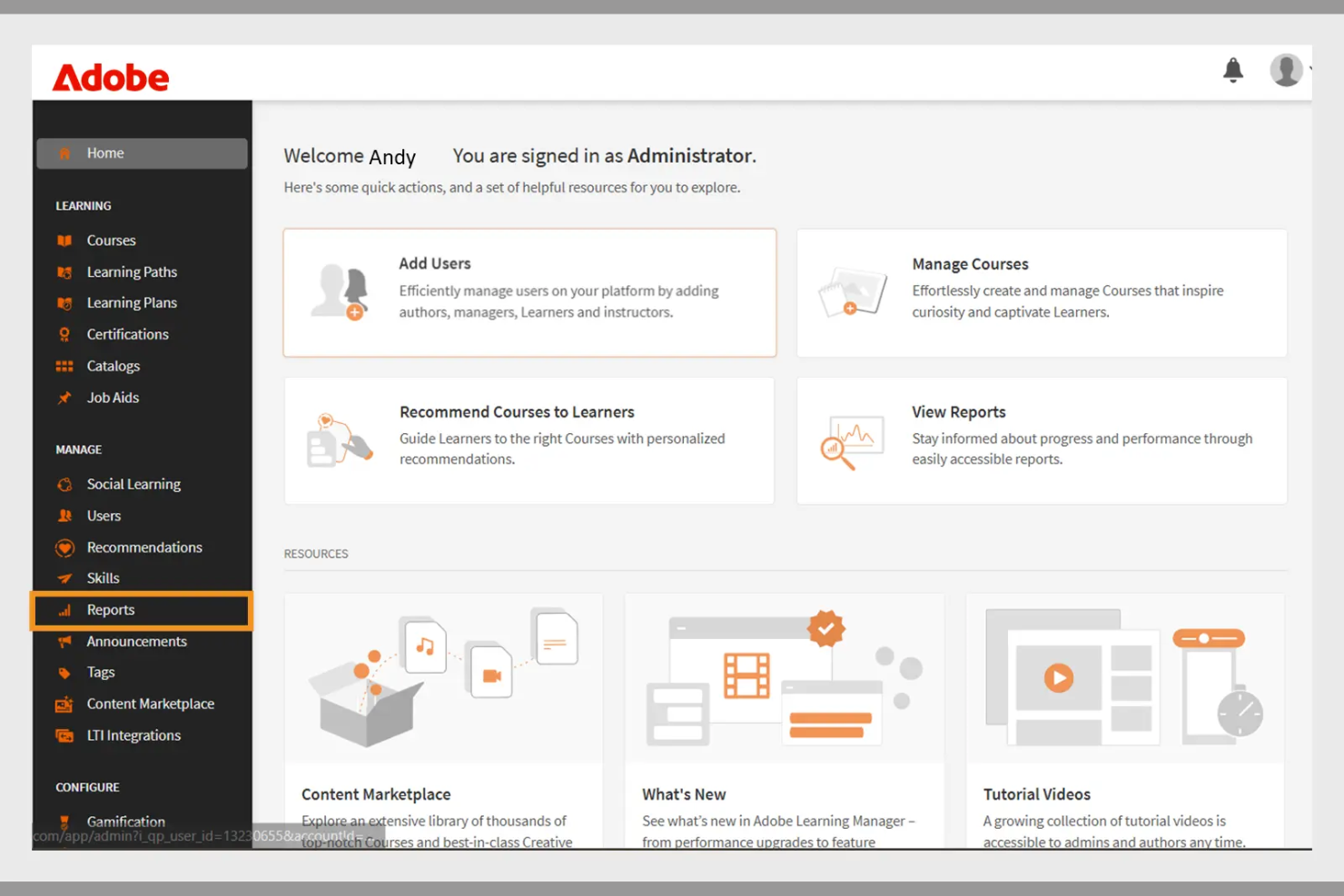
Adobe Learning Manager is a learning management system designed for businesses aiming to deliver engaging training programs. It focuses on multimedia content delivery, making it ideal for organizations that use rich media in their training.
Why I picked Adobe Learning Manager: It offers extensive multimedia support, allowing you to incorporate videos, interactive elements, and graphics into your training. The platform's content management features enable you to organize and deliver courses efficiently. You can track learner progress with detailed analytics, helping you refine your training strategies. Adobe Learning Manager also supports mobile learning, allowing your team to access courses anytime, anywhere.
Standout Features and Integrations:
Features include customizable learning paths that let you tailor courses to individual needs. The platform supports gamification, adding a fun and competitive element to learning. You can also use automated notifications to keep learners engaged and informed about their progress.
Integrations include Adobe Connect, Salesforce, Zoom, LinkedIn Learning, Microsoft Teams, Workday, and more.
Pros and Cons
Pros:
- Effective gamification features
- Customizable learning paths
- Strong multimedia content support
Cons:
- Requires ongoing technical support
- Can be slow to load
Docebo
Best for AI features
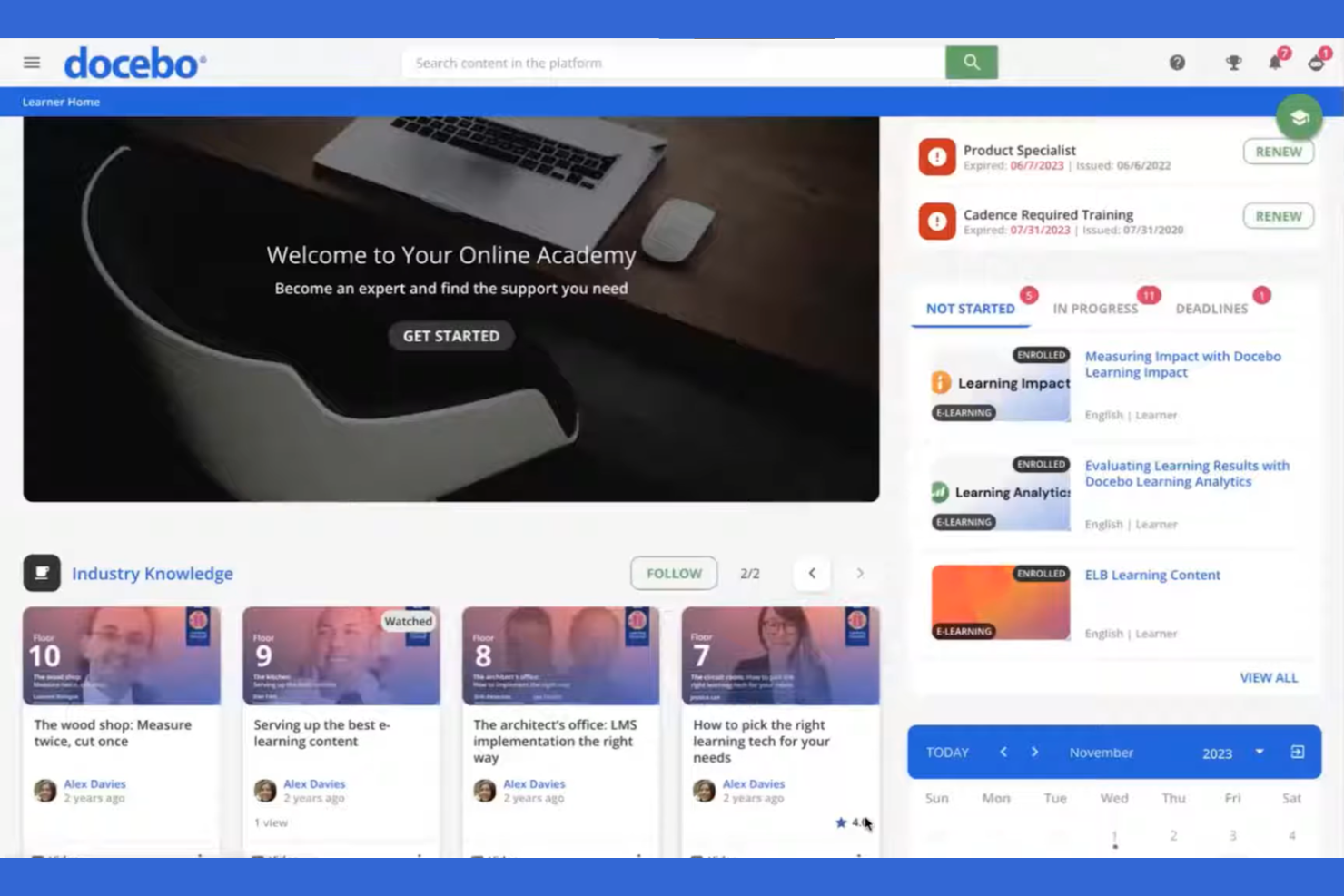
Docebo is a learning management system aimed at businesses looking to improve their corporate training programs. It serves industries by providing tools for content creation, learner engagement, and performance tracking.
Why I picked Docebo: Its AI-powered features make it unique in delivering personalized learning experiences. You can use AI to automate administrative tasks, saving your team time and effort. Docebo offers tools for content curation, helping your learners always have access to relevant materials. The platform's social learning capabilities also foster collaboration among users.
Standout Features and Integrations:
Features include a mobile app that allows learners to access courses on the go, which is great for remote teams. You can track learner performance with detailed reporting tools, helping you identify areas for improvement. The platform also supports gamification, adding an element of fun to learning.
Integrations include Salesforce, Zoom, Slack, Shopify, Google Workspace, Microsoft Teams, LinkedIn Learning, Adobe Connect, PayPal, Stripe, and more.
Pros and Cons
Pros:
- Social learning capabilities
- Strong content curation tools
- AI-powered learning personalization
Cons:
- Slow support responses
- UI inconsistencies
Best for virtual classrooms
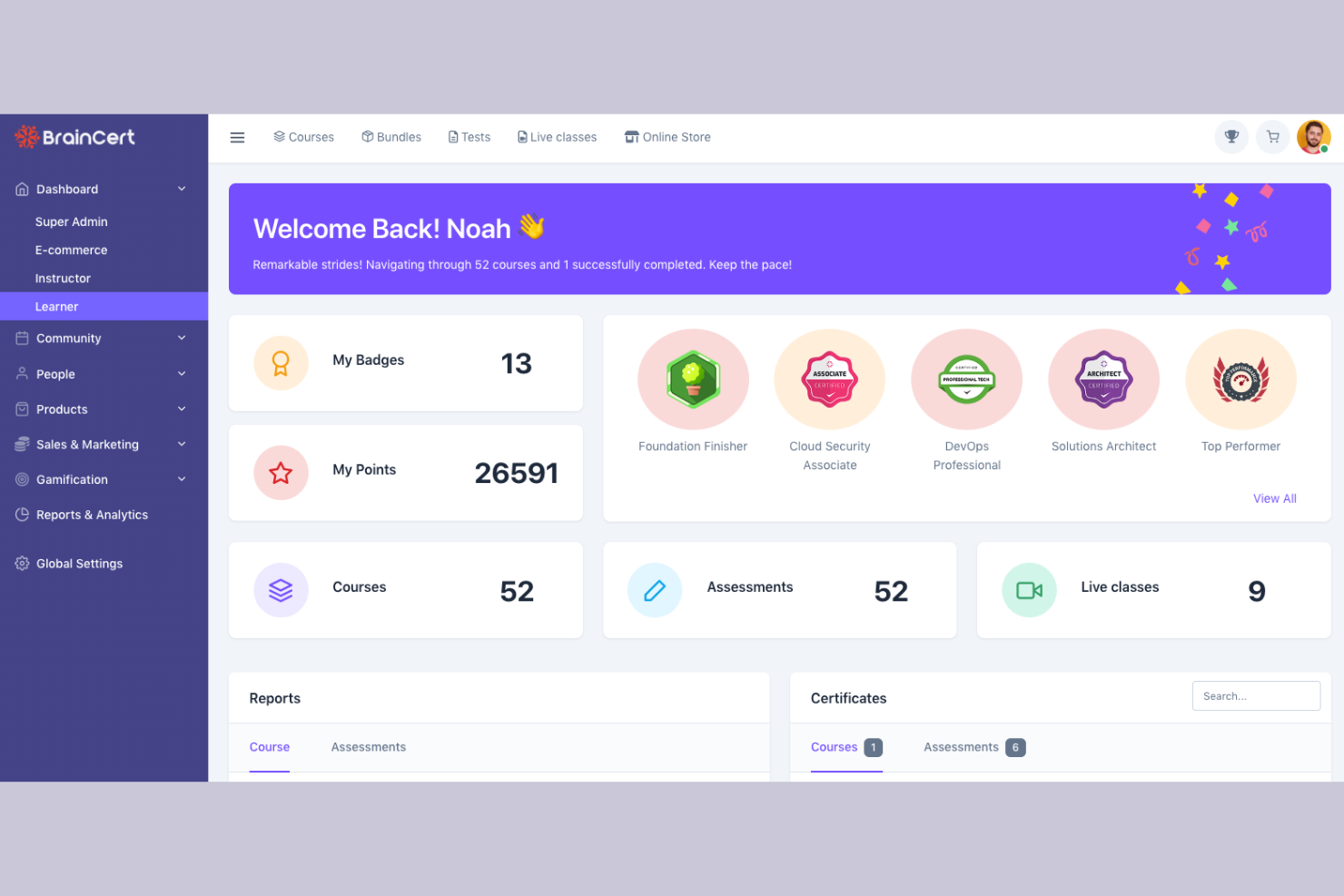
BrainCert is a learning management system designed for educational institutions and businesses looking to facilitate virtual learning. It provides tools for online classrooms, course creation, and assessments.
Why I picked BrainCert: It excels in virtual classroom capabilities, allowing you to conduct live sessions with ease. The platform offers interactive whiteboards and real-time collaboration tools, improving the learning experience. You can create and deliver quizzes to assess learner progress effectively. BrainCert also supports multimedia content, making lessons more engaging for your students.
Standout Features and Integrations:
Features include a mobile app that lets learners participate in sessions from anywhere, promoting flexibility. The platform supports gamification, adding a fun element to learning. You can also use the built-in eCommerce features to sell courses online.
Integrations include PayPal, Stripe, Moodle, and more.
Pros and Cons
Pros:
- Effective assessments and quizzes
- Interactive whiteboards available
- Excellent virtual classroom tools
Cons:
- Missing basic admin controls
- Unpolished mobile web view

Moodle
Best for academic use
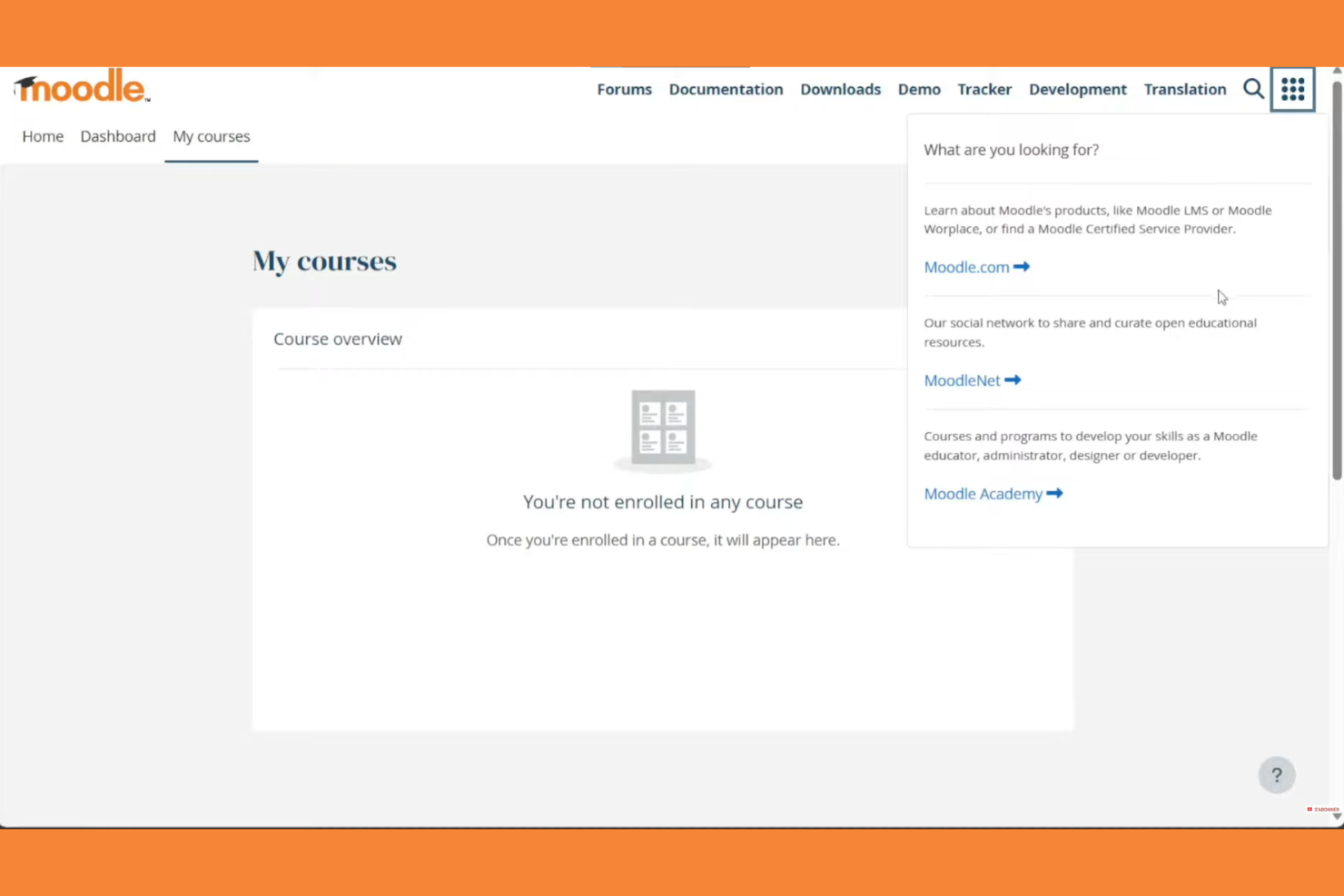
Moodle is an open-source learning management system widely used in educational institutions. It supports course creation, student engagement, and assessment management.
Why I picked Moodle: Moodle excels in academic settings with its flexible course management and wide array of plugins. Its open-source nature allows for extensive customization to fit specific educational needs. The platform supports various learning methodologies, making it versatile for different teaching styles. Moodle also offers strong community support and discussion forums, which can be invaluable for educators.
Standout Features and Integrations:
Features include a customizable dashboard that lets you organize courses and activities with ease. The platform supports multimedia integration, improving the learning experience with videos and interactive content. You can track student progress with detailed analytics, helping you identify areas for improvement.
Integrations include Microsoft Office 365, Google Workspace, Zoom, BigBlueButton, Mahara, Turnitin, Panopto, H5P, Jitsi, SCORM, and more.
Pros and Cons
Pros:
- Wide array of plugins
- Flexible course management
- Supports various teaching styles
Cons:
- Plugin dependency
- Outdated interface
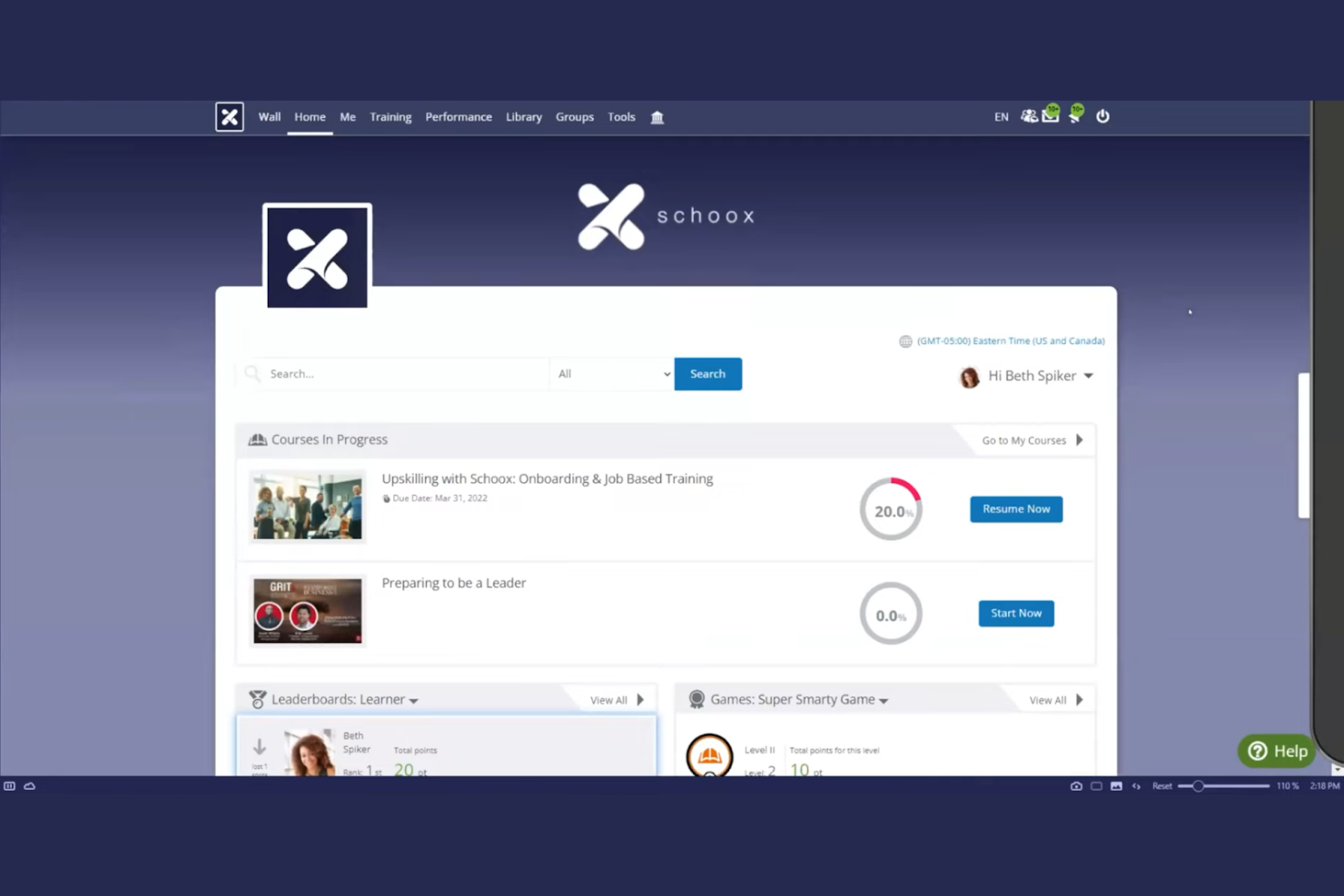
Schoox LMS software is tailored for businesses focused on compliance and skill development. It serves industries by providing tools for training, performance measurement, and certification management.
Why I picked Schoox: It offers specialized features for compliance training, helping your team meet industry standards. The platform provides customizable learning paths, allowing you to tailor training to individual needs. You can also track certifications and compliance status, keeping your organization on top of regulatory requirements. Schoox's reporting tools help you analyze training effectiveness and make data-driven improvements. The platform supports Tin Can (xAPI), enabling learning activity tracking beyond traditional course completion.
Standout Features and Integrations:
Features include a mobile app for on-the-go learning, which is ideal for remote teams. The platform supports gamification, adding an engaging element to training programs. You can also use the content library to access a variety of pre-built learning materials and resources.
Integrations include Salesforce, Microsoft Teams, Zoom, ADP, BambooHR, Google Workspace, SAP SuccessFactors, Workday, Oracle, and more.
Pros and Cons
Pros:
- Certification tracking
- Customizable learning paths
- Strong compliance training focus
Cons:
- Technical glitches
- The menu structure can feel overloaded

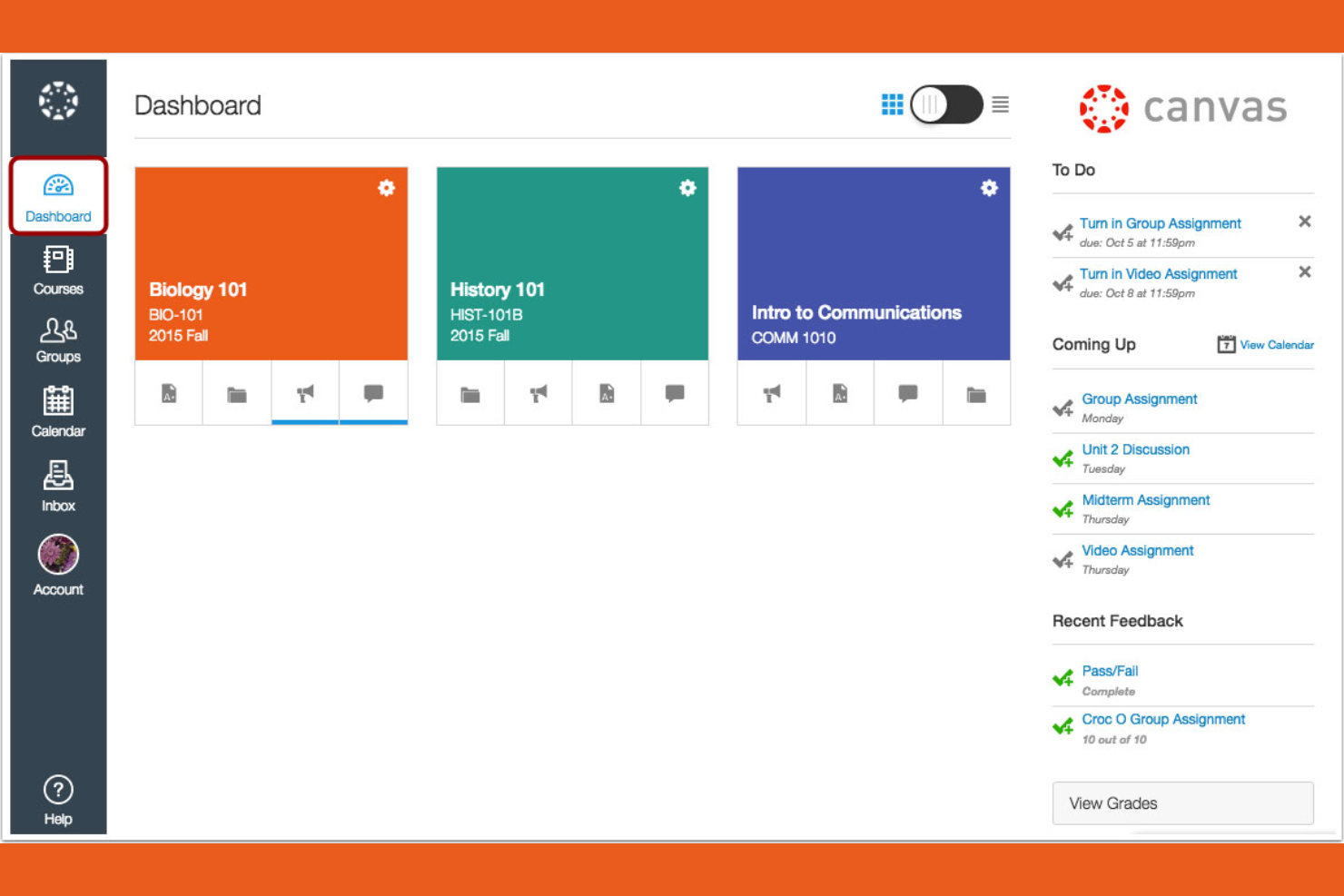
Canvas is a learning management system designed primarily for educational institutions, especially universities and colleges. It provides tools for course management, grading, and student engagement.
Why I picked Canvas: It's tailored for higher education, offering features that support both instructors and students. You can create and manage courses efficiently with its intuitive interface. The platform includes tools for online assessments, making it easier to evaluate student performance. Canvas also supports collaboration through discussion boards and group projects, improving the learning experience.
Standout Features and Integrations:
Features include a mobile app that lets students and instructors access courses from their smartphones, promoting flexibility. You can use analytics to track student performance and identify areas for improvement. The platform also supports multimedia content, enriching the learning experience with videos and other resources.
Integrations include Google Workspace, Microsoft Teams, Zoom, and more.
Pros and Cons
Pros:
- Strong online assessment tools
- Intuitive course management
- Tailored for higher education
Cons:
- Gradebook complexity
- Inconsistent course design

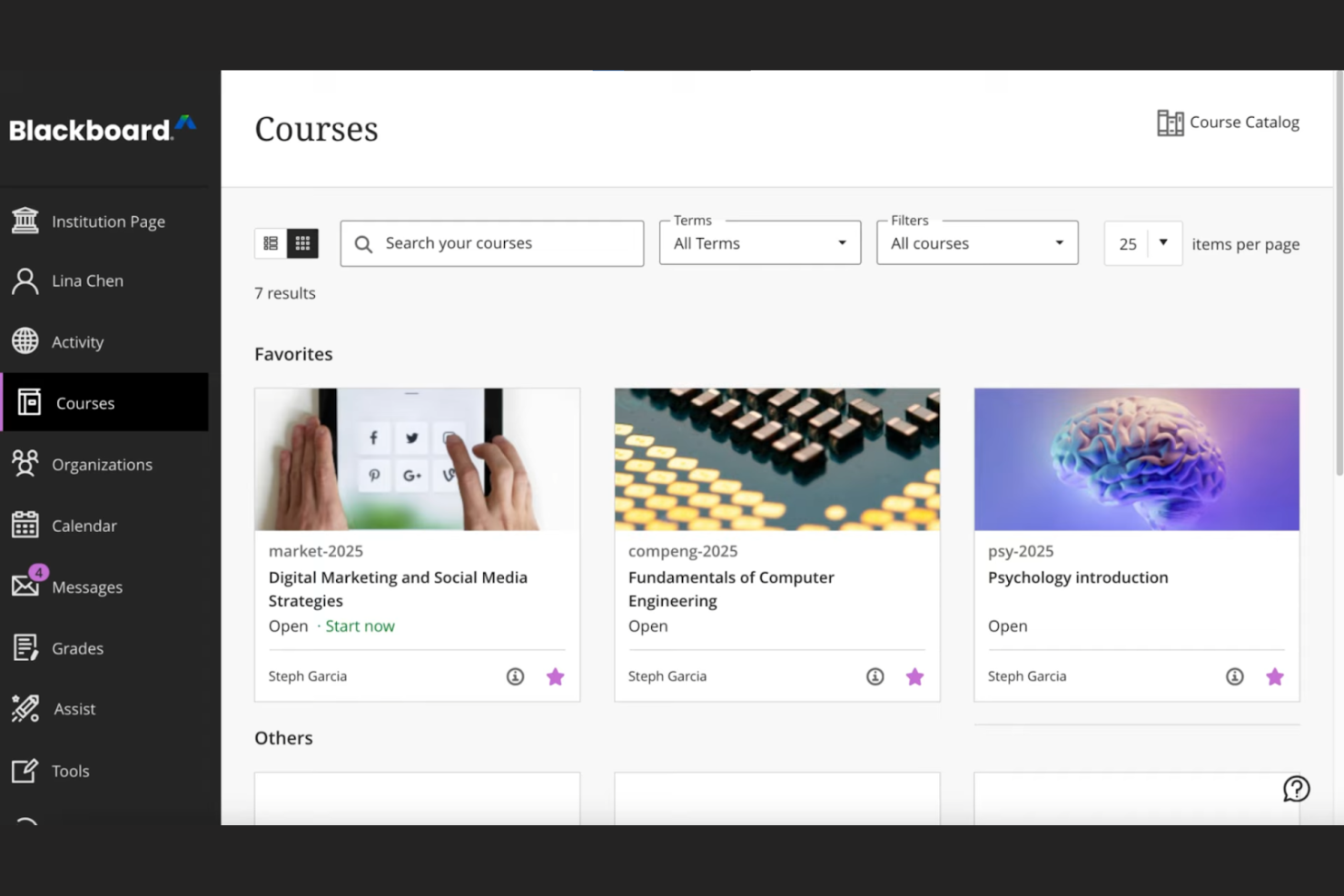
Blackboard by Anthology is a complete learning management system tailored for educational institutions, focusing on data-driven decision-making. It supports course management, student engagement, and performance analytics.
Why I picked Blackboard: Its strength lies in data analytics, offering institutions detailed insights into student performance and engagement. The platform allows you to create custom reports, helping you make informed decisions. You can track learning outcomes and identify trends, which is essential for improving educational strategies. Blackboard also provides tools for automating administrative tasks, freeing up your team for more critical work.
Standout Features and Integrations:
Features include an intuitive interface that simplifies course management, making it easy for instructors to navigate. The platform supports multimedia content, improving the learning experience with videos and interactive elements. You can also use built-in communication tools to foster collaboration between students and teachers.
Integrations include Google Workspace, Microsoft Teams, Zoom, Turnitin, Pearson, McGraw-Hill Education, and more.
Pros and Cons
Pros:
- Effective learning outcome tracking
- Custom report generation
- Strong data analytics capabilities
Cons:
- Dated interface
- Overkill for basic needs

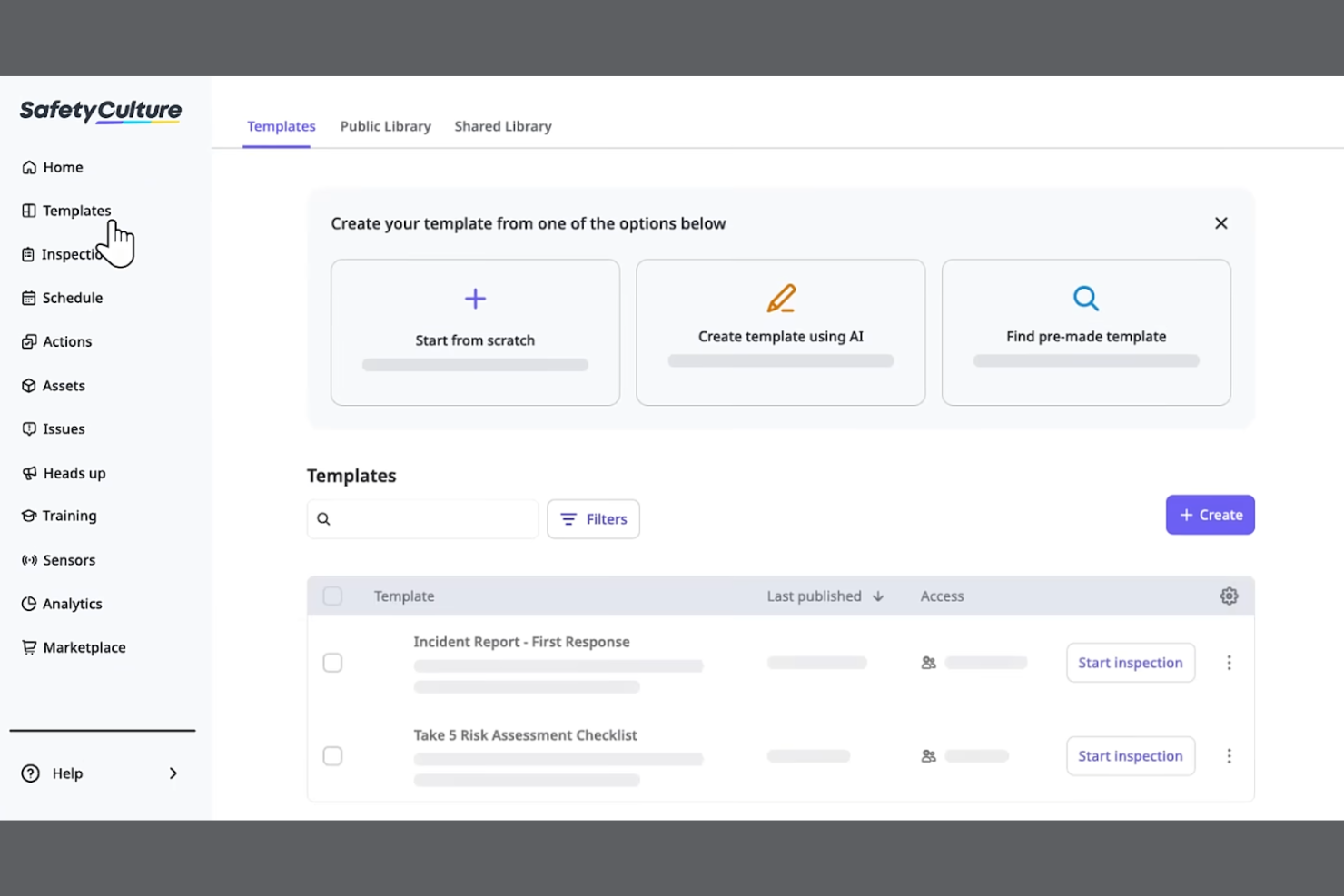
SC Training is a mobile-focused learning management system designed for businesses looking to deliver training in bite-sized modules for better retention. It serves industries by promoting effective learning through microlearning techniques and tools.
Why I picked SC Training: It specializes in microlearning, allowing you to create short, engaging lessons that fit into your team's schedule. The platform offers a built-in authoring tool for easy course materials creation, enabling you to develop content quickly. You can incorporate multimedia elements to make the learning experience more dynamic. SC Training also provides analytics to track learner progress, helping you measure the impact of your training.
Standout Features and Integrations:
Features include a mobile app that supports on-the-go enrollment and lets learners access courses anytime, anywhere. The platform supports gamification, adding a competitive edge to learning. You can also use the content library to access a variety of ready-made courses and templates.
Integrations include Microsoft Teams, Zoom, Slack, Salesforce, BambooHR, Shopify, Google Drive, Microsoft Azure, PayPal, Stripe, and more.
Pros and Cons
Pros:
- Wide content library
- Built-in authoring tool
- Effective microlearning techniques
Cons:
- Content "reset" risks
- Microlearning only
Andere mobiele LMS-tools
Hier zijn enkele aanvullende mobiele LMS-opties die mijn shortlist niet hebben gehaald, maar die toch de moeite waard zijn om te bekijken:


How I Evaluate Mobile LMS Solutions
I split my evaluation into two layers—the baseline every tool must clear, like offline access and native apps for shift workers, and the differentiators that set the best fit apart.
Core Functionality (Table Stakes For This List)
When I'm selecting tools for my list, I rank each one on a scale from 0 (does not offer the functionality) to 5 (excels in this area) for each core functionality listed below. Then, I calculate the tool's total score into a percentage. Each tool needs to achieve a minimum total score of 65% to be considered for inclusion.
- Native Mobile Apps: I check for dedicated iOS and Android apps where a warehouse worker or retail associate can log in and complete a full course, not just view a dashboard.
- Offline Learning Access: I look for the ability to download courses and sync progress later, which matters for field teams in areas with spotty connectivity.
- Responsive Course Content: Quizzes, videos, and interactive modules all need to render cleanly on a phone screen with tap-friendly navigation and no horizontal scrolling.
- Mobile Push Notifications: I evaluate whether the platform can push assignment reminders and deadline alerts directly to a learner's device to drive completion rates.
- Mobile-Friendly Authoring: I look at whether admins can build or adapt content for small screens, including microlearning formats like short quizzes or two-minute video lessons.
- Progress Tracking & Reporting: Completion data, quiz scores, and certification status should sync across devices and roll up into a centralized admin dashboard in real time.
Once I have a list of tools that meet this criteria, I consider what sets each platform apart.
Differentiating Factors (What Sets Vendors Apart)
Here's how I compare and contrast different vendors:
Standout Features
Gamification features like points, badges, and leaderboards keep frontline learners coming back between shifts. I also evaluate AI-powered personalization, where the platform adapts learning paths based on a worker's role or skill gaps rather than serving the same generic content to everyone. QR code course access is another differentiator I look for—a supervisor can post a code in a breakroom and new hires scan it to enroll instantly from their phones.
Beyond Features
HRIS integrations matter here—I check whether a platform connects with systems like Workday or BambooHR so new hires auto-populate into training workflows without manual data entry. Compliance and security are equally important, especially in BYOD environments where employee training data lives on personal devices. I look for MDM compatibility and audit-ready reporting that HR teams in regulated industries can pull during an inspection. Scalability also factors in, particularly multi-language support for organizations training across multiple regions.
Een mobiel LMS kiezen
Het is gemakkelijk om verstrikt te raken in lange lijsten met functies en complexe prijsstructuren. Om je te helpen gefocust te blijven terwijl je je unieke softwareselectieproces doorloopt, vind je hier een checklist met factoren om rekening mee te houden:
| Factor | Waarop je moet letten |
|---|---|
| Schaalbaarheid | Groeit het LMS mee met je team? Houd rekening met toekomstige behoeften en ga na of de tool een toename van het aantal gebruikers en de hoeveelheid content aankan. |
| Integraties | Werkt het met je bestaande tools? Controleer de compatibiliteit met je huidige systemen voor een soepele workflow. |
| Aanpasbaarheid | Kun je het aan je behoeften aanpassen? Zoek naar mogelijkheden om het platform af te stemmen op je unieke processen. |
| Gebruiksgemak | Is het voor iedereen eenvoudig te gebruiken? Controleer of de interface gebruiksvriendelijk is voor zowel beheerders als cursisten. |
| Implementatie en onboarding | Hoe snel kun je aan de slag? Beoordeel de ondersteuning en hulpmiddelen die beschikbaar zijn voor een soepele overgang. |
| Kosten | Past het binnen je budget? Vergelijk prijsplannen, verborgen kosten en de waarde die je voor je investering krijgt. |
| Beveiligingsmaatregelen | Zijn je gegevens en privacy beschermd? Controleer of de tool voldoet aan industrienormen en regelgeving voor gegevensbescherming. |
| Beschikbaarheid van ondersteuning | Kun je hulp krijgen wanneer dat nodig is? Controleer of je via verschillende kanalen toegang hebt tot tijdige en effectieve ondersteuning. |
Wat is een mobiel LMS?
Een mobiel LMS is een platform dat educatieve content en trainingen via mobiele apparaten aanbiedt. HR-professionals, bedrijfstrainers en docenten gebruiken deze tools doorgaans om flexibele leeroplossingen te bieden. Functies zoals mobiele toegang, ondersteuning voor multimedia en aanpasbare leertrajecten helpen bij het aanbieden van boeiende en toegankelijke trainingen, terwijl pushmeldingen de voltooiing bevorderen. Over het algemeen verbeteren deze tools het leren door het aanpasbaarder en gemakkelijker te maken voor gebruikers.
Functies
Let bij het kiezen van een mobiel LMS op de volgende belangrijke functies:
- Mobiele toegang: Stelt cursisten in staat om altijd en overal waar een internetverbinding is toegang te krijgen tot cursussen, wat de flexibiliteit en het gemak vergroot.
- Ondersteuning voor multimedia: Integreert video, audio en interactieve elementen om boeiende leerervaringen te creëren.
- Aanpasbare leertrajecten: Maakt het mogelijk cursussen af te stemmen op de individuele behoeften van cursisten en de doelstellingen van de organisatie.
- Gamificatie: Voegt een leuk, competitief element toe aan het leren en vergroot de betrokkenheid en motivatie.
- Analyse en rapportage: Houdt de voortgang en prestaties van cursisten bij en biedt inzichten voor verbetering.
- Integratiemogelijkheden: Maakt verbinding met bestaande tools om soepele werkprocessen en het delen van gegevens te ondersteunen.
- Beveiligingsmaatregelen: Beschermt gegevens en privacy en blijft tegelijkertijd voldoen aan industrienormen.
- Contentbibliotheek: Biedt vooraf samengestelde cursussen en hulpmiddelen om trainingen te verbeteren zonder helemaal opnieuw te beginnen.
- Virtueel klaslokaal: Maakt live sessies en realtime samenwerking mogelijk en verrijkt de leerervaring.
Voordelen
De implementatie van een mobiel LMS biedt verschillende voordelen voor je team en je bedrijf. Hier zijn enkele voordelen waar je naar kunt uitkijken:
- Flexibiliteit: Dankzij mobiele toegang kunnen cursisten op een moment dat het hun uitkomt en in hun eigen tempo met content aan de slag, waardoor trainingen in drukke agenda's passen.
- Betrokkenheid: Functies zoals gamificatie en ondersteuning voor multimedia maken leren interactiever en leuker, wat de deelname vergroot.
- Personalisatie: Aanpasbare leertrajecten stemmen trainingen af op individuele behoeften, waardoor de relevantie en effectiviteit verbeteren.
- Efficiëntie: Analyse en rapportage bieden inzicht in de voortgang van cursisten, helpen verbeterpunten te identificeren en processen te optimaliseren.
- Integratie: Integraties met bestaande systemen vereenvoudigen werkprocessen en zorgen voor consistente gegevens op verschillende platforms.
- Beveiliging: Sterke beveiligingsmaatregelen beschermen gevoelige informatie en behouden het vertrouwen en de naleving van regelgeving.
- Samenwerking: Functies voor virtuele klaslokalen maken realtime interactie en samenwerking mogelijk en verrijken de leerervaring.
Kosten en prijzen
Voor het kiezen van een mobiel LMS is inzicht nodig in de verschillende beschikbare prijsmodellen en abonnementen. De kosten variëren op basis van functies, teamgrootte, uitbreidingen en meer. In de onderstaande tabel worden veelvoorkomende abonnementen, hun gemiddelde prijzen en de typische functies van mobiele LMS-oplossingen samengevat:
Vergelijkingstabel voor abonnementen van mobiele LMS'en
| Type abonnement | Gemiddelde prijs | Veelvoorkomende functies |
|---|---|---|
| Gratis abonnement | $0/gebruiker/maand | Basistoegang tot cursussen, beperkte opslag en ondersteuning vanuit de gemeenschap. |
| Persoonlijk abonnement | $5-$25/gebruiker/maand | Aanpasbare cursussen, basisanalyses en ondersteuning per e-mail. |
| Zakelijk abonnement | $25-$50/gebruiker/maand | Geavanceerde rapportage, integraties en prioriteitsondersteuning. |
| Ondernemingsabonnement | $50-$100+/gebruiker/maand | Volledige aanpassing, een toegewezen accountmanager en verbeterde beveiligingsfuncties. |
Veelgestelde vragen over mobiele LMS'en
Hier vindt u antwoorden op veelgestelde vragen over mobiele LMS’en:
Kan een mobiel LMS de leerprogressie van medewerkers in realtime volgen?
Ja, met een mobiel LMS kunt u de voortgang van medewerkers in realtime volgen. U kunt rechtstreeks vanuit uw dashboard de voltooiingspercentages van cursussen, quizscores en betrokkenheidsstatistieken bekijken. Zo kunt u leerhiaten snel identificeren en de juiste trainingsinterventies inzetten.
Kan een mobiel LMS worden geïntegreerd met andere software?
Ja, de meeste mobiele LMS-platforms bieden integratiemogelijkheden met andere software. U kunt uw LMS koppelen aan tools zoals CRM-systemen, HR-platforms en communicatieapps. Deze integratie helpt werkprocessen te structureren en de gegevensconsistentie tussen verschillende systemen te behouden. Controleer de compatibiliteit van het LMS met uw bestaande tools voor een soepele installatie.
Hoe veilig is een mobiel LMS?
Mobiele LMS-platforms geven prioriteit aan beveiliging en bieden functies zoals gegevensversleuteling, gebruikersauthenticatie en naleving van industrienormen. Zoek naar een LMS met sterke beveiligingsmaatregelen om uw gegevens en privacy te beschermen. Het is essentieel om te controleren of het platform voldoet aan regelgeving zoals de AVG als uw team internationaal actief is.
Is het moeilijk om een mobiel LMS te implementeren?
De implementatie van een mobiel LMS kan in complexiteit variëren, afhankelijk van het platform en de behoeften van uw organisatie. Sommige LMS-aanbieders bieden ondersteuning bij de introductie, waaronder trainingsvideo’s, productrondleidingen en webinars, om de overstap te vergemakkelijken. Beoordeel de beschikbare middelen en ondersteuning om een soepel implementatieproces voor uw team te ondersteunen.
Welke soorten trainingen werken het best op een mobiel LMS?
Korte, interactieve cursussen, microleermodules, onboardingchecklists en compliancetrainingen zijn bijzonder effectief op mobiele LMS-platforms. Medewerkers kunnen deze hapklare lessen overal volgen, zelfs tussen vergaderingen door, waardoor leren gemakkelijk en boeiend wordt.
Hoe kan ik medewerkers aanmoedigen regelmatig een mobiel LMS te gebruiken?
U kunt de acceptatie verbeteren door trainingen relevant te maken, spelelementen toe te voegen (zoals badges of ranglijsten) en duidelijke verwachtingen rond leerdoelen te scheppen. Het versturen van herinneringen of het delen van voortgangsupdates helpt ook om medewerkers gemotiveerd en betrokken te houden.