

10 najlepszych mobilnych systemów LMS — recenzja w 2026 roku

Lista najlepszych mobilnych narzędzi LMS


Zarządzanie zespołem wiąże się z ciągłymi wymaganiami — od szkoleń i wdrażania nowych pracowników po zaangażowanie i bieżące aktualizacje. Przyjazny urządzeniom mobilnym system zarządzania nauką (LMS) może pomóc, zapewniając dostęp do nauki w dowolnym miejscu i czasie oraz dając zespołom elastyczność potrzebną do zachowania spójności i dostępu do aktualnych informacji.
Z mojego doświadczenia w ocenie tych platform wynika, że znalezienie odpowiedniego rozwiązania zaczyna się od zrozumienia, w jaki sposób uczy się Twój zespół i jakie funkcje rzeczywiście wspierają ten proces. Oceniłem szereg opcji, koncentrując się na użyteczności, dostępności i wartościowych narzędziach edukacyjnych.
W tym artykule przedstawię mój wybór najlepszych mobilnych narzędzi LMS, wskazując, co każde z nich robi najlepiej i jak może wspierać Twój zespół. Na koniec będziesz mieć jaśniejszy obraz tego, która platforma najlepiej odpowiada Twoim potrzebom.
Why Trust Our Software Recommendations
Our team has been testing and reviewing software since 2012. As HR experts ourselves, we know how difficult—and important—it is to choose the right software.
For this guide, we evaluated tools using hands-on testing and independent research, scoring tools using our selection criteria. We also draw on insights from industry thought leaders and practicing HR experts.
Our reviews reflect our human editorial judgment, not a sales pitch.
Expert reviewers:
Tabela porównawcza mobilnych narzędzi LMS
Ta tabela porównawcza podsumowuje szczegóły cenowe mojego wyboru najlepszych mobilnych narzędzi LMS:
| Tool | Best For | Trial Info | Price | ||
|---|---|---|---|---|---|
| 1 | Best for collaborative learning | 30-day free trial + free demo available | From $8/user/month | Website | |
| 2 | Best for course creation | Free 30-day trial available | From $24/month (billed annually) | Website | |
| 3 | Best for multimedia content | Free demo available | Pricing upon request | Website | |
| 4 | Best for AI features | Free demo available | Pricing upon request | Website | |
| 5 | Best for virtual classrooms | Free 14-day trial available | From $49/month (billed annually) | Website | |
| 6 | Best for academic use | Free to use | Free and open source | Website | |
| 7 | Best for compliance training | Free demo available | Pricing upon request | Website | |
| 8 | Best for higher education | Free trial + free demo available | Pricing upon request | Website | |
| 9 | Best for data analytics | Free demo available | Pricing upon request | Website | |
| 10 | Best for microlearning | Free plan + free 30-day trial + free demo available | From $5/learner/month (billed annually) | Website |
Recenzje najlepszych mobilnych narzędzi LMS
Poniżej znajdują się moje szczegółowe podsumowania najlepszych mobilnych systemów LMS, które trafiły na moją listę. W recenzjach szczegółowo omawiam najważniejsze funkcje, zalety i wady, integracje oraz idealne zastosowania każdego narzędzia, pomagając Ci znaleźć najlepsze rozwiązanie.

Best for collaborative learning
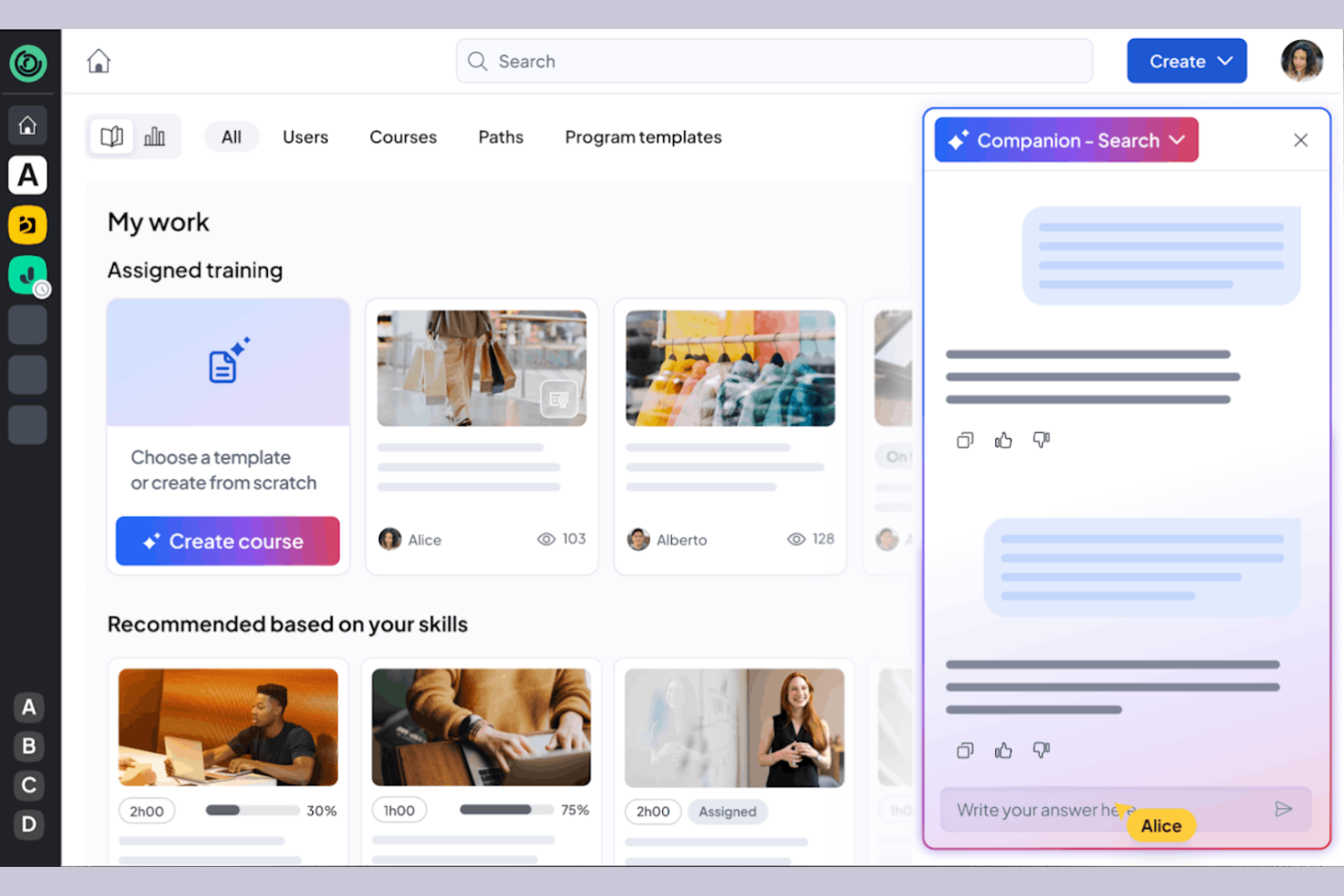
360learning is a learning management system tailored for businesses that prioritize collaborative learning and development. It caters to organizations by providing tools for team-based learning, course creation, and feedback collection.
Why I picked 360learning: It excels in promoting all-in-one collaborative learning, allowing your team to co-create courses and share knowledge. The platform enables peer feedback, fostering a culture of continuous improvement. You can create interactive courses using the built-in authoring tool, producing engaging content. 360learning also supports social learning features, making it easy for your team to connect and learn from each other.
Standout Features and Integrations:
Features include a mobile LMS app that provides learning access anytime, anywhere, and offers flexibility for remote teams. The learning platform supports gamification, adding a competitive edge to the learning experience. You can also use the analytics dashboard to track engagement and course performance.
Integrations include Salesforce, Slack, Microsoft Teams, Zoom, BambooHR, SAP SuccessFactors, Workday, and more.
Pros and Cons
Pros:
- Social learning features
- Supports peer feedback
- Strong focus on collaborative learning
Cons:
- Branding limits
- Weak SCORM support

Best for course creation
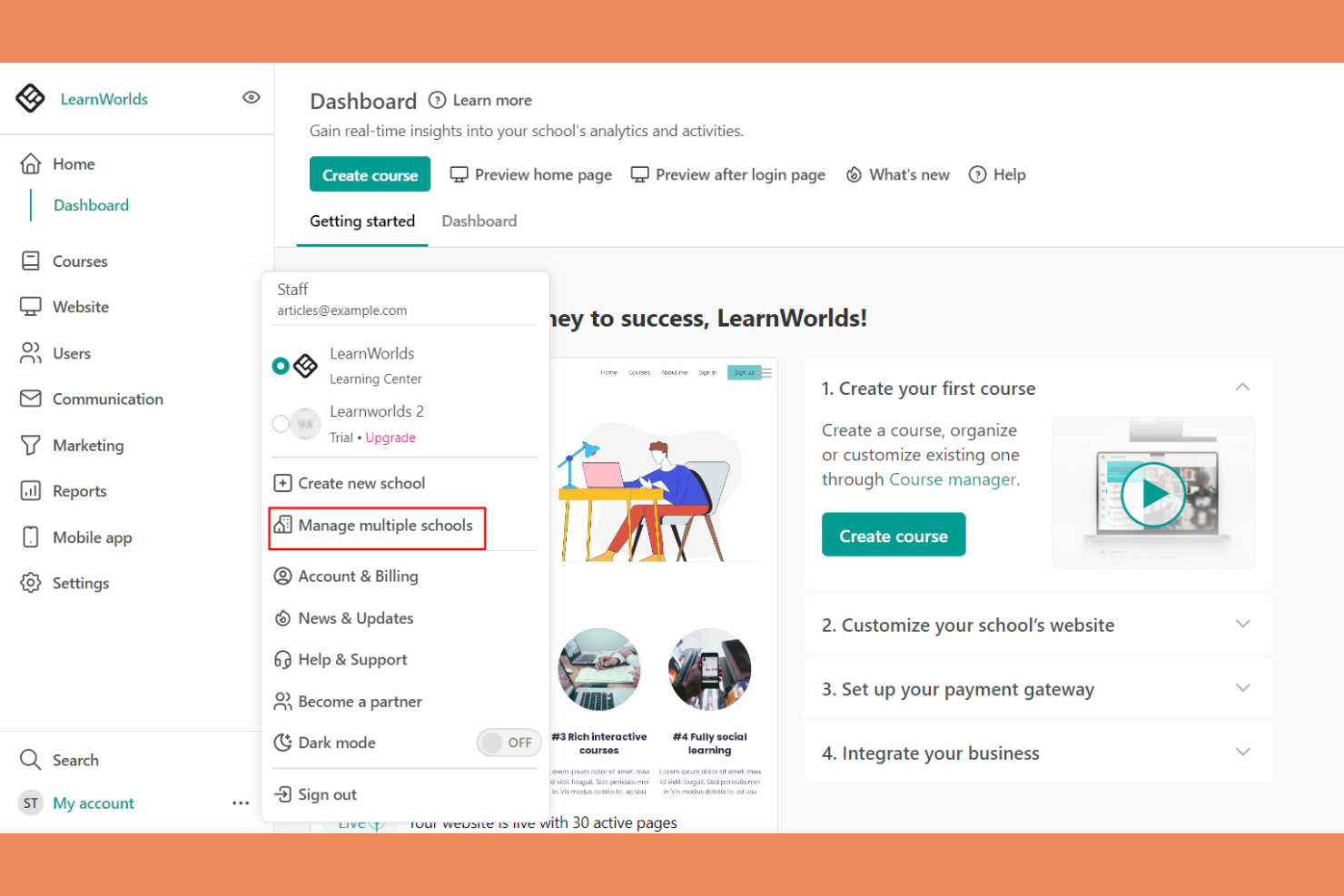
LearnWorlds is an online course platform designed for educators and businesses looking to create engaging learning experiences. It offers tools for course creation, video hosting, and student interaction.
Why I picked LearnWorlds: It excels at course creation with its intuitive drag-and-drop builder, making it easy to design courses. The platform’s interactive learning features improve retention by adding quizzes and notes directly into videos. You can also create branded mobile apps that provide a tailored experience for your learners. The analytics dashboard gives insights into learner engagement, helping you refine your courses.
Standout Features and Integrations:
Features include a built-in social network that encourages student interaction and community building. You can use customizable templates to quickly set up courses and landing pages. The platform also supports advanced eCommerce capabilities, allowing you to monetize your courses effectively.
Integrations include Zoom, Zapier, Mailchimp, Google Analytics, Shopify, Stripe, PayPal, HubSpot, ActiveCampaign, and more.
Pros and Cons
Pros:
- Flexible course templates and learning activities
- Interactive video capabilities
- Powerful drag-and-drop course builder
Cons:
- Marketing tool gaps
- Limited site customization
Best for multimedia content
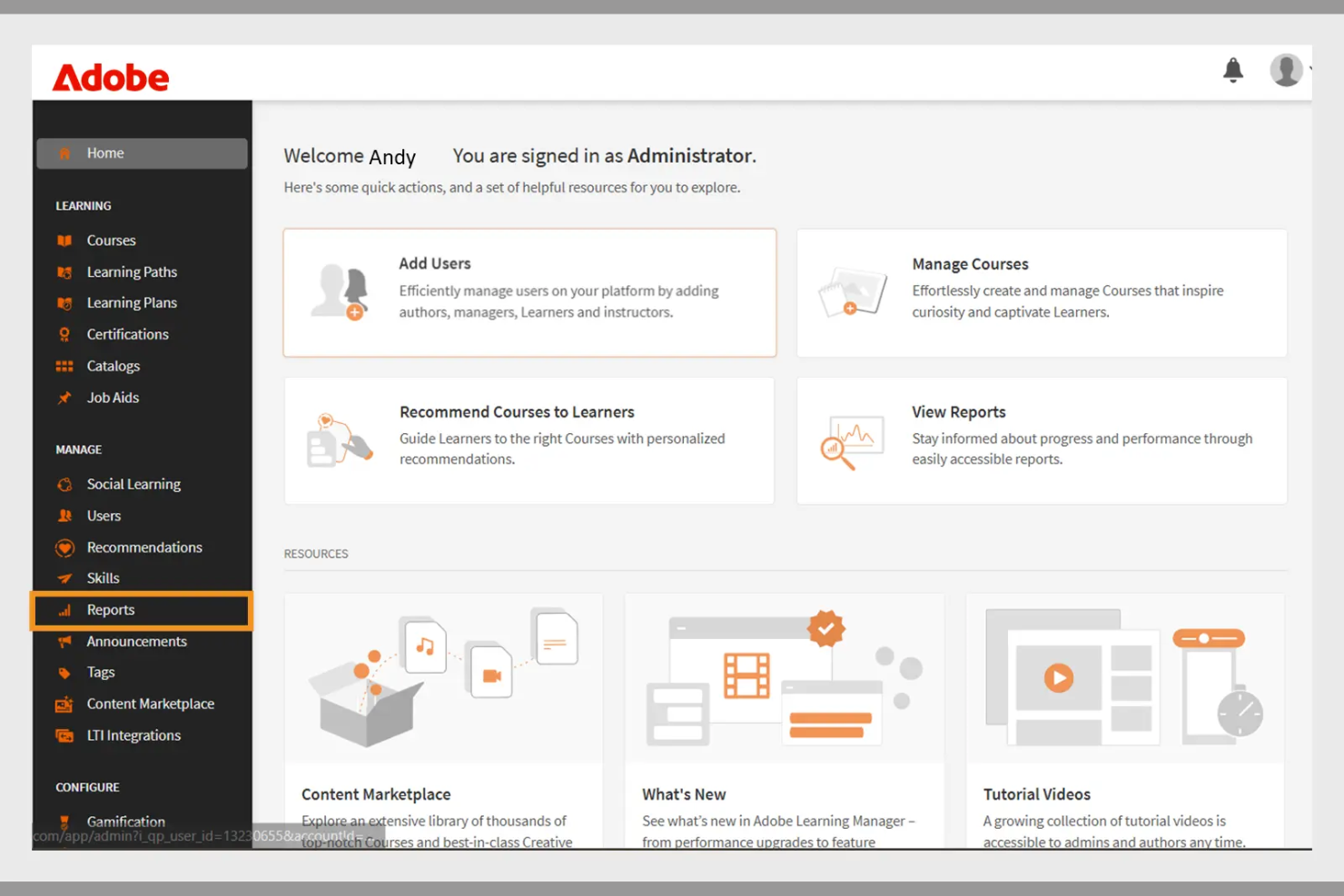
Adobe Learning Manager is a learning management system designed for businesses aiming to deliver engaging training programs. It focuses on multimedia content delivery, making it ideal for organizations that use rich media in their training.
Why I picked Adobe Learning Manager: It offers extensive multimedia support, allowing you to incorporate videos, interactive elements, and graphics into your training. The platform's content management features enable you to organize and deliver courses efficiently. You can track learner progress with detailed analytics, helping you refine your training strategies. Adobe Learning Manager also supports mobile learning, allowing your team to access courses anytime, anywhere.
Standout Features and Integrations:
Features include customizable learning paths that let you tailor courses to individual needs. The platform supports gamification, adding a fun and competitive element to learning. You can also use automated notifications to keep learners engaged and informed about their progress.
Integrations include Adobe Connect, Salesforce, Zoom, LinkedIn Learning, Microsoft Teams, Workday, and more.
Pros and Cons
Pros:
- Effective gamification features
- Customizable learning paths
- Strong multimedia content support
Cons:
- Requires ongoing technical support
- Can be slow to load
Docebo
Best for AI features
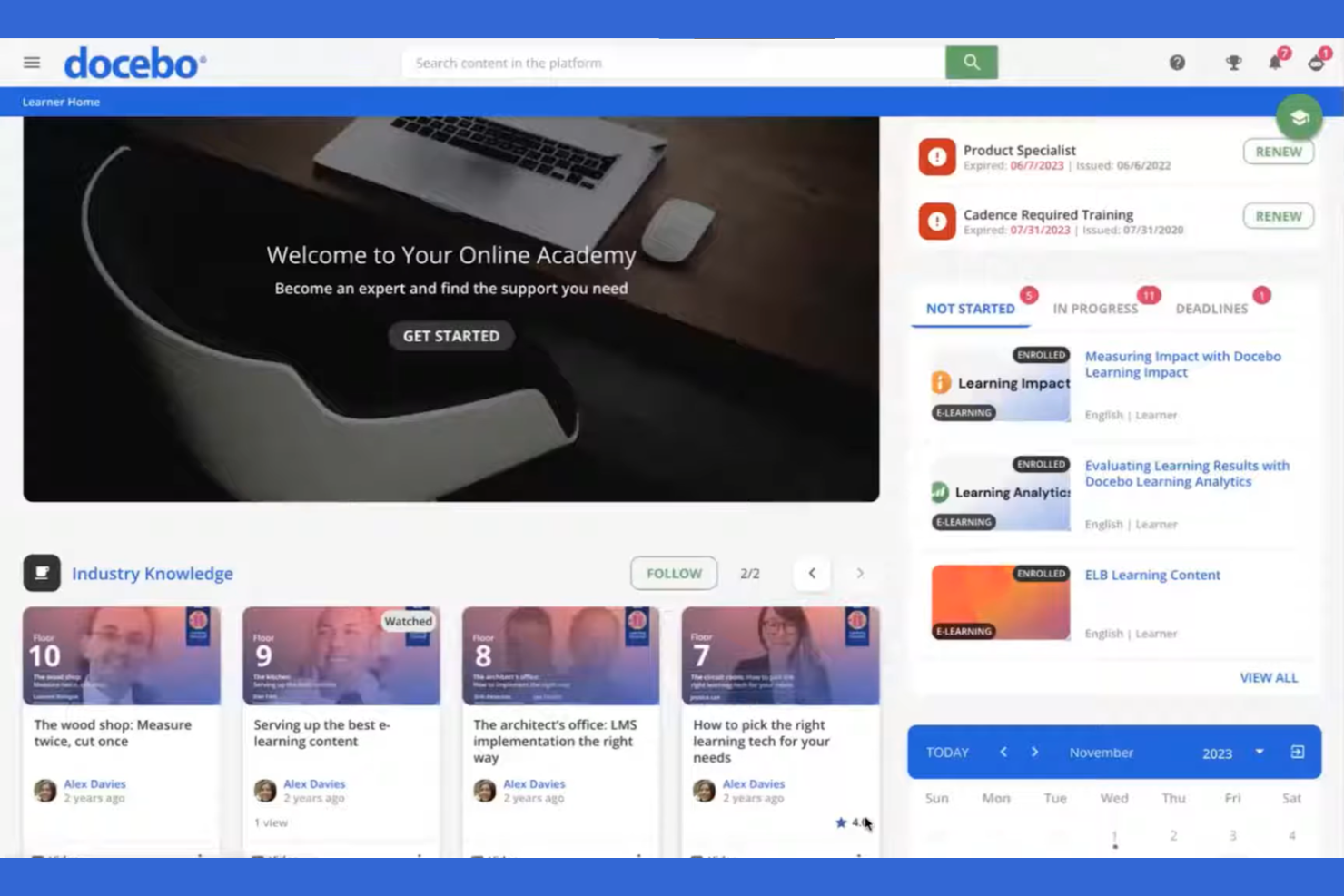
Docebo is a learning management system aimed at businesses looking to improve their corporate training programs. It serves industries by providing tools for content creation, learner engagement, and performance tracking.
Why I picked Docebo: Its AI-powered features make it unique in delivering personalized learning experiences. You can use AI to automate administrative tasks, saving your team time and effort. Docebo offers tools for content curation, helping your learners always have access to relevant materials. The platform's social learning capabilities also foster collaboration among users.
Standout Features and Integrations:
Features include a mobile app that allows learners to access courses on the go, which is great for remote teams. You can track learner performance with detailed reporting tools, helping you identify areas for improvement. The platform also supports gamification, adding an element of fun to learning.
Integrations include Salesforce, Zoom, Slack, Shopify, Google Workspace, Microsoft Teams, LinkedIn Learning, Adobe Connect, PayPal, Stripe, and more.
Pros and Cons
Pros:
- Social learning capabilities
- Strong content curation tools
- AI-powered learning personalization
Cons:
- Slow support responses
- UI inconsistencies
Best for virtual classrooms
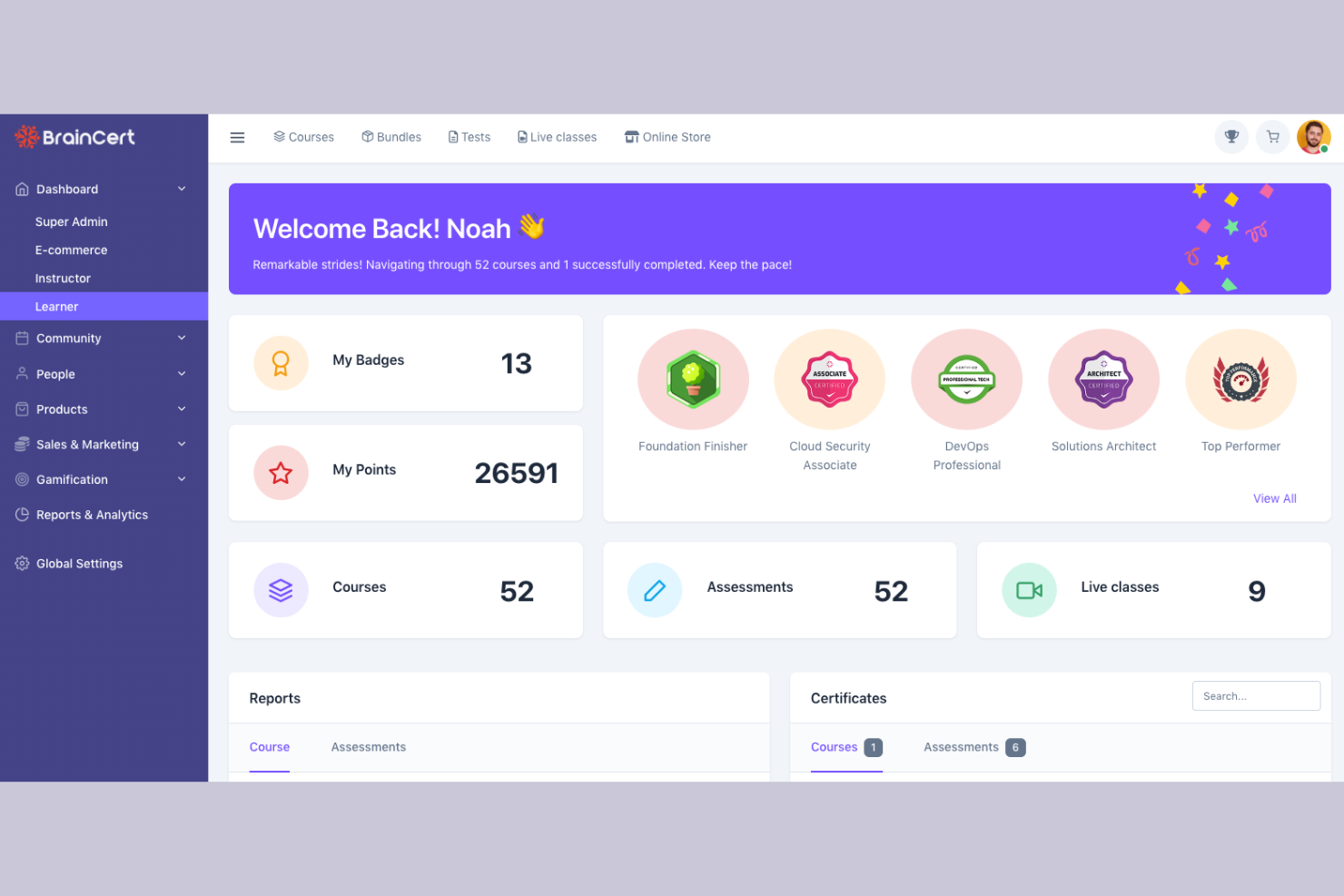
BrainCert is a learning management system designed for educational institutions and businesses looking to facilitate virtual learning. It provides tools for online classrooms, course creation, and assessments.
Why I picked BrainCert: It excels in virtual classroom capabilities, allowing you to conduct live sessions with ease. The platform offers interactive whiteboards and real-time collaboration tools, improving the learning experience. You can create and deliver quizzes to assess learner progress effectively. BrainCert also supports multimedia content, making lessons more engaging for your students.
Standout Features and Integrations:
Features include a mobile app that lets learners participate in sessions from anywhere, promoting flexibility. The platform supports gamification, adding a fun element to learning. You can also use the built-in eCommerce features to sell courses online.
Integrations include PayPal, Stripe, Moodle, and more.
Pros and Cons
Pros:
- Effective assessments and quizzes
- Interactive whiteboards available
- Excellent virtual classroom tools
Cons:
- Missing basic admin controls
- Unpolished mobile web view

Moodle
Best for academic use
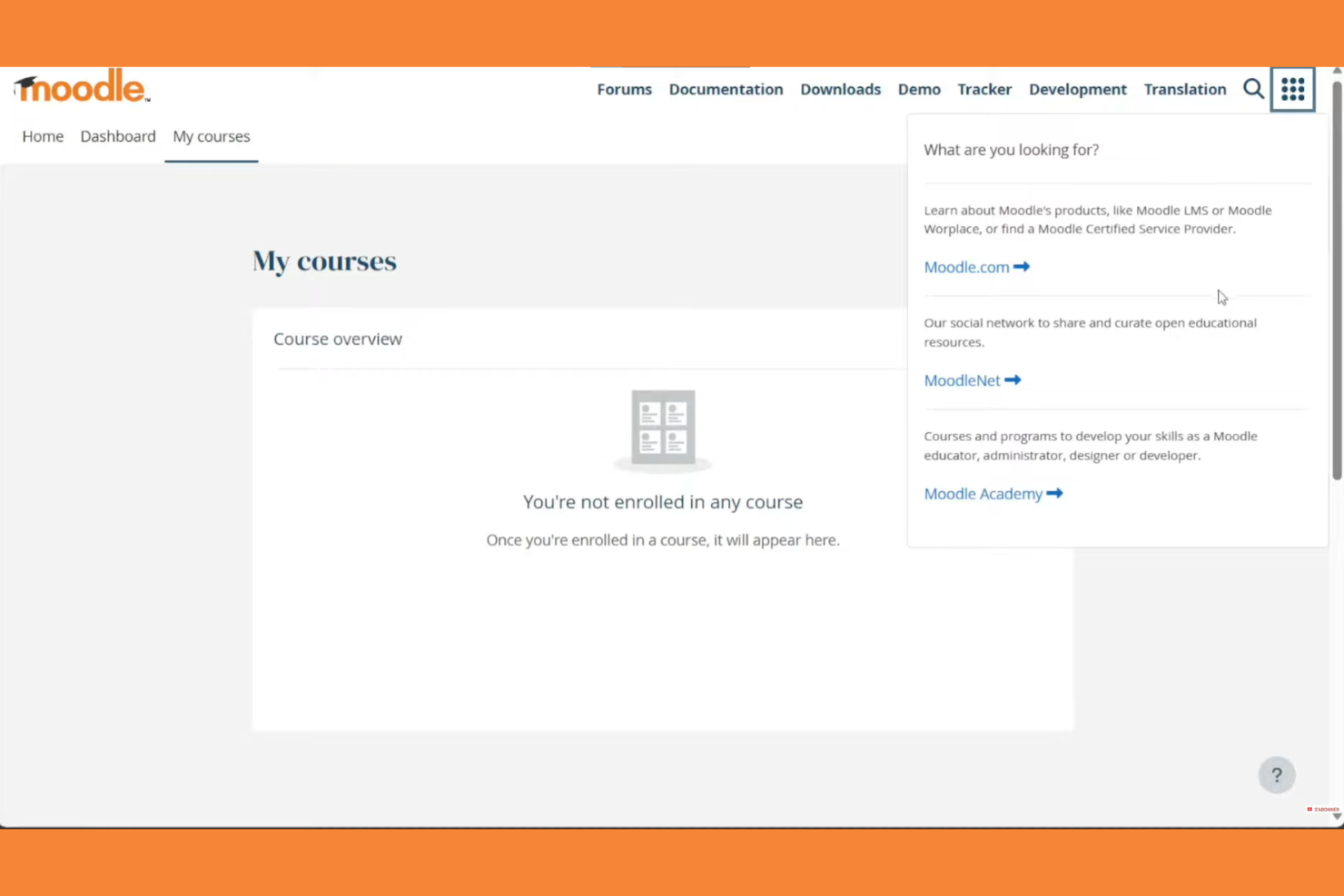
Moodle is an open-source learning management system widely used in educational institutions. It supports course creation, student engagement, and assessment management.
Why I picked Moodle: Moodle excels in academic settings with its flexible course management and wide array of plugins. Its open-source nature allows for extensive customization to fit specific educational needs. The platform supports various learning methodologies, making it versatile for different teaching styles. Moodle also offers strong community support and discussion forums, which can be invaluable for educators.
Standout Features and Integrations:
Features include a customizable dashboard that lets you organize courses and activities with ease. The platform supports multimedia integration, improving the learning experience with videos and interactive content. You can track student progress with detailed analytics, helping you identify areas for improvement.
Integrations include Microsoft Office 365, Google Workspace, Zoom, BigBlueButton, Mahara, Turnitin, Panopto, H5P, Jitsi, SCORM, and more.
Pros and Cons
Pros:
- Wide array of plugins
- Flexible course management
- Supports various teaching styles
Cons:
- Plugin dependency
- Outdated interface
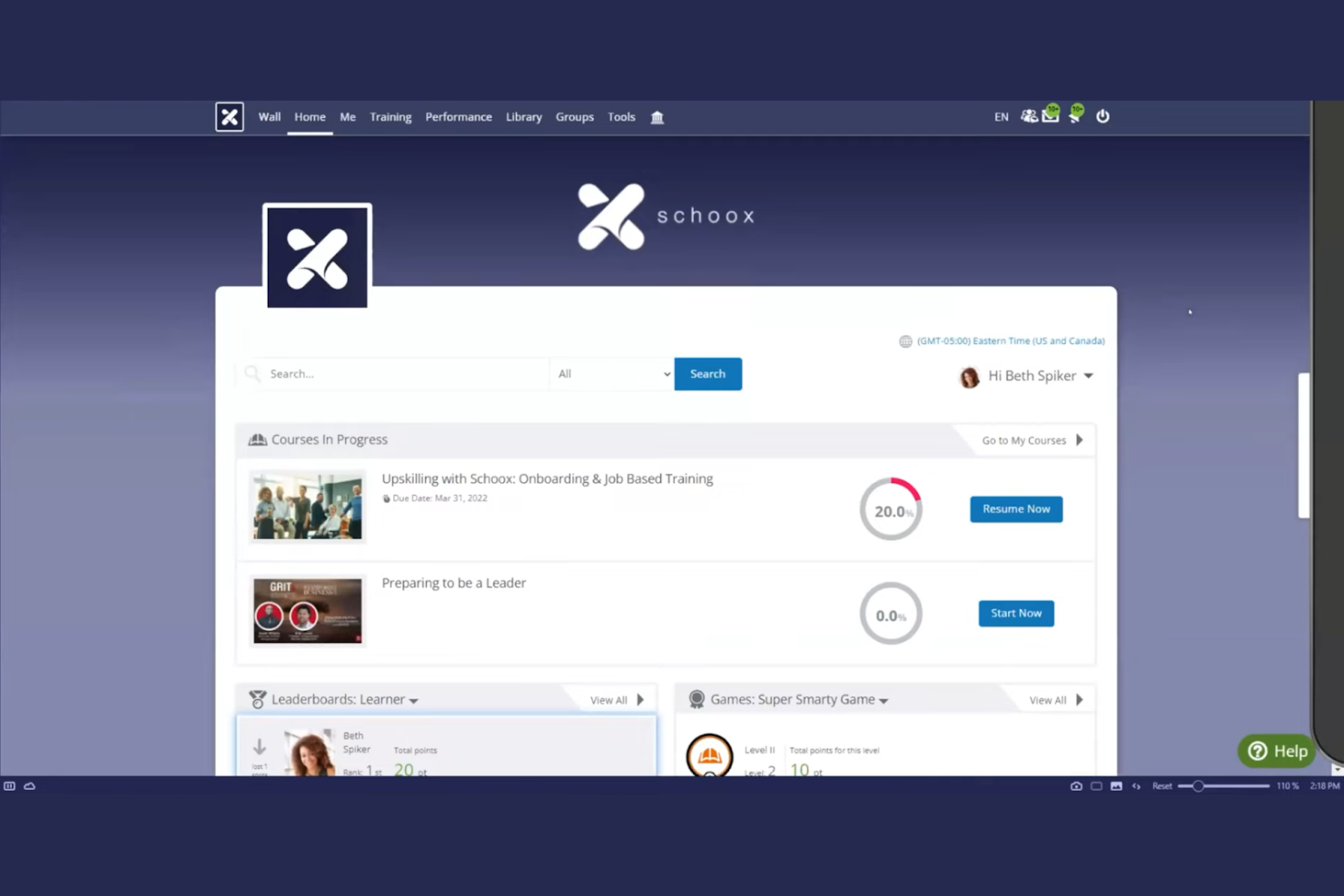
Schoox LMS software is tailored for businesses focused on compliance and skill development. It serves industries by providing tools for training, performance measurement, and certification management.
Why I picked Schoox: It offers specialized features for compliance training, helping your team meet industry standards. The platform provides customizable learning paths, allowing you to tailor training to individual needs. You can also track certifications and compliance status, keeping your organization on top of regulatory requirements. Schoox's reporting tools help you analyze training effectiveness and make data-driven improvements. The platform supports Tin Can (xAPI), enabling learning activity tracking beyond traditional course completion.
Standout Features and Integrations:
Features include a mobile app for on-the-go learning, which is ideal for remote teams. The platform supports gamification, adding an engaging element to training programs. You can also use the content library to access a variety of pre-built learning materials and resources.
Integrations include Salesforce, Microsoft Teams, Zoom, ADP, BambooHR, Google Workspace, SAP SuccessFactors, Workday, Oracle, and more.
Pros and Cons
Pros:
- Certification tracking
- Customizable learning paths
- Strong compliance training focus
Cons:
- Technical glitches
- The menu structure can feel overloaded

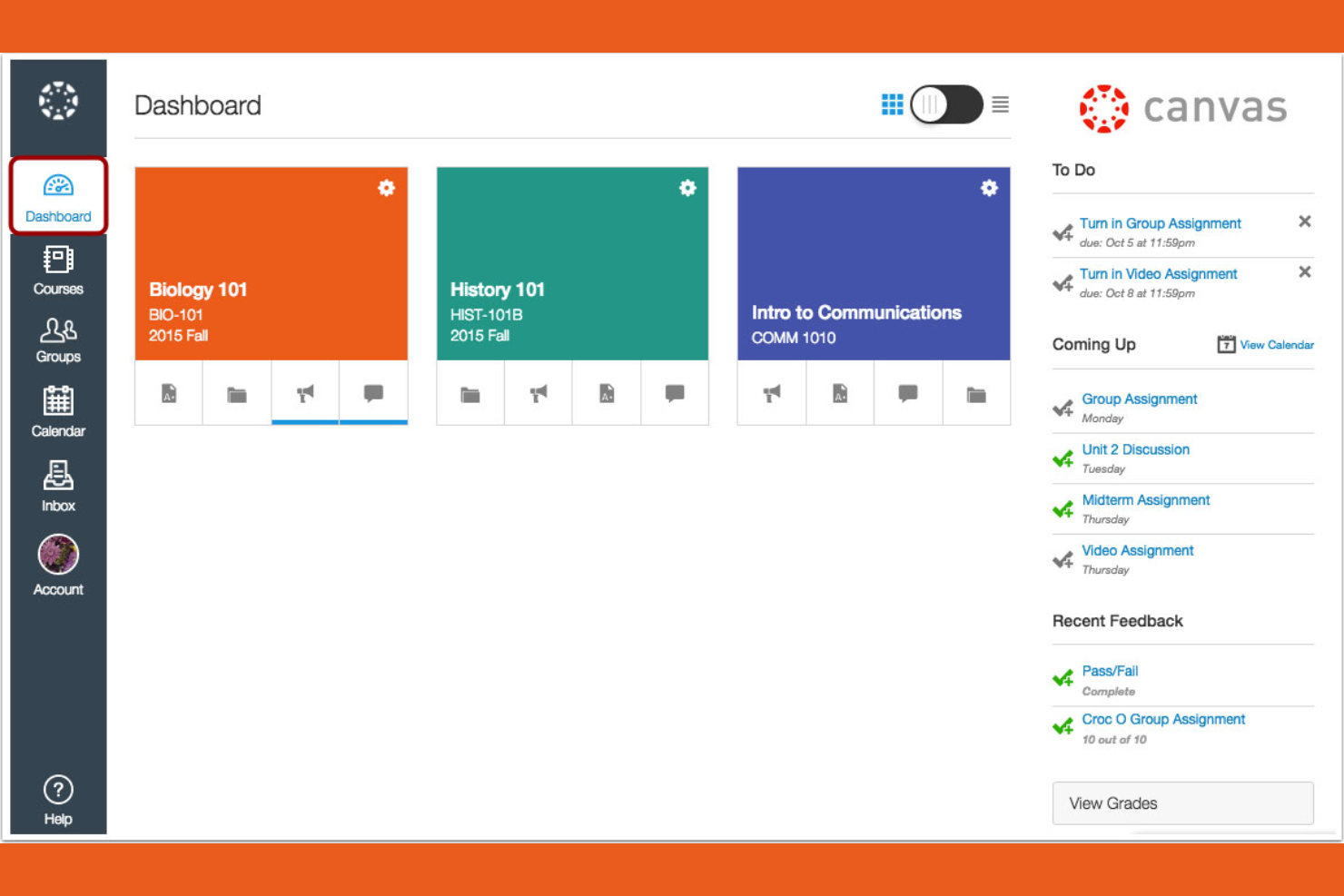
Canvas is a learning management system designed primarily for educational institutions, especially universities and colleges. It provides tools for course management, grading, and student engagement.
Why I picked Canvas: It's tailored for higher education, offering features that support both instructors and students. You can create and manage courses efficiently with its intuitive interface. The platform includes tools for online assessments, making it easier to evaluate student performance. Canvas also supports collaboration through discussion boards and group projects, improving the learning experience.
Standout Features and Integrations:
Features include a mobile app that lets students and instructors access courses from their smartphones, promoting flexibility. You can use analytics to track student performance and identify areas for improvement. The platform also supports multimedia content, enriching the learning experience with videos and other resources.
Integrations include Google Workspace, Microsoft Teams, Zoom, and more.
Pros and Cons
Pros:
- Strong online assessment tools
- Intuitive course management
- Tailored for higher education
Cons:
- Gradebook complexity
- Inconsistent course design

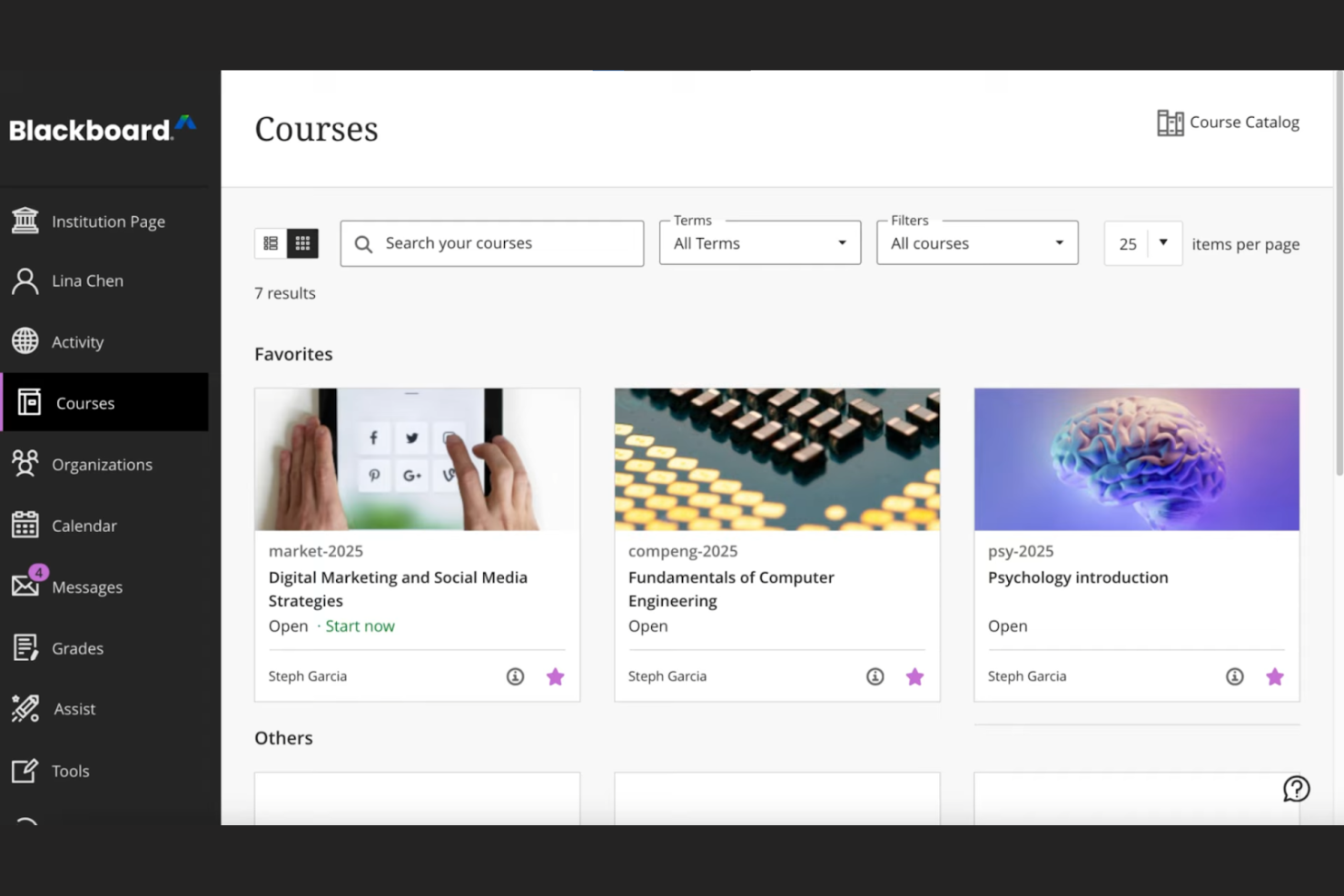
Blackboard by Anthology is a complete learning management system tailored for educational institutions, focusing on data-driven decision-making. It supports course management, student engagement, and performance analytics.
Why I picked Blackboard: Its strength lies in data analytics, offering institutions detailed insights into student performance and engagement. The platform allows you to create custom reports, helping you make informed decisions. You can track learning outcomes and identify trends, which is essential for improving educational strategies. Blackboard also provides tools for automating administrative tasks, freeing up your team for more critical work.
Standout Features and Integrations:
Features include an intuitive interface that simplifies course management, making it easy for instructors to navigate. The platform supports multimedia content, improving the learning experience with videos and interactive elements. You can also use built-in communication tools to foster collaboration between students and teachers.
Integrations include Google Workspace, Microsoft Teams, Zoom, Turnitin, Pearson, McGraw-Hill Education, and more.
Pros and Cons
Pros:
- Effective learning outcome tracking
- Custom report generation
- Strong data analytics capabilities
Cons:
- Dated interface
- Overkill for basic needs

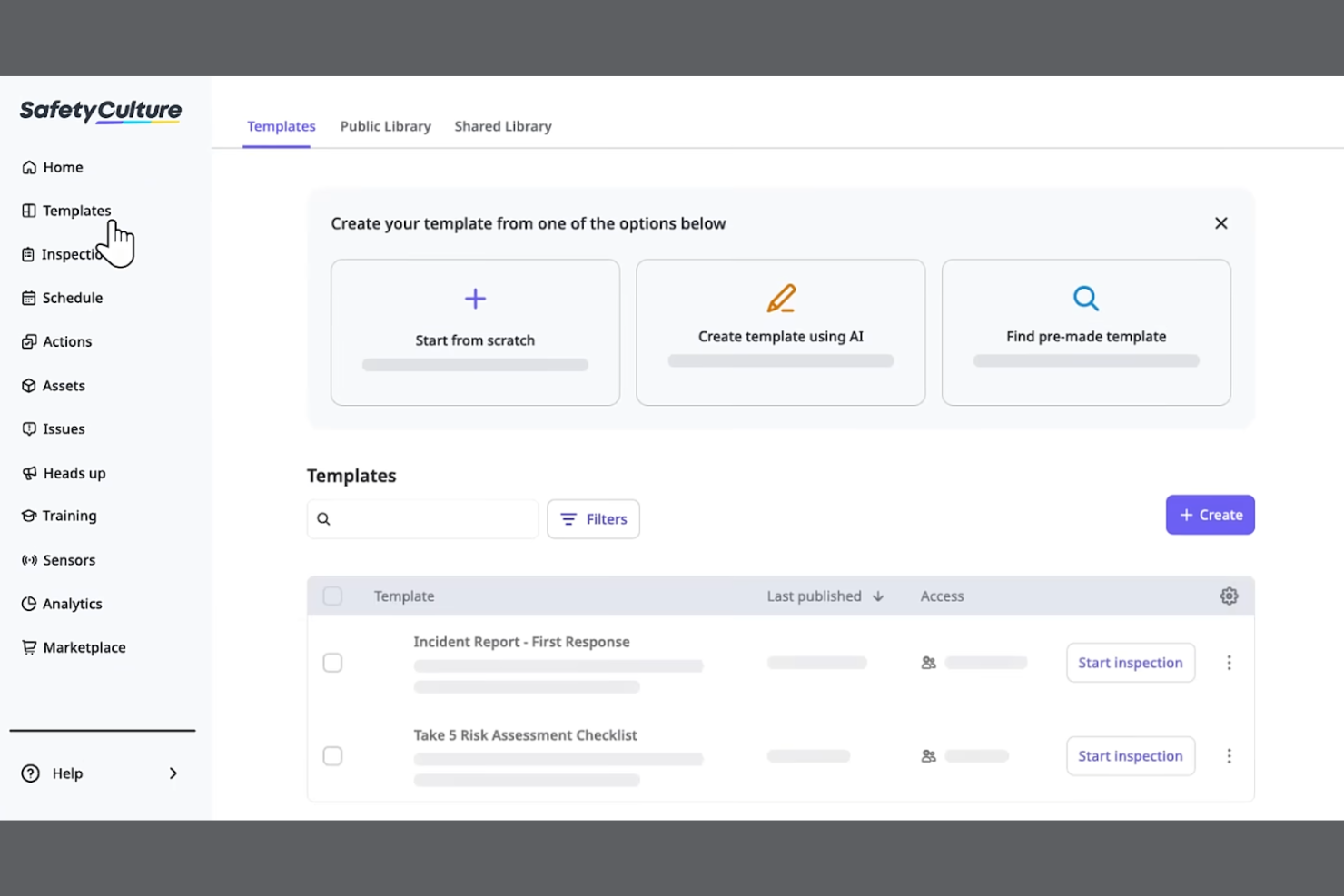
SC Training is a mobile-focused learning management system designed for businesses looking to deliver training in bite-sized modules for better retention. It serves industries by promoting effective learning through microlearning techniques and tools.
Why I picked SC Training: It specializes in microlearning, allowing you to create short, engaging lessons that fit into your team's schedule. The platform offers a built-in authoring tool for easy course materials creation, enabling you to develop content quickly. You can incorporate multimedia elements to make the learning experience more dynamic. SC Training also provides analytics to track learner progress, helping you measure the impact of your training.
Standout Features and Integrations:
Features include a mobile app that supports on-the-go enrollment and lets learners access courses anytime, anywhere. The platform supports gamification, adding a competitive edge to learning. You can also use the content library to access a variety of ready-made courses and templates.
Integrations include Microsoft Teams, Zoom, Slack, Salesforce, BambooHR, Shopify, Google Drive, Microsoft Azure, PayPal, Stripe, and more.
Pros and Cons
Pros:
- Wide content library
- Built-in authoring tool
- Effective microlearning techniques
Cons:
- Content "reset" risks
- Microlearning only
Inne mobilne systemy LMS
Oto kilka dodatkowych mobilnych systemów LMS, które nie trafiły na moją listę, ale nadal warto się z nimi zapoznać:


How I Evaluate Mobile LMS Solutions
I split my evaluation into two layers—the baseline every tool must clear, like offline access and native apps for shift workers, and the differentiators that set the best fit apart.
Core Functionality (Table Stakes For This List)
When I'm selecting tools for my list, I rank each one on a scale from 0 (does not offer the functionality) to 5 (excels in this area) for each core functionality listed below. Then, I calculate the tool's total score into a percentage. Each tool needs to achieve a minimum total score of 65% to be considered for inclusion.
- Native Mobile Apps: I check for dedicated iOS and Android apps where a warehouse worker or retail associate can log in and complete a full course, not just view a dashboard.
- Offline Learning Access: I look for the ability to download courses and sync progress later, which matters for field teams in areas with spotty connectivity.
- Responsive Course Content: Quizzes, videos, and interactive modules all need to render cleanly on a phone screen with tap-friendly navigation and no horizontal scrolling.
- Mobile Push Notifications: I evaluate whether the platform can push assignment reminders and deadline alerts directly to a learner's device to drive completion rates.
- Mobile-Friendly Authoring: I look at whether admins can build or adapt content for small screens, including microlearning formats like short quizzes or two-minute video lessons.
- Progress Tracking & Reporting: Completion data, quiz scores, and certification status should sync across devices and roll up into a centralized admin dashboard in real time.
Once I have a list of tools that meet this criteria, I consider what sets each platform apart.
Differentiating Factors (What Sets Vendors Apart)
Here's how I compare and contrast different vendors:
Standout Features
Gamification features like points, badges, and leaderboards keep frontline learners coming back between shifts. I also evaluate AI-powered personalization, where the platform adapts learning paths based on a worker's role or skill gaps rather than serving the same generic content to everyone. QR code course access is another differentiator I look for—a supervisor can post a code in a breakroom and new hires scan it to enroll instantly from their phones.
Beyond Features
HRIS integrations matter here—I check whether a platform connects with systems like Workday or BambooHR so new hires auto-populate into training workflows without manual data entry. Compliance and security are equally important, especially in BYOD environments where employee training data lives on personal devices. I look for MDM compatibility and audit-ready reporting that HR teams in regulated industries can pull during an inspection. Scalability also factors in, particularly multi-language support for organizations training across multiple regions.
Jak wybrać mobilny system LMS
Łatwo ugrzęznąć w długich listach funkcji i złożonych strukturach cenowych. Aby pomóc Ci zachować koncentrację podczas wyboru oprogramowania dopasowanego do Twoich potrzeb, przygotowałem listę czynników, które warto wziąć pod uwagę:
| Czynnik | Na co zwrócić uwagę |
|---|---|
| Skalowalność | Czy system LMS będzie rozwijać się wraz z Twoim zespołem? Weź pod uwagę przyszłe potrzeby oraz to, czy narzędzie poradzi sobie ze zwiększoną liczbą użytkowników i treści. |
| Integracje | Czy współpracuje z używanymi już narzędziami? Sprawdź zgodność z obecnymi systemami, aby zapewnić płynny przepływ pracy. |
| Możliwość dostosowania | Czy możesz dopasować system do swoich potrzeb? Poszukaj opcji umożliwiających dostosowanie platformy do unikalnych procesów. |
| Łatwość obsługi | Czy korzystanie z systemu jest proste dla wszystkich? Upewnij się, że interfejs jest przyjazny zarówno dla administratorów, jak i uczestników szkoleń. |
| Wdrożenie i wprowadzenie | Jak szybko możesz rozpocząć pracę? Oceń dostępne wsparcie i zasoby ułatwiające płynne przejście. |
| Koszt | Czy rozwiązanie mieści się w Twoim budżecie? Porównaj plany cenowe, ukryte opłaty i wartość oferowaną w zamian za inwestycję. |
| Zabezpieczenia | Czy Twoje dane i prywatność są chronione? Sprawdź zgodność ze standardami branżowymi i przepisami dotyczącymi ochrony danych. |
| Dostępność wsparcia | Czy możesz uzyskać pomoc, gdy jej potrzebujesz? Sprawdź dostęp do szybkiego i skutecznego wsparcia za pośrednictwem różnych kanałów. |
Czym jest mobilny system LMS?
Mobilny LMS to platforma, która dostarcza treści edukacyjne i szkolenia za pośrednictwem urządzeń mobilnych. Z narzędzi tych zazwyczaj korzystają specjaliści HR, trenerzy korporacyjni i edukatorzy, aby zapewniać elastyczne rozwiązania edukacyjne. Funkcje takie jak dostęp mobilny, obsługa multimediów i konfigurowalne ścieżki nauki pomagają dostarczać angażujące i dostępne szkolenia, a powiadomienia push zwiększają odsetek ukończeń. Ogólnie rzecz biorąc, narzędzia te usprawniają naukę, czyniąc ją bardziej elastyczną i wygodną dla użytkowników.
Funkcje
Wybierając mobilny LMS, zwróć uwagę na następujące kluczowe funkcje:
- Dostęp mobilny: Umożliwia uczestnikom nauki dostęp do kursów w dowolnym miejscu i czasie, wszędzie tam, gdzie dostępne jest połączenie z internetem, zwiększając elastyczność i wygodę.
- Obsługa multimediów: Wykorzystuje filmy, dźwięk i elementy interaktywne do tworzenia angażujących doświadczeń edukacyjnych.
- Konfigurowalne ścieżki nauki: Umożliwia dostosowanie kursów do indywidualnych potrzeb uczestników nauki i celów organizacji.
- Grywalizacja: Dodaje nauce element zabawy i rywalizacji, zwiększając zaangażowanie i motywację.
- Analityka i raportowanie: Śledzi postępy i wyniki uczestników nauki, dostarczając informacji pomocnych w doskonaleniu.
- Możliwości integracji: Łączy się z istniejącymi narzędziami, wspierając sprawne przepływy pracy i udostępnianie danych.
- Zabezpieczenia: Chroni dane i prywatność, zapewniając zgodność ze standardami branżowymi.
- Biblioteka treści: Oferuje gotowe kursy i zasoby, usprawniając szkolenia bez konieczności rozpoczynania od zera.
- Wirtualna klasa: Ułatwia prowadzenie sesji na żywo i współpracę w czasie rzeczywistym, wzbogacając doświadczenie edukacyjne.
Korzyści
Wdrożenie mobilnego LMS zapewnia zespołowi i firmie wiele korzyści. Oto kilka z nich:
- Elastyczność: Dostęp mobilny pozwala uczestnikom nauki korzystać z treści w dogodnym dla nich czasie i we własnym tempie, umożliwiając dopasowanie szkoleń do napiętego harmonogramu.
- Zaangażowanie: Funkcje takie jak grywalizacja i obsługa multimediów sprawiają, że nauka jest bardziej interaktywna i przyjemna, zwiększając uczestnictwo.
- Personalizacja: Konfigurowalne ścieżki nauki dostosowują szkolenia do indywidualnych potrzeb, poprawiając ich trafność i skuteczność.
- Wydajność: Analityka i raportowanie dostarczają informacji o postępach uczestników nauki, pomagając identyfikować obszary wymagające poprawy i optymalizować procesy.
- Integracja: Integracje z istniejącymi systemami upraszczają przepływy pracy i zapewniają spójność danych na różnych platformach.
- Bezpieczeństwo: Silne zabezpieczenia chronią poufne informacje, podtrzymując zaufanie i zgodność z przepisami.
- Współpraca: Funkcje wirtualnej klasy umożliwiają interakcję i pracę zespołową w czasie rzeczywistym, wzbogacając doświadczenie edukacyjne.
Koszty i ceny
Wybór mobilnego LMS wymaga zrozumienia różnych dostępnych modeli cenowych i planów. Koszty zależą od funkcji, wielkości zespołu, dodatków i innych czynników. Poniższa tabela podsumowuje typowe plany, ich średnie ceny oraz standardowe funkcje uwzględniane w rozwiązaniach mobilnego LMS:
Tabela porównawcza planów dla mobilnego LMS
| Typ planu | Średnia cena | Typowe funkcje |
|---|---|---|
| Plan bezpłatny | $0/user/month | Podstawowy dostęp do kursów, ograniczona przestrzeń dyskowa i wsparcie społeczności. |
| Plan osobisty | $5-$25/user/month | Konfigurowalne kursy, podstawowa analityka i wsparcie e-mailowe. |
| Plan biznesowy | $25-$50/user/month | Zaawansowane raportowanie, integracje i priorytetowe wsparcie. |
| Plan dla przedsiębiorstw | $50-$100+/user/month | Pełna personalizacja, dedykowany opiekun klienta i ulepszone funkcje bezpieczeństwa. |
Najczęściej zadawane pytania dotyczące mobilnego LMS
Oto odpowiedzi na często zadawane pytania dotyczące mobilnego LMS:
Czy mobilny LMS może śledzić postępy pracowników w nauce w czasie rzeczywistym?
Tak, mobilny LMS umożliwia śledzenie postępów pracowników w nauce w czasie rzeczywistym. Możesz sprawdzać wskaźniki ukończenia kursów, wyniki quizów i dane dotyczące zaangażowania bezpośrednio z poziomu pulpitu, co pomaga szybko identyfikować luki w wiedzy i podejmować odpowiednie działania szkoleniowe.
Czy mobilny LMS można zintegrować z innym oprogramowaniem?
Tak, większość platform mobilnego LMS oferuje możliwość integracji z innym oprogramowaniem. Możesz połączyć LMS z narzędziami takimi jak systemy CRM, platformy HR i aplikacje komunikacyjne. Taka integracja pomaga uporządkować przepływy pracy i zachować spójność danych w różnych systemach. Sprawdź zgodność LMS z używanymi narzędziami, aby zapewnić sprawną konfigurację.
Jak bezpieczny jest mobilny LMS?
Platformy mobilnego LMS traktują bezpieczeństwo priorytetowo, oferując takie funkcje jak szyfrowanie danych, uwierzytelnianie użytkowników i zgodność ze standardami branżowymi. Wybierz LMS zapewniający solidne środki bezpieczeństwa, które chronią dane i prywatność. Jeśli Twój zespół działa na arenie międzynarodowej, należy potwierdzić, że platforma jest zgodna z przepisami takimi jak RODO.
Czy wdrożenie mobilnego LMS jest trudne?
Trudność wdrożenia mobilnego LMS może się różnić w zależności od platformy i potrzeb Twojej organizacji. Niektórzy dostawcy LMS oferują wsparcie podczas wdrożenia, w tym filmy szkoleniowe, prezentacje produktu i webinary, aby ułatwić przejście na nowy system. Oceń dostępne zasoby i wsparcie, aby zapewnić swojemu zespołowi sprawny proces wdrożenia.
Jakie rodzaje szkoleń najlepiej sprawdzają się w mobilnym LMS?
Krótkie, interaktywne kursy, moduły mikronauki, listy kontrolne wdrażania i szkolenia dotyczące zgodności z przepisami są szczególnie skuteczne na platformach mobilnego LMS. Pracownicy mogą ukończyć te krótkie lekcje w dowolnym miejscu — nawet między spotkaniami — dzięki czemu nauka jest wygodna i angażująca.
Jak zachęcić pracowników do regularnego korzystania z mobilnego LMS?
Możesz zwiększyć poziom wykorzystania systemu, dbając o to, aby szkolenia były istotne, dodając elementy grywalizacji (takie jak odznaki lub rankingi) oraz jasno określając oczekiwania dotyczące celów edukacyjnych. Wysyłanie przypomnień lub udostępnianie aktualizacji postępów również pomaga utrzymać motywację i zaangażowanie pracowników.