
Eğitim için performans yönetimi yazılımı, okulların personel değerlendirmeleri yürütmesine, kanıtları belgelemesine, hedefleri izlemesine ve değerlendirmeleri koçluk ile mesleki gelişimle ilişkilendirmesine yardımcı olur. İK ekipleri için doğru platform, mevcut okul iş akışlarına uyum sağlarken öğretmenler ve diğer personel genelinde tutarlı değerlendirme döngülerini desteklemelidir. Bu kılavuz, pratik bir seçenek bulabilmeniz için eğitim odaklı seçenekleri değerlendirme, eğitimci gelişimi, video koçluğu, öğrenci sonuçlarının izlenmesi ve İK kayıtlarındaki güçlü yönlerine göre karşılaştırır.
Why Trust Our Software Recommendations
6,700+
Reviews
20
Industry experts
16+
Evaluation factors
14
Years
Our team has been testing and reviewing software since 2012. As HR experts ourselves, we know how difficult—and important—it is to choose the right software.
For this guide, we evaluated tools using hands-on testing and independent research, scoring tools using our selection criteria. We also draw on insights from industry thought leaders and practicing HR experts.
Our reviews reflect our human editorial judgment, not a sales pitch.
Expert reviewers:
- Phil GrayCOO
 Kim BehnkeHR Tech Editor & Analyst
 Josh BarkerPeople Ops Manager

Karşılaştırma Tablosu: Eğitim İçin Performans Yönetimi Yazılımları
Kısa listeme giren eğitim için performans yönetimi yazılımlarının fiyatlarını ve teknik özelliklerini yan yana karşılaştırın.
Score legend (out of 5)
- Excellent4.5–5
- Good4–4.4
- Average3–3.9
- Below average2–2.9
- Poor1–1.9
Sorted by: Default
| Tool | Starting Price | Website | |||||||
|---|---|---|---|---|---|---|---|---|---|
Best for linking reviews to educator growth | 3.0 out of 5 | 3 | 3 | 4 | 4 | 1 | 3 | Pricing upon request Not available | Website |
Best for linking reviews to K–12 HR records | 2.5 out of 5 | 3 | 3 | 2 | 1 | 2 | 4 | Pricing upon request Free demo available | Website |
Best for linking coaching to student outcomes | 3.0 out of 5 | 3 | 3 | 4 | 4 | 2 | 2 | Pricing upon request Free demo available | Website |
Best for certified and classified staff reviews | 4.0 out of 5 | 3 | 4 | 5 | 4 | 4 | 4 | Pricing upon request Free demo available | Website |
Best for Marzano-linked teacher growth | 4.0 out of 5 | 4 | 4 | 5 | 4 | 4 | 3 | Pricing upon request Free demo available | Website |
Best for evaluation-led educator development | 3.7 out of 5 | 3 | 4 | 4 | 4 | 4 | 3 | Pricing upon request Free demo | Website |
Best for timestamped video coaching | 3.7 out of 5 | 3 | 4 | 5 | 4 | 3 | 3 | Pricing upon request Free demo available | Website |
Best for private coaching alongside evaluations | 3.7 out of 5 | 4 | 4 | 4 | 5 | 2 | 3 | Pricing upon request Free demo available | Website |
Best for linking video coaching to evaluations | 3.0 out of 5 | 2 | 3 | 4 | 4 | 2 | 3 | Pricing upon request Free demo available | Website |
Best for linking staff goals, reviews and CPD | 3.0 out of 5 | 4 | 4 | 2 | 4 | 2 | 2 | Pricing upon request Free demo available | Website |


Eğitim İçin Performans Yönetimi Yazılımı İncelemeleri
Aşağıda, kısa listemde yer alan eğitim için en iyi performans yönetimi yazılımları hakkındaki incelemelerim bulunmaktadır. Her inceleme, ihtiyaçlarınıza uygun yazılımı bulmanıza yardımcı olmak için değerlendirme özelliklerini, koçluğu ve mesleki gelişimi ele alır.
 Best for linking reviews to educator growth
- Not available
- Pricing upon request
Visit WebsiteCustomer Rating:4.2/5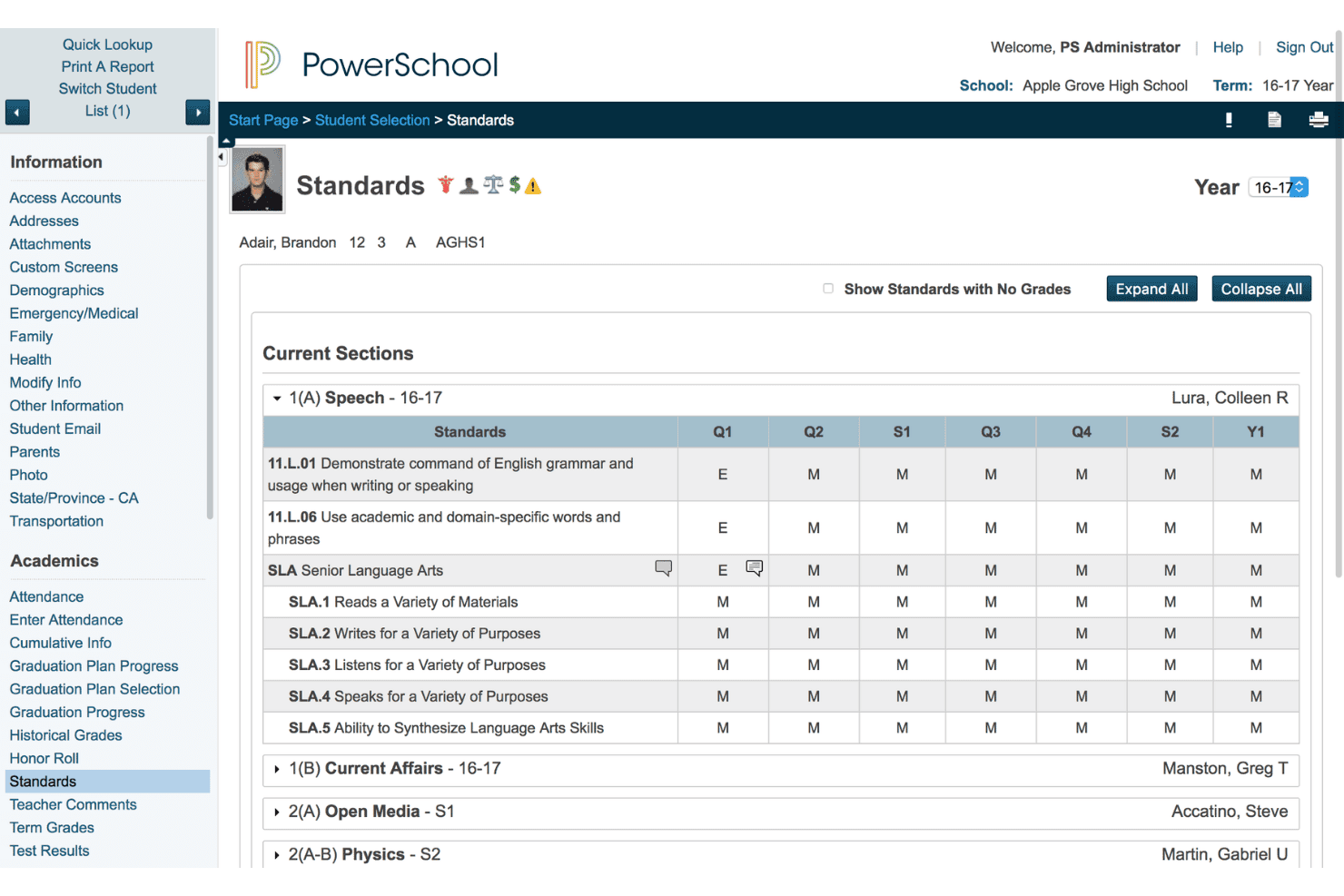
PowerSchool dashboard showing student standards and grades. PowerSchool is a K–12 performance management platform that connects staff evaluations, walkthroughs, professional learning plans, and coaching and mentoring into a single educator support system.
Who Is PowerSchool Best For?
PowerSchool is a strong fit for K–12 districts that want to connect staff evaluations with professional learning while managing educator coaching and mentoring through complementary tools.
Why I Picked PowerSchool
I picked PowerSchool as one of the best because its Perform solution connects educator evaluations with personalized professional development through a direct integration with Professional Learning. I like how administrators can capture observation evidence, link feedback to evaluation rubrics, and use performance insights to recommend targeted learning opportunities. PowerSchool also offers Coaching & Mentoring, which supports mentor check-ins, goal tracking, and coaching progress reports, giving districts additional tools to manage educator development.
PowerSchool Key Features
- Staff walkthroughs and observations: Document classroom observations, attach evidence, and link feedback to evaluation rubrics.
- Credential tracking: Maintain records of educators' existing and expiring credentials through Professional Learning.
- Professional learning course scheduling: Schedule training courses and issue configurable completion certificates.
- AI-powered coaching analysis: Transcribe mentoring check-ins, analyze coaching topics, and identify follow-up action items.
PowerSchool Integrations
PowerSchool Perform integrates with PowerSchool Professional Learning to connect staff evaluations with personalized development recommendations. It can also use district HR data to populate employee information, although specific third-party HR integrations are not publicly identified.
Pros and Cons
Pros:
- Tracks existing and expiring educator credentials
- AI analyzes coaching check-ins and action items
- Evaluation feedback connects to professional learning
Cons:
- Coaching analytics require a separate product
- Growth plans require Professional Learning integration
Learn more about PowerSchool: Best for linking reviews to K–12 HR records
- Free demo available
- Pricing upon request
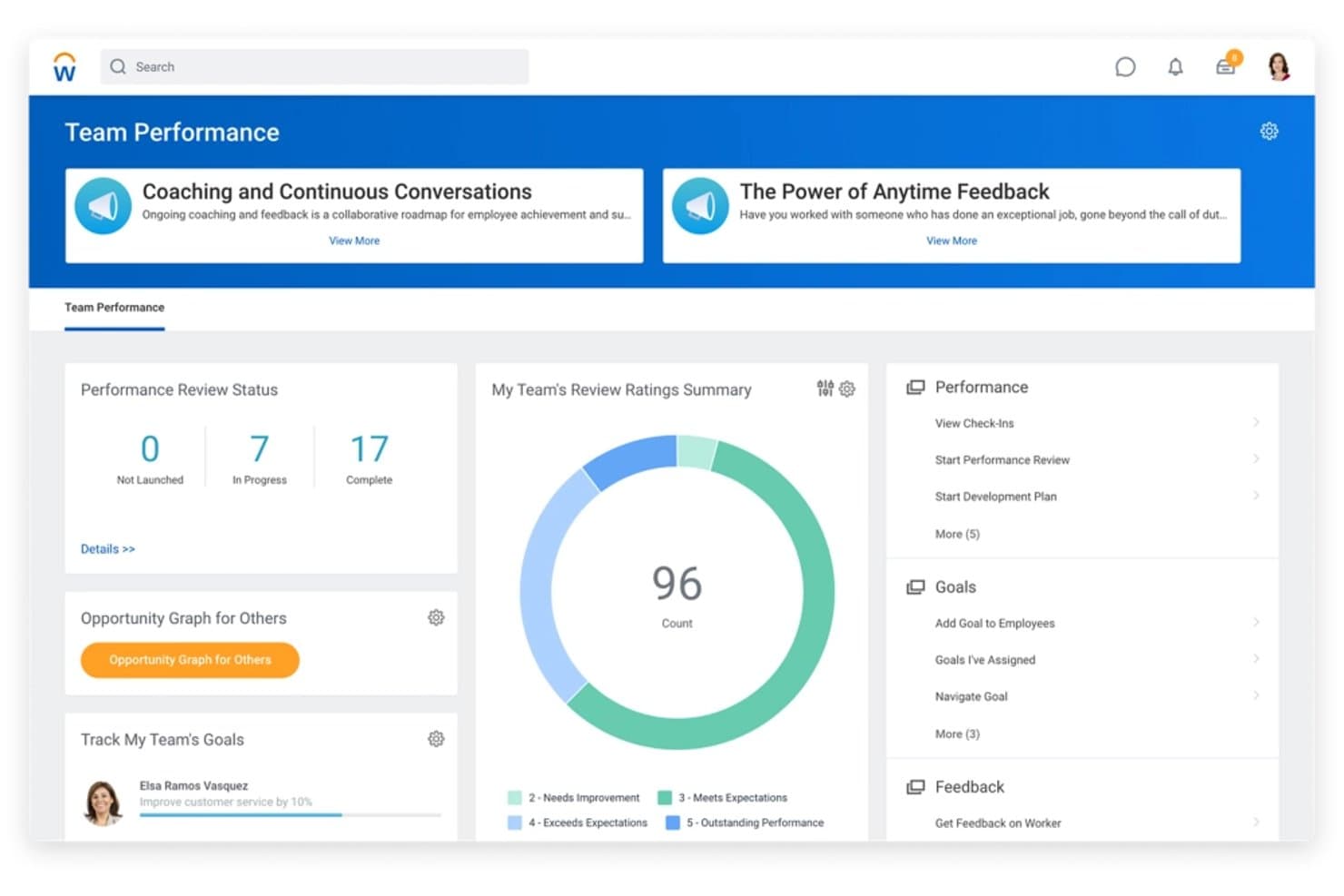
Workday HCM tracks team performance reviews, goals, and feedback in one dashboard. Workday HCM is an enterprise HR and talent management platform that helps K–12 districts manage employee performance reviews, goals, classroom observation records, teacher certifications, and workforce information in one system.
Who Is Workday HCM Best For?
Workday HCM is a strong fit for K–12 districts that need to manage educator performance records, teacher licensure and certifications, and HR information through a centralized enterprise platform.
Why I Picked Workday HCM
I've included Workday HCM in my top picks because it brings educator performance records, teacher credentials, and HR information together in one enterprise platform. District leaders can track classroom observations, evaluation history, and teacher rubric ratings alongside certifications and licenses. I also like its configurable reporting tools, which help administrators identify educators with specific qualifications and align teacher and principal goals with district priorities.
Workday HCM Key Features
- Goal alignment tools: Employees and managers can set individual goals and link them directly to district-wide organizational objectives.
- Education-specific pay configuration: Supports complex pay plans including multiple appointments, itinerant teachers, and 9/12 or 12/12 academic-year pay cycles.
- Org Studio: Teams can collaborate on proposed district reorganizations before changes go live, using mass actions to carry them out.
- Skills Cloud: Analyze workforce skills using an AI-powered ontology of 73,000+ skills to identify gaps and development opportunities.
Workday HCM Integrations
Workday HCM integrates with Microsoft Teams, Slack, Microsoft 365 Copilot, and Gemini Enterprise through Workday Everywhere, enabling employees and managers to access HR information and complete performance-related tasks. Workday also supports prebuilt HCM connectors and custom integrations through REST APIs, Workday Web Services, and Workday Studio.
Pros and Cons
Pros:
- Staff goals align with district objectives
- Teacher rubrics and observation forms supported
- Review history sits beside employee records
Cons:
- Historical talent review events cannot be imported
- Review templates cannot change after launch
Learn more about Workday HCM: Best for linking coaching to student outcomes
- Free demo available
- Pricing upon request
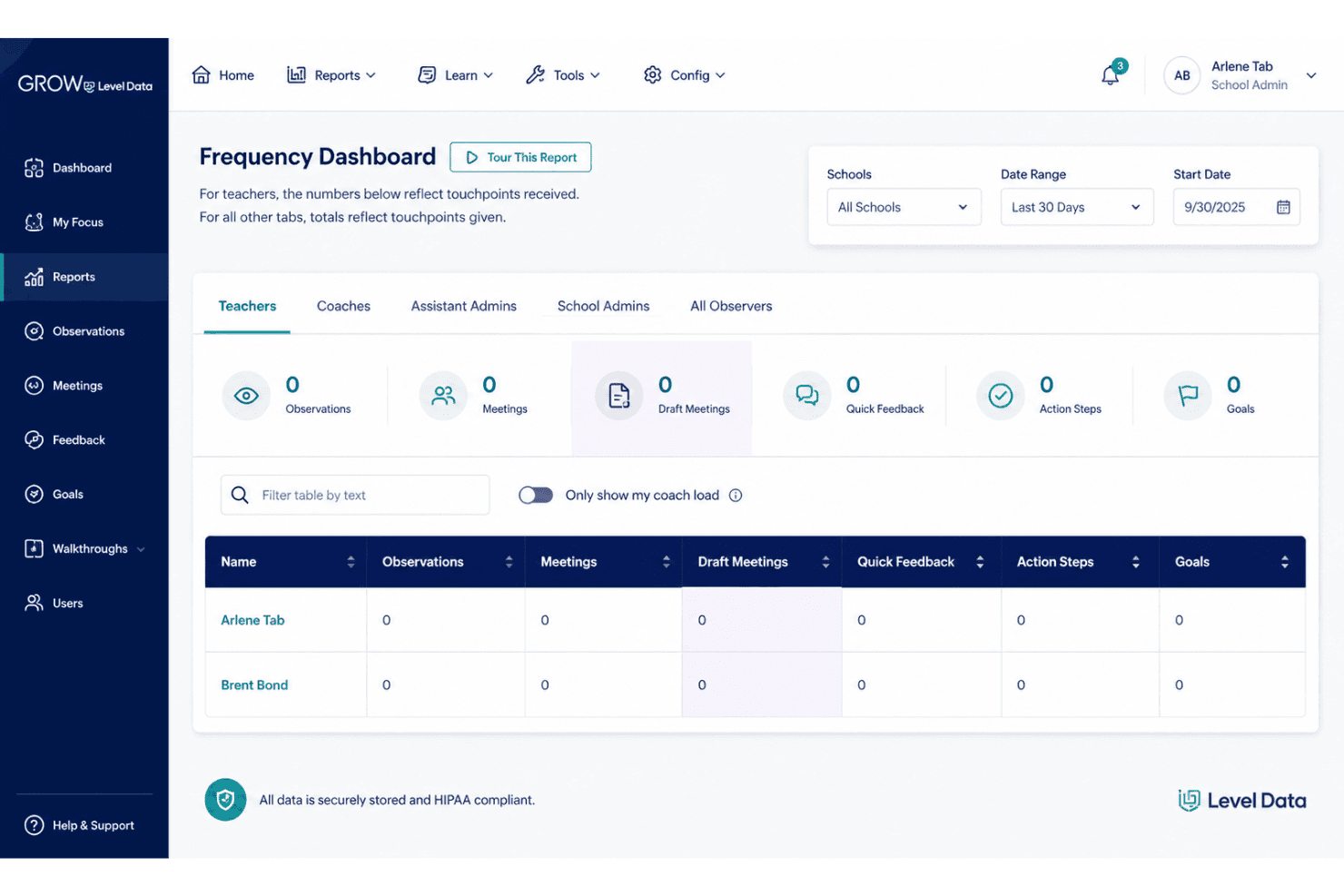
Grow by Level Data dashboard tracking teacher observations and feedback. SchoolMint Grow, now offered by Level Data, is a K–12 teacher coaching and evaluation platform that helps school and district leaders manage classroom observations, structured feedback, action steps, and educator growth records in one place.
Who Is SchoolMint Grow Best For?
SchoolMint Grow is a strong fit for principals, instructional coaches, and district leaders who need a centralized platform for classroom observations, coaching documentation, educator growth tracking, and analysis of coaching effectiveness.
Why I Picked SchoolMint Grow
I picked SchoolMint Grow because its Educator Supports Module connects coaching and professional development activity with student outcome data, helping district leaders evaluate the impact of educator support. I also like its Touchpoint Dashboard, which tracks educator interactions and uses customizable thresholds to highlight teachers needing follow-up. Its Running Record adds timestamped lesson notes alongside quantitative student engagement data, giving instructional coaches detailed classroom evidence to guide feedback and track teacher growth.
SchoolMint Grow Key Features
- Custom observation forms: Create unlimited forms using Danielson, Marzano, or district-specific rubrics.
- Quick feedback tool: Capture walkthrough notes, send private messages, and assign rubric-aligned action steps.
- Rubric performance reports: Analyze evaluation scores by indicator, domain, or time period to identify educator performance trends.
- Video coaching app: Record, upload, and share classroom videos to support instructional feedback and reflection.
SchoolMint Grow Integrations
SchoolMint Grow connects with Google Calendar and Microsoft Outlook to schedule classroom observations, coaching meetings, and other events.
Pros and Cons
Pros:
- Integrates observation scheduling with Google Calendar and Outlook
- Captures time-stamped classroom observation notes
- Tracks observations, notes, and goals
Cons:
- Nonstandard services incur additional fees
- Implementation and training aren't automatically included
Learn more about SchoolMint: Best for certified and classified staff reviews
- Free demo available
- Pricing upon request
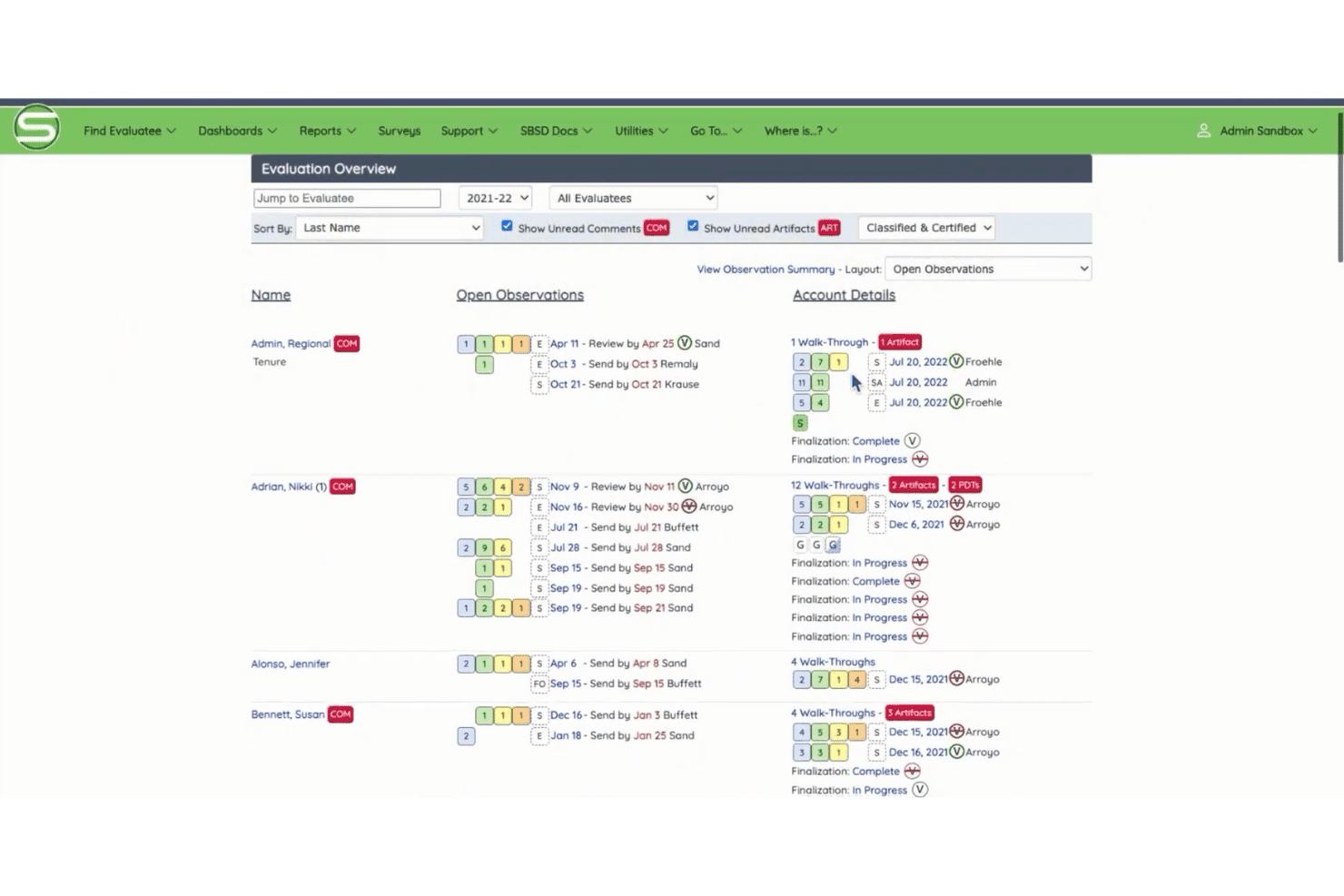
Standard for Success dashboard showing teacher evaluations, observations, and progress tracking. Standard for Success, now part of Education Advanced's Evaluation platform, is a K–12 staff evaluation solution that supports observation documentation, rubric-aligned feedback, goal tracking, and professional development logging for certified and classified employees.
Who Is Standard for Success Best For?
Standard for Success is a good fit for K–12 districts that need to run structured evaluations for both certified staff, such as teachers, counselors, and administrators, and classified employees, including paraprofessionals and office staff.
Why I Picked Standard for Success
I picked Standard for Success as one of the best because it supports structured evaluations for both certified and classified K–12 staff in one platform. Districts can customize evaluation workflows and use established rubric frameworks, including Danielson, McREL, and 5D+, to align assessments with their requirements. I also like its AI-assisted feedback feature, which generates rubric-aligned draft feedback from observation notes for evaluators to review and edit. This can help reduce the time spent writing feedback during busy evaluation cycles.
Standard for Success Key Features
- Role-based dashboards: Give administrators, evaluators, and staff access to role-specific evaluation information, workflows, and reminders.
- Interrater reliability reporting: Compare evaluator scoring and observation notes across rubric domains and indicators to support consistent assessments.
- PD task assignment and tracking: Assign professional development tasks from observation records, set due dates, attach resources, and monitor completion.
- Multi-campus trend analytics: Compare evaluation trends across campuses and analyze performance data by task, district, location, and date.
Standard for Success Integrations
Standard for Success supports integrations with student information systems (SIS) and HR software, with integration specialists helping configure automated nightly data synchronization. However, the vendor does not publicly identify specific compatible applications in its Evaluation documentation.
Pros and Cons
Pros:
- Links observation evidence to rubric-based feedback
- Supports Danielson, 5D+, and McREL rubrics
- Reviews certified and classified staff
Cons:
- Districts must supply evaluation materials for configuration
- Full implementation typically takes six to eight weeks
Learn more about Standard for Success: Best for Marzano-linked teacher growth
- Free demo available
- Pricing upon request
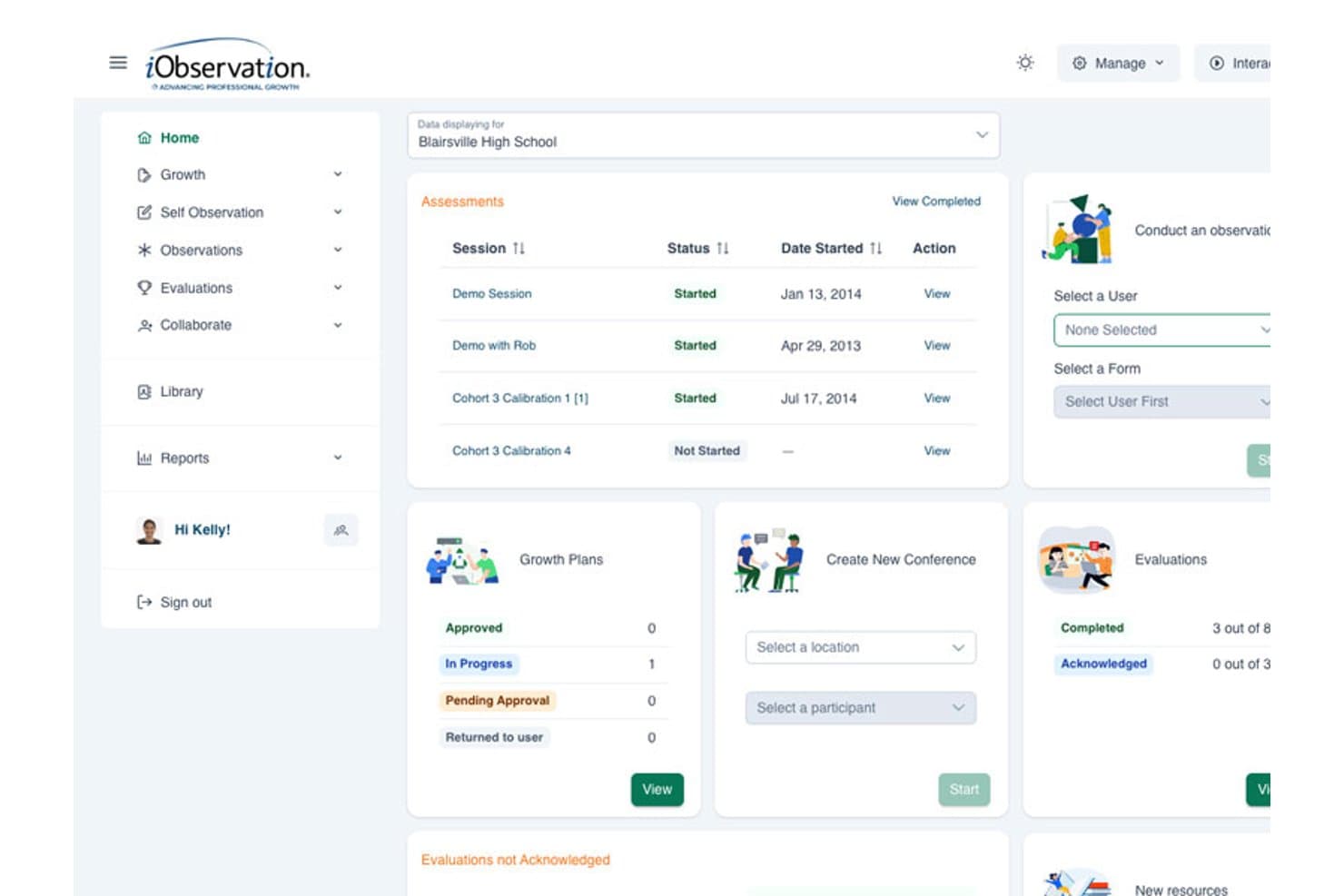
iObservation centralizes assessments, growth plans, and evaluations in one dashboard. iObservation is a Marzano-aligned teacher observation and evaluation platform that collects and manages data from classroom walkthroughs, self-assessments, instructional rounds, and evaluations to support professional growth planning and compliance reporting.
Who Is iObservation Best For?
iObservation is a strong fit for K-12 principals and district administrators who use Marzano-based evaluation frameworks and need a centralized platform for classroom observations, professional growth plans, and evaluation reporting.
Why I Picked iObservation
I picked iObservation because it's purpose-built around the Marzano framework, which makes it a natural fit for districts already running Marzano-based evaluations. I like that it supports Marzano observation models alongside state-specific and custom district forms, giving schools flexibility to work with their existing evaluation processes. The growth plan feature ties SMART goals directly to observation data, so a teacher's development priorities come from actual classroom evidence rather than a separate, disconnected process.
iObservation Key Features
- Districtwide reporting: Compare observation frequency across school buildings and analyze evaluation results by instructional strategy.
- Professional learning community forums: Support asynchronous discussions and collaboration among teachers through departmental, schoolwide, and districtwide forums.
- Mobile and offline observation entry: Record classroom walkthroughs, evaluations, and self-assessments with mobile and offline access.
- On-demand PD resource matching: Access professional development content automatically matched to a teacher's individual growth goals.
iObservation Integrations
iObservation doesn’t have any native integrations.
Pros and Cons
Pros:
- Offline-capable walkthroughs support field observations
- Growth plans connect SMART goals to evidence
- Marzano observation forms cover 41 research-based teaching strategies
Cons:
- No broader succession or talent management
- District-specific setup requires configuration before initial training
Learn more about iObservation: Best for evaluation-led educator development
- Free demo
- Pricing upon request
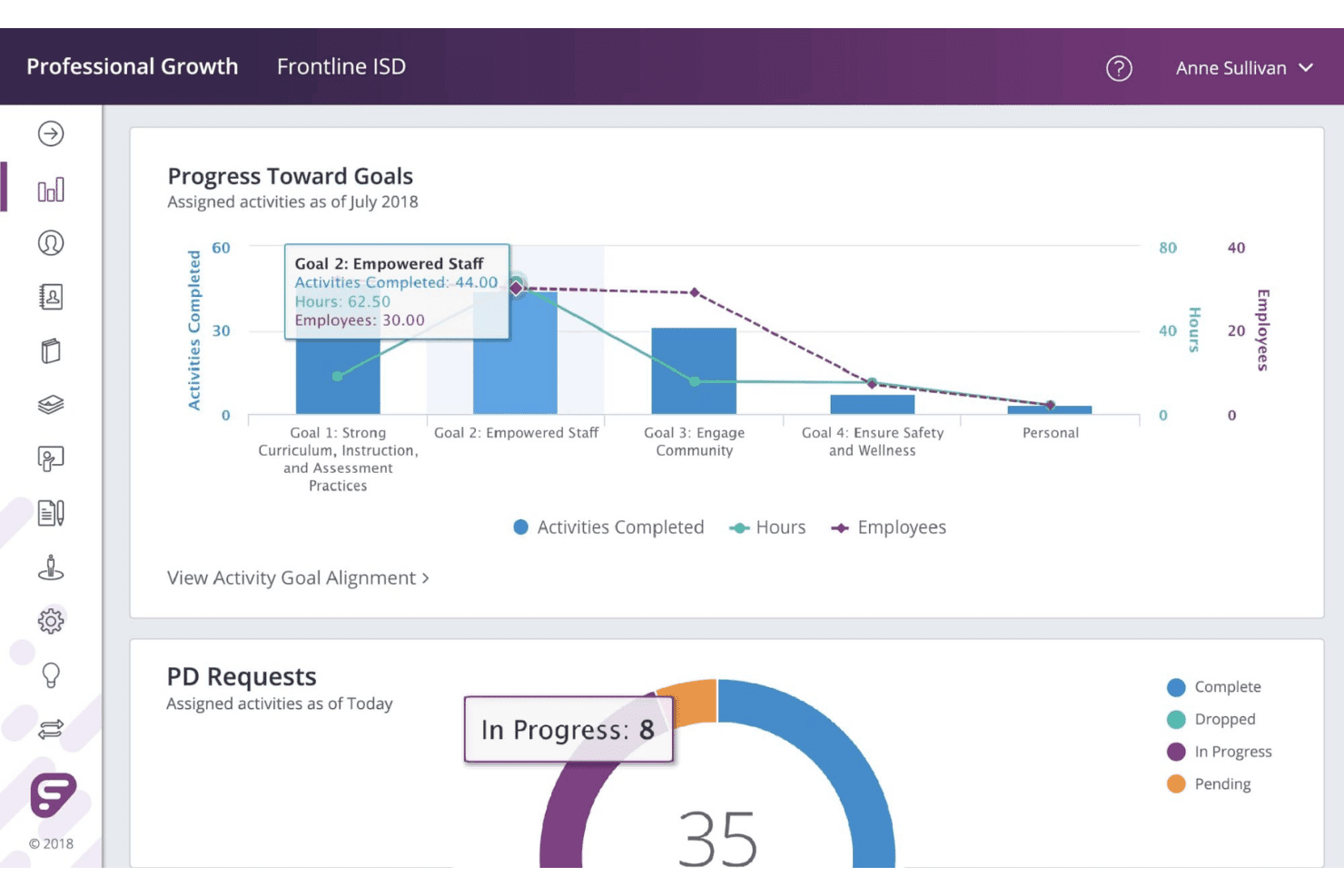
Frontline Professional Growth dashboard tracking goals and PD requests. Frontline Professional Growth is a K-12 educator performance management platform that connects educator evaluation, professional learning, and collaboration tools—including rubric-based observations, individual development plans, Student Learning Objective (SLO) tracking, and professional learning management.
Who Is Frontline Professional Growth Best For?
Frontline Professional Growth is a strong fit for K-12 districts that want to connect educator evaluations with professional learning, track development goals, and manage learning activities through one platform.
Why I Picked Frontline Professional Growth
I picked Frontline Professional Growth because Learning Loop connects educator evaluations with targeted professional development. I like how administrators can use evaluation results to recommend standards-aligned learning opportunities that appear on educators' professional learning dashboards, linking observation feedback with ongoing development. Frontline also supports the Danielson Framework for Teaching and offers observer calibration and practice-scoring tools, giving districts additional options for improving evaluation consistency.
Frontline Professional Growth Key Features
- Learning Loop: Connects evaluation results with targeted, standards-aligned professional learning opportunities recommended by administrators.
- Team Rooms: Let educators share files, log collaborative learning time, and participate in group activities such as mentoring and book studies.
- Requirements and credit tracking: Tracks professional learning hours and credits against annual and relicensure requirements, with exportable reports.
- Scoring configuration: Supports scoring-form, holistic, or hybrid evaluation approaches, plus conversion charts, to accommodate district scoring requirements.
Frontline Professional Growth Integrations
Frontline Professional Growth integrates with SAP, PeopleSoft, WinCap, Finance Manager Timepiece, Safety Skills, and other education administration systems. It also supports sFTP-based data exchange and connects with Frontline Human Capital Analytics.
Pros and Cons
Pros:
- Tracks learning hours and relicensure credits
- Evaluation and development records stay connected
- Evaluation results guide targeted professional learning
Cons:
- Evaluation rubrics require appropriate district licensing
- Targeted learning recommendations require the full Professional Growth solution
Learn more about Frontline Professional Growth: Best for timestamped video coaching
- Free demo available
- Pricing upon request
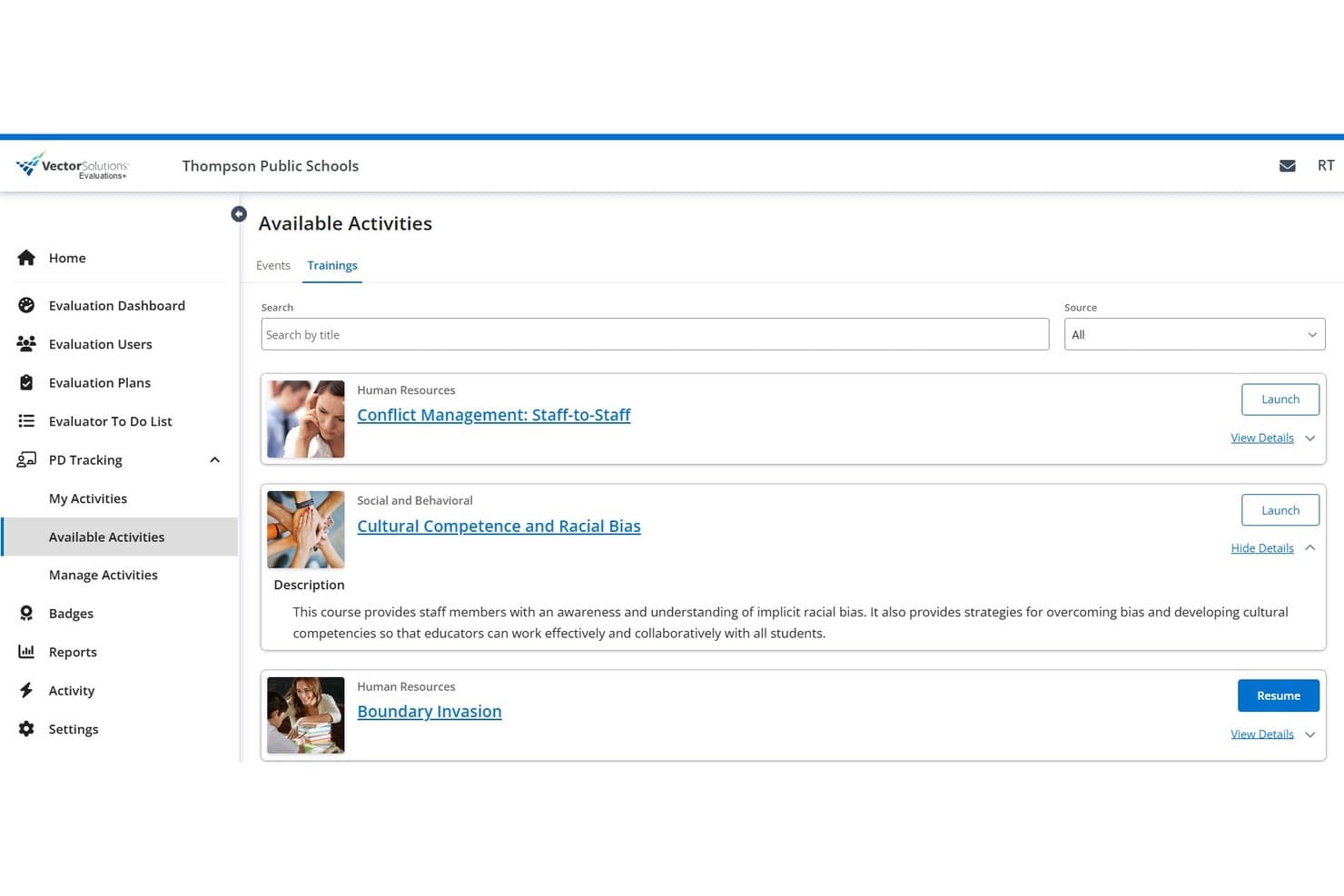
Vector Evaluation lets users browse and launch staff training courses. Vector Evaluations+ is a K–12 teacher and staff evaluation platform that covers observations, walkthrough, video-based coaching, customizable rubrics, goal setting, and compliance reporting.
Who Is Vector Evaluations+ Best For?
Vector Evaluations+ is a good fit for K–12 districts that need a dedicated platform for managing teacher and classified staff evaluations, classroom observations, and video-based coaching.
Why I Picked Vector Evaluations+
I picked Vector Evaluations+ as one of the best because of how it handles video-based classroom observation. Evaluators can record a lesson, timestamp notes directly to specific moments in the playback, and attach comments and tags to those moments—so coaching conversations are grounded in what actually happened. I also like that it supports teacher, administrator, and classified staff evaluations with customizable rubrics and workflows, making it one of the more flexible options for district-wide use.
Vector Evaluations+ Key Features
- Evaluation form library: Access existing teacher evaluation forms, use research-based rubrics, or create district-specific rubrics and observation forms.
- Customizable workflows and evaluation cycles: Tailor evaluation cycles, workflows, and forms to fit district, school, or individual user requirements.
- Classified staff evaluations: Manage evaluations for teachers, administrators, and classified staff within a single platform.
- Dashboards and compliance reports: Track observation progress, performance trends, and compliance across your district using customizable dashboards and exportable reports.
Vector Evaluations+ Integrations
Vector Evaluations+ has documented native integrations with Vector PD Tracking and Vector Training through its Professional Growth Suite. No third-party integrations or API are documented.
Pros and Cons
Pros:
- Dashboards track observation and compliance progress
- One platform evaluates teachers and classified staff
- Timestamped notes anchor coaching conversations
Cons:
- Professional development tracking uses a separate suite component
- Certification-specific tracking isn't clearly documented
Learn more about Vector Evaluation: Best for private coaching alongside evaluations
- Free demo available
- Pricing upon request
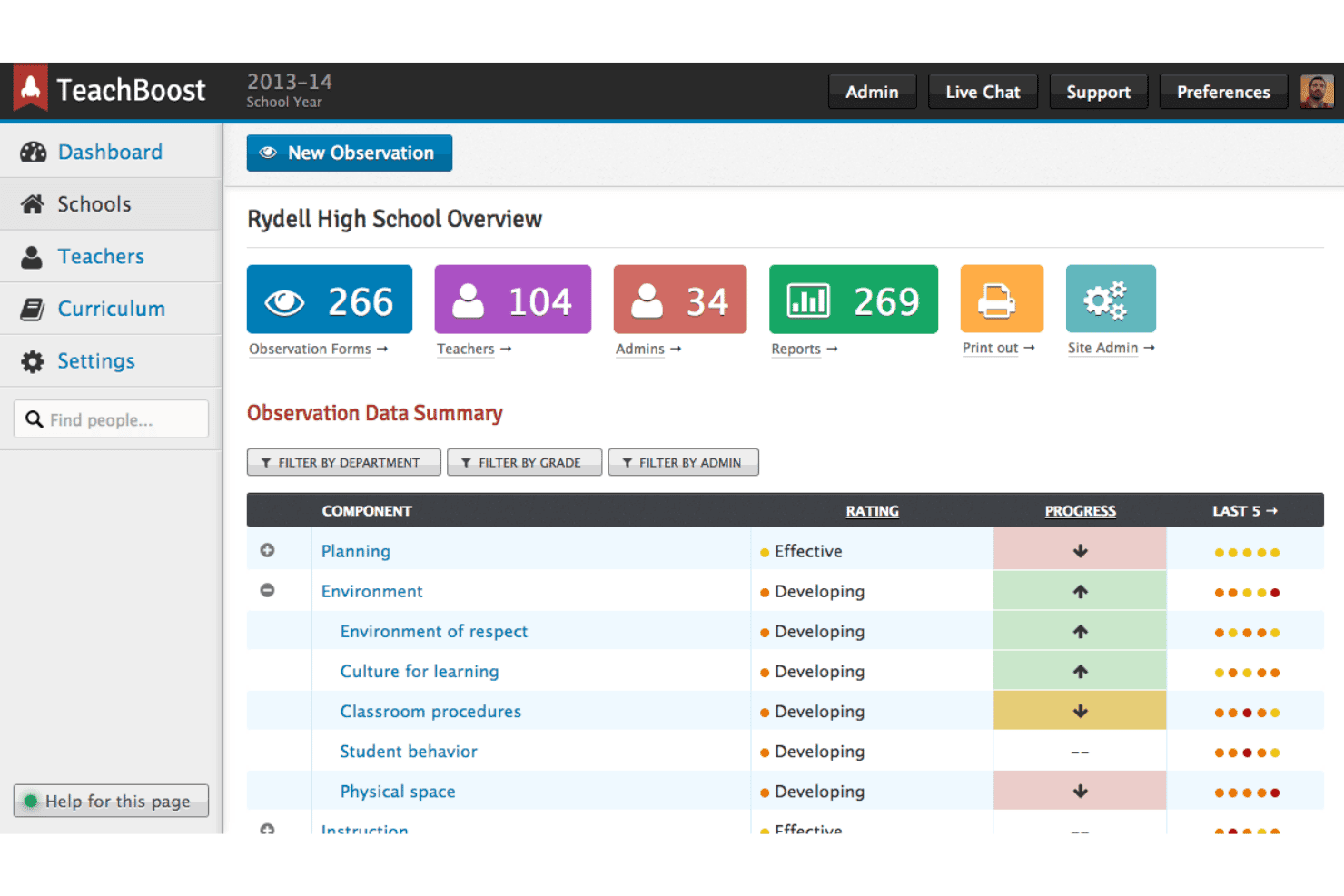
TeachBoost dashboard tracking teacher observations and ratings. TeachBoost, now part of SchoolStatus, offers K–12 educator development tools for classroom observations, rubric-based evaluations, feedback documentation, professional goal tracking, and instructional coaching.
Who Is TeachBoost Best For?
TeachBoost is a good fit for K–12 principals and instructional coaches who need customizable evaluation workflows alongside structured, confidential teacher coaching activities.
Why I Picked TeachBoost
I've included TeachBoost in my top picks because it offers distinct tools for educator evaluations and instructional coaching. SchoolStatus Boost handles customizable classroom observations, rubric-aligned feedback, and evaluation documentation, while TeachBoost Coach organizes coaching notes, professional goals, action steps, and cycle progress. I particularly like its emphasis on confidential coach–teacher relationships alongside aggregated reporting that helps district leaders understand coaching activity without relying solely on individual evaluation records.
TeachBoost Key Features
- Customizable observation rubrics: Adapt evaluation rubrics, forms, and observation cycles to district requirements.
- Time-stamped classroom evidence: Capture timestamped observation notes with Sketch and link evidence to evaluation rubrics.
- Rubric-aligned feedback: Document classroom evidence and provide feedback connected to evaluation criteria.
- District coaching reports: Track coaching activities, cycle progress, and goal completion through district-level reports.
TeachBoost Integrations
TeachBoost integrates with Google Drive, Microsoft OneDrive, Google Calendar, and Microsoft calendar services. It also supports ClassLink login, Google sign-in, SFTP rostering, and API reporting access.
Pros and Cons
Pros:
- Private coaching stays separate from evaluations
- Time-stamped evidence connects observations to feedback
- Custom rubrics accommodate different staff roles
Cons:
- Support is limited to business hours
- Administrators cannot access confidential coaching records
Learn more about TeachBoost: Best for linking video coaching to evaluations
- Free demo available
- Pricing upon request
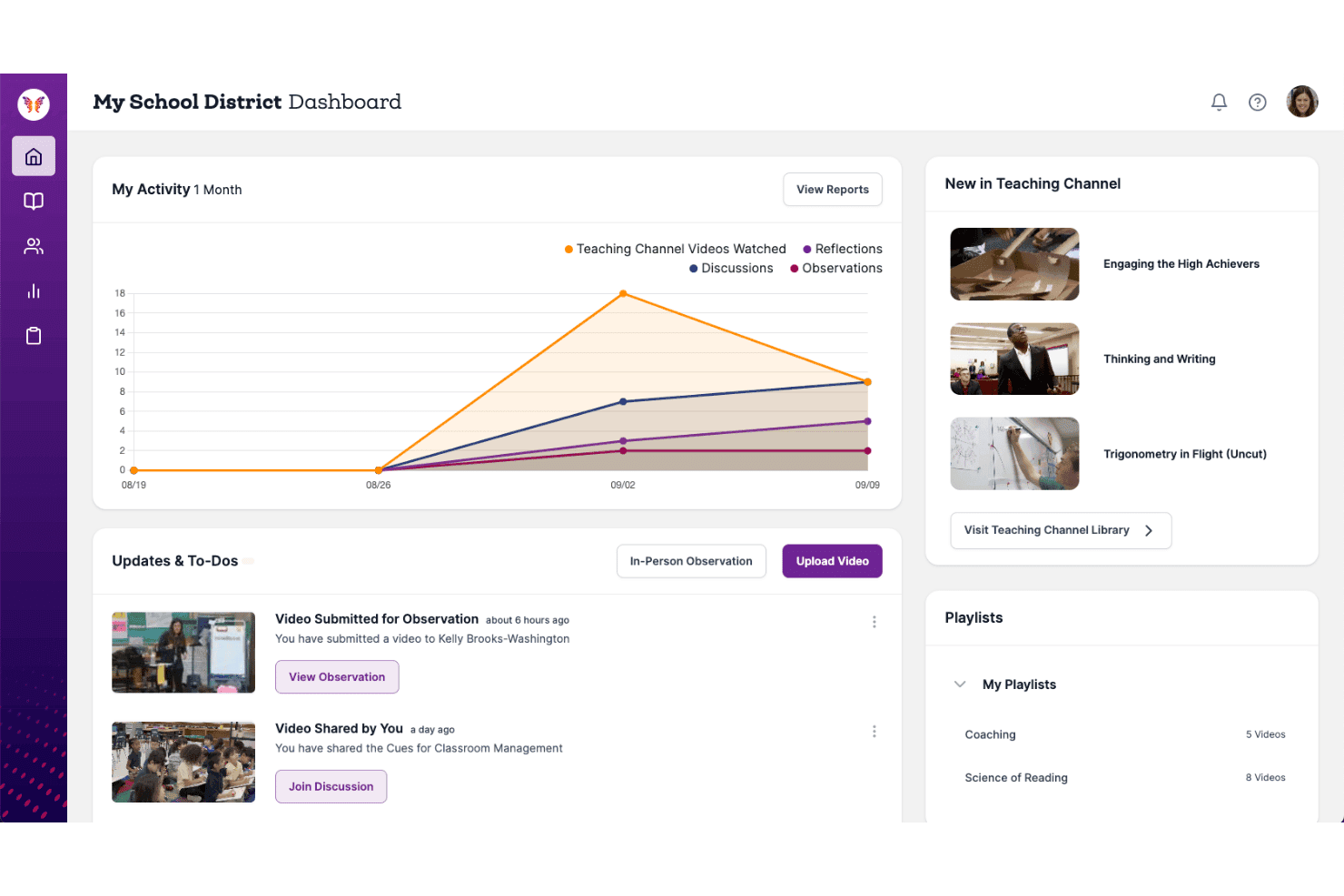
Teaching Channel dashboard tracking teacher activity and observations. Teaching Channel is a video-based professional learning platform for K–12 educators that combines classroom observation tools, instructional coaching, peer feedback, and rubric-based assessments to support teacher development.
Who Is Teaching Channel Best For?
Teaching Channel is a strong fit for K–12 principals and instructional coaches who want to use classroom video observations, rubric-aligned feedback, and observer calibration to support teacher evaluations and professional growth.
Why I Picked Teaching Channel
I picked Teaching Channel as one of the best because it combines video-based classroom observations with rubric-aligned feedback and observer calibration tools. Teachers can submit recorded lessons, while administrators and instructional coaches annotate specific moments, rate instructional practices against evaluation frameworks, and recommend learning resources. I also like its video-based calibration activities, which help observers develop more consistent scoring practices, alongside reports that track professional learning activity and educator growth.
Teaching Channel Key Features
- Video activity submissions: Upload classroom videos and add timestamped observation notes, ratings, and feedback.
- Assignment Maker: Assign videos, reflections, discussions, and coaching activities with due dates and completion tracking.
- Professional learning course library: Access educator-designed PD courses covering instructional topics through flexible learning formats.
- Instructional growth reporting: Track professional learning activities, video engagement, and educator growth through administrator and individual reports.
Teaching Channel Integrations
Teaching Channel's Video Coaching Platform supports external resource links and file uploads for instructional coaching and professional learning. However, specific third-party software integrations and API capabilities could not be verified from the accessible official documentation.
Pros and Cons
Pros:
- Embedded coaching notes capture classroom-specific feedback
- Video-based training supports observer calibration
- Video feedback connects observations to evaluations
Cons:
- Feedback acknowledgment required to complete observations
- Formal goal tracking isn't documented
Learn more about Teaching Channel: Best for linking staff goals, reviews and CPD
- Free demo available
- Pricing upon request
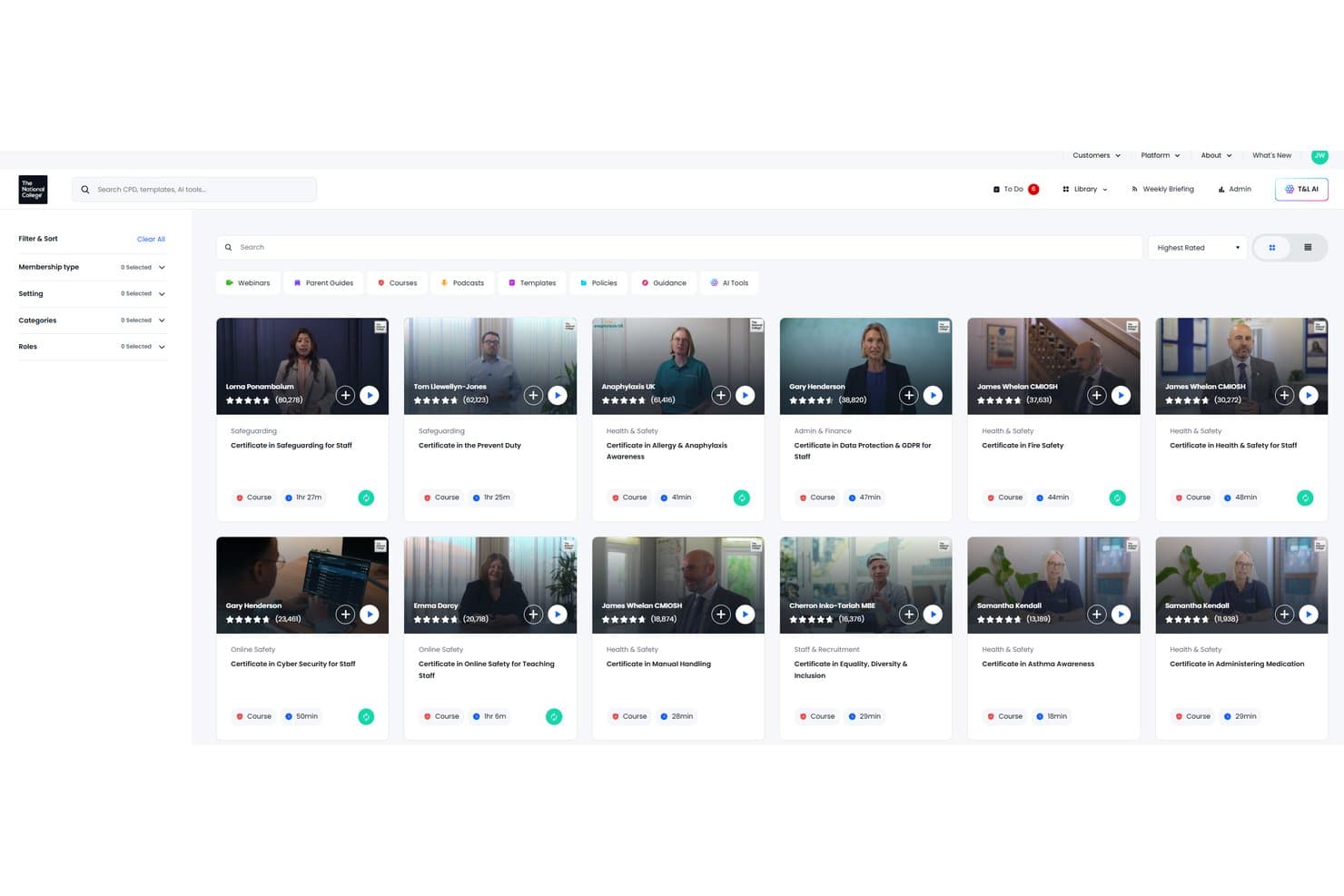
The National College offers a rated CPD course library for staff. The National College is an education workforce development platform that brings staff appraisals, objective setting, professional development, and quality assurance together in one system.
Who Is The National College Best For?
The National College is a strong fit for school leaders and HR teams in UK schools and multi-academy trusts that need to manage staff appraisals, align individual objectives with institutional priorities, and track professional development.
Why I Picked The National College
I picked The National College as one of the best because it connects staff appraisals, objective setting, and CPD through a shared staff record. Its People Development module lets school leaders align individual objectives with school and trust priorities, manage review meetings, and track appraisal progress. I also like how professional development records feed into the appraisal process, helping leaders assess staff growth alongside their learning activities.
The National College Key Features
- Self-evaluation: Assess professional practice against national standards or custom frameworks, with evidence and progress tracking.
- Quality assurance: Configure evaluation frameworks and forms to document observations and monitor improvement.
- People Reports: Track staff objectives, appraisal progress, professional development, and organisational alignment.
- Customisable appraisal approach: Tailor appraisal terminology, review templates, and objective fields to organisational requirements.
The National College Integrations
The National College supports Microsoft and Google single sign-on and advertises API connectivity with school management information systems (MIS). Its People Development module also connects staff appraisals with professional development resources.
Pros and Cons
Pros:
- Aligns individual objectives with school priorities
- Centralizes appraisal, CPD, and quality records
- Connects appraisal objectives with CPD
Cons:
- Completed reviews require support to reopen
- Forms with existing records cannot be edited
Learn more about The National College:
Eğitim İçin Diğer Performans Yönetimi Yazılımları
Kısa listeme girmeyen ancak yine de göz atmaya değer birkaç seçenek şunlardır:
- 11BambooHRBest for broader school HR administration
- 12ClearCoBest for reviews alongside wider talent tools
- 13LeapsomeBest for external peer reviews without logins
- 14LatticeBest for education leadership succession
- 15StrivenBest for staff reviews alongside operations
- 16Cornerstone PerformanceBest for higher-ed faculty and staff development
- 17Swivl TechBest for live in-class teacher coaching
- 18PeopleAdminBest for higher-ed reviews and talent planning
- 19Trakstar PerformBest for external 360° staff feedback
- 20EdthenaBest for self-directed topic-based coaching
How I Evaluate Performance Management Software for Education
My evaluation starts with core functionality—the most important part—covering structured staff evaluations and professional growth plan tracking. I then look for standout features like built-in rubric framework support (Danielson, Marzano). Finally, I consider implementation support and pricing models for varied school staff.
Core Functionality (Table Stakes For This List)
When I'm selecting tools for my list, I score each one on a scale from 0 (does not offer the functionality) to 5 (excels in this area) for each core functionality listed below. I then convert the total into a percentage to help assess each tool's overall fit, with extra weight on any functionalities I've deemed essential.
- Review Management (Essential): I check whether a tool supports configurable review cycles, custom templates, and automated scheduling across different staff groups like teachers and classified employees.
- Goal & Growth Tracking (Essential): Each tool should let staff and administrators set, update, and monitor professional growth goals that connect directly to evaluation cycles and progress dashboards.
- Observation & Evaluation Tools: I look for structured observation forms that feed directly into performance records, since disconnected notes create extra reconciliation work during review season.
- Feedback & Coaching Documentation: Ongoing coaching notes and improvement plans should be timestamped and tied to individual staff timelines, not buried in separate email threads or shared drives.
- Education Compliance Reporting: Reports need to cover scenarios like certification renewal and tenure review, so I evaluate whether templates align with common district and state mandates or require heavy manual work.
- Role-Based Access for Education Hierarchies: Tools like Frontline and PowerSchool reflect layered district structures, so I look for permissions that map to roles such as teacher, principal, and district HR rather than generic user levels.
Once I have a list of tools that meet the criteria, I consider what sets each platform apart.
Differentiating Factors (What Sets Vendors Apart)
Here's how I compare and contrast different vendors:
Standout Features
I look for built-in rubric frameworks like Danielson or Marzano, since rebuilding these manually wastes weeks of setup time. Tools like iObservation and Frontline Professional Growth handle this differently, so I check how closely each aligns with your district's mandated model. I also evaluate whether a platform links evaluation results directly to professional development catalogs—when a growth area flags during a review, the next step should be a recommended course, not a separate search. Student growth data integration matters too; connecting achievement metrics to educator evaluations gives performance conversations a concrete, outcomes-based foundation.
Beyond Features
I check how well each vendor supports district-scale rollouts, since implementations often span hundreds of sites with staff who vary widely in technical comfort. Vendors like Frontline and PowerSchool offer structured onboarding timed to academic calendars, which matters when a mid-year launch can derail active review cycles. Integration depth with SIS and HRIS platforms is equally important—duplicate data entry for rosters and certifications creates compliance risk during audits. I also evaluate whether pricing scales predictably for mixed staff populations across multi-year contracts.
Eğitim İçin Performans Yönetimi Yazılımı Nasıl Seçilir?
Karar vermeden önce, platformun değerlendirme iş akışlarının personel gruplarınızla, değerlendirme modelinizle ve raporlama yükümlülüklerinizle uyumlu olup olmadığını test ederek bir platform seçin.
| Önceliğiniz… | Şunları Arayın… |
|---|---|
| Önceliğiniz…Personel grupları genelinde tutarlı değerlendirmeler | Şunları Arayın…Öğretmenler ve sınıflandırılmış personel için yapılandırılabilir döngüler ve şablonlar |
| Önceliğiniz…Değerlendirme modelinizle uyum | Şunları Arayın…Danielson veya Marzano gibi bölgenizin çerçevesini destekleyen rubrikler |
| Önceliğiniz…Bağlantılı koçluk ve gelişim | Şunları Arayın…Gözlem kayıtlarını, gelişim hedeflerini ve gelişim faaliyetlerini birbirine bağlama olanağı |
| Önceliğiniz…Raporlama sırasında daha az mutabakat çalışması | Şunları Arayın…İlgili personel ve sertifika verilerini kullanan, rollere dayalı erişim ve raporlar |
Kısa Listeniz Nasıl Değerlendirilir?
- Değerlendirme şablonunu inceleyin: Örnek bir şablon ve rubrik eşleştirme belgesi isteyin, ardından bunları bölgenizin değerlendirme modeliyle karşılaştırın.
- Bir değerlendirme döngüsü denemesi yapın: 30 dakikalık bir deneme görevinde bir öğretmen ve bir sınıflandırılmış çalışan için değerlendirmeler oluşturun; planlamayı ve rol izinlerini test edin.
- Gelişim kaydını test edin: Bir örnek gözlem ve mesleki hedef girin, ardından deneme sürümünde her birinin personel üyesinin değerlendirmesiyle nasıl ilişkilendirildiğini doğrulayın.
- Raporlamayı ve veri işleme süreçlerini doğrulayın: Örnek bir rapor ve veri eşleştirme belgesi isteyin; bunların gerekli personel alanlarınızı ve sertifika raporlamanızı kapsayıp kapsamadığını kontrol edin.
- Tavizinizi belirleyin: Rubrik ve gözlem iş akışları en önemli olduğunda eğitimciye özgü değerlendirme sistemlerini; birleşik İK kayıtları daha önemli olduğunda ise daha kapsamlı İK platformlarını tercih edin.
Eğitim İçin Performans Yönetimi Yazılımı Nedir?
Eğitim için performans yönetimi yazılımı, okulların personeli değerlendirmesine, performansı belgelemesine, mesleki hedefleri izlemesine ve koçluk ile gelişimi koordine etmesine yardımcı olur. Öğretmenler ve diğer çalışanlar için yapılandırılmış değerlendirme döngülerini, okulun değerlendirme modelini ve raporlama ihtiyaçlarını yansıtabilecek iş akışlarıyla destekler. Değerlendirmeleri, gözlemleri ve gelişim kayıtlarını birbirine bağlı tutarak personele ve yöneticilere ilerlemenin ortak bir kaydını sunar.
Özellikler
Eğitim için performans yönetimi yazılımında aradığım başlıca özellikler şunlardır:
- Değerlendirme döngüsü yönetimi: Değerlendirme takvimlerini belirleyin, formları atayın ve farklı personel grupları için tamamlanma durumunu takip edin. Bu, yöneticilerin ayrı takvimlere ve elektronik tablolara ihtiyaç duymadan değerlendirmeleri koordine etmesine yardımcı olur.
- Gözlem ve değerlendirme formları: Sınıf gözlemlerini ve diğer değerlendirmeleri yapılandırılmış formlara kaydedin. Yöneticiler, değerlendirme döngüleri boyunca kanıtları tutarlı bir şekilde belgelemek için dereceli puanlama anahtarlarını ve değerlendirme ölçütlerini kullanabilir.
- Hedef takibi: Personelin ve yöneticilerin mesleki hedefler belirlemesine, ilerlemeyi kaydetmesine ve değerlendirmeler sırasında hedefleri yeniden gözden geçirmesine olanak tanıyın. Hedefleri değerlendirme kayıtlarıyla ilişkilendirmek, zaman içindeki gelişimi görüşmeyi kolaylaştırır.
- Koçluk dokümantasyonu: Tarihli notları, geri bildirimleri ve takip eylemlerini her personel üyesinin kaydında tutun. Bu, çalışanlara ve yöneticilere, kontrol görüşmeleri ve resmî değerlendirmeler sırasında başvurabilecekleri ortak bir geçmiş sunar.
- Mesleki gelişim takibi: Gelişim etkinliklerini kaydedin ve bunları değerlendirme hedefleriyle veya belirlenen gelişim alanlarıyla ilişkilendirin. Personel ve yöneticiler, hangi öğrenme faaliyetlerinin gerçekleştirildiğini ve hangi adımların hâlâ planlandığını görebilir.
- Uyumluluk ve değerlendirme raporlaması: Değerlendirmelerin tamamlanma durumu, değerlendirme sonuçları ve ilgili personel kayıtları hakkında raporlar oluşturun. Bu raporlar, insan kaynakları ekiplerinin kurum içi incelemelere hazırlanmasına ve bölgeye ya da yargı alanına özgü gereklilikleri karşılamasına yardımcı olabilir.
- Role dayalı izinler: Personel, yöneticiler, okul liderleri ve insan kaynakları yöneticileri için erişimi sorumluluklarına göre belirleyin. Açık izinler, doğru kişilerin değerlendirmeleri tamamlamasına olanak tanırken personel kayıtlarının korunmasına yardımcı olur.
- Personel verilerinin entegrasyonu: Desteklendiği durumlarda performans kayıtlarını ilgili insan kaynakları veya öğrenci bilgi sistemi verileriyle ilişkilendirin. Bu, personel görevlendirmeleri gibi ayrıntılar için yinelenen veri girişini azaltabilir ve değerlendirme kayıtlarının güncel tutulmasına yardımcı olabilir.
Avantajlar
Eğitim için performans yönetimi yazılımı kullanmanın sağlayabileceği bazı yaygın avantajlar şunlardır:
- Tutarlı değerlendirme döngüleri: Yapılandırılabilir takvimler ve şablonlar, yöneticilerin öğretmenler ve diğer personel grupları arasındaki değerlendirmeleri koordine etmesine yardımcı olur.
- Uyumlu değerlendirmeler: Yapılandırılmış gözlem formları ve dereceli puanlama anahtarı desteği, personelin bölgenin değerlendirme modelini tutarlı bir şekilde uygulamasına yardımcı olur.
- Bağlantılı koçluk kayıtları: Tarihli notlar ve takip eylemleri, koçluk geri bildirimlerinin her personel üyesinin performans geçmişiyle bağlantılı kalmasını sağlar.
- Görünür gelişim hedefleri: Hedef takibi, personelin ve yöneticilerin mesleki hedefleri ve ilerlemeyi değerlendirme kayıtlarıyla birlikte gözden geçirmesine olanak tanır.
- Odaklanmış mesleki gelişim: Gelişim takibi, öğrenme etkinliklerini değerlendirme hedefleriyle ve belirlenen gelişim alanlarıyla ilişkilendirir.
- Daha erişilebilir raporlama: Değerlendirmelerin tamamlanma durumu ve değerlendirme sonuçlarına ilişkin raporlar, insan kaynakları ekiplerinin kurum içi incelemelere ve ilgili uyumluluk gerekliliklerine hazırlanmasına yardımcı olur.
- Kontrollü kayıt erişimi: Role dayalı izinler, personelin, yöneticilerin, okul liderlerinin ve insan kaynakları ekiplerinin sorumluluklarına uygun kayıtları görmesini sağlamaya yardımcı olur.
Fiyatlandırma
Fiyatlandırma; kurumun büyüklüğüne, personel sayısına, gereken modüllere ve sözleşme koşullarına göre değişir. K–12 platformlarının çoğu, kullanıcı başına herkese açık fiyatlar yerine özel fiyat teklifleri kullanır.
Eğitim için Performans Yönetimi Yazılımı Plan Karşılaştırma Tablosu
| Plan Türü | Fiyat | Yaygın Özellikler |
|---|---|---|
| Plan TürüÜcretsiz Demo | Fiyat$0 | Yaygın ÖzelliklerÜrün tanıtımları, iş akışı önizlemeleri ve değerlendirme ile koçluk özelliklerini inceleme fırsatları. |
| Plan TürüKullanıcı Başına Fiyatlandırma | FiyatKullanıcı sayısına göre özel fiyat teklifi | Yaygın ÖzelliklerPakete bağlı olarak personel değerlendirmeleri, gözlem kayıtları, geri bildirim, hedef takibi ve koçluk iş akışları. |
| Plan TürüOkul veya Bölge Aboneliği | FiyatKurumun büyüklüğüne ve yapılandırmasına göre özel fiyat teklifi | Yaygın ÖzelliklerYapılandırılabilir dereceli puanlama anahtarları, değerlendirme döngüleri, mesleki gelişim takibi ve okul genelinde raporlama. |
| Plan TürüKurumsal veya Birden Çok Okul için Fiyatlandırma | FiyatÖzel kurumsal fiyat teklifi | Yaygın ÖzelliklerBirden çok okulun yönetimi, gelişmiş raporlama, yapılandırılabilir izinler, entegrasyonlar ve uygulama desteği. |
SSS
Eğitimde performans yönetimi yazılımıyla ilgili sık sorulan soruların bazı yanıtları:
Performans yönetimi yazılımı, bir okul bölgesinin değerlendirme politikasının yerini alır mı?
Hayır. Yazılım, iş akışlarını ve değerlendirme kanıtlarını kaydeder; ancak süreci yine okul bölgenizin politikası ve geçerli gereklilikler belirler. Platformun gerekli değerlendirme ölçütlerinizi, gözlem takvimlerinizi, değerlendirici rollerini ve kayıt saklama kurallarınızı yansıtabildiğini doğrulayın. Yazılım sağlayıcısından, bir personelin değerlendirme döngüsü ortasında rol değiştirmesi gibi istisnaları nasıl ele aldığını göstermesini isteyin. Politikanızı temel başvuru kaynağı olarak koruyun ve gereklilikler veya bölge prosedürleri değiştiğinde sistem ayarlarını gözden geçirin.
Sistem değiştirirken bir okul bölgesi hangi bilgileri taşımalıdır?
Okul bölgenizin değerlendirmelere devam etmek ve kayıt saklama yükümlülüklerini karşılamak için ihtiyaç duyduğu kayıtları taşıyın. Bunlar devam eden hedefleri, tamamlanmış değerlendirmeleri, gözlem kayıtlarını, personel atamalarını ve ilgili ekleri içerebilir. Veri alanlarını eşleştirmeden önce hangi eski kayıtların içe aktarılacağına, hangilerinin arşivleneceğine karar verin. Zaman damgalarını, izinleri ve raporları da içeren örnek bir veri kümesini test edin. Ekibiniz taşınan kayıtları doğrulayıncaya ve personelin ihtiyaç duyduğu bilgilere erişebildiğini onaylayıncaya kadar önceki sisteme erişimi koruyun.
Bir okul bölgesi değerlendirme döngülerini aksatmadan nasıl kullanıma geçebilir?
Kullanıma geçişi değerlendirme takviminize göre planlayın ve geçiş tarihini seçmeden önce devam eden değerlendirmelerin son tarihlerini belirleyin. Mümkünse sistemi, döngüler arasında bir okulla veya personel grubuyla test edin. Erişimi genişletmeden önce formların, atamaların, izinlerin ve hatırlatıcıların çalıştığını doğrulayın. Geçiş sırasında değerlendirmelerin nerede tamamlanacağı konusunda yöneticilere ve personele açık talimatlar verin. Yinelenen süreçleri gerekenden daha uzun süre birlikte yürütmekten kaçının; bir geçiş tarihi belirleyin ve ekibinizin hâlihazırda devam eden kayıtları nasıl ele alacağını açıklayın.