

Las 10 mejores herramientas de estrategia de IA analizadas en 2026

Mejores herramientas de estrategia de IA: selección


Se espera que los líderes de estrategia actúen con rapidez, tomen decisiones claras y guíen a los equipos durante un ciclo completo que incluye la generación de ideas, el desarrollo, la comunicación y la ejecución. Mantener ese proceso bien definido requiere herramientas capaces de mostrar información relevante, respaldar el análisis y ayudar a los equipos a mantenerse alineados entre las distintas funciones. Las herramientas de estrategia de IA están diseñadas exactamente para este tipo de trabajo, ya que proporcionan aportaciones estructuradas, recomendaciones inteligentes y apoyo práctico en cada etapa.
Basándome en años de pruebas de software y en mi experiencia con flujos de trabajo estratégicos en recursos humanos y operaciones, he revisado las herramientas de IA que realmente refuerzan la planificación y la ejecución estratégicas. En este artículo encontrarás las opciones que ayudan a generar ideas, planificar escenarios, modelar objetivos, crear contenidos y hacer un seguimiento de las acciones.
Al final, tendrás una visión clara de las herramientas que pueden ayudar a los líderes a definir la estrategia y guiar a los equipos con mayor claridad y confianza. Veamos qué puede respaldar tu próximo ciclo de planificación.
Por qué confiar en nuestras reseñas de software
Nuestro equipo lleva probando y evaluando software desde 2012. Como expertos en RR. HH., sabemos lo difícil —y lo importante— que es elegir el software adecuado.
Para esta guía, evaluamos las herramientas mediante pruebas prácticas e investigación independiente, puntuando las herramientas según nuestros criterios de selección. También nos basamos en la experiencia de líderes de opinión del sector y de profesionales de RR. HH. en activo.
Nuestras reseñas reflejan nuestro criterio editorial humano, no un discurso de ventas.
Revisores expertos:
Tabla comparativa de herramientas de estrategia de IA
Esta tabla comparativa resume los detalles de precios de mi selección de las mejores herramientas de estrategia de IA:
| Tool | Best For | Trial Info | Price | ||
|---|---|---|---|---|---|
| 1 | Mejor para estrategias de fuerza laboral global | Demo gratuita disponible | Desde $5/empleado/mes | Website | |
| 2 | Mejor para generación de contenido con IA | Prueba gratuita de 7 días + demo gratuita disponible | Desde $59/mes (facturado anualmente) | Website | |
| 3 | Ideal para diseño con herramientas de IA | Plan gratuito disponible | Desde $12/mes (facturado anualmente) | Website | |
| 4 | Ideal para la automatización de flujos de trabajo | Plan gratuito disponible | Desde $19.99/mes (facturado anualmente) | Website | |
| 5 | Ideal para herramientas de planificación empresarial | Demo gratuita disponible | Desde $14/mes (facturado anualmente) | Website | |
| 6 | Ideal para un espacio de trabajo con IA integrada | Prueba gratuita + plan gratuito + demo gratis disponible | Desde $10/miembro/mes (facturado anualmente) | Website | |
| 7 | Ideal para procesamiento de lenguaje natural | Plan gratuito disponible | Desde $8/mes | Website | |
| 8 | La mejor opción para hojas de ruta de producto con IA | Prueba gratuita de 30 días + demo gratuita disponible | Desde $9/usuario/mes | Website | |
| 9 | Ideal para presentaciones impulsadas por IA | Prueba gratuita de 14 días + demostración gratuita disponible | Desde $12/mes (facturado anualmente) | Website | |
| 10 | Ideal para decisiones basadas en datos | Demo gratuita disponible | Precios a consultar | Website |

Análisis de las mejores herramientas de estrategia de IA
A continuación encontrarás mis resúmenes detallados de las mejores herramientas de estrategia de IA que han entrado en mi selección. Mis análisis ofrecen una visión detallada de las características principales, ventajas e inconvenientes, integraciones y casos de uso ideales de cada herramienta para ayudarte a encontrar la más adecuada para ti.

Deel HR
Mejor para estrategias de fuerza laboral global

Deel AI te brinda una forma de tomar decisiones más inteligentes sobre tu fuerza laboral al transformar los datos de tu personal, el conocimiento global de cumplimiento y los flujos de trabajo de RR.HH. en ideas accionables. Si estás definiendo una estrategia de IA para un equipo distribuido o en crecimiento, la plataforma te ayuda a sortear la complejidad con orientación instantánea y contextual sobre contrataciones, compensaciones, cumplimiento y operaciones internas.
Por qué elegí Deel
Elegí Deel porque va más allá de la automatización ordinaria de RR.HH. y funciona como una capa de inteligencia estratégica integrada directamente en los datos de tu fuerza laboral. Sus ideas contextuales, interpretación del cumplimiento y reportes organizacionales generados por IA brindan el tipo de contexto en tiempo real que necesitas al definir tu estrategia de contratación, compensación o expansión. Valoro que esté entrenado por expertos en RR.HH. y legales de más de 150 países, proporcionándote claridad específica de la jurisdicción al tomar decisiones con riesgos empresariales. Esto hace que Deel AI sea ideal para equipos que desarrollan una estrategia de IA enfocada en operaciones globales, orientación en cumplimiento y planificación de personal basada en datos.
Principales Características de Deel
Además de su inteligencia de cumplimiento y perspectivas contextuales, encontrarás útiles las siguientes funciones:
- Información de Referencia Salarial: Muestra rangos de salarios y medianas de mercado para roles en distintas regiones, apoyando la planificación estratégica de la fuerza laboral.
- Generación Localizada de Contratos: Crea automáticamente contratos que cumplen con las leyes laborales locales, reduciendo riesgos legales y asegurando el cumplimiento.
- Supervisión de Cumplimiento Impulsada por IA: Monitorea continuamente los cambios en las leyes laborales locales, brindando alertas y actualizaciones para mantener tus operaciones en cumplimiento.
- Soporte IA 24/7: Ofrece asistencia ininterrumpida para consultas de nómina y recursos humanos, minimizando la intervención manual y los tickets de soporte.
Integraciones de Deel
Las integraciones incluyen BambooHR, Workday, Xero, QuickBooks, Expensify, Netsuite, Greenhouse, Okta, Slack y Microsoft 365. Hay una API disponible para integraciones personalizadas.
Pros and Cons
Pros:
- Ofrece perspectivas estratégicas al combinar datos internos con conocimiento experto en cumplimiento
- Los resúmenes contextuales ayudan a los equipos a interpretar datos en tiempo real
- La referencia salarial respalda las decisiones de planificación global del personal
Cons:
- Las salidas de cumplimiento aún requieren revisión humana para decisiones de alto riesgo
- No está diseñado para planificación de IA a nivel empresarial fuera de RR.HH., nómina y cumplimiento
New Product Updates from Deel HR

Deel Expands Stablecoin Wallet to 80+ Countries
Deel expands its Stablecoin Wallet to 80+ countries with dollar-backed balances and optional rewards. This gives eligible contractors more ways to hold and manage earnings inside Deel. For more information, visit Deel’s official site.
 .
.
Mejor para generación de contenido con IA
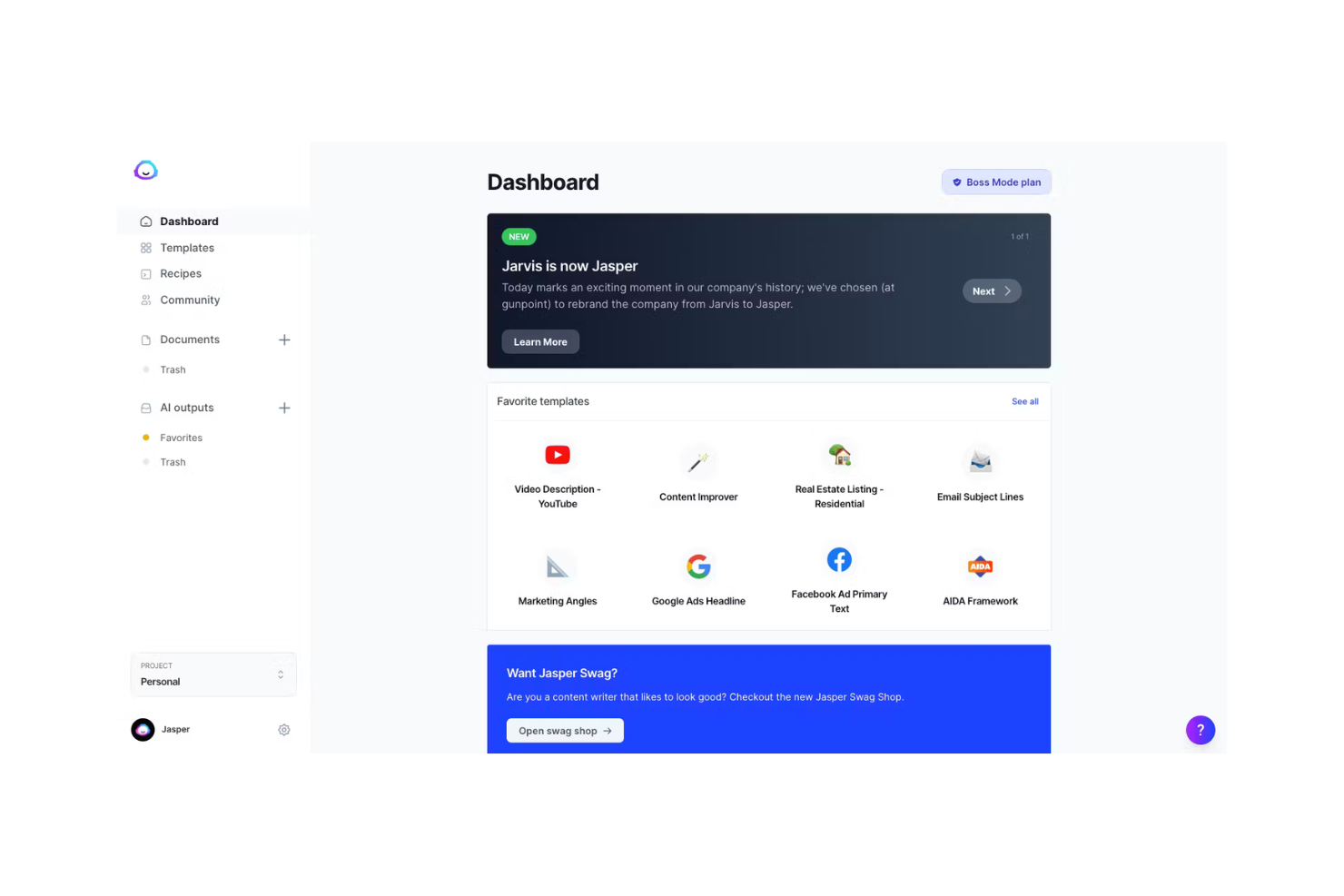
Jasper es una herramienta de redacción con IA diseñada para especialistas en marketing, creadores de contenido y empresas que necesitan generar textos de alta calidad rápidamente. Ayuda a crear blogs, publicaciones para redes sociales, correos electrónicos y más gracias a sus capacidades de generación de texto impulsadas por inteligencia artificial.
Por qué elegí Jasper: Tu equipo se beneficiará de su capacidad para generar contenido diverso de manera eficiente. El modelo de IA ofrece varios tonos, lo que lo hace apto para diferentes estilos de redacción y estrategias de marketing. Su interfaz fácil de usar te permite empezar a crear contenido con una configuración mínima. Estas características hacen de Jasper una opción versátil para equipos enfocados en el contenido.
Funciones destacadas e integraciones:
Funciones incluyen personalización de la voz de marca, tono constante y resultados de alta calidad tanto para soporte de documentos extensos como para blogs y campañas. Jasper también ofrece plantillas predefinidas para anuncios, correos electrónicos y subtítulos para redes sociales.
Integraciones incluyen HubSpot, Shopify, WordPress, Google Docs, SurferSEO, Grammarly, Copyscape, SEMrush, Facebook e Instagram.
Pros and Cons
Pros:
- Genera contenido variado y alineado con la marca rápidamente
- Soporta múltiples tonos y formatos
- Funciona bien para equipos de marketing y SEO
Cons:
- Requiere ediciones para verificación de hechos
- Puede repetir frases en borradores largos

Canva
Ideal para diseño con herramientas de IA
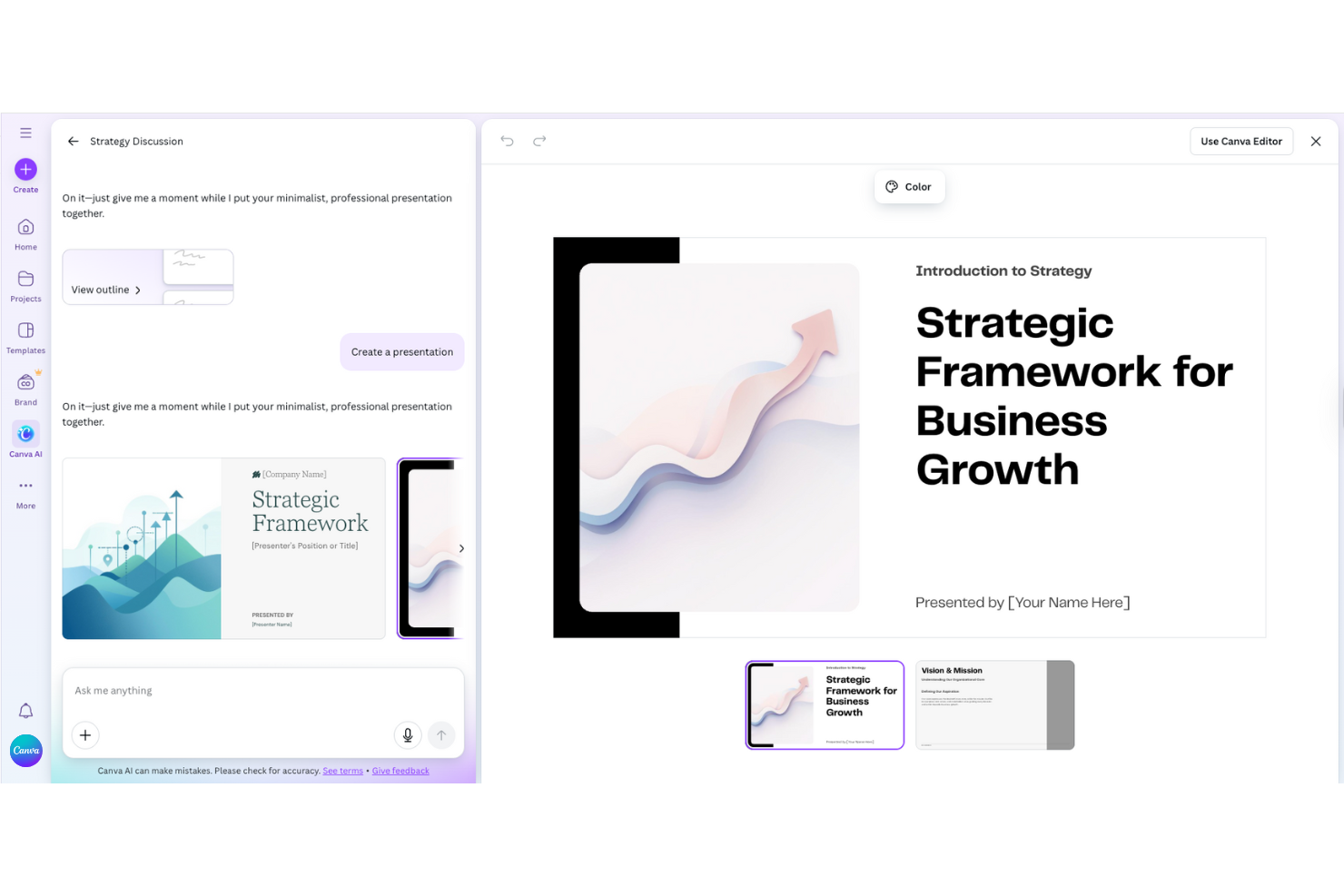
Canva es una plataforma de diseño gráfico utilizada por particulares y empresas para crear contenido visual. Es popular entre los especialistas en marketing, educadores y propietarios de pequeñas empresas por sus herramientas de diseño y plantillas fáciles de usar, mejoradas con capacidades de IA como sugerencias automáticas de diseño y edición de imágenes.
Por qué elegí Canva: Canva funciona como un copiloto de diseño, sugiriendo diseños y generando imágenes automáticamente. Las funciones de IA de Canva te permiten crear diseños e imágenes pulidas en minutos. Puedes usar Texto a Imagen para generar imágenes originales, Magic Write para crear contenido de texto, y Magic Design para construir al instante diseños a partir de ideas o archivos existentes. Estas capacidades hacen que Canva sea ideal para quienes no son diseñadores y quieren resultados profesionales sin bloqueos creativos.
Características destacadas e integraciones:
Características incluyen generación de imágenes mediante IA, diseño de maquetación inteligente, Magic Write para la creación de textos, kits de marca y colaboración en tiempo real. Canva ofrece una amplia biblioteca de plantillas, recursos de stock y herramientas de edición integradas para perfeccionar los diseños.
Integraciones incluyen Google Drive, Dropbox, HubSpot, Mailchimp, Slack, Microsoft Teams, Instagram, Facebook, LinkedIn, Pinterest y YouTube.
Pros and Cons
Pros:
- Acelera la creación de contenido visual
- Ofrece sugerencias inteligentes de diseño
- Ayuda a mantener coherencia en los diseños de marca
Cons:
- Control limitado para elementos personalizados
- Puede ser lento con archivos de imagen grandes

Zapier
Ideal para la automatización de flujos de trabajo

Zapier es una herramienta de automatización diseñada para empresas y equipos que buscan conectar diferentes aplicaciones y automatizar flujos de trabajo. Ayuda a los usuarios a automatizar tareas repetitivas creando flujos de trabajo personalizados llamados 'Zaps', que ejecutan acciones a través de varias plataformas.
Por qué elegí Zapier: Puedes automatizar tus procesos de trabajo sin necesidad de amplios conocimientos técnicos. La interfaz intuitiva de la plataforma permite configurar desencadenantes y acciones que ahorran tiempo y reducen el esfuerzo manual. Conecta herramientas mediante integraciones API seguras, permitiendo la automatización en más de 7.000 aplicaciones. Estas características lo hacen ideal para aumentar la productividad y la eficiencia en tus operaciones.
Características destacadas e integraciones:
Características incluyen la creación de flujos de trabajo con IA, Zaps de varios pasos, lógica condicional y agentes personalizados de IA que automatizan tareas como atención al cliente, distribución de leads e informes.
Integraciones incluyen Google Sheets, Gmail, Slack, Trello, Dropbox, Mailchimp, HubSpot, Salesforce, Asana y QuickBooks.
Pros and Cons
Pros:
- Permite conectar numerosas herramientas de trabajo
- Reduce el trabajo manual en tareas diarias
- Transfiere datos automáticamente
Cons:
- Los flujos complejos requieren pruebas frecuentes
- Algunos zaps se rompen después de actualizaciones de aplicaciones

Ideal para herramientas de planificación empresarial

Upmetrics es un software de planificación empresarial diseñado para emprendedores, startups y estrategas de negocios que necesitan crear planes de negocio detallados y presentaciones. Simplifica el proceso de planificación con plantillas impulsadas por IA y herramientas de previsión financiera.
Por qué elegí Upmetrics: Puedes generar rápidamente planes de negocio usando su Generador de Planes de Negocio con IA, que analiza conjuntos de datos a partir de tus entradas financieras para generar previsiones. El software ofrece características de previsión financiera que te ayudan a visualizar los posibles resultados del negocio. Su interfaz intuitiva garantiza que puedas concentrarte en la estrategia sin perder tiempo en detalles técnicos. Estas capacidades convierten a Upmetrics en una herramienta valiosa para quienes necesiten crear estrategias empresariales detalladas de manera rápida y eficaz.
Características destacadas e integraciones:
Características incluyen previsión financiera, plantillas de negocio personalizables y creación de presentaciones para inversores. Estas herramientas te ayudan a presentar tus ideas de negocio de forma clara y eficaz, facilitando la comunicación de tu visión a los interesados.
Integraciones incluyen QuickBooks, Xero, Google Drive, Dropbox, Slack, Microsoft Excel, Trello, Asana, Evernote y Zoho.
Pros and Cons
Pros:
- Permite planificar finanzas de forma visual
- Te ayuda a prever resultados fácilmente
- Útil para presentaciones a inversionistas
Cons:
- Se necesita práctica para realizar previsiones precisas
- Difícil vincular varios planes entre sí

Ideal para un espacio de trabajo con IA integrada

Notion AI es una herramienta de productividad diseñada para equipos e individuos que necesitan un espacio de trabajo flexible para notas, tareas y colaboración. Mejora la productividad al ofrecer sugerencias impulsadas por IA y ayuda a los equipos a mejorar la organización, la comunicación y la experiencia general del cliente mediante la automatización inteligente de tareas.
Por qué elegí Notion AI: Puede encargarse de todo, desde la redacción de contenido hasta la gestión de proyectos, sin necesidad de cambiar de herramienta. Sus agentes de IA integrados automatizan tareas repetitivas, generan notas de reuniones y ayudan con la investigación y la organización. La flexibilidad de la plataforma la hace ideal para equipos que desean unificar documentos, tareas y colaboración en un solo lugar.
Funciones destacadas e integraciones:
Funciones incluyen una variedad de productos de IA para escritura y edición, agentes personalizados para automatización de tareas, notas de reunión generadas por IA y búsqueda empresarial en todo el espacio de trabajo. Notion también se integra con una amplia gama de aplicaciones para extender su funcionalidad.
Integraciones incluyen Slack, Google Drive, Trello, Asana, GitHub, Microsoft Teams, Zapier, Typeform, Figma y Evernote.
Pros and Cons
Pros:
- Combina escritura y planificación en uno solo
- Ayuda a organizar información dispersa de proyectos
- Sugiere ideas mientras escribes notas
Cons:
- Puede volverse lento con bases de datos grandes
- Tono de IA muy marcado en los textos

ChatGPT
Ideal para procesamiento de lenguaje natural

Basado en la arquitectura GPT de OpenAI, ChatGPT es un modelo de lenguaje de IA con una amplia gama de usuarios, desde desarrolladores hasta empresas que buscan automatizar interacciones con clientes. Destaca en la generación de texto similar al humano, ofreciendo a los usuarios una herramienta para creación de contenido, atención al cliente y más.
Por qué elegí ChatGPT: Puedes aprovechar sus capacidades de procesamiento de lenguaje natural para crear textos atractivos y coherentes. Su capacidad para comprender el contexto y ofrecer respuestas precisas lo hace ideal para chatbots y asistentes virtuales. El modelo, desarrollado por OpenAI, cuenta con enfoques de seguridad similares a los estándares de alineación de modelos de Anthropic. Estas capacidades garantizan que satisfaga diversas necesidades de comunicación de manera eficaz.
Características destacadas e integraciones:
Características incluyen generación de texto consciente del contexto, manejo de conversaciones de varios turnos y personalización basada en indicaciones. ChatGPT se integra con muchas herramientas empresariales para ampliar su funcionalidad
Integraciones incluyen Microsoft Teams, Slack, Zendesk, HubSpot, Salesforce, WordPress, Shopify, Discord, Intercom y Google Workspace.
Pros and Cons
Pros:
- Escribe texto natural en segundos
- Funciona bien para lluvias de ideas en equipo
- Acepta diversos tipos de indicaciones de tus usuarios
Cons:
- Puede interpretar mal el contexto si es vago
- Requiere revisión humana para precisión

Aha!
La mejor opción para hojas de ruta de producto con IA
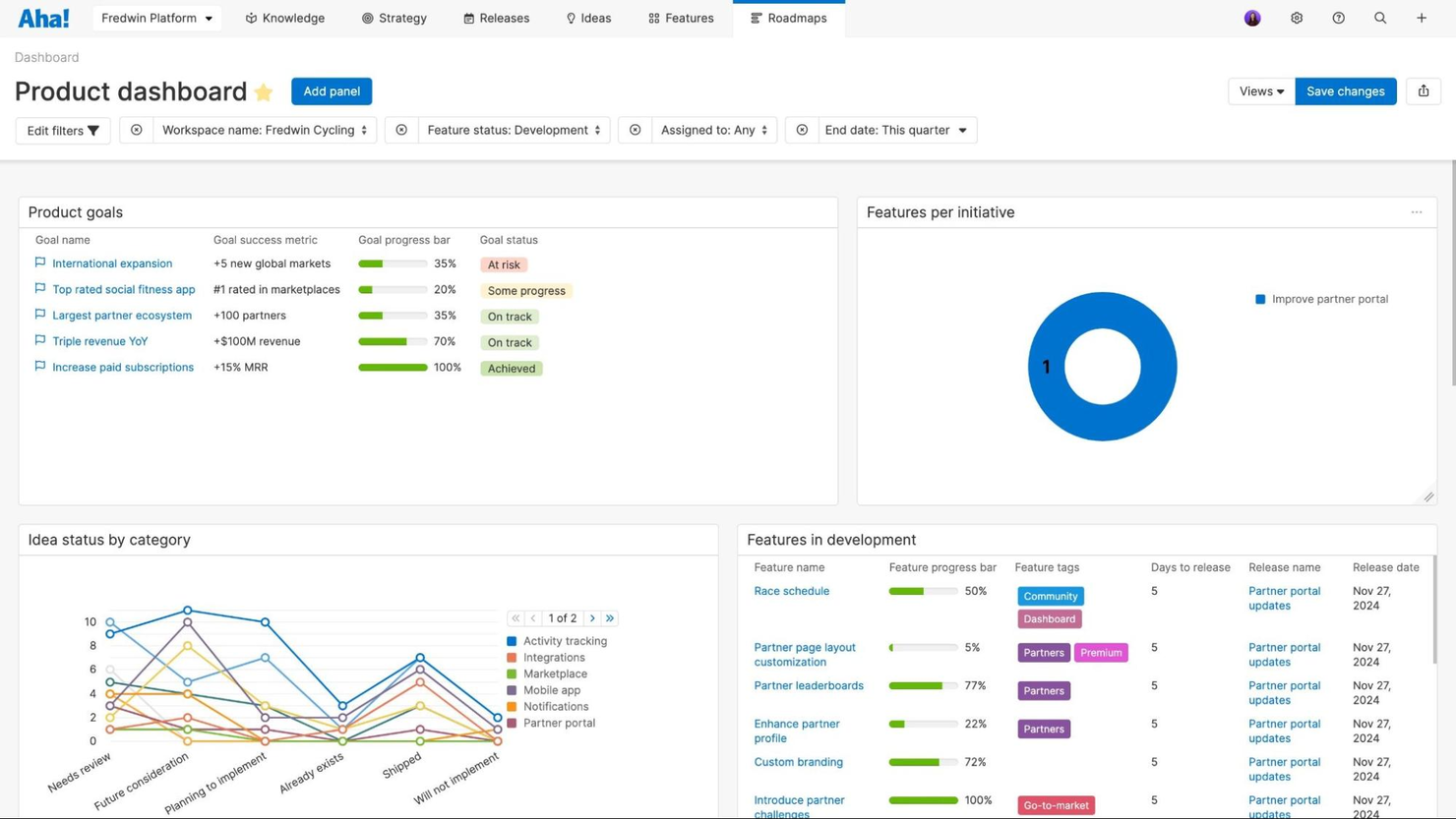
Aha! es una herramienta de desarrollo de productos utilizada principalmente por gerentes de producto y equipos de desarrollo para crear hojas de ruta visuales y gestionar estrategias de producto. Sus capacidades de IA incluyen un asistente de IA que ayuda a la productividad organizando los comentarios de los clientes y centralizando la información del producto.
Por qué elegí Aha!: Aha! destaca por su capacidad de conectar la estrategia con la ejecución mediante hojas de ruta visuales y bucles de retroalimentación integrados. Los asistentes de IA de Aha! utilizan algoritmos propietarios para organizar los comentarios de los clientes y priorizar ideas de producto, y convertir ideas en planes de producto accionables. Sobresale por su capacidad de centralizar los datos del producto, asegurando que todos los miembros del equipo tengan acceso a información esencial, lo que la convierte en la mejor opción para hojas de ruta de producto con IA.
Características destacadas e integraciones:
Características incluyen herramientas para crear hojas de ruta visuales, seguimiento de ideas y gestión de comentarios de clientes. También puedes beneficiarte de la centralización de la información del producto, lo que mantiene alineado a tu equipo. Aha! ofrece plantillas y recursos de capacitación para ayudarte a sacar el máximo provecho de sus funciones.
Integraciones incluyen Jira, Slack, Salesforce, Azure DevOps, Google Analytics, Microsoft Teams, GitHub, Confluence, Trello y Zendesk.
Pros and Cons
Pros:
- Conecta la estrategia con el trabajo diario
- Permite planificar lanzamientos de producto de forma visual
- Rastrea eficazmente los comentarios de los clientes
Cons:
- Puede ralentizarse con grandes carteras
- Requiere tiempo dominar toda la configuración


Beautiful.ai es una herramienta de presentaciones diseñada para profesionales y equipos que necesitan crear presentaciones visualmente atractivas rápidamente. Utiliza IA para automatizar tareas de diseño, asegurando que tus presentaciones sean profesionales y atractivas.
Por qué elegí Beautiful.ai: Puedes crear presentaciones impresionantes sin necesidad de tener habilidades de diseño, gracias a sus funciones impulsadas por IA. La herramienta ajusta automáticamente los diseños y los elementos de diseño, ahorrándote tiempo y esfuerzo. Sus plantillas inteligentes se adaptan a tu contenido, manteniendo la consistencia y el atractivo visual. Estas características lo hacen perfecto para quienes buscan mejorar la calidad de sus presentaciones de manera eficiente, ya sea para email marketing o cualquier tipo de iniciativas de comercio electrónico.
Características destacadas e integraciones:
Características incluyen plantillas inteligentes, ajustes automáticos de diseño y consistencia visual. Puedes centrarte en tu contenido mientras la herramienta se encarga del diseño, ofreciendo un producto final pulido sin esfuerzo.
Integraciones incluyen PowerPoint, Google Slides, Slack, Dropbox, Box, Microsoft Teams, Zoom, Trello, Asana y Canva.
Pros and Cons
Pros:
- Genera diapositivas automáticamente a partir de indicaciones de texto
- Mantiene las presentaciones consistentes y alineadas con la marca
- Ahorra mucho tiempo de diseño
Cons:
- Pocas opciones de animación avanzada
- No se pueden modificar las plantillas en profundidad


Hightouch AI Decisioning es una plataforma impulsada por inteligencia artificial, diseñada para empresas que buscan mejorar sus estrategias de marketing en diversas industrias como el comercio minorista, las finanzas y la salud. Automatiza los procesos de toma de decisiones, permitiendo a los equipos pasar de campañas manuales a interacciones con los clientes adaptativas y personalizadas.
Por qué elegí Hightouch AI Decisioning: Tu equipo puede beneficiarse de su capacidad para automatizar flujos de trabajo y estrategias de marketing utilizando aprendizaje automático y refuerzo para personalizar las interacciones con los clientes. Esta característica es la que lo diferencia, permitiendo decisiones basadas en datos para optimizar mensajes, ofertas y canales. La integración de la plataforma con más de 250 herramientas asegura información en tiempo real y comunicación efectiva. Es ideal para empresas que buscan escalar soluciones de marketing personalizadas de manera eficiente.
Características destacadas e integraciones:
Características incluyen agentes de decisión basados en aprendizaje por refuerzo, optimización en tiempo real de mensajes y ofertas, y personalización automatizada a través de los canales. También admite limitaciones transparentes, permitiendo a los equipos definir límites para las acciones de la IA.
Integraciones incluyen Salesforce, Google Ads, Facebook Ads, Marketo, HubSpot, Shopify, Snowflake, Segment, Redshift y BigQuery.
Pros and Cons
Pros:
- Automatiza decisiones complejas y multicanal
- Aprende continuamente de datos en tiempo real
- Mantiene la seguridad de los datos del cliente en tu propio almacén
Cons:
- La configuración requiere conocimientos técnicos
- Es más difícil rastrear la lógica oculta del modelo
Otras herramientas de estrategia de IA
Aquí tienes algunas opciones adicionales de herramientas de estrategia de IA que no entraron en mi selección, pero que aún merece la pena conocer:
- Quantive StrategyAI
Ideal para la alineación continua de la estrategia
- Julius (Julius Works)
Mejor para obtener información de marketing de influencers
- Tability
Mejor para la creación rápida de estrategias


Cómo evalúo las herramientas de estrategia de IA
Evalúo las herramientas de estrategia de IA en dos niveles: criterios imprescindibles como la priorización de casos de uso y la evaluación de madurez, y diferenciadores como los datos de evaluación comparativa que hacen destacar a ciertas herramientas.
Funcionalidad básica (Requisitos para esta lista)
Estas capacidades básicas sirven como criterio de aceptación para la inclusión en mi lista de herramientas de estrategia de IA:
- Descubrimiento de casos de uso de IA: Busco bibliotecas estructuradas o flujos de trabajo guiados que ayuden a los equipos a identificar y catalogar oportunidades de IA en los diferentes departamentos, no solo un panel de ideas en blanco.
- Priorización y puntuación: Los modelos de puntuación multicriterio son relevantes aquí. Evalúo si las herramientas permiten ponderar factores como la preparación de datos, la viabilidad y el valor esperado simultáneamente.
- Evaluación de la madurez de IA: Reviso si cuentan con marcos de evaluación incorporados que midan el grado de preparación en datos, talento, infraestructura y gobernanza, en lugar de una encuesta genérica.
- Planificación de hoja de ruta y portafolio: Una buena herramienta de estrategia de IA debe permitir mapear iniciativas en una línea de tiempo con dependencias, responsables y necesidades de recursos, todo en una sola vista.
- Seguimiento del ROI y valor: Evalúo cómo cada plataforma gestiona la comparación entre retornos proyectados y realizados, especialmente si vincula los KPIs con iniciativas específicas de IA tras su lanzamiento.
- Alineación con gobernanza y gestión de riesgos: Busco alineación con marcos como el EU AI Act o el NIST AI RMF, incluyendo clasificación de riesgos y documentación lista para auditorías.
Califico a cada proveedor en una escala del 0 (no ofrece la funcionalidad) al 5 (destaca en esta área) para cada criterio.
Los proveedores deben alcanzar una puntuación promedio mínima para ser considerados para inclusión en mi lista. A partir de ahí, considero qué distingue a cada plataforma.
Factores diferenciadores (Qué distingue a los proveedores)
Una vez que he seleccionado mi lista, así comparo y contrasto a los diferentes proveedores en el campo de herramientas de estrategia de IA:
Características destacadas
Busco un copiloto de IA generativa que redacte casos de uso, resuma el estado del portafolio u ofrezca recomendaciones personalizadas en tiempo real. Los datos comparativos sectoriales también son esenciales: herramientas que proporcionan métricas de adopción y referencias de ROI específicas por sector ayudan a los equipos a evaluar su rendimiento en comparación con sus pares. Los tableros de informes ejecutivos destacan cuando presentan ideas clave del portafolio en formatos que los líderes sénior realmente utilizan, como diapositivas preparadas para juntas directivas o KPIs de nivel directivo. Los flujos de trabajo colaborativos que permiten a equipos distribuidos desarrollar conjuntamente la estrategia en un solo espacio de trabajo también aportan mucho valor.
Más allá de las funciones
La cobertura regulatoria y de cumplimiento es un gran diferenciador; evalúo si las plataformas incluyen marcos predefinidos como el EU AI Act o NIST AI RMF, ya que construir estos desde cero retrasa considerablemente la implementación. La profundidad de integración también importa. Herramientas que conectan con plataformas PPM, tableros de BI y catálogos de datos facilitan mucho más la transición de la estrategia a la ejecución. También considero el soporte de implementación, especialmente si los proveedores ofrecen guías específicas por sector o servicios de asesoría que acortan el tiempo hasta la entrega de la primera hoja de ruta.
Cómo elegir una herramienta de estrategia de IA
Es fácil perderse entre largas listas de características y estructuras de precios complejas. Para ayudarte a mantener la atención mientras avanzas en tu proceso específico de selección de software, aquí tienes una lista de factores que debes tener en cuenta:
| Factor | Qué debes tener en cuenta |
|---|---|
| Escalabilidad | ¿Puede la herramienta crecer con tu empresa? Comprueba si puede gestionar un aumento de los datos y de los usuarios sin problemas de rendimiento. |
| Integraciones | ¿Funciona con tus sistemas actuales? Comprueba la compatibilidad con herramientas como plataformas de CRM, ERP o análisis de datos. |
| Personalización | ¿Puedes adaptarla a tus necesidades? Busca opciones para modificar los flujos de trabajo, los paneles y los informes de modo que se ajusten a tus procesos. |
| Facilidad de uso | ¿Es fácil de usar? Evalúa si tu equipo puede aprender a utilizarla rápidamente sin una formación o asistencia exhaustivas. |
| Implementación e incorporación | ¿Cuánto tardará la configuración? Ten en cuenta los recursos y el tiempo necesarios para una transición fluida y una adopción completa. |
| Coste | ¿Se ajusta a tu presupuesto? Compara los planes de precios y considera el coste total de propiedad, incluidas las tarifas ocultas. |
| Medidas de seguridad | ¿Son sólidas las protecciones de datos? Busca características como el cifrado, los controles de acceso y el cumplimiento de normativas como el RGPD. |
| Disponibilidad de asistencia | ¿Es fácil acceder a la ayuda? Comprueba si el proveedor ofrece asistencia las 24 horas del día, los 7 días de la semana, varias opciones de contacto y un centro de ayuda completo. |
¿Qué son las herramientas de estrategia de IA?
Las herramientas de estrategia de AI son soluciones de software que utilizan inteligencia artificial para mejorar los procesos de planificación estratégica y toma de decisiones. Estas herramientas suelen ser utilizadas por líderes empresariales, estrategas y directivos que buscan optimizar las operaciones y tomar decisiones basadas en datos.
Funciones como el análisis predictivo, la generación automatizada de informes y los datos analíticos en tiempo real ayudan a alinear objetivos, mejorar la eficiencia y tomar decisiones fundamentadas. En general, estas herramientas proporcionan información valiosa y automatización para respaldar el crecimiento empresarial estratégico.
Funciones
Al seleccionar herramientas de estrategia de AI, presta atención a las siguientes funciones clave:
- Análisis predictivo: Utiliza AI para prever tendencias y resultados, lo que facilita la toma de decisiones proactiva.
- Generación automatizada de informes: Genera informes automáticamente para ahorrar tiempo y garantizar la precisión en el análisis de datos.
- Datos analíticos en tiempo real: Proporciona información actualizada para respaldar decisiones estratégicas oportunas.
- Paneles personalizables: Permiten a los usuarios adaptar las vistas y los informes para ajustarlos a necesidades empresariales específicas.
- Herramientas de alineación de objetivos: Ayudan a garantizar que los esfuerzos del equipo se centren en los objetivos estratégicos mediante datos analíticos basados en AI.
- Capacidades de integración: Se conectan con los sistemas existentes para proporcionar un flujo de trabajo cohesionado y coherencia de los datos.
- Recomendaciones basadas en AI: Ofrecen sugerencias basadas en patrones de datos para mejorar los procesos de toma de decisiones.
- Medidas de seguridad: Protegen los datos confidenciales mediante funciones de cifrado y cumplimiento normativo.
- Interfaz fácil de usar: Garantiza la facilidad de uso para que los equipos puedan adoptar rápidamente la herramienta y beneficiarse de ella.
- Escalabilidad: Favorece el crecimiento empresarial al adaptarse a un volumen de datos y un número de usuarios cada vez mayores.
Ventajas
La implementación de herramientas de estrategia de AI ofrece varias ventajas para tu equipo y tu empresa. Estas son algunas de las que puedes esperar:
- Mejora de la toma de decisiones: Los datos analíticos y las recomendaciones basados en AI conducen a decisiones empresariales más fundamentadas.
- Mayor eficiencia: La generación automatizada de informes y el procesamiento de datos liberan tiempo para tareas estratégicas.
- Mejor alineación de objetivos: Las herramientas de AI ayudan a garantizar que los esfuerzos del equipo estén en consonancia con los objetivos empresariales.
- Mejores previsiones: El análisis predictivo ofrece una visión más clara de las tendencias futuras y los posibles resultados.
- Ahorro de costes: Al optimizar los procesos y reducir las tareas manuales, las herramientas de AI pueden disminuir los costes operativos.
- Estrategias basadas en datos: Los datos analíticos en tiempo real permiten desarrollar estrategias basadas en datos actuales y relevantes.
- Compatibilidad con la escalabilidad: Las herramientas de AI pueden crecer junto con tu empresa y adaptarse al aumento de las necesidades de datos y usuarios.
Costes y precios
Seleccionar herramientas de estrategia de AI requiere comprender los distintos modelos de precios y planes disponibles. Los costes varían en función de las funciones, el tamaño del equipo, los complementos y otros factores. La siguiente tabla resume los planes habituales, sus precios medios y las funciones que suelen incluir las soluciones de herramientas de estrategia de AI:
Tabla comparativa de planes para herramientas de estrategia de AI
| Tipo de plan | Precio medio | Funciones habituales |
|---|---|---|
| Plan gratuito | $0 | Acceso limitado a funciones básicas, asistencia de la comunidad y periodo de prueba limitado para las funciones premium. |
| Plan personal | $5-$25/usuario/mes | Acceso a funciones principales, análisis básicos y asistencia por correo electrónico. |
| Plan empresarial | $30-$75/usuario/mes | Análisis avanzados, herramientas de colaboración en equipo, asistencia prioritaria y capacidades de integración. |
| Plan para empresas | $100+/usuario/mes | Soluciones personalizables, gestor de cuenta dedicado, seguridad mejorada y asistencia completa para la integración. |
Preguntas frecuentes sobre herramientas de estrategia de IA
Estas son algunas respuestas a preguntas frecuentes sobre las herramientas de estrategia de IA:
¿Cómo saber si una herramienta de estrategia de IA merece la pena?
Empieza por observar cuánto tiempo o esfuerzo ahorra tu equipo después de utilizarla durante unas semanas. Registra aspectos sencillos, como la rapidez con la que podéis tomar decisiones o terminar informes. Si tu equipo dedica menos tiempo al trabajo manual y obtiene mejores resultados, es una buena señal de que la inversión está dando sus frutos. Toma notas para poder mostrar claramente el impacto.
¿Qué debes saber sobre el destino de tus datos?
Pregunta al proveedor dónde se almacena tu información y quién puede acceder a ella. Si tu empresa tiene normas sobre la conservación de datos en determinadas regiones, asegúrate de que la herramienta las cumple. También conviene comprobar cómo se gestionan las copias de seguridad y si puedes solicitar que tus datos se eliminen más adelante.
¿Cómo evitar quedarte atrapado con la herramienta equivocada?
Antes de comprar, comprueba si puedes descargar fácilmente tus datos o cambiar a otro sistema más adelante. Evita las herramientas que dificulten la exportación de tu trabajo o cobren un importe adicional por abandonarlas. Empieza poco a poco con una prueba breve antes de comprometerte a largo plazo. Así sabrás si realmente se adapta a tus necesidades.
¿Cómo mantener a las personas implicadas al utilizar herramientas de IA?
Incluso con una buena IA, sigues necesitando el criterio humano. Decide qué tareas requieren que alguien revise el trabajo de la IA antes de compartirlo o utilizarlo. Proporciona a tu equipo pasos sencillos para comprobar la precisión o el tono. Mantén estas normas fáciles de seguir para que todos estén coordinados.
¿Cómo asegurarte de que la IA ofrece respuestas fiables?
Proporciona a la herramienta información precisa y reciente siempre que puedas. Anima a tu equipo a verificar los datos antes de utilizar contenido generado por IA. Si algo parece incorrecto, indícalo y corrígelo rápidamente. Las revisiones periódicas ayudan a mantener la fiabilidad de los resultados con el tiempo.
¿Qué debes preguntar sobre el servicio de asistencia antes de comprar?
Averigua con qué rapidez responde el proveedor cuando surge un problema. Pregunta si garantiza el tiempo de actividad o promete ofrecer ayuda en un plazo determinado. También conviene comprobar qué ocurre si decides cancelar, por ejemplo, cómo devolverán o eliminarán tus datos. Saberlo de antemano te evitará problemas más adelante.