

Reseña de Tactic: Ventajas, Desventajas, Características y Precios


Tactic is a hot desk booking software for hybrid teams that need to coordinate office attendance, reserve desks, and manage shared spaces across locations. I'd consider it if you want clear visibility into who's in the office and when—without the enterprise setup complexity you'd get from a tool like Robin. It's a good fit for teams that need a fast, intuitive way to manage flexible seating without needing IT involvement to get up and running.
Tactic Evaluation Summary

- From $3000/year
- Free demo available
Por qué confiar en nuestras reseñas de software
Nuestro equipo lleva probando y evaluando software desde 2012. Como expertos en RR. HH., sabemos lo difícil —y lo importante— que es elegir el software adecuado.
Para esta guía, evaluamos las herramientas mediante pruebas prácticas e investigación independiente, puntuando las herramientas según nuestros criterios de selección. También nos basamos en la experiencia de líderes de opinión del sector y de profesionales de RR. HH. en activo.
Nuestras reseñas reflejan nuestro criterio editorial humano, no un discurso de ventas.
Revisores expertos:
Tactic Overview
Tactic is a solid choice for small to medium-sized businesses seeking a straightforward and efficient hot desk booking solution. Its ease of use, combined with effective space utilization features, makes it a reliable tool in the realm of workspace management.
However, larger companies or those with more complex office setups may need to explore alternatives offering greater customization and advanced features. I encourage you to share your experiences or thoughts on Tactic or similar tools, as your insights can be valuable for others considering their options in this space.
pros
-
The desk maps are clean and easy to follow, so your team books spaces without confusion.
-
Check-ins and booking flows move fast, which helps your workday stay smooth.
-
The reporting tools give you clear insight into how people use desks across your office.
cons
-
Desk and room updates can feel slow when your layout changes often.
-
Some users want more customization in how booking rules work for different teams.
-
Reporting feels limited if you need deeper analytics for larger or complex workplaces.
-

Justworks
Visit WebsiteThis rating combines scores from multiple user review sites to reflect overall customer sentiment about the product.4.6 -
Small Improvements
Visit WebsiteThis rating combines scores from multiple user review sites to reflect overall customer sentiment about the product.4.3 -
HiBob
Visit WebsiteThis rating combines scores from multiple user review sites to reflect overall customer sentiment about the product.4.5





Cómo probamos y puntuamos nuestras herramientas
Hemos pasado años construyendo, refinando y mejorando nuestro sistema de pruebas y puntuación de software. La rúbrica está diseñada para capturar los matices de la selección de software y lo que hace que una herramienta sea efectiva, centrándose en los aspectos críticos del proceso de toma de decisiones. A continuación, puedes ver exactamente cómo funcionan nuestras pruebas y puntuaciones a través de siete criterios. Esto nos permite ofrecer una evaluación imparcial del software basada en la funcionalidad principal, características destacadas, facilidad de uso, incorporación, soporte al cliente, integraciones, reseñas de clientes y relación calidad-precio.
Funcionalidad principal (25% de la puntuación final)
El punto de partida de nuestra evaluación siempre es la funcionalidad principal de la herramienta. ¿Tiene las funciones básicas que se espera encontrar? ¿Alguna de esas funciones básicas está restringida a planes de precio superiores? En esencia, esperamos que una herramienta se compare favorablemente con las capacidades básicas de sus competidores.
Características destacadas (25% de la puntuación final)
Luego, evaluamos características poco comunes que van más allá de la funcionalidad principal que normalmente se encuentra en herramientas de su tipo. Una puntuación alta refleja funciones especializadas o únicas que hacen que el producto sea más rápido, eficiente o que ofrezca un valor adicional al usuario. También evaluamos lo fácil que es integrar con otras herramientas comúnmente usadas en el entorno tecnológico para ampliar la funcionalidad y utilidad del software. Las herramientas que ofrecen muchas integraciones nativas, conexiones de terceros y acceso a API para construir integraciones personalizadas obtienen las mejores puntuaciones.
Facilidad de uso (10% de la puntuación final)
Consideramos qué tan rápido y fácil es ejecutar las tareas definidas en la funcionalidad principal utilizando la herramienta. El software que obtiene una puntuación alta está bien diseñado, es intuitivo, ofrece aplicaciones móviles, proporciona plantillas y hace que tareas relativamente complejas parezcan simples.
Incorporación (10% de la puntuación final)
Sabemos lo importante que es la rápida adopción del equipo para una nueva plataforma, por eso evaluamos qué tan fácil es aprender y usar una herramienta con una capacitación mínima. Evaluamos cuán rápido un miembro del equipo puede configurarse y comenzar a usar la herramienta sin experiencia. Las soluciones con mejores puntuaciones requieren poco o ningún soporte.
Soporte al cliente (10% de la puntuación final)
Revisamos cuán rápido y fácil es obtener ayuda mediante teléfono, chat en vivo o base de conocimientos. Las herramientas y empresas que ofrecen soporte en tiempo real obtienen las mejores puntuaciones, mientras que los chatbots obtienen las peores.
Reseñas de clientes (10% de la puntuación final)
Además de nuestras propias pruebas y evaluaciones, consideramos el puntaje neto de promotores de clientes presentes y pasados. Revisamos su probabilidad, dada la opción, de elegir nuevamente la herramienta por su funcionalidad principal. El software con una puntuación alta refleja un alto puntaje neto de promotores por parte de clientes actuales o anteriores.
Relación calidad-precio (10% de la puntuación final)
Por último, considerando todos los demás criterios, revisamos el precio promedio de los planes de entrada frente a las funciones principales y valoramos el resto de los criterios de evaluación. El software que ofrece más por menos tendrá una mejor puntuación.
Core Features
Desk Booking
Lets your team reserve desks in seconds through a simple visual map, so people don’t waste time guessing what’s free. You get a clear view of who’s sitting where, which helps you plan your workday better.
Room Reservations
Gives you an easy way to book meeting rooms without back-and-forth chats. It prevents double bookings and helps your team quickly find the right space for calls or group work.
Capacity Management
Shows real-time numbers on how many people are onsite, helping you avoid overcrowding. You can set limits per floor or zone so teams stay safe and workplaces stay balanced.
Interactive Floor Plans
Displays your office layout in a clean, visual format so your team always knows where they’re headed. You can zoom in to see desk details, amenities, and available spaces at a glance.
Check-In & Check-Out
Lets users confirm desk or room use with one tap, which keeps your space data accurate. This helps you track actual usage and free up unused spots quickly.
Analytics & Reporting
Gives you insights on desk demand, peak days, and space trends. You can use this data to cut unused space or plan expansions based on real behavior, not guesses.

Ease of Use
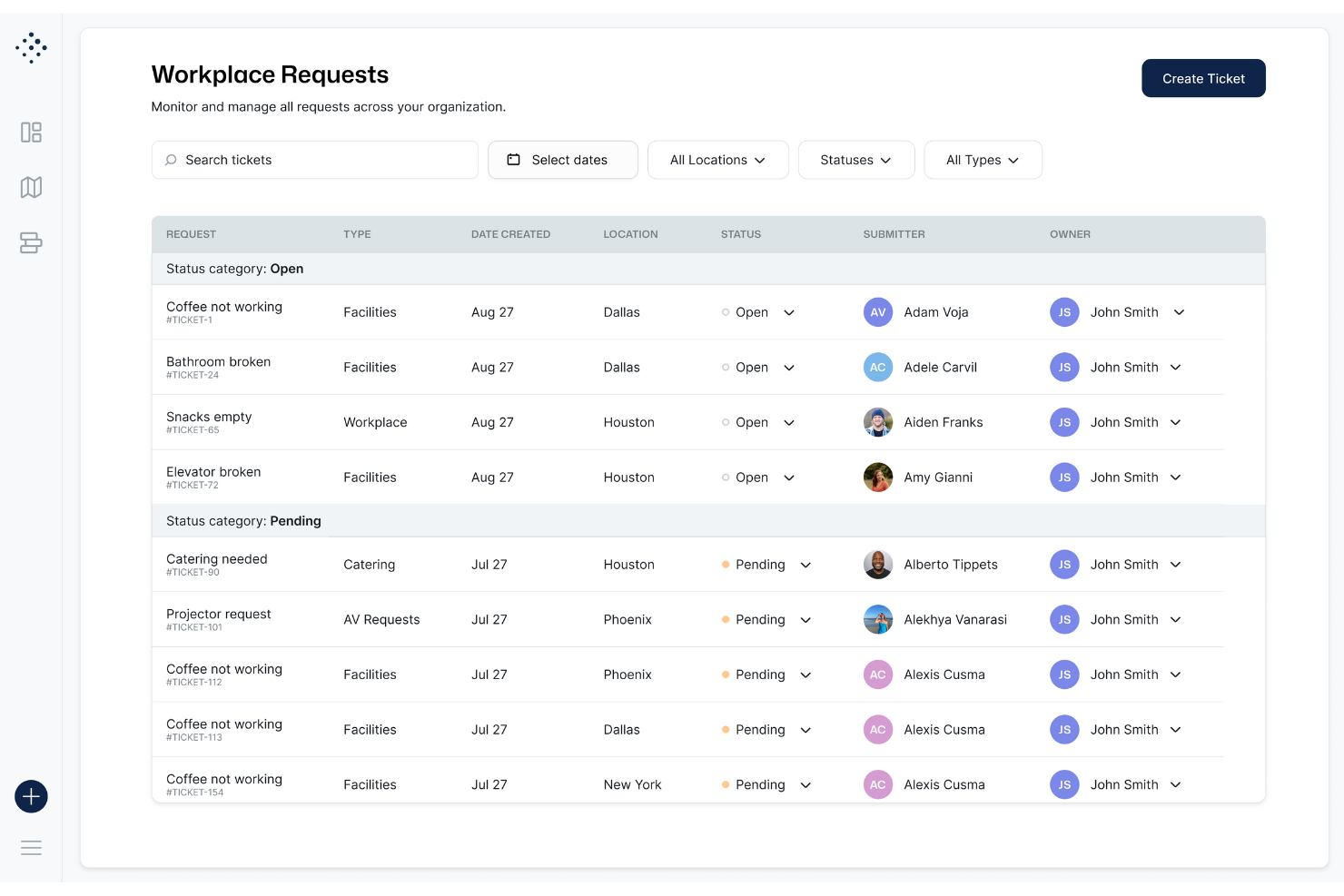
Tactic feels simple because the desk map is clean, loads fast, and lets you reserve a spot in a few taps. You don’t dig through menus to book, check in, or see who’s onsite. Users say the interface removes guesswork, which helps your team move through daily desk booking without friction.
Integrations
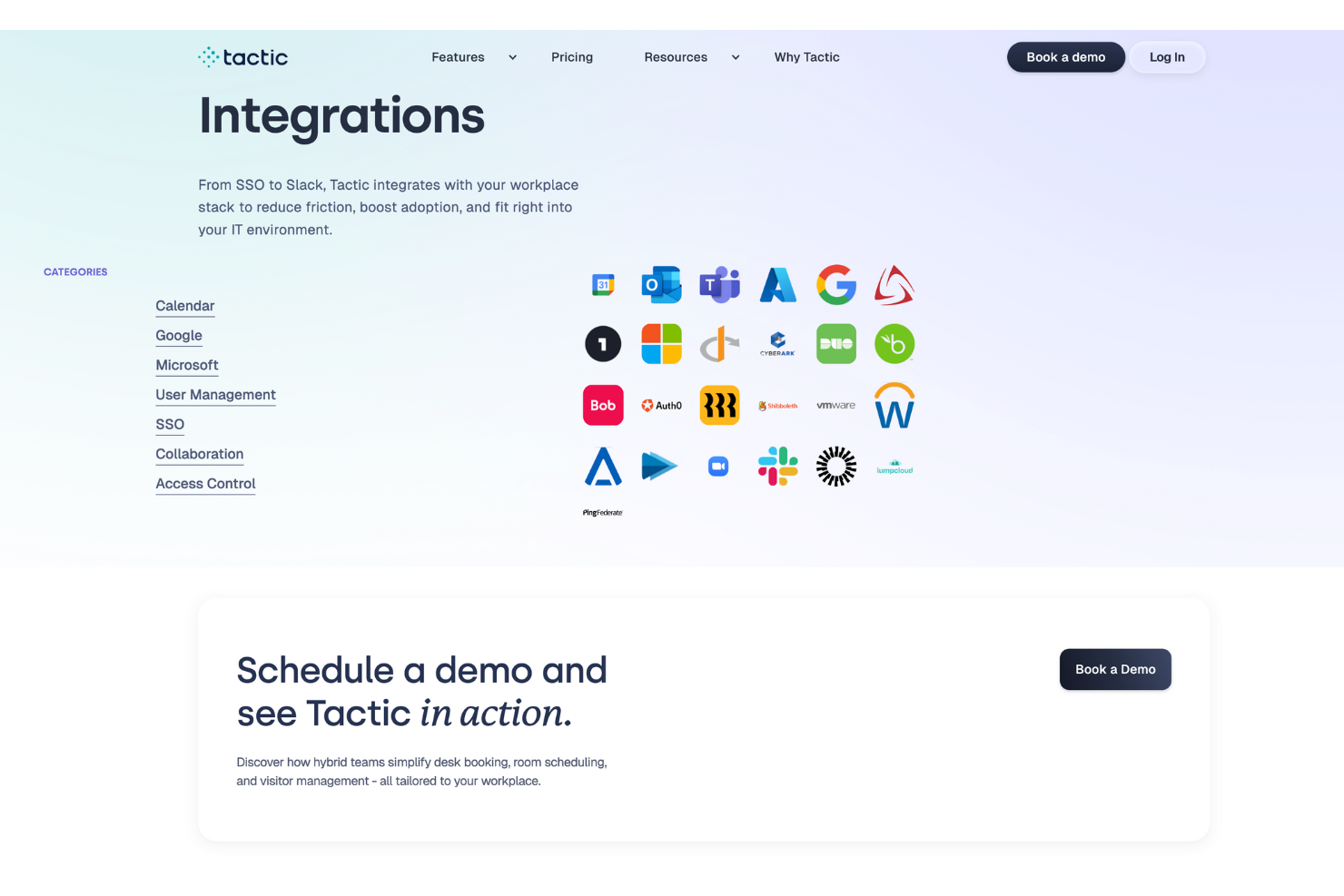
Tactic integrates natively with Microsoft Teams, Outlook, Slack, Google Workspace, SSO (Single Sign-On), and Directory Sync. Tactic also has an API and can connect with third-party integration tools like Zapier for extended workflows.
Tactic Specs
- Access Management
- API
- Appointment Scheduling
- Batch Permissions & Access
- Calendar Management
- Chat
- Click-to-Dial
- Contact Management
- Custom Data Forms
- Custom Reports
- Customer Management
- Dashboard
- Dashboards
- Data Export
- Data Import
- Data Visualization
- Email Integration
- External Integrations
- Forecasting
- Google Apps Integration
- Lead Management
- Map Visualization
- Marketing Automation
- Mobile App
- Multi-User
- Notifications
- Resource Management
- Scheduling
- Self-service Portal
- Workflow Management

Tactic FAQs
How does Tactic help coordinate hybrid work schedules for teams?
How can HR teams manage desk assignments and seating policies with Tactic?
What compliance or data security protections does Tactic offer for employee information?
How does Tactic handle visitor check-ins and guest management for HR staff?
Can HR teams see reports on how office space is being used?
What options do HR teams have if someone doesn’t check in after booking a desk?
How does Tactic support onboarding new employees into the office booking flow?
What happens if there’s a conflict between desk reservations and meeting room bookings?
¿Qué sigue?
Para mantenerte actualizado sobre lo último en gestión de personas, suscríbete a nuestro boletín para líderes y gerentes. Recibirás información y recursos diseñados para líderes y profesionales de RRHH directamente en tu bandeja de entrada.