
Zoho Meeting Review: Pros, Cons, Features & Pricing
Zoho Meeting offers a user-friendly interface and solid integration options, making it ideal for teams seeking efficient and reliable online meetings.

We review tools independently, and commissions help fund our testing. See our transparency policy, our methodology, or suggest a tool.
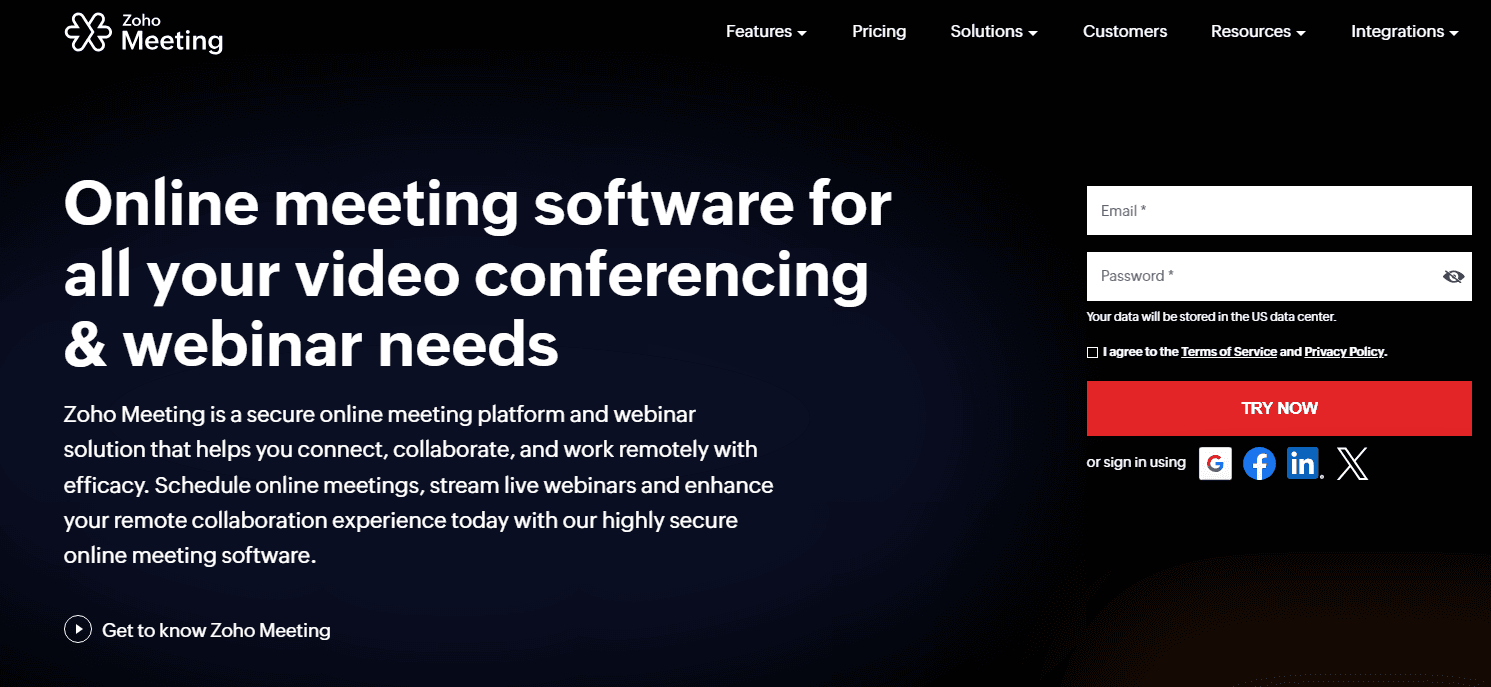
Zoho Meeting is a meeting scheduling software that covers online meetings and webinars without needing separate tools. It's a natural fit for teams already working within the Zoho ecosystem. If that's you, the native integrations with Zoho CRM and Zoho Mail go deeper than what a standalone tool like Calendly can deliver.
Zoho Meeting Evaluation Summary
4.5/5
- From $1/user/month (billed annually)
- Free plan available; 14-day free trial
Why Trust Our Software Recommendations
6,700+
Reviews
20
Industry experts
16+
Evaluation factors
14
Years
Our team has been testing and reviewing software since 2012. As HR experts ourselves, we know how difficult—and important—it is to choose the right software.
For this guide, we evaluated tools using hands-on testing and independent research, scoring tools using our selection criteria. We also draw on insights from industry thought leaders and practicing HR experts.
Our reviews reflect our human editorial judgment, not a sales pitch.
Expert reviewers:
- Phil GrayCOO
 Kim BehnkeHR Tech Editor & Analyst
 Josh BarkerPeople Ops Manager

Zoho Meeting Overview
In my opinion, Zoho Meeting is a solid choice for teams seeking a dependable meeting scheduling tool. Its integration with other Zoho products gives it an edge for businesses already using Zoho's ecosystem, and while some users might find the interface slightly less intuitive than competitors like Zoom, Microsoft Teams, GoTo Meeting, or Google Meet, its features are sound, and new functionalities are added all the time. It's best for small to medium-sized businesses or departments that value cost-effectiveness and integration potential over extensive customization options.
Pros
- Zoho Meeting costs less than major competitors while still providing the core functionality that most small teams need.
- Your team can schedule and join meetings with a straightforward interface that integrates directly with other Zoho products, Gmail, and Microsoft Outlook, supporting web-conferencing workflows.
- Zoho Meeting's commitment to data privacy makes security a priority, so your team can trust that their meetings will be private, even when sharing sensitive information through messaging tools.
Cons
- Your team might initially find the user interface less intuitive than those of some competitors, such as Webex.
- You may encounter occasional connectivity issues when you use Zoho Meeting.
- Advanced customization options are limited compared to other platforms, especially on lower-tier plans.


How We Test & Score Our Tools
We’ve spent years building, refining, and improving our software testing and scoring system. The rubric is designed to capture the nuances of software selection and what makes a tool effective, focusing on critical aspects of the decision-making process.
Below, you can see exactly how our testing and scoring works across seven criteria. It allows us to provide an unbiased evaluation of the software based on core functionality, standout features, ease of use, onboarding, customer support, integrations, customer reviews, and value for money.
Core Functionality (25% of final score)
The starting point of our evaluation is always the core functionality of the tool. Does it have the basic features and functions that a user would expect to see? Are any of those core features locked to higher-tiered pricing plans? At its core, we expect a tool to stand up against the baseline capabilities of its competitors.
Standout Features (25% of final score)
Next, we evaluate uncommon standout features that go above and beyond the core functionality typically found in tools of its kind. A high score reflects specialized or unique features that make the product faster, more efficient, or offer additional value to the user.
We also evaluate how easy it is to integrate with other tools typically found in the tech stack to expand the functionality and utility of the software. Tools offering plentiful native integrations, 3rd party connections, and API access to build custom integrations score best.
Ease of Use (10% of final score)
We consider how quick and easy it is to execute the tasks defined in the core functionality using the tool. High scoring software is well designed, intuitive to use, offers mobile apps, provides templates, and makes relatively complex tasks seem simple.
Onboarding (10% of final score)
We know how important rapid team adoption is for a new platform, so we evaluate how easy it is to learn and use a tool with minimal training. We evaluate how quickly a team member can get set up and start using the tool with no experience. High scoring solutions indicate little or no support is required.
Customer Support (10% of final score)
We review how quick and easy it is to get unstuck and find help by phone, live chat, or knowledge base. Tools and companies that provide real-time support score best, while chatbots score worst.
Customer Reviews (10% of final score)
Beyond our own testing and evaluation, we consider the net promoter score from current and past customers. We review their likelihood, given the option, to choose the tool again for the core functionality. A high scoring software reflects a high net promoter score from current or past customers.
Value for Money (10% of final score)
Lastly, in consideration of all the other criteria, we review the average price of entry level plans against the core features and consider the value of the other evaluation criteria. Software that delivers more, for less, will score higher.
Core Features
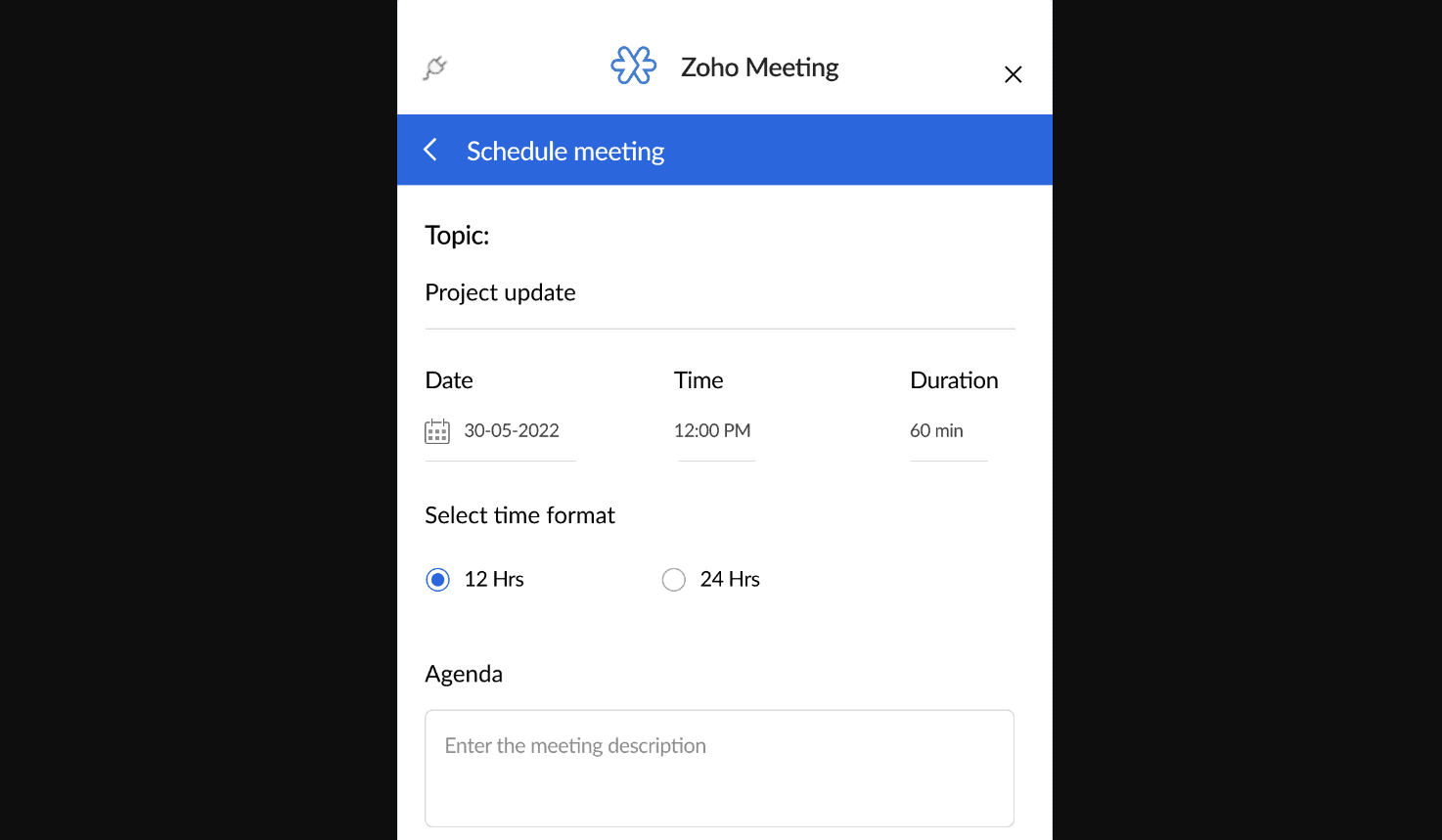
Scheduling Meetings: You can schedule meetings with dates and times that work for everyone with just a few clicks. The platform sends automatic reminders to keep your team on track.
Video Conferencing: Connect face-to-face with your remote team through video conferencing to promote communication and collaboration.
Screen Sharing: Share your screen to present documents, slides, or any other content. This feature keeps everyone on the same page and supports your team in sharing visual aids and analytics.
Cloud Recording: Record your meetings to revisit important discussions or share with those who couldn't attend. This is a great way to keep a record of decisions and action points, and it can also be used to generate training materials.
Webinars: Host Zoho webinars to engage with a larger audience, offering tools to interact with participants. This feature is perfect for educational sessions or company-wide announcements, and registration forms can be customized to match your branding and include custom fields.
Industry-Leading Security Measures: Your meetings are encrypted, ensuring that your data and conversations remain confidential, and hosts can lock meetings to secure them from intruders. This builds trust and peace of mind for you and your team.
Ease of Use
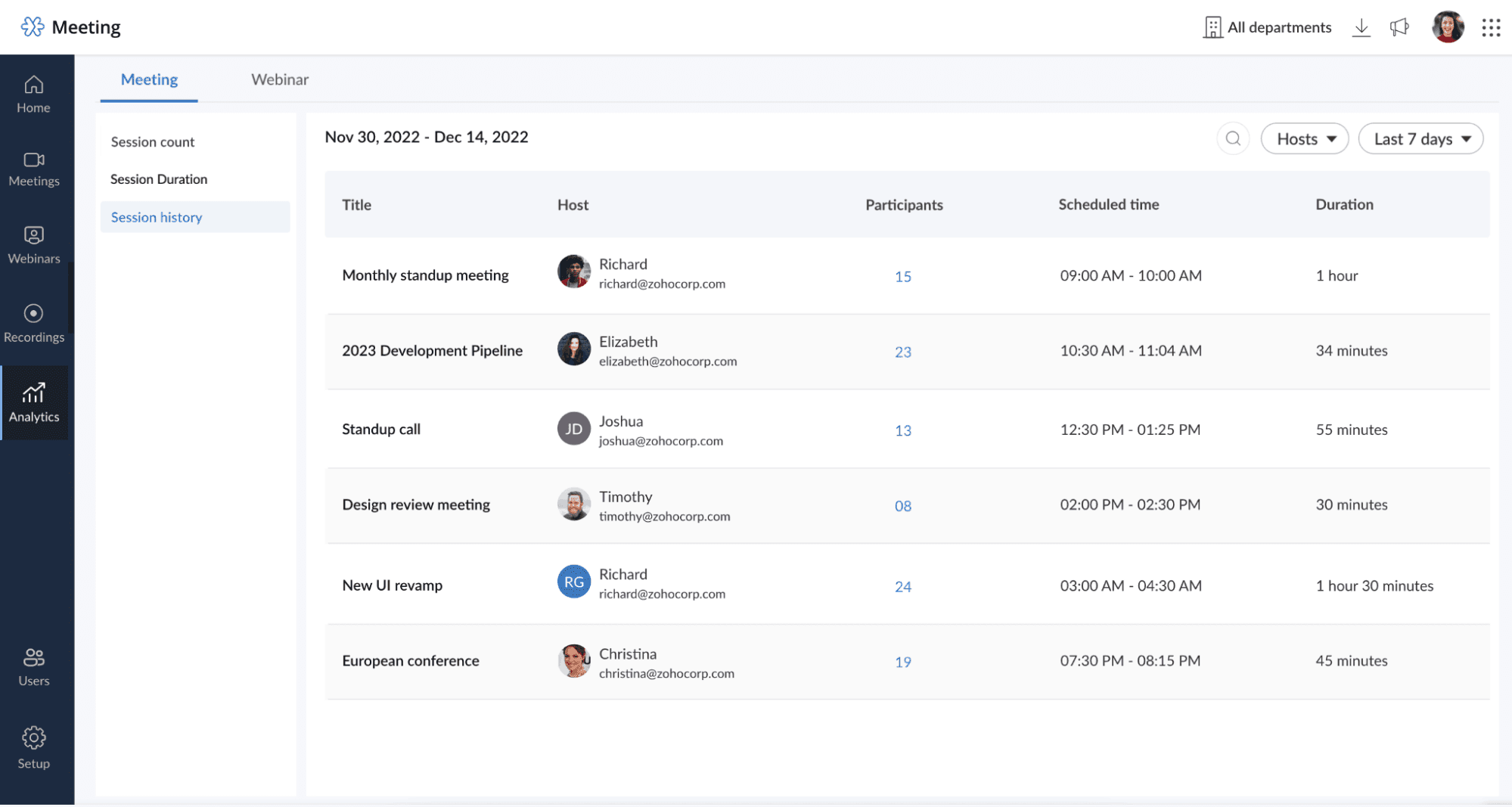
Zoho Meeting is user-friendly, making it easy for you and your team to focus on what's important. With straightforward navigation and clear instructions, even those new to online meetings will find it accessible, which makes conducting meetings smooth and stress-free.
Integrations
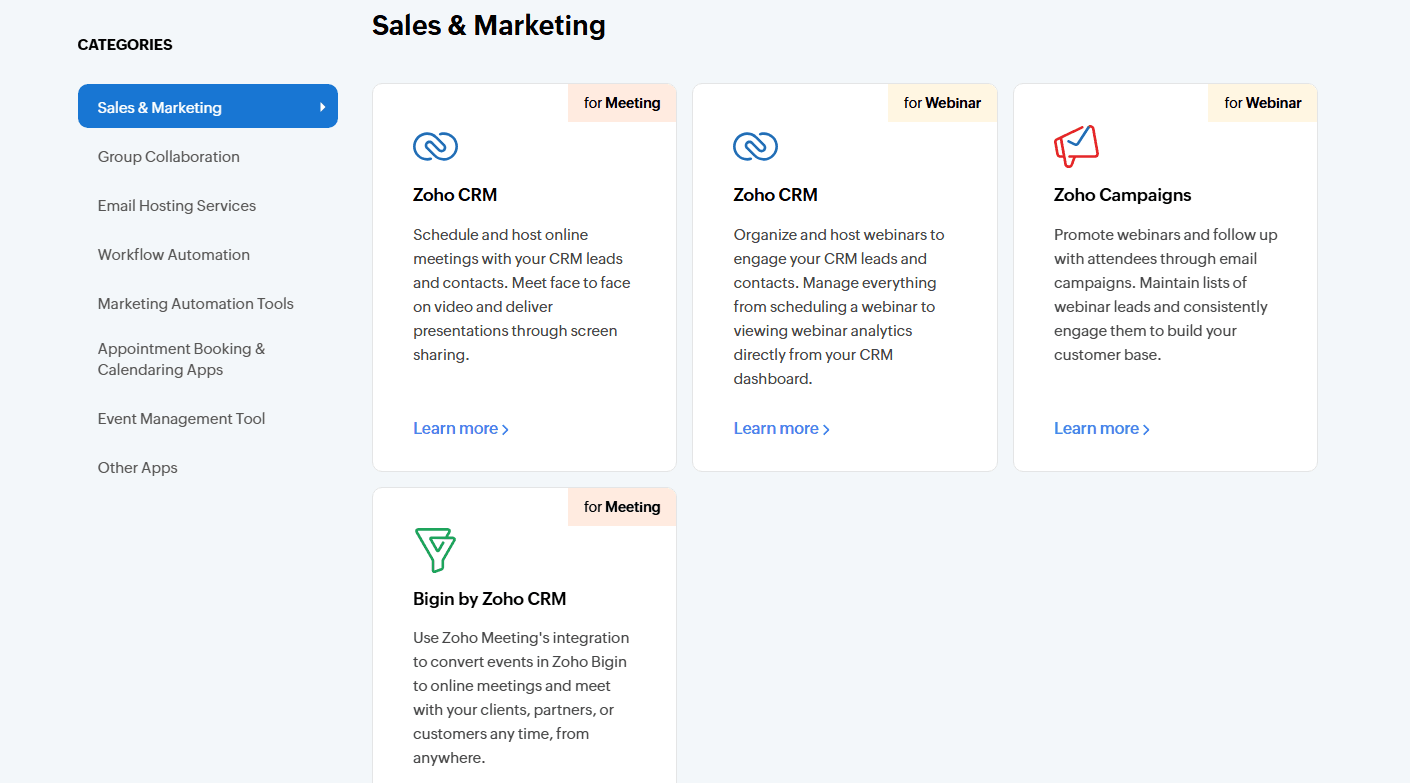
Zoho Meeting integrates directly with Zoho CRM, Zoho Campaigns, Bigin by Zoho CRM, Zoho Projects, Zoho Connect, Microsoft Teams, Slack, Zoho Mail, Gmail, Zoho Flow, Zoho Marketing Automation, Zoho Bookings, Microsoft Outlook, Zoho Backstage, Zoho Notebook, Zia (powered by OpenAI), and Rev AI.
Zoho Meeting also provides an API for custom integrations and connects with third-party integration tools like Zapier.
Zoho Meeting Specs
- API: Yes
- Calendar Management: Yes
- Chat: Yes
- Contact Management: Yes
- Contact Sharing: Yes
- External Integrations: Yes
- History/Version Control: Yes
- Multi-User: Yes
- Notifications: Yes
- Scheduling: Yes


