


ActivTrak vs. Time Doctor: Confronto e Recensioni degli Esperti per il 2026



Scegliere il giusto strumento di analytics della forza lavoro e monitoraggio dei dipendenti può fare la differenza per l'efficienza e la responsabilità del tuo team. ActivTrak e Time Doctor si distinguono come i migliori software di gestione dei team, ma adottano approcci decisamente diversi al monitoraggio del lavoro.
Analizzerò ciò che conta davvero: prezzi, funzionalità, integrazioni ed esperienza utente. Vedrai esattamente come ogni strumento si adatta alla situazione unica della tua azienda. Hai bisogno di analytics approfonditi sulla produttività o vuoi solo sapere come viene utilizzato il tempo? Questo confronto diretto ti mostrerà quale strumento offre davvero ciò di cui il tuo team ha bisogno.
ActivTrak vs. Time Doctor: An Overview
ActivTrak


Time Doctor


Perché fidarsi delle nostre recensioni sui software
Il nostro team testa e recensisce software dal 2012. In quanto esperti HR noi stessi, sappiamo quanto sia difficile — e importante — scegliere il software giusto.
Per questa guida, abbiamo valutato gli strumenti attraverso test pratici e ricerche indipendenti, assegnando un punteggio agli strumenti in base ai nostri criteri di selezione. Ci basiamo inoltre sulle competenze di leader di pensiero del settore e di professionisti HR attivi.
Le nostre recensioni riflettono il nostro giudizio editoriale umano, non un discorso di vendita.
Revisori esperti:
ActivTrak vs. Time Doctor Pricing Comparison
| ActivTrak | Time Doctor | |
|---|---|---|
| Free Trial | Free demo + 14-day free trial available | 14-day free trial |
| Pricing | From $10/user/month (billed annually) | Pricing upon request |
Costi Nascosti di ActivTrak vs. Time Doctor
ActivTrak utilizza un modello di prezzo a livelli per utente, tutti con fatturazione annuale e utenti illimitati oltre il limite di tre utenti previsto dal piano gratuito. Sono disponibili componenti aggiuntivi, come la cronologia estesa dei dati, integrazioni HRIS, ActiveConnect API, supporto premium e dettagli sugli schermi, quindi considera questi aspetti in fase di scalabilità. Time Doctor offre piani chiari con fatturazione mensile per utente. Dispone anche di prezzi personalizzati per grandi aziende e di componenti aggiuntivi come Benchmarks AI, SSO o registrazione video.
Quando consideri i costi, pensa al numero di utenti e alle funzionalità prioritarie. Fortunatamente, entrambe le piattaforme offrono una prova gratuita, così puoi testare le funzionalità prima di prendere una decisione definitiva.
ActivTrak vs. Time Doctor Feature Comparison
ActivTrak si distingue per gli analytics della produttività guidati dall’IA, l’analisi dei comportamenti e le informazioni sulla forza lavoro che aiutano a individuare i trend e ottimizzare la performance del team senza eccessivo controllo. Funzionalità come avvisi in tempo reale, rilevamento dei rischi e dashboard personalizzabili ti offrono dati concreti sull’uso delle app e sul tempo di concentrazione, ideali se sei un manager che cerca efficienza a lungo termine invece che il monitoraggio minuto per minuto.
Time Doctor eccelle nel monitoraggio preciso del tempo con screenshot, livelli di attività e rilevamento dei tempi di inattività, offrendoti prove del lavoro svolto per la fatturazione o per i team da remoto. L’integrazione con la gestione paghe e i timer basati su attività supportano freelance o agenzie che necessitano ore verificabili, ma la funzione screenshot può risultare invasiva per le realtà basate sulla fiducia.
| ActivTrak | Time Doctor | |
|---|---|---|
| API | ||
| Analytics | ||
| Dashboard | ||
| Data Export | ||
| Data Import | ||
| Data Visualization | ||
| External Integrations | ||
| Forecasting | ||
| Multi-User | ||
| Notifications |
Integrazioni ActivTrak vs. Time Doctor
| Integrazione | ActivTrak | Time Doctor |
| Slack | ✅ | ✅ |
| Microsoft Teams | ✅ | ✅ |
| Jira | ✅ | ✅ |
| Asana | ✅ | ✅ |
| Trello | ❌ | ✅ |
| Zapier | ✅ | ✅ |
| Google Calendar | ✅ | ✅ |
| Microsoft 365 | ✅ | ✅ |
| Salesforce | ✅ | ❌ |
| Workday | ✅ | ❌ |
| BambooHR | ✅ | ❌ |
| QuickBooks | ❌ | ✅ |
| PayPal | ❌ | ✅ |
| Basecamp | ❌ | ✅ |
| Okta (SSO) | ✅ | ❌ |
Entrambi gli strumenti offrono integrazioni solide per semplificare i flussi di lavoro, con ActivTrak che si collega a piattaforme HRIS e di analytics per ottenere informazioni più approfondite sulla forza lavoro, mentre Time Doctor si integra con un maggior numero di app di gestione progetti e produttività per il monitoraggio del tempo. Potrai collegarli al tuo stack esistente senza troppe difficoltà, ma verifica la compatibilità con le tue esigenze specifiche per evitare compartimenti stagni.
ActivTrak vs. Time Doctor: Sicurezza, Conformità & Affidabilità
| Fattore | ActivTrak | Time Doctor |
| Crittografia dei dati | Offre crittografia end-to-end per dati in transito e a riposo utilizzando AES-256 | Time Doctor utilizza la crittografia AES-256 per dati in transito (TLS 1.3) e a riposo. |
| Controlli di accesso | Fornisce accesso basato sui ruoli, SSO (Okta, Azure AD), MFA e log di controllo per tutte le azioni. | Offre autorizzazioni granulari per i ruoli, supporto SSO, MFA e registrazione dettagliata delle attività. |
| Conservazione dei dati | Offre conservazione configurabile fino a 3+ anni con cronologia estesa opzionale. | Fornisce politiche di conservazione personalizzabili fino a 6 mesi standard, estendibili. |
| Funzionalità per la privacy | ActivTrak offre report anonimi, acquisizione schermo opzionale e nessuna vendita di dati personali. | Time Doctor dispone di screenshot opzionali, immagini sfocate disponibili e nessuna politica di vendita dati. |
| Notifica di violazione | Fornisce notifica GDPR entro 72 ore con un team dedicato per la risposta agli incidenti. | Offre notifiche tempestive in conformità con SOC 2 e un processo trasparente di segnalazione violazioni. |
Sia ActivTrak che Time Doctor danno priorità alla sicurezza aziendale con crittografia avanzata, certificazioni di conformità e controlli di accesso robusti per proteggere i dati della forza lavoro. Entrambe supportano gli standard HIPAA, oltre a SOC2 Type II, GDPR e CCPA, quindi valuta in base alle tue specifiche esigenze normative, alla sensibilità dei dati e alle preferenze di privacy.
ActivTrak vs. Time Doctor: Facilità d'Uso
| Fattore | ActivTrak | Time Doctor |
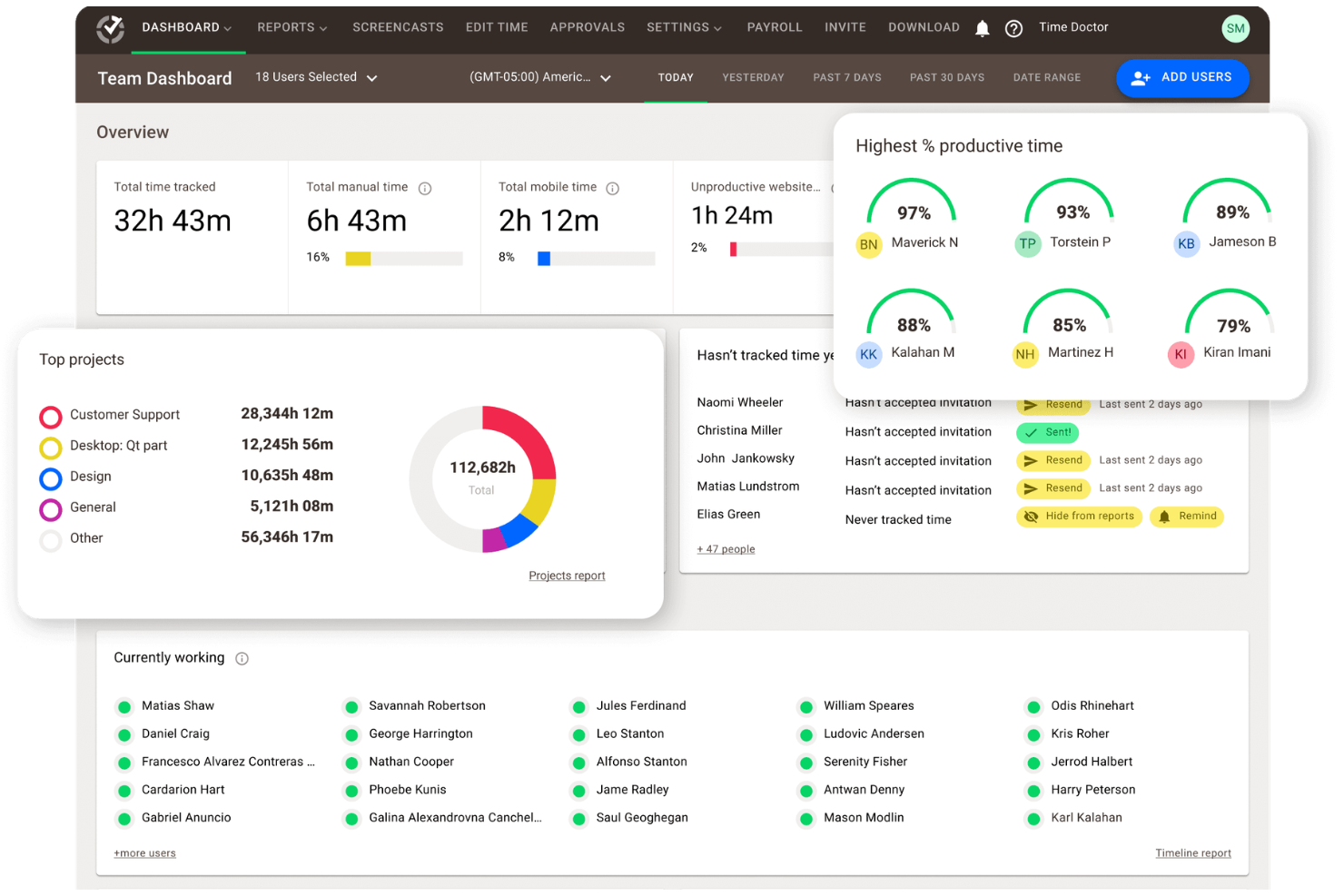
| Interfaccia utente | ActivTrak presenta dashboard intuitivi con approfondimenti AI e visualizzazioni personalizzabili per identificare rapidamente le tendenze. | Time Doctor offre un'interfaccia pulita e focalizzata sui task con linee temporali di attività e feed di screenshot per un monitoraggio semplice. |
| Tempo di configurazione | Offre distribuzione rapida dell'agente (meno di 10 minuti per dispositivo) con rilevamento automatico per Windows e Mac. | Ha tempi di installazione semplici per app desktop e mobile di 5 minuti e un'estensione del browser per avvio immediato. |
| Processo di onboarding | Fornisce una procedura guidata di configurazione, video tutorial e supporto all'implementazione gratuito per i nuovi utenti. | La piattaforma ha un tour di configurazione interattivo e modelli email per il rollout del team, nonché guide quick-start. |
| Curva di apprendimento | Curva di apprendimento moderata: la funzione di analisi richiede un po' di esplorazione, ma sono disponibili suggerimenti per aiuto. | Curva di apprendimento bassa grazie al timer e agli screenshot intuitivi per un uso immediato anche da parte di utenti non tecnici. |
| Assistenza clienti | Offre supporto via email, chat e base di conoscenza; i livelli premium accedono a supporto telefonico e manager dedicato. | Offre opzioni di supporto 24/7 via chat live, email e telefono, oltre a un help center in-app con tempi di risposta rapidi. |
Entrambi ActivTrak e Time Doctor offrono un'esperienza intuitiva orientata alle proprie specialità. L’analisi di ActivTrak è ideale per manager che amano esplorare i dati, mentre la semplicità di Time Doctor è perfetta per team che necessitano un setup rapido di monitoraggio presenze.
ActivTrak vs Time Doctor: Pros & Cons
ActivTrak
- Scales easily with flexible tiered pricing and free plan.
- AI-powered insights help you discover productivity trends and burnout concerns, allowing for more effective coaching and planning.
- To secure employee data, ActivTrak does not collect keystrokes, monitor emails, record videos, or track personal devices.
- Lacks deep task context beyond surface-level activity data.
- Integration with HRIS systems are paid add-ons.
- ActivTrak’s vast data might be overwhelming, making it difficult to quickly discover the most useful insights.
Time Doctor
- Detailed productivity analytics and time tracking for teams.
- Payroll export and automated timesheets save admin time.
- Privacy controls like screenshot blurring and manual time entry.
- Monitoring features can feel invasive to some employees.
- Occasional bugs and glitches reported in user reviews.
- Interface may come across as overwhelming and cluttered.
Best Use Cases for ActivTrak and Time Doctor
ActivTrak
- BPO, Call Centers, and Professional Services Firms that rely on billable hours and need accurate time, activity, and utilization data to protect margins.
- HR Departments ActivTrak provides valuable data to help you understand and improve employee engagement.
- Retail and Ecommerce Businesses Looking to improve labor allocation, staffing levels, and operational efficiency across stores or support centers.
- Remote Teams With accurate activity tracking, you can effectively monitor and support your remote workforce.
- Financial Services and Insurance Organizations that monitor activity for compliance while maintaining strong privacy controls.
- Technology and Software Companies Managing distributed development and support teams that need detailed productivity and focus-time insights.
Time Doctor
- Remote Teams Time Doctor's activity tracking and screenshot features help managers oversee distributed staff.
- Outsourcing Firms Payroll export and client reporting simplify billing and compliance for BPOs.
- Agencies Project-based time tracking and reporting support client invoicing and resource allocation.
- Call Centers Real-time monitoring and attendance tracking help manage shift-based teams.
- IT Departments Detailed app and website usage reports support productivity analysis and security.
- Freelancers Manual time entry and client-specific tracking help with accurate billing.
Chi dovrebbe usare ActivTrak e chi dovrebbe scegliere Time Doctor?
Scegli ActivTrak se sei un leader aziendale focalizzato sull’ottimizzazione strategica della forza lavoro piuttosto che sul controllo minuto per minuto. La sua analisi comportamentale basata su AI, il rilevamento dei rischi e i dashboard delle tendenze di produttività ti consentono di individuare colli di bottiglia, migliorare le abitudini di concentrazione e aumentare l’efficienza a lungo termine per team in modalità ibrida o remota—ideale per HR manager o dirigenti in settori che necessitano di insight conformi alla privacy senza screenshot invasivi.
Time Doctor è eccellente quando la responsabilità precisa e le ore fatturabili sono la tua priorità, come in agenzie, studi di freelance o attività a contatto col cliente. La cattura degli screenshot, gli avvisi sui tempi di inattività e le integrazioni rapide con i sistemi di payroll forniscono prove di lavoro verificabili e monitoraggio per task di cui freelance o project manager hanno bisogno, anche se si adatta maggiormente a team ridotti che prediligono un monitoraggio più diretto delle attività rispetto all’analisi delle tendenze comportamentali.
Differences Between ActivTrak and Time Doctor
| ActivTrak | Time Doctor | |
|---|---|---|
| Core Focus | ActivTrak emphasizes AI-driven productivity insights, behavioral analysis, and workforce trends for strategic decision-making. | Time Doctor prioritizes precise time tracking, task-level monitoring, and proof of work with screenshots and idle alerts. |
| Integrations | ActivTrak has strong integrations with HRIS, analytics platforms, and enterprise IT systems like Workday and Salesforce. | Time Doctor focuses on project management, billing, and productivity apps like Trello, Asana, and QuickBooks. |
| Pricing Model | ActivTrak offers transparent tiered pricing with add-ons like extended data history and premium support, suited for scaling enterprises. | Time Doctor offers clear, tiered pricing per user with optional add-ons, favoring predictable budgeting for small to mid-sized teams. |
| Reporting | ActiveTrak leverages anonymized reporting and opt-in screen capture focused on privacy compliance and regulated industries. | Time Doctor includes mandatory screenshot features with options to blur images, emphasizing accountability over anonymity. |
| Usability & Onboarding | ActivTrak has a more analytics-heavy interface with a moderate learning curve, designed for managers who are comfortable with data exploration. | Time Doctor has a simple, fast setup with an intuitive app interface that’s optimized for immediate use by freelancers and remote teams. |
| Visit ActivTrakOpens new window | Read Time Doctor ReviewOpens new window |
Similarities Between ActivTrak and Time Doctor
| Cross-Platform Usability | Both support monitoring across Windows, macOS, Linux, web browsers, and mobile devices with lightweight agents for easy deployment in hybrid or remote environments. |
|---|---|
| Customizable Dashboards | Both deliver customizable dashboards, scheduled reports, and export options such as PDFs and CSVs for visualizing productivity metrics and sharing insights with stakeholders. |
| Real-Time Monitoring | Both provide real-time alerts for unproductive activity, app and website usage tracking, and activity levels to help managers intervene promptly on performance issues. |
| Security | Both offer robust security with AES-256 encryption for data in transit and at rest, SOC 2 Type II compliance, GDPR/CCPA adherence, SSO, MFA, and audit logging to safeguard workforce data. |
| User Management | Both accommodate unlimited users on higher tiers, role-based permissions, and team grouping features to manage access and insights for organizations of any size. |
| Visit ActivTrakOpens new window Read Time Doctor ReviewOpens new window | |