20 Migliori App per la Produttività & Software di Produttività del 2026

10 Migliori app per la produttività – Lista rapida


Le app per la produttività sono pensate per aiutarci a fare di più con meno. Dai freelance ai manager fino agli imprenditori, se lavori nel digitale probabilmente hai già provato in qualche modo un software di produttività per incrementare il tuo rendimento.
Ma come si usano concretamente queste app per la produttività? A seconda delle tue responsabilità, di solito finisci per avere una combinazione di strumenti che funzionano per te. Quindi, entri in uno strumento per fare l’allocazione delle risorse, salti su un altro per la comunicazione con il team, e magari ne usi un terzo per gestire il tuo calendario.
I seguenti approfondimenti ti forniranno ulteriori informazioni su cosa possono fare questi strumenti e alla fine dell’articolo ti parlerò di come dare priorità e diventare più produttivo. La matrice di Eisenhower che menziono ti aiuterà a essere più strategico nella pianificazione del tuo tempo e delle attività.
Come ho selezionato le migliori app per la produttività
Se hai domande più generali sulla strategia per la produttività, puoi andare direttamente alla nostra guida dedicata in fondo alla pagina. Oppure, puoi scorrere subito alle schede delle migliori app per la produttività se sei pronto a confrontarle.
Se ti stai chiedendo come ho selezionato le migliori app per la produttività, qui te lo spiego nel dettaglio. Prima di tutto, ho iniziato valutando app per la produttività con ottime recensioni degli utenti e alti livelli di soddisfazione. Poi, grazie alla mia esperienza nella gestione di progetti, ho identificato i criteri chiave più importanti per le app di produttività e ho confrontato come ciascuna si posiziona rispetto alle altre. Ecco un breve elenco con che cosa ho preso in considerazione e perché.
Esperienza utente
L’interfaccia è semplice e il sistema dell’app è facile da imparare? Le funzioni sovraccaricano l’app oppure sono davvero utili? Abbiamo scelto solo app che risultano davvero facili da usare, senza creare complicazioni!
Prioritizzazione
Per le app per le to-do list, l’app offre un sistema chiaro per organizzare e riorganizzare le attività? Permette di segnalare le priorità e gestire i compiti più importanti?
Accessibilità
È disponibile su più sistemi operativi? Esistono alcune app per la produttività, come Slite per Mac, che non sono disponibili su Android. Tuttavia, abbiamo cercato di mantenere la scelta su app fruibili su più dispositivi.
Reporting
Quali tipi di funzioni di reportistica sono incluse? Puoi tracciare il tempo passato sulle attività, confrontare la produttività nel tempo o usare l’analisi dati per capire se produce davvero buoni risultati per te?
Integrazioni
Si integra con le altre migliori app per l’organizzazione, app per promemoria, strumenti di monitoraggio della produttività ecc.? Cerchiamo app che si sincronizzino con altri strumenti per automatizzare il più possibile la gestione delle attività.
Prezzi
Il prezzo è proporzionato ai benefici che offre l’app? Nella maggior parte dei casi puoi utilizzare una versione freemium per uso personale e i piani a pagamento costano di solito tra i $6 e i $10 per utente al mese.
Why Trust Our Software Reviews
We’ve been testing and reviewing HR software systems since 2019. As HR experts ourselves, we know how critical and difficult it is to make the right decision when selecting software.
We invest in deep research to help our audience make better software purchasing decisions. We’ve tested more than 2,000 tools for different HR management use cases and written over 1,000 comprehensive software reviews. Learn how we stay transparent & our software review methodology.
Riepilogo delle migliori app per la produttività
| Tool | Best For | Trial Info | Price | ||
|---|---|---|---|---|---|
| 1 | Best for custom workflows and task boards | Free plan available | From $9/user/month (billed annually) | Website | |
| 2 | Best for increasing productivity by streamlining your email inbox | 14-day free trial available | From $4.13/month (billed biyearly) | Website | |
| 3 | Best for brainstorming, ideation, and task management in one | Free trial + free plan + free demo available | From $13/user/month (billed annually) | Website | |
| 4 | Best for real-time collaboration | 14-day free trial available | From $7/user/month (billed annually) | Website | |
| 5 | Best for building custom productivity apps | 30-day free trial + free demo available | From $24/user/month (billed annually) | Website | |
| 6 | Best for card-based task lists and Kanban boards | Free plan + 14-day free trial available | From $5/user/month (billed annually) | Website | |
| 7 | Best tool for searching through all your apps to surface answers quickly | Not available | Pricing upon request | Website | |
| 8 | Best for its user-friendly interface | Free plan available | From $18/user/month | Website | |
| 9 | Best for unlimited workflow management | 7-day free trial available | From $99/month (unlimited users) | Website | |
| 10 | Best for iPhone & Mac | 3 days free trial | From $6/month | Website |

-

Remote People
Visit WebsiteThis is an aggregated rating for this tool including ratings from Crozdesk users and ratings from other sites.5 -
Worksome
Visit WebsiteThis is an aggregated rating for this tool including ratings from Crozdesk users and ratings from other sites.4.7 -
Homebase
Visit WebsiteThis is an aggregated rating for this tool including ratings from Crozdesk users and ratings from other sites.4.2




Migliori app e software per la produttività – Recensioni
Per esperienza personale, queste app per la produttività sono alcune tra le migliori attualmente disponibili. Leggi il mio parere su questi strumenti qui:

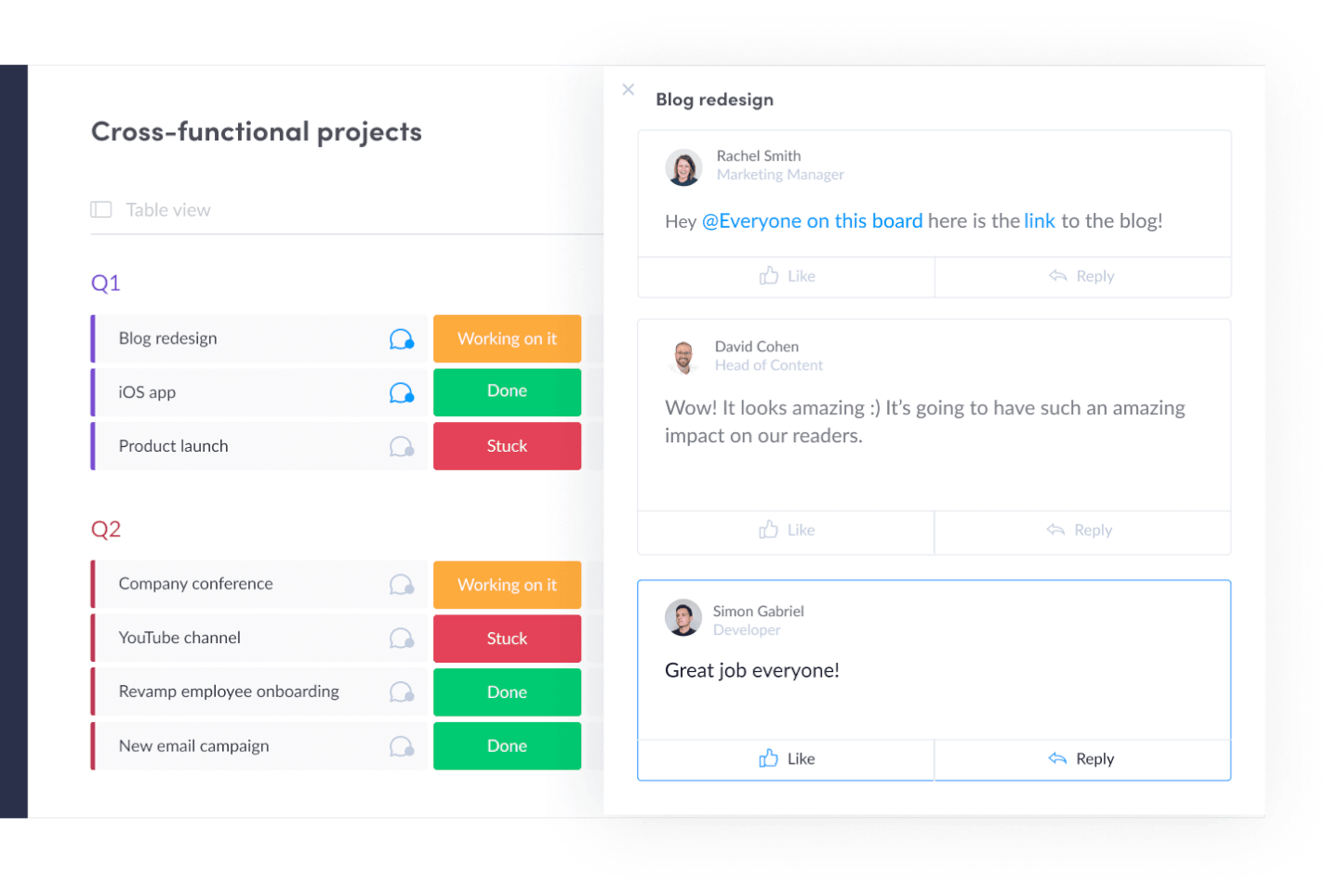
monday.com is an easy-to-learn project management app that doubles as a productivity tool with key features that that help you manage tasks and the workflows that carry multiple tasks from start to finish. It's a great team productivity tool for getting a clear view of the work that needs to be done and the status of each task at a glance.
Why I Picked monday.com: monday.com is vaguely similar to a spreadsheet at its core, but a much nicer-looking project management tool that lets you quickly toggle between multiple views of work even for repetitive tasks(view as a list, on a map, on a Kanban board, in a spreadsheet, and other views). It also provides alerts, notifications, and the ability to attach files and communicate with colleagues.
monday.com Standout Features & Integrations
Features include a customizable task board for managing task status, assignee, due date, hours spent, etc. Users can upload and attach files to cards, make comments, mention teammates, set reminders, and more. You can measure your productivity through reporting dashboards that can collect data from multiple boards.
Integrations include Slack, Google Drive, Gmail, Google Calendar, Jira, GitHub, Trello, Dropbox, Typeform and many more, accessible via Zapier.
New Product Updates from monday.com

monday.com Adds Managed Columns Across Boards
monday.com adds Managed Column to let teams standardize and reuse column labels across multiple boards from a single source of truth. The update helps organizations maintain consistency, clarity, and centralized control at scale. For more information, visit monday.com’s official site.
SaneBox
Best for increasing productivity by streamlining your email inbox
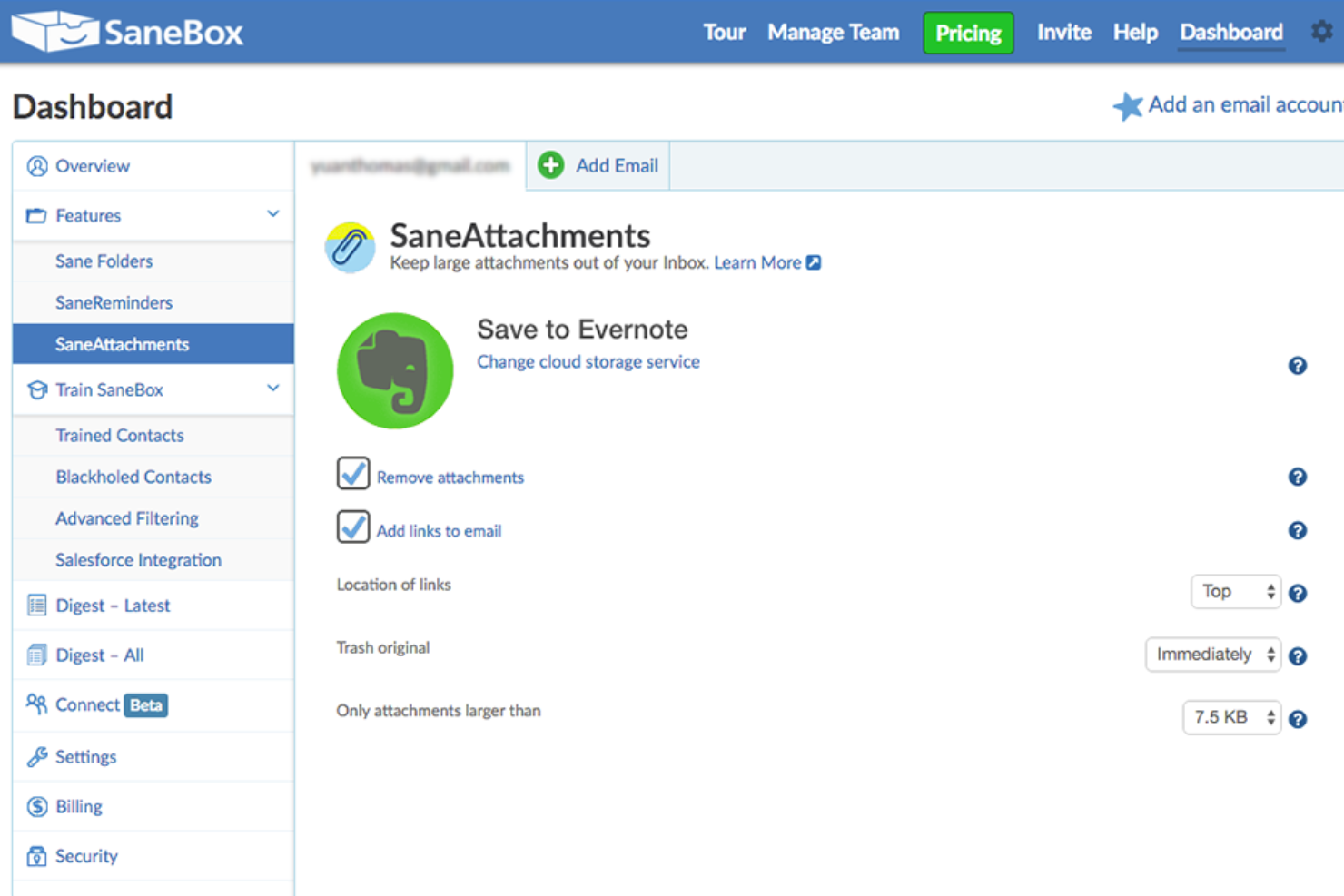
SaneBox is a productivity tool that helps you manage your email inbox more efficiently. It's designed to save you time by filtering out unimportant emails and organizing the rest into folders so you can focus on what really matters. SaneBox works with most email providers and clients, making it a versatile option for anyone looking to improve their email management.
Why I picked SaneBox: I chose SaneBox as one of the best productivity apps because it tackles one of the most time-consuming tasks we all face daily —managing our email inboxes. With the constant influx of emails, it's easy to get overwhelmed and lose track of important messages. SaneBox helps you regain control of your inbox, allowing you to focus on the emails that truly matter and be more productive.
Sanebox Standout Features & Integrations
Features: There are several features that make SaneBox stand out from other email management tools. First, its smart filtering system automatically sorts your emails into different folders based on their importance. For example, it moves unimportant emails to a "SaneLater" folder, so you can focus on your most important messages first. It also has a "SaneNoReplies" folder that keeps track of emails you've sent that haven't received a response, making it easy to follow up on those messages.
Another great feature is the "SaneBlackHole" folder, which allows you to quickly unsubscribe from unwanted newsletters and promotional emails. Simply drag the unwanted email into this folder, and SaneBox will automatically unsubscribe you from the sender's mailing list.
Integrations: SaneBox integrates with many popular email providers and clients, such as Gmail, Outlook, Apple Mail, and more. This means you can use SaneBox with your existing email setup without having to switch to a new platform. Additionally, SaneBox offers integrations with productivity tools like Evernote, Todoist, and Trello, allowing you to create tasks and save important emails directly from your inbox.

Best for brainstorming, ideation, and task management in one

MeisterTask is a versatile project management tool that combines intuitive Kanban boards with powerful collaboration and customization features, making it ideal for teams of all sizes. Its seamless integration with MindMeister for brainstorming and ideation, along with robust task automation and real-time communication capabilities, streamlines workflow and enhances productivity across projects.
Why I picked MeisterTask: MeisterTask excels as a productivity app by offering a streamlined, intuitive interface that simplifies task and project management. It effectively combines customizable Kanban boards for visual workflow management with powerful features like task automation, due date reminders, and time tracking to enhance efficiency.
The app facilitates seamless collaboration through easy file sharing, commenting, and task assignments, keeping teams aligned and focused. Its integration with tools like MindMeister for mind mapping ensures a smooth transition from brainstorming to execution, making it easier for users to turn ideas into actionable tasks. MeisterTask's focus on user-friendly design and practical functionality makes it a valuable tool for individuals and teams aiming to boost productivity and achieve their goals more efficiently.
MeisterTask Standout Features and Integrations
Features include Kanban boards, task automation, mindmeister integration, customizable workflows, project templates, time tracking, file attachments, due date reminders, collaboration tools, activity streams, mobile apps, secure data encryption, multiple integrations with other tools, personalized dashboards, and flexible project views.
Integrations include Slack, Dropbox, Github, Google Drive, Microsoft Teams, Outlook, Trello, Asana, MindMeister, and hundreds more through a paid plan with Zapier.
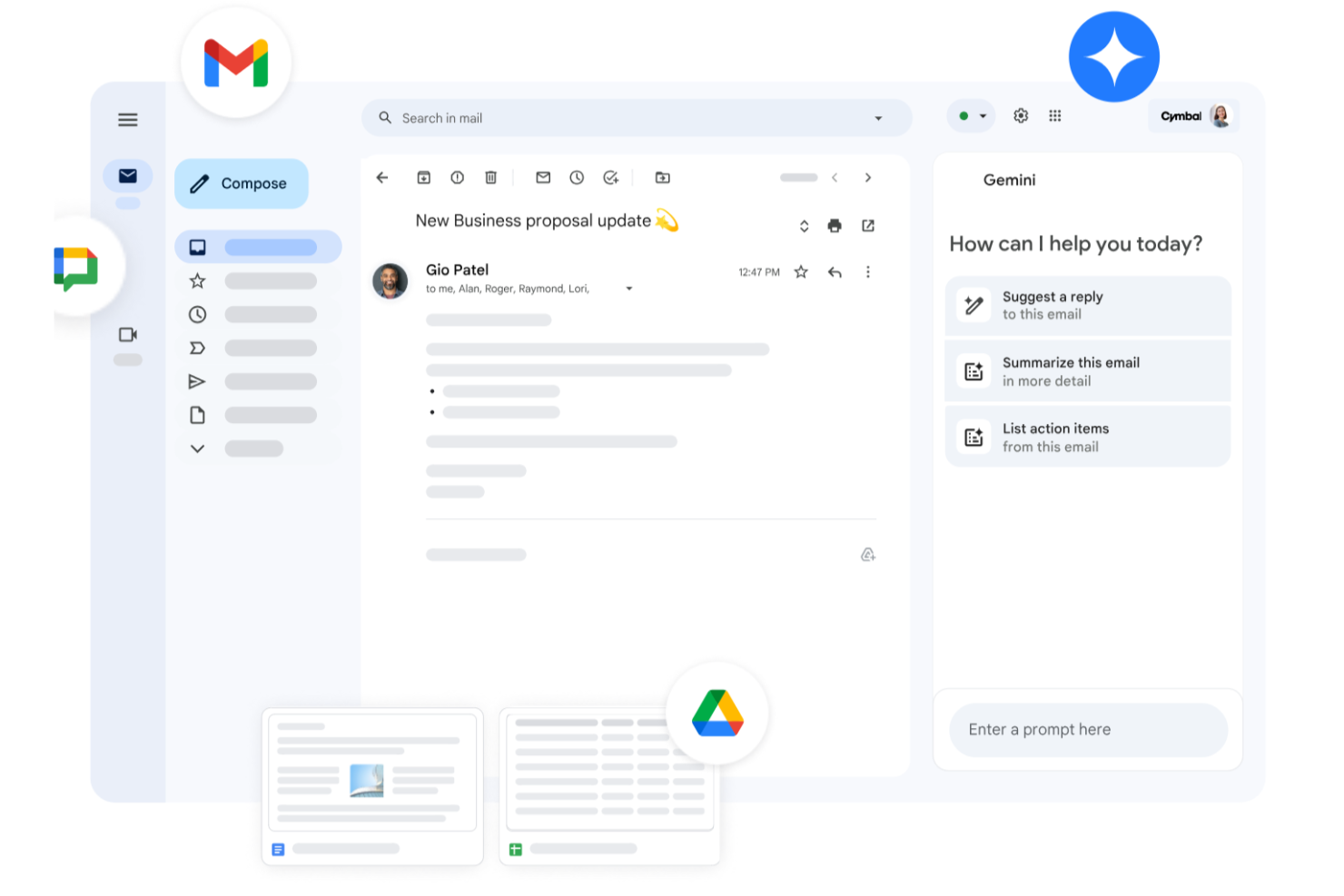
Whether you're leading a small business, managing a large enterprise, or navigating the educational sector, Google Workspace offers a suite of productivity tools designed to meet your diverse needs. With apps like Gmail, Drive, and Meet, you can seamlessly manage communications, storage, and virtual meetings while enhancing collaboration and maintaining strong security. With Gemini—Google’s premium AI—integrated across all plans, Workspace helps you draft emails faster, summarize documents instantly, generate ideas, and stay organized across devices. Whether you're handling client communication, creating content, or coordinating daily operations, Workspace boosts productivity and keeps your team connected.
Why I Picked Google Workspace
I picked Google Workspace for its unique blend of real-time collaboration, cloud accessibility, and AI-driven assistance. Tools like Google Docs and Sheets allow your team to work together simultaneously, eliminating version-control issues and reducing unnecessary email threads. Google Meet provides convenient video conferencing without relying on external software, making communication frictionless. Gemini is built directly into apps like Gmail, Docs, Sheets, and Meet, going beyond collaboration to actively enhance how you work. From drafting content to summarizing documents and managing tasks, having AI built in helps you stay efficient, responsive, and adaptive to changing business or project needs.
Google Workspace Key Features
In addition to its collaborative capabilities, Google Workspace offers several other features that boost productivity:
- Drive: Secure cloud storage with generous space options, ensuring your files are accessible anywhere, anytime.
- Calendar: Simplified scheduling with shared calendars and appointment booking pages to keep your team organized.
- Chat: Integrated messaging platform for real-time team communication and collaboration.
- NotebookLM: Instant insights and podcast-style Audio Overviews to accelerate team learning and content understanding.
Google Workspace Integrations
Integrations include Salesforce, Atlassian, Tableau, SAP, Okta, Microsoft Office 365, Slack, Zoom, Trello, and Asana.
Pros and Cons
Pros:
- Generous cloud storage options facilitate easy file access and sharing.
- Real-time collaboration tools improve team productivity and communication.
- Seamless integration with Google services enhances workflow efficiency.
Cons:
- Shared drive permissions and complex folder hierarchies can become difficult to manage if not structured carefully.
- Compatibility issues when collaborating externally with teams using non-Google file formats or Microsoft Office workflows.
New Product Updates from Google Workspace

Google Workspace Enhances Email Proofreading In Gmail
Google Workspace introduces enhanced email proofreading in gmail. This update uses gemini to refine drafts for clarity, tone, and conciseness before sending. For more information, visit Google Workspace’s official site.
 .
.
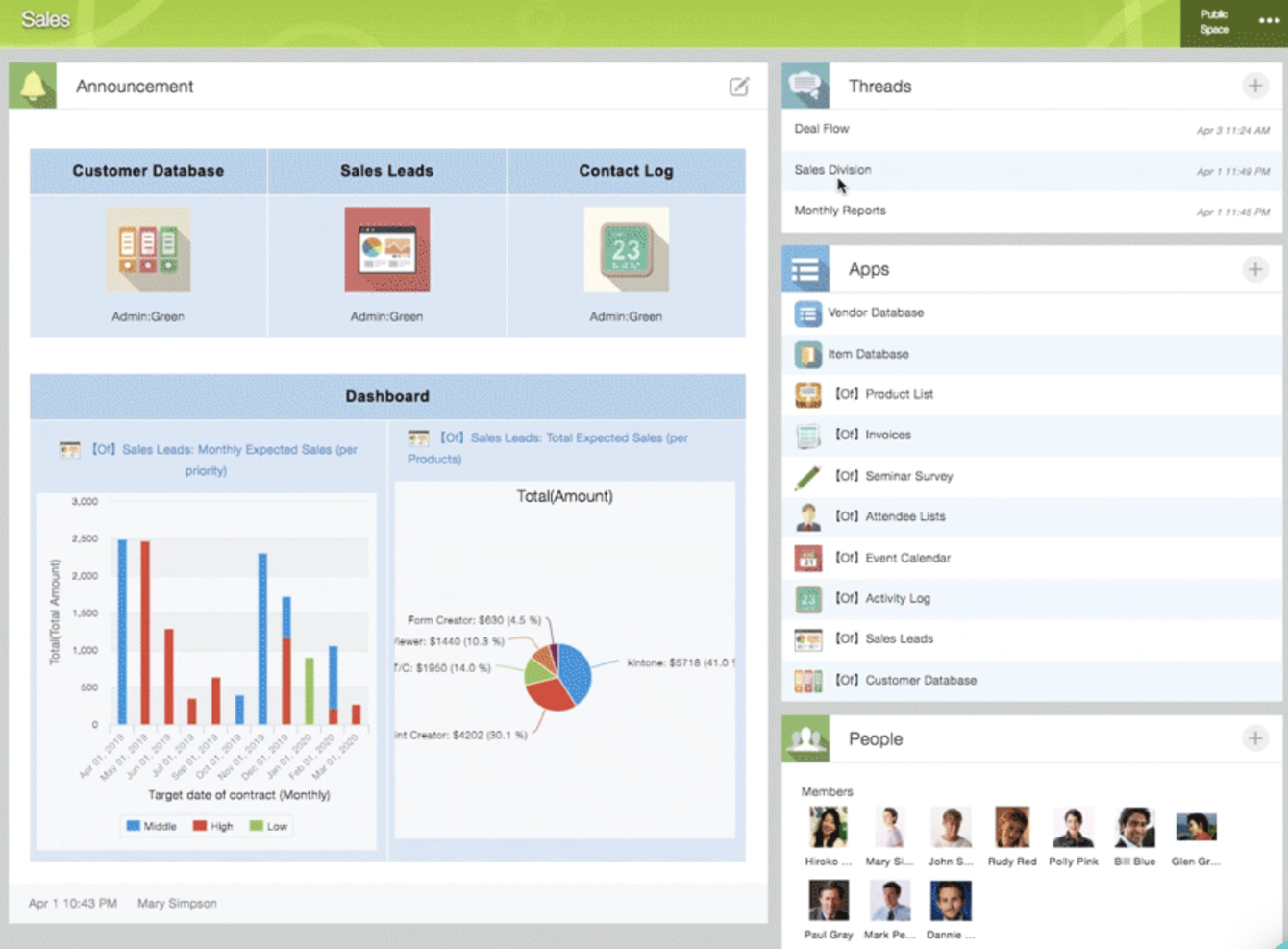
Kintone is a customizable app platform used by teams at Volvo Trucks North America, Japan Airlines, Shiseido, and over 23,000 organizations worldwide. Their unique approach allows you to build a wide variety of customizable “apps” either from scratch, using templates or from your existing spreadsheets, for data management, business processes, and workflows. Kintone apps can be customized for project management, sales CRM, customer databases, expense reports, shared to-do lists, equipment management, product feedback, and much more.
Why I Picked Kintone: Kintone lets you build no-code task management apps by dragging and dropping elements that you want to see onto the page: rich text fields, date fields, drop-down menus, number fields with built-in calculations, spaces for attachments, user or group selection menus, related data from other apps, tables, and more.
Once you’ve built the app you want, you can use it to more easily manage whatever data and tasks you and your team need to track. And with custom notifications and reminders as well as detailed permissions settings, your project tracking solution can look and work however you want it to.
What makes Kintone particularly great for project tracking are the features to filter and prioritize tasks by data field or team member to generate custom reports or dashboard views, as well as the ability to automate reminders and handoffs between team members for multi-step workflows.
Kintone’s built-in communication features also allow teams to discuss projects directly in the app and in topic or project-based threads. Dedicated “spaces” organize everything your team needs for your project, including task-tracking apps and searchable conversation threads.
Kintone Standout Features & Integrations
Features include project management, dashboards, resource management, analytics, calendar management, conversion tracking, employee onboarding, forecasting, lead scoring, timesheets, collaboration support, reports, pipeline management, budgeting, and process modeling.
Integrations include Slack, Gmail, Google Calendar, Outlook, Tableau, Dropbox, Salesforce, HubSpot, Eventbrite, WordPress, QuickBooks, MailChimp, and many more through a paid plan with Zapier or via API integrations.
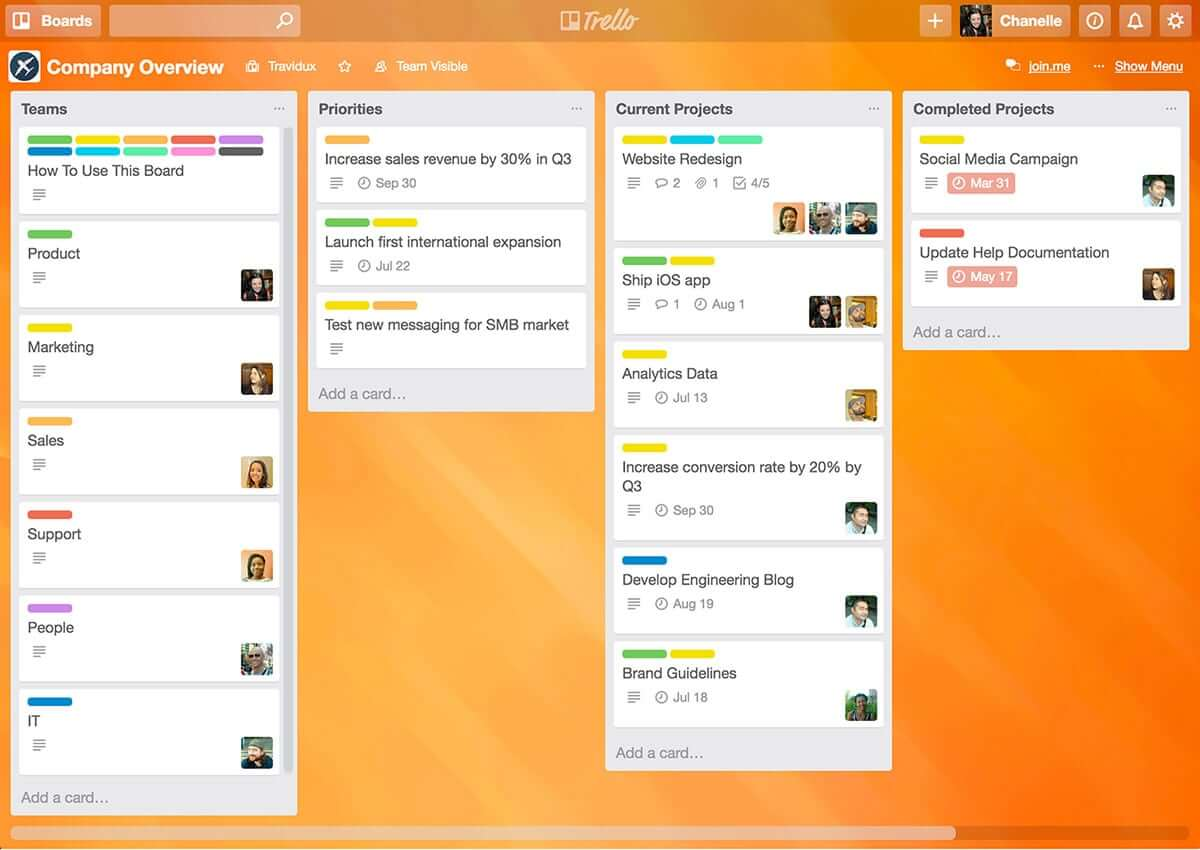
Trello is a Kanban board app that can be used to organize tasks visually. It’s user-friendly, with an intuitive drag-and-drop interface that makes it easy to learn. This popular tool can be used to help you visualize your deadlines, items in progress, and completed tasks, enabling you to make informed decisions about what to work on next according to the big picture.
Why I Picked Trello: Trello is a popular project management tool that helps teams organize tasks and collaborate on projects visually and intuitively. It uses a system of boards, lists, and cards to represent tasks and workflows, allowing team members to easily see what needs to be done, who is responsible for each task, and what the status of each task is. Trello can be customized to fit a wide range of project management needs, and it offers features such as due dates, checklists, attachments, and team member assignments. Its flexibility and ease of use make it a great tool for teams of all sizes and types, from small startups to large enterprises.
Trello Standout Features & Integrations
Features include boards, to-do lists, task management, workflow management, priority labels, due dates, file sharing, communication, a mobile app, and third-party integrations/add-ons.
Integrations include 200+ apps and tools your team depends on, like Slack, Google Drive, Salesforce, Dropbox directly into your Trello boards. (Note: Some connections require an additional subscription fee.)
Guru
Best tool for searching through all your apps to surface answers quickly
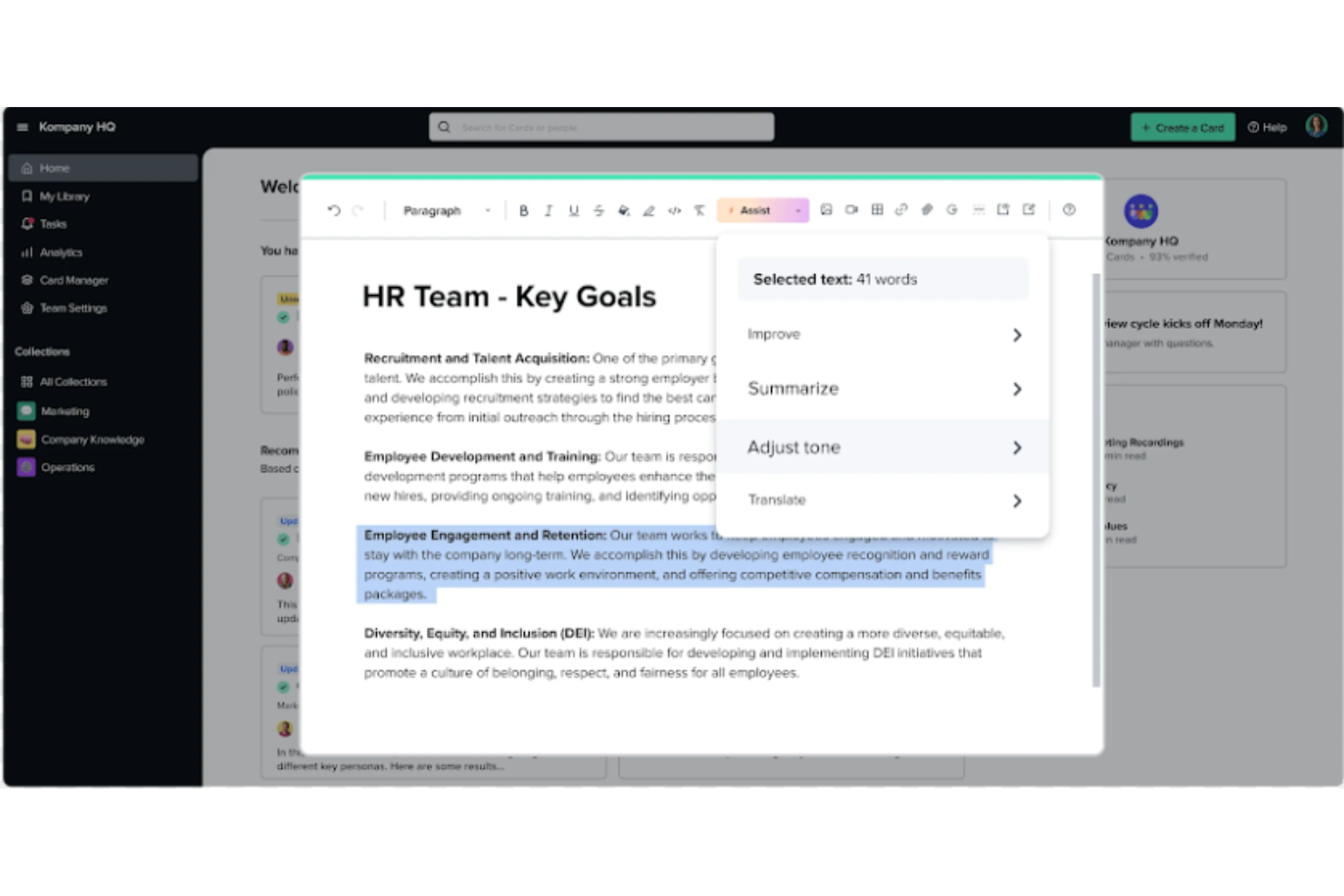
Guru is an advanced search and knowledge management platform that's designed to help users find relevant information quickly. Their advanced AI-driven search feature can search all your apps, documents, and slack #channels for answers — either directly in Slack or via a Chrome extension — making it easier to find information fast.
Why I Picked Guru: Guru employs AI to deliver instant answers within the user's workflow that are tailored to their specific role, location, and activities. The tool also facilitates the onboarding process for new hires, streamlines the creation, sharing, and organization of company documentation, and acts as a knowledge hub to disseminate educational content and troubleshooting guidance throughout an organization. The platform also integrates with a multitude of tools and services, enabling users to find answers and collaborate without leaving their workflow.
Overall, Guru is intended to eliminate the barriers created by knowledge silos and to improve productivity by automating information retrieval, thus allowing employees to concentrate on tasks that require human intelligence.
Guru Standout Features & Integrations
Features include enterprise AI search, an employee intranet, a company wiki, AI suggest and assist, custom branding tools, collaboration and feedback tools, mobile accessibility, and access controls and permissions.
Integrations include Trello, Cognito Forms, Jira Software Cloud, Confluence Cloud, HubSpot, Google Chat, Confluence Server, and GitHub.
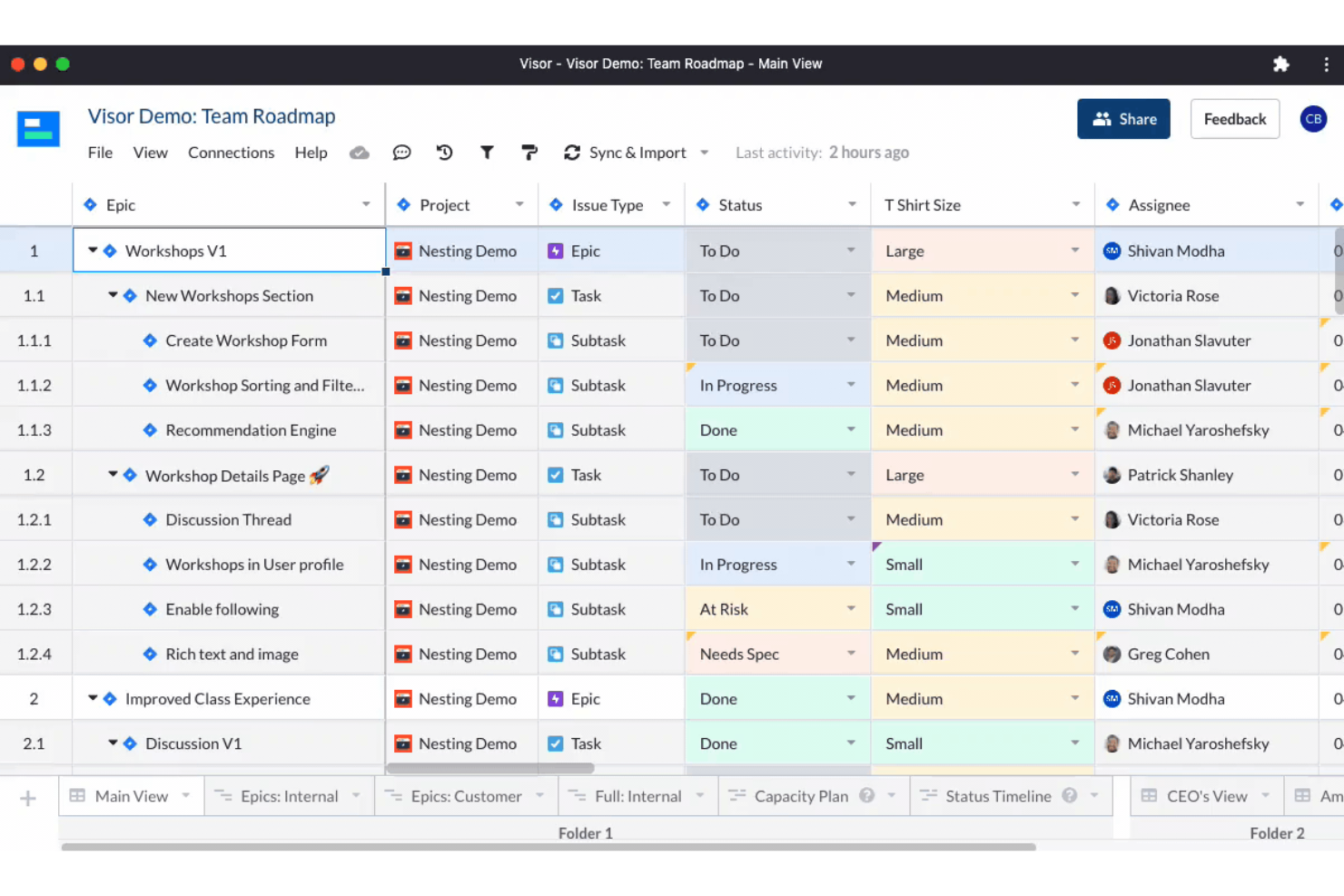
Visor is a cloud-based SaaS product that aims to help individuals and businesses manage their time and tasks more efficiently. It's best suited for individuals and teams who need a comprehensive and easy-to-use productivity tool that allows them to manage their projects, tasks, and time all in one place.
Why I picked Visor: I chose Visor as one of the best productivity software because it's an all-in-one solution that brings together task management, project management, time tracking, and calendar features in a user-friendly interface. I appreciate that I can keep track of everything I need to do without having to switch between multiple tools or apps.
Another great feature is its real-time collaboration capabilities, which allow you to work with your team members on projects, assign tasks, and track progress. This feature makes it easy to communicate with team members and stay on top of everything that's going on in your projects. It also has an intelligent scheduling feature that suggests the best time slots for each task based on your availability and workload. This feature is particularly helpful when you have a lot of tasks to complete and you need to prioritize your time effectively.
Visor Standout Features & Integrations
Features include API, dashboards, data export/data import, data visualization, external integrations, Gantt charts, project management, task scheduling/tracking, resource management and third-party plugins/add-ons.
Integrations include Jira, HubSpot, and Salesforce.

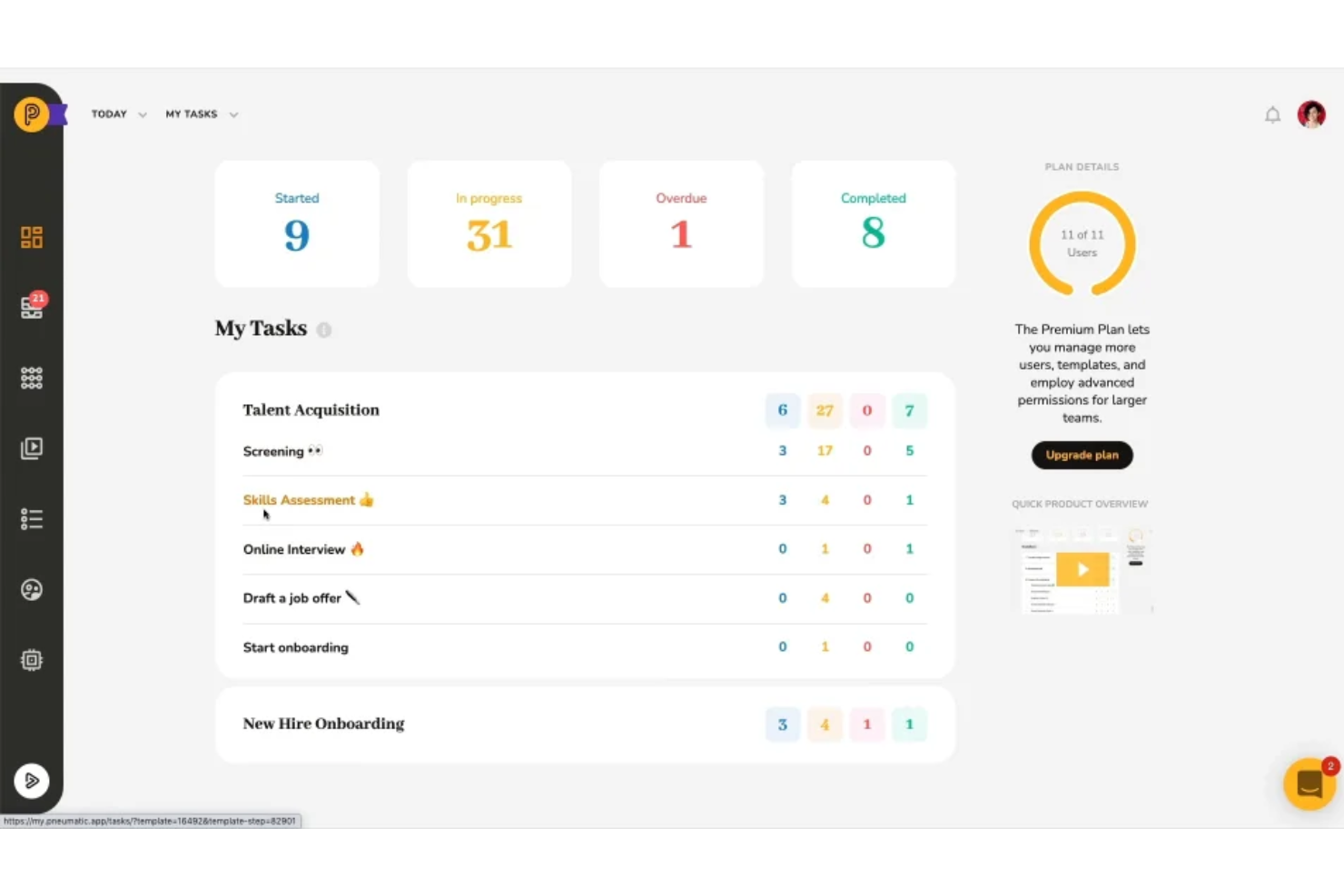
Pneumatic Workflow is a comprehensive workflow management tool designed to help businesses enhance their processes. It supports the visual mapping of workflows, automates task assignments, and ensures that all team members know what to do at all times.
Why I Picked Pneumatic Workflow: The platform offers unlimited workflows, allowing businesses to build, refine, and evolve their processes without worrying about escalating costs. The app also offers a variety of workflow templates tailored to different business functions such as human resources, sales, marketing, finance, procurement, development, and customer support. These templates can be used as-is or customized to meet specific needs, making it easy for organizations to deploy effective workflows quickly.
Pneumatic Workflow Standout Features & Integrations
Features include an AI-powered workflow builder that simplifies the workflow creation process by allowing users to describe the kind of workflow they want, and the system generates the steps automatically. Furthermore, the robust dashboards provide a bird's-eye view of the system, showing essential metrics such as the number of processes started, in progress, and completed.
Integrations include Gmail, Slack, Google Sheets, Trello, Google Docs, PandaDoc, Google Forms, Typeform, HubSpot, Google Calendar, Microsoft Outlook, and ClickUp.


Collabio Spaces is a team productivity tool for iOS (mobile app) and MacOS. It is an easy way to organize and edit Microsoft word documents, spreadsheets, scanned documents, and PDFs off-line. Use your phone, tablet, or laptop to collaborate and co-author documents locally (without internet) or online with remote P2P communication tools that are currently testing in beta. You can edit documents with all possible rich text and paragraph formatting features and can even incorporate audio comments.
Why I Picked Collabio: You can create a document from scratch or upload documents that you already have on your device. With Collabio's spreadsheet tools, you can calculate, sort, and filter data using an incredible intuitive and easy-to-use interface. Similarly, you can view and highlight PDFs, add comments, and even include handwritten annotations.
Collabio also has a scan feature for text recognition. You can scan, take photos, run text recognition, and edit ready-to-use texts and images. Additionally, you can add e-signatures to your documents, which advertising agencies will appreciate for new client paperwork, contracts, and even internal employee onboarding documentation. All documents can be organized into folders—called "spaces"— than can be labeled according to purpose, department, or file type.
Collabio Standout Features & Integrations
Features include a comprehensive office suite, document editing, collaboration, iOS/MacOS compatibility, text documents & spreadsheets, file import/export, and a mobile app.
Integrations are not avaialbe but you can import/export DOCX, ODT, XLSX and ODS file formats plus view documents with well-known file types such as XLS, CSV, PPT, PPTX, JPG, GIF, and TIFF.
Altre app per la produttività
- Focus Booster
For the Pomodoro productivity technique
- Slack
Instant messaging app for teams
- actiTIME
For detailed time tracking
- Hubstaff
For managing remote and field teams
- Hive
For flexible project views according to team needs
- Lucidspark
For ideation and collaboration using an infinite canvas
- Wrike
Productivity app for team collaboration
- GoodDay
For Agile and Waterfall support
- Buffer
A social media management app for scheduling and tracking social media content
- Asana
For a clean, simple, & easy-to-use interface


Come essere efficaci e produttivi – Usare la matrice di Eisenhower
Troppo spesso, ci concentriamo sulla produttività come una questione di quantità: quanto produco e quanto velocemente? Per fare davvero un lavoro d’impatto, dobbiamo ripensare la nostra idea di produttività: in realtà, si tratta di utilizzare meglio il proprio tempo.
Come puoi utilizzare meglio il tuo tempo?
Prima di tutto, dobbiamo individuare i modi più produttivi per impiegare il nostro tempo. Fermati e chiediti:
- Qual è l’impatto di non fare subito questa cosa apparentemente urgente? (Perché quella cosa urgente, in realtà, probabilmente non è così importante!)
- Quali sono le mie attività a maggior valore? Cosa è essenziale?
- Cosa posso fare solo io che, se fatto bene, farà davvero la differenza?
Un buon modo per rispondere a queste domande è utilizzare una matrice delle priorità per mappare le attività in base al loro livello di urgenza e importanza. Mi piace utilizzare la matrice qui sotto, basata sulla Eisenhower Matrix:
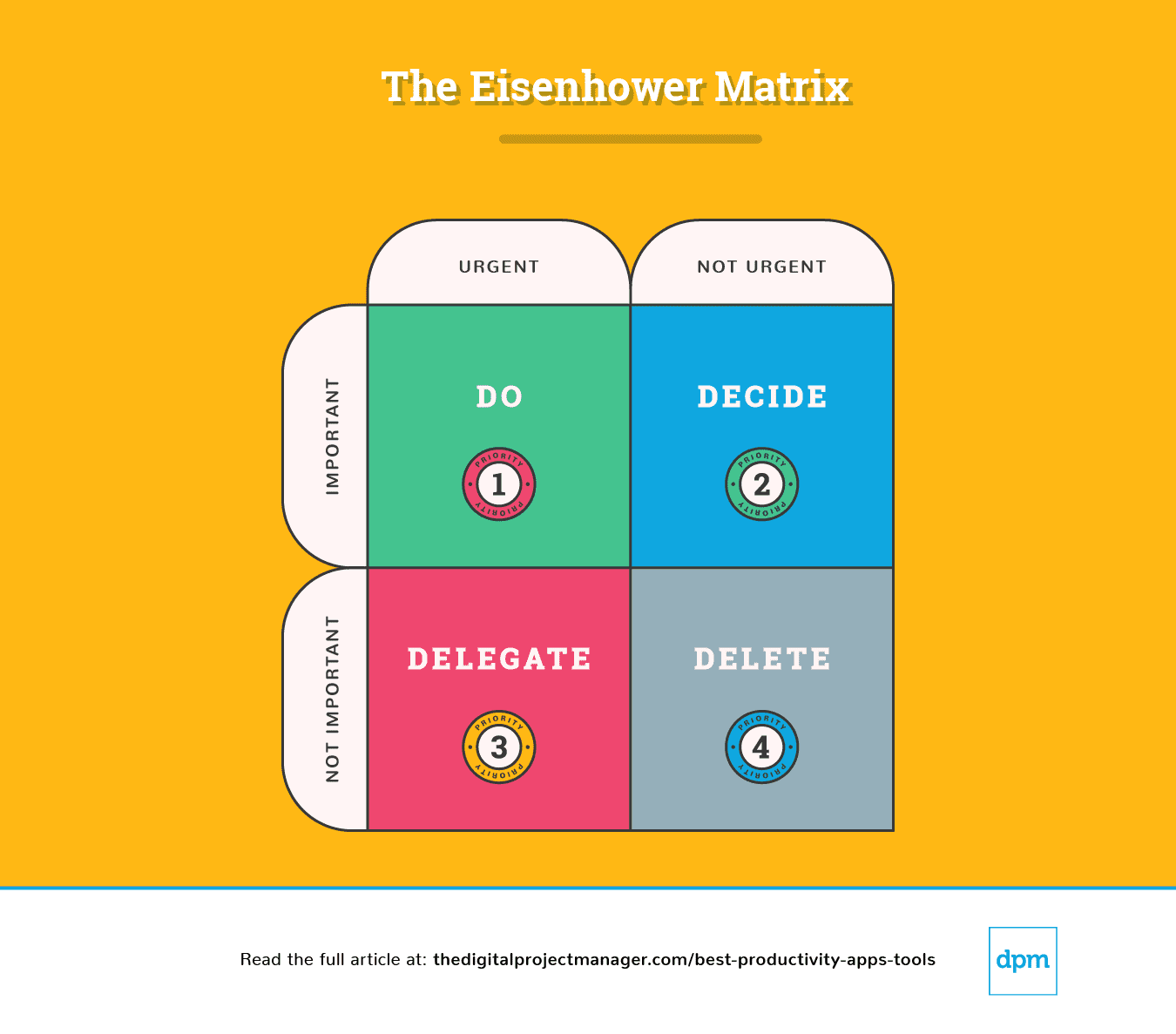
Spiegazione della Eisenhower Matrix
Una semplice suddivisione di questo schema ci indica come affrontare un’attività:
Priorità n.1: È urgente e importante. Falla.
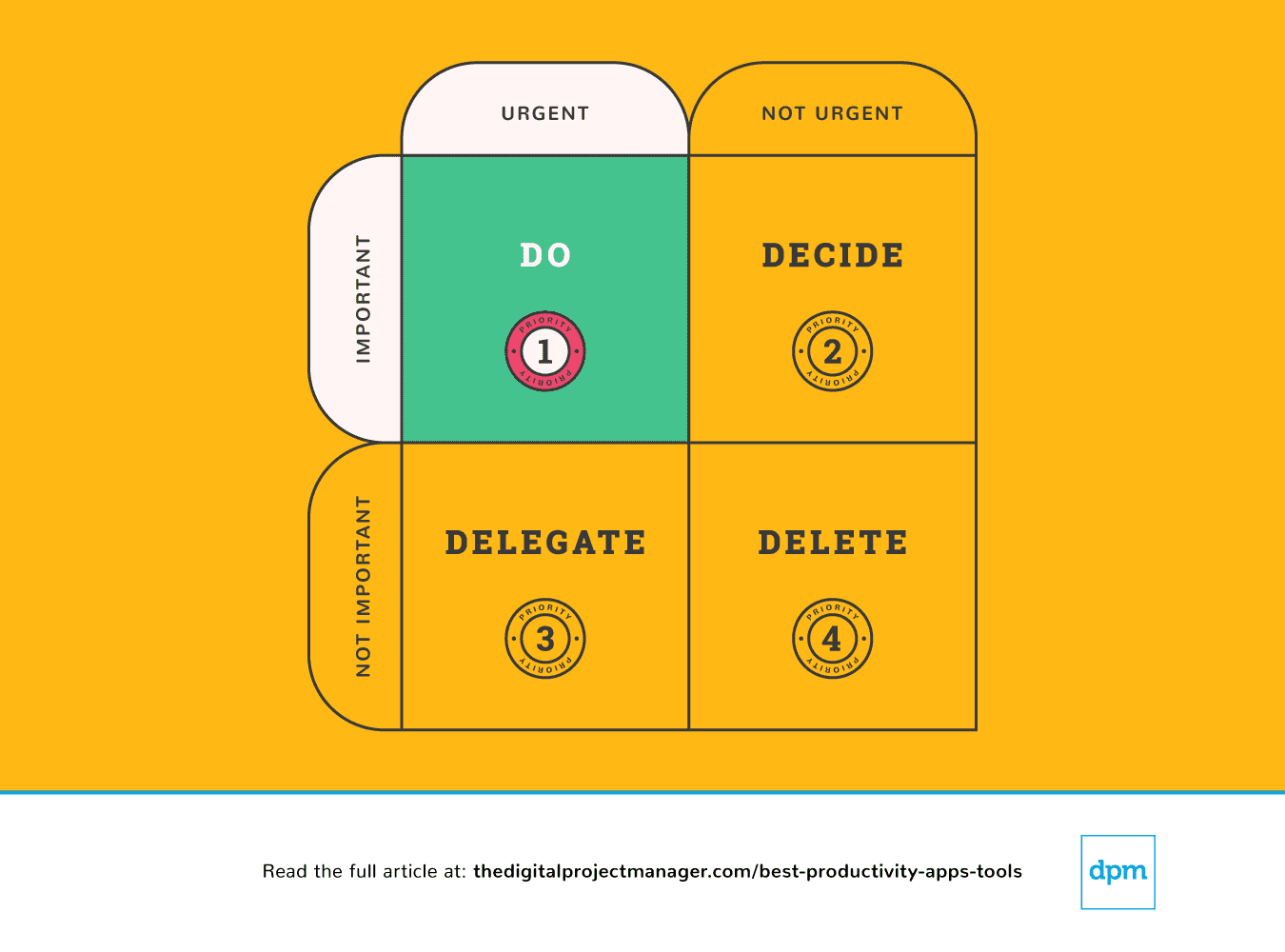 I tuoi compiti principali richiedono la regola del “fallo subito”. Allo stesso modo, se vedi un’attività che richiede meno di 2 minuti, falla immediatamente (Perché? Perché ci metteresti più tempo a inserirla nella tua lista delle cose da fare, poi programmarla e darle una priorità).
Iniziare un’attività ad alta priorità e portarla avanti fino al 100% del suo completamento è la vera prova del tuo carattere. Non è semplice, ma è così che diventiamo produttivi. Serve autodisciplina, ma possiamo facilitarci la vita con alcuni strumenti di produttività.
Priorità n.2: Non è urgente ma comunque importante. Prendi una decisione.
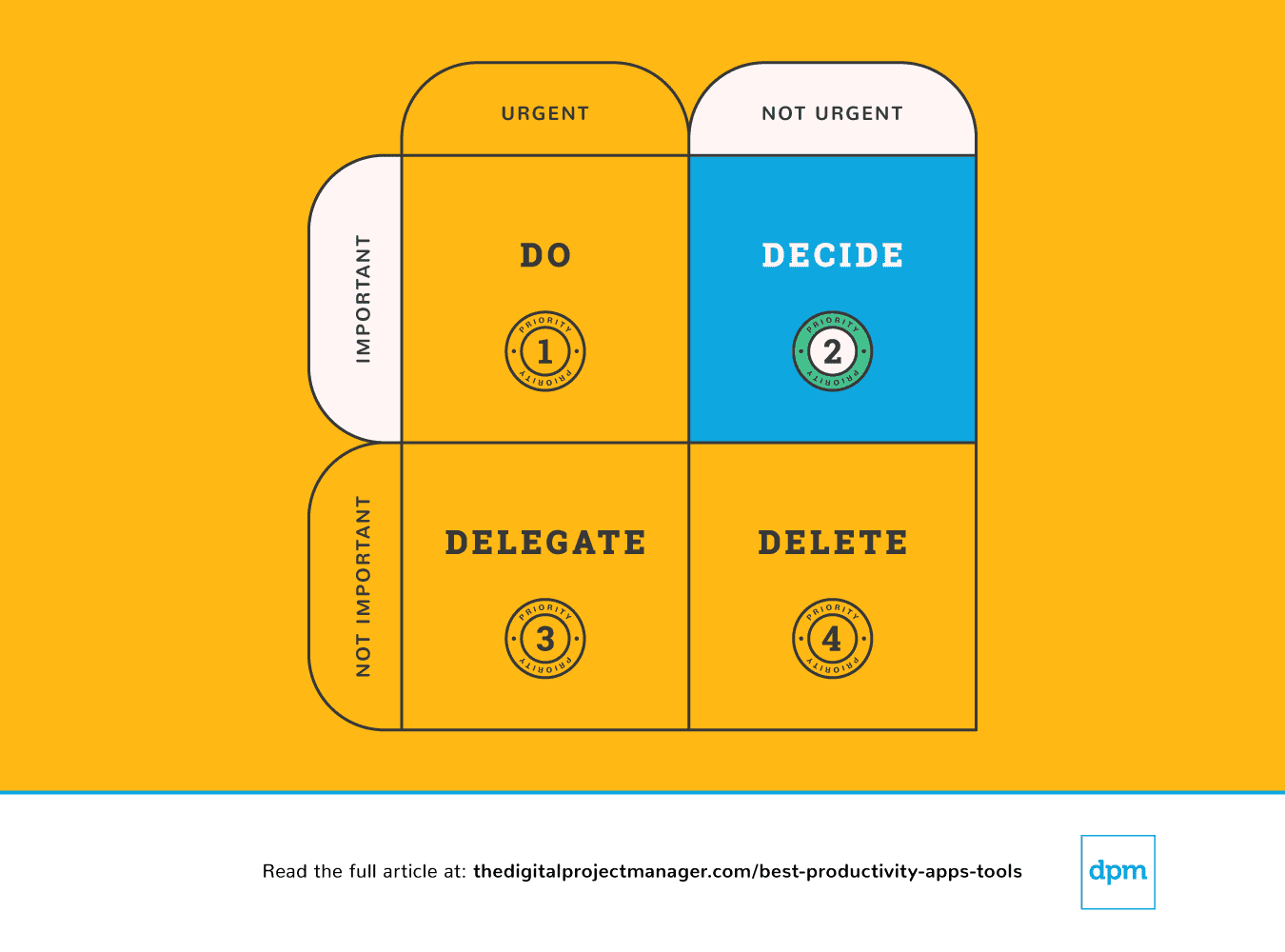 In questo caso, prendi le decisioni su tutti i punti che bloccano il progresso dell’attività. Decidi quale sia il momento ideale, la persona e il metodo migliore per svolgere il compito.
Se qualcosa è importante ma non necessariamente urgente, devi prenderti un attimo per pianificare una strategia adeguata per gestirla. Smetti di farti distrarre: organizza il lavoro importante come si deve.
Può capitare di sentirsi sopraffatti perché veniamo tirati in troppe direzioni diverse – sembra di avere troppi compiti da gestire e nessuna possibilità di accontentare tutti. Per poter prendere decisioni che abbiano senso per noi, il nostro team e i nostri progetti, serve avere una visione chiara di tutte le attività, le priorità e lo stato di avanzamento.
Le seguenti app di produttività sono particolarmente utili per stabilire le priorità – per controllare cosa abbiamo in sospeso, monitorare i progressi e fornire tutte le informazioni per prendere decisioni solide mentre gestiamo il nostro lavoro.
Priorità n.3: È urgente ma non importante. Delegala.
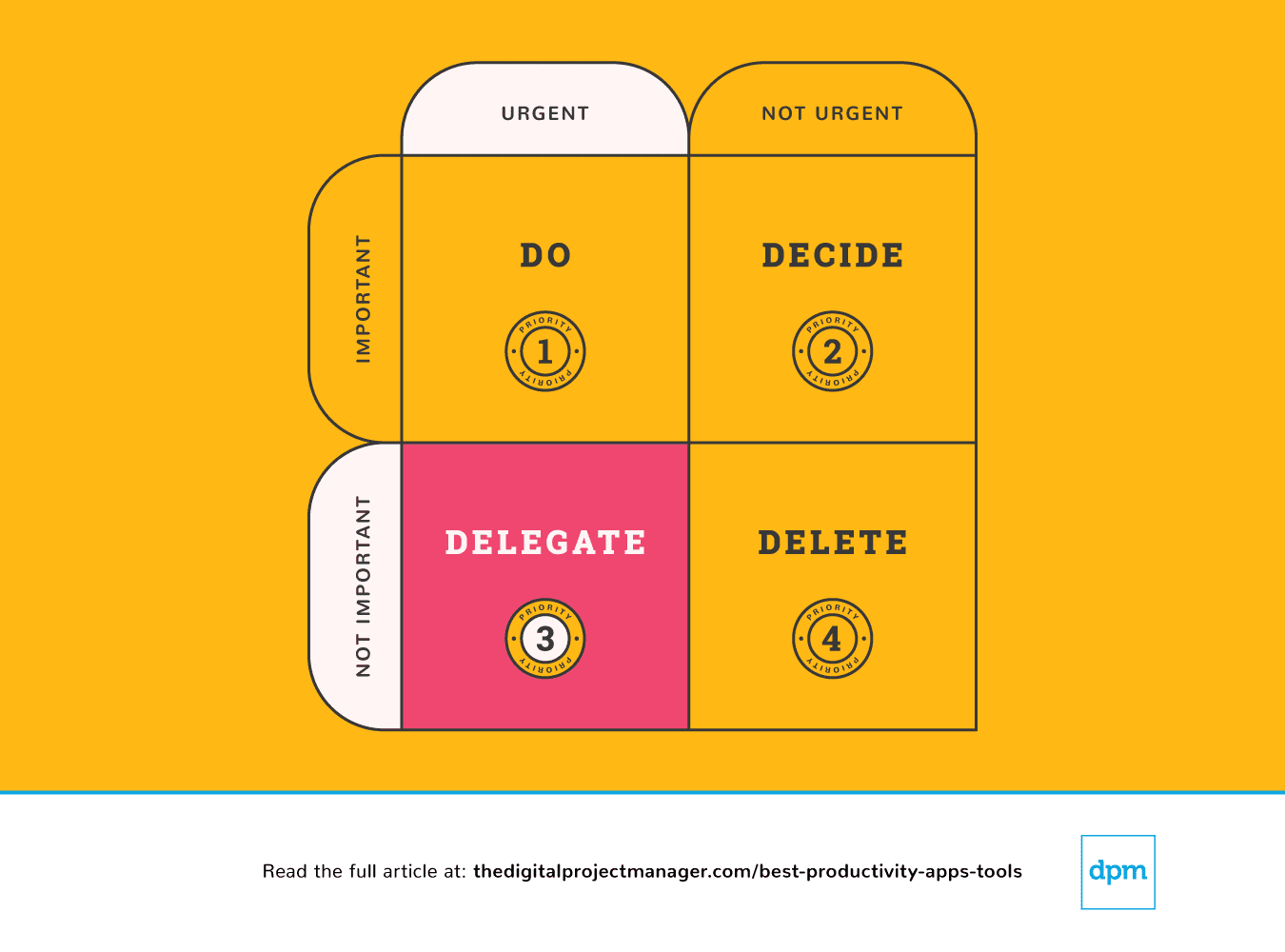 In questo caso, deleghiamo l’attività alla persona più idonea così puoi concentrarti sui compiti importanti.
Alcune persone delegano facilmente, mentre altre avvertono un forte impulso a "fare tutto da soli". Per quanto possa essere difficile affidare alcuni compiti ad altri, è davvero semplice delegarli a una macchina. Esistono tantissime app di produttività che ci consentono di fare di più in meno tempo aggiungendo automazione ai nostri flussi di lavoro, lasciando che un algoritmo si occupi delle attività più ripetitive.
Priorità n.4: Non è urgente e neanche importante. Eliminala!
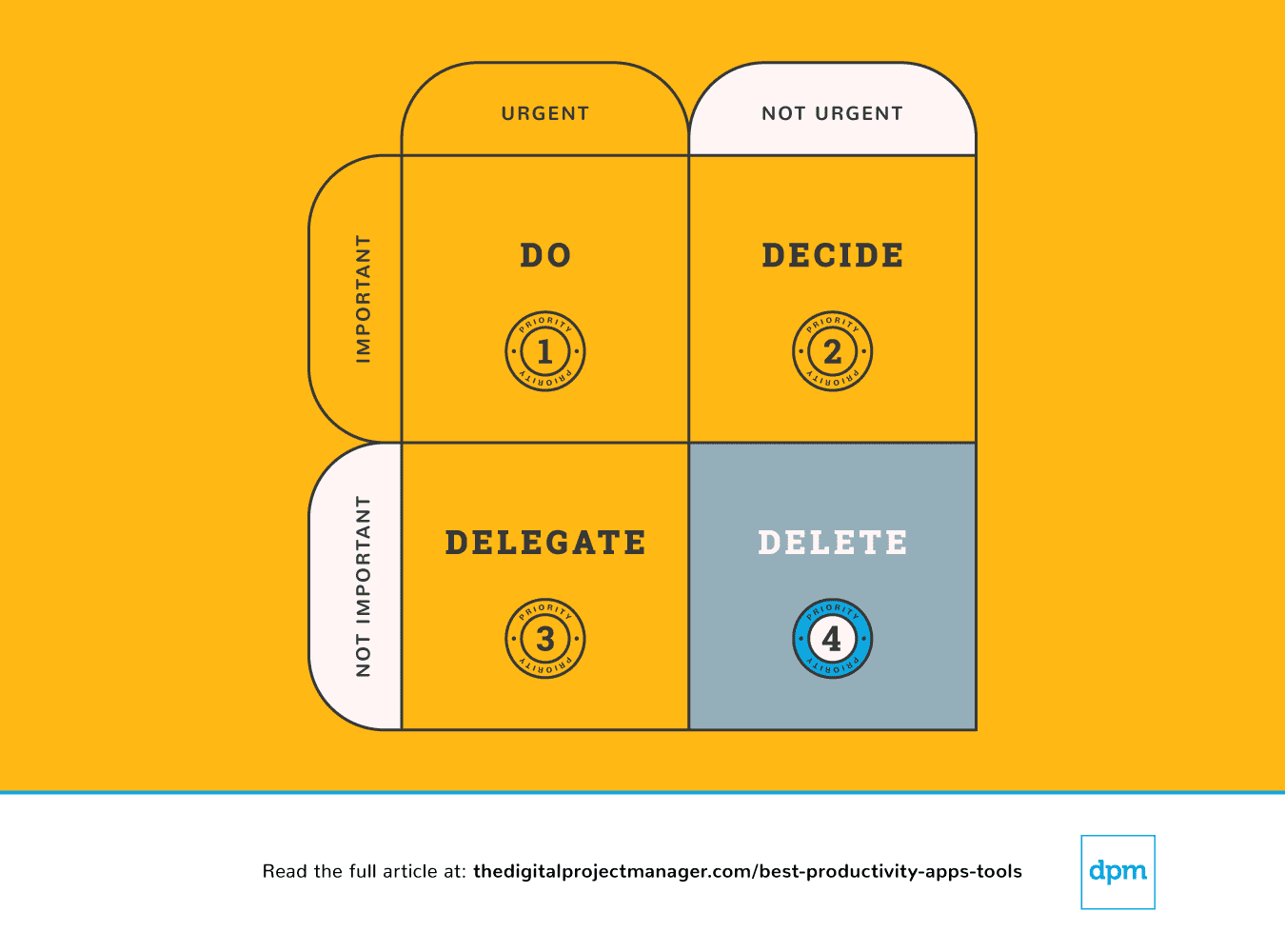 Infine, a volte possiamo essere più efficaci facendo meno. Ci sono infinite opportunità (e molte app di produttività che possono aiutarti) per dire “sì” a grandi idee. Allo stesso tempo, per realizzarle serve anche sapere dire “no” alle cose giuste. Impara a dare dei limiti e a dire no.
È bello essere gentili e disponibili e aiutare gli altri. Il problema è che non abbiamo sempre il tempo. Questo ci lascia un’ampia opportunità di non mantenere le promesse o di non consegnare nulla. Non farai un favore a nessuno se prendi un impegno su qualcosa a cui non puoi davvero dedicare il tuo meglio.
Sì, esistono app di produttività che puoi usare per togliere attività dal tuo carico e sviluppare dei confini, offrendoti un sistema per dire semplicemente “no”.
Alla fine di ogni giornata, dedica 10 minuti a pianificare cosa farai domani: cosa farai, deciderai, delegherai e cancellerai?
Quindi, dai un’occhiata alle app di produttività presentate in questa panoramica. Ho selezionato quelle che possono aiutarti a svolgere il lavoro importante di essere efficace con il tuo tempo automatizzando, tracciando, sincronizzando e ricordando—lasciandoti più tempo per svolgere il lavoro che conta di più, e farlo in modo efficiente!
E ora?
Se stai cercando app e strumenti di produttività, contatta un consulente SoftwareSelect per ricevere suggerimenti gratuiti.
Compili un modulo e fai una breve chiacchierata: loro approfondiranno le tue esigenze specifiche. Poi riceverai una shortlist di software da valutare. Ti supporteranno anche durante tutto il processo d’acquisto, incluse le trattative sul prezzo.
Liste di strumenti correlate:
- 15 migliori strumenti di collaborazione online per team
- I 15 migliori software di project management di cui hai bisogno
- I 10 migliori software e strumenti di gestione delle risorse