

Recensione di Tactic: Pro, Contro, Funzionalità e Prezzi


Tactic is a hot desk booking software for hybrid teams that need to coordinate office attendance, reserve desks, and manage shared spaces across locations. I'd consider it if you want clear visibility into who's in the office and when—without the enterprise setup complexity you'd get from a tool like Robin. It's a good fit for teams that need a fast, intuitive way to manage flexible seating without needing IT involvement to get up and running.
Tactic Evaluation Summary

- From $3000/year
- Free demo available
Perché fidarsi delle nostre recensioni sui software
Il nostro team testa e recensisce software dal 2012. In quanto esperti HR noi stessi, sappiamo quanto sia difficile — e importante — scegliere il software giusto.
Per questa guida, abbiamo valutato gli strumenti attraverso test pratici e ricerche indipendenti, assegnando un punteggio agli strumenti in base ai nostri criteri di selezione. Ci basiamo inoltre sulle competenze di leader di pensiero del settore e di professionisti HR attivi.
Le nostre recensioni riflettono il nostro giudizio editoriale umano, non un discorso di vendita.
Revisori esperti:
Tactic Overview
Tactic is a solid choice for small to medium-sized businesses seeking a straightforward and efficient hot desk booking solution. Its ease of use, combined with effective space utilization features, makes it a reliable tool in the realm of workspace management.
However, larger companies or those with more complex office setups may need to explore alternatives offering greater customization and advanced features. I encourage you to share your experiences or thoughts on Tactic or similar tools, as your insights can be valuable for others considering their options in this space.
pros
-
The desk maps are clean and easy to follow, so your team books spaces without confusion.
-
Check-ins and booking flows move fast, which helps your workday stay smooth.
-
The reporting tools give you clear insight into how people use desks across your office.
cons
-
Desk and room updates can feel slow when your layout changes often.
-
Some users want more customization in how booking rules work for different teams.
-
Reporting feels limited if you need deeper analytics for larger or complex workplaces.
-

Justworks
Visit WebsiteThis rating combines scores from multiple user review sites to reflect overall customer sentiment about the product.4.6 -
Small Improvements
Visit WebsiteThis rating combines scores from multiple user review sites to reflect overall customer sentiment about the product.4.3 -
HiBob
Visit WebsiteThis rating combines scores from multiple user review sites to reflect overall customer sentiment about the product.4.5





Come Testiamo e Valutiamo i Nostri Strumenti
Abbiamo impiegato anni per costruire, perfezionare e migliorare il nostro sistema di test e valutazione dei software. Il modello è progettato per cogliere le sfumature della scelta del software e per evidenziare cosa rende uno strumento efficace, concentrandosi sugli aspetti più critici del processo decisionale. Di seguito puoi vedere esattamente come funziona la nostra valutazione e attribuzione dei punteggi secondo sette criteri. Questo ci consente di fornire una valutazione imparziale del software basandoci su funzionalità principali, caratteristiche distintive, facilità d’uso, onboarding, assistenza clienti, integrazioni, recensioni dei clienti e rapporto qualità/prezzo.
Funzionalità Principali (25% del punteggio finale)
Il punto di partenza della nostra valutazione sono sempre le funzionalità principali dello strumento. Possiede le funzioni di base che l’utente si aspetta? Alcune di queste funzioni sono disponibili solo in piani a prezzi più alti? In sostanza, ci aspettiamo che uno strumento rispecchi almeno le capacità base dei concorrenti.
Caratteristiche Distintive (25% del punteggio finale)
Successivamente valutiamo le funzionalità particolari che superano le funzionalità di base tipiche degli strumenti della sua categoria. Un punteggio alto riflette caratteristiche specializzate o uniche che rendono il prodotto più veloce, efficiente, o che offrono ulteriore valore all’utente. Valutiamo inoltre quanto sia semplice integrare il software con altri strumenti tradizionalmente presenti nel tech stack per espanderne funzionalità e utilizzo. Gli strumenti che offrono numerose integrazioni native, collegamenti di terze parti e accesso API per creare integrazioni personalizzate ricevono i punteggi migliori.
Facilità d’Uso (10% del punteggio finale)
Consideriamo quanto sia veloce e semplice svolgere i compiti definiti dalle funzionalità principali utilizzando lo strumento. I software con punteggi alti sono ben progettati, intuitivi, dispongono di app mobili, offrono modelli preimpostati e rendono semplici anche i compiti più complessi.
Onboarding (10% del punteggio finale)
Sappiamo quanto sia importante una rapida adozione di una nuova piattaforma all’interno di un team, quindi valutiamo quanto sia facile imparare e utilizzare uno strumento con una formazione minima. Valutiamo quanto rapidamente un membro del team possa iniziare a utilizzare lo strumento senza esperienza. Le soluzioni con punteggio alto richiedono poco o nessun supporto.
Assistenza Clienti (10% del punteggio finale)
Esaminiamo quanto sia facile e veloce ricevere supporto o trovare aiuto tramite telefono, chat dal vivo o knowledge base. Gli strumenti e le aziende che forniscono un’assistenza in tempo reale ottengono i punteggi migliori, mentre i chatbot ottengono i risultati peggiori.
Recensioni dei Clienti (10% del punteggio finale)
Oltre ai nostri test e valutazioni, consideriamo il punteggio net promoter dei clienti attuali e passati. Analizziamo la loro propensione, se potessero scegliere, a selezionare di nuovo lo strumento per le sue funzionalità principali. Un software con un punteggio alto riflette un elevato net promoter score da parte dei clienti attuali o passati.
Rapporto Qualità/Prezzo (10% del punteggio finale)
Infine, considerando tutti gli altri criteri, esaminiamo il prezzo medio dei piani base rispetto alle funzionalità principali e teniamo conto del valore degli altri criteri di valutazione. I software che offrono di più, a meno, ottengono un punteggio più alto.
Core Features
Desk Booking
Lets your team reserve desks in seconds through a simple visual map, so people don’t waste time guessing what’s free. You get a clear view of who’s sitting where, which helps you plan your workday better.
Room Reservations
Gives you an easy way to book meeting rooms without back-and-forth chats. It prevents double bookings and helps your team quickly find the right space for calls or group work.
Capacity Management
Shows real-time numbers on how many people are onsite, helping you avoid overcrowding. You can set limits per floor or zone so teams stay safe and workplaces stay balanced.
Interactive Floor Plans
Displays your office layout in a clean, visual format so your team always knows where they’re headed. You can zoom in to see desk details, amenities, and available spaces at a glance.
Check-In & Check-Out
Lets users confirm desk or room use with one tap, which keeps your space data accurate. This helps you track actual usage and free up unused spots quickly.
Analytics & Reporting
Gives you insights on desk demand, peak days, and space trends. You can use this data to cut unused space or plan expansions based on real behavior, not guesses.

Ease of Use
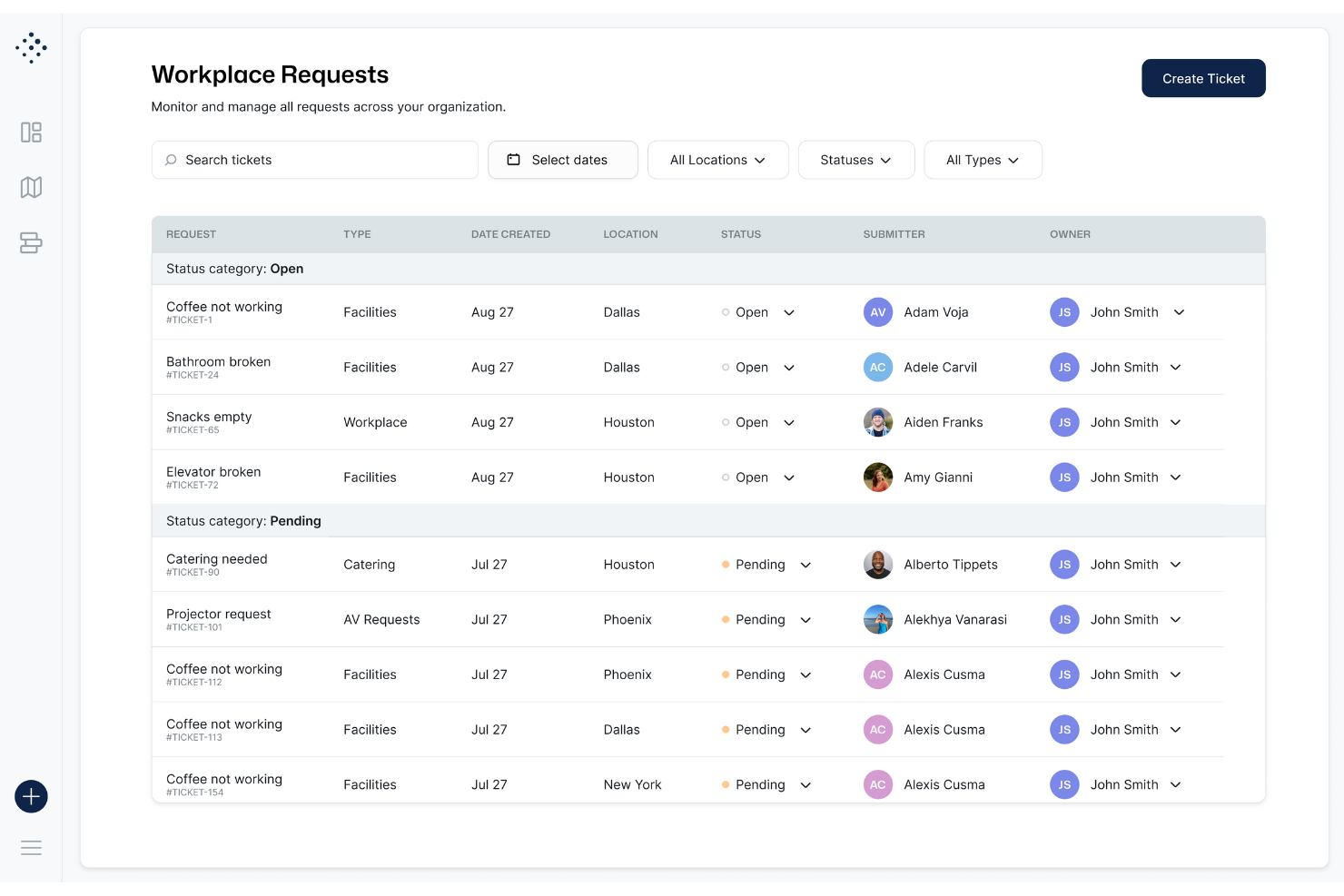
Tactic feels simple because the desk map is clean, loads fast, and lets you reserve a spot in a few taps. You don’t dig through menus to book, check in, or see who’s onsite. Users say the interface removes guesswork, which helps your team move through daily desk booking without friction.
Integrations
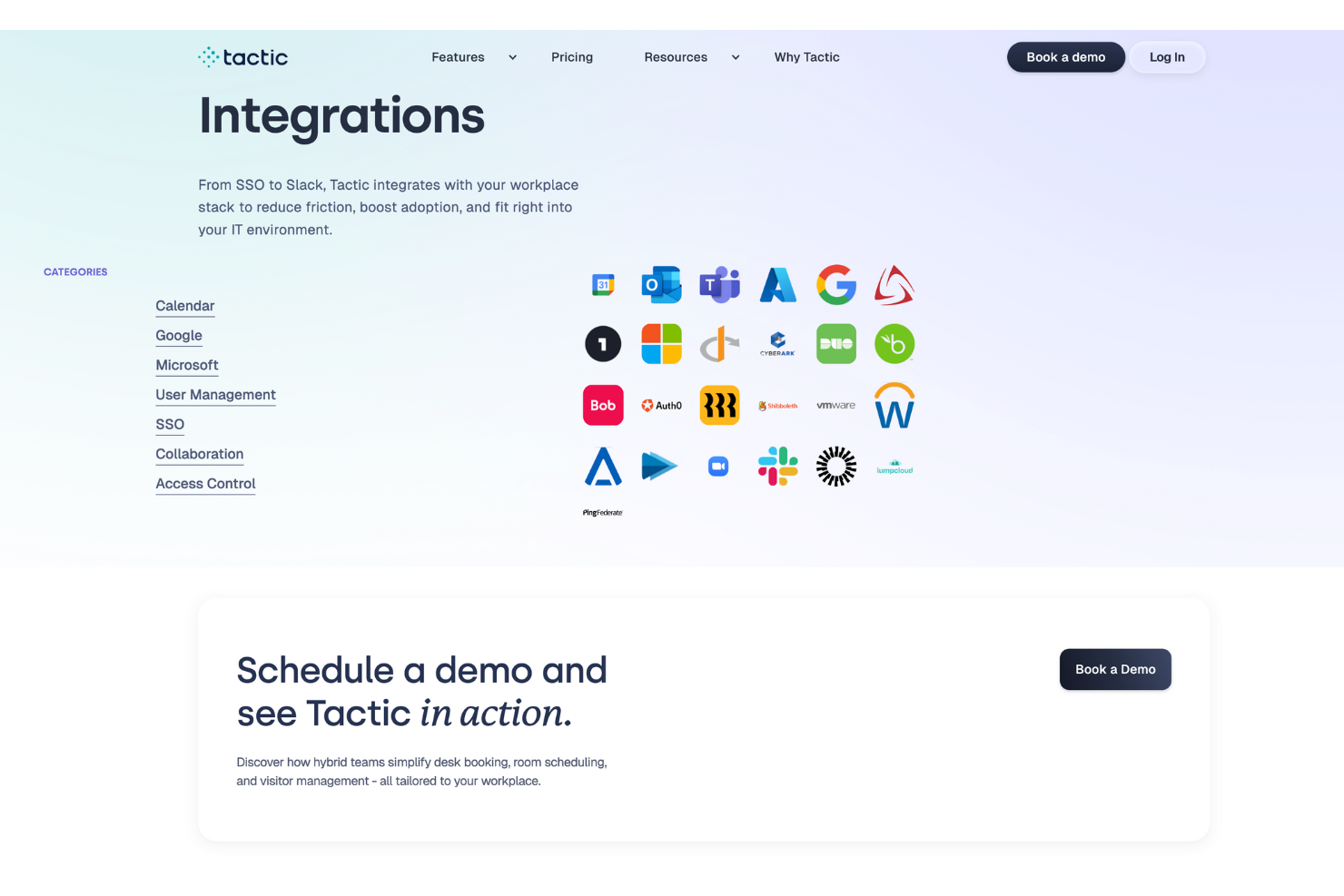
Tactic integrates natively with Microsoft Teams, Outlook, Slack, Google Workspace, SSO (Single Sign-On), and Directory Sync. Tactic also has an API and can connect with third-party integration tools like Zapier for extended workflows.
Tactic Specs
- Access Management
- API
- Appointment Scheduling
- Batch Permissions & Access
- Calendar Management
- Chat
- Click-to-Dial
- Contact Management
- Custom Data Forms
- Custom Reports
- Customer Management
- Dashboard
- Dashboards
- Data Export
- Data Import
- Data Visualization
- Email Integration
- External Integrations
- Forecasting
- Google Apps Integration
- Lead Management
- Map Visualization
- Marketing Automation
- Mobile App
- Multi-User
- Notifications
- Resource Management
- Scheduling
- Self-service Portal
- Workflow Management

Tactic FAQs
How does Tactic help coordinate hybrid work schedules for teams?
How can HR teams manage desk assignments and seating policies with Tactic?
What compliance or data security protections does Tactic offer for employee information?
How does Tactic handle visitor check-ins and guest management for HR staff?
Can HR teams see reports on how office space is being used?
What options do HR teams have if someone doesn’t check in after booking a desk?
How does Tactic support onboarding new employees into the office booking flow?
What happens if there’s a conflict between desk reservations and meeting room bookings?
Cosa succede dopo?
Per rimanere aggiornato su tutte le ultime novità nella gestione del personale, iscriviti alla nostra newsletter per leader e manager. Riceverai approfondimenti e contenuti pensati per leader e professionisti HR direttamente nella tua casella di posta.