
Recensione VidCruiter: Pro, Contro, Funzionalità e Prezzi Spiegati



VidCruiter is a talent acquisition software built around video interviewing, structured interview scorecards, and automated scheduling for teams that need to move candidates through hiring stages without sacrificing consistency. I'd consider it over HireVue if you want more hands-on configuration options and a platform that supports structured interview design without the complexity or cost that typically comes with enterprise-level procurement.
VidCruiter Evaluation Summary
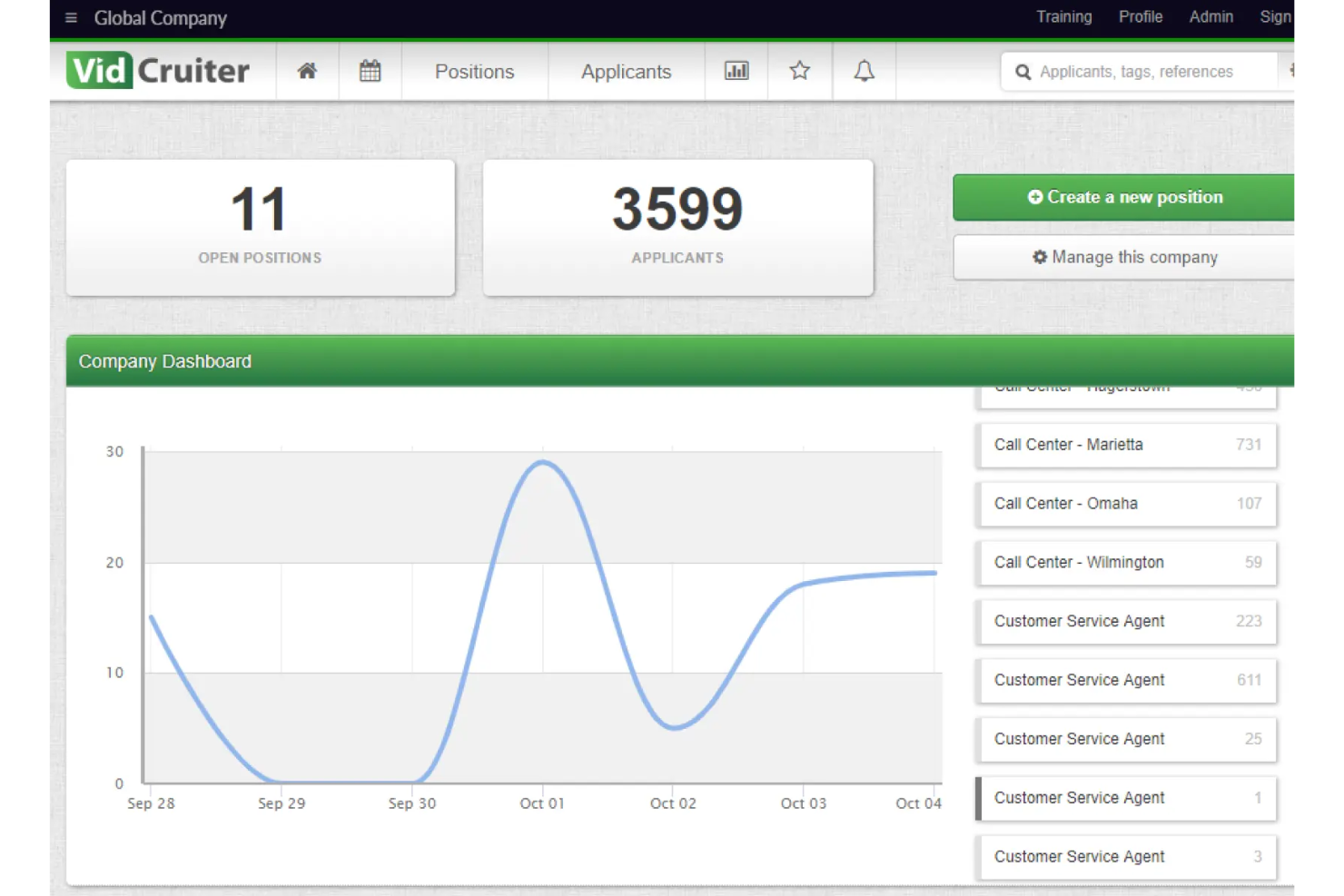
- Price upon request
- Free demo available
Perché Fidarti delle Nostre Recensioni Software
Testiamo e recensiamo sistemi software HR dal 2019. In quanto esperti HR, sappiamo quanto sia fondamentale e allo stesso tempo difficile prendere la decisione giusta nella scelta di un software. Investiamo molto nella ricerca approfondita per aiutare il nostro pubblico a prendere decisioni d’acquisto migliori. Abbiamo testato più di 2.000 strumenti per diversi casi d’uso nell’ambito HR e scritto oltre 1.000 recensioni approfondite. Scopri come rimaniamo trasparenti & la nostra metodologia di valutazione software.
VidCruiter Overview
I think VidCruiter is a top pick if you want deep customization and structured video interviewing in your recruitment process. Its workflow automation and flexible evaluation tools outperform many options for high-volume or compliance-heavy hiring. The interface is modern and user-friendly, support is responsive, and onboarding is straightforward, though the range of features can feel overwhelming at first. Pricing is competitive for midsize and enterprise teams, but may be less appealing for small businesses. If you're evaluating solutions for complex, multi-stage hiring or remote recruitment, VidCruiter is worth serious consideration.
pros
-
Structured interviewing tools support consistent, fair candidate evaluation
-
Responsive customer support team helps resolve issues quickly
-
Workflow automation reduces manual scheduling and follow-up tasks
cons
-
Pricing is only available by custom quote, not public
-
Some users report technical issues with video interviews
-
Pre-recorded interviews can feel impersonal to candidates
-

Justworks
Visit WebsiteThis rating combines scores from multiple user review sites to reflect overall customer sentiment about the product.4.6 -
HiBob
Visit WebsiteThis rating combines scores from multiple user review sites to reflect overall customer sentiment about the product.4.5 -
Homebase
Visit WebsiteThis rating combines scores from multiple user review sites to reflect overall customer sentiment about the product.4.2




Come Testiamo e Valutiamo i Nostri Strumenti
Abbiamo impiegato anni per costruire, perfezionare e migliorare il nostro sistema di test e valutazione dei software. Il modello è progettato per cogliere le sfumature della scelta del software e per evidenziare cosa rende uno strumento efficace, concentrandosi sugli aspetti più critici del processo decisionale. Di seguito puoi vedere esattamente come funziona la nostra valutazione e attribuzione dei punteggi secondo sette criteri. Questo ci consente di fornire una valutazione imparziale del software basandoci su funzionalità principali, caratteristiche distintive, facilità d’uso, onboarding, assistenza clienti, integrazioni, recensioni dei clienti e rapporto qualità/prezzo.
Funzionalità Principali (25% del punteggio finale)
Il punto di partenza della nostra valutazione sono sempre le funzionalità principali dello strumento. Possiede le funzioni di base che l’utente si aspetta? Alcune di queste funzioni sono disponibili solo in piani a prezzi più alti? In sostanza, ci aspettiamo che uno strumento rispecchi almeno le capacità base dei concorrenti.
Caratteristiche Distintive (25% del punteggio finale)
Successivamente valutiamo le funzionalità particolari che superano le funzionalità di base tipiche degli strumenti della sua categoria. Un punteggio alto riflette caratteristiche specializzate o uniche che rendono il prodotto più veloce, efficiente, o che offrono ulteriore valore all’utente. Valutiamo inoltre quanto sia semplice integrare il software con altri strumenti tradizionalmente presenti nel tech stack per espanderne funzionalità e utilizzo. Gli strumenti che offrono numerose integrazioni native, collegamenti di terze parti e accesso API per creare integrazioni personalizzate ricevono i punteggi migliori.
Facilità d’Uso (10% del punteggio finale)
Consideriamo quanto sia veloce e semplice svolgere i compiti definiti dalle funzionalità principali utilizzando lo strumento. I software con punteggi alti sono ben progettati, intuitivi, dispongono di app mobili, offrono modelli preimpostati e rendono semplici anche i compiti più complessi.
Onboarding (10% del punteggio finale)
Sappiamo quanto sia importante una rapida adozione di una nuova piattaforma all’interno di un team, quindi valutiamo quanto sia facile imparare e utilizzare uno strumento con una formazione minima. Valutiamo quanto rapidamente un membro del team possa iniziare a utilizzare lo strumento senza esperienza. Le soluzioni con punteggio alto richiedono poco o nessun supporto.
Assistenza Clienti (10% del punteggio finale)
Esaminiamo quanto sia facile e veloce ricevere supporto o trovare aiuto tramite telefono, chat dal vivo o knowledge base. Gli strumenti e le aziende che forniscono un’assistenza in tempo reale ottengono i punteggi migliori, mentre i chatbot ottengono i risultati peggiori.
Recensioni dei Clienti (10% del punteggio finale)
Oltre ai nostri test e valutazioni, consideriamo il punteggio net promoter dei clienti attuali e passati. Analizziamo la loro propensione, se potessero scegliere, a selezionare di nuovo lo strumento per le sue funzionalità principali. Un software con un punteggio alto riflette un elevato net promoter score da parte dei clienti attuali o passati.
Rapporto Qualità/Prezzo (10% del punteggio finale)
Infine, considerando tutti gli altri criteri, esaminiamo il prezzo medio dei piani base rispetto alle funzionalità principali e teniamo conto del valore degli altri criteri di valutazione. I software che offrono di più, a meno, ottengono un punteggio più alto.
Core Features
Structured Video Interviewing
Set up live video interviews or pre-recorded sessions with customizable questions and evaluation rubrics. Teams can compare candidates fairly and efficiently using this module.
Automated Reference Checking
Collect and verify references online, eliminating manual follow-up. The system tracks responses and flags incomplete automated reference checks.
Customizable Workflow Automation
Design recruitment process workflows with automated triggers for screening, scheduling, and notifications. This keeps processes consistent and saves meaningful time across roles.
Digital Interview Scheduling
Let candidates self-schedule interviews based on recruiter availability. Automated reminders reduce no-shows and cut scheduling conflicts.
Candidate Evaluation Tools
Use scorecards and rating systems to standardize feedback from multiple interviewers. This makes it easier to compare candidates and document hiring decisions.
Compliance and Audit Trails
Track every step of the hiring process for legal and regulatory compliance. Detailed logs support audits and internal reviews.
Ease of Use
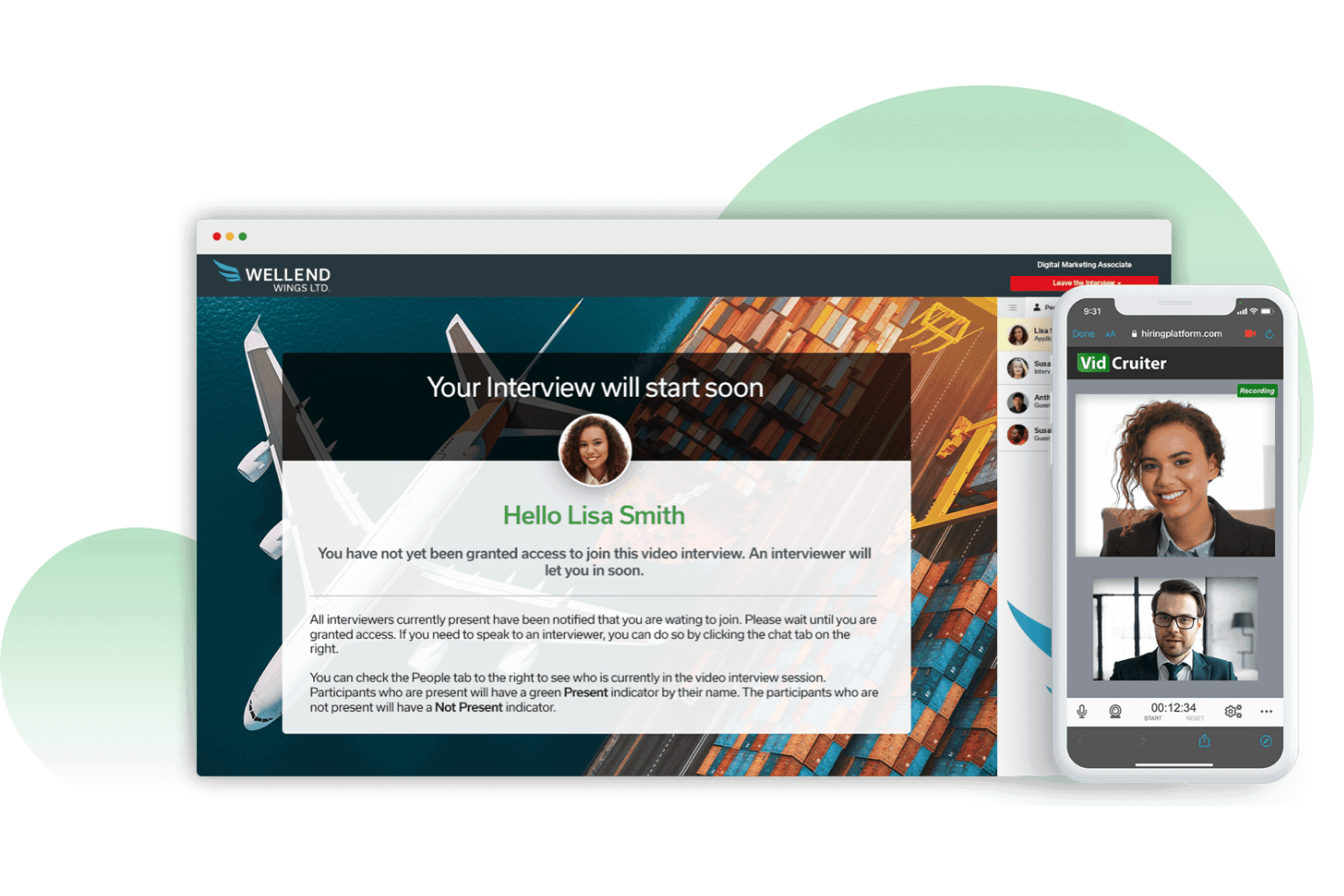
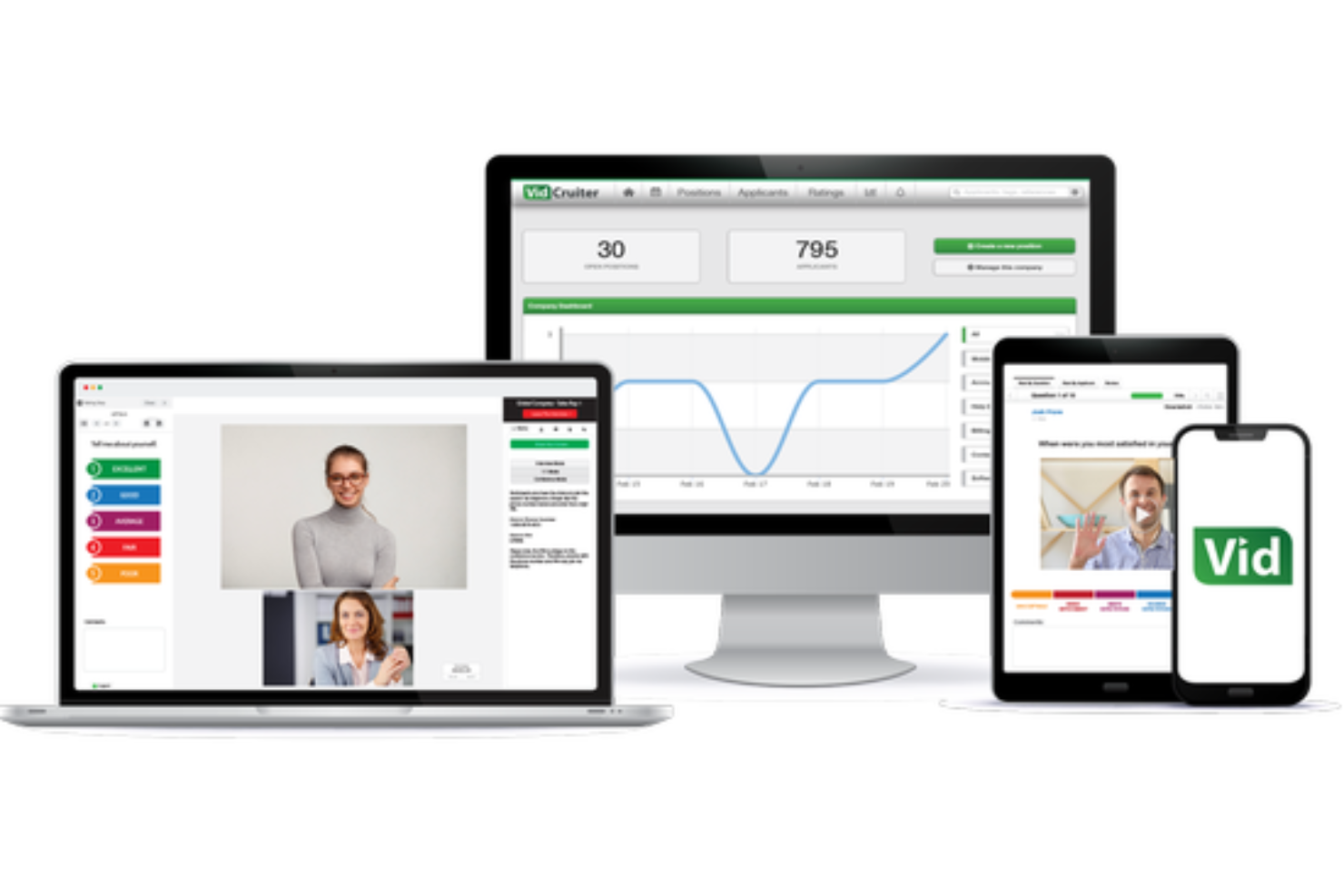
VidCruiter offers a modern, user-friendly interface that most users find easy to navigate, especially for setting up interviews and automating workflows. While the platform's depth can introduce a learning curve at first, onboarding support and clear documentation help teams get up to speed quickly. User reviews consistently highlight the drag-and-drop workflow builder and customizable dashboards as strong positives, though some mention occasional glitches with video interviews. Overall, VidCruiter balances advanced features with practical usability for busy HR teams.
Integrations
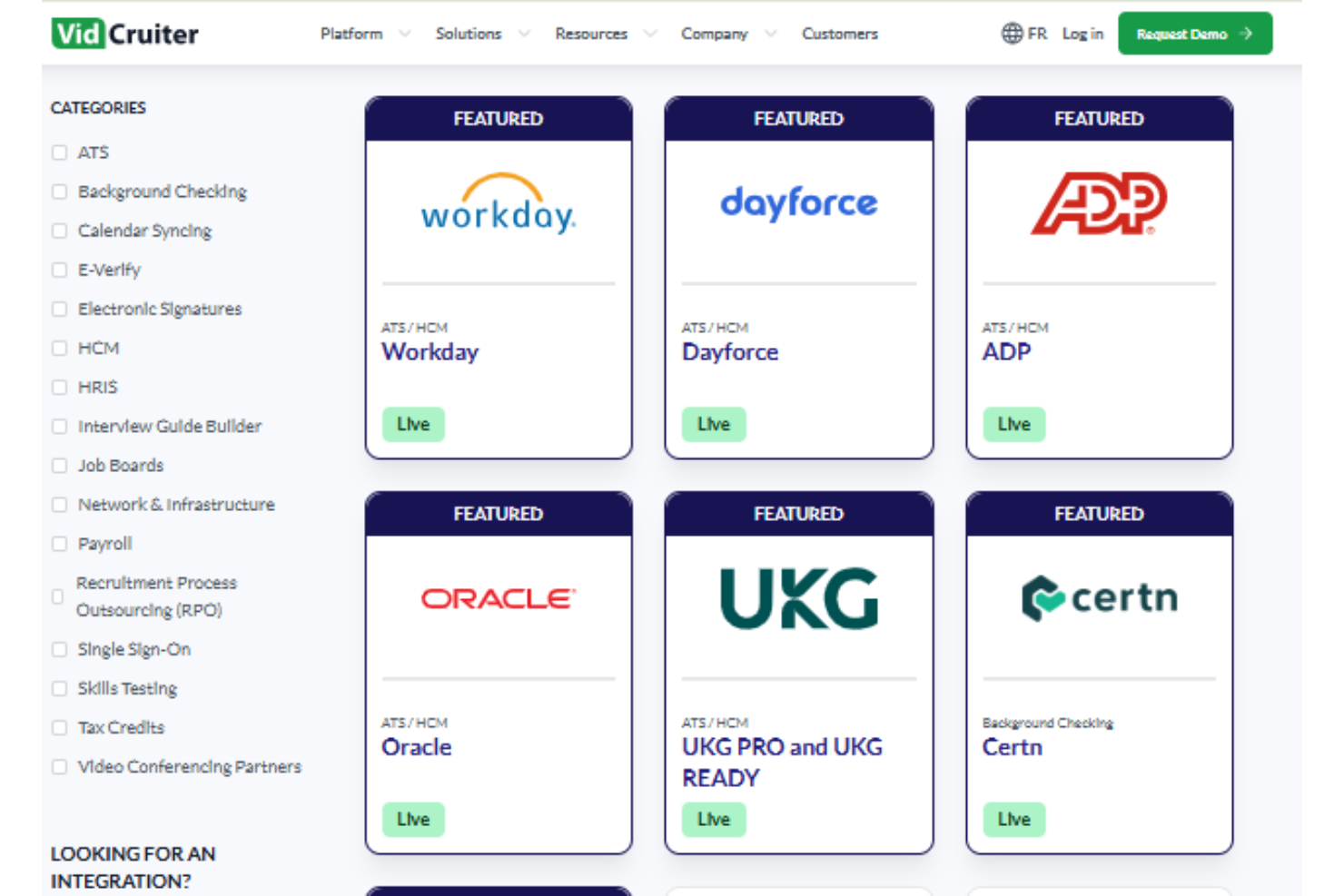
VidCruiter integrates with Workday, Dayforce, ADP, Oracle, UKG, Lever, and Greenhouse, among others.
VidCruiter doesn’t currently offer a publicly available developer API for extended functionality.
VidCruiter Specs
- 360 Degree Feedback
- API
- Application Tracking
- Batch Permissions & Access
- Behavioral Testing
- Budgeting
- Calendar Management
- Candidate Database
- Cognitive Testing
- Compliance Tracking
- Dashboard
- Data Export
- Data Import
- Data Visualization
- Email Integration
- Employee Database
- Employee Engagement
- Employee Incentive Management
- Employee Onboarding
- External Integrations
- Feedback Management
- Forecasting
- Interview Scheduling
- Multi-User
- Notifications
- Onboarding
- Personality Testing
- Psychometric Testing
- Referral Tracking
- Scheduling
- Soft Skill Testing
- Softphone
- Status Notifications
- Travel Management