Neocase HR Review 2026: Pros, Cons, Features and Pricing



Neocase HR is HR service delivery software for teams managing high volumes of employee requests through case routing, knowledge, self-service, and SLA tracking. For HR teams that want a dedicated case-and-knowledge platform rather than a broader enterprise service layer like ServiceNow, Neocase is the more HR-focused choice. Its employee portal, request routing, and SLA controls center the workflow on HR services.
Neocase HR Evaluation Summary
- Pricing upon request
- Not available
Why Trust Our Software Recommendations
Our team has been testing and reviewing software since 2012. As HR experts ourselves, we know how difficult—and important—it is to choose the right software.
For this guide, we evaluated tools using hands-on testing and independent research, scoring tools using our selection criteria. We also draw on insights from industry thought leaders and practicing HR experts.
Our reviews reflect our human editorial judgment, not a sales pitch.
Expert reviewers:
Neocase HR Overview
I’d choose Neocase HR when you need a dedicated HR service desk with employee portals, case and knowledge management, request routing, SLA tracking, and configurable process automation. Compared with broader service platforms, its HR-centered workflows, mobile access, standard HCM connectors, APIs, and custom integrations keep the focus on employee services. The trade-off is that pricing isn’t publicly listed, and configuring processes or integrations may take planning, so judge cost and onboarding effort through a demo. Tiered support and tailored training help; I think it suits larger organizations handling varied, high-volume requests better than small teams seeking a lightweight, self-serve setup.
pros
-
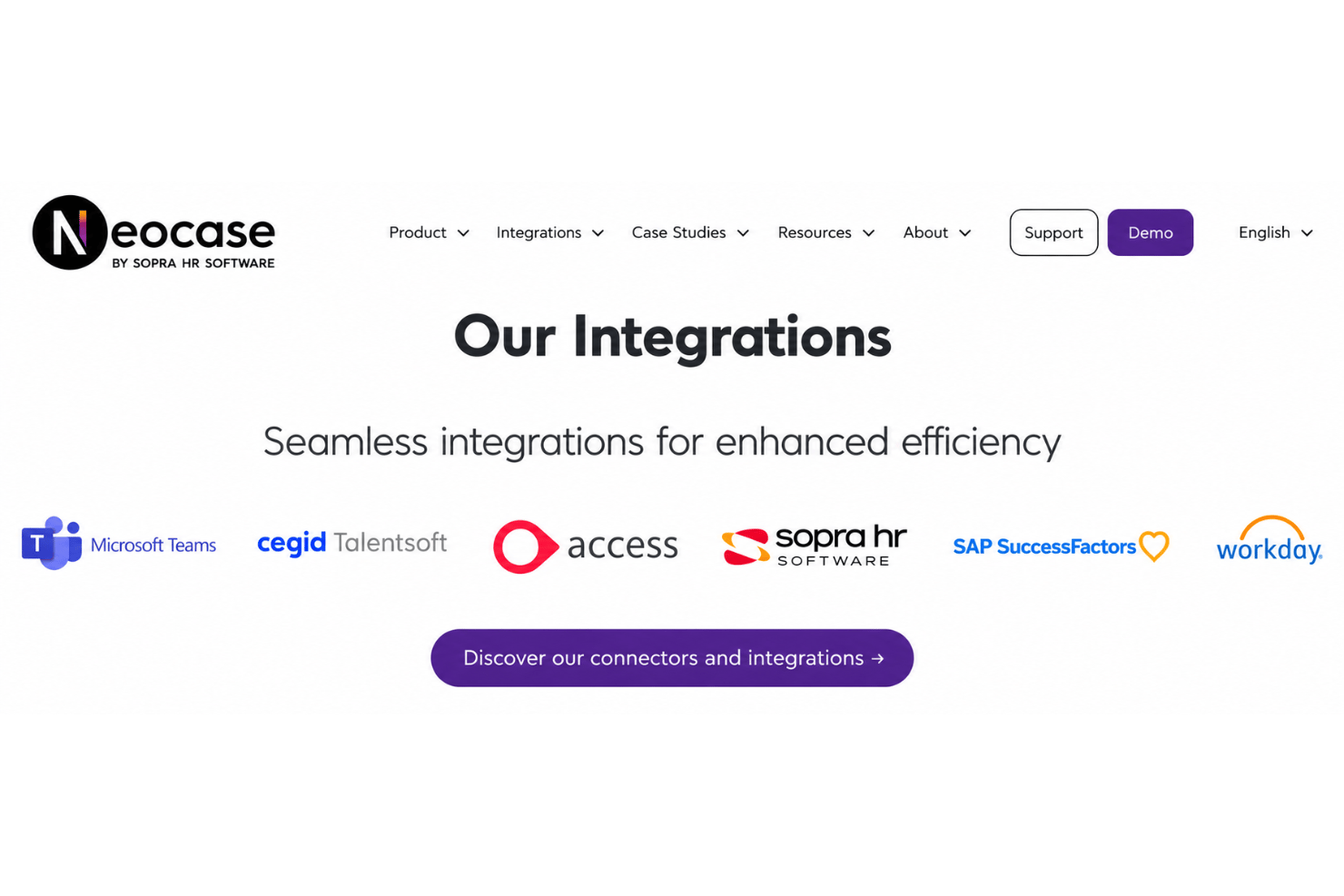
SLA timers, OLAs, routing, and escalation organize employee cases.
-
Personalized self-service and knowledge tools support tier-zero request resolution.
-
Configurable workflows automate shared inbox requests and employee journeys.
cons
-
Reviewers report limited reporting and weak portal search.
-
Knowledge-base edits can erase history, complicating content governance.
-
Case creation remains manual, while administration takes time.
-

Justworks
Visit WebsiteThis rating combines scores from multiple user review sites to reflect overall customer sentiment about the product.4.6 -
Eletive
Visit WebsiteThis rating combines scores from multiple user review sites to reflect overall customer sentiment about the product.4.6 -
Prevue Assessments
Visit WebsiteThis rating combines scores from multiple user review sites to reflect overall customer sentiment about the product.4.6



How We Test & Score Our Tools
We’ve spent years building, refining, and improving our software testing and scoring system. The rubric is designed to capture the nuances of software selection and what makes a tool effective, focusing on critical aspects of the decision-making process.
Below, you can see exactly how our testing and scoring works across seven criteria. It allows us to provide an unbiased evaluation of the software based on core functionality, standout features, ease of use, onboarding, customer support, integrations, customer reviews, and value for money.
Core Functionality (25% of final score)
The starting point of our evaluation is always the core functionality of the tool. Does it have the basic features and functions that a user would expect to see? Are any of those core features locked to higher-tiered pricing plans? At its core, we expect a tool to stand up against the baseline capabilities of its competitors.
Standout Features (25% of final score)
Next, we evaluate uncommon standout features that go above and beyond the core functionality typically found in tools of its kind. A high score reflects specialized or unique features that make the product faster, more efficient, or offer additional value to the user.
We also evaluate how easy it is to integrate with other tools typically found in the tech stack to expand the functionality and utility of the software. Tools offering plentiful native integrations, 3rd party connections, and API access to build custom integrations score best.
Ease of Use (10% of final score)
We consider how quick and easy it is to execute the tasks defined in the core functionality using the tool. High scoring software is well designed, intuitive to use, offers mobile apps, provides templates, and makes relatively complex tasks seem simple.
Onboarding (10% of final score)
We know how important rapid team adoption is for a new platform, so we evaluate how easy it is to learn and use a tool with minimal training. We evaluate how quickly a team member can get set up and start using the tool with no experience. High scoring solutions indicate little or no support is required.
Customer Support (10% of final score)
We review how quick and easy it is to get unstuck and find help by phone, live chat, or knowledge base. Tools and companies that provide real-time support score best, while chatbots score worst.
Customer Reviews (10% of final score)
Beyond our own testing and evaluation, we consider the net promoter score from current and past customers. We review their likelihood, given the option, to choose the tool again for the core functionality. A high scoring software reflects a high net promoter score from current or past customers.
Value for Money (10% of final score)
Lastly, in consideration of all the other criteria, we review the average price of entry level plans against the core features and consider the value of the other evaluation criteria. Software that delivers more, for less, will score higher.
Core Features
HR Case Management
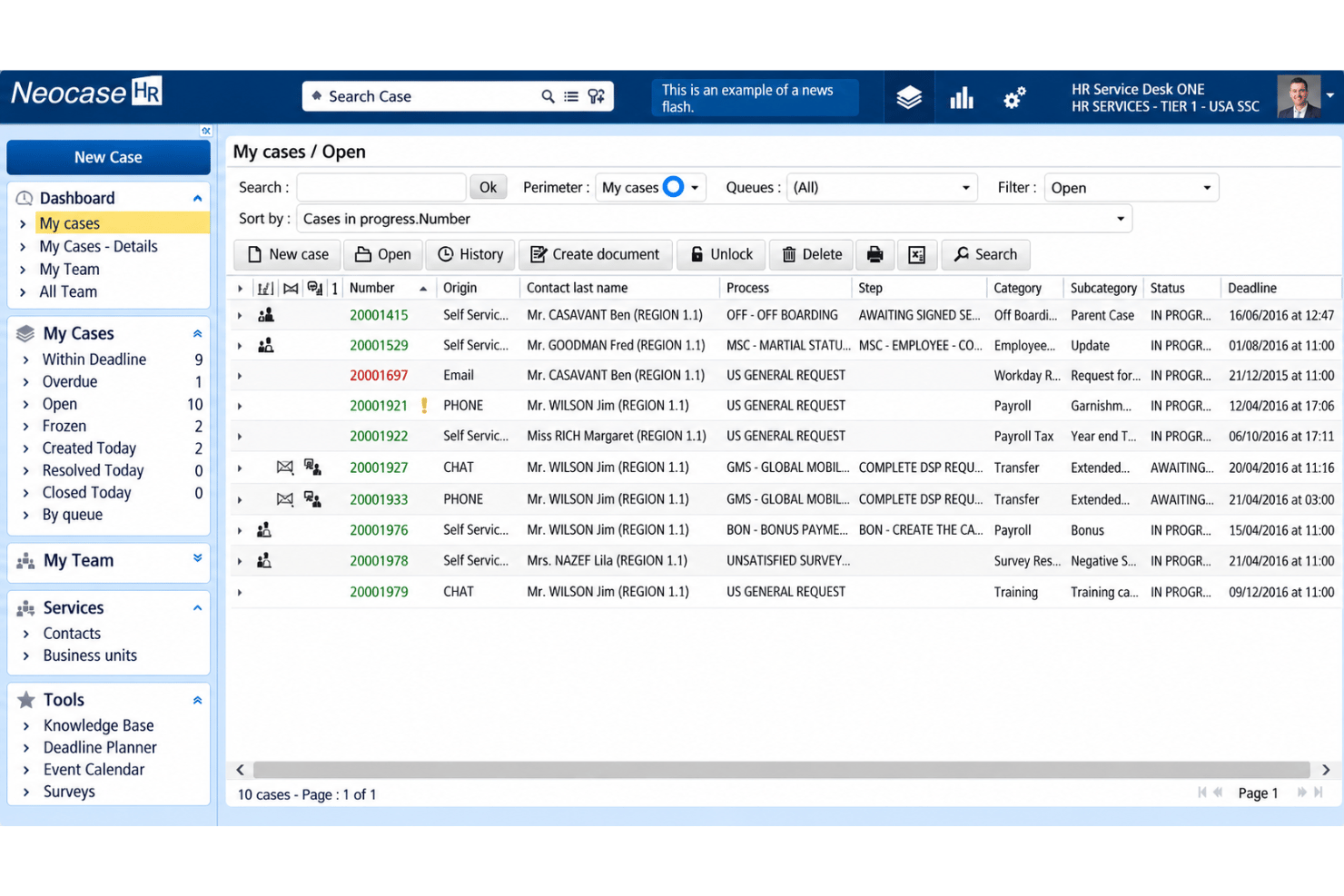
Neocase HR organizes employee requests as cases for HR teams to review and manage. This gives staff a central place to track issues such as benefits questions or policy requests.
Employee Self-Service Portal
Employees can use a personalized portal to submit requests and find HR information. This gives them a direct path to answers without starting every interaction with an HR team member.
Knowledge Management
Neocase HR provides knowledge tools for publishing information employees can use to resolve routine questions. HR teams can pair articles with portal access, though reviewers report that edits can erase history.
Request Routing and Escalation
Routing rules direct cases to the appropriate HR team, while escalation controls help flag requests that need attention. For example, a policy question can go to the team responsible for that service.
SLA and OLA Tracking
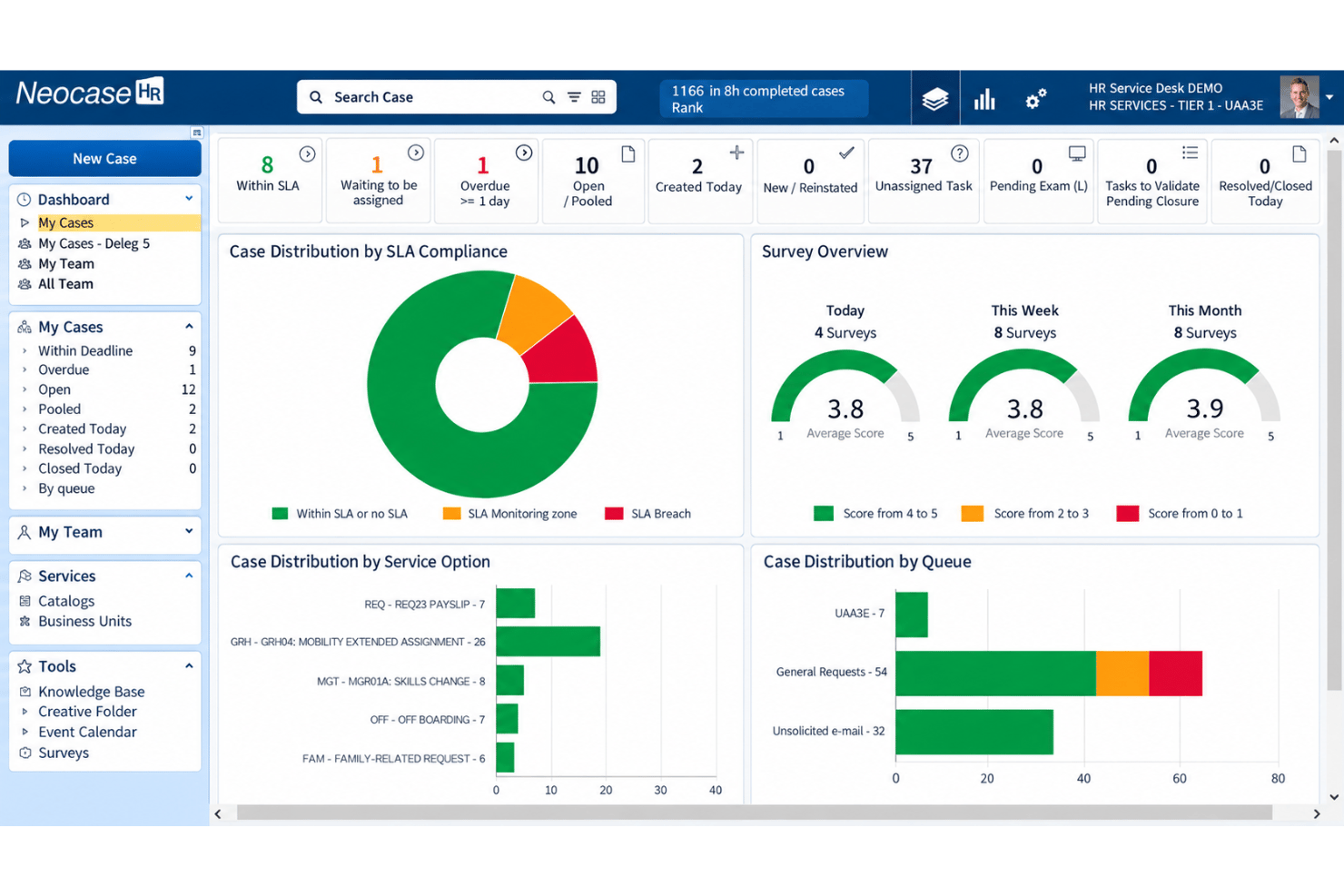
SLA timers and operational-level agreements track response expectations for cases. HR teams can use these controls to spot requests that need attention before they miss a target.
Configurable Workflow Automation
Configurable workflows automate steps in shared-inbox requests and employee journeys. HR teams can set up repeatable processes for requests such as onboarding tasks or routine service inquiries.
Ease of Use
Neocase HR feels approachable for everyday case work: reviewers praise its clean dashboard, user-friendly interface, and navigation, while its portal, knowledge base, and routing keep employee requests organized. I’d still budget time for setup and administration. Reviews mention a learning curve, and creating cases one by one can slow HR teams handling high volumes. Weak portal search may also make self-service harder, so usability depends on how well you configure and maintain the content.
Integrations
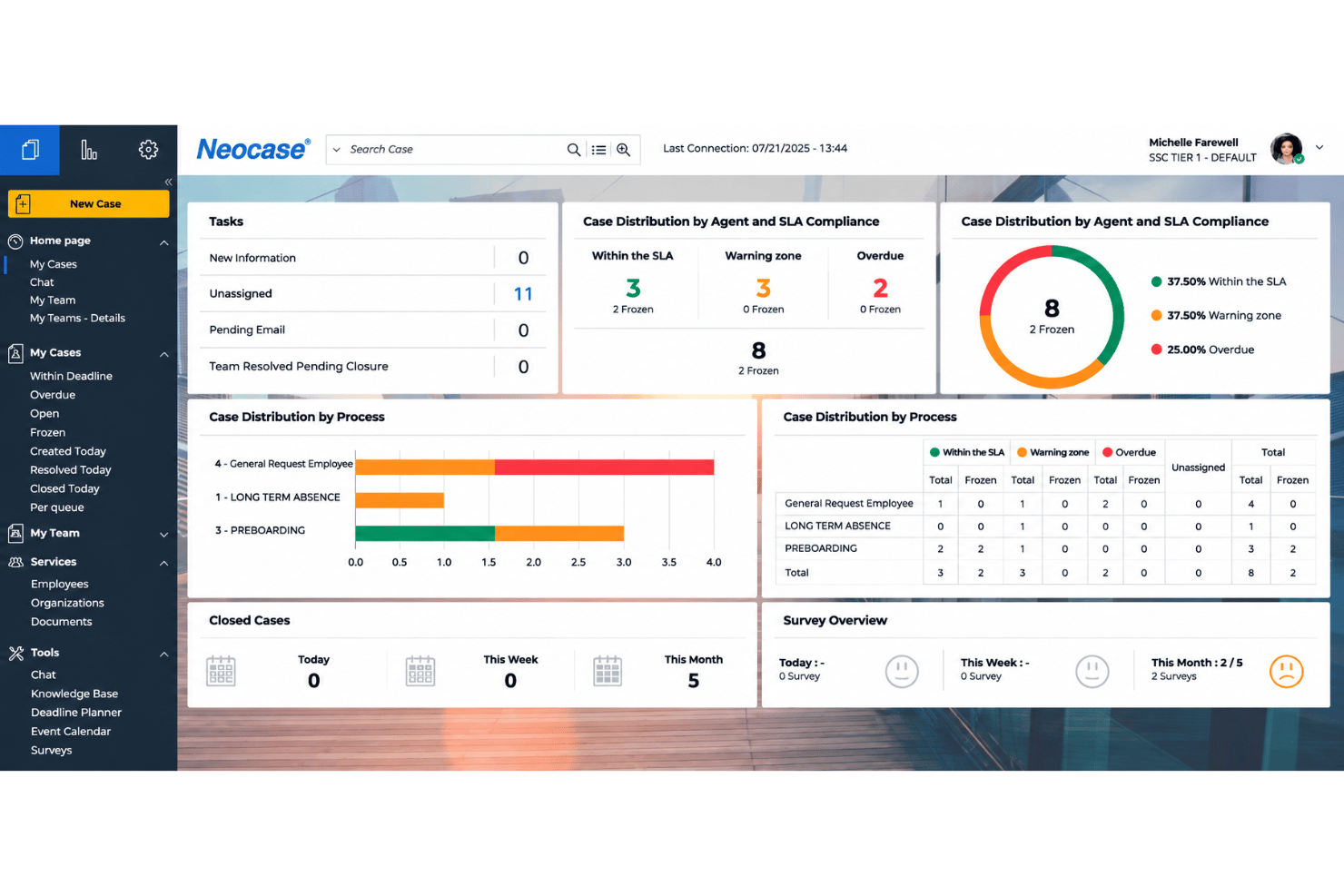
Neocase HR integrates with Workday, Cegid Talentsoft, SAP SuccessFactors, Sopra HR, The Access Group, DocuSign, Adobe Acrobat Sign, Microsoft Teams, Digiposte, and Maileva, among others.
Neocase HR also provides Services, BI VNext, and Authentication APIs for custom integrations and supports custom connectors for third-party applications.
Neocase HR Specs
- 2-Factor Authentication
- 360 Degree Feedback
- API
- Application Tracking
- Attendance Tracking
- Batch Permissions & Access
- Compliance Tracking
- Dashboard
- Data Export
- Data Import
- Data Visualization
- Employee Database
- Employee Engagement
- Employee Incentive Management
- Employee Onboarding
- Employee Training
- Expense Tracking
- External Integrations
- Feedback Management
- Multi-User
- Notifications
- Payroll
- Performance Appraisal
- Scheduling
- Time Management
- Timesheets
- Travel Management
- Vacation & Absence Calendar