


ActivTrak vs. Time Doctor: Comparison & Expert Reviews For 2026



Picking the right workforce analytics and employee monitoring tool can make or break your team’s efficiency and accountability. ActivTrak and Time Doctor stand out as leading team management software, but they take distinctly different approaches to tracking work.
I’ll break down what actually matters: pricing, features, integrations, and user experience. You’ll see exactly how each tool fits your company’s unique situation. Need deep productivity analytics or just want to track where time goes? This head-to-head comparison will show you which tool actually delivers for your team.
ActivTrak vs. Time Doctor: An Overview
ActivTrak


Time Doctor


Why Trust Our Software Recommendations
Our team has been testing and reviewing software since 2012. As HR experts ourselves, we know how difficult—and important—it is to choose the right software.
For this guide, we evaluated tools using hands-on testing and independent research, scoring tools using our selection criteria. We also draw on insights from industry thought leaders and practicing HR experts.
Our reviews reflect our human editorial judgment, not a sales pitch.
Expert reviewers:
ActivTrak vs. Time Doctor Pricing Comparison
| ActivTrak | Time Doctor | |
|---|---|---|
| Free Trial | Free demo + 14-day free trial available | 14-day free trial |
| Pricing | From $10/user/month (billed annually) | Pricing upon request |
ActivTrak vs. Time Doctor Hidden Costs
ActivTrak uses a tiered per-user pricing model, all billed annually with unlimited users beyond the free plan’s three-user cap. Add-ons are available, like extended data history, HRIS integrations, ActiveConnect API, premium support, and screen details, so factor these in when scaling. Time Doctor offers clear plans billed on a per-user per-month basis. It also has enterprise custom pricing and add-ons like Benchmarks AI, SSO, or video recording.
When factoring costs, think about your user count and priority features. Thankfully, both platforms offer a free trial, so you can test out the features before committing.
ActivTrak vs. Time Doctor Feature Comparison
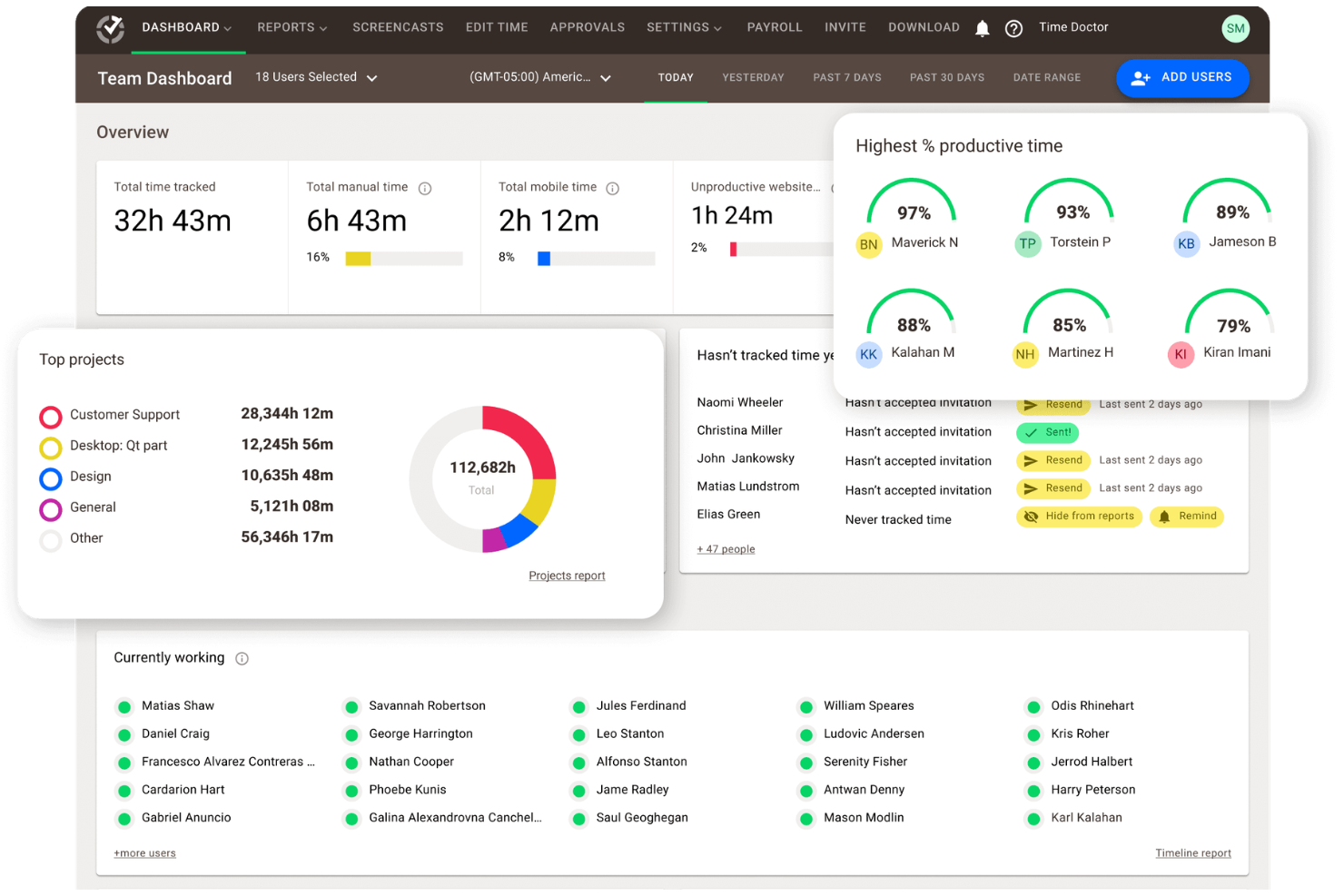
ActivTrak shines with AI-driven productivity analytics, behavioral patterns, and workforce insights that help you spot trends and optimize team performance without micromanaging. Features like real-time alerts, risk detection, and customizable dashboards mean you get actionable data on app usage and focus time, ideal if you’re a manager seeking long-term efficiency gains rather than minute-by-minute oversight.
Time Doctor excels in precise time tracking with screenshots, activity levels, and idle time monitoring, giving you proof of work for billing or remote teams. Its payroll integration and task-based timers support freelancers or agencies needing verifiable hours, but the screenshot focus might feel invasive for trust-based cultures.
| ActivTrak | Time Doctor | |
|---|---|---|
| API | ||
| Analytics | ||
| Dashboard | ||
| Data Export | ||
| Data Import | ||
| Data Visualization | ||
| External Integrations | ||
| Forecasting | ||
| Multi-User | ||
| Notifications |
ActivTrak vs. Time Doctor Integrations
| Integration | ActivTrak | Time Doctor |
| Slack | ✅ | ✅ |
| Microsoft Teams | ✅ | ✅ |
| Jira | ✅ | ✅ |
| Asana | ✅ | ✅ |
| Trello | ❌ | ✅ |
| Zapier | ✅ | ✅ |
| Google Calendar | ✅ | ✅ |
| Microsoft 365 | ✅ | ✅ |
| Salesforce | ✅ | ❌ |
| Workday | ✅ | ❌ |
| BambooHR | ✅ | ❌ |
| QuickBooks | ❌ | ✅ |
| PayPal | ❌ | ✅ |
| Basecamp | ❌ | ✅ |
| Okta (SSO) | ✅ | ❌ |
Both tools offer solid integrations to streamline your workflows, with ActivTrak offering HRIS and analytics platforms for deeper workforce insights, and Time Doctor connecting with more project management and productivity apps for time tracking. You’ll connect them to your existing stack without much hassle, but check compatibility for your specific needs to avoid silos.
ActivTrak vs. Time Doctor Security, Compliance & Reliability
| Factor | ActivTrak | Time Doctor |
| Data Encryption | Offers end-to-end encryption for data in transit and at rest using AES-256 | Time Doctor uses AES-256 encryption for data in transit (TLS 1.3) and at rest. |
| Access Controls | Provides role-based access, SSO (Okta, Azure AD), MFA, and audit logs for all actions. | Offers granular role permissions, SSO support, MFA, and detailed activity logging. |
| Data Retention | Offers configurable retention for up to 3+ years with optional extended history. | Provides customizable retention policies for up to 6 months standard, which is extendable. |
| Privacy Features | ActivTrak offers anonymized reporting, opt-in screen capture, and no personal data sales. | Time Doctor has optional screenshots, blurred images available, and a no data selling policy. |
| Breach Notification | Provides 72-hour GDPR notification with a dedicated incident response team. | Offers prompt notifications in accordance with SOC 2 and a transparent breach reporting process. |
Both ActivTrak and Time Doctor prioritize enterprise-grade security with robust encryption, compliance certifications, and access controls to protect your workforce data. Both support HIPAA standards alongside SOC2 Type II, GDPR, and CCPA compliance, so evaluate based on your specific regulatory needs, data sensitivity, and privacy preferences.
ActivTrak vs. Time Doctor Ease of Use
| Factor | ActivTrak | Time Doctor |
| User Interface | ActivTrak has intuitive dashboards with AI insights and customizable visualizations for quick trend spotting. | Time Doctor offers a clean, task-focused interface with activity timelines and screenshot feeds for straightforward tracking. |
| Setup Time | Offers quick agent deployment (under 10 minutes per device) with automated discovery for Windows and Mac. | Has a simple desktop and mobile app install time of 5 minutes and a browser extension for an instant start. |
| Onboarding Process | Provides a guided setup wizard, video tutorials, and free implementation support for new users. | The platform has an interactive setup tour and email templates for team rollout as well as quick-start guides. |
| Learning Curve | Has a moderate learning curve with the analytics feature requiring some exploration, but offers tooltips for help. | Has a low learning curve thanks to its timer and screenshots that are intuitive for immediate use by non-tech users. |
| Customer Support | Offers email, chat, and a knowledge base, with premium tiers getting access to phone support and a dedicated manager. | Offers 24/7 live chat, email, and phone support options as well as an in-app help center with fast response times. |
Both ActivTrak and Time Doctor deliver intuitive experiences tailored to their focus. ActivTrak’s analytics suit managers comfortable with data exploration, while Time Doctor’s simplicity appeals to teams needing a fast time tracking setup.
ActivTrak vs Time Doctor: Pros & Cons
ActivTrak
- Scales easily with flexible tiered pricing and free plan.
- AI-powered insights help you discover productivity trends and burnout concerns, allowing for more effective coaching and planning.
- To secure employee data, ActivTrak does not collect keystrokes, monitor emails, record videos, or track personal devices.
- Lacks deep task context beyond surface-level activity data.
- Integration with HRIS systems are paid add-ons.
- ActivTrak’s vast data might be overwhelming, making it difficult to quickly discover the most useful insights.
Time Doctor
- Detailed productivity analytics and time tracking for teams.
- Payroll export and automated timesheets save admin time.
- Privacy controls like screenshot blurring and manual time entry.
- Monitoring features can feel invasive to some employees.
- Occasional bugs and glitches reported in user reviews.
- Interface may come across as overwhelming and cluttered.
Best Use Cases for ActivTrak and Time Doctor
ActivTrak
- BPO, Call Centers, and Professional Services Firms that rely on billable hours and need accurate time, activity, and utilization data to protect margins.
- HR Departments ActivTrak provides valuable data to help you understand and improve employee engagement.
- Retail and Ecommerce Businesses Looking to improve labor allocation, staffing levels, and operational efficiency across stores or support centers.
- Remote Teams With accurate activity tracking, you can effectively monitor and support your remote workforce.
- Financial Services and Insurance Organizations that monitor activity for compliance while maintaining strong privacy controls.
- Technology and Software Companies Managing distributed development and support teams that need detailed productivity and focus-time insights.
Time Doctor
- Remote Teams Time Doctor's activity tracking and screenshot features help managers oversee distributed staff.
- Outsourcing Firms Payroll export and client reporting simplify billing and compliance for BPOs.
- Agencies Project-based time tracking and reporting support client invoicing and resource allocation.
- Call Centers Real-time monitoring and attendance tracking help manage shift-based teams.
- IT Departments Detailed app and website usage reports support productivity analysis and security.
- Freelancers Manual time entry and client-specific tracking help with accurate billing.
Who Should Use ActivTrak, and Who Should Use Time Doctor?
Choose ActivTrak if you’re a business leader focused on strategic workforce optimization rather than granular oversight. Its AI-powered behavioral analytics, risk detection, and productivity trend dashboards empower you to identify bottlenecks, improve focus patterns, and drive long-term efficiency across hybrid or remote teams—perfect for HR managers or executives in industries needing privacy-compliant insights without invasive screenshots.
Time Doctor is great when precise accountability and billable hours are your priority, such as in agencies, freelancing firms, or client-facing operations. The screenshot capture, idle time alerts, and simple payroll integrations provide verifiable proof-of-work and task-level tracking that freelancers or project managers crave, though it suits smaller teams comfortable with more hands-on monitoring over behavioral trends.
Differences Between ActivTrak and Time Doctor
| ActivTrak | Time Doctor | |
|---|---|---|
| Core Focus | ActivTrak emphasizes AI-driven productivity insights, behavioral analysis, and workforce trends for strategic decision-making. | Time Doctor prioritizes precise time tracking, task-level monitoring, and proof of work with screenshots and idle alerts. |
| Integrations | ActivTrak has strong integrations with HRIS, analytics platforms, and enterprise IT systems like Workday and Salesforce. | Time Doctor focuses on project management, billing, and productivity apps like Trello, Asana, and QuickBooks. |
| Pricing Model | ActivTrak offers transparent tiered pricing with add-ons like extended data history and premium support, suited for scaling enterprises. | Time Doctor offers clear, tiered pricing per user with optional add-ons, favoring predictable budgeting for small to mid-sized teams. |
| Reporting | ActiveTrak leverages anonymized reporting and opt-in screen capture focused on privacy compliance and regulated industries. | Time Doctor includes mandatory screenshot features with options to blur images, emphasizing accountability over anonymity. |
| Usability & Onboarding | ActivTrak has a more analytics-heavy interface with a moderate learning curve, designed for managers who are comfortable with data exploration. | Time Doctor has a simple, fast setup with an intuitive app interface that’s optimized for immediate use by freelancers and remote teams. |
| Visit ActivTrakOpens new window | Read Time Doctor ReviewOpens new window |
Similarities Between ActivTrak and Time Doctor
| Cross-Platform Usability | Both support monitoring across Windows, macOS, Linux, web browsers, and mobile devices with lightweight agents for easy deployment in hybrid or remote environments. |
|---|---|
| Customizable Dashboards | Both deliver customizable dashboards, scheduled reports, and export options such as PDFs and CSVs for visualizing productivity metrics and sharing insights with stakeholders. |
| Real-Time Monitoring | Both provide real-time alerts for unproductive activity, app and website usage tracking, and activity levels to help managers intervene promptly on performance issues. |
| Security | Both offer robust security with AES-256 encryption for data in transit and at rest, SOC 2 Type II compliance, GDPR/CCPA adherence, SSO, MFA, and audit logging to safeguard workforce data. |
| User Management | Both accommodate unlimited users on higher tiers, role-based permissions, and team grouping features to manage access and insights for organizations of any size. |
| Visit ActivTrakOpens new window Read Time Doctor ReviewOpens new window | |