


CloudPay Review: Pros, Cons, Features, and Pricing Overview



CloudPay is a global payroll solution for multinational organizations that need to pay employees across dozens of countries from a single platform. I'd consider it if you need deeper in-house country coverage than Papaya Global offers. CloudPay manages payroll directly in more countries, which matters when compliance consistency isn't something you can compromise on.
CloudPay Evaluation Summary
- Pricing upon request
- Not available
Why Trust Our Software Recommendations
Our team has been testing and reviewing software since 2012. As HR experts ourselves, we know how difficult—and important—it is to choose the right software.
For this guide, we evaluated tools using hands-on testing and independent research, scoring tools using our selection criteria. We also draw on insights from industry thought leaders and practicing HR experts.
Our reviews reflect our human editorial judgment, not a sales pitch.
Expert reviewers:
CloudPay Overview
When judging CloudPay alongside other global payroll solutions, I think its unified payroll and payment automation stands out, especially for multinationals juggling complex compliance. Based on CloudPay reviews, the interface is clear and onboarding usually goes smoothly, and support is responsive. Some may find integrations less extensive than others, and pricing feels premium, but for organizations prioritizing accuracy, control, and visibility across many countries, CloudPay is a strong pick. For example, if you need centralized reporting spanning APAC, LATAM, and Europe or want to cut out manual payment tasks, I’d choose CloudPay over alternatives.
pros
-
Automated payroll and payments in over 160 countries
-
Centralized compliance tracking and built-in audit trails
-
Responsive customer support with dedicated payroll specialists
cons
-
Limited self-service options for employees and managers
-
Reporting customization is basic compared to peers
-
Pricing is high for midsize and smaller businesses
Is CloudPay Right For Your Needs?
Who Would be a Good Fit for CloudPay?
CloudPay is ideal for large, multinational organizations, especially those in highly regulated industries like finance or pharmaceuticals. Teams with complex payroll needs, distributed workforces, or a need for consolidated compliance oversight will get the most value. Human resources and payroll departments managing high transaction volumes or aiming for payroll centralization will find CloudPay’s automation, real-time analytics, and global reach especially useful.
-
Multinational Enterprises
Centralized processing and compliance simplifies payroll for distributed teams and reduces risks with global legal requirements.
-
Financial Services
Robust audit trails and data security tools help meet strict regulatory standards.
-
Pharmaceutical Companies
Manages specialized global payroll and compliance needs for R&D and sales teams across geographies.
-
Large HR Departments
Offers streamlined workflows, self-service, and detailed reporting for teams with many employees.
-
Global Remote Teams
Handles cross-border payments and currency conversions, minimizing manual intervention.
-
Companies Scaling Internationally
Supports expansion into multiple new markets with built-in compliance updates and on-demand payroll.
Who Would be a Bad Fit for CloudPay?
CloudPay is less suited for small companies, early-stage startups, or organizations with simple, domestic payroll needs. Teams seeking extensive self-service options, high configurability, or a lower overall investment should look elsewhere. Nonprofits, single-country businesses, and companies with infrequent payroll changes may find CloudPay’s features excessive for their day-to-day operations.
-
Small Businesses
Upfront costs and platform complexity may not justify the investment for basic needs.
-
Domestic-Only Companies
International payroll compliance and automation are unnecessary for single-country operations.
-
Early-Stage Startups
Implementation and feature set are more than required for companies with smaller headcounts.
-
Nonprofit Organizations
Cost structure and specialized features do not always align with tight budgets and simpler payroll requirements.
-
Minimal Payroll Changes
Teams who rarely adjust payroll data won’t make full use of automated workflow and analytics.
-
Custom Workflow Seekers
Businesses that require highly customizable payroll workflows may hit limitations with CloudPay’s standardized processes.
How We Test & Score Our Tools
We’ve spent years building, refining, and improving our software testing and scoring system. The rubric is designed to capture the nuances of software selection and what makes a tool effective, focusing on critical aspects of the decision-making process.
Below, you can see exactly how our testing and scoring works across seven criteria. It allows us to provide an unbiased evaluation of the software based on core functionality, standout features, ease of use, onboarding, customer support, integrations, customer reviews, and value for money.
Core Functionality (25% of final score)
The starting point of our evaluation is always the core functionality of the tool. Does it have the basic features and functions that a user would expect to see? Are any of those core features locked to higher-tiered pricing plans? At its core, we expect a tool to stand up against the baseline capabilities of its competitors.
Standout Features (25% of final score)
Next, we evaluate uncommon standout features that go above and beyond the core functionality typically found in tools of its kind. A high score reflects specialized or unique features that make the product faster, more efficient, or offer additional value to the user.
We also evaluate how easy it is to integrate with other tools typically found in the tech stack to expand the functionality and utility of the software. Tools offering plentiful native integrations, 3rd party connections, and API access to build custom integrations score best.
Ease of Use (10% of final score)
We consider how quick and easy it is to execute the tasks defined in the core functionality using the tool. High scoring software is well designed, intuitive to use, offers mobile apps, provides templates, and makes relatively complex tasks seem simple.
Onboarding (10% of final score)
We know how important rapid team adoption is for a new platform, so we evaluate how easy it is to learn and use a tool with minimal training. We evaluate how quickly a team member can get set up and start using the tool with no experience. High scoring solutions indicate little or no support is required.
Customer Support (10% of final score)
We review how quick and easy it is to get unstuck and find help by phone, live chat, or knowledge base. Tools and companies that provide real-time support score best, while chatbots score worst.
Customer Reviews (10% of final score)
Beyond our own testing and evaluation, we consider the net promoter score from current and past customers. We review their likelihood, given the option, to choose the tool again for the core functionality. A high scoring software reflects a high net promoter score from current or past customers.
Value for Money (10% of final score)
Lastly, in consideration of all the other criteria, we review the average price of entry level plans against the core features and consider the value of the other evaluation criteria. Software that delivers more, for less, will score higher.
Core Features
Global Payroll Processing
Process payroll across 160+ countries from a single platform. Rules-based automation reduces errors and speeds up payroll cycles.
Payment Automation
Automate employee and contractor payments with real-time status tracking. Funds can be paid in local currencies directly to bank accounts.
Compliance Management
Stay updated on international payroll laws and tax regulations. Built-in compliance tracking, data validation, and auditing help avoid errors and penalties.
Payroll Analytics and Reporting
Access real-time payroll data and standardized reports on global operations. Filter and export analytics to monitor trends and costs.
Employee Self-Service Portal
Employees can view payslips, payment history, and tax documents online. This reduces HR admin time and improves employee experiences and transparency.
Payroll Issue Resolution
Raise, track, and resolve payroll tickets directly through the platform. Payroll specialists offer step-by-step resolution and document all actions.
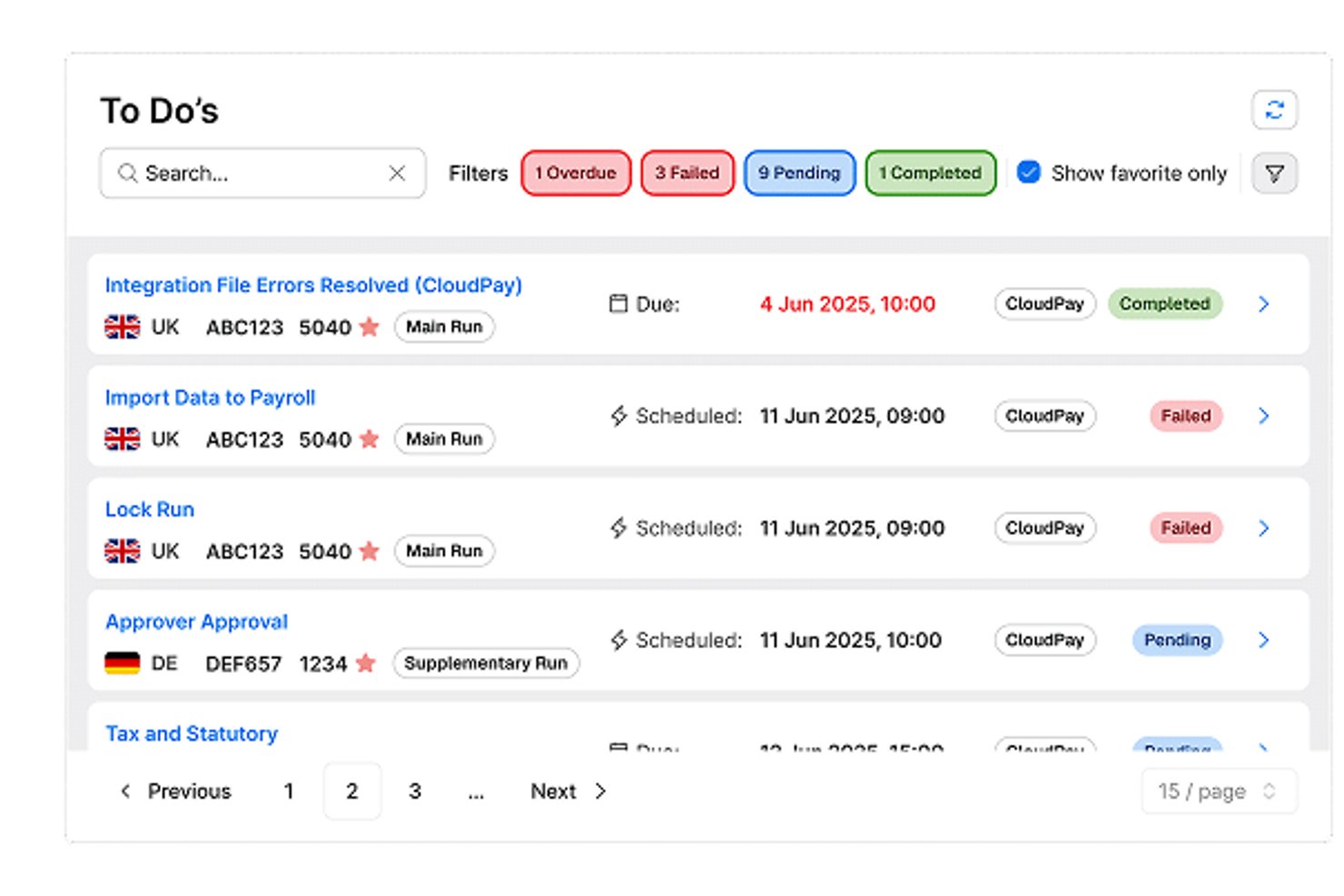
Standout Features
On-Demand Payroll
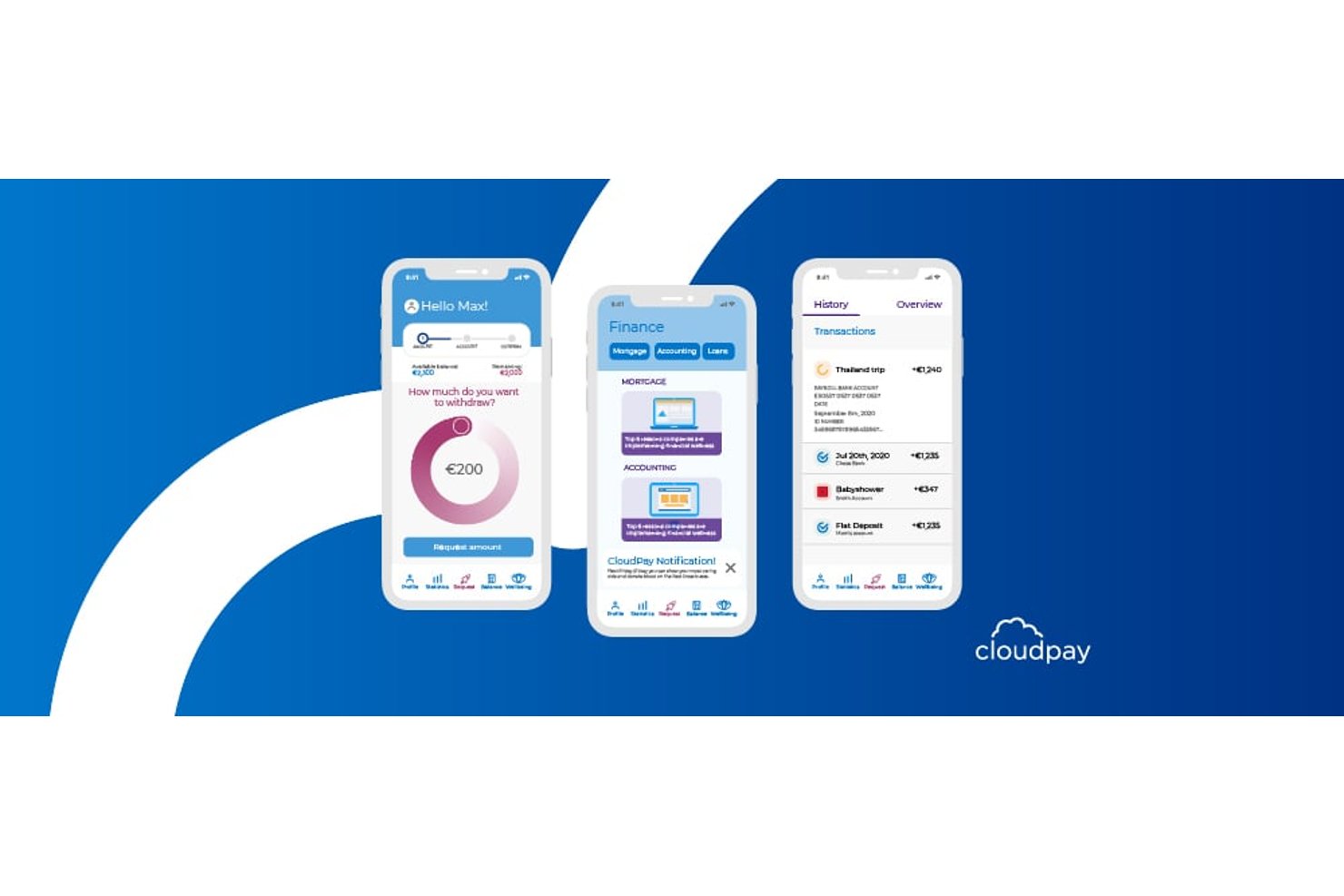
Let employees access earned wages before payday for extra flexibility. This supports financial well-being and increases employee satisfaction.
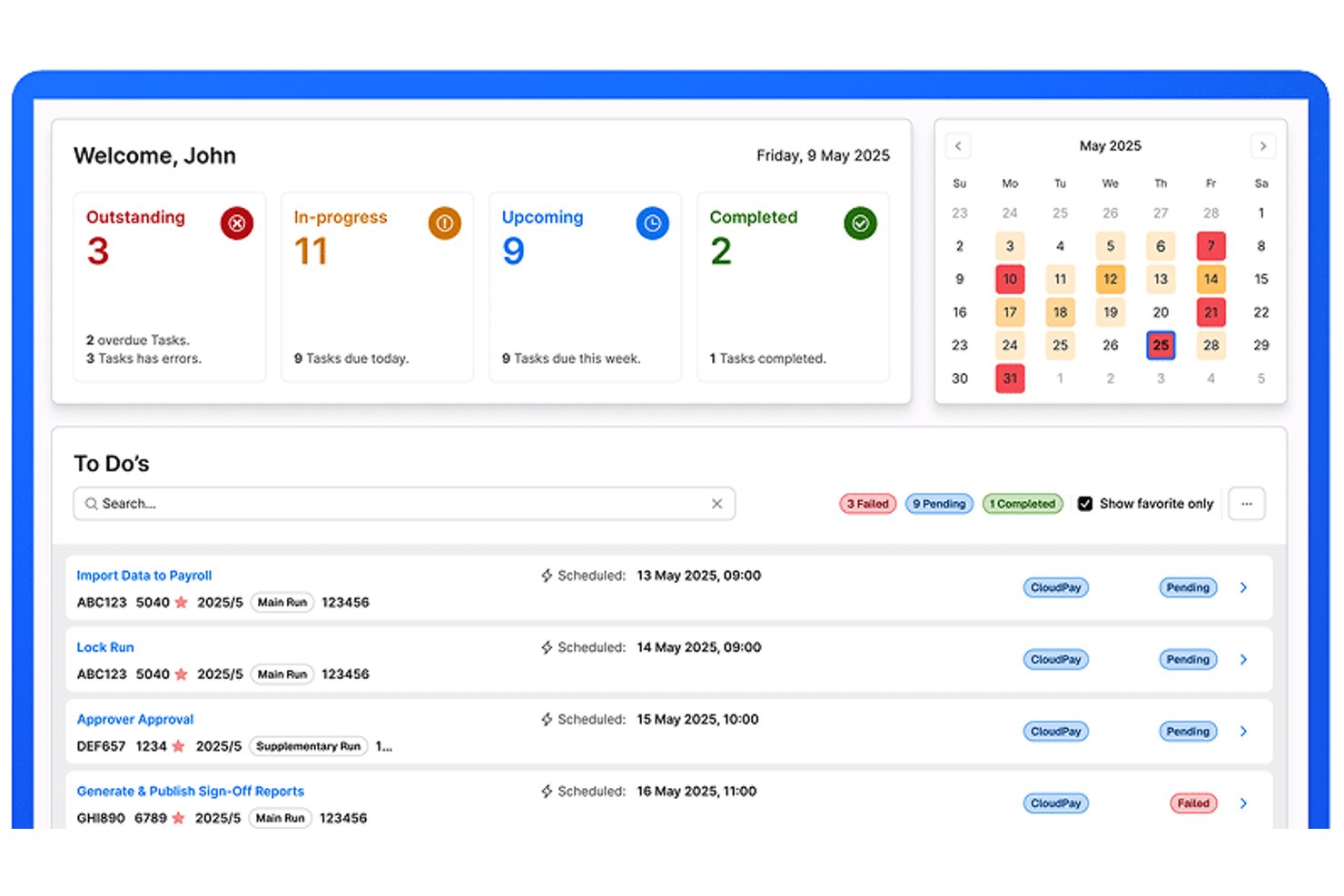
Global Payroll Calendar Management
Sync payroll deadlines and events across every country in one dashboard. Avoid late payments and keep all stakeholders aligned with automated reminders.
Ease of Use
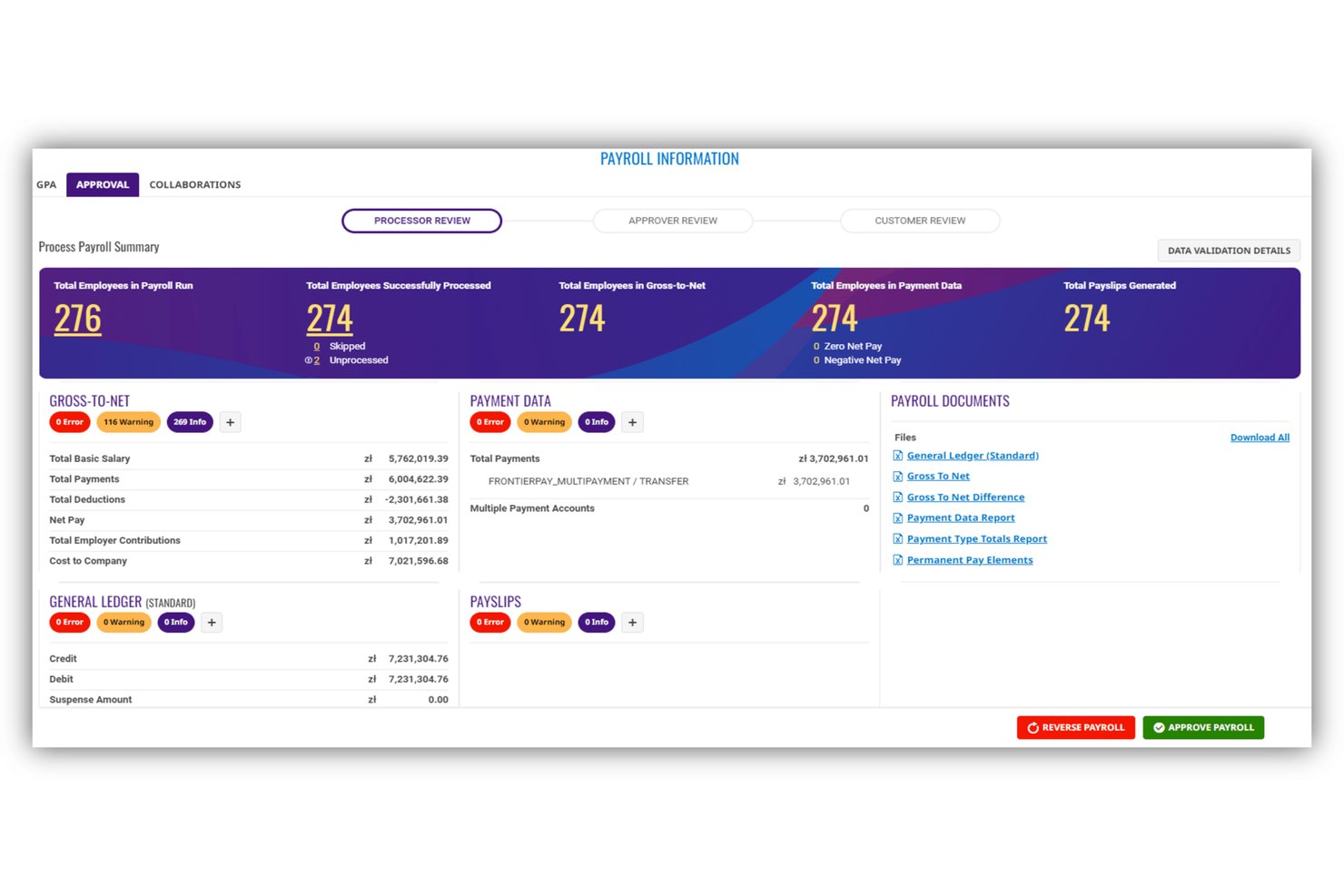
CloudPay’s platform is user-friendly for payroll professionals, with a modern interface and straightforward navigation. I notice users value how easy it is to track payroll status in real time and resolve compliance issues quickly. The employee portal also wins praise for transparency, though some HR administrators wish for deeper self-service options and more customizable dashboards.
Onboarding
CloudPay’s onboarding is notably personalized, with dedicated specialists guiding you through system setup and data migration. Documentation and training materials are thorough, helping most teams get comfortable quickly. Users say the step-by-step guidance and responsive support team make it easy to address issues, but some mention that the initial data gathering process can be time consuming.
Customer Support
CloudPay offers dedicated account managers and a responsive ticketing system, which users consistently mention as standout aspects of support. Payroll specialists are available for direct consultation, and most issues are resolved quickly. The documentation library is helpful, though some users wish for faster resolution during peak periods or urgent scenarios.
Integrations
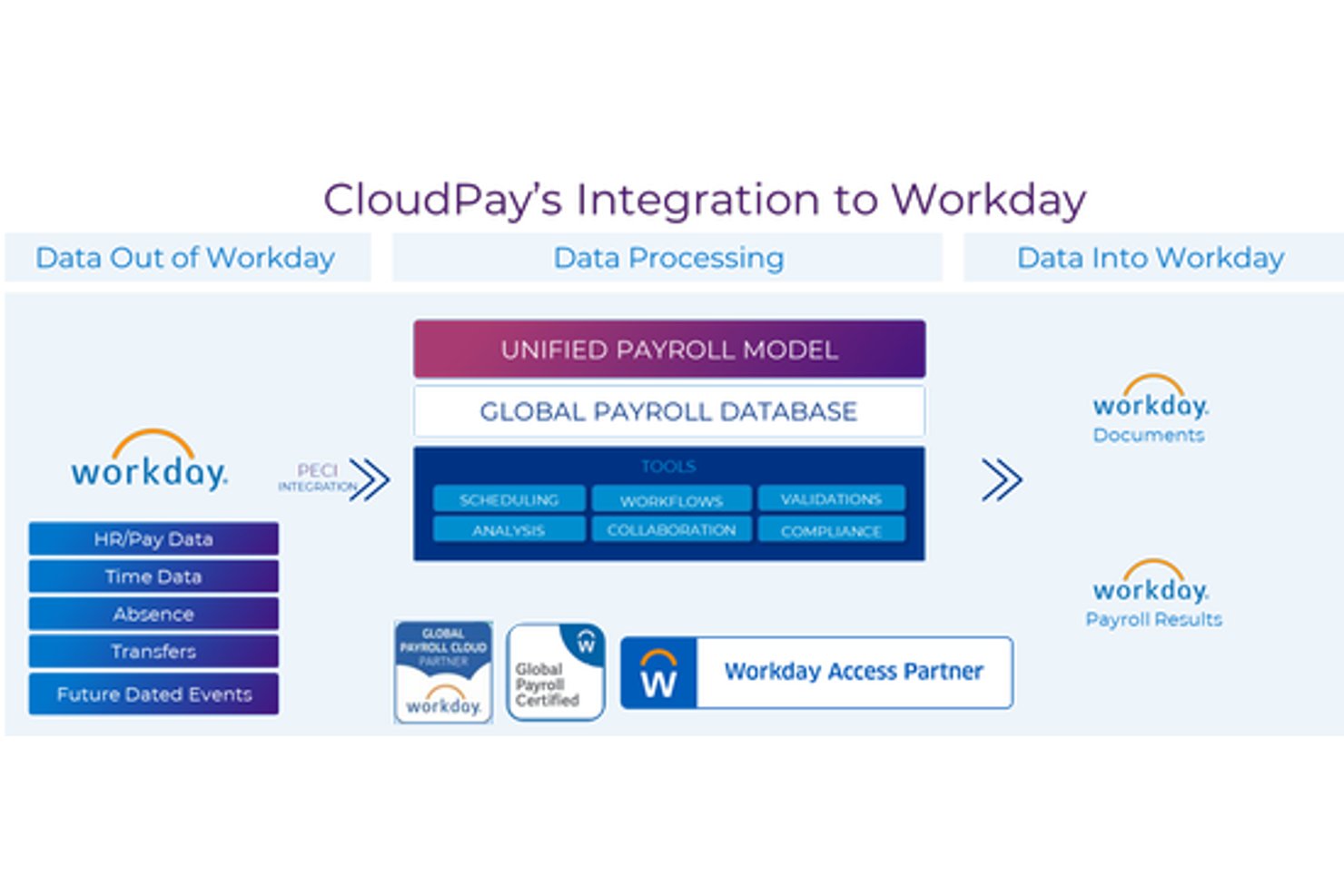
CloudPay integrates with Workday, SAP SuccessFactors, Oracle HCM Cloud, BambooHR, ADP, UKG Pro, Microsoft Dynamics 365, Sage, Ceridian, and NetSuite, among others. CloudPay also offers an API for custom integrations and supports connectivity with third-party integration tools.
Value for Money
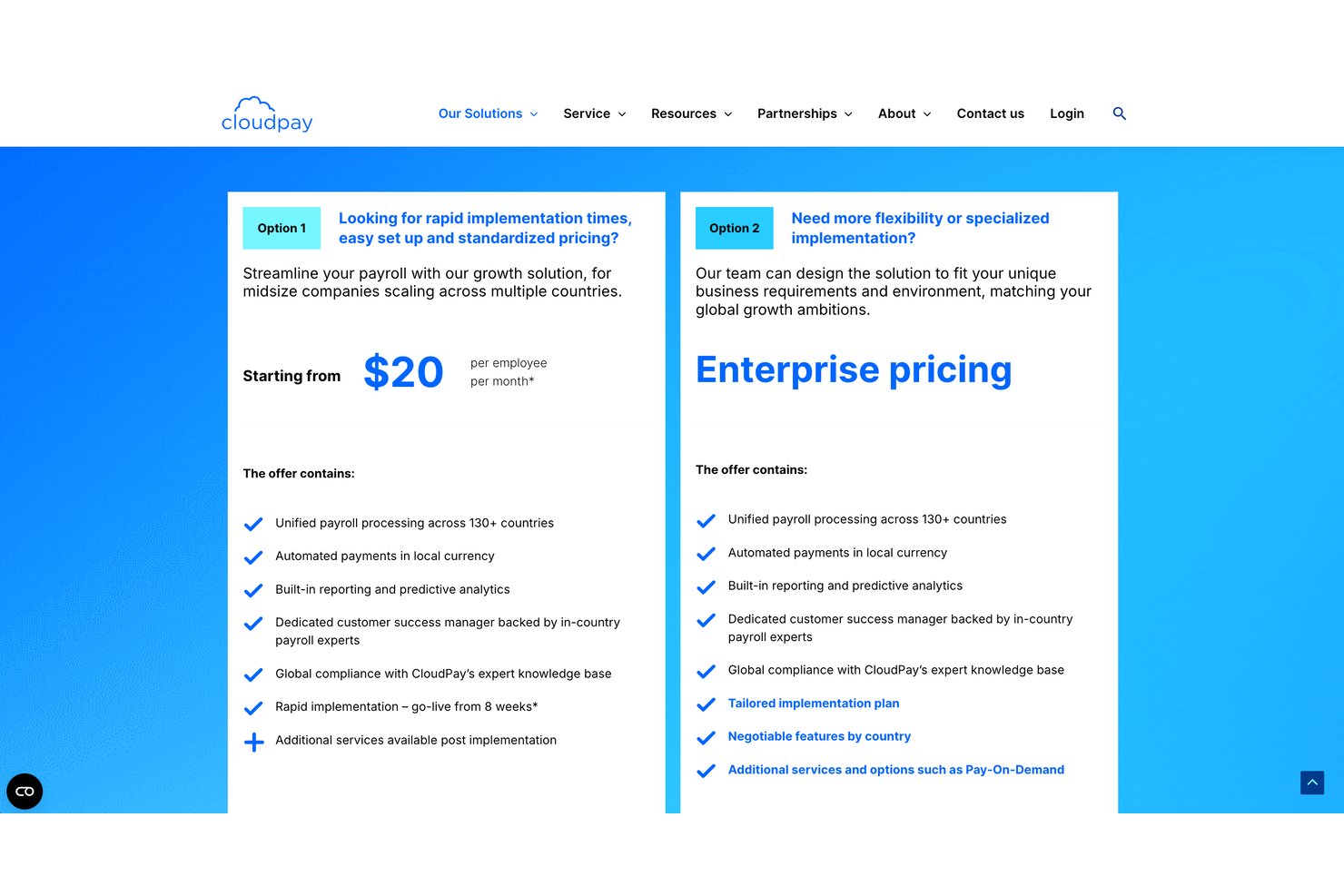
CloudPay’s midsize business pricing is positioned as more transparent and standardized than many enterprise payroll platforms, with fixed-fee packages that have a cost per employee per month. The value comes from getting global payroll, payments, compliance, reporting, and expert support in one scalable platform, while reducing implementation complexity with go-live timelines from as little as 8 weeks.
Midsize companies expanding across countries may find the cost easier to justify because CloudPay combines payroll processing, local-currency payments, analytics, and compliance support in a single package.
Growth Solution: Standardized pricing and rapid implementation for midsize companies scaling across multiple countries, including unified payroll across 130+ countries, automated local-currency payments, reporting, predictive analytics, compliance support, and a dedicated customer success manager.
Enterprise: Custom pricing for companies that need more flexibility, specialized implementation, negotiable country-level features, and optional add-ons such as Pay-On-Demand.
CloudPay Specs
- 2-Factor Authentication
- 360 Degree Feedback
- API
- Application Tracking
- Attendance Tracking
- Batch Permissions & Access
- Compliance Tracking
- Dashboard
- Data Export
- Data Import
- Data Visualization
- Employee Database
- Employee Engagement
- Employee Incentive Management
- Employee Onboarding
- Employee Training
- Expense Tracking
- External Integrations
- Feedback Management
- Multi-User
- Notifications
- Payroll
- Performance Appraisal
- Scheduling
- Time Management
- Timesheets
- Travel Management
- Vacation & Absence Calendar
CloudPay FAQs
How quickly can CloudPay be implemented for a multinational organization?
What makes CloudPay’s compliance support different?
How does CloudPay handle data security and privacy?
Can CloudPay handle both employees and contractors globally?
What kind of reporting and analytics does CloudPay offer?
How scalable is CloudPay for growing companies?
Is it easy to integrate CloudPay with our HR or ERP systems?
What support can we expect after go-live?
CloudPay Company Overview & History
CloudPay Company Overview & History
CloudPay is a global payroll and payment solutions provider headquartered in Andover, UK, with additional offices across North America, EMEA, and APAC. The company employs more than 700 people worldwide and serves a diverse list of multinational clients across financial services, pharmaceuticals, technology, and other industries. CloudPay focuses exclusively on payroll, payments, and HR-related services, and works with a network of service partners to extend its regional expertise and local compliance capabilities.
CloudPay Major Milestones
- 1996: Company founded, originally focused on payroll technology.
- 2012: Rebranded as CloudPay and launched its cloud-based global payroll solution.
- 2017: Announced major technology upgrades to improve integration and automation.
- 2021: Raised $35 million in funding to accelerate growth and innovation.
- 2022: Recognized in news outlets for expanding global payroll and payment capabilities.
- 2026: Continues to serve multinational enterprises with a focus on scalability and compliance.