


Freshservice Review 2026: Pros, Cons, Features and Pricing



Freshservice is an HR service delivery software platform built on IT service management, with HR case management, service catalogs, and employee lifecycle workflows. It’s a fit for HR teams replacing shared inboxes and manual tracking with organized employee requests and onboarding processes. I’d choose Freshservice over Jira Service Management when HR-specific service delivery is the priority, thanks to features such as case checklists, HR dashboards, and onboarding journeys.
Freshservice Evaluation Summary
- From $19/user/month (billed annually)
- 14-day free trial
Why Trust Our Software Recommendations
Our team has been testing and reviewing software since 2012. As HR experts ourselves, we know how difficult—and important—it is to choose the right software.
For this guide, we evaluated tools using hands-on testing and independent research, scoring tools using our selection criteria. We also draw on insights from industry thought leaders and practicing HR experts.
Our reviews reflect our human editorial judgment, not a sales pitch.
Expert reviewers:
Freshservice Overview
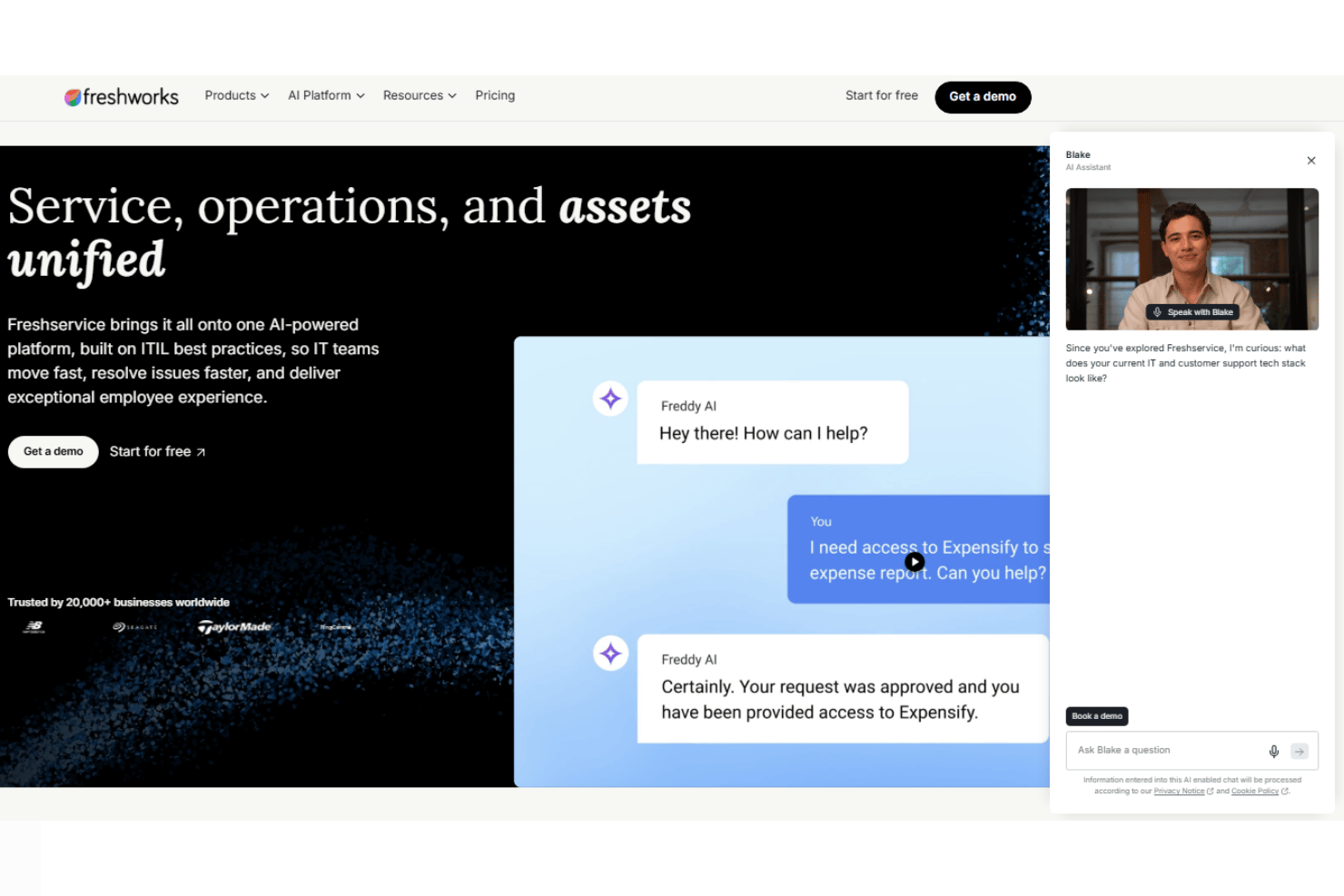
I’d choose Freshservice when your HR team needs structured employee support within a familiar service-desk model. Case checklists, SLAs, service catalogs, HR dashboards, and onboarding journeys can coordinate approvals, documents, and cross-team tasks; its portal and no-code workflows make configuration approachable. Integrations connect HRIS, payroll, and collaboration tools, while support includes 24/7 email and 24/5 chat. Compared with HR-first platforms, it brings broader service management but less HR-native depth. I’d favor it for growing teams replacing shared inboxes.
pros
-
Case checklists and SLAs support consistent employee-request handling.
-
Approval workflows coordinate onboarding tasks across departments.
-
HR dashboards show case volumes, SLA trends, and bottlenecks.
cons
-
Limited advanced reporting can constrain deeper HR service analysis.
-
Custom portal changes can require workarounds and extra configuration.
-
Advanced AI and higher-tier features raise per-agent costs.
Is Freshservice Right For Your Needs?
Who Would be a Good Fit for Freshservice?
Freshservice suits teams that handle repeatable employee requests through a shared service desk. Its portal, service catalog, checklists, and no-code workflows give HR teams ways to organize requests and standardize steps. Growth adds service catalog and SLA management, while Pro adds employee journeys.
-
HR Shared Services
A centralized HR team can use Freshservice’s portal, service catalog, and no-code workflows to route recurring employee requests through consistent paths.
-
HR Operations
HR operations teams handling repeatable tasks can use checklists and workflows to guide agents through standard request steps.
-
IT-HR Collaboration
Organizations sharing service delivery across HR and IT can use Freshservice’s service-desk model and integrations with Microsoft Teams, Slack, Jira, and Azure AD.
-
Onboarding Teams
Teams coordinating employee onboarding can use Pro’s employee journeys alongside checklists to structure related tasks and requests.
-
Distributed Workforces
Organizations with employees working across locations can offer a shared request portal, giving employees a consistent place to submit HR needs.
-
Growing Organizations
Growing teams that need service catalog and SLA management can choose the Growth plan, which includes both features.
Who Would be a Bad Fit for Freshservice?
Freshservice is a weaker fit when your main need is a specialized HR system rather than request handling. Its plans center on service-desk functions, and its per-agent pricing can raise costs as the number of agents grows. Complex workflows and portal customization can also require extra configuration.
-
Low-Volume Businesses
A small business with few employee requests may not need a service portal, catalog, and workflow setup for its limited HR workload.
-
Complex HR Processes
Teams with intricate HR processes may need substantial configuration because advanced workflows take more setup and Freshservice’s service-desk model can require tailoring.
-
Payroll Teams
Teams focused on payroll calculations need payroll-specific functionality, while Freshservice’s listed features center on service requests, knowledge, and service-desk management.
-
Benefits Administrators
Benefits teams that need specialized benefits administration may find Freshservice’s portal and service catalog insufficient as their primary system.
-
Large Agent Teams
Organizations with large HR support teams may face rising costs due to Freshservice's per-agent pricing model, particularly when advanced features require higher-tier plans.
-
Custom Portals
Teams that require highly tailored employee portals may find the customization fiddly, while Freshservice’s service-desk approach can need extra configuration.
How We Test & Score Our Tools
We’ve spent years building, refining, and improving our software testing and scoring system. The rubric is designed to capture the nuances of software selection and what makes a tool effective, focusing on critical aspects of the decision-making process.
Below, you can see exactly how our testing and scoring works across seven criteria. It allows us to provide an unbiased evaluation of the software based on core functionality, standout features, ease of use, onboarding, customer support, integrations, customer reviews, and value for money.
Core Functionality (25% of final score)
The starting point of our evaluation is always the core functionality of the tool. Does it have the basic features and functions that a user would expect to see? Are any of those core features locked to higher-tiered pricing plans? At its core, we expect a tool to stand up against the baseline capabilities of its competitors.
Standout Features (25% of final score)
Next, we evaluate uncommon standout features that go above and beyond the core functionality typically found in tools of its kind. A high score reflects specialized or unique features that make the product faster, more efficient, or offer additional value to the user.
We also evaluate how easy it is to integrate with other tools typically found in the tech stack to expand the functionality and utility of the software. Tools offering plentiful native integrations, 3rd party connections, and API access to build custom integrations score best.
Ease of Use (10% of final score)
We consider how quick and easy it is to execute the tasks defined in the core functionality using the tool. High scoring software is well designed, intuitive to use, offers mobile apps, provides templates, and makes relatively complex tasks seem simple.
Onboarding (10% of final score)
We know how important rapid team adoption is for a new platform, so we evaluate how easy it is to learn and use a tool with minimal training. We evaluate how quickly a team member can get set up and start using the tool with no experience. High scoring solutions indicate little or no support is required.
Customer Support (10% of final score)
We review how quick and easy it is to get unstuck and find help by phone, live chat, or knowledge base. Tools and companies that provide real-time support score best, while chatbots score worst.
Customer Reviews (10% of final score)
Beyond our own testing and evaluation, we consider the net promoter score from current and past customers. We review their likelihood, given the option, to choose the tool again for the core functionality. A high scoring software reflects a high net promoter score from current or past customers.
Value for Money (10% of final score)
Lastly, in consideration of all the other criteria, we review the average price of entry level plans against the core features and consider the value of the other evaluation criteria. Software that delivers more, for less, will score higher.
Core Features
HR Case Management
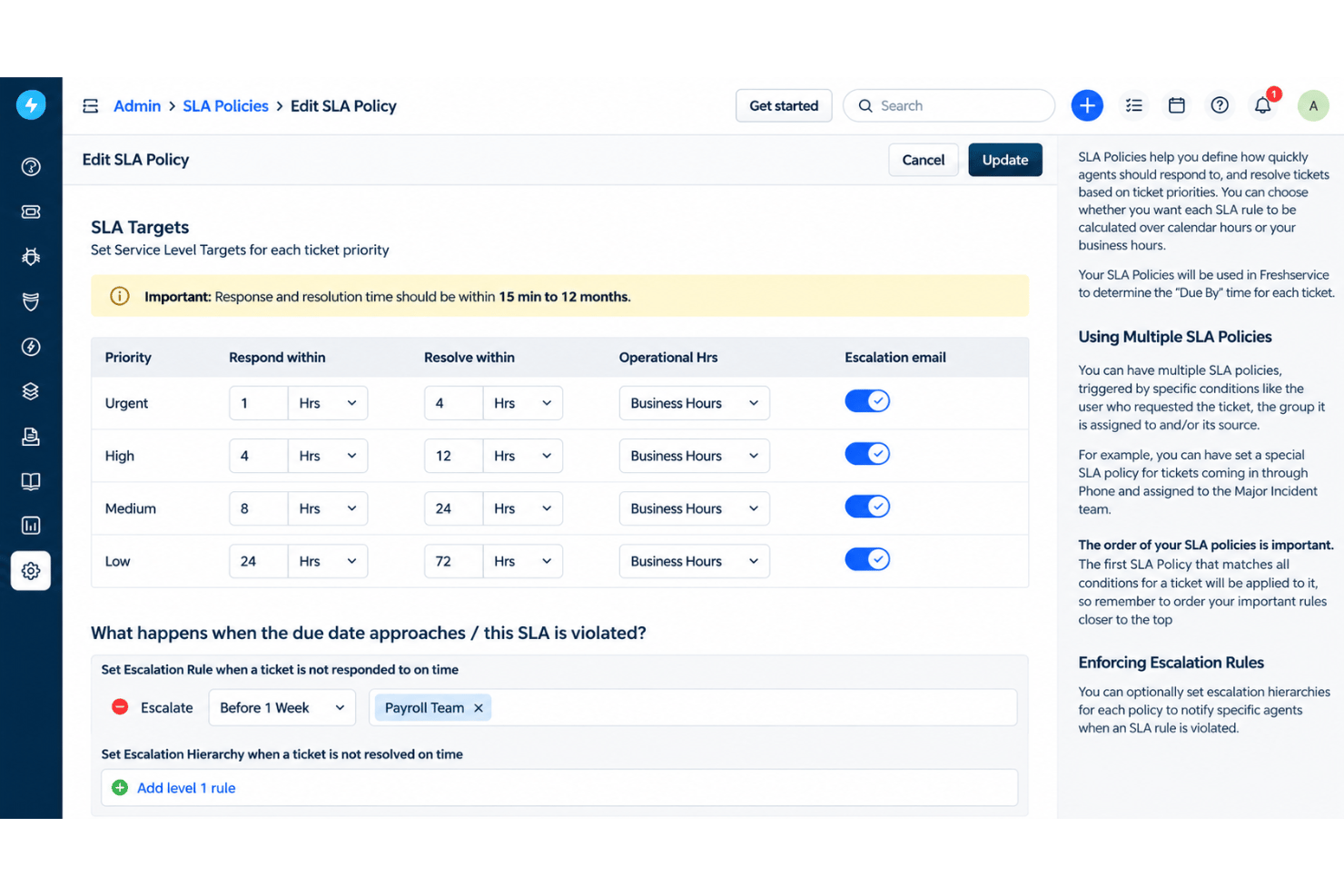
Freshservice organizes employee requests into cases with SLAs and agent checklists for consistent handling. For example, an HR agent can follow the same steps for each benefits question and track response deadlines.
HR Service Catalog
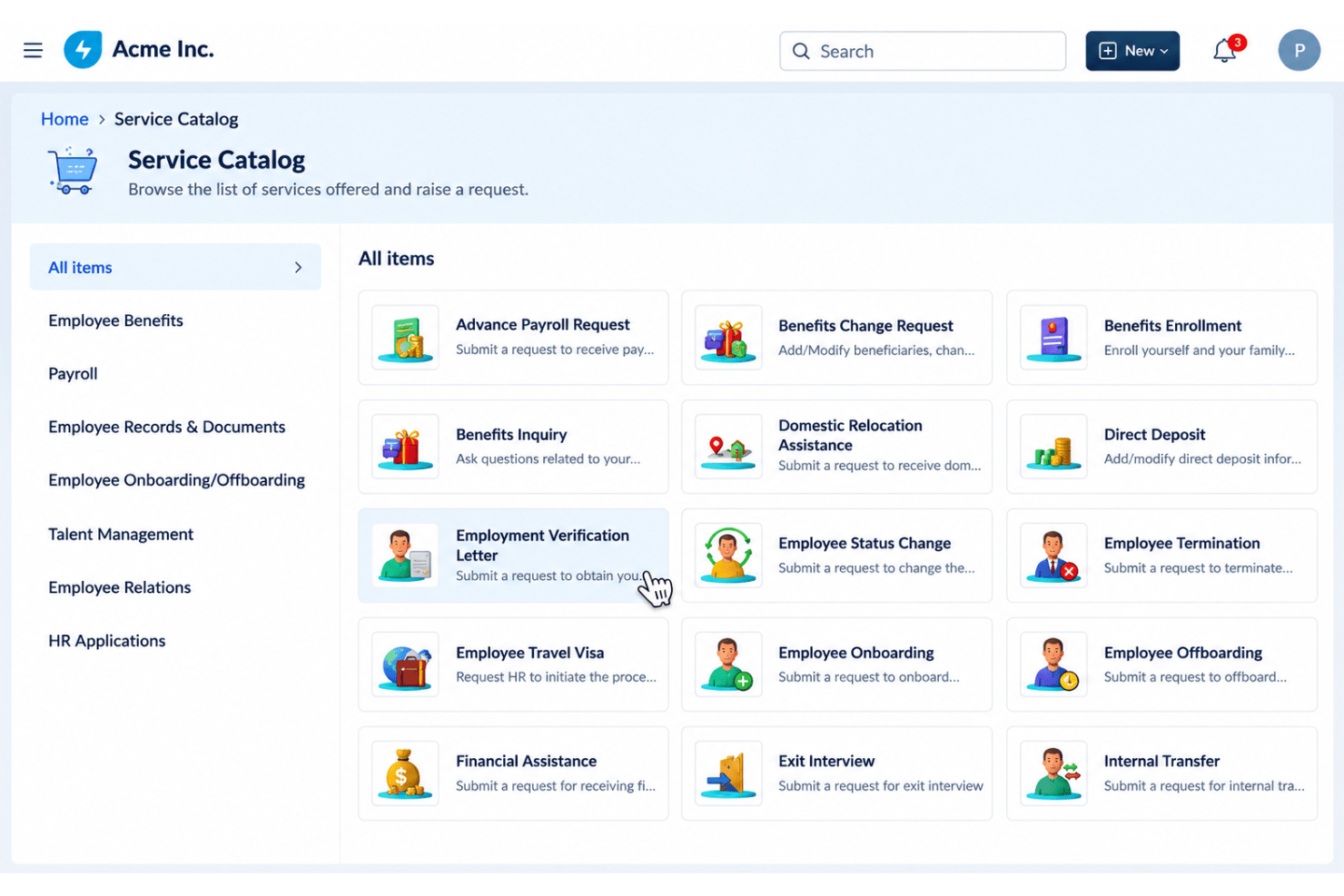
The service catalog lets employees submit HR requests through a self-service portal. You can list services such as employment verification or leave questions so employees know where to start.
Employee Journeys
Journeys coordinate onboarding, offboarding, and other transitions through cross-team workflows with assigned tasks, owners, and due dates. For a new hire, HR can track each phase and see whether related tasks are complete.
Document Generation and E-Signatures
HR workflows can generate and store employee documents, with e-signatures available as an add-on. For onboarding, your team can prepare an offer-related document and manage its signature within the workflow.
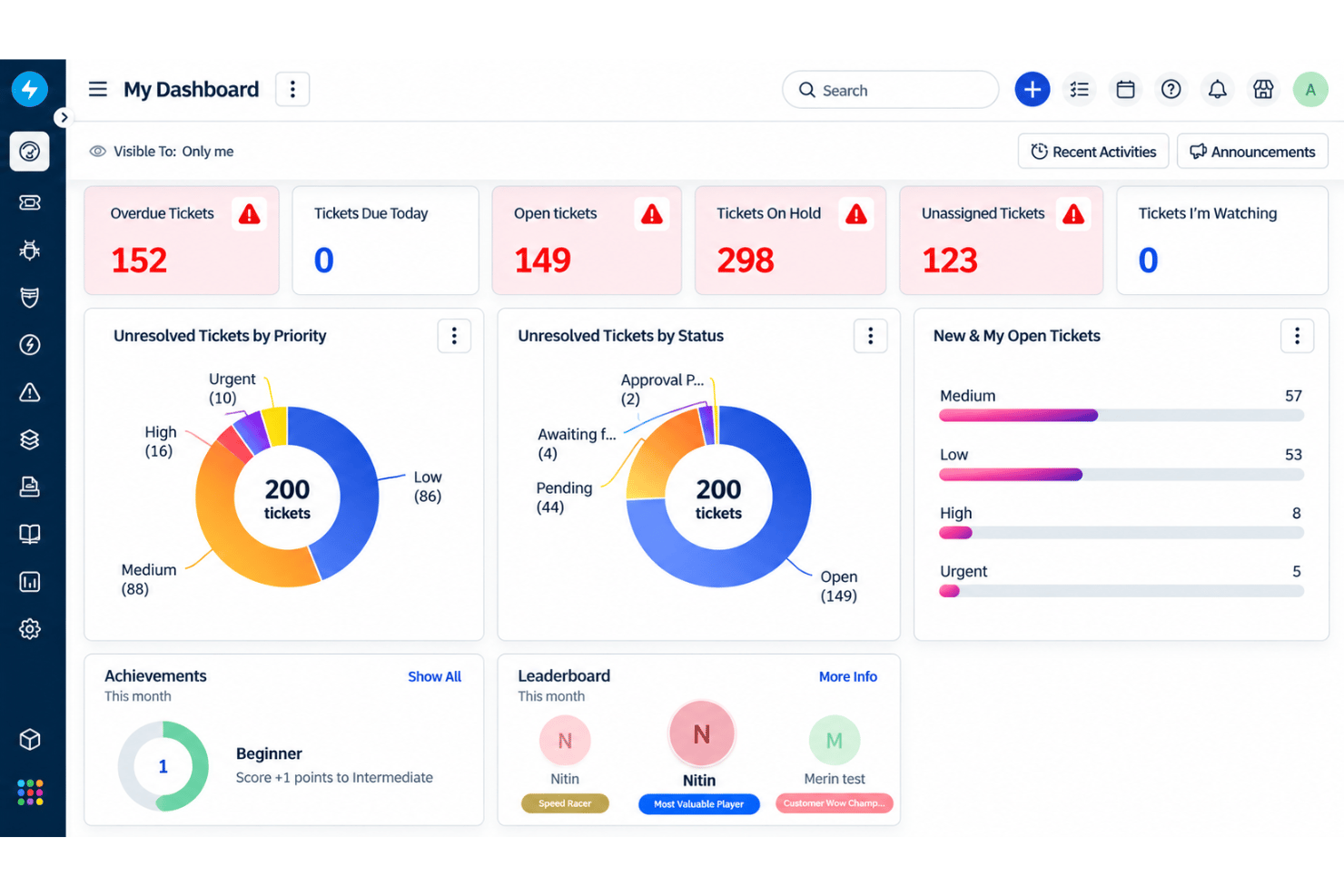
HR Dashboards
Purpose-built dashboards show case volumes, SLA performance, and service trends. HR can use these views to spot a backlog or identify requests that regularly miss response targets.
AI HR Agents
AI HR Agents can answer employee questions and complete routine requests across systems. This gives employees another way to get help with common requests, while HR agents can focus on cases that need personal attention.
Standout Features
Freddy AI Copilot
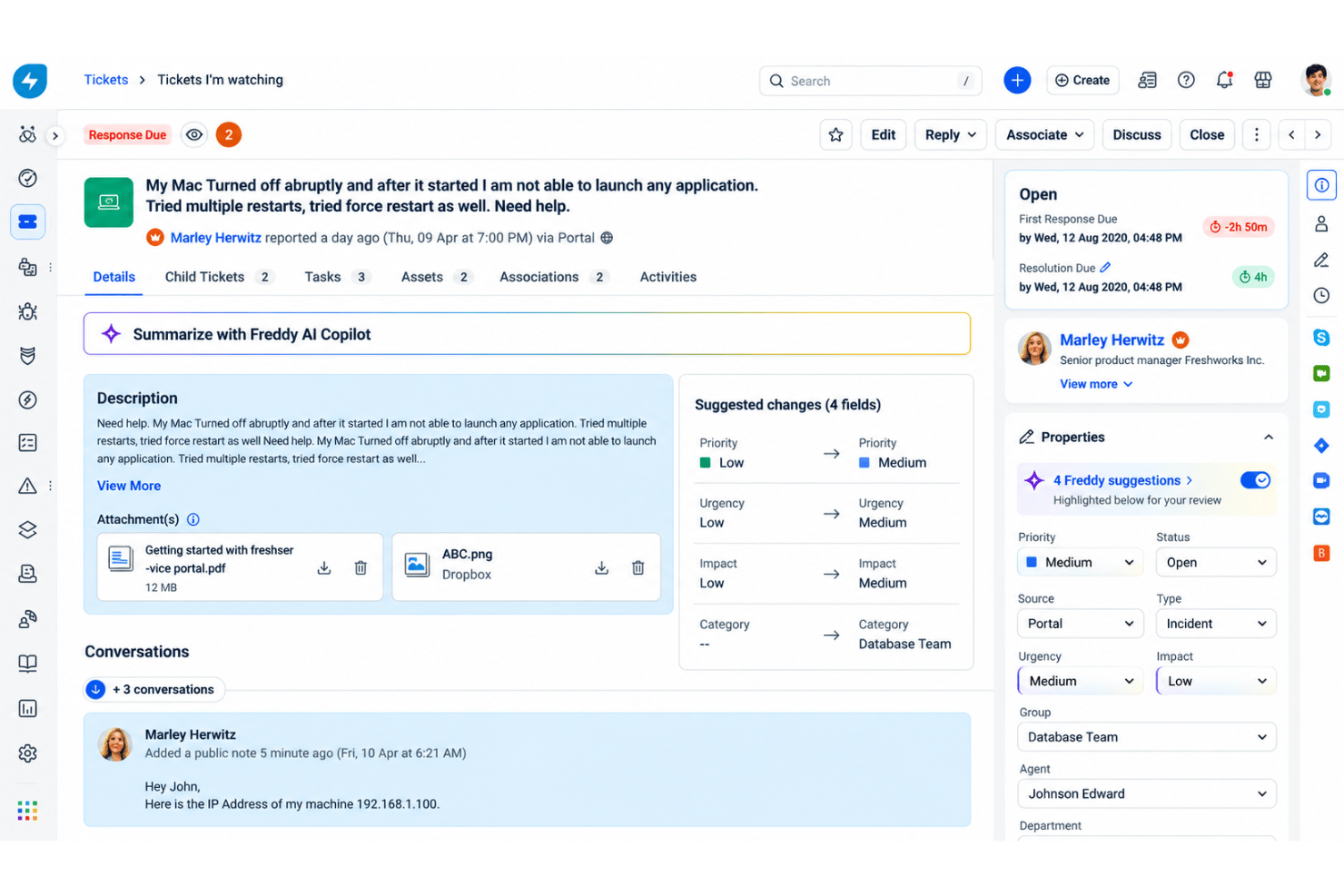
Freddy AI Copilot helps agents summarize cases, draft replies, and create resolution notes from ticket context. For HR, that can mean reviewing a long leave-policy exchange quickly and preparing a consistent response for the agent to check.
Shared Service Management Across Departments
Freshservice lets teams such as HR, IT, and facilities manage employee requests on a shared service-management platform while handling their own service needs. For example, a new-hire request can bring HR paperwork and facilities setup into the same employee support environment without making HR use an IT-only queue.
Ease of Use
Freshservice is approachable for HR teams that want employee requests organized like service cases. Its portal, service catalog, checklists, and no-code workflows provide clear request paths for employees and repeatable processes for agents. The interface is straightforward, though its service-desk model may require additional setup for HR-specific processes. Advanced workflows and portal customization can also take time to configure.
Onboarding
Freshservice offers a straightforward onboarding process, with getting-started guides covering support channels, employee portals, and workflow configuration. Its intuitive interface helps teams get familiar with core features, while email support is available 24/7 and chat support 24/5. Basic HR request workflows are relatively easy to implement, though complex processes may require additional configuration and customization.
Customer Support
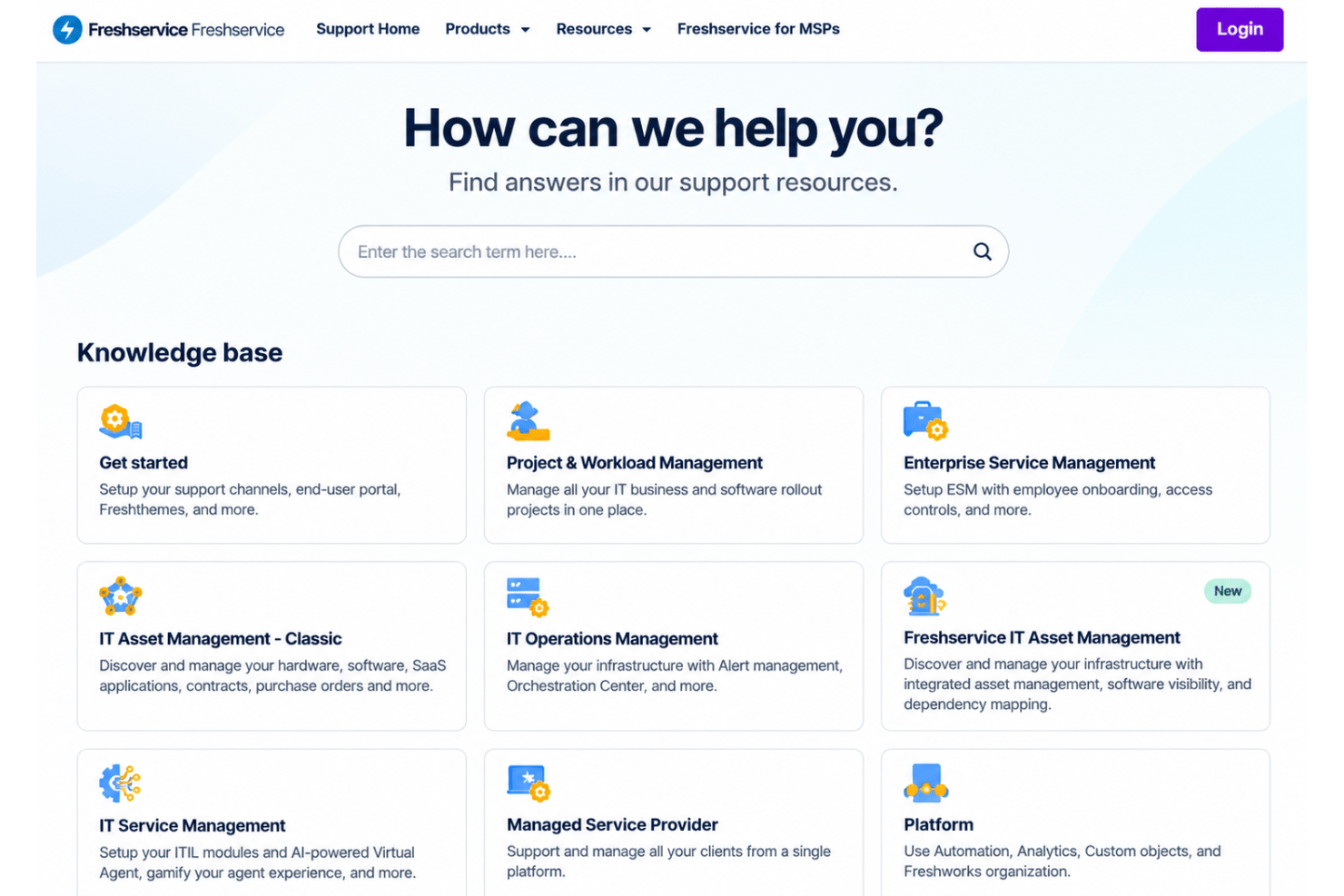
Freshservice offers 24/7 email support, 24/5 chat, and getting-started guides covering support channels and the employee portal. These resources help teams with initial setup, routine troubleshooting, and workflow configuration. However, response times may vary, particularly for complex technical issues. Its service-desk approach may also require additional in-house expertise when configuring HR-specific workflows and resolving advanced issues.
Integrations
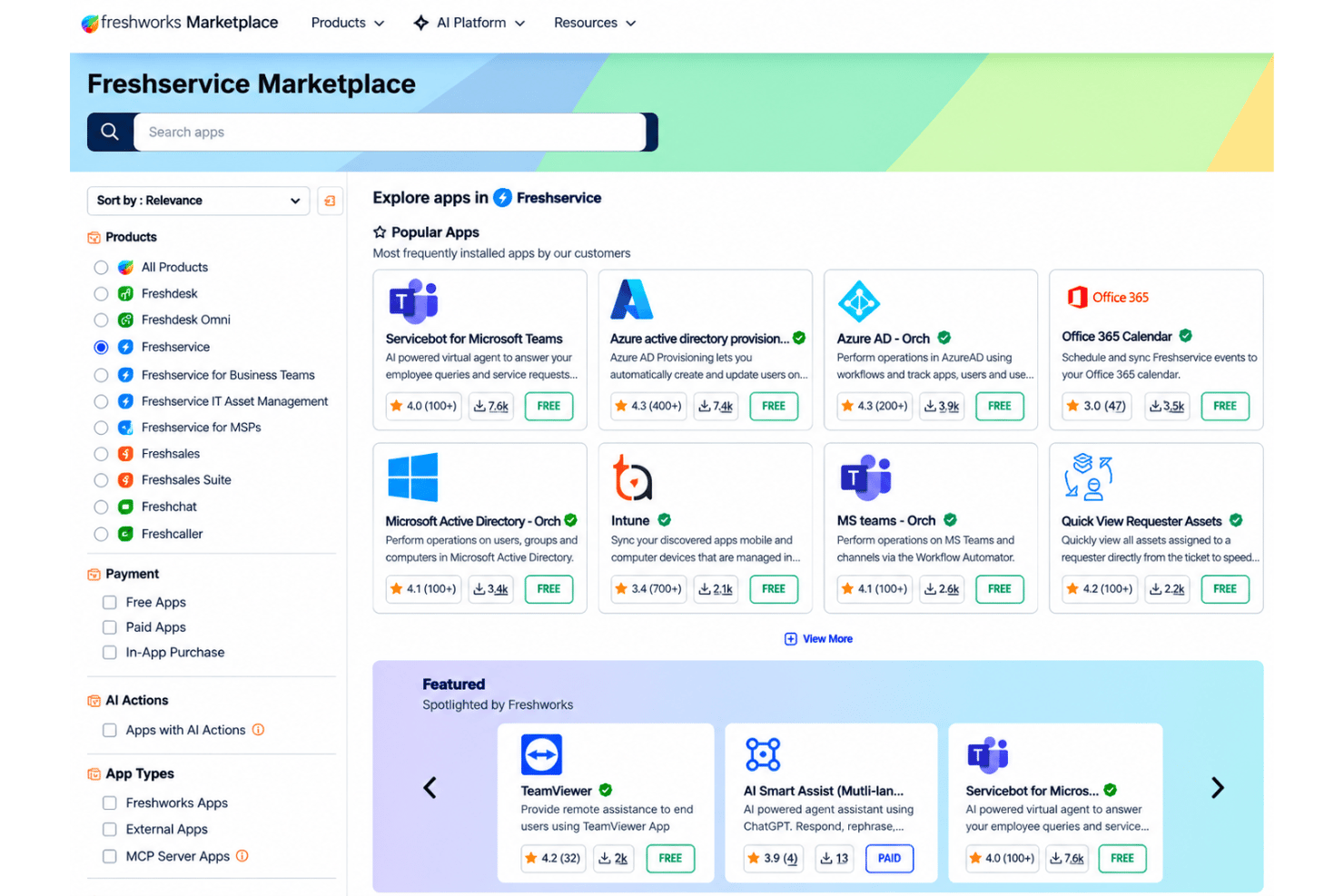
Freshservice integrates with Microsoft Teams, SecPod, Slack, TeamViewer, Jira, and Microsoft Azure Active Directory (Azure AD). It also offers a REST API for custom integrations and connects with third-party applications through Zapier and the Freshworks Marketplace.
Value for Money
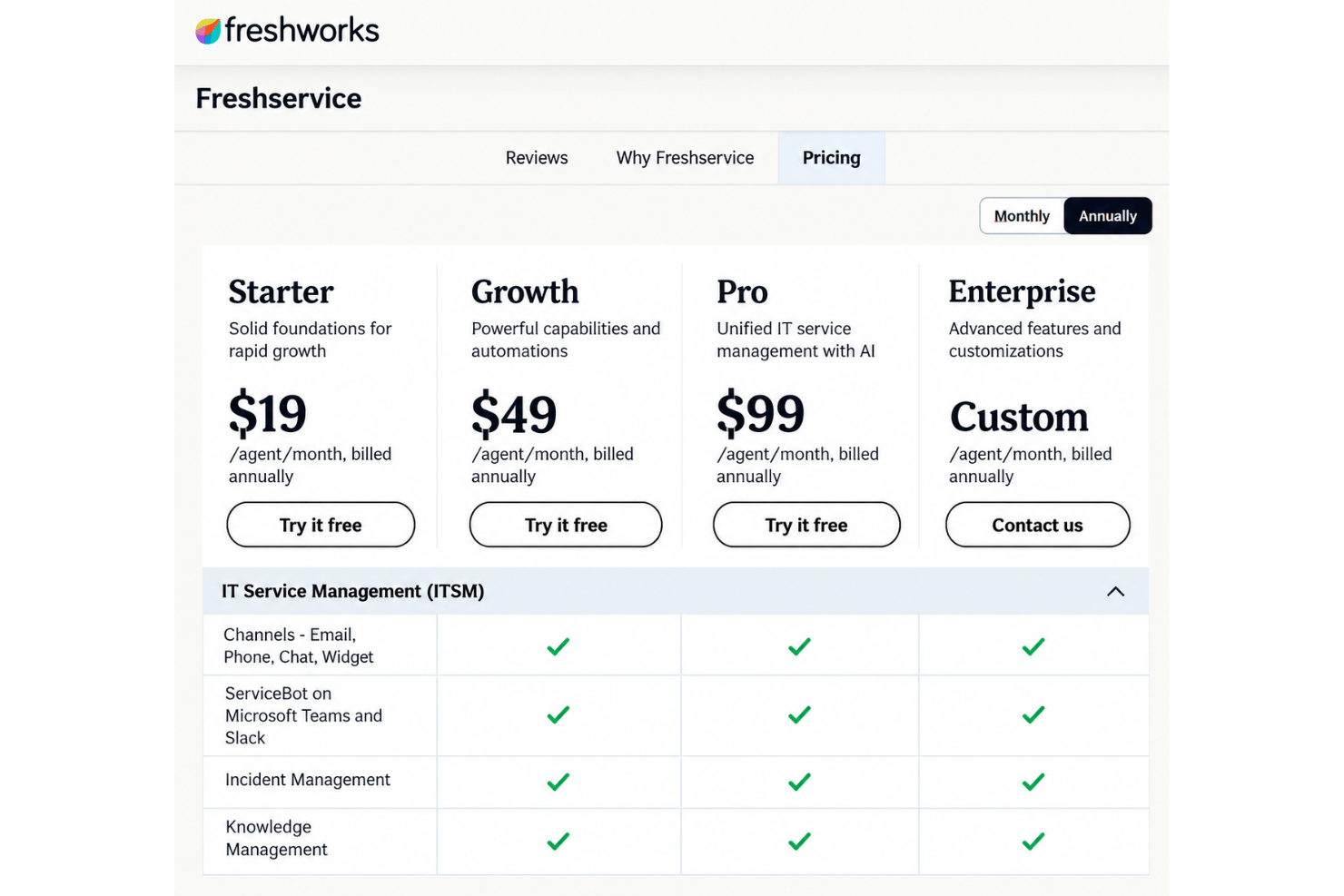
Freshservice offers four subscription plans with per-agent pricing, making it a practical option for HR teams sharing service management tools with IT and facilities. Higher tiers add automation, employee journeys, and advanced service management features. However, costs can increase as teams add agents or purchase AI capabilities and other add-ons. HR teams should also confirm business agent licensing requirements before choosing a plan.
- Starter: Incident management, knowledge management, task management, and a support portal.
- Growth: Everything in Starter, plus a service catalog, SLA management, on-call management, and cloud management.
- Pro: Everything in Growth, plus problem management, change management, major incident management, workload management, and employee journeys.
- Enterprise: Everything in Pro, plus sandbox environments, audit logs, Freddy AI Agent, and Freddy AI Insights. Custom pricing applies.
New Product Updates from Freshservice
 Experience)
Freshservice Introduces a Reimagined IT Asset Management (ITAM) Experience
Freshservice introduces a reimagined IT Asset Management (ITAM) experience with expanded infrastructure discovery, dependency mapping, IPAM, and Software License Management capabilities. This update helps IT teams understand asset relationships, track resources, and improve service operations. Highlights include:
- Continuous Infrastructure Discovery: Automatically discover assets across cloud, hybrid, and on-premises environments for improved visibility.
- Application Dependency Mapping: Visualize relationships between infrastructure components and business services to understand potential impact.
- Software License Management: Track software usage and identify unused licenses to optimize costs.
Visit Freshservice’s official site for more details.
 for more details.
Freshservice Adds Email and Mailbox Audit Logs
Freshservice adds email and mailbox audit tracking to provide clearer visibility into configuration updates. This update helps admins monitor changes, review actions, and manage workspace email settings more effectively. Highlights include:
- Email Setting Logs: Track updates and actions made to email configurations.
- Mailbox Change Tracking: Monitor mailbox changes with detailed audit history.
- Workspace Visibility: View actions, changes, and timestamps across workspaces.
Visit Freshservice’s official site for more details.

Freshservice Auto-Links Tickets to Journey Requests
Freshservice adds automatic ticket linking for Journey Requests to improve request tracking and agent visibility. This update helps teams access important journey information directly from related tickets. Highlights include:
- Automatic Ticket Linking: Connect tickets created from Journey Requests to their parent request.
- Journey Context Access: View journey details directly from linked tickets for faster review.
- Activity Tracking: Track ticket and request associations through system-logged updates.
Visit Freshservice’s official site for more details.
Freshservice Adds SharePoint Sync Insights
Freshservice introduces enhanced SharePoint sync visibility and troubleshooting tools for admins. The updates help teams monitor sync performance and identify document sync issues faster. Highlights include:
- Detailed SharePoint Sync Logs: Admins can now view detailed logs for SharePoint sync activity.
- Site-Level Monitoring: Logs display sync statuses, item counts, and overall sync activity across sites.
- File-Level Failure Visibility: Teams can identify unsynced files and view reasons for sync failures.
- CSV Error Export: Sync errors can now be downloaded as CSV files for easier troubleshooting and reporting.
Visit Freshservice’s official site for more details.
Freshservice Improves Alert Management and Status Pages
Freshservice introduces new alert management and incident communication improvements across the platform. The updates help teams prioritize operational issues faster and improve visibility during incidents. Highlights include:
- Suppression-Status Alert Filters: Teams can now filter alerts by Suppressed, Unsuppressed, or Any status for faster prioritization.
- Flexible Alert-to-Incident Linking: Alerts can now be linked or removed from incidents anytime, regardless of source.
- Improved Incident Noise Reduction: Teams can better manage irrelevant alerts and focus on active operational issues.
- Smarter Status Pages: Freshservice now supports audience-specific status views, API-based service discovery, and cleaner public page controls for clearer incident communication.
Visit Freshservice’s official site for more details.
Freshservice Adds Freddy AI Rollout Controls and Task Business Rules
Freshservice introduces new admin and workflow management enhancements to help teams control AI deployments and standardize task handling across service operations. Highlights include:
- Controlled Freddy AI Rollouts: Admins can enable Freddy AI Agent for selected requester groups and support portals before expanding organization-wide.
- Targeted AI Testing: Teams can evaluate AI usage, gather feedback, and manage phased rollouts more effectively.
- Configurable Task Business Rules: Admins can now control task fields, validations, auto-updates, and confirmation messages through Business Rules.
- Improved Task Visibility and Actions: Teams can manage task visibility and workflow actions across Tickets, Changes, and Problems.
Visit Freshservice’s official site for more details.
Freshservice Specs
- 2-Factor Authentication
- Analytics
- Anti-Virus
- API
- Batch Permissions & Access
- Bug Tracking
- Call Integration
- Chat
- Contact Management
- CRM Integration
- Customer Management
- Data Export
- Data Import
- Email Integration
- Escalation Management
- External Integrations
- Incident Management
- Instant Chat Integration
- Knowledge Base
- Malware Protection
- Multi-User
- Notifications
- Organization Management
- Password & Access Management
- Project Management
- Real-time Alerts
- SAP Integration
- Self-service Portal
- Social Media Integration
- Support Forum
- Ticket Management
- Workflow Management
Freshservice FAQs
Is Freshservice a replacement for an HRIS?
What security and compliance checks should HR complete before adopting Freshservice?
Can Freshservice coordinate onboarding and offboarding across departments?
Can we tailor employee journeys for different locations or employee groups?
Does Freshservice connect with our existing HRIS and payroll systems?
What HR service metrics can Freshservice report on?
What should we test in a Freshservice pilot before committing?
Freshservice Company Overview & History
Freshworks began in Chennai, India, as Freshdesk in 2010 and later became the parent brand for a portfolio that includes Freshservice, Freshdesk, Freshsales, and Freshchat. The company is headquartered in San Mateo, California, and employed approximately 4,500 full-time employees across North America, Europe, Asia, and Australia at the end of 2025. Freshservice's customer examples include RingCentral, Vermeer, and Manchester Metropolitan University. Freshworks trades on Nasdaq as FRSH and reported $838.8 million in revenue for 2025.
Freshservice Major Milestones
- 2010: Freshdesk launched in Chennai, India, marking the company's founding.
- 2014: Freshservice launched in January as the company's second product, focused on internal IT service management.
- 2017: Freshdesk adopted Freshworks as its umbrella brand for a growing product suite.
- 2018: Freshworks reached $100 million in annual recurring revenue.
- 2021: Freshworks began trading on Nasdaq as FRSH following its IPO, raising approximately $1.13 billion in gross proceeds.
- 2025: Freshworks reported $838.8 million in annual revenue.