

QuickBooks Workforce Review: Features, Pros, Cons and Pricing


At first, payroll problems rarely feel urgent. Then a small manual workaround becomes a weekly routine, and suddenly your team is spending more time fixing admin issues than focusing on the work that actually moves the business forward.
QuickBooks Workforce is an invoicing and payroll software HR executives and business leaders cut down on manual admin work and reduce payroll headaches. It also gives team members self-service access to their pay, tax documents, and other important employee information. If you’re tired of juggling multiple systems or manually tracking pay and invoices, QuickBooks Workforce brings everything into a single, intuitive platform for your team.
In this review, I’ll walk you through QuickBooks Workforce’s features, best and worst use cases, pricing details, and a straightforward look at its pros and cons.
QuickBooks Workforce Evaluation Summary
- From $88/month
- 30-day free trial
Why Trust Our Software Recommendations
Our team has been testing and reviewing software since 2012. As HR experts ourselves, we know how difficult—and important—it is to choose the right software.
For this guide, we evaluated tools using hands-on testing and independent research, scoring tools using our selection criteria. We also draw on insights from industry thought leaders and practicing HR experts.
Our reviews reflect our human editorial judgment, not a sales pitch.
Expert reviewers:
QuickBooks Workforce Overview
In my opinion, QuickBooks Workforce makes choosing invoicing and payroll software easier for teams that value a clean interface and tight integration with the QuickBooks ecosystem. It offers built-in payroll integration, employee management, tax filings, time tracking, and accounting workflows in one place, helping businesses reduce manual admin work and improve visibility across day-to-day operations. Its automated payroll processing, employee self-service tools, PTO tracking, mobile app support, and automatic paystub delivery stand out, though pricing may be higher than some competitors and custom reporting options are limited. I think it’s a strong pick for HR teams already using QuickBooks or those seeking a straightforward workforce management solution—especially if onboarding speed, payroll accuracy, and connected financial workflows are a priority.
pros
-
Paystubs and W-2s are accessible for employees anytime.
-
Automated payroll tax calculations help prevent errors.
-
Mobile access lets employees view pay and year-end forms.
cons
-
May not suit complex or global payroll needs.
-
May lack advanced features found in dedicated enterprise HCM platforms.
-
May require transition time when moving from manual payroll processes.
Is QuickBooks Workforce Right For Your Needs?
Who Would be a Good Fit for QuickBooks Workforce?
QuickBooks Workforce works best for small to midsize businesses that want automated payroll and digital pay records with minimal setup or IT involvement. It’s a strong fit for teams with hourly or salaried workers who need self-service pay access and reliable direct deposit. I think you’ll also find value if you’re in a fast-moving industry, want to reduce HR busywork, and need support for standard U.S. tax forms.
-
Small Businesses
Intuitive setup and payroll automation suit leaders without dedicated HR or accounting staff.
-
Retail Teams
Hourly shift workers and frequent turnover make pay stub access and real-time PTO tracking a key advantage.
-
Accountants
Easy access to year-end tax forms and long-term pay history streamlines accounting and client payroll work.
-
Construction Firms
Mobile app access lets field teams check pay, view W-2s, and update info without coming to the office.
-
Distributed Teams
Remote or hybrid workers benefit from digital payroll and instant access to direct deposit or tax records.
-
Growing Startups
Features scale for businesses with fluctuating headcounts and evolving payroll needs.
Who Would be a Bad Fit for QuickBooks Workforce?
QuickBooks Workforce isn’t the answer for complex international payroll, industries with non-traditional compensation, or businesses needing deep customization. It lacks advanced industry features like union reporting, job costing, or integration with niche software. If your payroll needs are outside standard U.S. scenarios or require advanced workflows, it’s probably not your best choice.
-
Global Enterprises
No support for international payroll, multi-currency, or non-U.S. tax compliance.
-
Large Manufacturing
Limited custom workflow options and lack of advanced job costing hurt usability for complex pay environments.
-
Nonprofits With Grants
Doesn’t provide native tracking for grant-funded salaries or compliance reporting.
-
Healthcare Organizations
Lacks healthcare-specific time tracking, credential management, and shift differentials.
-
Unionized Companies
No built-in support for union rules, dues, or contract-based pay calculations.
-
Agencies With Contractors
Doesn’t cover complex, multi-entity contractor management or project-based invoicing needs.
How We Test & Score Our Tools
We’ve spent years building, refining, and improving our software testing and scoring system. The rubric is designed to capture the nuances of software selection and what makes a tool effective, focusing on critical aspects of the decision-making process.
Below, you can see exactly how our testing and scoring works across seven criteria. It allows us to provide an unbiased evaluation of the software based on core functionality, standout features, ease of use, onboarding, customer support, integrations, customer reviews, and value for money.
Core Functionality (25% of final score)
The starting point of our evaluation is always the core functionality of the tool. Does it have the basic features and functions that a user would expect to see? Are any of those core features locked to higher-tiered pricing plans? At its core, we expect a tool to stand up against the baseline capabilities of its competitors.
Standout Features (25% of final score)
Next, we evaluate uncommon standout features that go above and beyond the core functionality typically found in tools of its kind. A high score reflects specialized or unique features that make the product faster, more efficient, or offer additional value to the user.
We also evaluate how easy it is to integrate with other tools typically found in the tech stack to expand the functionality and utility of the software. Tools offering plentiful native integrations, 3rd party connections, and API access to build custom integrations score best.
Ease of Use (10% of final score)
We consider how quick and easy it is to execute the tasks defined in the core functionality using the tool. High scoring software is well designed, intuitive to use, offers mobile apps, provides templates, and makes relatively complex tasks seem simple.
Onboarding (10% of final score)
We know how important rapid team adoption is for a new platform, so we evaluate how easy it is to learn and use a tool with minimal training. We evaluate how quickly a team member can get set up and start using the tool with no experience. High scoring solutions indicate little or no support is required.
Customer Support (10% of final score)
We review how quick and easy it is to get unstuck and find help by phone, live chat, or knowledge base. Tools and companies that provide real-time support score best, while chatbots score worst.
Customer Reviews (10% of final score)
Beyond our own testing and evaluation, we consider the net promoter score from current and past customers. We review their likelihood, given the option, to choose the tool again for the core functionality. A high scoring software reflects a high net promoter score from current or past customers.
Value for Money (10% of final score)
Lastly, in consideration of all the other criteria, we review the average price of entry level plans against the core features and consider the value of the other evaluation criteria. Software that delivers more, for less, will score higher.
Core Features
Digital Paystub Access
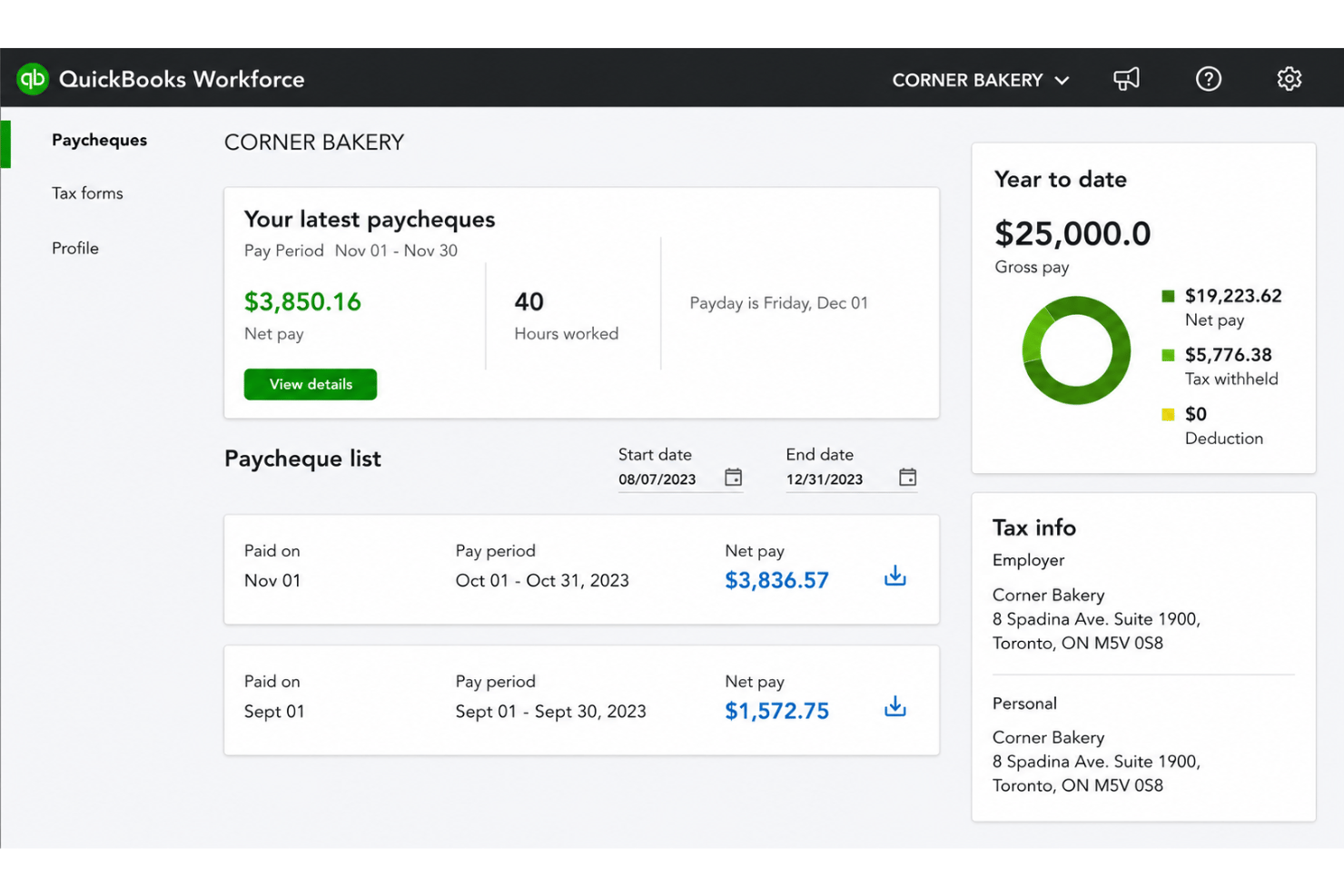
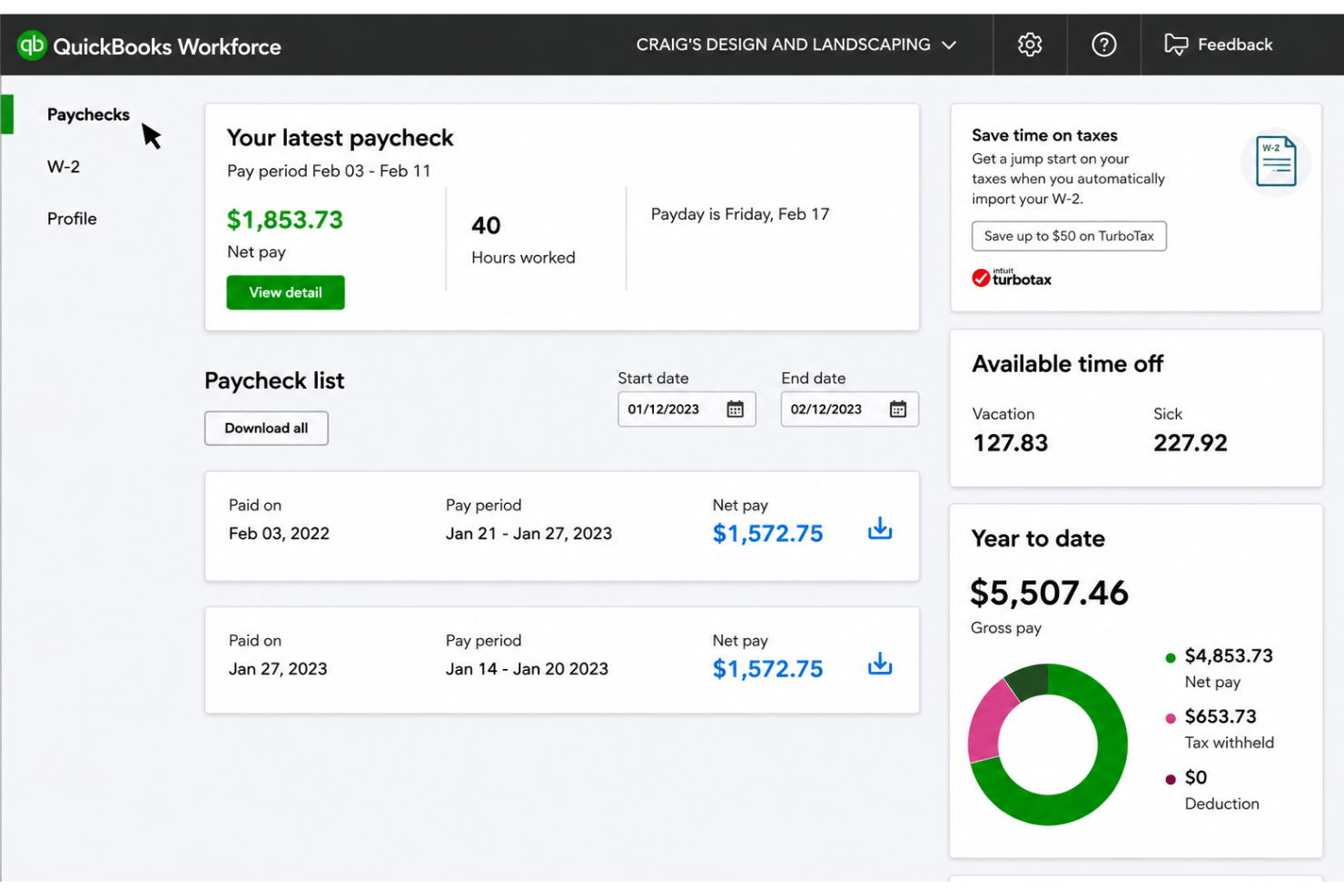
Employees can view digital paystubs securely from any device. This reduces HR admin requests and increases payroll transparency.
Tax Form Distribution
QuickBooks Workforce delivers W-2s and 1099s electronically at year end. Workers can download forms on their own schedule, which speeds up tax season.
Automated PTO Tracking
Paid time off accruals and balances update in real time based on holiday and PTO policies as employees use time off. Managers and staff both see accurate, current leave data.
Employee Self-Service Updates
Workers can change personal info like bank details or contact addresses. This makes payroll data current and removes repetitive HR data entry.
Direct Deposit Management
Employees manage direct deposit set-up and changes without manual paperwork. Pay hits their accounts faster, with less need for employer intervention.
Mobile App Access
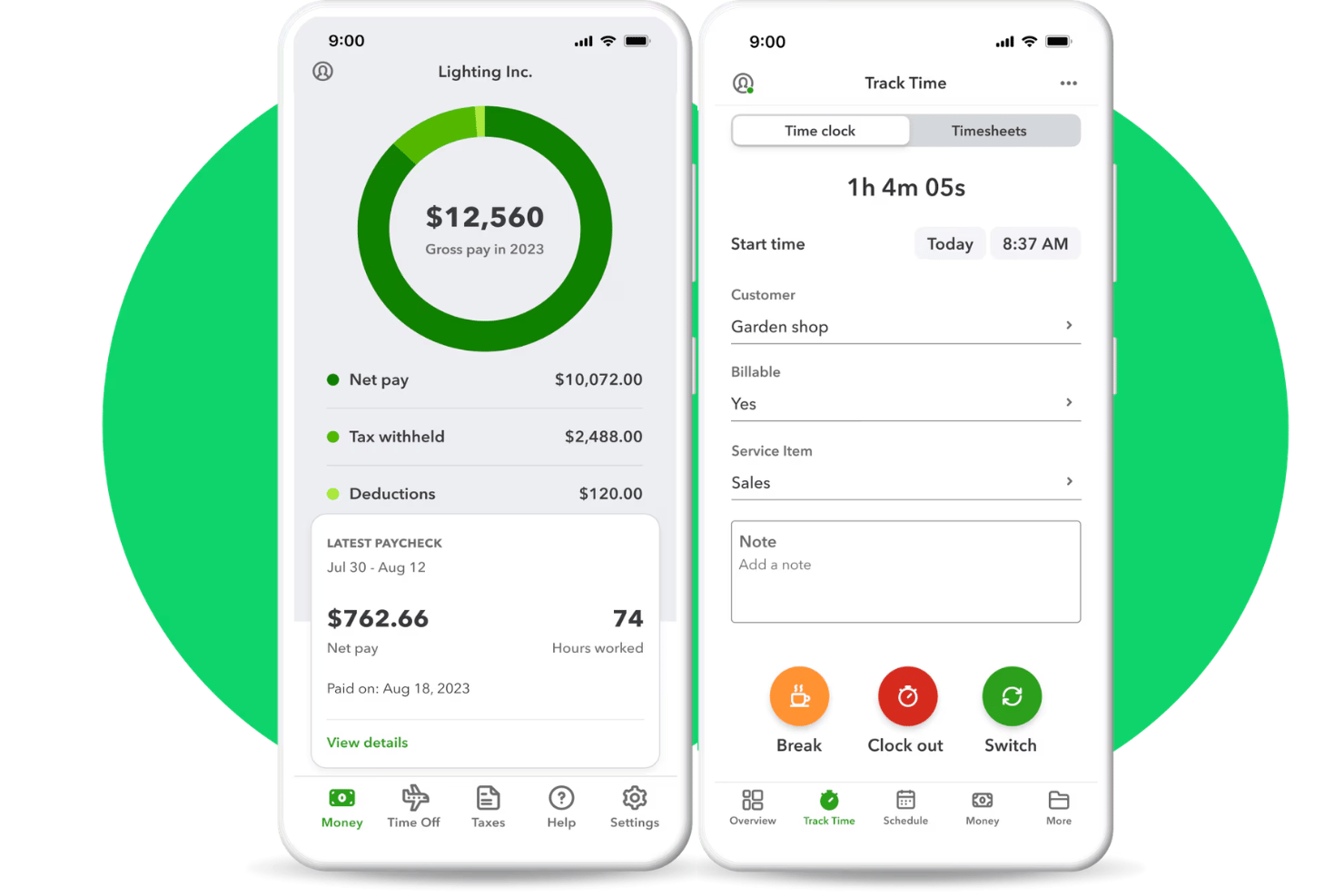
The QuickBooks Workforce mobile app allows for on-the-go access. Teams can check pay, update details, and receive alerts anytime, anywhere.
Standout Features
Employee Time Tracking
Employees can clock in and out, and submit timesheets directly through QuickBooks Workforce. This helps teams capture hours and gives payroll admins cleaner time data for payroll reports.
Historical Pay Data Access
Employees can access several years of their pay history directly through the app. This simplifies requests for backdated payroll records and helps with financial planning.
Ease of Use
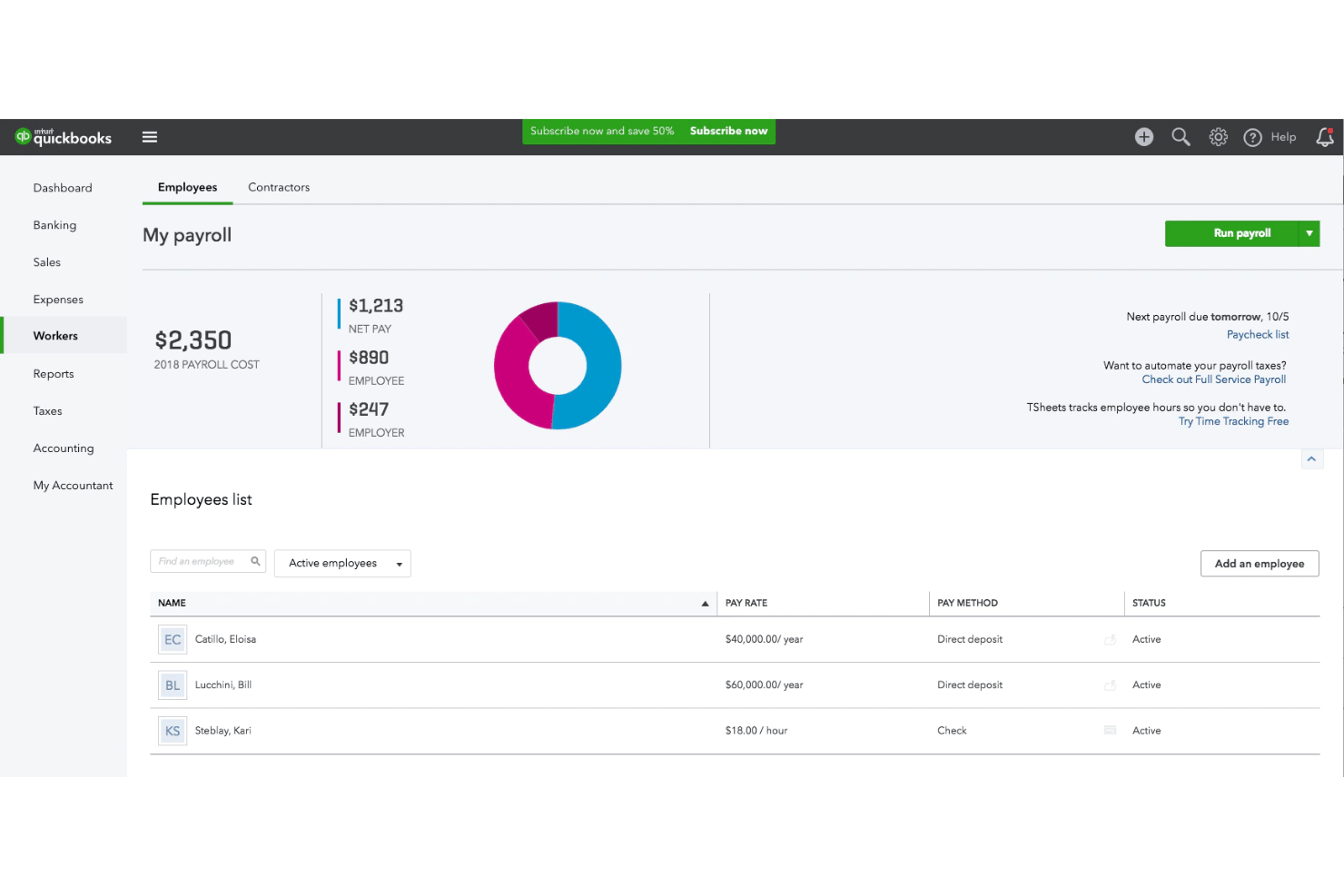
QuickBooks Workforce is user-friendly thanks to its clean dashboard, simple navigation, and clear action buttons. I think most users can handle core payroll and invoicing tasks without frustration. Self-service features for direct deposit updates and tax forms cut down on repetitive HR work and reduce errors.
Onboarding
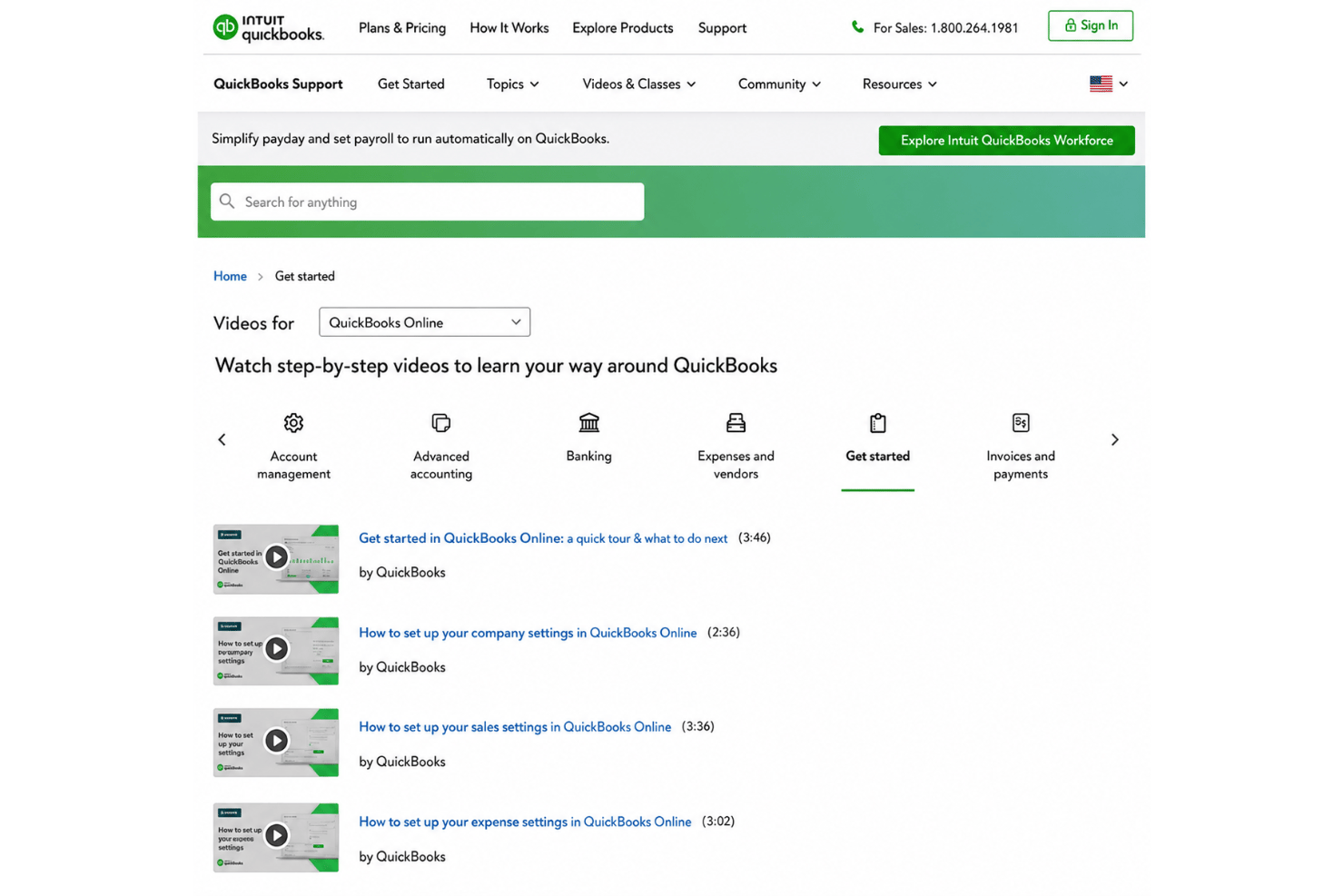
QuickBooks Workforce offers a smooth onboarding flow with guided setup and helpful in-app prompts, making it fast for new users to get payroll started. I’ve seen users mention the self-serve help articles and video tutorials are easy to find, but phone or chat support responsiveness can sometimes be inconsistent during high-demand periods.
Customer Support
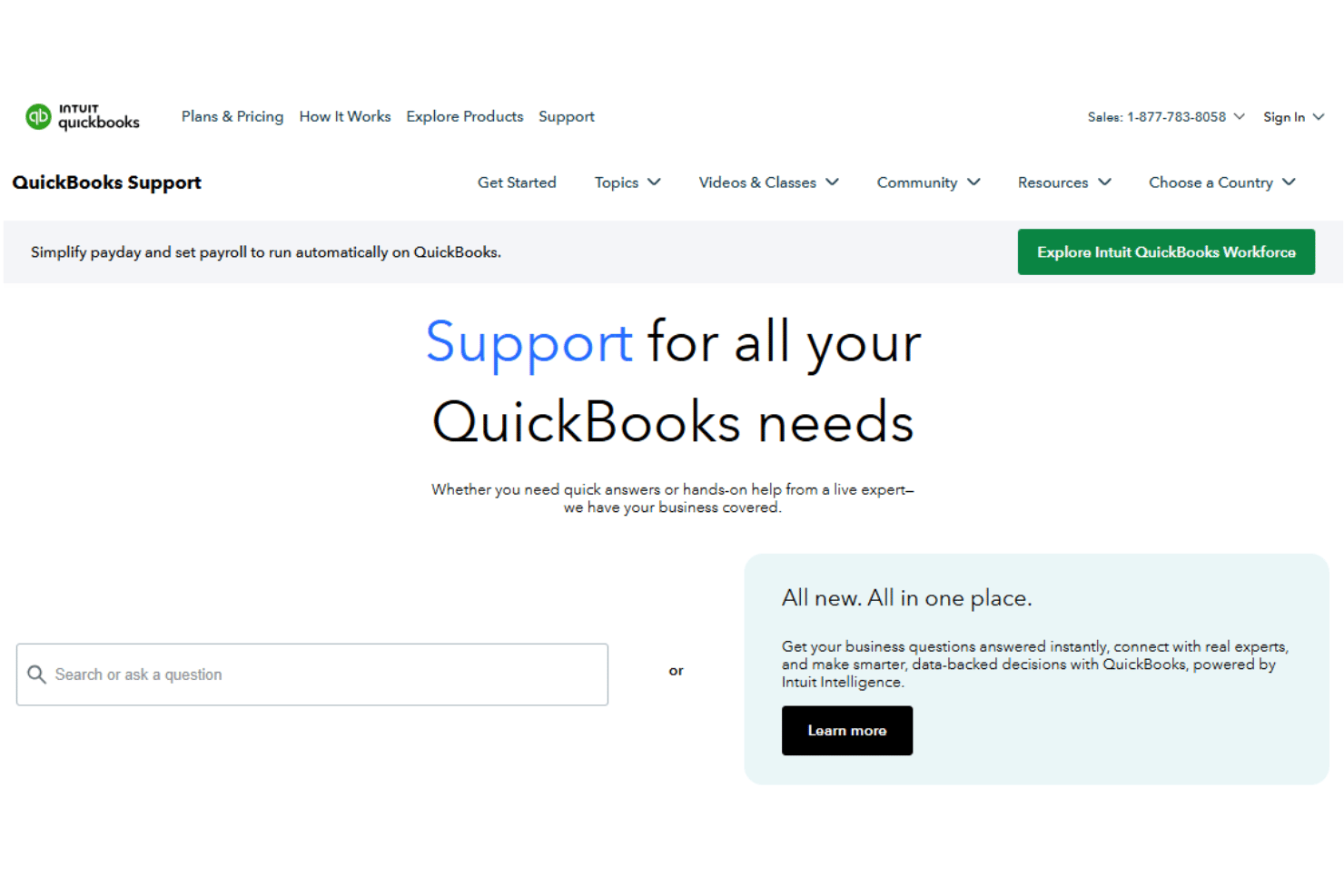
QuickBooks Workforce offers multiple support channels, including in-app chat, phone, and a robust knowledge base. I’ve noticed users appreciate the clear documentation but sometimes express frustration with delayed responses during busy times, especially for complex payroll issues that require human assistance.
Integrations
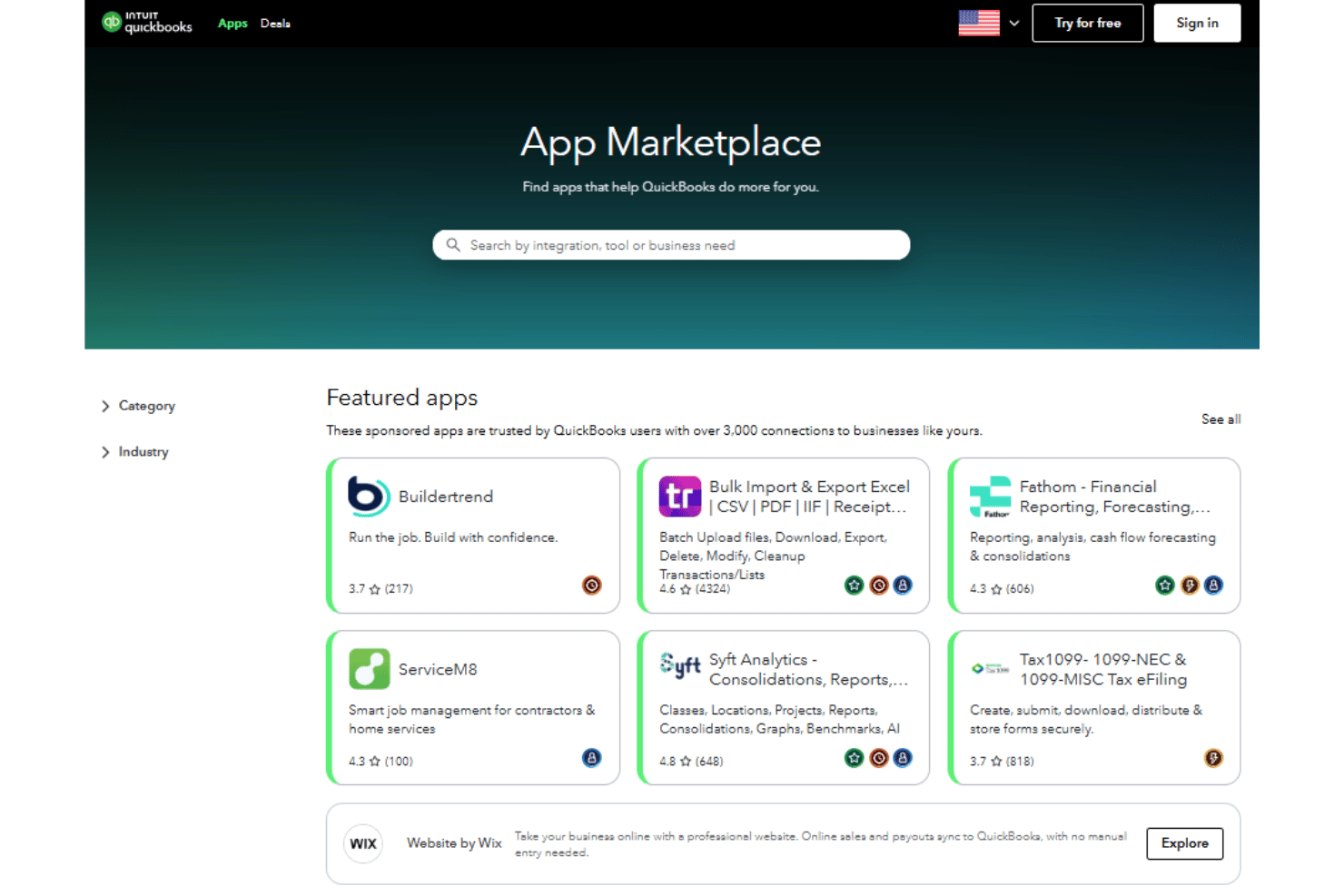
QuickBooks Workforce integrates with QuickBooks Online, QuickBooks Payroll, QuickBooks Time, QuickBooks Desktop, TurboTax, Mint, ProConnect, Intuit Account Manager, Right Networks, and TSheets.
QuickBooks Workforce also provides a GraphQL API and Accounting REST API for payroll and time tracking.
Value for Money
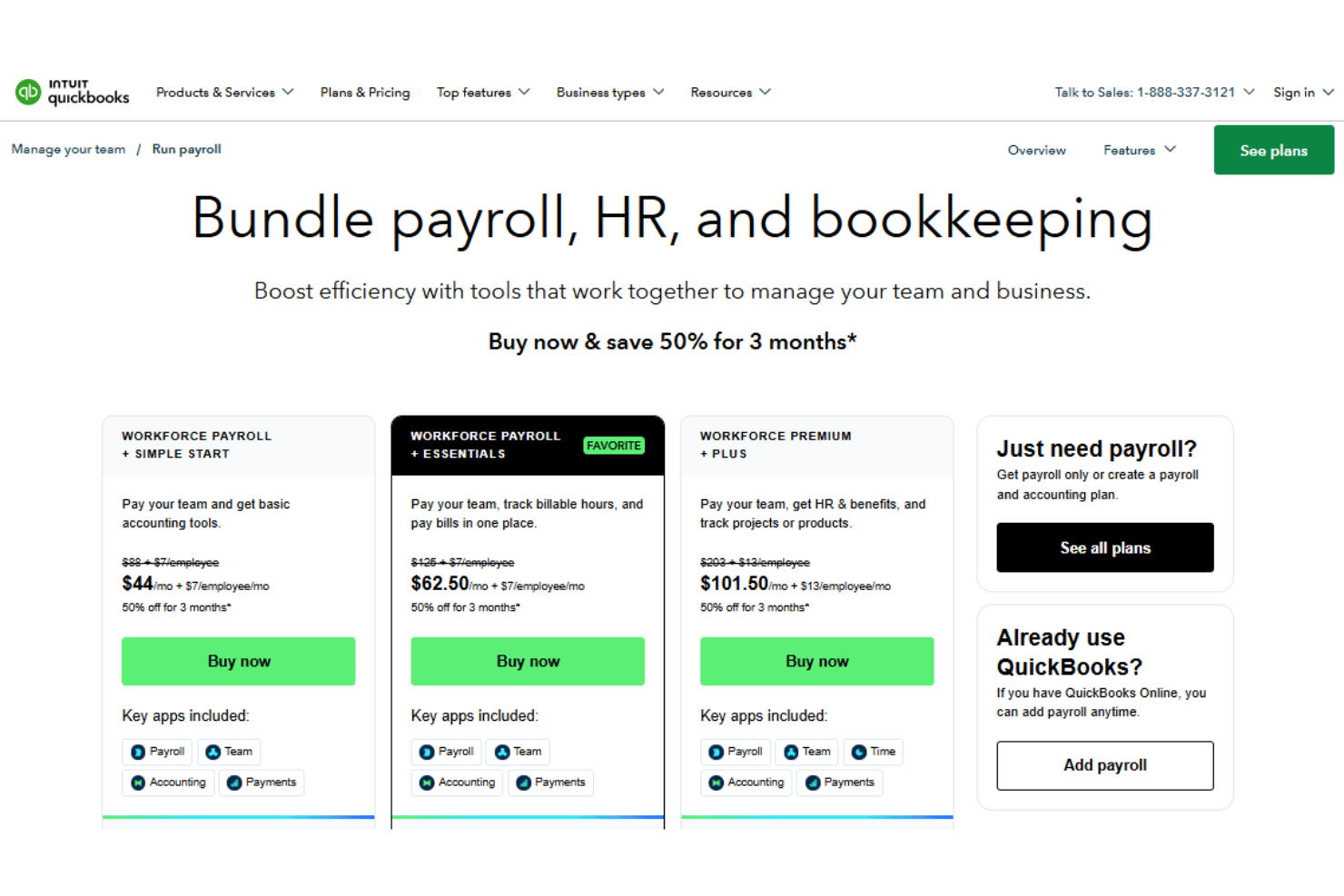
QuickBooks Workforce pricing is on the higher side, especially for small businesses, but users consistently mention you get reliable payroll processing, tax filing, and easy pay stub access. I think the payroll automation and integrated tax support justify the spend for those seeking dependability and simplicity.
- Workforce Payroll + Simple Start: Includes full service payroll, 1099 E-File, document sharing, and employee portal.
- Workforce Payroll + Essentials: Adds bill management, time entry, and enhanced reports.
- Workforce Premium + Plus: Offers same-day direct deposit, hiring & onboarding, time off management, and recruiting.
QuickBooks Workforce Specs
- API
- Application Tracking
- Approval Workflows
- Attendance Tracking
- Budgeting
- Calendar Management
- Compliance Tracking
- Dashboard
- Data Export
- Data Import
- Data Visualization
- Employee Database
- Employee Incentive Management
- Employee Onboarding
- Expense Tracking
- External Integrations
- Feedback Management
- Forecasting
- Multi-Currency
- Multi-User
- Notifications
- Payroll
- Scheduling
- Tax Management
- Time Management
- Timesheets
- Travel Management
- Vacation & Absence Calendar
QuickBooks Workforce FAQs
How secure is employee pay and tax data in QuickBooks Workforce?
Can QuickBooks Workforce handle multiple pay schedules and employee types?
What support is available if an employee loses paystub access?
Does QuickBooks Workforce automatically calculate and file payroll taxes?
Can employees update their own banking or contact details?
How does QuickBooks Workforce simplify year-end tax preparation?
What reporting options does QuickBooks Workforce provide?
How long does it take to implement QuickBooks Workforce for a new business?
QuickBooks Workforce Company Overview & History
QuickBooks Workforce is part of the greater Intuit ecosystem, which is headquartered in Mountain View, California. Intuit, a publicly traded company on the NASDAQ (INTU), is best known for its finance and accounting software including QuickBooks, TurboTax, and Mint. QuickBooks Workforce offers digital pay stub, W-2, and tax form access as an employee self-service extension of QuickBooks Payroll. Intuit’s products are used by millions of small businesses and accountants worldwide.
QuickBooks Workforce Major Milestones
- 1983: Intuit Inc. founded in Palo Alto, California.
- 1998: Intuit QuickBooks launched as a flagship SMB accounting solution.
- 2015: Workforce (initially ViewMyPaycheck) introduced as part of QuickBooks Payroll for digital pay stub access.
- 2019: QuickBooks Workforce rebranded and expanded with new self-service features.