Teamflect Review: Pros, Cons, Features and Pricing Guide



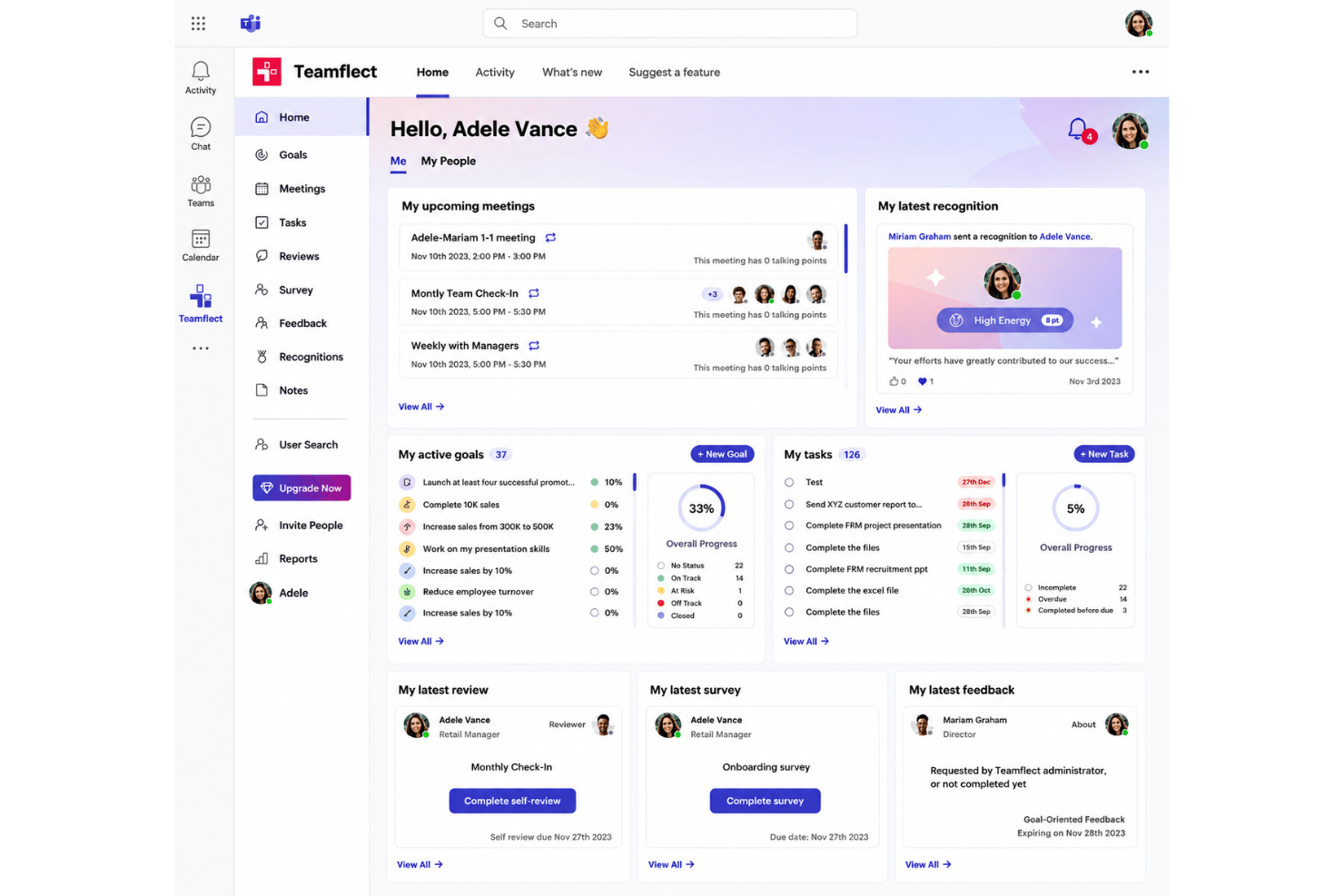
Teamflect is a performance management software built natively inside Microsoft Teams for organizations that want to run reviews, one-on-ones, goal tracking, and feedback without pulling employees into yet another separate app. I'd point you to it over a standalone performance management tool if your workforce already lives in Microsoft 365 and you want performance workflows to happen where daily conversations already happen. Goal setting, performance appraisals, and employee development all sit in one place instead of in a system people log into twice a year.
Teamflect Evaluation Summary
- From $7/user/month (billed annually)
- Free plan + 30-day free trial + free demo available
Why Trust Our Software Recommendations
Our team has been testing and reviewing software since 2012. As HR experts ourselves, we know how difficult—and important—it is to choose the right software.
For this guide, we evaluated tools using hands-on testing and independent research, scoring tools using our selection criteria. We also draw on insights from industry thought leaders and practicing HR experts.
Our reviews reflect our human editorial judgment, not a sales pitch.
Expert reviewers:
Teamflect Overview
When judging Teamflect, I think its native Microsoft Teams integration sets it apart—onboarding is fast, the interface feels familiar, and you don’t pay extra for core features like goal tracking or peer feedback. Choosing it makes sense if you want performance reviews and check-ins woven into existing workflows. If your stack is already deep in the Microsoft partner ecosystem, that alignment is worth real money. It’s a solid choice for mid-sized organizations that prioritize Microsoft 365, though I’d like to see deeper analytics and broader integration options to match other talent management platforms.
pros
-
All performance workflows run natively inside Microsoft Teams.
-
Offers built-in tools for peer recognition, 360-degree feedback, and goal tracking.
-
Provides full-functionality on the free tier for small teams.
cons
-
Lacks detailed analytics and KPIs for deeper performance insights.
-
Supports only Microsoft ecosystem, limiting non-Teams users.
-
Review templates have limited customization beyond branding.
-

Justworks
Visit WebsiteThis rating combines scores from multiple user review sites to reflect overall customer sentiment about the product.4.6 -
Prevue Assessments
Visit WebsiteThis rating combines scores from multiple user review sites to reflect overall customer sentiment about the product.4.6 -
HiBob
Visit WebsiteThis rating combines scores from multiple user review sites to reflect overall customer sentiment about the product.4.5





How We Test & Score Our Tools
We’ve spent years building, refining, and improving our software testing and scoring system. The rubric is designed to capture the nuances of software selection and what makes a tool effective, focusing on critical aspects of the decision-making process.
Below, you can see exactly how our testing and scoring works across seven criteria. It allows us to provide an unbiased evaluation of the software based on core functionality, standout features, ease of use, onboarding, customer support, integrations, customer reviews, and value for money.
Core Functionality (25% of final score)
The starting point of our evaluation is always the core functionality of the tool. Does it have the basic features and functions that a user would expect to see? Are any of those core features locked to higher-tiered pricing plans? At its core, we expect a tool to stand up against the baseline capabilities of its competitors.
Standout Features (25% of final score)
Next, we evaluate uncommon standout features that go above and beyond the core functionality typically found in tools of its kind. A high score reflects specialized or unique features that make the product faster, more efficient, or offer additional value to the user.
We also evaluate how easy it is to integrate with other tools typically found in the tech stack to expand the functionality and utility of the software. Tools offering plentiful native integrations, 3rd party connections, and API access to build custom integrations score best.
Ease of Use (10% of final score)
We consider how quick and easy it is to execute the tasks defined in the core functionality using the tool. High scoring software is well designed, intuitive to use, offers mobile apps, provides templates, and makes relatively complex tasks seem simple.
Onboarding (10% of final score)
We know how important rapid team adoption is for a new platform, so we evaluate how easy it is to learn and use a tool with minimal training. We evaluate how quickly a team member can get set up and start using the tool with no experience. High scoring solutions indicate little or no support is required.
Customer Support (10% of final score)
We review how quick and easy it is to get unstuck and find help by phone, live chat, or knowledge base. Tools and companies that provide real-time support score best, while chatbots score worst.
Customer Reviews (10% of final score)
Beyond our own testing and evaluation, we consider the net promoter score from current and past customers. We review their likelihood, given the option, to choose the tool again for the core functionality. A high scoring software reflects a high net promoter score from current or past customers.
Value for Money (10% of final score)
Lastly, in consideration of all the other criteria, we review the average price of entry level plans against the core features and consider the value of the other evaluation criteria. Software that delivers more, for less, will score higher.
Core Features
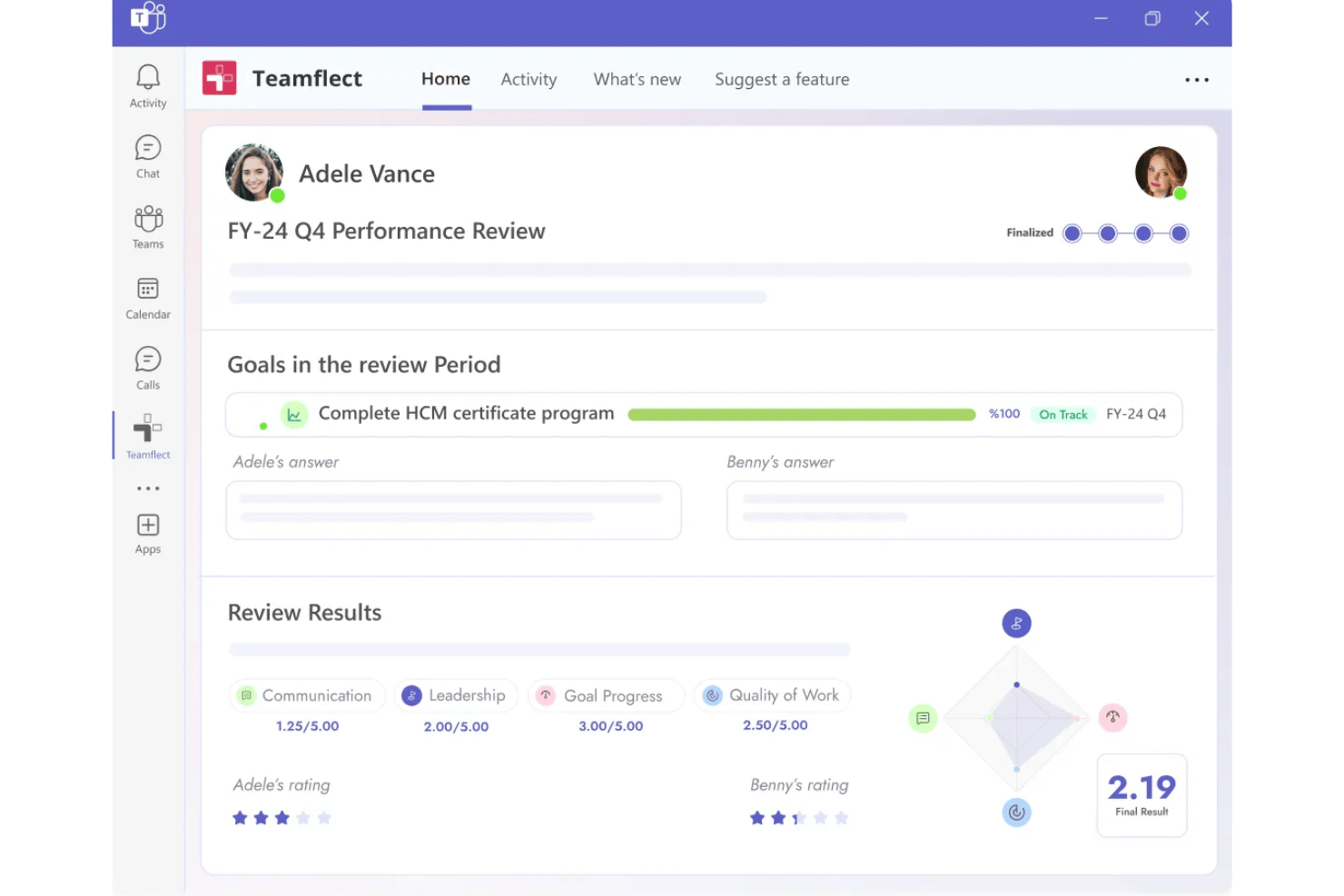
Performance Reviews
Run structured review cycles with customizable questions and workflows. Everything happens inside Microsoft Teams, so managers and employees don’t switch between apps.
OKR and Goal Tracking
Set, monitor, and update individual or team OKRs directly within your ongoing chats. Progress updates are visible and accessible for all stakeholders in real time.
One-on-One Meeting Agendas
Schedule, prepare, and document 1-on-1s without leaving Teams. Shared talking points and private notes help both parties come prepared and track follow-ups.
Real-Time Feedback and Recognition
Send peer and manager feedback instantly from within chat. Recognition badges and feedback histories help promote a culture of positive reinforcement.
Task and Action Item Management
Task management runs straight from one-on-one or review meetings. Completed tasks sync with performance data, giving context for future reviews.
Customizable Review Templates
Choose pre-built or custom question templates for performance cycles and self-assessments. Templates cut setup time while keeping wording unique to your organization.
Ease of Use
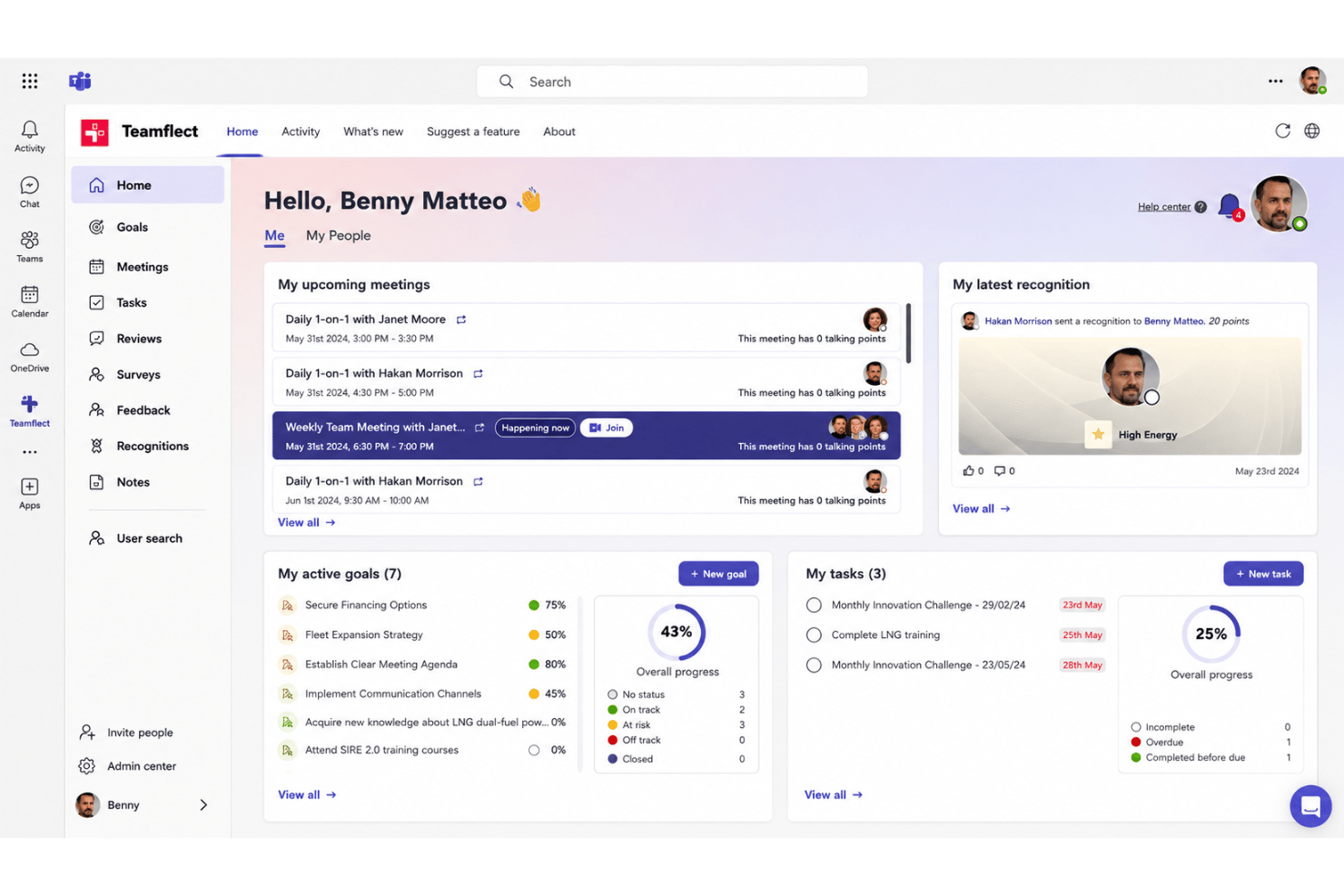
Teamflect stands out for its seamless, native Microsoft Teams experience—reviews, feedback, goal tracking, and one-on-ones all happen inside a familiar interface. Users highlight how little training is needed; leaders and employees adopt it quickly because it feels like an extension of their daily chat environment. The reviews module in particular needs almost no explaining to a first-time manager. Streamlined workflows and full features in the free version make it especially usable for hybrid and remote teams that already rely on Teams.
Integrations
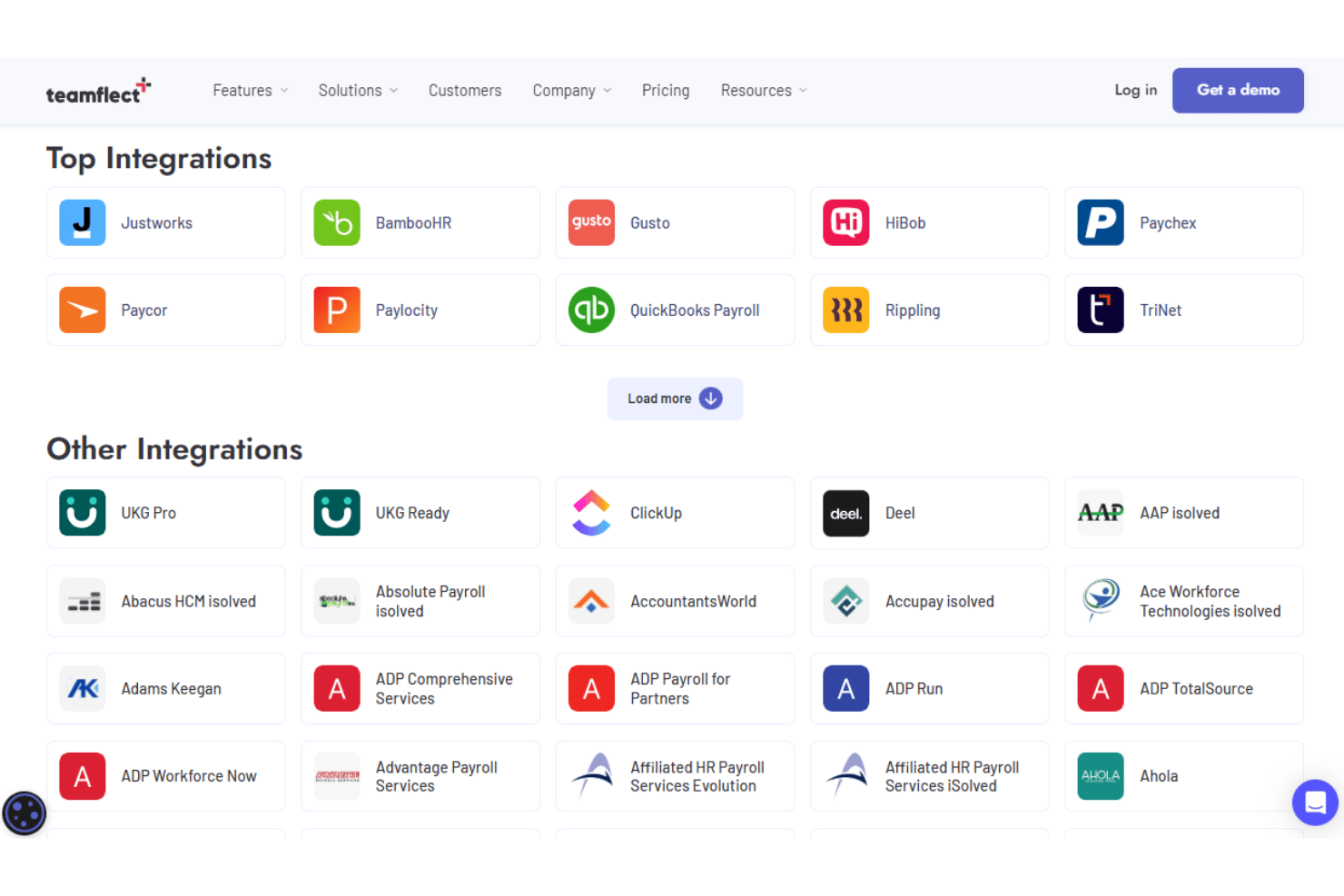
Teamflect integrates with Microsoft Teams, Outlook, Microsoft Teams Calendar, Microsoft To Do, SharePoint, Microsoft Planner, OneDrive, Azure Active Directory, Power BI, and Exchange. Teamflect does not currently offer an open API or native connections with third-party integration tools.
Teamflect Specs
- 360 Degree Feedback
- API
- Application Tracking
- Attendance Tracking
- Budgeting
- Calendar Management
- Dashboard
- Data Export
- Data Import
- Data Visualization
- Employee Database
- Employee Engagement
- Employee Incentive Management
- Employee Onboarding
- External Integrations
- Feedback Management
- Forecasting
- Multi-User
- Notifications
- Onboarding
- Scheduling
- Timesheets
- Vacation & Absence Calendar