


Workable Review 2026: Pros, Cons, Features & Pricing



Hiring problems often show up in small but costly ways. You spend too much time chasing candidates, feedback gets buried in emails, and strong applicants slip through the cracks before decisions are made. When hiring feels scattered and slow, it becomes harder to stay organized and move quickly without missing the right people.
That kind of friction usually leads teams to seek recruiting software that restores structure to the process. Workable is a platform designed for that job, and in this review, I’ll walk you through what it offers so you can decide whether it fits your hiring workflow and goals.
Workable Evaluation Summary

- From $299/month (billed annually)
- 15-day free trial
Why Trust Our Software Recommendations
Our team has been testing and reviewing software since 2012. As HR experts ourselves, we know how difficult—and important—it is to choose the right software.
For this guide, we evaluated tools using hands-on testing and independent research, scoring tools using our selection criteria. We also draw on insights from industry thought leaders and practicing HR experts.
Our reviews reflect our human editorial judgment, not a sales pitch.
Expert reviewers:
Workable Overview
Workable is a strong recruiting software that balances ease of use with practical hiring depth. It stands out with structured pipelines, candidate tracking, and collaboration, which make it easier to stay organized and move candidates faster, though it may feel less flexible for highly customized enterprise workflows. Compared with other recruiting tools, it works best for growing teams, in-house recruiters, and companies that want clear hiring processes without heavy setup, especially when you need to judge candidates quickly and keep hiring consistent across roles.
pros
-
Tracks candidates across each hiring stage so strong applicants don’t slip through the cracks.
-
Supports team collaboration through shared feedback and scorecards for consistent hiring decisions.
-
Organizes job postings and candidate pipelines in a clear workflow that keeps hiring structured.
cons
-
May lack functions for highly complex or enterprise hiring workflows.
-
Visual customization is limited for fully tailored dashboards or pipeline views.
-
Reporting feels basic for teams that need deeper analytics and custom insights.
Is Workable Right For Your Needs?
Who Would be a Good Fit for Workable?
Workable fits teams that need structured, organized hiring without heavy setup or complexity. It works well if you manage multiple roles, coordinate with hiring managers, and want clear pipelines, shared feedback, and consistent evaluation across candidates. Growing companies, fast-moving recruiters, and distributed teams benefit most because the platform helps standardize hiring, track candidates clearly, and keep collaboration smooth without relying on spreadsheets or scattered tools.
-
High-Volume Hiring Teams
Best for teams that need to manage many candidates at once with structured pipelines, bulk actions, and clear stage tracking.
-
Fast-Growing SMBs and Startups
Works well for scaling teams that need consistent hiring processes, quick job posting, and easy collaboration without heavy setup.
-
Decentralized Hiring Teams
Supports distributed hiring managers with shared pipelines, standardized scorecards, and centralized candidate visibility.
-
Multi-Tool Environments
Fits teams that use different hiring and business tools and need a flexible system to keep recruiting workflows organized.
-
Candidate-Focused Companies
Helps teams deliver a smooth candidate experience with structured communication, scheduling, and consistent hiring workflows.
-
Remote Hiring Teams
Enables distributed teams to collaborate, review candidates, and move hiring forward using shared feedback and centralized tracking.
Who Would be a Bad Fit for Workable?
Workable may not suit teams that need deep customization, highly specialized workflows, or enterprise-level recruiting systems with complex governance. It works best for structured, practical hiring, so if your organization requires advanced configuration, layered approvals, or highly tailored reporting, you may find it limiting. Very small teams with minimal hiring needs or organizations operating with tight resources may also struggle to fully benefit from its capabilities.
-
Micro Hiring Teams
May feel unnecessary if hiring volume is low and your team only needs simple, occasional recruitment support.
-
Cost-Sensitive Organizations
May feel restrictive if limited resources prevent full use of automation, sourcing, and structured hiring features.
-
Lean High-Volume Teams
May struggle if heavy hiring demand is paired with limited recruiters, making it hard to manage pipelines efficiently.
-
Enterprise Recruiting Teams
May not suit teams that require deep configuration, tailored pipelines, and fully specialized recruiting workflows.
-
Executive Search Agencies
May feel limiting for firms that rely on long-term relationship tracking and highly bespoke headhunting processes.
-
Highly Regulated Organizations
May not fully support deeply layered approvals and highly customized hiring governance across large organizations.
How We Test & Score Our Tools
We’ve spent years building, refining, and improving our software testing and scoring system. The rubric is designed to capture the nuances of software selection and what makes a tool effective, focusing on critical aspects of the decision-making process.
Below, you can see exactly how our testing and scoring works across seven criteria. It allows us to provide an unbiased evaluation of the software based on core functionality, standout features, ease of use, onboarding, customer support, integrations, customer reviews, and value for money.
Core Functionality (25% of final score)
The starting point of our evaluation is always the core functionality of the tool. Does it have the basic features and functions that a user would expect to see? Are any of those core features locked to higher-tiered pricing plans? At its core, we expect a tool to stand up against the baseline capabilities of its competitors.
Standout Features (25% of final score)
Next, we evaluate uncommon standout features that go above and beyond the core functionality typically found in tools of its kind. A high score reflects specialized or unique features that make the product faster, more efficient, or offer additional value to the user.
We also evaluate how easy it is to integrate with other tools typically found in the tech stack to expand the functionality and utility of the software. Tools offering plentiful native integrations, 3rd party connections, and API access to build custom integrations score best.
Ease of Use (10% of final score)
We consider how quick and easy it is to execute the tasks defined in the core functionality using the tool. High scoring software is well designed, intuitive to use, offers mobile apps, provides templates, and makes relatively complex tasks seem simple.
Onboarding (10% of final score)
We know how important rapid team adoption is for a new platform, so we evaluate how easy it is to learn and use a tool with minimal training. We evaluate how quickly a team member can get set up and start using the tool with no experience. High scoring solutions indicate little or no support is required.
Customer Support (10% of final score)
We review how quick and easy it is to get unstuck and find help by phone, live chat, or knowledge base. Tools and companies that provide real-time support score best, while chatbots score worst.
Customer Reviews (10% of final score)
Beyond our own testing and evaluation, we consider the net promoter score from current and past customers. We review their likelihood, given the option, to choose the tool again for the core functionality. A high scoring software reflects a high net promoter score from current or past customers.
Value for Money (10% of final score)
Lastly, in consideration of all the other criteria, we review the average price of entry level plans against the core features and consider the value of the other evaluation criteria. Software that delivers more, for less, will score higher.
Core Features
Candidate Sourcing Suite
Finds talent through 200+ job boards, referrals, and a 400M+ candidate database. AI recommends matches, promotes jobs on social media, supports multilingual hiring, builds branded career pages, manages talent pools, and enables referral tracking and outreach.
Applicant Tracking System
Organizes candidates in structured pipelines with scorecards, anonymized screening, and AI screening summaries. Supports one-way video interviews, assessments, interview scheduling, collaboration, automated workflows, offer approvals, reporting, compliance tracking, and customizable hiring pipelines.
HR Information System
Stores employee records, documents, and lifecycle data in one place. Supports onboarding portals, role-based workflows, e-signatures, employee self-service, org charts, document storage, performance reviews, payroll prep, multi-currency data, and full employee lifecycle tracking.
Time And Attendance System
Tracks time off, schedules, shifts, and worked hours with automated policies and accrual rules. Supports holiday calendars, approval workflows, reporting for payroll and compliance, and centralized workforce scheduling through a shared work calendar.
AI-Powered HR Tools
Generates job descriptions, interview questions, emails, and candidate summaries automatically. Uses AI for sourcing, resume parsing, candidate resurfacing, social targeting, screening, outreach, and salary insights to speed hiring and improve match quality.
Collaboration Tools
Includes powerful tools for hiring collaboration, such as 2-way email and calendar integration, video conferencing integration, candidate profile sharing, and interview coordination.
Standout Features
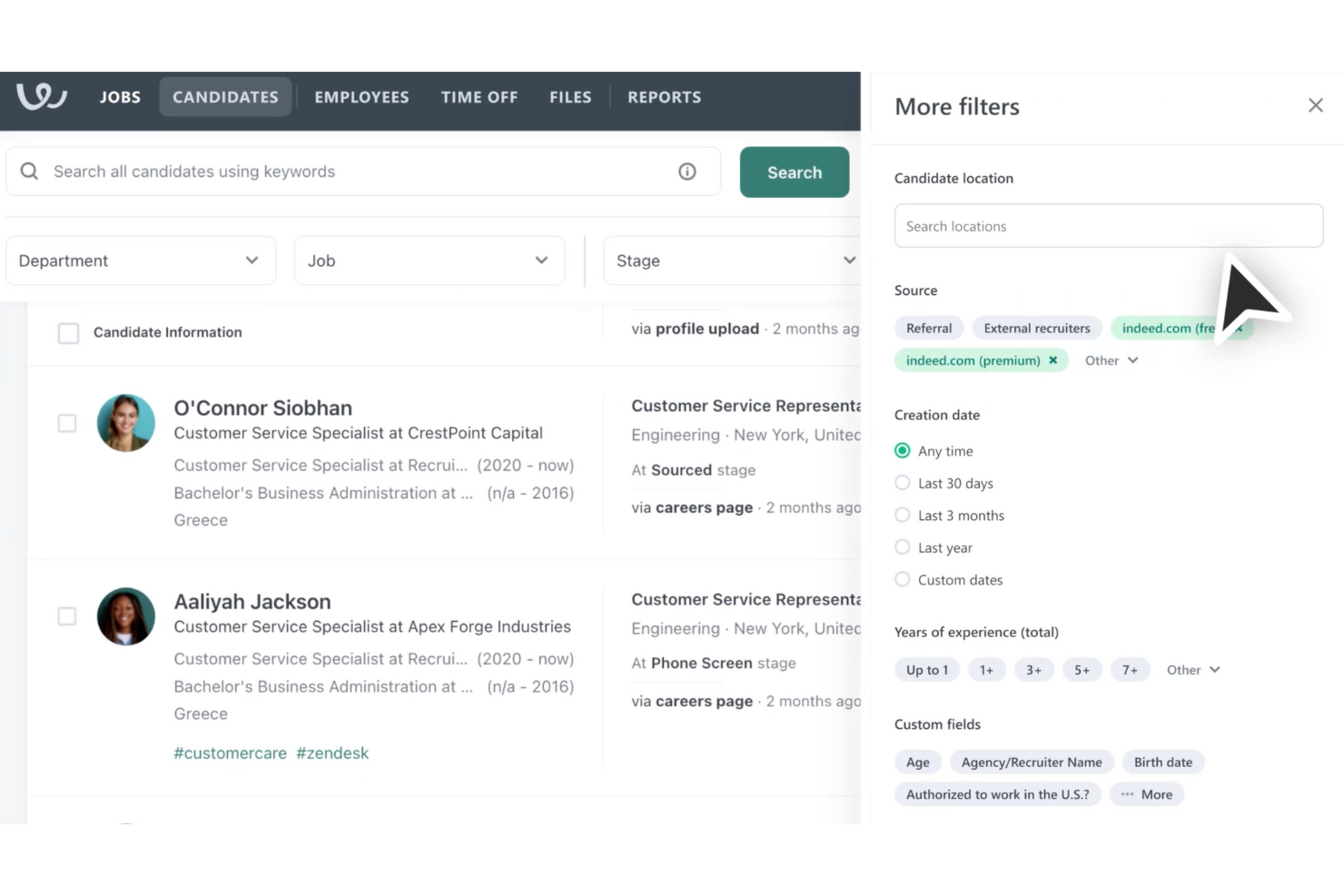
Science-Backed Assessments
You can administer science-backed personality and cognitive assessments through the Workable platform, centralizing all your screening tools in one place.
Recruitment Marketing
Allows you to attract the right talent with mobile-optimized application forms, employee referral programs, social sharing tools, and a comprehensive referral management dashboard.
Ease of Use
Overall, Workable offers a user-friendly interface. While the onboarding process is smooth, navigating the platform might take some getting used to, especially for first-time users. The features are comprehensive, yet some users report needing time to fully leverage them. If your team values straightforward functionality and quick access to essential tools, Workable could meet your needs, but expect a slight learning curve initially.
Onboarding
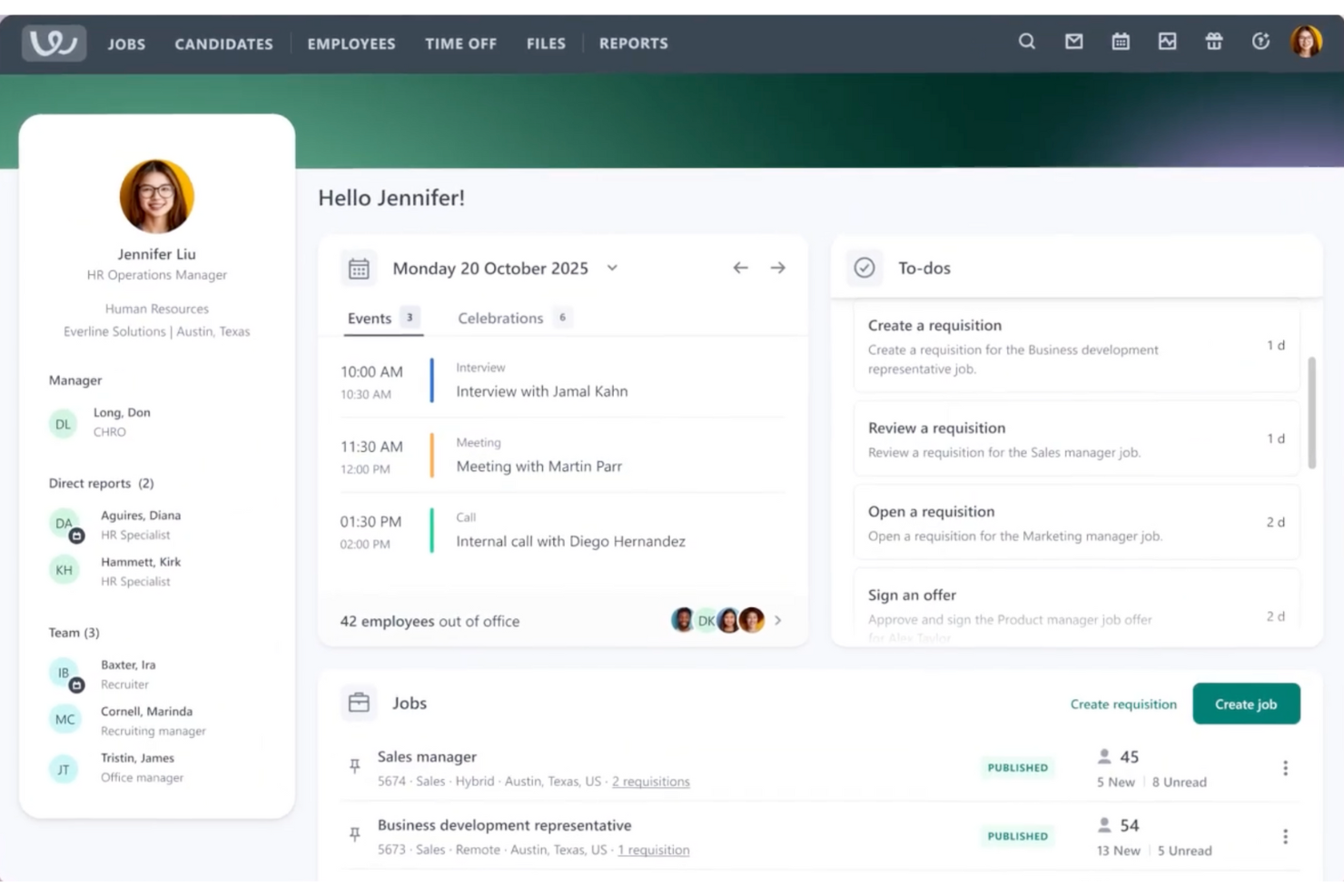
Getting started feels structured and supported, with a clear setup flow, a detailed Recruiting Help Center, and guided resources that help teams launch hiring quickly. A dedicated account manager adds hands-on guidance, regular check-ins, and priority support, which helps teams move faster and avoid setup mistakes. Overall, time to value is quick, especially for teams rolling out structured hiring for the first time.
Customer Support
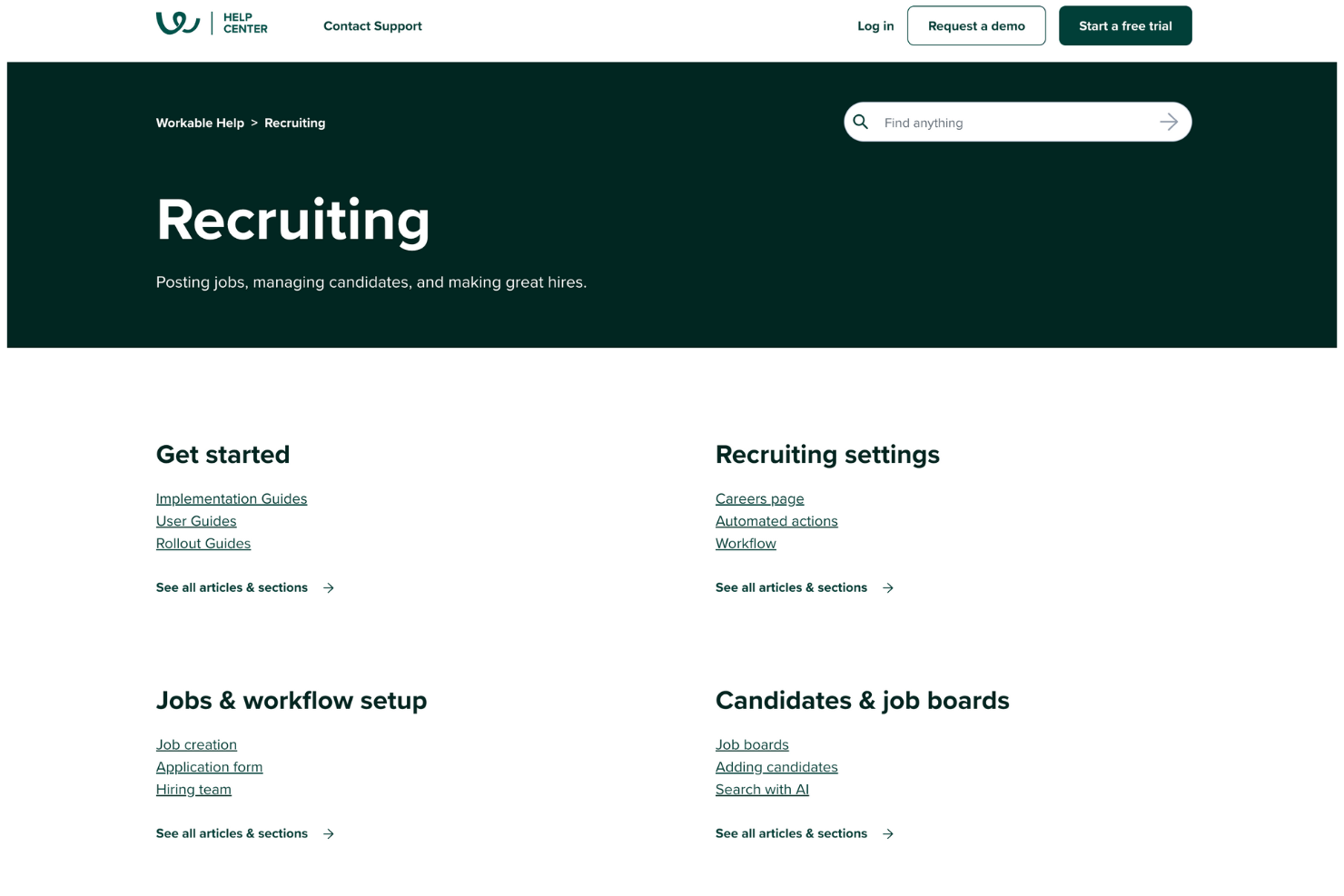
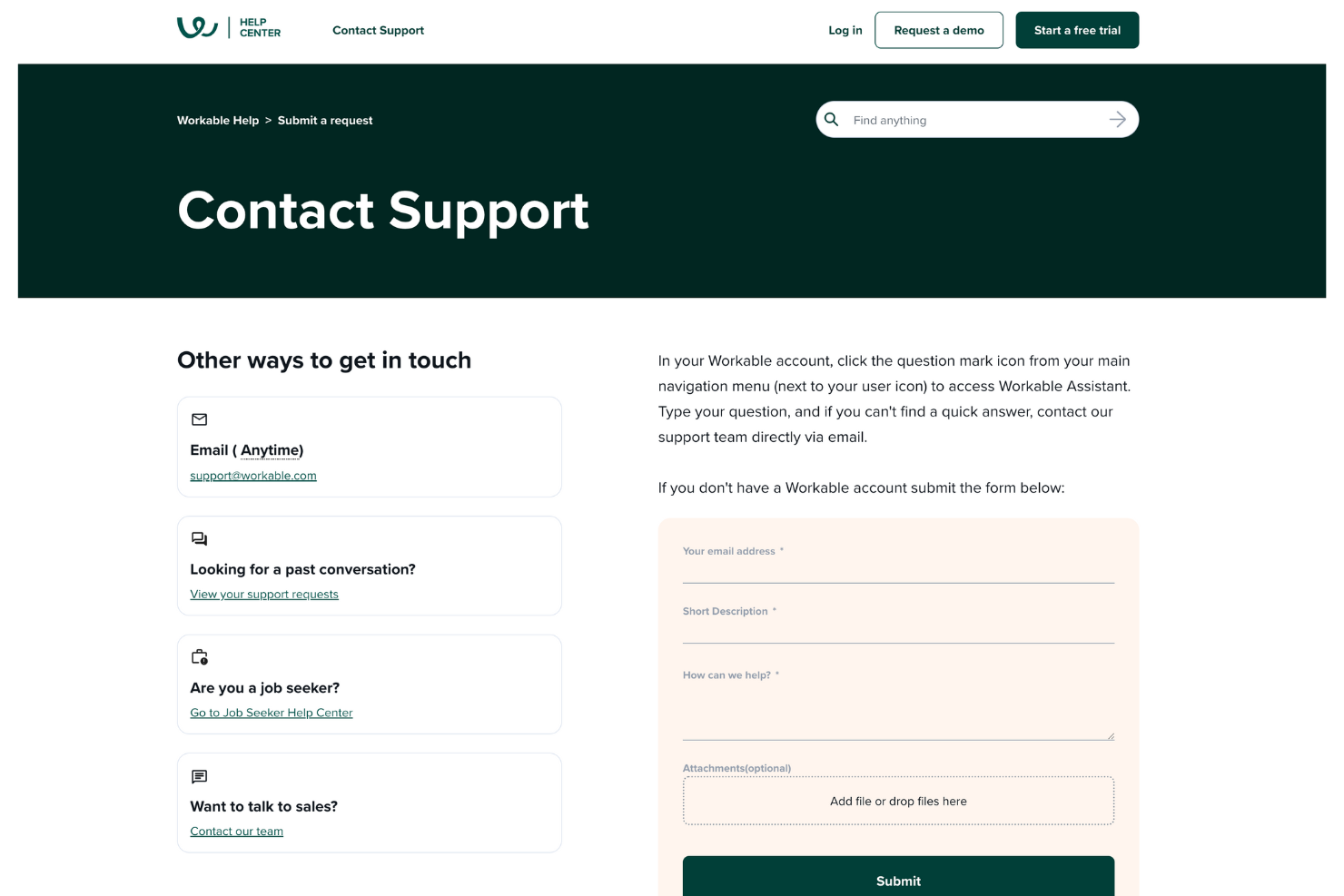
Support is easy to access through the in-app Workable Assistant, which helps answer questions and lets you contact the support team directly via email when needed. You can also reach support anytime through email, track past requests, and use the help center for quick guidance. The built-in help, knowledge resources, and structured assistance keep hiring work moving without much friction.
Integrations
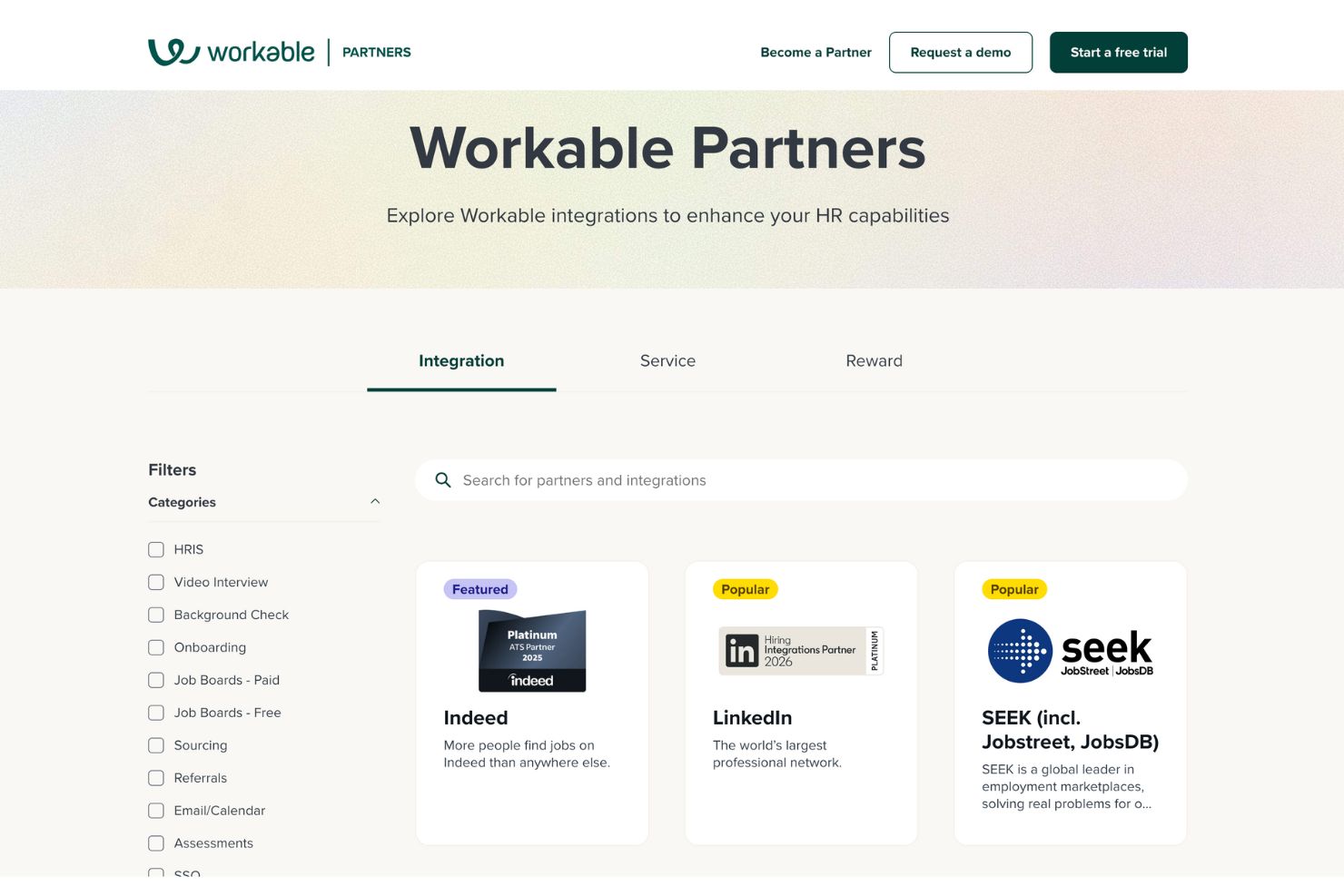
Workable integrates natively with LinkedIn, Indeed, Glassdoor, Microsoft 365, G Suite, Zoom, Checkr, and Deel.
An API is available for building custom integrations, and it connects with third-party integration tools like Zapier.
Value for Money
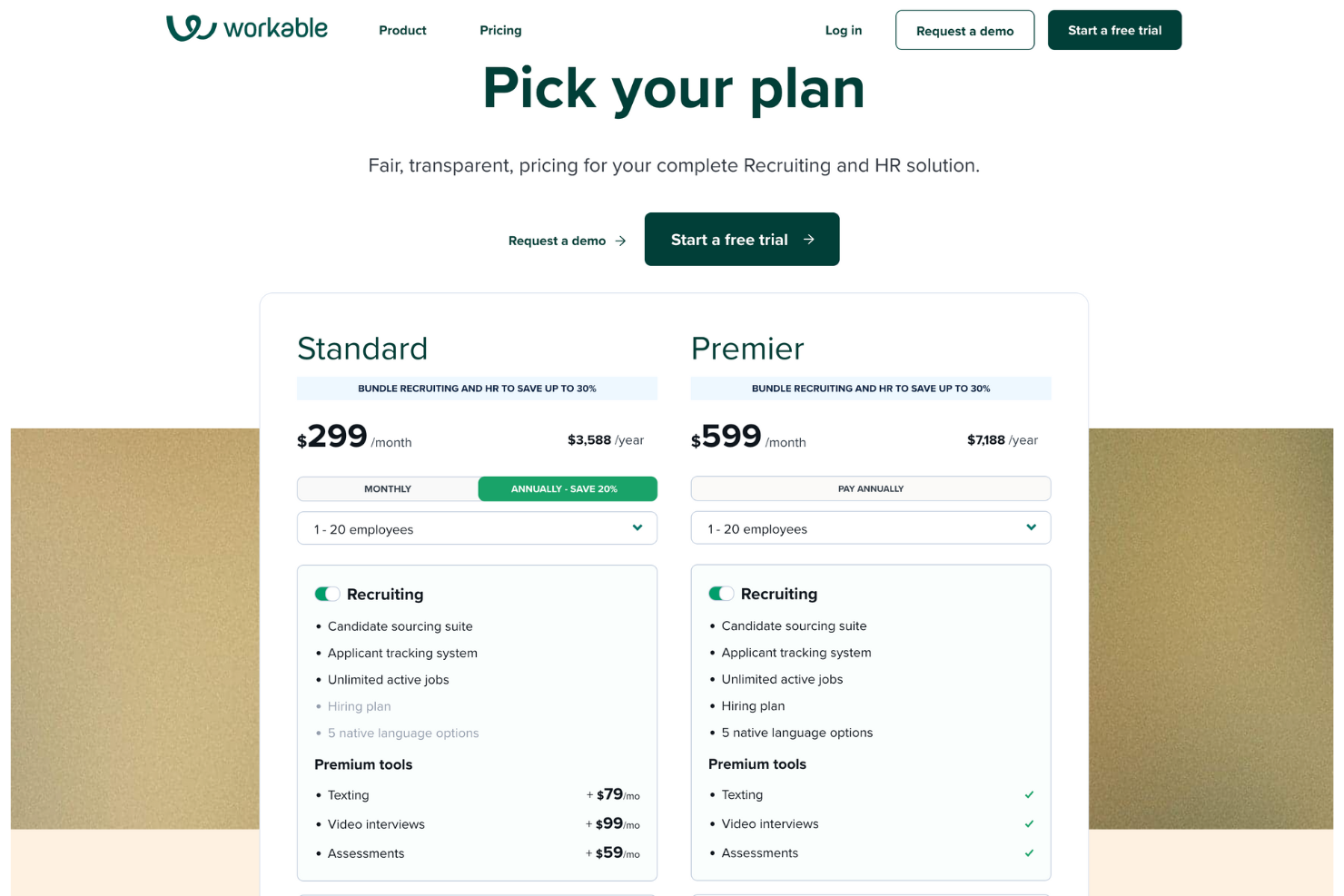
Workable's pricing delivers strong value with scalable tiers. For both tiers, you can choose either the recruiting or HR modules separately (or bundle them for better value). Regardless, all plans include self-service employee profiles, searchable company files, an employee directory, and org chart.
Depending on whether you bundle recruiting and HR or choose one module to start, you'll get the following:
- Standard (Recruiting): Candidate sourcing suite, applicant tracking system, unlimited active jobs, with optional premium tools like texting, video interviews, and assessments.
- Standard (HR): HR information system, employee onboarding, time tracking and time off management, payroll preparation, and e-signatures. Performance reviews can be added on for a monthly fee.
- Premier (Recruiting): Includes all Standard features, plus a hiring plan, 5 native language options, and built-in premium tools such as texting, video interviews, and assessments, along with priority support and advanced services.
- Premier (HR): Includes all Standard features, plus payroll integrations and premier tools like performance reviews.
New Product Updates from Workable
Workable Recruiting Enables Direct LinkedIn Job Promotion
Workable Recruiting lets users promote jobs on LinkedIn through 15- or 30-day budget tiers without leaving the platform. Campaign spend is based on actual performance, with unused budget refunded after the posting closes. Highlights include:
- LinkedIn Promotion: Lets recruiters purchase paid LinkedIn job promotion directly in Workable.
- Budget Tiers: Offers LinkedIn Urgent, Standard, and Boosted options for 15- or 30-day campaigns.
- Performance Tracking: Shows campaign budget and performance data in Workable with daily updates.
- Flexible Campaign Control: Lets recruiters stop promotion at any time.
- Unused Budget Refunds: Returns remaining budget after the posting closes.
Visit Workable’s official site for more details.
 for more details.
Workable HR Brings Survey Building Into Setup
Workable HR lets admins create full survey questionnaires directly in the survey setup flow and save them as reusable templates. This removes the need to build templates separately in Settings first. Highlights include:
- Inline Survey Builder: Lets admins create surveys directly during setup.
- Sections and Questions: Supports full questionnaire structure without leaving the setup flow.
- Conditional Logic: Lets admins add branching logic while building the survey.
- Reusable Templates: Saves completed questionnaires as templates for future surveys.
Visit Workable’s official site for more details.

Workable Adds Editable Candidate Profiles and Pipeline Re-Evaluation
Workable adds full editing for the Ideal Candidate Profile used by Workable Agent, along with manual candidate re-evaluation and refreshed automated screening decisions. The update lets teams revise criteria, reassess existing candidates, and review Agent comments explaining each new evaluation. Highlights include:
- Editable Candidate Profiles: Lets users add, remove, or revise screening criteria without recreating the job.
- Candidate Re-Evaluation: Reassesses candidates against updated criteria, individually or in bulk.
- Refreshed Screening Decisions: Updates auto-advance and auto-disqualify outcomes based on the latest evaluation.
- Agent Comments: Explains each re-evaluated candidate decision for clearer screening context.
Visit Workable’s official site for more details.

Workable Agent Is Now Generally Available
Workable Agent is now generally available, helping teams automate the earliest stages of hiring and quickly produce an interview-ready shortlist within Workable. This reduces manual effort in candidate discovery and evaluation while keeping results aligned to your ideal candidate profile. Highlights include:
- General Availability of Workable Agent: Access Workable Agent for live hiring workflows.
- Top-Of-Funnel Automation: Automate candidate sourcing, screening, qualification, and engagement.
- Ideal Candidate Profile Matching: Match candidates against defined hiring criteria to find stronger fits.
- Interview-Ready Shortlists: View qualified candidate lists directly inside Workable.
- Credit-Based Usage Model: Use one credit for each candidate processed by Workable Agent.
- Credit Top-Up Bundles: Add more credits when needed to continue using Workable Agent.
Visit Workable's official site for more details.

Workable Adds Report Formatting and Survey Insights
Workable improves reporting with clearer data formatting and additional survey insights. These updates help teams identify key information and understand reports faster. Highlights include:
- Conditional Formatting: Highlight important rows in Hiring Plan, Hiring Performance, and Attendance reports.
- Survey Percentages: View response percentages alongside counts in survey reports.
- Locale Formatting: Display numbers and dates based on regional settings.
Visit Workable’s official site for more details.

Workable Improved Attendance Reporting Views
Workable updated its Attendance report to help teams review schedules, worked hours, and attendance issues more clearly. The improvements make it easier to compare employee attendance patterns over time. Highlights include:
- Flexible Attendance Views: Teams can now switch between daily, weekly, monthly, and yearly attendance views.
- Clearer Hour Formatting: Worked, scheduled, and deviation hours now appear in readable hour-and-minute format.
- Separate Overtime and Undertime Tracking: Overtime and undertime hours are now displayed independently for clearer reporting.
- Color-Coded Attendance Flags: Missing entries appear in red while partial entries appear in orange for faster issue detection.
- Linked Employee Profiles: Employee names in the report now link directly to their profiles for quicker access.
Visit Workable’s official site for more details.

Workable Adds New Report Builder Features
Workable enhanced its Report Builder with expanded reporting, grouping, and visualization capabilities for hiring and HR data analysis. These updates improve reporting flexibility, simplify data organization, and provide deeper visibility into job activity and recruitment performance. Highlights include:
- Job Details Report: Lets teams view, filter, and export job lifecycle, posting, and candidate data in one place.
- Department Grouping: Organizes report data by department directly within the Report Builder.
- Jobs as a Data Source: Enables custom reports focused on job-level activity and performance insights.
- Line Chart Visualizations: Adds line charts as a new option for visualizing report and widget data.
Visit Workable's official site for more details.
Workable Specs
- API
- Application Tracking
- Behavioral Testing
- Budgeting
- Calendar Management
- Candidate Database
- Cognitive Testing
- Contact Management
- Custom Assessments
- Dashboard
- Dashboards
- Data Export
- Data Import
- Data Visualization
- Email Integration
- Employee Database
- Employee Onboarding
- External Integrations
- Feedback Management
- Forecasting
- Interview Scheduling
- Multi-Source Feedback
- Multi-User
- Notifications
- Personality Testing
- Psychometric Testing
- Scheduling
- Status Notifications
- Travel Management
Workable FAQs
How easy is it to implement Workable in a live hiring environment?
How well does Workable support structured and consistent hiring?
Can Workable support hiring across multiple teams and locations?
How secure is candidate and hiring data in Workable?
Can I manage multiple job postings simultaneously?
How does Workable handle collaboration between recruiters and hiring managers?
Does Workable offer mobile access?
Workable Company Overview & History
Workable, headquartered in Boston, is a global provider of HR software. The company focuses on building tools that help teams manage recruiting, candidate tracking, and hiring workflows in one system. Workable is known for serving small to mid-sized businesses and growing companies across various industries, helping teams organize hiring and make faster decisions. Over time, the platform has gained global adoption among companies looking for structured and collaborative recruiting processes.
Workable Major Milestones
- 2012: Workable was founded in Athens, Greece, by Nikos Moraitakis and Spyros Magiatis.
- 2013: Early version of the Workable hiring platform released to support structured recruiting workflows.
- 2015: Secured Series B funding to expand product development and global market reach.
- 2018: Expanded offices to Boston and London.
- 2019: Expanded product capabilities to include broader hiring automation and sourcing tools.
- 2020: Continued global growth as companies increased adoption of digital recruiting platforms.
What's Next?
To remain up to date on all the latest in people management, subscribe to our newsletter for leaders and managers. You'll receive insights and offerings tailored to leaders and HR professionals straight to your inbox.