

Kazanılmış ücret erişimi yazılımı, çalışanlarınızın planlanan maaş gününden önce kazandıkları ücretin bir kısmına erişmesine olanak tanıyarak mali durumları üzerinde daha fazla kontrol sahibi olmalarını sağlar. Yetenekleri elde tutmanıza, finansal refahı iyileştirmenize veya değişen çalışan beklentilerine uyum sağlamanıza yardımcı olacak çözümler arıyorsanız doğru platformu seçmek büyük önem taşır.
Bu listede İK ekipleri için en önemli ayrıntıları (özellikler, entegrasyonlar ve her aracı benzersiz kılan unsurlar) bulabilir, böylece kuruluşunuzun ihtiyaçlarına uygun kazanılmış ücret erişimi yazılımını güvenle seçebilirsiniz.
Why Trust Our Software Recommendations
6,700+
Reviews
20
Industry experts
16+
Evaluation factors
14
Years
Our team has been testing and reviewing software since 2012. As HR experts ourselves, we know how difficult—and important—it is to choose the right software.
For this guide, we evaluated tools using hands-on testing and independent research, scoring tools using our selection criteria. We also draw on insights from industry thought leaders and practicing HR experts.
Our reviews reflect our human editorial judgment, not a sales pitch.
Expert reviewers:
- Phil GrayCOO
 Kim BehnkeHR Tech Editor & Analyst
 Josh BarkerPeople Ops Manager

Kazanılmış Ücret Erişimi Yazılımı Karşılaştırma Tablosu
Bu karşılaştırma tablosu, en iyi kazanılmış ücret erişimi yazılımı seçimlerimin fiyatlandırma ayrıntılarını özetlemektedir:
Score legend (out of 5)
- Excellent4.5–5
- Good4–4.4
- Average3–3.9
- Below average2–2.9
- Poor1–1.9
Sorted by: Default
| Tool | Starting Price | Website | |||||||
|---|---|---|---|---|---|---|---|---|---|
Best for zero-cost-to-employer EWA model | Not rated | 3 | 2 | 4 | Not rated | 3 | 2 | $99/month Free plan + 30-day free trial + free demo available | Website |
Best for Workforce.com payroll reconciliation | 3.5 out of 5 | 4 | 4 | 4 | 2 | 4 | 3 | Pricing upon request Free demo available | Website |
Best for pooled tips and same-day payouts | Not rated | 3 | 4 | 3 | Not rated | 5 | 3 | Pricing upon request Free demo available | Website |
Best for shift-based earnings planning | 3.3 out of 5 | 4 | 4 | 4 | 3 | 2 | 3 | Pricing upon request Free demo available | Website |
Best for branded employee financial benefits | 3.2 out of 5 | 3 | 4 | 4 | 2 | 3 | 3 | Pricing upon request Free demo available | Website |
Best for tipped teams needing early tip access | 3.7 out of 5 | 4 | 4 | 4 | 2 | 4 | 4 | Pricing upon request Free demo available | Website |
Best for U.S. employers without time data | 3.2 out of 5 | 3 | 3 | 4 | 2 | 4 | 3 | Pricing upon request Free demo available | Website |
Best for workforce financial-wellness insights | 3.2 out of 5 | 4 | 4 | 4 | 3 | 2 | 2 | Pricing upon request Free demo available | Website |
Best for digital tip pooling and payouts | 3.2 out of 5 | 3 | 3 | 3 | 3 | 4 | 3 | Pricing upon request Not available | Website |
Best for embedded advances in partner apps | 3.3 out of 5 | 3 | 4 | 4 | 3 | 4 | 2 | Pricing upon request Free demo available | Website |
Best for pay access and tip, mileage payouts | 3.2 out of 5 | 3 | 3 | 3 | 2 | 4 | 4 | Pricing upon request Free plan + free demo available | Website |


En İyi Kazanılmış Ücret Erişimi Yazılımı İncelemeleri
Aşağıda kısa listeme giren kazanılmış ücret erişimi yazılımlarının ayrıntılı özetlerini bulabilirsiniz. İncelemelerim, size en uygun seçeneği bulmanıza yardımcı olmak için her platformun özelliklerine, entegrasyonlarına ve en iyi kullanım alanlarına ayrıntılı bir bakış sunmaktadır.
 Best for zero-cost-to-employer EWA model
- Free plan + 30-day free trial + free demo available
- From $99/month (billed annually)
Visit WebsiteCustomer Rating:4.2/5
Homebase lets users track earnings, bills, and cash out options in one place. Homebase is an SMB-focused workforce management platform that includes a built-in earned wage access feature, called Cash Out, which lets hourly employees request advances on wages they've already earned directly from the Homebase mobile app.
Who Is Homebase Best For?
Homebase is a strong fit for small and mid-sized businesses with hourly workforces—think restaurants, retail shops, and salons—that want to offer earned wage access without adding employer costs or payroll complexity.
Why I Picked Homebase
I've included Homebase in my top picks because its zero-cost-to-employer EWA model is genuinely rare: Homebase funds Cash Out advances directly and recovers them from the employee's bank on payday, so your payroll run never changes. I love that Cash Out is on by default, meaning employees enroll themselves through the same app they already use to clock in, with no HR configuration required. The shift-level earnings calculation updates in near-real time as employees complete hours, so what employees see available is always accurate.
Homebase Key Features
- Low-balance alerts: Employees receive automatic notifications when their connected bank account drops below $100, giving them a heads-up before requesting a Cash Out.
- Overdraft protection: Employees can opt in to auto-trigger a maximum Cash Out when their balance falls below $50, acting as a safety net between pay periods.
- Plaid-powered bank connection: Homebase connects to 9,600+ banks via Plaid, letting employees link a qualifying US checking account directly in the app.
- Employee self-enrollment: Eligible employees activate Cash Out themselves inside the Homebase app, with no HR setup, configuration, or approval workflow required.
Homebase Integrations
Homebase has documented integrations with ADP RUN, Gusto, Paychex, Square Payroll, QuickBooks Online Plus, Heartland, SurePayroll, Millennium Payroll Services, Wells Fargo, and Bank of America. Cash Out uses Homebase time-tracking data; an API is available on the All-in-One plan.
Pros and Cons
Pros:
- Self-service enrollment reduces HR workload
- Highly rated employee money app
- Accurate shift-based earnings calculations
Cons:
- Bank eligibility rules exclude some workers
- Low withdrawal limits restrict urgent access
 Best for Workforce.com payroll reconciliation
- Free demo available
- Pricing upon request
Visit WebsiteCustomer Rating:4.5/5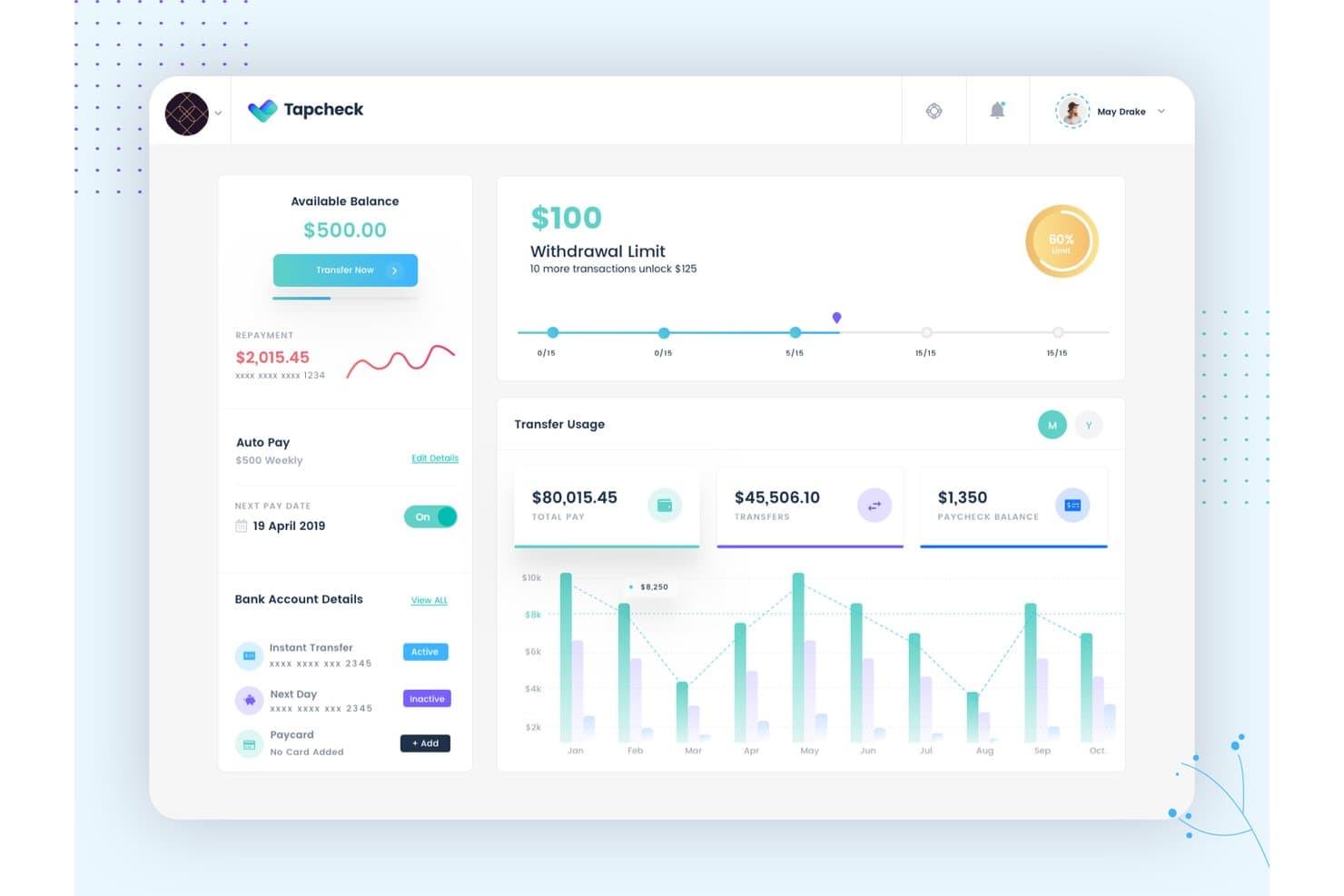
Tapcheck lets users track balances, transfers, and withdrawal limits. Tapcheck is an earned wage access platform that lets employees access accrued wages before payday through a mobile app, with payroll and timekeeping integrations, automatic paycheck deductions, and multiple disbursement options including bank transfers, a prepaid Mastercard, and gift cards.
Who Is Tapcheck Best For?
Tapcheck is a strong fit for employers using Workforce.com who want to offer on-demand pay with automatic payroll reconciliation and zero cost to the business.
Why I Picked Tapcheck
I picked Tapcheck as one of the best because of how cleanly it handles payroll reconciliation for Workforce.com users. When an employee requests an advance, Tapcheck pulls time-and-attendance data directly via API and reconciles that advance through the normal payroll run, with no manual exports or separate bank accounts needed. Advances show up as a line item on the pay stub automatically, so there's no extra work on payday.
Tapcheck Key Features
- Multiple disbursement options: Employees can send earned wages to a bank account (instantly or next business day), load funds onto a Tapcheck Mastercard, or redeem pay as gift cards through Prizeout.
- Employee self-service app: The iOS and Android app lets employees check their available balance and request transfers without going through a manager or approval step.
- Employer dashboard: Employers can monitor enrolled employees, track utilization and adoption rates, and view transfer activity in real time.
- SOC 2 Type II certification: Tapcheck undergoes annual third-party security audits and penetration testing to meet SOC 2 Type II standards.
Tapcheck Integrations
Tapcheck offers 300+ payroll and time software integrations, including ADP Vantage HCM, ADP Workforce Now, RUN Powered by ADP, and ADP Workforce Now Next Generation. It connects to Workforce.com via API and supports Prizeout for gift-card disbursements.
Pros and Cons
Pros:
- Bank, card, and gift-card payouts
- Employees request advances without office calls
- Quick access helps cover between-payday expenses
Cons:
- Support delays can leave issues unresolved
- Balance updates can lag after shifts
Learn more about Tapcheck: Best for pooled tips and same-day payouts
- Free demo available
- Pricing upon request
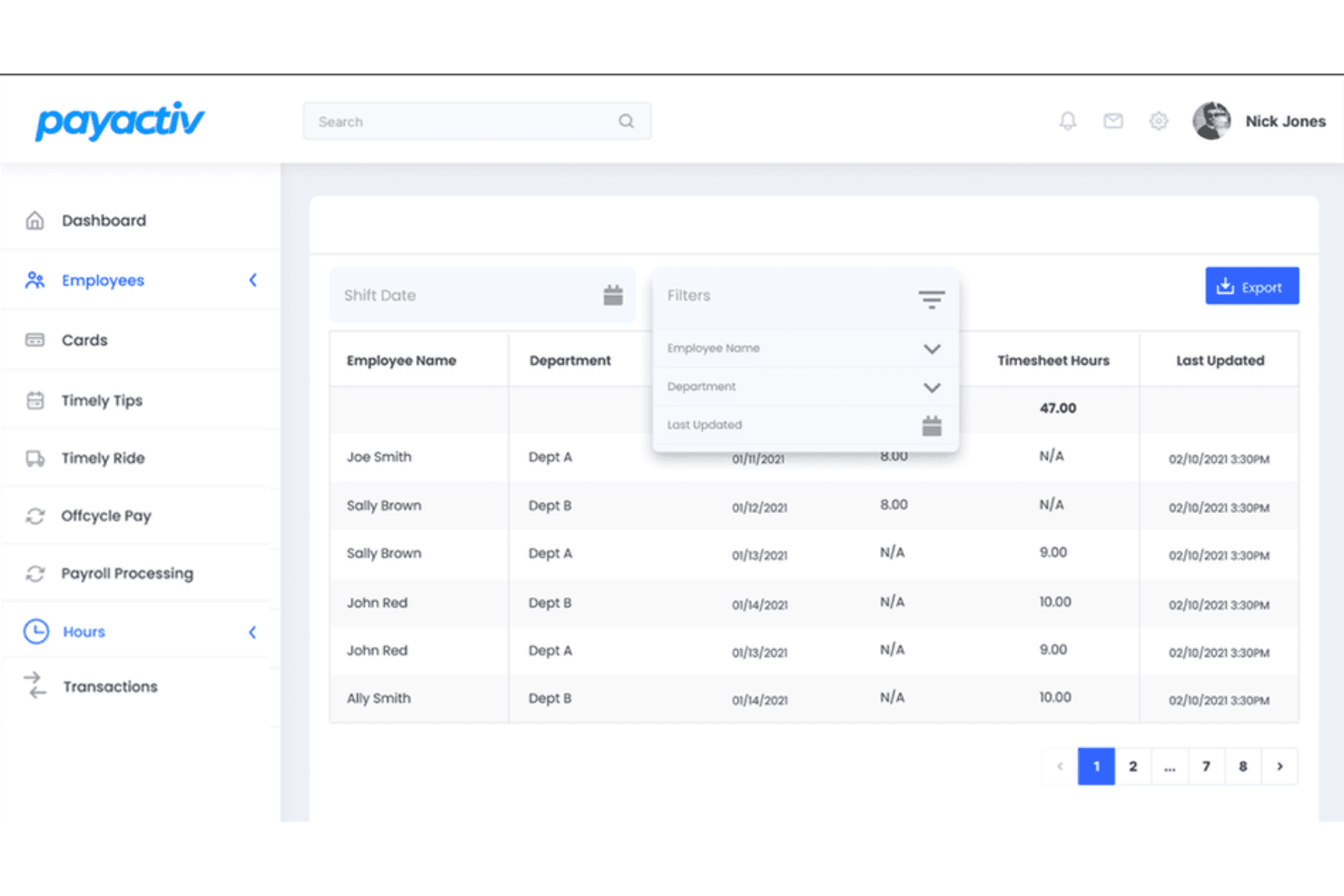
Payactiv combines earned wage access with savings and financial wellness tools. Payactiv is an earned wage access platform that lets employees draw a portion of their earned wages before payday, with built-in tip pooling, mileage payouts, off-cycle pay, goal-based saving, and connections to 150+ payroll and workforce systems.
Who Is Payactiv Best For?
Payactiv is a strong fit for HR and payroll teams in hourly-workforce-heavy industries—like hospitality, retail, and healthcare—where tip pooling, same-day disbursements, and deep payroll integrations matter most.
Why I Picked Payactiv
I've included Payactiv in my top picks because it's the only EWA platform I've seen that pairs earned wage access with a fully configurable tip pooling engine. In hospitality or retail, where end-of-shift tip distribution is a daily operational headache, Payactiv captures approved tips through supported POS systems and distributes them the same day to a Payactiv Card or bank account. Employers can set pooling rules by role, shift, or percentage, so the right amount reaches the right people without touching the payroll cycle.
Payactiv Key Features
- Multiple disbursement options: Employees can transfer earned wages to a bank account, Payactiv Visa Card, Venmo, PayPal, Walmart Cash, Amazon, Cash App, or use funds directly for Uber rides and bill payments.
- Off-cycle and termination pay: Employers can issue bonuses, payroll corrections, reimbursements, and final pay outside the regular payroll cycle through configurable approval workflows.
- Goal-based saving tool: SmartSave automatically calculates a transferable savings amount based on an employee's income and expenses, then moves funds from each paycheck into a savings goal.
- 150+ payroll and workforce integrations: Payactiv connects with major platforms including ADP, Paychex, UKG, Paycor, Oracle, and Workday to pull validated pay and hours data.
Payactiv Integrations
Payactiv connects with 150+ payroll and workforce systems, including ADP, Paychex, UKG, Paycor, Oracle, and Workday. It also offers EWA, Payments, Card, and HCM Time APIs, plus OpenAPI documentation and webhooks for custom integrations.
Pros and Cons
Pros:
- Financial tools support bill management
- Same-day pooled tip payouts suit hourly teams
- Early wage access helps cover urgent bills
Cons:
- Users report duplicate paycheck deductions
- Weekend access freezes can disrupt planning
Learn more about Payactiv: Best for shift-based earnings planning
- Free demo available
- Pricing upon request
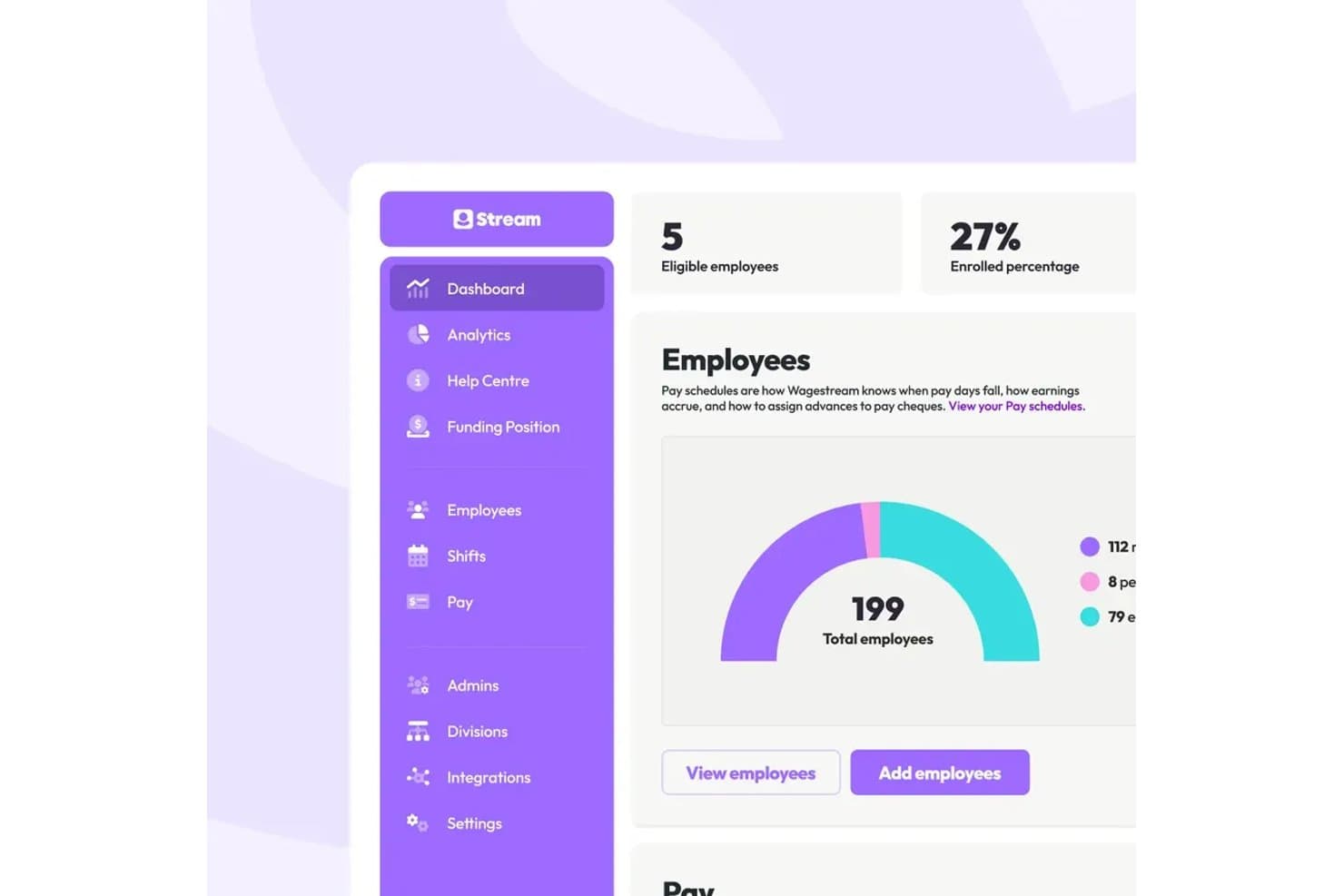
Wagestream tracks total employees and enrollment stats on its dashboard. Wagestream is an employer-linked earned wage access platform that combines flexible pay, shift and earnings tracking, budgeting, savings, rewards, and financial education tools in a single employee app.
Who Is Wagestream Best For?
Wagestream fits employers with large hourly or shift-based workforces—think retail, hospitality, and healthcare—who want to give employees real-time visibility into earnings alongside flexible pay access.
Why I Picked Wagestream
I've included Wagestream in my top picks because it's purpose-built for workforces where pay is anything but predictable. The Budget module connects directly to employer systems so employees can see shifts already worked, earnings to date, and projected pay from upcoming shifts, all in one view. That real-time earnings picture is what makes the Flexible Pay feature genuinely useful: employees aren't guessing what they can safely access before payday, they're working from actual numbers.
Wagestream Key Features
- Automated payslip reconciliation: Flexible Pay advances are automatically deducted from the employee's next payslip, with no manual processing required from payroll teams.
- Peer-to-peer recognition and awards: Employees can send shout-outs and nominations, while employers can configure milestone and programme awards with set budgets and approval thresholds.
- Benefits eligibility finder: The Claim module integrates with Inbest to surface government and local-authority benefits, grants, and social tariffs that employees may be entitled to.
- Workplace savings account: Employees can set aside money from each shift's pay via the Save the Pennies rounding feature, with funds held in an interest-bearing savings account.
Wagestream Integrations
Wagestream integrates with payroll, HR, and time-and-attendance systems including ADP, Workday, UKG, Dayforce, Deputy, Planday, Quinyx, Zellis, SAP HCM, and Oracle.
Pros and Cons
Pros:
- Reviewers value early access for emergencies
- Automatically reconciles advances at payday
- Tracks shifts against projected earnings
Cons:
- Users report delayed shift and pay updates
- Repeated withdrawals can shrink payday balances
Learn more about Wagestream: Best for branded employee financial benefits
- Free demo available
- Pricing upon request
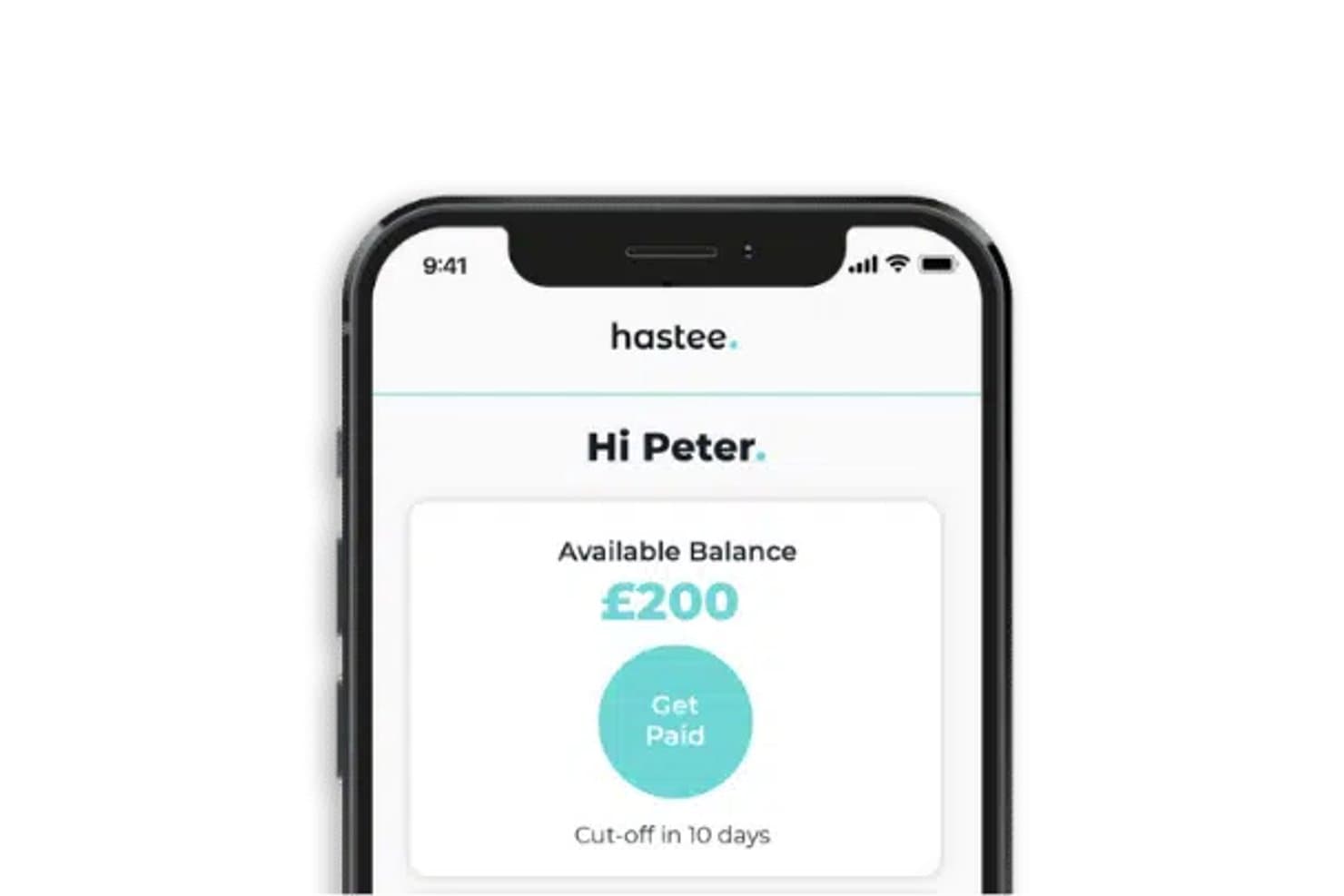
Hastee lets employees access earned wages instantly from their phone. Hastee is an earned wage access platform that lets employees withdraw a portion of their accrued wages before payday, paired with white-label employer branding, financial education tools, and integrations across 80+ HR and payroll systems.
Who Is Hastee Best For?
Hastee is a strong fit for HR and employee experience teams that want to offer earned wage access under their own brand, backed by financial education and wellness tools.
Why I Picked Hastee
I've included Hastee in my top picks because it's one of the few earned wage access platforms that lets employers put their own brand on the experience. Rather than employees seeing a third-party app, they interact with something that looks and feels like a company benefit. I also like that Hastee Grow layers in real extras, like discounted vouchers from brands such as Amazon and Tesco, alongside a savings pot employees can fund directly from their accrued wages each pay cycle.
Hastee Key Features
- Earnings tracker: Employees can monitor shifts, accrued earnings, and withdrawal history in real time as income builds throughout a pay period.
- Payroll system integrations: Hastee connects with 80+ HR and payroll platforms via API and SFTP file exchange to sync earned wage data.
- Financial health checkup: Employees can complete an optional assessment to receive a personalized financial health score and tailored guidance.
- Admin portal: Employers can manage employee eligibility, set withdrawal limits, and access consolidated end-of-period withdrawal reports.
Hastee Integrations
Hastee integrates with over 80 HR and payroll systems, including UKG, Deputy, Personio, Planday, Zellis, Ceridian, BambooHR, and Oyster. It supports API and SFTP file exchange for custom connectivity.
Pros and Cons
Pros:
- Branded wellness app adds savings and education
- Early access can bridge first-paycheck gaps
- Employees recommend it as a workplace benefit
Cons:
- Repeated withdrawals may shrink payday balances
- Shift updates can leave balances incomplete
Learn more about Hastee: Best for tipped teams needing early tip access
- Free demo available
- Pricing upon request
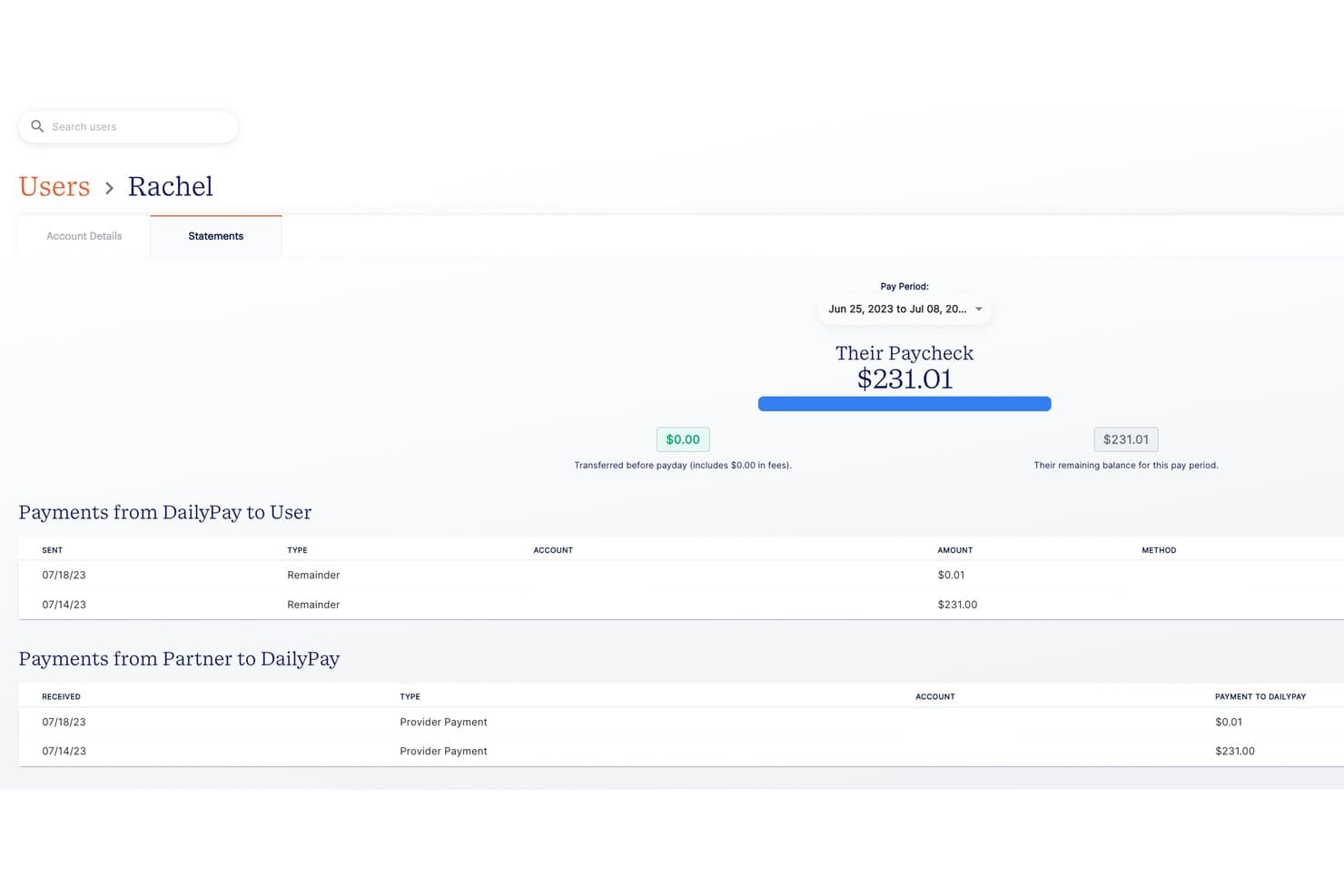
DailyPay lets admins review employee paycheck statements by pay period. DailyPay is an employer-integrated earned wage access platform that lets employees transfer a portion of their accrued pay before payday, with support for tips, financial wellness tools, and connections to 180+ payroll and timekeeping systems.
Who Is DailyPay Best For?
DailyPay is a strong fit for employers in hospitality, retail, and food service where tipped workers need real-time visibility into both shift earnings and tip balances before payday.
Why I Picked DailyPay
I've included DailyPay in my top picks because its Tips feature is built specifically for tipped workers, letting employees view shift earnings and tip balances together in one app and transfer that combined amount before payday. Tip data flows into the platform the same way base-pay data does, so there's no separate process for managers to run. I also like that DailyPay pre-funds tip access and settles it through the employer's normal payroll cycle.
DailyPay Key Features
- 180+ payroll and timekeeping integrations: DailyPay connects natively with major HCM, payroll, and time-management systems including Workday, ADP, UKG, Paycom, and SAP.
- DailyPay Visa® Prepaid Card: Employees can receive transferred earnings directly to a prepaid card, with fee-free instant transfers when direct deposit is set up to the card.
- Financial wellness tools: Employees can access in-app financial coaching, credit score monitoring, pay planning tools, and savings tips at no extra cost.
- Employer dashboard: HR and payroll teams can track rolling employee activation rates and compare adoption data against operational metrics like turnover and time-to-fill.
DailyPay Integrations
DailyPay offers 180+ native integrations, including Workday, ADP, UKG, Paycom, SAP, Dayforce, Paychex, Paylocity, Toast, and QuickBooks. It also provides embedded APIs for custom integrations.
Pros and Cons
Pros:
- Early access helps cover urgent bills
- Employees value choosing transfer amounts
- Tips and shift earnings appear together
Cons:
- Reported earnings and transfers can lag
- Instant transfer charges can accumulate
Learn more about DailyPay: Best for U.S. employers without time data
- Free demo available
- Pricing upon request
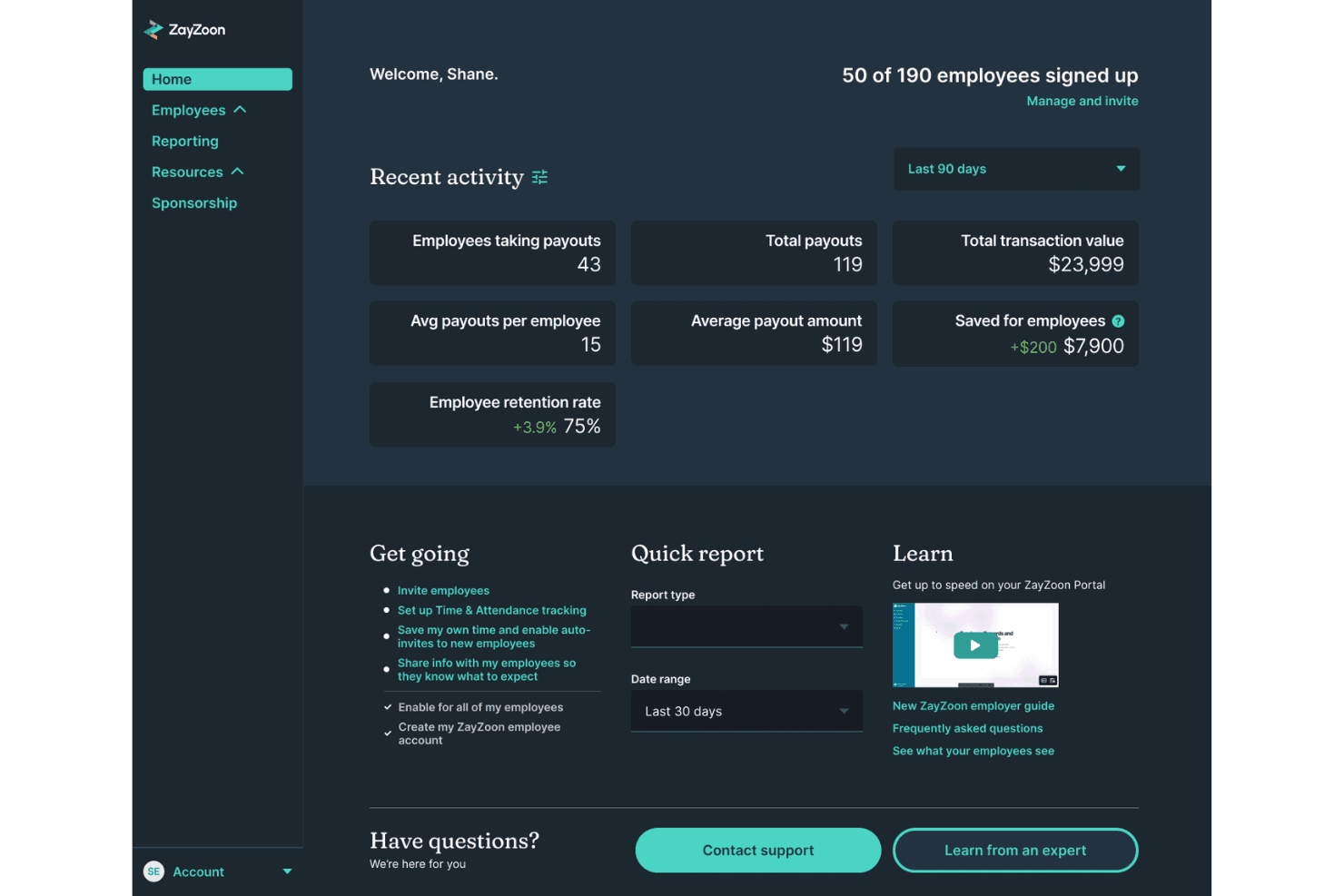
ZayZoon combines earned wage access with rewards and financial tools. ZayZoon is an earned wage access platform that gives employees on-demand access to pay before payday, alongside a perks marketplace, financial wellness tools, and employee recognition features.
Who Is ZayZoon Best For?
ZayZoon is a strong fit for U.S. employers who want to offer earned wage access without needing to track or share time-and-attendance data.
Why I Picked ZayZoon
I picked ZayZoon as one of the best because it's the only tool on my list that doesn't require time-and-attendance data to get started, which is a real advantage for U.S. employers without that infrastructure in place. Its algorithm estimates available wages using historical earnings, employment duration, and industry, so employees still get access before payday. The bundled Perks Marketplace and Rewards & Recognition module also go beyond basic EWA, giving employers a fuller employee engagement toolkit in one place.
ZayZoon Key Features
- Multiple payout methods: Employees can receive earned wages via direct deposit, Venmo, the ZayZoon Visa Prepaid Card, instant gift cards, or a Gas Card.
- Automated milestone recognition: Employers can set up automatic personalized messages for birthdays, work anniversaries, and new-hire welcomes through the Rewards & Recognition module.
- In-app announcements and polls: Employers can share company updates and collect employee feedback directly within the ZayZoon app.
- Financial wellness tools: Employees can access budgeting tools, a retirement analyzer, a home-affordability calculator, and financial education courses covering beginner through advanced topics.
ZayZoon Integrations
ZayZoon reports integrations with 300+ payroll partners and 100+ time-and-attendance platforms, though it also cites 130+ payroll providers. Documented connections include Venmo and API Financial Solutions, plus CSV uploads and occasional SFTP workflows.
Pros and Cons
Pros:
- Perks and wellness tools extend engagement
- Simple signup supports employee adoption
- Employees value access for urgent expenses
Cons:
- Repeated deductions may strain later paychecks
- Withdrawal limits can restrict larger needs
Learn more about ZayZoon: Best for workforce financial-wellness insights
- Free demo available
- Pricing upon request
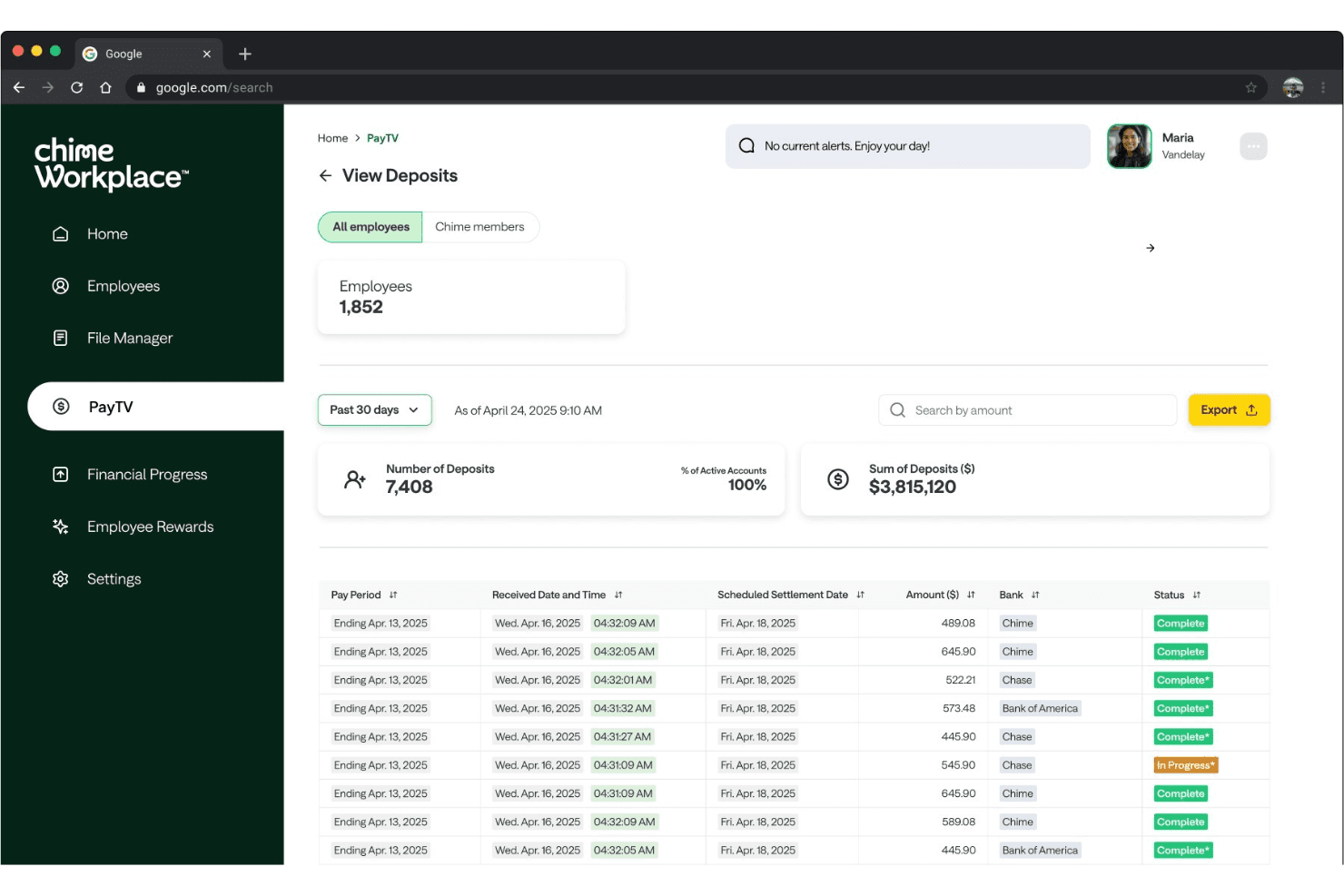
Chime Workplace offers a PayTV dashboard that gives employers real-time visibility into employee deposit activity, including total deposit counts and sum of payroll deposits processed. Chime Workplace is an earned wage access and employee financial wellness platform that bundles fee-free on-demand pay with savings tools, credit-building features, and an employer dashboard for tracking workforce financial health.
Who Is Chime Workplace Best For?
Chime Workplace is a strong fit for HR and benefits teams that want to offer a no-cost financial wellness benefit—combining earned wage access, savings, and credit-building tools—without adding complexity to payroll operations.
Why I Picked Chime Workplace
I picked Chime Workplace as one of the best because the employer dashboard gives HR teams a real-time view of workforce financial health, covering savings progress, credit-score trends, and EWA usage patterns in one place. That kind of visibility goes beyond just moving up payday. I also like that the platform pairs fee-free wage access with AI-powered spending insights and certified one-on-one financial coaching, so employees get tools that address the root causes of financial stress, not just the symptoms.
Chime Workplace Key Features
- Payroll and HRIS integrations: Chime Workplace connects with ADP, Workday, UKG, Paychex, Gusto, and SAP, syncing wage accrual and eligibility data in real time or daily.
- Credit-building tools: Employees can access built-in credit-building features, with Chime reporting average score improvements of up to 71 points after eight months.
- High-yield savings account: The platform offers an automated, high-yield savings option with an APY Chime describes as up to nine times the national average.
- SpotMe overdraft protection: Eligible employees can access up to $200 in fee-free overdraft coverage through the optional Chime checking account.
Chime Workplace Integrations
Documented integrations include ADP, UKG, Paychex, Gusto, and SAP, while Workday is available through Workday Wellness and the Workday Solutions Marketplace. Depending on configuration, these connections sync wage accruals and eligibility data in real time or daily.
Pros and Cons
Pros:
- Reviewers praise responsive employee support
- Employers get workforce financial-wellness trends
- Savings and credit tools complement wage access
Cons:
- Pay-period settlement labels confuse some employees
- Admins have limited withdrawal visibility
Learn more about Chime Workplace: Best for digital tip pooling and payouts
- Not available
- Pricing upon request
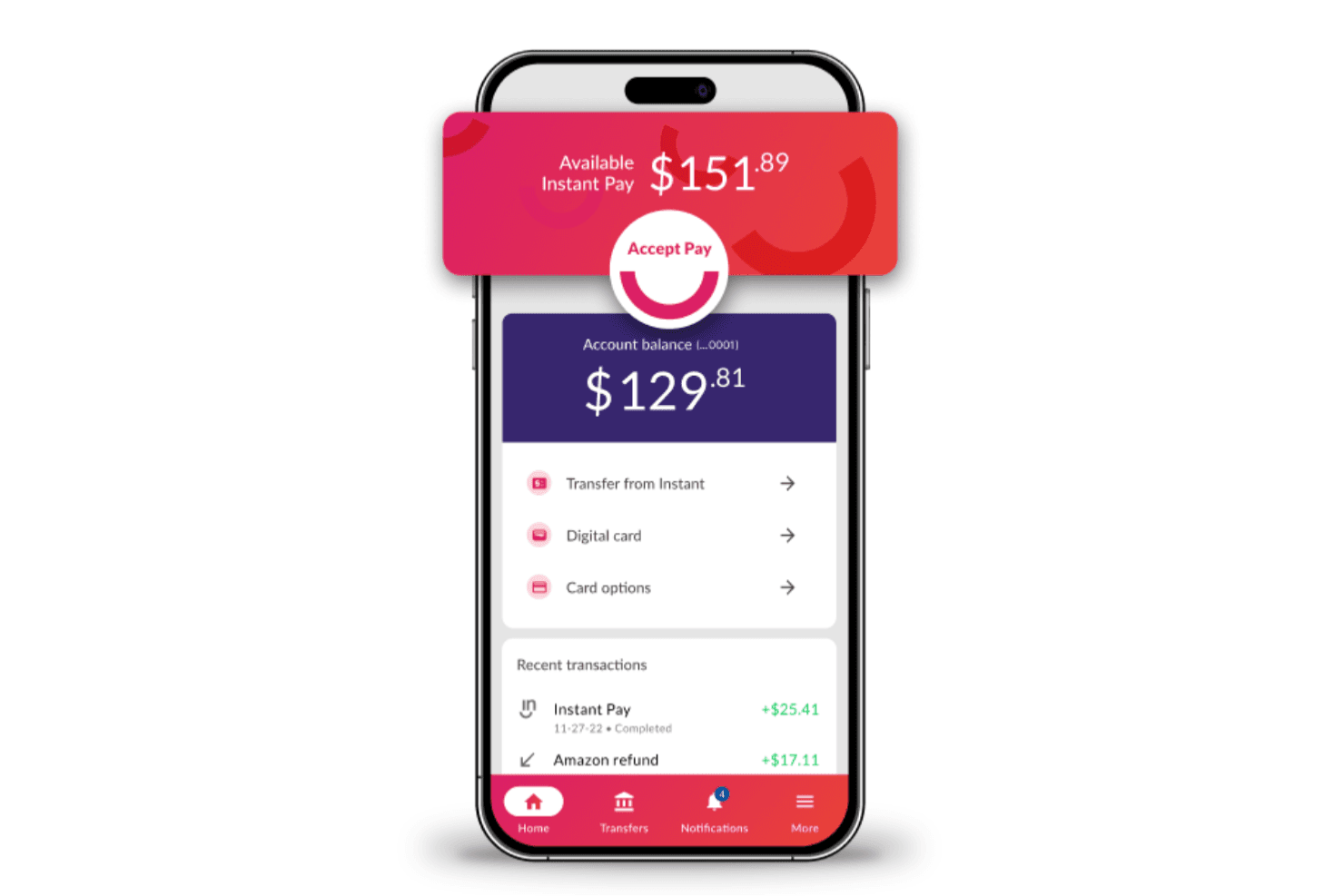
Instant Financial lets workers access earned wages instantly via mobile. Instant Financial is an earned wage access platform that combines on-demand pay, digital tip pooling and payouts, a payroll card, and a financial wellness suite for employers and their workforce.
Who Is Instant Financial Best For?
Instant Financial is a strong fit for mid-market and enterprise employers in hospitality, food service, and retail—industries where hourly workers and tip-based pay are the norm.
Why I Picked Instant Financial
I picked Instant Financial as one of the best because it's the only tool on my list that treats tip pooling and payouts as a first-class feature, not an afterthought. With Instant Tips, managers can automatically calculate, allocate, and distribute tips digitally to employees' accounts at the end of each shift, eliminating cash tip-outs entirely. I also like that the platform pairs this with a full earned wage access layer, so hospitality and food service teams get both shift-end tips and on-demand pay access in one place.
Instant Financial Key Features
- Earned wage access app: Employees can view available earnings, request pay, track spending, pay bills, and transfer money to a bank account directly from the Instant app.
- Instant Card: A virtual and physical Visa payroll card that employees can receive digitally and use immediately, including at over 40,000 fee-free in-network ATMs.
- Payroll system integrations: Instant connects natively with payroll and HCM platforms including ADP, Paychex, UKG, Paylocity, and Bullhorn to sync earned wage data.
- Back Office reporting portal: Administrators can review pay-period activity, track repayments, and export payroll reconciliation data by location, employee, or payment status.
Instant Financial Integrations
Instant Financial offers native integrations with Paychex, UKG, ADP, Delaget, Harri, Paylocity, CloudPay, Alliance HCM, Bullhorn, and PAP. It doesn’t publicly document an API or total integration count.
Pros and Cons
Pros:
- Payroll reports track repayments and unrecovered advances
- Employees track earnings after each shift
- Digital shift-end tip pooling and payouts
Cons:
- Free ACH takes one to two days
- Wage access capped at half of earnings
Learn more about Instant Financial:
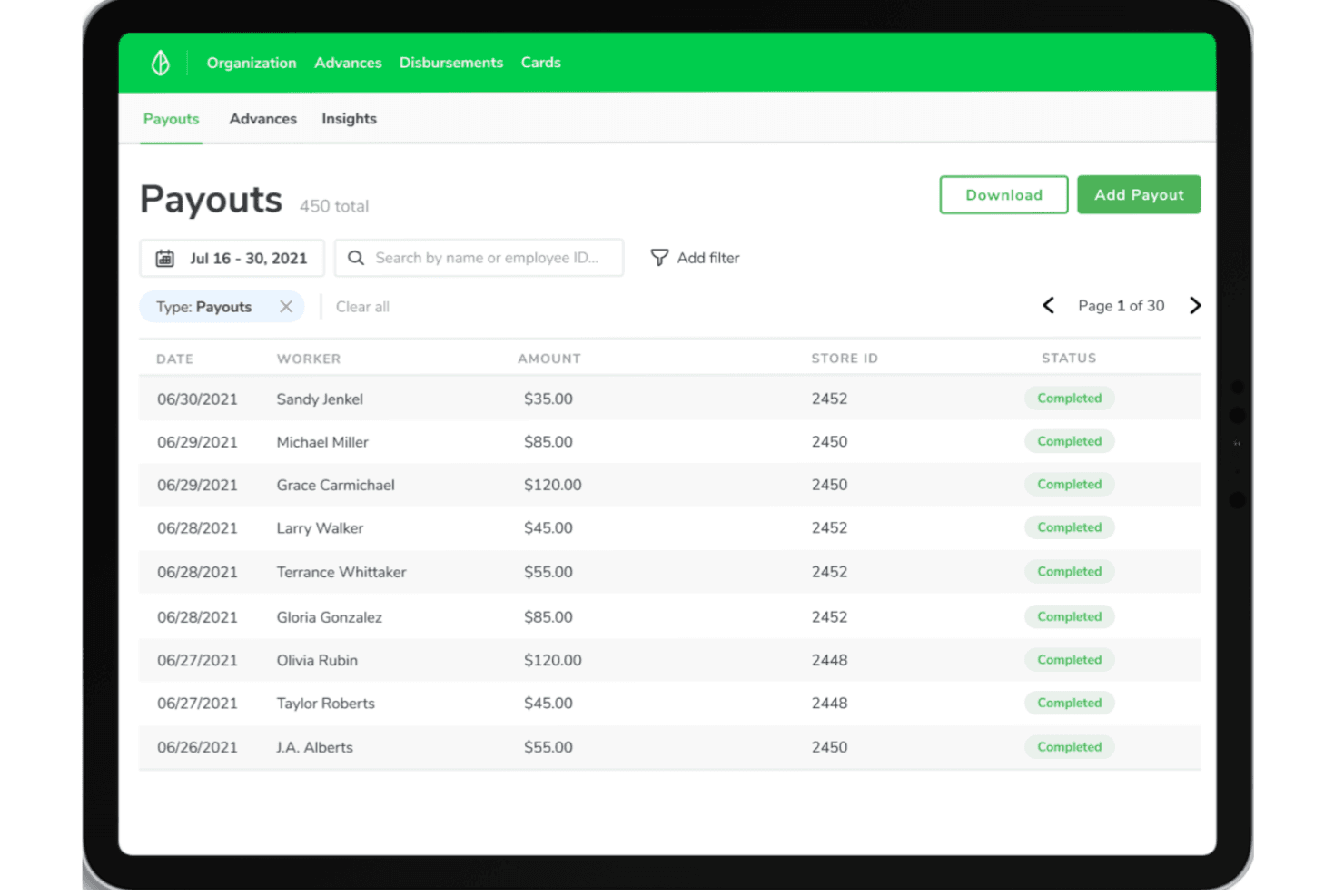
Branch offers earned wage access software with a payouts dashboard, digital wallets, and worker payments. Branch is a workforce payments platform that combines earned wage access, on-demand pay, digital wallets, tip distribution, and contractor payouts for W-2 and 1099 workers.
Who Is Branch Best For?
Branch works well for HR and payroll teams at businesses with hourly, tipped, or mixed W-2 and 1099 workforces who want to offer earned wage access without taking on added cost or funding risk.
Why I Picked Branch
Branch earns its spot on my shortlist because of how well its Flex EWA model works for platforms and apps that want to offer on-demand pay without building payroll integrations from scratch. I love that workers can enroll directly inside a partner platform, no separate app download needed, and Branch handles repayment by detecting the worker's next direct deposit automatically. The embedded onboarding combined with Branch's TipCalc tool makes it a particularly strong fit for restaurants and hourly-shift businesses that need wage access and tip distribution in one place.
Branch Key Features
- Core EWA wage limits: Workers can access up to 50% of earned wages in the current pay cycle, with employer-set limits and per-period advance restrictions applying.
- TipCalc tip distribution: Pulls real-time POS data to calculate and distribute digital tips using custom pooling and sharing rules, with nightly close automation.
- Multi-workforce payment support: Sends wages, tips, reimbursements, and off-cycle payments to both W-2 employees and 1099 contractors through a single platform.
- SOC 2 Type 2 and ISO/IEC 27001:2022 certification: Branch holds both security certifications, with ISO/IEC 27001:2022 valid through December 2028.
Branch Integrations
Branch lists integrations with ADP, Paychex, Paylocity, UKG, Workday, and Square Payroll, among other payroll, HCM, and time-tracking platforms. Its HTTP API and webhooks support custom worker onboarding, disbursements, remittance, and reporting integrations.
Pros and Cons
Pros:
- Tip payouts reduce restaurant cash handling
- Reviewers value quick access to wages
- Embedded advances fit partner apps
Cons:
- Payroll repayment requires employer-side deductions
- Instant transfers and ATM use can cost
Learn more about Branch: Best for pay access and tip, mileage payouts
- Free plan + free demo available
- Pricing upon request
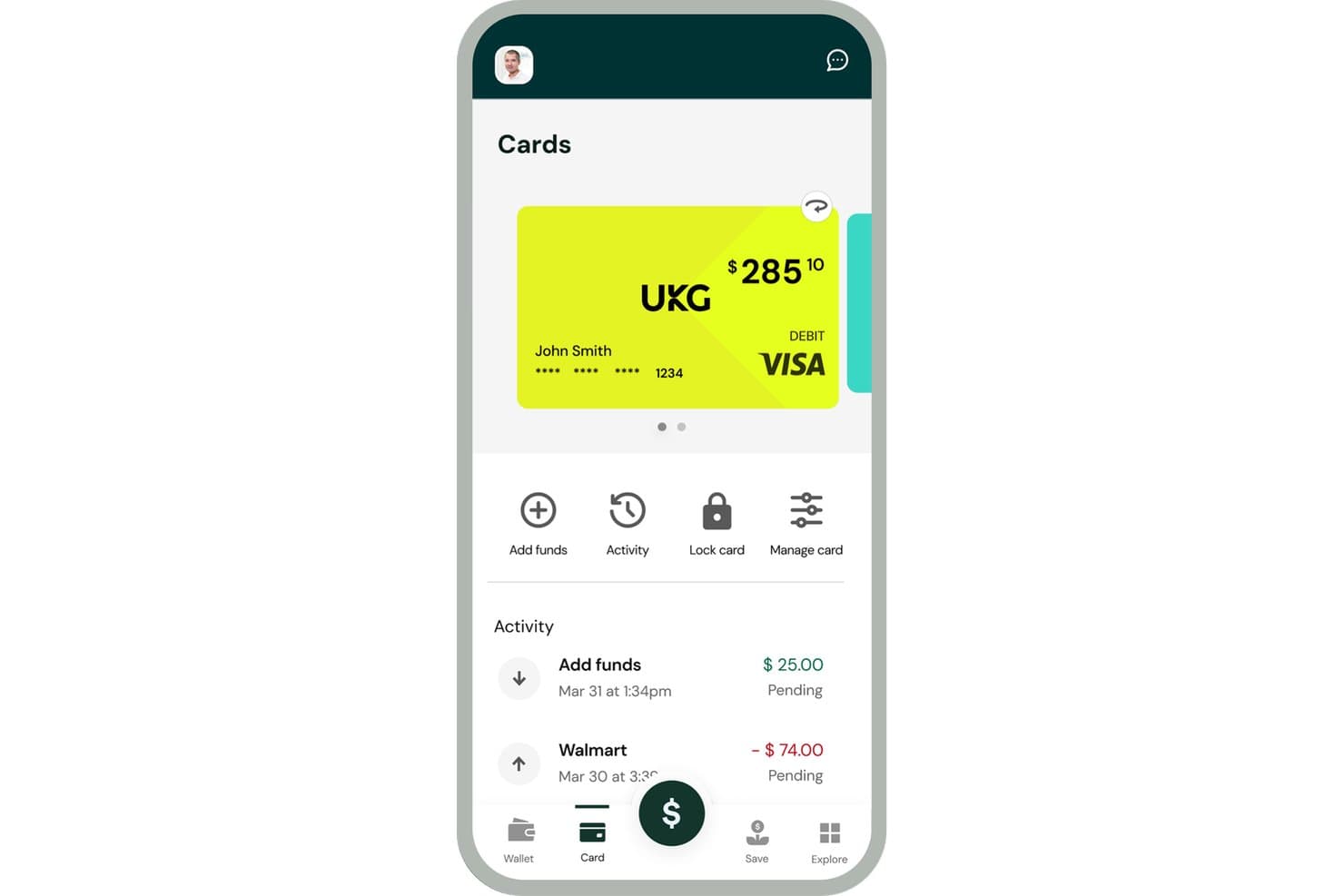
UKG Wallet lets users view balance, transactions, and manage their debit card. UKG Wallet is an earned wage access solution that gives employees on-demand access to earned pay, a Visa payroll card, tip and mileage disbursements, and built-in savings and budgeting tools.
Who Is UKG Wallet Best For?
UKG Wallet is a strong fit for mid-to-large employers already running UKG payroll systems who want to offer earned wage access, tip disbursements, and financial wellness tools without adding cost or complexity to payroll.
Why I Picked UKG Wallet
I picked UKG Wallet as one of the best because it handles tip and mileage disbursements in a way most earned wage access tools simply don't. Rather than keeping those payments in a separate process, UKG Wallet routes tips and mileage directly to an employee's Wallet card or their own bank account, working alongside your existing POS system. The two-day cash float for tip payments also gives employers breathing room on timing without disrupting how payroll runs.
UKG Wallet Key Features
- Earned wage access: Employees can access up to 50% of earned pay through the mobile app as soon as a shift ends.
- UKG payroll system integration: UKG Wallet syncs via API with UKG Pro and UKG Dimensions, with compatibility across UKG Ready and UKG Workforce Central.
- Goal-based savings and SmartSave: Employees can set savings goals and use SmartSave to estimate how much they can safely set aside each pay period.
- Employer portal: HR and payroll managers can sign up employees, manage user access, and view transaction history and service adoption tracking in one place.
UKG Wallet Integrations
UKG Wallet integrates via API with UKG Pro and UKG Dimensions and is compatible with UKG Ready and UKG Workforce Central. It’s listed in the UKG Marketplace for UKG Pro WFM, while POS integrations aren’t specifically named.
Pros and Cons
Pros:
- Early pay helps cover unexpected expenses
- Multiple ways to receive accessed wages
- Tips and mileage payouts complement wage access
Cons:
- App outages can interrupt cash access
- Shift earnings can appear late
Learn more about UKG Wallet:
Diğer Kazanılmış Ücret Erişimi Yazılımları
Kısa listeme giremeyen ancak yine de göz atmaya değer bazı ek kazanılmış ücret erişimi yazılımı seçenekleri şunlardır:
- 12PaylocityBest for current Paylocity payroll customers
- 13RainBest for AI-led cash-flow guidance
- 14FingercheckBest for timecard-based pay access
- 15PaycomBest for net-pay-aware daily access
- 16ClairBest for shift teams using scheduling apps
- 17FlexWageBest for employer-funded access without loans
- 18PaymenowBest for multi-market African employers
- 19OrbisPayBest for mixed W-2 and 1099 teams
- 20EarnInBest for employee privacy from employers
- 21WiselyBest for shift teams with early digital tips
- 22Dayforce WalletBest for end-of-shift pre-tax tip payouts
- 23ImmediateBest for shift-based, multi-rate workforces
How I Evaluate Earned Wage Access Software
I split my evaluation into three parts, giving the most weight to core functionality: calculate pay from tracked hours and send it before payday. Next, I look for standout features such as no-fee instant transfers and tip earnings support. Finally, I consider what goes beyond features, including implementation help, employee communications, compliance, and total cost.
Core Functionality (Table Stakes For This List)
When I'm selecting tools for my list, I score each one on a scale from 0 (does not offer the functionality) to 5 (excels in this area) for each core functionality listed below. I then convert the total into a percentage to help assess each tool's overall fit, with extra weight on any functionalities I’ve deemed essential.
- Real-Time Wage Access (Essential): I look for balances tied to recorded hours and access before payday, including whether a late-shift worker can see newly earned pay promptly.
- Payroll Integration (Essential): I check supported payroll and time systems, data syncing, and setup needs so hours and earnings stay aligned through a pay cycle.
- Repayment Reconciliation: I assess whether advances flow into the next payroll deduction automatically, including adjustments for overtime or changing hours.
- Employee Self-Service: I evaluate whether workers can check available balances and request funds in an app or portal without HR approving each draw.
- Disbursement Options: I compare delivery methods, such as bank deposit, pay card, or instant transfer, and whether employees can choose a practical option.
- Usage & Compliance Reporting: I look for exportable activity reports that help payroll monitor use, reconcile transactions, and answer audit or policy questions.
Once I have a list of tools that meet the criteria, I consider what sets each platform apart.
Differentiating Factors (What Sets Vendors Apart)
Here's how I compare and contrast different vendors:
Standout Features
I check whether employers can subsidize transfer fees or shift costs entirely to employees, since that choice directly shapes adoption rates. For hospitality or retail teams, I look at whether the platform calculates earned wages on tips and bonuses—not just base hourly pay. I also evaluate employer dashboard analytics, specifically whether usage trends surface patterns that help HR spot financial stress before it drives turnover.
Beyond Features
I evaluate how each vendor's funding model shapes employer liability—some advance funds directly, tying your organization to capital commitments, while third-party float models shift risk but can attract regulatory scrutiny as loan-like products. Workforce fit matters too: seasonal or shift-heavy teams need rapid onboarding and variable pay schedule support that salaried-focused platforms often lack. I also check whether vendors supply employee communication kits and phased pilot options, since rollout success depends more on adoption support than feature depth.
Kazanılmış Ücret Erişimi Yazılımı Nasıl Seçilir?
Uzun özellik listeleri ve karmaşık fiyatlandırma yapılarına kendinizi kaptırmanız kolaydır. Benzersiz yazılım seçim sürecinizde ilerlerken odağınızı korumanıza yardımcı olmak için göz önünde bulundurmanız gereken faktörleri aşağıda bir kontrol listesi olarak bulabilirsiniz:
| Faktör | Göz Önünde Bulundurulması Gerekenler |
|---|---|
| FaktörÖlçeklenebilirlik | Göz Önünde Bulundurulması GerekenlerYazılım, büyüdükçe, yeni konumlar ekledikçe veya mevsimsel iş gücü değişimleriyle karşılaştıkça kuruluşunuzu destekleyecek mi? Ölçeklenemeyebilecek kullanıcı başına maliyetlere veya sınırlara dikkat edin. |
| FaktörEntegrasyonlar | Göz Önünde Bulundurulması GerekenlerÇözüm, manuel dosya alışverişlerine veya özel geliştirmelere gerek kalmadan bordro, HCM ve zaman takip sistemlerinize bağlanıyor mu? Entegrasyon gereksinimlerini önceden doğrulayın. |
| FaktörÖzelleştirilebilirlik | Göz Önünde Bulundurulması GerekenlerErişim limitlerini, ödeme zamanlamasını ve uygunluk koşullarını ücret politikalarınıza, vardiyalarınıza ve uyumluluk ihtiyaçlarınıza uyacak şekilde düzenleyebilir misiniz? İdari karmaşıklık oluşturan katı kurallardan kaçının. |
| FaktörKullanım kolaylığı | Göz Önünde Bulundurulması GerekenlerYöneticileriniz ve çalışanlarınız, minimum eğitim veya destekle deneyimi anlaşılır bulacak mı? Saha çalışanları için dil seçeneklerini ve mobil erişimi göz önünde bulundurun. |
| FaktörUygulama ve işe alıştırma | Göz Önünde Bulundurulması GerekenlerBaşlatma, hesap kurulumu ve kullanıcı eğitimi için ne kadar destek sağlanıyor? Zaman çizelgelerini, gereken BT katılımını ve adım adım kaynakların kullanılabilirliğini değerlendirin. |
| FaktörMaliyet | Göz Önünde Bulundurulması GerekenlerKurulum, aylık ve işlem başına ücretler de dahil olmak üzere zaman içinde şeffaf ve toplam maliyetler nelerdir? Fiyatlandırmayı hem işveren hem de çalışan üzerindeki etkisi açısından karşılaştırın. |
| FaktörGüvenlik önlemleri | Göz Önünde Bulundurulması GerekenlerPlatform güçlü veri korumasına, dolandırıcılık izlemeye ve uyumluluk sertifikalarına sahip mi? Belgeleri talep edin ve veri ihlali bildirim protokollerini netleştirin. |
| FaktörUyumluluk gereksinimleri | Göz Önünde Bulundurulması GerekenlerYazılım, ücret yasaları, vergiler, haciz veya finansal raporlama gibi faaliyet gösterdiğiniz eyaletler ya da bölgelerdeki düzenlemeleri destekliyor mu? Uyumlulukla ilgili belirsiz taahhütlere dikkat edin. |
Kazanılmış Ücret Erişimi Yazılımı Nedir?
Kazanılmış ücret erişimi yazılımı, çalışanlara maaş gününden önce zaten hak etmiş oldukları ücretlere anında erişim olanağı sunar. Bu platformlar, esnek bir ödeme çözümü sağlamak için bordro ve iş gücü yönetimi sistemleriyle entegre olur ve çalışanların yüksek faizli maaş günü kredilerine başvurmadan beklenmedik masraflarla başa çıkmasına yardımcı olur.
İK ve insan kaynakları ekipleri bu araçları finansal esnekliği artırmak, finansal stresi azaltmak ve uzun vadeli finansal istikrarı desteklemek için kullanır. Birçok platform, kazanılmış ücret erişimini değerli bir yan hak ve daha kapsamlı çalışan finansal yan hak programlarının bir parçası olarak da konumlandırır. Basit kayıt, web semineri gibi eğitim kaynakları ve otomatik bordro entegrasyonu gibi özellikler, işletmelerin ücretlere erişimi kolaylaştırmasına yardımcı olurken kredili mevduat hesabı bakiyesinin aşılması ve gecikme ücretleri gibi riskleri azaltır.
Kazanılmış Ücret Erişimi Yazılımının Özellikleri
Kazanılmış ücret erişimi yazılımı seçerken aşağıdaki temel özelliklere dikkat edin:
- Talep üzerine ücret çekme: Çalışanların maaş gününden önce, kazandıkları ücretlerin bir kısmına istedikleri zaman erişmesine olanak tanıyarak finansal ihtiyaçlar ortaya çıktığında esneklik sağlar.
- Bordro ve İKYS entegrasyonu: Kullanılabilir kazancı doğru şekilde hesaplamak için bordro ve zaman takip sistemleriyle doğrudan senkronize olur; böylece İK ve bordro ekiplerinin manuel çalışmasını en aza indirir.
- Özelleştirilebilir çekim limitleri: Çalışanların kazandıkları ücretlere ne kadar ve ne sıklıkta erişebileceğine ilişkin politikalar belirlemenize olanak tanıyarak uyumluluğu ve sorumlu kullanımı destekler.
- Gerçek zamanlı kazanç takibi: Çalışanlara kullanılabilir bakiyeleri hakkında güncel bilgiler sunarak şeffaflığı ve finansal farkındalığı artırır.
- Birden fazla ödeme seçeneği: Çalışanların doğrudan para yatırma, ödeme kartı veya diğer dijital cüzdanlar gibi esnek yöntemlerle para almasını sağlar.
- Mobil erişim: Çalışanların güvenli bir mobil uygulama veya web portalı üzerinden bakiyelerini kontrol etmesini, çekim talep etmesini ve hesaplarını yönetmesini sağlar.
- Uyumluluk ve güvenlik önlemleri: Hassas verileri şifrelemeyle korur ve hem işveren hem de çalışan bilgilerinin güvende kalması için ücret, bankacılık ve gizlilik düzenlemelerine uyar.
- Otomatik raporlama ve analiz: İşverenlere kullanım, çekim eğilimleri ve finansal etkiler hakkında net bilgiler sunarak politikaların oluşturulmasına ve programın etkinliğinin izlenmesine yardımcı olur.
- Çok dilli destek: Hesap yönetimi ve desteği birden fazla dilde sunarak farklı özelliklere sahip bir iş gücünün ihtiyaçlarını karşılar.
- Özel müşteri desteği: Sohbet, telefon ve e-posta gibi birden fazla kanal aracılığıyla hem çalışanlara hem de yöneticilere hızlı yardım sunar.
Kazanılmış ücret erişimi yazılımı çözümleri genellikle özellikleri arasında yapay zekâ içermez.
Kazanılmış Ücret Erişimi Yazılımının Faydaları
Kazanılmış ücret erişimi yazılımını uygulamak, ekibiniz ve işletmeniz için çeşitli faydalar sağlar. Yararlanabileceğiniz bazı faydalar şunlardır:
- Çalışan memnuniyetinde artış: Kazanılmış ücretlere talep üzerine erişim, çalışanlara mali durumları üzerinde daha fazla kontrol sağlayarak stresi azaltır ve morali yükseltir.
- Daha yüksek çalışanı elde tutma oranları: Kazanılmış ücrete erişme esnekliği, kuruluşunuzu farklılaştırarak rekabetçi iş piyasasında nitelikli yetenekleri çekmenize ve elde tutmanıza yardımcı olabilir.
- Sadeleştirilmiş bordro yönetimi: Bordro ve İK sistemleriyle doğrudan entegrasyon manuel çalışmayı azaltır, zaman kazandırır ve hata olasılığını düşürür.
- Daha iyi uyumluluk ve güvenlik: Yerleşik uyumluluk kontrolleri ve şifreleme, hassas bordro verilerini güvende tutarken düzenleyici gereklilikleri karşılamanıza yardımcı olur.
- İş gücüne erişilebilirliğin iyileştirilmesi: Birden fazla ödeme yöntemi ve mobil uygulama erişimi sunulması, bankacılık durumundan bağımsız olarak tüm çalışanların hizmeti kullanabilmesini sağlar.
- Net kullanım bilgileri: Otomatik raporlama ve analiz, kullanım modelleri ve finansal etkiler hakkında uygulanabilir veriler sağlayarak ödeme politikalarınızı geliştirmenize yardımcı olur.
- Devamsızlık ve çalışan devir maliyetlerinde azalma: Finansal iyilik hali desteği, stres kaynaklı devamsızlıkları ve çalışan devir oranını azaltabilir; bu da nihayetinde kuruluşunuza para kazandırır.
Kazanılmış Ücret Erişimi Yazılımının Maliyetleri ve Fiyatlandırması
Kazanılmış ücret erişimi yazılımı seçmek, mevcut çeşitli fiyatlandırma modellerinin ve planların anlaşılmasını gerektirir. Maliyetler özelliklere, ekip büyüklüğüne, eklentilere ve daha fazlasına göre değişir. Aşağıdaki tablo, kazanılmış ücret erişimi yazılımı çözümlerinde yaygın olarak sunulan planları, ortalama fiyatlarını ve genellikle dahil edilen özellikleri özetlemektedir:
Kazanılmış Ücret Erişimi Yazılımı İçin Plan Karşılaştırma Tablosu
| Plan Türü | Ortalama Fiyat | Yaygın Özellikler |
|---|---|---|
| Plan TürüÜcretsiz Plan | Ortalama Fiyat$0 | Yaygın ÖzelliklerSınırlı sayıda çalışanın erişimi, mobil uygulama erişimi, temel ücret avansı özellikleri ve temel destek. |
| Plan TürüBireysel Plan | Ortalama Fiyat$3–$10/kullanıcı/ay | Yaygın ÖzelliklerTalep üzerine ücret çekme, basit bordro entegrasyonu, mobil erişim, özelleştirilebilir çekim politikaları ve temel analizler. |
| Plan Türüİşletme Planı | Ortalama Fiyat$5–$25/kullanıcı/ay | Yaygın ÖzelliklerBireysel planın tüm özellikleri, gelişmiş gösterge panelleri, birden fazla konum desteği, geliştirilmiş raporlama ve işveren kontrolleri. |
| Plan TürüKurumsal Plan | Ortalama Fiyat$20–$50/kullanıcı/ay | Yaygın Özelliklerİşletme planının tüm özellikleri, öncelikli destek, SSO özellikleri, özel entegrasyonlar ve gelişmiş uyumluluk araçları. |
Kazanılmış Ücret Erişimi Yazılımı SSS
Kazanılmış ücret erişimi yazılımı hakkında sık sorulan bazı soruların yanıtlarını burada bulabilirsiniz:
Çalışanlar kazandıkları ücretlere ne kadar hızlı erişebilir?
Çalışanlar, sağlayıcıya ve ödeme yöntemine bağlı olarak kazandıkları ücretlere genellikle anında veya bir iş günü içinde erişebilir. Çoğu yazılım, banka hesaplarına, ücret kartlarına veya dijital cüzdanlara talep üzerine transferleri destekler.
Kazanılmış ücret erişimini kullanan çalışanlar için herhangi bir ücret var mı?
Evet, birçok kazanılmış ücret erişimi platformu her çekim için küçük bir işlem ücreti alır; ancak bazı işverenler bu ücretleri karşılamayı tercih eder. Ücret yapısı genellikle çalışan panosunda açıkça belirtilir.
Kazanılmış ücret erişimi yazılımı şirketin nakit akışını etkiler mi?
Hayır, çoğu çözüm avans olarak ödenen ücretleri kendisi karşılar ve bu tutarları bir sonraki bordro çalıştırmasında işverenden tahsil eder; bu nedenle maaş gününden önce nakit akışınız etkilenmez.
Kazanılmış ücret erişimini uygulamak güvenli ve mevzuata uygun mudur?
Evet; güçlü güvenlik protokollerine, şifrelemeye ve ücret ile gizlilik düzenlemelerine uyumluluğa sahip saygın bir sağlayıcı seçtiğinizde güvenli ve mevzuata uygundur. Yeni bir programı başlatmadan önce sağlayıcı belgelerini ve yasal gereklilikleri mutlaka inceleyin.
Kazanılmış ücret erişimi yazılımı saatlik ve maaşlı çalışanları destekleyebilir mi?
Evet, çoğu çözüm, hak kazanılan ücretleri doğru şekilde hesaplamak için zaman takibi ve bordro sistemleriyle senkronize olarak hem saatlik hem de maaşlı çalışanlar için çalışır.