Docebo vs. TalentLMS: Comparison and Expert Reviews for 2026
Compare Docebo and TalentLMS to find out which learning management system best fits your business, with expert insights on features, usability, and value.
We review tools independently, and commissions help fund our testing. See our transparency policy, our methodology, or suggest a tool.
Finding the right learning management system can be frustrating when every platform claims to do it all. You’re likely weighing Docebo’s enterprise-level features against TalentLMS’s simplicity and affordability, unsure which aligns best with your goals. It’s a decision that can impact both your team’s experience and your bottom line.
This guide will help you cut through the noise. I’ll compare Docebo and TalentLMS across pros and cons, use cases, pricing, security, and usability so you can choose the right platform with confidence.
Docebo


4.4/5
- Free demo available
- Pricing upon request
TalentLMS
4.6/5
- Free plan + free demo available
- From $119/month (billed annually)
Why Trust Our Software Recommendations
6,700+
Reviews
20
Industry experts
16+
Evaluation factors
14
Years
Our team has been testing and reviewing software since 2012. As HR experts ourselves, we know how difficult—and important—it is to choose the right software.
For this guide, we evaluated tools using hands-on testing and independent research, scoring tools using our selection criteria. We also draw on insights from industry thought leaders and practicing HR experts.
Our reviews reflect our human editorial judgment, not a sales pitch.
Expert reviewers:
- Phil GrayCOO

Kim BehnkeHR Tech Editor & Analyst
Josh BarkerPeople Ops Manager
| Docebo | TalentLMS | |
|---|---|---|
| Free Trial | Free demo available | Free plan + free demo available |
| Pricing | Pricing upon request | From $119/month (billed annually) |
Docebo vs. TalentLMS Pricing & Hidden Costs
Docebo uses a custom-quote pricing model, meaning you’ll need to contact their sales team to get pricing based on your organization’s size, user count, and feature requirements. This allows for flexibility, but your total cost can increase depending on add-ons like advanced analytics, branded apps, or extended enterprise features. TalentLMS, in contrast, offers transparent tiered pricing with clearly defined plans—and a free plan for up to five users and 10 courses, with no credit card required.
To choose the right pricing model, start by mapping out your must-have features, expected user count, and any integrations you’ll need now and in the future. Ask Docebo for a detailed breakdown of included features versus paid add-ons, and use TalentLMS’s free plan or demos to test functionality upfront. This approach helps you compare real costs and avoid surprises as your training program scales.
Both Docebo and TalentLMS cover the core LMS fundamentals you’d expect, including course creation and delivery, learning paths, certifications, reporting, and analytics to track learner progress. They also support multiple training audiences—employees, customers, or partners—and offer features like automation, integrations, and mobile-friendly learning experiences to streamline training at scale.
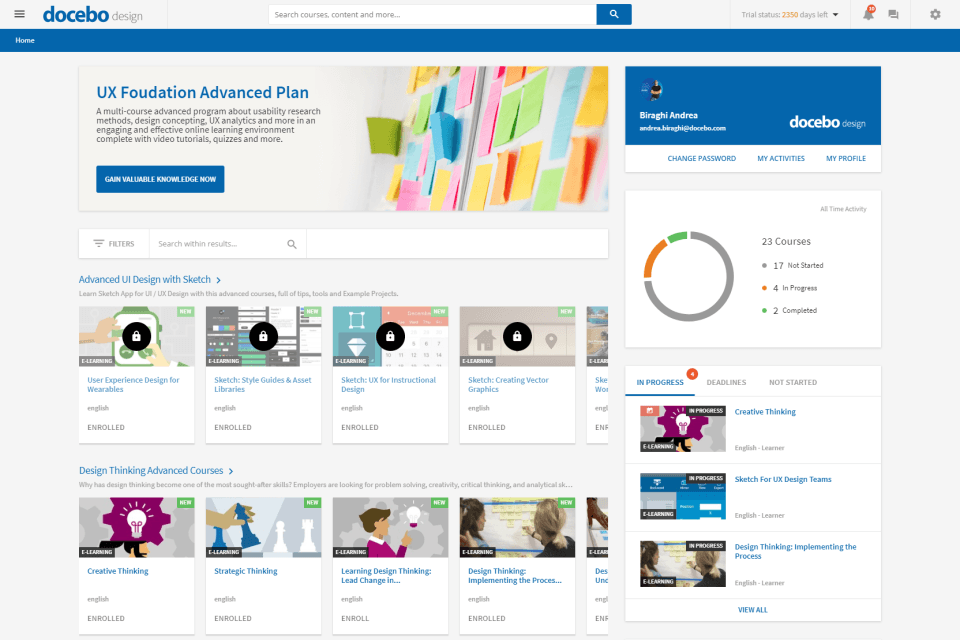
Docebo stands out with its enterprise-grade capabilities, especially AI-driven personalization and extended enterprise features that let you train external audiences and even monetize learning through eCommerce. TalentLMS, on the other hand, differentiates itself with simplicity and speed—offering an intuitive interface, ready-made templates, and built-in AI content tools (like TalentCraft) that make it much easier to launch training quickly without heavy setup.
| Docebo | TalentLMS | |
|---|---|---|
| API | Yes | Yes |
| Class Management | Yes | Yes |
| Comparative Reporting | No | No |
| Corporate/Business | Yes | Yes |
| Dashboards | No | Yes |
| Data Export | Yes | Yes |
| Data Import | Yes | Yes |
| Data Visualization | Yes | Yes |
| Document Comparison | Yes | No |
| Employee Training | Yes | Yes |
| External Integrations | Yes | Yes |
| Feedback Management | No | Yes |
| Gamification | Yes | Yes |
| Gradebook | No | No |
| Mobile App | Yes | Yes |
| Multi-User | Yes | Yes |
| Notifications | Yes | Yes |
| Personal Learning | Yes | Yes |
| Report & Compliance | No | Yes |
| Report Cards | No | No |
| SCORM | Yes | Yes |
| Scheduling | Yes | Yes |
| Student Registration | No | Yes |
| Video Courses | Yes | Yes |
| Integration | Docebo | TalentLMS |
|---|---|---|
| IntegrationSalesforce | Docebo✅ | TalentLMS ✅ |
| IntegrationZoom | Docebo✅ | TalentLMS ✅ |
| IntegrationMicrosoft Teams | Docebo✅ | TalentLMS ✅ |
| IntegrationSlack | Docebo✅ | TalentLMS ✅ |
| IntegrationShopify | Docebo✅ | TalentLMS ✅ |
| IntegrationGoogle Workspace | Docebo✅ | TalentLMS ✅ |
| IntegrationOkta | Docebo✅ | TalentLMS ✅ |
| IntegrationBambooHR | Docebo✅ | TalentLMS ✅ |
| IntegrationAPI | Docebo✅ | TalentLMS ✅ |
| IntegrationZapier | Docebo✅ | TalentLMS ✅ |
Both Docebo and TalentLMS cover the most popular integrations, but Docebo offers a broader range, especially for HR and ecommerce tools. With API and Zapier support in both platforms, you can connect to almost any system, so most organizations will find their integration needs met.
| Factor | Docebo | TalentLMS |
|---|---|---|
| FactorData Encryption | DoceboUses enterprise-grade encryption for data in transit and at rest. | TalentLMS Encrypts data in transit and offers HTTPS for secure access. |
| FactorRegulatory Compliance | DoceboSupports GDPR, ISO 27001, and other global regulations. | TalentLMS Meets GDPR and enables data management for privacy needs. |
| FactorUptime Guarantee | DoceboPublishes a high service uptime and transparent status updates. | TalentLMS Maintains reliable uptime with regular performance monitoring. |
| FactorAccess Controls | DoceboOffers granular user roles, permissions, and SSO options. | TalentLMS Provides user-based permissions, groups, and SSO capabilities. |
| FactorData Backups | DoceboPerforms regular automated backups and disaster recovery. | TalentLMS Conducts scheduled backups with recovery protocol in place. |
Both Docebo and TalentLMS keep user data protected with solid compliance and granular controls, with Docebo leaning into stronger certifications and more robust disaster recovery. Generally, I’d trust Docebo for enterprise-grade needs and global compliance, while TalentLMS makes secure learning accessible for smaller teams without much IT hassle.
| Factor | Docebo | TalentLMS |
|---|---|---|
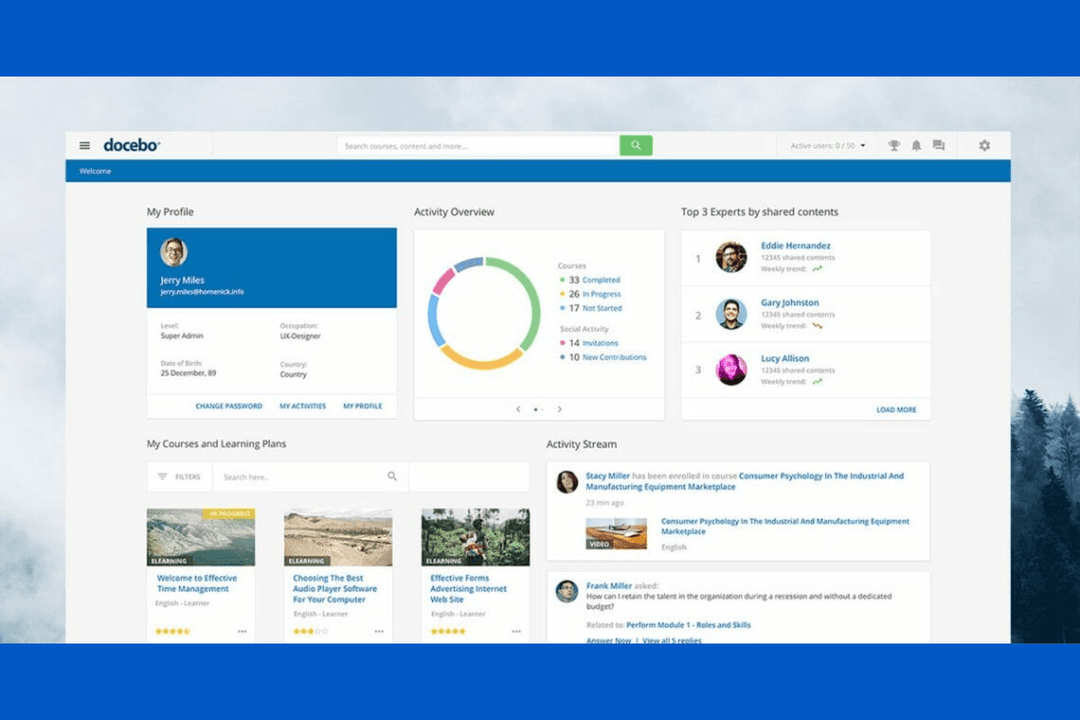
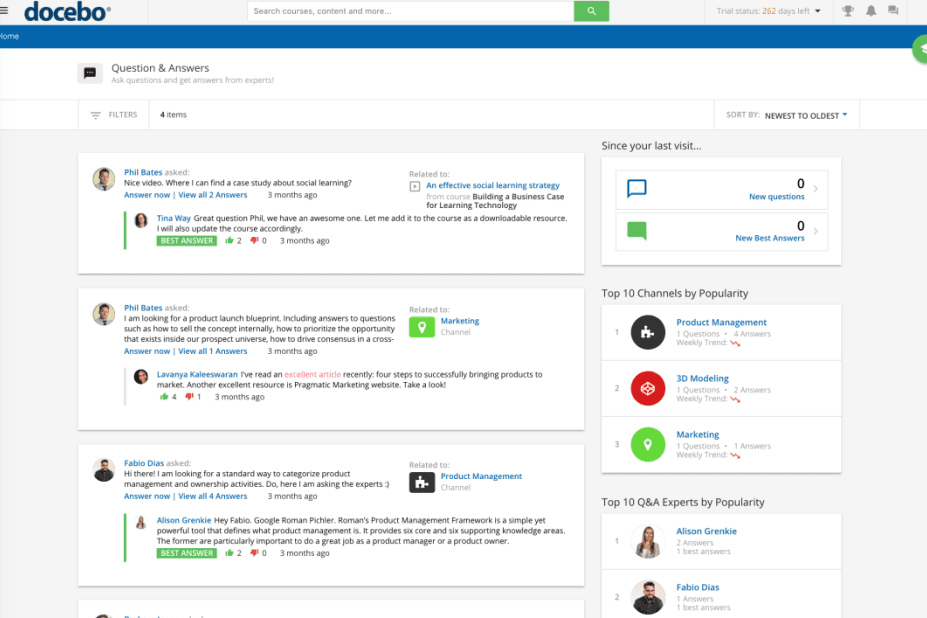
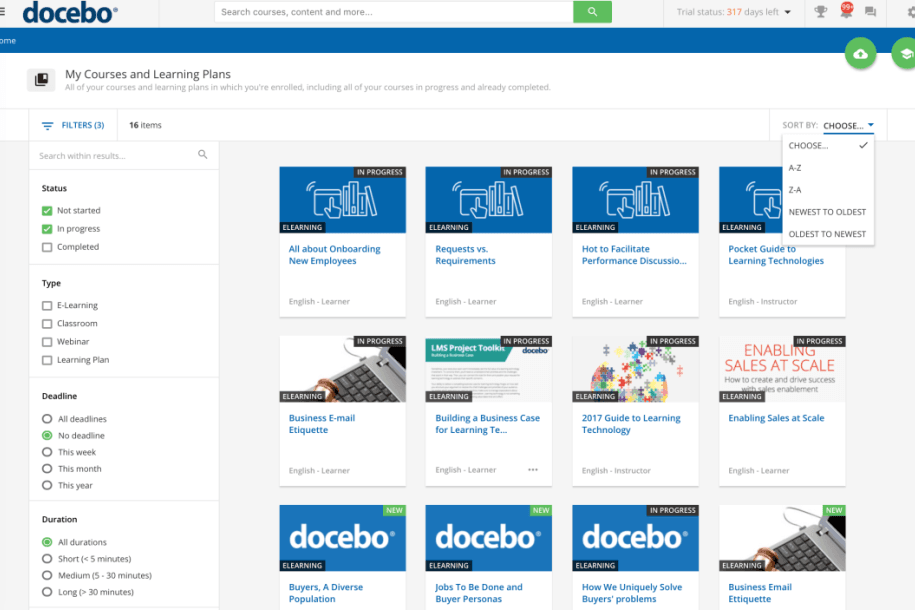
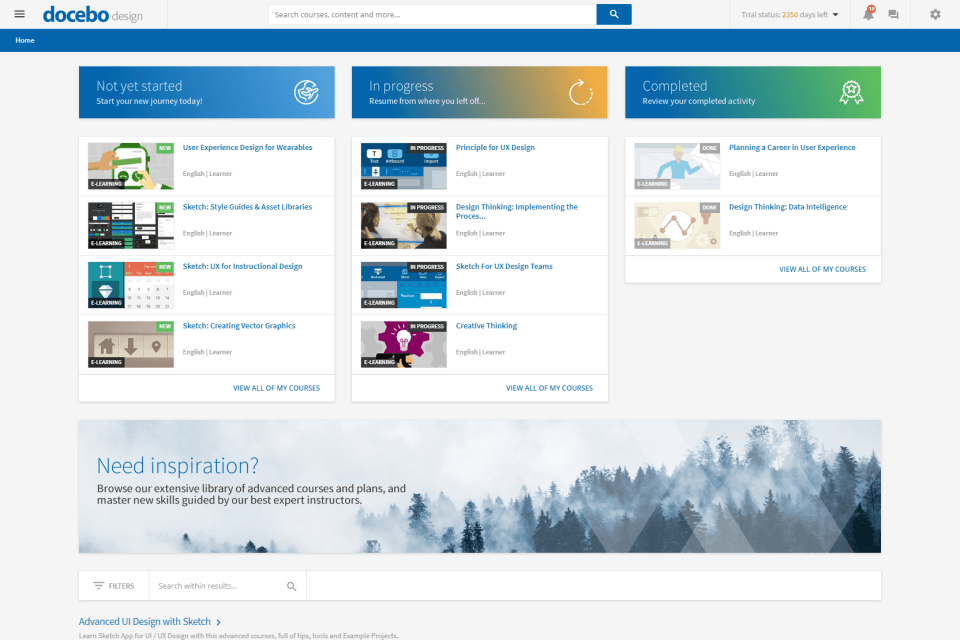
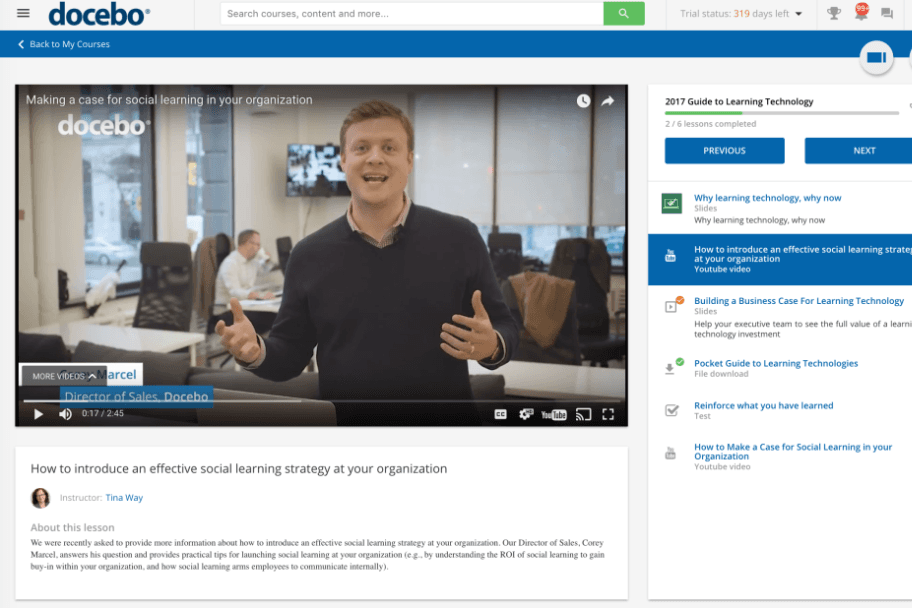
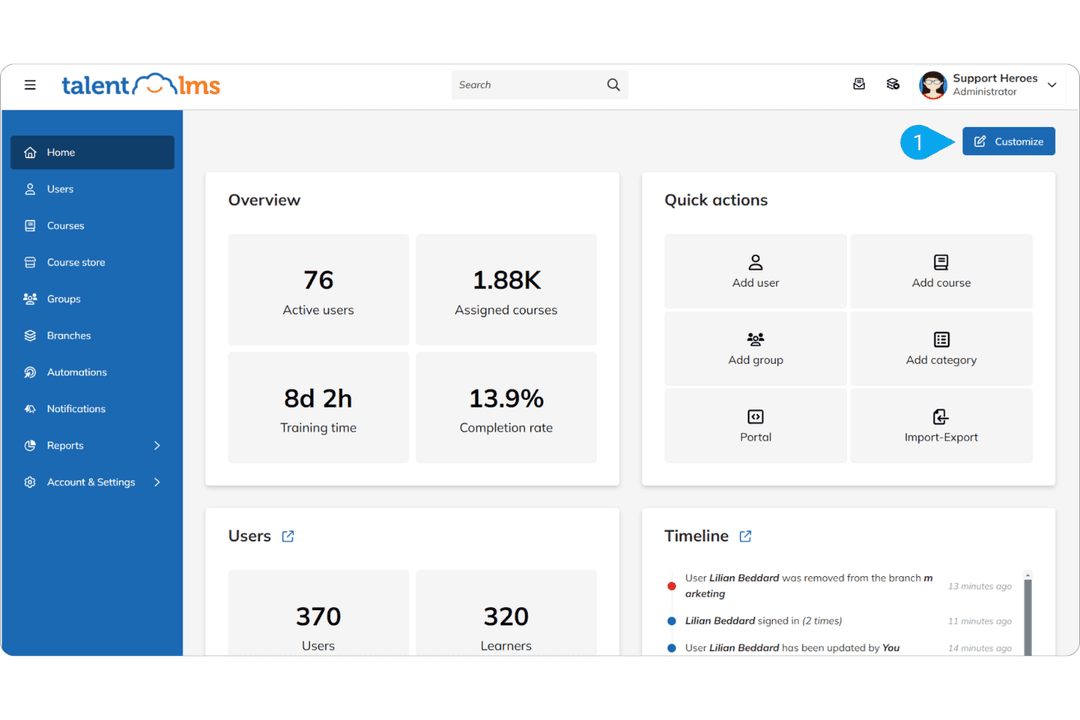
| FactorUser Interface | DoceboIntuitive but packed with advanced options for admins and learners. | TalentLMS Clean, simple, and easy for anyone to navigate. |
| FactorOnboarding | DoceboOffers guided training and in-depth documentation. | TalentLMS Onboarding is quick with built-in tips and a friendly wizard. |
| FactorSetup Process | DoceboCustomizable setup with more steps for advanced features. | TalentLMS Out-of-the-box setup that takes minutes, not hours. |
| FactorUser Support | Docebo24/7 help desk with dedicated customer support. | TalentLMS Fast, responsive support and a helpful knowledge base. |
| FactorContent Management | DoceboFlexible tools for large-scale and personalized learning. | TalentLMS Drag-and-drop content builder with easy course duplication. |
TalentLMS is a clear winner for teams that want a straightforward setup and day-to-day use, while Docebo shines if you’re comfortable investing a bit more time for deep customization and advanced workflows. I find TalentLMS much easier for first-time admins, but Docebo gives you more control and scalability when you’re ready to tackle complex needs.
Docebo
- Docebo's automation capabilities save you time by streamlining administrative tasks.
- Its scalability supports large enterprises with extensive training needs.
- The platform's robust reporting tools give you detailed insights into your team's learning progress.
- The interface can be complex, making it challenging for new users to navigate.
- Some users find the onboarding process lengthy and requiring significant time investment.
- There might be a learning curve for teams unfamiliar with advanced LMS features.
TalentLMS
- You can quickly set up and start using it without much hassle.
- The interface is intuitive, making it simple for your team to navigate.
- It offers a variety of training materials to improve your learning experience.
- Advanced customization options are limited compared to other systems.
- Larger teams might find the reporting features and notifications lacking in detail.
Docebo


- Large EnterprisesDocebo's scalability and automation make it perfect for managing extensive training programs across numerous employees.
- Healthcare IndustryIts detailed reporting tools help you track compliance and skill development, essential in healthcare settings.
- Financial ServicesDocebo supports complex regulatory training needs with its robust feature set.
- Technology CompaniesTech firms benefit from its ability to deliver continuous learning and keep your team updated with the latest skills.
- HR DepartmentsHR teams can streamline administrative tasks and focus on strategic initiatives with Docebo's automation.
- Training ProvidersIf you're a training provider, Docebo's wide range of features can enhance your course offerings and user engagement.
TalentLMS

- Small BusinessesTalentLMS offers a cost-effective solution for small businesses needing a simple, efficient training platform.
- HR DepartmentsIts ease of use and onboarding capabilities make it ideal for HR teams managing the training of new recruits.
- Training ProvidersTalentLMS supports various training materials, making it suitable for providers offering diverse learning content.
- Tech StartupsStartups can benefit from its scalability and flexibility as teams grow and training needs evolve.
- NonprofitsIts affordable pricing means nonprofits can access quality learning tools without straining their budgets.
- Remote TeamsThe accessibility of its online learning ensures remote teams stay connected and up to date with their training, regardless of location.
Who Should Use Docebo, and Who Should Use TalentLMS?
Docebo is best suited for mid-sized to large organizations that need a highly scalable, customizable LMS to support complex training programs. If you’re managing multiple audiences—like employees, partners, and customers—or need advanced features like AI-driven learning, deep analytics, and extended enterprise capabilities, Docebo is built for that level of sophistication. It’s a strong fit when you have the resources to support implementation and want a platform that can grow with a global or enterprise-level operation.
TalentLMS is ideal for small to mid-sized businesses or teams that want to get up and running quickly without a steep learning curve. If you’re looking for an intuitive platform with straightforward pricing, built-in features, and minimal setup, TalentLMS makes it easy to launch and manage training programs efficiently. It works especially well for organizations that prioritize ease of use, faster deployment, and cost predictability over advanced customization.
| Docebo | TalentLMS | |
|---|---|---|
| Automation | Docebo Advanced automation with AI-powered learning paths and workflows. | TalentLMS Solid built-in automations (rules, learning paths), but less advanced AI-driven automation. |
| Extended Enterprise | Docebo Strong support for training customers, partners, and external users at scale. | TalentLMS Supports multiple audiences, but is less robust for large external training ecosystems. |
| Pricing Model | Docebo Custom-quote pricing based on users, features, and add-ons. | TalentLMS Transparent tiered plans with fixed pricing and a free plan available. |
| Scalability | Docebo Built for large-scale, global deployments with multiple domains. | TalentLMS Scales well for growing teams, but is less suited for complex global structures. |
| User Experience | Docebo Feature-rich, better suited for experienced admins and complex setups. | TalentLMS Intuitive and beginner-friendly with minimal setup required. |
| Cloud-Based Access | Both LMS platforms are fully cloud-based, allowing users to access training from anywhere on desktop or mobile devices. |
|---|---|
| Course Creation | Each offers a built-in course authoring tool with support for multimedia content creation, quizzes, and SCORM/xAPI standards. |
| Gamification | Each includes gamification features like badges, points, or certificates to boost engagement. |
| Learning Paths | Each platform allows you to create structured learning paths to guide users through courses. |
| Mobile Learning | Both support mobile-friendly learning experiences, enabling users to train on the go. |
| Reporting & Analytics | Both providers have reporting dashboards to track learner progress, completion rates, and performance metrics. |