Juggling endless resumes, clunky workflows, and candidate drop-offs can make even the most seasoned recruiter question their applicant tracking systems (ATS). Maybe it’s about time to pick out a new one.
If you’re deciding between Tracker and Bullhorn, you’re likely searching for a platform that not only keeps your hiring pipeline organized but also helps your team deliver a standout candidate experience. Tracker is known for its robust automations and customizable workflows, making it a favorite for teams that want flexibility without a steep learning curve. Bullhorn, on the other hand, stands out with its deep integrations, especially for staffing agencies managing high-volume placements.
In this article, you’ll get a clear, side-by-side look at how each system tackles your daily recruiting headaches, so you can confidently choose the right fit for your team.
Tracker
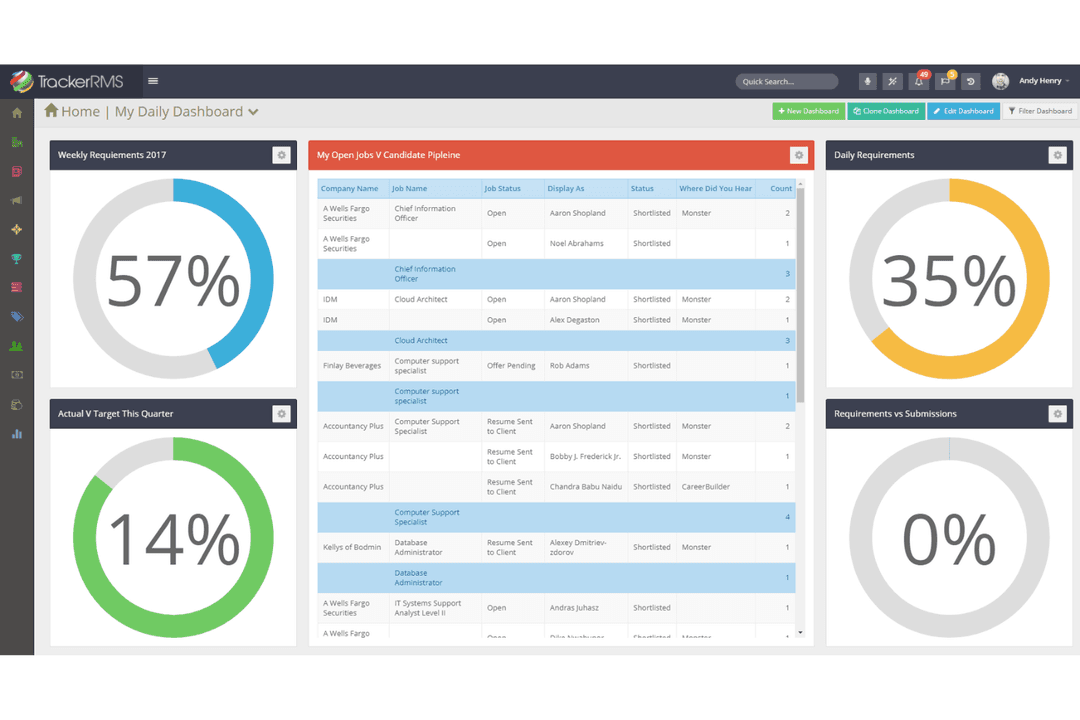
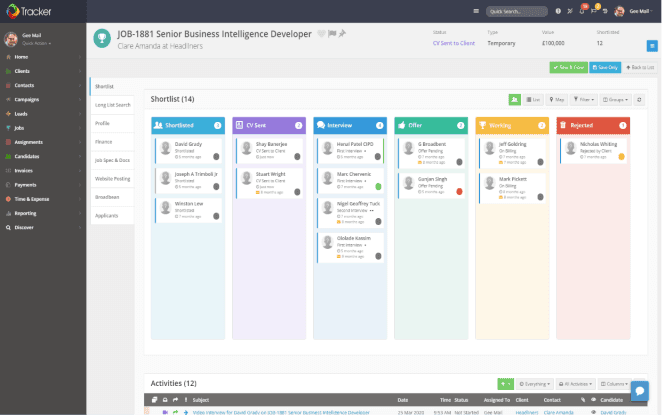
Tracks candidates, manages hiring workflows, and streamlines recruitment.
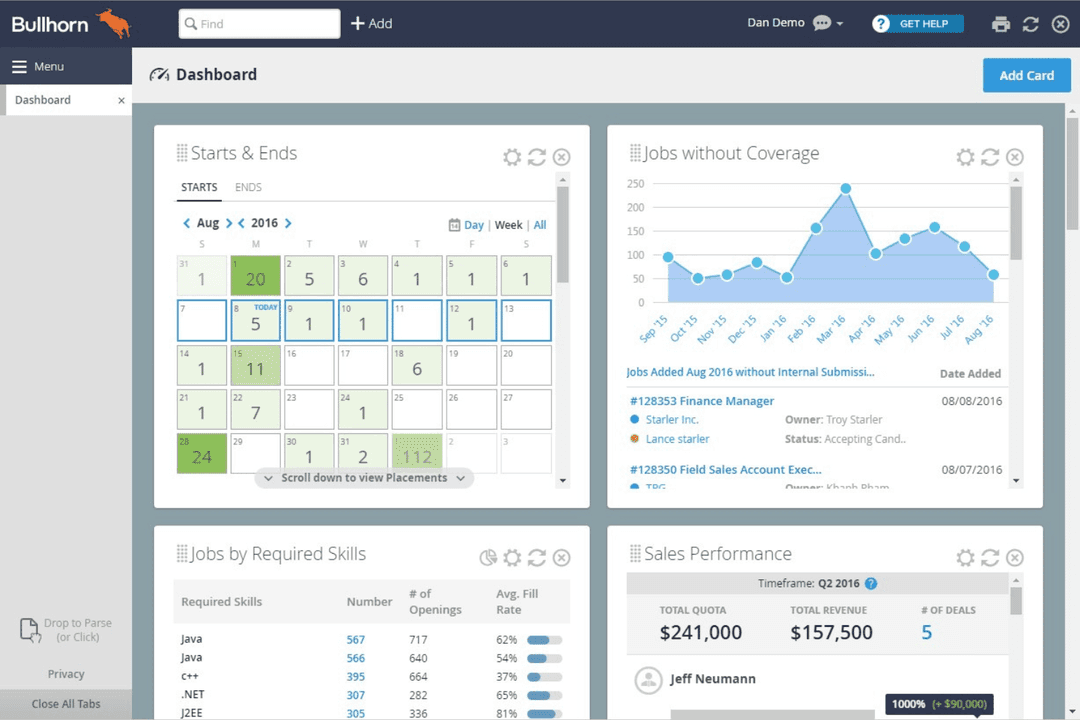
Bullhorn offers a customizable dashboard with widgets for tracking starts and ends, jobs without coverage, jobs by required skills, and sales performance metrics.
Our team has been testing and reviewing software since 2012. As HR experts ourselves, we know how difficult—and important—it is to choose the right software.
Tracker uses a transparent, per-user tiered subscription model that includes core features, with higher tiers typically tailored to your needs. Bullhorn's pricing, however, isn't readily transparent and requires a custom quote for each of its modules. Beyond subscription costs, implementation timelines can also impact total cost of ownership. Tracker generally offers a faster deployment process, with organizations often going live about a month sooner than with Bullhorn.
To choose the right vendor, start by mapping out your must-have features and estimating how your team and hiring needs might scale over time. Ask each provider for a detailed breakdown of what's included, clarify costs and timelines for onboarding, support, integrations, and implementation services, and request references from similar organizations to uncover any unexpected expenses before you commit.
Tracker’s customizable workflow automation and integrated AI tools help you manage candidate pipelines and client relationships without constant manual updates. Bullhorn’s fast resume parsing and robust reporting features let you quickly process applicants, making it easier to stay organized and responsive throughout your day.
Tracker and Bullhorn both cover the most popular integrations, but Bullhorn stands out with specialized options like 8x8 and its integration marketplace, while Tracker offers unique connections such as QuickBooks and DocuSign. Both platforms support API and Zapier, so you can connect to almost any tool your team relies on, making either a strong choice for integration flexibility.
Factor
Tracker
Bullhorn
Data Privacy
Follows GDPR and CCPA, with customizable data retention and consent tools.
Offers GDPR and CCPA compliance, data anonymization, and candidate consent tracking.
Encryption
Uses SSL/TLS encryption for data in transit and at rest.
Provides end-to-end encryption for all stored and transmitted data.
Uptime & Reliability
Guarantees 99.9% uptime with real-time system status updates.
Delivers 99.99% uptime and proactive monitoring for high availability.
Access Controls
Role-based permissions and audit logs for user activity.
Advanced user permissions, SSO, and detailed audit trails.
Regulatory Compliance
Regularly updated to meet global hiring and privacy regulations.
Dedicated compliance team ensures adherence to evolving regulations.
Bullhorn edges ahead with slightly higher uptime and advanced access controls, but both platforms deliver strong security and compliance foundations. Tracker’s customizable privacy tools are a standout for teams with specific data handling needs, while Bullhorn’s proactive compliance support and reliability make it a safe bet for larger organizations.
Factor
Tracker
Bullhorn
User Interface
Clean, modern dashboard with drag-and-drop workflows and intuitive navigation.
Feature-rich interface with customizable dashboards, but can feel crowded for new users.
Onboarding
Guided onboarding with in-app tutorials and responsive support.
Personalized onboarding and training, but setup can be time-consuming for complex needs.
Customization
Highly flexible workflows and fields that adapt to your process.
Deep customization options, though some changes require admin support.
Learning Curve
Quick to learn for most users, more advanced features have a learning curve.
Steeper learning curve, especially for teams new to advanced features.
Ongoing Support
Fast, friendly support via chat, email, and phone.
24/7 support with a dedicated account manager for enterprise clients.
Tracker is easier to pick up and use right away, while Bullhorn offers more options that may require extra training. Tracker shines for teams that want a straightforward, flexible experience, while Bullhorn’s depth is best suited for users who need a wide array of features and don’t mind a steeper learning curve.
Tracker
Pros
Built-in CRM supports end-to-end client and candidate management.
Customizable workflows adapt to different recruiting processes.
Responsive customer support ensures fast issue resolution and guidance.
Cons
There is something of a learning curve for advanced features.
Reporting tools require setup and configuration to maximize value.
Tracks candidates, manages hiring workflows, and streamlines recruitment.
Mid-sized Staffing Agencies Looking to ScaleTracker supports mid-sized staffing agencies as they automate &expand hiring volumes, clients, and recruiters.
Recruitment FirmsCustomizable workflows and automation support complex, multi-stage hiring processes.
IT Staffing FirmsSkills-based search and redeployment tracking help recruiters place talent faster.
Multi-Region & Multi-Brand OperationsBranch and division management supports offices across various regions from one database.
Agencies Switching From Legacy PlatformsTeams migrating from older systems get a modern interface without a retraining tax.
Executive SearchIntegrated CRM and placement tracking support executive search and business development.
Bullhorn
Bullhorn offers a customizable dashboard with widgets for tracking starts and ends, jobs without coverage, jobs by required skills, and sales performance metrics.
Staffing AgenciesBullhorn’s automation and CRM features streamline high-volume placements and client management.
Large EnterprisesSupports complex workflows and multiple recruiters across departments.
Recruitment Process OutsourcingHandles bulk candidate sourcing and detailed compliance tracking.
Healthcare StaffingManages credentialing, compliance, and rapid placement needs.
IT Recruiting FirmsTracks specialized talent pools and integrates with job boards.
Sales Recruitment TeamsCombines sales pipeline management with candidate tracking.
Who Should Use Tracker, and Who Should Use Bullhorn?
Tracker is commonly used by recruiting teams, staffing agencies, and HR departments across a range of industries, including healthcare staffing, executive search, and organizations with multiple locations. Bullhorn is often chosen by staffing and recruiting organizations with complex operational requirements, particularly those that rely heavily on integrations, automation, and large-scale recruiting processes. Both platforms support growing teams, but Bullhorn places a greater emphasis on enterprise-scale customization and ecosystem connectivity, while Tracker prioritizes usability, flexibility, and faster time to value.
Tracker
Bullhorn
Integration Options
Tracker
Broad integration set, including QuickBooks and Sage.
Bullhorn
Extensive integrations, especially for staffing and analytics.
Pricing Model
Tracker
Transparent, tiered per-user pricing with clear inclusions.
Bullhorn
Custom-quoted, modular pricing based on selected features.
User Interface
Tracker
Simple, modern, and easy to navigate for new users.
Bullhorn
Feature-rich but denser, with a steeper learning curve.
Workflow Customization
Tracker
Highly flexible workflows and fields for unique processes.
Bullhorn
Deep customization, but some changes require admin assistance.






 Kim BehnkeHR Tech Editor & Analyst
 Josh BarkerPeople Ops Manager
