

Las 10 mejores herramientas de IA para la desvinculación laboral analizadas en 2026

Lista de las mejores herramientas de IA para la desvinculación laboral


Por qué confiar en nuestras reseñas de software
Nuestro equipo lleva probando y evaluando software desde 2012. Como expertos en RR. HH., sabemos lo difícil —y lo importante— que es elegir el software adecuado.
Para esta guía, evaluamos las herramientas mediante pruebas prácticas e investigación independiente, puntuando las herramientas según nuestros criterios de selección. También nos basamos en la experiencia de líderes de opinión del sector y de profesionales de RR. HH. en activo.
Nuestras reseñas reflejan nuestro criterio editorial humano, no un discurso de ventas.
Revisores expertos:
Incluso cuando se gestionan con cuidado, las salidas de empleados pueden poner de manifiesto puntos débiles en la coherencia, la comunicación y la documentación. Es un proceso en el que un solo detalle omitido puede repercutir en los equipos, los sistemas e incluso la cultura de la empresa.
Aquí es donde las herramientas de IA para la desvinculación laboral pueden marcar una diferencia significativa. Estas soluciones te liberan de la carga de las tareas manuales y propensas a errores, como automatizar listas de comprobación, revocar accesos, garantizar el cumplimiento normativo e incluso señalar posibles riesgos. Aportan estructura, rapidez y coherencia a un proceso que a menudo resulta estresante, lo que permite a los equipos de RR. HH. centrarse en el aspecto humano de la transición: dignidad, transparencia y apoyo.
En este artículo, compartiré mis principales recomendaciones de herramientas de IA para la desvinculación laboral, además de un análisis imparcial de sus características, funciones y de cómo pueden ayudar a tu equipo a simplificar el proceso, protegiendo tanto a las personas como a la empresa. Exploremos cómo la tecnología puede convertir uno de los momentos más difíciles de RR. HH. en una experiencia más fluida tanto para los empleados que se marchan como para la dirección.
Tabla comparativa de herramientas de IA para la desvinculación laboral
Esta tabla comparativa resume los detalles de precios de mi selección de las mejores herramientas de IA para la desvinculación laboral:
| Tool | Best For | Trial Info | Price | ||
|---|---|---|---|---|---|
| 1 | Ideal para finalización de contratos global conforme a regulaciones | Demo gratuita disponible | Desde $5/empleado/mes | Website | |
| 2 | Lo mejor para plantillas de offboarding personalizables | Demostración gratuita disponible | Precio a consultar | Website | |
| 3 | Ideal para capacidades de integración profunda | Demo gratuita disponible | Precio a consultar | Website | |
| 4 | Ideal para la protección de datos | Prueba gratuita de 21 días + demo gratis disponible | Precio a consultar | Website | |
| 5 | Ideal para la gestión de SaaS | Demo gratuita disponible | Precio bajo solicitud | Website | |
| 6 | Ideal para consultas automatizadas de empleados | Demostración gratuita disponible | Precios bajo solicitud | Website | |
| 7 | El mejor para la automatización de la seguridad | Demostración gratuita disponible | Precio bajo consulta | Website | |
| 8 | La mejor para visibilidad de aplicaciones | Prueba gratuita de 7 días disponible | Precio disponible bajo solicitud | Website | |
| 9 | Ideal para la gestión centralizada de aplicaciones | Prueba gratuita de 15 días + demo gratuita | Desde $2,500/mes | Website | |
| 10 | Mejor para equipos pequeños y medianos | Prueba gratuita + demo disponible | Desde $90/usuario/año | Website |
Reseñas de las mejores herramientas de IA para la desvinculación laboral
A continuación se incluyen mis resúmenes detallados de las mejores herramientas de IA para la desvinculación laboral que han entrado en mi lista de selección. Mis reseñas ofrecen un análisis detallado de las características principales, las ventajas & desventajas, las integraciones y los casos de uso ideales de cada herramienta para ayudarte a crear una experiencia fluida de desvinculación laboral para los empleados.

Deel HR
Ideal para finalización de contratos global conforme a regulaciones

Cuando llega el momento de dar de baja a alguien de tu equipo, necesitas claridad—no documentos dispersos, incertidumbre legal ni retrasos. Deel AI te brinda un asistente siempre disponible que entiende los datos de tu fuerza laboral, las leyes laborales locales y los flujos de trabajo de RRHH, para que puedas tomar decisiones delicadas de desvinculación con confianza.
Por qué elegí Deel
Elegí Deel porque su IA ofrece orientación contextual durante momentos críticos de RRHH, incluido el offboarding, donde las particularidades regulatorias son más importantes. Obtienes inteligencia de cumplimiento integrada, entrenada por expertos en más de 150 países, para que el sistema pueda mostrar consideraciones legales locales, obligaciones contractuales y perspectivas de políticas mientras trabajas. También valoro que Deel AI interprete el contexto de la página—como los perfiles de empleados o las vistas de nómina—y resuma los datos clave que necesitas antes de tomar decisiones de salida. Esto lo convierte en una excelente opción si buscas una herramienta de IA que reduzca la incertidumbre y agilice tu proceso de offboarding sin depender únicamente de investigaciones manuales.
Principales características de Deel
Además del soporte de toma de decisiones con IA orientado al cumplimiento, Deel ofrece varias capacidades destacadas:
- Desactivación automática de cuentas: Esta función garantiza que el acceso de los empleados que se marchan a los sistemas de la empresa se revoque rápidamente, reduciendo los riesgos de seguridad.
- Recuperación global de dispositivos: Facilita la recuperación de dispositivos otorgados por la empresa a empleados remotos, asegurando una devolución eficiente de los activos.
- Informes de cumplimiento: Proporciona informes detallados para asegurar el cumplimiento de las normativas locales, minimizando el riesgo legal.
- Gestión global de nómina: Automatiza tareas de nómina en varios países, asegurando el cumplimiento de las regulaciones locales.
Integraciones de Deel
Las integraciones incluyen Slack, QuickBooks, Xero, BambooHR, Greenhouse, Lever, Rippling, Personio, Gusto y Workday.
Pros and Cons
Pros:
- La IA responde preguntas sobre talento y fuerza laboral utilizando datos de expertos
- Muestra perspectivas e informes resumidos directamente de los datos de tu equipo
- Ofrece orientación en contextos laborales de más de 150 países
Cons:
- Fuerte dependencia de Knowledge Hub propietario para la precisión
- La orientación de la IA puede requerir revisión humana para escenarios legales complejos
New Product Updates from Deel HR

Deel Expands Stablecoin Wallet to 80+ Countries
Deel expands its Stablecoin Wallet to 80+ countries with dollar-backed balances and optional rewards. This gives eligible contractors more ways to hold and manage earnings inside Deel. For more information, visit Deel’s official site.
 .
.
HR Cloud
Lo mejor para plantillas de offboarding personalizables

HR Cloud es una solución de software de RR. HH. impulsada por IA diseñada para mejorar la gestión de recursos humanos y el compromiso de los empleados. Atiende a industrias como la salud, la tecnología y el comercio minorista, ofreciendo funciones como incorporación automatizada, gestión de ausencias y evaluaciones de desempeño. Sus capacidades de IA incluyen análisis valiosos, ayudando a su equipo a tomar decisiones informadas.
Por qué elegí HR Cloud: Las plantillas personalizables de offboarding distinguen a HR Cloud, permitiendo adaptar el proceso de desvinculación a las necesidades de su organización. Los análisis impulsados por IA ayudan a predecir posibles desafíos durante el offboarding y ofrecen soluciones. La plataforma automatiza tareas rutinarias, permitiendo que su equipo se centre en el desarrollo del talento. Las opciones de integración de HR Cloud aseguran que se adapte a su ecosistema actual de RR. HH.
Funciones destacadas e integraciones:
Funciones incluyen señalización digital para la comunicación, gestión automatizada del cumplimiento y flujos de trabajo personalizables para diferentes tareas de RR. HH. Estas características aseguran que su equipo pueda gestionar los procesos de RR. HH. de manera eficiente y mantener el cumplimiento con facilidad.
Integraciones incluyen más de 35 soluciones de software como ADP, Glassdoor, Greenhouse, Indeed, JazzHR, Lever, Microsoft Office 365, SAP SuccessFactors, Slack, Staffbase, Twilio, QuickBooks, Yammer, Zapier, ZipRecruiter y otros.
Pros and Cons
Pros:
- Plantillas de incorporación y desvinculación personalizables
- Análisis impulsados por IA para la toma de decisiones
- Integración sin fisuras con herramientas populares
Cons:
- Opciones limitadas de personalización avanzada
- Algunas funciones pueden requerir curva de aprendizaje

Workato
Ideal para capacidades de integración profunda

Workato es una plataforma de automatización empresarial que unifica aplicaciones, datos y flujos de trabajo en los sistemas de las empresas. Permite que los equipos de TI y RRHH automaticen procesos complejos de desvinculación, desde la revocación de accesos hasta la actualización de la nómina, utilizando integraciones intuitivas y sin necesidad de código. Sus herramientas de diseño asistidas por IA facilitan la creación de automatizaciones dinámicas que garantizan que cada paso del proceso de desvinculación se gestione de manera consistente y segura.
Por qué elegí Workato: Las capacidades de integración de Workato ofrecen una amplia biblioteca de conectores, incluidos los de finanzas y nómina, que facilitan a tu equipo la automatización de los flujos de trabajo de desvinculación. Sus funciones impulsadas por IA te ayudan a crear automatizaciones inteligentes, reduciendo la necesidad de intervención manual. Las recomendaciones basadas en IA simplifican la creación de flujos de trabajo y la lógica condicional garantiza que tareas sensibles (como la desvinculación de dispositivos o la transferencia de datos) se realicen en el orden correcto. La plataforma de Workato se adapta a medida que evoluciona tu ecosistema tecnológico, lo que la convierte en una herramienta útil para industrias dinámicas.
Características y integraciones destacadas:
Características incluyen una interfaz fácil de usar que simplifica la creación de flujos de trabajo, una biblioteca de conectores preconstruidos que aceleran la integración, un constructor de flujos de trabajo asistido por IA, flujos de trabajo integrados para RRHH, TI y finanzas, y automatización mejorada por IA que reduce tareas manuales.
Integraciones incluyen Salesforce, Slack, QuickBooks, Google Workspace, Microsoft 365, Jira, Zendesk, NetSuite, HubSpot y ServiceNow.
Pros and Cons
Pros:
- Opciones de integración extensas con herramientas populares
- Automatización entre departamentos
- Las recomendaciones de IA simplifican la configuración y reducen errores humanos
Cons:
- Puede requerir conocimientos técnicos para la configuración
- La IA es asistencial, no autónoma


BetterCloud es una plataforma de gestión y seguridad SaaS que se especializa en el proceso automatizado de desvinculación de empleados. Su creador de flujos de trabajo sin código permite a los equipos de TI revocar accesos de usuario de forma segura, eliminar permisos y recuperar datos en todas las aplicaciones SaaS conectadas, sin intervención manual. Diseñada para entornos empresariales a gran escala, supervisa la desvinculación reduciendo riesgos y asegurando el cumplimiento normativo.
Por qué elegí BetterCloud: BetterCloud sobresale por su capacidad para hacer que la desvinculación sea segura, consistente y rápida. Con flujos de trabajo automatizados que se activan por eventos de RRHH o identidad, TI puede revocar el acceso de usuarios, eliminar permisos de archivos de forma masiva y registrar cada acción para auditoría. El resultado es una eliminación más rápida de accesos y permisos, un menor riesgo interno y una visibilidad completa de los cambios de acceso y datos durante la desvinculación.
Características e integraciones destacadas:
Características incluyen flujos de trabajo automatizados de eliminación de acceso con lógica condicional y programación, revocación masiva de accesos y archivos, alertas en tiempo real sobre posibles amenazas de seguridad y análisis detallados que ofrecen información sobre el uso y la seguridad de SaaS.
Integraciones incluyen Google Workspace, Microsoft 365, Slack, Salesforce, Box, Dropbox, Zendesk, Okta, Zoom y Jira.
Pros and Cons
Pros:
- Gobernanza granular de acceso y compartición
- Automatiza las tareas de cumplimiento y seguridad
- Reduce la exposición de datos y el error humano
Cons:
- Ideal para organizaciones medianas y grandes
- Las funciones de IA son más basadas en reglas que predictivas


Zluri es una plataforma de gestión de SaaS diseñada para equipos de TI, finanzas y compras en grandes organizaciones. Sus análisis impulsados por IA ayudan a gestionar licencias de software, optimizar el uso y controlar los costos. Si bien no está creada específicamente para la desvinculación de empleados, los flujos de trabajo automatizados de Zluri pueden adaptarse para gestionar este proceso, asegurando que se recuperen las licencias y se mantenga el cumplimiento.
Por qué elegí Zluri: Zluri se destaca por su análisis impulsado por IA y su capacidad de automatización. Centraliza la visibilidad del uso de SaaS en toda la empresa y utiliza aprendizaje automático para identificar aplicaciones infrautilizadas, suscripciones redundantes y oportunidades para consolidar proveedores. Su automatización de flujos de trabajo puede ayudar con la desvinculación revocando accesos y reasignando licencias, pero su verdadera fortaleza reside en la optimización continua de SaaS y el análisis inteligente del gasto.
Funciones y integraciones destacadas:
Funciones incluyen flujos de trabajo automatizados que mejoran la eficiencia, monitoreo en tiempo real que proporciona datos actualizados de uso y herramientas de optimización de licencias que identifican oportunidades de ahorro.
Integraciones incluyen Okta, Microsoft 365, Slack, Google Workspace, Salesforce, Zoom, ServiceNow, Jira, Dropbox y Asana.
Pros and Cons
Pros:
- Reduce el desperdicio de licencias
- Se integra con los principales sistemas de RRHH y TI
- Automatiza procesos de desvinculación
Cons:
- La IA es principalmente analítica, no profundamente autónoma
- El caso de uso para desvinculación es secundario, no central


Leena AI es una solución de RR. HH. impulsada por IA diseñada para gestionar y automatizar el proceso de desvinculación de empleados. Ofrece una experiencia de salida intuitiva y coherente al gestionar los flujos de trabajo de salida, recopilar retroalimentación, revocar accesos de inicio de sesión y laptops, y garantizar el cumplimiento normativo, todo ello mediante automatización inteligente. La plataforma se integra con tus sistemas de RR. HH. existentes para manejar cada paso de manera eficiente y transparente.
Por qué elegí Leena AI: Esta herramienta destaca por su capacidad de simplificar y personalizar la salida de empleados a gran escala. Sus flujos de trabajo basados en IA ayudan a los equipos de RR. HH. a automatizar listas de verificación para salidas, activar la recuperación de activos y recopilar entrevistas de salida sin seguimiento manual. Leena AI también utiliza análisis predictivos para identificar posibles riesgos de retención y detectar tendencias a partir de la retroalimentación de salida, ayudando a las organizaciones a aprender de las experiencias de desvinculación, mejorar la experiencia de los empleados y reducir la rotación en el futuro. La integración fluida con los sistemas existentes de RR. HH. e IT garantiza un proceso de salida eficiente, seguro en cuanto a datos y conforme a las normativas.
Características e integraciones destacadas:
Características incluyen módulos de capacitación personalizados que se adaptan a las necesidades de tu equipo, capacidades de respuesta rápida para gestionar consultas de forma ágil, y análisis predictivo para anticipar tendencias y necesidades de reclutamiento.
Integraciones incluyen Workday, SAP SuccessFactors, ADP, Microsoft Teams, Slack, Oracle, Zoho CRM, ServiceNow, Zendesk y Salesforce.
Pros and Cons
Pros:
- Automatiza respuestas a consultas comunes de RR. HH.
- Reduce considerablemente la carga administrativa
- La IA sigue reglas, políticas y permisos
Cons:
- La configuración inicial puede requerir participación de IT
- Puede requerir personalización para industrias específicas


Swimlane es una plataforma de orquestación, automatización y respuesta en seguridad (SOAR) diseñada para equipos de operaciones de seguridad y TI. Utiliza IA para automatizar flujos de trabajo, detectar amenazas y gestionar procesos como la desvinculación de empleados con mayor control y consistencia. Actuando como un sistema seguro de registro, Swimlane ayuda a las organizaciones a proteger puntos de acceso, mantener el cumplimiento y asegurarse de que ninguna cuenta ni permiso quede sin supervisión durante las transiciones.
Por qué elegí Swimlane: Es una opción destacada para la automatización segura, especialmente cuando el control de acceso y la desvinculación son críticos. Las funciones de IA y automatización de Swimlane ayudan a tu equipo a desvincular empleados de forma segura, revocando credenciales al instante, deshabilitando cuentas y documentando cada acción. Esto reduce errores humanos, acelera la respuesta y fortalece la postura de seguridad. Los flujos de trabajo inteligentes de la plataforma favorecen la mejora continua al aprender de incidentes previos y datos de desvinculación.
Funciones destacadas e integraciones:
Las funciones incluyen libros de jugadas automatizados para una desvinculación segura de empleados, analíticas impulsadas por IA que detectan y responden a amenazas en tiempo real, y paneles centralizados para una visibilidad total del acceso de usuarios y las operaciones de seguridad. Swimlane se integra con los principales proveedores de identidad, sistemas de tickets y herramientas de seguridad para asegurar que cada paso del proceso de desvinculación esté completamente automatizado y sea auditable.
Las integraciones incluyen un marketplace modular de integraciones y componentes de automatización de pila completa, lo que permite la conexión con herramientas como CrowdStrike Falcon, Microsoft Teams, Google Workspace, Atlassian Jira, Okta y ServiceNow.
Pros and Cons
Pros:
- Automatiza operaciones de seguridad
- Reduce los tiempos de respuesta ante incidentes
- Paneles personalizables para información detallada
Cons:
- Puede requerir conocimientos técnicos
- La configuración inicial puede ser compleja


Lumos es una plataforma de visibilidad de aplicaciones y gestión de acceso diseñada para equipos de TI y seguridad. Aunque no es una herramienta dedicada exclusivamente a la desvinculación de empleados, ofrece automatización y gobernanza de acceso impulsada por IA. Lumos centraliza la visibilidad a través de proveedores de identidad, SaaS, sistemas en la nube y en las instalaciones, lo que permite a los equipos gestionar la provisión y flujos de trabajo seguros de desvinculación, manteniendo el cumplimiento y el control.
Por qué elegí Lumos: Lumos destaca por unificar la gestión de accesos con supervisión inteligente. Su motor de IA, Albus, recomienda políticas RBAC y ABAC adaptadas al contexto para garantizar el nivel correcto de acceso y revocarlo rápidamente durante la desvinculación. La sincronización en tiempo real con HRIS garantiza que los cambios en el estado de los empleados desencadenen actualizaciones en los sistemas conectados, eliminando la carga manual para los equipos de TI. Combinado con la detección de anomalías y funciones de generación de informes de Lumos, estas características permiten una desvinculación más rápida y segura, con supervisión continua del uso de aplicaciones y permisos.
Características e integraciones destacadas:
Características incluyen alertas en tiempo real que detectan y señalan actividades inusuales de acceso, desaprovisionamiento automatizado impulsado por actualizaciones del HRIS y recomendaciones de políticas basadas en IA desde Albus para garantizar la eliminación segura de accesos. Los paneles personalizables y los informes detallados proporcionan visibilidad en el uso de aplicaciones y el cumplimiento de desvinculación en todo su ecosistema SaaS.
Integraciones incluyen Slack, Microsoft 365, Google Workspace, Salesforce, Zoom, Asana, Dropbox, Zendesk, Okta y ServiceNow.
Pros and Cons
Pros:
- Visibilidad centralizada en capas SaaS e identidad
- Las políticas de acceso recomendadas por IA mejoran la postura de seguridad
- La sincronización en tiempo real con HRIS reduce la intervención manual de TI
Cons:
- El enfoque principal es más sobre la gobernanza de la identidad que de la desvinculación
- La IA actúa como guía en lugar de ejecución autónoma

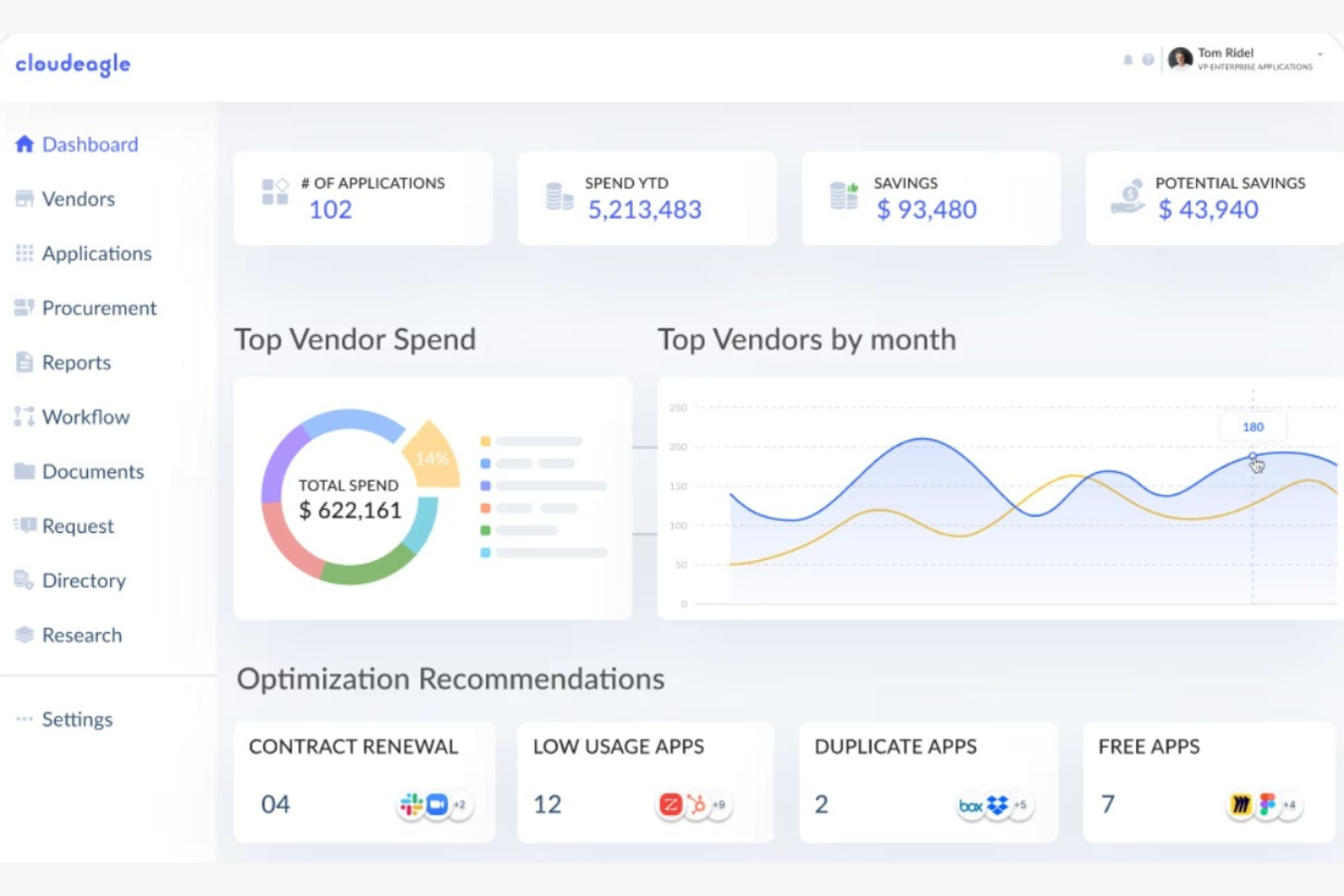
CloudEagle es una plataforma de gestión de SaaS que ayuda a las organizaciones a optimizar el uso y el gasto en software. Principalmente atiende a empresas medianas y grandes, ofreciendo información basada en IA para mejorar la toma de decisiones y simplificar la gestión de software.
Por qué elegí CloudEagle: Esta herramienta es ideal para equipos que buscan centralizar la visibilidad de aplicaciones y automatizar la gestión del ciclo de vida. A través de sus integraciones con sistemas de RRHH e identidad, CloudEagle permite un offboarding sin intervención manual, revocando automáticamente el acceso, recuperando licencias no utilizadas y asegurando el cumplimiento cuando los empleados se van. Sus capacidades de IA detectan suscripciones redundantes y pronostican necesidades futuras de software, mejorando tanto la seguridad como la eficiencia.
Funciones e integraciones destacadas:
Funciones incluyen aprovisionamiento y desaprovisionamiento automático de usuarios, informes detallados de uso para visibilidad, herramientas de optimización de licencias para reducir desperdicios y análisis predictivo para planificar presupuestos de software.
Integraciones incluyen Okta, Microsoft 365, Google Workspace, Slack, Salesforce, Zoom, ServiceNow, Asana y Jira.
Pros and Cons
Pros:
- Offboarding sin intervención manual
- Reasigna licencias de software al instante
- El panel centralizado reduce la transferencia manual de TI
Cons:
- Se centra en el acceso a las apps, no en el offboarding completo de RRHH
- Los equipos más pequeños pueden encontrarlo demasiado técnico


Atomicwork es un software de gestión de servicios y offboarding impulsado por IA que ayuda a las organizaciones a automatizar y asegurar cada paso del proceso de salida de empleados. Gestiona tareas de offboarding como revocar el acceso a sistemas, recuperar activos de la empresa y gestionar la documentación final.
Por qué elegí Atomicwork: Atomicwork destaca por su capacidad para unificar y automatizar los flujos de trabajo de offboarding entre varios equipos. Su enfoque centrado en la IA garantiza que cada paso, desde la solicitud de baja hasta el seguimiento de la finalización de tareas, se gestione de forma consistente sin supervisión manual.
Funciones destacadas e integraciones:
Las funciones incluyen las herramientas de gestión del conocimiento y automatización de flujos de trabajo de la plataforma, que ayudan a garantizar el cumplimiento, minimizar errores humanos y reducir el tiempo dedicado a tareas repetitivas. También ofrece desprovisionamiento de accesos y activos, un constructor de flujos de trabajo de bajo código/arrastrar y soltar, y asignación automática de tareas de offboarding a los equipos correspondientes.
Las integraciones incluyen Microsoft Teams, Slack, Okta, Microsoft 365 y Lansweeper.
Pros and Cons
Pros:
- Escalable para equipos pequeños y medianos
- Flujos de trabajo unificados
- Soporta autoservicio para empleados
Cons:
- La configuración inicial puede ser compleja
- Puede que no escale bien para grandes organizaciones
Otras herramientas de IA para la desvinculación laboral
Estas son algunas opciones adicionales de herramientas de IA para la desvinculación laboral que no han entrado en mi lista de selección, pero que merece la pena consultar:


Cómo evalúo las herramientas de offboarding con IA
Busco herramientas en las que la IA haga más que limitarse a etiquetar tareas de automatización: debe realmente reducir la carga manual de revocar accesos, extraer información de salidas y mantener el cumplimiento normativo en las desvinculaciones. Divido mi evaluación entre la funcionalidad principal que toda herramienta debe tener para ser considerada y los factores diferenciadores que separan las buenas opciones de las excelentes.
Funcionalidad principal (Requisitos mínimos para esta lista)
Cuando selecciono herramientas para mi lista, clasifico cada una en una escala de 0 (no ofrece la funcionalidad) a 5 (sobresale en esta área) para cada funcionalidad principal listada a continuación. Después, calculo la puntuación total de la herramienta en forma de porcentaje. Cada herramienta debe alcanzar una puntuación total mínima del 55% para poder ser incluida.
- Flujos de trabajo de offboarding automatizados: Verifico si la herramienta usa IA para lanzar y canalizar tareas entre RR. HH., TI y responsables, en lugar de depender de listas de verificación estáticas.
- Análisis de entrevistas de salida con IA: Cada herramienta debe ir más allá de una simple recolección de encuestas; busco que utilice PLN para extraer temas y puntuar sentimientos a partir de datos de salida.
- Desaprovisionamiento de accesos y activos: Aquí importa la integración con proveedores de identidad como Okta o Azure AD, junto con la revocación automática de licencias en aplicaciones SaaS.
- Información predictiva de rotación: Evalúo si la plataforma aplica aprendizaje automático a los patrones de offboarding para revelar motivos de salida y señales de riesgo de fuga.
- Automatización de cumplimiento y documentación: La herramienta debe generar y canalizar de forma automática documentos apropiados para la región, como acuerdos de confidencialidad y avisos de beneficios, con trazabilidad de auditoría.
- Integración con HRIS y transferencia de conocimiento: La sincronización bidireccional con plataformas como Workday o BambooHR es un requisito, además de buscar captura de conocimiento asistida por IA de empleados salientes.
Una vez que tengo una lista de herramientas que cumplen estos criterios, considero qué diferencia a cada plataforma.
Factores diferenciadores (¿Qué diferencia a los proveedores?)
Así es como comparo y contrasto los distintos proveedores:
Características destacadas
La captura generativa de conocimiento es un gran diferenciador: busco herramientas que resuman automáticamente los documentos de proyectos y comunicaciones de un empleado saliente en informes de transferencia que su sucesor pueda utilizar realmente. También destacan las alertas de retención guiadas por sentimiento, sobre todo cuando la IA identifica riesgos de fuga dentro de los equipos antes de que lleguen las renuncias al escritorio de RR. HH. Además, valoro las funciones de vinculación para ex empleados y boomerangs, ya que las herramientas que transforman a empleados desvinculados en una red de talento con puntuación de posibilidad de recontratación aportan un valor de reclutamiento a largo plazo en cada salida.
Más allá de las características
La transparencia de la IA es fundamental en este ámbito. Verifico si las puntuaciones de rotación y los análisis de sentimiento incluyen explicaciones; los equipos de RR. HH. necesitan confiar y poder justificar las recomendaciones en las que se basan, especialmente durante procesos sensibles de reducción de personal. La profundidad de integración es otro factor que evalúo detenidamente, ya que una herramienta de offboarding que no se conecta a tu IdP, HRIS y conjunto de soluciones SaaS genera más trabajo manual del que elimina. También analizo la preparación global, observando si la plataforma maneja lógica de cumplimiento multipaís y documentación multilingüe para equipos distribuidos.
Cómo elegir herramientas de IA para la desvinculación laboral
Es fácil perderse entre largas listas de características y complejas estructuras de precios. Para ayudarte a mantener la atención mientras avanzas en tu proceso único de selección de software, aquí tienes una lista de comprobación de los factores que debes tener en cuenta:
| Factor | Qué tener en cuenta |
|---|---|
| Escalabilidad | ¿Puede la herramienta crecer con tu equipo? Considera las necesidades futuras y si la herramienta admite distintos tamaños de equipo sin perder eficiencia. |
| Integraciones | ¿Se conecta con tu software actual? Asegúrate de que admita las integraciones clave para evitar la introducción manual de datos y mantener la coherencia del flujo de trabajo. |
| Personalización | ¿Puedes adaptar la herramienta a tus procesos? Busca flexibilidad en los flujos de trabajo y la configuración para adaptarla a las necesidades específicas de tu empresa. |
| Facilidad de uso | ¿Es intuitiva la herramienta? Una interfaz fácil de usar reduce el tiempo de formación y ayuda a los empleados a adaptarse rápidamente. |
| Implementación e incorporación | ¿Cuánto tiempo lleva la configuración? Evalúa los recursos necesarios para una transición fluida y si el proveedor ofrece asistencia durante la incorporación. |
| Coste | ¿Se ajusta el precio a tu presupuesto? Compara el coste con las funciones ofrecidas y presta atención a las tarifas ocultas o las limitaciones de los planes. |
| Medidas de seguridad | ¿Cómo protege la herramienta los datos? Busca cifrado, controles de acceso y cumplimiento de las normativas de protección de datos para garantizar la seguridad de la información confidencial. |
| Requisitos de cumplimiento | ¿Cumple las normas del sector? Verifica la capacidad de la herramienta para cumplir las normativas y los requisitos legales pertinentes específicos de tu sector. |
¿Qué son las herramientas de IA para la desvinculación de empleados?
Las herramientas de IA para la desvinculación de empleados son soluciones de software diseñadas para automatizar y mejorar el proceso de salida de los empleados mediante inteligencia artificial. Los profesionales de recursos humanos y los equipos de TI suelen utilizar estas herramientas para garantizar transiciones fluidas, mantener el cumplimiento y proteger los datos de la empresa durante la desvinculación. Los flujos de trabajo automatizados, la seguridad de los datos y la gestión del cumplimiento ayudan a reducir las tareas manuales, proteger la información confidencial y cumplir los requisitos legales. En general, estas herramientas ofrecen eficiencia y tranquilidad durante el proceso de desvinculación.
Características
Al seleccionar herramientas de IA para la desvinculación de empleados, presta atención a las siguientes características clave:
- Flujos de trabajo automatizados: Agiliza el proceso de desvinculación automatizando las tareas repetitivas, ahorrando tiempo y reduciendo los errores.
- Seguridad de los datos: Protege la información confidencial mediante cifrado y controles de acceso durante el proceso de salida del empleado.
- Gestión del cumplimiento: Garantiza el cumplimiento de las políticas legales y empresariales, reduciendo el riesgo de incumplimiento.
- Alertas en tiempo real: Recibe notificaciones sobre posibles riesgos de seguridad o anomalías durante la desvinculación para actuar de inmediato.
- Compatibilidad con integraciones: Conecta con los sistemas de recursos humanos y TI existentes para mantener la coherencia del flujo de trabajo.
- Información basada en IA: Analiza los datos de salida para identificar tendencias y mejorar los futuros procesos de desvinculación.
- Plantillas personalizables: Adapta los procesos de desvinculación a las necesidades y requisitos específicos de tu organización.
- Análisis de sentimientos: Evalúa el estado de ánimo de los empleados durante las entrevistas de salida para obtener comentarios e información valiosos.
- Revocación de licencias: Revoca automáticamente el acceso a los sistemas y al software de la empresa para proteger sus datos.
- Análisis predictivo: Prevé posibles problemas en el proceso de desvinculación para abordarlos de forma proactiva.
Ventajas
La implementación de herramientas de IA para la desvinculación de empleados ofrece varias ventajas para tu equipo y tu empresa. Estas son algunas de las que puedes esperar:
- Ahorro de tiempo: Los flujos de trabajo automatizados reducen la necesidad de realizar tareas manuales y liberan tiempo valioso para tu equipo.
- Mejora del cumplimiento: La gestión del cumplimiento garantiza que todos los procesos de desvinculación respeten las normas legales y empresariales.
- Mayor seguridad de los datos: Funciones como el cifrado de datos y los controles de acceso protegen la información confidencial durante la desvinculación.
- Mejor toma de decisiones: La información basada en IA y el análisis predictivo proporcionan datos valiosos para perfeccionar y mejorar los procesos de desvinculación.
- Eficiencia de costes: Identificar y revocar las licencias que no se utilizan ayuda a reducir costes y optimizar la asignación de recursos.
- Mayor precisión: La automatización reduce la posibilidad de errores humanos y garantiza procedimientos de desvinculación coherentes y precisos.
- Comentarios valiosos: El análisis de sentimientos durante las entrevistas de salida ofrece información sobre las experiencias de los empleados y ayuda a realizar mejoras en el futuro.
Costes y precios
La selección de herramientas de IA para la desvinculación de empleados requiere comprender los distintos modelos de precios y planes disponibles. Los costes varían en función de las características, el tamaño del equipo, los complementos y otros factores. La tabla siguiente resume los planes habituales, sus precios medios y las funciones que suelen incluir las soluciones de herramientas de IA para la desvinculación de empleados:
Tabla comparativa de planes para herramientas de desvinculación de empleados basadas en IA
| Tipo de plan | Precio medio | Funciones habituales |
|---|---|---|
| Plan gratuito | $0 | Automatización básica, análisis limitados y asistencia por correo electrónico. |
| Plan personal | $5-$25/usuario/mes | Flujos de trabajo mejorados, seguridad de los datos e integraciones básicas. |
| Plan empresarial | $15-45/usuario/mes | Análisis avanzados, gestión del cumplimiento y plantillas personalizadas. |
| Plan corporativo | $50+/usuario/mes | Asistencia completa para integraciones, análisis predictivos y atención al cliente exclusiva. |
Preguntas frecuentes sobre las herramientas de desvinculación basadas en IA
Estas son algunas respuestas a preguntas frecuentes sobre las herramientas de desvinculación basadas en IA:
¿Cómo ayudan las herramientas de desvinculación basadas en IA a reducir los riesgos durante las salidas de empleados?
Las herramientas de desvinculación basadas en IA ayudan a reducir los riesgos al automatizar la revocación de accesos, supervisar las transferencias de datos y garantizar que todas las tareas de salida se completen a tiempo. Esto reduce las posibilidades de filtraciones de datos, incumplimientos normativos y pasos omitidos que podrían exponer a su organización. El uso de estas herramientas también documenta cada acción de desvinculación, por lo que puede auditar fácilmente los procesos cuando sea necesario.
¿Qué pasos puedo seguir para garantizar una transición fluida con una desvinculación basada en IA?
Comience por trazar su flujo de trabajo de desvinculación: identifique cada paso en el que cambien de manos los accesos, los datos o los activos. Plataformas como BetterCloud y Zluri funcionan mejor cuando ha definido claramente los desencadenantes (por ejemplo, una actualización en el sistema de información de recursos humanos o la fecha de salida en su proveedor de identidad).
Después, cree flujos de trabajo automatizados para gestionar las tareas repetitivas y sensibles —deshabilitar cuentas, reasignar la propiedad, recopilar dispositivos y revocar permisos de archivos—, utilizando herramientas como Workato para las transferencias entre departamentos (por ejemplo, de TI a Finanzas).
Por último, forme a los responsables y realice auditorías periódicas. Revise los registros y los informes generados por la IA para identificar pasos omitidos, brechas de seguridad o accesos redundantes. La revisión continua mantiene su proceso de desvinculación seguro, conforme y adaptable a medida que evolucionan sus sistemas.
¿Cómo mido el ROI de una herramienta de desvinculación basada en IA?
Comience por establecer una referencia del esfuerzo manual actual: el tiempo dedicado a revocar accesos, recopilar equipos, transferir datos y gestionar licencias. Después de implementar la herramienta, realice un seguimiento de la eficiencia de la automatización: mida las horas ahorradas por cada desvinculación, el porcentaje de flujos de trabajo completamente automatizados y la reducción de los tickets manuales de TI.
Supervise las métricas de seguridad y cumplimiento, como la reducción de aprovisionamientos anulados con retraso, el menor riesgo de cuentas huérfanas y una mejor preparación para las auditorías.
Evalúe la optimización de costes mediante la recuperación de licencias y la reducción de la TI en la sombra, y encueste también a las partes interesadas de TI y RR. HH. para conocer su satisfacción y confianza en el proceso. Con el tiempo, debería observar reducciones de costes cuantificables, ciclos de desvinculación más rápidos y mayores puntuaciones de cumplimiento; un indicador claro de que su sistema basado en IA está generando un retorno positivo.
¿Con qué frecuencia debo actualizar mis flujos de trabajo de desvinculación basados en IA?
Revise y actualice sus flujos de trabajo de desvinculación basados en IA al menos una vez al año o siempre que se produzcan cambios importantes en la organización o en los sistemas. Si cambian su sistema de información de recursos humanos, su proveedor de identidad o sus integraciones de software como servicio, actualice inmediatamente los pasos correspondientes del flujo de trabajo para evitar errores o brechas de seguridad. Las actualizaciones periódicas garantizan que sus reglas de automatización, desencadenantes de acceso y cadenas de aprobación sigan siendo precisos a medida que evolucionan sus herramientas, funciones o normas de cumplimiento.