

Los 10 mejores programas gratuitos de videoconferencia en 2026

Lista de los mejores programas gratuitos de videoconferencia


Los programas gratuitos de videoconferencia te permiten organizar videollamadas y reuniones en línea sin coste, utilizando herramientas que ofrecen un plan realmente gratuito o una prueba gratuita. Si buscas opciones fiables para conectar a equipos remotos, clientes o candidatos sin salirte del presupuesto, sabes lo mucho que depende de elegir la plataforma adecuada.
Con tantas opciones que prometen funciones «gratuitas», es difícil distinguir la publicidad exagerada y encontrar opciones que realmente ofrezcan flexibilidad, seguridad y facilidad de uso. Esta lista te ayudará a comparar rápidamente los mejores programas gratuitos de videoconferencia para que puedas elegir con confianza el que se adapte a las necesidades de tu equipo, sin costes ocultos inesperados ni presión comercial.
Por qué confiar en nuestras reseñas de software
Nuestro equipo lleva probando y evaluando software desde 2012. Como expertos en RR. HH., sabemos lo difícil —y lo importante— que es elegir el software adecuado.
Para esta guía, evaluamos las herramientas mediante pruebas prácticas e investigación independiente, puntuando las herramientas según nuestros criterios de selección. También nos basamos en la experiencia de líderes de opinión del sector y de profesionales de RR. HH. en activo.
Nuestras reseñas reflejan nuestro criterio editorial humano, no un discurso de ventas.
Tabla comparativa de programas gratuitos de videoconferencia
Esta tabla comparativa resume los detalles de precios de mi selección de los mejores programas gratuitos de videoconferencia:
| Tool | Best For | Trial Info | Price | ||
|---|---|---|---|---|---|
| 1 | Ideal para sesiones de grupos grandes | Plan gratuito + demostración gratis disponible | Desde $14.16/mes (facturado anualmente) | Website | |
| 2 | Ideal para unirse desde el navegador | Plan gratuito disponible | Desde $7/usuario/mes (facturado anualmente) | Website | |
| 3 | Ideal para seminarios web pregrabados | Plan gratuito + demo gratis disponible | Desde $3/participante (facturado anualmente) | Website | |
| 4 | Ideal para usuarios de Microsoft 365 | Plan gratuito disponible | Desde $4/usuario/mes (facturación anual) | Website | |
| 5 | Ideal para alojar seminarios web simples | Prueba gratuita de 14 días + plan gratuito + demo gratuita disponible | Desde $1/anfitrión/mes (facturado anualmente) | Website | |
| 6 | Mejor para tecnología de eliminación de ruido | Plan gratuito disponible | Desde $12/usuario/mes (facturado anualmente) | Website | |
| 7 | Ideal para reuniones de duración ilimitada | Prueba gratuita de 14 días + demo gratis disponible | Desde $20/usuario/mes (facturación anual) | Website | |
| 8 | Ideal para reuniones sin cuentas | Gratis para siempre | Gratis para siempre | Website | |
| 9 | Ideal para colaboración en documentos en tiempo real | Plan gratuito disponible | Desde $12/usuario/mes (facturado anualmente) | Website | |
| 10 | Ideal para personalización de marca empresarial | Plan gratuito disponible | Desde $6.99/mes | Website |
Opiniones sobre los mejores programas gratuitos de videoconferencia
A continuación encontrarás mis análisis detallados de los programas gratuitos de videoconferencia que han entrado en mi lista de favoritos. En mis reseñas examino detalladamente las funciones, los mejores casos de uso y los precios de cada plataforma para ayudarte a encontrar la más adecuada para ti.

Zoom
Ideal para sesiones de grupos grandes

Zoom es una plataforma de videoconferencias para organizar reuniones en línea, seminarios web y sesiones colaborativas con funciones interactivas como compartir pantalla, chat y salas para grupos pequeños.
¿Para quién es mejor Zoom?
Grandes organizaciones o equipos que necesitan reuniones virtuales con muchos participantes en varias ubicaciones.
Por qué elegí Zoom
Elegí Zoom como uno de los mejores porque permite que mi equipo organice reuniones con hasta 100 participantes de forma gratuita, lo cual es ideal para sesiones grandes. Me gusta que la función de salas para grupos pequeños ayuda a organizar discusiones en grupos reducidos dentro de llamadas masivas. Compartir pantalla y el chat integrado facilitan la colaboración interactiva durante esas reuniones grandes.
Funciones clave de Zoom
- Fondos virtuales: Personaliza tu video con imágenes predefinidas o cargadas.
- Grabación de reuniones: Graba las reuniones localmente en tu dispositivo para futuras consultas.
- Sala de espera: Controla la entrada de participantes con una sala virtual antes de que comience la reunión.
- Reacciones: Usa emojis e íconos para comunicarte de forma no verbal durante las llamadas.
Integraciones de Zoom
Zoom ofrece integraciones nativas con Google Workspace, Microsoft 365, Slack, Salesforce y Dropbox, y puedes encontrar cientos más en el Zoom App Marketplace.
¿Qué incluye gratis?
Zoom ofrece un plan gratuito para siempre que permite reuniones de hasta 100 participantes durante 40 minutos por sesión. Algunas funciones avanzadas, reuniones de mayor duración y grabaciones en la nube requieren una actualización de pago.
Pros and Cons
Pros:
- Reuniones de hasta 100 participantes
- Incluye salas para grupos en el plan gratuito
- Los fondos virtuales funcionan en la mayoría de dispositivos
Cons:
- Límite de 40 minutos por reunión de grupo
- Requiere creación de cuenta para anfitriones

Ideal para unirse desde el navegador

Google Meet es una plataforma de videoconferencias basada en navegador que permite a los usuarios organizar y unirse a reuniones, programar llamadas en Google Calendar, compartir pantallas y gestionar participantes desde cualquier dispositivo sin necesidad de instalar software.
¿Para quién es mejor Google Meet?
Google Meet es ideal para equipos remotos o híbridos que desean unirse a videollamadas directamente desde su navegador web sin descargar software.
Por qué elegí Google Meet
Elegí Google Meet como uno de los mejores porque cualquiera puede unirse a una reunión desde su navegador, sin descargas ni complementos. Mi equipo puede compartir rápidamente enlaces de reunión e iniciar videollamadas directamente desde Google Calendar. También me gusta cómo la cancelación de ruido de fondo funciona incluso en el plan gratuito, lo que ayuda a mantener las conversaciones enfocadas.
Funciones clave de Google Meet
- Subtítulos en vivo: Genera automáticamente subtítulos en tiempo real para mejor accesibilidad.
- Compartir pantalla: Permite a los usuarios presentar su pantalla completa o una ventana específica durante las llamadas.
- Controles de anfitrión: Ofrece herramientas para silenciar participantes o expulsarlos de las reuniones.
- Integración con Google Drive: Guarda las grabaciones de las reuniones directamente en Google Drive para un acceso rápido.
Integraciones de Google Meet
Google Meet ofrece integraciones nativas en todo el ecosistema de Google Workspace, incluyendo Gmail, Google Calendar, Google Drive y Google Docs.
¿Qué es gratis?
Google Meet ofrece un plan gratuito para siempre para cualquier persona con una cuenta de Google. El plan gratuito limita las reuniones a 1 hora y hasta 100 participantes, con acceso a funciones básicas como compartir pantalla y subtítulos en vivo.
Pros and Cons
Pros:
- No se requieren descargas para las reuniones en el navegador
- Se integra directamente con la programación en Google Calendar
- Chat grupal ilimitado durante las reuniones
Cons:
- Reuniones gratuitas limitadas a 1 hora
- No incluye grabación nativa en el plan gratuito

Ideal para seminarios web pregrabados

Livestorm es una plataforma de videoconferencias basada en navegador para alojar seminarios web en vivo, bajo demanda y pregrabados, con funciones interactivas como encuestas, sesiones de preguntas y respuestas, y análisis detallados.
¿Para quién es más adecuado Livestorm?
Livestorm es ideal para equipos de marketing y eventos que necesitan realizar seminarios web automatizados o pregrabados en video.
Por qué elegí Livestorm
Elegí Livestorm como uno de los mejores porque me gusta cómo permite a mi equipo ejecutar seminarios web pregrabados junto con chats de video en vivo dentro del mismo flujo de trabajo. Puedo automatizar la programación y los recordatorios de los seminarios web, y la función de sesiones de repetición facilita mantener a los asistentes comprometidos incluso después de que termina un evento en vivo. Las herramientas de correo electrónico integradas y los análisis me ayudan a seguir fácilmente el registro y la participación.
Características clave de Livestorm
- Encuestas y preguntas y respuestas: Recoge respuestas e interactúa con los asistentes mediante encuestas integradas y módulos de preguntas y respuestas en vivo.
- Acceso desde el navegador: Únete u organiza todas las reuniones y eventos directamente desde tu navegador sin descargas.
- Soporte multilingüe: Organiza videollamadas y seminarios web en varios idiomas para audiencias globales.
- Seguimiento automatizado de asistencia: Controla la presencia de los participantes y exporta informes detallados de asistencia.
Integraciones de Livestorm
Livestorm ofrece integraciones nativas con Google Analytics, HubSpot, Salesforce, Slack, Intercom, Microsoft Dynamics y Google Calendar. Se conecta con Zapier y proporciona una API para integraciones personalizadas.
¿Qué es gratis?
Livestorm ofrece un plan gratuito limitado a reuniones de 20 minutos de duración y hasta 30 asistentes en vivo por sesión, con acceso restringido a funciones avanzadas e integraciones.
Pros and Cons
Pros:
- Funciona completamente en el navegador, sin necesidad de descargas
- Incluye funciones de encuestas, preguntas y respuestas y chat
- Ofrece programación y recordatorios automáticos de seminarios web
Cons:
- El plan gratuito está limitado a 20 minutos por sesión
- Requiere mejora de plan para opciones de marca en seminarios web

Ideal para usuarios de Microsoft 365
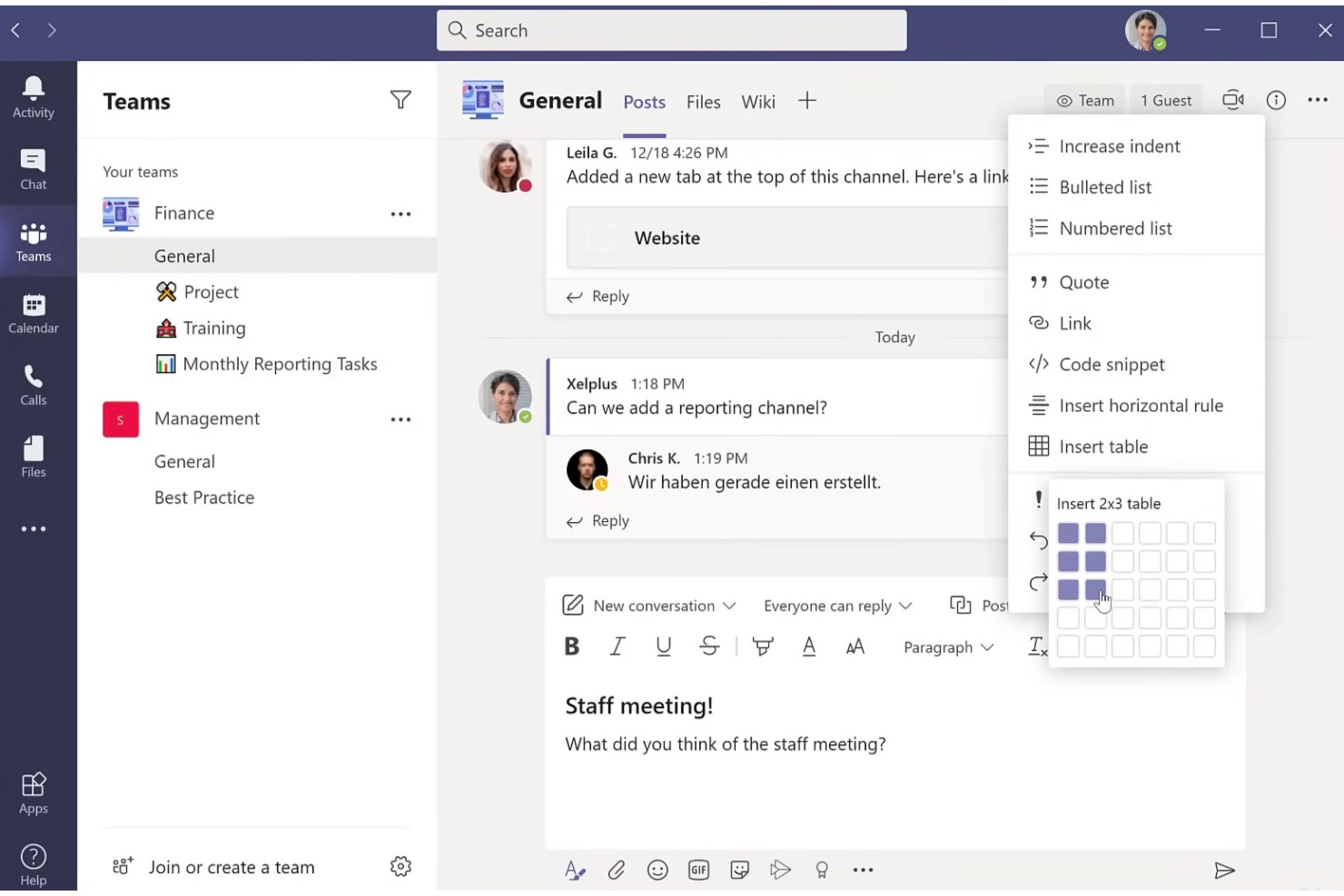
Microsoft Teams es una plataforma de videoconferencias de Microsoft que combina reuniones en línea, chat en tiempo real, videollamadas grupales, uso compartido de pantalla y colaboración en archivos.
¿Para Quién es Mejor Microsoft Teams?
Microsoft Teams es ideal para organizaciones que ya utilizan Microsoft 365 para la productividad y colaboración entre equipos distribuidos.
Por Qué Elegí Microsoft Teams
Elegí Microsoft Teams como uno de los mejores porque mi equipo puede organizar videollamadas grandes y trabajar dentro de canales que conectan chats de reuniones, archivos compartidos y colaboración en vivo. La integración con Microsoft 365 significa que puedo programar reuniones en Outlook, coeditar documentos durante las llamadas y gestionar calendarios compartidos, todo sin salir de la aplicación de escritorio. Funciones como el Modo Juntos crean una experiencia de reuniones grupales más atractiva, especialmente cuando las sesiones son remotas o híbridas.
Características Clave de Microsoft Teams
- Subtítulos en vivo: Genera subtítulos en tiempo real durante las reuniones para mejorar la accesibilidad.
- Control de sala de espera: Permite al anfitrión admitir o rechazar participantes antes de ingresar a la reunión.
- Desenfoque de fondo: Difumina tu fondo durante videollamadas para mayor privacidad.
- Herramienta de levantar la mano: Los participantes pueden señalar preguntas o comentarios sin interrumpir la sesión.
Integraciones de Microsoft Teams
Microsoft Teams tiene integraciones nativas en todo el ecosistema de Microsoft, incluyendo Microsoft 365 y Azure. Hay una API disponible para integraciones personalizadas.
¿Qué es Gratis?
Microsoft Teams ofrece un plan gratuito para siempre que incluye chat ilimitado, videollamadas con hasta 100 participantes, uso compartido de archivos e integraciones nativas con Microsoft 365. Las reuniones gratuitas están limitadas a 60 minutos por sesión.
Pros and Cons
Pros:
- Colabora de forma nativa con aplicaciones de Microsoft 365
- Subtítulos en tiempo real en varios idiomas
- Chat persistente junto a las reuniones por video
Cons:
- Las reuniones gratuitas están limitadas a 60 minutos
- Requiere cuenta de Microsoft para acceder

Ideal para alojar seminarios web simples
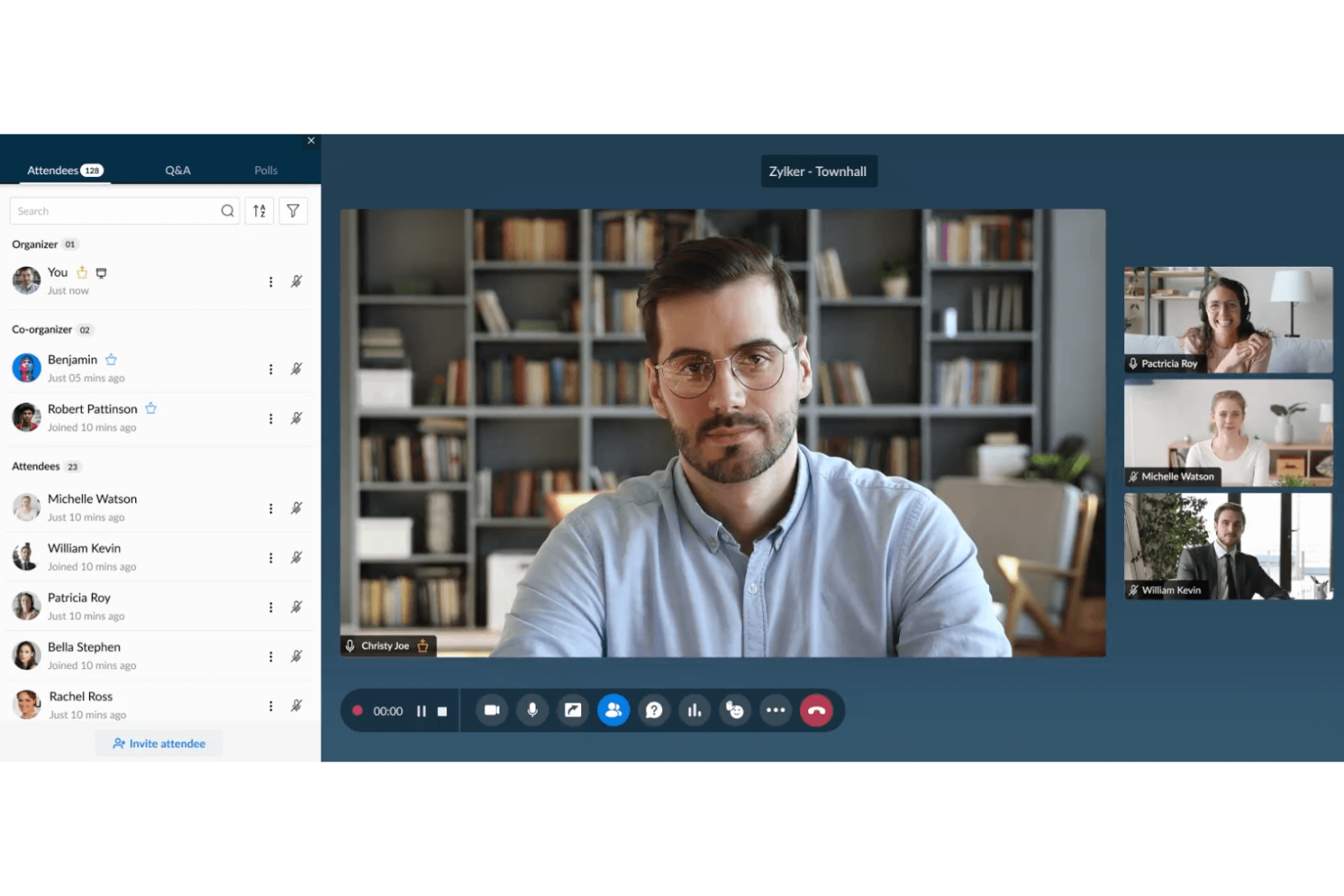
Zoho Meeting es una plataforma de videoconferencias y seminarios web basada en navegador que ofrece reuniones en línea, seminarios web interactivos, uso compartido de pantalla, chat en la sesión y herramientas de gestión de registros.
¿Para quién es ideal Zoho Meeting?
Profesionales independientes y pequeños equipos que necesitan una solución sencilla para organizar reuniones web seguras y seminarios web interactivos.
Por qué elegí Zoho Meeting
Elegí Zoho Meeting como uno de los mejores porque me gusta lo rápido que puedo configurar y gestionar seminarios web simples directamente desde el navegador. Puedo utilizar formularios de registro integrados y moderar la interacción de los asistentes con preguntas y respuestas y encuestas. Aprecio que puedo grabar los seminarios web y compartirlos al instante con los participantes.
Funciones clave de Zoho Meeting
- Uso compartido de pantalla: Comparte toda tu pantalla o solo ventanas de aplicaciones específicas con los participantes.
- Bloqueo de reuniones: Controla quién puede unirse a tus reuniones bloqueando las sesiones después de que comiencen.
- Gestión de RSVP: Envía invitaciones y realiza un seguimiento de las respuestas de los asistentes dentro de la plataforma.
- Acceso desde el navegador: Organiza o únete a reuniones sin necesidad de descargar software.
Integraciones de Zoho Meeting
Zoho Meeting ofrece integraciones nativas con Zoho CRM, Zoho Projects, Zoho Mail, Zoho Calendar y Google Workspace. Hay una API disponible para integraciones personalizadas.
¿Qué es gratis?
Zoho Meeting ofrece un plan gratuito para siempre con hasta 100 participantes en reuniones y reuniones grupales de hasta 60 minutos. El plan gratuito incluye almacenamiento limitado para grabaciones y excluye algunas integraciones avanzadas y funciones de seminarios web.
Pros and Cons
Pros:
- Los seminarios web se pueden realizar directamente en el navegador
- Formularios de registro personalizables para los asistentes
- Controles de moderador para silenciar y compartir pantalla
Cons:
- Opciones de diseño para video de los ponentes son básicas
- Herramientas de personalización de marca en seminarios web son mínimas
Webex
Mejor para tecnología de eliminación de ruido

Webex es un software de videoconferencia basado en la nube que ofrece reuniones de vídeo seguras en HD, grabaciones inteligentes de reuniones, chat dentro de la reunión, intercambio de archivos, sesiones de grupos pequeños y pizarras virtuales.
¿Para quién es mejor Webex?
Webex es ideal para equipos distribuidos y empresas que requieren reuniones de vídeo seguras, de alta calidad, y herramientas avanzadas de colaboración.
Por qué elegí Webex
Elegí Webex como uno de los mejores porque su tecnología de eliminación de ruido filtra de forma constante las distracciones de fondo durante las reuniones. Me gusta poder activar la cancelación de ruido de fondo en tiempo real cuando me uno desde un entorno ruidoso. Mi equipo también utiliza sus funciones de mejora de voz con IA y transcripción automática para mantener reuniones productivas donde sea que estemos.
Características clave de Webex
- Salas de grupos pequeños: Divide a los participantes en grupos de discusión más pequeños durante las reuniones.
- Pizarra virtual: Dibuja, escribe y haz lluvias de ideas junto a tus compañeros en un lienzo digital compartido.
- Bloqueo de reunión: Restringe el acceso a la reunión después de iniciada, evitando que invitados no deseados se unan.
- Chat en la aplicación: Envía mensajes de texto a individuos o a todo el grupo sin salir de la reunión.
Integraciones de Webex
Webex ofrece cientos de integraciones nativas a través de su App Hub, incluyendo Google Workspace, Microsoft 365, Salesforce, Slack, Trello, Asana, Box, Zendesk, Miro y ServiceNow. Se dispone de una API para integraciones personalizadas.
¿Qué es gratis?
Webex ofrece un plan gratuito para siempre con reuniones 1:1 ilimitadas y reuniones grupales de hasta 100 participantes. Las reuniones grupales en el plan gratuito están limitadas a 40 minutos y no incluyen grabación en la nube.
Pros and Cons
Pros:
- Líder en eliminación de ruido en tiempo real
- El plan gratuito incluye reuniones 1:1 ilimitadas
- Potentes funciones de cifrado y cumplimiento
Cons:
- Se requiere una cuenta de Webex para los participantes
- Interfaz compleja en comparación con herramientas más sencillas

Ideal para reuniones de duración ilimitada

RingCentral Video es una plataforma gratuita de videoconferencias y reuniones que admite la programación de reuniones, chat dentro de la reunión, uso compartido de pantalla, mensajería de equipo, pizarras interactivas e integración de calendario para la colaboración diaria.
¿Para quién es mejor RingCentral?
RingCentral Video es ideal para equipos distribuidos que dependen del trabajo remoto y que necesitan videollamadas sin límite de duración.
Por qué elegí RingCentral
Elegí RingCentral porque puedo organizar reuniones grupales por vídeo sin límites de tiempo, algo poco común en los planes gratuitos de videoconferencia. Dependo de funciones como chat persistente de equipo, pizarras colaborativas y enlaces seguros para salas de reuniones, tanto internas como con clientes. Mi equipo también disfruta de programación integrada de calendario y uso compartido de pantalla, lo que mantiene conectado nuestro flujo de trabajo.
Características clave de RingCentral
- Fondos virtuales: Cambia o difumina tu fondo para mayor privacidad durante las llamadas.
- Transcripciones de reuniones: Accede a transcripciones buscables después de cada reunión grabada.
- Controles de acceso basados en roles: Asigna permisos de anfitrión, coanfitrión y participante para las reuniones.
- Soporte de aplicación móvil: Únete o presenta reuniones desde dispositivos iOS y Android.
Integraciones de RingCentral
RingCentral ofrece más de 500 integraciones preconfiguradas, incluyendo Google Workspace, Microsoft Teams, Salesforce, Jira y Google Sheets. Hay una API disponible para integraciones personalizadas.
¿Qué es gratis?
RingCentral Video ofrece un plan gratuito para siempre para reuniones de hasta 50 minutos cada una. El plan gratuito no incluye grabación en la nube, análisis avanzados ni algunas integraciones premium.
Pros and Cons
Pros:
- Incluye pizarra interactiva para colaboración
- Se integra de forma nativa con Google Workspace
- Incluye chat persistente entre reuniones
Cons:
- No incluye fondos virtuales para usuarios gratuitos
- Ocasionalmente se producen retrasos en la funcionalidad de compartir pantalla
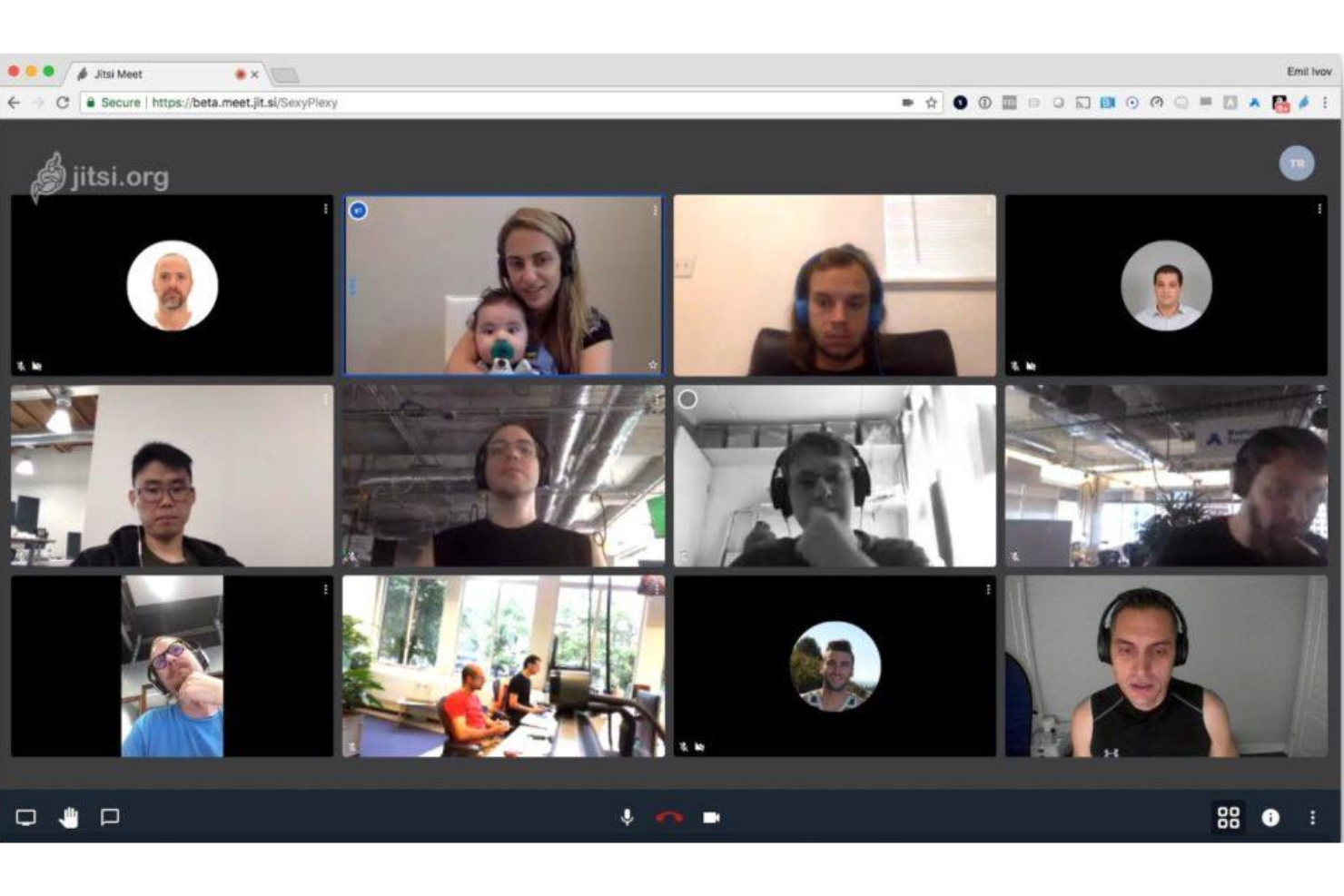
Jitsi Meet es una solución de videoconferencia de código abierto que permite a los usuarios realizar reuniones seguras directamente en el navegador, con opciones para compartir pantalla, chat, transmisión en vivo a YouTube y soporte para integraciones personalizadas.
¿Para quién es mejor Jitsi Meet?
Freelancers, educadores y pequeños equipos que desean reuniones gratuitas en el navegador sin necesidad de crear cuentas.
Por qué elegí Jitsi Meet
Elegí Jitsi Meet como uno de los mejores porque puedo iniciar reuniones al instante—sin necesidad de registrarse—e invitar a cualquier persona simplemente compartiendo un enlace. Me gusta que admite participantes ilimitados y compartir pantalla, lo que lo hace ideal para reuniones espontáneas de equipo. En mi experiencia, la transmisión en vivo a YouTube funciona de manera fluida para eventos grandes y seminarios web.
Características clave de Jitsi Meet
- Cifrado de extremo a extremo: Las reuniones están protegidas con conexiones seguras y cifradas.
- URLs de sala personalizadas: Crea y reutiliza tus propios enlaces de sala de reuniones.
- Reuniones protegidas por contraseña: Protege las reuniones con contraseña para mayor seguridad.
- Grabación integrada de reuniones: Graba las reuniones directamente en Dropbox con un solo clic.
Integraciones de Jitsi Meet
Las integraciones no se encuentran listadas públicamente.
¿Qué es gratis?
Jitsi Meet ofrece un plan gratuito para siempre con reuniones ilimitadas en duración y número de participantes. Algunas funciones avanzadas, como la grabación en la nube y la expansión de integraciones, pueden requerir autohospedaje o configuración personalizada.
Pros and Cons
Pros:
- Código abierto con desarrollo impulsado por la comunidad
- Duración de reuniones ilimitada para todos los usuarios
- Reuniones cifradas para mayor privacidad
Cons:
- No tiene función de fondo virtual incorporada
- Carece de colaboración en pizarra integrada

Lark ofrece una suite todo en uno que reúne videollamadas, chat y edición colaborativa de documentos en un espacio de trabajo unificado.
¿Para quién es mejor Lark Meetings?
Equipos remotos que necesitan colaboración en documentos en tiempo real durante las videollamadas.
Por qué elegí Lark Meetings
Elegí Lark Meetings porque me gusta que mi equipo pueda coeditar documentos, hojas de cálculo y presentaciones de diapositivas directamente en la ventana de la reunión. He tomado notas de reuniones en un documento compartido durante una llamada e inmediatamente he incluido a compañeros ausentes. En la práctica, podemos trabajar en agendas compartidas y editar planes de proyectos juntos en vivo mientras compartimos pantalla, todo sin cambiar de pestaña.
Características clave de Lark Meetings
- Fondos virtuales: Sube imágenes personalizadas y aplícalas durante las reuniones.
- Grabación de reuniones: Graba llamadas y guárdalas de forma segura en la nube.
- Chat integrado: Envía mensajes grupales o directos sin salir de la reunión.
- Gestión de participantes: Silencia, elimina o añade invitados directamente desde el panel del anfitrión.
Integraciones de Lark Meetings
Las integraciones incluyen Microsoft Exchange, Outlook, Google Calendar y Gmail.
¿Qué es gratis?
Lark Meetings incluye un plan gratuito para siempre con reuniones 1 a 1, traducción en tiempo real ilimitada y 100 GB de almacenamiento. Para admitir a más participantes, hay que hacer la actualización a un plan de pago.
Pros and Cons
Pros:
- Edición de documentos en tiempo real durante reuniones
- Almacenamiento en la nube integrado para archivos compartidos
- Compartir pantalla con herramientas de anotación
Cons:
- Opciones limitadas para enlaces de reuniones
- Pocas integraciones nativas de terceros


Meet Hour es una plataforma de software de videoconferencia para realizar reuniones en línea, seminarios web y eventos virtuales con salas de reuniones personalizables, integraciones y controles interactivos de moderación.
¿Para quién es mejor Meet Hour?
Meet Hour es ideal para empresas y organizaciones pequeñas y medianas que desean experiencias de reuniones en línea con su propia marca.
Por qué elegí Meet Hour
Elegí Meet Hour como uno de los mejores porque es la única plataforma gratuita de videoconferencias en mi lista que me permite mostrar la marca de mi empresa en primer plano en cada reunión. Me gusta tener control sobre los elementos visuales de las salas, URLs personalizadas y la ubicación del logotipo. Mi equipo utiliza sus herramientas de personalización para ofrecer una experiencia profesional y reconocible durante las llamadas de ventas y las sesiones de incorporación de clientes.
Funciones clave de Meet Hour
- Salas para grupos pequeños: Divide a los participantes en grupos reducidos para debates focalizados.
- Grabación de reuniones: Graba el audio y vídeo de la sesión para referencia futura.
- Chat integrado: Envía mensajes a todos los participantes sin salir de la reunión.
- Controles de anfitrión: Gestiona los permisos de los participantes, silencia usuarios y bloquea reuniones.
Integraciones de Meet Hour
Meet Hour ofrece integraciones nativas con Slack, Microsoft Office 365, Google Workspace, Trafft, Calendly y WordPress. Se conecta con Zapier, Pabbly Connect y Make, y dispone de una API para integraciones personalizadas.
¿Qué es gratis?
Meet Hour ofrece un plan gratuito para siempre que admite hasta 100 participantes por reunión y límites de 60 minutos por sesión. Algunas funciones avanzadas e integraciones están restringidas a los planes de pago.
Pros and Cons
Pros:
- La personalización de marca permite modificar salas de espera
- Permite seminarios web y paneles con varios ponentes
- Incorpora fácilmente reuniones en tu sitio de WordPress
Cons:
- Duración ilimitada de reuniones requiere complemento
- No dispone de colaboración con pizarra integrada
Otros programas gratuitos de videoconferencia
Estas son algunas opciones adicionales de programas gratuitos de videoconferencia que no han entrado en mi lista de favoritos, pero que merece la pena consultar:
- Slack
Ideal para reuniones rápidas de equipo
- FreeConferenceCall.com
Ideal para límites de 1.000 participantes
- TrueConf
Ideal para resolución de video 4K


Cómo Evalúo el Software de Videoconferencias Gratuito
Primero, defino qué se considera gratuito. Para el software de videoconferencias, eso significa un plan gratuito para siempre—no una prueba limitada en el tiempo—ya que los equipos de RR. HH. necesitan acceso fiable para entrevistas recurrentes, sesiones de incorporación y seguimientos con empleados. A partir de ahí, evalúo la funcionalidad básica que toda herramienta debe tener para figurar en esta lista, y luego los diferenciadores que separan las opciones más fuertes del resto.
Funcionalidad Básica (Requisitos Mínimos Para Esta Lista)
Además de mis requisitos de oferta gratuita, también utilizo un sistema de puntuación para seleccionar las herramientas de mi lista. Así es como funciona:
Califico cada una en una escala de 0 (no ofrece la funcionalidad) a 5 (sobresale en esta área) para cada funcionalidad básica que se enumera a continuación. Luego, calculo la puntuación total de la herramienta en porcentaje. Cada herramienta debe alcanzar una puntuación total mínima del 65% para ser considerada para su inclusión.
- Reuniones Grupales en Video: Verifico cuántos participantes admite el plan gratuito, ya que casos de uso de RR. HH. como entrevistas grupales y sesiones de incorporación de equipo a menudo requieren espacio para más de dos personas.
- Compartir Pantalla: Ya sea para guiar a una nueva contratación en la inscripción de beneficios o al presentar actualizaciones de políticas, busco que el compartir pantalla esté disponible tanto para anfitriones como para participantes en la versión gratuita.
- Grabación de Reuniones: Evalúo si el plan gratuito incluye grabación, y si ésta es solo local o en la nube—los reclutadores suelen necesitar compartir grabaciones de entrevistas con los managers de contratación tras la llamada.
- Chat Durante la Reunión: El chat en tiempo real es importante para compartir enlaces, descripciones de puestos o recursos de seguimiento durante la conversación, así que verifico si la versión gratuita permite compartir archivos e historial de mensajes.
- Integración con Calendario y Programación: Conectarse con Google Calendar y Outlook ahorra mucho tiempo a los reclutadores que agendan entrevistas consecutivas, por eso reviso qué integraciones están disponibles sin necesidad de actualizar el plan.
- Acceso desde el Navegador y para Invitados: Los candidatos y participantes externos no deberían tener que crear una cuenta o instalar software para unirse a una llamada, por ello evalúo qué tan sencillo es el proceso de ingreso como invitado en cada plataforma.
Una vez que tengo una lista de herramientas que cumplen con los criterios, considero qué distingue a cada plataforma.
Factores Diferenciadores (Lo Que Distingue a Cada Proveedor)
Así es como comparo y contrasto los distintos proveedores:
Características Destacadas
Las salas de espera y los controles para anfitriones son clave para RR. HH.—permiten a los reclutadores gestionar la entrada de candidatos durante entrevistas y mantener seguras conversaciones confidenciales como evaluaciones de desempeño. También busco fondos virtuales y desenfoque, que ayudan tanto al personal de RR. HH. como a los candidatos a mostrarse profesionalmente sin importar desde dónde se unan. Los subtítulos en vivo añaden otra capa de valor, haciendo las reuniones más accesibles y ofreciendo a los especialistas de capacitación una referencia consultable luego de las sesiones de formación.
Más Allá de las Características
El límite de duración de las reuniones en los planes gratuitos importa más de lo que se piensa—un tope de 40 minutos puede cortar una entrevista estructurada justo cuando se empiezan a plantear preguntas conductuales. También evalúo la seguridad y la privacidad, revisando la existencia de cifrado de extremo a extremo y contraseñas para las reuniones, ya que las conversaciones de RR. HH. suelen involucrar datos sensibles del personal. Qué tan bien una plataforma se conecta con herramientas ATS como Greenhouse o Lever me dice mucho sobre cuánta fricción encontrarán los reclutadores al programar en su día a día.
Cómo elegir un programa gratuito de videoconferencia
Es fácil perderse entre largas listas de funciones y estructuras de precios complejas. Para ayudarte a mantener la concentración mientras llevas a cabo tu proceso específico de selección de software, aquí tienes una lista de factores que debes tener en cuenta:
| Factor | Qué debes tener en cuenta |
| Escalabilidad | ¿El software seguirá adaptándose a tus necesidades si crece tu equipo o aumenta el tamaño de las reuniones? Comprueba los límites de participantes y las opciones de ampliación. |
| Integraciones | ¿Se conecta con tus herramientas actuales, como el calendario, la gestión de proyectos o los sistemas de correo electrónico? Confirma únicamente las integraciones nativas que realmente vayas a utilizar. |
| Personalización | ¿Puedes adaptar las notificaciones, las invitaciones a reuniones y las salas de espera a tus flujos de trabajo? Evalúa las limitaciones de la configuración del plan gratuito. |
| Facilidad de uso | ¿Puede todo tu equipo, independientemente de sus conocimientos técnicos, unirse a las llamadas y gestionarlas sin necesitar asistencia constante? Si es posible, haz una prueba con un grupo de muestra. |
| Implementación e incorporación | ¿Con qué rapidez puede tu equipo pasar del registro a organizar reuniones? Busca tutoriales integrados y asistencia durante la transición. |
| Coste | ¿Hay funciones esenciales bloqueadas tras un muro de pago? Comprende exactamente qué se incluye de forma gratuita y cuándo podrían aplicarse costes de actualización. |
| Medidas de seguridad | ¿Admite salas de espera, bloqueo de reuniones y cifrado básico? Asegúrate de que la versión gratuita proteja las conversaciones confidenciales. |
| Disponibilidad de asistencia | ¿Qué canales de asistencia están disponibles para los usuarios gratuitos y los tiempos de respuesta se ajustan a tu tolerancia al riesgo? Comprueba si existen foros de la comunidad o bases de conocimientos como respaldo. |
¿Qué es un programa gratuito de videoconferencia?
El software gratuito de videoconferencias es una plataforma digital que permite a los usuarios organizar y unirse a reuniones virtuales sin pagar una cuota de suscripción. Estas herramientas admiten comunicación de audio y vídeo en tiempo real, compartir la pantalla, mensajería de chat y, a menudo, incluyen funciones básicas de gestión de participantes. La mayoría limita funciones como la duración de las reuniones, el número de participantes o las integraciones en sus planes gratuitos, pero aun así ofrece opciones fiables para reuniones de equipos remotos, entrevistas y colaboración.
Funciones del software gratuito de videoconferencias
Repasemos las funciones que suelen incluirse en el software de videoconferencias y cuáles suelen estar disponibles en los planes gratuitos frente a los de pago.
Funciones habituales del software gratuito de videoconferencias
- Videollamadas: Organiza reuniones de vídeo en tiempo real entre dos o más participantes utilizando dispositivos conectados a Internet para la comunicación visual.
- Conferencias de audio: Permite a los usuarios unirse a reuniones utilizando únicamente la voz, lo que resulta útil cuando no se necesita vídeo o el ancho de banda es limitado.
- Compartir pantalla: Presenta tu escritorio, ventanas específicas o documentos durante reuniones en directo para colaborar, hacer demostraciones o revisar contenido conjuntamente.
- Chat durante la reunión: Intercambia mensajes de texto, enlaces o archivos con todos los participantes o de forma privada durante una reunión en directo sin interrumpir el desarrollo de la llamada.
- Gestión de participantes: Proporciona al anfitrión controles básicos para silenciar, expulsar o admitir participantes, lo que ayuda a gestionar el desarrollo y la seguridad de la reunión.
- Programación de reuniones: Crea reuniones e invita a los asistentes con antelación, normalmente con la opción de generar invitaciones de calendario o compartir enlaces de acceso.
- Cambio de dispositivo: Cambia fácilmente entre dispositivos de escritorio y móviles antes de una reunión o durante ella, facilitando entornos de trabajo flexibles.
- Fondos virtuales: Sustituye o difumina el fondo real durante las reuniones para mantener la privacidad o conseguir una apariencia más profesional.
Funciones habituales del software de pago de videoconferencias
- Gran capacidad para reuniones: Aumenta los límites de participantes para admitir seminarios web, reuniones de toda la empresa o grandes eventos virtuales.
- Grabación en la nube y transcripciones: Graba reuniones y genera automáticamente transcripciones que se pueden buscar para utilizarlas posteriormente, cumplir requisitos normativos o compartirlas con las personas ausentes.
- Salas para grupos: Divide a los participantes en grupos más pequeños para mantener debates específicos, organizar talleres o realizar actividades de equipo dentro de una reunión más grande.
- Controles de seguridad avanzados: Implementa protecciones adicionales, como cifrado de extremo a extremo, restricciones de acceso personalizadas o registros de auditoría para cumplir requisitos normativos.
- Integraciones con terceros: Conecta herramientas de CRM, LMS, gestión de proyectos y productividad para simplificar los flujos de trabajo y el intercambio de datos.
- Personalización de marca: Añade logotipos, colores de marca y salas de espera personalizadas para reforzar la identidad de la empresa en todas las reuniones.
- Asistencia prioritaria: Accede a un servicio de atención al cliente prémium y acelerado mediante chat en directo, representantes dedicados o tiempos de respuesta más rápidos.
- Análisis e informes: Supervisa las tendencias de uso, la asistencia a las reuniones y las métricas de participación mediante paneles integrados para tomar mejores decisiones.
- Encuestas en directo y preguntas y respuestas: Utiliza herramientas interactivas para recopilar comentarios, realizar encuestas en directo o facilitar sesiones de preguntas y respuestas durante reuniones y seminarios web.
- Asignación automatizada a salas para grupos: Coloca automáticamente a los participantes en grupos predeterminados para reuniones periódicas o formaciones, haciendo que el trabajo en grupo sea más eficiente.
Ventajas del software gratuito de videoconferencias
Implementar un software gratuito de videoconferencias ofrece varias ventajas para tu equipo y tu empresa. Estas son algunas de las que puedes esperar:
- Ahorro de costes: Evita las cuotas de suscripción y sigue disfrutando de las funciones esenciales de reuniones, colaboración y comunicación para equipos remotos e híbridos.
- Adopción rápida: Permite que tu equipo empiece a organizar y unirse a reuniones con una configuración mínima, ya que la mayoría de las herramientas gratuitas ofrecen interfaces intuitivas y una incorporación básica.
- Flexibilidad para el trabajo remoto: Facilita la colaboración en tiempo real, las entrevistas y las reuniones grupales entre distintas ubicaciones, dando soporte a equipos remotos o distribuidos.
- Acceso inclusivo: Invita fácilmente a participantes internos o externos, a menudo sin requisitos complejos de registro ni necesidad de licencias adicionales.
- Historial de comunicación continuo: Conserva el acceso a registros de chats, reuniones anteriores o contenido compartido para consultarlo sin pagar por mejoras del plan.
- Evaluación sin riesgos: Prueba funciones y flujos de trabajo con tu equipo antes de comprometerte con una plataforma de pago, asegurando una mejor adaptación a las necesidades a largo plazo.
- Eficiencia de los recursos: Aprovecha al máximo las integraciones estándar y la compatibilidad básica con dispositivos, ayudando a tu equipo a mantener la productividad sin añadir complejidad.
Costes y precios del software de videoconferencias
Entiendo que has llegado a este artículo buscando las mejores opciones de software de videoconferencias disponibles de forma gratuita. Sin embargo, como los planes gratuitos solo ofrecen funciones limitadas, es muy probable que en el futuro necesites ampliar tu plan.
La siguiente tabla resume los planes habituales, sus precios medios y las funciones típicas incluidas en el software de videoconferencias:
Tabla comparativa de planes de software de videoconferencias
| Tipo de plan | Precio medio | Funciones habituales |
| Plan gratuito | $0 | Organización de videollamadas grupales, uso compartido de pantalla básico, chat durante las reuniones, duración limitada de las reuniones y controles básicos de los participantes. |
| Plan personal | $5–$10/usuario/mes | Mayor duración de las reuniones, límites de participantes más altos, grabación en la nube, fondos virtuales personalizados y asistencia por correo electrónico. |
| Plan para empresas | $12–$25/usuario/mes | Controles administrativos avanzados, integraciones con herramientas empresariales, análisis, salas de grupos, asistencia prioritaria y personalización de marca. |
| Plan empresarial | $25–$40/usuario/mes | Participantes ilimitados, funciones de seguridad avanzadas, inicio de sesión único, gestor de cuenta dedicado y asistencia para la incorporación. |
Preguntas frecuentes sobre el software gratuito de videoconferencias
Estas son algunas respuestas a preguntas frecuentes sobre el software gratuito de videoconferencias:
¿Qué suele estar limitado en los planes gratuitos de software de videoconferencias?
Los planes gratuitos suelen limitar la duración de las reuniones, el número de participantes, el almacenamiento de las grabaciones y las integraciones con otras herramientas. También es posible que aparezcan marcas de agua o que se pierda el acceso a la asistencia prémium y a las funciones de seguridad avanzadas.
¿Se pueden organizar reuniones empresariales utilizando únicamente software gratuito de videoconferencias?
Sí, puedes organizar reuniones empresariales utilizando software gratuito de videoconferencias, especialmente en pequeñas empresas o para sesiones breves. Para grupos más grandes o eventos importantes, puede que necesites actualizar el plan para evitar limitaciones de funciones o capacidad.
¿Hasta qué punto son seguras las plataformas gratuitas de videoconferencias?
La seguridad varía, pero la mayoría de las plataformas gratuitas incluyen protecciones básicas, como llamadas cifradas y salas de espera. Para conversaciones muy sensibles, revisa las políticas de seguridad de cada proveedor y considera actualizar el plan para acceder a funciones avanzadas.
¿Funcionan las herramientas gratuitas de videoconferencias en dispositivos móviles?
Sí, prácticamente todas las herramientas gratuitas de videoconferencias ofrecen aplicaciones móviles o acceso mediante el navegador, lo que facilita que los participantes se unan a las reuniones desde teléfonos inteligentes y tabletas.
¿Puedo grabar reuniones con un plan gratuito?
Algunas herramientas gratuitas de videoconferencias permiten grabar reuniones, pero las grabaciones pueden estar limitadas en duración, almacenamiento o acceso. Consulta la documentación de cada herramienta para confirmar qué está disponible antes de depender de esta función.
¿Hay costes ocultos en el software gratuito de videoconferencias?
La mayoría de los proveedores son transparentes con los precios, pero algunos pueden intentar venderte mejoras durante la incorporación o restringir funciones esenciales hasta que actualices el plan. Comprueba siempre la comparación de planes y las limitaciones de funciones antes de comprometerte.