Reseña de Metaview: Ventajas, Desventajas, Características y Resumen de Precios



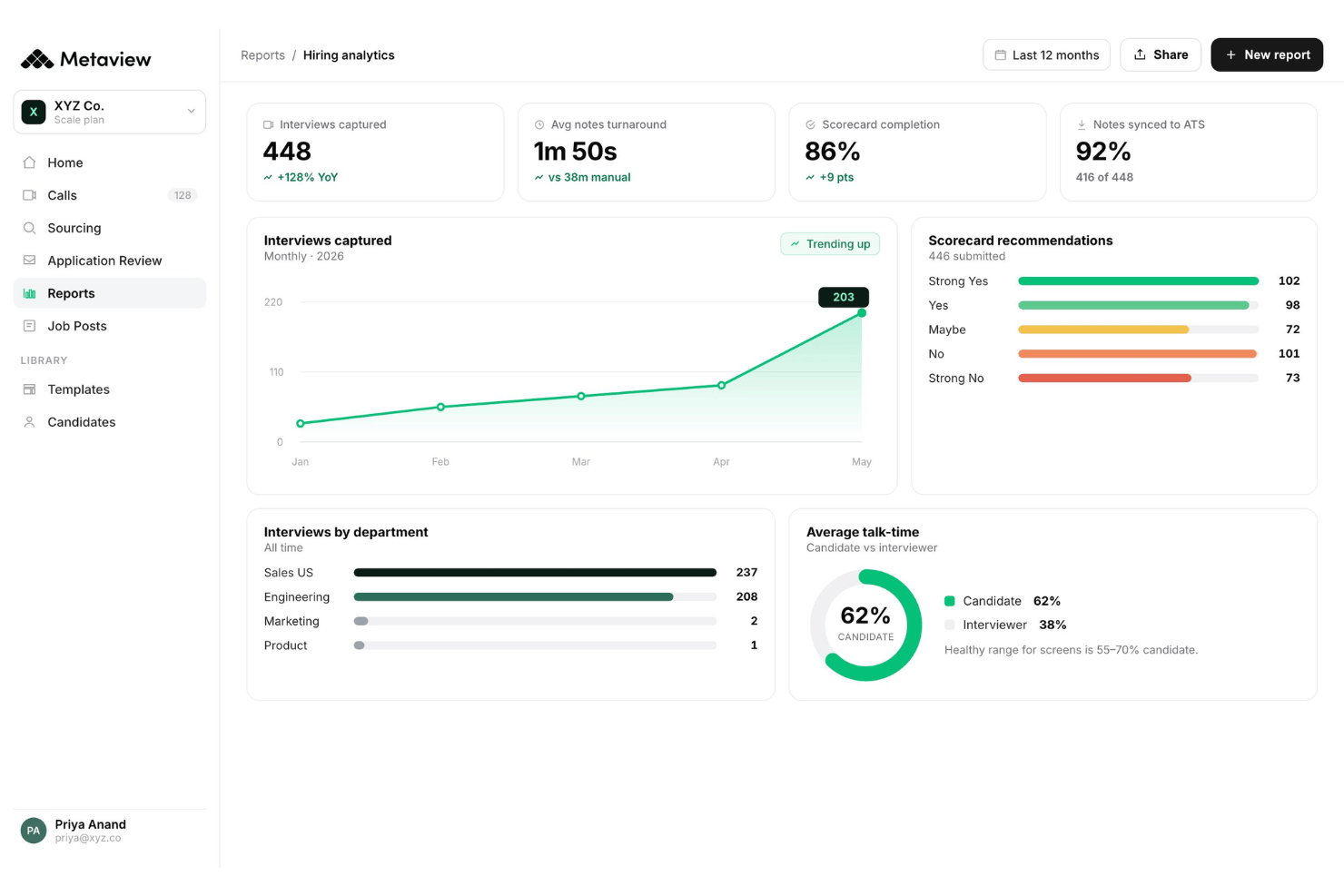
Metaview is an AI recruiting software that automatically captures, transcribes, and summarizes interviews so recruiters can stay present in conversations instead of scrambling to take notes. I'd consider it if your team is running a high volume of interviews and losing time to manual note-writing after each call. It's a better fit than a general transcription tool like Otter.ai because Metaview is built specifically for recruiting contexts, producing structured interview summaries rather than raw transcripts your team still has to interpret.
Metaview Evaluation Summary
- From $100/user/month
- Free plan available
Por qué confiar en nuestras reseñas de software
Nuestro equipo lleva probando y evaluando software desde 2012. Como expertos en RR. HH., sabemos lo difícil —y lo importante— que es elegir el software adecuado.
Para esta guía, evaluamos las herramientas mediante pruebas prácticas e investigación independiente, puntuando las herramientas según nuestros criterios de selección. También nos basamos en la experiencia de líderes de opinión del sector y de profesionales de RR. HH. en activo.
Nuestras reseñas reflejan nuestro criterio editorial humano, no un discurso de ventas.
Revisores expertos:
Metaview Overview
In my opinion, Metaview stands out for its automated interview note capture and straightforward onboarding—making it easy to ramp up and refine your hiring process. Compared to other AI tools I’ve judged, its interface is cleaner, and support is responsive. Pricing feels high for startups, especially if you need advanced ATS integrations, but conversation analysis is detailed. I’d suggest Metaview for recruiting teams prioritizing quality candidate experience, structured feedback, and insights over broad feature sets. For example, tech companies running high volumes of interviews will notice real time savings for hiring managers, while small agencies might find the investment harder to justify.
pros
-
Automatic interview transcripts drastically reduce manual note-taking time
-
Conversation insights help highlight interview trends for hiring teams
-
Candidate feedback summaries are structured and easily shareable
cons
-
Pricing may limit access for small recruiting teams
-
Lacks built-in scheduling and applicant tracking features
-
Limited language support compared to other AI platforms
-

Justworks
Visit WebsiteThis rating combines scores from multiple user review sites to reflect overall customer sentiment about the product.4.6 -
Prevue Assessments
Visit WebsiteThis rating combines scores from multiple user review sites to reflect overall customer sentiment about the product.4.6 -
Small Improvements
Visit WebsiteThis rating combines scores from multiple user review sites to reflect overall customer sentiment about the product.4.3





Cómo probamos y puntuamos nuestras herramientas
Hemos pasado años construyendo, refinando y mejorando nuestro sistema de pruebas y puntuación de software. La rúbrica está diseñada para capturar los matices de la selección de software y lo que hace que una herramienta sea efectiva, centrándose en los aspectos críticos del proceso de toma de decisiones. A continuación, puedes ver exactamente cómo funcionan nuestras pruebas y puntuaciones a través de siete criterios. Esto nos permite ofrecer una evaluación imparcial del software basada en la funcionalidad principal, características destacadas, facilidad de uso, incorporación, soporte al cliente, integraciones, reseñas de clientes y relación calidad-precio.
Funcionalidad principal (25% de la puntuación final)
El punto de partida de nuestra evaluación siempre es la funcionalidad principal de la herramienta. ¿Tiene las funciones básicas que se espera encontrar? ¿Alguna de esas funciones básicas está restringida a planes de precio superiores? En esencia, esperamos que una herramienta se compare favorablemente con las capacidades básicas de sus competidores.
Características destacadas (25% de la puntuación final)
Luego, evaluamos características poco comunes que van más allá de la funcionalidad principal que normalmente se encuentra en herramientas de su tipo. Una puntuación alta refleja funciones especializadas o únicas que hacen que el producto sea más rápido, eficiente o que ofrezca un valor adicional al usuario. También evaluamos lo fácil que es integrar con otras herramientas comúnmente usadas en el entorno tecnológico para ampliar la funcionalidad y utilidad del software. Las herramientas que ofrecen muchas integraciones nativas, conexiones de terceros y acceso a API para construir integraciones personalizadas obtienen las mejores puntuaciones.
Facilidad de uso (10% de la puntuación final)
Consideramos qué tan rápido y fácil es ejecutar las tareas definidas en la funcionalidad principal utilizando la herramienta. El software que obtiene una puntuación alta está bien diseñado, es intuitivo, ofrece aplicaciones móviles, proporciona plantillas y hace que tareas relativamente complejas parezcan simples.
Incorporación (10% de la puntuación final)
Sabemos lo importante que es la rápida adopción del equipo para una nueva plataforma, por eso evaluamos qué tan fácil es aprender y usar una herramienta con una capacitación mínima. Evaluamos cuán rápido un miembro del equipo puede configurarse y comenzar a usar la herramienta sin experiencia. Las soluciones con mejores puntuaciones requieren poco o ningún soporte.
Soporte al cliente (10% de la puntuación final)
Revisamos cuán rápido y fácil es obtener ayuda mediante teléfono, chat en vivo o base de conocimientos. Las herramientas y empresas que ofrecen soporte en tiempo real obtienen las mejores puntuaciones, mientras que los chatbots obtienen las peores.
Reseñas de clientes (10% de la puntuación final)
Además de nuestras propias pruebas y evaluaciones, consideramos el puntaje neto de promotores de clientes presentes y pasados. Revisamos su probabilidad, dada la opción, de elegir nuevamente la herramienta por su funcionalidad principal. El software con una puntuación alta refleja un alto puntaje neto de promotores por parte de clientes actuales o anteriores.
Relación calidad-precio (10% de la puntuación final)
Por último, considerando todos los demás criterios, revisamos el precio promedio de los planes de entrada frente a las funciones principales y valoramos el resto de los criterios de evaluación. El software que ofrece más por menos tendrá una mejor puntuación.
Core Features
Automated Interview Note-Taking
Metaview records and transcribes your interviews in real time. You get instant, accurate notes from intake calls and live interviews without distracting from the conversation.
AI-Generated Candidate Summaries
Every interview is summarized into clear, shareable candidate profiles for hiring managers to review. This speeds up application review and decision-making across distributed hiring panels.
Conversation Insights and Analytics
Metaview analyzes patterns in your interviews across questions, responses, and interviewer behavior. You can spot trends, identify strong candidates, and refine your hiring process.
Data Security and Compliance
All transcripts and summaries are encrypted and kept private by default. Metaview is designed to meet strict data protection standards for sensitive hiring information.
Multi-Language Support for Interviews
Metaview supports interviews in several major languages. This helps global teams evaluate candidates consistently, no matter where they’re based.
Searchable Interview Archive
You can instantly search past notes and transcripts in the Metaview dashboard. This makes it easier to revisit conversations and defend hiring decisions later.
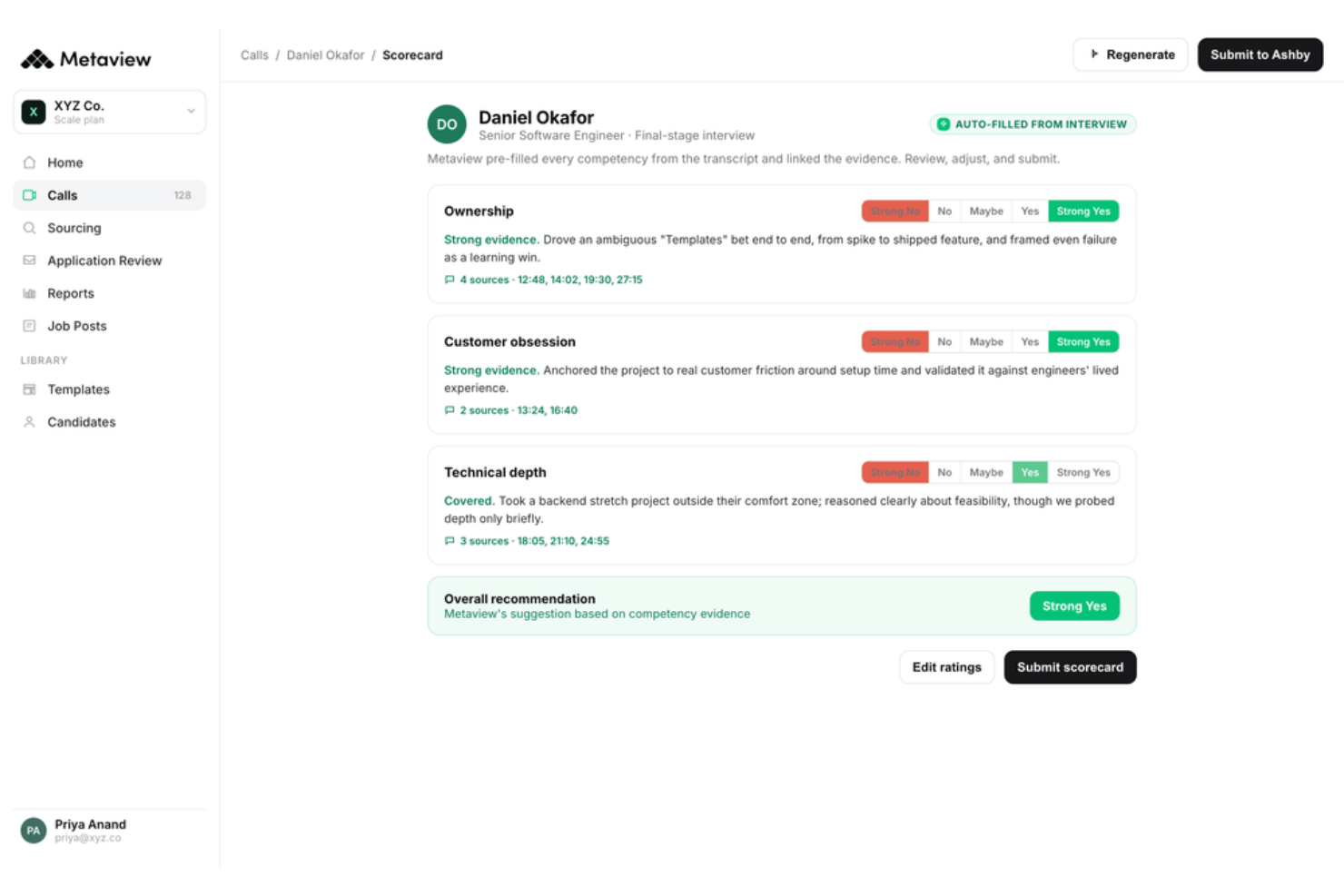
Ease of Use
Metaview is one of the most user-friendly AI notetaker platforms I’ve used for recruiting. The dashboard is clean, onboarding is practically hands-off, and note capture just works—no setup or templates required. Users mention that sharing summaries and finding transcripts is intuitive, making it easy to onboard new team members fast.
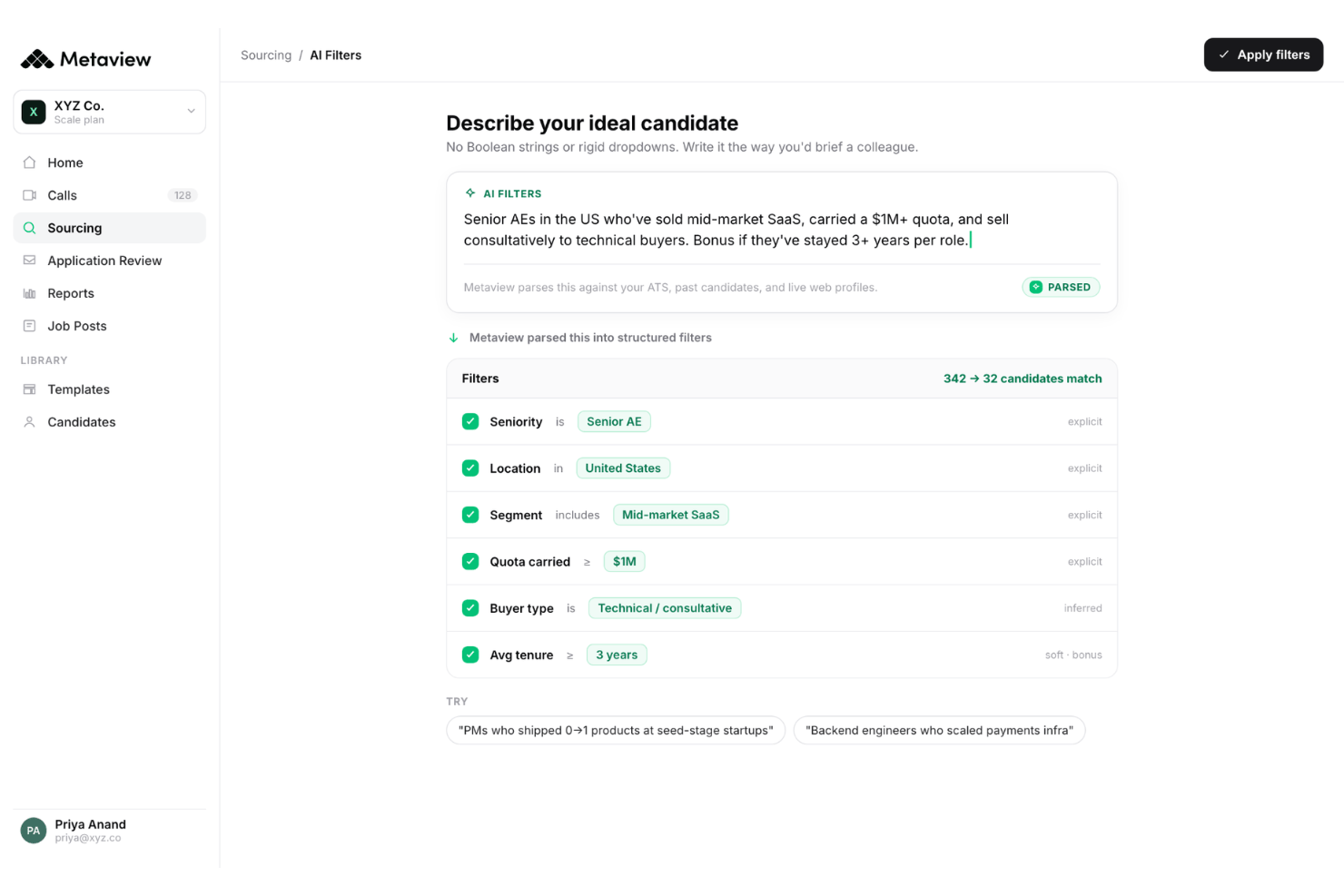
Integrations
Metaview integrates with Greenhouse, Lever, Workday, iCIMS, BambooHR, Jobvite, SmartRecruiters, JazzHR, Spott ATS, ADP Workforce Now, and Bullhorn, among others.
Metaview doesn’t currently offer a public API for developer use, but its ATS integrations and third-party connector tools make it adaptable to most tech stacks.
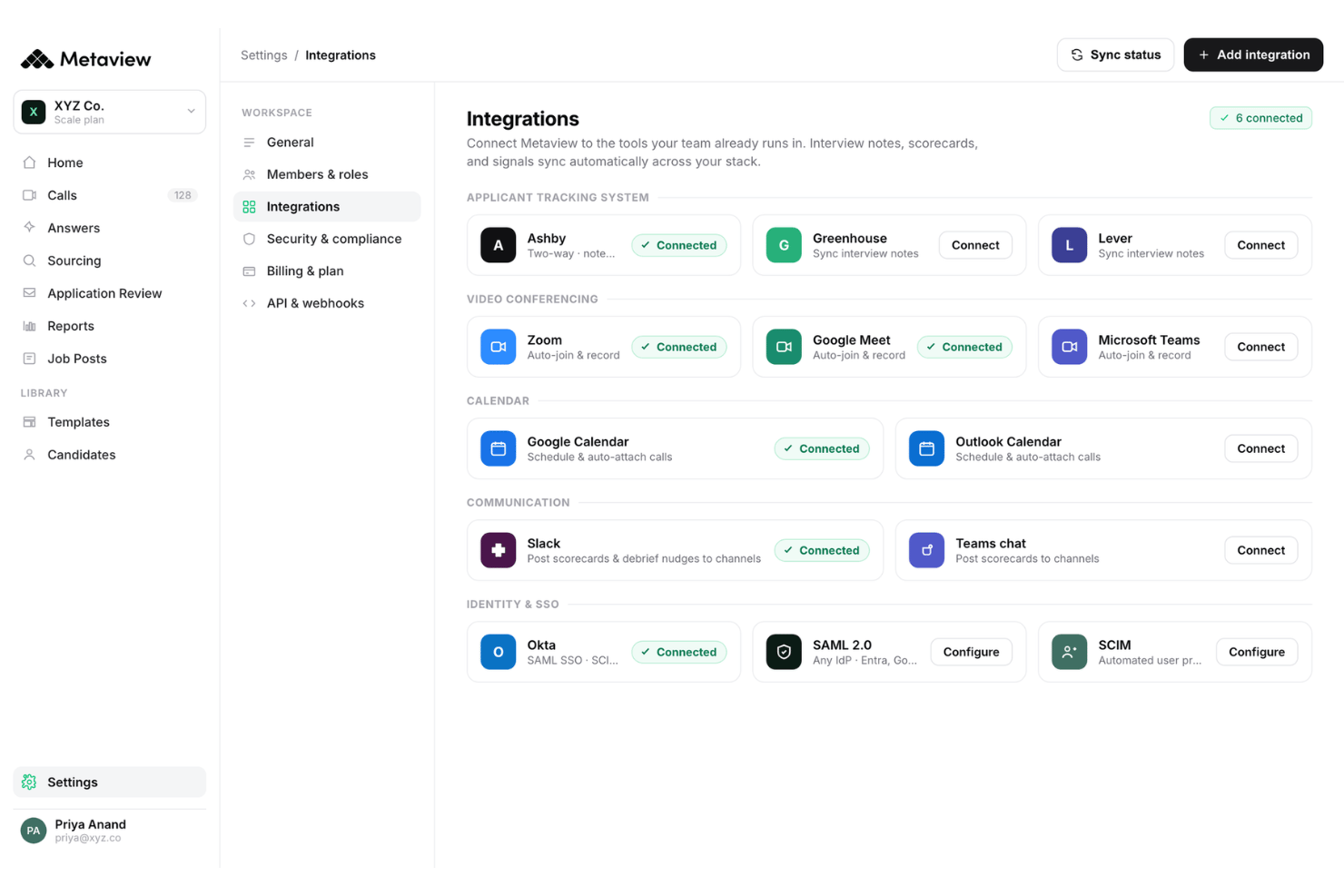
Metaview Specs
- 2-Factor Authentication
- 360 Degree Feedback
- API
- Application Tracking
- Attendance Tracking
- Batch Permissions & Access
- Compliance Tracking
- Dashboard
- Data Export
- Data Import
- Data Visualization
- Employee Database
- Employee Engagement
- Employee Incentive Management
- Employee Onboarding
- Employee Training
- Expense Tracking
- External Integrations
- Feedback Management
- Multi-User
- Notifications
- Payroll
- Performance Appraisal
- Scheduling
- Time Management
- Timesheets
- Travel Management
- Vacation & Absence Calendar