Reseña de Xero: Ventajas, desventajas, funciones y precios explicados


Xero is an HR accounting software built for small to mid-sized businesses that need connected payroll, expense tracking, and financial reporting. I'd consider it if you want something less complex than QuickBooks but with more depth than basic bookkeeping tools—particularly if unlimited user access without per-seat pricing matters to your team.
Xero Evaluation Summary
- From $25/month
- 30-day free trial
Por qué confiar en nuestras reseñas de software
Nuestro equipo lleva probando y evaluando software desde 2012. Como expertos en RR. HH., sabemos lo difícil —y lo importante— que es elegir el software adecuado.
Para esta guía, evaluamos las herramientas mediante pruebas prácticas e investigación independiente, puntuando las herramientas según nuestros criterios de selección. También nos basamos en la experiencia de líderes de opinión del sector y de profesionales de RR. HH. en activo.
Nuestras reseñas reflejan nuestro criterio editorial humano, no un discurso de ventas.
Revisores expertos:
Xero Overview
I think Xero stands out for its easy interface, solid payroll and expense tracking, and straightforward pricing. If you’re judging HR and accounting tools by ease of onboarding and integration options, Xero often outperforms. Its automation and intuitive dashboard help newer HR teams get up to speed fast. However, I’ve found its support can lag and features like advanced HR analytics aren’t as deep as some. I’d suggest Xero is best for small to midsize teams seeking reliable, simple all-in-one HR and accounting. For example, startups or regional businesses will appreciate its practical approach.
pros
-
Payroll and expense management are fully integrated with accounting.
-
Automated bank feeds save time on reconciliation tasks.
-
Mobile app gives access to core HR features on the go.
cons
-
HR reporting options are limited compared to other software.
-
Payroll features are not available in all countries.
-
Customer support response times can be slow during peak periods.
-

Justworks
Visit WebsiteThis rating combines scores from multiple user review sites to reflect overall customer sentiment about the product.4.6 -
Prevue Assessments
Visit WebsiteThis rating combines scores from multiple user review sites to reflect overall customer sentiment about the product.4.6 -
Small Improvements
Visit WebsiteThis rating combines scores from multiple user review sites to reflect overall customer sentiment about the product.4.3





Cómo probamos y puntuamos nuestras herramientas
Hemos pasado años construyendo, refinando y mejorando nuestro sistema de pruebas y puntuación de software. La rúbrica está diseñada para capturar los matices de la selección de software y lo que hace que una herramienta sea efectiva, centrándose en los aspectos críticos del proceso de toma de decisiones. A continuación, puedes ver exactamente cómo funcionan nuestras pruebas y puntuaciones a través de siete criterios. Esto nos permite ofrecer una evaluación imparcial del software basada en la funcionalidad principal, características destacadas, facilidad de uso, incorporación, soporte al cliente, integraciones, reseñas de clientes y relación calidad-precio.
Funcionalidad principal (25% de la puntuación final)
El punto de partida de nuestra evaluación siempre es la funcionalidad principal de la herramienta. ¿Tiene las funciones básicas que se espera encontrar? ¿Alguna de esas funciones básicas está restringida a planes de precio superiores? En esencia, esperamos que una herramienta se compare favorablemente con las capacidades básicas de sus competidores.
Características destacadas (25% de la puntuación final)
Luego, evaluamos características poco comunes que van más allá de la funcionalidad principal que normalmente se encuentra en herramientas de su tipo. Una puntuación alta refleja funciones especializadas o únicas que hacen que el producto sea más rápido, eficiente o que ofrezca un valor adicional al usuario. También evaluamos lo fácil que es integrar con otras herramientas comúnmente usadas en el entorno tecnológico para ampliar la funcionalidad y utilidad del software. Las herramientas que ofrecen muchas integraciones nativas, conexiones de terceros y acceso a API para construir integraciones personalizadas obtienen las mejores puntuaciones.
Facilidad de uso (10% de la puntuación final)
Consideramos qué tan rápido y fácil es ejecutar las tareas definidas en la funcionalidad principal utilizando la herramienta. El software que obtiene una puntuación alta está bien diseñado, es intuitivo, ofrece aplicaciones móviles, proporciona plantillas y hace que tareas relativamente complejas parezcan simples.
Incorporación (10% de la puntuación final)
Sabemos lo importante que es la rápida adopción del equipo para una nueva plataforma, por eso evaluamos qué tan fácil es aprender y usar una herramienta con una capacitación mínima. Evaluamos cuán rápido un miembro del equipo puede configurarse y comenzar a usar la herramienta sin experiencia. Las soluciones con mejores puntuaciones requieren poco o ningún soporte.
Soporte al cliente (10% de la puntuación final)
Revisamos cuán rápido y fácil es obtener ayuda mediante teléfono, chat en vivo o base de conocimientos. Las herramientas y empresas que ofrecen soporte en tiempo real obtienen las mejores puntuaciones, mientras que los chatbots obtienen las peores.
Reseñas de clientes (10% de la puntuación final)
Además de nuestras propias pruebas y evaluaciones, consideramos el puntaje neto de promotores de clientes presentes y pasados. Revisamos su probabilidad, dada la opción, de elegir nuevamente la herramienta por su funcionalidad principal. El software con una puntuación alta refleja un alto puntaje neto de promotores por parte de clientes actuales o anteriores.
Relación calidad-precio (10% de la puntuación final)
Por último, considerando todos los demás criterios, revisamos el precio promedio de los planes de entrada frente a las funciones principales y valoramos el resto de los criterios de evaluación. El software que ofrece más por menos tendrá una mejor puntuación.
Core Features
Payroll Processing
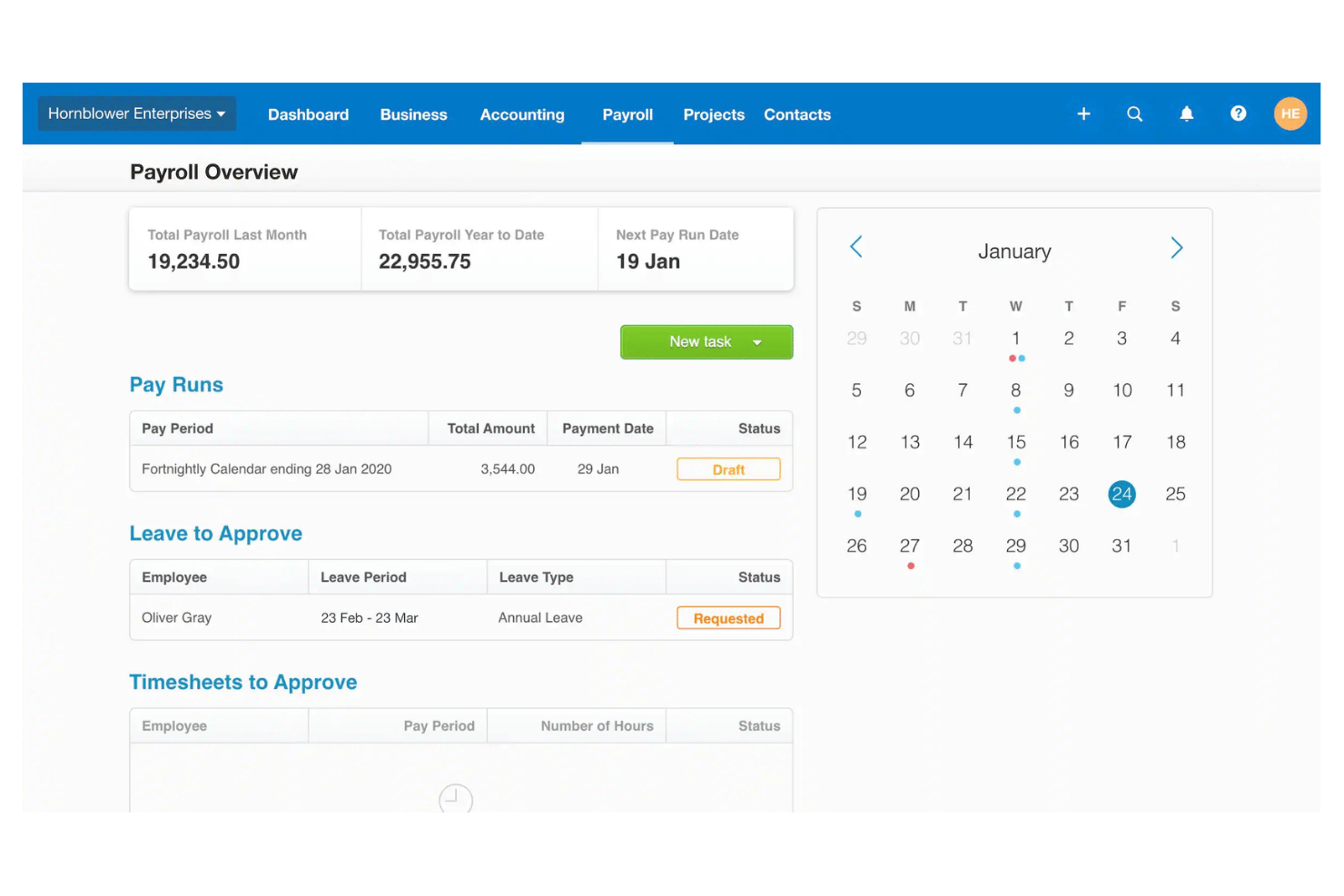
Xero lets you manage employee pay runs, time tracking, bookkeeping, leave, and taxes in one place. You can automate calculations and pay staff directly from the platform.
Expense Claims
Employees can submit expenses by snapping photos with their phone. Managers review, approve, and sync claims straight to your accounts.
Automated Bank Feeds
Connect your bank accounts to Xero for daily transaction imports. This saves time and keeps your records up to date automatically.
Employee Self-Service Portal
Staff can log in to view payslips, update details, or request leave. This reduces back-and-forth and gives employees direct access to key info.
Time-Off and Leave Management
Track, approve, and record leave requests within Xero. Accruals and leave balances update automatically for every employee.
Purchase Order Management
Create, send, and track purchase orders within Xero. Convert approved purchase orders into bills while keeping supplier records and inventory up to date.
Ease of Use
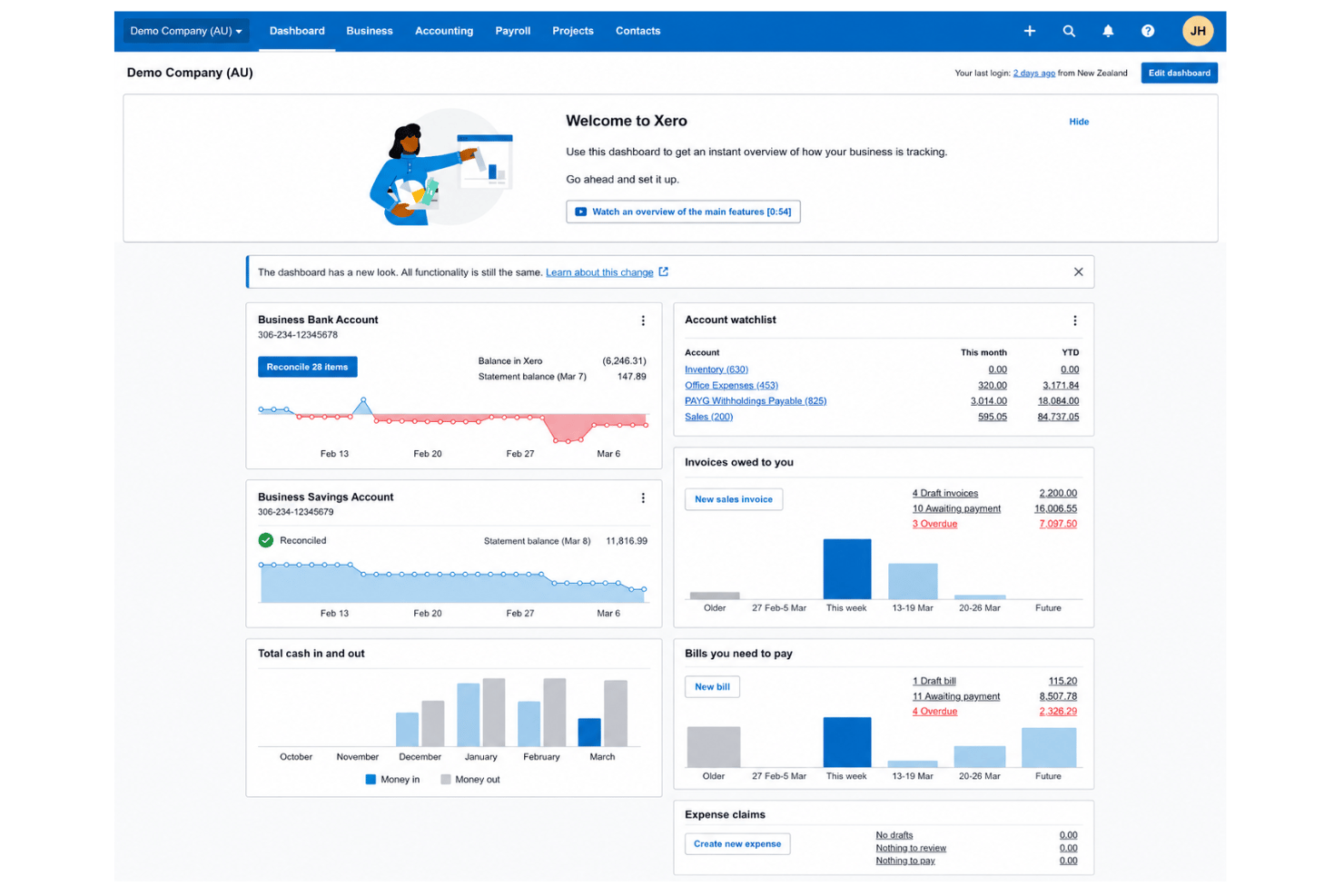
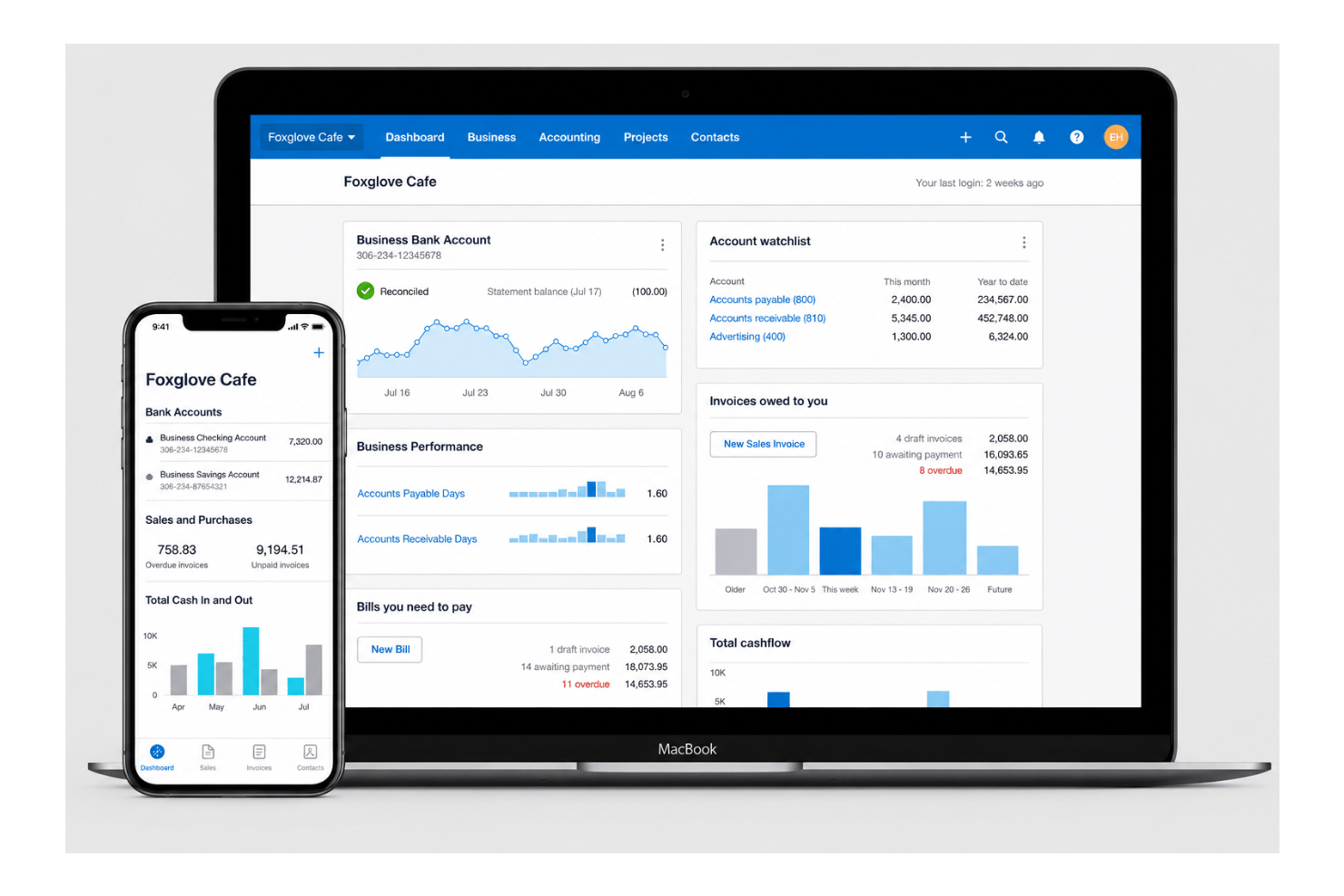
I think Xero is one of the easiest HR and accounting tools to pick up, thanks to its modern dashboard, logical workflow, and in-app help. Users often point out how quickly they can run payroll, approve expenses, and reconcile transactions without extra training, which shows the platform really prioritizes usability for busy teams.
Integrations
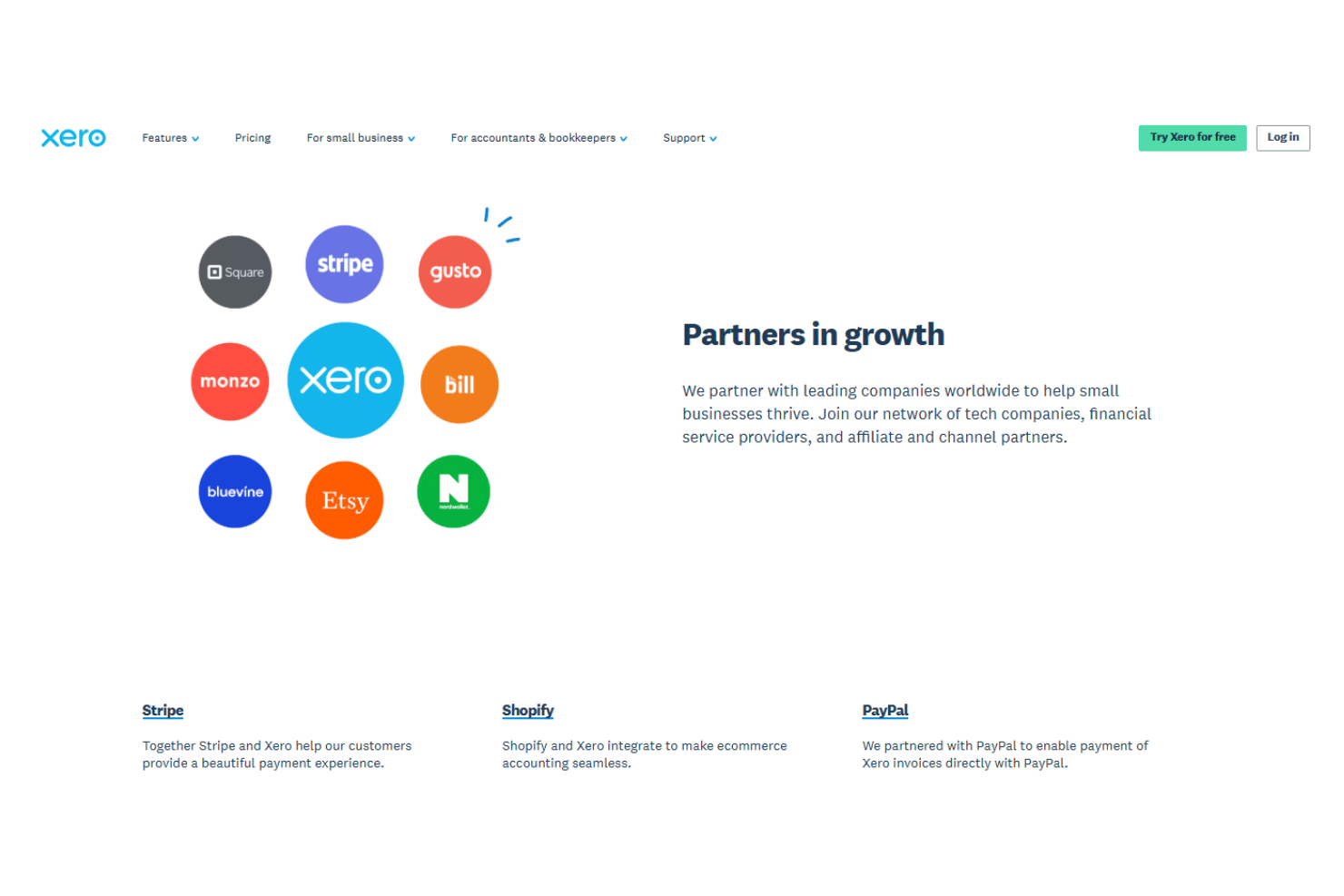
Xero natively integrates with popular third-party apps and platforms like HubSpot, Shopify, Stripe, PayPal, Square, Gusto, HubDoc, and Receipt Bank, among many others.
Xero also offers a public API and connects with major third-party integration tools.
New Product Updates from Xero
Xero Adds Supplier Days to Pay Detail Report
Xero adds a Supplier Days to Pay Detail report that shows how long each supplier bill took to pay across a selected period. Users can review payment-time categories and export the underlying data for further analysis or Fair Payment Code applications. Highlights include:
- Supplier Payment Tracking: View payment times for every supplier bill within a selected period.
- Payment Categories: Group bills into 0–30, 31–60, 61–90, and over 90-day ranges.
- Exportable Data: Export supplier payment details for reporting and further analysis.
- Fair Payment Code Support: Use report data as evidence when preparing a Fair Payment Code application.
Visit Xero’s official site for more details.
 for more details.
Xero Expands Claude Workflows and Adds ChatGPT Integration
Xero connects live financial data with Claude for Small Business and ChatGPT, supporting financial questions, reporting, and workflow preparation. Users can work with current Xero data without relying on manual exports. Highlights include:
- ChatGPT Integration: Brings live Xero data into ChatGPT for financial questions and workflows.
- Claude Workflows: Supports tasks such as cash flow snapshots, month-end preparation, and recurring reports.
- Live Financial Data: Uses current Xero information instead of exported data.
- Financial Insights: Supports data across profit and loss, balance sheets, invoices, bills, and more.
- Advisor Access: Lets accountants and bookkeepers work with client data through supported AI workflows.
- Review Controls: Keeps final review and decisions with the business owner or advisor.
Visit Xero’s official site for more details.

Files is now Documents in Xero
Xero has renamed Files to Documents and relocated it to the Accounting menu, making it easier to find where Smart Document Capture lives. The update also adds smarter automation and controls to improve accuracy, reduce manual work, and strengthen oversight. Highlights include:
- Automatic Tax Extraction: Pulls local tax rates from uploaded documents.
- Credit Note Support: Extracts credit note data and prepares draft transactions.
- Auto-Matching: Matches uploaded documents to existing transactions automatically.
- Document Permissions: Lets teams control upload and view-only access.
- Deletion Alerts: Warns users before removing documents linked to transactions.
- Accounting Menu Access: Moves Documents closer to other accounting workflows.
Visit Xero’s official site for more details.

Xero Introduces a New Full-Page Bills Experience
Xero adds a modernized bills page with direct supplier editing, payment planning, billable expense assignment, customizable columns, and Approve & next navigation. These updates reduce back-and-forth between screens and help users review, update, and process bills faster. Highlights include:
- Direct Contact Editing: Updates supplier information without leaving the bill page.
- Planned Payment Dates: Adds payment scheduling directly within each bill to support cash flow planning.
- Custom Layouts: Lets users show or hide columns and resize the attached file preview.
- Billable Expense Assignment: Assigns customers or projects directly from the line item table.
- Approve & Next: Approves the current bill and moves directly to the next bill for faster processing.
- Instant Bill Payments: Lets eligible users in the UK and US pay bills from the bill detail page.
Visit Xero’s official site for more details.
Xero Launches Ultra in Australia With Multi-Entity Reporting
Xero launches Xero Ultra in Australia with multi-entity consolidated reporting, advanced forecasting, AI-powered insights, and enhanced support for growing businesses. The plan gives finance teams greater visibility and control while allowing them to keep working within the Xero platform. Highlights include:
- Multi-Entity Consolidated Reporting: View financial performance across multiple entities in one consolidated report.
- Advanced Forecasting: Use scenario modelling and four-way cash flow forecasting through Syft Advanced reporting.
- AI-Powered Insights: Access JAX for financial insights and support with routine finance workflows.
- Enhanced Support: Get priority access to Xero specialists, personalised onboarding, migration support, and targeted data restore.
- Governance Controls: Use flexible permissions to support stronger financial oversight and separation of duties when available.
Visit Xero’s official site for more details.

Xero Launches Partner Hub for UK Partners
Xero has launched Partner Hub for all UK partners, creating a single workspace to access key practice tools and information. The redesigned homepage and customizable widgets aim to make daily workflows faster and more personalized. Highlights include:
- Unified Workspace: Access practice tools, client information, and navigation from a single workspace.
- Customizable Homepage: Show, hide, and reorder widgets to personalize the homepage.
- Client and Practice Widgets: View organization watchlists, bank feed alerts, jobs, and productivity metrics at a glance.
- JAX Chat Integration: Use JAX to summarize client financials and generate insights directly from Partner Hub.
Visit Xero's official site for more details.
Xero Expands Wagepoint Integration for Canadian Payroll
Xero has enhanced its Wagepoint integration for Canadian small businesses, making it easier to run payroll while keeping accounting records accurate. With less manual re-entry and a more connected workflow, payroll and bookkeeping stay aligned. Highlights include:
- Single Sign-On: Access Wagepoint using existing Xero credentials without separate logins.
- Automatic Payroll Data Sync: Sync wages, taxes, deductions, and benefits from Wagepoint to Xero automatically.
- Connected Payroll and Accounting: Keep payroll and accounting records aligned through an integrated workflow.
Visit Xero's official site for more details.
Xero Specs
- 2-Factor Authentication
- Accounts Payable
- Accounts Receivable
- API
- Balance Sheet
- Billing/Invoicing
- BitCoin
- Budgeting
- Calendar Management
- Contact Management
- CRM Integration
- Customer Management
- Dashboard
- Data Export
- Data Import
- Data Visualization
- Expense Tracking
- External Integrations
- Forecasting
- General Account Ledger
- Inventory Tracking
- Multi-Currency
- Multi-User
- Notifications
- P&L
- PayPal
- Payroll
- SAP Integration
- Stripe
- Supplier Management
- Tax Management