


QuickBooks Online vs. Xero: Expert Comparison and Reviews for 2026


The wrong HR and accounting setup can turn simple tasks into a daily grind. When payroll, reporting, and employee admin all compete for your attention, choosing the right platform starts to matter fast.
If you’re stuck choosing between QuickBooks Online and Xero, you’re not alone. Maybe you need clear HR processes, powerful payroll, or more control over accounting—both platforms promise to help, but each takes a different approach to HR and accounting software.
In this article, you’ll see a head-to-head comparison of both tools. I’ll walk you through their pros, cons, ideal use cases, pricing, security, and day-to-day usability so you can make the right call for your team.
QuickBooks Online vs. Xero: An Overview
QuickBooks Online
Xero
Why Trust Our Software Recommendations
Our team has been testing and reviewing software since 2012. As HR experts ourselves, we know how difficult—and important—it is to choose the right software.
For this guide, we evaluated tools using hands-on testing and independent research, scoring tools using our selection criteria. We also draw on insights from industry thought leaders and practicing HR experts.
Our reviews reflect our human editorial judgment, not a sales pitch.
Expert reviewers:
QuickBooks Online vs. Xero Pricing Comparison
| QuickBooks Online | Xero | |
|---|---|---|
| Free Trial | Free plan + 30-day free trial available | 30-day free trial |
| Pricing | From $38/month | From $25/month |
QuickBooks Online vs. Xero Pricing & Hidden Costs
QuickBooks Online offers multiple subscription tiers, each unlocking new features for accounting and some HR essentials. Payroll, expense tracking, and advanced reporting often come as add-ons, so you may see costs rise as your team grows or your needs change. Xero uses a tiered model as well, with core HR and accounting functions included, but services like project tracking, payroll, or additional users may add to your total bill. Both tools sometimes require you to upgrade plans or pay extra for integrations and advanced support.
To find the best pricing fit, look beyond the base price and map out your must-have features—think about HR needs, reporting, user seats, integrations, and future growth. I recommend shortlisting the features you’ll actually use, then estimating the real monthly or annual cost with those extras included. This approach helps you avoid surprises later and gives you a clear view of which vendor supports your current and future plans without hidden fees sneaking up on you.
QuickBooks Online vs. Xero Feature Comparison
| QuickBooks Online | Xero | |
|---|---|---|
| 2-Factor Authentication | ||
| API | ||
| Accounts Payable | ||
| Accounts Receivable | ||
| Balance Sheet | ||
| Billing/Invoicing | ||
| BitCoin | ||
| Budgeting | ||
| CRM Integration | ||
| Calendar Management | ||
| Contact Management | ||
| Customer Management | ||
| Dashboard | ||
| Data Export | ||
| Data Import | ||
| Data Visualization | ||
| Expense Tracking | ||
| External Integrations | ||
| Forecasting | ||
| General Account Ledger | ||
| Inventory Tracking | ||
| Multi-Currency | ||
| Multi-User | ||
| Notifications | ||
| P&L | ||
| PayPal | ||
| Payroll | ||
| SAP Integration | ||
| Stripe | ||
| Supplier Management | ||
| Tax Management |
QuickBooks Online vs. Xero Integrations
| Integration | QuickBooks Online | Xero |
|---|---|---|
| Shopify | ✅ | ✅ |
| PayPal | ✅ | ✅ |
| BillBjorn | ✅ | ✅ |
| Expensify | ✅ | ✅ |
| Square | ✅ | ✅ |
| HubSpot | ✅ | ✅ |
| Stripe | ✅ | ✅ |
| Deputy | ✅ | ✅ |
| API | ✅ | ✅ |
| Zapier | ✅ | ✅ |
Both platforms are essentially even when it comes to integrations, with strong coverage across accounting, payroll, ecommerce, HR, and general business tools. Since QuickBooks Online and Xero both offer Zapier and API connections for custom workflows, the better choice genuinely comes down to how your team works day to day and which platform fits more naturally into your existing processes.
QuickBooks Online vs. Xero Security, Compliance & Reliability
| Factor | QuickBooks Online | Xero |
|---|---|---|
| Data Encryption | Uses AES256 and TLS encryption for all data at rest, and RSA encryption for data in transit. | Protects data with TLS encryption in transit and at rest. |
| Regulatory Compliance | Complies with PCI DSS, undergoes SOC audits and reports, and is ISO 27001-certified. | SOC 2 and ISO 27001-compliant, and is PCI DSS compliant for payments. |
| User Access Controls | Offers customizable permissions and role-based access for all users. | Supports user roles and fine-grained permission settings. |
| Data Backups | Automatic daily backups with disaster recovery protocols in place. | Daily data backups with robust disaster recovery measures. |
| Service Reliability | 99.9% uptime and constant performance monitoring. | Maintains high uptime and proactive monitoring across regions. |
Both QuickBooks Online and Xero offer strong security and compliance protections, but QuickBooks Online has a slight edge because of its more robust encryption and broader security framework. Xero is still a solid choice for teams that need detailed user permissions, while QuickBooks may be the better fit if protecting sensitive financial data is your top priority.
QuickBooks Online vs. Xero Ease of Use
| Factor | QuickBooks Online | Xero |
|---|---|---|
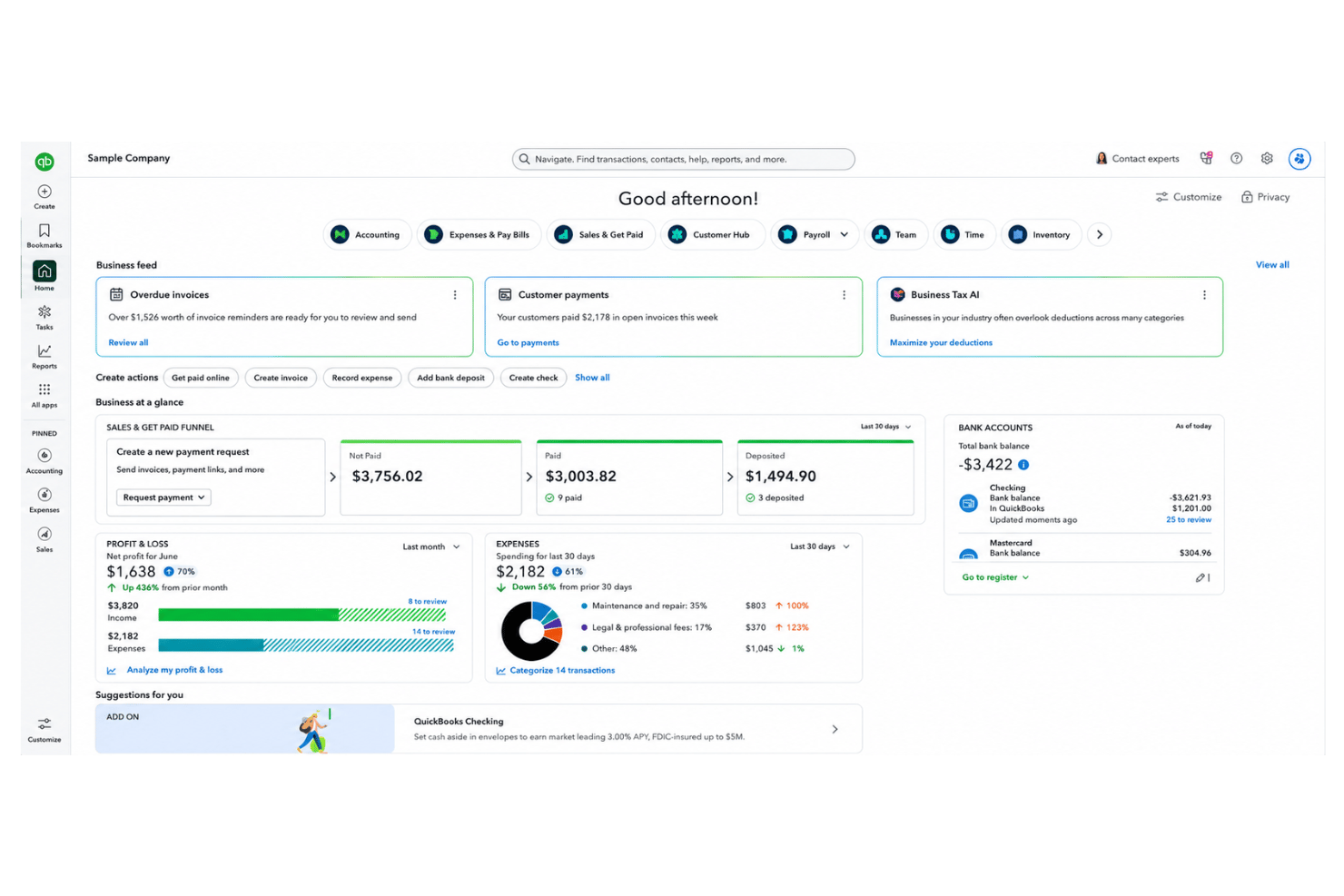
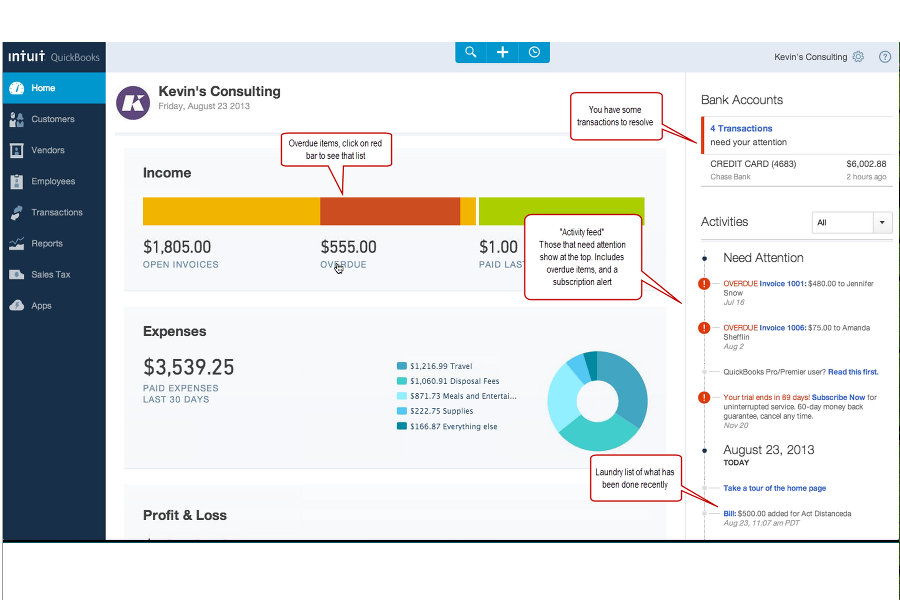
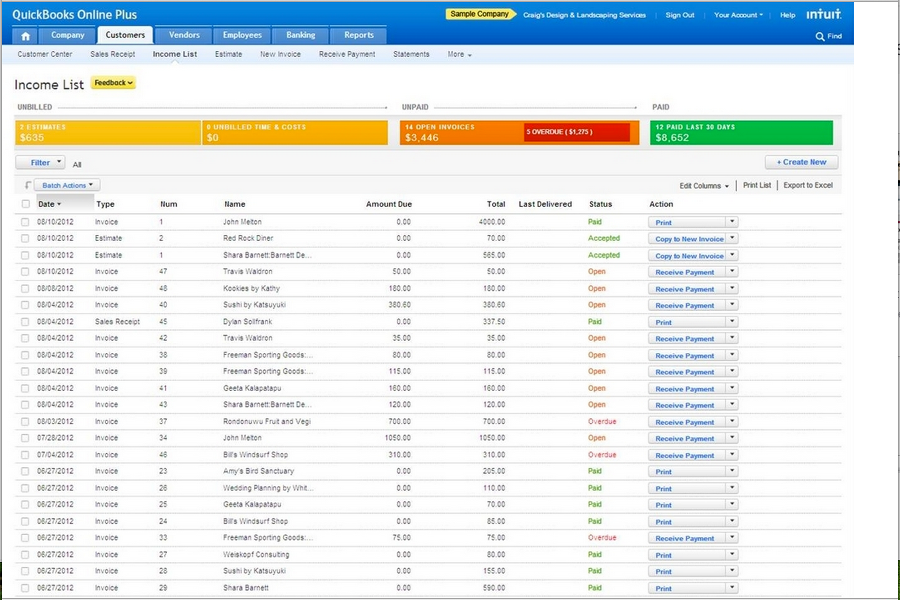
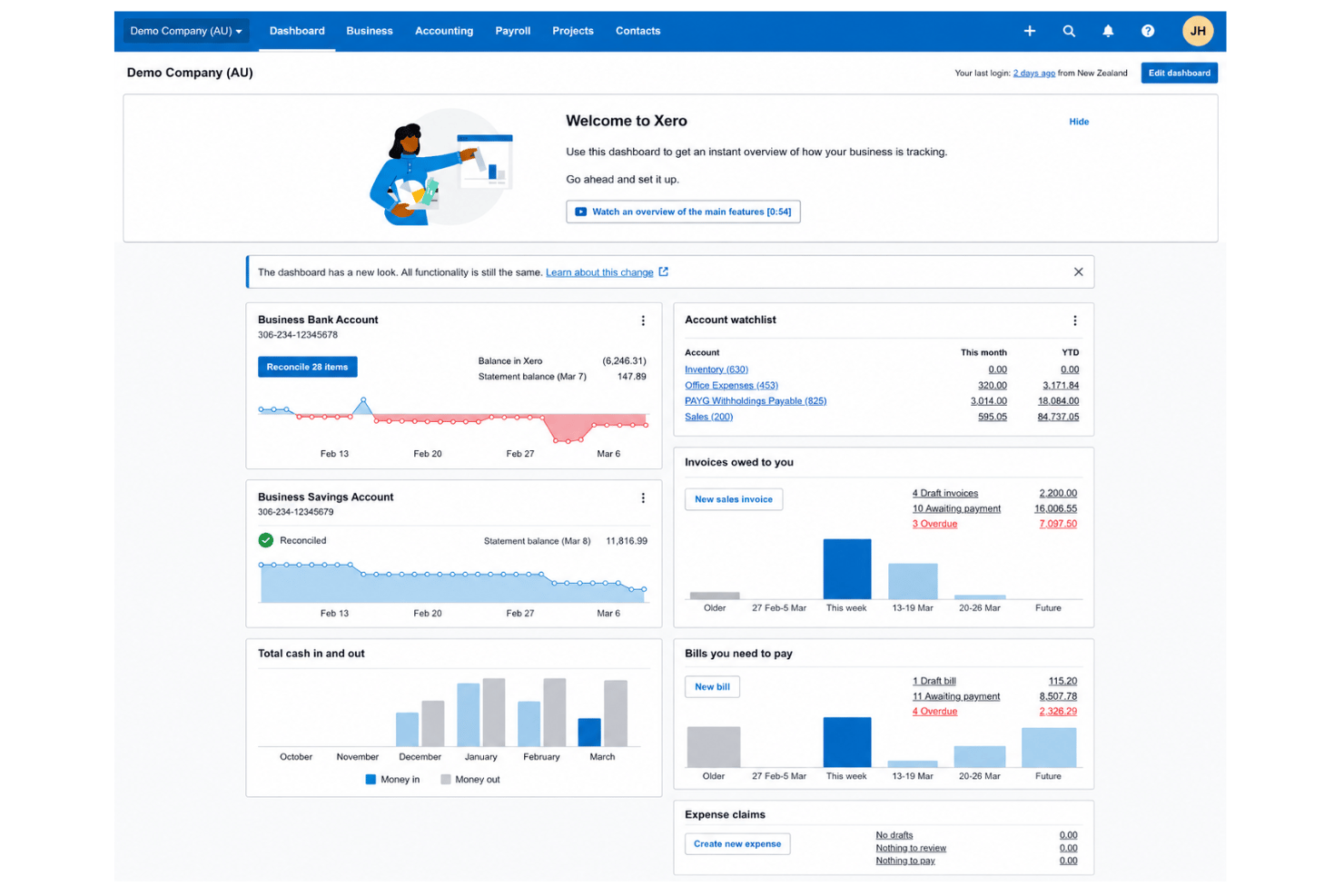
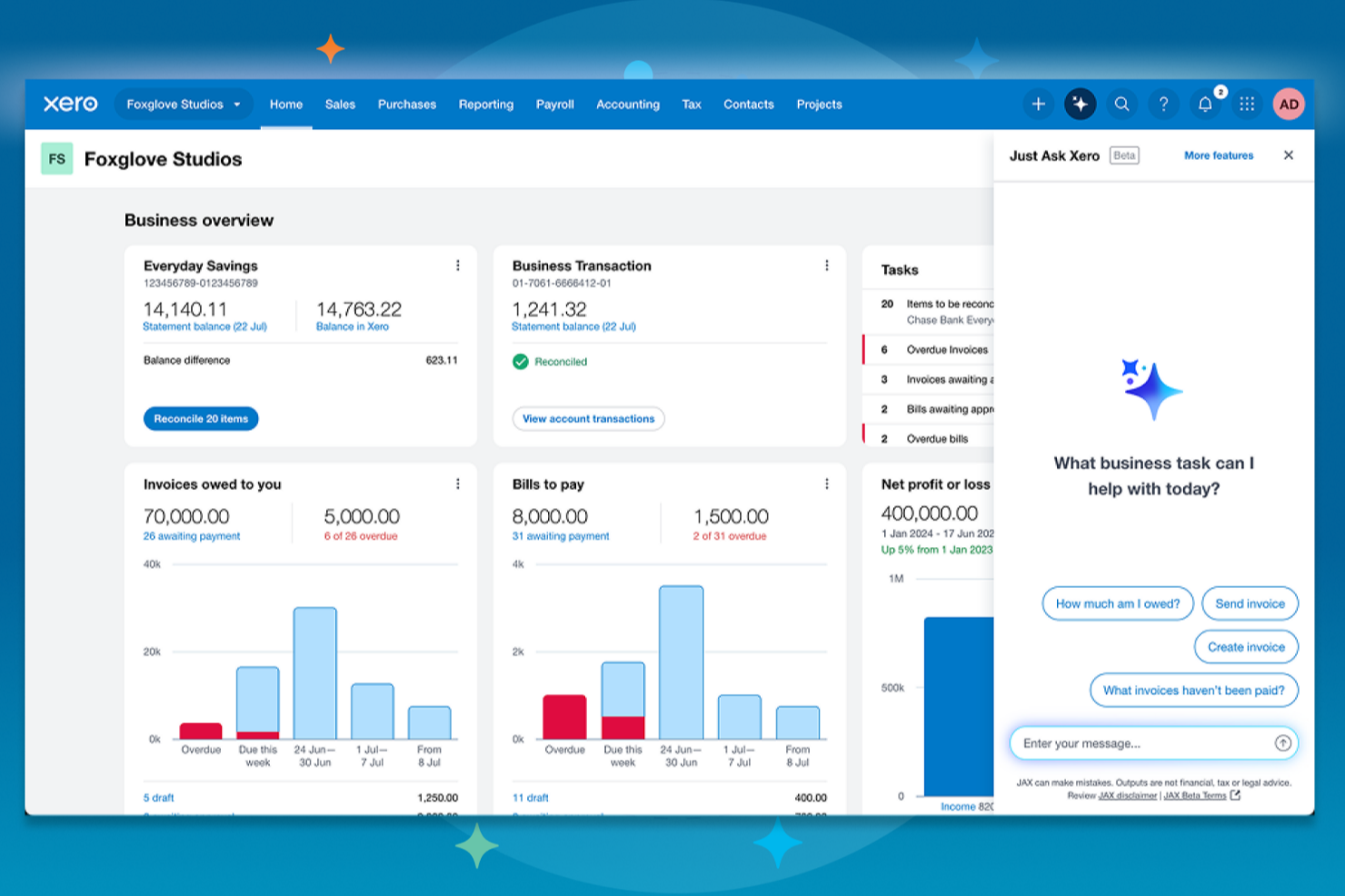
| User Interface | Modern design, but can feel crowded for new users with lots of features upfront. | Clean, intuitive layout with a minimalist menu and visual dashboards. |
| Onboarding | Step-by-step guides plus in-app tips to help new users get started. | Offers a clear onboarding checklist and excellent video tutorials. |
| Customization | Highly customizable dashboard and reports, supporting unique business needs. | Flexible account setup and easy workflow tailoring for different users. |
| Customer Support | Live chat and phone support included on most plans, plus an extensive help center. | 24/7 email support, a huge online knowledge base, and responsive community forums. |
| Mobile App | Full-featured mobile app for iOS/Android, including invoicing and receipt capture. | Simple, reliable mobile app focused on key accounting tasks. |
Xero has a smoother first-time user experience and a cleaner interface, but QuickBooks Online gives you plenty of help if you’re willing to learn the ropes. I think Xero is the simplest pick for new teams, while QuickBooks Online is better if you want advanced features right at your fingertips.
QuickBooks Online vs Xero: Pros & Cons
QuickBooks Online
- Payroll runs and tax filings are automated and accurate
- Dashboards and reports give real-time insight into expenses and payroll
- Employee self-service portal reduces HR admin workload
- Some advanced reporting features are only available with higher-tier plans
- Not ideal for advanced ERP or global organizations
- May require time to learn for new users
Xero
- Payroll and expense management are fully integrated with accounting.
- Automated bank feeds save time on reconciliation tasks.
- Mobile app gives access to core HR features on the go.
- HR reporting options are limited compared to other software.
- Payroll features are not available in all countries.
- Customer support response times can be slow during peak periods.
Best Use Cases for QuickBooks Online and Xero
QuickBooks Online
- Retail Stores Easy inventory tracking and sales management make it simple to keep up with daily operations.
- Professional Services Automated payroll and project profitability tools help agencies and consultancies track client costs and pay staff on time.
- Startups Startups love the fast onboarding, mobile app, and all-in-one dashboards for managing payroll, expenses, and taxes.
- Nonprofit Organizations QuickBooks Online supports grant management and basic fund tracking to simplify nonprofit bookkeeping and reporting.
- Remote Teams The cloud-based platform and mobile access let remote or distributed teams handle payroll and HR tasks from anywhere.
- Bookkeepers Bookkeepers appreciate the straightforward workflows, reporting, and role-based access in QuickBooks Online.
Xero
- Small Retailers Xero’s inventory, POS integrations, and simple invoicing make daily accounting tasks much easier for small retail operations.
- Growing Startups Automated bank feeds, scalable payroll, and advanced reporting let startups manage growth without constantly upgrading platforms.
- Professional Services Consultants and agencies appreciate quick invoicing, easy expense claims, and project tracking tools that pair HR and finance.
- Nonprofits Budget tracking, grant accounting, and multi-user access make Xero approachable for nonprofits with limited financial expertise.
- In-House Accounting Teams Finance teams get real-time insights, streamlined reconciliation, and audit-ready records, which speeds up month-end work.
- Remote Teams Cloud access and mobile tools support distributed teams who need approval workflows and secure access from anywhere.
Who Should Use QuickBooks Online, and Who Should Use Xero?
QuickBooks Online is the best fit for businesses that want deep accounting features, bundled payroll, or rely on integrations with other Intuit products—think accountants, bookkeepers, or larger teams with complex needs. Xero is ideal for growing teams that value simplicity, a friendly interface, and unlimited users, or those who need robust workflow management alongside their accounting. If you want advanced industry-specific tools, QuickBooks Online pulls ahead, but for easy onboarding and day-to-day flexibility, Xero’s hard to beat. Your choice should come down to the complexity of your needs, the size of your team, and how much you value user experience over feature depth.
Differences Between QuickBooks Online and Xero
| QuickBooks Online | Xero | |
|---|---|---|
| Automation Options | Automates invoicing, billing, and expense tracking. | Advanced automation for routine transactions and bank feeds. |
| Interface Style | Information-rich but can feel overwhelming to newcomers. | Minimalist layout that’s easier for teams just starting out. |
| Payroll | Built-in U.S.and Canadian payroll and tax filing available as an add-on. | Payroll is a third-party add-on, not included in all regions. |
| User Limits | User numbers depend on your plan and can be restrictive. | Unlimited users on every plan. |
| Visit QuickBooks OnlineOpens new window | Read Xero ReviewOpens new window |
Similarities Between QuickBooks Online and Xero
| Bank Reconciliation | Each platform automatically imports and reconciles bank transactions, making daily bookkeeping much faster with user guidance. |
|---|---|
| Cloud-Based Access | Both offer 24/7 access from any device, supporting real-time collaboration and mobile work for HR and accounting tasks. |
| Invoicing & Billing | Both provide customizable invoices, recurring billing, and online payment options so your team can manage cash flow with ease on either tool. |
| Security Standards | QuickBooks Online and Xero use strong data encryption, two-factor authentication, and regular backups to keep business data protected. |
| Third-Party Integrations | Both connect to a broad range of external HR, payroll, and business tools—letting users expand features through API and Zapier. |
| Visit QuickBooks OnlineOpens new window Read Xero ReviewOpens new window | |