


Case IQ -arvostelu: hyvät ja huonot puolet, ominaisuudet ja hinnoittelu



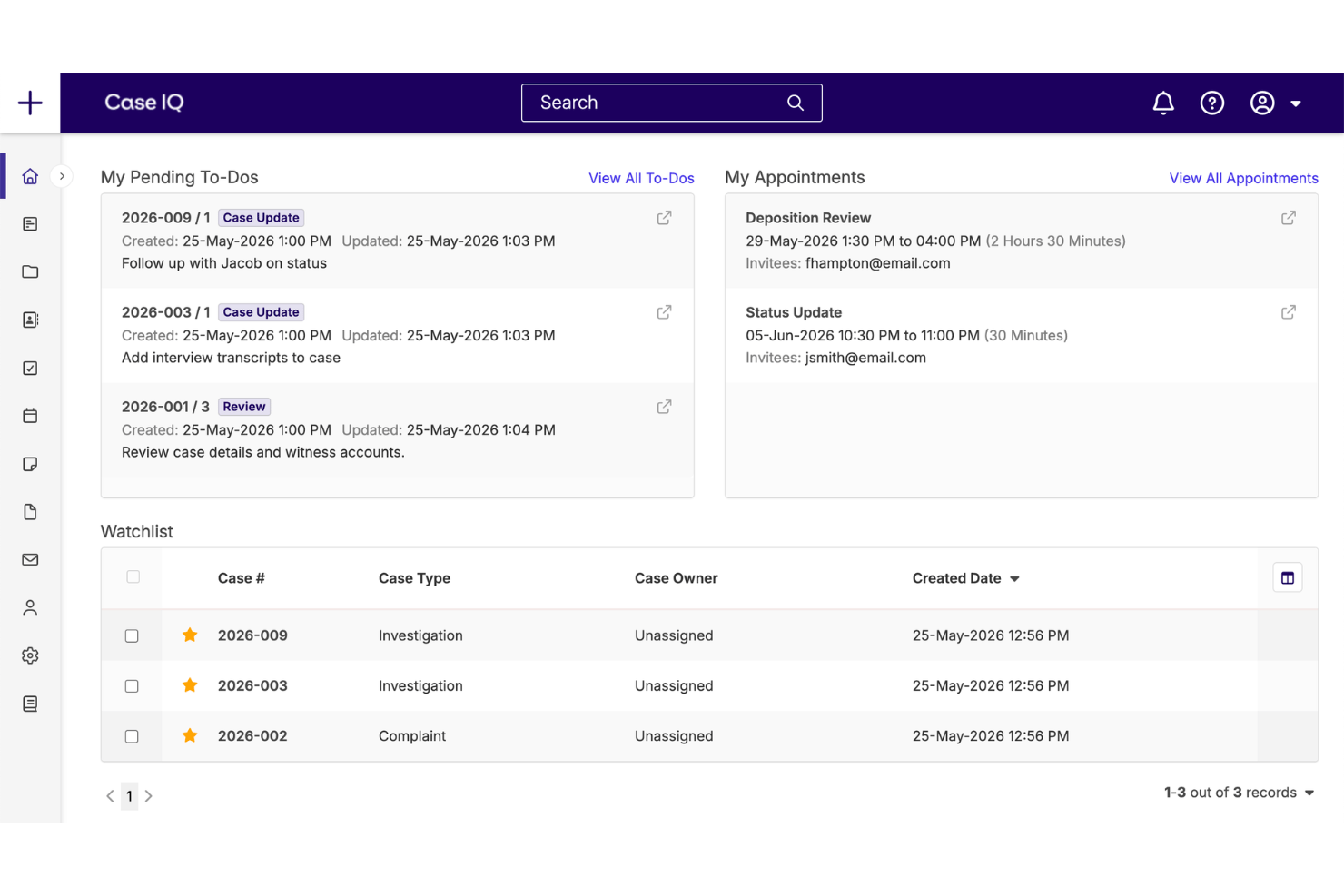
Case IQ is HR case management software for teams managing employee relations cases, workplace investigations, complaints, and sensitive documentation. I’d consider it when you need configurable investigation workflows and structured case records, with Case IQ offering a more HR-focused approach than general platforms like ServiceNow.
Case IQ Evaluation Summary
- Pricing upon request
- Free demo available
Why Trust Our Software Recommendations
Our team has been testing and reviewing software since 2012. As HR experts ourselves, we know how difficult—and important—it is to choose the right software.
For this guide, we evaluated tools using hands-on testing and independent research, scoring tools using our selection criteria. We also draw on insights from industry thought leaders and practicing HR experts.
Our reviews reflect our human editorial judgment, not a sales pitch.
Expert reviewers:
Case IQ Overview
I’d choose Case IQ for HR teams that need configurable investigation workflows, structured case records, permissions, reporting, and sensitive document management. Its HR focus, integration options, and implementation support compare well with broader case tools, while quote-based pricing, onboarding requirements, and a feature-rich interface can make selection harder for smaller teams. In my view, the learning curve is justified when you’re managing workplace investigations, employee complaints, and recurring compliance reviews. It’s best suited to growing or distributed organizations that value configuration and governance over the simplest setup or lowest subscription cost.
pros
-
Case templates support consistent HR investigation documentation.
-
Anonymous, two-way intake supports sensitive employee complaints.
-
Reviewers praise responsive 24/7 support for case questions.
cons
-
File uploads can feel sluggish during active investigations.
-
Finding older cases depends heavily on consistent keywords.
-
Some reviewers find built-in reporting unhelpful.
-

Justworks
Visit WebsiteThis rating combines scores from multiple user review sites to reflect overall customer sentiment about the product.4.6 -
Small Improvements
Visit WebsiteThis rating combines scores from multiple user review sites to reflect overall customer sentiment about the product.4.3 -
HiBob
Visit WebsiteThis rating combines scores from multiple user review sites to reflect overall customer sentiment about the product.4.5





How We Test & Score Our Tools
We’ve spent years building, refining, and improving our software testing and scoring system. The rubric is designed to capture the nuances of software selection and what makes a tool effective, focusing on critical aspects of the decision-making process.
Below, you can see exactly how our testing and scoring works across seven criteria. It allows us to provide an unbiased evaluation of the software based on core functionality, standout features, ease of use, onboarding, customer support, integrations, customer reviews, and value for money.
Core Functionality (25% of final score)
The starting point of our evaluation is always the core functionality of the tool. Does it have the basic features and functions that a user would expect to see? Are any of those core features locked to higher-tiered pricing plans? At its core, we expect a tool to stand up against the baseline capabilities of its competitors.
Standout Features (25% of final score)
Next, we evaluate uncommon standout features that go above and beyond the core functionality typically found in tools of its kind. A high score reflects specialized or unique features that make the product faster, more efficient, or offer additional value to the user.
We also evaluate how easy it is to integrate with other tools typically found in the tech stack to expand the functionality and utility of the software. Tools offering plentiful native integrations, 3rd party connections, and API access to build custom integrations score best.
Ease of Use (10% of final score)
We consider how quick and easy it is to execute the tasks defined in the core functionality using the tool. High scoring software is well designed, intuitive to use, offers mobile apps, provides templates, and makes relatively complex tasks seem simple.
Onboarding (10% of final score)
We know how important rapid team adoption is for a new platform, so we evaluate how easy it is to learn and use a tool with minimal training. We evaluate how quickly a team member can get set up and start using the tool with no experience. High scoring solutions indicate little or no support is required.
Customer Support (10% of final score)
We review how quick and easy it is to get unstuck and find help by phone, live chat, or knowledge base. Tools and companies that provide real-time support score best, while chatbots score worst.
Customer Reviews (10% of final score)
Beyond our own testing and evaluation, we consider the net promoter score from current and past customers. We review their likelihood, given the option, to choose the tool again for the core functionality. A high scoring software reflects a high net promoter score from current or past customers.
Value for Money (10% of final score)
Lastly, in consideration of all the other criteria, we review the average price of entry level plans against the core features and consider the value of the other evaluation criteria. Software that delivers more, for less, will score higher.
Core Features
Anonymous Multichannel Intake
Case IQ collects HR concerns through webforms, hotlines, email, and anonymous reporting portals, with customizable fields and automated detail collection. Employees can communicate privately and track cases, while HR can route reports by severity, case type, or region.
Configurable Case Workflows
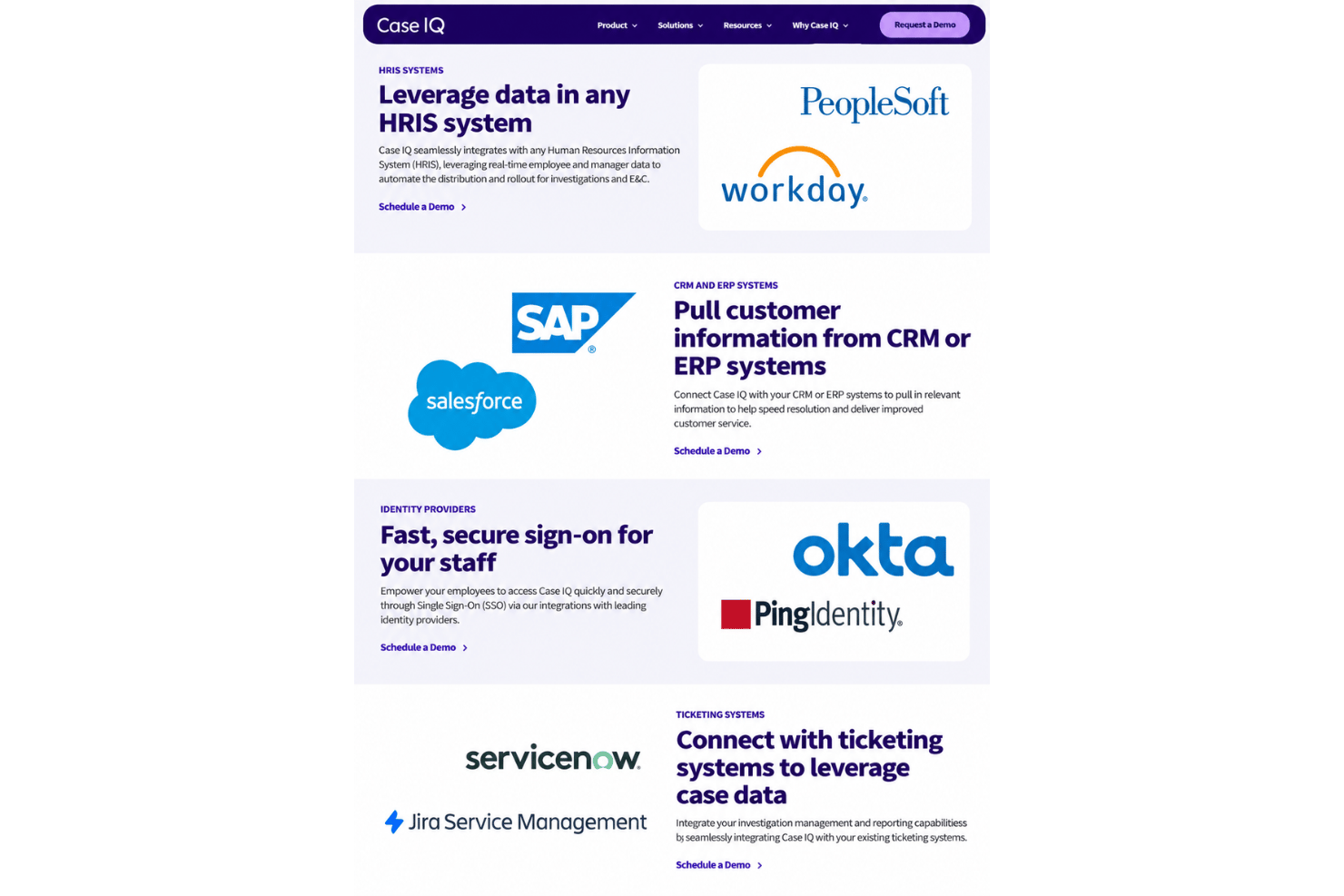
Teams can configure fields, roles, templates, investigation stages, notifications, and task assignments for different case types. HR can create consistent workflows for harassment complaints, accommodations, grievances, or policy violations without rebuilding each case.
Investigation Evidence Management
Case IQ stores notes, communications, documents, multimedia evidence, and related case records in one protected file. Investigators can connect evidence to allegations and keep supporting documentation available throughout the investigation.
Role-Based Access And Audit Trails
Case-level permissions, access control lists, data masking, and detailed audit trails restrict sensitive information to authorized people. HR can show who viewed or changed a record when reviewing decisions, handling conflicts, or responding to an audit.
Reporting And Case Analytics
Dynamic dashboards and customizable reports display patterns by case type, location, team, or manager, alongside workload data. HR leaders can identify recurring complaints and use those patterns to target policy reviews or manager training.
AI Investigation And Report Support
Case IQ’s AI tools can analyze evidence, suggest interview questions, and summarize case information into editable report templates. Investigators can use these suggestions to prepare an interview plan or draft a final report while retaining control over the review.
Ease of Use
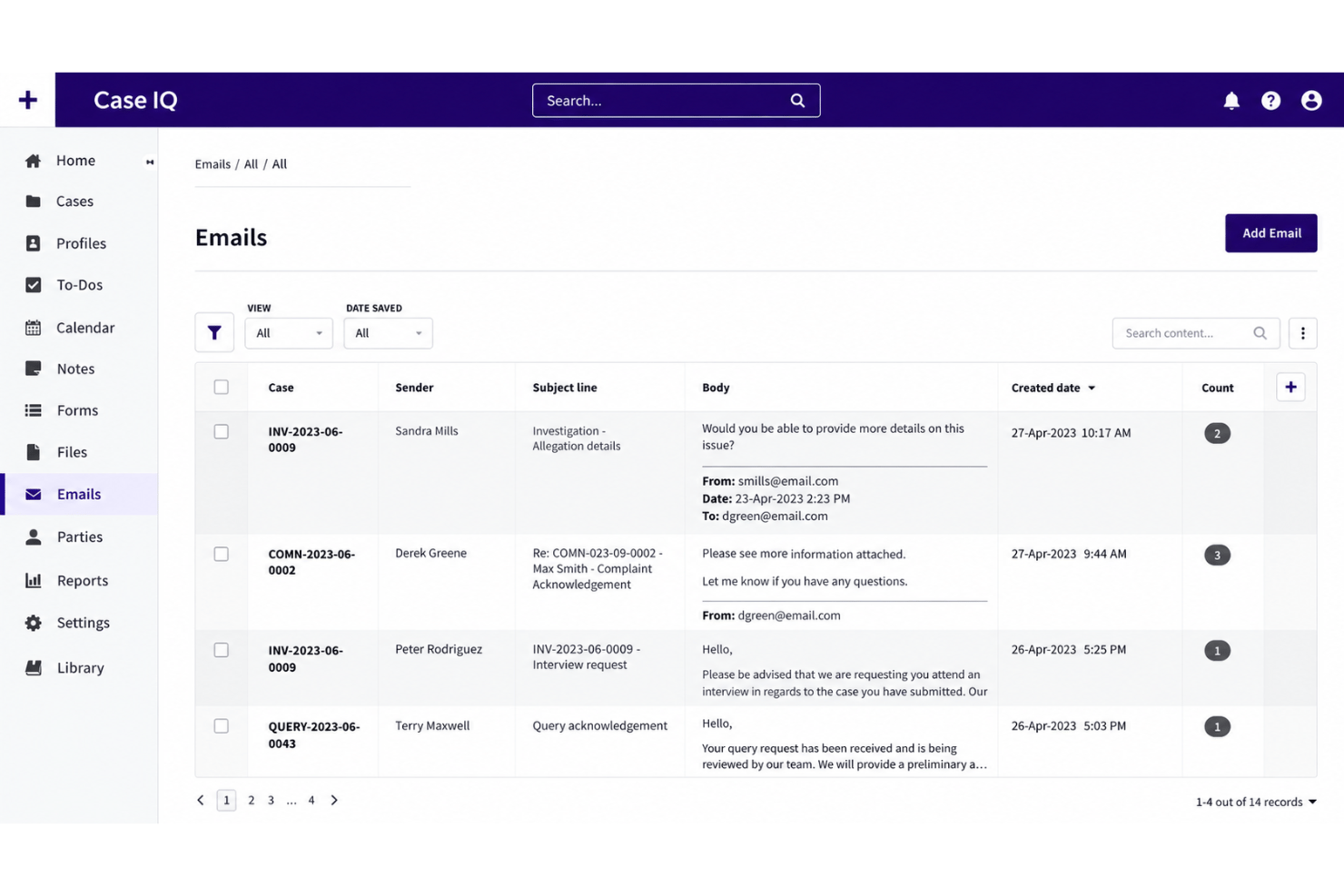
Case IQ is usable once configured, but it isn’t the easiest HR case management software to learn. Templates, customizable workflows, permissions, and anonymous intake give HR teams clear structure, while responsive 24/7 support helps with questions. However, reviewers mention sluggish file uploads, keyword-dependent case searches, and limited built-in reporting. I’d recommend it for teams that value investigation depth over a quick setup or exceptionally simple interface.
Integrations
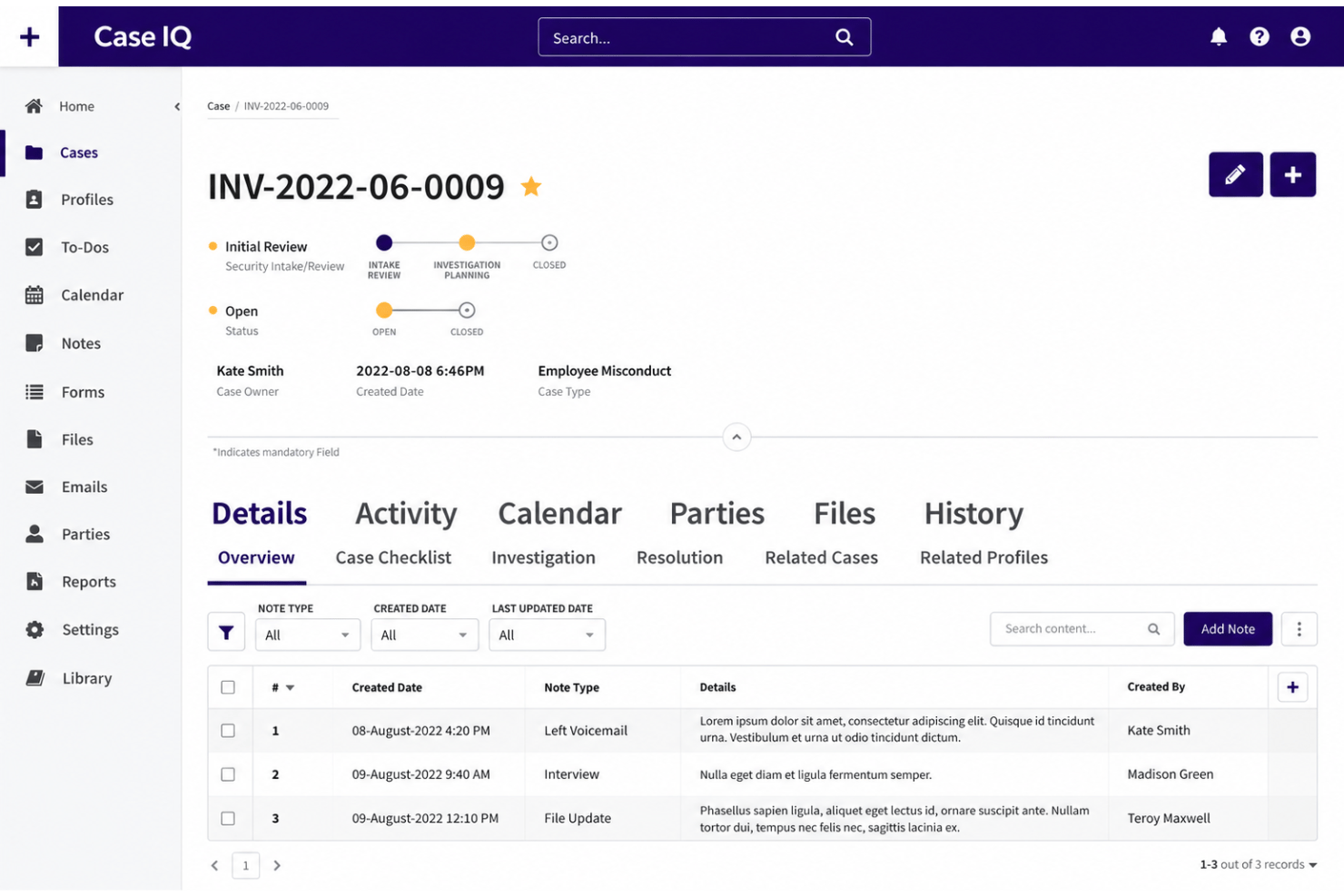
Case IQ integrates withWorkday, BambooHR, SAP SuccessFactors, PeopleSoft, ADP, Salesforce, Okta, and ServiceNow among others.
It also offers an open REST API and connects with third-party systems through available connectors, SFTP, and bulk data uploads.
Case IQ Specs
- 2-Factor Authentication
- API
- Billing/Invoicing
- Budgeting
- Calendar Management
- CRM Integration
- Customer Management
- Dashboard
- Data Export
- Data Import
- Data Visualization
- External Integrations
- Forecasting
- Multi-Currency
- Multi-User
- Notifications
- Password & Access Management
- Scheduling