

Avis ActivTrak : avantages, inconvénients, fonctionnalités et tarification



Chances are you’re feeling the pressure of trying to understand how your team actually works day-to-day — without micromanaging, without guesswork, and without relying on gut feelings that aren’t always reliable. Maybe you’ve tried time-tracking tools that felt clunky, or analytics dashboards that gave you data but no real insight. Or maybe you’re just tired of wondering whether your team is overloaded, underutilized, or quietly burning out behind the scenes. You want clarity. You want fairness. And you want a tool that actually helps you lead smarter.
That's where ActivTrak enters the conversation. In this in-depth review, I’ll walk you through the pros, cons, features, and use cases of ActivTrak so you can decide with confidence whether it’s the right workforce analytics solution for your team.
ActivTrak Evaluation Summary

- From $10/user/month (billed annually)
- Free demo + 14-day free trial available
Pourquoi faire confiance à nos avis sur les logiciels
Notre équipe teste et évalue des logiciels depuis 2012. En tant qu’experts RH nous-mêmes, nous savons à quel point il est difficile — et important — de choisir le bon logiciel.
Pour ce guide, nous avons évalué les outils grâce à des tests pratiques et une recherche indépendante, en notant les outils selon nos critères de sélection. Nous nous appuyons également sur les enseignements de leaders d’opinion du secteur et de professionnels des RH en activité.
Nos avis reflètent notre jugement éditorial humain, et non un argumentaire de vente.
Réviseurs experts:
ActivTrak Overview
ActivTrak provides privacy-focused workforce analytics that analyze productivity, engagement, and resource use without keyboard tracking or email monitoring. You will get real-time visibility into employee activities, AI-powered performance analytics, and capacity planning tools for hybrid teams. It also includes new AI Insights that track AI usage, measure its impact on productivity, and help you optimize AI investments across your organization.
pros
-
Scales easily with flexible tiered pricing and free plan.
-
AI-powered insights help you discover productivity trends and burnout concerns, allowing for more effective coaching and planning.
-
To secure employee data, ActivTrak does not collect keystrokes, monitor emails, record videos, or track personal devices.
cons
-
Lacks deep task context beyond surface-level activity data.
-
Integration with HRIS systems are paid add-ons.
-
ActivTrak’s vast data might be overwhelming, making it difficult to quickly discover the most useful insights.
Is ActivTrak Right For Your Needs?
Who Would be a Good Fit for ActivTrak?
ActiveTrak is a solid choice if you need a privacy-conscious, data-rich workforce analytics tool that helps manage productivity across remote, hybrid, and onsite teams. It’s especially useful when you want to balance employee engagement with operational efficiency in complex environments demanding granular insights to optimize resources and workforce planning.
-
BPO, Call Centers, and Professional Services
Firms that rely on billable hours and need accurate time, activity, and utilization data to protect margins.
-
HR Departments
ActivTrak provides valuable data to help you understand and improve employee engagement.
-
Retail and Ecommerce Businesses
Looking to improve labor allocation, staffing levels, and operational efficiency across stores or support centers.
-
Remote Teams
With accurate activity tracking, you can effectively monitor and support your remote workforce.
-
Financial Services and Insurance
Organizations that monitor activity for compliance while maintaining strong privacy controls.
-
Technology and Software Companies
Managing distributed development and support teams that need detailed productivity and focus-time insights.
Who Would be a Bad Fit for ActivTrak?
ActivTrak is generally not a strong fit for organizations that lack the resources to manage setup and data interpretation, such as very small startups, or for businesses that only need basic time tracking without deeper analytics. It also falls short for industries where most work happens away from computers, like manufacturing or field operations, since its insights depend on digital activity. Companies that require strictly on-premise deployment, or those looking for built-in project or task management capabilities, may also find that ActivTrak doesn’t align with their technical or workflow requirements.
-
Creative Agencies
The detailed tracking might limit your team's creative freedom and flexibility.
-
Project Management-Centric Firms
Teams that require integrated task or project management capabilities alongside monitoring, which ActivTrak does not offer.
-
On-Premise Deployment Only
Organizations that require strictly on-premise solutions instead of cloud-based platforms.
-
Manufacturing & Field Work
ActivTrak’s desktop-based monitoring won’t capture the non-digital productivity associated with these industries.
-
Basic Employee Monitoring Needs
Businesses seeking only simple time tracking or minimal employee oversight without detailed insights.
-
Small Startups
Without dedicated IT or HR personnel to manage setup and ongoing data analysis, ActiveTrak’s complexity can be a barrier.
Comment nous testons et évaluons nos outils
Nous avons passé des années à construire, affiner et améliorer notre système de test et d’évaluation des logiciels. La grille d’évaluation est conçue pour saisir les nuances de la sélection des logiciels et ce qui rend un outil efficace, en se concentrant sur les aspects critiques du processus décisionnel. Ci-dessous, vous pouvez voir exactement comment fonctionne notre test et notre système d’évaluation à travers sept critères. Cela nous permet de fournir une évaluation impartiale des logiciels basée sur les fonctionnalités principales, les caractéristiques remarquables, la facilité d’utilisation, l’intégration, le support client, les intégrations, les avis clients et le rapport qualité-prix.
Fonctionnalités principales (25 % de la note finale)
Le point de départ de notre évaluation est toujours la fonctionnalité principale de l’outil. Dispose-t-il des fonctionnalités de base qu’un utilisateur s’attend à voir ? Certaines de ces fonctionnalités principales sont-elles réservées à des forfaits plus élevés ? En substance, nous nous attendons à ce qu’un outil soit à la hauteur des capacités de base de ses concurrents.
Fonctionnalités remarquables (25 % de la note finale)
Ensuite, nous évaluons les fonctionnalités remarquables, peu courantes, qui vont au-delà de la fonction principale habituellement présente dans les outils de ce type. Un score élevé reflète des fonctionnalités spéciales ou uniques qui rendent le produit plus rapide, plus efficace, ou offrent une valeur ajoutée à l’utilisateur. Nous évaluons également la facilité d’intégration avec d’autres outils généralement présents dans la pile technologique pour étendre la fonctionnalité et l’utilité du logiciel. Les outils qui proposent de nombreuses intégrations natives, des connexions tierces et un accès API pour développer des intégrations personnalisées obtiennent les meilleurs résultats.
Facilité d’utilisation (10 % de la note finale)
Nous prenons en compte la rapidité et la simplicité d’exécution des tâches définies par la fonctionnalité principale à l’aide de l’outil. Un logiciel bien noté est bien conçu, intuitif à utiliser, offre des applications mobiles, propose des modèles, et permet de simplifier des tâches relativement complexes.
Mise en route (10 % de la note finale)
Nous savons à quel point une adoption rapide par l’équipe est cruciale pour une nouvelle plateforme, c’est pourquoi nous évaluons la facilité d’apprentissage et d’utilisation d’un outil avec un minimum de formation. Nous évaluons la rapidité avec laquelle un membre de l’équipe peut s’installer et commencer à utiliser l’outil sans expérience préalable. Les solutions bien notées impliquent qu’aucune ou très peu d’assistance soit requise.
Support client (10 % de la note finale)
Nous examinons la rapidité et la simplicité d’obtention d’aide par téléphone, chat en direct ou base de connaissances. Les outils et sociétés qui proposent une assistance en temps réel obtiennent les meilleurs scores, tandis que les chatbots sont moins bien notés.
Avis clients (10 % de la note finale)
En plus de nos propres tests et évaluations, nous prenons en compte le score net de recommandation (NPS) des clients actuels et passés. Nous évaluons leur propension, s’ils en avaient l’option, à choisir à nouveau l’outil pour la fonctionnalité principale. Un logiciel obtenant un score élevé reflète un NPS élevé de clients actuels ou passés.
Rapport qualité-prix (10 % de la note finale)
Enfin, en tenant compte de tous les autres critères, nous comparons le prix moyen des forfaits d’entrée de gamme aux principales fonctionnalités et considérons la valeur des autres critères d’évaluation. Un logiciel qui en offre plus, pour moins, sera mieux noté.
Core Features
Employee Productivity Monitoring
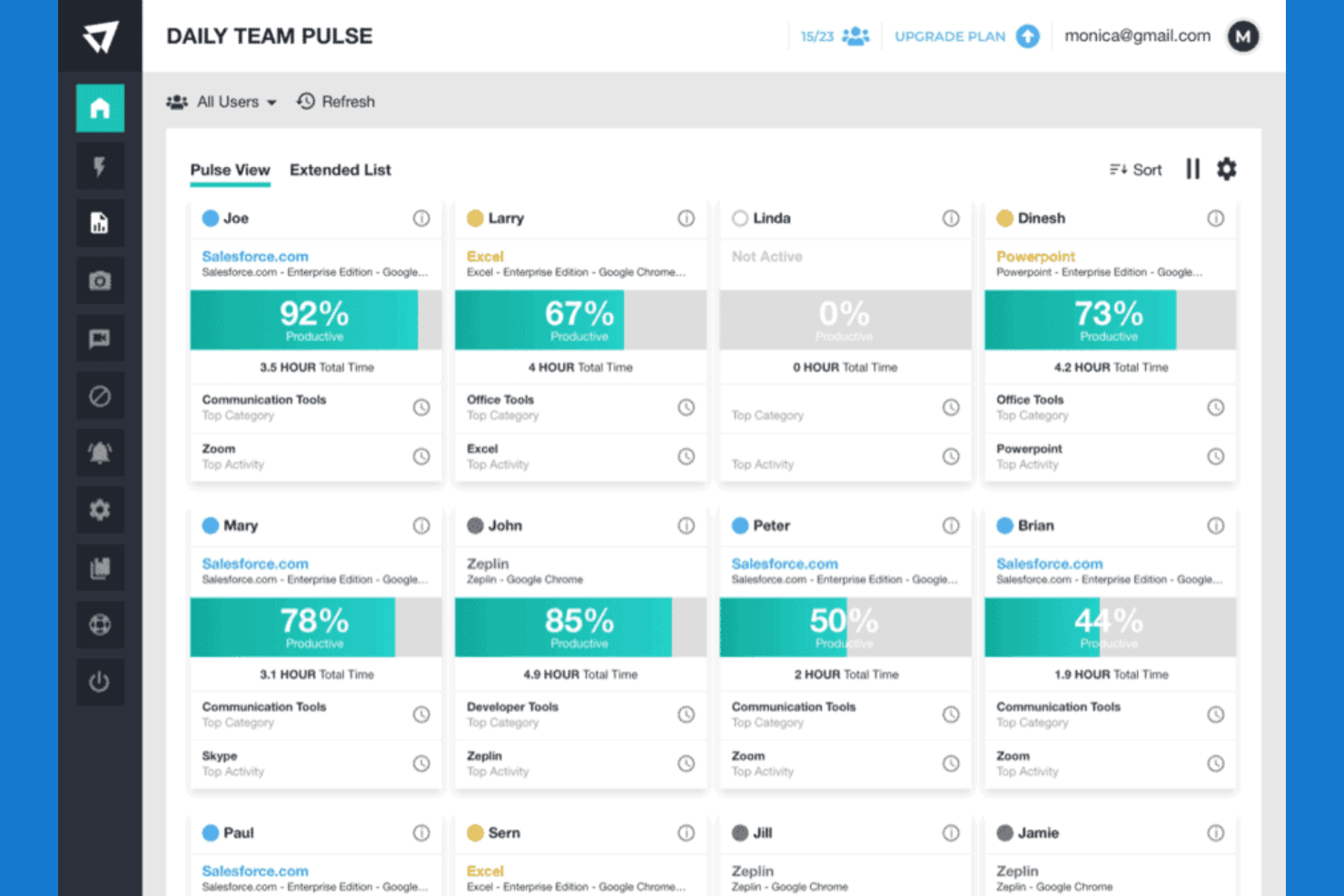
ActivTrak provides real-time visibility into individual and team activity, categorizing time as productive, unproductive, or undefined to help you understand how work hours are spent across devices and applications. This enables precise tracking without intrusive practices like keystroke logging or email monitoring.
Time Tracking and Auditing
The platform offers detailed time tracking with auditing capabilities, including monitoring schedule adherence, work hours by location, and contractor hour verification, ensuring accuracy and compliance for payroll and billing purposes.
AI-Powered Performance Optimization
ActivTrak leverages AI-driven analytics to detect productivity trends, identify burnout risks, and recommend coaching opportunities, helping managers make data-informed decisions to optimize workforce performance proactively.
Workforce Capacity and Headcount Planning
It allows you to assess workload capacity and resource allocation needs, enabling strategic staffing decisions based on actual data trends rather than assumptions or historical habits.
Technology Usage Tracking
ActivTrak monitors software and hardware utilization to identify unused licenses and technology assets, supporting cost reductions by eliminating unnecessary IT expenditures.
User Behavior Analytics
Analyze how your team interacts with applications and websites. This insight helps you optimize workflows and improve productivity.
Standout Features
AI Insights and Work Intelligence
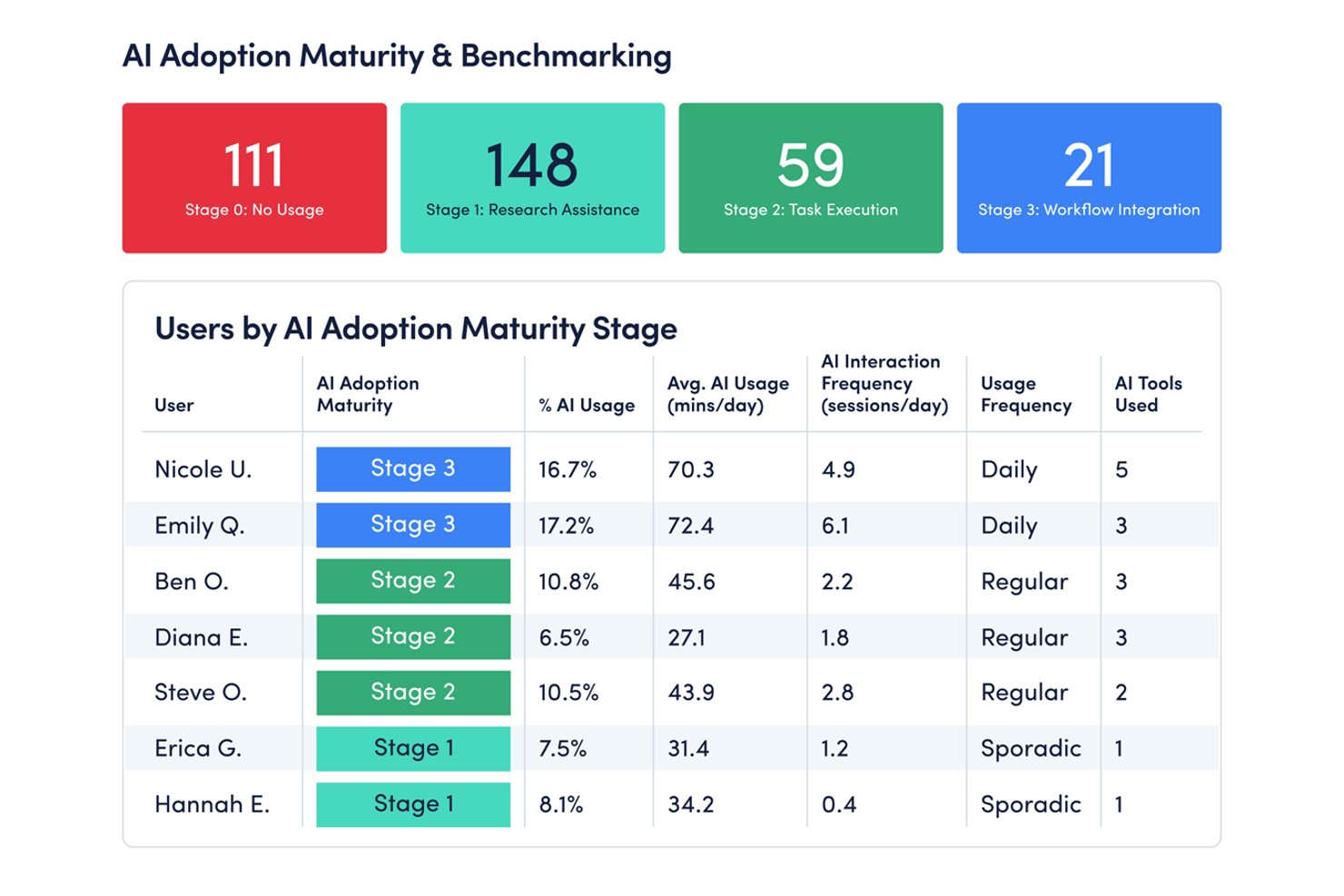
ActivTrak’s AI Insights provide a unified view of how AI tools are used across the organization and connect that usage directly to productivity, capacity, and business outcomes. You can track AI adoption, monitor compliance, and measure how AI impacts efficiency and workload distribution in real time. The platform also helps quantify ROI by identifying high-impact tools, adoption gaps, and opportunities to optimize AI investments.
Privacy-First Design
ActivTrak is built with a strong emphasis on employee privacy, excluding intrusive methods such as keystroke logging, email monitoring, video recording, or personal device tracking. This design balances productivity monitoring with respect for individual privacy, helping companies maintain trust and comply with privacy regulations.
Advanced Schedule and Privacy Adherence
Beyond basic time tracking, ActivTrak offers sophisticated schedule and policy adherence monitoring, allowing you to track attendance patterns, contractor billing accuracy, and compliance with workplace policies. This feature supports operational consistency and accountability in diverse working environments.
Ease of Use
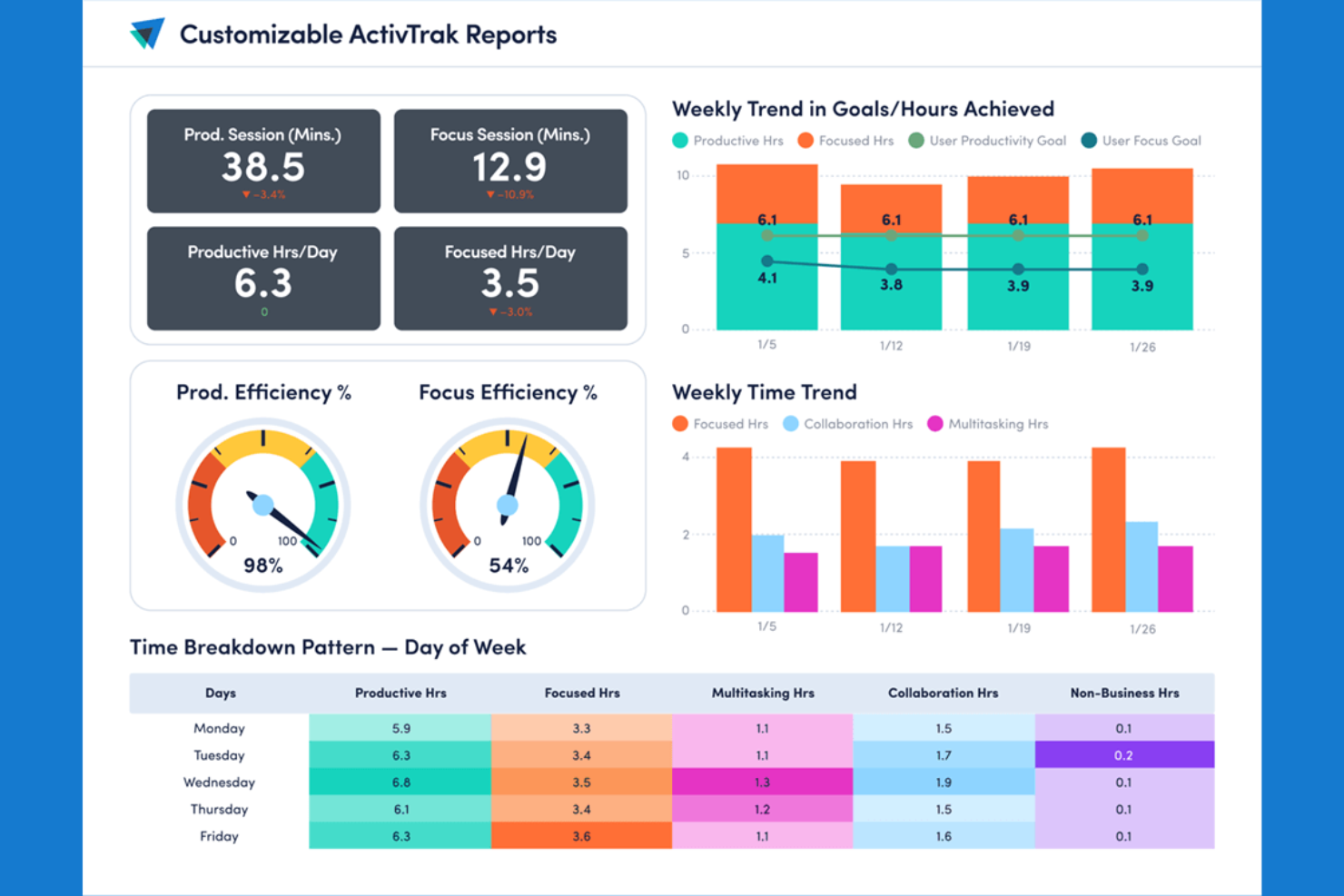
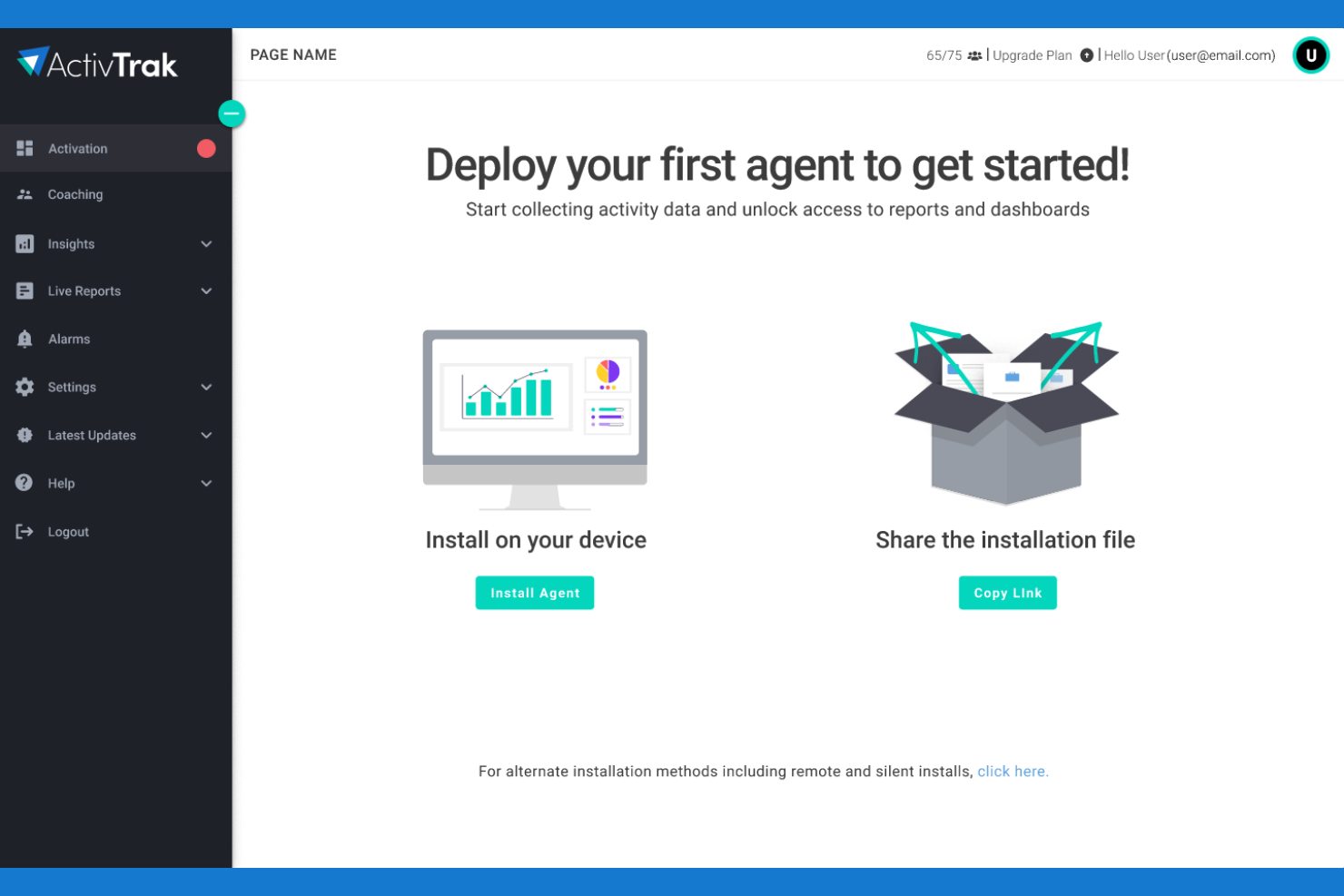
ActivTrak looks clean and simple at first glance, but new users may find themselves overwhelmed with data points and configuration options right after login. You’ll need a few weeks to get comfortable with the more complex dashboards and AI features. Once you get the hang of it, you’ll love being able to tailor dashboards to your needs and pinpoint exactly where your team is crushing it or having a hard time.
Onboarding
The ActivTrak onboarding approach includes automated setup wizards, thorough documentation, and guided walkthroughs to enable new users to quickly install tracking and reporting. Larger enterprises or complicated installations might benefit from one-on-one onboarding assistance and customer success resources to guarantee an easy integration and faster returns. However, some customers find it difficult to configure their firewalls and security systems without IT support.
Customer Support
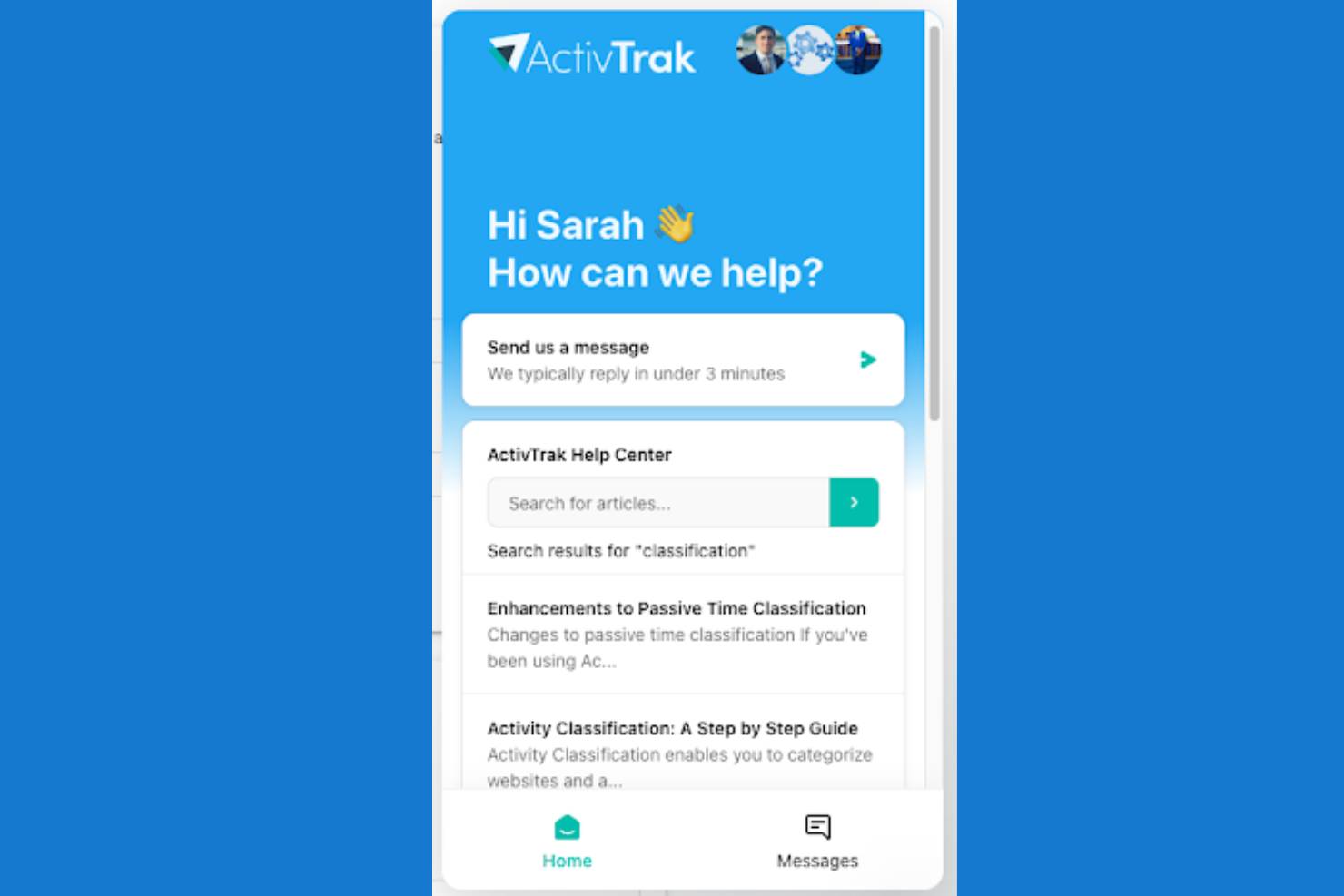
You can reach ActivTrak’s support team via email, live chat, or phone during business hours, with additional self-service options through their knowledge base and community forums. The help center’s step-by-step guides and FAQs are also useful—you can troubleshoot most technical hiccups yourself without sitting in a support queue. Enterprise clients actually get what they pay for: dedicated account managers who cut through red tape when systems crash or urgent problems pop up.
Integrations
Integrations include popular platforms such as Power BI, Entra ID (formerly Azure AD), Salesforce, ServiceNow, Zendesk, Outlook, and Workday, enabling simple data flow between ActivTrak and your existing business systems. Additionally, ActivTrack offers the ActivConnect API, allowing you to customize integrations and automate workflows to fit your organizational needs, making it flexible for diverse IT environments.

Value for Money
ActivTrak uses a tiered, per-user subscription model that scales by more advanced capabilities as you move up each plan. The structure makes it easy for small teams to start free, while offering strong value for growing companies and enterprises that need richer insights, automation, and operational visibility without paying for features they don’t use. Custom setups and enterprise plans are also available if you contact their enterprise solutions team.
- Free: Basic activity visibility and simple time tracking, offering core monitoring and limited data history for up to three users.
- Essentials: Adds meeting tracking, alerts, and organizational performance insights with expanded data history and unlimited users.
- Essentials Plus: Introduces productivity goal-tracking, exception reporting, and work-location visibility for more advanced operational insight.
- Professional: Layers in team performance, capacity planning, and activity alignment tools, along with the longest included data history for full-scale workforce analytics.

ActivTrak Specs
- A/B Testing
- AI Integration
- Analytics
- API
- Comparative Reporting
- Conversion Tracking
- Custom Reports
- Dashboard
- Dashboards
- Data Export
- Data Import
- Data Mining
- Data Visualization
- External Integrations
- Feedback Management
- Forecasting
- Historical Data Analysis
- Keyword Tracking
- Link Tracking
- Multi-Site
- Multi-User
- Notifications
- Process Reporting
- Real-time Alerts
- Referral Tracking
- Reports
- Scenario Planning
- SEO
- Time Series Modeling
- Visualization
- Workflow Management
Pleins feux sur les partenaires : témoignages d’ActivTrak
Comment les entreprises utilisent ActivTrak pour récupérer des millions en valeur perdue

Les 3 principaux problèmes de main-d’œuvre faciles à mal diagnostiquer

ActivTrak FAQs
How does ActivTrak protect sensitive employee data and support compliance?
How long does it take to see results with ActivTrak?
How accurate is ActivTrak’s time tracking?
What business challenges does ActivTrak’s workforce analytics solve?
How is ActivTrak different from employee surveillance tools?
Does ActivTrak support hybrid or remote teams?
How easy is it to deploy ActivTrak?
Can employees see their data?
What makes ActivTrak different from its competitors?
How does ActivTrak measure and help improve productivity?
What kind of support does ActivTrak offer?
What is the difference between workforce analytics and work intelligence?
How does ActivTrak help with AI adoption and transformation?
What is a behavioral dataset?
What makes ActivTrak’s work intelligence dataset unique?
ActivTrak Company Overview & History
ActivTrak, founded in 2009 by Herb Axilrod and Anton Seidler in Dallas, Texas (now headquartered in Austin), develops privacy-first workforce analytics software used by organizations worldwide to track productivity, engagement, and resource utilization without invasive monitoring. Backed by Sapphire Ventures and Elsewhere Partners, the company has grown rapidly through AI-powered insights and hybrid work solutions, earning recognition on Deloitte’s Technology Fast 500 and maintaining SOC 2 compliance.
- 2009: Founded by Herb Axilrod and Anton Seidler as Birch Grove Software in Dallas, Texas.
- 2012: Launched first on-demand software product.
- 2015: Introduced full workforce analytics platform.
- 2019: Raised $20M Series A from Elsewhere Partners; Rita Selvaggi became CEO; achieved 60% YoY revenue growth.
- 2020: Secured $50M Series B led by Sapphire Ventures (total funding $77.5M); 140% YoY revenue growth; launched ActivTrak Productivity Lab.
- 2021: Surpassed 550,000 users; launched ActivTrak Premium, Coach, and Google Cloud Marketplace integration; 100% enterprise revenue growth.
- 2024: Surpassed $50M ARR with 70% YoY enterprise growth.
- 2025: Secured strategic investment from Francisco Partners.
- 2026: Launched AI Insights for AI adoption, productivity impact, optimization and ROI.