


Avis sur Atlas : avantages, inconvénients, fonctionnalités et tarifs expliqués



Agency recruitment gets messy real fast when the detail that matters lives in calls, inboxes, and message threads nobody has time to write up. The right platform should hold that context for you and give leaders a clear view of the desk without creating another admin job.
Atlas is an AI-native recruitment platform built for staffing, recruitment, and executive search firms that want a CRM which records itself. I’d look at it if your team loses hours to data entry and candidate write-ups, and you want conversations, pipeline, and business development tracked automatically, rather than a legacy system with AI features fitted on top years after the fact.
Atlas Evaluation Summary
- From £105/user/month
- 14-day free trial
Pourquoi faire confiance à nos avis sur les logiciels
Notre équipe teste et évalue des logiciels depuis 2012. En tant qu’experts RH nous-mêmes, nous savons à quel point il est difficile — et important — de choisir le bon logiciel.
Pour ce guide, nous avons évalué les outils grâce à des tests pratiques et une recherche indépendante, en notant les outils selon nos critères de sélection. Nous nous appuyons également sur les enseignements de leaders d’opinion du secteur et de professionnels des RH en activité.
Nos avis reflètent notre jugement éditorial humain, et non un argumentaire de vente.
Réviseurs experts:
Atlas Overview
If you’re judging Atlas as a recruitment platform, I think the automatic capture of calls, emails, and messages is what separates it from tools that still depend on recruiters typing their notes up. Plain-language search across your own database, a built-in copilot, and client-ready candidate reports all draw on that same record. Pricing is quote based, and onboarding is guided rather than something you work through alone. Atlas underperforms if you need a long list of native connections to older tools, or if you’re an in-house talent team shopping for a general ATS. I’d select Atlas for agencies running permanent and contract desks, where recording the relationship matters as much as closing the placement.
pros
-
Calls, emails, and messages are logged and made searchable without manual entry
-
Plain-language search pulls answers from past conversations, not just CV fields
-
Client-ready candidate reports are produced from data already in the platform
cons
-
Fewer native integrations than vendors that have been building them for a decade
-
Smaller pool of public reviews and reference customers than incumbent platforms
-
Workflows are tailored to agencies, not in-house talent acquisition teams
Is Atlas Right For Your Needs?
Who Would be a Good Fit for Atlas?
Atlas makes sense for agencies and search firms where the sheer volume of client and candidate conversation is the real workload. It works best when a team runs permanent and contract desks together, needs business development tracked without someone maintaining it by hand, and wants leaders to see pipeline and performance without pulling reports together. If your team values fast onboarding and wants the admin to disappear rather than be reorganized, Atlas fits the bill.
-
Enterprise HR Teams
Large staffing and search organizations get a shared record across desks and offices, plus the reporting leaders need to run the business.
-
Regulated Industries
Automatic capture leaves a dated trail of every conversation, backed by ISO 27001 certification and GDPR compliance, which helps in sectors with tighter record-keeping expectations.
-
Multi-location Companies
Centralized dashboards let you manage activity across regions, standardize how work gets recorded, and maintain visibility into distributed desks.
-
Staffing Agencies
Permanent and contract desks, automatic context capture, opportunity tracking, and contractor management sit in one platform, which is precisely the buyer Atlas is built for.
-
Tech Scaleups
Agencies placing into fast-moving markets can connect Atlas to the rest of their stack through its open API and Claude MCP connector as their tooling changes.
-
Growth-focused Startups
Newer and smaller agencies can get productive quickly, since onboarding is guided and the platform builds the candidate record for them from day one.
Who Would be a Bad Fit for Atlas?
Atlas isn’t the right choice outside staffing, recruitment, and executive search, because that is the only market it serves. In-house talent teams looking for a general ATS will find some workflows tuned to agency work instead of theirs, and buyers who want a long list of connections to older tools, or a deep archive of public reviews, will notice the gaps.
-
Microbusinesses Hiring
A business hiring for its own vacancies isn’t the buyer here. Atlas is sold to agencies and search firms, so internal hiring on a small scale sits outside what it’s designed to do.
-
Boutique Creative Firms
Firms filling the occasional role for themselves rather than placing candidates for clients won’t get much from a platform organized around client work and billing.
-
Manual-Only HR Departments
If you’d rather keep hiring in spreadsheets and inboxes, Atlas won’t deliver value, because the payoff comes from it capturing conversations for you.
-
Nonprofit Volunteer Recruiting
Volunteer and other non-employee recruitment falls outside the agency and executive search use cases Atlas commits to serving.
-
Standalone Freelance Recruiters
Solo recruiters can use Atlas, but a one-person desk is unlikely to need the dashboards, opportunity tracking, and contractor management that much of the platform is built around.
-
Companies Using Single HR Platform
Teams standardized on a single internal HR system for their own hiring don’t need Atlas, which replaces an agency CRM rather than sitting next to an HRIS.
Comment nous testons et évaluons nos outils
Nous avons passé des années à construire, affiner et améliorer notre système de test et d’évaluation des logiciels. La grille d’évaluation est conçue pour saisir les nuances de la sélection des logiciels et ce qui rend un outil efficace, en se concentrant sur les aspects critiques du processus décisionnel. Ci-dessous, vous pouvez voir exactement comment fonctionne notre test et notre système d’évaluation à travers sept critères. Cela nous permet de fournir une évaluation impartiale des logiciels basée sur les fonctionnalités principales, les caractéristiques remarquables, la facilité d’utilisation, l’intégration, le support client, les intégrations, les avis clients et le rapport qualité-prix.
Fonctionnalités principales (25 % de la note finale)
Le point de départ de notre évaluation est toujours la fonctionnalité principale de l’outil. Dispose-t-il des fonctionnalités de base qu’un utilisateur s’attend à voir ? Certaines de ces fonctionnalités principales sont-elles réservées à des forfaits plus élevés ? En substance, nous nous attendons à ce qu’un outil soit à la hauteur des capacités de base de ses concurrents.
Fonctionnalités remarquables (25 % de la note finale)
Ensuite, nous évaluons les fonctionnalités remarquables, peu courantes, qui vont au-delà de la fonction principale habituellement présente dans les outils de ce type. Un score élevé reflète des fonctionnalités spéciales ou uniques qui rendent le produit plus rapide, plus efficace, ou offrent une valeur ajoutée à l’utilisateur. Nous évaluons également la facilité d’intégration avec d’autres outils généralement présents dans la pile technologique pour étendre la fonctionnalité et l’utilité du logiciel. Les outils qui proposent de nombreuses intégrations natives, des connexions tierces et un accès API pour développer des intégrations personnalisées obtiennent les meilleurs résultats.
Facilité d’utilisation (10 % de la note finale)
Nous prenons en compte la rapidité et la simplicité d’exécution des tâches définies par la fonctionnalité principale à l’aide de l’outil. Un logiciel bien noté est bien conçu, intuitif à utiliser, offre des applications mobiles, propose des modèles, et permet de simplifier des tâches relativement complexes.
Mise en route (10 % de la note finale)
Nous savons à quel point une adoption rapide par l’équipe est cruciale pour une nouvelle plateforme, c’est pourquoi nous évaluons la facilité d’apprentissage et d’utilisation d’un outil avec un minimum de formation. Nous évaluons la rapidité avec laquelle un membre de l’équipe peut s’installer et commencer à utiliser l’outil sans expérience préalable. Les solutions bien notées impliquent qu’aucune ou très peu d’assistance soit requise.
Support client (10 % de la note finale)
Nous examinons la rapidité et la simplicité d’obtention d’aide par téléphone, chat en direct ou base de connaissances. Les outils et sociétés qui proposent une assistance en temps réel obtiennent les meilleurs scores, tandis que les chatbots sont moins bien notés.
Avis clients (10 % de la note finale)
En plus de nos propres tests et évaluations, nous prenons en compte le score net de recommandation (NPS) des clients actuels et passés. Nous évaluons leur propension, s’ils en avaient l’option, à choisir à nouveau l’outil pour la fonctionnalité principale. Un logiciel obtenant un score élevé reflète un NPS élevé de clients actuels ou passés.
Rapport qualité-prix (10 % de la note finale)
Enfin, en tenant compte de tous les autres critères, nous comparons le prix moyen des forfaits d’entrée de gamme aux principales fonctionnalités et considérons la valeur des autres critères d’évaluation. Un logiciel qui en offre plus, pour moins, sera mieux noté.
Core Features
Advanced Workflow Customization
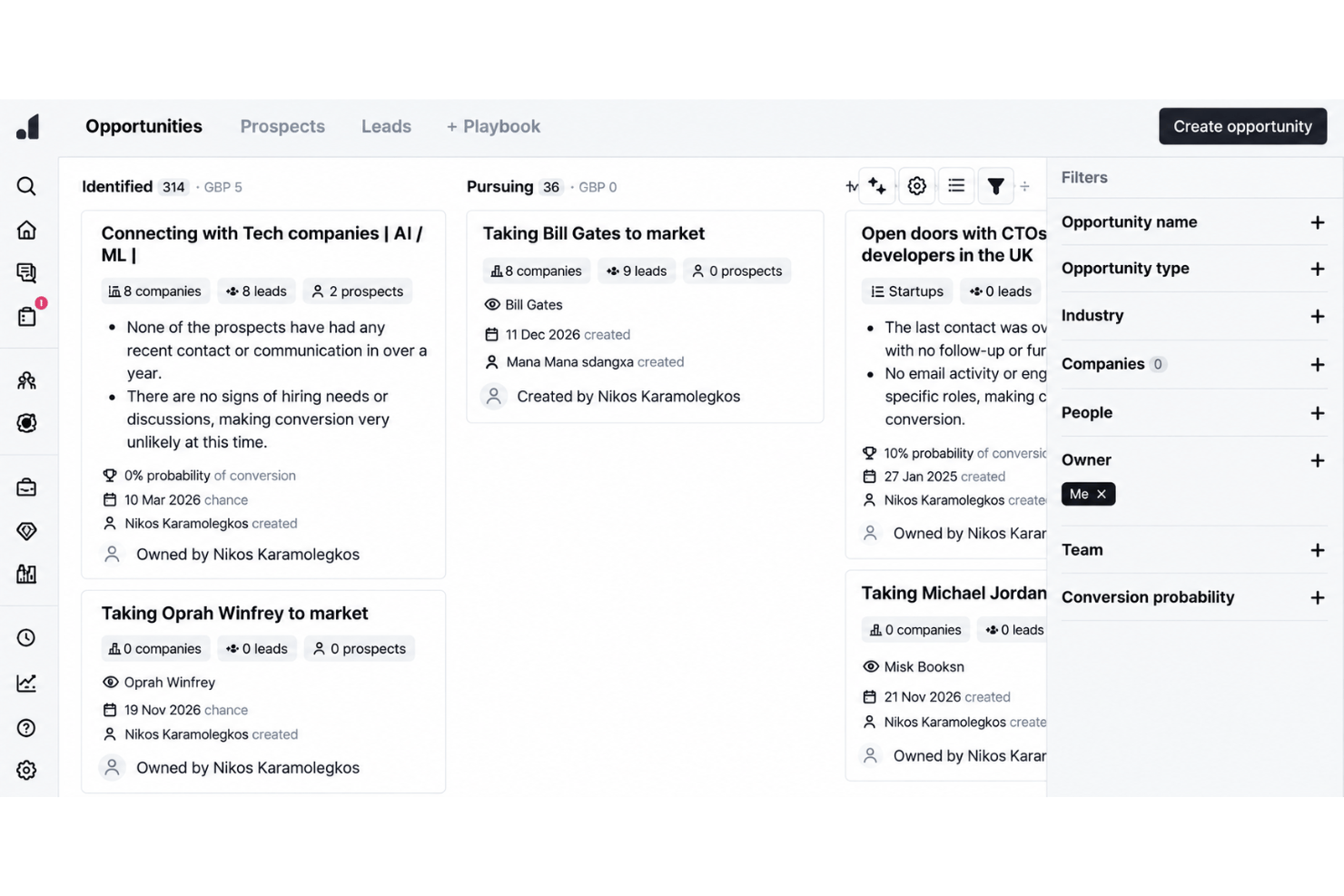
Set up pipelines and stages that match how your desk actually runs, then let AI agents handle the repetitive steps in between. Tagging, syncing, and follow-ups happen in the background, so work moves forward without anyone stopping to update a field.
Centralized Reporting and Analytics
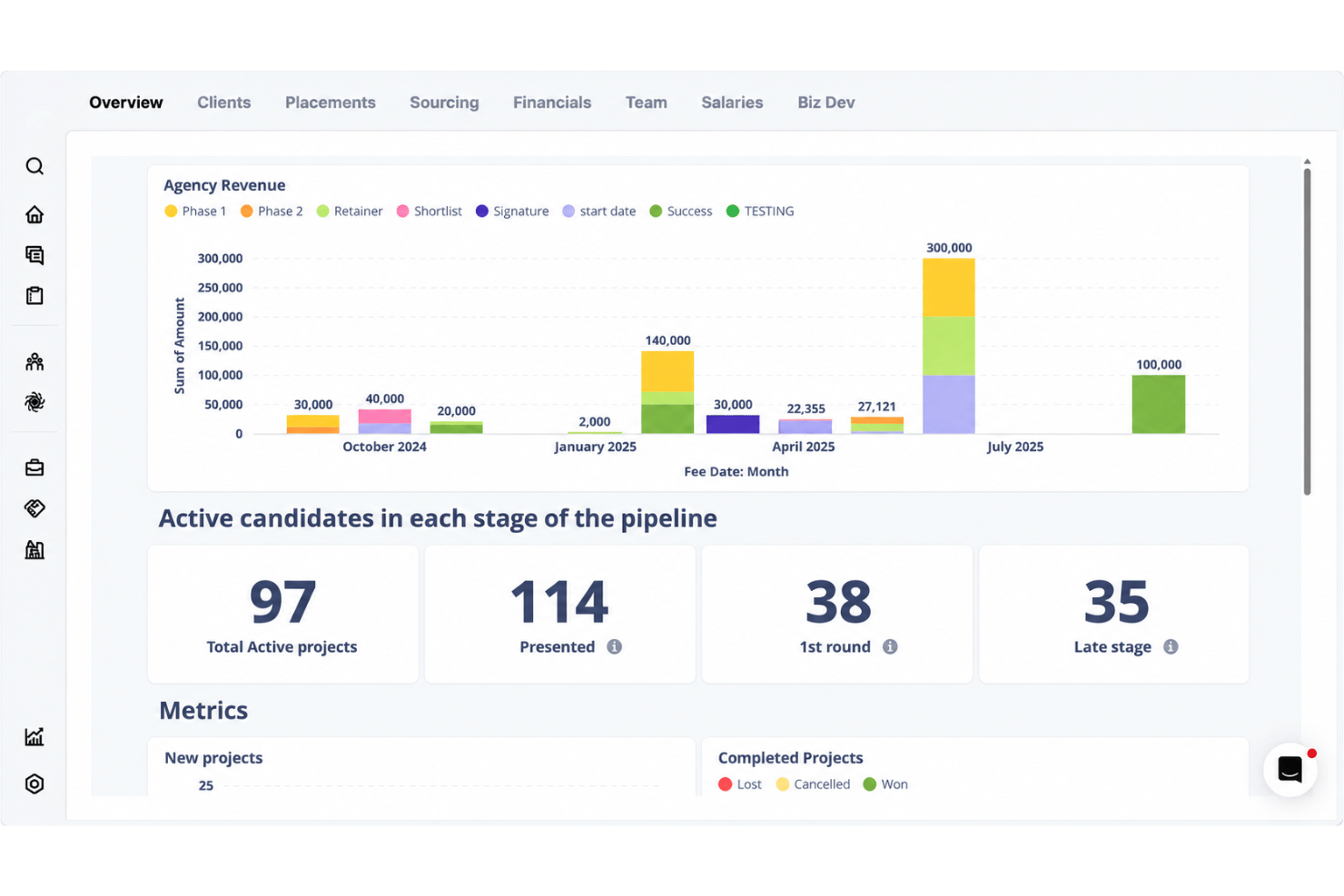
Dashboards pull live activity, pipeline, and performance into a single view across desks and offices. Leaders can watch revenue, placements, and time-to-fill without stitching reports together by hand.
Global Sourcing Tools
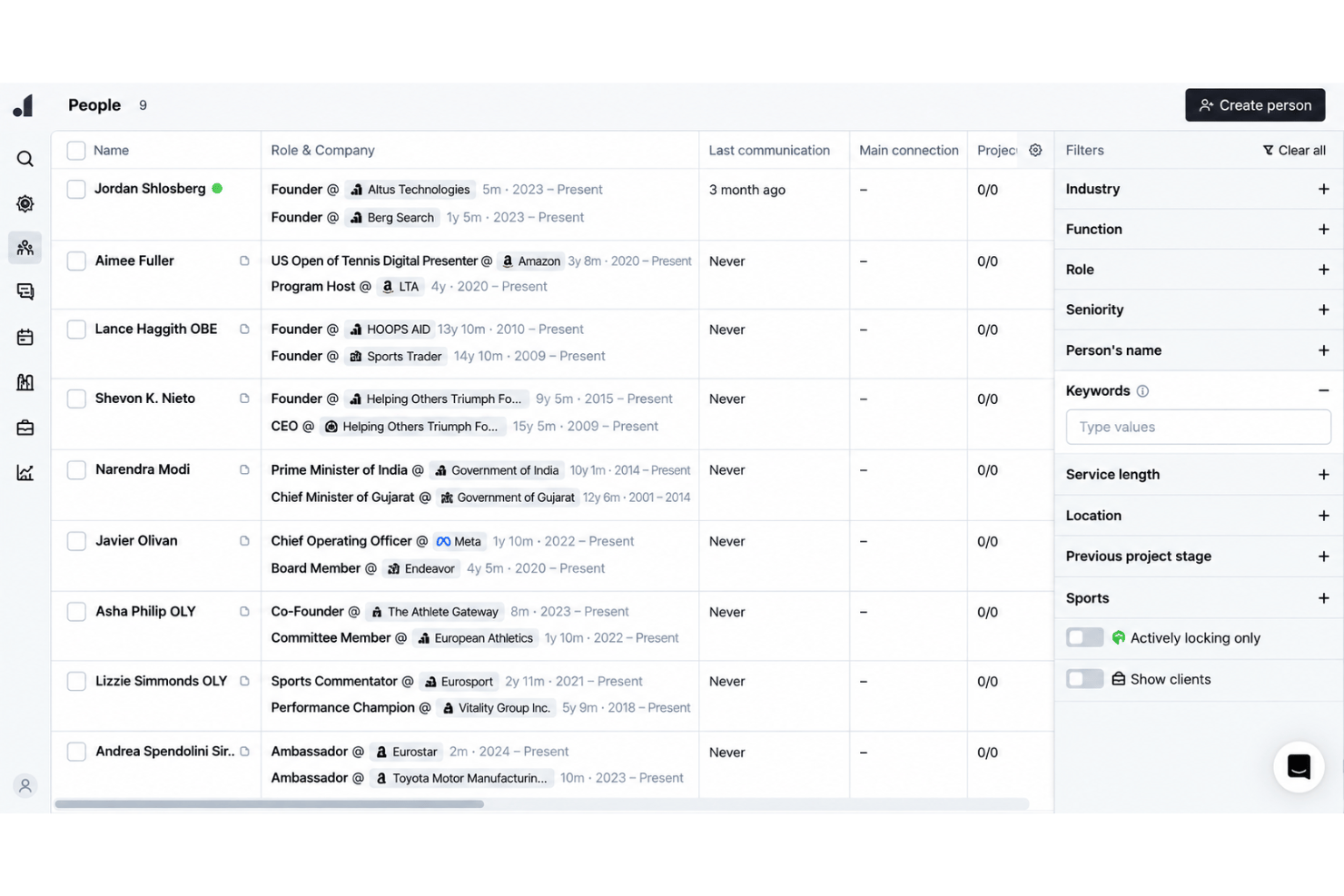
People Search runs across your own database and returns matches with the evidence behind them, drawn from real conversations rather than CV keywords alone. Multi-touch outreach then works across email, phone, and social channels to reach candidates wherever they actually reply.
Bulk Candidate Management
Tag, update, and contact large groups of candidates at once, with AI agents applying changes as records move. Outreach sequences and follow-ups can be triggered for a whole talent pool rather than one profile at a time.
Magic Search
Describe your ideal candidate in plain language or by voice, and Atlas searches your existing database plus context from resumes, notes, calls, messages, and research. It returns a ranked shortlist with match scores and evidence explaining why each person fits, so recruiters can refine searches without relying on Boolean strings or manual filtering.
Automated Candidate Communications
Outreach, interview scheduling, and follow-up messages run from templates and connected calendars. The built-in note taker writes up calls and interviews on its own, so the record of every conversation stays attached to the candidate.
Standout Features
Total Memory
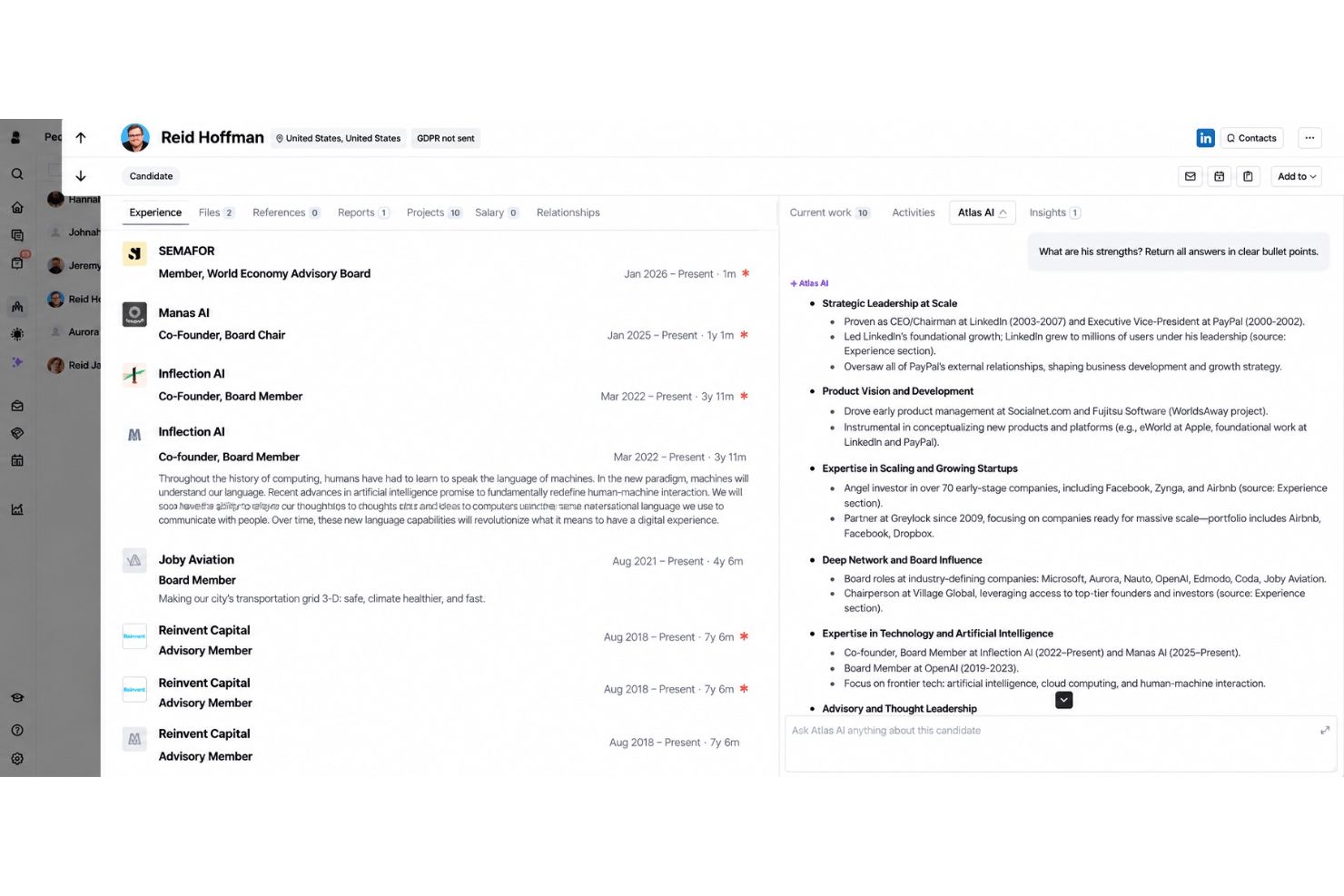
Because Atlas keeps the full context of every conversation, you can group and compare candidates by what they have actually told you: who is open to moving, who wants shorter weeks, who is quietly unhappy where they are. This helps teams spot the right person for a role they haven’t opened yet, not just the one in front of them.
Compliance-Ready Audit Trails
Every call, email, and message is captured as it happens, which leaves a dated record of how a placement progressed without anyone writing it up afterwards. Atlas is certified to ISO 27001 and operates within GDPR, with SOC 2 accreditation in progress and expected in early 2027.
Ease of Use
Atlas strikes a practical balance between depth and ease-of-use for agency teams. The interface is organized around how a desk works, and because the record builds itself from calls and messages, there is less to configure and far less to keep updated. Public feedback from agency founders keeps landing on the same point: it behaves the way recruiters already think, rather than asking them to adapt. The platform doesn’t overwhelm with feature sprawl, but gives enough control and visibility for busy firms running several desks at once.
Onboarding
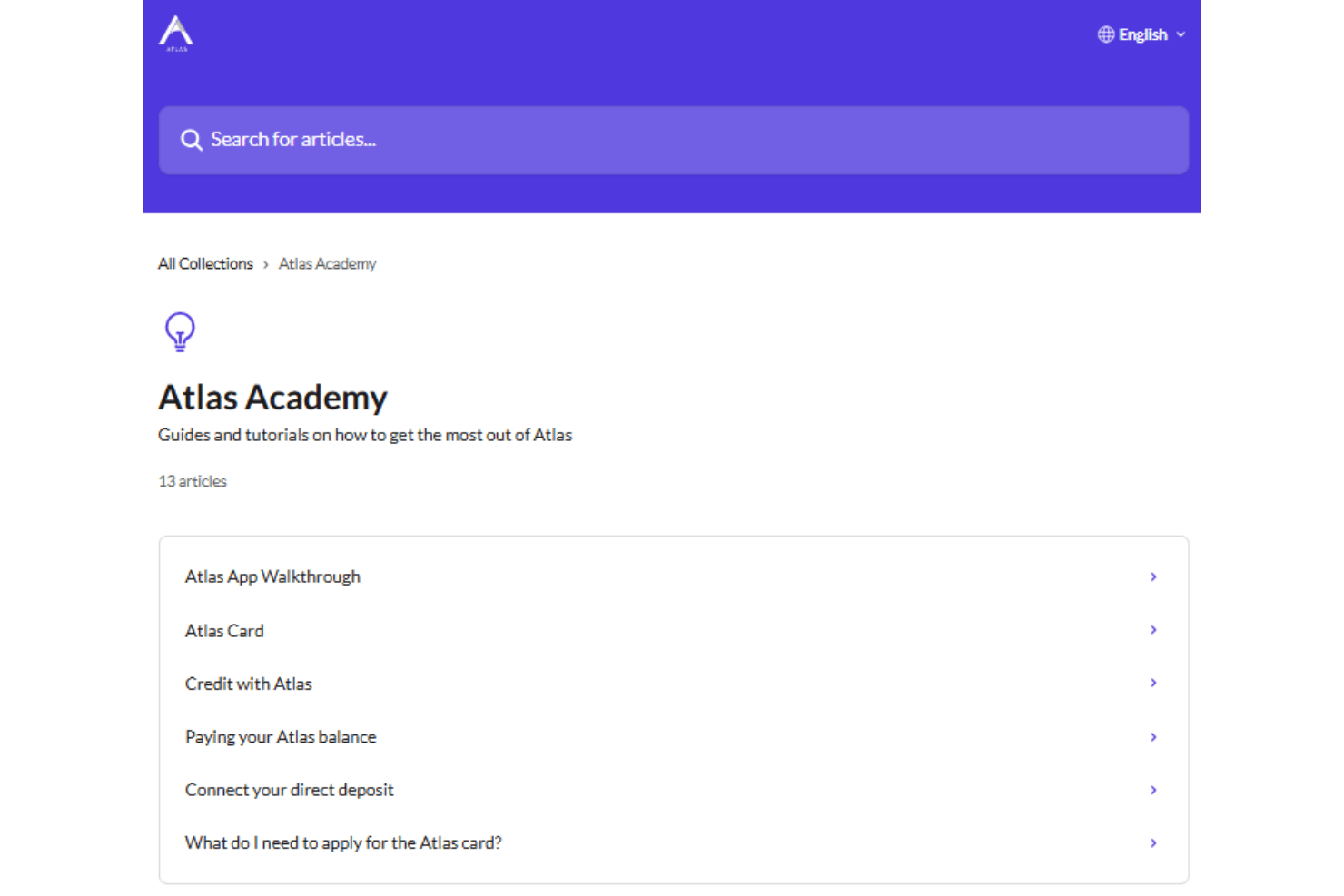
Onboarding is led by the Atlas team rather than left to you. Every new customer is paired with a dedicated onboarding group from the first day, with daily sessions that work through the platform until the whole desk is confident using it. Support sits alongside that process, so anything that comes up gets handled straight away instead of waiting until training wraps. Atlas also takes on the migration of data from your previous system, and will help cover the tail end of an existing vendor contract on longer commitments.
Customer Support
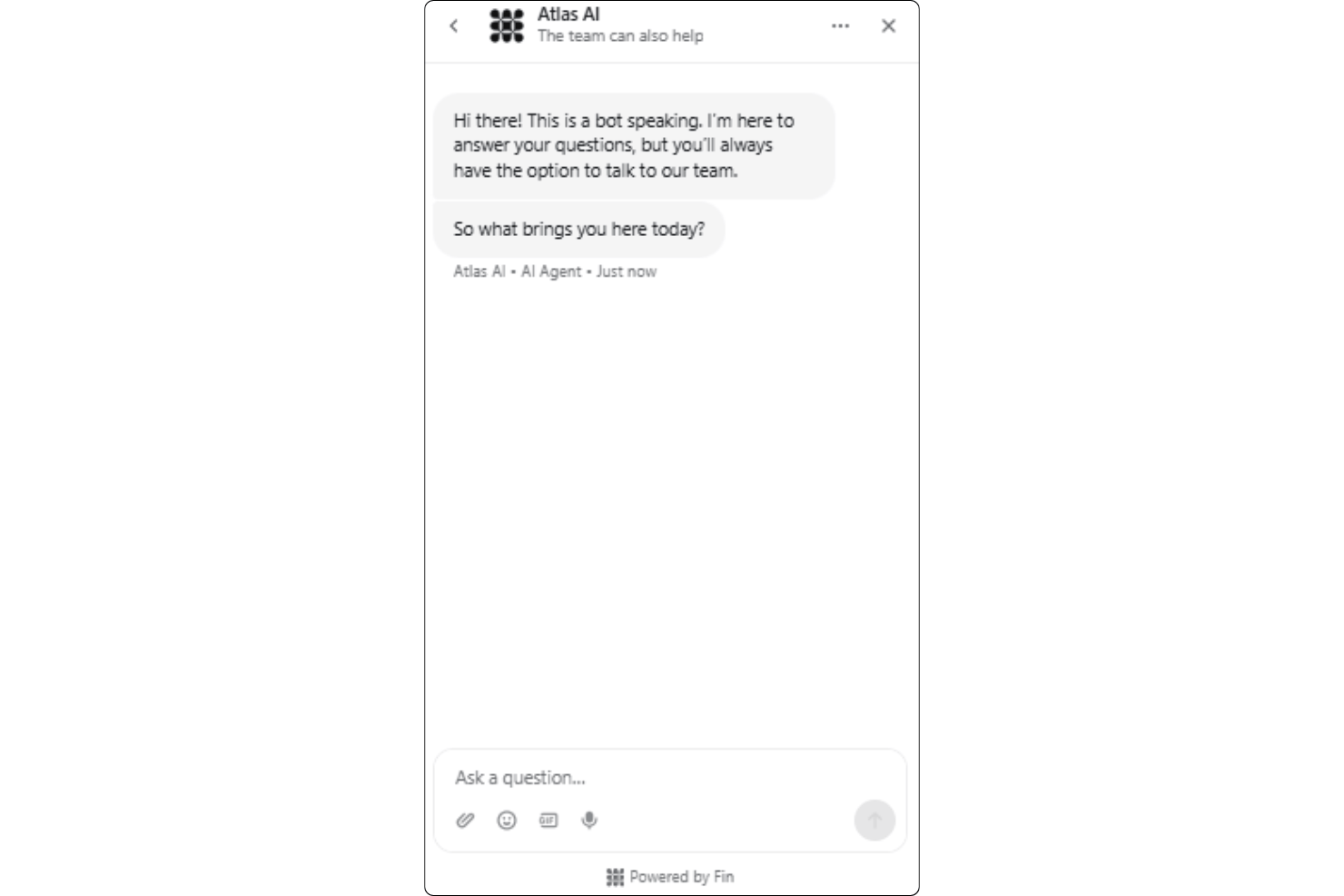
Atlas offers helpful customer support that runs through the app itself and typically answers within minutes. The people replying come from recruitment backgrounds, so you don’t spend the first message explaining how an agency works, and the founding team is known to step into customer issues directly. Compared with other agency platforms, what stands out is how closely support works with onboarding through the ramp-up period, which is when most teams need it.
Integrations
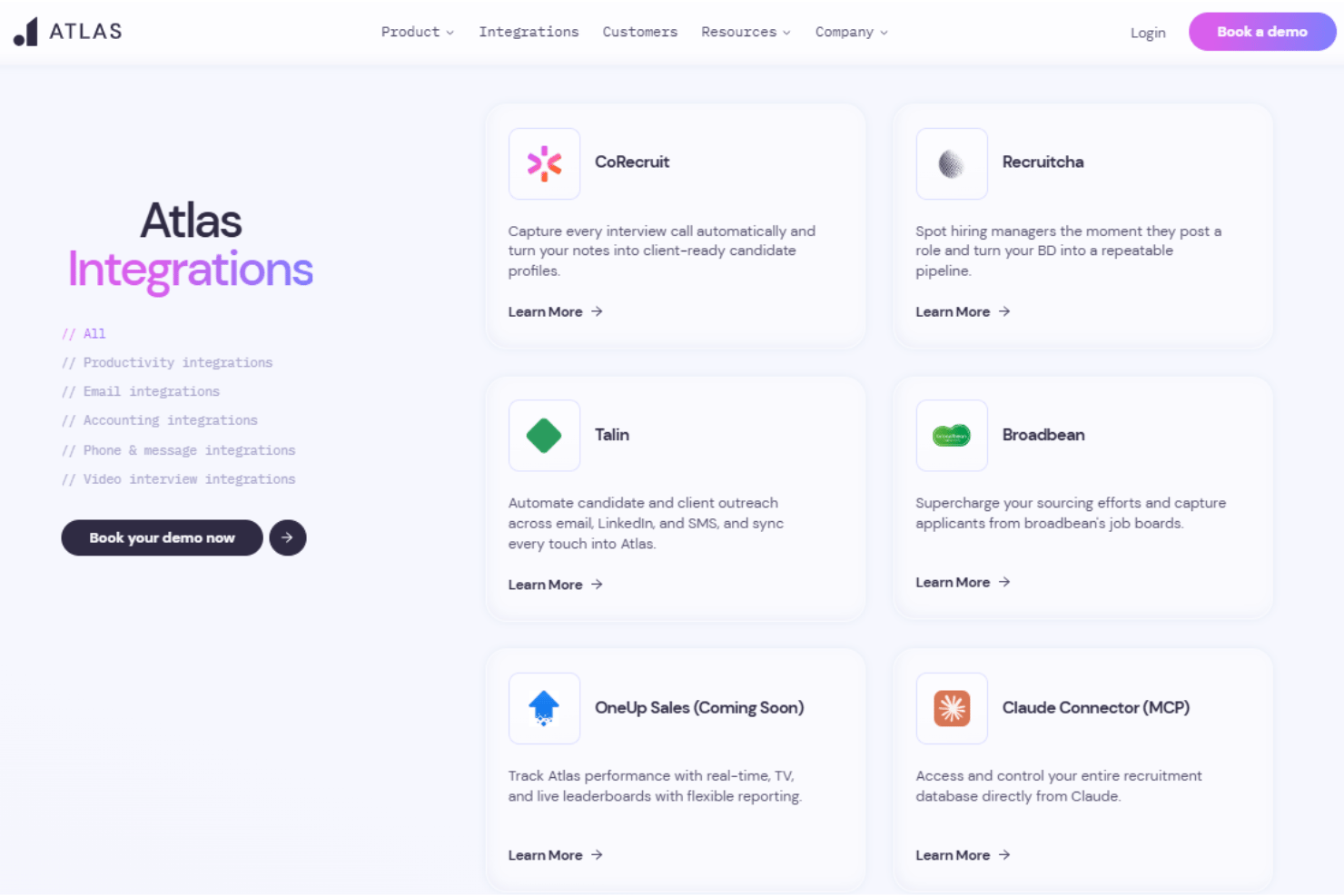
Atlas integrates with CoRecruit Broadbean, Talin, Claude MCP, Xero, RingCentral, Zoom, Microsoft Teams, and Microsoft Outlook among others.
Atlas also has an open API and connects with third-party integration tools.
Value for Money
Atlas uses quote-based pricing and does not publish standard rates, so you’ll need to contact the company for a package tailored to your hiring needs. While costs are not transparent upfront, teams with complex recruitment requirements may find value in its guided onboarding, advanced workflows, compliance-ready audit trails, and in-depth integration options.
Atlas Specs
- 360 Degree Feedback
- API
- Application Tracking
- Batch Permissions & Access
- Behavioral Testing
- Budgeting
- Calendar Management
- Candidate Database
- Cognitive Testing
- Compliance Tracking
- Dashboard
- Data Export
- Data Import
- Data Visualization
- Email Integration
- Employee Database
- Employee Engagement
- Employee Incentive Management
- Employee Onboarding
- External Integrations
- Feedback Management
- Forecasting
- Interview Scheduling
- Multi-User
- Notifications
- Onboarding
- Personality Testing
- Psychometric Testing
- Referral Tracking
- Scheduling
- Soft Skill Testing
- Softphone
- Status Notifications
- Travel Management
Atlas FAQs
Can Atlas handle complex hiring processes across multiple departments?
What integrations does Atlas offer out of the box?
How does Atlas support data security and compliance?
What’s the onboarding experience like with Atlas?
How responsive is Atlas customer support?
Is Atlas suitable for small businesses or solo recruiters?
How does Atlas help HR teams working across multiple locations?
What kind of organizations get the most value from Atlas?
Atlas Company Overview & History
Atlas is an AI-native recruitment software built for agencies and search firms that want the admin side of the job handled for them. It trades as Atlas Recruitment Technology Ltd, a UK-based company led by founder and CEO Jordan Sholsberg, and positions itself as the only recruitment CRM designed after generative AI arrived rather than updated later to accommodate it. Details such as workforce size, ownership, funding, and revenue are not published on its site. Customer outcomes are shared publicly through named case studies with agencies including Executive Integrity, Attis, and Ocean Red Partners.
Atlas Major Milestones
- 2022: Founded as an AI-native recruitment platform, built after generative AI made automatic context capture possible
- 2026: AI agents and digital workers introduced, alongside a Claude connector built on MCP and a widening integration lineup
Atlas Partner Spotlight

Comment utiliser Atlas pour les placements sous contrat


Comment Atlas élimine les tâches administratives des recruteurs

La mémoire totale d’Atlas, expliquée