

Tracker Review: Pros, Cons, Features, and Pricing Explained
Tracker stands out for its customizable workflows and integrated CRM, making it ideal for staffing agencies seeking an all-in-one ATS, though it may be complex for smaller teams.

We review tools independently, and commissions help fund our testing. See our transparency policy, our methodology, or suggest a tool.
You probably wouldn’t get far if you’re manually sifting through a high volume of resumes, trying to identify the right set of skills and match them with the right experience, all just to find someone who might fit the bill. Luckily, there’s no need for that anymore. With the right applicant tracking system (ATS), you can leave the parsing and drudgery up to the software, so you can focus on recruiting the right candidate.
Tracker is an applicant tracking system designed to help hiring managers streamline recruitment, manage candidate pipelines, and improve collaboration across teams. When you’re facing high volumes of applicants, compliance requirements, and the need for efficient communication, Tracker offers a flexible platform that combines ATS and CRM features.
In this review, I’ll provide you with a detailed look at Tracker’s features, best and worst use cases, pros and cons, and pricing—so you can decide if it’s the right fit for your hiring process.
Tracker Evaluation Summary

4.7/5
- From $79/user/month
- Free demo available
Why Trust Our Software Recommendations
6,700+
Reviews
20
Industry experts
16+
Evaluation factors
14
Years
Our team has been testing and reviewing software since 2012. As HR experts ourselves, we know how difficult—and important—it is to choose the right software.
For this guide, we evaluated tools using hands-on testing and independent research, scoring tools using our selection criteria. We also draw on insights from industry thought leaders and practicing HR experts.
Our reviews reflect our human editorial judgment, not a sales pitch.
Expert reviewers:
- Phil GrayCOO
 Kim BehnkeHR Tech Editor & Analyst
 Josh BarkerPeople Ops Manager

Tracker Overview
When judging applicant tracking systems, Tracker stands out for its deep job board integrations, customizable workflows, and robust AI candidate ranking, making it a strong choice for staffing agencies and recruiting firms. Its interface is clean and intuitive, and the onboarding process and training resources help new users adapt. Pricing is competitive for the feature set, though smaller teams may find it more than they need. If you’re comparing options, Tracker’s robust reporting, automation, and integration capabilities make it especially appealing for organizations managing high-volume or multi-branch recruiting.
Pros
- Built-in CRM supports end-to-end client and candidate management.
- Customizable workflows adapt to different recruiting processes.
- Responsive customer support ensures fast issue resolution and guidance.
Cons
- There is something of a learning curve for advanced features.
- Reporting tools require setup and configuration to maximize value.
- Data migration onto Tracker can be costly.
Is Tracker Right For Your Needs?
Who Would be a Good Fit for Tracker?
Tracker is best suited for organizations that need advanced recruiting workflows, integrated CRM, and multi-branch management. Its feature set is especially valuable for staffing agencies, recruitment firms, and teams handling high-volume hiring or client management. If your business requires detailed reporting, automation, and the ability to manage both candidates and clients in one platform, Tracker’s capabilities align well with these needs.
- Mid-sized Staffing Agencies Looking to ScaleTracker supports mid-sized staffing agencies as they automate &expand hiring volumes, clients, and recruiters.
- Recruitment FirmsCustomizable workflows and automation support complex, multi-stage hiring processes.
- IT Staffing FirmsSkills-based search and redeployment tracking help recruiters place talent faster.
- Multi-Region & Multi-Brand OperationsBranch and division management supports offices across various regions from one database.
- Agencies Switching From Legacy PlatformsTeams migrating from older systems get a modern interface without a retraining tax.
- Executive SearchIntegrated CRM and placement tracking support executive search and business development.
Who Would be a Bad Fit for Tracker?
Tracker may not be the best choice for small businesses, teams with simple hiring needs, or organizations seeking a lightweight, plug-and-play ATS. Its advanced features and CRM focus can be more than what’s needed for basic recruiting, and the interface may feel overwhelming for those not managing high volumes or complex processes.
- Small StartupsTracker’s extensive features can overwhelm teams with basic hiring needs.
- Retail HiringHigh-volume, entry-level hiring may not require CRM or advanced workflows.
- Nonprofit OrganizationsBudget constraints and simple processes may not justify Tracker’s pricing.
- Internal HR TeamsCompanies hiring only for internal roles may not need client management tools.
- Temporary Event StaffingShort-term, rapid hiring needs may be better served by simpler platforms.
- Education SectorSchools and universities may find compliance and CRM features unnecessary.
How We Test & Score Our Tools
We’ve spent years building, refining, and improving our software testing and scoring system. The rubric is designed to capture the nuances of software selection and what makes a tool effective, focusing on critical aspects of the decision-making process.
Below, you can see exactly how our testing and scoring works across seven criteria. It allows us to provide an unbiased evaluation of the software based on core functionality, standout features, ease of use, onboarding, customer support, integrations, customer reviews, and value for money.
Core Functionality (25% of final score)
The starting point of our evaluation is always the core functionality of the tool. Does it have the basic features and functions that a user would expect to see? Are any of those core features locked to higher-tiered pricing plans? At its core, we expect a tool to stand up against the baseline capabilities of its competitors.
Standout Features (25% of final score)
Next, we evaluate uncommon standout features that go above and beyond the core functionality typically found in tools of its kind. A high score reflects specialized or unique features that make the product faster, more efficient, or offer additional value to the user.
We also evaluate how easy it is to integrate with other tools typically found in the tech stack to expand the functionality and utility of the software. Tools offering plentiful native integrations, 3rd party connections, and API access to build custom integrations score best.
Ease of Use (10% of final score)
We consider how quick and easy it is to execute the tasks defined in the core functionality using the tool. High scoring software is well designed, intuitive to use, offers mobile apps, provides templates, and makes relatively complex tasks seem simple.
Onboarding (10% of final score)
We know how important rapid team adoption is for a new platform, so we evaluate how easy it is to learn and use a tool with minimal training. We evaluate how quickly a team member can get set up and start using the tool with no experience. High scoring solutions indicate little or no support is required.
Customer Support (10% of final score)
We review how quick and easy it is to get unstuck and find help by phone, live chat, or knowledge base. Tools and companies that provide real-time support score best, while chatbots score worst.
Customer Reviews (10% of final score)
Beyond our own testing and evaluation, we consider the net promoter score from current and past customers. We review their likelihood, given the option, to choose the tool again for the core functionality. A high scoring software reflects a high net promoter score from current or past customers.
Value for Money (10% of final score)
Lastly, in consideration of all the other criteria, we review the average price of entry level plans against the core features and consider the value of the other evaluation criteria. Software that delivers more, for less, will score higher.
Core Features
Centralized Candidate Database
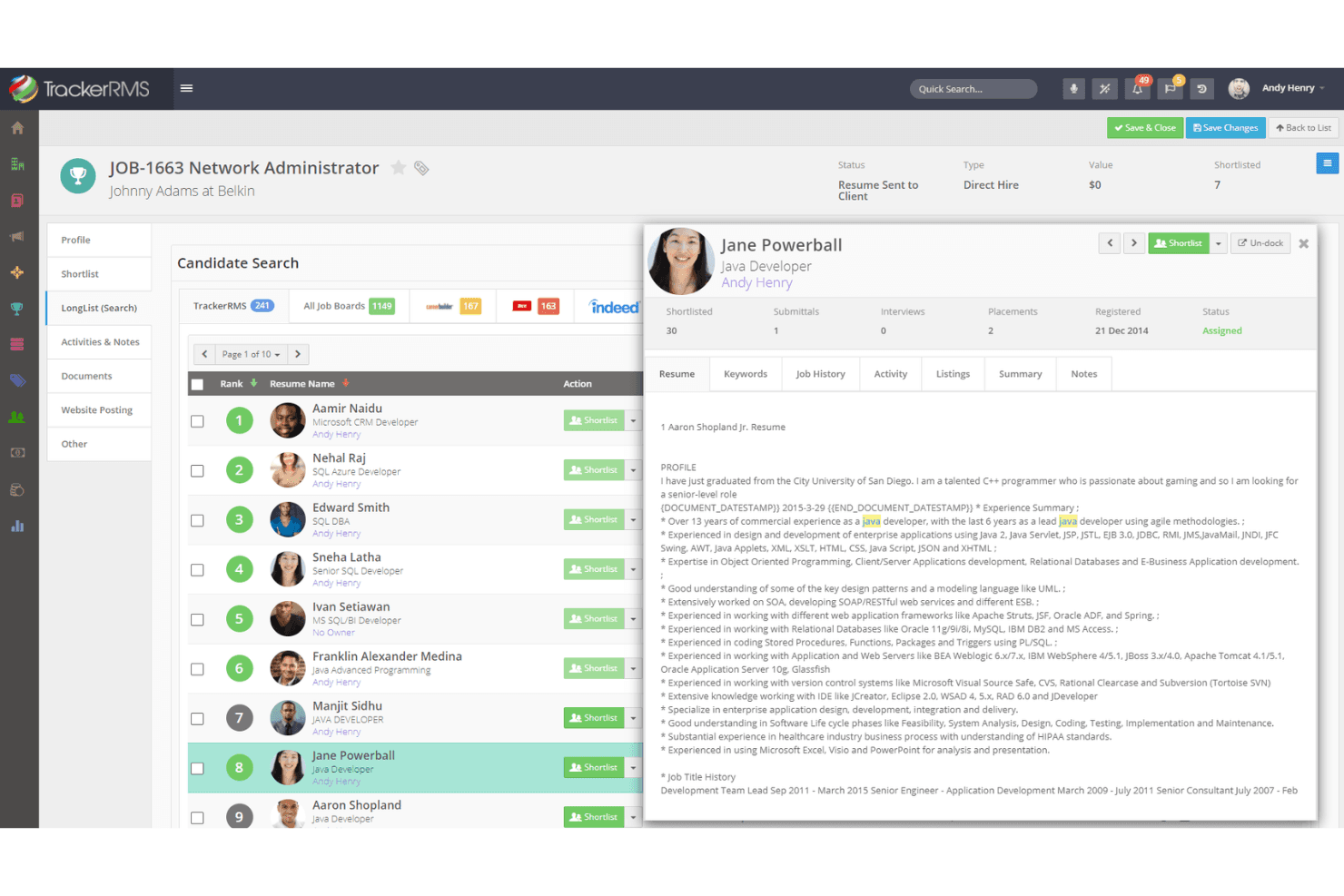
Tracker stores all candidate data, resumes, and interactions in one searchable location. This reduces manual effort and speeds up candidate searches for recruiters.
Automated Job Posting
Post jobs to multiple boards and social media with one click. This expands your reach and saves time on repetitive posting tasks.
AI-Powered Ranking
Tracker uses AI to screen and rank candidates based on job fit. This shortens screening time and helps recruiters focus on top talent.
Automated Communication and Scheduling
Automate candidate messaging and sync interview scheduling with team calendars. This improves candidate experience and reduces interview no-shows.
Collaboration Tools
Share notes, feedback, and candidate status updates with your team in real time. This keeps everyone aligned and improves coordination on open roles.
Analytics and Reporting
Track key metrics like time-to-fill and source performance with customizable dashboards. This supports data-driven hiring decisions and ROI analysis.
Standout Features
Built-In CRM Functionality
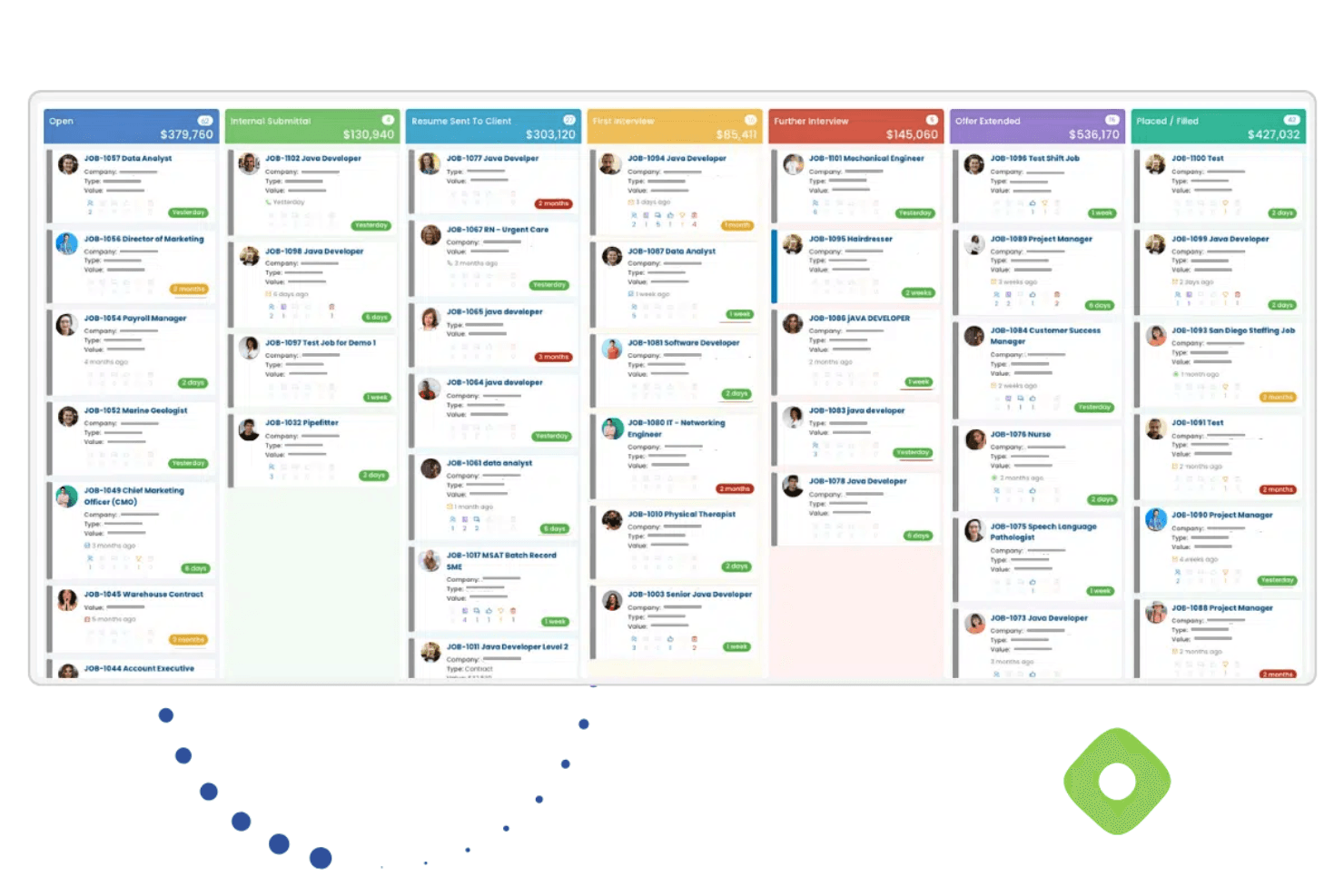
Tracker combines applicant tracking with client relationship management, letting users manage both clients and candidates. This is especially valuable for staffing agencies that need to track job orders, client communications, and placements together.
Compliance and Credential Management
Tracker offers tools for tracking candidate certifications, licenses, and compliance documents directly within the system. This feature is essential for industries like healthcare or finance.
Ease of Use
Tracker offers a user-friendly interface for easy navigation and day-to-day operation, however users have reported a learning curve when it comes to the more advanced features. However, its onboarding resources, in-app guidance, and responsive support team help users get up to speed. Once configured, the customizable dashboards and workflow automations make daily tasks more efficient. Users who need advanced functionality appreciate the depth, but those seeking a minimal, out-of-the-box solution may find the learning curve steeper.

Onboarding
Tracker’s onboarding process is thorough, with dedicated implementation support, training sessions, and a detailed knowledge base. Many users highlight the helpfulness of the support team during setup and the availability of step-by-step guides for key features. While the platform’s depth means onboarding can take time, the structured approach and responsive assistance help new users reach value quickly. This makes Tracker a strong choice for teams willing to invest in a guided rollout.
Customer Support
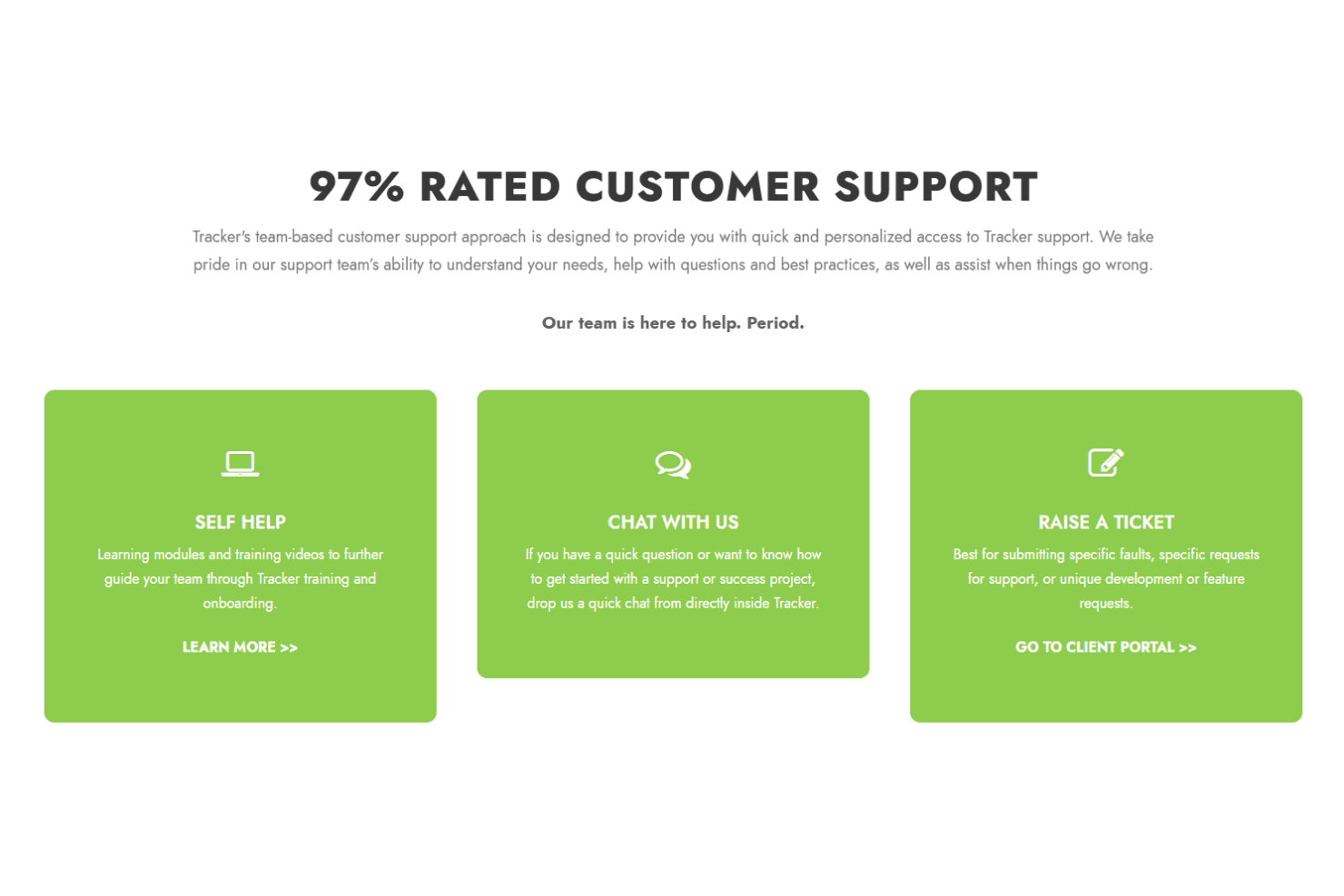
Tracker is frequently praised for its responsive and knowledgeable customer support team. Users report quick turnaround times on tickets and appreciate having access to live chat, email, and phone support. The support staff are noted for their willingness to walk users through complex issues and provide tailored solutions. This high level of assistance helps users resolve problems efficiently and contributes to a positive overall experience with the platform.
Integrations
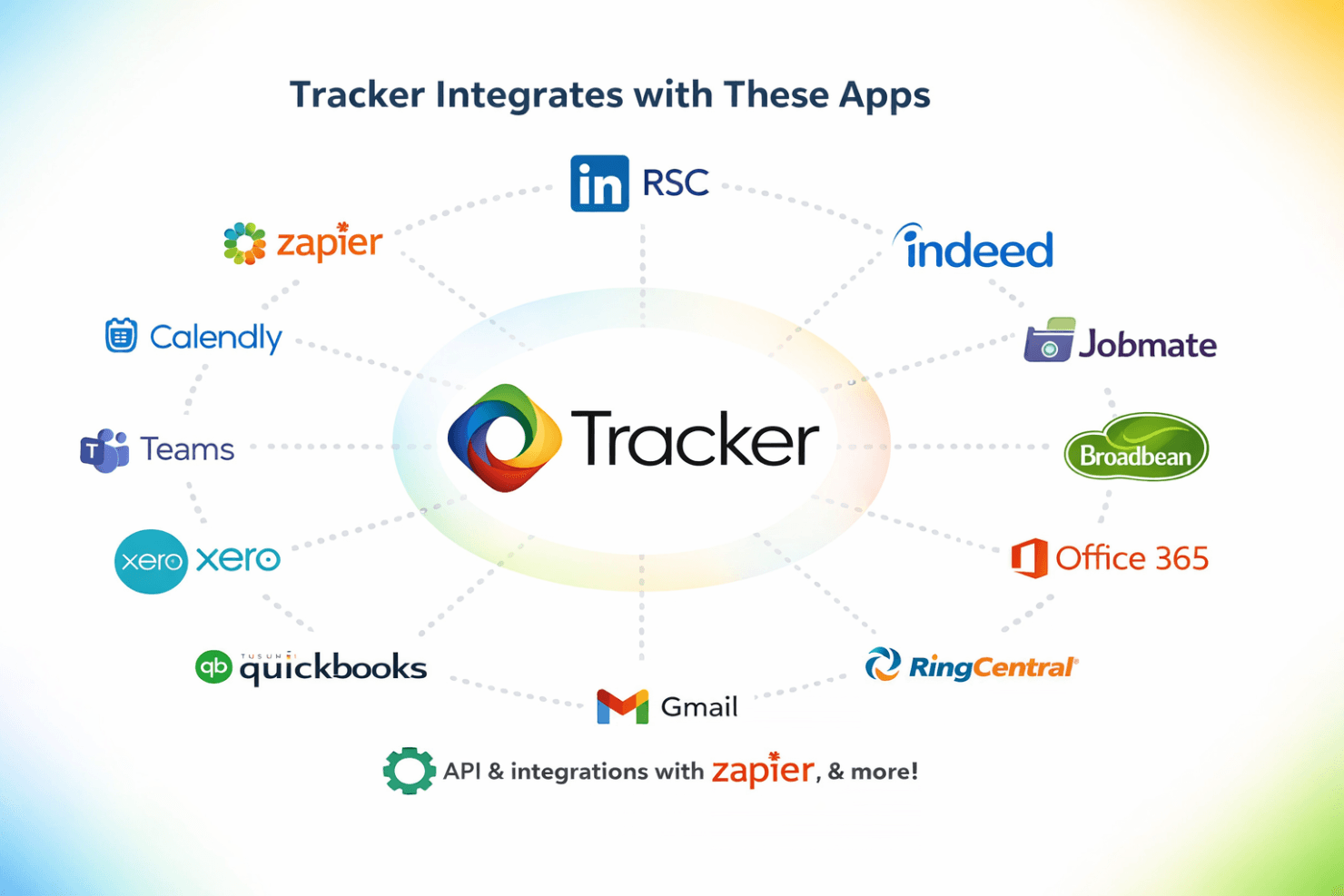
Tracker integrates with LinkedIn RSC, Indeed, Jobmate, Broadbean, Microsoft Office 365, Microsoft Teams, Gmail, QuickBooks, Xero, RingCentral, Calendly, and Zapier, among others.
Tracker also offers an API and connects with third-party integration tools like Zapier for expanded connectivity.
Value for Money
Tracker is considered a strong value for teams needing advanced features like CRM, automation, and compliance tools, though its pricing is higher than basic applicant tracking systems. Users find the investment worthwhile for the depth of functionality and responsive support, but smaller teams or those with simple needs may find the cost harder to justify.
- Launch: Includes complete ATS and CRM functionality, unlimited applicant records, and unlimited active job postings.
- Core: Adds AI content suite, a client portal, access to the mobile app, and basic workflow automation.
- Professional: Adds advanced workflow automation, custom reporting and dashboards, candidate compliance, and REST API access.
- Enterprise: Includes compliance automation, back office and payroll, case management, and geo-fencing.

Tracker Specs
- API: Yes
- Application Tracking: Yes
- Behavioral Testing: Yes
- Budgeting: No
- Calendar Management: Yes
- Candidate Database: Yes
- Cognitive Testing: Yes
- Contact Management: Yes
- Custom Assessments: Yes
- Dashboard: Yes
- Dashboards: No
- Data Export: Yes
- Data Import: Yes
- Data Visualization: Yes
- Email Integration: Yes
- Employee Database: Yes
- Employee Onboarding: Yes
- External Integrations: Yes
- Feedback Management: No
- Forecasting: Yes
- Interview Scheduling: Yes
- Multi-Source Feedback: No
- Multi-User: Yes
- Notifications: Yes
- Personality Testing: Yes
- Psychometric Testing: No
- Scheduling: Yes
- Status Notifications: Yes
- Travel Management: No
Tracker FAQs
Tracker Company Overview & History
Tracker, also known as TrackerRMS, is a privately held company headquartered in San Diego, California. Founded in 2005 by Andy Jones, Tracker specializes in integrated ATS and CRM software for staffing and recruitment firms across multiple industries. The company employs approximately 100–200 people and serves over 5,000 users worldwide, with offices in the US & UK. Tracker is not publicly traded and focuses solely on its flagship recruitment and CRM platform, with a reputation for strong customer service and ongoing innovation.
Tracker Major Milestones
- 2005: Tracker founded in San Diego, California.
- 2022: Greater Sum Ventures makes a majority investment in TrackerRMS.
- 2024: Tracker reaches over 5,000 active users and $12.6M in annual revenue.
- 2024: Assembles a global leadership team to support continued growth and innovation.