

I 10 migliori software per riunioni individuali recensiti nel 2026

10 Elenco dei migliori software per riunioni individuali


Hai la sensazione che le tue riunioni individuali siano completamente disorganizzate? Non sei il solo. Tra la gestione degli obiettivi del team, la fornitura di feedback e il monitoraggio dei progressi, è facile lasciarsi sfuggire conversazioni importanti o, peggio ancora, perdere tempo in riunioni che non portano da nessuna parte.
Questa disorganizzazione si accumula rapidamente, danneggiando il morale e le prestazioni. La soluzione? Un software per riunioni individuali. Questi strumenti apportano struttura, chiarezza e continuità a ogni incontro. Ho testato le opzioni migliori: continua a leggere per trovare quella giusta per il tuo team.
Perché fidarsi delle nostre recensioni sui software
Il nostro team testa e recensisce software dal 2012. In quanto esperti HR noi stessi, sappiamo quanto sia difficile — e importante — scegliere il software giusto.
Per questa guida, abbiamo valutato gli strumenti attraverso test pratici e ricerche indipendenti, assegnando un punteggio agli strumenti in base ai nostri criteri di selezione. Ci basiamo inoltre sulle competenze di leader di pensiero del settore e di professionisti HR attivi.
Le nostre recensioni riflettono il nostro giudizio editoriale umano, non un discorso di vendita.
Revisori esperti:
Riepilogo dei migliori software per riunioni individuali
Questa tabella comparativa riassume i dettagli sui prezzi delle mie migliori selezioni di software per riunioni individuali, per aiutarti a trovare la soluzione più adatta al tuo budget e alle esigenze della tua azienda.
| Tool | Best For | Trial Info | Price | ||
|---|---|---|---|---|---|
| 1 | Ideale per trovare fasce orarie disponibili | Piano gratuito disponibile | Da $6,95/utente/mese (fatturato annualmente) | Website | |
| 2 | Ideale per videoconferenze | Piano gratuito + demo gratuita disponibile | Da $14.16/mese (fatturazione annuale) | Website | |
| 3 | Ideale per appunti di riunione | Piano gratuito disponibile | Da $7/utente/mese (fatturato annualmente) | Website | |
| 4 | Ideale per video in 4K e audio non compresso | Piano gratuito disponibile | A partire da $24/mese (fatturato annualmente) | Website | |
| 5 | Ideale per utenti di Google Workspace | Piano gratuito disponibile | Da $7/utente/mese (fatturato annualmente) | Website | |
| 6 | Ideale per l'integrazione aziendale | Piano gratuito disponibile | Da $4/utente/mese (fatturazione annuale) | Website | |
| 7 | Ideale per l'integrazione della pianificazione | Prova gratuita di 14 giorni | $7.56/month | Website | |
| 8 | Ideale per team remoti | Prova gratuita + demo gratuita disponibile | Da $12/organizzatore/mese (fatturato annualmente) | Website | |
| 9 | Ideale per la pianificazione degli ordini del giorno | Prova gratuita disponibile | Da $9.95/utente/mese (fatturato annualmente) | Website | |
| 10 | Ideale per la programmazione rapida | Piano gratuito disponibile | Da $5/utente/mese (fatturazione annuale) | Website |
Recensione dei migliori software per riunioni individuali
Di seguito trovi i miei riepiloghi dettagliati dei migliori software per riunioni individuali inclusi nel mio elenco ristretto. Le mie recensioni offrono uno sguardo dettagliato alle funzionalità principali, ai pro e contro, alle integrazioni e ai casi d’uso ideali di ogni strumento, per aiutarti a trovare quello più adatto a te.

Doodle
Ideale per trovare fasce orarie disponibili

Doodle è uno strumento di pianificazione progettato per privati e team, pensato per coordinare riunioni ed eventi in modo efficiente. Viene utilizzato da chi ha bisogno di un modo semplice per trovare fasce orarie comuni disponibili tra più partecipanti.
Perché ho scelto Doodle: È specializzato nell'individuazione di fasce orarie, consentendoti di proporre diverse opzioni di orario ai partecipanti. Puoi creare sondaggi per raccogliere le preferenze di disponibilità, rendendo la pianificazione intuitiva. L'interfaccia di Doodle ti guida nell'organizzazione delle riunioni senza complicazioni. Queste funzionalità lo rendono ideale per chi dà priorità alla semplicità nella pianificazione.
Funzionalità e integrazioni principali:
Funzionalità includono una pagina di prenotazione che consente agli altri di fissare incontri con te in base alla tua disponibilità, una visualizzazione calendario che offre una panoramica chiara di tutti i tuoi impegni e promemoria per assicurarti di non dimenticare alcuna riunione. Questi strumenti migliorano il tuo processo di pianificazione mantenendo tutto organizzato e puntuale.
Integrazioni includono Google Calendar, Microsoft Outlook, Slack, Zoom, Microsoft Teams, iCloud, Zapier, Trello, Asana ed Evernote.
Pros and Cons
Pros:
- Pianificazione di gruppo efficiente
- Sondaggi per riunioni personalizzabili
- Non è necessario registrarsi per i partecipanti
Cons:
- Può diventare disordinato con molti sondaggi
- Potrebbe essere necessario un follow-up manuale

Zoom
Ideale per videoconferenze
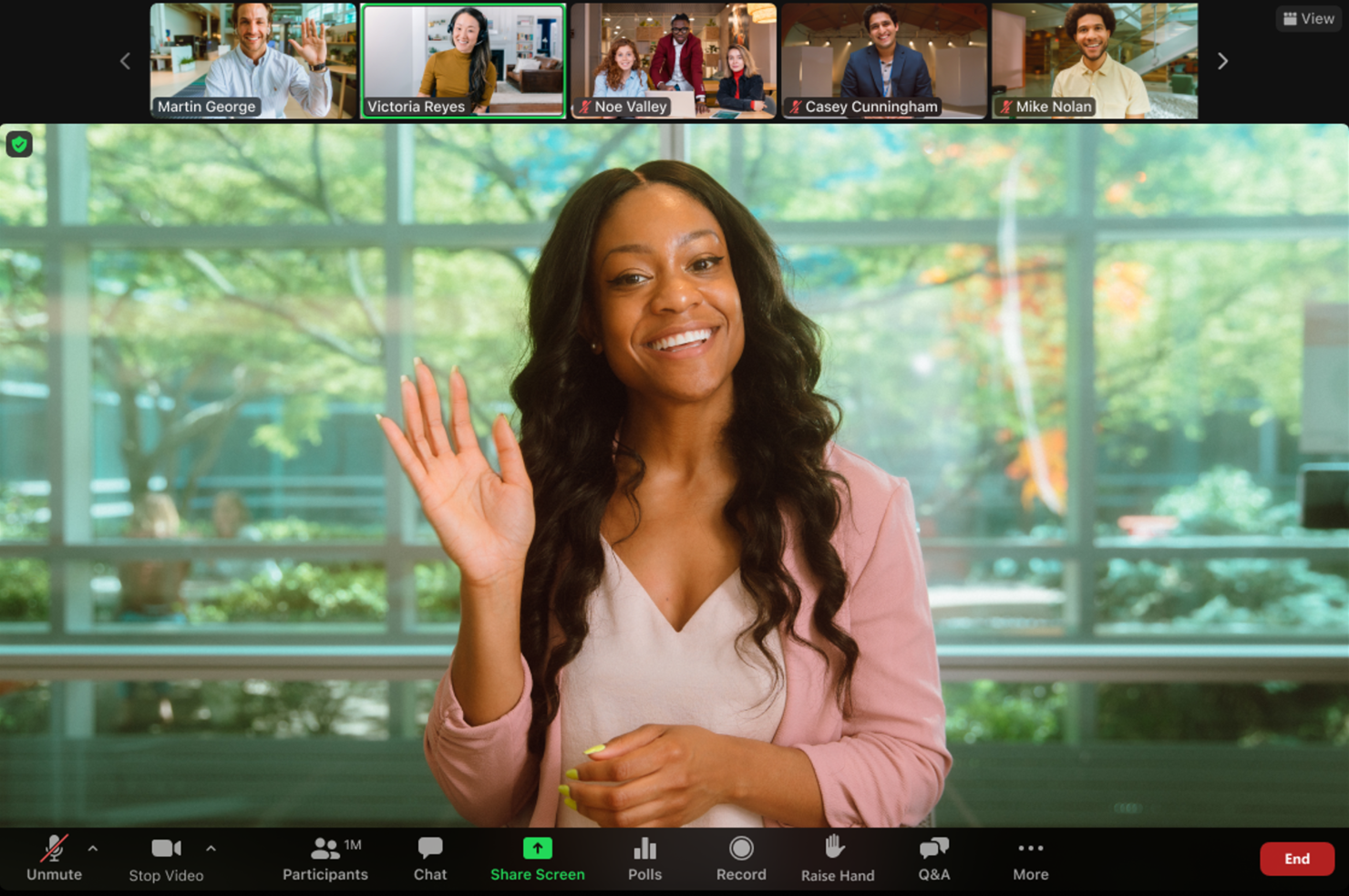
Zoom è una piattaforma di videoconferenza ampiamente utilizzata da aziende e privati per riunioni, webinar ed eventi virtuali. È popolare tra gli utenti che necessitano di una comunicazione video affidabile e di alta qualità, sia per piccoli che grandi gruppi.
Perché ho scelto Zoom: Eccelle nelle videoconferenze, offrendo funzionalità come video e audio in HD per garantire una comunicazione chiara. Puoi anche registrare le riunioni, il che è eccellente per rivedere le discussioni in un secondo momento. Zoom offre le breakout room che ti permettono di suddividere la riunione in gruppi più piccoli per discussioni più mirate. Queste funzioni rendono Zoom ideale per i team che danno priorità alla comunicazione video.
Funzionalità e integrazioni di spicco:
Funzionalità includono sfondi virtuali per mantenere la privacy, sale d'attesa per gestire l'ingresso dei partecipanti e sondaggi per raccogliere feedback immediati durante le riunioni. Queste opzioni offrono flessibilità e controllo sulla dinamica delle riunioni, migliorando l'esperienza complessiva.
Integrazioni includono Google Calendar, Microsoft Outlook, Slack, Salesforce, Dropbox, HubSpot, Asana, Trello, YouTube e LinkedIn.
Pros and Cons
Pros:
- Video e audio di alta qualità
- Configurazione delle riunioni semplice
- Impostazioni delle riunioni personalizzabili
Cons:
- Richiede il download dell'app per un utilizzo completo
- Consuma molta larghezza di banda

Fellow
Ideale per appunti di riunione
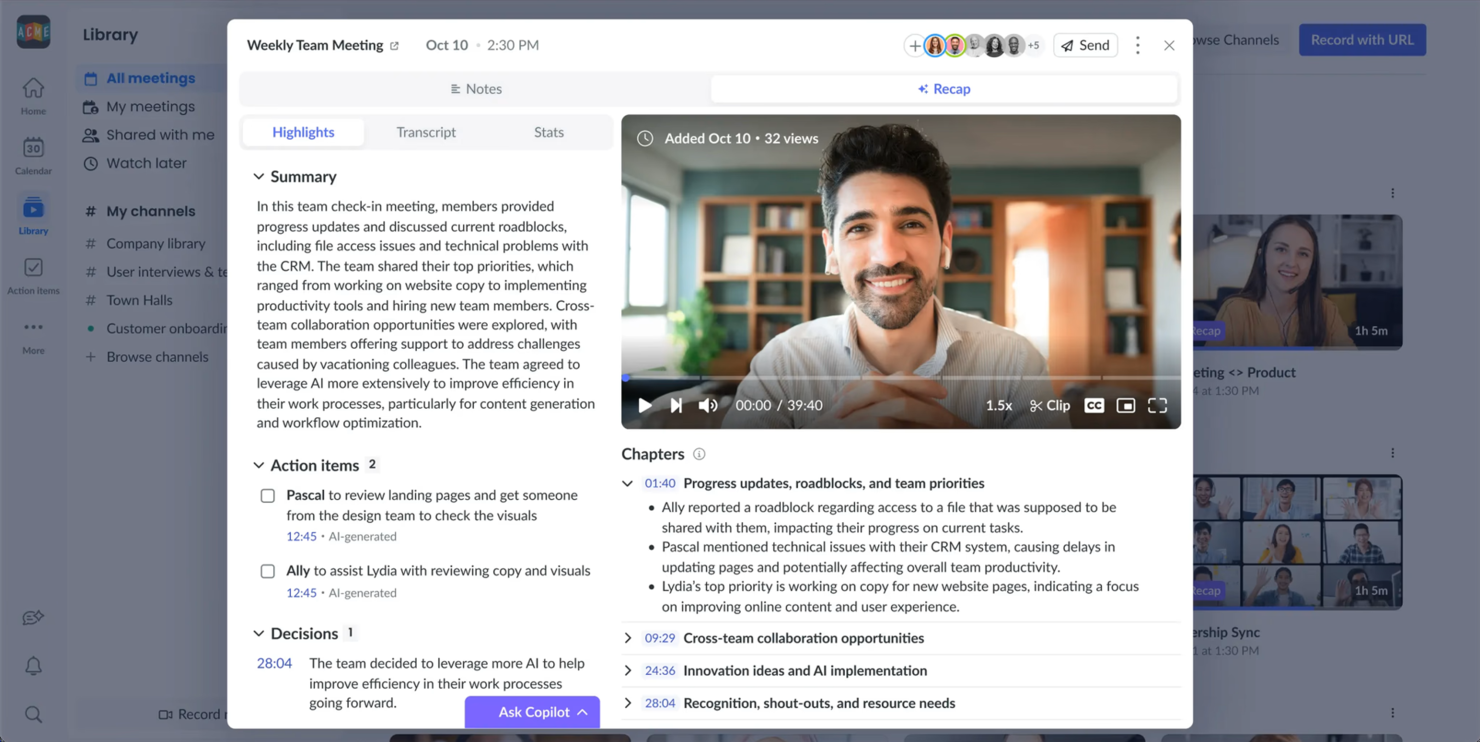
Fellow è uno strumento di gestione delle riunioni progettato per aumentare la produttività dei team e delle organizzazioni. È ideale per gli utenti che necessitano di un modo strutturato per organizzare gli ordini del giorno delle riunioni, prendere appunti e monitorare le attività da svolgere.
Perché ho scelto Fellow: Fellow è specializzato negli appunti delle riunioni, offrendo funzionalità come la presa di note collaborativa per garantire che tutti siano aggiornati. Puoi creare ordini del giorno condivisi per prepararti efficacemente alle riunioni. Lo strumento aiuta anche a monitorare le attività, rendendo più efficienti i follow-up. Queste funzionalità sono pensate per i team che danno valore a riunioni organizzate e produttive.
Funzionalità e integrazioni principali:
Funzionalità includono richieste di feedback che permettono ai membri del team di fornire input dopo le riunioni, una funzione che consente di assegnare compiti direttamente dagli appunti delle riunioni e una libreria di modelli di riunione per ottimizzare il processo di preparazione. Queste funzionalità ti aiutano a mantenere un alto livello di organizzazione e garantiscono la responsabilità all'interno del tuo team.
Integrazioni includono Slack, Google Calendar, Microsoft Teams, Zoom, Asana, Jira, Trello, GitHub, Zapier e Todoist.
Pros and Cons
Pros:
- Gestione efficace dell'ordine del giorno
- Supporta la presa di note collaborativa
- Aiuta a monitorare le attività delle riunioni
Cons:
- Richiede un uso costante per essere efficace
- Alcune funzionalità possono essere poco utilizzate

Ideale per video in 4K e audio non compresso
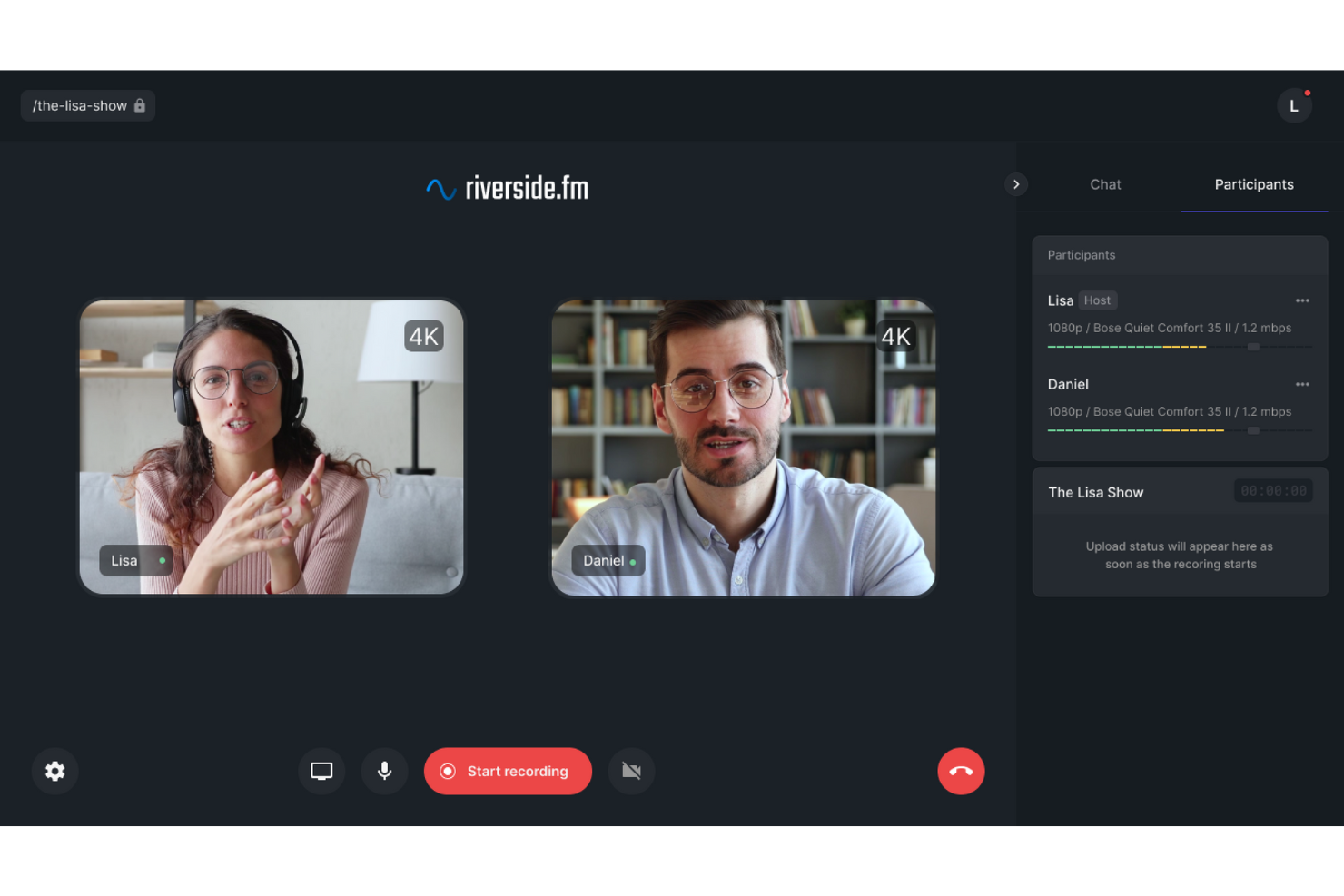
Riverside è progettato per i professionisti che necessitano di registrazioni affidabili e di alta qualità di incontri one-to-one. Le sue funzionalità di registrazione e modifica si concentrano sulla cattura di audio e video chiari, rendendolo particolarmente adatto ai creatori di contenuti che vogliono che le loro conversazioni appaiano e suonino in modo professionale.
Perché ho scelto Riverside
Ho scelto Riverside perché può registrare video in 4K e audio non compresso, garantendo risultati nitidi e costanti. Le registrazioni vengono catturate localmente, quindi la qualità rimane elevata anche se la connessione internet è instabile. Riverside include inoltre strumenti di editing basati su intelligenza artificiale che aiutano a ripulire le registrazioni rimuovendo parole riempitive e correggendo la parlata, il che lo rende un'opzione valida per chiunque tenga alla qualità finale del contenuto delle proprie riunioni.
Funzionalità principali di Riverside
Oltre alle sue capacità di registrazione eccezionali, Riverside offre diverse funzionalità che migliorano l'esperienza degli incontri one-to-one:
- Live streaming: Coinvolgi il tuo pubblico in tempo reale su più piattaforme senza compromettere la qualità.
- Trascrizioni basate su intelligenza artificiale: Genera automaticamente i testi delle tue riunioni per un facile riferimento e documentazione.
- Registrazione multi-traccia: Registra l'audio e il video di ciascun partecipante su tracce separate per un migliore controllo in fase di editing.
- Pubblicazione diretta: Pubblica facilmente le tue registrazioni su piattaforme come YouTube e Spotify per una maggiore accessibilità.
Integrazioni di Riverside
Attualmente Riverside non dichiara integrazioni native disponibili.
Pros and Cons
Pros:
- Registrazione video in 4K e audio non compresso
- Registrazione audio e video multitraccia dei partecipanti
- Strumenti di trascrizione e modifica con intelligenza artificiale
Cons:
- Principalmente focalizzato sulla creazione di contenuti
- Le funzionalità avanzate richiedono piani a pagamento

Ideale per utenti di Google Workspace
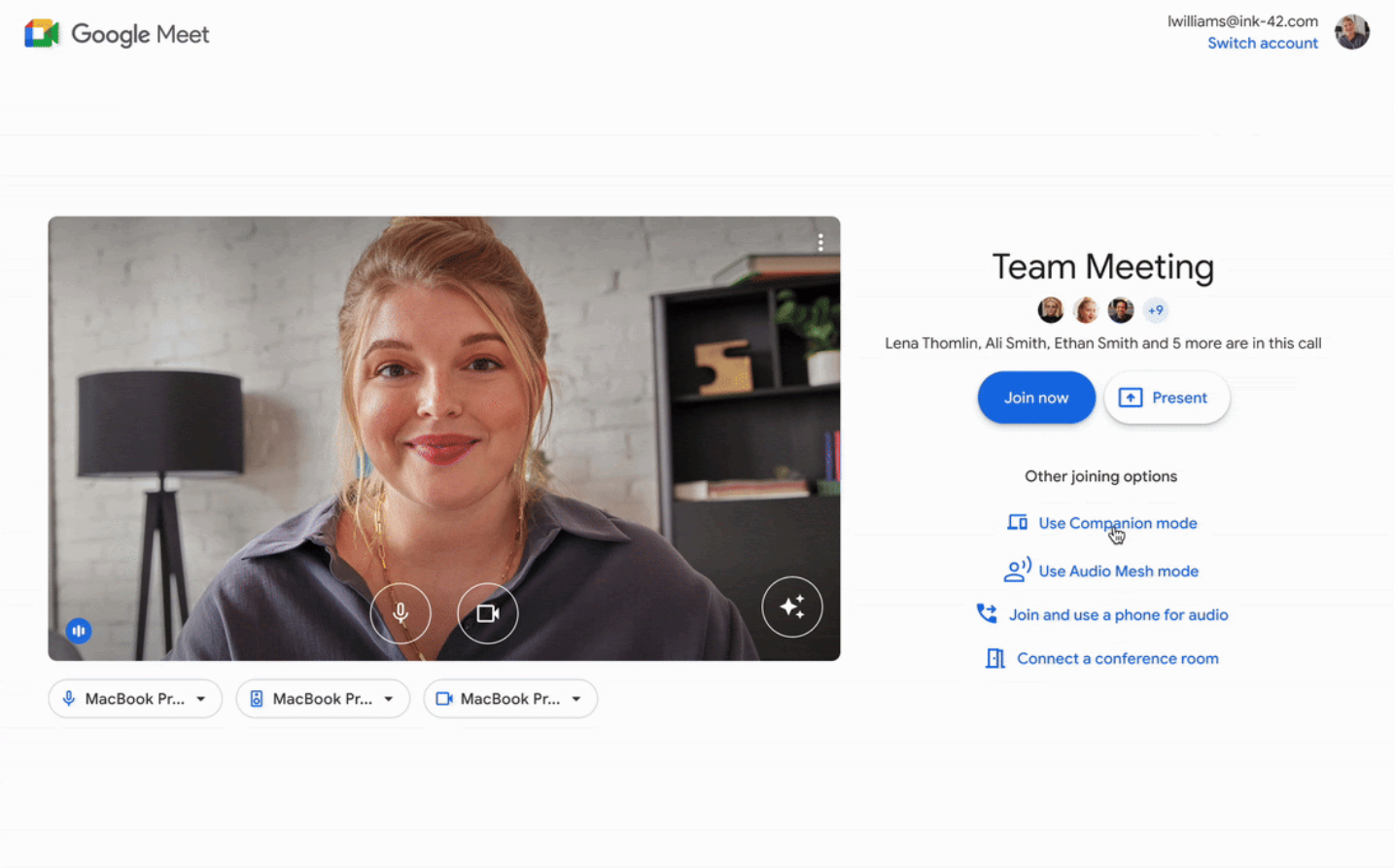
Google Meet è uno strumento di videoconferenza che serve gli utenti all'interno dell'ecosistema Google Workspace, facilitando riunioni virtuali e collaborazione. Viene utilizzato principalmente da aziende e istituti educativi che si affidano ai servizi Google per le loro attività quotidiane.
Perché ho scelto Google Meet: Si integra perfettamente con Google Workspace, permettendoti di programmare e partecipare a riunioni direttamente da Google Calendar. Questa funzionalità aiuta a semplificare i processi di pianificazione.
Google Meet offre anche sottotitoli in tempo reale, che possono migliorare l'accessibilità per i partecipanti. L'interfaccia basata su browser significa che non è necessario scaricare alcun software, rendendolo conveniente per chi dà priorità alla facilità di accesso.
Caratteristiche e integrazioni distintive:
Funzionalità includono layout personalizzabili per adattarsi alle tue preferenze di riunione, la possibilità di condividere lo schermo per presentazioni e la cancellazione del rumore per migliorare la qualità audio. Queste funzionalità migliorano l'esperienza delle riunioni offrendo flessibilità e chiarezza nella comunicazione.
Integrazioni includono Google Calendar, Gmail, Google Drive, Microsoft Outlook, Slack, Zoom, Trello, Asana, Salesforce e Zapier.
Pros and Cons
Pros:
- Facile accesso dal browser
- Sottotitoli in tempo reale per l'accessibilità
- Nessun download di software richiesto
Cons:
- Richiede un account Google
- Problemi di connettività occasionali
Ideale per l'integrazione aziendale

Microsoft Teams è una piattaforma di comunicazione e collaborazione progettata per le aziende che desiderano integrarsi con altri servizi Microsoft. Si rivolge alle imprese che necessitano di una soluzione unificata per riunioni, chat e collaborazione.
Perché ho scelto Microsoft Teams: Offre un'integrazione aziendale collegandosi senza interruzioni agli strumenti di Microsoft 365, come Outlook e SharePoint. Questa integrazione consente di pianificare riunioni direttamente dal calendario e di condividere file con facilità.
Teams offre anche funzionalità come messaggi in thread e canali per una comunicazione organizzata. Queste capacità lo rendono una scelta eccellente per le aziende che già utilizzano prodotti Microsoft.
Funzionalità e integrazioni principali:
Le funzionalità includono sottotitoli in tempo reale durante le riunioni per l'accessibilità, sfocatura dello sfondo per migliorare le videochiamate e registrazione delle riunioni per riferimento futuro. Queste caratteristiche rendono le riunioni più inclusive ed efficienti, offrendo opzioni adatte a diverse esigenze.
Le integrazioni includono Microsoft 365, Outlook, SharePoint, OneDrive, Power BI, Trello, Asana, GitHub, Zoom e Adobe Creative Cloud.
Pros and Cons
Pros:
- Supporta grandi riunioni virtuali
- Layout di riunione personalizzabili
- Collaborazione in tempo reale sui documenti
Cons:
- Funzionalità limitata fuori dall'ecosistema Microsoft
- A volte si verifica un ritardo in riunioni numerose

Ideale per l'integrazione della pianificazione

Google Calendar è uno strumento di pianificazione utilizzato principalmente da individui e team per organizzare e gestire il tempo in modo efficace. È apprezzato dagli utenti che necessitano di un modo semplice per programmare riunioni e appuntamenti, integrandosi con altri servizi Google.
Perché ho scelto Google Calendar: Si distingue per l'integrazione della pianificazione, rendendo facile coordinare incontri direttamente dal calendario. Lo strumento consente di condividere il proprio calendario con altri, semplificando il processo di organizzazione.
Puoi impostare promemoria per tenere traccia degli eventi e delle scadenze imminenti. Queste caratteristiche rendono Google Calendar una scelta eccellente per chi si affida a Google Workspace per le attività quotidiane.
Funzionalità e integrazioni principali:
Funzionalità includono la creazione di più calendari per scopi diversi, la codifica a colori degli eventi per identificarli facilmente e l'impostazione di eventi ricorrenti per risparmiare tempo nella pianificazione ripetitiva. Queste funzioni ti aiutano a organizzare efficacemente il tuo programma e a monitorare vari impegni.
Le integrazioni includono Google Meet, Gmail, Google Drive, Microsoft Outlook, Slack, Zoom, Trello, Asana, Evernote, Salesforce e Zapier.
Pros and Cons
Pros:
- Integrazione facile con i servizi Google
- Notifiche personalizzabili per gli eventi
- Accessibile da qualsiasi dispositivo
Cons:
- Opzioni di pianificazione avanzata limitate
- Nessun supporto clienti diretto

Ideale per team remoti
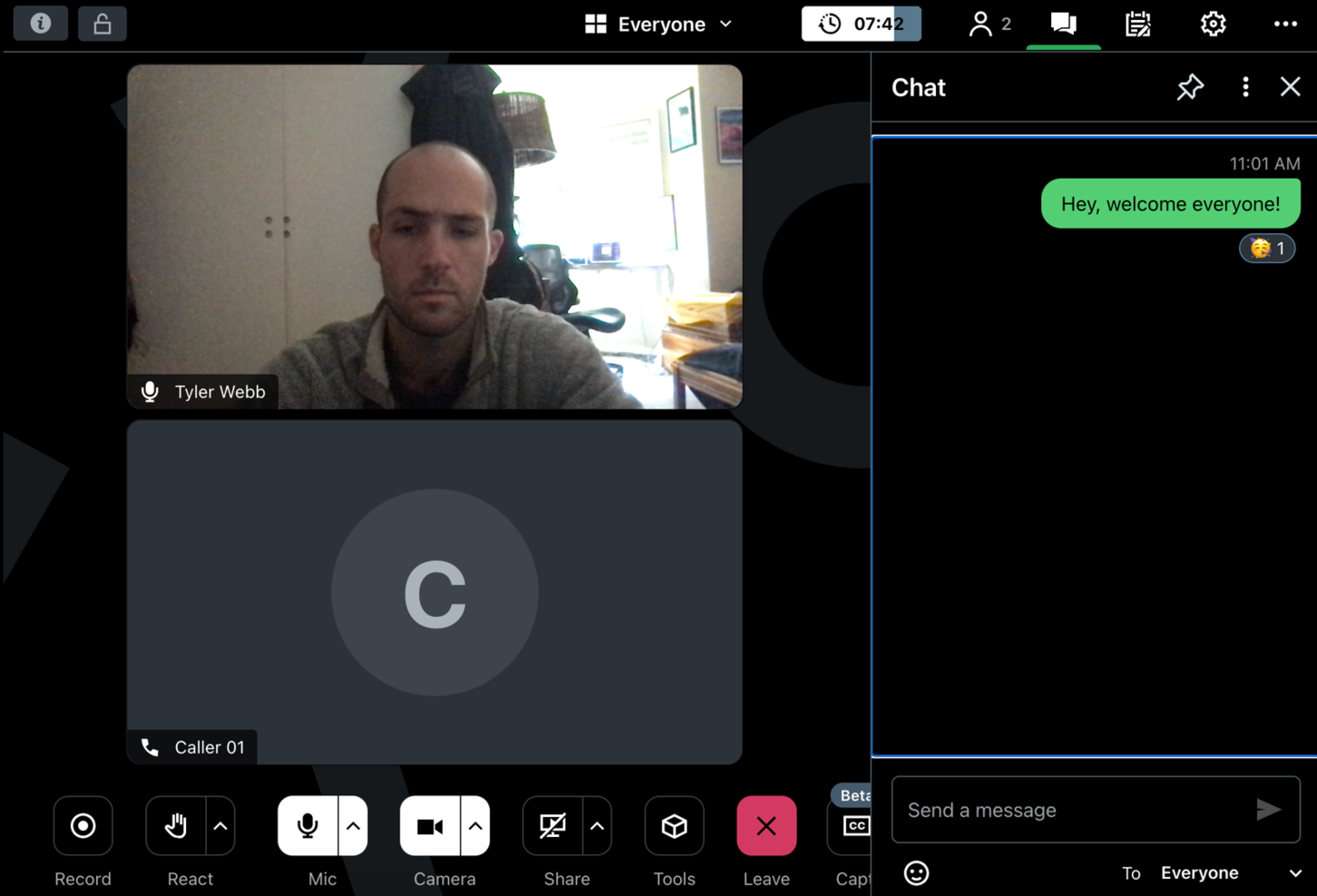
GoTo Meeting è una soluzione di videoconferenza pensata per aziende e team remoti che desiderano svolgere riunioni virtuali e presentazioni. È apprezzata dagli utenti che necessitano di una piattaforma affidabile per la collaborazione e la comunicazione a distanza.
Perché ho scelto GoTo Meeting: Si rivolge ai team remoti offrendo funzionalità come videoconferenze in HD e condivisione dello schermo, che migliorano la qualità della comunicazione. Lo strumento offre servizi di trascrizione delle riunioni, consentendo di riascoltare le discussioni in un secondo momento. È anche possibile registrare le riunioni per coloro che non hanno potuto partecipare.
Queste funzionalità rendono GoTo Meeting una scelta solida per i team che lavorano da sedi diverse.
Funzionalità e integrazioni principali:
Funzionalità includono strumenti di disegno che permettono di annotare gli schermi condivisi durante le riunioni, app mobili che consentono di partecipare agli incontri ovunque, e una funzione di blocco della riunione per maggiore sicurezza. Queste caratteristiche garantiscono riunioni interattive, accessibili e sicure.
Integrazioni includono Slack, Microsoft Office 365, Google Calendar, Salesforce, Zapier, Zoho CRM, Trello, Asana, Podio e Calendly.
Pros and Cons
Pros:
- Connessione affidabile per le riunioni a distanza
- Offre la trascrizione delle riunioni
- Fornisce strumenti di disegno per l'interazione
Cons:
- Potrebbero verificarsi occasionali problemi audio
- Funzionalità limitate nelle app mobili

Ideale per la pianificazione degli ordini del giorno
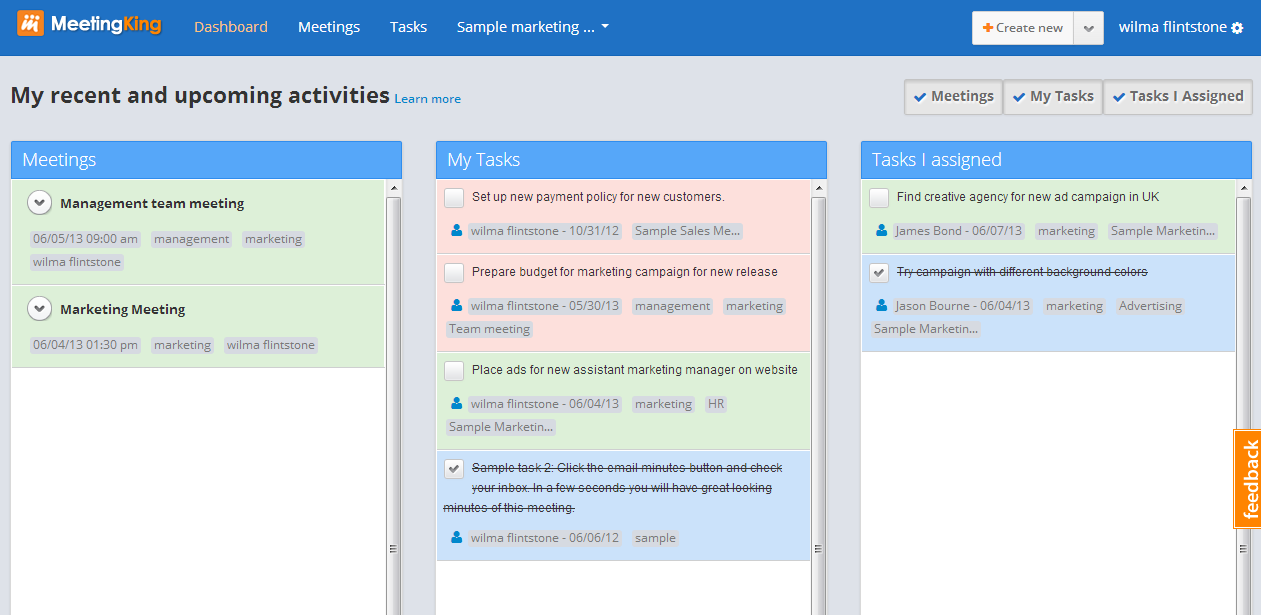
MeetingKing è uno strumento di gestione delle riunioni progettato per aiutare i team a pianificare e organizzare le loro riunioni in modo efficace. Viene utilizzato dai team che necessitano di un approccio strutturato nella definizione degli ordini del giorno e nella gestione dei risultati della riunione.
Perché ho scelto MeetingKing: MeetingKing è pensato appositamente per la pianificazione degli ordini del giorno, offrendo funzionalità che consentono di creare e condividere facilmente le agende con il proprio team. Puoi assegnare compiti durante le riunioni, garantendo che i follow-up siano chiari e attuabili.
Lo strumento fornisce anche modelli per semplificare il processo di creazione degli ordini del giorno. Queste caratteristiche lo rendono una scelta preziosa per i team che puntano a riunioni strutturate e produttive.
Caratteristiche principali & integrazioni:
Caratteristiche includono la possibilità di convertire le note delle riunioni in attività, tenere traccia delle decisioni prese durante le riunioni e archiviare tutti i dati delle riunioni in un unico posto per un facile accesso. Queste funzionalità aumentano la capacità di gestire le riunioni in modo efficiente e di mantenere tutti allineati sugli obiettivi.
Integrazioni includono Google Calendar, Microsoft Outlook, Slack, Evernote, Dropbox, Box, OneDrive, Trello, Asana e Zapier.
Pros and Cons
Pros:
- Supporta verbali dettagliati delle riunioni
- Fornisce modelli strutturati per le riunioni
- Accesso facile alla cronologia delle riunioni
Cons:
- Richiede aggiornamenti regolari dagli utenti
- Potrebbe richiedere formazione per l'utilizzo completo

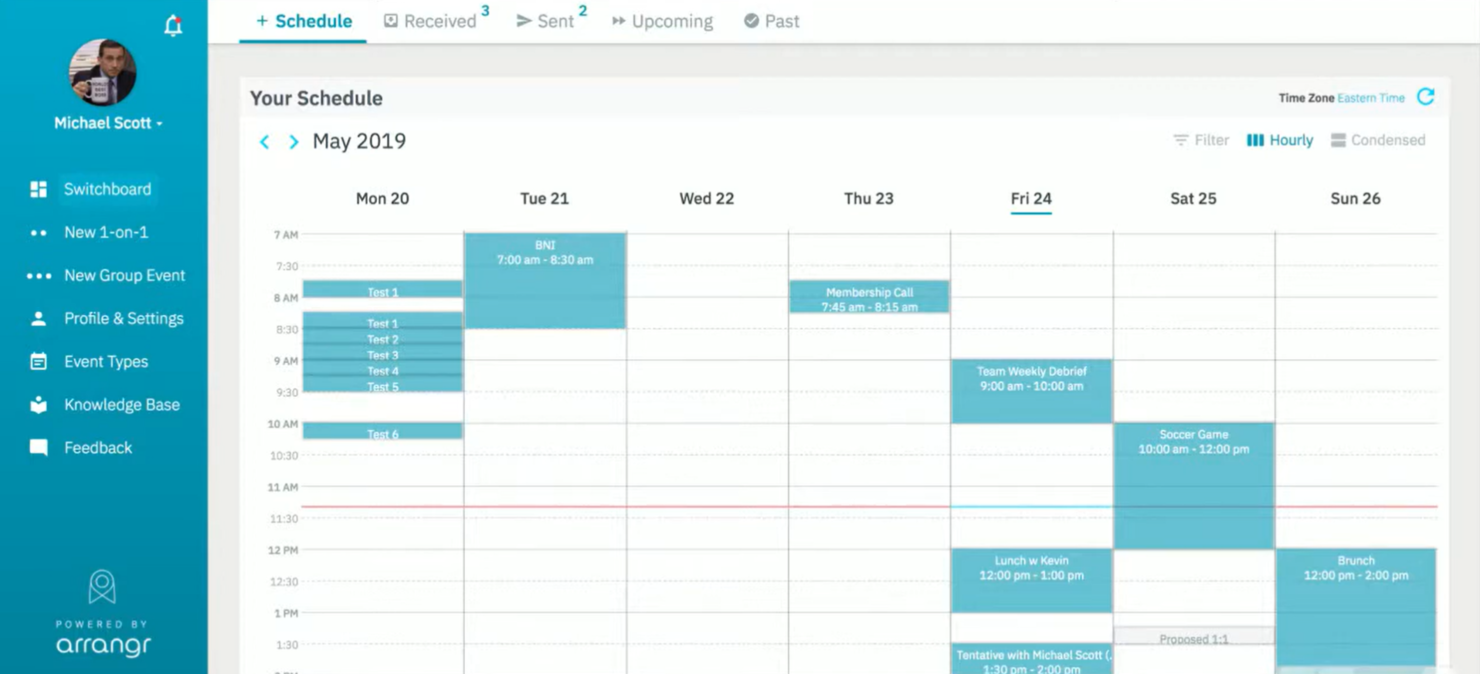
Arrangr è uno strumento di pianificazione progettato per semplificare il processo di organizzazione di riunioni e appuntamenti. Viene utilizzato da individui e team che hanno bisogno di un modo rapido ed efficiente per coordinare gli orari senza i soliti scambi di email.
Perché ho scelto Arrangr: Arrangr è eccellente per la pianificazione rapida perché consente di proporre facilmente diverse fasce orarie. Puoi inviare link di pianificazione che i destinatari possono utilizzare per scegliere l'orario che preferiscono.
Arrangr offre anche una funzione per riservare orari provvisori fino a che non viene presa una decisione definitiva. Queste funzionalità lo rendono perfetto per chi desidera semplificare il processo di organizzazione.
Funzionalità eccezionali & integrazioni:
Funzionalità includono suggerimenti intelligenti sulla posizione per trovare luoghi di incontro comodi, il rilevamento automatico del fuso orario per evitare confusioni, e modelli di riunione personalizzabili che ti fanno risparmiare tempo. Queste caratteristiche migliorano l'esperienza di pianificazione rendendola più intuitiva e facile da usare.
Integrazioni includono Google Calendar, Microsoft Outlook, Zoom, Slack, Microsoft Teams, iCloud, Zapier, Trello, Asana e Salesforce.
Pros and Cons
Pros:
- Proposte di fasce orarie efficienti
- Modelli di pianificazione personalizzabili
- Suggerimenti intelligenti sulla posizione
Cons:
- Funzionalità offline limitate
- Richiede un uso costante per risultati ottimali
Altri software per riunioni individuali
Ecco alcune ulteriori opzioni di software per riunioni individuali che non sono entrate nel mio elenco ristretto, ma che vale comunque la pena prendere in considerazione:
- Slack
Ideale per la collaborazione di team
- Deel Engage
Ideale per l'inserimento dei dipendenti
- FreeConferenceCall
Ideale per riunioni economiche
- Rumi
Perfetto per meeting video veloci


Come Valuto i Software per Riunioni One-to-One
Esamino due livelli: i requisiti fondamentali che ogni strumento per 1:1 deve coprire—agende condivise, tracciamento delle azioni, note della riunione—e i fattori differenzianti che rendono uno strumento adatto ai team delle risorse umane.
Funzionalità Principali (Requisiti Minimi per Questa Lista)
Quando seleziono gli strumenti per la mia lista, valuto ciascuno su una scala da 0 (non offre la funzionalità) a 5 (eccelle in quest'area) per ciascuna delle funzionalità principali elencate di seguito. Poi calcolo il punteggio totale dello strumento come percentuale. Ogni strumento deve raggiungere un punteggio totale minimo del 65% per essere considerato per l'inclusione.
- Creazione di Agende Condivise: Verifico se sia i manager che i collaboratori diretti possono aggiungere punti all'agenda prima e durante la riunione, così che nessuna delle parti arrivi impreparata.
- Punti di Discussione & Modelli: Importano i modelli predefiniti per 1:1—cerco librerie che includano formati comuni come i check-in settimanali, conversazioni sulla crescita professionale e sincronizzazioni di onboarding.
- Tracciamento delle Azioni: Ogni strumento dovrebbe permetterti di assegnare attività con relativi responsabili e date di scadenza che vengano riportate automaticamente alla riunione successiva.
- Integrazione Obiettivi & OKR: Valuto quanto bene le discussioni 1:1 si colleghino agli obiettivi esistenti, così i manager possono consultare gli aggiornamenti sui progressi senza dover passare tra diverse piattaforme.
- Scambio di Feedback Continuo: Cerco la possibilità di condividere feedback strutturati legati a specifici 1:1, una funzione particolarmente importante per i team che hanno conversazioni di performance continuative.
- Storico delle Riunioni & Note: Un archivio ricercabile delle note 1:1 passate aiuta i manager a prepararsi per le revisioni e a individuare tendenze nel tempo, quindi controllo come ogni strumento organizza e recupera questi dati.
Una volta raccolta una lista di strumenti che soddisfano i criteri, considero ciò che distingue ciascuna piattaforma.
Fattori Differenzianti (Ciò che Distingue i Fornitori)
Ecco come confronto i diversi fornitori:
Funzionalità Distintive
Gli assistenti alle riunioni basati su intelligenza artificiale sono un grande elemento distintivo—cerco strumenti che generino automaticamente riepiloghi e suggeriscano punti di discussione rilevanti dalle conversazioni precedenti, riducendo il tempo di preparazione per i manager di grandi team. Anche le notifiche di coaching per i manager sono importanti, specialmente per le organizzazioni che formano neo-leader che traggono beneficio da domande suggerite direttamente nell'app. Valuto anche le dashboard di analisi 1:1, poiché i team HR necessitano di visibilità sulla frequenza e sulle cancellazioni delle riunioni tra i dipartimenti per individuare tempestivamente manager poco coinvolti.
Oltre le Funzionalità
La profondità delle integrazioni è una delle prime cose che controllo. Uno strumento per 1:1 deve sincronizzarsi con il calendario, Slack o MS Teams e il sistema HRIS—altrimenti l'adozione crolla rapidamente perché i manager non vogliono uscire dal loro flusso di lavoro abituale. Anche la privacy dei dati qui ha un peso reale, poiché le note 1:1 spesso contengono dettagli sensibili su performance e aspetti personali. Cerco controlli granulari che separino le note private del manager dai contenuti condivisi. Infine, valuto quanto bene una piattaforma supporti l'adozione da parte dei manager attraverso risorse di onboarding e playbook pronti all'uso, dato che i team HR raramente hanno il tempo di formare individualmente ogni responsabile delle persone.
Come scegliere un software per riunioni individuali
È facile perdersi in lunghi elenchi di funzionalità e strutture di prezzo complesse. Per aiutarti a rimanere concentrato mentre affronti il tuo processo di selezione del software, ecco un elenco di fattori da tenere a mente:
| Fattore | Cosa considerare |
| Scalabilità | Assicurati che il software possa crescere insieme al tuo team. Cerca soluzioni in grado di gestire un numero crescente di utenti e riunioni senza perdere funzionalità o velocità. |
| Integrazioni | Scegli un software che si integri con gli strumenti che già utilizzi, come calendari e applicazioni per la gestione dei progetti, per semplificare i flussi di lavoro e risparmiare tempo. |
| Personalizzazione | Scegli soluzioni che ti consentano di adattare le funzionalità alle esigenze specifiche del tuo team, migliorando la produttività e la soddisfazione degli utenti. |
| Facilità d'uso | Assicurati che l'interfaccia sia intuitiva e facile da usare, così da ridurre la curva di apprendimento e favorire l'adozione da parte di tutto il team. |
| Budget | Considera il costo totale, comprese eventuali commissioni nascoste. Cerca prezzi flessibili che rientrino nel tuo budget e offrano il miglior rapporto qualità-prezzo per le funzionalità disponibili. |
| Misure di sicurezza | Verifica la presenza di solide funzionalità di sicurezza, come la crittografia e la conformità alle normative sulla protezione dei dati, per mantenere sicure le tue riunioni. |
| Assistenza | Un'assistenza clienti affidabile è fondamentale. Cerca un servizio disponibile 24 ore su 24, 7 giorni su 7, e diverse modalità di contatto per risolvere rapidamente i problemi. |
| Funzionalità | Individua le funzionalità indispensabili in linea con le tue esigenze, come la registrazione video, gli appunti delle riunioni o la gestione delle attività, per assicurarti che lo strumento soddisfi i tuoi obiettivi. |
Tendenze nei software per riunioni individuali
Durante la mia ricerca, ho raccolto numerosi aggiornamenti dei prodotti, comunicati stampa e registri delle versioni pubblicati da diversi fornitori di software per riunioni individuali. Ecco alcune delle tendenze emergenti che sto tenendo d'occhio:
- Approfondimenti basati sull'IA: L'IA viene utilizzata per analizzare i dati delle riunioni e fornire informazioni utili e attuabili. Questo aiuta i team a comprendere i livelli di coinvolgimento e a migliorare l'efficacia delle riunioni. Alcuni fornitori offrono strumenti per l'analisi del sentiment e il feedback in tempo reale, al fine di migliorare la comunicazione.
- Riunioni in realtà virtuale: La realtà virtuale rende le riunioni più coinvolgenti. Consente ai partecipanti di interagire in uno spazio virtuale, il che può essere particolarmente utile per i team remoti che desiderano creare un senso di presenza e collaborazione.
- Attenzione al benessere mentale: Molti strumenti stanno integrando funzionalità che promuovono la salute mentale, come promemoria per fare pause e tecniche di riduzione dello stress. Questa tendenza riflette una crescente consapevolezza dell'importanza del benessere nella produttività sul posto di lavoro.
- Funzionalità di sicurezza avanzate: Poiché la protezione dei dati sta diventando una priorità, i fornitori di software stanno aggiungendo ulteriori funzionalità di sicurezza, come la crittografia end-to-end e la conformità agli standard internazionali. Questo è fondamentale per le aziende che gestiscono informazioni sensibili.
- Strumenti per la collaborazione asincrona: Si sta assistendo a uno spostamento verso il supporto al lavoro asincrono, in cui i team possono collaborare senza partecipare alla stessa riunione. Funzionalità come i messaggi registrati e gli spazi di lavoro condivisi stanno diventando sempre più comuni, consentendo una comunicazione flessibile.
Che cos'è il software per riunioni individuali?
Il software per riunioni individuali è uno strumento progettato per facilitare la comunicazione diretta tra due persone. Questi strumenti vengono generalmente utilizzati da manager, responsabili di team e professionisti delle risorse umane per organizzare incontri periodici, revisioni delle prestazioni e sessioni di coaching. Le funzionalità di pianificazione, videoconferenza e presa di appunti aiutano a organizzare le riunioni, migliorare la comunicazione e monitorare i progressi. Nel complesso, questi strumenti offrono valore migliorando l'efficienza della comunicazione e favorendo relazioni professionali più solide.
Funzionalità del software per riunioni individuali
Quando scegli un software per riunioni individuali, presta attenzione alle seguenti funzionalità principali:
- Strumenti di pianificazione: Individuano e prenotano automaticamente gli orari delle riunioni, evitando il fastidio di scambiarsi email avanti e indietro.
- Videoconferenze: Facilitano la comunicazione faccia a faccia, fondamentale per creare sintonia e comprensione.
- Funzionalità per prendere appunti: Consentono di registrare punti importanti e decisioni, assicurando che nulla venga dimenticato.
- Gestione delle attività: Aiuta ad assegnare e monitorare le attività da svolgere, mantenendo tutti responsabili e aggiornati.
- Modelli per le riunioni: Forniscono una struttura organizzata per le riunioni, migliorando coerenza ed efficienza.
- Collaborazione in tempo reale: Consente ai partecipanti di lavorare insieme durante le riunioni, aumentando la produttività.
- Funzionalità di sicurezza: Proteggono le informazioni sensibili tramite la crittografia e la conformità agli standard di protezione dei dati.
- Approfondimenti basati sull'IA: Offrono analisi sulle prestazioni delle riunioni, aiutando a migliorare le interazioni future.
- Comunicazione asincrona: Supporta orari di lavoro flessibili consentendo ai partecipanti di interagire quando preferiscono.
- Opzioni di integrazione: Si collegano agli altri strumenti utilizzati, semplificando i flussi di lavoro e aumentando la produttività.
Vantaggi del software per riunioni individuali
L'implementazione di un software per riunioni individuali offre diversi vantaggi al team e all'azienda. Ecco alcuni dei benefici che puoi aspettarti:
- Comunicazione migliorata: Gli strumenti di videoconferenza e collaborazione in tempo reale migliorano la chiarezza e la comprensione durante le riunioni.
- Maggiore produttività: La gestione delle attività e i modelli per le riunioni aiutano a mantenere gli incontri mirati ed efficienti, facendo risparmiare tempo.
- Organizzazione migliore: Gli strumenti di pianificazione e le funzionalità per prendere appunti assicurano che le riunioni siano ben organizzate e che i dettagli importanti vengano documentati.
- Maggiore responsabilità: L'assegnazione delle attività e il monitoraggio dei progressi assicurano che i membri del team portino a termine i propri impegni.
- Flessibilità: Le opzioni di comunicazione asincrona consentono ai membri del team di interagire secondo i propri orari, adattandosi a diversi fusi orari e abitudini lavorative.
- Sicurezza dei dati: Le funzionalità di sicurezza proteggono le informazioni sensibili, garantendo tranquillità durante le riunioni.
- Informazioni utili e attuabili: Le analisi basate sull'IA forniscono feedback sull'efficacia delle riunioni, aiutando a migliorare gli aspetti che ne hanno bisogno.
Costi e prezzi del software per riunioni individuali
La scelta di un software per riunioni individuali richiede la comprensione dei vari modelli e piani tariffari disponibili. I costi variano in base alle funzionalità, alle dimensioni del team, ai componenti aggiuntivi e ad altri fattori. La tabella seguente riassume i piani più comuni, i relativi prezzi medi e le funzionalità tipicamente incluse nelle soluzioni software per riunioni individuali:
Tabella comparativa dei piani per software per riunioni individuali
| Tipo di piano | Prezzo medio | Funzionalità comuni |
| Piano gratuito | $0 | Pianificazione di base, videoconferenze limitate e spazio di archiviazione minimo. |
| Piano personale | $5-$15/user/month | Riunioni illimitate, qualità video standard e integrazioni di base. |
| Piano aziendale | $15-$25/user/month | Pianificazione avanzata, video HD, gestione delle attività e assistenza prioritaria. |
| Piano aziendale | $25-$50/user/month | Funzionalità personalizzabili, sicurezza avanzata, analisi basate sull'IA e gestione dedicata dell'account. |
Domande frequenti sui software per riunioni individuali
Ecco alcune risposte alle domande più comuni sui software per riunioni individuali:
Qual è il prossimo passo?
Se stai cercando un software per riunioni individuali, contatta gratuitamente un consulente di SoftwareSelect per ricevere consigli.
Compili un modulo e fai una breve conversazione durante la quale il consulente approfondirà le tue esigenze specifiche. In seguito riceverai una selezione ristretta di software da valutare. Ti supporterà anche durante l'intero processo di acquisto, comprese le trattative sul prezzo.