

I 10 migliori strumenti di strategia dell’IA recensiti nel 2026

Selezione dei migliori strumenti di strategia basati sull'AI


I responsabili della strategia devono agire rapidamente, prendere decisioni chiare e guidare i team attraverso un intero ciclo che comprende ideazione, sviluppo, comunicazione ed esecuzione. Mantenere efficace questo processo richiede strumenti in grado di far emergere informazioni utili, supportare l'analisi e aiutare i team a rimanere allineati tra le diverse funzioni. Gli strumenti di strategia basati sull'AI sono progettati esattamente per questo tipo di lavoro, fornendo input strutturati, raccomandazioni intelligenti e supporto pratico in ogni fase.
Basandomi su anni di test del software e sull'esperienza maturata con i flussi di lavoro strategici nelle risorse umane e nelle attività operative, ho esaminato gli strumenti di AI che rafforzano concretamente la pianificazione e l'attuazione delle strategie. In questo articolo troverai le opzioni che aiutano a generare idee, pianificare scenari, modellare obiettivi, creare contenuti e monitorare le azioni.
Alla fine avrai una visione chiara degli strumenti che possono aiutare i responsabili a definire la strategia e guidare i team con maggiore chiarezza e sicurezza. Vediamo cosa può supportare il tuo prossimo ciclo di pianificazione.
Perché fidarsi delle nostre recensioni sui software
Il nostro team testa e recensisce software dal 2012. In quanto esperti HR noi stessi, sappiamo quanto sia difficile — e importante — scegliere il software giusto.
Per questa guida, abbiamo valutato gli strumenti attraverso test pratici e ricerche indipendenti, assegnando un punteggio agli strumenti in base ai nostri criteri di selezione. Ci basiamo inoltre sulle competenze di leader di pensiero del settore e di professionisti HR attivi.
Le nostre recensioni riflettono il nostro giudizio editoriale umano, non un discorso di vendita.
Revisori esperti:
Tabella comparativa degli strumenti di strategia basati sull'AI
Questa tabella comparativa riassume i dettagli sui prezzi della mia selezione dei migliori strumenti di strategia basati sull’AI:
| Tool | Best For | Trial Info | Price | ||
|---|---|---|---|---|---|
| 1 | Ideale per strategie di forza lavoro globale | Demo gratuita disponibile | Da $5/dipendente/mese | Website | |
| 2 | Ideale per la generazione di contenuti AI | Prova gratuita di 7 giorni + demo gratuita disponibile | Da $59/mese (fatturato annualmente) | Website | |
| 3 | Ideale per il design con strumenti AI | Disponibile piano gratuito | Da $12/mese (fatturato annualmente) | Website | |
| 4 | Ideale per l'automazione dei flussi di lavoro | Disponibile piano gratuito | Da $19.99/mese (fatturato annualmente) | Website | |
| 5 | Ideale per strumenti di pianificazione aziendale | Demo gratuita disponibile | Da $14/mese (fatturato annualmente) | Website | |
| 6 | Ideale per uno spazio di lavoro AI integrato | Prova gratuita + piano gratuito + demo gratuita disponibile | A partire da $10/membro/mese (fatturazione annuale) | Website | |
| 7 | Ideale per l'elaborazione del linguaggio naturale | Piano gratuito disponibile | Da $8/mese | Website | |
| 8 | Ideale per roadmap di prodotto con AI | Prova gratuita di 30 giorni + demo gratuita disponibile | Da $9/utente/mese | Website | |
| 9 | Ideale per presentazioni guidate dall'IA | Prova gratuita di 14 giorni + demo gratuita disponibile | Da $12/mese (fatturati annualmente) | Website | |
| 10 | Ideale per decisioni guidate dai dati | Demo gratuita disponibile | Prezzi su richiesta | Website |

Recensioni dei migliori strumenti di strategia basati sull'AI
Di seguito trovi i miei riepiloghi dettagliati dei migliori strumenti di strategia basati sull’AI inclusi nella mia selezione. Le mie recensioni offrono uno sguardo approfondito alle funzionalità principali, ai pro e contro, alle integrazioni e ai casi d’uso ideali di ogni strumento, per aiutarti a trovare quello più adatto a te.

Deel HR
Ideale per strategie di forza lavoro globale
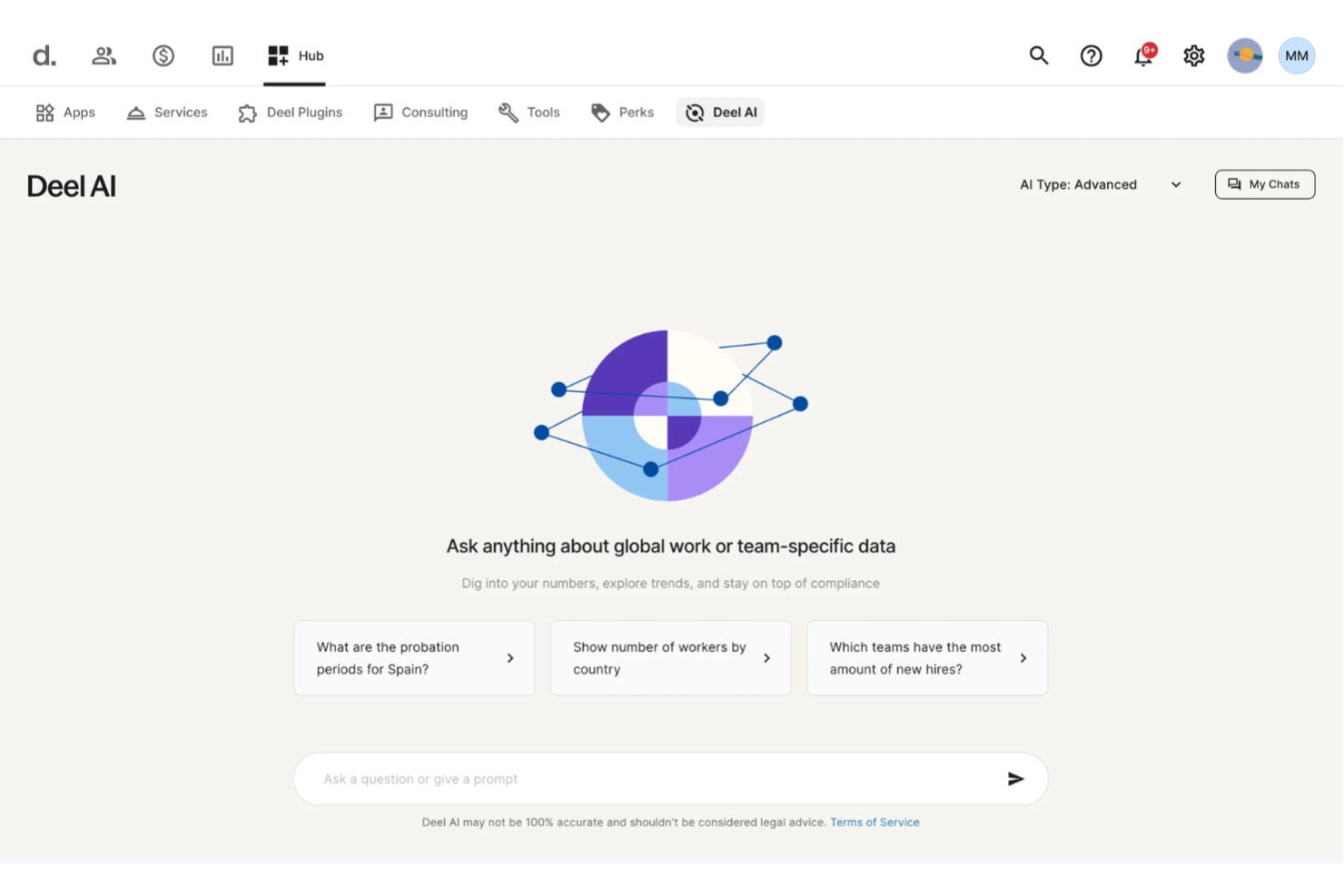
Deel AI ti offre un modo per prendere decisioni più intelligenti sulla forza lavoro trasformando i dati delle persone, le conoscenze sulla conformità globale e i flussi di lavoro HR in approfondimenti azionabili. Se stai definendo una strategia di intelligenza artificiale per un team distribuito o in crescita, la piattaforma ti aiuta a tagliare la complessità con una guida istantanea e contestuale su assunzioni, retribuzione, conformità e operazioni interne.
Perché ho scelto Deel
Ho scelto Deel perché va oltre l'automazione HR di tutti i giorni e funziona come uno strato di intelligenza strategica integrato direttamente nei dati della forza lavoro. Le sue analisi contestuali in base alla pagina, l'interpretazione della conformità e i report organizzativi generati dall'IA offrono il contesto in tempo reale necessario per definire una strategia di assunzione, retribuzione o espansione. Apprezzo il fatto che sia addestrato da esperti HR e legali in oltre 150 paesi, offrendo chiarezza specifica per giurisdizione nelle decisioni che comportano rischi aziendali. Questo rende Deel AI particolarmente adatto per i team che costruiscono una strategia di intelligenza artificiale focalizzata su operazioni globali, indicazioni sulla conformità e pianificazione della forza lavoro basata sui dati.
Funzionalità principali di Deel
Oltre alla sua intelligenza in materia di conformità e agli approfondimenti contestuali, trovi anche queste utilità:
- Approfondimenti sul benchmarking retributivo: Mostra fasce salariali e mediane di mercato per ruoli distribuiti nelle diverse regioni, a supporto della pianificazione strategica della forza lavoro.
- Generazione contrattuale localizzata: Crea automaticamente contratti che rispettano le leggi del lavoro locali, riducendo i rischi legali e garantendo la conformità.
- Monitoraggio della conformità alimentato dall'IA: Tiene traccia costantemente dei cambiamenti nelle leggi sull'occupazione locale, fornendo avvisi e aggiornamenti per mantenere le operazioni conformi.
- Supporto AI 24/7: Offre assistenza continua per domande HR e payroll, minimizzando la necessità di intervento manuale e ticket di supporto.
Integrazioni di Deel
Le integrazioni includono BambooHR, Workday, Xero, QuickBooks, Expensify, Netsuite, Greenhouse, Okta, Slack e Microsoft 365. È disponibile un'API per integrazioni personalizzate.
Pros and Cons
Pros:
- Offre approfondimenti strategici combinando dati interni con conoscenze esperte in materia di conformità
- I riepiloghi contestuali aiutano i team a interpretare i dati in tempo reale
- Il benchmarking retributivo supporta le decisioni di pianificazione della forza lavoro globale
Cons:
- I risultati sulla conformità richiedono ancora revisione umana per decisioni ad alto rischio
- Non pensato per la pianificazione AI a livello aziendale oltre HR, payroll e conformità
New Product Updates from Deel HR

Deel Expands Stablecoin Wallet to 80+ Countries
Deel expands its Stablecoin Wallet to 80+ countries with dollar-backed balances and optional rewards. This gives eligible contractors more ways to hold and manage earnings inside Deel. For more information, visit Deel’s official site.
 .
.
Ideale per la generazione di contenuti AI
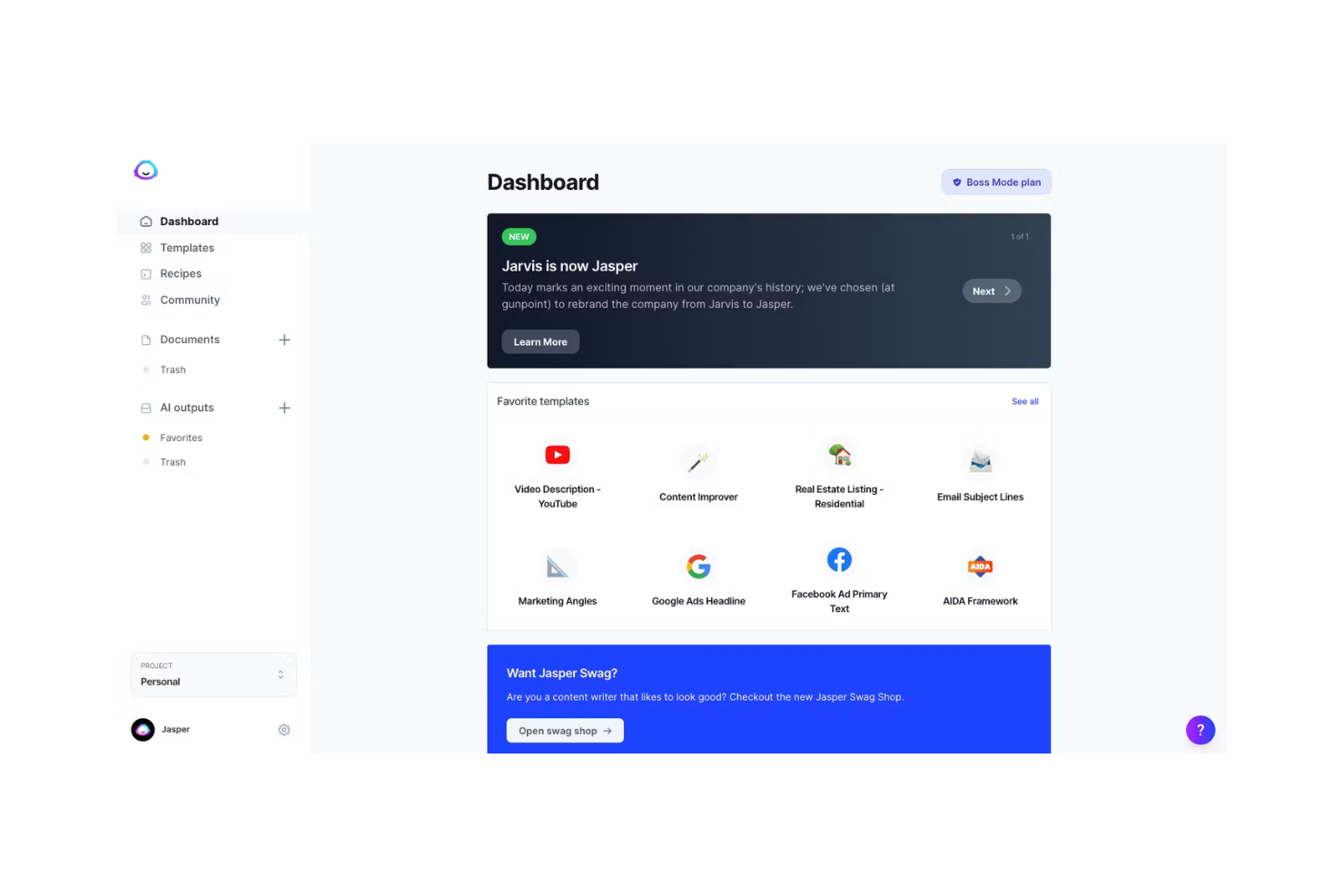
Jasper è uno strumento di scrittura AI progettato per marketer, creatori di contenuti e aziende che hanno bisogno di generare rapidamente contenuti scritti di alta qualità. Aiuta a creare blog, post per i social media, email e altro ancora grazie alle sue capacità di generazione di testo basate sull'intelligenza artificiale.
Perché ho scelto Jasper: Il tuo team beneficerà della sua capacità di generare contenuti diversi in modo efficiente. Il modello di AI offre vari toni, rendendolo adatto a diversi stili di copywriting e strategie di marketing. La sua interfaccia intuitiva assicura che tu possa iniziare a creare contenuti con una configurazione minima. Queste caratteristiche rendono Jasper una scelta versatile per i team orientati ai contenuti.
Caratteristiche e integrazioni principali:
Caratteristiche includono la personalizzazione della voce del brand, un tono coerente e output di alta qualità sia per documenti lunghi che per blog e campagne. Jasper offre anche modelli predefiniti per annunci pubblicitari, email e didascalie per i social.
Integrazioni includono HubSpot, Shopify, WordPress, Google Docs, SurferSEO, Grammarly, Copyscape, SEMrush, Facebook e Instagram.
Pros and Cons
Pros:
- Genera contenuti diversi, coerenti con il brand, rapidamente
- Supporta diversi toni e formati
- Funziona bene per team marketing e SEO
Cons:
- Richiede modifiche per controlli di accuratezza
- Può ripetere frasi nei testi lunghi

Canva
Ideale per il design con strumenti AI

Canva è una piattaforma di progettazione grafica utilizzata da privati e aziende per creare contenuti visivi. È popolare tra marketer, insegnanti e proprietari di piccole imprese grazie ai suoi strumenti di design facili da usare e ai modelli, arricchiti da funzionalità di intelligenza artificiale come suggerimenti automatici di layout e modifica delle immagini.
Perché ho scelto Canva: Canva funziona come un copilota per il design, suggerendo layout e generando elementi visivi in modo automatico. Le funzionalità AI di Canva permettono di creare design e immagini professionali in pochi minuti. Puoi usare Text to Image per generare immagini originali, Magic Write per creare contenuti testuali e Magic Design per realizzare all'istante layout partendo da idee o file esistenti. Queste capacità rendono Canva ideale per chi non è un designer ma desidera risultati professionali senza blocchi creativi.
Funzionalità e integrazioni principali:
Funzionalità includono generazione di immagini con AI, progettazione intelligente dei layout, Magic Write per la creazione di testi, kit per il branding e collaborazione in tempo reale. Canva offre una vasta libreria di modelli, asset stock e strumenti di modifica integrati per rifinire i contenuti visivi.
Integrazioni includono Google Drive, Dropbox, HubSpot, Mailchimp, Slack, Microsoft Teams, Instagram, Facebook, LinkedIn, Pinterest e YouTube.
Pros and Cons
Pros:
- Accelera la creazione di contenuti visivi
- Offre suggerimenti intelligenti per i layout
- Ti aiuta a mantenere la coerenza del brand
Cons:
- Controllo limitato per elementi personalizzati
- Può risultare lento con file immagine di grandi dimensioni

Zapier
Ideale per l'automazione dei flussi di lavoro
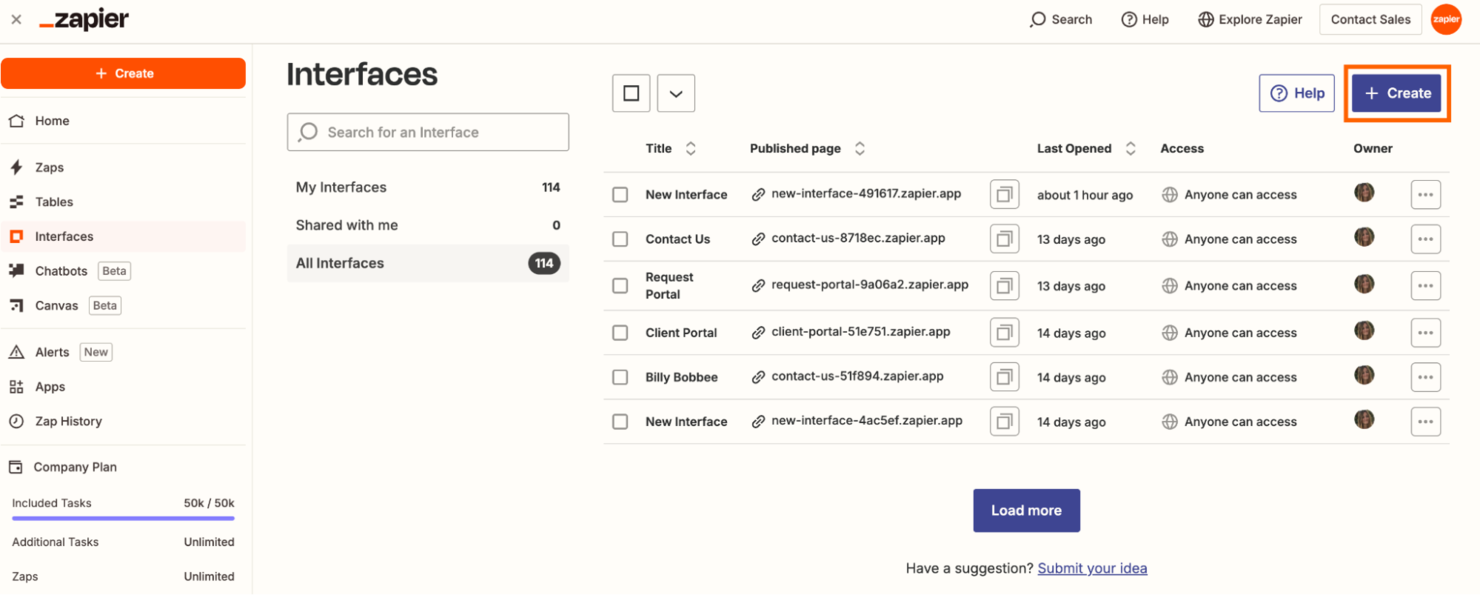
Zapier è uno strumento di automazione progettato per aziende e team che desiderano collegare diverse app e automatizzare i flussi di lavoro. Aiuta gli utenti ad automatizzare attività ripetitive creando flussi di lavoro personalizzati chiamati 'Zaps', che eseguono azioni su varie piattaforme.
Perché ho scelto Zapier: Puoi automatizzare i processi del tuo flusso di lavoro senza dover possedere competenze tecniche approfondite. L'interfaccia intuitiva della piattaforma permette di configurare trigger e azioni che fanno risparmiare tempo e riducono il lavoro manuale. Collega strumenti attraverso integrazioni API sicure, consentendo l'automazione con oltre 7.000 app. Queste funzionalità lo rendono ideale per aumentare la produttività e l'efficienza nelle tue attività.
Funzionalità e integrazioni principali:
Funzionalità includono la creazione di flussi di lavoro potenziata dall'IA, Zaps multi-step, logica condizionale e agenti AI personalizzati che automatizzano attività come assistenza clienti, assegnazione dei lead e reportistica.
Integrazioni includono Google Sheets, Gmail, Slack, Trello, Dropbox, Mailchimp, HubSpot, Salesforce, Asana e QuickBooks.
Pros and Cons
Pros:
- Permette di collegare molti strumenti di lavoro
- Riduce il lavoro manuale nelle attività quotidiane
- Gestisce automaticamente i trasferimenti di dati
Cons:
- I flussi complessi necessitano test frequenti
- Alcuni zaps si interrompono dopo gli aggiornamenti delle app

Ideale per strumenti di pianificazione aziendale
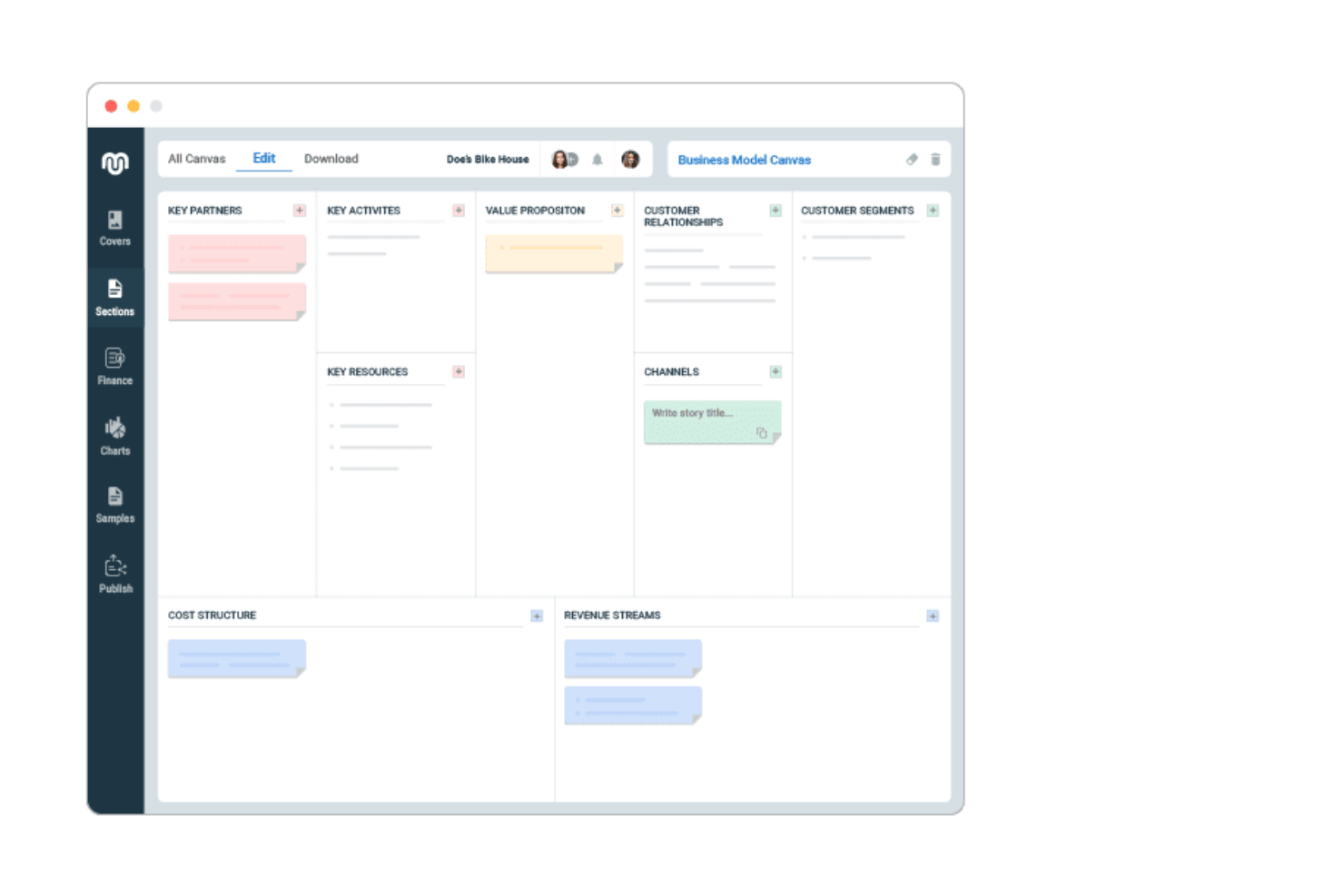
Upmetrics è un software di pianificazione aziendale progettato per imprenditori, startup e strateghi aziendali che necessitano di creare piani aziendali dettagliati e presentazioni. Semplifica il processo di pianificazione con modelli guidati dall'IA e strumenti di previsione finanziaria.
Perché ho scelto Upmetrics: Puoi generare rapidamente piani aziendali utilizzando il suo Generatore di Piani Aziendali AI, che analizza i dati dei tuoi input finanziari per generare previsioni. Il software offre funzionalità di previsione finanziaria che ti aiutano a visualizzare i potenziali risultati aziendali. La sua interfaccia intuitiva garantisce che tu possa concentrarti sulla strategia senza rimanere impantanato nei dettagli tecnici. Queste capacità rendono Upmetrics uno strumento prezioso per chiunque abbia bisogno di creare strategie aziendali dettagliate in modo rapido ed efficace.
Caratteristiche principali e integrazioni:
Caratteristiche includono previsione finanziaria, modelli aziendali personalizzabili e creazione di pitch deck. Questi strumenti ti aiutano a presentare le idee aziendali in modo chiaro ed efficace, facilitando la comunicazione della tua visione ai portatori di interesse.
Integrazioni includono QuickBooks, Xero, Google Drive, Dropbox, Slack, Microsoft Excel, Trello, Asana, Evernote e Zoho.
Pros and Cons
Pros:
- Ti permette di pianificare le finanze in modo visivo
- Aiuta a prevedere facilmente i risultati
- Utile per presentazioni agli investitori
Cons:
- Serve pratica per previsioni accurate
- Difficile collegare più piani insieme

Ideale per uno spazio di lavoro AI integrato
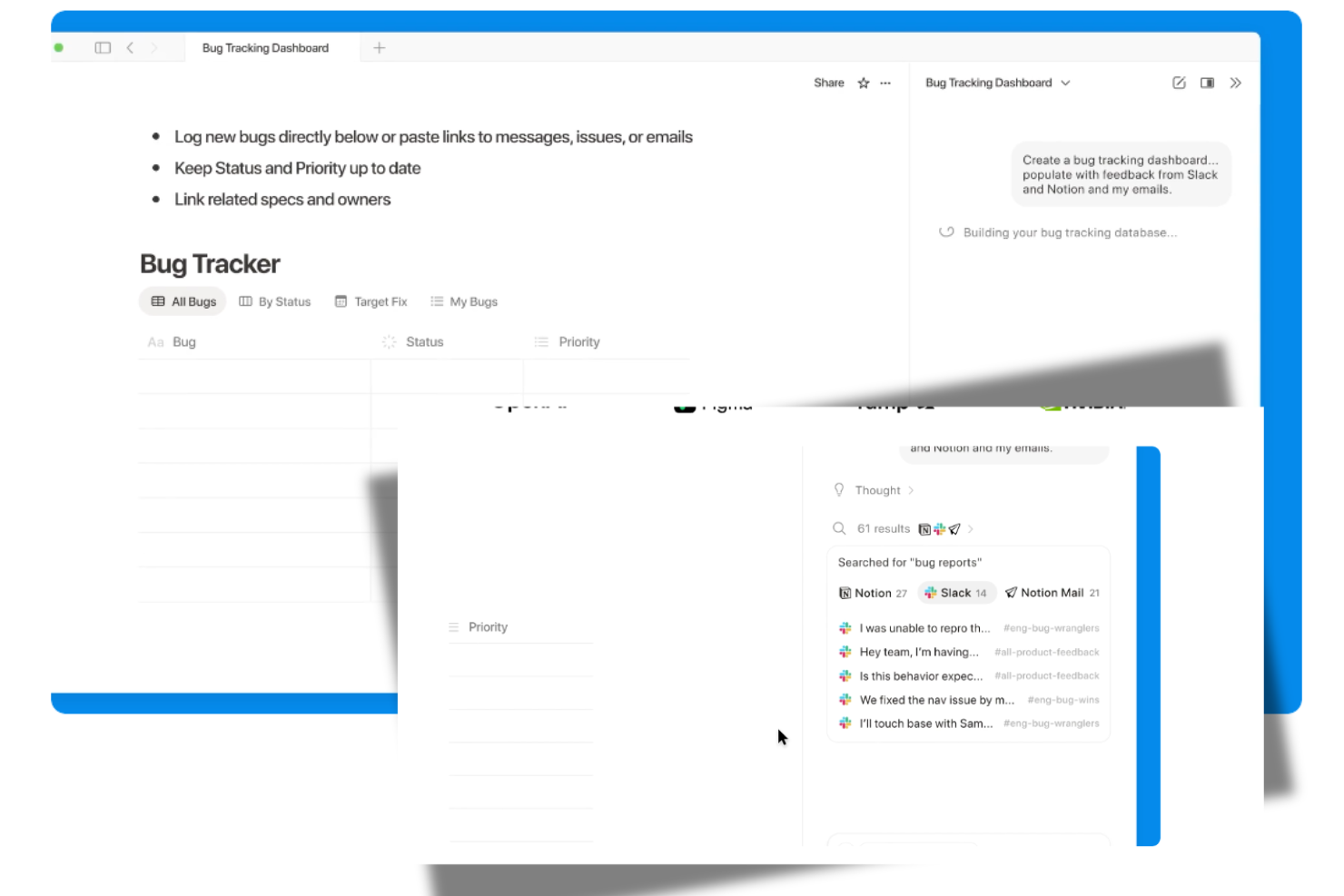
Notion AI è uno strumento di produttività progettato per team e singoli che necessitano di uno spazio di lavoro flessibile per note, attività e collaborazione. Incrementa la produttività offrendo suggerimenti guidati dall'intelligenza artificiale e aiuta i team a migliorare organizzazione, comunicazione ed esperienza complessiva del cliente tramite l'automazione intelligente delle attività.
Perché ho scelto Notion AI: Gestisce tutto, dalla scrittura di testi al project management, senza la necessità di cambiare strumento. I suoi agenti AI integrati automatizzano i lavori ripetitivi, generano note riassuntive delle riunioni e supportano nella ricerca e nell'organizzazione. La flessibilità della piattaforma la rende ideale per i team che vogliono unificare documenti, attività e collaborazione in un unico luogo.
Caratteristiche salienti & Integrazioni:
Funzionalità includono una gamma di prodotti AI per scrittura e modifica dei testi, agenti personalizzati per l'automazione delle attività, note AI per le riunioni e una ricerca aziendale su tutto lo spazio di lavoro. Notion si integra inoltre con una vasta gamma di app per estenderne le funzionalità.
Integrazioni includono Slack, Google Drive, Trello, Asana, GitHub, Microsoft Teams, Zapier, Typeform, Figma ed Evernote.
Pros and Cons
Pros:
- Unisce scrittura e pianificazione in uno
- Aiuta a organizzare informazioni di progetto sparse
- Suggerisce idee mentre scrivi note
Cons:
- Può rallentare con database molto grandi
- Testi con tono fortemente influenzato dall'AI

ChatGPT
Ideale per l'elaborazione del linguaggio naturale
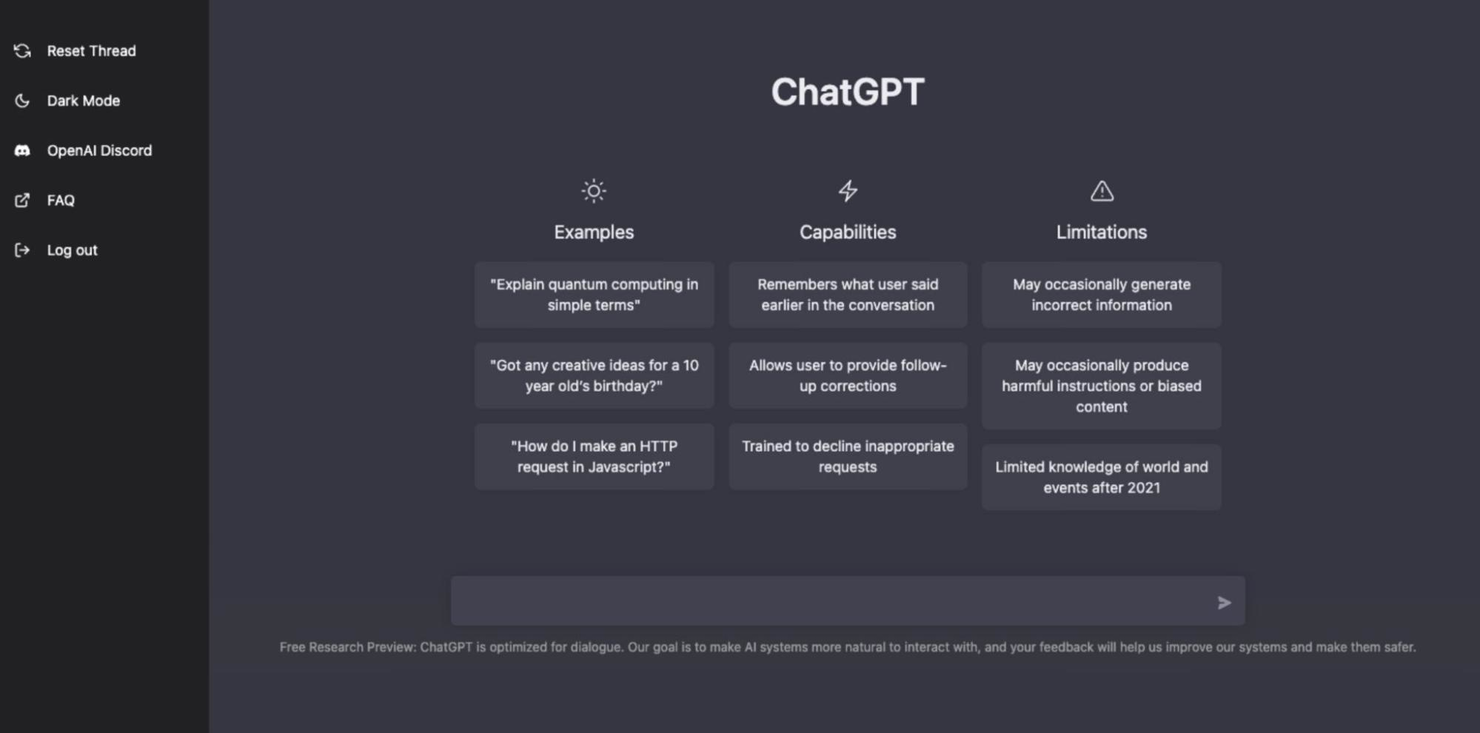
Basato sull'architettura GPT di OpenAI, ChatGPT è un modello linguistico AI utilizzato da un'ampia varietà di utenti, dagli sviluppatori alle aziende che desiderano automatizzare le interazioni con i clienti. Eccelle nella generazione di testo simile a quello umano, offrendo agli utenti uno strumento per la creazione di contenuti, l'assistenza clienti e molto altro.
Perché ho scelto ChatGPT: Puoi sfruttare le sue capacità di elaborazione del linguaggio naturale per creare testi coinvolgenti e coerenti. La sua abilità di comprendere il contesto e fornire risposte accurate lo rende ideale per chatbot e assistenti virtuali. Il modello, sviluppato da OpenAI, è dotato di approcci di sicurezza simili agli standard di allineamento dei modelli di Anthropic. Queste capacità assicurano che possa rispondere efficacemente alle diverse esigenze di comunicazione.
Funzionalità e integrazioni principali:
Funzionalità includono generazione di testo contestuale, gestione di conversazioni a più turni e personalizzazione tramite prompt. ChatGPT si integra con numerosi strumenti aziendali per funzionalità estese
Integrazioni includono Microsoft Teams, Slack, Zendesk, HubSpot, Salesforce, WordPress, Shopify, Discord, Intercom e Google Workspace.
Pros and Cons
Pros:
- Scrive testo naturale in pochi secondi
- Funziona bene per sessioni di brainstorming di gruppo
- Gestisce richieste variegate dei tuoi utenti
Cons:
- Può fraintendere un contesto poco chiaro
- Richiede revisione umana per l'accuratezza

Aha!
Ideale per roadmap di prodotto con AI
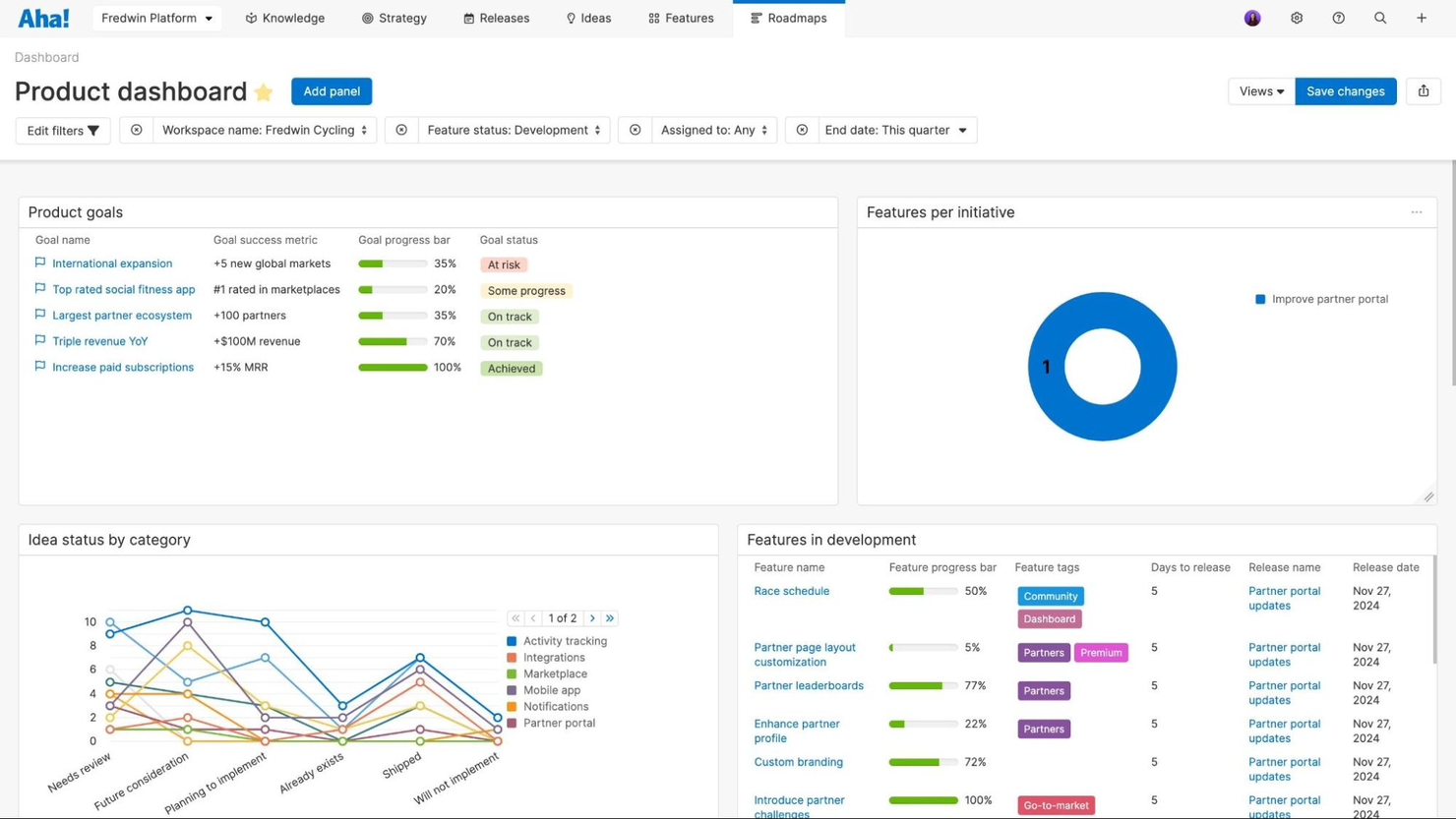
Aha! è uno strumento di sviluppo prodotto utilizzato principalmente da product manager e team di sviluppo per creare roadmap visive e gestire strategie di prodotto. Le sue capacità di intelligenza artificiale comprendono un assistente AI che migliora la produttività organizzando i feedback dei clienti e centralizzando le informazioni di prodotto.
Perché ho scelto Aha!: Aha! si distingue per la capacità di collegare la strategia all’esecuzione tramite roadmap visive e cicli di feedback integrati. Gli assistenti AI di Aha! utilizzano algoritmi proprietari per organizzare il feedback dei clienti, dare priorità alle idee di prodotto e trasformare idee in piani d’azione. Spicca per la capacità di centralizzare i dati di prodotto, garantendo che tutti i membri del team abbiano accesso alle informazioni essenziali, rendendolo la scelta migliore per le roadmap di prodotto con AI.
Caratteristiche principali e integrazioni:
Funzionalità includono strumenti per la creazione di roadmap visive, monitoraggio delle idee e gestione dei feedback dei clienti. Puoi anche beneficiare della centralizzazione delle informazioni di prodotto, così da mantenere il team sempre allineato. Aha! offre template e risorse di formazione per aiutarti a sfruttare al meglio tutte le sue funzionalità.
Integrazioni includono Jira, Slack, Salesforce, Azure DevOps, Google Analytics, Microsoft Teams, GitHub, Confluence, Trello e Zendesk.
Pros and Cons
Pros:
- Collega la strategia al lavoro quotidiano
- Ti permette di pianificare i lanci dei prodotti in modo visivo
- Traccia efficacemente i feedback dei clienti
Cons:
- Può rallentare con portafogli molto ampi
- Richiede tempo per padroneggiare tutta la configurazione

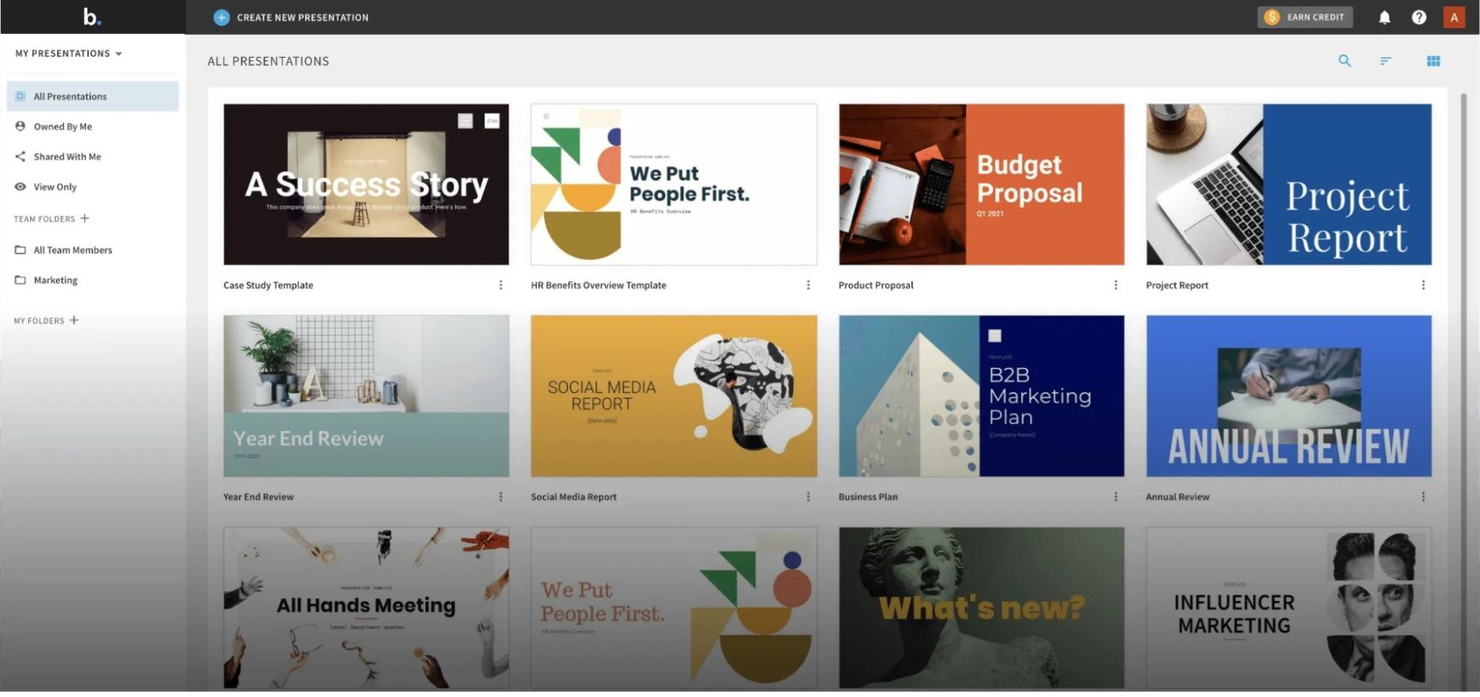
Beautiful.ai è uno strumento per la creazione di presentazioni pensato per professionisti e team che hanno bisogno di realizzare rapidamente slideshow visivamente accattivanti. Sfrutta l'IA per automatizzare le attività di design, assicurando che le tue presentazioni siano sempre professionali e coinvolgenti.
Perché ho scelto Beautiful.ai: Puoi creare presentazioni straordinarie senza bisogno di competenze di design, grazie alle sue funzionalità guidate dall’intelligenza artificiale. Lo strumento regola automaticamente layout ed elementi grafici, facendoti risparmiare tempo e fatica. I suoi template intelligenti si adattano ai tuoi contenuti, mantenendo coerenza e appeal visivo. Queste funzionalità lo rendono perfetto per chiunque voglia migliorare in modo efficiente la qualità delle proprie presentazioni per email marketing o qualsiasi tipo di iniziativa ecommerce.
Caratteristiche principali & integrazioni:
Caratteristiche: include template intelligenti, regolazione automatica dei layout e coerenza del design. Puoi concentrarti sui tuoi contenuti mentre lo strumento si occupa della parte grafica, garantendo un risultato finale professionale con semplicità.
Integrazioni: include PowerPoint, Google Slides, Slack, Dropbox, Box, Microsoft Teams, Zoom, Trello, Asana e Canva.
Pros and Cons
Pros:
- Genera automaticamente slide da prompt testuali
- Mantiene le presentazioni coerenti e in linea con il brand
- Fa risparmiare molto tempo nella progettazione
Cons:
- Poche opzioni per animazioni avanzate
- Non è possibile personalizzare a fondo i template


Hightouch AI Decisioning è una piattaforma guidata dall'IA progettata per le aziende che desiderano migliorare le strategie di marketing in vari settori come il retail, la finanza e la sanità. Automatizza i processi decisionali, permettendo ai team di passare da campagne manuali a interazioni con i clienti adattive e personalizzate.
Perché ho scelto Hightouch AI Decisioning: Il tuo team può trarre vantaggio dalla sua capacità di automatizzare i flussi di lavoro e le strategie di marketing utilizzando l'apprendimento automatico e il reinforcement learning per personalizzare le interazioni con i clienti. Questa caratteristica distingue la piattaforma, consentendo decisioni basate sui dati che ottimizzano messaggi, offerte e canali. L'integrazione con oltre 250 strumenti assicura insight in tempo reale e comunicazione efficace. È ideale per le aziende che desiderano scalare soluzioni di marketing personalizzate in modo efficiente.
Caratteristiche e integrazioni principali:
Caratteristiche includono agenti decisionali basati sul reinforcement learning, ottimizzazione in tempo reale di messaggi e offerte, e personalizzazione automatica attraverso diversi canali. Supporta inoltre vincoli trasparenti, consentendo ai team di definire i limiti delle azioni dell'IA.
Integrazioni includono Salesforce, Google Ads, Facebook Ads, Marketo, HubSpot, Shopify, Snowflake, Segment, Redshift e BigQuery.
Pros and Cons
Pros:
- Automatizza decisioni complesse e multicanale
- Apprende continuamente dai dati in tempo reale
- Mantiene i dati dei clienti sicuri nel tuo data warehouse
Cons:
- La configurazione richiede conoscenze tecniche
- Più difficile tracciare la logica nascosta del modello
Altri strumenti di strategia basati sull'AI
Ecco alcune ulteriori opzioni di strumenti di strategia basati sull’AI che non sono entrate nella mia selezione, ma che vale comunque la pena prendere in considerazione:
- Quantive StrategyAI
Ideale per l'allineamento strategico continuo
- Julius (Julius Works)
Ideale per approfondimenti sul marketing con influencer
- Tability
Ideale per la creazione rapida di strategie


Come valuto gli strumenti per la strategia AI
Valuto gli strumenti per la strategia AI su due livelli: requisiti fondamentali come la prioritizzazione dei casi d'uso e la valutazione della maturità, e fattori differenzianti come i dati di benchmarking che distinguono uno strumento dall'altro.
Funzionalità di base (Requisiti fondamentali per questa lista)
Queste funzionalità di base rappresentano i criteri di accettazione per l'inclusione nella mia selezione di strumenti per la strategia AI:
- Scoperta dei casi d'uso AI: Cerco librerie strutturate o flussi di lavoro guidati che aiutino i team a individuare e catalogare le opportunità di AI nei vari reparti, non solo una semplice bacheca delle idee.
- Prioritizzazione e valutazione: Sono importanti i modelli di valutazione multi-criteri—valuto se gli strumenti permettono di pesare fattori come la preparazione dei dati, la fattibilità e il valore atteso.
- Valutazione della maturità AI: Controllo la presenza di framework di valutazione integrati che misurino la preparazione in termini di dati, competenze, infrastruttura e governance, e non solo un sondaggio generico.
- Pianificazione di roadmap e portfolio: Un buon strumento di strategia AI dovrebbe consentire di mappare le iniziative su una timeline, inclusi dipendenze, responsabili e necessità di risorse, tutto in un'unica visualizzazione.
- Monitoraggio di ROI e valore: Valuto come ogni piattaforma gestisce il confronto tra ritorni previsti e realizzati, in particolare se collega gli indicatori KPI alle specifiche iniziative di AI dopo il lancio.
- Allineamento tra governance e rischio: L'allineamento con framework come il EU AI Act o il NIST AI RMF è un elemento che cerco, compresa la classificazione dei rischi e la documentazione pronta per l'audit.
Classifico ogni fornitore su una scala da 0 (non offre la funzionalità) a 5 (eccelle in quest'area) per ogni criterio.
I fornitori devono raggiungere un punteggio medio minimo per essere presi in considerazione per la mia lista. Da qui, considero ciò che distingue ogni piattaforma.
Fattori di differenziazione (Cosa distingue i fornitori)
Dopo aver curato la mia lista, ecco come confronto i diversi fornitori nel panorama degli strumenti di strategia AI:
Caratteristiche distintive
Cerco un assistente generativo AI che rediga casi d'uso, riassuma lo stato di salute del portfolio o offra raccomandazioni personalizzate in tempo reale. I dati di benchmarking settoriali sono anch'essi essenziali—gli strumenti che forniscono metriche di adozione e benchmark di ROI specifici per settore aiutano i team a valutare le prestazioni rispetto ai pari. I cruscotti di reportistica per i dirigenti si distinguono quando mettono in evidenza insight del portfolio in modo utile ai vertici aziendali, come slide pronte per il consiglio o KPI per il livello C. I flussi collaborativi che consentono ai team distribuiti di sviluppare la strategia in un unico spazio di lavoro aggiungono reale valore.
Oltre le funzionalità
La copertura normativa e di conformità è un fattore di grande differenziazione—valuto se le piattaforme sono dotate di framework pre-mappati come il EU AI Act o il NIST AI RMF, perché svilupparli da zero rallenta molto il rollout. Anche la profondità di integrazione conta. Gli strumenti che si collegano a piattaforme PPM, cruscotti BI e cataloghi dati rendono molto più semplice il passaggio dalle strategie all'esecuzione vera e propria. Considero anche il supporto all'implementazione, in particolare se i fornitori offrono playbook specifici per il settore o servizi di consulenza che riducono il tempo fino alla prima roadmap.
Come scegliere uno strumento di strategia basato sull'AI
È facile perdersi in lunghi elenchi di funzionalità e strutture tariffarie complesse. Per aiutarti a rimanere concentrato mentre affronti il tuo specifico processo di selezione del software, ecco una lista di fattori da tenere presenti:
| Fattore | Cosa considerare |
|---|---|
| Scalabilità | Lo strumento può crescere insieme alla tua azienda? Verifica se è in grado di gestire un aumento dei dati e degli utenti senza problemi di prestazioni. |
| Integrazioni | Funziona con i sistemi che già utilizzi? Controlla la compatibilità con strumenti come piattaforme CRM, ERP o di analisi dei dati. |
| Personalizzazione | Puoi adattarlo alle tue esigenze? Cerca opzioni per modificare flussi di lavoro, dashboard e report in base ai tuoi processi. |
| Facilità d'uso | È facile da usare? Valuta se il tuo team può imparare a utilizzarlo rapidamente senza una formazione o un supporto estesi. |
| Implementazione e avviamento | Quanto tempo richiederà la configurazione? Considera le risorse e il tempo necessari per una transizione fluida e un'adozione completa. |
| Costo | Rientra nel tuo budget? Confronta i piani tariffari e considera il costo totale di proprietà, comprese le eventuali spese nascoste. |
| Misure di sicurezza | Le protezioni dei dati sono solide? Cerca funzionalità come la crittografia, i controlli degli accessi e la conformità a normative come il GDPR. |
| Disponibilità del supporto | L'assistenza è facilmente accessibile? Verifica se il fornitore offre supporto 24 ore su 24, 7 giorni su 7, diverse opzioni di contatto e un centro assistenza completo. |
Cosa sono gli strumenti di strategia basati sull'AI?
Gli strumenti di strategia basati sull'IA sono soluzioni software che utilizzano l'intelligenza artificiale per migliorare i processi di pianificazione strategica e decisionale. Questi strumenti sono generalmente utilizzati da dirigenti aziendali, strateghi e manager che desiderano ottimizzare le operazioni e promuovere decisioni basate sui dati.
Funzionalità come l'analisi predittiva, la reportistica automatizzata e gli insight sui dati in tempo reale aiutano ad allineare gli obiettivi, migliorare l'efficienza e prendere decisioni informate. Nel complesso, questi strumenti forniscono insight preziosi e automazione per sostenere la crescita strategica aziendale.
Funzionalità
Quando selezioni gli strumenti di strategia basati sull'IA, presta attenzione alle seguenti funzionalità chiave:
- Analisi predittiva: utilizza l'IA per prevedere tendenze e risultati, favorendo un processo decisionale proattivo.
- Reportistica automatizzata: genera automaticamente report per risparmiare tempo e garantire l'accuratezza nell'analisi dei dati.
- Insight sui dati in tempo reale: fornisce informazioni aggiornate per supportare decisioni strategiche tempestive.
- Dashboard personalizzabili: consentono agli utenti di adattare visualizzazioni e report alle specifiche esigenze aziendali.
- Strumenti per l'allineamento degli obiettivi: aiutano a garantire che gli sforzi del team siano concentrati sugli obiettivi strategici grazie agli insight generati dall'IA.
- Funzionalità di integrazione: si collegano ai sistemi esistenti per offrire un flusso di lavoro coerente e la consistenza dei dati.
- Raccomandazioni basate sull'IA: offrono suggerimenti basati sui modelli presenti nei dati per migliorare i processi decisionali.
- Misure di sicurezza: proteggono i dati sensibili mediante la crittografia e funzionalità di conformità.
- Interfaccia intuitiva: garantisce facilità d'uso, consentendo ai team di adottare rapidamente lo strumento e trarne vantaggio.
- Scalabilità: supporta la crescita aziendale gestendo volumi di dati e numeri di utenti in aumento.
Vantaggi
L'implementazione di strumenti di strategia basati sull'IA offre diversi vantaggi al tuo team e alla tua azienda. Ecco alcuni dei vantaggi che puoi aspettarti:
- Processo decisionale migliorato: gli insight e le raccomandazioni basati sull'IA portano a decisioni aziendali più informate.
- Maggiore efficienza: la reportistica automatizzata e l'elaborazione dei dati liberano tempo da dedicare alle attività strategiche.
- Migliore allineamento degli obiettivi: gli strumenti di IA aiutano a garantire che gli sforzi del team siano in linea con gli obiettivi aziendali.
- Previsioni migliorate: l'analisi predittiva offre una visione più chiara delle tendenze future e dei possibili risultati.
- Risparmio sui costi: ottimizzando i processi e riducendo le attività manuali, gli strumenti di IA possono diminuire i costi operativi.
- Strategie basate sui dati: gli insight in tempo reale consentono di elaborare strategie basate su dati attuali e pertinenti.
- Supporto alla scalabilità: gli strumenti di IA possono crescere insieme alla tua azienda, gestendo l'aumento dei dati e delle esigenze degli utenti.
Costi e prezzi
La selezione degli strumenti di strategia basati sull'IA richiede la comprensione dei vari modelli e piani tariffari disponibili. I costi variano in base alle funzionalità, alle dimensioni del team, agli extra e ad altri fattori. La tabella seguente riassume i piani più comuni, i relativi prezzi medi e le funzionalità tipicamente incluse nelle soluzioni di strumenti di strategia basati sull'IA:
Tabella di confronto dei piani per gli strumenti di strategia basati sull'IA
| Tipo di piano | Prezzo medio | Funzionalità comuni |
|---|---|---|
| Piano gratuito | $0 | Accesso limitato alle funzionalità di base, supporto della comunità e periodo di prova limitato per le funzionalità premium. |
| Piano personale | $5-$25/utente/mese | Accesso alle funzionalità principali, analisi di base e supporto via e-mail. |
| Piano aziendale | $30-$75/utente/mese | Analisi avanzate, strumenti per la collaborazione tra team, supporto prioritario e funzionalità di integrazione. |
| Piano per grandi aziende | $100+/utente/mese | Soluzioni personalizzabili, responsabile dell'account dedicato, sicurezza avanzata e supporto completo all'integrazione. |
FAQ sugli strumenti per la strategia IA
Ecco alcune risposte alle domande comuni sugli strumenti per la strategia IA:
Come si può capire se uno strumento per la strategia IA vale il suo costo?
Inizia osservando quanto tempo o impegno fa risparmiare al tuo team dopo averlo utilizzato per alcune settimane. Monitora aspetti semplici, come la velocità con cui riuscite a prendere decisioni o completare i report. Se il tuo team dedica meno tempo al lavoro manuale e ottiene risultati migliori, è un buon segnale che lo strumento sta dando i suoi frutti. Prendi nota dei risultati, così potrai dimostrarne chiaramente l’impatto.
Cosa bisogna sapere sulla destinazione dei propri dati?
Chiedi al fornitore dove vengono archiviate le tue informazioni e chi può accedervi. Se la tua azienda ha regole che impongono di conservare i dati in determinate regioni, assicurati che lo strumento le rispetti. È inoltre opportuno verificare come vengono gestiti i backup e se in seguito puoi chiedere che i tuoi dati vengano eliminati.
Come si può evitare di rimanere vincolati allo strumento sbagliato?
Prima di acquistare, verifica se puoi scaricare facilmente i tuoi dati o passare in seguito a un altro sistema. Evita gli strumenti che rendono difficile esportare il tuo lavoro o che applicano costi aggiuntivi per interrompere il servizio. Inizia in piccolo con una breve prova prima di assumere un impegno a lungo termine. In questo modo saprai se lo strumento soddisfa davvero le tue esigenze.
Come si può mantenere il coinvolgimento delle persone quando si utilizzano strumenti di IA?
Anche con una buona IA, il giudizio umano resta necessario. Decidi quali attività richiedono che qualcuno verifichi il lavoro dell’IA prima che venga condiviso o utilizzato. Fornisci al tuo team semplici indicazioni per controllare l’accuratezza o il tono. Mantieni queste regole facili da seguire, così tutti resteranno allineati.
Come si può fare in modo che l’IA fornisca risposte affidabili?
Fornisci allo strumento informazioni accurate e aggiornate ogni volta che puoi. Incoraggia il tuo team a verificare nuovamente i fatti prima di utilizzare contenuti generati dall’IA. Se qualcosa non sembra corretto, segnalalo e correggilo rapidamente. Revisioni regolari aiutano a mantenere affidabili i risultati nel tempo
Cosa bisogna chiedere sull’assistenza prima di acquistare?
Scopri quanto velocemente risponde il fornitore quando si verifica un problema. Chiedi se garantisce la disponibilità del servizio o se promette assistenza entro determinati orari. Vale inoltre la pena verificare cosa succede se decidi di annullare il servizio, ad esempio come verranno restituiti o eliminati i tuoi dati. Sapere tutto questo in anticipo evita problemi in seguito.