


QuickBooks Online vs. FreshBooks: Confronto e Recensioni per il 2026


The wrong finance setup quietly turns everyday admin into a full-time job. When payroll, invoices, and employee details all need attention, the right platform can bring a little order back to the chaos.
If you’re struggling to juggle payroll, invoicing, and HR admin, you’re not alone. Choosing between QuickBooks Online and FreshBooks as your HR and accounting software can make a big difference in how smoothly you run your business. You want to know which tool will fit your team, budget, and day-to-day needs.
In this article, you’ll get a side-by-side comparison covering key features, pros and cons, practical use cases, pricing, security, and what it’s like to actually use each one. I’ll help you decide which option meets your needs so you can focus on the work that matters.
QuickBooks Online vs. FreshBooks: An Overview
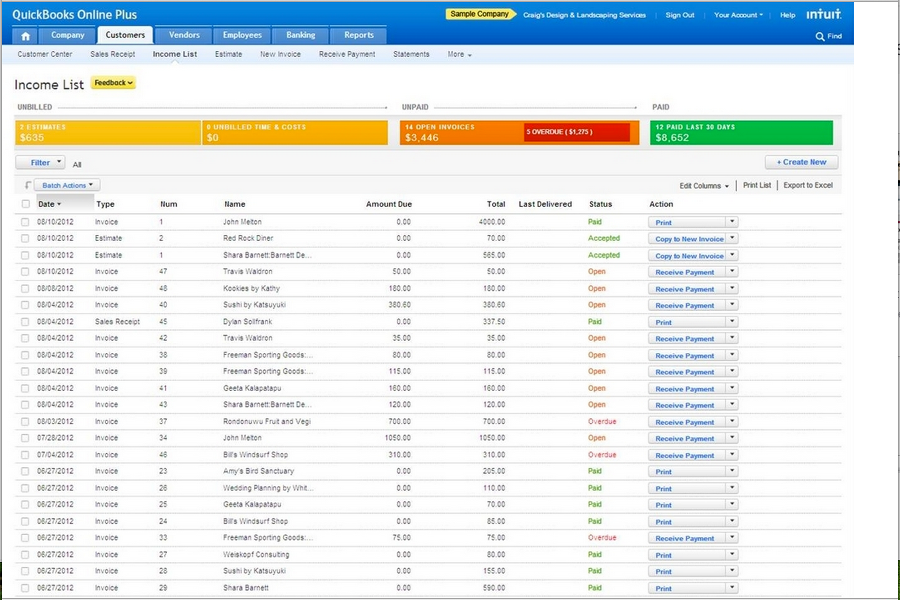
QuickBooks Online
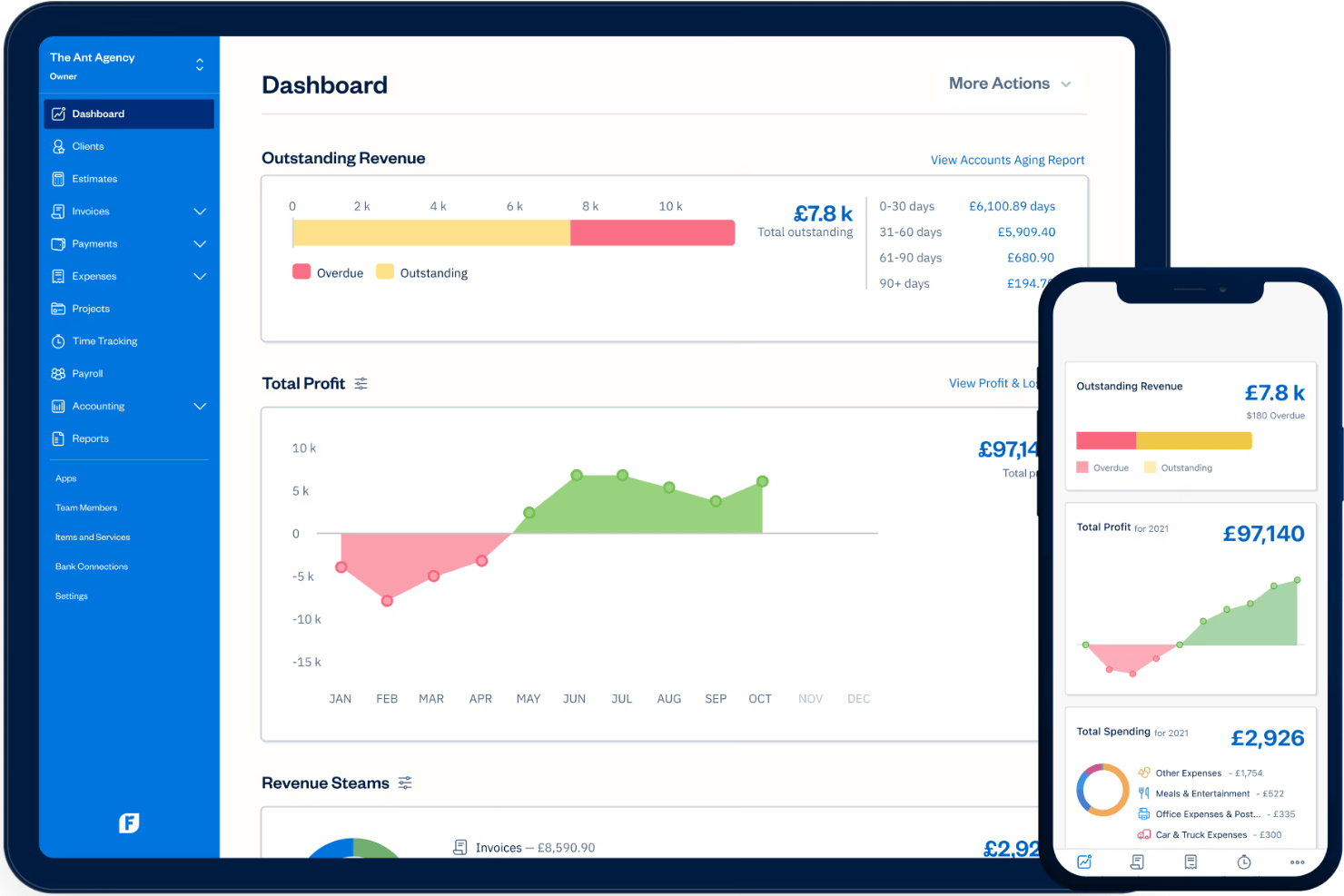
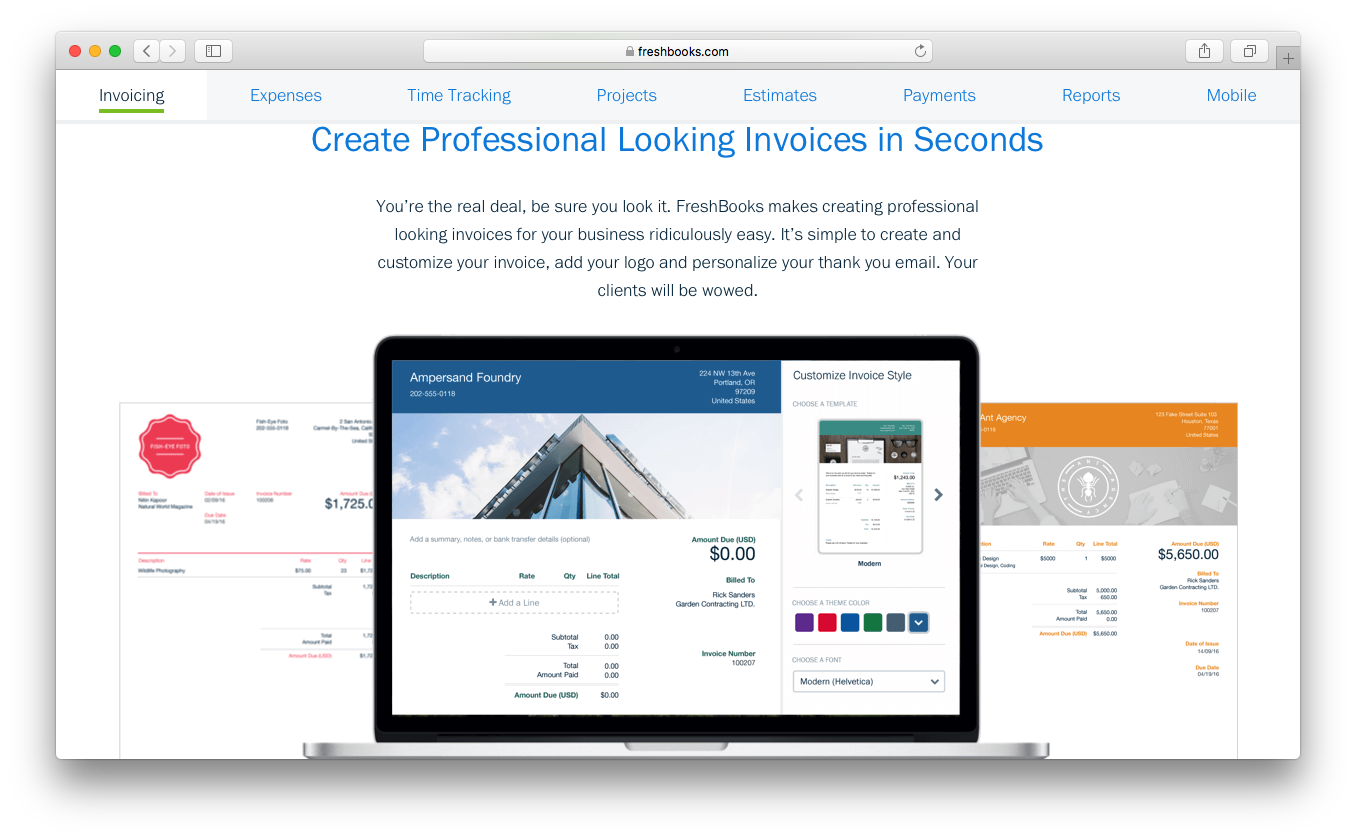
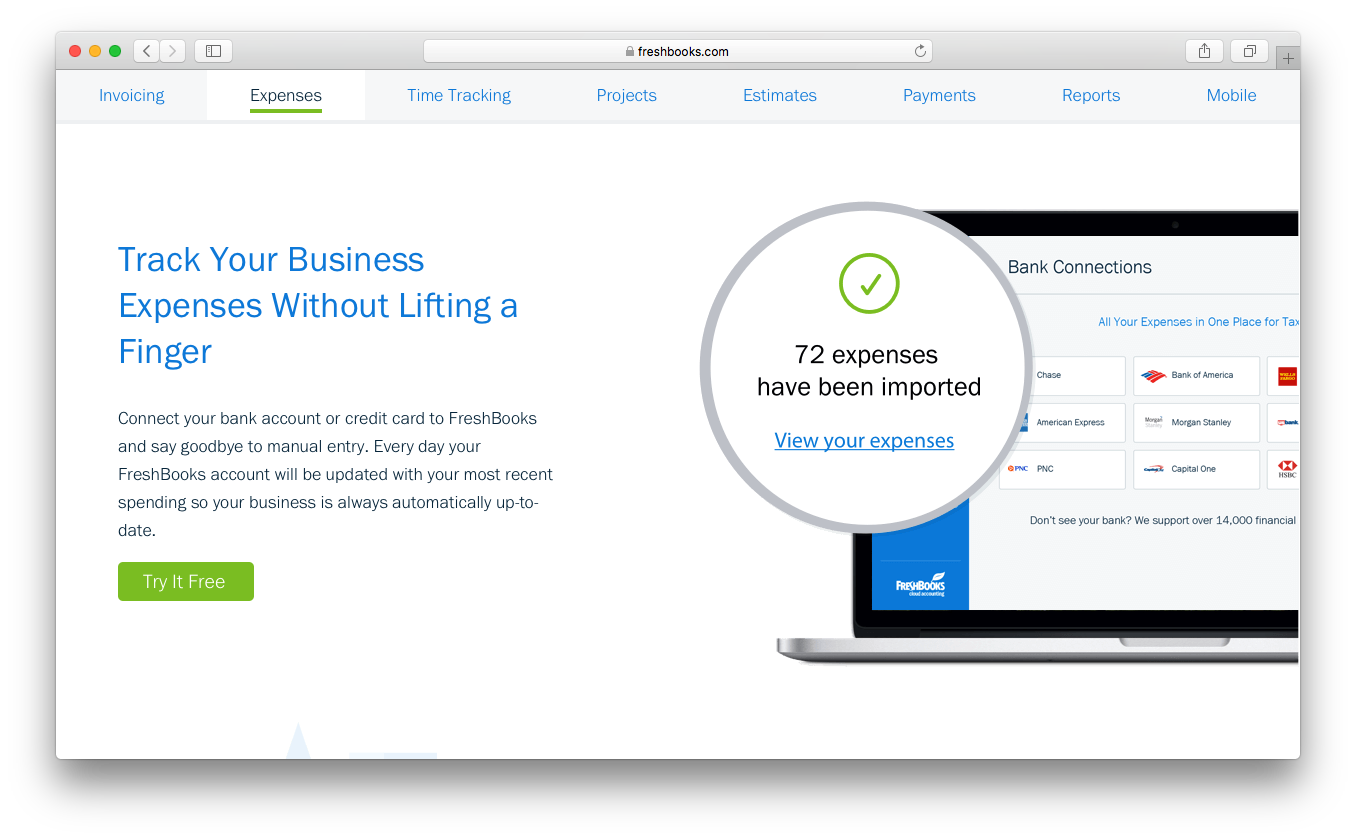
FreshBooks

Perché fidarsi delle nostre recensioni sui software
Il nostro team testa e recensisce software dal 2012. In quanto esperti HR noi stessi, sappiamo quanto sia difficile — e importante — scegliere il software giusto.
Per questa guida, abbiamo valutato gli strumenti attraverso test pratici e ricerche indipendenti, assegnando un punteggio agli strumenti in base ai nostri criteri di selezione. Ci basiamo inoltre sulle competenze di leader di pensiero del settore e di professionisti HR attivi.
Le nostre recensioni riflettono il nostro giudizio editoriale umano, non un discorso di vendita.
Revisori esperti:
QuickBooks Online vs. FreshBooks Pricing Comparison
| QuickBooks Online | FreshBooks | |
|---|---|---|
| Free Trial | Free trial available | Free demo + 30-day free trial available |
| Pricing | From $38/month | From $12/month (billed annually) |
Prezzi e Costi Nascosti di QuickBooks Online vs. FreshBooks
QuickBooks Online utilizza un modello di abbonamento a livelli, in cui paghi di più man mano che aggiungi funzionalità e utenti desiderati; servizi essenziali come la gestione delle retribuzioni e i report avanzati spesso comportano costi aggiuntivi. Anche FreshBooks segue un approccio a livelli, ma tende a includere le funzionalità base di contabilità e fatturazione già nel prezzo base, con componenti aggiuntivi per membri del team o alcune automazioni. Entrambe le piattaforme possono prevedere costi extra per utenti aggiuntivi, integrazioni o volumi di transazioni più alti.
Per scegliere l'opzione tariffaria giusta, inizia mappando le tue reali esigenze—come la dimensione del team, funzionalità fondamentali per le risorse umane e la crescita prevista—rispetto ai vari livelli offerti da ciascuna piattaforma. Considera non solo i costi principali, ma anche le spese ricorrenti per componenti aggiuntivi e assistenza. Controlla le condizioni contrattuali, le modalità di aggiornamento e se il pagamento è mensile o annuale, così da non trovare sorprese dopo qualche mese.
QuickBooks Online vs. FreshBooks Feature Comparison
<div class="slate-p slate-selectable" data-slate-node="element" data-block-id="Y_kKU2BHok" data-slate-fragment="JTVCJTdCJTIyY2hpbGRyZW4lMjIlM0ElNUIlN0IlMjJ0ZXh0JTIyJTNBJTIyQm90aCUyMFF1aWNrQm9va3MlMjBPbmxpbmUlMjBhbmQlMjBGcmVzaEJvb2tzJTIwZ2l2ZSUyMHlvdSUyMHN0cm9uZyUyMGFjY291bnRpbmclMjBiYXNpY3MlMjBsaWtlJTIwaW52b2ljaW5nJTJDJTIwZXhwZW5zZSUyMHRyYWNraW5nJTJDJTIwYW5kJTIwZmluYW5jaWFsJTIwcmVwb3J0cy4lMjBFYWNoJTIwYWxzbyUyMG9mZmVycyUyMHRpbWUlMjB0cmFja2luZyUyQyUyMG1vYmlsZSUyMGFjY2VzcyUyQyUyMGFuZCUyMGludGVncmF0aW9ucyUyMHdpdGglMjBwb3B1bGFyJTIwcGF5cm9sbCUyMGFuZCUyMHBheW1lbnQlMjBwbGF0Zm9ybXMuJTIwVGhlc2UlMjBzaGFyZWQlMjBmZWF0dXJlcyUyMGNvdmVyJTIwdGhlJTIwbmVlZHMlMjBvZiUyMG1vc3QlMjBzbWFsbCUyMGJ1c2luZXNzZXMlMjBhbmQlMjB0ZWFtcy4lMjIlN0QlNUQlMkMlMjJ0eXBlJTIyJTNBJTIycCUyMiUyQyUyMmlkJTIyJTNBJTIycVRoSEE4d3pVRiUyMiU3RCUyQyU3QiUyMmNoaWxkcmVuJTIyJTNBJTVCJTdCJTIydGV4dCUyMiUzQSUyMlF1aWNrQm9va3MlMjBPbmxpbmUlMjBpcyUyMHVuaXF1ZSUyMGZvciUyMGl0cyUyMGluLWRlcHRoJTIwcGF5cm9sbCUyMG9wdGlvbnMlMjBhbmQlMjBhZHZhbmNlZCUyMGludmVudG9yeSUyMG1hbmFnZW1lbnQlMkMlMjBtYWtpbmclMjBpdCUyMGElMjBmaXQlMjBpZiUyMHlvdSUyMHdhbnQlMjBvbmUlMjB0b29sJTIwdG8lMjBoYW5kbGUlMjBjb21wbGV4JTIwZmluYW5jZXMuJTIwRnJlc2hCb29rcyUyMHN0YW5kcyUyMG91dCUyMHdpdGglMjBjbGllbnQlMjBjb2xsYWJvcmF0aW9uJTIwdG9vbHMlMjBhbmQlMjBlYXN5LXRvLXVzZSBwcm9qZWN0JTIwbWFuYWdlbWVudCUyMGZlYXR1cmVzJTJDJTIwd2hpY2glMjBhcmUlMjBhJTIwd2luJTIwaWYlMjB5b3UlMjJiaWxsJTIwY2xpZW50cyUyMGZvciUyMHRpbWUlMjBvciUyMHNlcnZpY2VzLiUyMEVhY2glMjB0b29sJUUyJTgwJTlzczUyMGZvY3VzJTIwY2FuIGhlbHAlMjB5b3UlMjBtYXRjaCUyMHNvZnR3YXJlJTIwdG8lMjB5b3VyJTIwZGF5LXRvLWRheSUyMHdvcmsuJTIyJTdEJTVE
| QuickBooks Online | FreshBooks | |
|---|---|---|
| 2-Factor Authentication | ||
| API | ||
| Accounts Payable | ||
| Accounts Receivable | ||
| Balance Sheet | ||
| Billing/Invoicing | ||
| BitCoin | ||
| Budgeting | ||
| CRM Integration | ||
| Calendar Management | ||
| Contact Management | ||
| Customer Management | ||
| Dashboard | ||
| Data Export | ||
| Data Import | ||
| Data Visualization | ||
| Expense Tracking | ||
| External Integrations | ||
| Forecasting | ||
| General Account Ledger | ||
| Inventory Tracking | ||
| Multi-Currency | ||
| Multi-User | ||
| Notifications | ||
| P&L | ||
| PayPal | ||
| Payroll | ||
| SAP Integration | ||
| Stripe | ||
| Supplier Management | ||
| Tax Management |
Integrazioni QuickBooks Online vs. FreshBooks
| Integrazione | QuickBooks Online | FreshBooks |
|---|---|---|
| Gusto | ✅ | ❌ |
| Shopify | ✅ | ❌ |
| Square | ✅ | ❌ |
| PayPal | ✅ | ❌ |
| Expensify | ✅ | ❌ |
| Wagepoint | ❌ | ✅ |
| HubSpot | ✅ | ✅ |
| Gusto | ❌ | ✅ |
| API | ✅ | ✅ |
| Zapier | ✅ | ✅ |
QuickBooks Online dispone di una libreria di integrazioni più ampia, con numerose connessioni pronte all'uso per pagamenti, ecommerce, CRM, gestione paghe e strumenti operativi per le aziende. FreshBooks offre un catalogo di integrazioni native più limitato, anche se entrambe le piattaforme mettono a disposizione API e il supporto a Zapier per i team che necessitano di flussi di lavoro personalizzati o ulteriori connessioni con altre app.
QuickBooks Online vs. FreshBooks Sicurezza, Conformità & Affidabilità
| Fattore | QuickBooks Online | FreshBooks |
|---|---|---|
| Crittografia dei dati | Utilizza crittografia AES256 e TLS per tutti i dati archiviati e crittografia RSA per i dati in transito. | Utilizza crittografia SSL standard del settore per proteggere i dati dei clienti. |
| Conformità normativa | È conforme a PCI DSS, si sottopone ad audit e report SOC, ed è certificato ISO 27001. | Rispetta gli standard GDPR e PCI DSS per la protezione dei dati e dei pagamenti. |
| Controlli di accesso | Offre permessi utente personalizzabili e log di audit per il monitoraggio delle attività. | Fornisce permessi di squadra e controlli di accesso basati sui ruoli. |
| Backup & Recupero | Esegue backup automatici giornalieri con protocolli di disaster recovery. | Esegue backup regolari e mantiene copie ridondanti per l’affidabilità. |
| Garanzia di uptime | Riporta il 99,9% di uptime supportato da dashboard di stato operative. | Punta a un uptime elevato e condivide pubblicamente lo stato del sistema. |
QuickBooks Online è in vantaggio grazie a strumenti di conformità avanzati e accesso basato sui ruoli, mentre FreshBooks copre gli aspetti essenziali con crittografia e permessi semplici ed intuitivi. Mi fido di QuickBooks Online per team numerosi con requisiti rigorosi, ma FreshBooks risulta accessibile e solido per le piccole imprese.
QuickBooks Online vs. FreshBooks Facilità d’uso
| Fattore | QuickBooks Online | FreshBooks |
|---|---|---|
| Interfaccia utente | Dashboard moderna, molte funzionalità—i menu possono sembrare affollati all’inizio. | Design pulito e semplice—la navigazione è intuitiva anche per i principianti. |
| Onboarding | Guide passo-passo e tutorial, ma può risultare impegnativo. | Onboarding guidato con suggerimenti che rendono la configurazione leggera e amichevole. |
| Esperienza mobile | App mobile completa con menu complessi ma strumenti potenti. | App mobile snella che rende attività come la fatturazione rapide e semplici. |
| Supporto clienti | Chat dal vivo, telefono e risorse nel centro assistenza—i tempi di risposta possono variare. | Team di supporto cordiale, risposte rapide e numerose guide per l’utente. |
FreshBooks si distingue per la sua interfaccia adatta ai principianti e una configurazione fluida, mentre la vasta gamma di funzionalità di QuickBooks Online richiede maggiore pazienza ma premia chi approfondisce. Ritengo FreshBooks ideale per team che cercano semplicità, mentre QuickBooks Online è perfetto per chi può dedicare tempo a padroneggiare le sue numerose opzioni.
QuickBooks Online vs FreshBooks: Pros & Cons
QuickBooks Online
- Payroll runs and tax filings are automated and accurate
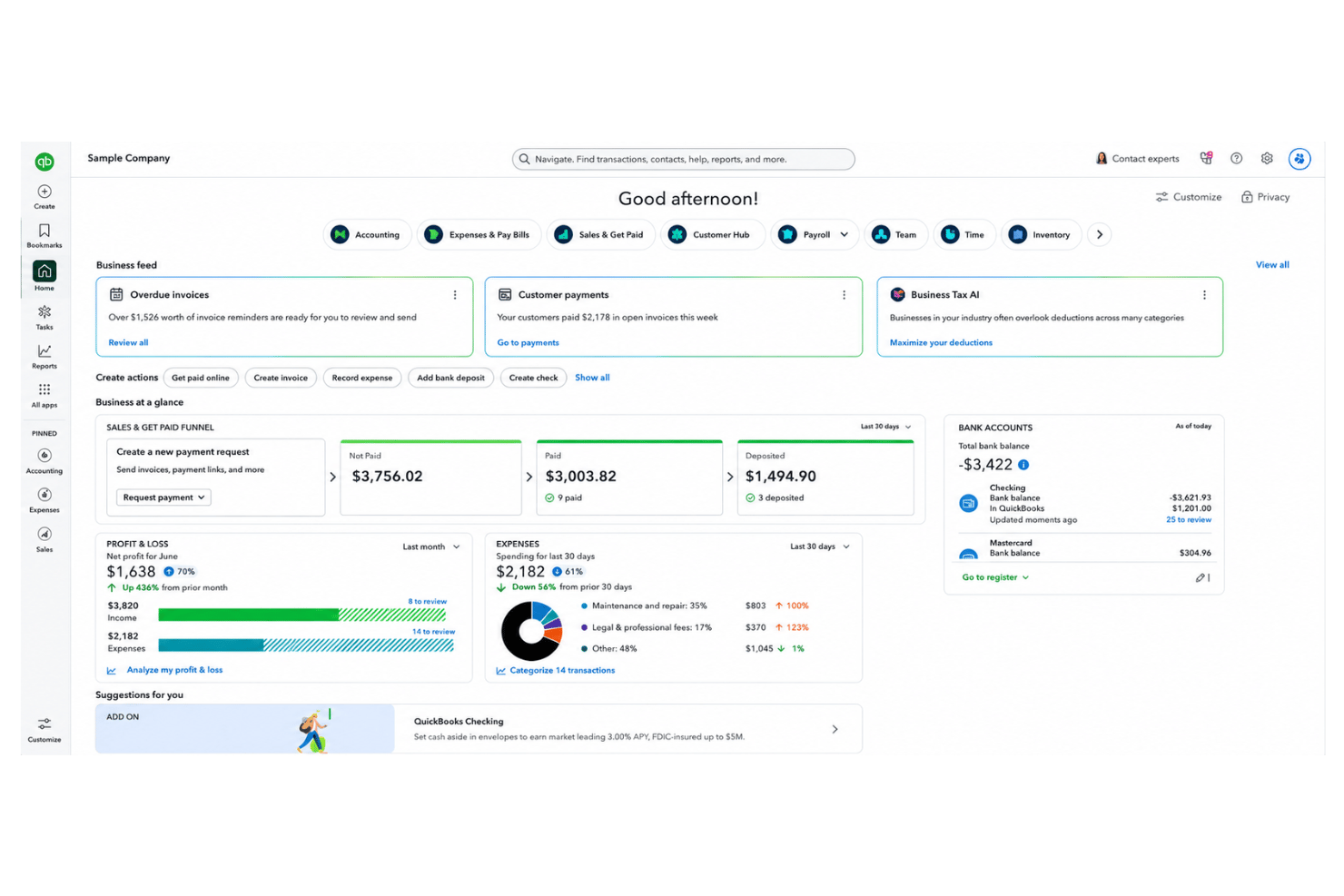
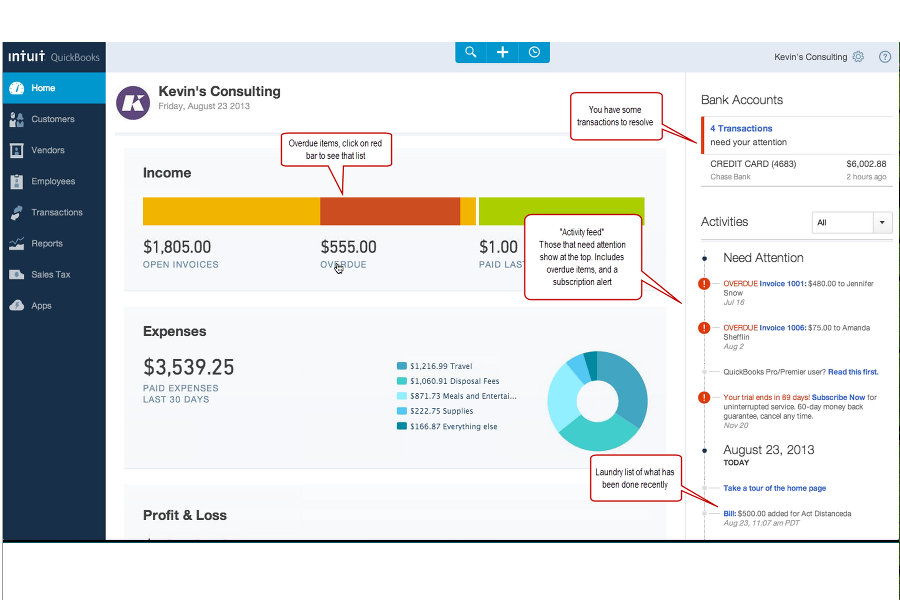
- Dashboards and reports give real-time insight into expenses and payroll
- Employee self-service portal reduces HR admin workload
- Some advanced reporting features are only available with higher-tier plans
- Not ideal for advanced ERP or global organizations
- May require time to learn for new users
FreshBooks
- Payroll tax filing is included at no extra cost
- Built-in time tracking supports hourly wage calculations
- Step-by-step setup guidance simplifies onboarding for new users
- Multi-state payroll support is not included by default
- No native international payroll processing available
- Advanced employee benefits management is limited
Best Use Cases for QuickBooks Online and FreshBooks
QuickBooks Online
- Retail Stores Easy inventory tracking and sales management make it simple to keep up with daily operations.
- Professional Services Automated payroll and project profitability tools help agencies and consultancies track client costs and pay staff on time.
- Startups Startups love the fast onboarding, mobile app, and all-in-one dashboards for managing payroll, expenses, and taxes.
- Nonprofit Organizations QuickBooks Online supports grant management and basic fund tracking to simplify nonprofit bookkeeping and reporting.
- Remote Teams The cloud-based platform and mobile access let remote or distributed teams handle payroll and HR tasks from anywhere.
- Bookkeepers Bookkeepers appreciate the straightforward workflows, reporting, and role-based access in QuickBooks Online.
FreshBooks
- Freelancers and Solopreneurs FreshBooks makes managing payroll, invoicing, and taxes straightforward for individuals with simple payment needs.
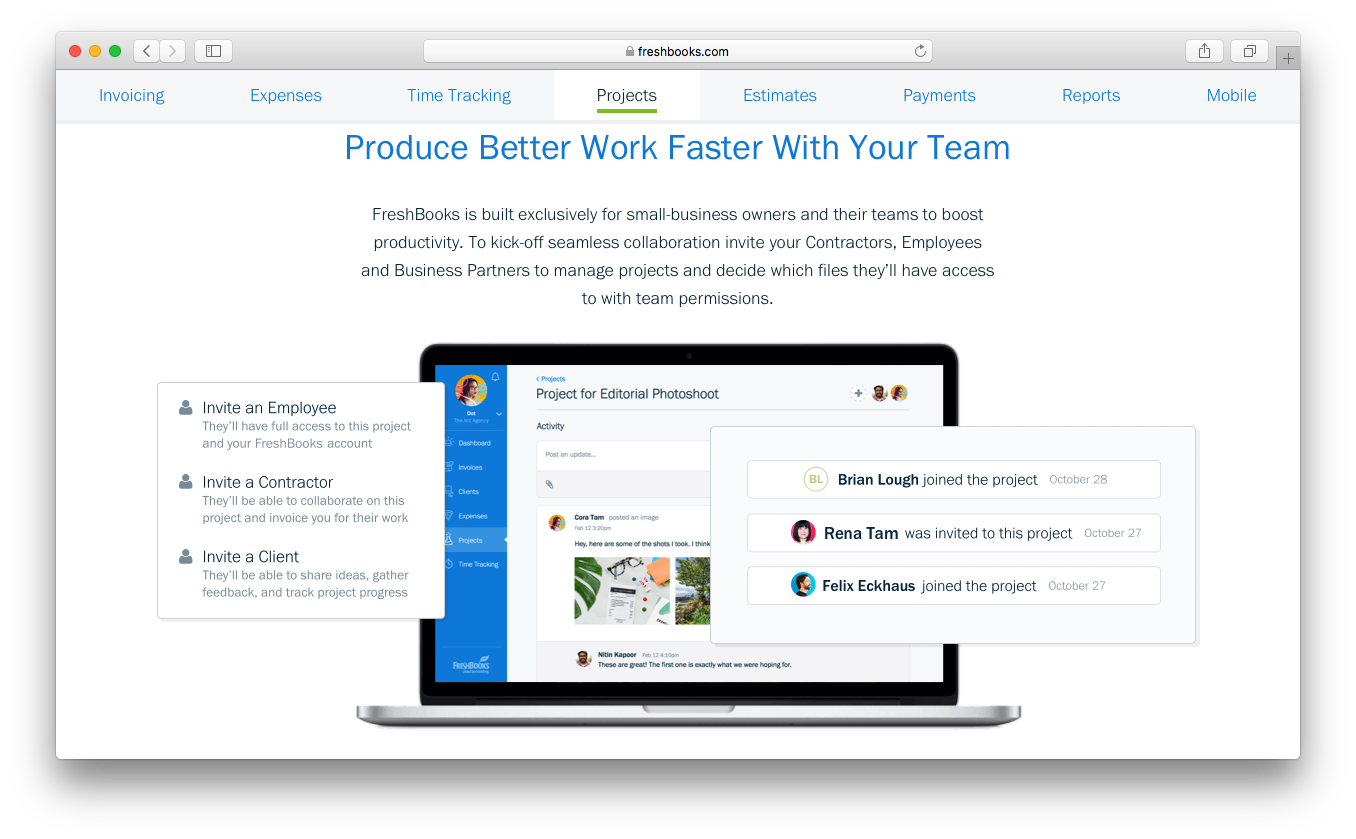
- Professional Services Firms Law firms, consultants, and agencies can track billable hours and run payroll with integrated time tracking.
- Marketing Agencies Agencies find value in automating payroll for both employees and contractors alongside project management features.
- Small Retail Businesses Shops with a handful of staff appreciate FreshBooks’s easy payroll runs and clear cost structure.
- Remote Teams Under 50 Distributed teams get self-service portals and automated direct deposit without layers of HR admin.
- Nonprofit Organizations Nonprofits can manage payroll compliance and tax filing at a predictable cost, with tools that reduce manual paperwork.
Chi dovrebbe usare QuickBooks Online e chi dovrebbe usare FreshBooks?
QuickBooks Online è la scelta migliore per aziende consolidate, team numerosi e chiunque abbia bisogno di funzionalità HR, reporting finanziario avanzato o un’integrazione solida con il payroll. Consiglierei FreshBooks a liberi professionisti, piccoli team o società di servizi che desiderano una fatturazione semplice, il tracciamento del tempo e una collaborazione intuitiva. Se cerchi molte funzionalità e possibilità di crescita, scegli QuickBooks Online. Se invece la semplicità e una configurazione rapida sono la priorità, FreshBooks è imbattibile.
Differences Between QuickBooks Online and FreshBooks
| QuickBooks Online | FreshBooks | |
|---|---|---|
| Integration Depth | Broad native integration library with deeper connections across accounting, payroll, ecommerce, CRM, and business operations tools. | More limited native integrations, with API and Zapier available for additional connectivity. |
| Payroll Integration | Built-in, robust payroll tools for comprehensive HR management. | Payroll requires third-party apps and simpler integrations. |
| Pricing Flexibility | Tiers based on features, users, and optional add-ons. | Tiers based on core functions with simple per-user add-ons. |
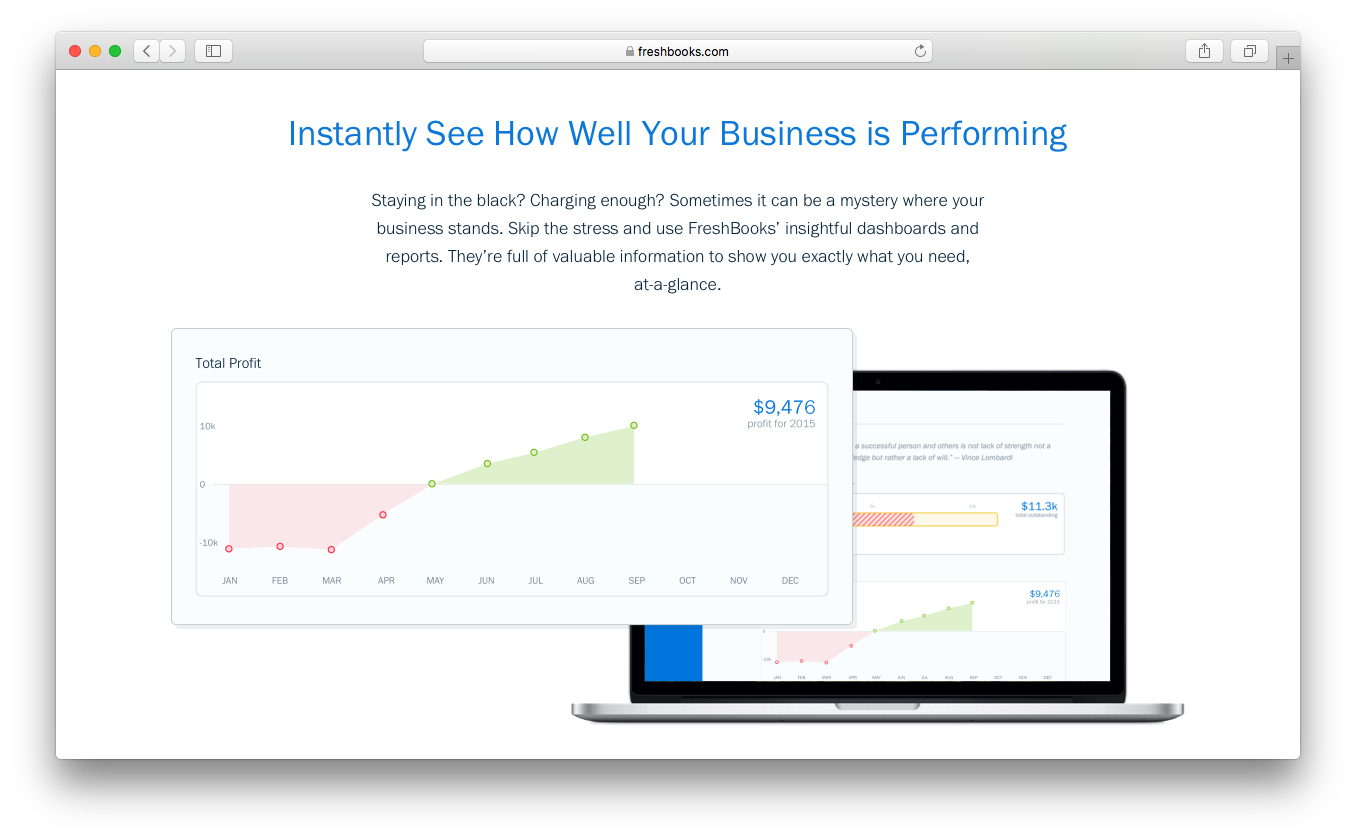
| Reporting Depth | Advanced, customizable reports for detailed financial analysis. | Basic reports with a focus on invoices and expenses. |
| User Experience | Feature-rich but can be complex for beginners. | Clean, intuitive, and easy for anyone to use. |
| Visit QuickBooks OnlineOpens new window | Read FreshBooks ReviewOpens new window |
Similarities Between QuickBooks Online and FreshBooks
| Cloud Access | Both offer secure, cloud-based platforms with web and mobile access so you can manage books and run payroll from anywhere. |
|---|---|
| Customer Support | Both vendors offer live chat, email, and self-serve knowledge bases, providing responsive help whether you’re troubleshooting or just getting started. |
| Expense Tracking | Both tools let you easily snap receipts, categorize expenses, and link up your business bank accounts for automatic import and reconciliation. |
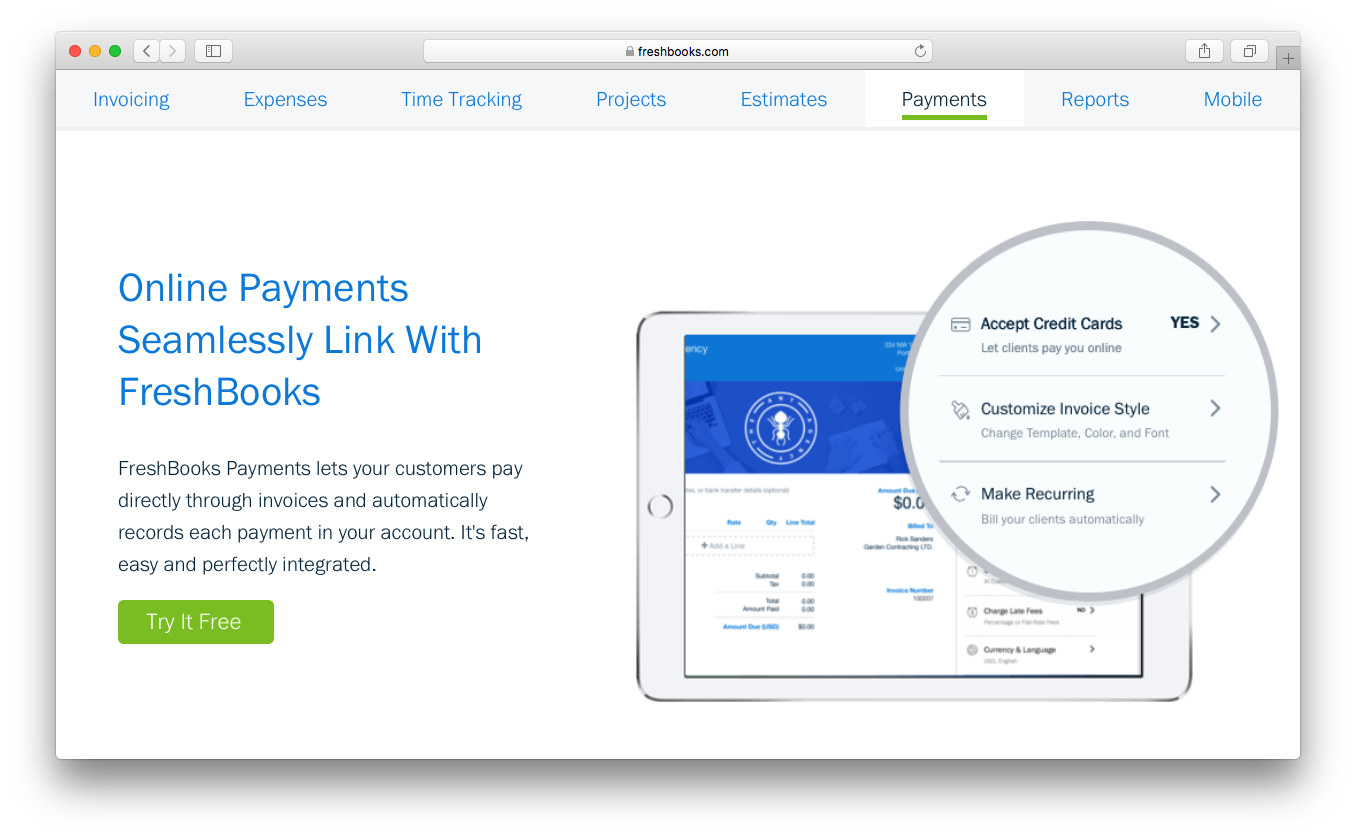
| Invoicing Tools | Each provides customizable invoicing, online payments, and recurring billing, letting users get paid faster and keep clients happy. |
| Visit QuickBooks OnlineOpens new window Read FreshBooks ReviewOpens new window | |