Recensione ChartHop: Pro, Contro, Caratteristiche e Prezzi


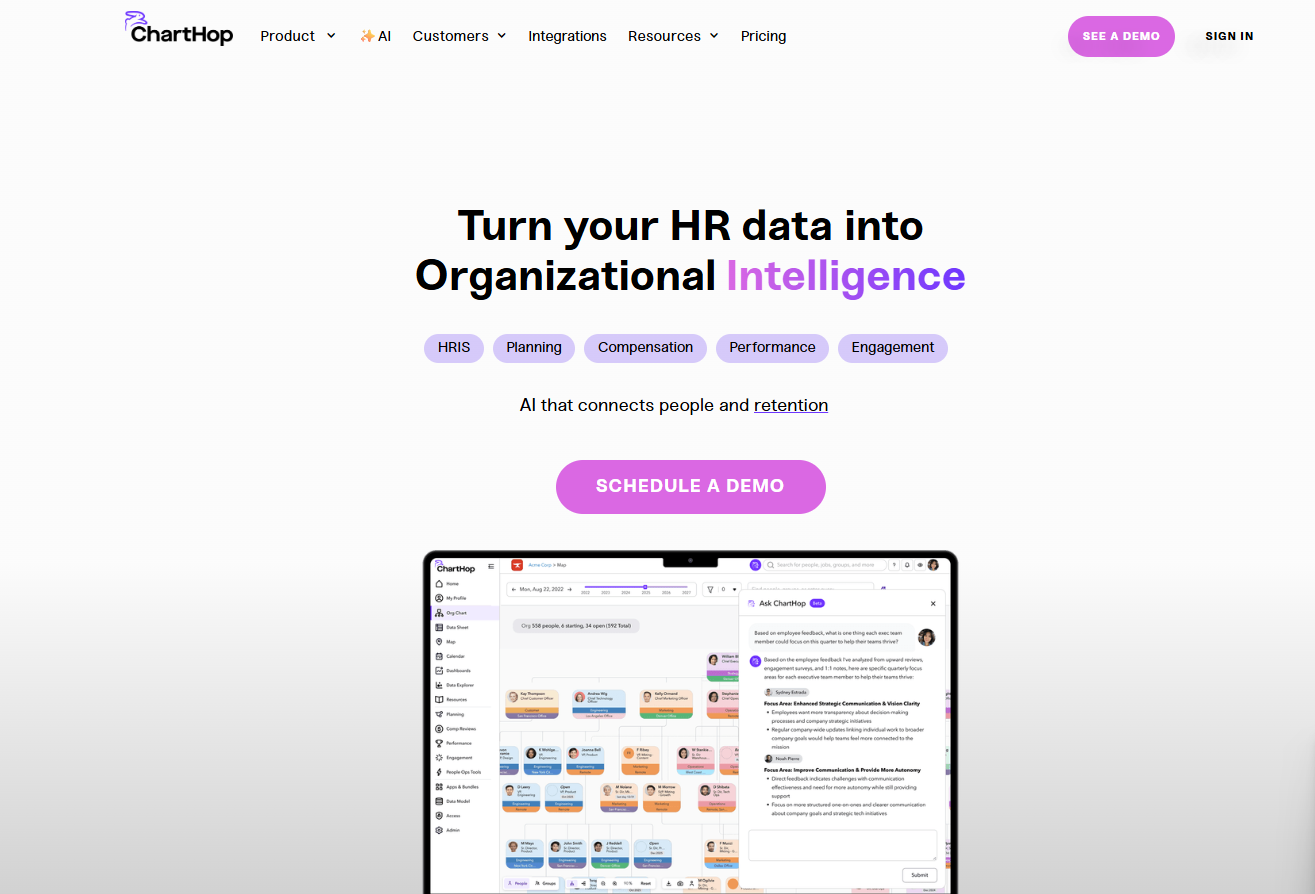
ChartHop is an HR software that combines org chart management, headcount planning, and people analytics in one platform. It's a good fit for growing companies that need deeper workforce visibility than a standard HRIS provides. If you've looked at Workday for people analytics but found the implementation scope and cost too heavy for where your organization is right now, ChartHop gives you comparable planning and analytics depth without the enterprise overhead.
ChartHop Evaluation Summary
- From $5/employee/month (billed annually)
- Free demo + free plan available
Perché fidarsi delle nostre recensioni sui software
Il nostro team testa e recensisce software dal 2012. In quanto esperti HR noi stessi, sappiamo quanto sia difficile — e importante — scegliere il software giusto.
Per questa guida, abbiamo valutato gli strumenti attraverso test pratici e ricerche indipendenti, assegnando un punteggio agli strumenti in base ai nostri criteri di selezione. Ci basiamo inoltre sulle competenze di leader di pensiero del settore e di professionisti HR attivi.
Le nostre recensioni riflettono il nostro giudizio editoriale umano, non un discorso di vendita.
Revisori esperti:
ChartHop Overview
In my opinion, ChartHop is a solid HR software choice for tech-savvy teams needing advanced data visualization and workforce planning. Its standout features like dynamic org charts and real-time data insights set it apart from competitors. However, onboarding can be a bit challenging, and it's not the most budget-friendly option out there.
I think it's ideal for fast-growing startups and tech companies that value detailed data analytics and integrations. If your team seeks a user-friendly interface, you might find other options more suitable. But for those prioritizing data-driven HR decisions, ChartHop is worth considering.
pros
-
It offers dynamic org charts for better workforce visualization.
-
You get real-time data insights for informed decision-making.
-
Its advanced data analytics tools enhance your HR planning.
cons
-
Onboarding can be challenging and time-consuming for your team.
-
The interface might not be the most user-friendly for everyone.
-
Some users find the customization options limited for their needs.
-

Justworks
Visit WebsiteThis rating combines scores from multiple user review sites to reflect overall customer sentiment about the product.4.6 -
Prevue Assessments
Visit WebsiteThis rating combines scores from multiple user review sites to reflect overall customer sentiment about the product.4.6 -
Small Improvements
Visit WebsiteThis rating combines scores from multiple user review sites to reflect overall customer sentiment about the product.4.3





Come Testiamo e Valutiamo i Nostri Strumenti
Abbiamo impiegato anni per costruire, perfezionare e migliorare il nostro sistema di test e valutazione dei software. Il modello è progettato per cogliere le sfumature della scelta del software e per evidenziare cosa rende uno strumento efficace, concentrandosi sugli aspetti più critici del processo decisionale. Di seguito puoi vedere esattamente come funziona la nostra valutazione e attribuzione dei punteggi secondo sette criteri. Questo ci consente di fornire una valutazione imparziale del software basandoci su funzionalità principali, caratteristiche distintive, facilità d’uso, onboarding, assistenza clienti, integrazioni, recensioni dei clienti e rapporto qualità/prezzo.
Funzionalità Principali (25% del punteggio finale)
Il punto di partenza della nostra valutazione sono sempre le funzionalità principali dello strumento. Possiede le funzioni di base che l’utente si aspetta? Alcune di queste funzioni sono disponibili solo in piani a prezzi più alti? In sostanza, ci aspettiamo che uno strumento rispecchi almeno le capacità base dei concorrenti.
Caratteristiche Distintive (25% del punteggio finale)
Successivamente valutiamo le funzionalità particolari che superano le funzionalità di base tipiche degli strumenti della sua categoria. Un punteggio alto riflette caratteristiche specializzate o uniche che rendono il prodotto più veloce, efficiente, o che offrono ulteriore valore all’utente. Valutiamo inoltre quanto sia semplice integrare il software con altri strumenti tradizionalmente presenti nel tech stack per espanderne funzionalità e utilizzo. Gli strumenti che offrono numerose integrazioni native, collegamenti di terze parti e accesso API per creare integrazioni personalizzate ricevono i punteggi migliori.
Facilità d’Uso (10% del punteggio finale)
Consideriamo quanto sia veloce e semplice svolgere i compiti definiti dalle funzionalità principali utilizzando lo strumento. I software con punteggi alti sono ben progettati, intuitivi, dispongono di app mobili, offrono modelli preimpostati e rendono semplici anche i compiti più complessi.
Onboarding (10% del punteggio finale)
Sappiamo quanto sia importante una rapida adozione di una nuova piattaforma all’interno di un team, quindi valutiamo quanto sia facile imparare e utilizzare uno strumento con una formazione minima. Valutiamo quanto rapidamente un membro del team possa iniziare a utilizzare lo strumento senza esperienza. Le soluzioni con punteggio alto richiedono poco o nessun supporto.
Assistenza Clienti (10% del punteggio finale)
Esaminiamo quanto sia facile e veloce ricevere supporto o trovare aiuto tramite telefono, chat dal vivo o knowledge base. Gli strumenti e le aziende che forniscono un’assistenza in tempo reale ottengono i punteggi migliori, mentre i chatbot ottengono i risultati peggiori.
Recensioni dei Clienti (10% del punteggio finale)
Oltre ai nostri test e valutazioni, consideriamo il punteggio net promoter dei clienti attuali e passati. Analizziamo la loro propensione, se potessero scegliere, a selezionare di nuovo lo strumento per le sue funzionalità principali. Un software con un punteggio alto riflette un elevato net promoter score da parte dei clienti attuali o passati.
Rapporto Qualità/Prezzo (10% del punteggio finale)
Infine, considerando tutti gli altri criteri, esaminiamo il prezzo medio dei piani base rispetto alle funzionalità principali e teniamo conto del valore degli altri criteri di valutazione. I software che offrono di più, a meno, ottengono un punteggio più alto.
Core Features
Dynamic Org Charts: ChartHop lets you create visual organization charts that update in real-time, helping your team see changes instantly. These charts make workforce planning easier and more transparent.
Real-Time Data Insights: You get access to up-to-date analytics, allowing you to make informed HR decisions quickly. This feature helps your team stay agile and responsive.
Advanced Data Analytics: ChartHop offers tools to analyze workforce data, including performance review insights, providing deeper visibility into how teams and individuals perform.
Employee Directory: Easily access detailed employee profiles, helping you manage your workforce with a personal touch. This feature keeps your team connected and informed.
Compensation Planning: Plan and manage compensation with ChartHop's tools, ensuring fairness and transparency. This feature supports strategic financial planning for your team.
Custom Reporting: Generate reports tailored to your needs, giving you insights that matter most to your organization. This flexibility helps your team focus on relevant data.

Ease of Use
ChartHop offers a decent user experience but may require a learning curve for some users. Its interface is powerful, with features like dynamic org charts and real-time data insights, but these can be complex to navigate initially. Your team might need some time to get comfortable with the advanced analytics tools. Once familiar, you'll find the platform enhances your HR planning and workflow with its detailed visualization and data-driven capabilities.
Integrations
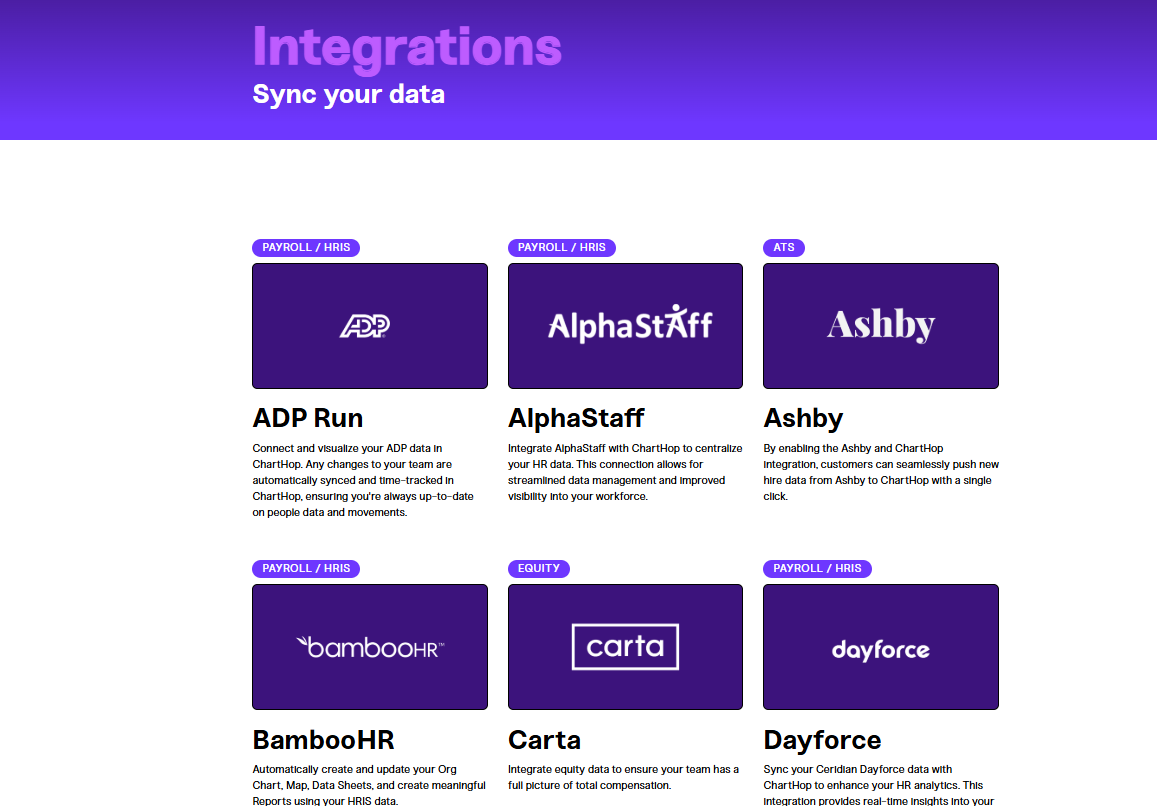
ChartHop integrates with Ashby, BambooHR, Carta, Dayforce, Deel, Greenhouse, Gusto, Jobvite, Lever, Slack, and Workday. ChartHop also provides an API and connects with third-party integration tools to enhance its functionality.
New Product Updates from ChartHop
ChartHop Adds Role and Filter Controls for Ask ChartHop
AI Pro customers now have more control over who can use Ask ChartHop, making it easier to roll out AI assistance responsibly. These new guardrails help ensure the right people get access while keeping usage aligned with internal policies. Benefits include:
- Ask ChartHop Access Controls in AI Settings: Configure guardrails directly from AI settings without needing separate setup.
- Role-Based Eligibility for AI Assistant Access: Limit Ask ChartHop usage to specific roles to match permission and governance needs.
- Filter-Based Eligibility Criteria: Use filter criteria to precisely target which users can access the AI assistant.
Visit ChartHop's official site for more details.
 for more details.
ChartHop Adds Saved Views and Exports for Calibration Sessions
ChartHop has added saved views and exports for calibration sessions to simplify how teams organize and review calibration data. This update helps managers keep consistent views, collaborate faster, and access session data when needed. Highlights include:
- Saved Views: Save custom column layouts and filters for calibration sessions and share them with managers.
- Calibration Exports: Export calibration data directly from the calibration page for easier reporting and review.
Visit ChartHop’s official site for more details.
ChartHop Improves Scenario Approval Workflows
ChartHop introduces new approval-chain improvements for scenario workflows. The updates help teams manage approver routing and simplify approval processes across hiring and scenario management workflows. Highlights include:
- Flexible Approver Logic: Approval chains now support a “relative to” toggle so approver fields can resolve based on the created job or the scenario submitter.
- Auto-Approve Matching Approvers: Approval stages can now automatically approve requests when the submitter and approver are the same person.
- Improved Scenario Configuration: Teams can build more flexible and efficient approval workflows for hiring and job creation scenarios.
Visit ChartHop’s official site for more details.
ChartHop Improves Compensation Exports and Signature Notifications
ChartHop introduces new reporting and notification improvements across compensation and signature workflows. The updates help admins improve visibility into compensation history and signature request activity. Highlights include:
- Compensation Export: Teams can now view and export full compensation-change history with filtering, search, infinite scroll, and CSV export.
- Signature Decline Notifications: Requesters now always receive email notifications when signature requests are declined, even when Slack or Teams is the primary notification channel.
- Additional Notification Recipients: Admins can now add extra recipients for signature action updates and notifications.
Visit ChartHop’s official site for more details.
ChartHop Adds AI Job Code Matching and Description Editor
ChartHop introduces new AI-powered and editing improvements for job code management workflows. The updates help admins speed up job code assignment and improve documentation management. Highlights include:
- AI Job Code Matching: Admins can now generate AI-powered job code suggestions for positions missing job codes and apply recommendations in bulk.
- Dedicated Description Editor: Job codes now include a dedicated Description tab with a rich text editor for easier editing and formatting.
- Improved Spreadsheet Editing: The spreadsheet description column now opens the side drawer editor, rather than inline editing, for a more streamlined workflow.
Visit ChartHop’s official site for more details.
ChartHop Introduces Natural Language Filtering
ChartHop introduces natural language filtering, allowing users to type queries in plain language that are automatically converted into structured filters. This update improves usability by speeding up data exploration and making it more intuitive. Highlights include:
- Natural Language Queries: Enter plain-language requests to filter data without using complex query logic.
- Automatic Filter Conversion: Translate user input into structured filters for accurate results.
Visit ChartHop’s official site for more details.
ChartHop Adds Same-Day Deactivation for Departures
ChartHop adds same-day deactivation for Okta and Google during employee departures. These updates help teams immediately revoke access and streamline offboarding processes. Here are the details of the update:
- Same-Day Deactivation in Okta: Administrators can now deactivate user accounts in Okta immediately upon voluntary departure, reducing the risk of unauthorized access.
- Same-Day Deactivation in Google: Similar functionality is available for Google accounts, ensuring that departing employees no longer have access post departure, maintaining data integrity.
Visit ChartHop's official site for more details.
ChartHop Enhances Time Off Policies and Requests
ChartHop adds support for ‘next year’ time off policies and AM/PM selection for partial day requests. These updates help teams better manage leave balances and make absence requests clearer for planning. Highlights include:
- Next Year Policy Support: Allow employees to request time off from previously accrued balances.
- AM/PM Selection: Specify half-day requests with AM or PM options for clearer scheduling.
Visit ChartHop’s official site for more details.
ChartHop Specs
- 2-Factor Authentication
- 360 Degree Feedback
- API
- Application Tracking
- Attendance Tracking
- Batch Permissions & Access
- Budgeting
- Calendar Management
- Dashboard
- Data Export
- Data Import
- Data Visualization
- Employee Database
- Employee Engagement
- Employee Incentive Management
- Employee Onboarding
- Expense Tracking
- External Integrations
- Feedback Management
- Forecasting
- Multi-User
- Notifications
- Onboarding
- Payroll
- Project Management
- Scheduling
- Time Management
- Timesheets
- Travel Management
- Vacation & Absence Calendar