


QuickBooks Workforce vs. Paychex: Confronto e Recensioni degli Esperti per il 2026


Payroll issues rarely announce themselves politely. They usually show up as missed details, messy approvals, or one more task you thought was already handled. When accuracy, compliance, and employee access are all on the line, the right platform can make daily admin feel a lot less fragile.
Choosing between QuickBooks Workforce and Paychex isn’t easy when you need reliable payroll and billing support. You’re likely juggling compliance risks, time-consuming admin, and questions about which invoicing and payroll software can actually handle your specific business needs. Both tools promise accuracy and convenience but approach payroll, invoicing, and employee self-service a little differently.
In this article, you’ll get a clear comparison—including pros and cons, use cases, pricing, security, and usability—so you can make the best call for your business. I’ll highlight what each platform does well (and where it falls short) to help you confidently choose the right fit.
QuickBooks Workforce vs. Paychex: An Overview
QuickBooks Workforce
Paychex
Perché fidarsi delle nostre recensioni sui software
Il nostro team testa e recensisce software dal 2012. In quanto esperti HR noi stessi, sappiamo quanto sia difficile — e importante — scegliere il software giusto.
Per questa guida, abbiamo valutato gli strumenti attraverso test pratici e ricerche indipendenti, assegnando un punteggio agli strumenti in base ai nostri criteri di selezione. Ci basiamo inoltre sulle competenze di leader di pensiero del settore e di professionisti HR attivi.
Le nostre recensioni riflettono il nostro giudizio editoriale umano, non un discorso di vendita.
Revisori esperti:
QuickBooks Workforce vs. Paychex Pricing Comparison
| QuickBooks Workforce | Paychex | |
|---|---|---|
| Free Trial | 30-day free trial | Free demo available |
| Pricing | From $88/month | Pricing upon request |
QuickBooks Workforce vs. Paychex: Prezzi e Costi Nascosti
QuickBooks Workforce utilizza un modello di abbonamento che prevede un costo per dipendente, con costi extra per alcune funzionalità come l'invio delle dichiarazioni fiscali o le integrazioni. Paychex offre diversi livelli in base alla dimensione dell’azienda e ai servizi richiesti, spesso aggiungendo costi per configurazione, gestione fiscale o supporto HR specializzato. Con entrambi gli strumenti, potresti imbatterti in costi nascosti per assistenza all’implementazione, dichiarazioni di fine anno o personalizzazioni.
Quando confronti queste opzioni, guarda oltre il semplice prezzo di abbonamento base e valuta quali funzionalità sono incluse—soprattutto se in futuro avrai bisogno di automazione fiscale, reportistica o integrazioni. Ti consiglio di chiedere a entrambi i fornitori un dettaglio completo dei costi ricorrenti e una tantum, quindi confrontare questi extra con le funzionalità di cui la tua gestione paghe non può fare a meno. Così eviterai sorprese dovute a componenti aggiuntivi e sceglierai davvero l’opzione più adatta al tuo flusso di lavoro e ai piani di crescita.
QuickBooks Workforce vs. Paychex: Integrazioni
| Integrazione | QuickBooks Workforce | Paychex |
|---|---|---|
| QuickBooks Online | ✅ | ✅ |
| Xero | ❌ | ✅ |
| FreshBooks | ❌ | ❌ |
| Asana | ❌ | ❌ |
| QuickBooks Time | ✅ | ✅ |
| JazzHR | ✅ | ✅ |
| Clockify | ✅ | ❌ |
| API | ✅ | ✅ |
| Zapier | ✅ | ❌ |
| QuickBooks Online | ✅ | ✅ |
Entrambi gli strumenti coprono le integrazioni essenziali per piattaforme contabili e di produttività, ma QuickBooks Workforce si distingue se utilizzi l’ecosistema Intuit, mentre Paychex supporta alcuni concorrenti payroll unici. Grazie alla disponibilità di API e Zapier, la maggior parte degli utenti dovrebbe riuscire a connettere strumenti specifici o flussi di lavoro rilevanti per il proprio business.
QuickBooks Workforce vs. Paychex: Sicurezza, Conformità e Affidabilità
| Fattore | QuickBooks Workforce | Paychex |
|---|---|---|
| Crittografia dei Dati | Utilizza crittografia AES256 e TLS per tutti i dati a riposo, e crittografia RSA per i dati in transito. | Protegge tutti i dati con crittografia end-to-end e controlli avanzati degli accessi. |
| Conformità Normativa | È conforme a PCI DSS, sottoposto a audit e report SOC, ed è certificato ISO 27001. | Mantiene SOC 1 & 2, ed è certificato ISO 27001 |
| Permessi Utente | Permessi basati su ruoli utente personalizzabili all’interno dell’ecosistema QuickBooks. | Offre autenticazione a più fattori e permessi utente personalizzabili. |
| Disponibilità & Affidabilità | 99,9% di uptime, supportato dall’infrastruttura di Intuit. | Garantisce robusti livelli di uptime con monitoraggio 24/7 e rapido ripristino in caso di emergenza. |
Entrambe le piattaforme adottano misure serie per la sicurezza e la conformità, garantendo protezioni affidabili per i dati delle buste paga, le informazioni dei dipendenti e l’accesso agli account. Nel complesso, le considero piuttosto simili, e la scelta migliore dipende dai sistemi già in uso, dalle necessità di supporto e dalle priorità nella gestione della forza lavoro.
QuickBooks Workforce vs. Paychex Facilità d'Uso
| Fattore | QuickBooks Workforce | Paychex |
|---|---|---|
| Interfaccia Utente | Dashboard pulita e intuitiva, progettata per piccole imprese e commercialisti. | Layout più ricco di funzionalità che richiede un po’ più di apprendimento iniziale. |
| Onboarding | Brevi walkthrough guidati e consigli per la configurazione direttamente sulla piattaforma. | Offre onboarding personalizzato ma può richiedere più tempo per utenti non HR. |
| Semplicità del Flusso di Lavoro | Esecuzione delle buste paga e fatturazione lineare, con minimo numero di clic richiesti. | Guida passo-passo, a volte con passaggi più complessi per modifiche in busta paga. |
| Accesso Mobile | App mobile facile da usare per operazioni di base e consultazione delle retribuzioni. | App mobile completa di tutte le funzionalità ma con una curva di apprendimento iniziale più ripida. |
| Supporto Clienti | Ricco centro assistenza digitale con chat e assistenza telefonica reattive. | Offre assistenza dal vivo e responsabili dedicati per account di grandi dimensioni. |
QuickBooks Workforce è più semplice per chi è alle prime armi e per team piccoli o in crescita, mentre Paychex richiede più tempo per essere padroneggiato ma è eccellente per chi gestisce esigenze HR complesse. Ho trovato QuickBooks Workforce più accessibile per svolgere rapidamente operazioni di payroll, mentre Paychex è più adatto se hai bisogno di supporto approfondito o onboarding guidato.
QuickBooks Workforce vs Paychex: Pros & Cons
QuickBooks Workforce
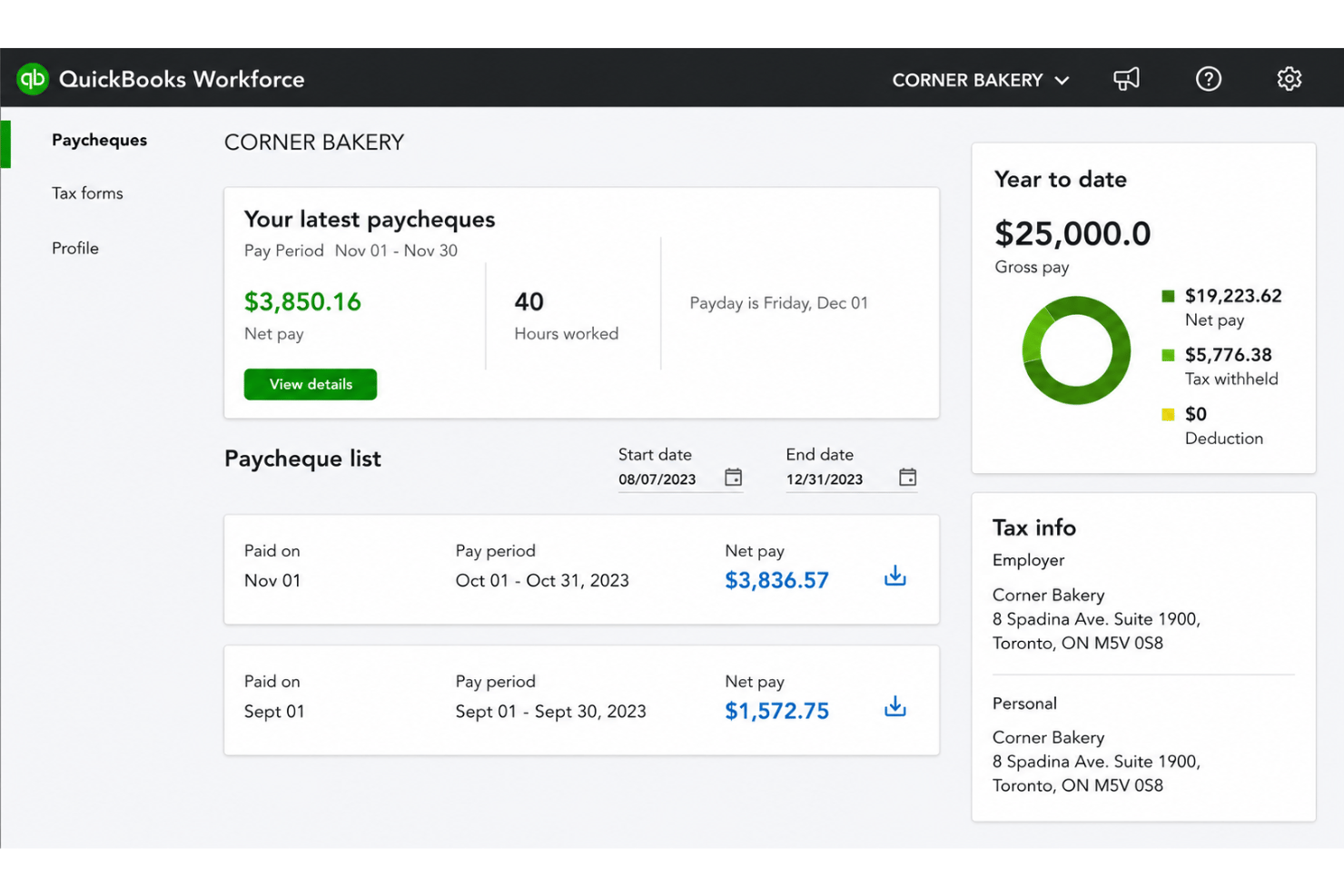
- Paystubs and W-2s are accessible for employees anytime.
- Automated payroll tax calculations help prevent errors.
- Mobile access lets employees view pay and year-end forms.
- May not suit complex or global payroll needs.
- May lack advanced features found in dedicated enterprise HCM platforms.
- May require transition time when moving from manual payroll processes.
Paychex
- Handles multi-state payroll and tax compliance automatically
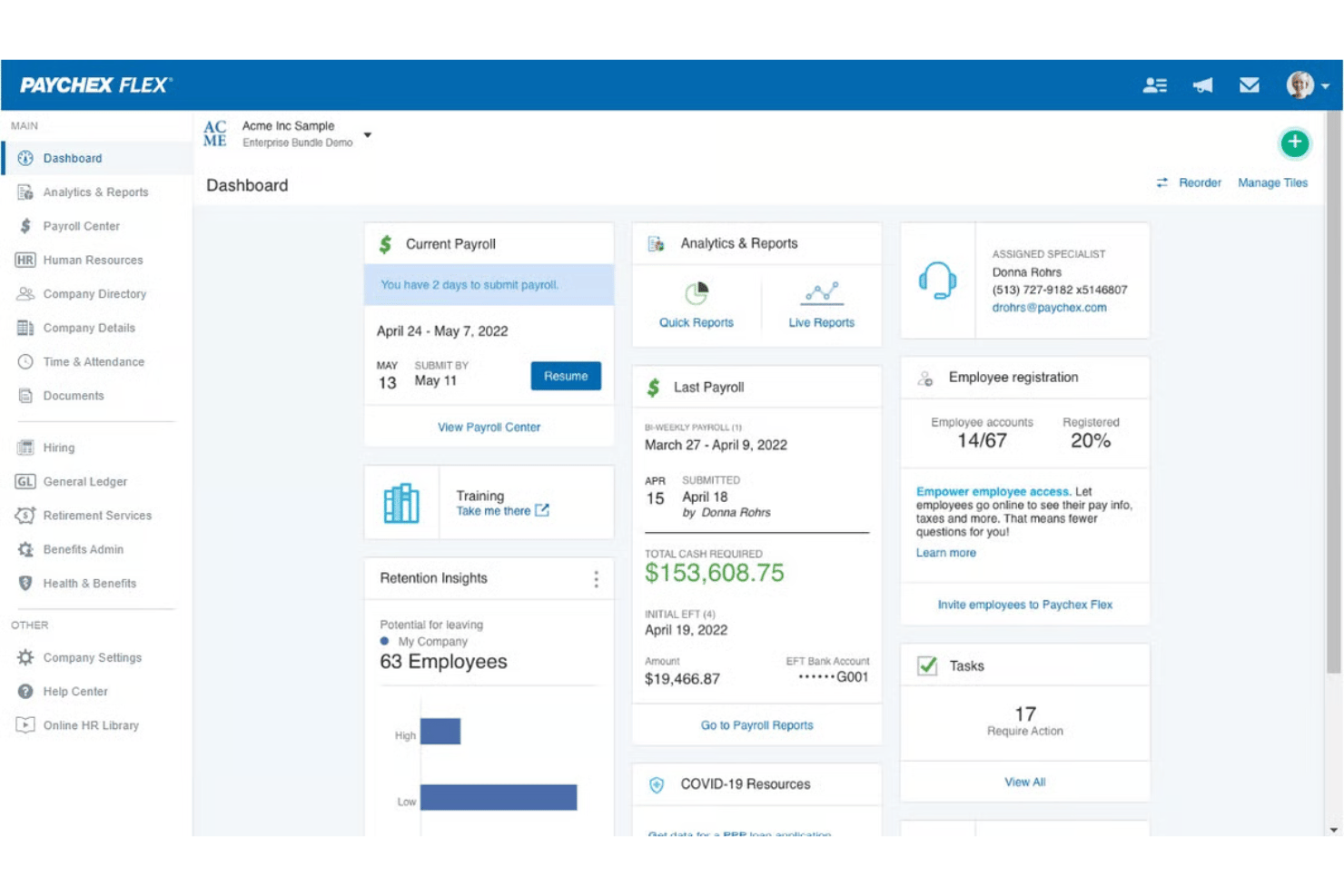
- Offers live support from payroll specialists and HR advisors
- Provides detailed, customizable payroll and invoice reports
- Mobile app has limited invoicing features and options
- Initial setup can be time-intensive for complex businesses
- Some users report inconsistent direct deposit timing
Best Use Cases for QuickBooks Workforce and Paychex
QuickBooks Workforce
- Small Businesses Intuitive setup and payroll automation suit leaders without dedicated HR or accounting staff.
- Retail Teams Hourly shift workers and frequent turnover make pay stub access and real-time PTO tracking a key advantage.
- Accountants Easy access to year-end tax forms and long-term pay history streamlines accounting and client payroll work.
- Construction Firms Mobile app access lets field teams check pay, view W-2s, and update info without coming to the office.
- Distributed Teams Remote or hybrid workers benefit from digital payroll and instant access to direct deposit or tax records.
- Growing Startups Features scale for businesses with fluctuating headcounts and evolving payroll needs.
Paychex
- Multi-State Employers Paychex automates tax calculations and manages compliance for businesses with employees in several states.
- Healthcare Practices Industry-specific compliance support and easier handling of variable shifts make Paychex helpful for healthcare employers.
- Franchise Groups Franchise owners benefit from consolidated reporting, multi-location payroll, and centralized invoice control.
- HR Departments HR teams get built-in compliance guidance, onboarding, and document management all in one platform.
- Construction Firms Prevailing wage calculations, labor compliance poster kits, and certified payroll reporting support contractors who need documentation for government work.
- Mid-Sized Businesses Growing mid-sized companies can scale up applicant tracking, compliance, payroll, and HR features as their needs grow.
Chi dovrebbe usare QuickBooks Workforce e chi dovrebbe usare Paychex?
QuickBooks Workforce è ideale per piccole imprese, commercialisti e team in crescita che già usano QuickBooks per la gestione finanziaria, e cercano onboarding veloce e semplicità. Paychex è la scelta giusta per aziende di medie dimensioni che hanno bisogno di funzionalità HR avanzate, maggiore supporto e opzioni flessibili per conformità complesse. Se la tua gestione paghe è semplice e il budget è la priorità, scegli QuickBooks Workforce. Se prevedi una crescita o devi gestire normative articolate, Paychex ti seguirà passo dopo passo.
Differences Between QuickBooks Workforce and Paychex
| QuickBooks Workforce | Paychex | |
|---|---|---|
| Accounting Integration | Deeply connected with QuickBooks accounting for seamless sync. | Integrates with more payroll competitors but less with accounting tools. |
| Customization | Limited custom workflows or reporting options. | Highly customizable processes and in-depth reports for complex needs. |
| Pricing Structure | Clear per-employee pricing with some add-on fees. | Tiered packages with a variety of additional service charges. |
| User Learning Curve | Simple, fast setup—ideal for non-HR professionals. | Steeper learning curve due to feature depth, best for HR specialists. |
| Visit QuickBooks WorkforceOpens new window | Read Paychex ReviewOpens new window |
Similarities Between QuickBooks Workforce and Paychex
| Compliance Updates | Both solutions keep payroll compliant with real-time updates for federal, state, and local rules, reducing legal and tax headaches. |
|---|---|
| Direct Deposit | Each platform offers secure, reliable direct deposit options so staff are paid accurately and on time every payday. |
| Payroll Automation | Both automate payroll runs, tax calculations, and employee deductions, letting you spend less time on manual pay processing. |
| Self-Service Access | Employees can review pay stubs, manage personal info, and access tax forms directly from a portal in both tools. |
| Visit QuickBooks WorkforceOpens new window Read Paychex ReviewOpens new window | |