


Recensione di Atlas: spiegazione di vantaggi, svantaggi, funzionalità e prezzi



Agency recruitment gets messy real fast when the detail that matters lives in calls, inboxes, and message threads nobody has time to write up. The right platform should hold that context for you and give leaders a clear view of the desk without creating another admin job.
Atlas is an AI-native recruitment platform built for staffing, recruitment, and executive search firms that want a CRM which records itself. I’d look at it if your team loses hours to data entry and candidate write-ups, and you want conversations, pipeline, and business development tracked automatically, rather than a legacy system with AI features fitted on top years after the fact.
Atlas Evaluation Summary
- From £105/user/month
- 14-day free trial
Perché fidarsi delle nostre recensioni sui software
Il nostro team testa e recensisce software dal 2012. In quanto esperti HR noi stessi, sappiamo quanto sia difficile — e importante — scegliere il software giusto.
Per questa guida, abbiamo valutato gli strumenti attraverso test pratici e ricerche indipendenti, assegnando un punteggio agli strumenti in base ai nostri criteri di selezione. Ci basiamo inoltre sulle competenze di leader di pensiero del settore e di professionisti HR attivi.
Le nostre recensioni riflettono il nostro giudizio editoriale umano, non un discorso di vendita.
Revisori esperti:
Atlas Overview
If you’re judging Atlas as a recruitment platform, I think the automatic capture of calls, emails, and messages is what separates it from tools that still depend on recruiters typing their notes up. Plain-language search across your own database, a built-in copilot, and client-ready candidate reports all draw on that same record. Pricing is quote based, and onboarding is guided rather than something you work through alone. Atlas underperforms if you need a long list of native connections to older tools, or if you’re an in-house talent team shopping for a general ATS. I’d select Atlas for agencies running permanent and contract desks, where recording the relationship matters as much as closing the placement.
pros
-
Calls, emails, and messages are logged and made searchable without manual entry
-
Plain-language search pulls answers from past conversations, not just CV fields
-
Client-ready candidate reports are produced from data already in the platform
cons
-
Fewer native integrations than vendors that have been building them for a decade
-
Smaller pool of public reviews and reference customers than incumbent platforms
-
Workflows are tailored to agencies, not in-house talent acquisition teams
Is Atlas Right For Your Needs?
Who Would be a Good Fit for Atlas?
Atlas makes sense for agencies and search firms where the sheer volume of client and candidate conversation is the real workload. It works best when a team runs permanent and contract desks together, needs business development tracked without someone maintaining it by hand, and wants leaders to see pipeline and performance without pulling reports together. If your team values fast onboarding and wants the admin to disappear rather than be reorganized, Atlas fits the bill.
-
Enterprise HR Teams
Large staffing and search organizations get a shared record across desks and offices, plus the reporting leaders need to run the business.
-
Regulated Industries
Automatic capture leaves a dated trail of every conversation, backed by ISO 27001 certification and GDPR compliance, which helps in sectors with tighter record-keeping expectations.
-
Multi-location Companies
Centralized dashboards let you manage activity across regions, standardize how work gets recorded, and maintain visibility into distributed desks.
-
Staffing Agencies
Permanent and contract desks, automatic context capture, opportunity tracking, and contractor management sit in one platform, which is precisely the buyer Atlas is built for.
-
Tech Scaleups
Agencies placing into fast-moving markets can connect Atlas to the rest of their stack through its open API and Claude MCP connector as their tooling changes.
-
Growth-focused Startups
Newer and smaller agencies can get productive quickly, since onboarding is guided and the platform builds the candidate record for them from day one.
Who Would be a Bad Fit for Atlas?
Atlas isn’t the right choice outside staffing, recruitment, and executive search, because that is the only market it serves. In-house talent teams looking for a general ATS will find some workflows tuned to agency work instead of theirs, and buyers who want a long list of connections to older tools, or a deep archive of public reviews, will notice the gaps.
-
Microbusinesses Hiring
A business hiring for its own vacancies isn’t the buyer here. Atlas is sold to agencies and search firms, so internal hiring on a small scale sits outside what it’s designed to do.
-
Boutique Creative Firms
Firms filling the occasional role for themselves rather than placing candidates for clients won’t get much from a platform organized around client work and billing.
-
Manual-Only HR Departments
If you’d rather keep hiring in spreadsheets and inboxes, Atlas won’t deliver value, because the payoff comes from it capturing conversations for you.
-
Nonprofit Volunteer Recruiting
Volunteer and other non-employee recruitment falls outside the agency and executive search use cases Atlas commits to serving.
-
Standalone Freelance Recruiters
Solo recruiters can use Atlas, but a one-person desk is unlikely to need the dashboards, opportunity tracking, and contractor management that much of the platform is built around.
-
Companies Using Single HR Platform
Teams standardized on a single internal HR system for their own hiring don’t need Atlas, which replaces an agency CRM rather than sitting next to an HRIS.
Come Testiamo e Valutiamo i Nostri Strumenti
Abbiamo impiegato anni per costruire, perfezionare e migliorare il nostro sistema di test e valutazione dei software. Il modello è progettato per cogliere le sfumature della scelta del software e per evidenziare cosa rende uno strumento efficace, concentrandosi sugli aspetti più critici del processo decisionale. Di seguito puoi vedere esattamente come funziona la nostra valutazione e attribuzione dei punteggi secondo sette criteri. Questo ci consente di fornire una valutazione imparziale del software basandoci su funzionalità principali, caratteristiche distintive, facilità d’uso, onboarding, assistenza clienti, integrazioni, recensioni dei clienti e rapporto qualità/prezzo.
Funzionalità Principali (25% del punteggio finale)
Il punto di partenza della nostra valutazione sono sempre le funzionalità principali dello strumento. Possiede le funzioni di base che l’utente si aspetta? Alcune di queste funzioni sono disponibili solo in piani a prezzi più alti? In sostanza, ci aspettiamo che uno strumento rispecchi almeno le capacità base dei concorrenti.
Caratteristiche Distintive (25% del punteggio finale)
Successivamente valutiamo le funzionalità particolari che superano le funzionalità di base tipiche degli strumenti della sua categoria. Un punteggio alto riflette caratteristiche specializzate o uniche che rendono il prodotto più veloce, efficiente, o che offrono ulteriore valore all’utente. Valutiamo inoltre quanto sia semplice integrare il software con altri strumenti tradizionalmente presenti nel tech stack per espanderne funzionalità e utilizzo. Gli strumenti che offrono numerose integrazioni native, collegamenti di terze parti e accesso API per creare integrazioni personalizzate ricevono i punteggi migliori.
Facilità d’Uso (10% del punteggio finale)
Consideriamo quanto sia veloce e semplice svolgere i compiti definiti dalle funzionalità principali utilizzando lo strumento. I software con punteggi alti sono ben progettati, intuitivi, dispongono di app mobili, offrono modelli preimpostati e rendono semplici anche i compiti più complessi.
Onboarding (10% del punteggio finale)
Sappiamo quanto sia importante una rapida adozione di una nuova piattaforma all’interno di un team, quindi valutiamo quanto sia facile imparare e utilizzare uno strumento con una formazione minima. Valutiamo quanto rapidamente un membro del team possa iniziare a utilizzare lo strumento senza esperienza. Le soluzioni con punteggio alto richiedono poco o nessun supporto.
Assistenza Clienti (10% del punteggio finale)
Esaminiamo quanto sia facile e veloce ricevere supporto o trovare aiuto tramite telefono, chat dal vivo o knowledge base. Gli strumenti e le aziende che forniscono un’assistenza in tempo reale ottengono i punteggi migliori, mentre i chatbot ottengono i risultati peggiori.
Recensioni dei Clienti (10% del punteggio finale)
Oltre ai nostri test e valutazioni, consideriamo il punteggio net promoter dei clienti attuali e passati. Analizziamo la loro propensione, se potessero scegliere, a selezionare di nuovo lo strumento per le sue funzionalità principali. Un software con un punteggio alto riflette un elevato net promoter score da parte dei clienti attuali o passati.
Rapporto Qualità/Prezzo (10% del punteggio finale)
Infine, considerando tutti gli altri criteri, esaminiamo il prezzo medio dei piani base rispetto alle funzionalità principali e teniamo conto del valore degli altri criteri di valutazione. I software che offrono di più, a meno, ottengono un punteggio più alto.
Core Features
Advanced Workflow Customization
Set up pipelines and stages that match how your desk actually runs, then let AI agents handle the repetitive steps in between. Tagging, syncing, and follow-ups happen in the background, so work moves forward without anyone stopping to update a field.
Centralized Reporting and Analytics
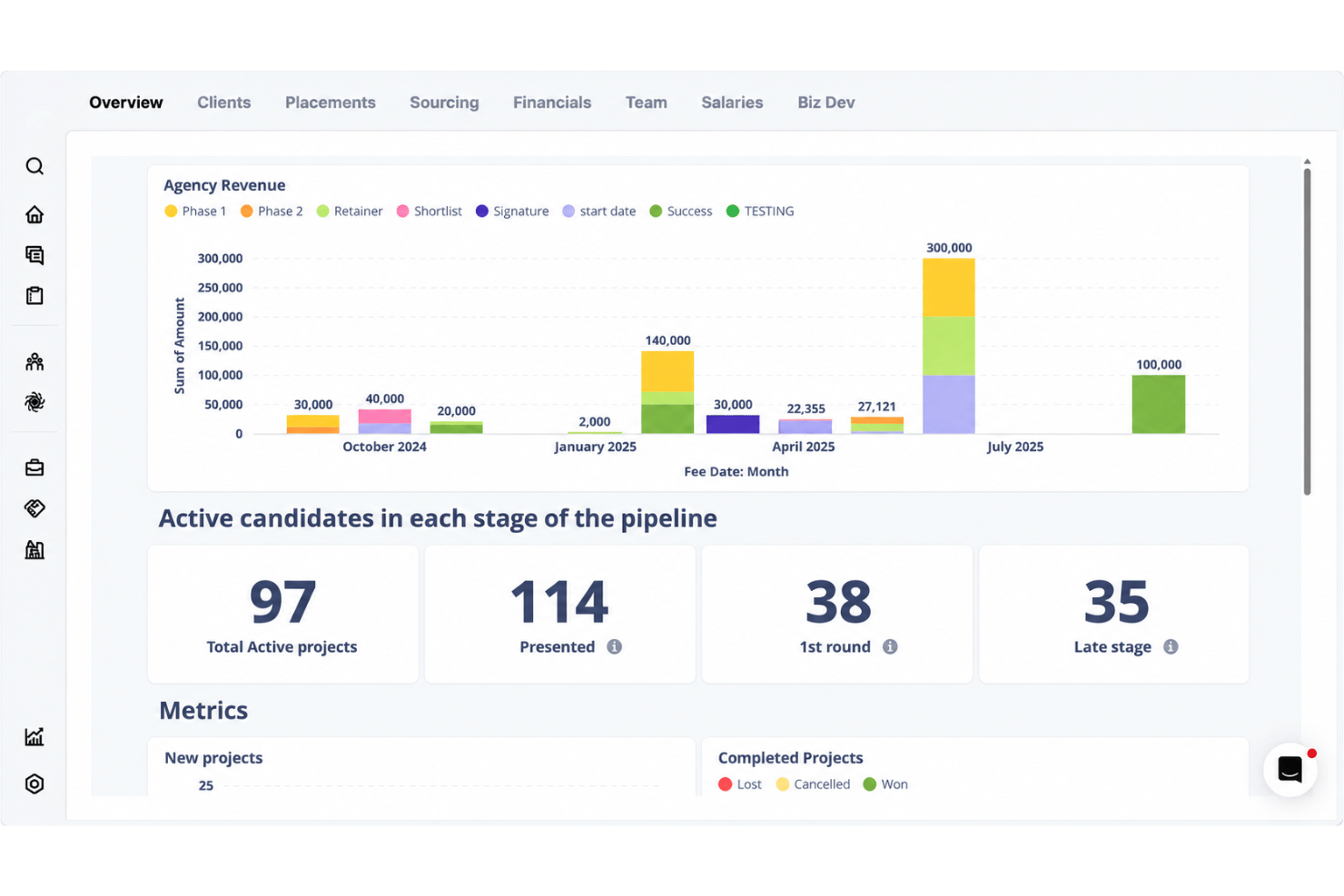
Dashboards pull live activity, pipeline, and performance into a single view across desks and offices. Leaders can watch revenue, placements, and time-to-fill without stitching reports together by hand.
Global Sourcing Tools
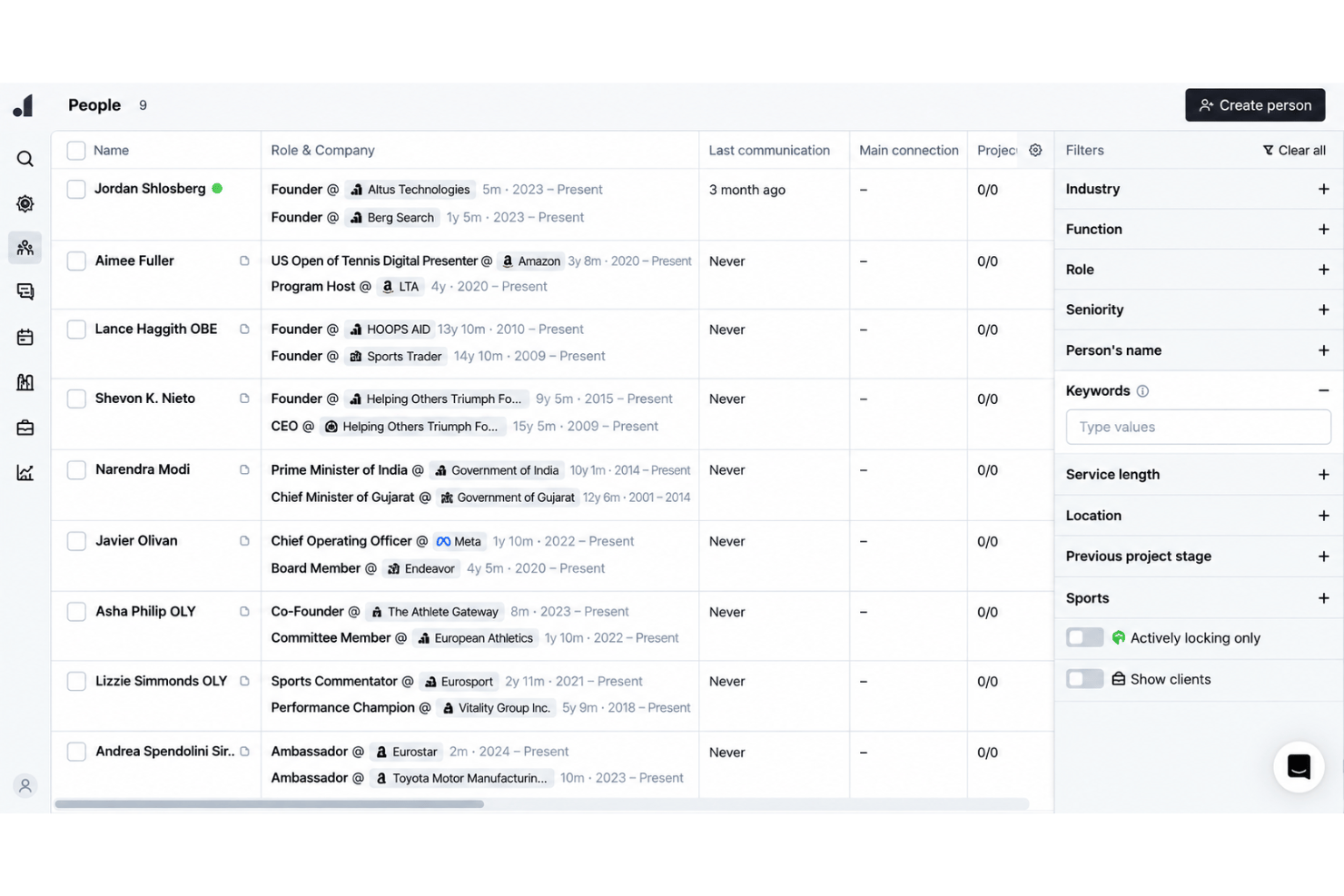
People Search runs across your own database and returns matches with the evidence behind them, drawn from real conversations rather than CV keywords alone. Multi-touch outreach then works across email, phone, and social channels to reach candidates wherever they actually reply.
Bulk Candidate Management
Tag, update, and contact large groups of candidates at once, with AI agents applying changes as records move. Outreach sequences and follow-ups can be triggered for a whole talent pool rather than one profile at a time.
Magic Search
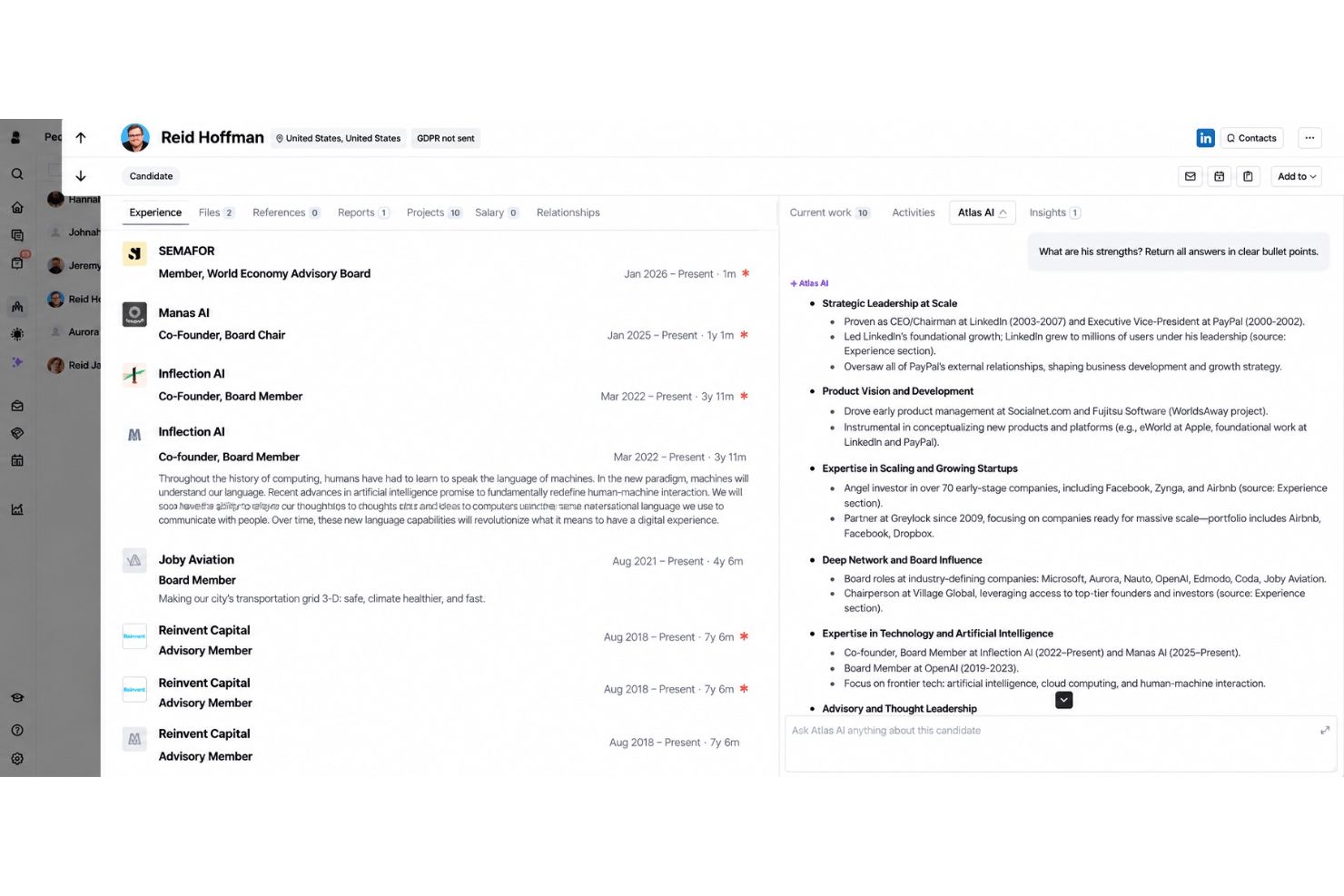
Describe your ideal candidate in plain language or by voice, and Atlas searches your existing database plus context from resumes, notes, calls, messages, and research. It returns a ranked shortlist with match scores and evidence explaining why each person fits, so recruiters can refine searches without relying on Boolean strings or manual filtering.
Automated Candidate Communications
Outreach, interview scheduling, and follow-up messages run from templates and connected calendars. The built-in note taker writes up calls and interviews on its own, so the record of every conversation stays attached to the candidate.
Standout Features
Total Memory
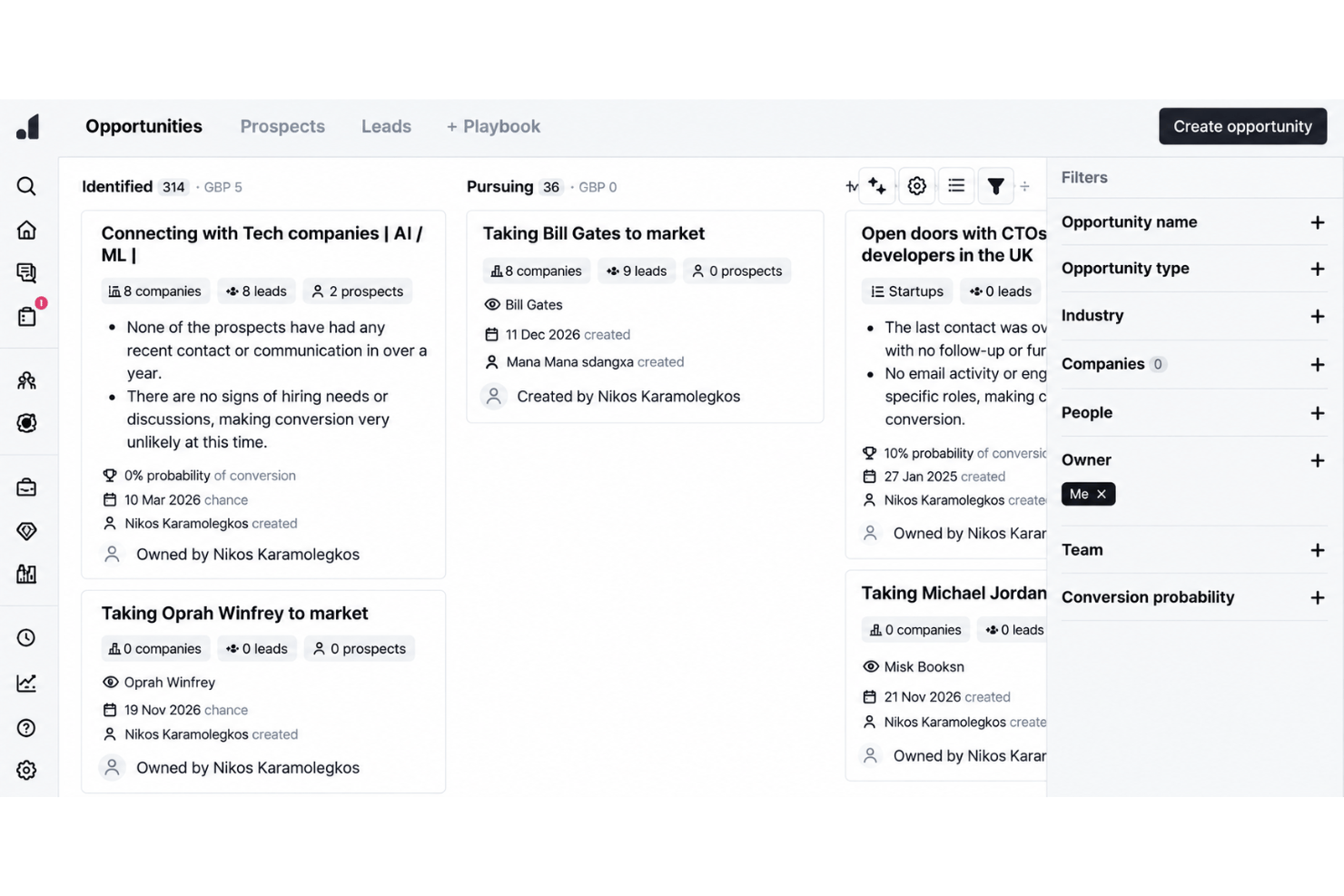
Because Atlas keeps the full context of every conversation, you can group and compare candidates by what they have actually told you: who is open to moving, who wants shorter weeks, who is quietly unhappy where they are. This helps teams spot the right person for a role they haven’t opened yet, not just the one in front of them.
Compliance-Ready Audit Trails
Every call, email, and message is captured as it happens, which leaves a dated record of how a placement progressed without anyone writing it up afterwards. Atlas is certified to ISO 27001 and operates within GDPR, with SOC 2 accreditation in progress and expected in early 2027.
Ease of Use
Atlas strikes a practical balance between depth and ease-of-use for agency teams. The interface is organized around how a desk works, and because the record builds itself from calls and messages, there is less to configure and far less to keep updated. Public feedback from agency founders keeps landing on the same point: it behaves the way recruiters already think, rather than asking them to adapt. The platform doesn’t overwhelm with feature sprawl, but gives enough control and visibility for busy firms running several desks at once.
Onboarding
Onboarding is led by the Atlas team rather than left to you. Every new customer is paired with a dedicated onboarding group from the first day, with daily sessions that work through the platform until the whole desk is confident using it. Support sits alongside that process, so anything that comes up gets handled straight away instead of waiting until training wraps. Atlas also takes on the migration of data from your previous system, and will help cover the tail end of an existing vendor contract on longer commitments.
Customer Support
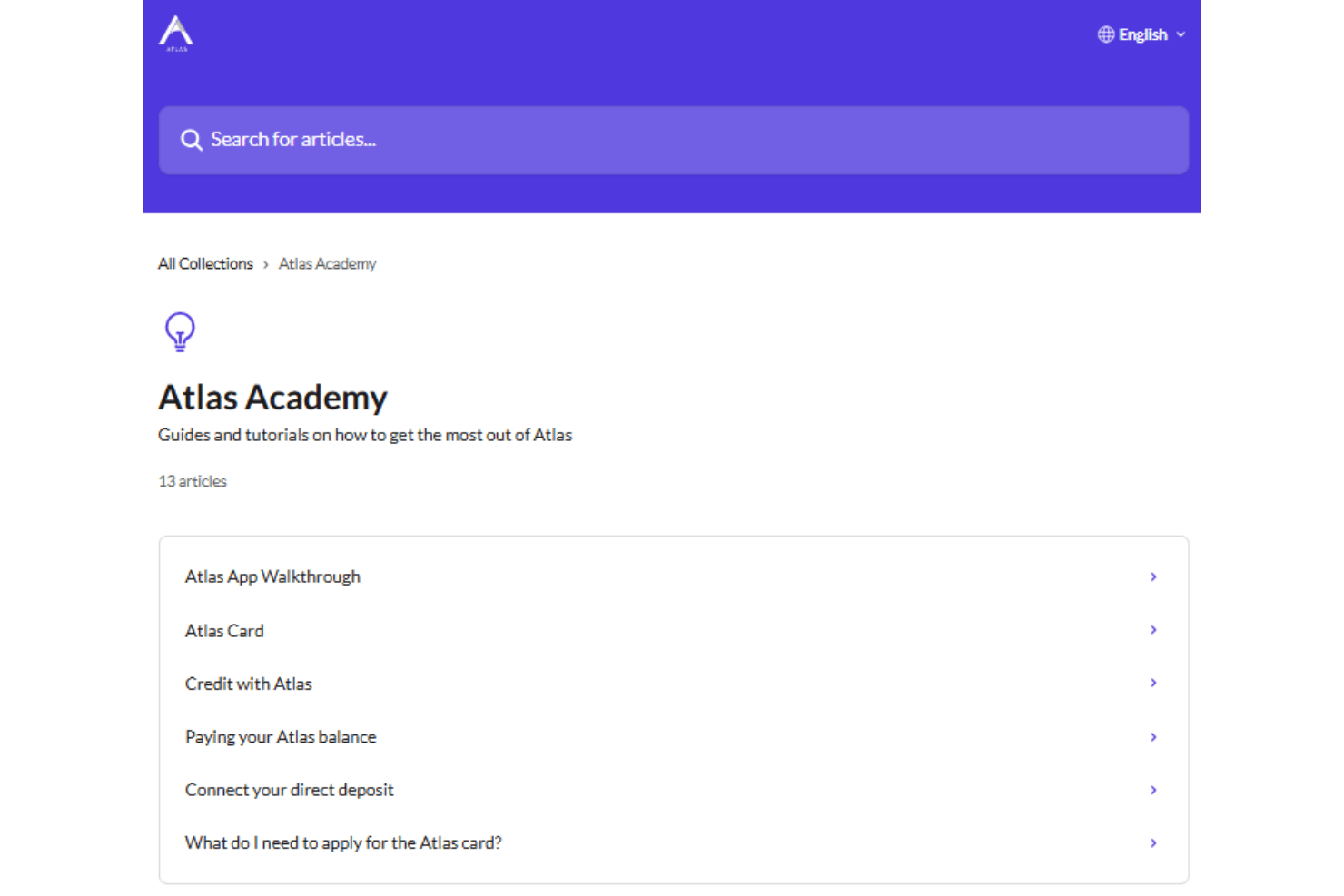
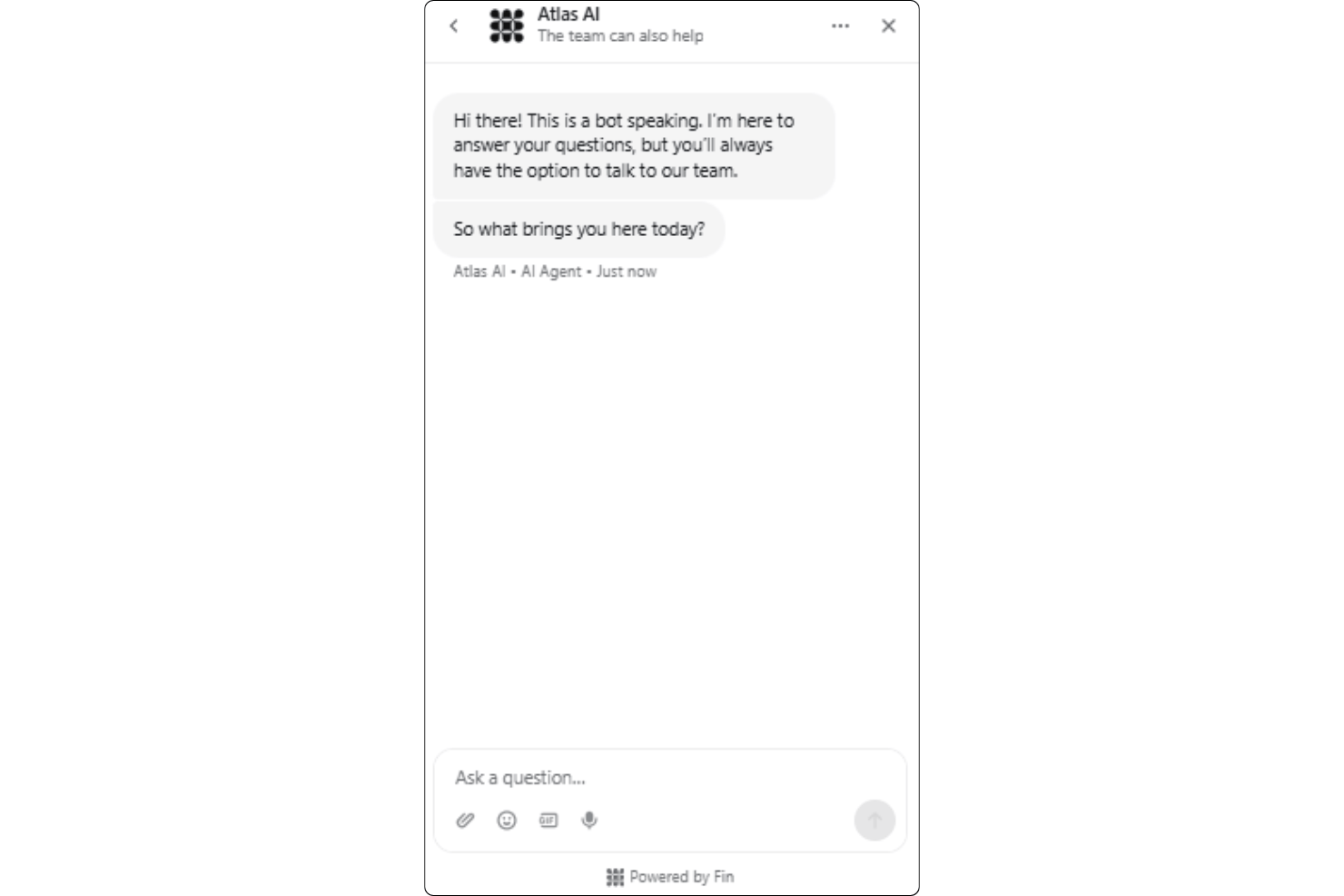
Atlas offers helpful customer support that runs through the app itself and typically answers within minutes. The people replying come from recruitment backgrounds, so you don’t spend the first message explaining how an agency works, and the founding team is known to step into customer issues directly. Compared with other agency platforms, what stands out is how closely support works with onboarding through the ramp-up period, which is when most teams need it.
Integrations
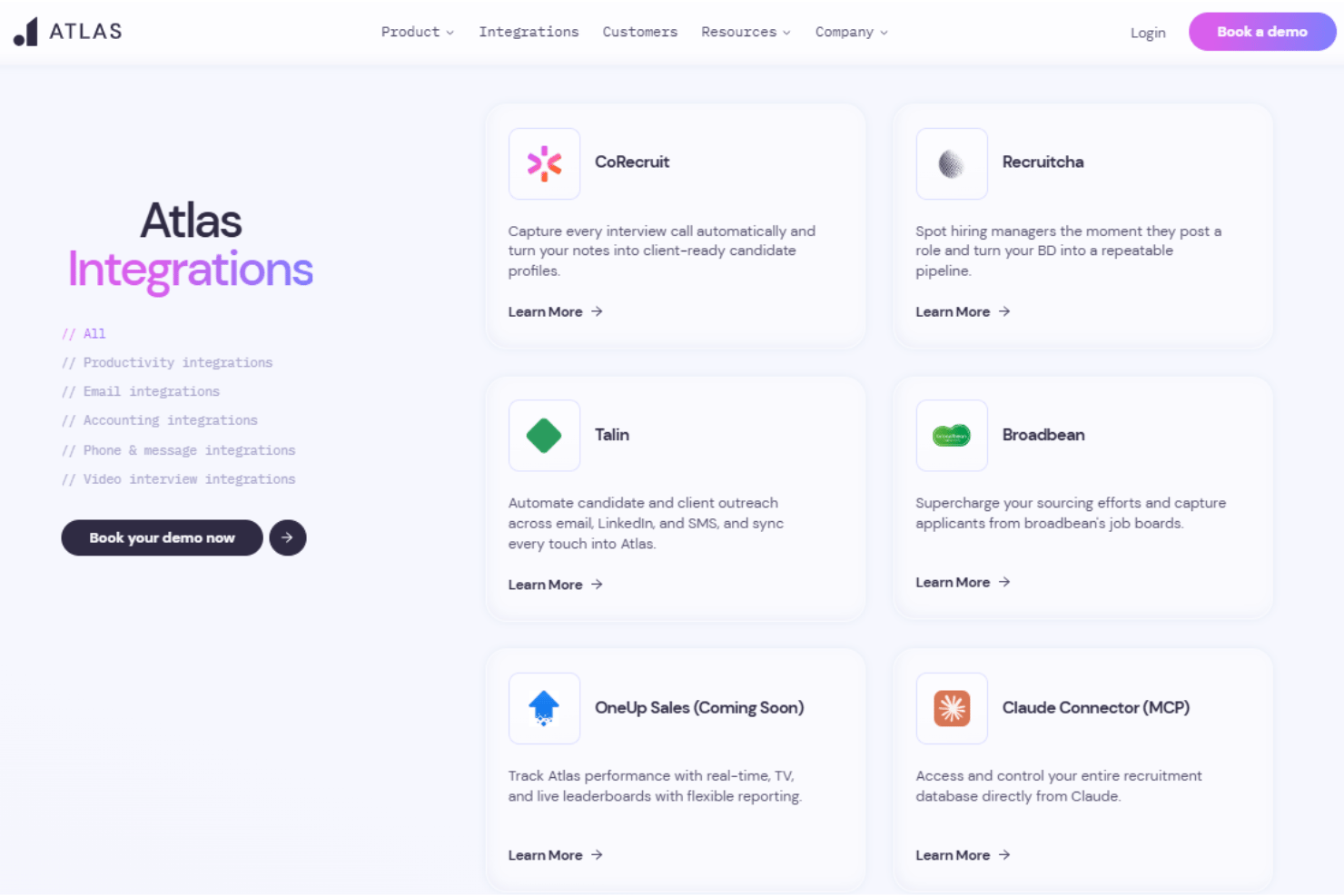
Atlas integrates with CoRecruit Broadbean, Talin, Claude MCP, Xero, RingCentral, Zoom, Microsoft Teams, and Microsoft Outlook among others.
Atlas also has an open API and connects with third-party integration tools.
Value for Money
Atlas uses quote-based pricing and does not publish standard rates, so you’ll need to contact the company for a package tailored to your hiring needs. While costs are not transparent upfront, teams with complex recruitment requirements may find value in its guided onboarding, advanced workflows, compliance-ready audit trails, and in-depth integration options.
Atlas Specs
- 360 Degree Feedback
- API
- Application Tracking
- Batch Permissions & Access
- Behavioral Testing
- Budgeting
- Calendar Management
- Candidate Database
- Cognitive Testing
- Compliance Tracking
- Dashboard
- Data Export
- Data Import
- Data Visualization
- Email Integration
- Employee Database
- Employee Engagement
- Employee Incentive Management
- Employee Onboarding
- External Integrations
- Feedback Management
- Forecasting
- Interview Scheduling
- Multi-User
- Notifications
- Onboarding
- Personality Testing
- Psychometric Testing
- Referral Tracking
- Scheduling
- Soft Skill Testing
- Softphone
- Status Notifications
- Travel Management
Atlas FAQs
Can Atlas handle complex hiring processes across multiple departments?
What integrations does Atlas offer out of the box?
How does Atlas support data security and compliance?
What’s the onboarding experience like with Atlas?
How responsive is Atlas customer support?
Is Atlas suitable for small businesses or solo recruiters?
How does Atlas help HR teams working across multiple locations?
What kind of organizations get the most value from Atlas?
Atlas Company Overview & History
Atlas is an AI-native recruitment software built for agencies and search firms that want the admin side of the job handled for them. It trades as Atlas Recruitment Technology Ltd, a UK-based company led by founder and CEO Jordan Sholsberg, and positions itself as the only recruitment CRM designed after generative AI arrived rather than updated later to accommodate it. Details such as workforce size, ownership, funding, and revenue are not published on its site. Customer outcomes are shared publicly through named case studies with agencies including Executive Integrity, Attis, and Ocean Red Partners.
Atlas Major Milestones
- 2022: Founded as an AI-native recruitment platform, built after generative AI made automatic context capture possible
- 2026: AI agents and digital workers introduced, alongside a Claude connector built on MCP and a widening integration lineup
Atlas Partner Spotlight

Come usare Atlas per gli inserimenti a contratto


Come Atlas elimina il lavoro amministrativo dei selezionatori

La memoria totale di Atlas, spiegata