

10 beste profesjonelle arbeidsgiverorganisasjoner (PEO-er) for bemanningsselskaper i 2026

Beste PEO-er for bemanningsselskaper


Den beste PEO-en for bemanningsselskaper er en tjeneste for felles arbeidsgiveransvar som håndterer lønn, ytelser, yrkesskadeforsikring, skatteadministrasjon og overholdelse av arbeidsrettslige regler for midlertidige og distribuerte arbeidsstyrker.
Denne veiledningen sammenligner 12 leverandører for bemanningsfirmaer som håndterer hyppig onboarding, varierende arbeidstimer, plasseringer i flere delstater og administrasjon av lønn og fakturering. Du finner alternativer for ulike arbeidsstyrkestørrelser, risikoprofiler, behov for ytelser og modeller for administrasjon av støttefunksjoner, med vekt på medarbeiderstøtte og den daglige kontoadministrasjonen.
Hvorfor du kan stole på våre programvareanbefalinger
Teamet vårt har testet og anmeldt programvare siden 2012. Vi er selv HR-eksperter, så vi vet hvor vanskelig og hvor viktig det er å velge riktig programvare.
I denne guiden har vi vurdert verktøyene gjennom praktisk testing og uavhengig research og gitt dem poeng ut fra våre utvelgelseskriterier. Vi bygger også på innsikt fra ledende eksperter i bransjen og erfarne HR-eksperter.
Anmeldelsene våre bygger på vår egen redaksjonelle vurdering. De er ikke et salgsargument.
Ekspertanmeldere:
Sammenligningstabell: PEO-er for bemanningsselskaper
\u003cspan data-slate-fragment=\u0022JTVCJTdCJTIyY2hpbGRyZW4lMjIlM0ElNUIlN0IlMjJ0ZXh0JTIyJTNBJTIyQ29tcGFyZSUyMHByaWNpbmclMjBhbmQlMjBzcGVjcyUyQyUyMHNpZGUlMjBieSUyMHNpZGUlMkMlMjBmb3IlMjB0aGUlMjBQRU9zJTIwZm9yJTIwc3RhZmZpbmclMjBjb21wYW5pZXMlMjB0aGF0JTIwbWFkZSUyMGl0JTIwb250byUyMG15JTIwc2hvcnRsaXN0LiUyMiU3RCU1RCUyQyUyMnR5cGUlMjIlM0ElMjJwJTIyJTJDJTIyaWQlMjIlM0ElMjJuVTNsT2lxTWp1JTIyJTdEJTVE\u0022\u003eSammenlign priser og spesifikasjoner, side ved side, for PEO-ene for bemanningsselskaper som kom med på kortlisten min.\u003c/span\u003e
| Tool | Best For | Trial Info | Price | ||
|---|---|---|---|---|---|
| 1 | Best for multistate workers' compensation | Free demo available | Pricing upon request | Website | |
| 2 | Best for staffing firms with owned carrier coverage | Not available | Pricing upon request | Website | |
| 3 | Best for in-house staffing roots | Not available | Pricing upon request | Website | |
| 4 | Best for high-risk workers' comp classes | Not available | Pricing upon request | Website | |
| 5 | Best for high-turnover workforce onboarding | Free demo available | Pricing upon request | Website | |
| 6 | Best for Bullhorn-connected payroll and invoicing | Free demo available | Pricing upon request | Website | |
| 7 | Best for staffing back-office and pay-bill outsourcing | Free demo available | Pricing upon request | Website | |
| 8 | Best for benefits access across transient workforces | Not available | Pricing upon request | Website | |
| 9 | Best for large-group benefits | Not available | Pricing upon request | Website | |
| 10 | Best for local-service staffing focus | Not available | Pricing upon request | Website |

Anmeldelser av PEO-er for bemanningsselskaper
\u003cspan data-slate-fragment=\u0022JTVCJTdCJTIyY2hpbGRyZW4lMjIlM0ElNUIlN0IlMjJ0ZXh0JTIyJTNBJTIyQmVsb3clMjBhcmUlMjBteSUyMHN1bW1hcmllcyUyMG9mJTIwdGhlJTIwYmVzdCUyMFBFT3MlMjB0aGF0JTIwbWFkZSUyMG15JTIwc2hvcnRsaXN0LiUyME15JTIwcmV2aWV3cyUyMGV4YW1pbmUlMjB0aGUlMjBmZWF0dXJlcyUyQyUyMHVzZSUyMGNhc2UlMjBzJTJDJTIwYW5kJTIwcHJpY2luZyUyMG9mJTIwZWFjaCUyMHRvJTIwaGVscCUyMHlvdSUyMGZpbmQlMjB0aGUlMjByaWdodCUyMGZpdC4lMjIlN0QlNUQlMkMlMjJ0eXBlJTIyJTNBJTIycCUyMiUyQyUyMmlkJTIyJTNBJTIycjdHNFdldEFHVCUyMiU3RCU1RA==\u0022\u003eNedenfor finner du sammendragene mine av de beste PEO-ene som kom med på kortlisten min. Anmeldelsene mine undersøker funksjonene, bruksområdene og prisene for hver av dem for å hjelpe deg med å finne det riktige alternativet.\u003c/span\u003e

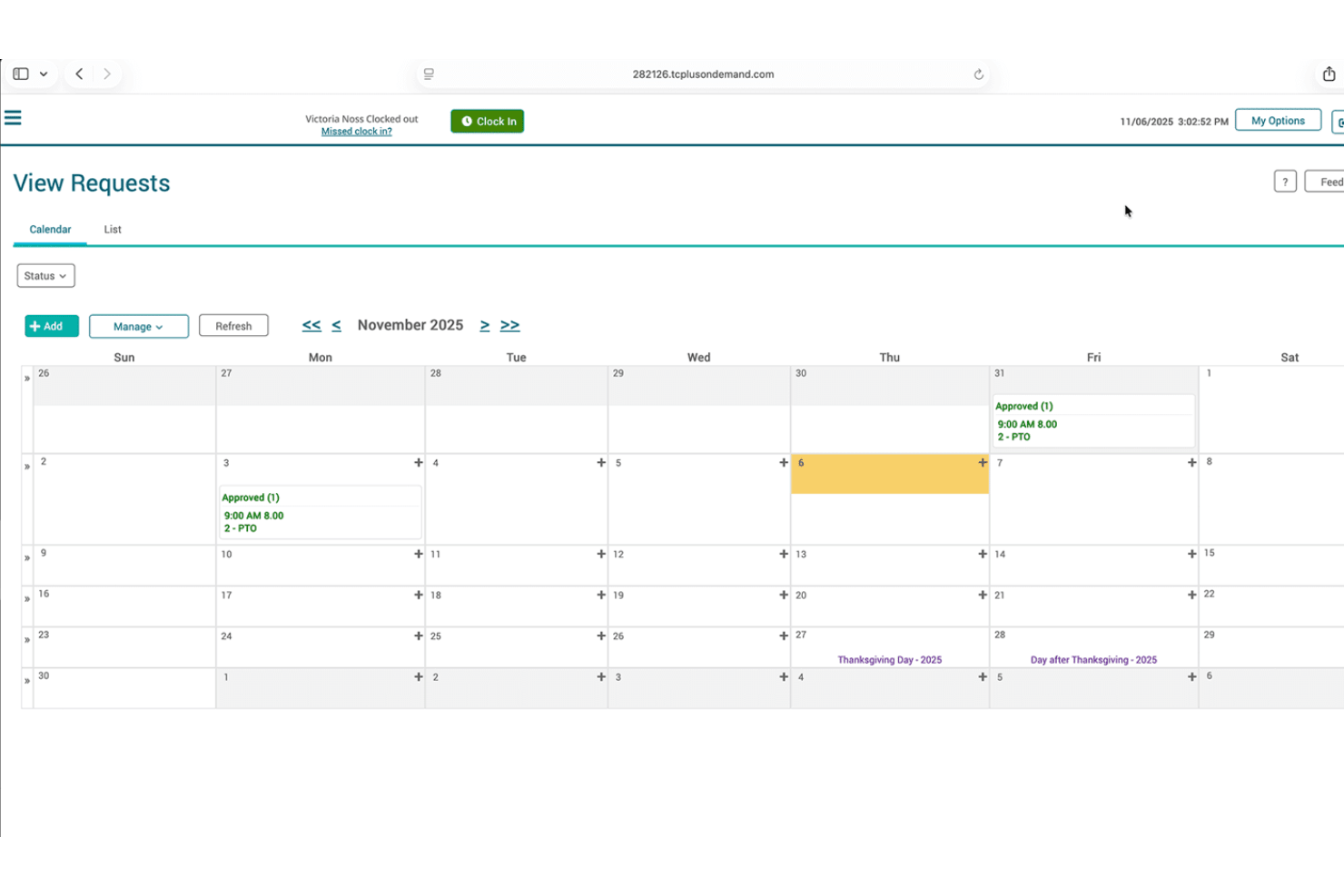
ExtensisHR is a PEO and HR outsourcing platform that covers payroll processing, multistate tax filing, workers' compensation, benefits administration, and unemployment claims management under both co-employment and non-co-employment service models.
Who Is ExtensisHR Best For?
ExtensisHR is a strong fit for small and mid-sized businesses managing workers across multiple states, particularly where workers' compensation and unemployment claims are high-volume concerns.
Why I Picked ExtensisHR
I've included ExtensisHR in my top picks because its workers' compensation setup is genuinely well-suited to businesses managing workers across multiple states. The pay-as-you-go coverage adjusts to actual headcount rather than locking you into upfront premium deposits, which matters when your workforce size shifts frequently. I also like that claims management goes beyond processing: fraud review, return-to-work programs, and full-cycle unemployment claims handling are all built in, covering the two cost centers that hit hardest when worker separations are high.
ExtensisHR Key Features
- Multistate tax filing: Handles federal, state, and local payroll tax calculations, filings, and payments across multiple jurisdictions, monitoring tax law changes as they occur.
- Full-cycle unemployment claims management: Manages separation documentation, claim coding, direct communication with state agencies, eligibility monitoring, and disputing questionable claims.
- Digital onboarding and offboarding: Supports employee onboarding and offboarding through a self-service portal with PTO tracking, compliance training, and secure document storage.
- Employer Protection Program: Includes employment practices liability, legal defense, fiduciary liability, and information protection, with optional cyber liability and payroll diversion add-ons.
ExtensisHR Integrations
ExtensisHR integrations are not publicly documented.
Pros and Cons
Pros:
- Reviewers praise responsive, knowledgeable account support
- Multistate unemployment claims management supports staffing operations
- Pay-as-you-go workers’ compensation supports fluctuating headcount
Cons:
- Reviewers report dated, complicated administrative systems
- No published staffing-specific workflows or credential tracking

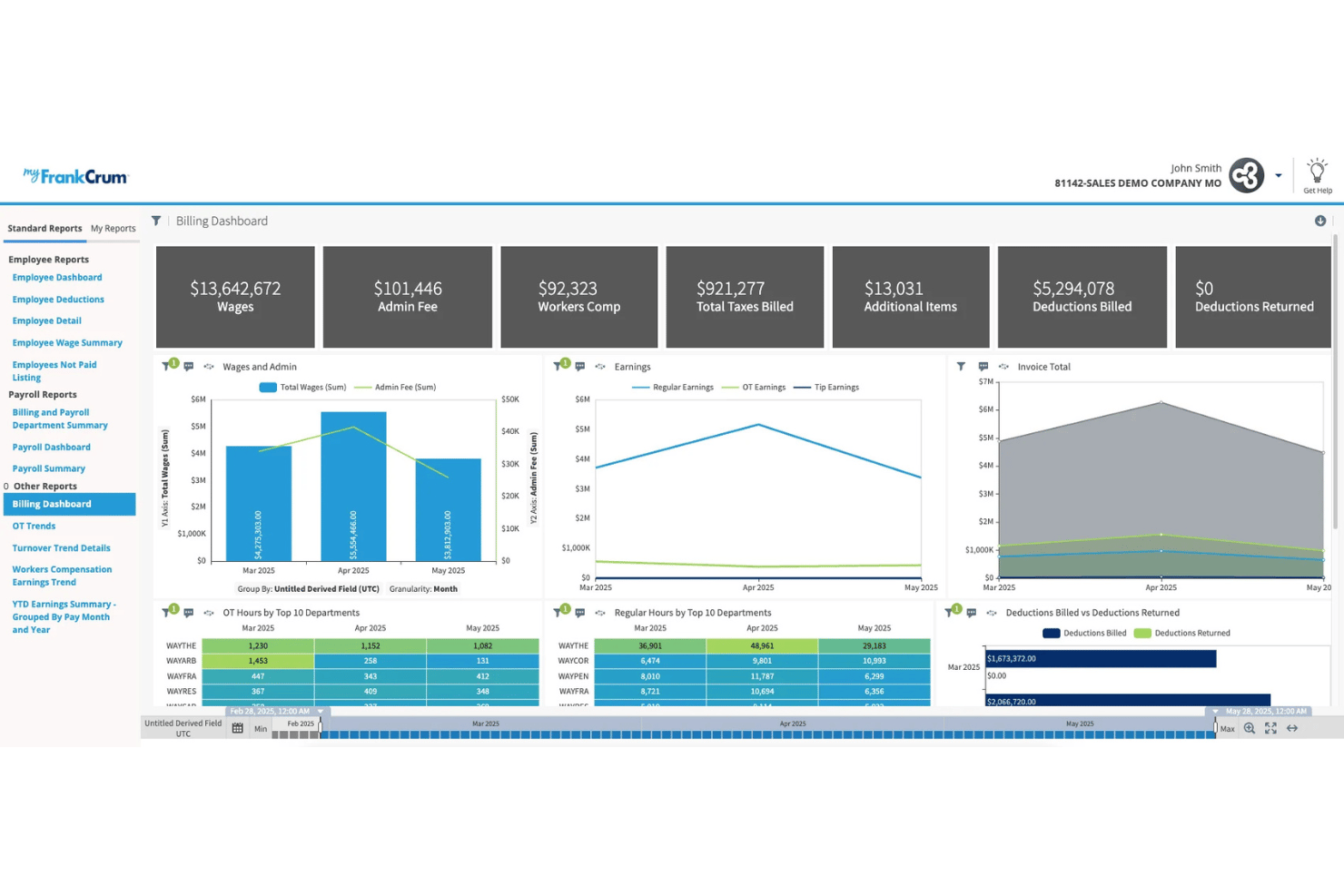
FrankCrum is a PEO that handles payroll processing, tax filing, workers' compensation, and HR administration through a co-employment model, with coverage backed by its own AM Best-rated insurance carrier.
Who Is FrankCrum Best For?
FrankCrum is a strong fit for small-to-midsize staffing firms that need reliable workers' comp coverage and payroll support for high-turnover, multi-worksite workforces.
Why I Picked FrankCrum
FrankCrum earns its spot on my shortlist because it owns its own AM Best-rated workers' comp carrier, Frank Winston Crum Insurance, which is rare among PEOs and matters a lot for staffing firms managing high claim volumes across varied job classes. I like that coverage runs on pay-as-you-go premiums tied to actual payroll each period, with no deposit and no year-end audit, so fluctuating headcount doesn't create billing surprises. Its SIDES certification for unemployment claims is another differentiator, since staffing firms deal with far more UI claims than typical employers.
FrankCrum Key Features
- SIDES-certified unemployment claims management: Exchanges unemployment claims data electronically with state agencies, handling documentation, hearings, and appeals for high-volume claim workforces.
- Multiple pay rates per employee: Payroll supports varied rate structures within a single employee record, covering shift differentials, job classifications, or multi-site assignments common in staffing operations.
- Self-service COI generation: Workers' comp certificates of insurance can be generated instantly through MyFrankCrum, with automatic renewals, so you can meet per-site client requirements without waiting on back-office staff.
- UKG-powered time tracking with geofencing: Field workers clock in and out via mobile with location verification across multiple worksites, and timesheet data flows directly into payroll processing.
FrankCrum Integrations
FrankCrum documents integrations with UKG Time Tracking, bswift, and JazzHR. Its one-way API supports custom connections for workforce and expense data.
Pros and Cons
Pros:
- Multiple pay rates suit varied assignments
- Dedicated specialists support staffing HR operations
- Owns an AM Best-rated workers’ compensation carrier
Cons:
- Temporary-worker benefits eligibility lacks published guidance
- Staffing-specific underwriting remains undocumented


LandrumHR is a CPEO-certified PEO that provides co-employment, payroll and tax filing, workers' compensation administration, employee benefits access, and HR compliance support under its MyLandrum HRIS platform.
Who Is LandrumHR Best For?
LandrumHR is a strong fit for HR and operations managers who want a high-touch PEO partner with genuine staffing-industry experience.
Why I Picked LandrumHR
LandrumHR earns its spot on my shortlist because its parent company actually runs a staffing division, Landrum Workforce Solutions, which means the PEO team understands pay/bill dynamics and temp workforce turnover from the inside. I like its workers' comp setup: a master Liberty Mutual policy with pay-as-you-go premiums per payroll cycle and no annual audit, which is useful for seasonal headcount swings. Its in-house unemployment claims team handles appeals filing and benefit-charge reviews, covering the high UI churn that comes with temp placements.
LandrumHR Key Features
- Digital onboarding and e-signature: Handles new-hire paperwork, e-signature collection, and document tracking in one portal.
- ACA eligibility tracking and IRS reporting: Monitors employee eligibility thresholds and files required ACA reports.
- Unemployment claims administration: In-house team reviews state benefit charges, processes claims, and files appeals on your behalf.
- Claims & safety oversight: Integrates pay-as-you-go workers' compensation coverage to eliminate large upfront deposits, while providing proactive workplace safety programs, injury management, and OSHA compliance.
LandrumHR Integrations
LandrumHR does not have any documented native integrations or an API.
Pros and Cons
Pros:
- In-house teams manage unemployment claims appeals
- Pay-as-you-go workers’ compensation avoids annual audits
- Staffing roots inform contingent workforce needs
Cons:
- Staffing-specific workflows remain largely unproductized
- Coverage excludes some states and risk classes

Infiniti HR is a co-employment PEO built for staffing agencies that handles payroll for large temp pools, multi-state compliance, workers' comp administration, unemployment claims management, and employee benefits across all 50 states.
Who Is INFINITI HR Best For?
Infiniti HR is a good fit for small to mid-sized staffing agencies that need a PEO willing to co-employ workers in higher-risk jobs.
Why I Picked Infiniti HR
I picked Infiniti HR as one of the best because it's one of the few PEOs that actively courts staffing agencies placing workers in higher-risk job classes like light industrial or construction, where securing affordable workers' comp coverage is genuinely hard. Its True-Group master policy pools risk across clients, which means your temp workers can get covered under rates you couldn't negotiate alone. It also handles unemployment claims management.
Infiniti HR Key Features
- Multi-state compliance management: Handles employment law compliance, regulatory reporting, and labor market law updates across multiple states.
- Earned wage access: Lets temporary employees access earned wages before payday, a practical option for short-tenure placements.
- Pay-as-you-go workers' comp: Workers' comp premiums are calculated and paid each payroll cycle based on actual wages, eliminating large upfront deposits.
- Dedicated service team: Each client gets a named HR Director, conversion manager, and recruitment manager rather than a shared support queue.
Infiniti HR Integrations
Infiniti HR integrates with POS, time clock, and scheduling systems, including TimeWorksPlus, plus QuickBooks, Peachtree, Data Pro, and Great Plains through its general-ledger interface. It claims connections with staffing software and applicant tracking systems, but no named ATS integrations or public API are documented.
Pros and Cons
Pros:
- Offers broad benefits for temporary employees
- Manages unemployment claims for temp workers
- Handles higher-risk workers’ compensation classes
Cons:
- Service experience spans multiple platforms
- Staffing-specific customer references remain limited

Rippling
Best for high-turnover workforce onboarding
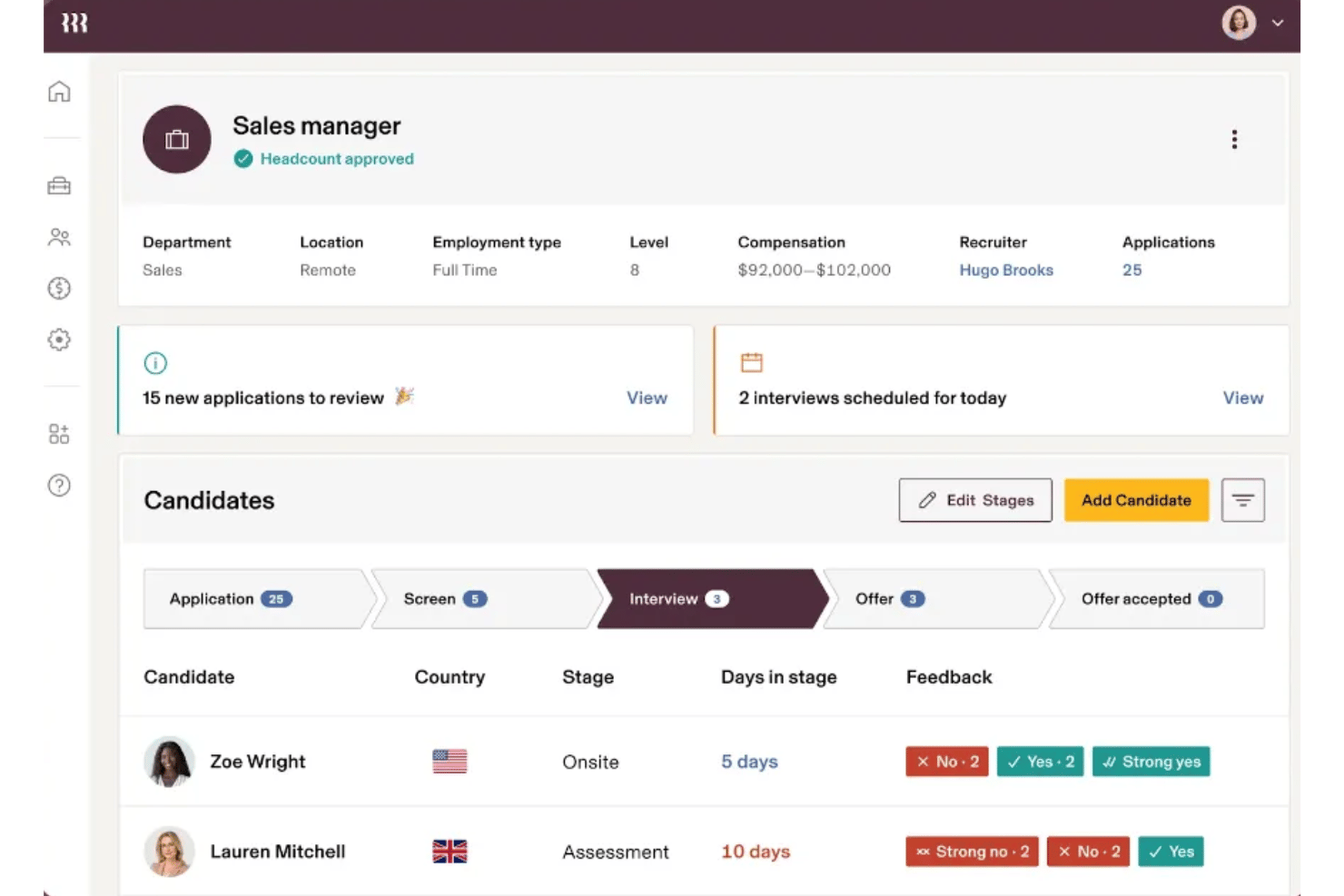
Rippling is an Employer of Record (EOR) that pairs co-employment with automated multistate payroll, benefits administration, and onboarding workflows.
Who Is Rippling Best For?
Rippling is a strong fit for HR and operations teams at staffing firms managing frequent, high-volume worker onboarding across multiple states.
Why I Picked Rippling
I've included Rippling in my top picks because its onboarding automation is built for the kind of constant worker churn staffing firms deal with. Workflow Studio lets you combine offer letters, document signing, and system provisioning into a single automated sequence, so a new hire can be fully set up in under five minutes. I also like that bulk actions let you process dozens of workers at once across 50 states, with automatic local tax registration handled in the background.
Rippling Key Features
- Benefits administration: Access pooled-rate medical, dental, vision, and 401(k) plans, with self-service enrollment and automated payroll deduction.
- Compliance dashboard: Flags minimum-wage violations and jurisdiction-specific infractions in real time, with built-in remediation suggestions and immutable audit logs.
- HR advisory access: PHR- and SHRM-certified HR consultants are included, alongside Mineral-powered handbook tools and law-change alerts.
- Cross-border payments: Pay contractors and employees in their local currencies across over 100 countries without foreign entities or messy wire transfers.
Rippling Integrations
Rippling connects with QuickBooks Online, NetSuite, Xero, Slack, Microsoft 365, and Google Workspace. It also offers an API for custom connections.
Pros and Cons
Pros:
- PEO can switch off without migration
- All-state tax filing handles distributed placements
- Bulk onboarding supports high worker turnover
Cons:
- No staffing-specific markup or credential tracking
- Workers’ comp claims support remains unclear
New Product Updates from Rippling

Rippling Expands Automated Compliance With AI Workflows
Rippling expands Automated Compliance with multi-framework support, AI workflows, an audit portal, and trust centers. These updates help GRC teams manage compliance work and audits. For more information, visit Rippling’s official site.
Paychex
Best for Bullhorn-connected payroll and invoicing
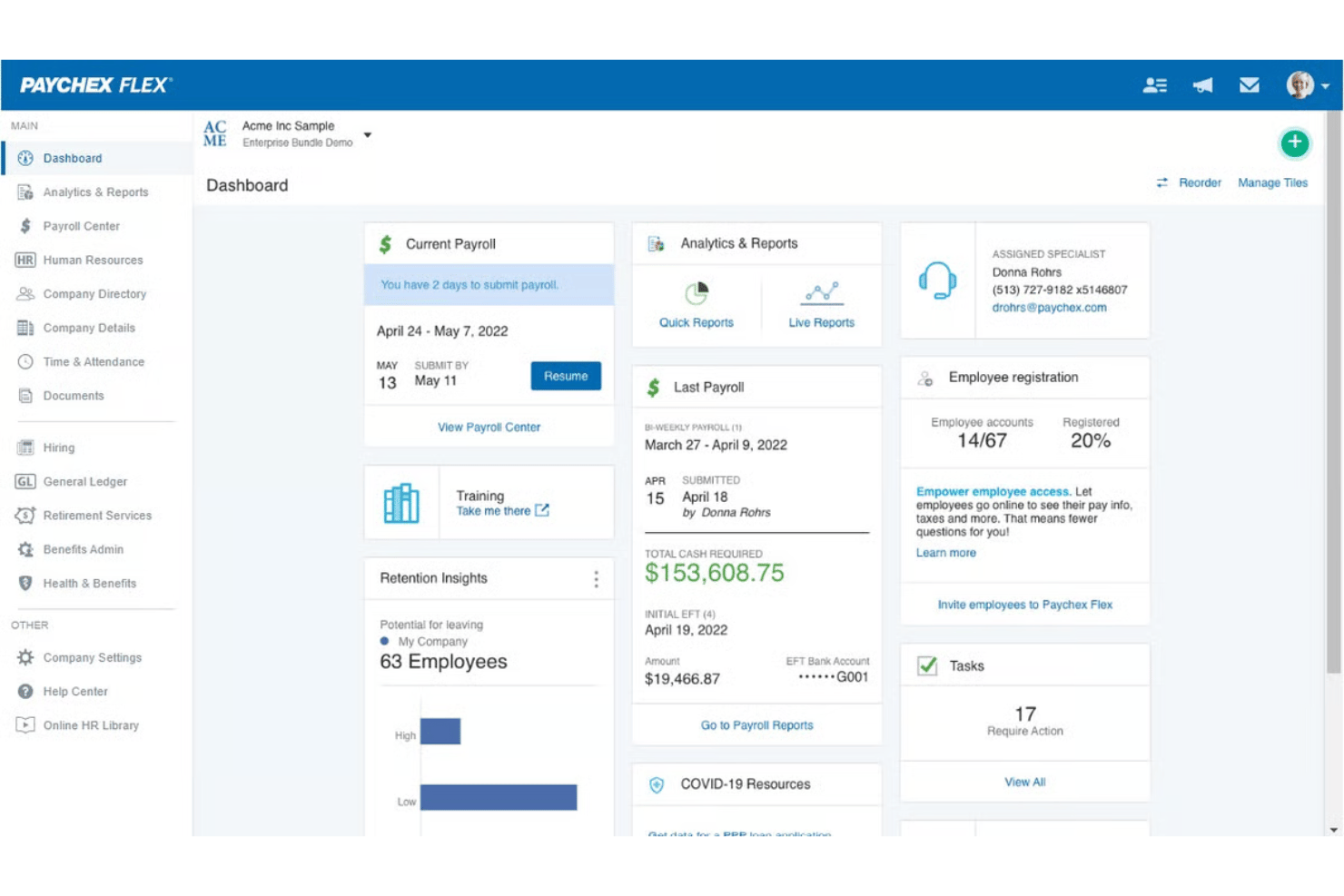
Paychex PEO is a co-employment platform with a native Bullhorn integration and adjacent invoice factoring for staffing-adjacent back-office needs.
Who Is Paychex Best For?
Paychex is a strong fit for staffing firms that use Bullhorn as their front-office platform and need mature multi-state payroll, workers' comp, and benefits infrastructure behind it.
Why I Picked Paychex
I picked Paychex as one of the best because its native Bullhorn connector moves employee data directly into Paychex Flex, cutting out manual re-entry between your front-office and payroll. Behind that sync sits Taxpay, which handles federal, state, and local tax filing across all 50 states under Paychex's own FEIN. The adjacent Advance Partners subsidiary also covers payroll funding and invoicing built specifically for temporary staffing firms.
Paychex Key Features
- Workers' comp master policy: Covers claims administration, reporting, and safety assessments through a dedicated Safety Specialist assigned to your account.
- SUI and unemployment claims management: Handles state unemployment insurance filings and charge reconciliation across all states where your workers are placed.
- Part-time employee benefits tier: A separate benefits package covering virtual primary care and dental/vision discounts gives short-assignment workers access to benefits outside the standard full-time plan.
- Invoice factoring for staffing services: Paychex Funding Solutions advances up to 90% of accounts receivable within 24–48 hours, helping bridge the gap between weekly temp payroll and slow client payment terms.
Paychex Integrations
Paychex integrates with QuickBooks Online, Sage Intacct, Xero, Oracle NetSuite, and Jirav. It also offers an open API for custom integrations.
Pros and Cons
Pros:
- Part-time benefits tier supports short assignments
- Dedicated safety support for claims administration
- Reliable payroll for complex workforce needs
Cons:
- Customer support complaints include payroll errors
- Contract terms target permanent employees

Vensure or VensureHR is a PEO built for staffing companies, offering co-employment services that cover payroll processing, tax filing, workers' compensation, multi-state compliance, and employee benefits through its dedicated staffing division, Vensure Staffing Alliance.
Who Is Vensure Best For?
Vensure is a strong fit for staffing agency owners and operations managers who need a dedicated partner to handle pay-bill functions, back-office accounting, and multi-state workers' compensation.
Why I Picked Vensure
I've included Vensure in my top picks because its dedicated Vensure Staffing Alliance division handles the full pay-bill cycle and back-office accounting that staffing agencies actually need. I particularly like that pay-as-you-go workers' comp billing is built in, which keeps premiums tied to your real headcount as placements fluctuate. The MEC plan options for variable-hour temp workers round out a service set that's genuinely built around how staffing firms operate.
Vensure Key Features
- Multi-state compliance: Tracks federal and state-level HR deadlines—including W-2, ACA filing, OSHA reporting, minimum wage changes, and paid leave updates—across all 50 states.
- Unemployment claims handling: Manages unemployment claims filing and administration as part of the payroll service, which matters for staffing firms with high placement turnover.
- Self-service portal: Gives worksite employees direct access to benefits enrollment, time tracking, payroll information, and withholding adjustments through a cloud-based portal built on PrismHR.
- Recruitment Process Outsourcing (RPO): Offers on-demand, project-based, or full-service RPO so staffing firms can flex recruiting capacity without building internal infrastructure.
Vensure Integrations
Vensure integrates with any Healthee, ClearCO, MetLife, Fortuna, Connecteam, ZayZoon, Guardian, and Solvo. An API for custom integrations is also available.
Pros and Cons
Pros:
- MEC plans address variable-hour staffing populations
- Variable-headcount workers' compensation billing
- Staffing-specific pay-bill and accounting support
Cons:
- No credential tracking for temporary placements
- Support responsiveness and payroll issues drew complaints
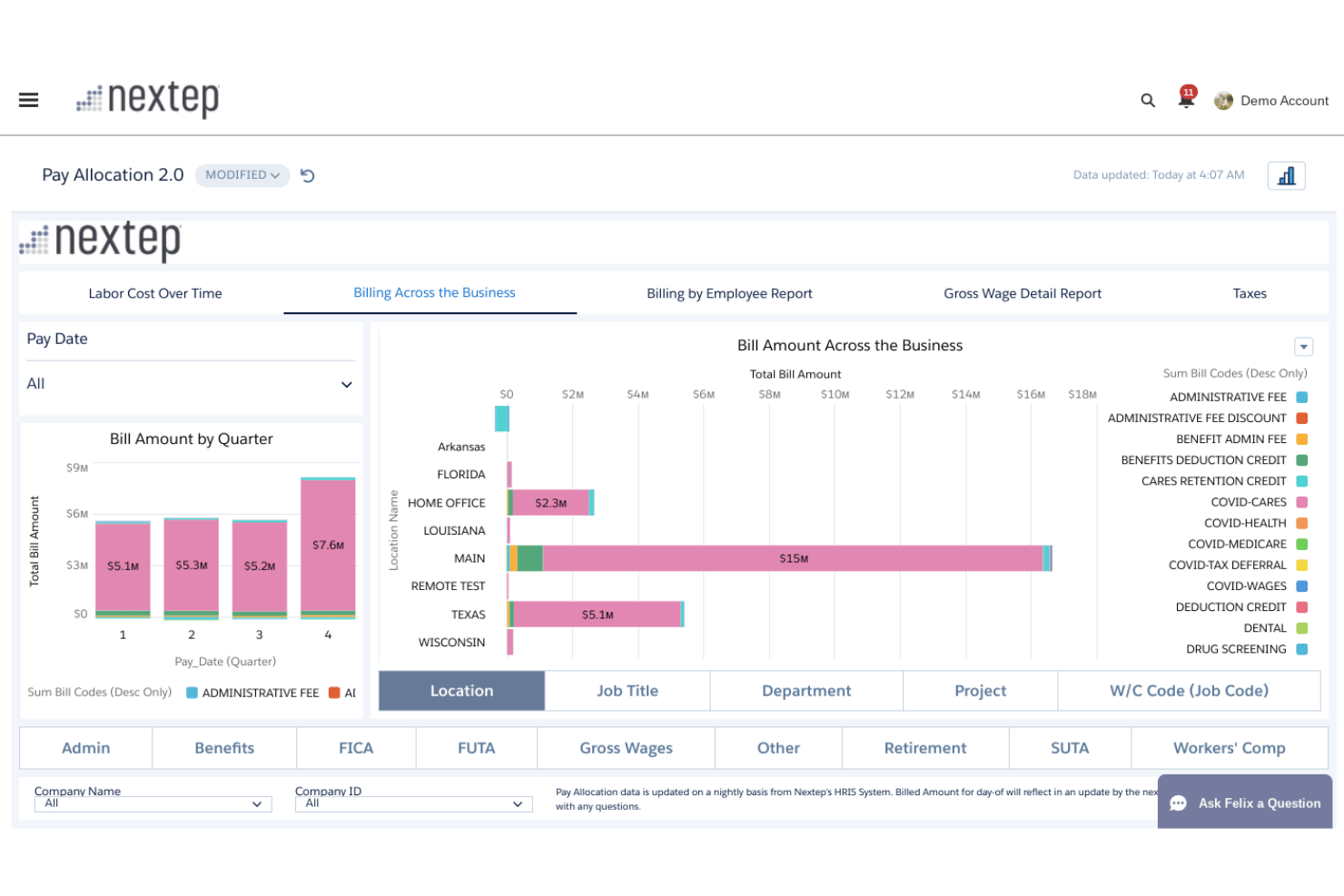
Nextep is a PEO that handles co-employment, payroll processing, multi-state tax filing, and workers' compensation for businesses managing variable or transient workforces.
Who Is Nextep Best For?
Nextep suits staffing agency owners in the Midwest, South, and Mountain West who want a fully credentialed PEO with large-group benefits access.
Why I Picked Nextep
I picked Nextep as one of the best because its sponsored master medical plan gives even variable, high employee turnover access to large-group benefits that most small staffing firms couldn't negotiate independently. I also like that the Elevate by Nextep app keeps former employees' pay stubs and W-2s accessible after termination, which matters when your roster turns over constantly. Pair that with included unemployment claims management and an A-rated workers' comp carrier with on-site safety visits, and you get a benefits and risk package that holds up under transient workforce conditions.
Nextep Key Features
- Multi-state payroll tax filing: Handles federal and state tax withholding, filing, and W-2 processing across all states where your workforce is placed.
- Dedicated HR business partner: Every client gets an assigned, certified HR business partner available by direct phone, email, and chat for compliance questions, investigations, and policy development.
- Pre-employment screening add-ons: Background checks and drug screening let you manage candidate vetting and onboarding inside the same platform.
- Employee self-service portal: Employees can view pay stubs, update direct deposit info, request PTO, track time off balances, and manage their benefits.
Nextep Integrations
Nextep doesn't have any native integrations documented with staffing ATSs such as Bullhorn, Avionté, TempWorks, or JobDiva. It offers general ledger and custom reporting exports, while Nayya is a documented benefits partner; no public API documentation is available.
Pros and Cons
Pros:
- Included unemployment and workers’ compensation support
- Former employees retain pay records
- Benefits access for transient employees
Cons:
- Benefits eligibility can exclude short placements
- No staffing-specific workforce workflows documented

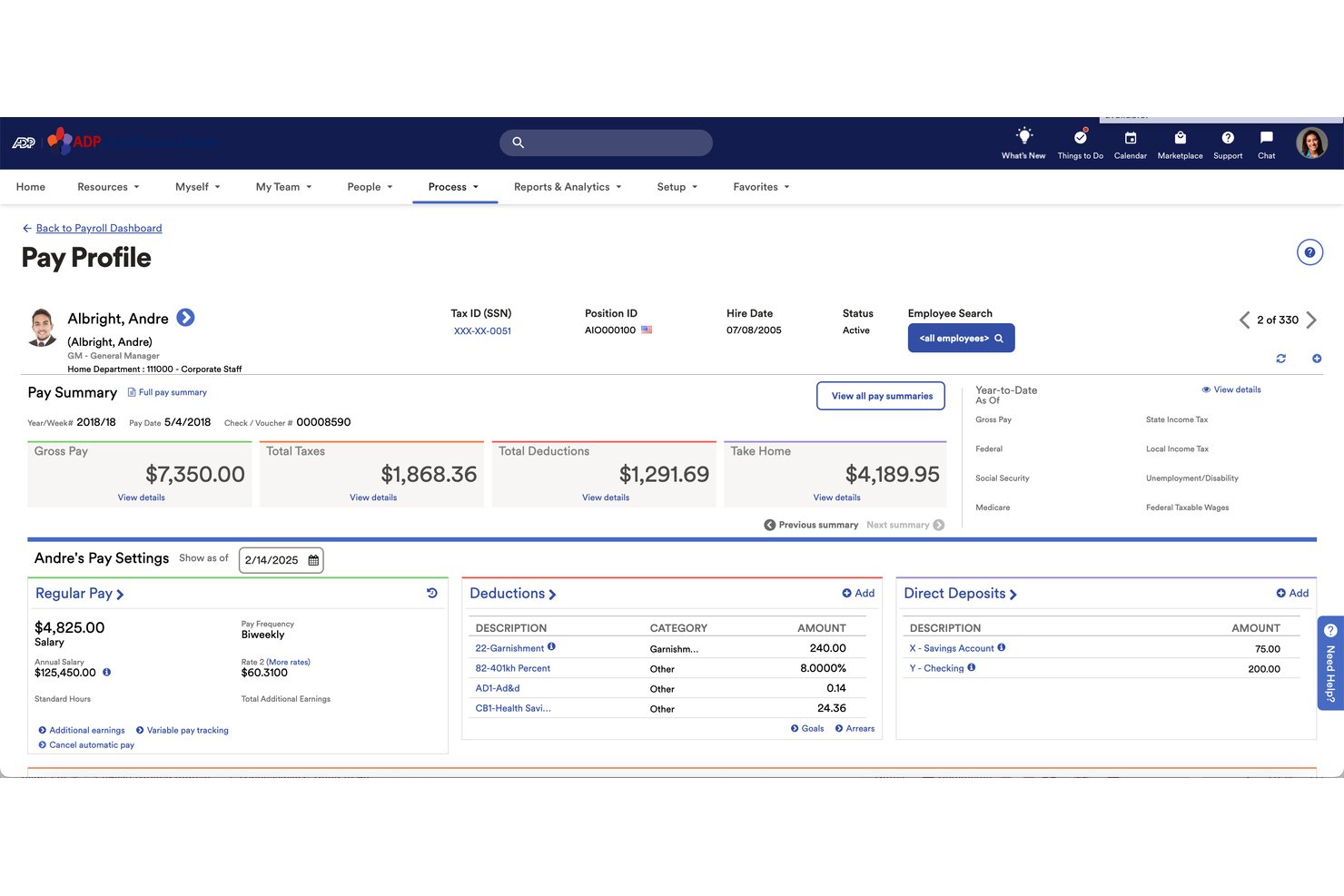
ADP TotalSource is a full-service PEO that covers payroll processing, multi-state tax filing, workers' compensation, health insurance, and HR compliance under a co-employment model.
Who Is ADP TotalSource Best For?
ADP TotalSource is a strong fit for staffing operations managing employees across multiple states who need bundled benefits, payroll, and compliance under one roof.
Why I Picked ADP TotalSource
I picked ADP TotalSource as one of the best because its large-group buying power is genuinely hard to replicate. With 722,000+ worksite employees pooled together, ADP negotiates medical, dental, vision, and 401(k) rates that a staffing firm could never access independently. That matters most when you're trying to offer temps competitive benefits to reduce turnover. On top of that, workers' comp coverage is bundled directly into the service fee, with claims administration and OSHA risk evaluation included.
ADP TotalSource Key Features
- Multi-state payroll and tax filing: ADP handles payroll processing and tax remittance across all 50 states, with a dedicated payroll business partner managing complex setups and wage garnishments.
- Mobile employee self-service: Employees access pay stubs, W-2s, and direct deposit settings through the ADP mobile app, with onboarding available before day one.
- Dedicated HR business partner: A named HR advisor provides ongoing compliance guidance, employee relations support, and proactive regulatory updates.
- CPEO certification: ADP TotalSource holds IRS Certified PEO status, which transfers federal payroll tax liability protection directly to your business.
ADP TotalSource Integrations
ADP TotalSource connects with 300+ apps from ADP Marketplace, including QuickBooks Online, Xero, Sage, ClearCo, and Rightworks. It also provides open APIs for custom integrations.
Pros and Cons
Pros:
- Payroll supports distributed staffing operations
- Bundled workers’ compensation includes claims administration
- Large-group benefits support temporary-worker retention
Cons:
- Support response times can delay urgent fixes
- Renewal increases create workforce-cost uncertainty

GMS is a CPEO-certified professional employer organization, offering co-employment services that cover payroll processing, tax filing, workers' compensation management, unemployment claims handling, and employee benefits access.
Who Is GMS Best For?
GMS is a strong fit for small-to-midsize staffing agencies, particularly those in local markets with light industrial or blue-collar workforces that carry high workers' compensation insurance.
Why I Picked GMS
I've included GMS in my top picks because its workers' comp infrastructure is genuinely built for the messy realities of light industrial and blue-collar staffing. GMS has been self-insured in Ohio since 2014 and assigns nurse case managers to claims, which matters when your temp workforce cycles through physically demanding roles at high volume. Its unemployment claims practice, including hearing representation, directly addresses the separation-heavy nature of contingent staffing.
GMS Key Features
- CPEO federal tax liability protection: As an IRS-certified PEO, GMS assumes sole federal employment tax liability on wages paid to your worksite employees, backed by an annual surety bond.
- Earned wage access via ZayZoon: Employees can access a portion of earned wages before payday at no cost or liability to you, making it easier to attract and retain transient workers.
- Paperless electronic onboarding: Handles digital onboarding, including benefits enrollment, direct deposit setup, and payroll deduction configuration for incoming workers.
- GMS Connect HRIS: A SOC 1-certified, cloud-based platform covering payroll, benefits, onboarding, and performance management, with a mobile app for employee and manager self-service.
GMS Integrations
GMS documents integrations with ZayZoon and Clear Verify, plus access to the Cigna PPO network. It doesn’t publish a total count, API, or staffing ATS integrations.
Pros and Cons
Pros:
- Local service with dedicated HR contact
- Dedicated unemployment hearing representation
- Strong workers’ compensation claims support
Cons:
- National coverage may be less extensive
- Limited fit for very large staffing firms
Andre PEO-er for bemanningsselskaper
\u003cspan data-slate-fragment=\u0022JTVCJTdCJTIyY2hpbGRyZW4lMjIlM0ElNUIlN0IlMjJ0ZXh0JTIyJTNBJTIyU29tZSUyMGFkZGl0aW9uYWwlMjBvcHRpb25zJTIwdGhhdCUyMGRpZG4lRTIlODAlOTl0JTIwbWFrZSUyMGl0JTIwb250byUyMG15JTIwc2hvcnRsaXN0JTJDJTIwYnV0JTIwYXJlJTIwc3RpbGwlMjB3b3J0aCUyMGNoZWNraW5nJTIwb3V0JTNBJTIyJTdEJTVEJTJDJTIydHlwZSUyMiUzQSUyMnAlMjIlMkMlMjJpZCUyMiUzQSUyMmlIRXY1NzVDLWQlMjIlN0QlNUQ=\u0022\u003eNoen andre alternativer som ikke kom med på kortlisten min, men som fortsatt er verdt å undersøke:\u003c/span\u003e
- Justworks
For CPEO-backed co-employment
- TriNet
For ESAC-backed co-employment at scale
- RemotePeople
For US and global workforce under one roof
- Deel Hire
For end-to-end recruitment
- Amplify HR
For multi-state payroll compliance
- AlphaStaff
For multi-state unemployment claims management
- Insperity HR360
For CPEO-backed SMB compliance support


How I Evaluate PEOs for Staffing Companies
I split my evaluation into three parts. Core functionality carries the most weight: I look for tools that can run payroll and file taxes across multiple states and operate under a true co-employment model. Then I check for standout features like staffing-specific ATS integrations, plus what each provider offers beyond features—support quality, pricing flexibility, and implementation.
Core Functionality (Table Stakes For This List)
When I'm selecting tools for my list, I score each one on a scale from 0 (does not offer the functionality) to 5 (excels in this area) for each core functionality listed below. I then convert the total into a percentage to help assess each tool's overall fit, with extra weight on any functionalities I've deemed essential.
- Payroll and Tax Filing (Essential): I check whether the provider runs payroll and files federal, state, and local taxes across every state where your temps are placed.
- Co-Employment Model (Essential): I evaluate how much employer liability the PEO actually assumes, from workers' comp obligations to unemployment and regulatory exposure.
- Multi-State Compliance Support: Staffing firms place workers in dozens of jurisdictions at once, so I look for proactive alerts and state-specific guidance as laws change.
- Workers' Comp Administration: Beyond just providing coverage, I look at claims handling, safety program support, and how the provider manages high-risk classification codes.
- Employee Benefits Access: I consider whether short-term and contract workers can actually enroll in pooled health, retirement, and ancillary plans without long waiting periods.
- High-Volume Onboarding Management: Rapid hiring cycles mean I evaluate how well the platform handles bulk onboarding, digital document collection, and fast offboarding at scale.
Once I have a list of tools that meet the criteria, I consider what sets each platform apart.
Differentiating Factors (What Sets Vendors Apart)
Here's how I compare and contrast different vendors:
Standout Features
I look for native integrations with staffing-specific ATS platforms like Bullhorn or Avionté, since syncing placements directly into payroll eliminates the double-entry that slows down branch teams during high-volume weeks. Bill rate and pay rate automation matters just as much—I check whether the provider can calculate markups, overtime splits, and client-specific spreads without manual intervention. I also evaluate mobile self-service options, because temp workers who can pull up pay stubs or tax forms on their phone put far less pressure on your HR team between assignments.
Beyond Features
I check whether a provider holds IRS-Certified PEO (CPEO) status or ESAC accreditation, since both reduce your tax liability exposure and signal financial stability during headcount swings. Pricing model matters too—percentage-of-payroll works differently than per-employee-per-month when your workforce doubles for a seasonal contract, so I look for transparency around onboarding surges and termination volume. I also evaluate whether you get a dedicated account manager who understands staffing, because a rep familiar with high workers' comp claim frequency resolves issues faster than a generalist queue.
Slik velger du en PEO for et bemanningsselskap
Velg en PEO ved å undersøke hvordan den håndterer varierende bemanning, distribuerte plasseringer, yrkesskadeforsikringsrisiko og bemanningsspesifikt ansvar.
| Hvis prioriteten din er | Se etter |
|---|---|
| Raskere onboarding av midlertidige arbeidstakere | Bulkregistrering, digitale dokumenter og definerte rutiner for avslutning |
| Lavere yrkesskadeforsikringsrisiko | Skriftlig håndtering av krav, gjennomgang av klassifisering og sikkerhetsstøtte |
| Forutsigbare sesongkostnader | Et priseeksempel som dekker prosentandel av lønn, minimumsbeløp og oppsigelsesgebyrer |
| Tydelig ansvarsfordeling ved felles arbeidsgiveransvar | En tjenesteavtale som definerer ansvar for skatt, arbeidsledighet, ytelser og etterlevelse |
| Støtte ved plasseringer i flere delstater | Delstatsspesifikk registrering, skatteinnlevering og rutiner for eskalering av spørsmål om etterlevelse |
Slik vurderer du kortlisten din
- Test onboarding: Be leverandøren gjennomføre en prøveoppgave for fem hypotetiske arbeidstakere i to delstater, inkludert dokumenter og tidspunktet for første lønnsutbetaling.
- Be om dokumentasjon på skadesaker: Skaff innen tre virkedager et eksempel på en yrkesskadeprosedyre, eskaleringskontakter og arbeidsflyt for klassifiseringsgjennomgang.
- Gå gjennom avtalen: Be om tjenesteavtalen og identifiser klausuler som omhandler skattesanksjoner, arbeidsledighetskrav, rett til ytelser og forpliktelser ved oppsigelse.
- Send inn en supportsak: Send inn ett spørsmål om lønnskorrigering og ett spørsmål om yrkesskade, og registrer deretter svartider og ansvar innen en periode på fem virkedager.
- Velg hva du vil prioritere: Bestem om du verdsetter risikostøtte som er spesifikk for bemanning, fremfor bredere nasjonale ressurser, eller lavere administrativ belastning fremfor mer detaljert kontoveiledning.
Hva er en PEO for bemanningsselskaper?
En PEO er en tjeneste for felles arbeidsgiveransvar som hjelper bemanningsselskaper med lønnsadministrasjon, skatterapportering, ytelser, yrkesskadeforsikring og HR-samsvar for midlertidige arbeidsstyrker. Den støtter virksomheter med hyppige ansettelser, varierende arbeidstid, plasseringer i flere delstater og skiftende kundeoppdrag. Bemanningsselskapet leder det daglige arbeidet, mens PEO-en håndterer avtalte administrative oppgaver og arbeidsgiveransvar.
Funksjoner
Her er de viktigste funksjonene jeg ser etter i enhver god PEO for bemanningsselskaper:
- Lønns- og skatterapportering: Kjører lønn for timelønnede, fastlønnede og midlertidige arbeidstakere, samtidig som lønn, fradrag og overtid beregnes. PEO-en rapporterer påkrevde føderale, delstatlige og lokale skatter basert på arbeidsstedet for hvert oppdrag.
- Administrasjon av felles arbeidsgiveransvar: Definerer hvilket arbeidsgiveransvar som tilhører bemanningsselskapet ditt, og hvilket som tilhører PEO-en. Denne ordningen omfatter vanligvis administrasjon av lønnsskatt, yrkesskadeforsikring, arbeidsledighetskrav og utvalgte samsvarsoppgaver.
- Samsvarsstøtte i flere delstater: Følger opp registrering, lønn, permisjon, skatt og arbeidsregler på tvers av jurisdiksjoner. Teamet ditt får veiledning når arbeidstakere flyttes mellom oppdrag eller arbeider i ulike delstater.
- Administrasjon av yrkesskadeforsikring: Tilbyr administrasjon av dekning, rapportering av hendelser fra ansatte, koordinering av skadesaker og gjennomgang av klassifisering. Sikkerhetsveiledning kan også hjelpe teamet ditt med å håndtere risiko knyttet til ulike kundesteder og stillingskategorier.
- Administrasjon av ansattytelser: Gir kvalifiserte arbeidstakere tilgang til helse-, pensjons- og andre ytelsesordninger gjennom PEO-en. Systemet håndterer innmelding, fradrag, datoer for kvalifisering og livshendelser som gir rett til endringer.
- Onboarding i stort volum: Samler inn skatteskjemaer, identitetsdokumenter, bekreftelser på at retningslinjer er lest, og opplysninger for direkte innbetaling gjennom digitale arbeidsflyter. Masseinvitasjoner og oppdragsspesifikke sjekklister hjelper rekrutterere med å ta imot flere arbeidstakere samtidig.
- Integrasjoner med bemanningsprogramvare: Kobler seg til bemanningssystemer for søkere og plattformer for medarbeideradministrasjon for å overføre data om arbeidstakere, plasseringer, arbeidstid og lønn. Integrasjoner reduserer dobbeltregistrering mellom systemer for rekruttering, planlegging, lønn og fakturering.
- Administrasjon av lønns- og faktureringssatser: Bruker lønnssatser, overtidsregler, påslag og kundespesifikke faktureringsvilkår på hvert oppdrag. Dette gir bemanningsteam bedre oversikt over arbeidstakernes godtgjørelse og kundebelastninger.
- Selvbetjening for ansatte: Lar arbeidstakere se lønnsslipper, oppdatere personopplysninger, fylle ut skjemaer og få tilgang til skattedokumenter på nett. Mobil tilgang er spesielt nyttig for midlertidige ansatte mellom oppdrag.
- Dedikert HR-støtte: Gir tilgang til spesialister som kan svare på spørsmål om lønn, samsvar, ytelser og arbeidsforhold. En tydelig eskaleringsprosess hjelper teamet ditt med å plassere ansvaret når saker involverer flere jurisdiksjoner eller kundesteder.
Fordeler
Etter min erfaring tilbyr PEO-er for bemanningsselskaper flere fordeler – noen av de vanligste er:
- Enklere lønnsadministrasjon: Lønnsbehandling, skatteberegninger og føderal, delstatlig og lokal rapportering håndteres gjennom ett system.
- Samsvarsstøtte i flere delstater: Delstatsspesifikk veiledning, støtte ved registrering og samsvarsvarsler hjelper teamet ditt med å håndtere spredte plasseringer av arbeidstakere.
- Redusert eksponering for yrkesskadeansvar: Skadeoppfølging, klassifiseringsgjennomganger, sikkerhetsveiledning og støtte til administrasjon av forsikringsdekning bidrar til risikostyring på kundenes arbeidssteder.
- Raskere innfasing av arbeidstakere: Masseinvitasjoner, digitale skjemaer, oppgavesjekklister og innhenting av opplysninger for direkte innskudd hjelper rekrutterere med å få arbeidstakere raskt på plass.
- Bredere tilgang til ansattfordeler: Kvalifiserte arbeidstakere kan melde seg inn i helse-, tilleggs- og pensjonsordninger gjennom PEO-ens prosess for administrasjon av ansattfordeler.
- Tydeligere ansvarsfordeling i arbeidsforholdet: En definert ordning med delt arbeidsgiveransvar fordeler oppgaver knyttet til lønn, arbeidsledighet, ansattfordeler, yrkesskade og etterlevelse mellom virksomheten din og PEO-leverandøren.
Kostnader og priser
Kostnadene varierer basert på arbeidsstyrkens størrelse, lønnsvolum, inkluderte tjenester og tilleggstjenester. Her er prisintervallene du vanligvis kan forvente fra PEO-leverandører for bemanningsselskaper:
Sammenligningstabell for PEO-planer for bemanningsselskaper
Disse plankategoriene er generelle prisreferanser, ettersom de fleste PEO-leverandører tilbyr skreddersydde pristilbud i stedet for faste nivåer.
| Plantype | Gjennomsnittlig pris | Vanlige funksjoner |
|---|---|---|
| Gratisplan | $0 | Grunnleggende konsultasjon, behovsvurdering og innledende gjennomgang av priser. |
| Personlig plan | $40–$80 per ansatt per måned | Lønnsbehandling, innsending av skatteopplysninger, selvbetjening for ansatte og grunnleggende HR-støtte. |
| Forretningsplan | $80–$150 per ansatt per måned | Lønnsbehandling i flere delstater, administrasjon av yrkesskadeforsikring, administrasjon av ansattfordeler, veiledning om etterlevelse og arbeidsflyter for innfasing. |
| Storbedriftsplan | $150–$300 per ansatt per måned | Dedikert kundeansvar, integrasjoner med bemanningsprogramvare, avansert rapportering, skreddersydd støtte for etterlevelse og tilpasset administrasjon av ansattfordeler. |
Vanlige spørsmål
Noen svar på vanlige spørsmål om PEO-er for bemanningsselskaper:
Passer en PEO for et lite bemanningsbyrå?
Ja, en PEO kan passe for et lite bemanningsbyrå med hyppige ansettelser eller plasseringer i flere delstater. Den kan håndtere lønn, skatterapportering, administrasjon av yrkesskadeforsikring og ytelser gjennom én tjenesteavtale. Gå gjennom minimumskravet til antall ansatte før dere signerer. Spør hvordan leverandøren håndterer korte oppdrag, inaktive arbeidstakere og et høyt antall raske avslutninger. Dere bør også bekrefte om PEO-en støtter bemanningsområdene deres, for eksempel helsetjenester, lett industri eller plasseringer innen fag- og kunnskapsyrker.
Tar en PEO ansvar for bemanningsbyråets ansatte?
Ja, en PEO deler arbeidsgiveransvaret gjennom en ordning med felles ansettelsesforhold. Byrået deres styrer fortsatt rekruttering, kunderelasjoner, oppdrag og forventninger til det daglige arbeidet. PEO-en håndterer vanligvis avtalt lønn, skatt, ytelser, yrkesskadeforsikring og arbeidsledighetsrelaterte oppgaver. Tjenesteavtalen definerer den nøyaktige ansvarsfordelingen. Gå gjennom bestemmelsene om skattesanksjoner, skadekrav, tvister om arbeidsledighet, lønnskorrigeringer og avslutning av arbeidsforhold før dere forplikter dere.
Kan midlertidig ansatte få ytelser gjennom en PEO?
Ja, midlertidig ansatte som oppfyller kravene, kan få ytelser gjennom enkelte PEO-planer. Reglene for kvalifisering varierer etter plan, oppdragslengde, arbeidede timer og ansettelsesstatus. Spør om arbeidstakerne kvalifiserer umiddelbart eller etter en ventetid. Bekreft hvilke helse-, pensjons- og tilleggsplaner som er tilgjengelige. Teamet deres bør også forstå hvordan trekk håndteres når oppdrag avsluttes. Be om skriftlig veiledning for arbeidstakere som flytter mellom kunder eller kommer tilbake etter en kort pause.
Hva bør et bemanningsselskap spørre om før det velger en PEO?
Be om et eksempel på en tjenesteavtale, et priseksempel, en prosedyre for skadekrav og en tidsplan for oppstart. Test leverandøren med fem hypotetiske arbeidstakere i to delstater. Ta med ulike lønnssatser, startdatoer og oppdragssteder. Spør hvem som håndterer skatteregistrering, lønnskorrigeringer, krav om arbeidsledighetstrygd og tvister om yrkesskadeforsikring. Dere bør også sende inn reelle supportsaker før dere signerer. Registrer svartider, eskaleringsprosesser og personen som er ansvarlig for hvert problem.
Hvordan håndterer en PEO yrkesskadeforsikring for bemanningsoppdrag?
En PEO administrerer vanligvis yrkesskadeforsikring, rapportering av hendelser, koordinering av skadekrav og gjennomgang av klassifisering. Byrået deres må fortsatt rapportere skader raskt og dele nøyaktige opplysninger om arbeidet. Spør hvordan leverandøren klassifiserer oppdrag på ulike kundesteder. Bekreft hvem som undersøker skadekrav og kommuniserer med arbeidstakeren, kunden og forsikringsselskapet. Be om skriftlige prosedyrer for omtvistede skadekrav, planlegging av tilbakeføring til arbeid og oppdrag med økt sikkerhetsrisiko.