Paychex Review: Pros, Cons, Features and Pricing Explained


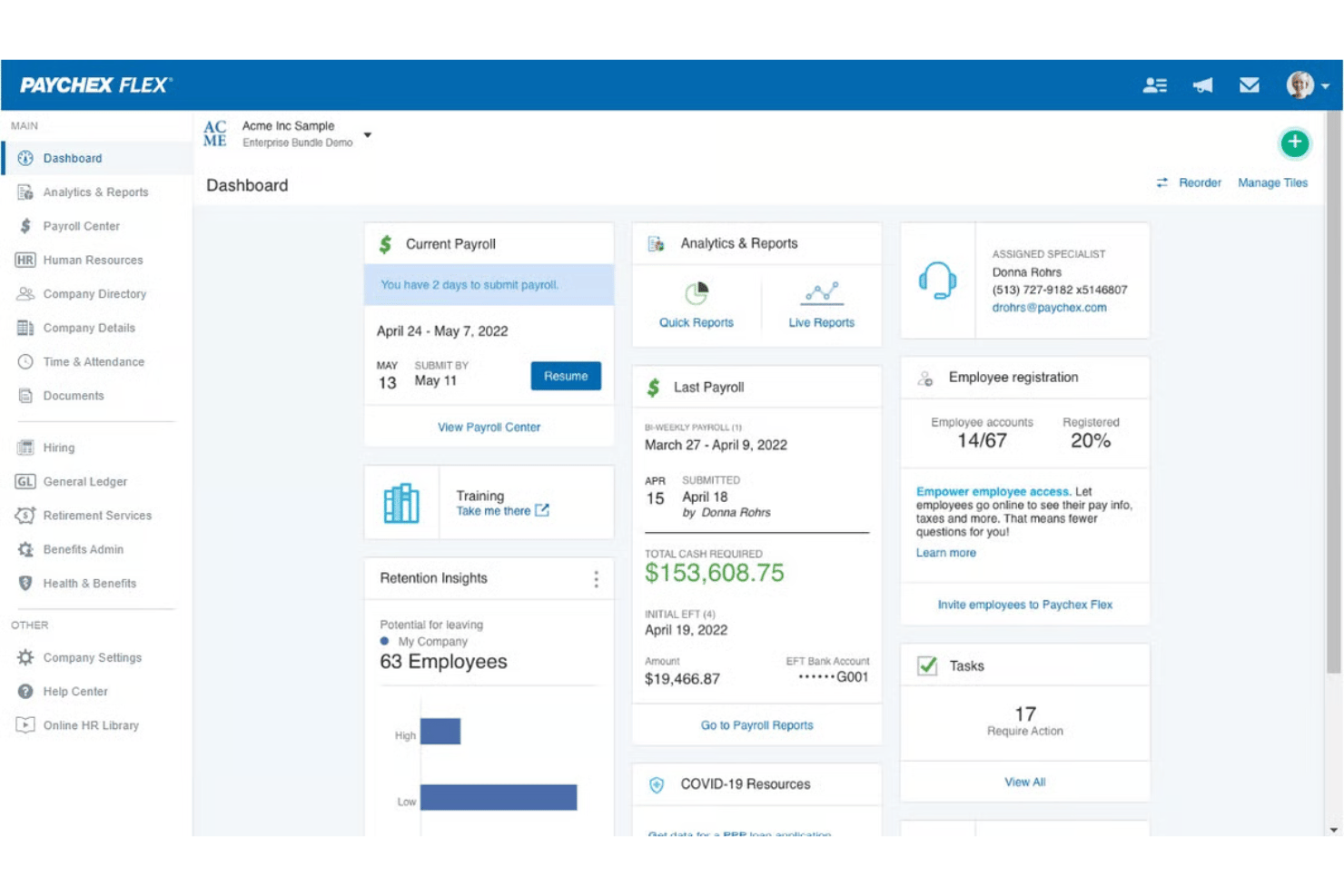
Paychex is an invoicing and payroll software that helps HR executives streamline payroll, benefits, and payment processes from a single dashboard. Paychex reviews highlight how its all-in-one platform handles compliance risk, manual entry reduction, and complex payroll needs as your business grows.
I’ll break down what features you get, the best and worst use cases, pricing, plus the pros and cons of choosing Paychex for your team.
Paychex Evaluation Summary
- Pricing upon request
- Not available
Why Trust Our Software Reviews
We’ve been testing and reviewing HR software systems since 2019. As HR experts ourselves, we know how critical and difficult it is to make the right decision when selecting software.
We invest in deep research to help our audience make better software purchasing decisions. We’ve tested more than 2,000 tools for different HR management use cases and written over 1,000 comprehensive software reviews. Learn how we stay transparent & our software review methodology.
Paychex Overview
When I judge Paychex as an invoicing and payroll software, I think its robust feature set, extensive support, and detailed compliance tools set it apart for established businesses with growing teams. The interface feels a bit dated compared to some, yet onboarding is straightforward and integrations are solid, especially for HR and accounting systems. Pricing can trend higher, but you get granular payroll options out of the box. If you’re choosing for reliability and need both payroll and invoicing in one place, Paychex is a strong pick—especially for HR teams that value live support and step-by-step onboarding.
pros
-
Handles multi-state payroll and tax compliance automatically
-
Offers live support from payroll specialists and HR advisors
-
Provides detailed, customizable payroll and invoice reports
cons
-
Mobile app has limited invoicing features and options
-
Initial setup can be time-intensive for complex businesses
-
Some users report inconsistent direct deposit timing
-

Justworks
Visit WebsiteThis is an aggregated rating for this tool including ratings from Crozdesk users and ratings from other sites.4.6 -
Paycom
Visit WebsiteThis is an aggregated rating for this tool including ratings from Crozdesk users and ratings from other sites.4.3 -
HiBob
Visit WebsiteThis is an aggregated rating for this tool including ratings from Crozdesk users and ratings from other sites.4.5





How We Test & Score Our Tools
We’ve spent years building, refining, and improving our software testing and scoring system. The rubric is designed to capture the nuances of software selection and what makes a tool effective, focusing on critical aspects of the decision-making process.
Below, you can see exactly how our testing and scoring works across seven criteria. It allows us to provide an unbiased evaluation of the software based on core functionality, standout features, ease of use, onboarding, customer support, integrations, customer reviews, and value for money.
Core Functionality (25% of final score)
The starting point of our evaluation is always the core functionality of the tool. Does it have the basic features and functions that a user would expect to see? Are any of those core features locked to higher-tiered pricing plans? At its core, we expect a tool to stand up against the baseline capabilities of its competitors.
Standout Features (25% of final score)
Next, we evaluate uncommon standout features that go above and beyond the core functionality typically found in tools of its kind. A high score reflects specialized or unique features that make the product faster, more efficient, or offer additional value to the user.
We also evaluate how easy it is to integrate with other tools typically found in the tech stack to expand the functionality and utility of the software. Tools offering plentiful native integrations, 3rd party connections, and API access to build custom integrations score best.
Ease of Use (10% of final score)
We consider how quick and easy it is to execute the tasks defined in the core functionality using the tool. High scoring software is well designed, intuitive to use, offers mobile apps, provides templates, and makes relatively complex tasks seem simple.
Onboarding (10% of final score)
We know how important rapid team adoption is for a new platform, so we evaluate how easy it is to learn and use a tool with minimal training. We evaluate how quickly a team member can get set up and start using the tool with no experience. High scoring solutions indicate little or no support is required.
Customer Support (10% of final score)
We review how quick and easy it is to get unstuck and find help by phone, live chat, or knowledge base. Tools and companies that provide real-time support score best, while chatbots score worst.
Customer Reviews (10% of final score)
Beyond our own testing and evaluation, we consider the net promoter score from current and past customers. We review their likelihood, given the option, to choose the tool again for the core functionality. A high scoring software reflects a high net promoter score from current or past customers.
Value for Money (10% of final score)
Lastly, in consideration of all the other criteria, we review the average price of entry level plans against the core features and consider the value of the other evaluation criteria. Software that delivers more, for less, will score higher.
Core Features
Automated Payroll Processing
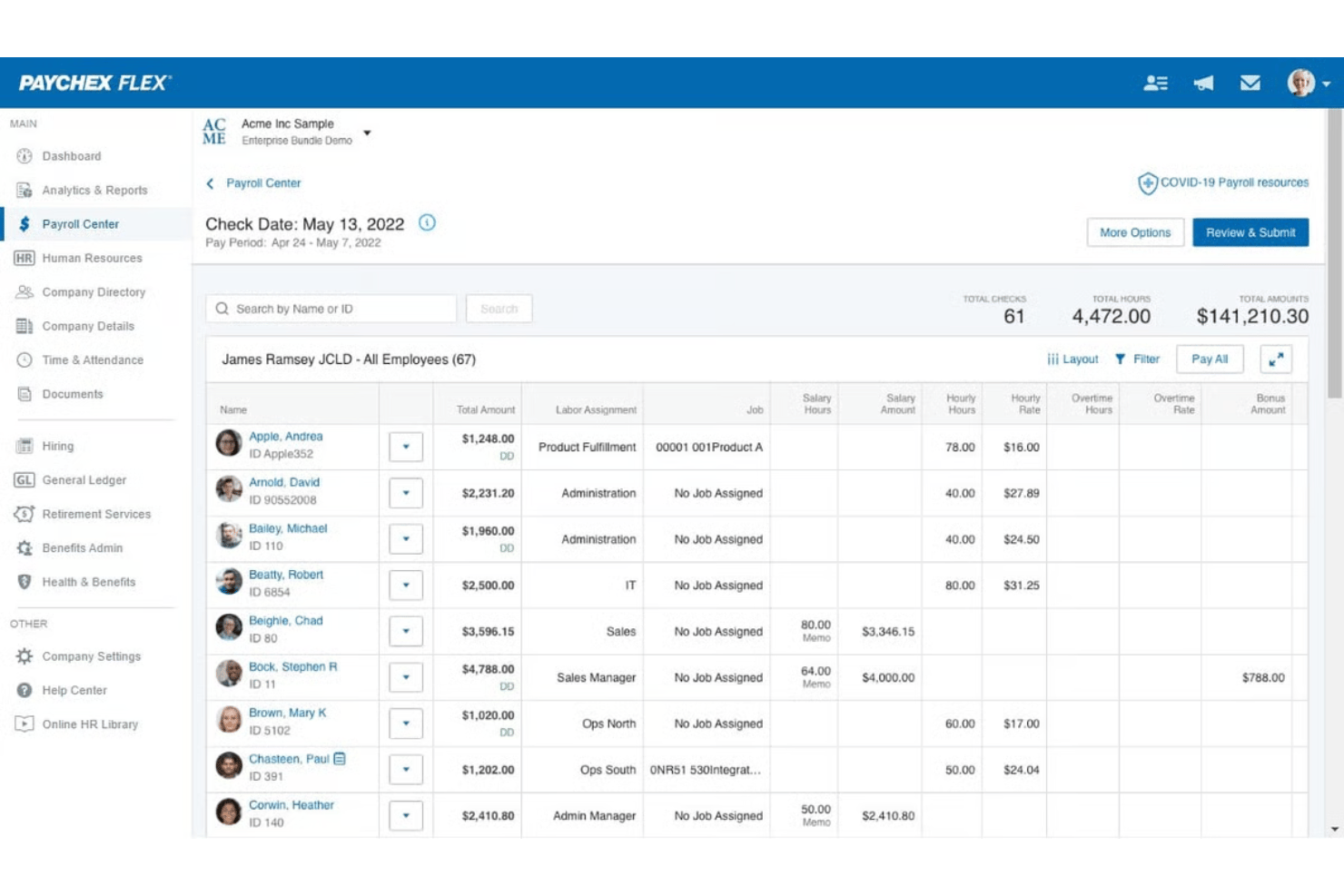
Paychex automatically calculates wages, taxes, and deductions using time and attendance data for each pay period. Overtime alerts and built-in checks minimize manual data entry and help reduce mistakes.
Tax Filing and Compliance
The platform handles federal, state, and local payroll tax calculations and filings. It updates tax rates, handles new-hire reporting, and issues year-end tax documents like W-2s and 1099s.
Invoicing and Payment Management
You can create, send, and track invoices directly from your Paychex dashboard. Payment processing links to payroll data for faster reconciliation and reporting.
Employee Self-Service Portal
Employees access pay stubs, update information, and review tax documents online anytime. This reduces routine HR questions and increases transparency.
Direct Deposit and Payment Options
Paychex offers direct deposit, paper checks, and paycards for flexible employee payments. Funds are distributed quickly based on your payroll run.
Customizable Payroll Reports
Generate detailed payroll, time tracking, and deduction reports tailored to your business needs. Export reports in multiple formats for accounting or audits.
Ease of Use
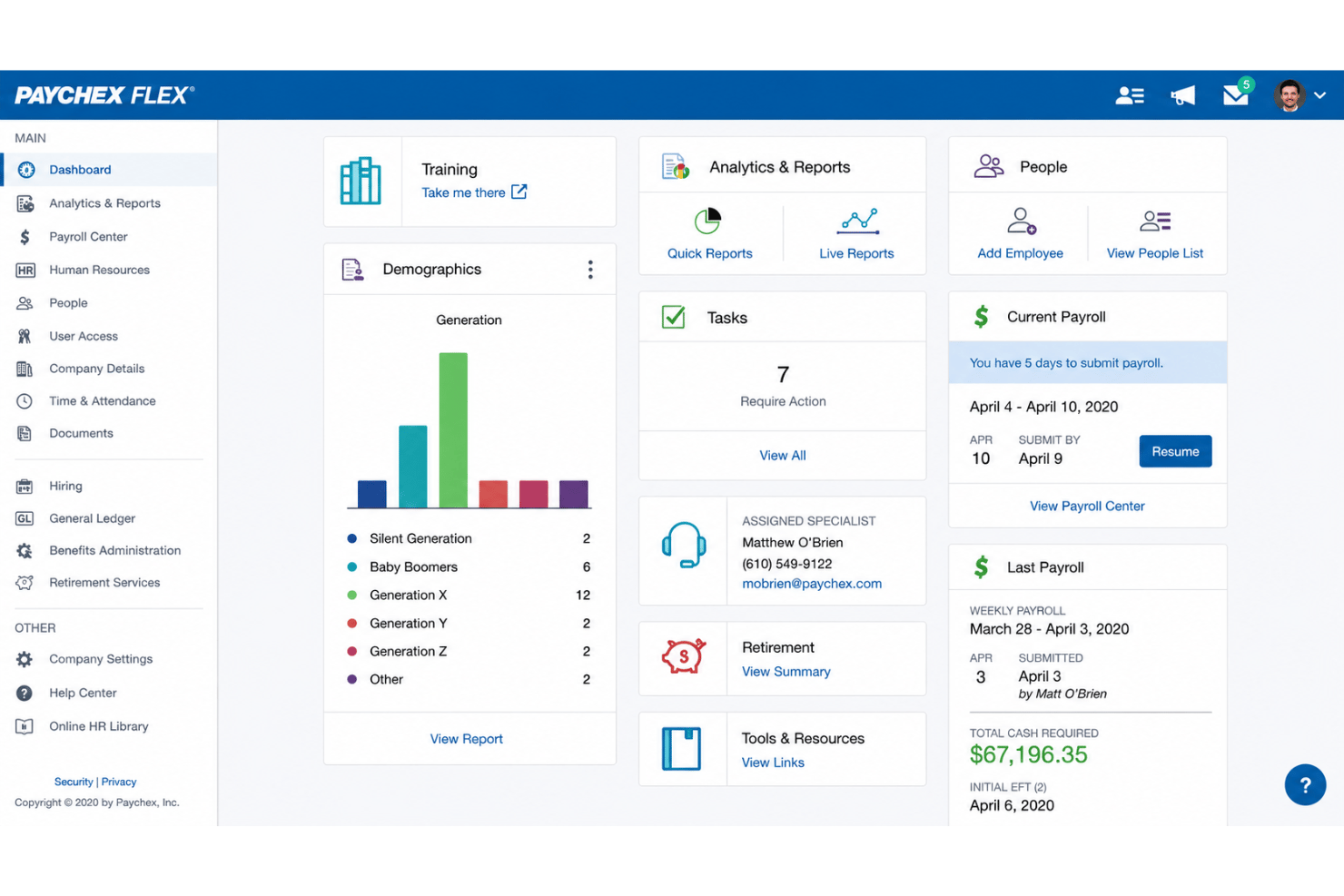
From my point of view, Paychex offers a straightforward payroll run and invoice management process, but the interface can feel outdated and menu-heavy. Many users appreciate quick access to support and onboarding resources, which offsets a steeper learning curve. Features like the employee self-service portal and customizable dashboards make day-to-day management more intuitive once you’re familiar with the layout.
Integrations
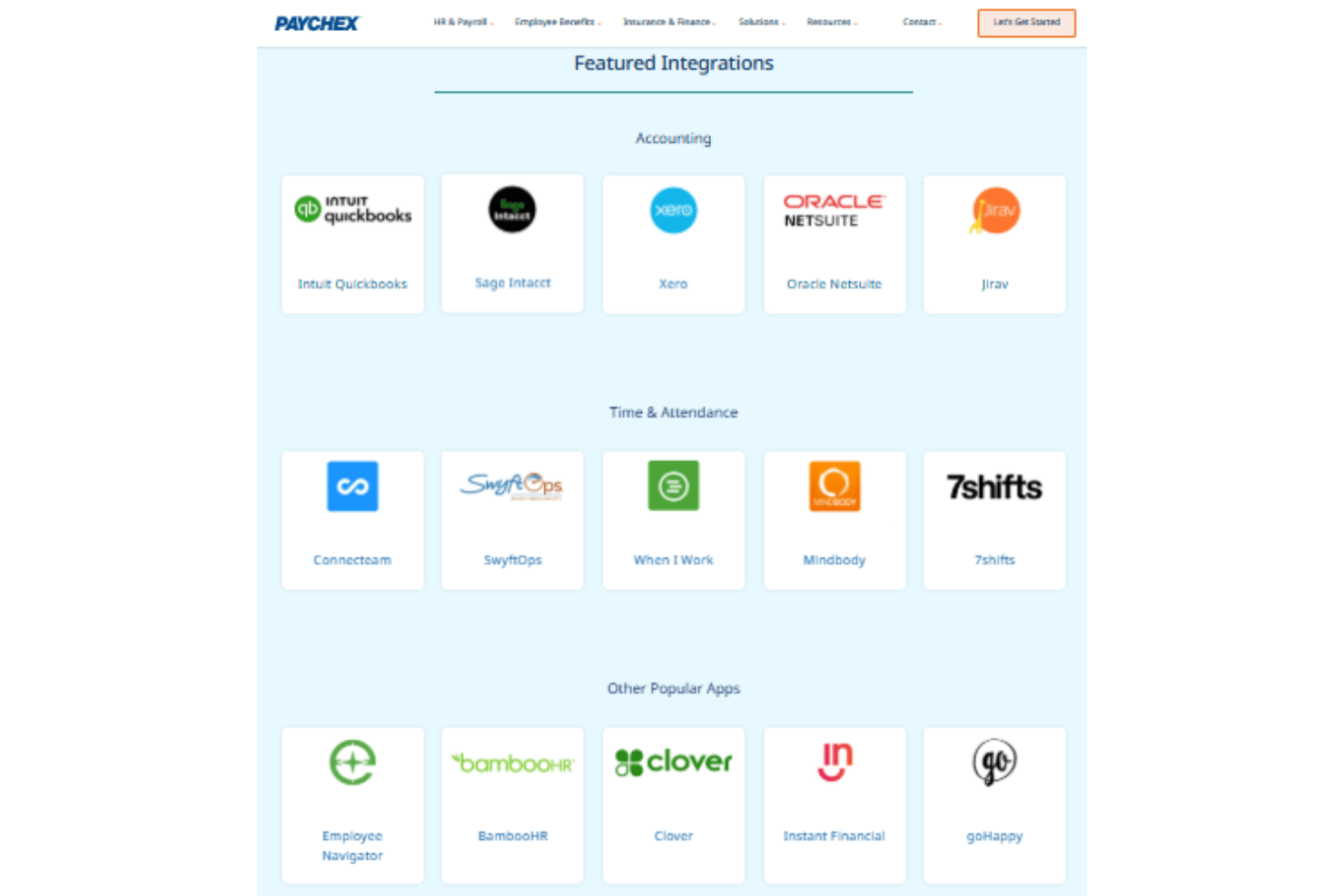
Paychex integrates with QuickBooks Online, Xero, Sage Intacct, BambooHR, Clover, Indeed, Jobvite, 7Shifts and iCIMS, among others.
Paychex also offers an API and connects with several third-party integration platforms.
Paychex Specs
- 2-Factor Authentication
- 360 Degree Feedback
- API
- Application Tracking
- Attendance Tracking
- Batch Permissions & Access
- Compliance Tracking
- Dashboard
- Data Export
- Data Import
- Data Visualization
- Employee Database
- Employee Engagement
- Employee Incentive Management
- Employee Onboarding
- Employee Training
- Expense Tracking
- External Integrations
- Feedback Management
- Multi-User
- Notifications
- Payroll
- Performance Appraisal
- Scheduling
- Time Management
- Timesheets
- Travel Management
- Vacation & Absence Calendar