

10 beste programmer for enhetlig kommunikasjon, vurdert i 2026

Kortliste over den beste programvaren for enhetlig kommunikasjon


Det har blitt en reell utfordring å holde kontakten med teamet, spesielt når alle jobber på forskjellige steder og må forholde seg til ulike timeplaner. Som HR-medarbeider håndterer du hele tiden ting som spredt kommunikasjon, manglende oppdateringer og det konstante presset for å holde alle samkjørte. Programvare for enhetlig kommunikasjon samler alt på ett sted, slik at du slipper å bytte mellom verktøy hele dagen.
Jeg har brukt tid på å teste og vurdere disse løsningene for å gi deg de beste tilgjengelige alternativene. I denne artikkelen deler jeg mine beste anbefalinger og gir deg innsikt i de unike fordelene ved hvert verktøy.
Her finner du enkle og objektive vurderinger som hjelper deg med å velge riktig programvare for teamets behov.
Hvorfor du kan stole på våre programvareanbefalinger
Teamet vårt har testet og anmeldt programvare siden 2012. Vi er selv HR-eksperter, så vi vet hvor vanskelig og hvor viktig det er å velge riktig programvare.
I denne guiden har vi vurdert verktøyene gjennom praktisk testing og uavhengig research og gitt dem poeng ut fra våre utvelgelseskriterier. Vi bygger også på innsikt fra ledende eksperter i bransjen og erfarne HR-eksperter.
Anmeldelsene våre bygger på vår egen redaksjonelle vurdering. De er ikke et salgsargument.
Ekspertanmeldere:
Sammenligningstabell for programvare for enhetlig kommunikasjon
Denne sammenligningstabellen oppsummerer prisopplysningene for mine beste anbefalinger innen programvare for enhetlig kommunikasjon:
| Tool | Best For | Trial Info | Price | ||
|---|---|---|---|---|---|
| 1 | Best for business communication | Free trial available | From $15/user/month (billed annually) | Website | |
| 2 | Best for video conferencing | Free plan available | From $14.16/user/month (billed annually) | Website | |
| 3 | Best for Office 365 users | Not available | Pricing upon request | Website | |
| 4 | Best for AI-powered calls | 14-day free trial + free demo available | Pricing upon request | Website | |
| 5 | Best for all-in-one communication | 14-day free trial | From £18/user/month | Website | |
| 6 | Best for enterprise scalability | 30-day free trial + free demo available | Pricing upon request | Website | |
| 7 | Best for customer experience | Free demo available | From $75/user/month (billed annually) | Website | |
| 8 | Best for remote teams | Free demo available | Pricing upon request | Website | |
| 9 | Best for contact centers | Free demo available | Pricing upon request | Website | |
| 10 | Best for Microsoft integration | Free consultation available | $199.95 per 100 users/per month | Website |
Vurdering av den beste programvaren for enhetlig kommunikasjon
Nedenfor finner du mine detaljerte sammendrag av den beste programvaren for enhetlig kommunikasjon som kom med på kortlisten min. Vurderingene mine gir et detaljert innblikk i de viktigste funksjonene, fordelene og ulempene, integrasjonene og ideelle bruksområdene for hvert verktøy, slik at du kan finne det beste alternativet for deg.
Nextiva
Best for business communication
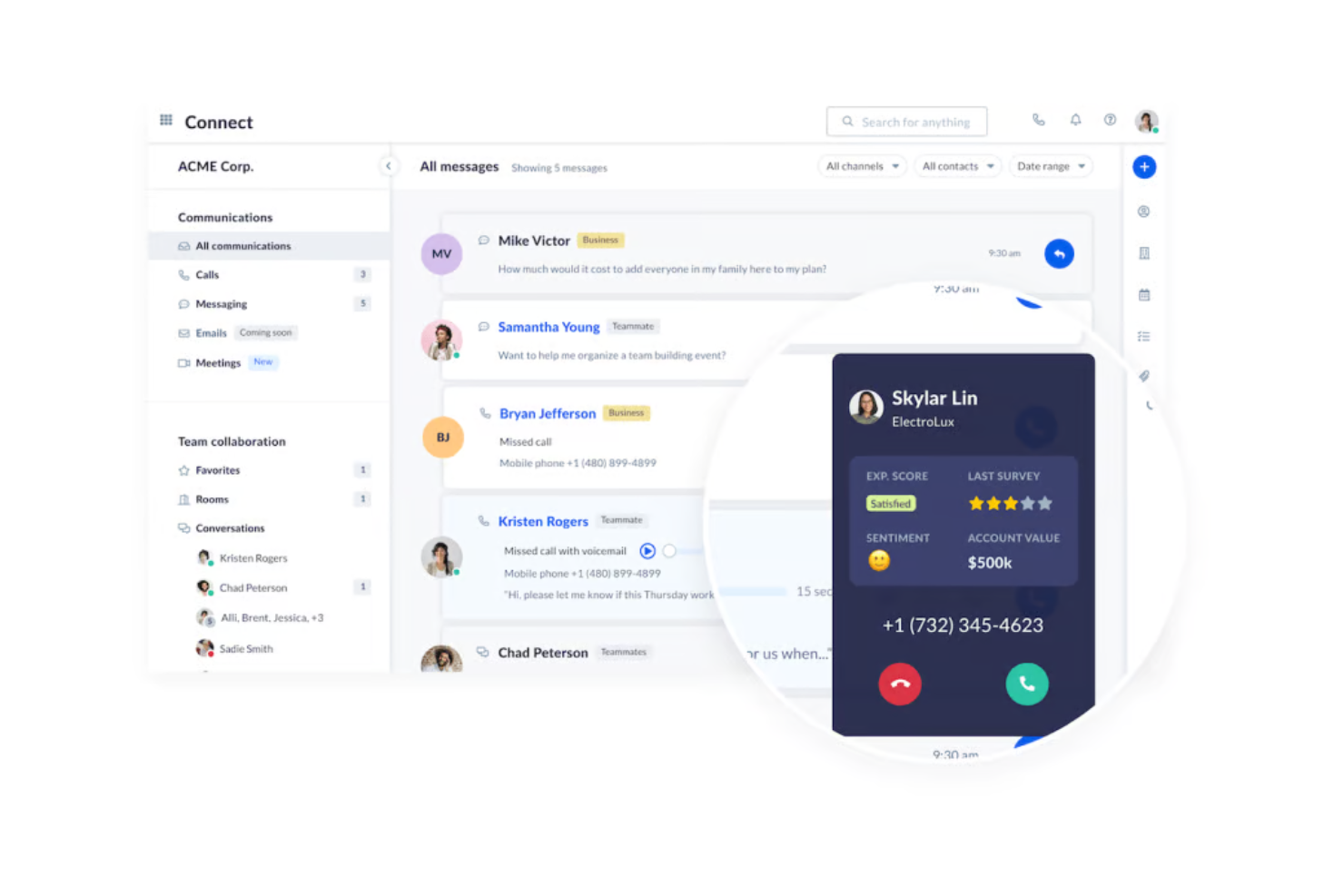
Nextiva offers a unified communication platform designed for businesses seeking efficient communication solutions. It caters to organizations that need reliable voice, video, and messaging services to support team collaboration and customer interactions. Nextiva’s platform also includes customer experience features and AI-driven insights that strengthen both internal and external communication workflows.
Why I picked Nextiva: Nextiva provides features that centralize business communication, making it suitable for companies of all sizes. Its VoIP services offer clear and reliable phone communication. The platform's ability to integrate voice, video, and messaging into one system improves productivity, while NextivaONE centralizes conversations and uses AI to surface insights, automate follow-ups, and analyze communication trends. Additionally, Nextiva's analytics tools provide insights into communication patterns, helping you optimize your strategies.
Standout Features & Integrations:
Features include call management tools that allow you to route, forward, and block calls as needed. The video conferencing feature supports high-definition video and audio, ensuring clear communication. Nextiva also offers team messaging capabilities, which facilitate quick and effective collaboration. Nextiva’s AI capabilities deliver sentiment analysis, automated alerts, and interaction insights to help teams improve service and productivity.
Integrations include Salesforce, Microsoft Teams, Google Workspace, Slack, HubSpot, Zendesk, Zoho CRM, ServiceNow, Dropbox, and Trello.
Pros and Cons
Pros:
- Detailed communication analytics
- Real-time dashboards and reporting
- Smart call routing
Cons:
- Adaptive scripts driven by real-time CRM data
- Most integrations have account limits

Zoom
Best for video conferencing
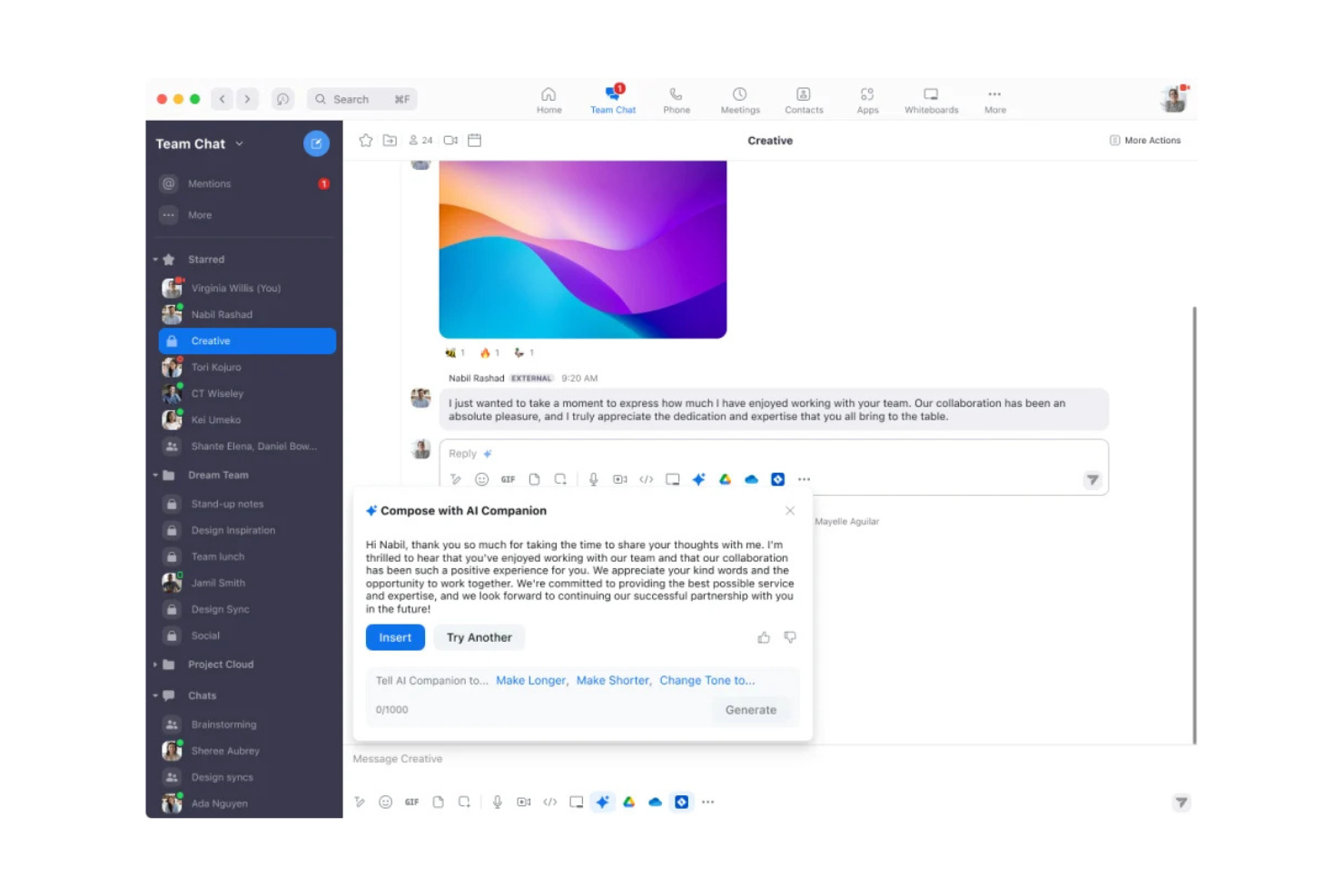
Zoom is a video communication platform widely used by businesses and individuals for virtual meetings and webinars. It caters to users who need reliable video conferencing with features that enhance remote collaboration. Zoom Workplace combines meetings, chat, phone, and documents in one platform, with AI built in to speed up tasks such as summarizing discussions and drafting follow-ups.
Why I picked Zoom: Its strong video conferencing capabilities paired with AI features that assist with meeting summaries, follow-up drafting, and next-step suggestions. Zoom supports remote and hybrid teams through video meetings, persistent chat, and document collaboration. Its unified environment allows teams to work across meetings, calls, and shared docs without switching tools, making it effective for companies that rely heavily on video communication.
Standout Features & Integrations:
Features include breakout rooms, virtual backgrounds, and built-in chat for group messaging. Zoom Workplace adds Meetings, Phone, Chat, and Docs in one platform, supporting collaboration, customer support, marketing, sales, and employee engagement workflows. Teams can keep projects moving with shared docs, quick check-ins, and persistent chat spaces. Zoom’s AI Companion summarizes meetings, drafts follow-ups, and provides next steps to help reduce manual work.
Integrations include Microsoft Teams, Slack, Google Workspace, Salesforce, Dropbox, HubSpot, Zendesk, ServiceNow, Trello, and Asana.
Pros and Cons
Pros:
- AI Companion brainstorms
- Screen sharing and recording
- AI-powered summaries and follow-ups
Cons:
- High bandwidth usage may slow networks
- User data collection raises privacy concerns
Best for Office 365 users
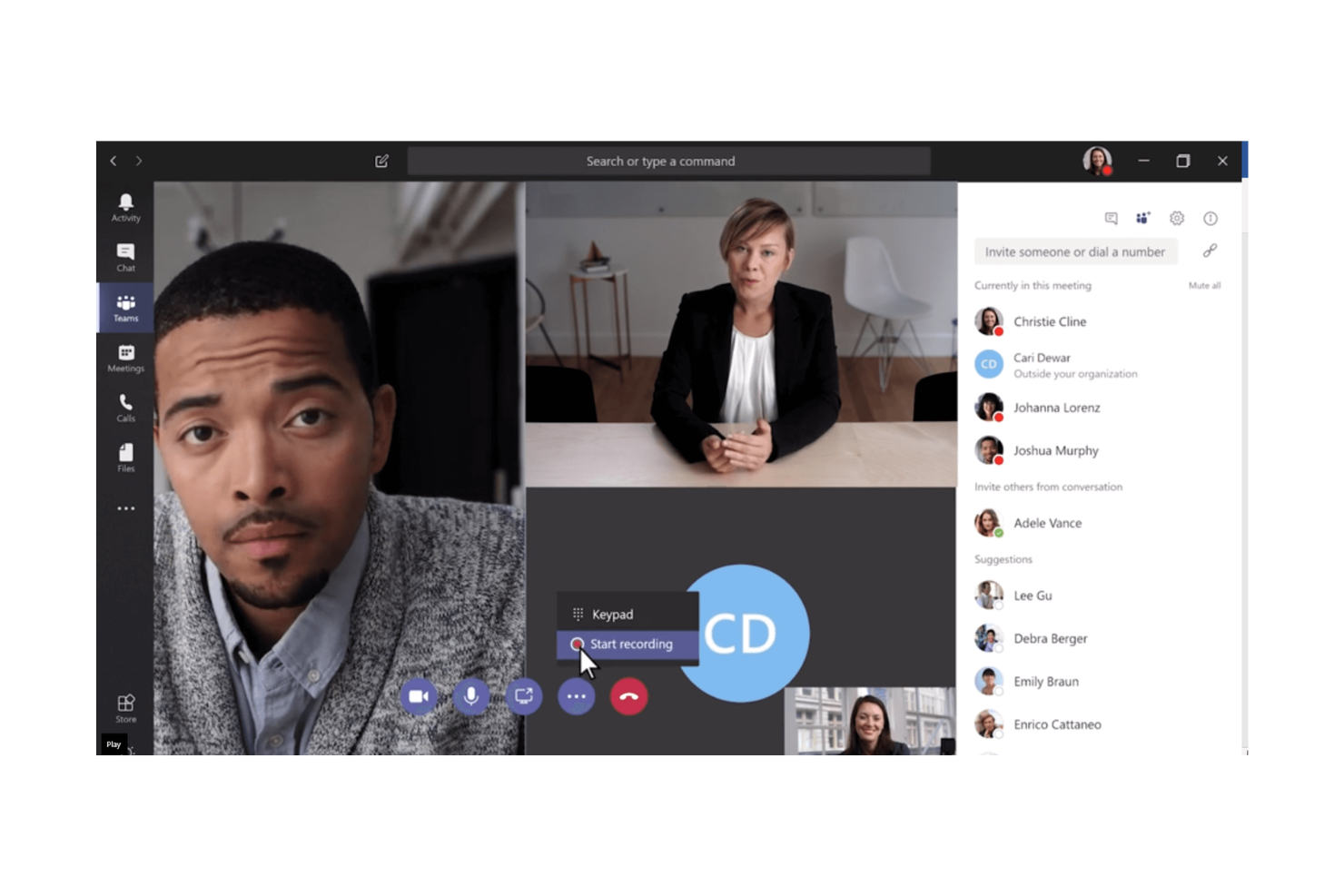
Microsoft Teams is a collaboration platform designed for businesses that already use Microsoft Office 365, providing chat, video, and file-sharing capabilities. It's tailored for organizations seeking to integrate communication tools with their existing Microsoft ecosystem.
Why I picked Microsoft Teams: The platform's tight integration with Office 365 offers a dynamic experience for document collaboration and sharing. Teams allows you to chat, meet, and call directly within the Office suite, enhancing productivity. Its ability to host large meetings and webinars makes it suitable for diverse business needs. Additionally, the platform's security features ensure that your data remains protected.
Standout Features & Integrations:
Features include meeting scheduling that syncs with your Outlook calendar, ensuring no missed appointments. The file-sharing feature allows you to collaborate on documents in real-time. Teams also offers customizable channels for organizing team discussions and projects effectively.
Integrations include SharePoint, OneDrive, Power BI, Trello, Salesforce, GitHub, Adobe Creative Cloud, Asana, ServiceNow, and Zoom.
Pros and Cons
Pros:
- Scales easily from SMBs to enterprises
- Real-time document collaboration
- Strong security features and cloud storage
Cons:
- Minimal customization available
- Requires an Office 365 subscription
Dialpad
Best for AI-powered calls
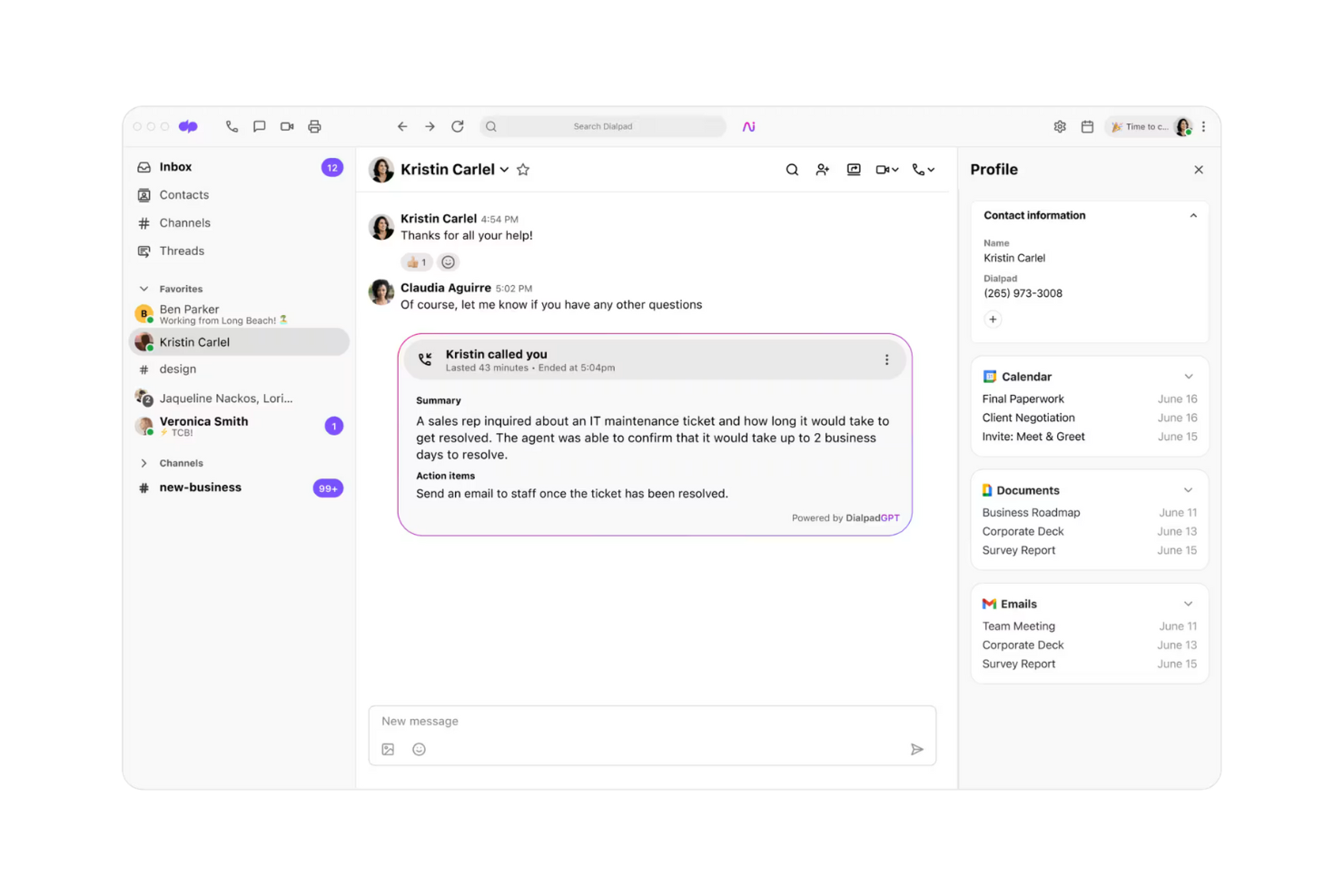
Dialpad is a unified communication platform designed for businesses seeking advanced call capabilities. Dialpad’s AI provides real-time transcription, sentiment analysis, and live coaching features across calls.
Why I picked Dialpad: Dialpad's AI-powered call features make it stand out for teams needing efficient communication solutions. Its real-time transcription and voice intelligence features enhance call productivity. Dialpad provides smooth call routing and management, which supports business operations. The platform's flexibility in adapting to various communication needs is an added advantage.
Standout Features & Integrations:
Features include call transcription that captures conversations in real time, which is great for keeping accurate records. Voice intelligence provides insights and analytics to improve communication strategies. Dialpad also includes AI coaching cards, voicemail transcriptions, and built-in analytics dashboards.
Integrations include Google Workspace, Salesforce, Microsoft 365, Slack, Zendesk, HubSpot, Zoho CRM, Okta, ServiceNow, and Zapier.
Pros and Cons
Pros:
- Insightful voice analytics
- Real-time transcription
- AI-driven call features
Cons:
- Premium support is limited to North America
- Service Level Agreement (SLA) is restricted to the top-tier plan
Best for all-in-one communication
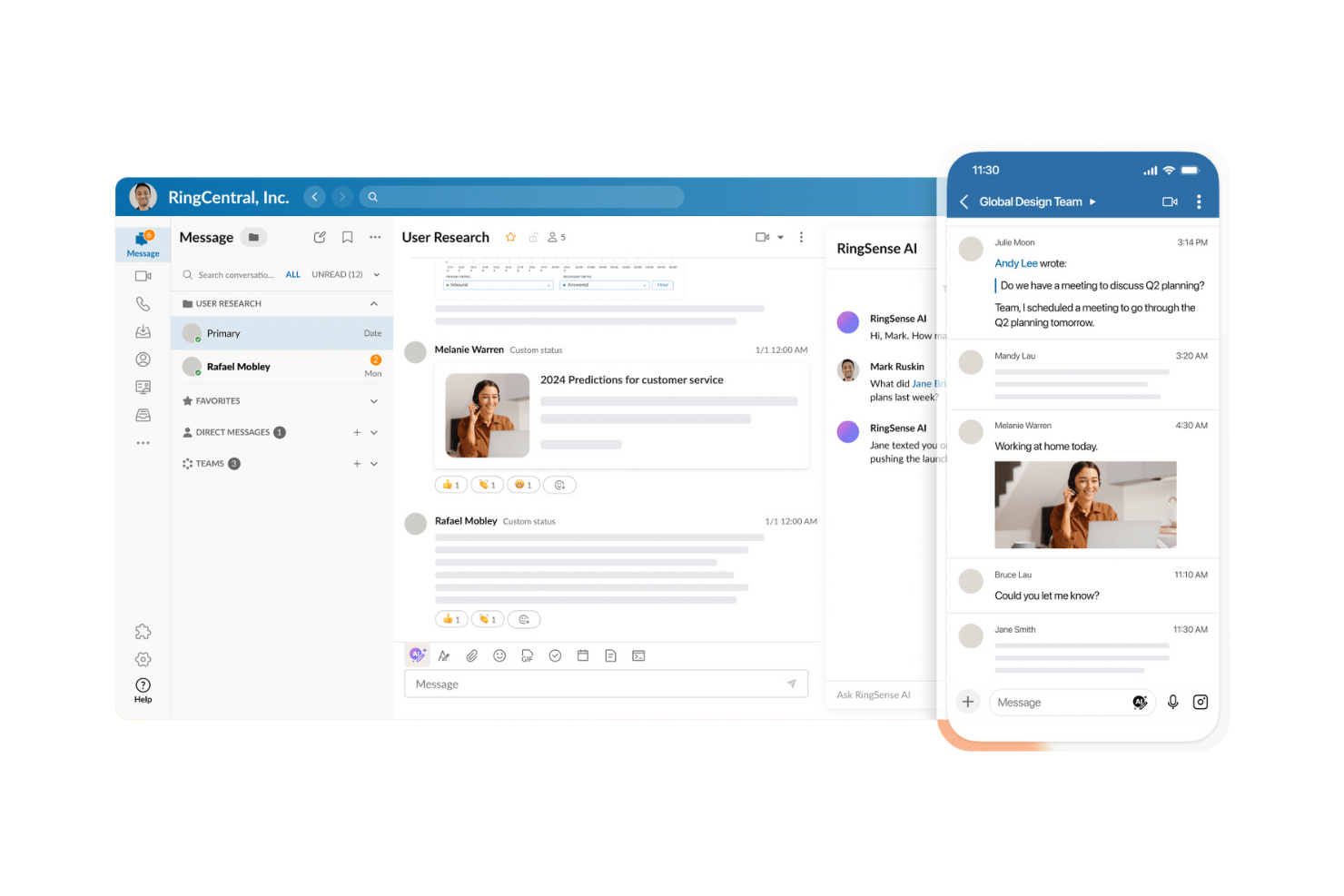
RingCentral is a full-scope communication platform serving businesses of all sizes. RingCentral’s MVPTM platform delivers integrated phone, messaging, and video capabilities designed to simplify internal and external communication workflows.
Why I picked RingCentral: RingCentral offers an integrated suite that covers all communication needs, making it ideal for businesses seeking a unified platform. It combines messaging, video, and phone services in one place, reducing the need for multiple tools. The platform's scalability allows it to grow with your business, accommodating increased communication demands. RingCentral also offers analytics dashboards, voicemail-to-text, and multi-device support for employees who switch between desktop and mobile.
Standout Features & Integrations:
Features include advanced call management options that enhance your phone operations. Video conferencing supports high-definition video and audio for clear communication. Messaging features allow for team collaboration through group chats and file sharing.
Integrations include Microsoft 365, Google Workspace, Salesforce, Slack, Zendesk, Box, Dropbox, Okta, ServiceNow, and Trello.
Pros and Cons
Pros:
- Unlimited domestic calls
- AI-powered features include 24/7 virtual assistant
- Modular, scalable communication channels
Cons:
- Key tools require additional module purchases
- Toll usage is restricted across all service levels
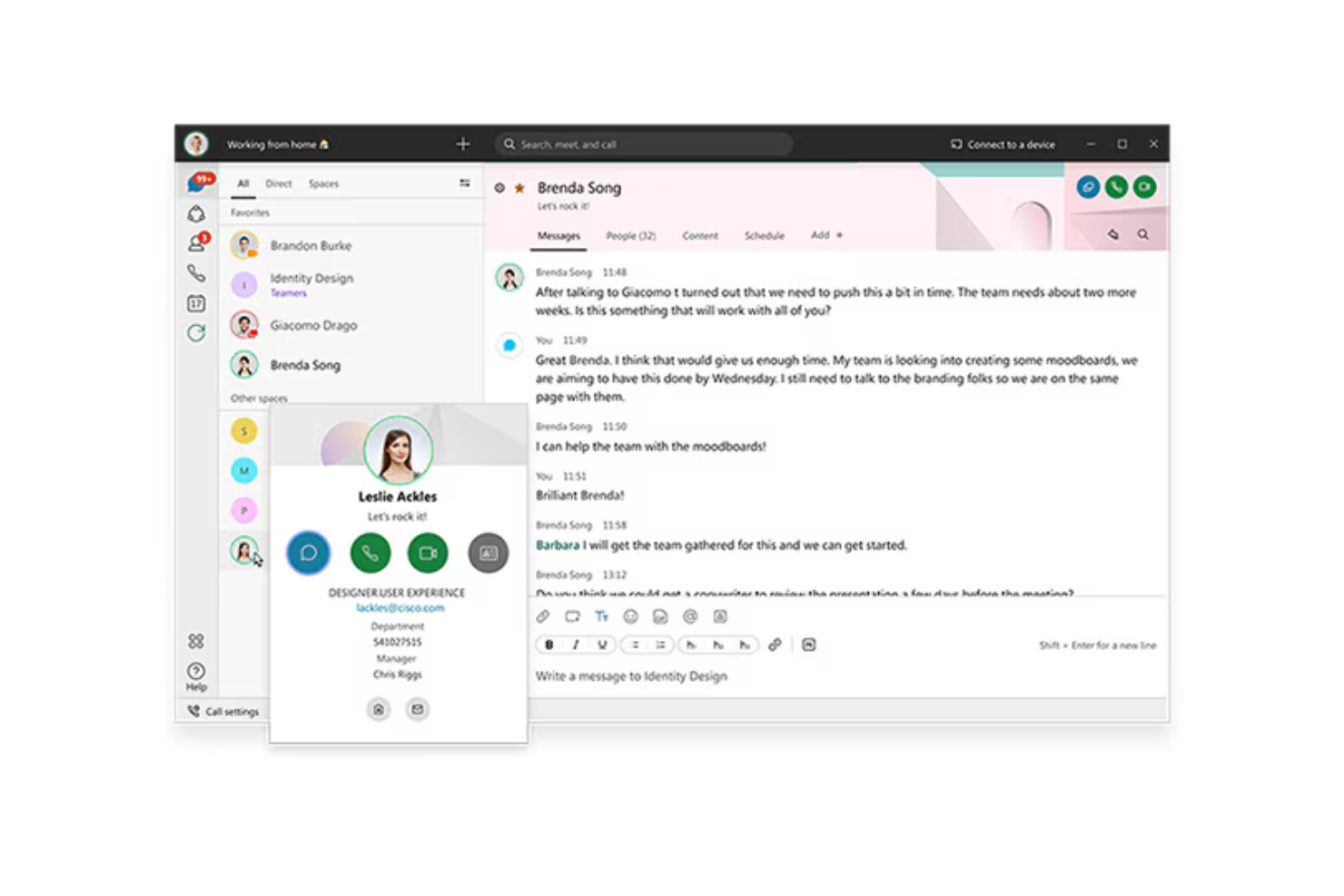
Cisco offers a unified communication platform designed for large enterprises, providing tools for calling, messaging, and meetings. Cisco’s portfolio centers on Webex and Cisco Unified Communications Manager (CUCM), which enable voice, video, and collaboration across distributed teams.
Why I picked Cisco: Cisco's platform excels in enterprise scalability, making it ideal for large organizations with complex communication needs. Cisco offers cloud, on-premises, and hybrid deployment through Webex Calling and Unified Communications Manager, allowing organizations to adopt a model that fits their operational requirements. The integration of IP telephony, video conferencing, and instant messaging allows for a unified communication experience. Additionally, Cisco emphasizes security and compliance, which is crucial for enterprises handling sensitive information.
Standout Features & Integrations:
Features include options for both cloud and on-premises deployment, which provide flexibility for your team's needs. The Cisco Nexus Dashboard provides a single console unifying a wide range of devices under one platform, ensuring connectivity wherever you are. Cisco provides advanced security controls, compliance features, and encryption across calling and collaboration workloads.
Integrations include Microsoft Teams, Salesforce, Google Workspace, Slack, ServiceNow, Box, Dropbox, Zendesk, Jira, and Trello.
Pros and Cons
Pros:
- Nexus Dashboard unifies operations tasks
- Enterprise-level security features
- Extensive deployment options
Cons:
- Risk of vendor lock-in with enterprise agreements
- Licensing structure is complex and costly
Genesys
Best for customer experience
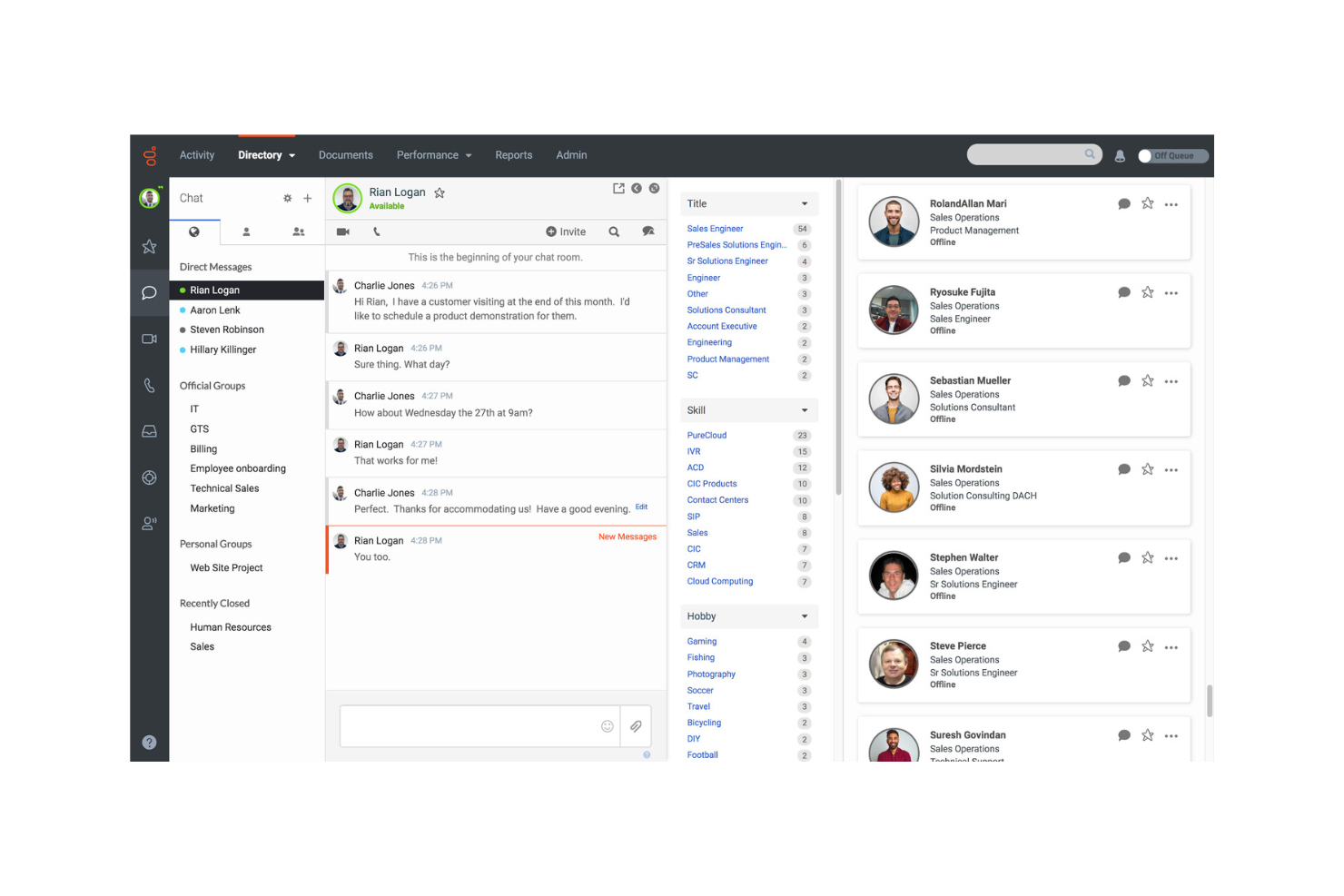
Genesys provides unified communication and collaboration tools designed for businesses focused on enhancing customer and employee interactions. Genesys Cloud CX also includes internal collaboration features, enabling teams to coordinate during service interactions.
Why I picked Genesys: Genesys excels in customer experience by integrating communication tools with contact center capabilities. It focuses on customer experience supported by AI and omnichannel engagement tools. Genesys integrates voice, messaging, and digital channels with AI-driven routing, analytics, and automation, helping teams address customer needs efficiently. Its collaboration features support real-time communication during service workflows, which strengthens both agent productivity and customer outcomes.
Standout Features & Integrations:
Features include a unified directory for team communication, chat groups for internal coordination, and the ability to shift from chat to video when needed. Genesys also offers AI-powered routing, customer sentiment insights, and workforce engagement tools used by service teams across high-volume environments.
Integrations include Microsoft Teams, Salesforce, Zendesk, Google Workspace, Zoom, Slack, ServiceNow, Box, HubSpot, and Pipedrive.
Pros and Cons
Pros:
- Extensive training resources
- Real-time collaboration features
- AI-powered engagement tools
Cons:
- Unstable integrations reduce system reliability
- Reports lack data granularity and performance metrics
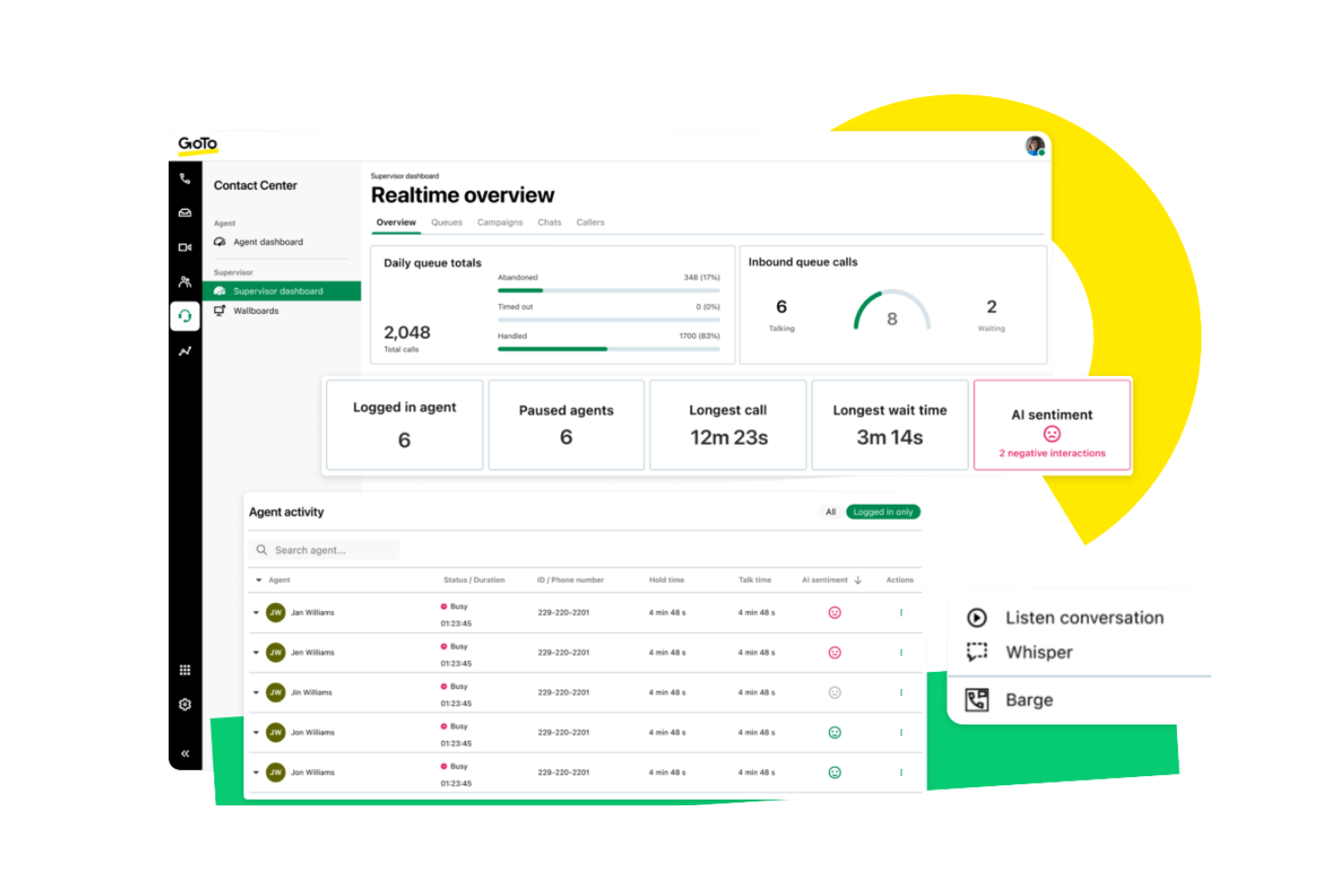
GoTo Connect is a unified communication platform that supports remote teams through voice, video, and messaging tools. It provides reliable communication options for distributed workforces needing flexibility and consistent connectivity. Its cloud-based architecture enables users to access calling, meetings, and team messaging from any location.
Why I picked GoTo Connect: It provides strong features that support remote team communication. It offers a cloud-based VoIP system, HD video meetings, and team messaging, allowing distributed teams to collaborate without location constraints. Its scalability helps organizations adapt as teams expand or shift to hybrid environments.
Standout Features & Integrations:
Features include virtual voicemail for managing messages across devices, call routing tools that direct calls to the right team member, and conference calling for group discussions. GoTo Connect also includes call queues, auto attendants, team messaging spaces, and meeting tools suitable for remote and hybrid workflows.
Integrations include Salesforce, Microsoft Teams, Google Workspace, Slack, Zendesk, HubSpot, Zoho CRM, ServiceNow, Dropbox, and Trello.
Pros and Cons
Pros:
- Unified administrator hub
- AI-driven routing and analytics
- Strong CX and engagement focus
Cons:
- 1,000 toll-free minutes
- Integration issues limit connectivity

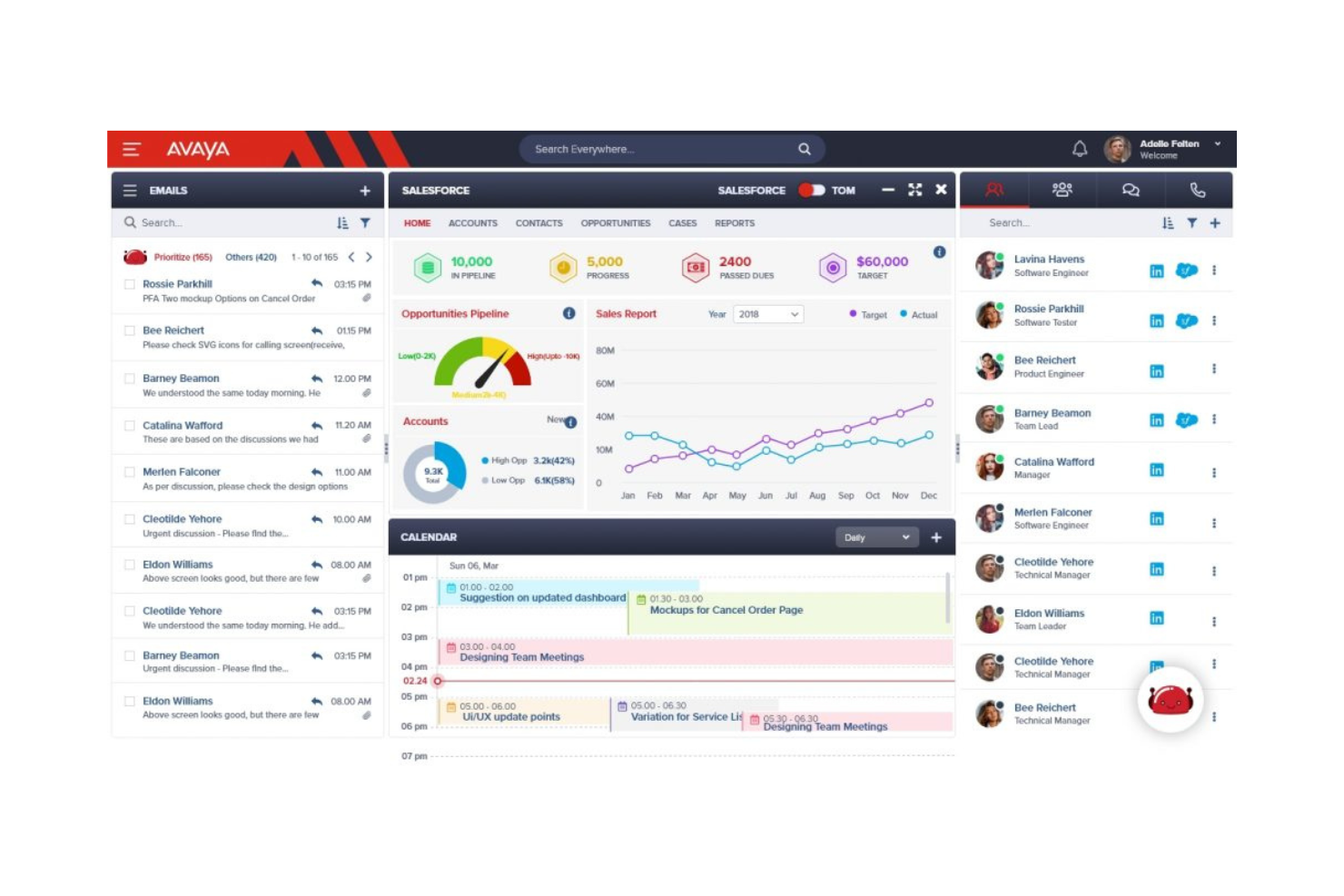
Avaya provides a unified communication solution tailored for contact centers, offering voice, video, and collaboration tools. Avaya Experience Platform delivers omnichannel routing, AI-assisted engagement, and tools for agents and supervisors working in high-volume environments.
Why I picked Avaya: Avaya excels in serving contact centers with features that enhance customer service efficiency. It offers skills-based routing, omnichannel engagement, and AI-driven interaction insights, helping agents handle customer requests more effectively. The platform supports video conferencing, which can be used for training and team collaboration. Additionally, Avaya's analytics tools provide insights into communication patterns, helping improve service delivery.
Standout Features & Integrations:
Features include advanced call routing to ensure customers reach the right department quickly. The video conferencing capability supports remote training and meetings, enhancing team collaboration. Avaya also provides AI features such as automated conversation summaries, intent detection, and virtual agents that support customer interactions.
Integrations include Salesforce, Microsoft Teams, Google Workspace, Slack, Zoom, ServiceNow, Zendesk, HubSpot, Trello, and Dropbox.
Pros and Cons
Pros:
- Detailed call analytics
- Supports remote training sessions
- Advanced call routing features
Cons:
- Authentication errors and static line issues
- Complex deployment and slow configuration
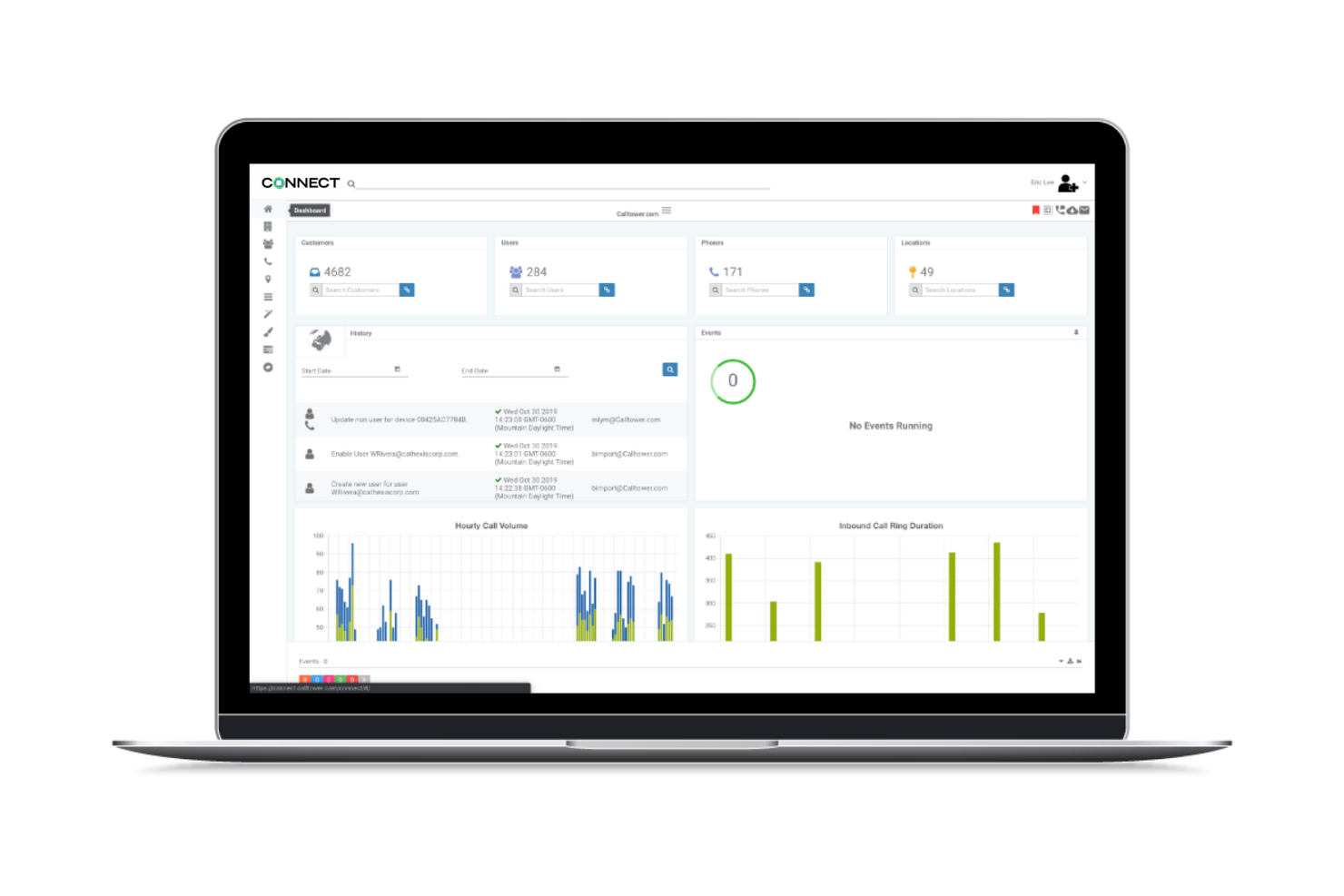
Calltower provides a unified communication solution tailored for businesses that rely heavily on Microsoft products. It serves companies looking to integrate voice services, contact center solutions, and productivity tools into their existing Microsoft ecosystem.
Why I picked Calltower: Calltower excels in Microsoft integration, making it perfect for businesses that use Microsoft Teams. It supports Teams calling through Operator Connect, Direct Routing, and hosted voice services, making it suitable for businesses standardizing on the Microsoft 365 environment. The CallTower Connect portal allows easy management of services, which simplifies the user experience. Additionally, its strong customer support ensures any issues are quickly addressed.
Standout Features & Integrations:
Features include voice services that augment your communication capabilities. The contact center solutions offer tools to improve customer interaction and support. CallTower also offers Cisco Webex and Zoom voice solutions, giving organizations flexibility if they operate mixed collaboration environments.
Integrations include Microsoft Teams, Cisco Webex, Zoom, Salesforce, Google Workspace, ServiceNow, Box, Dropbox, and Zendesk.
Pros and Cons
Pros:
- Strong partner programs
- Multiple UC platform options
- Centralized management via CallTower Connect
Cons:
- Limited flexibility beyond the Microsoft ecosystem
- Interface navigation lacks intuitiveness
Annen programvare for enhetlig kommunikasjon
Her er noen flere alternativer innen programvare for enhetlig kommunikasjon som ikke kom med på kortlisten min, men som likevel er verdt å se nærmere på:
- 8x8
For global communication
- Vonage
For CRM integration
- Gamma
For UK-based businesses
- Broadvoice
For small businesses
- Clariti
For small teams
- Intermedia
For secure communication
- Mitel
For hybrid workforces
- Sangoma
For open-source options
- SkySwitch
For white-label solutions
- Dstiny
For European markets
- CenturyLink Connected Voice
For reliable service


How I Evaluate Unified Communication Software
I split my evaluation into two layers: the table-stakes capabilities every UC platform needs—unified calling, video, and chat—and the differentiators that separate tools for HR teams.
Core Functionality (Table Stakes For This List)
When I'm selecting tools for my list, I rank each one on a scale from 0 (does not offer the functionality) to 5 (excels in this area) for each core functionality listed below. Then, I calculate the tool's total score into a percentage. Each tool needs to achieve a minimum total score of 65% to be considered for inclusion.
- Multi-Channel Messaging: I look for platforms that unify voice, video, chat, and SMS in one interface so HR teams aren't toggling between apps to reach candidates and employees.
- Video Conferencing: Screen sharing, recording, and breakout rooms matter here—I check whether a platform can handle panel interviews and all-hands meetings equally well.
- VoIP Calling: I evaluate call routing, extensions, voicemail, and international dialing since HR teams often coordinate across offices and need reliable business phone features.
- Persistent Team Chat: Organized channels, threaded conversations, and searchable history are what I look for so HR departments can maintain running discussions around topics like open roles or benefits.
- Mobile Accessibility: Full-featured iOS and Android apps are essential—I check that recruiters and HR generalists can join calls, reply to messages, and share files from any location.
- Third-Party Integrations: I evaluate native connections to HRIS, ATS, and calendar tools because a UC platform that sits outside your existing HR tech stack creates more friction than it solves.
Once I have a list of tools that meet this criteria, I consider what sets each platform apart.
Differentiating Factors (What Sets Vendors Apart)
Here's how I compare and contrast different vendors:
Standout Features
AI-powered meeting assistants are a major differentiator—I look for platforms that auto-transcribe and summarize interviews or sensitive employee relations calls so HR has searchable records without manual note-taking. Workflow automation matters too, especially triggers tied to lifecycle events like onboarding sequences or offboarding task notifications. For larger HR teams fielding high volumes of benefits and payroll inquiries, built-in contact center features with queue management and IVR routing make a real difference.
Beyond Features
Compliance and security top my list—HR handles sensitive employee data, so I check for SOC 2, GDPR readiness, and end-to-end encryption on calls and messages. Scalability also matters because HR teams fluctuate with seasonal hiring; I evaluate whether licensing models flex with headcount changes. Uptime SLAs and global infrastructure are worth reviewing too, since dropped calls during a remote termination meeting or a candidate interview aren't something you can recover from gracefully.
Slik velger du programvare for enhetlig kommunikasjon
Det er lett å gå seg vill i lange funksjonslister og kompliserte prisstrukturer. For å hjelpe deg med å holde fokus mens du går gjennom den unike prosessen med å velge programvare, får du her en sjekkliste over faktorer du bør ha i tankene:
| Faktor | Hva du bør vurdere |
|---|---|
| Skalerbarhet | Vokser programvaren sammen med teamet ditt? Vurder om den håndterer flere brukere eller større kommunikasjonsvolum uten ekstra kostnader. |
| Integrasjoner | Kontroller om den fungerer med verktøyene du allerede bruker. Sørg for at den kan kobles til CRM-systemet, e-posten og annen viktig programvare. |
| Tilpasningsmuligheter | Kan du tilpasse den til prosessene dine? Se etter alternativer for å justere arbeidsflyter og brukerinnstillinger etter behovene dine. |
| Brukervennlighet | Hvor intuitivt er grensesnittet? Sørg for at teamet ditt kan ta det i bruk raskt uten omfattende opplæring. |
| Implementering og innføring | Vurder tiden og ressursene som kreves for oppsettet. Se etter tydelige veiledninger, brukerstøtte og opplæringsmateriell som gjør overgangen enklere. |
| Sikkerhetstiltak | Kontroller tiltakene for databeskyttelse. Sørg for at løsningen følger bransjestandarder og tilbyr kryptering og sikre tilgangskontroller. |
| Tilgjengelig brukerstøtte | Kontroller hvilket nivå av brukerstøtte som tilbys. Vurder om du trenger brukerstøtte døgnet rundt eller dedikerte kundeansvarlige for kompliserte problemer. |
Hva er programvare for enhetlig kommunikasjon?
Programvare for enhetlig kommunikasjon er et verktøy som kombinerer ulike kommunikasjonsmetoder som tale, video og meldinger på én plattform. Fagpersoner som fjernarbeidere, salgsteam og kundestøtteansatte bruker disse verktøyene for å forbedre samarbeid og kommunikasjonseffektivitet.
Funksjoner for videokonferanser, direktemeldinger og fildeling bidrar til samhandling i team, raske beslutninger og effektiv prosjektstyring. Samlet sett forbedrer disse verktøyene produktiviteten ved å tilby et sentralisert kommunikasjonssenter.
Funksjoner
Her er de viktigste funksjonene all god programvare for enhetlig kommunikasjon bør ha:
- Videokonferanser: Gjør det mulig å holde møter ansikt til ansikt på nettet, slik at team kan ha visuell kontakt uavhengig av hvor de befinner seg.
- Direktemeldinger: Gir tekstkommunikasjon i sanntid, noe som muliggjør raske utvekslinger og reduserer mengden e-post.
- Fildeling: Gjør det enkelt å utveksle dokumenter og filer, noe som forbedrer samarbeid og produktivitet.
- Samtalehåndtering: Håndterer innkommende og utgående samtaler effektivt og sikrer en smidig kommunikasjonsflyt i teamene.
- Skjermdeling: Gjør det mulig for brukere å dele skjermene sine under møter, noe som bidrar til presentasjoner og samarbeid.
- VoIP-tjenester: Tilbyr internettbaserte telefontjenester som gir kostnadseffektiv og tydelig talekommunikasjon.
- Tilpassbare kanaler: Lar brukere organisere diskusjoner og prosjekter, noe som forbedrer arbeidsflyten og kommunikasjonsstrukturen i teamet.
- Sikkerhetstiltak: Sikrer databeskyttelse og personvern i samsvar med bransjestandarder og regelverk.
- Integrasjonsmuligheter: Kobler seg til eksisterende verktøy og programvare, noe som forbedrer funksjonalitet og effektivitet i arbeidsflyten.
- Analyseverktøy: Gir innsikt i kommunikasjonsmønstre og hjelper team med å optimalisere strategier og resultater.
Fordeler
Implementering av programvare for enhetlig kommunikasjon gir flere fordeler for teamet og virksomheten din. Her er noen av fordelene du kan se frem til:
- Bedre samarbeid: Team kan enkelt kommunisere gjennom videosamtaler og direktemeldinger, noe som fremmer bedre teamsamarbeid og kommunikasjon.
- Økt produktivitet: Med funksjoner som fildeling og skjermdeling kan team arbeide mer effektivt uten å bytte mellom flere verktøy.
- Kostnadsbesparelser: VoIP-tjenester reduserer telefonregningene ved å bruke internettbasert kommunikasjon, noe som gjør dette til et budsjettvennlig alternativ.
- Økt fleksibilitet: Fjernarbeid blir mer effektivt med tilpassbare kanaler og integrasjonsmuligheter, slik at team raskt kan tilpasse seg.
- Bedre beslutningstaking: Kommunikasjonsverktøy i sanntid støtter raskere utveksling av ideer og informasjon, noe som bidrar til raskere beslutningsprosesser.
- Datasikkerhet: Sikkerhetstiltak sørger for at all kommunikasjon og alle data er beskyttet, noe som gir virksomheter trygghet.
- Skalerbarhet: Programvaren kan vokse sammen med virksomheten din og håndtere flere brukere og kommunikasjonsbehov etter hvert som teamet utvides.
Kostnader og priser
Valg av programvare for enhetlig kommunikasjon krever en forståelse av de ulike prismodellene og abonnementene som er tilgjengelige. Kostnadene varierer basert på funksjoner, teamstørrelse, tillegg og mer. Tabellen nedenfor oppsummerer vanlige abonnementer, gjennomsnittsprisene deres og typiske funksjoner som er inkludert i løsninger for enhetlig kommunikasjon:
Sammenligningstabell for programvare for enhetlig kommunikasjon
| Abonnementstype | Gjennomsnittspris | Vanlige funksjoner |
|---|---|---|
| Gratisabonnement | $0 | Grunnleggende meldinger, taleanrop og begrensede videokonferanser. |
| Personlig abonnement | $4-$75/bruker/måned | Forbedrede videosamtaler, fildeling og grunnleggende integrasjoner. |
| Bedriftsabonnement | $6-$115/bruker/måned | Avanserte videokonferanser, samtalehåndtering og verktøy for teamsamarbeid. |
| Storbedriftsabonnement | $13-$155/bruker/måned | Tilpassbare funksjoner, avansert sikkerhet, dedikert brukerstøtte og detaljert analyse. |
Vanlige spørsmål
Her er noen svar på vanlige spørsmål om programvare for enhetlig kommunikasjon:
Hvordan håndterer den kommunikasjon i presserende eller tidssensitive situasjoner?
Direktemeldinger og varsler gjør det mulig for team å reagere raskt uten å måtte vente på planlagte møter. Prioriterte varsler kan bidra til å fremheve kritiske oppdateringer, slik at de ikke går tapt. Dette sikrer raske beslutninger når tiden er avgjørende.
Kan programvare for enhetlig kommunikasjon brukes på mobile enheter?
Ja, det meste av programvaren for enhetlig kommunikasjon støtter mobile enheter, slik at du og teamet ditt kan holde kontakten mens dere er på farten. Mange plattformer tilbyr mobilapper for både iOS og Android, med funksjoner som meldinger, videosamtaler og fildeling. Denne fleksibiliteten sikrer at eksterne medarbeidere og teammedlemmer som er på reise, kan delta i møter og diskusjoner, noe som øker den samlede produktiviteten.
Hvordan forbedrer programvare for enhetlig kommunikasjon fjernarbeid?
Programvare for enhetlig kommunikasjon forbedrer fjernarbeid ved å tilby en sentralisert plattform for kommunikasjon og samarbeid. Den gjør det mulig for teammedlemmer å kommunisere gjennom videosamtaler, direktemeldinger og fildeling, slik at alle holder seg oppdatert. Denne programvaren reduserer behovet for flere verktøy og bidrar til å opprettholde effektiv kommunikasjon, noe som er avgjørende for eksterne team.
Er programvare for enhetlig kommunikasjon sikker?
Ja, det meste av programvaren for enhetlig kommunikasjon omfatter sikkerhetstiltak for å beskytte dataene og kommunikasjonen din. Se etter funksjoner som kryptering, sikre tilgangskontroller og samsvar med bransjestandarder. Det er viktig å velge en programvareleverandør som prioriterer sikkerhet, slik at teamets kommunikasjon forblir privat og beskyttet mot uautorisert tilgang.