


QuickBooks Online versus Xero: deskundige vergelijking en beoordelingen voor 2026


The wrong HR and accounting setup can turn simple tasks into a daily grind. When payroll, reporting, and employee admin all compete for your attention, choosing the right platform starts to matter fast.
If you’re stuck choosing between QuickBooks Online and Xero, you’re not alone. Maybe you need clear HR processes, powerful payroll, or more control over accounting—both platforms promise to help, but each takes a different approach to HR and accounting software.
In this article, you’ll see a head-to-head comparison of both tools. I’ll walk you through their pros, cons, ideal use cases, pricing, security, and day-to-day usability so you can make the right call for your team.
QuickBooks Online vs. Xero: An Overview
QuickBooks Online
Xero
Waarom u onze softwarebeoordelingen kunt vertrouwen
Ons team test en beoordeelt software sinds 2012. Als HR-experts weten we zelf hoe moeilijk — en belangrijk — het is om de juiste software te kiezen.
Voor deze gids hebben we tools geëvalueerd met behulp van praktijktests en onafhankelijk onderzoek, waarbij we tools beoordeelden aan de hand van onze selectiecriteria. We putten ook uit inzichten van vooraanstaande experts uit de branche en van praktiserende HR-professionals.
Onze reviews weerspiegelen ons menselijke redactionele oordeel, geen verkooppraatje.
Deskundige beoordelaars:
QuickBooks Online vs. Xero Pricing Comparison
| QuickBooks Online | Xero | |
|---|---|---|
| Free Trial | Free plan + 30-day free trial available | 30-day free trial |
| Pricing | From $38/month | From $25/month |
QuickBooks Online versus Xero: prijzen en verborgen kosten
QuickBooks Online biedt meerdere abonnementsniveaus, die elk nieuwe functies voor boekhouding en enkele essentiële HR-functies ontgrendelen. Loonadministratie, onkostenregistratie en geavanceerde rapportage zijn vaak als aanvullingen beschikbaar, waardoor de kosten kunnen stijgen naarmate je team groeit of je behoeften veranderen. Xero gebruikt ook een model met verschillende niveaus, waarbij de belangrijkste HR- en boekhoudfuncties zijn inbegrepen, maar diensten zoals projectregistratie, loonadministratie of extra gebruikers kunnen je totale rekening verhogen. Voor beide tools moet je soms je abonnement upgraden of extra betalen voor integraties en geavanceerde ondersteuning.
Om de beste prijsoptie te vinden, kijk je verder dan de basisprijs en breng je je onmisbare functies in kaart—denk aan HR-behoeften, rapportage, gebruikersplaatsen, integraties en toekomstige groei. Ik raad aan om een shortlist te maken van de functies die je daadwerkelijk zult gebruiken en vervolgens de werkelijke maandelijkse of jaarlijkse kosten te berekenen, inclusief die extra’s. Zo voorkom je latere verrassingen en krijg je een duidelijk beeld van welke leverancier je huidige en toekomstige plannen ondersteunt, zonder dat verborgen kosten je onverwacht achtervolgen.
QuickBooks Online vs. Xero Feature Comparison
| QuickBooks Online | Xero | |
|---|---|---|
| 2-Factor Authentication | ||
| API | ||
| Accounts Payable | ||
| Accounts Receivable | ||
| Balance Sheet | ||
| Billing/Invoicing | ||
| BitCoin | ||
| Budgeting | ||
| CRM Integration | ||
| Calendar Management | ||
| Contact Management | ||
| Customer Management | ||
| Dashboard | ||
| Data Export | ||
| Data Import | ||
| Data Visualization | ||
| Expense Tracking | ||
| External Integrations | ||
| Forecasting | ||
| General Account Ledger | ||
| Inventory Tracking | ||
| Multi-Currency | ||
| Multi-User | ||
| Notifications | ||
| P&L | ||
| PayPal | ||
| Payroll | ||
| SAP Integration | ||
| Stripe | ||
| Supplier Management | ||
| Tax Management |
QuickBooks Online versus Xero-integraties
| Integratie | QuickBooks Online | Xero |
|---|---|---|
| Shopify | ✅ | ✅ |
| PayPal | ✅ | ✅ |
| BillBjorn | ✅ | ✅ |
| Expensify | ✅ | ✅ |
| Square | ✅ | ✅ |
| HubSpot | ✅ | ✅ |
| Stripe | ✅ | ✅ |
| Deputy | ✅ | ✅ |
| API | ✅ | ✅ |
| Zapier | ✅ | ✅ |
Beide platforms zijn wat integraties betreft vrijwel gelijkwaardig, met een sterke dekking voor boekhouding, loonadministratie, e-commerce, HR en algemene bedrijfstools. Omdat QuickBooks Online en Xero beide Zapier- en API-verbindingen bieden voor aangepaste workflows, hangt de beste keuze echt af van de manier waarop je team dagelijks werkt en welk platform het meest natuurlijk aansluit op je bestaande processen.
QuickBooks Online versus Xero: beveiliging, naleving en betrouwbaarheid
| Factor | QuickBooks Online | Xero |
|---|---|---|
| Gegevensversleuteling | Gebruikt AES256- en TLS-versleuteling voor alle gegevens in rust en RSA-versleuteling voor gegevens tijdens overdracht. | Beschermt gegevens met TLS-versleuteling tijdens overdracht en in rust. |
| Naleving van regelgeving | Voldoet aan PCI DSS, ondergaat SOC-audits en -rapportages en is ISO 27001-gecertificeerd. | Voldoet aan SOC 2 en ISO 27001 en voldoet voor betalingen aan PCI DSS. |
| Toegangsbeheer voor gebruikers | Biedt aanpasbare machtigingen en rolgebaseerde toegang voor alle gebruikers. | Ondersteunt gebruikersrollen en fijnmazige instellingen voor machtigingen. |
| Gegevensback-ups | Automatische dagelijkse back-ups met protocollen voor noodherstel. | Dagelijkse gegevensback-ups met robuuste maatregelen voor noodherstel. |
| Betrouwbaarheid van de service | 99.9% beschikbaarheid en voortdurende prestatiebewaking. | Behoudt een hoge beschikbaarheid en proactieve bewaking in verschillende regio's. |
Zowel QuickBooks Online als Xero bieden sterke beveiligings- en nalevingsmaatregelen, maar QuickBooks Online heeft een kleine voorsprong dankzij de robuustere versleuteling en het bredere beveiligingskader. Xero is nog steeds een solide keuze voor teams die gedetailleerde gebruikersmachtigingen nodig hebben, terwijl QuickBooks wellicht beter past als het beschermen van gevoelige financiële gegevens je hoogste prioriteit heeft.
QuickBooks Online versus Xero: gebruiksgemak
| Factor | QuickBooks Online | Xero |
|---|---|---|
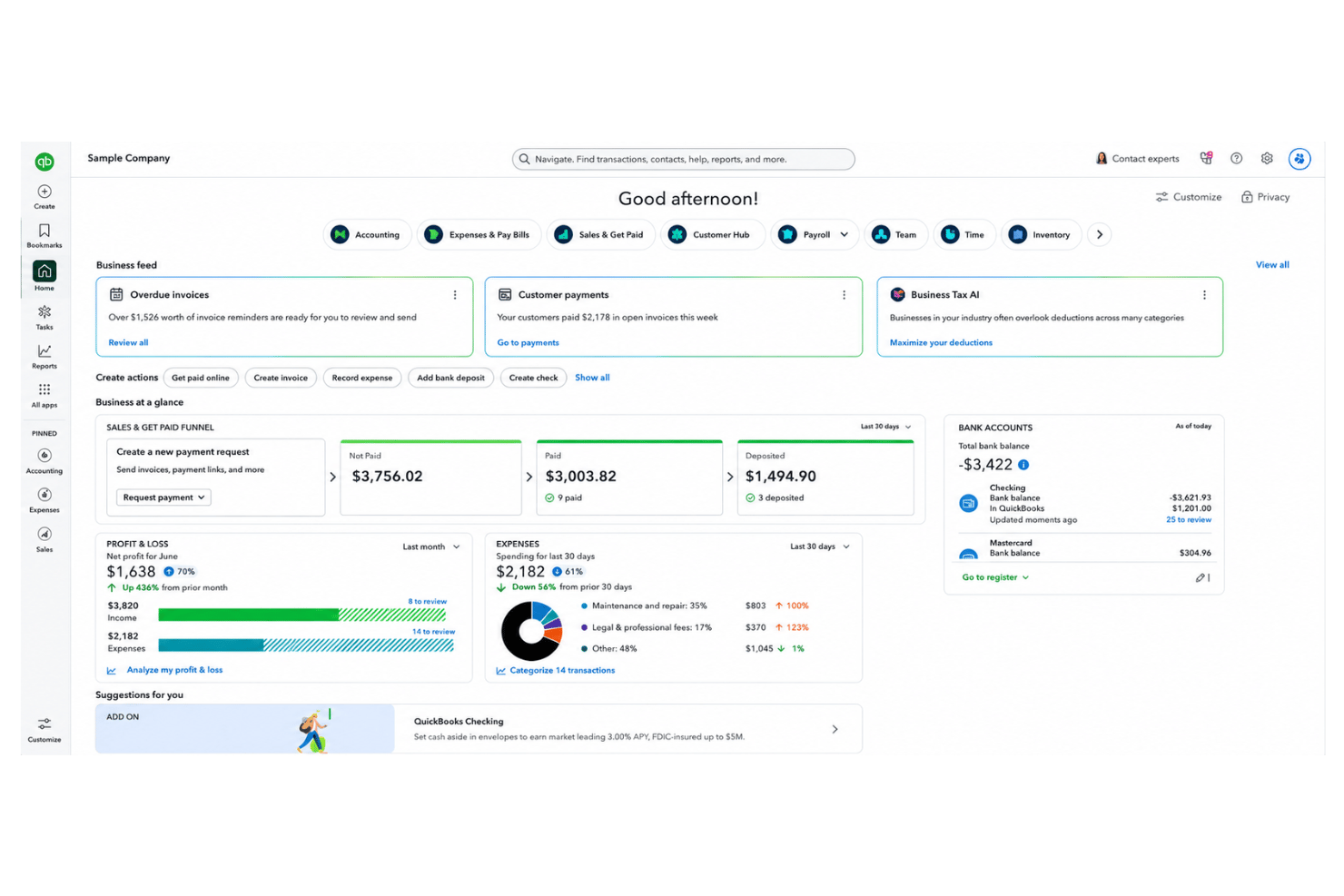
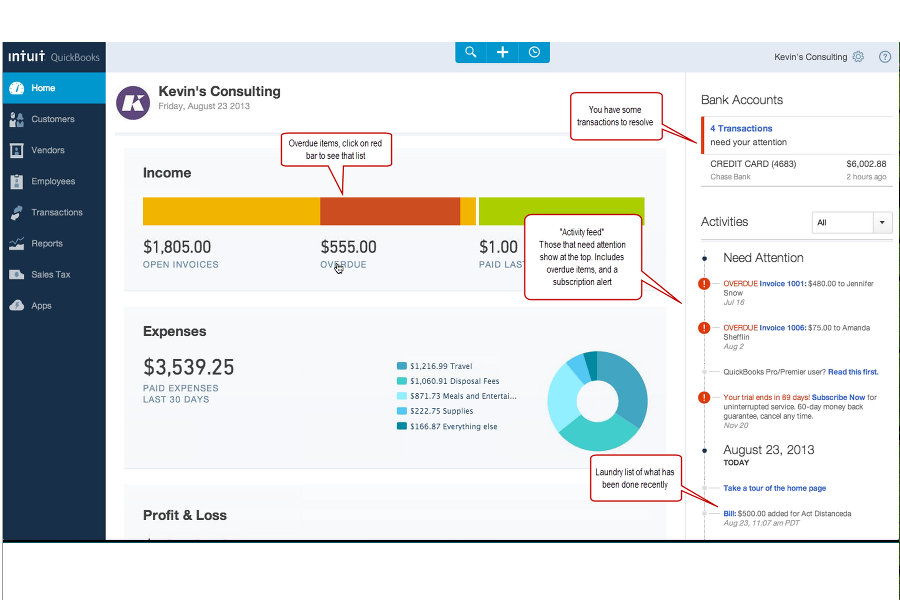
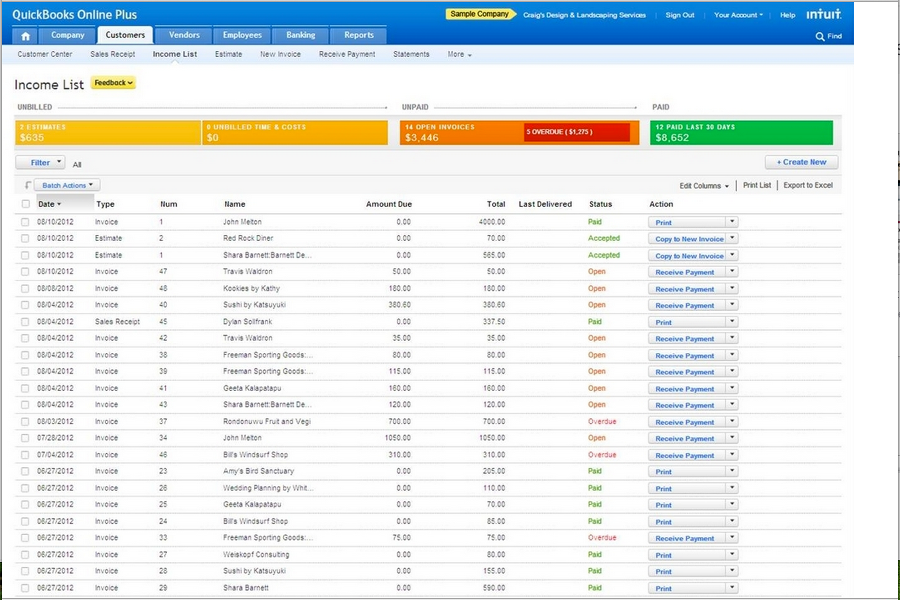
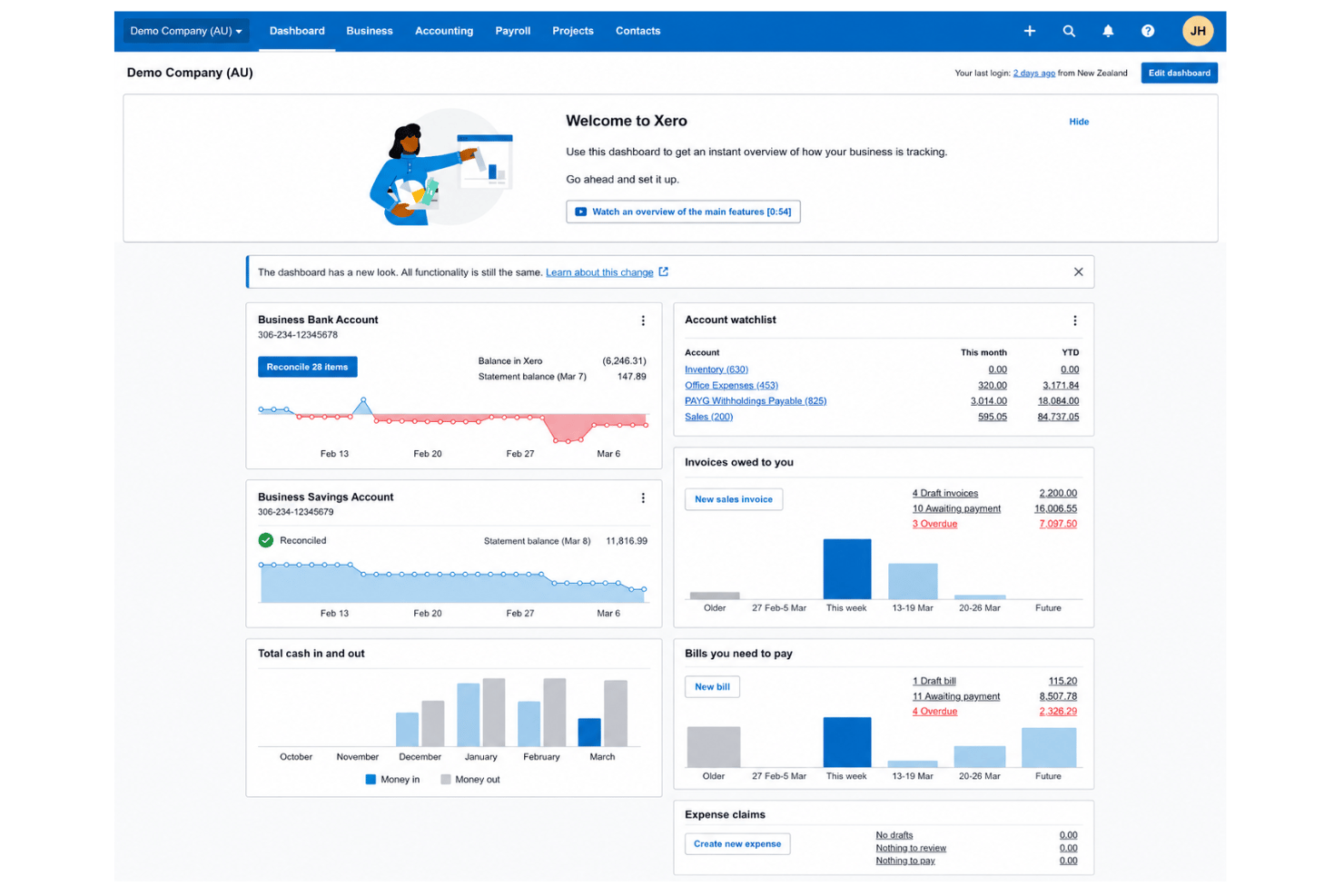
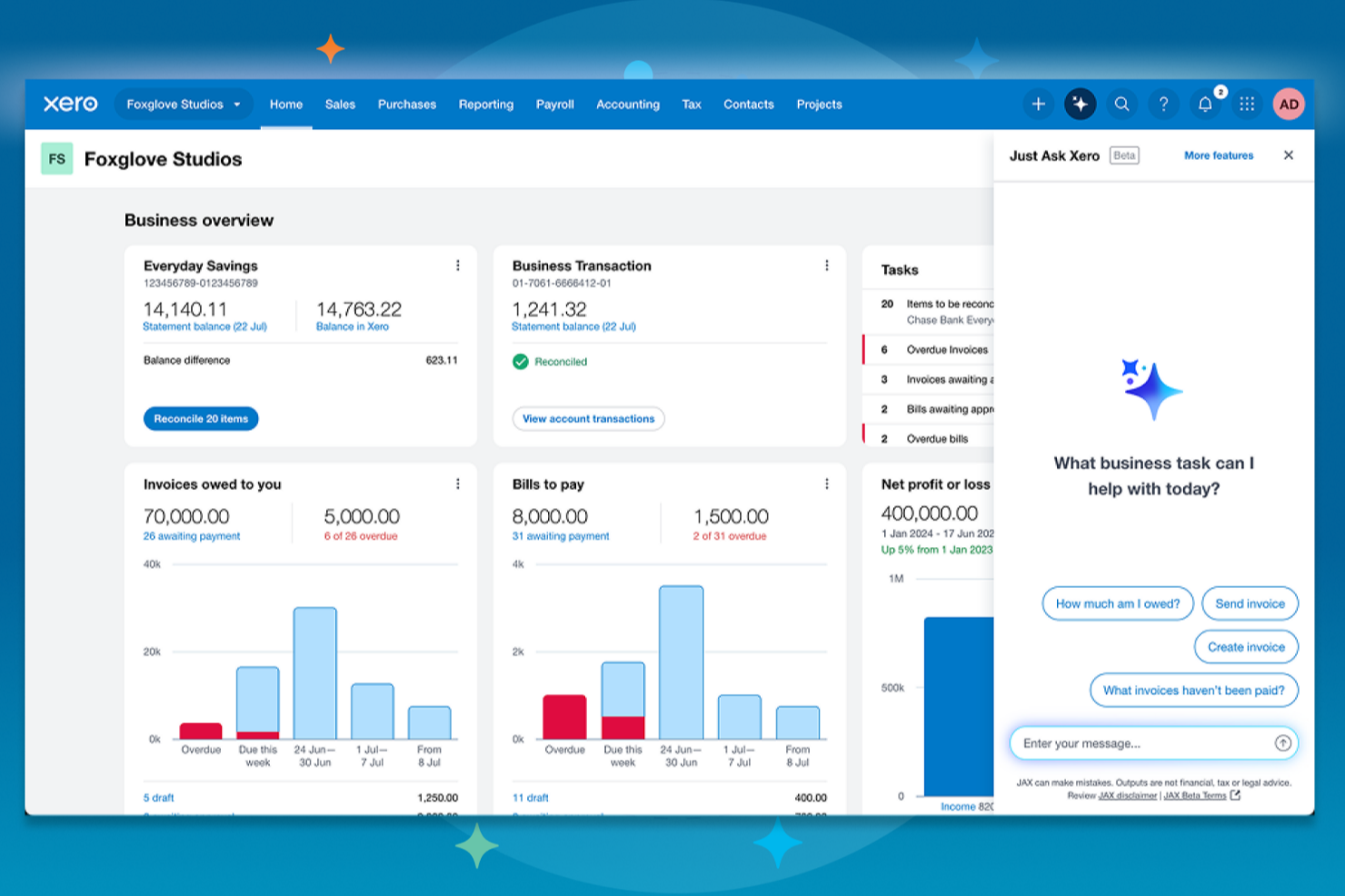
| Gebruikersinterface | Modern ontwerp, maar kan voor nieuwe gebruikers druk aanvoelen doordat er meteen veel functies beschikbaar zijn. | Overzichtelijke, intuïtieve indeling met een minimalistisch menu en visuele dashboards. |
| Inwerken | Stapsgewijze handleidingen plus tips in de app om nieuwe gebruikers op weg te helpen. | Biedt een duidelijke checklist voor het inwerken en uitstekende videohandleidingen. |
| Aanpasbaarheid | Uiterst aanpasbaar dashboard en rapporten, ter ondersteuning van unieke bedrijfsbehoeften. | Flexibele accountinstelling en eenvoudige aanpassing van workflows voor verschillende gebruikers. |
| Klantenondersteuning | Livechat en telefonische ondersteuning inbegrepen bij de meeste abonnementen, plus een uitgebreid helpcentrum. | 24/7 ondersteuning per e-mail, een enorme online kennisbank en actieve communityforums. |
| Mobiele app | Mobiele app met uitgebreide functies voor iOS/Android, waaronder facturering en het vastleggen van bonnetjes. | Eenvoudige, betrouwbare mobiele app gericht op belangrijke boekhoudtaken. |
Xero biedt een soepelere ervaring voor nieuwe gebruikers en een overzichtelijkere interface, maar QuickBooks Online biedt veel hulp als je bereid bent de basis onder de knie te krijgen. Ik vind Xero de eenvoudigste keuze voor nieuwe teams, terwijl QuickBooks Online beter is als je geavanceerde functies direct binnen handbereik wilt hebben.
QuickBooks Online vs Xero: Pros & Cons
QuickBooks Online
- Payroll runs and tax filings are automated and accurate
- Dashboards and reports give real-time insight into expenses and payroll
- Employee self-service portal reduces HR admin workload
- Some advanced reporting features are only available with higher-tier plans
- Not ideal for advanced ERP or global organizations
- May require time to learn for new users
Xero
- Payroll and expense management are fully integrated with accounting.
- Automated bank feeds save time on reconciliation tasks.
- Mobile app gives access to core HR features on the go.
- HR reporting options are limited compared to other software.
- Payroll features are not available in all countries.
- Customer support response times can be slow during peak periods.
Best Use Cases for QuickBooks Online and Xero
QuickBooks Online
- Retail Stores Easy inventory tracking and sales management make it simple to keep up with daily operations.
- Professional Services Automated payroll and project profitability tools help agencies and consultancies track client costs and pay staff on time.
- Startups Startups love the fast onboarding, mobile app, and all-in-one dashboards for managing payroll, expenses, and taxes.
- Nonprofit Organizations QuickBooks Online supports grant management and basic fund tracking to simplify nonprofit bookkeeping and reporting.
- Remote Teams The cloud-based platform and mobile access let remote or distributed teams handle payroll and HR tasks from anywhere.
- Bookkeepers Bookkeepers appreciate the straightforward workflows, reporting, and role-based access in QuickBooks Online.
Xero
- Small Retailers Xero’s inventory, POS integrations, and simple invoicing make daily accounting tasks much easier for small retail operations.
- Growing Startups Automated bank feeds, scalable payroll, and advanced reporting let startups manage growth without constantly upgrading platforms.
- Professional Services Consultants and agencies appreciate quick invoicing, easy expense claims, and project tracking tools that pair HR and finance.
- Nonprofits Budget tracking, grant accounting, and multi-user access make Xero approachable for nonprofits with limited financial expertise.
- In-House Accounting Teams Finance teams get real-time insights, streamlined reconciliation, and audit-ready records, which speeds up month-end work.
- Remote Teams Cloud access and mobile tools support distributed teams who need approval workflows and secure access from anywhere.
Wie zou QuickBooks Online moeten gebruiken en wie Xero?
QuickBooks Online past het best bij bedrijven die uitgebreide boekhoudfuncties en geïntegreerde salarisadministratie willen of afhankelijk zijn van integraties met andere Intuit-producten—denk aan accountants, boekhouders of grotere teams met complexe behoeften. Xero is ideaal voor groeiende teams die eenvoud, een gebruiksvriendelijke interface en een onbeperkt aantal gebruikers belangrijk vinden, of voor teams die naast hun boekhouding robuust workflowbeheer nodig hebben. Als je geavanceerde branchespecifieke tools wilt, loopt QuickBooks Online voorop, maar voor eenvoudige onboarding en flexibiliteit in het dagelijks gebruik is Xero moeilijk te verslaan. Je keuze moet afhangen van de complexiteit van je behoeften, de omvang van je team en de mate waarin je gebruikservaring belangrijker vindt dan de diepgang van de functies.
Differences Between QuickBooks Online and Xero
| QuickBooks Online | Xero | |
|---|---|---|
| Automation Options | Automates invoicing, billing, and expense tracking. | Advanced automation for routine transactions and bank feeds. |
| Interface Style | Information-rich but can feel overwhelming to newcomers. | Minimalist layout that’s easier for teams just starting out. |
| Payroll | Built-in U.S.and Canadian payroll and tax filing available as an add-on. | Payroll is a third-party add-on, not included in all regions. |
| User Limits | User numbers depend on your plan and can be restrictive. | Unlimited users on every plan. |
| Visit QuickBooks OnlineOpens new window | Read Xero ReviewOpens new window |
Similarities Between QuickBooks Online and Xero
| Bank Reconciliation | Each platform automatically imports and reconciles bank transactions, making daily bookkeeping much faster with user guidance. |
|---|---|
| Cloud-Based Access | Both offer 24/7 access from any device, supporting real-time collaboration and mobile work for HR and accounting tasks. |
| Invoicing & Billing | Both provide customizable invoices, recurring billing, and online payment options so your team can manage cash flow with ease on either tool. |
| Security Standards | QuickBooks Online and Xero use strong data encryption, two-factor authentication, and regular backups to keep business data protected. |
| Third-Party Integrations | Both connect to a broad range of external HR, payroll, and business tools—letting users expand features through API and Zapier. |
| Visit QuickBooks OnlineOpens new window Read Xero ReviewOpens new window | |