



QuickBooks Workforce versus Gusto: Functies, prijzen en beoordelingen in 2026



Payroll problems have a sneaky way of turning small admin tasks into full-blown distractions. When your team depends on accurate pay, clean records, and fewer manual fixes, the software you choose matters more than it seems.
I get it. You want payroll and invoicing to just work, without headaches or surprises. Choosing between QuickBooks Workforce and Gusto can feel overwhelming, especially when every minute counts and accuracy matters. If you’re searching for invoicing and payroll software that fits your business, the differences really do impact your daily work.
In this article, I’ll compare these tools side by side—covering their pros and cons, common use cases, pricing, security, and overall usability—so you can decide with confidence.
QuickBooks Workforce vs. Gusto: An Overview
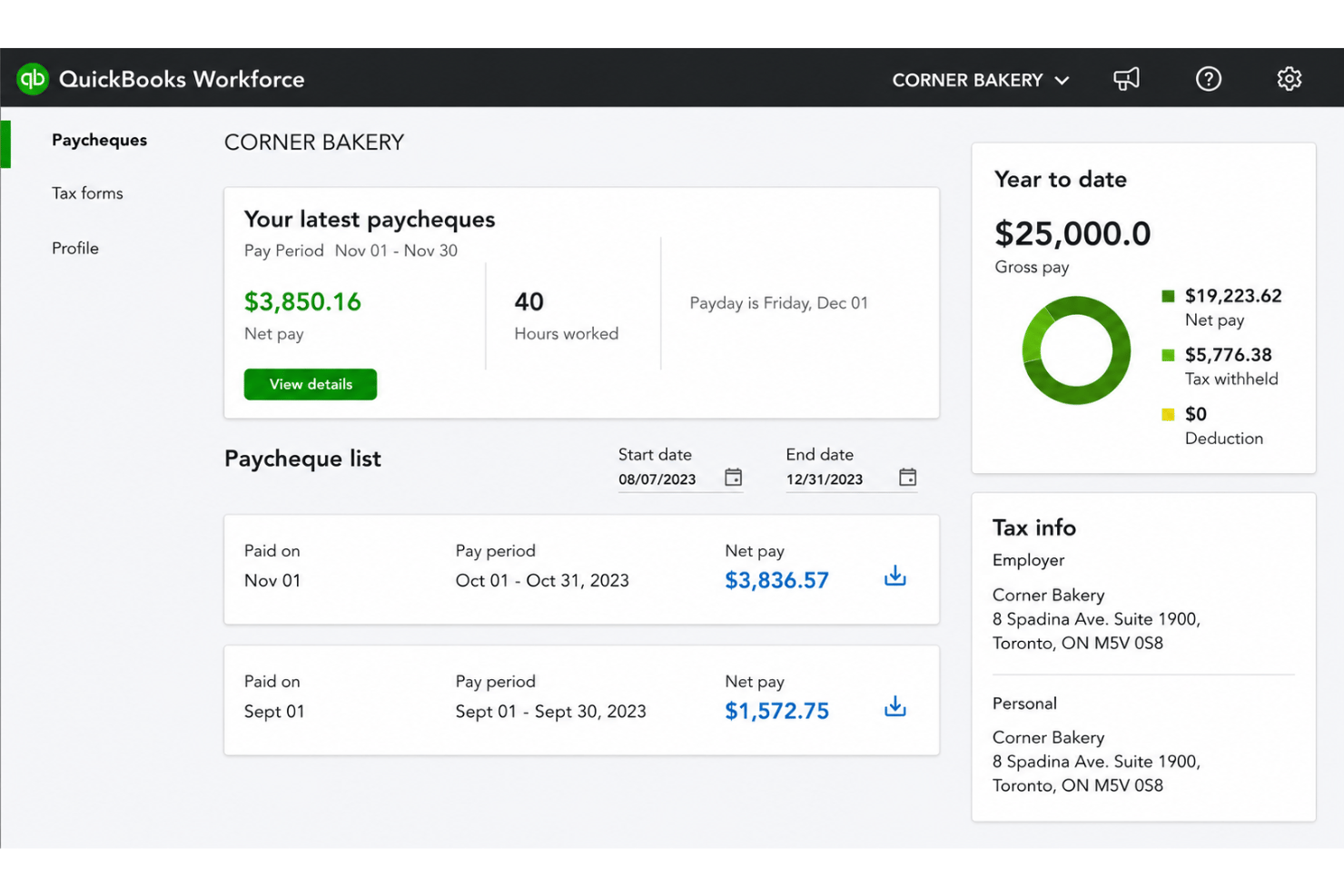
QuickBooks Workforce
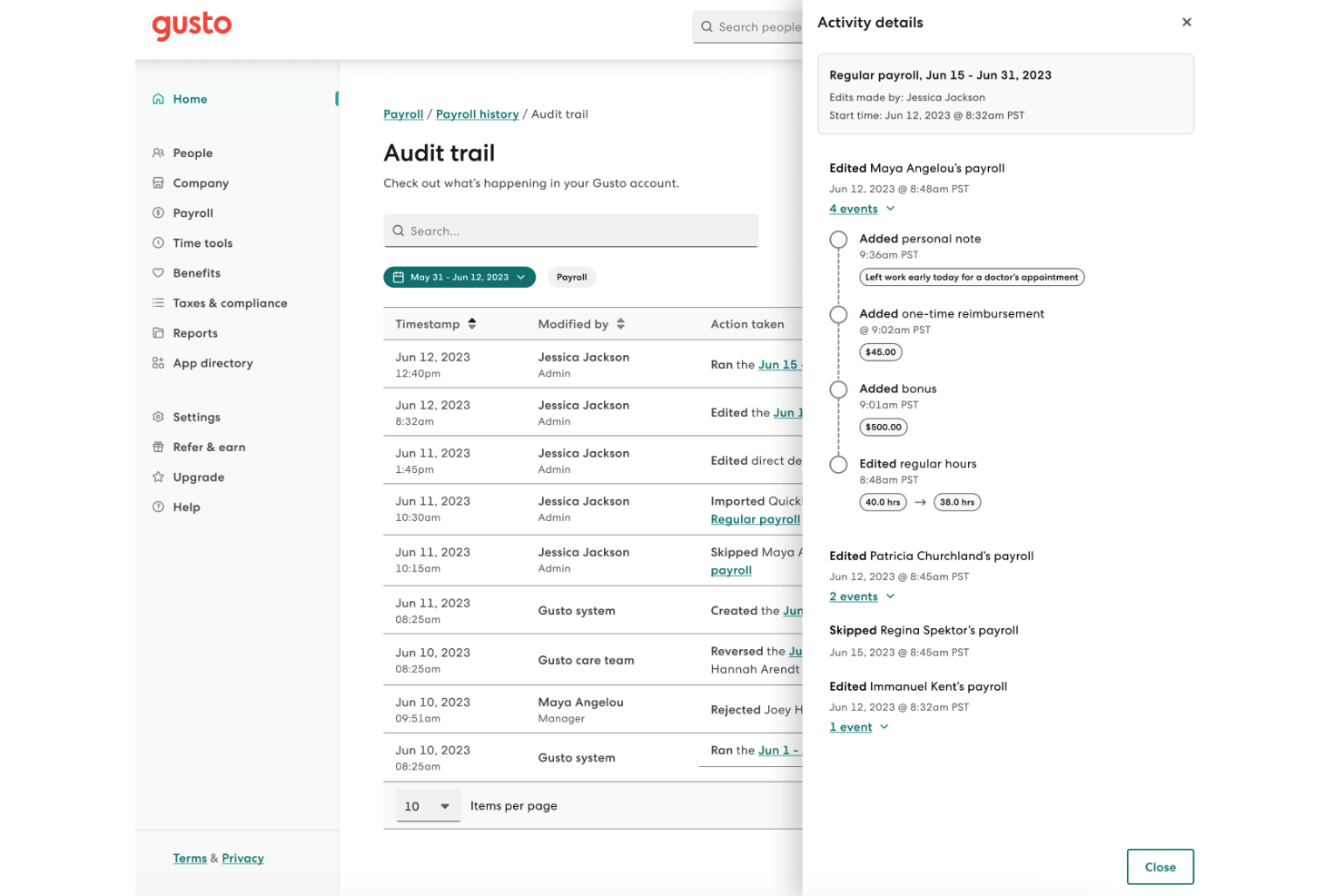
Gusto


Waarom u onze softwarebeoordelingen kunt vertrouwen
Ons team test en beoordeelt software sinds 2012. Als HR-experts weten we zelf hoe moeilijk — en belangrijk — het is om de juiste software te kiezen.
Voor deze gids hebben we tools geëvalueerd met behulp van praktijktests en onafhankelijk onderzoek, waarbij we tools beoordeelden aan de hand van onze selectiecriteria. We putten ook uit inzichten van vooraanstaande experts uit de branche en van praktiserende HR-professionals.
Onze reviews weerspiegelen ons menselijke redactionele oordeel, geen verkooppraatje.
Deskundige beoordelaars:
QuickBooks Workforce vs. Gusto Pricing Comparison
| QuickBooks Workforce | Gusto | |
|---|---|---|
| Free Trial | 30-day free trial | Free demo available |
| Pricing | From $88/month | From $49/month + $6/person/month |
QuickBooks Workforce versus Gusto: prijzen en verborgen kosten
QuickBooks Workforce werkt met een abonnementsmodel dat gekoppeld is aan de salarisadministratie- en boekhoudproducten van QuickBooks. De kosten kunnen stijgen wanneer je functies of ondersteuning toevoegt. Sommige bedrijven krijgen te maken met extra kosten voor belastingaangifte, automatische salarisbetalingen en integraties. Gusto biedt maandelijkse abonnementen met verschillende niveaus, gebaseerd op functies en het aantal werknemers, plus mogelijke extra kosten, zoals eenmalige betalingen voor betalingen aan opdrachtnemers of uitgebreidere ondersteuning.
Om de beste prijskeuze te maken, begin je met het opstellen van een lijst met onmisbare functies voor je team, waaronder salarisruns, rapportage, toegang voor werknemers en ondersteuning. Controleer welke functies mogelijk als add-on worden aangeboden of alleen beschikbaar zijn bij abonnementen van een hoger niveau. Door leveranciers te vragen alle mogelijke extra kosten toe te lichten, en niet alleen de basisprijs, voorkom je onverwachte kosten wanneer je bedrijf groeit.
QuickBooks Workforce vs. Gusto Feature Comparison
| QuickBooks Workforce | Gusto | |
|---|---|---|
| API | ||
| Application Tracking | ||
| Approval Workflows | ||
| Attendance Tracking | ||
| Budgeting | ||
| Calendar Management | ||
| Compliance Tracking | ||
| Dashboard | ||
| Data Export | ||
| Data Import | ||
| Data Visualization | ||
| Employee Database | ||
| Employee Incentive Management | ||
| Employee Onboarding | ||
| Expense Tracking | ||
| External Integrations | ||
| Feedback Management | ||
| Forecasting | ||
| Multi-Currency | ||
| Multi-User | ||
| Notifications | ||
| Payroll | ||
| Scheduling | ||
| Tax Management | ||
| Time Management | ||
| Timesheets | ||
| Travel Management | ||
| Vacation & Absence Calendar |
QuickBooks Workforce versus Gusto: integraties
| Integratie | QuickBooks Workforce | Gusto |
|---|---|---|
| QuickBooks Online | ✅ | ✅ |
| Xero | ❌ | ✅ |
| FreshBooks | ❌ | ✅ |
| Asana | ❌ | ✅ |
| QuickBooks Time | ✅ | ✅ |
| JazzHR | ✅ | ✅ |
| Clockify | ✅ | ❌ |
| API | ✅ | ✅ |
| Zapier | ✅ | ❌ |
QuickBooks Workforce is vooral een begeleidende tool binnen het bredere QuickBooks-ecosysteem. De directe integraties met externe systemen zijn daardoor beperkter en hangen grotendeels af van de apps die via het centrale QuickBooks-platform zijn gekoppeld. De tool biedt wel ondersteuning voor API en Zapier voor extra flexibiliteit, maar Gusto is over het algemeen de betere keuze als je meer zelfstandige HR- en salarisintegraties wilt die direct beschikbaar zijn.
QuickBooks Workforce versus Gusto: beveiliging, naleving en betrouwbaarheid
| Factor | QuickBooks Workforce | Gusto |
|---|---|---|
| Gegevensversleuteling | Gebruikt AES256- en TLS-versleuteling voor alle opgeslagen gegevens en RSA-versleuteling voor gegevens tijdens overdracht. | Gegevens tijdens overdracht worden versleuteld met TLS v1.2 en opgeslagen gegevens met AES256. |
| Naleving van regelgeving | Voldoet aan PCI DSS, ondergaat SOC-audits en brengt daarover rapporten uit, en is ISO 27001-gecertificeerd. | Voldoet aan SOC 1 en 2 en handhaaft HIPAA-naleving. |
| Toegangsbeheer | Aanpasbare gebruikersrollen binnen het QuickBooks-ecosysteem. | Op rollen gebaseerde machtigingen met gedetailleerde activiteitenlogboeken. |
| Systeembetrouwbaarheid | 99,9% beschikbaarheid, ondersteund door de infrastructuur van Intuit. | Meerdere redundantiemaatregelen en transparante rapportage over beschikbaarheid. |
Beide producten bieden sterke beveiliging en naleving, maar Gusto loopt voorop dankzij de HIPAA-naleving, het toezicht op regelgeving en de transparantie. Ik vertrouw op QuickBooks Workforce vanwege de betrouwbaarheid en integratie met boekhouding, terwijl Gusto uitblinkt in het bijhouden van naleving en duidelijke communicatie.
QuickBooks Workforce versus Gusto: gebruiksgemak
| Factor | QuickBooks Workforce | Gusto |
|---|---|---|
| Gebruikersinterface | De navigatie voelt vertrouwd aan voor QuickBooks-gebruikers, maar menu's kunnen uitgebreid zijn. | Strak, modern ontwerp met intuïtieve navigatie en dashboards. |
| Introductie | De installatie verloopt stapsgewijs, maar vereist soms ondersteuning van QuickBooks. | Begeleide introductie met handige tips en ondersteuning via e-mail. |
| Instellen van de salarisadministratie | Integreert naadloos als je QuickBooks al gebruikt. | Vereenvoudigt de salarisadministratie in meerdere staten en voegt duidelijke aanwijzingen voor de werkstroom toe. |
| Klantenondersteuning | Livechat en telefonische ondersteuning tijdens kantooruren. | Snelle ondersteuning via chat en e-mail, met ruimere openingstijden. |
| Mobiele ervaring | De mobiele mogelijkheden zijn beperkt voor sommige salarisadministratietaken. | Sterke mobiele ervaring voor beheerders en werknemers. |
Gusto biedt over het algemeen een soepelere en gebruiksvriendelijkere ervaring voor nieuwe gebruikers, terwijl QuickBooks Workforce natuurlijker aanvoelt als je al binnen het QuickBooks-ecosysteem werkt. Ik vind Gusto ideaal voor een snelle introductie en overzichtelijke werkstromen, en QuickBooks Workforce handig voor teams die sterk afhankelijk zijn van QuickBooks-boekhouding.
QuickBooks Workforce vs Gusto: Pros & Cons
QuickBooks Workforce
- Paystubs and W-2s are accessible for employees anytime.
- Automated payroll tax calculations help prevent errors.
- Mobile access lets employees view pay and year-end forms.
- May not suit complex or global payroll needs.
- May lack advanced features found in dedicated enterprise HCM platforms.
- May require transition time when moving from manual payroll processes.
Gusto
- You can run payroll using guided steps, even without prior payroll experience.
- Employees can access pay stubs, tax forms, and update personal details without HR help.
- Health insurance premiums and 401(k) contributions are automatically deducted and synced with payroll.
- Support response times can be slower outside standard business hours.
- Costs can rise quickly as you add employees and features.
- May feel limiting if you need enterprise-level scalability and controls.
Best Use Cases for QuickBooks Workforce and Gusto
QuickBooks Workforce
- Small Businesses Intuitive setup and payroll automation suit leaders without dedicated HR or accounting staff.
- Retail Teams Hourly shift workers and frequent turnover make pay stub access and real-time PTO tracking a key advantage.
- Accountants Easy access to year-end tax forms and long-term pay history streamlines accounting and client payroll work.
- Construction Firms Mobile app access lets field teams check pay, view W-2s, and update info without coming to the office.
- Distributed Teams Remote or hybrid workers benefit from digital payroll and instant access to direct deposit or tax records.
- Growing Startups Features scale for businesses with fluctuating headcounts and evolving payroll needs.
Gusto
- Small Businesses Good fit if you want an easy way to run payroll, file taxes, and manage employee records without needing payroll expertise.
- Mid-Sized Business Works well for growing teams that need automated payroll, benefits management, and support for multiple pay schedules.
- Contractor Business Useful if you pay freelancers or contractors regularly and need simple 1099 generation and payment tracking.
- Accountants Helps accountants manage payroll for multiple clients from one system with automated tax filing and reporting.
- New Businesses Ideal if you want to set up payroll quickly, stay compliant from the start, and avoid manual payroll processing.
- One Employee Teams Suitable for solo employers who need to run compliant payroll and handle taxes without complex HR tools.
Wie zou QuickBooks Workforce moeten gebruiken en wie Gusto?
QuickBooks Workforce is het meest geschikt voor kleine tot middelgrote bedrijven die QuickBooks al gebruiken voor hun boekhouding en hun salarisadministratie nauw willen verbinden met bestaande werkstromen, met enkele aanvullende HCM-mogelijkheden. Ik zie het als een goede oplossing voor accountants, boekhouders en groeiende teams die behoefte hebben aan zelfbediening voor werknemers, tijdregistratie en basisbeheer van het personeelsbestand zonder een volledig HR-pakket voor ondernemingen. Gusto past beter bij start-ups, groeiende teams of iedereen die een alles-in-éénoplossing voor salarisadministratie wil met uitgebreidere HR-functies, secundaire arbeidsvoorwaarden, een moderne introductie en flexibiliteit voor contractanten of externe medewerkers. Als het opbouwen van een positieve, mensgerichte werkplek een topprioriteit is, is Gusto waarschijnlijk de sterkere keuze.
Differences Between QuickBooks Workforce and Gusto
| QuickBooks Workforce | Gusto | |
|---|---|---|
| Accounting Integration | Built for seamless sync with QuickBooks accounting. | Connects with multiple accounting tools, not just QuickBooks. |
| Contractor Payments | Supports but prioritizes traditional payroll. | Built-in flexibility for paying contractors and remote teams. |
| Pricing Model | Subscription linked to QuickBooks payroll plans and add-ons. | Tiered monthly pricing based on features and employee count. |
| User Experience | Intuitive for existing QuickBooks users, steeper for others. | Modern, simple UI that's easy even for payroll beginners. |
| Visit QuickBooks WorkforceOpens new window | Visit GustoOpens new window |
Similarities Between QuickBooks Workforce and Gusto
| Compliance Updates | Both keep up with the latest payroll tax laws and compliance changes—Gusto often notifies users, while QuickBooks adjusts calculations automatically. |
|---|---|
| Direct Deposit | Each provides direct deposit for employees; setup is simple and both platforms support scheduled payroll with minimal clicks. |
| Employee Self-Service | Both platforms offer employee portals for pay stubs and tax documents, with Gusto adding more onboarding tools and QuickBooks syncing with accounting. |
| Integration Options | Both offer core integrations (like accounting software and time tracking), plus API and Zapier; Gusto offers more variety but both cover essentials. |
| Payroll Automation | Both automate pay runs, tax calculations, and filings; QuickBooks Workforce emphasizes integration speed, while Gusto focuses on reducing manual entry. |
| Visit QuickBooks WorkforceOpens new window Visit GustoOpens new window | |