



TalentLMS versus Moodle LMS: Vergelijking & deskundige beoordelingen voor 2026


Ik weet hoe het is om trainingen via verschillende tools te organiseren en toch het gevoel te hebben dat niets zo overzichtelijk of effectief is als het zou moeten zijn. Veel mensen bereiken ditzelfde punt voordat ze beseffen dat ze een goed leermanagementsysteem nodig hebben.
Die zoektocht leidt bijna altijd naar TalentLMS en Moodle LMS, omdat deze twee platforms de keuze vertegenwoordigen tussen iets eenvoudigs dat direct kan worden gelanceerd en iets dat flexibel genoeg is om af te stemmen op unieke trainingsbehoeften. Deze gids leidt je door alles wat je moet weten, zodat je eindelijk kunt bepalen welke oplossing het beste aansluit bij de manier waarop jouw team leert en werkt.
TalentLMS vs. Moodle LMS: An Overview
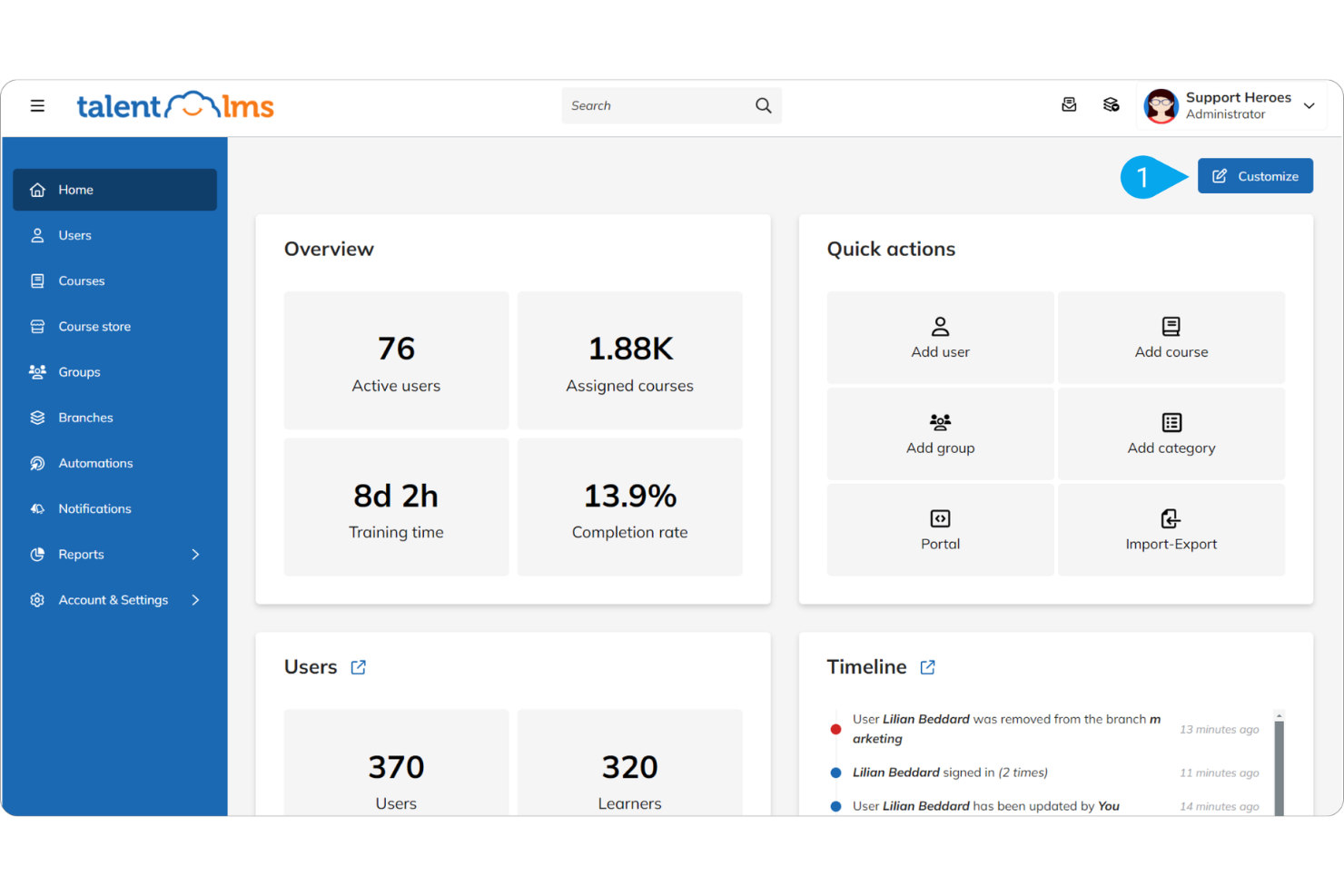
TalentLMS


Moodle LMS
Waarom u onze softwarebeoordelingen kunt vertrouwen
Ons team test en beoordeelt software sinds 2012. Als HR-experts weten we zelf hoe moeilijk — en belangrijk — het is om de juiste software te kiezen.
Voor deze gids hebben we tools geëvalueerd met behulp van praktijktests en onafhankelijk onderzoek, waarbij we tools beoordeelden aan de hand van onze selectiecriteria. We putten ook uit inzichten van vooraanstaande experts uit de branche en van praktiserende HR-professionals.
Onze reviews weerspiegelen ons menselijke redactionele oordeel, geen verkooppraatje.
Deskundige beoordelaars:
TalentLMS vs. Moodle LMS Pricing Comparison
| TalentLMS | Moodle LMS | |
|---|---|---|
| Free Trial | Free plan + free demo available | 45-day free trial |
| Pricing | From $119/month (billed annually) | From $110/month (5 users) |
Verborgen kosten van TalentLMS versus Moodle LMS
TalentLMS biedt gratis en betaalde abonnementen op basis van actieve gebruikers, zonder instelkosten en met meer functies op hogere niveaus. Verborgen kosten ontstaan door groeiende aantallen gebruikers en optionele uitbreidingen, zoals TalentLibrary-cursussen of geavanceerdere AI-tools.
Moodle biedt jaarabonnementen met vaste gebruikerslimieten en inclusief hosting, waarbij op hogere niveaus meer functies worden ontgrendeld. Verborgen kosten ontstaan door uitbreidingen zoals betaalde aangepaste domeinen, belastingen, beperkingen van plug-ins en de noodzaak om te upgraden zodra je meer dan 750 gebruikers hebt.
TalentLMS vs. Moodle LMS Feature Comparison
TalentLMS biedt eenvoudige, direct bruikbare tools voor het maken van cursussen, het beheren van gebruikers en het volgen van voortgang, waardoor het ideaal is voor snelle inwerking en algemene werknemerstraining.
Moodle richt zich op een uitgebreidere, sterk aanpasbare functieset met talloze plug-ins, waardoor het beter geschikt is voor organisaties die geavanceerde leertrajecten en meer controle over de trainingsstructuur nodig hebben.
| TalentLMS | Moodle LMS | |
|---|---|---|
| API | ||
| Class Management | ||
| Comparative Reporting | ||
| Corporate/Business | ||
| Dashboards | ||
| Data Export | ||
| Data Import | ||
| Data Visualization | ||
| Document Comparison | ||
| Employee Training | ||
| External Integrations | ||
| Feedback Management | ||
| Gamification | ||
| Gradebook | ||
| Mobile App | ||
| Multi-User | ||
| Notifications | ||
| Personal Learning | ||
| Report & Compliance | ||
| Report Cards | ||
| SCORM | ||
| Scheduling | ||
| Student Registration | ||
| Video Courses |
Integraties van TalentLMS versus Moodle LMS
| Integratie | TalentLMS | Moodle LMS |
| Salesforce | ✅ | ✅ |
| Zoom | ✅ | ✅ |
| Microsoft Teams | ✅ | ✅ |
| Slack | ✅ | ✅ |
| Google Workspace | ✅ | ✅ |
| Shopify | ✅ | ✅ |
| WordPress | ✅ | ✅ |
| HubSpot | ✅ | ✅ |
| WooCommerce | ✅ | ✅ |
| API | ✅ | ✅ |
| Zapier | ✅ | ✅ |
Beide platforms integreren met belangrijke apps zoals Zoom, Teams, Google Workspace en WordPress, waardoor verbonden blijven binnen je werkproces eenvoudig is. TalentLMS richt zich meer op kant-en-klare integraties voor zakelijke tools en e-commercetools, terwijl Moodle LMS flexibiliteit biedt via plug-ins en zijn opensource-ecosysteem.
Beveiliging, naleving en betrouwbaarheid van TalentLMS versus Moodle LMS
| Factor | TalentLMS | Moodle LMS |
| Gegevensprivacy | TalentLMS voldoet aan de AVG en beschermt gebruikersgegevens via versleutelde AWS-opslag en gedocumenteerde privacycontroles | Moodle bevat AVG-tools zoals toestemmingsbeheer, gegevensexport en anonimisering van gegevens ter ondersteuning van naleving van privacyvereisten. |
| Versleuteling | Gebruikt SSL/TLS voor alle gegevens tijdens de overdracht en versleutelt opgeslagen gegevens op AWS volgens industrienormen. | Moodle LMS ondersteunt SSL en kan worden geconfigureerd voor HTTPS om gegevens tijdens de overdracht te beschermen. |
| Uptimegarantie | TalentLMS biedt een uptimegarantie van 99,9%, waardoor betrouwbare toegang voor gebruikers wordt gewaarborgd. | De betrouwbaarheid van Moodle LMS hangt af van de hostingprovider, zonder standaardgarantie. |
TalentLMS biedt beheerde beveiliging met ingebouwde naleving van de AVG, versleutelde AWS-hosting en een betrouwbare uptime-structuur, waardoor je de oplossing direct gemakkelijker kunt vertrouwen. Moodle LMS biedt daarentegen sterke privacytools, maar is sterk afhankelijk van de manier waarop je het configureert en host. Dat kan aan jouw kant meer toezicht vereisen.
TalentLMS vs. Moodle LMS Gebruiksgemak
| Factor | TalentLMS | Moodle LMS |
| Gebruikersinterface | Staat bekend om een overzichtelijke, moderne indeling die navigatie en cursusbeheer eenvoudig maakt voor nieuwe gebruikers. | Biedt uitgebreide aanpassingsmogelijkheden, maar de standaardinterface kan zonder configuratie of thematisering complex en overweldigend aanvoelen. |
| Ervaring met ingebruikname | Biedt begeleide configuratiestappen, tutorials en sjablonen waarmee teams snel aan de slag kunnen. Jaarabonnementen omvatten ingebruiknamebegeleiding door een toegewijde specialist. | Vereist bij de eerste configuratie vaak meer instellingen, waarbij veel gebruikers aangeven technische hulp of beheerderskennis nodig te hebben. |
| Ondersteuning | Wordt ondersteund door directe klantenondersteuning en duidelijke documentatie die het oplossen van problemen vereenvoudigt. | Leunt voornamelijk op communityforums en openbare documentatie, waarvan de reactiesnelheid en duidelijkheid kunnen verschillen. |
TalentLMS richt zich op eenvoud en biedt een interface en ingebruiknameproces waarmee je snel trainingen kunt starten. Moodle LMS biedt veel meer aanpassingsmogelijkheden, maar die flexibiliteit brengt vaak extra configuratiewerk en een steilere leercurve met zich mee, vooral als je het zonder technische ondersteuning beheert.
TalentLMS vs Moodle LMS: Pros & Cons
TalentLMS
- You can quickly set up and start using it without much hassle.
- The interface is intuitive, making it simple for your team to navigate.
- It offers a variety of training materials to improve your learning experience.
- Advanced customization options are limited compared to other systems.
- Larger teams might find the reporting features and notifications lacking in detail.
Moodle LMS
Best Use Cases for TalentLMS and Moodle LMS
TalentLMS
- Small Businesses TalentLMS offers a cost-effective solution for small businesses needing a simple, efficient training platform.
- HR Departments Its ease of use and onboarding capabilities make it ideal for HR teams managing the training of new recruits.
- Training Providers TalentLMS supports various training materials, making it suitable for providers offering diverse learning content.
- Tech Startups Startups can benefit from its scalability and flexibility as teams grow and training needs evolve.
- Nonprofits Its affordable pricing means nonprofits can access quality learning tools without straining their budgets.
- Remote Teams The accessibility of its online learning ensures remote teams stay connected and up to date with their training, regardless of location.
Moodle LMS
Wie zou TalentLMS moeten gebruiken en wie Moodle LMS?
Als je iets wilt dat eenvoudig en snel is in te stellen en weinig onderhoud vereist, zou ik TalentLMS aanraden. Het biedt uitgebreide functies die direct werken en je hebt geen technisch team nodig om het draaiende te houden.
Als je flexibiliteit, controle en de mogelijkheid nodig hebt om elk onderdeel van je leeromgeving aan te passen, is Moodle LMS een betere keuze. Het kost meer moeite om te beheren, maar je krijgt een systeem dat je precies op je behoeften kunt afstemmen. Kortom, het komt erop neer wat voor jou belangrijker is: eenvoud of aanpasbaarheid.
Differences Between TalentLMS and Moodle LMS
| TalentLMS | Moodle LMS | |
|---|---|---|
| Automation | Includes built-in automation for course assignments, reminders, and notifications, reducing manual admin work. | Supports automation but relies on additional plugins or configurations for more advanced workflows. |
| Customization | Keeps customization light so setup stays simple. You can adjust branding and structure, but deeper modifications are limited. | Highly customizable through themes, plugins, and custom workflows. Ideal if you need a system tailored to specific learning paths or institutional requirements. |
| Pricing Model | Uses a tiered subscription model based on the number of users and available features. Pricing is predictable, hosting is included, and you don’t need to manage servers or handle maintenance. | Offers a free open-source core, but you’ll need to pay for hosting, maintenance, and any managed services. Total cost depends heavily on whether you self-host or use MoodleCloud or a certified Moodle partner. |
| Support | Offers direct customer support, guided onboarding, and detailed documentation, making it easier to resolve issues quickly. | Support depends on where it's hosted. MoodleCloud and certified partners provide managed support, while self-hosted users rely mainly on community forums and open documentation. |
| User Interface | Provides a clean, modern interface designed to be easy for both admins and learners. Most features work out of the box without needing adjustments. | The interface is fully customizable but less intuitive at the start. Without theme changes or configuration, it can feel more complex for new users. |
| Visit TalentLMSOpens new window |
Similarities Between TalentLMS and Moodle LMS
| Course Management | Both platforms offer complete course management tools that let you create, organize, deliver, and track learning content. Each supports multimedia lessons, quizzes, assignments, and structured learning paths suitable for corporate or academic environments. |
|---|---|
| Integrations | Both LMSs support integrations with widely used tools such as Zoom, Microsoft Teams, Google Workspace, and various third-party learning or authentication tools. This makes it easy to connect each platform to existing workflows or tech stacks. |
| Mobile Accessibility | Both systems support learning on mobile devices, giving users the ability to access courses, complete activities, and track progress on the go. Each platform provides a dedicated mobile app to support responsive learning experiences. |
| Reporting Features | Both LMSs offer reporting dashboards that allow admins and instructors to track learner progress, completion rates, quiz performance, and overall engagement metrics. Each provides export options to support audits or performance reviews. |
| User Engagement | Both platforms promote interactive learning through quizzes, discussion forums, assignments, and gamified elements designed to keep learners engaged throughout the training process. |
| Visit TalentLMSOpens new window | |