

WorkTango-beoordeling 2026: functies, prijzen, voordelen & nadelen voor HR-teams



Employee recognition can lose its impact when it’s inconsistent, disconnected from employee feedback, or reduced to the occasional reward. HR teams need a way to make recognition part of everyday work while still understanding whether those efforts are actually improving the employee experience.
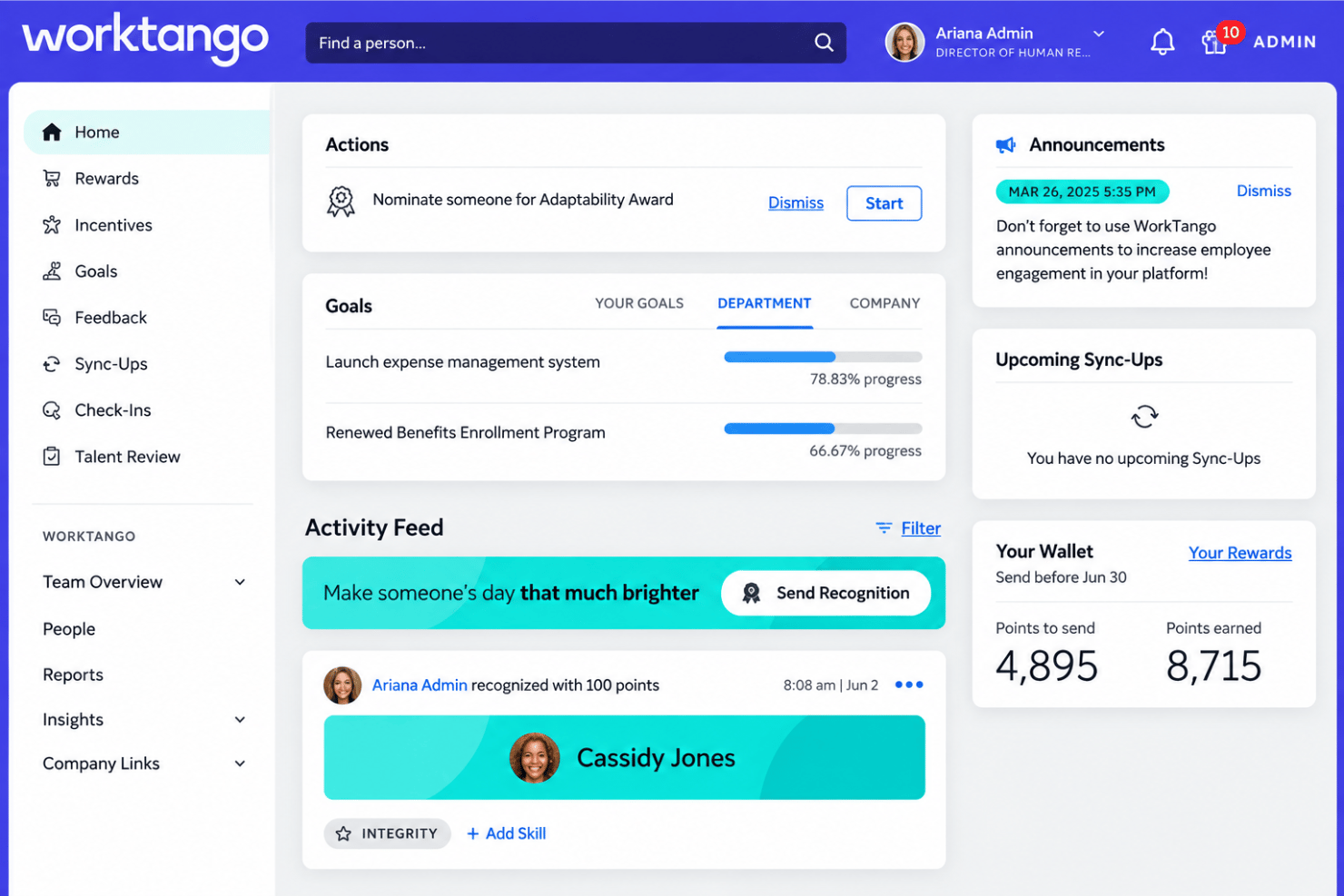
WorkTango is an employee recognition and rewards platform that combines peer-to-peer recognition, rewards, milestone celebrations, and incentives with employee surveys and insights. Its broader employee experience platform gives HR teams a way to connect how employees are recognized with how they feel, while using feedback and recognition data to spot trends and guide action.
In this review, I cover WorkTango’s key features, pricing, best use cases, and overall fit for HR teams.
WorkTango Evaluation Summary
- Pricing upon request
- Free demo available
Waarom u onze softwarebeoordelingen kunt vertrouwen
Ons team test en beoordeelt software sinds 2012. Als HR-experts weten we zelf hoe moeilijk — en belangrijk — het is om de juiste software te kiezen.
Voor deze gids hebben we tools geëvalueerd met behulp van praktijktests en onafhankelijk onderzoek, waarbij we tools beoordeelden aan de hand van onze selectiecriteria. We putten ook uit inzichten van vooraanstaande experts uit de branche en van praktiserende HR-professionals.
Onze reviews weerspiegelen ons menselijke redactionele oordeel, geen verkooppraatje.
Deskundige beoordelaars:
WorkTango Overview
In my opinion, WorkTango’s most useful distinction is how it connects employee recognition with employee listening rather than treating them as separate programs. Recognition & Rewards covers peer recognition, milestones, incentives, awards, and over 10 million reward options, while Surveys & Insights adds engagement surveys, analytics, and anonymous feedback. HR teams can also compare recognition activity with engagement data to spot patterns across teams. The trade-off is a more structured rollout, quote-based pricing, and a 12-month minimum contract.
pros
-
Combines recognition, rewards, and employee surveys, helping HR teams compare engagement data with recognition activity.
-
Recognition & Rewards includes Feedback, Talent Review, and 50+ Incentives templates in the base license rather than reserving them for higher tiers.
-
AI tools assess recognition quality and manager recognition patterns, giving HR additional context for coaching.
cons
-
Does not support 360-degree reviews, so teams needing full performance management will need another tool.
-
Complex, multi-country recognition programs may need more upfront planning and configuration.
-
Surveys & Insights does not yet support matrix-style questions, which may limit more complex survey designs.
Is WorkTango Right For Your Needs?
Who Would be a Good Fit for WorkTango?
WorkTango primarily targets mid-sized and enterprise organizations, delivering the most value at around 150 employees and above. It is best suited to organizations with a dedicated HR function and an internal champion who can manage rollout and participation over time, including both desk-based and frontline workforces.
-
Healthcare
Recognize clinical, administrative, and support employees while collecting engagement feedback across departments and locations.
-
Retail & Food Service
Run recognition, rewards, surveys, and milestone programs across large frontline workforces and multiple locations.
-
Manufacturing, Logistics & Utilities
Support plant, field, warehouse, transportation, and corporate employee groups.
-
Financial Services
Manage recognition and employee listening across departments while centralizing participation and engagement data.
-
Government & Education
Use surveys and recognition programs across departments, campuses, and different employee groups.
-
SaaS, Agencies & Professional Services
Connect employee feedback with recognition data as teams expand across managers, departments, and locations.
Who Would be a Bad Fit for WorkTango?
WorkTango may be more platform than very small organizations need, especially when recognition and employee feedback are managed informally. It works best when an internal owner maintains participation. Organizations seeking performance management, customer surveys, or an HRIS replacement will need other software.
-
Very Small Organizations
Teams well below 150 employees may not need WorkTango’s full mix of recognition, rewards, surveys, and analytics unless they are growing quickly.
-
Organizations Without Dedicated HR
Companies without an HR owner or internal program champion may have difficulty maintaining participation and adoption over time.
-
Performance Management Buyers
WorkTango does not offer goal tracking or 360-degree reviews. Talent Review focuses on 9-box and competency assessments rather than full performance management.
-
Customer Experience Teams
Surveys & Insights is designed for employee listening, not customer satisfaction, market research, or broader customer-experience programs.
-
HRIS Replacement Buyers
WorkTango integrates with existing HRIS and HCM systems rather than replacing them, so it is not designed for payroll, employee records, or core HCM administration.
-
Highly Complex Global Programs
Enterprises with complex, multi-country recognition structures should review their requirements with WorkTango early. Some highly complex global programs may be better suited to its parent company, BI WORLDWIDE.
How We Test & Score Our Tools
We’ve spent years building, refining, and improving our software testing and scoring system. The rubric is designed to capture the nuances of software selection and what makes a tool effective, focusing on critical aspects of the decision-making process.
Below, you can see exactly how our testing and scoring works across seven criteria. It allows us to provide an unbiased evaluation of the software based on core functionality, standout features, ease of use, onboarding, customer support, integrations, customer reviews, and value for money.
Core Functionality (25% of final score)
The starting point of our evaluation is always the core functionality of the tool. Does it have the basic features and functions that a user would expect to see? Are any of those core features locked to higher-tiered pricing plans? At its core, we expect a tool to stand up against the baseline capabilities of its competitors.
Standout Features (25% of final score)
Next, we evaluate uncommon standout features that go above and beyond the core functionality typically found in tools of its kind. A high score reflects specialized or unique features that make the product faster, more efficient, or offer additional value to the user.
We also evaluate how easy it is to integrate with other tools typically found in the tech stack to expand the functionality and utility of the software. Tools offering plentiful native integrations, 3rd party connections, and API access to build custom integrations score best.
Ease of Use (10% of final score)
We consider how quick and easy it is to execute the tasks defined in the core functionality using the tool. High scoring software is well designed, intuitive to use, offers mobile apps, provides templates, and makes relatively complex tasks seem simple.
Onboarding (10% of final score)
We know how important rapid team adoption is for a new platform, so we evaluate how easy it is to learn and use a tool with minimal training. We evaluate how quickly a team member can get set up and start using the tool with no experience. High scoring solutions indicate little or no support is required.
Customer Support (10% of final score)
We review how quick and easy it is to get unstuck and find help by phone, live chat, or knowledge base. Tools and companies that provide real-time support score best, while chatbots score worst.
Customer Reviews (10% of final score)
Beyond our own testing and evaluation, we consider the net promoter score from current and past customers. We review their likelihood, given the option, to choose the tool again for the core functionality. A high scoring software reflects a high net promoter score from current or past customers.
Value for Money (10% of final score)
Lastly, in consideration of all the other criteria, we review the average price of entry level plans against the core features and consider the value of the other evaluation criteria. Software that delivers more, for less, will score higher.
Core Features
Employee Recognition
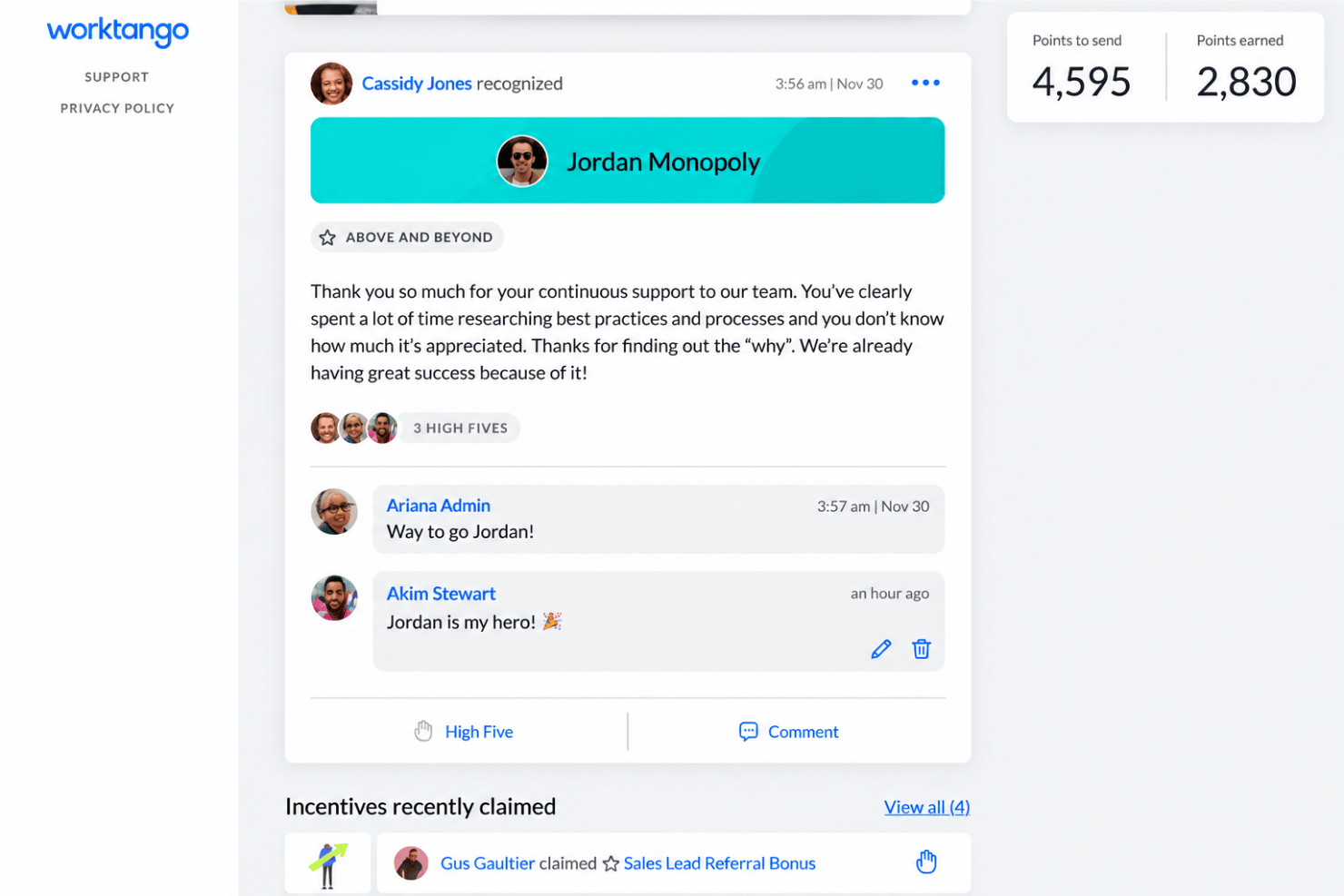
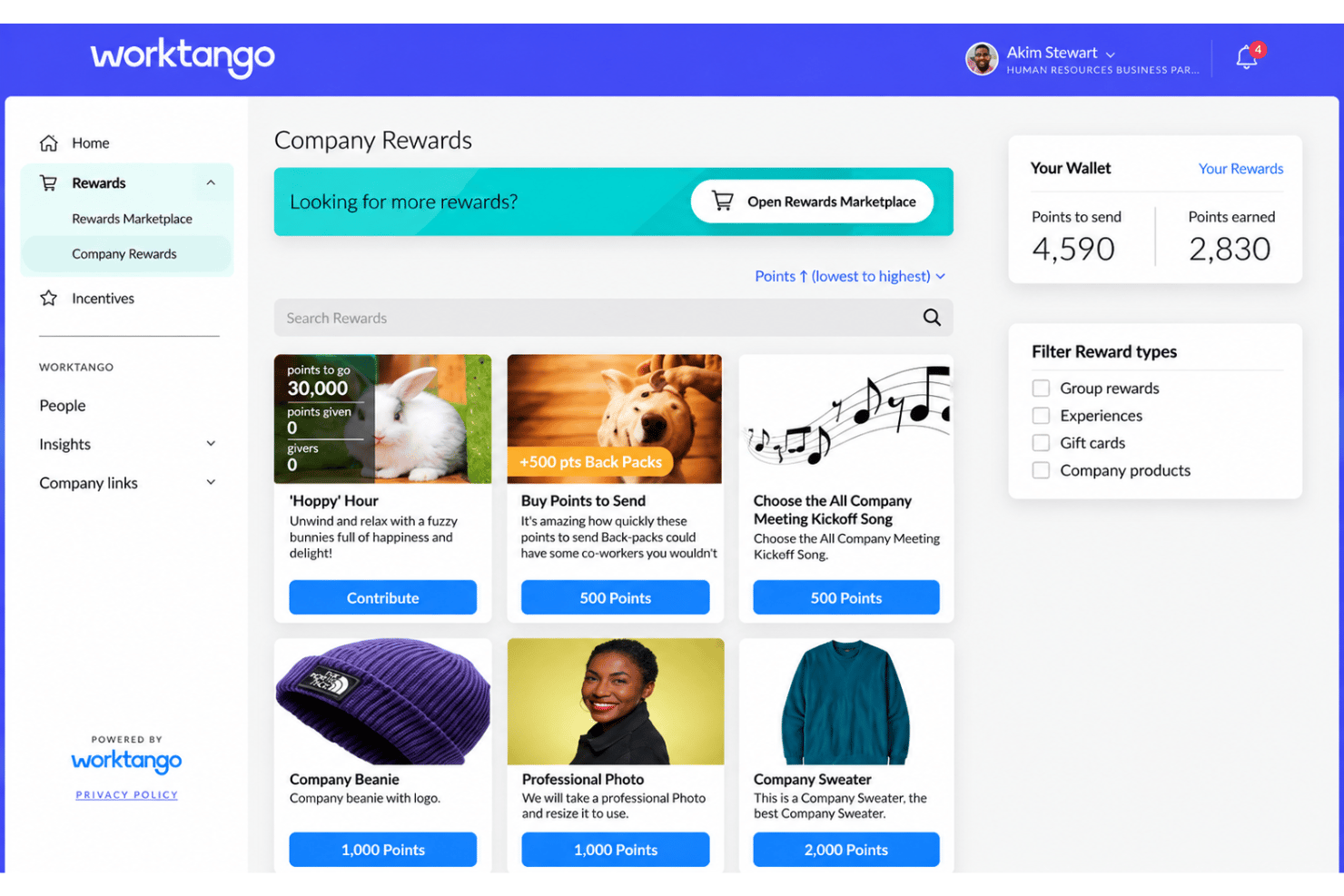
Employees and managers can recognize great work with or without points or rewards. AI Recognition Quality Scores evaluate messages for clarity, specificity, and length. Leadership Score and Archetypes also analyze manager recognition patterns that HR teams can use when reviewing participation and coaching needs.
Rewards Marketplace
Employees can choose from 10M+ reward options across 85 countries, including merchandise, experiences, travel, charitable donations, and custom rewards. WorkTango says marketplace rewards carry no markup and include free shipping.
Incentives, Feedback & Talent Review
WorkTango includes its Incentives portal with 50+ templates, plus Feedback and Talent Review in the base license. This gives HR more ways to reinforce behaviors and support development without moving to a higher tier.
Service Awards & Milestones
WorkTango automates recognition for birthdays, anniversaries, and other milestones. This helps HR celebrate employees consistently without tracking each event manually.
Employee Surveys & Insights
WorkTango supports unlimited engagement, pulse, and lifecycle surveys with unlimited admins. AI analyzes employee comments, identifies themes, and recommends actions so HR teams can move more quickly from feedback to follow-up.
Dashboards & Action Planning
Surveys & Insights dashboards include a Recognition Index that connects engagement results with recognition activity. Because both products use the same HRIS data feed, HR can compare recognition and engagement patterns across teams. WorkTango Coach, available as an add-on, uses team survey results to provide managers with personalized guidance and suggested actions.
Standout Features
Anonymous Conversations
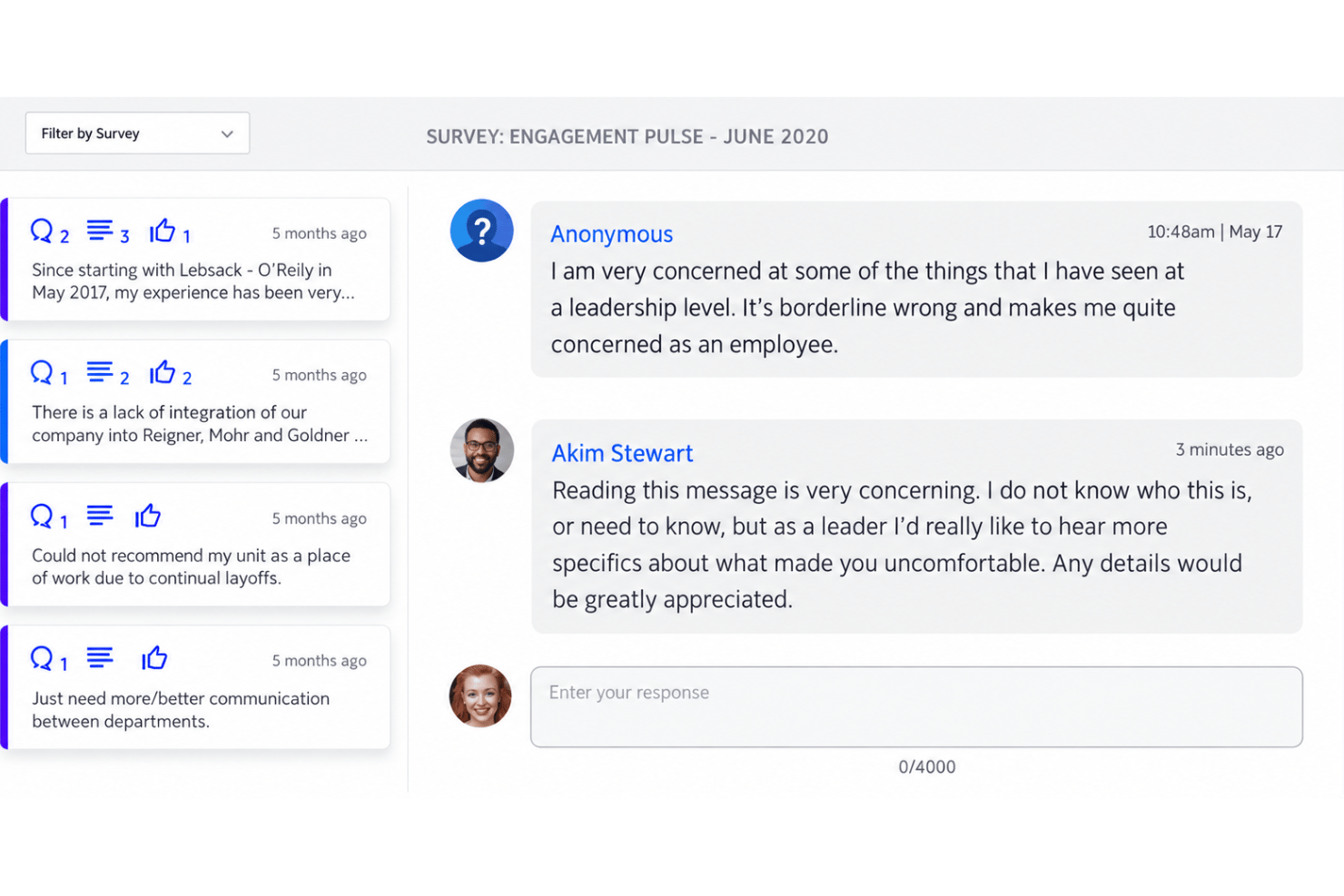
Leaders can reply to anonymous survey comments, ask follow-up questions, and continue the conversation without revealing the employee’s identity. This gives HR more context behind feedback while preserving confidentiality.
Constellation
Constellation uses AI-facilitated group sessions to surface problems, uncover root causes, crowdsource solutions, and assign accountability. It goes beyond traditional surveys by helping teams move from a score to a validated action plan in a single session.
Ease of Use
WorkTango brings recognition, rewards, and employee listening into the same broader platform. Employees can access recognition and surveys through mobile apps, while Slack and Microsoft Teams integrations bring recognition into tools they already use. The feature set is broader than a basic recognition platform, though, so admins using both products may need some time to learn the available controls and reporting options.
Onboarding
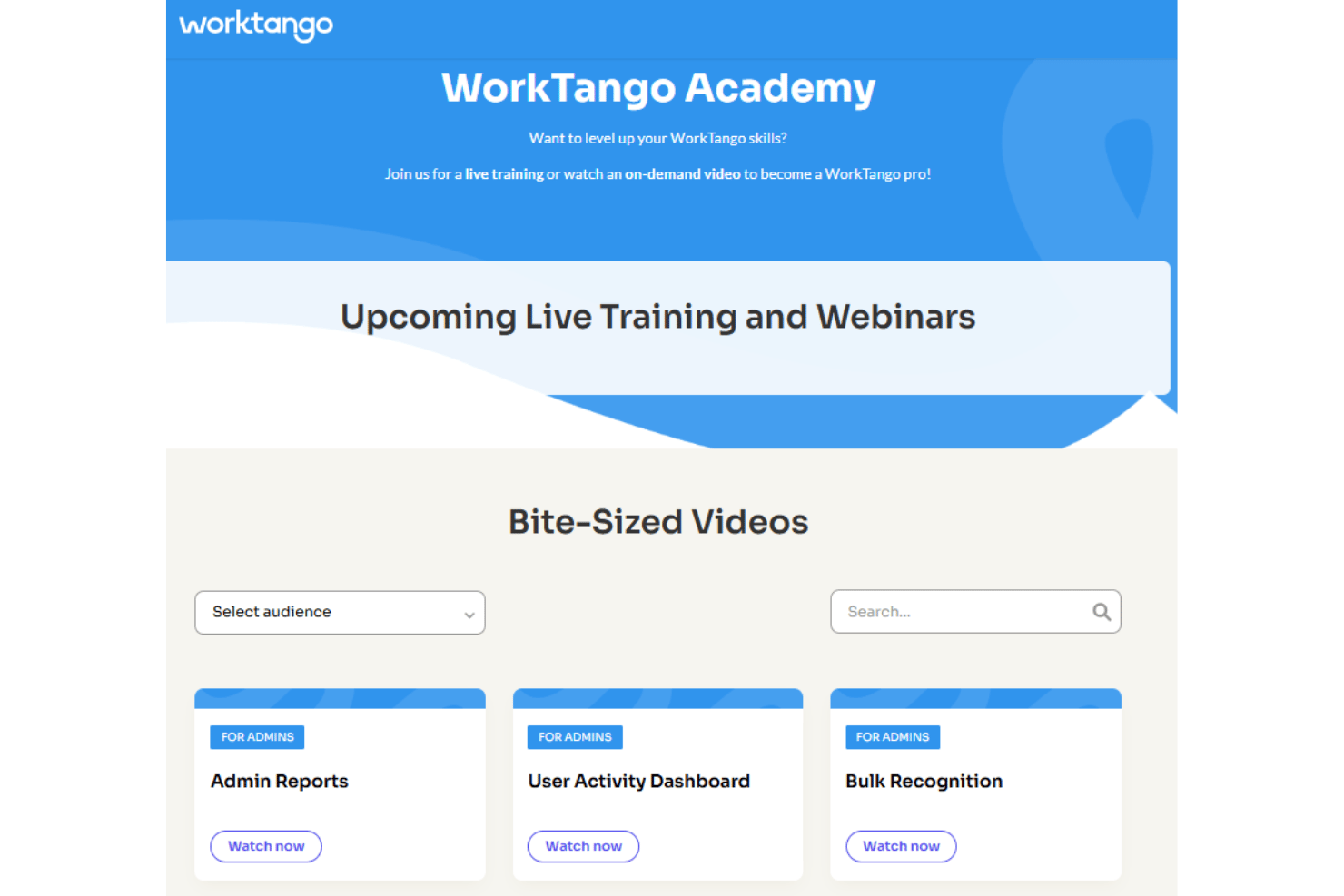
Onboarding is fully guided rather than self-serve, with a dedicated Technical Program Manager leading the process from configuration through testing and launch. A single product, either Recognition & Rewards or Surveys & Insights, typically takes about four weeks to implement, while deploying both takes closer to eight. WorkTango also supports HRIS or SFTP setup, SSO configuration, and optional historical survey data migration for Surveys & Insights.
Customer Support
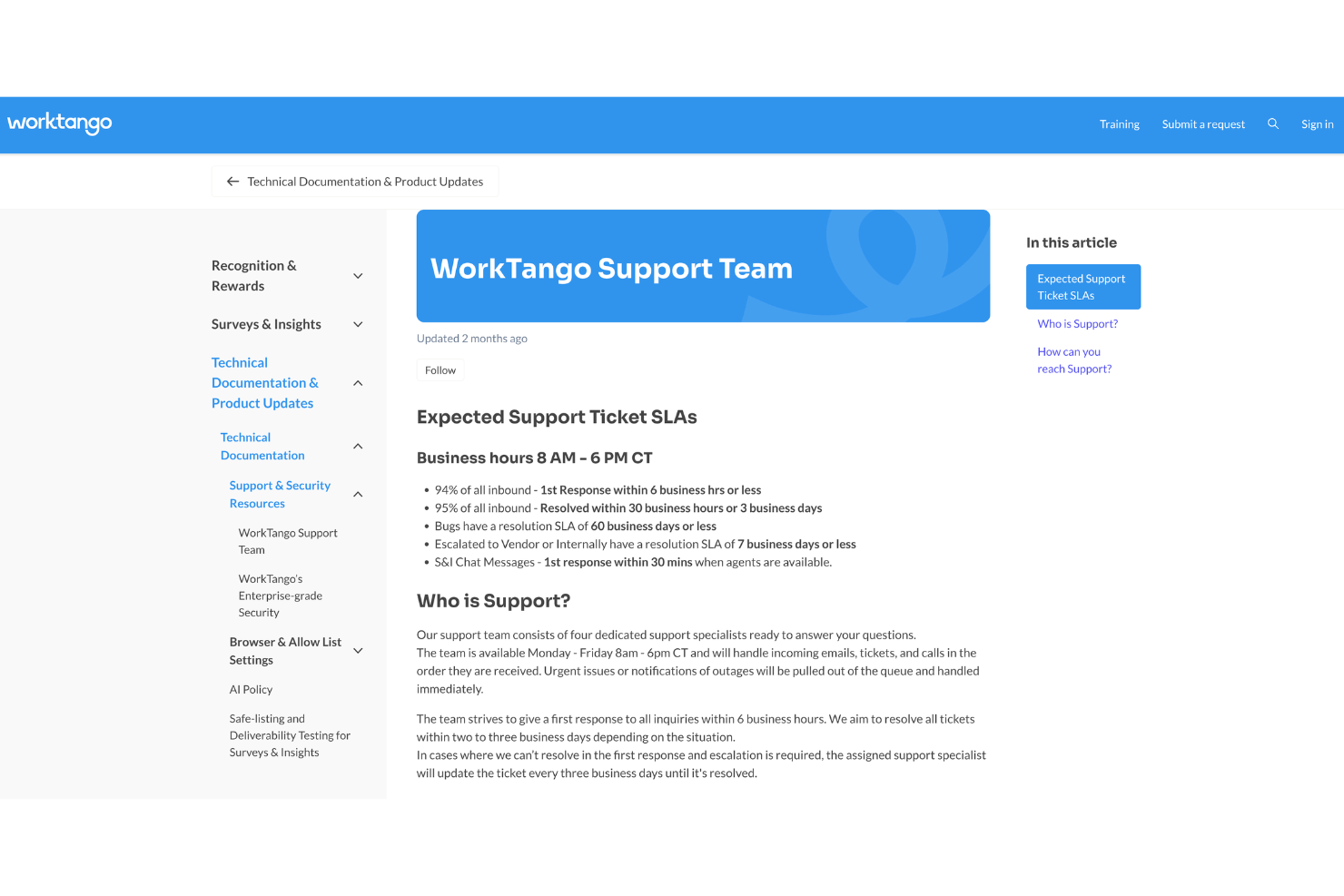
WorkTango's hands-on support continues beyond implementation. After launch, customers transition from their Technical Program Manager to a Customer Success Manager and a dedicated support team for ongoing assistance. Support is available Monday through Friday, 8 AM–6 PM CT, through email, phone, and the Help Center, with in-app chat for Surveys & Insights. I like that WorkTango sets clear expectations, targeting initial responses within six business hours and ticket resolution within three business days. However, weekday-only coverage and longer resolution times for complex issues are worth considering.
Integrations
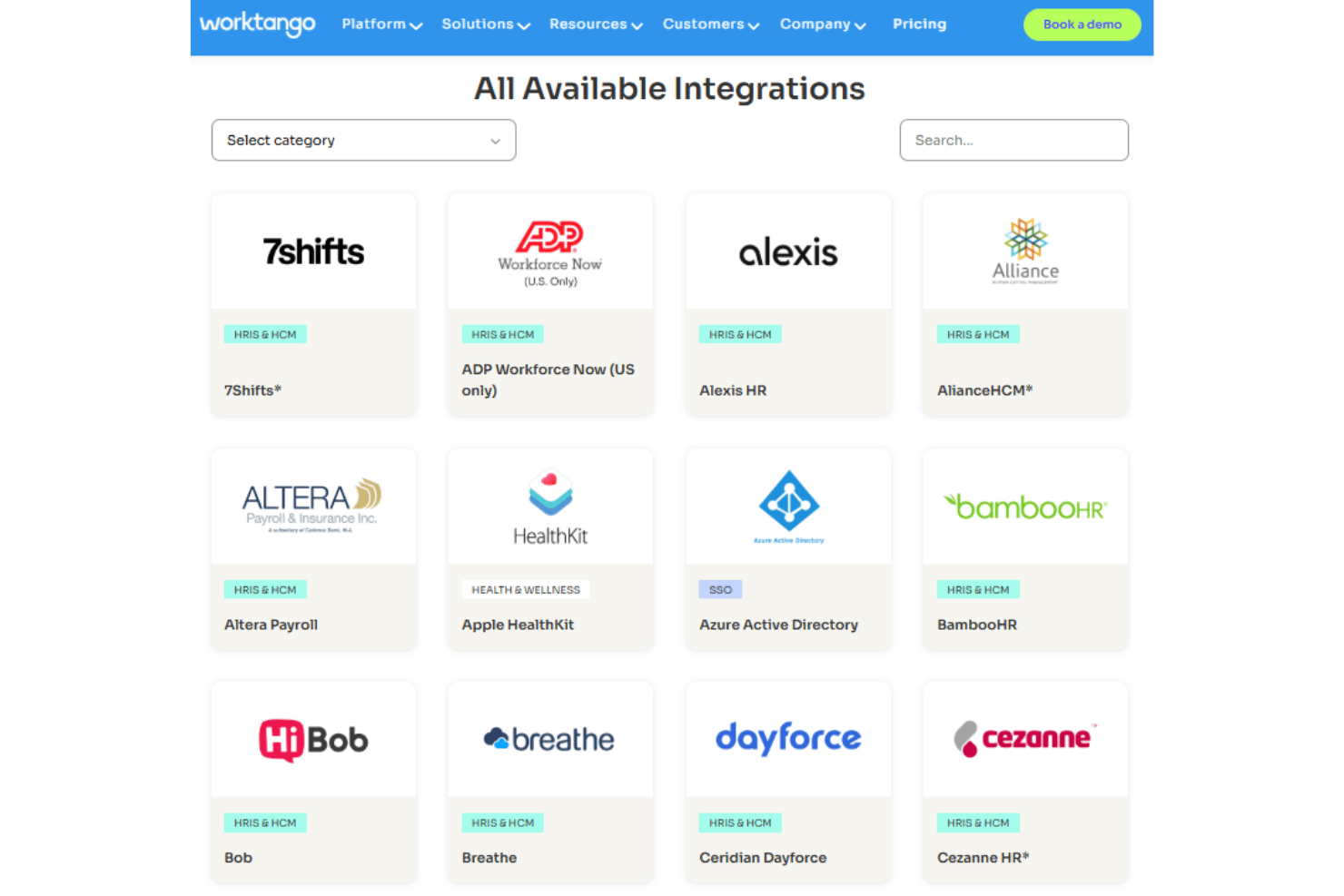
WorkTango integrates with Workday, ADP Workforce Now, SAP SuccessFactors, BambooHR, UKG Pro, Paylocity, Microsoft Teams, Microsoft Outlook, Slack, and Microsoft Entra ID, among others.
WorkTango also supports API-based HRIS integrations for employee data synchronization.
Value for Money
WorkTango may be easier to justify when you plan to use both recognition and employee listening, since Recognition & Rewards and Surveys & Insights can be purchased separately or together. Recognition & Rewards includes Feedback, Talent Review, and 50+ Incentives templates in the base license, while Surveys & Insights includes unlimited surveys and admins. Rewards carry no markup and are billed as employees redeem them, while the full platform includes volume-discount pricing. Quote-only pricing and a 12-month minimum make direct cost comparisons less straightforward.
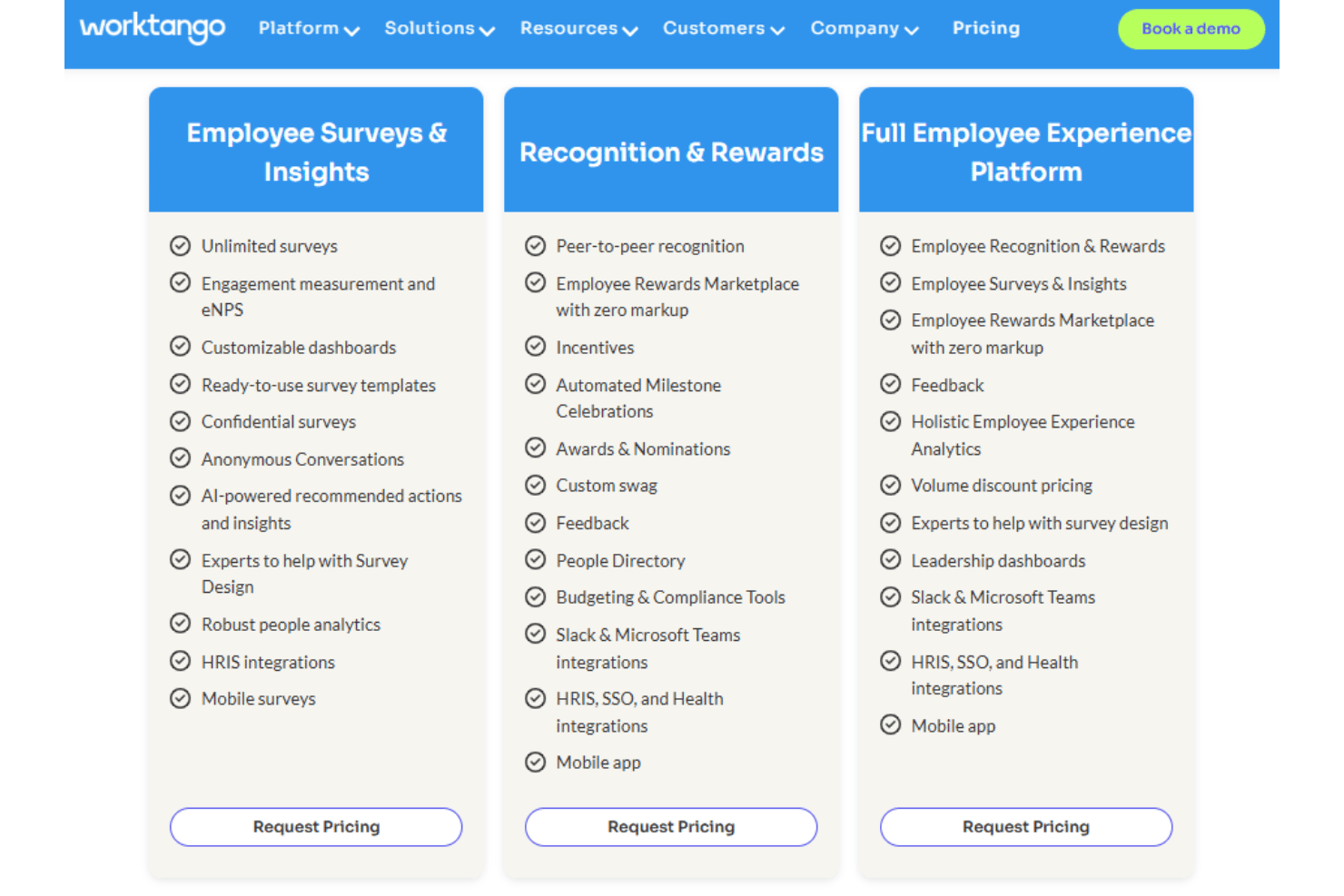
- Employee Surveys & Insights: Unlimited surveys and admins, eNPS, confidential surveys, Anonymous Conversations, dashboards, AI-powered insights, people analytics, HRIS integrations, and survey-design support.
- Recognition & Rewards: Peer recognition, 10 million+ reward options for employees to choose from, incentives, milestone celebrations, nominations and awards, feedback, budgeting tools, integrations, and mobile access.
- Full Employee Experience Platform: Recognition, surveys, rewards, feedback, holistic analytics, leadership dashboards, integrations, mobile access, and volume-discount pricing.
WorkTango Specs
- 360 Degree Feedback
- API
- Cloud Deployment
- CRM Integration
- Data Export
- Data Import
- Data Visualization
- Database
- Employee Database
- Employee Engagement
- Employee Incentive Management
- Employee Training
- External Integrations
- Feedback Management
- Google Apps Integration
- Health Management
- Migration to Cloud
- Multi-Source Feedback
- Multi-User
- Performance Appraisal
- Process Reporting
- Resource Management
- Rewards & Recognition
- Social-Media Integration
- Software Integration
- Task Scheduling/Tracking
- Third-Party Plugins/Add-Ons
- Workflow Management
WorkTango FAQs
Is WorkTango suitable for enterprise HR teams?
Is WorkTango only an employee recognition platform?
Is WorkTango mainly for office-based or technology companies?
How long does WorkTango take to implement?
Which HRIS and workplace integrations does WorkTango support?
How does WorkTango protect employee data?
Can WorkTango support confidential employee surveys?
What reward options does WorkTango offer?
What support does WorkTango provide after purchase?
What contract and pricing details should HR leaders know?
WorkTango Company Overview & History
WorkTango is an employee experience software company headquartered in Austin, Texas, with offices in Chicago and Toronto and remote employees worldwide. Gartner Peer Insights lists the company in the 51–200 employee range. Originally founded in Toronto in 2015 as an employee listening and people analytics company, WorkTango was acquired by Kazoo in 2022.
The combined company later adopted the WorkTango name and launched a unified platform that initially included Surveys & Insights, Recognition & Rewards, and Goals & Feedback. Its current product lineup centers on Recognition & Rewards and Surveys & Insights. In 2026, BI WORLDWIDE acquired WorkTango, which continues operating under its existing name and brand.
WorkTango Major Milestones
- 2015: The original WorkTango was founded in Toronto by Rob Catalano, Nadir Ebrahim, and Bjarke Jungberg Grouleff as an employee listening and people analytics company.
- 2022: Kazoo acquired WorkTango, adding its employee survey and analytics capabilities to Kazoo's employee experience software.
- 2022: The combined company adopted the WorkTango brand and launched its unified Employee Experience Platform.
- 2023: Accel-KKR made a credit investment in WorkTango and added the company to its portfolio.
- 2026: BI WORLDWIDE acquired WorkTango, which became a subsidiary while retaining its name, brand, and team.