

Löneprogram med öppen källkod erbjuder lönefunktioner som bygger på källkod som du kan granska och, beroende på licensen, ändra eller köra på egna servrar. Alternativen sträcker sig från lönemoduler i HR- och ERP-plattformar till verktyg som kopplar löner till data från tidrapportering eller bäddar in lönefunktioner i en annan produkt. Jämför varje verktygs lönefunktioner, stöd för lokala regler, integrationer och krav på konfiguration innan du avgör om det passar dina HR-arbetsflöden och tekniska resurser.
Varför du kan lita på våra programvarurecensioner
6,700+
Reviews
20
Industry experts
16+
Evaluation factors
14
Years reviewing software
Vårt team har testat och recenserat programvara sedan 2012. Som HR-experter själva vet vi hur svårt — och viktigt — det är att välja rätt programvara.
För den här guiden utvärderade vi verktyg genom praktisk testning och oberoende research, och betygsatte verktygen enligt våra urvalskriterier. Vi drar även nytta av insikter från branschens tankeledare och praktiserande HR-experter.
Våra recensioner speglar vårt mänskliga redaktionella omdöme, inte ett säljbudskap.
Expertgranskare:
- Phil GrayCOO
 Kim BehnkeHR Tech-redaktör & analytiker
 Josh BarkerPeople Ops Manager

Jämförelsetabell: löneprogram med öppen källkod
Jämför priser och specifikationer sida vid sida för de löneprogram med öppen källkod som hamnade på min kortlista.
Score legend (out of 5)
- Excellent4.5–5
- Good4–4.4
- Average3–3.9
- Below average2–2.9
- Poor1–1.9
Sorted by: Default
| Tool | Starting Price | Website | |||||||
|---|---|---|---|---|---|---|---|---|---|
Best for linking payroll with ERP accounting | 4.0 out of 5 | 4 | 4 | 5 | 4 | 3 | 4 | Pricing upon request Free plan available | Website |
Best for salary workflows in a connected ERP | 3.2 out of 5 | 4 | 3 | 5 | 3 | 1 | 3 | Free Free open-source framework | Website |
Best for DIY payroll around a self-hosted ERP | 3.0 out of 5 | 5 | 1 | 5 | 2 | 1 | 4 | Free software Free plan + free demo available | Website |
Best for self-hosting with setup support | 3.2 out of 5 | 3 | 3 | 4 | 4 | 2 | 3 | Pricing upon request Free demo available | Website |
Best for payroll tied to wider ERP operations | 3.7 out of 5 | 5 | 3 | 5 | 3 | 2 | 4 | Free Free open-source framework | Website |
Best for workforce costs in a wider ERP | 3.2 out of 5 | 3 | 3 | 4 | 3 | 2 | 4 | Free Free plan + free demo available | Website |
Best for India-specific payroll compliance | 4.2 out of 5 | 4 | 4 | 5 | 4 | 4 | 4 | $5/month Free plan + 14-day free trial available | Website |
Best for embedding payroll in your product | 3.8 out of 5 | 4 | 4 | 4 | 4 | 3 | 4 | Free framework Free open-source framework | Website |
Best for free, unlimited-user self-hosted HR | 3.8 out of 5 | 4 | 4 | 4 | 4 | 4 | 3 | $7/user/month Free plan + 30-day free trial available | Website |
Best for payroll tied to staff schedules | 3.2 out of 5 | 3 | 4 | 1 | 3 | 4 | 4 | $50/month 30-day free trial + free demo available | Website |


Omdömen om löneprogram med öppen källkod
Nedan finns mina sammanfattningar av de bästa löneprogrammen med öppen källkod som hamnade på min kortlista. I mina omdömen granskar jag varje programalternativs lönefunktioner, stöd för efterlevnad och krav på konfiguration för att hjälpa dig hitta det som passar bäst.
 Best for linking payroll with ERP accounting
- Free plan available
- Pricing upon request
Visit WebsiteCustomer Rating:4.2/5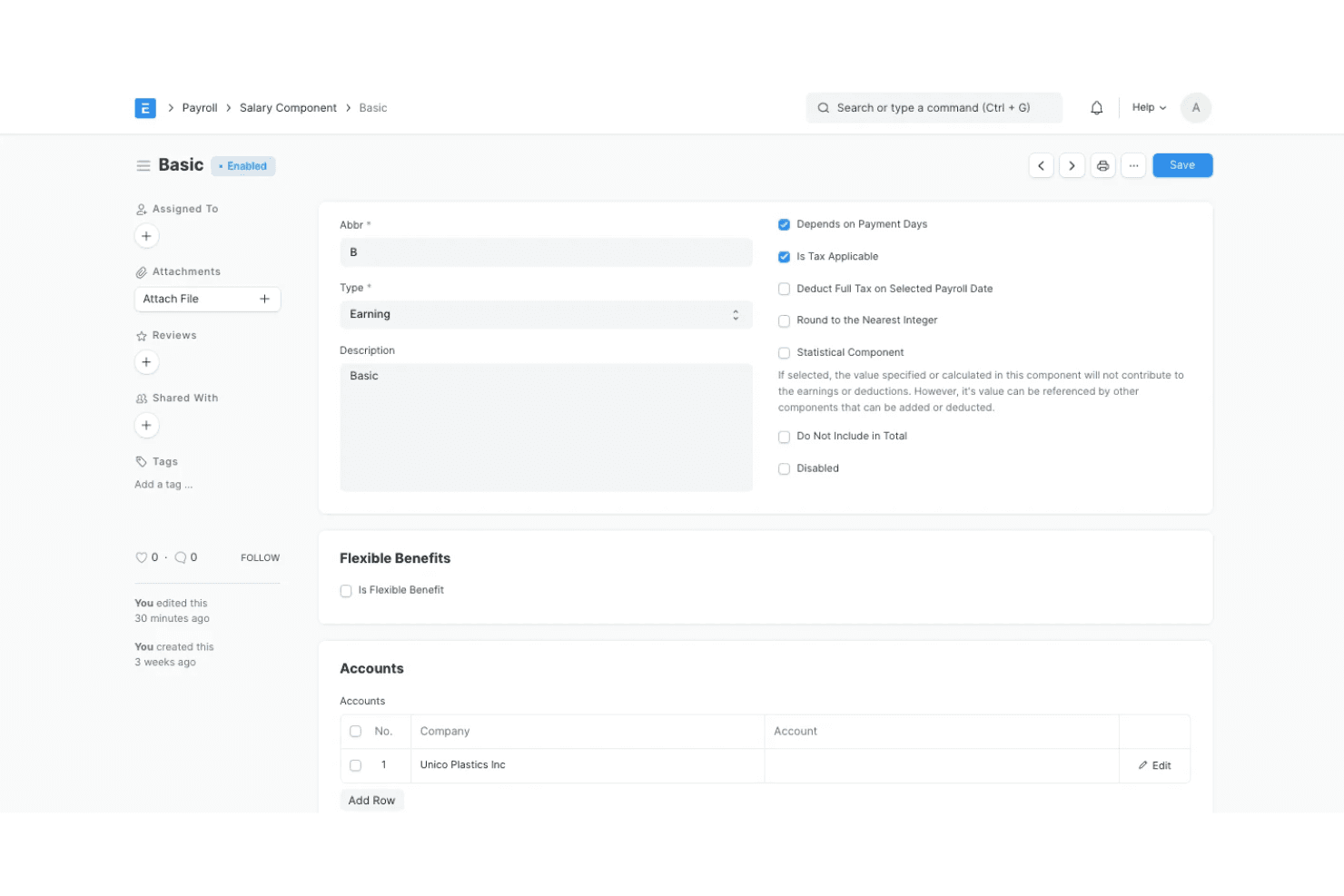
ERPNext's Payroll module lets you configure salary components such as Basic pay, including tax and account settings. ERPNext is an open-source ERP platform that, when used with the separate Frappe HR application, covers payroll processing, salary structure configuration, tax slab setup, bulk payroll processing, and direct accounting integration across HR, finance, and operations modules.
Who Is ERPNext Best For?
ERPNext is a strong fit for small businesses and IT teams that want to manage payroll, accounting, and HR within a single open-source platform they can fully control.
Why I Picked ERPNext
I picked ERPNext because it connects payroll processing directly with its accounting module. When you submit salary slips, ERPNext automatically creates the corresponding accrual journal entries, keeping payroll payable accounts up to date without manual reconciliation. I also like that you can configure salary structures with custom components and tax slabs, then process bulk payroll across branches or departments through a single payroll entry.
ERPNext Key Features
- Salary structure configuration: Define salary components, formulas, and tax slabs, then assign structures to individual employees or groups.
- Timesheet-based payroll: Calculate employee pay from submitted timesheets using the hourly rate defined in the salary structure.
- Salary slip email delivery: Automatically email password-protected salary slip PDFs to each employee's preferred email address.
- Role-based payroll access: Control who can process payroll and post accounting entries using HR Manager and Accounts User role permissions.
ERPNext Integrations
ERPNext has 398 marketplace apps, including Google Sheets Data Sync, Banking, Biostar Biometric Integration, and WhatsApp Integration. Its RESTful API supports custom integrations.
Pros and Cons
Pros:
- Supports encrypted payslip delivery
- Processes department-specific payroll batches
- Automatically posts payroll accruals
Cons:
- Non-Indian tax rules vary
- Accounting mappings need validation
Learn more about ERPNext: Best for salary workflows in a connected ERP
- Free open-source framework
- Free (self-hosted)
Visit WebsiteCustomer Rating:4.1/5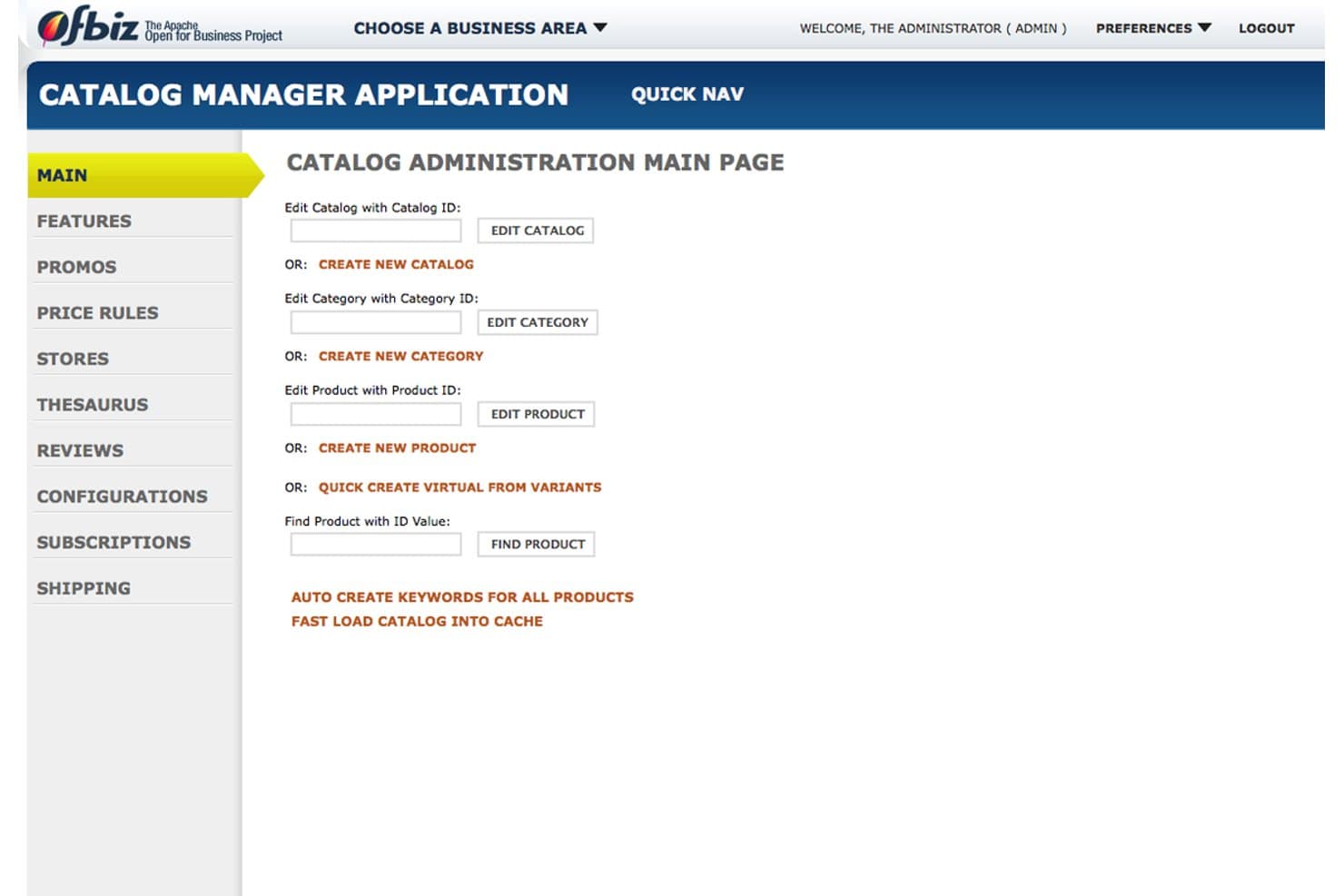
The Apache OFBiz Catalog Manager main page, for editing catalogs, categories and products. Apache OFBiz is an open-source, Java-based ERP framework with an HR module that handles salary calculations, pay grade management, payslip generation, and payroll invoice processing through an integrated accounting system.
Who Is Apache OFBiz Best For?
Apache OFBiz is a good fit for developer-led teams that need to build and maintain a self-hosted ERP with salary workflows closely connected to accounting and HR.
Why I Picked Apache OFBiz
I picked Apache OFBiz because its salary workflows operate within an integrated HR and accounting environment rather than as a separate application. You can define pay grades and salary steps linked to job position types, calculate salaries using direct amounts or grade-and-step structures, and process payroll invoices through the Accounting module's invoice lifecycle, from creation to general ledger posting and payment. I find this workflow particularly useful for teams that need payroll and general ledger records to remain synchronized without manual data transfers.
Apache OFBiz Key Features
- Pay grade and salary step configuration: Define pay grades and salary steps linked to job position types, with rates specified by year, month, week, or hour.
- HR and accounting module integration: Process payroll invoices through the Accounting module's invoice lifecycle, including creation, general ledger posting, and payment.
- Entity and service engine architecture: Build and extend custom business logic at the data model and service levels without being restricted by a fixed application structure.
- On-premises self-hosting: Deploy OFBiz on your own infrastructure across supported Windows or Unix-based environments to maintain control over payroll data.
Apache OFBiz Integrations
Apache OFBiz does not document native integrations with named external vendors. It provides APIs and connects HR salary workflows with its built-in Accounting module for custom integrations.
Pros and Cons
Pros:
- Processes integrated payroll invoices
- Supports flexible Java customization
- Configures graded salary steps
Cons:
- Payroll history uses invoices
- Statutory withholding setup undocumented
Learn more about Apache OFBiz: Best for DIY payroll around a self-hosted ERP
- Free plan + free demo available
- Free software (payroll add-on from €180)
Visit WebsiteCustomer Rating:4.5/5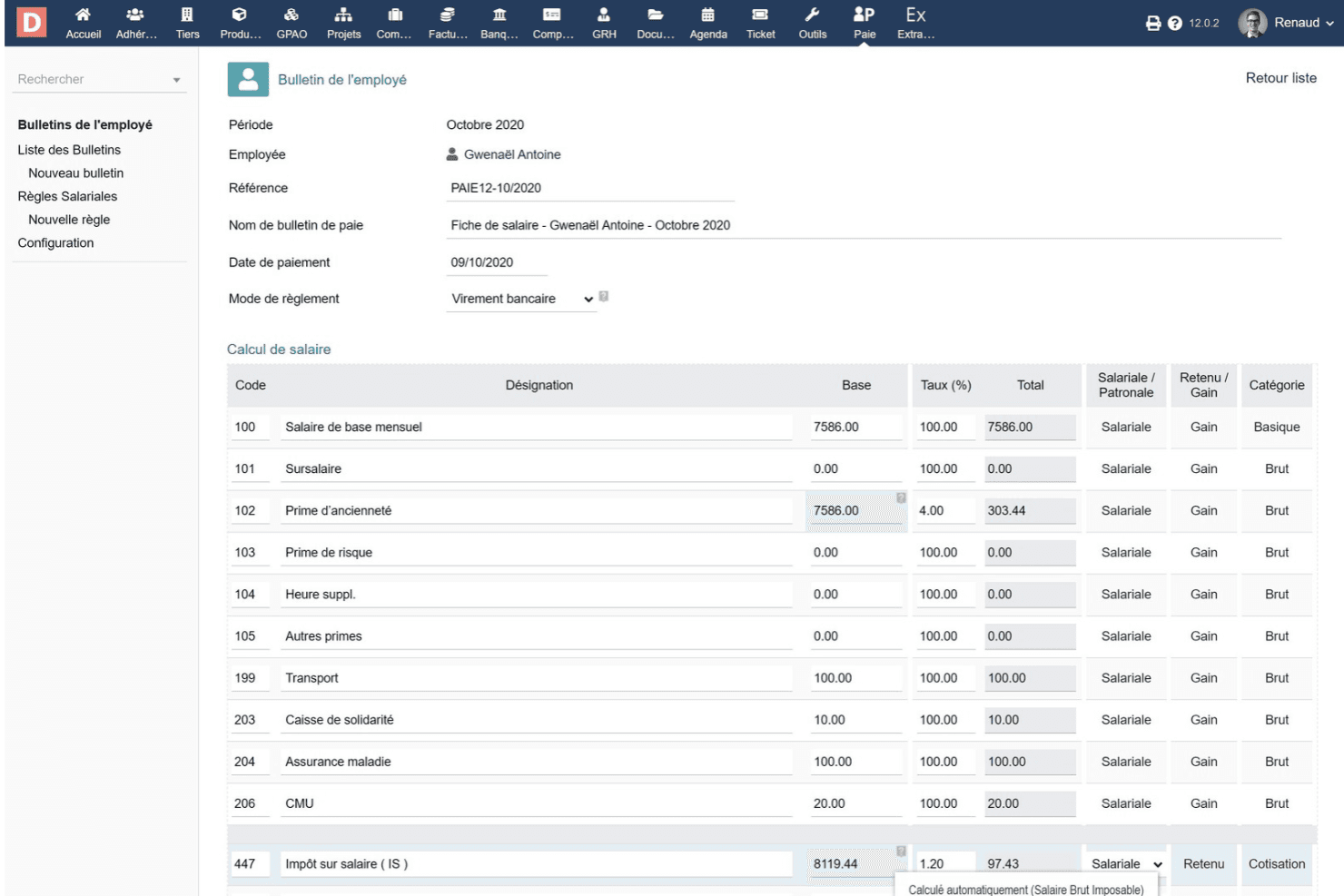
Dolibarr's payroll module generating an employee payslip with salary lines and social contributions. Dolibarr is an open-source ERP and CRM suite that covers HR, finance, billing, timesheets, and expense management. Its built-in Salaries module records salary payments, while full gross-to-net payroll calculations require a separately purchased add-on, such as Odoo Payroll for Dolibarr.
Who Is Dolibarr Best For?
Dolibarr is a good fit for technically inclined small business owners and developers who want a self-hosted, open-source ERP foundation that they can extend with custom payroll logic.
Why I Picked Dolibarr
I picked Dolibarr because it provides a self-hosted ERP environment that businesses can extend to accommodate their payroll requirements. The core Salaries module handles salary payment recording, while the separately purchased Odoo Payroll for Dolibarr add-on provides configurable gross-to-net calculations using custom salary rules, structures, and formula-based logic. This flexibility is useful for businesses with compensation arrangements that do not fit standard payroll structures, although the additional module cost and local compliance requirements must be considered.
Dolibarr Key Features
- Employee and user management: Create employee profiles, organize users into groups and hierarchies, and assign role-based permissions across the system.
- Leave request tracking: Employees submit leave requests through the platform, supervisors approve or decline them, and the system automatically updates leave balances.
- Timesheet recording: Record time by day, week, month, project, or task, and convert logged hours into monetary values using each employee's configured hourly rate.
- REST API and module builder: Access REST APIs through an embedded API explorer and use the low-code Module Builder to extend or customize the application without writing everything from scratch.
Dolibarr Integrations
Dolibarr offers native LDAP integration for user authentication and synchronization. Its REST API, triggers, hooks, and external modules support custom connections with HR, accounting, and payroll systems.
Pros and Cons
Pros:
- Extends payroll through add-ons
- Records employee salary payments
- Supports modular ERP customization
Cons:
- Add-on compliance needs validation
- Native payroll excludes calculations
Learn more about Dolibarr: Best for self-hosting with setup support
- Free demo available
- Pricing upon request
Visit WebsiteCustomer Rating:3/5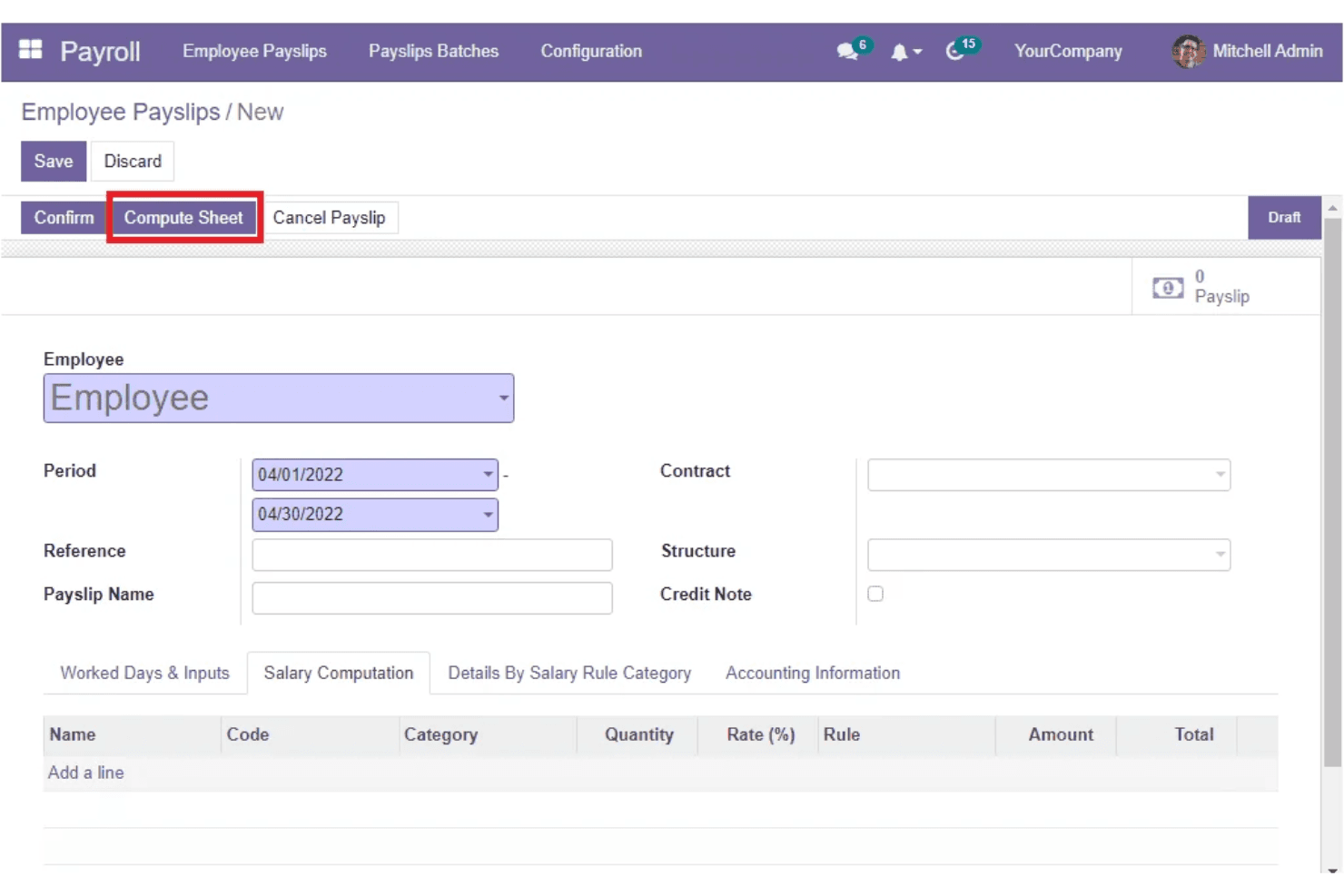
Payroll app screen for creating an employee payslip and computing the salary sheet. Open HRMS is an open-source HR and payroll management system built on Odoo that covers payroll processing, attendance, leave management, recruitment, appraisals, and employee records.
Who Is Open HRMS Best For?
Open HRMS is a strong fit for small businesses and IT teams that want a self-hosted, open-source HR and payroll system they can deploy on their own infrastructure and customize at the code level.
Why I Picked Open HRMS
I've included Open HRMS in my top picks because it's designed for teams that want to manage payroll on their own infrastructure without ongoing software licensing fees. I particularly like that it offers vendor-backed implementation packages, allowing organizations to access support when setting up Odoo. Its payroll module also handles salary structures, configurable deduction rules, and batch payslip generation, supporting gross-to-net payroll processing once an active employee contract is in place.
Open HRMS Key Features
- Payslip batch generation: Group employees under the same salary structure and generate their payslips together in a single batch.
- Biometric attendance integration: Connect fingerprint-reading and facial recognition devices to capture attendance data that feeds directly into payroll calculations.
- Employee loan management: Configure loan policies, manage approvals, and automatically deduct repayments from employee payslips.
- HR reporting suite: Generate reports covering attendance, leave, payroll, and expenses, with filtering and drill-down options for detailed analysis.
Open HRMS Integrations
Open HRMS has documented native integrations with biometric devices, including fingerprint-reading and facial recognition devices, for attendance tracking. Native third-party integrations and API availability are not clearly documented.
Pros and Cons
Pros:
- Includes vendor-backed implementation assistance
- Connects biometric attendance devices
- Generates batch employee payslips
Cons:
- Deployment guidance lacks detail
- Jurisdictional payroll modules vary
Learn more about Open HRMS: Best for payroll tied to wider ERP operations
- Free open-source framework
- Free (self-hosted)
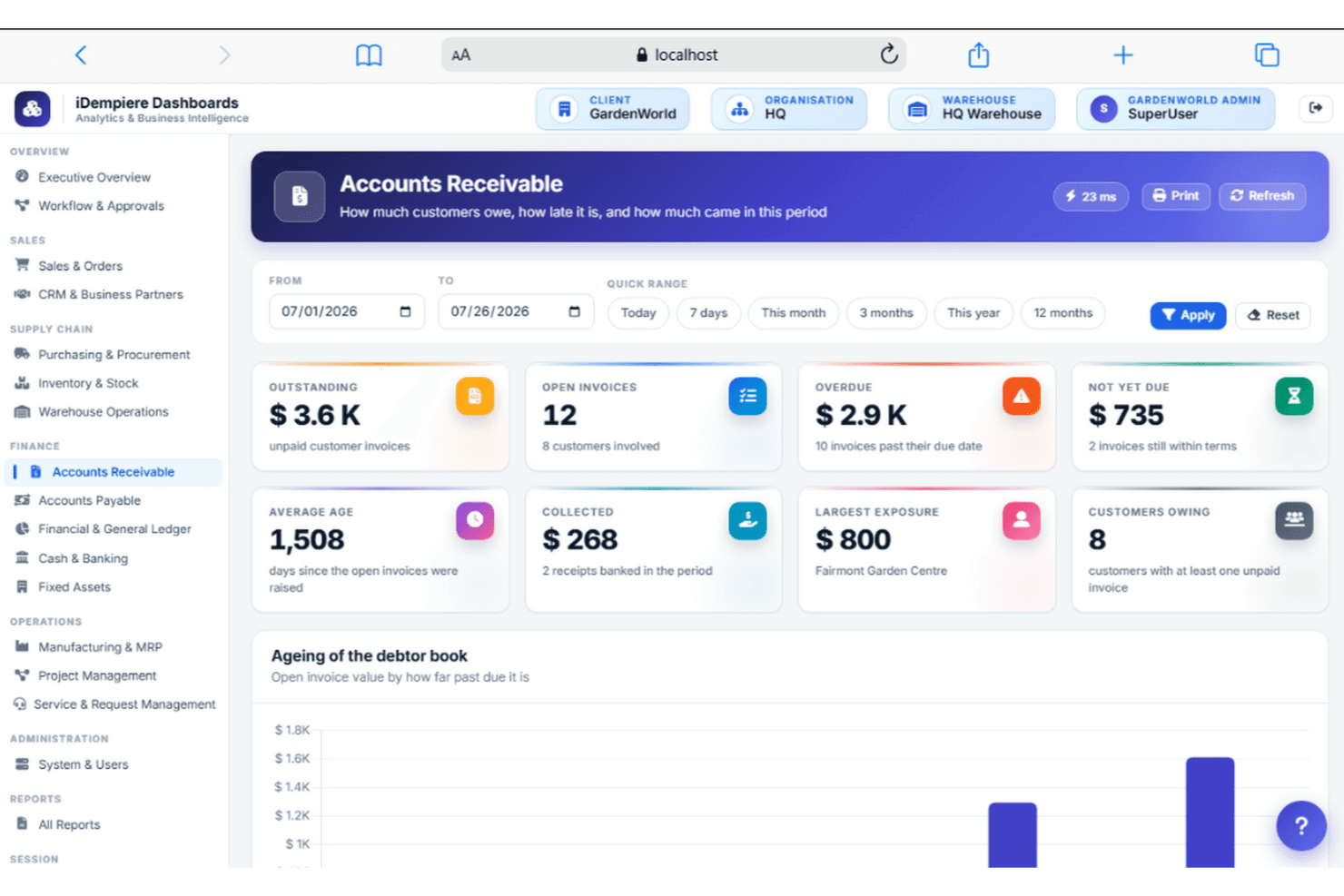
The iDempiere Accounts Receivable dashboard, showing outstanding invoices, overdue amounts and debtor ageing. iDempiere is an open-source ERP platform that connects payroll processing, HR, accounting, procurement, inventory, and manufacturing within a single self-hosted system.
Who Is iDempiere Best For?
iDempiere is a strong fit for IT teams and developers who need payroll integrated with a broader ERP system and have the technical expertise to configure and self-host it.
Why I Picked iDempiere
I picked iDempiere because its payroll functionality can operate within a comprehensive ERP platform that also handles accounting, procurement, and manufacturing. Through the CDSoftware Payroll plugin, payroll calculations connect directly with iDempiere's financial accounting system, allowing payroll and journal entries to remain synchronized without manual exports. I also like that the plugin supports multi-currency payroll attributes and employee loan management with accounting functionality, which is useful for organizations managing different compensation structures.
iDempiere Key Features
- Role-based access controls: Assign permissions at the organization, table, column, and record levels to restrict access to sensitive payroll information.
- REST and SOAP APIs: Connect iDempiere to external HR, finance, or reporting tools using built-in REST and optional SOAP/XML web services.
- Payroll report generation: Generate standard reports, including payment receipts, employee directories, work certificates, and assignment and deduction summaries.
- On-premises deployment: Self-host iDempiere on Linux, Windows, or macOS servers, maintaining control over where payroll data is stored.
iDempiere Integrations
Documented integrations include Snowflake, dbt, Tableau, 3CX, OpenEMR, Availity, and TriZetto. iDempiere also supports REST and SOAP/XML web services for custom payroll and ERP integrations.
Pros and Cons
Pros:
- Accommodates multicurrency payroll attributes
- Supports granular record permissions
- Connects payroll with accounting
Cons:
- Localization depends on extensions
- Payroll requires external plugins
Learn more about iDempiere: Best for workforce costs in a wider ERP
- Free plan + free demo available
- Free (self-hosted)
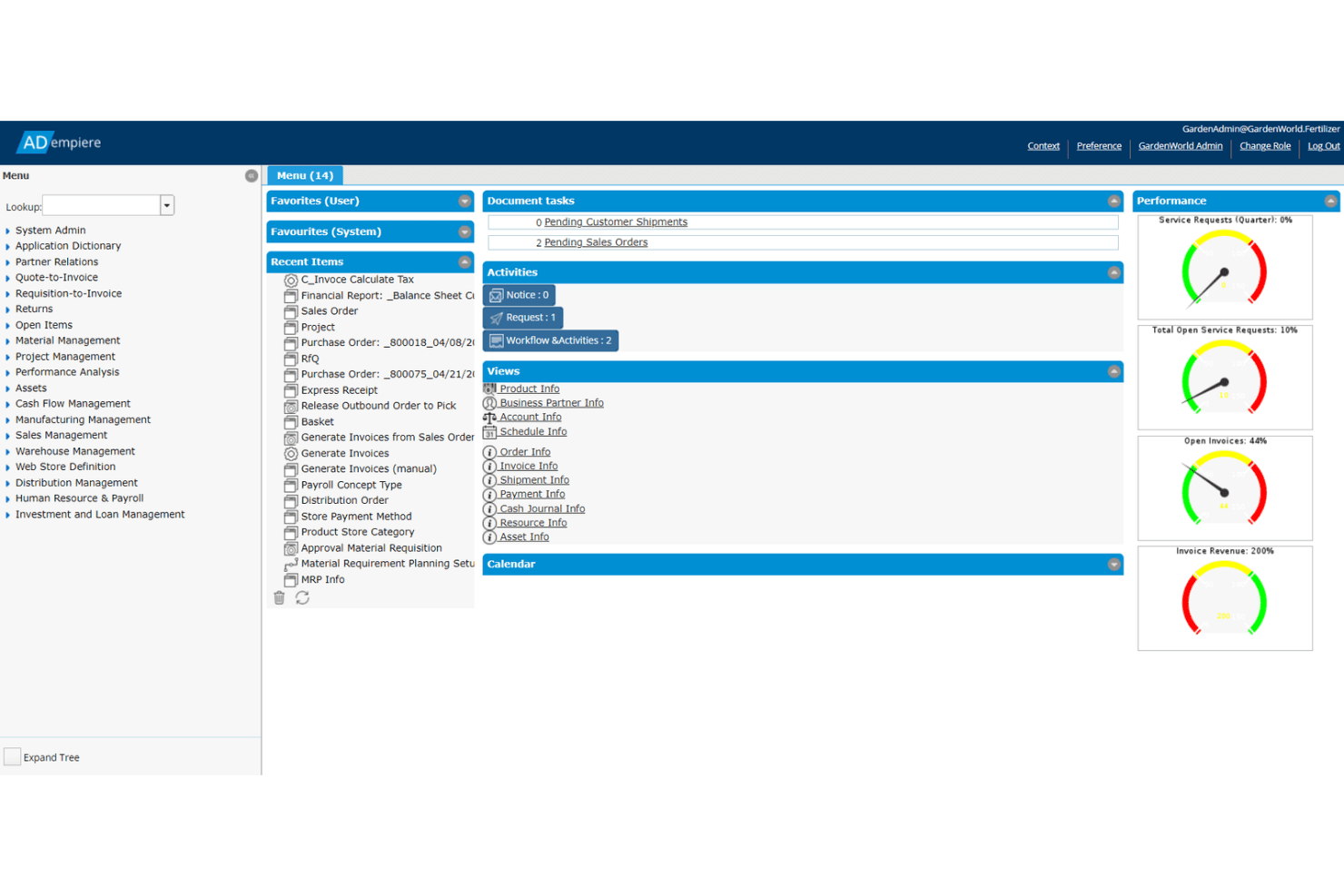
The ADempiere main dashboard with menu navigation, recent items, pending tasks and performance gauges. ADempiere is an open-source ERP with a built-in payroll module that handles payroll rules, calculations, payroll movement processing, and accounting integration through a self-hosted, GPL-2.0-licensed platform.
Who Is ADempiere Best For?
ADempiere works best for IT-led teams that need payroll integrated with a broader ERP and have the technical resources to configure and maintain a self-hosted, open-source system.
Why I Picked ADempiere
I picked ADempiere because it integrates payroll with a comprehensive ERP, allowing workforce costs to be managed alongside purchasing, accounting, and inventory in a single system. I find its payroll rules engine particularly useful because you can define custom payroll concepts, configure stop values for individual employees or payroll runs, and post final amounts through Accounts Payable without leaving the platform. The JSR 223 scripting API also allows teams to create custom calculation logic for payroll rules, which is helpful when standard deduction structures do not match an organization's pay policies.
ADempiere Key Features
- Payroll report generation: Generate salary-change, employee-dependent, employee-detail, and bank-account-detail reports directly from the payroll module.
- Payroll process selection criteria: Filter payroll runs by department, job type, employee status, salary structure, shift group, and more than a dozen other criteria.
- Accounts Payable posting: Post final payroll amounts through the built-in Accounts Payable model using ADempiere's standard accounting framework.
- JasperReports integration: Build and generate custom payroll report templates using JasperReports, which is embedded in ADempiere's reporting engine.
ADempiere Integrations
ADempiere does not clearly document native third-party integrations. Its payroll module connects internally with Accounts Payable, commission calculations, and payment selection within the ERP.
Pros and Cons
Pros:
- Customizes JasperReports payroll templates
- Filters detailed payroll runs
- Executes scripted payroll calculations
Cons:
- Payroll scripting needs maintenance
- Prebuilt compliance rules sparse
Learn more about ADempiere: Best for India-specific payroll compliance
- Free plan + 14-day free trial available
- From $5/month (hosting; software free)
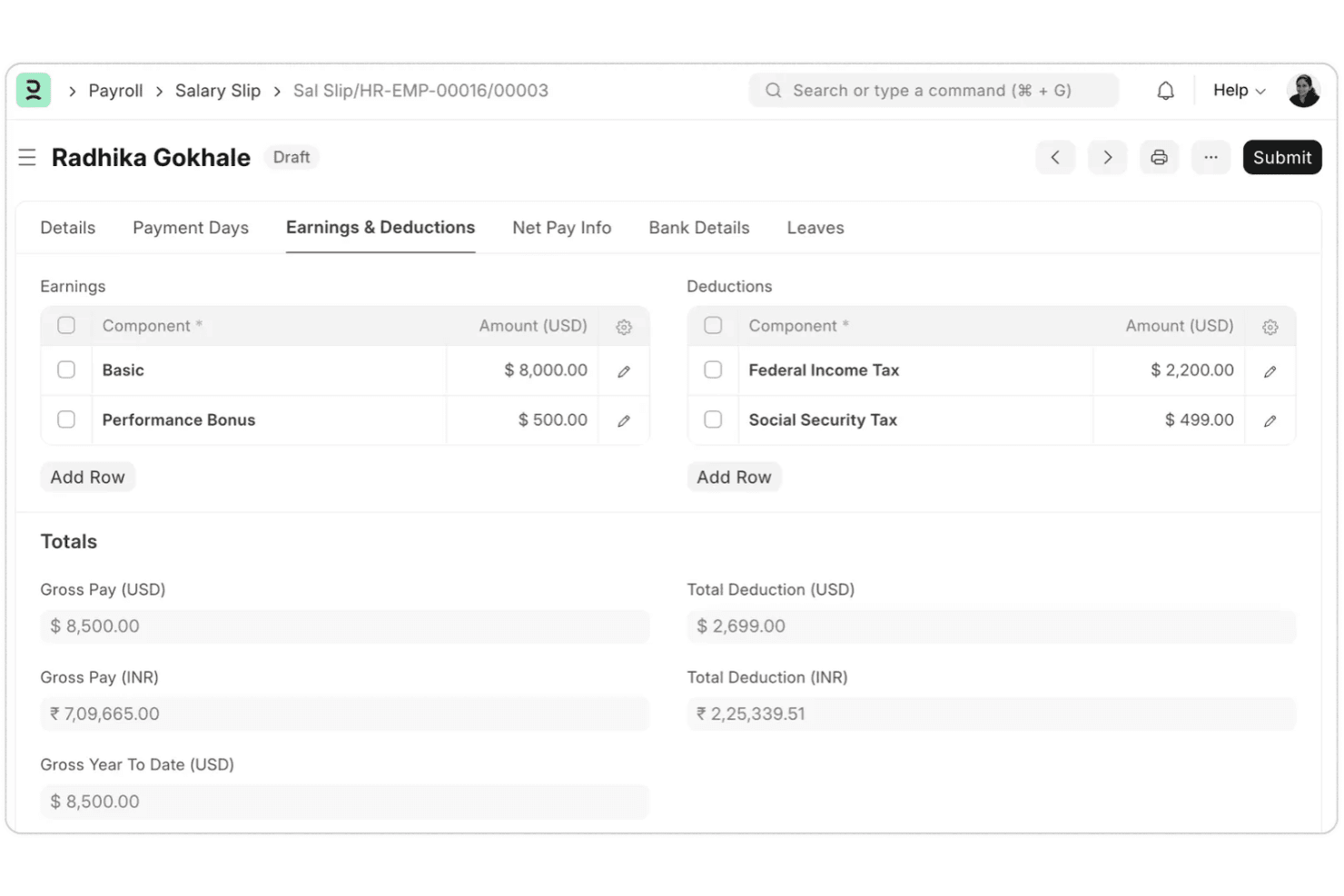
Frappe HR's salary slip screen lists earnings, deductions, and totals for an employee in draft status. Frappe HR is an open-source HR and payroll platform with dedicated modules for salary structures, statutory deductions, attendance, leave, expense claims, and employee lifecycle management.
Who Is Frappe HR Best For?
Frappe HR is a strong fit for India-based HR and payroll teams that need built-in statutory compliance support covering Provident Fund (PF), Employees' State Insurance (ESI), Professional Tax, and Labour Welfare Fund requirements across multiple states.
Why I Picked Frappe HR
I've included Frappe HR in my top picks because it offers built-in statutory compliance support for India's complex payroll deductions. The India Payroll module covers Professional Tax across more than 15 states, Labour Welfare Fund requirements across 14 states, ESI wage ceilings, and PF configuration, including voluntary contributions. I also like that employees can compare the old and new tax regimes, declare exemptions, and save their selected regime to their salary structure assignments.
Frappe HR Key Features
- Salary structure builder: Create rule-based salary structures with earnings, deductions, conditions, and formulas for different employee groups.
- Multi-currency payroll: Process payroll in a foreign currency and view gross and net totals in both that currency and your company's base currency.
- Timesheet-based payroll: Set hourly rates linked to project or task timesheets and process separate payroll entries for time-based compensation.
- Income tax declarations and proofs: Collect employee exemption declarations and supporting documents to incorporate into payroll tax calculations.
Frappe HR Integrations
Frappe HR has native integrations with ERPNext and Frappe Lending, along with REST API and webhook support for custom integrations.
Pros and Cons
Pros:
- Compares employee taxation regimes
- Configures voluntary PF contributions
- Supports Indian statutory deductions
Cons:
- Conditional formulas require configuration
- International tax localization limited
Learn more about Frappe HR: Best for embedding payroll in your product
- Free open-source framework
- Free framework (commercial regulations priced separately)
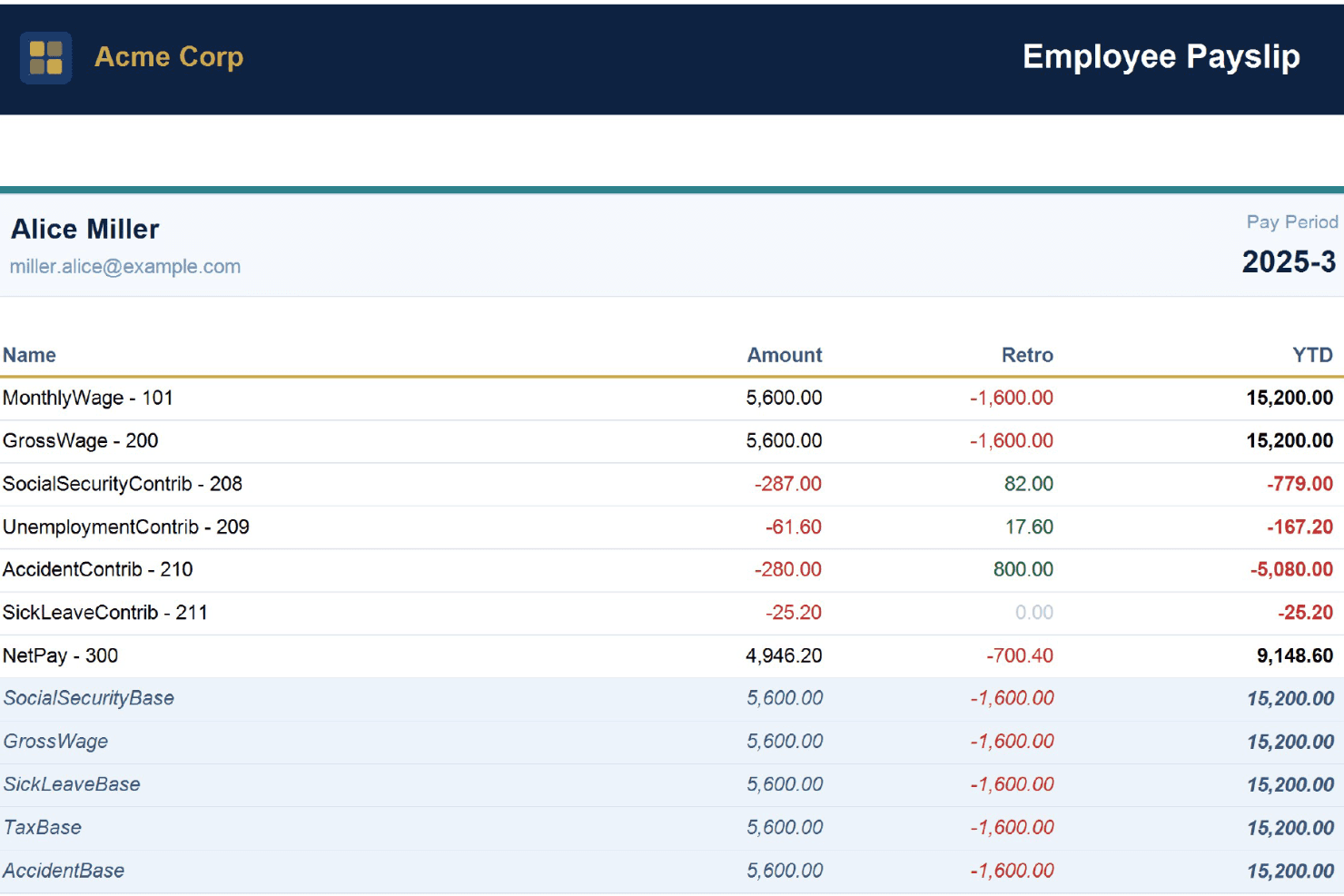
Sample employee payslip showing wages, statutory contributions, net pay and year-to-date totals. Payroll Engine is an open-source, self-hosted payroll framework built on .NET that handles gross-to-net calculations, retroactive payroll processing, multi-tenant regulation layers, forecasting, and report generation through a REST API and C# scripting model.
Who Is Payroll Engine Best For?
Payroll Engine is designed for developers and software teams that need to embed payroll processing logic directly into a custom application or platform.
Why I Picked Payroll Engine
I picked Payroll Engine because it's purpose-built for embedding payroll logic into custom products rather than operating as a standalone payroll application. I find its composable regulation layer model particularly useful because teams can combine country, company, and tenant-level rules, version them, and extend them with C# scripts or no-code actions to accommodate different pay structures. The retroactive payroll engine also handles past-dated corrections without requiring manual workarounds, which is valuable for product teams building payroll functionality into their platforms.
Payroll Engine Key Features
- Composable regulation layers: Combine country, company, and tenant-level payroll rules that can be versioned, inherited, and shared across tenants.
- Payroll forecasting: Run named what-if payroll scenarios against live regulations and employee data without affecting production results.
- Lifecycle test framework: Define JSON-based tests covering case input, payroll processing, and report output, with CI/CD pipeline support.
- Multi-format report output: Generate payslips and summaries using culture-specific templates and export them as XML, Excel, or PDF files.
Payroll Engine Integrations
Payroll Engine does not provide native integrations. It supports custom connectivity through its OpenAPI 3.1 REST API, webhooks, and .NET Client SDK.
Pros and Cons
Pros:
- Versions complex regulatory layers
- Handles retroactive payroll corrections
- Embeds payroll into applications
Cons:
- Compliance packs require licensing
- Requires custom application development
Learn more about Payroll Engine: Best for free, unlimited-user self-hosted HR
- Free plan + 30-day free trial available
- From $7/user/month
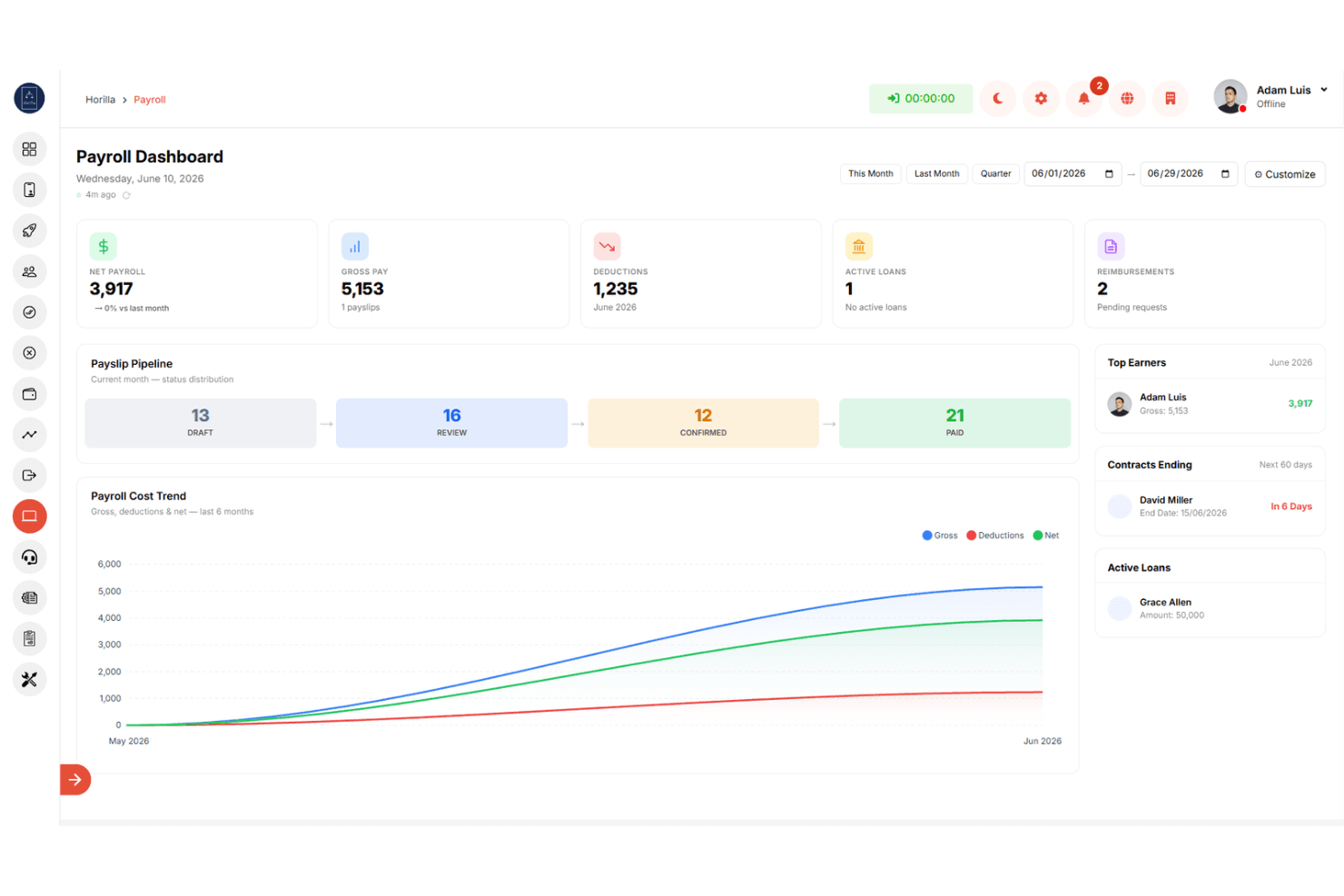
Horilla's payroll dashboard tracks net pay, deductions, payslip status and six-month cost trends in one view. Horilla is an open-source HR and payroll platform that covers the employee lifecycle, including payroll calculations, attendance tracking, leave management, recruitment, and onboarding, through a single self-hosted or cloud-deployed system.
Who Is Horilla Best For?
Horilla is a strong fit for small businesses and technical teams that want a comprehensive HR and payroll system without paying per-user licensing fees for its self-hosted open-source edition.
Why I Picked Horilla
I picked Horilla because it allows organizations to self-host an HR and payroll system for an unlimited number of users without ongoing software licensing fees. The payroll module handles gross-to-net calculations, statutory components such as PF and TDS, configurable tax brackets, and automatic loan recovery across pay cycles. I also like that attendance data flows directly into payroll, reducing the need for manual reconciliation when overtime or mid-month starts affect employee compensation.
Horilla Key Features
- Pay structure configuration: Create multiple salary structures and assign them by grade, department, or individual employee.
- Loan and advance tracking: Record employee loans and advances with automatic repayment schedules spread across future pay cycles.
- Payslip status workflow: Move payslips through draft, review, confirmed, and paid statuses, with bulk generation and CSV or PDF exports.
- Employee self-service portal: Allow employees to view their payslips, leave balances, attendance records, and submitted documents without requiring HR assistance.
Horilla Integrations
Horilla offers native integrations with LDAP, Google Drive, and WhatsApp, along with LinkedIn and Google Meet for HR workflows. Its REST API supports custom integrations through JWT authentication and Swagger/OpenAPI documentation. No accounting or ERP connectors are documented.
Pros and Cons
Pros:
- Tracks individual payslip statuses
- Automates employee loan recovery
- Offers unlimited self-hosted users
Cons:
- Payroll trend analysis limited
- Accounting connectors remain absent
Learn more about Horilla: 10Best for payroll tied to staff schedules
TimeTrex
- 30-day free trial + free demo available
- From $50/month
Visit WebsiteCustomer Rating:4.5/5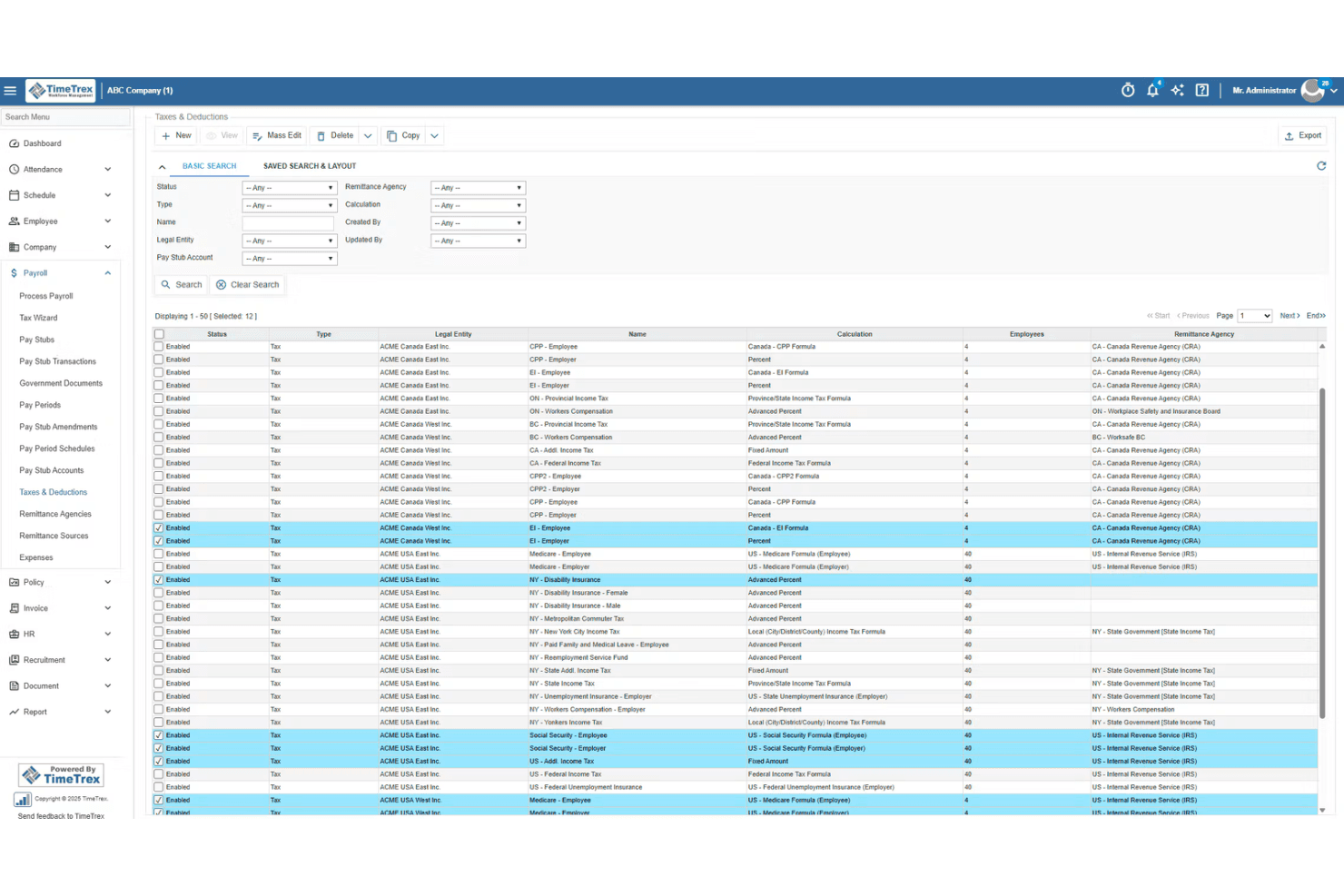
TimeTrex's Taxes & Deductions screen lists payroll tax entries by legal entity, calculation method, and remittance agency. TimeTrex is a workforce management platform with an on-premises deployment option that combines payroll processing, tax calculations, time and attendance tracking, and employee scheduling in a single system.
Who Is TimeTrex Best For?
TimeTrex is a strong fit for payroll managers who need time tracking and employee scheduling data to feed directly into payroll calculations.
Why I Picked TimeTrex
I've included TimeTrex in my top picks because its payroll engine connects directly with employee scheduling and time-tracking data. When a shift runs longer than planned or an employee clocks out early, that information feeds into payroll calculations without requiring manual data entry. I particularly like its automated scheduling capabilities and support for federal, state, and local payroll tax calculations. Its open-source Community Edition includes core scheduling and payroll functionality, although advanced features may vary by edition.
TimeTrex Key Features
- Payroll deductions management: Calculates and tracks deductions for benefits, taxes, and wage garnishments within each payroll run.
- Payroll tax calculations: Calculate federal, state, and local payroll taxes using configured tax rules, with jurisdiction-specific filing requirements needing separate verification.
- Employee self-service portal: Allows employees to access pay stubs, update personal information, and submit time-off requests directly.
- RESTful API and webhooks: Connects TimeTrex to external accounting, HR, and payroll systems through documented APIs and webhooks.
TimeTrex Integrations
TimeTrex offers integrations with Intuit QuickBooks, Sage, ADP, Paychex, Ceridian, the IRS, and the Canada Revenue Agency. It also provides a RESTful API, webhooks, and SDKs for custom connections.
Pros and Cons
Pros:
- Supports multi-state payroll calculations
- Identifies scheduling overtime risks
- Converts tracked shifts automatically
Cons:
- Deployment needs infrastructure management
- Advanced features vary by edition
Learn more about TimeTrex:
Andra löneprogram med öppen källkod
Här är några ytterligare alternativ som inte hamnade på min kortlista men som ändå är värda att undersöka:
- 11PHP PayrollBest for varied pay types and local rules
- 12webERPBest for ERP users adding employee records
- 13PayrollBest for India-specific compliance outputs
- 14OCA PayrollBest for date-based tax rule changes
- 15Coati PayrollBest for payroll-linked vacation accruals
- 16JantaHRBest for legally cited payroll rule changes
- 17CworkBest for accountant-assisted Thai payroll
- 18AccountedBest for Swedish bureau pay runs via API
- 19DeduktoBest for South African tax in AI workflows
- 20Euron Open HRMSBest for managing payroll within HR workflows
How I Evaluate Open Source Payroll Software
I split my evaluation into three parts. Core functionality carries the most weight—I look for tools that can calculate gross-to-net pay and support configurable tax and compliance rules. I also check for standout features like multi-country localization, then consider total cost of ownership beyond the software itself.
Core Functionality (Table Stakes for This List)
When I'm selecting tools for my list, I score each one on a scale from 0 (does not offer the functionality) to 5 (excels in this area) for each core functionality listed below. I then convert the total into a percentage to help assess each tool's overall fit, with extra weight on any functionalities I've deemed essential.
- Open-Source Codebase (Essential): I check whether the source code is published under a recognized open-source license and whether the project has active maintainers and contribution channels.
- Payroll Calculation Engine (Essential): Each tool needs to compute gross-to-net pay across deductions, withholdings, and varied pay types like overtime, bonuses, and multiple pay schedules.
- Tax and Compliance Configuration: I look for configurable tax rules and statutory contributions that HR teams can adapt to their jurisdictions without waiting on a vendor update.
- Payslip and Report Generation: Tools should produce formatted payslips and summary reports that payroll managers can share with employees or use during audits.
- Self-Hosting Capability: I evaluate how well-documented the deployment process is, whether the project offers containers or install scripts, and how much technical effort setup requires.
- Integration and Extensibility: APIs, modules, or plugins that connect payroll to time-tracking, HR, or accounting systems matter here, since payroll rarely operates in isolation.
Once I have a list of tools that meet the criteria, I consider what sets each platform apart.
Differentiating Factors (What Sets Vendors Apart)
Here's how I compare and contrast different vendors:
Standout Features
I look for a modular plugin architecture that lets you add country-specific tax packs without touching the core code. For example, ERPNext and iDempiere both use module systems, but I check how easy it is to swap in a new localization pack when you expand to another region. Audit trail and versioning capabilities also matter—detailed logs of every payroll change help during internal reviews and regulatory checks. I evaluate whether employee self-service portals give staff direct access to payslips and tax documents, which reduces routine requests for HR teams.
Beyond Features
I check how often a project's GitHub repository receives commits and how active its forums are, since a stagnant codebase means you'll wait longer for compliance patches. Total cost of ownership matters too—hosting, developer hours for customization, and paid support tiers can quickly offset the savings of a free license. I also evaluate how clearly each tool documents deployment, because a platform like ERPNext with detailed install guides gets teams running far faster than one with sparse documentation. Finally, open-source payroll shifts regulatory responsibility to you, so I look for projects where community-maintained tax updates are released and reviewed promptly.
Så väljer du ett löneprogram med öppen källkod
Välj ett system genom att matcha din jurisdiktion, tekniska kapacitet och ditt ansvar för ändringar i löneregler mot det som projektet dokumenterar och stöder.
| Om din prioritet är … | Leta efter … |
|---|---|
| Om din prioritet är …Efterlevnad av lokala regler | Leta efter …Publicerad information om jurisdiktioner som stöds och daterade regeluppdateringar |
| Om din prioritet är …Kontroll över kod och data | Leta efter …En erkänd licens och dokumenterade krav för drift på egna servrar |
| Om din prioritet är …Spårbara löneändringar | Leta efter …Sparade ändringshistorik och en tydlig process för att granska justeringar |
| Om din prioritet är …Förutsägbara ägandekostnader | Leta efter …Uppskattningar för drift, underhåll, anpassning och arbete med efterlevnad |
Så granskar du din kortlista
- Begär bevis på efterlevnad: Be om ett daterat dokument som listar jurisdiktioner som stöds, vilka lagstadgade regler som omfattas och vem som underhåller uppdateringarna.
- Genomför tre testfall: Använd anonymiserade siffror för vanlig lön, övertid och en engångsbonus; jämför brutto-till-netto-resultaten med beräkningar som din lönespecialist har verifierat.
- Granska licensen: Spara projektets licenstext och bekräfta att dina planerade ändringar, din drift på egna servrar och distributionen följer licensen.
- Testa installationsarbetet: Följ installationsguiden i en testmiljö, registrera antalet timmar för konfiguration och notera eventuella beroenden som kräver betald support eller specialistarbete.
- Fastställ dina beslutsfilter: Välj kontroll över koden och anpassning endast om du kan utse en ansvarig som granskar ändringar i lönereglerna minst kvartalsvis; prioritera annars ett projekt med tydligt dokumenterat ansvar för uppdateringar.
Vad är löneprogram med öppen källkod?
Löneprogram med öppen källkod är löneprogram vars källkod är offentligt tillgänglig under en licens för öppen källkod. Beroende på licensen och systemet kan du granska, ändra eller köra programmet på egna servrar. Lönefunktionerna varierar, så kontrollera om ett verktyg stöder de löneberäkningar, regler för efterlevnad och rapporter som din organisation behöver.
Funktioner
Här är de viktigaste funktionerna jag letar efter i löneprogram med öppen källkod:
- Löneberäkningar: Beräknar nettolön från bruttolön genom att tillämpa ersättningar, avdrag och innehållningar. Detta ger löneteamet ett enhetligt sätt att behandla varje lönekörning.
- Skatte- och lagstadgade regler: Tillämpa konfigurerbara skattesatser och obligatoriska avgifter för de jurisdiktioner som stöds. Kontrollera hur regler uppdateras och vem som ansvarar för att granska ändringar.
- Löneperioder och lönetyper: Stöder återkommande löneperioder och ersättningar som övertid, bonusar samt tim- eller månadslöner. Dessa alternativ hjälper till att hantera olika anställningsformer.
- Anställdas löneuppgifter: Lagrar uppgifter som ersättning, skatteinformation, betalningsinställningar och avdrag. Korrekta uppgifter tillhandahåller den information som behövs för löneberäkningar.
- Lönespecifikationer och åtkomst för anställda: Skapar detaljerade lönespecifikationer som visar ersättningar, avdrag och nettolön. En medarbetarportal kan ge personalen möjlighet att visa eller ladda ner sina dokument.
- Lönerapporter: Sammanfattar lönekostnader, avdrag och betalningssummor för granskning eller dokumentation. Rapporter kan hjälpa team att stämma av lönekörningar och förbereda sig inför revisioner.
- Underlag för tid och närvaro: Importerar eller registrerar arbetstimmar, övertid och frånvaro som används i löneberäkningar. Kontrollera om systemet ansluter till era verktyg för tidsregistrering eller kräver manuell inmatning.
- Integrationer och utbyggbarhet: Ansluter lönehanteringen till HR-, redovisnings- eller tidsregistreringssystem via API:er, moduler eller tillägg. Detta hjälper team att minska dubbelregistrering av data mellan system.
- Ändringshistorik: Registrerar justeringar av löneuppgifter och beräkningar, inklusive vem som gjorde varje ändring när detta stöds. Bevarad historik hjälper team att granska korrigeringar och utreda avvikelser.
Fördelar
Här är några vanliga fördelar som du kan förvänta dig av löneprogram med öppen källkod:
- Kontroll över kod och data: En erkänd licens för öppen källkod kan ge ditt team möjlighet att granska eller ändra koden och lagra lönedata på egna servrar.
- Flexibla löneregler: Konfigurerbara avdrag, innehållningar och lönetyper kan hjälpa dig att anpassa beräkningarna efter organisationens lönebehov.
- Jurisdiktionsspecifik konfiguration: Lokaliseringsmoduler eller konfigurerbara regler kan stödja lokala krav, förutsatt att ditt team verifierar täckningen och underhåller uppdateringarna.
- Kostnadsflexibilitet: En kostnadsfri licens kan minska programvarukostnaderna samtidigt som du kan välja hur mycket du vill lägga på drift, anpassning och support.
- Spårbarhet i lönehanteringen: När ändringshistorik stöds kan justeringsloggar hjälpa ditt team att granska korrigeringar och förbereda sig inför revisioner.
- Sammanlänkade arbetsflöden: API:er, moduler eller tillägg kan ansluta lönehanteringen till HR-, redovisnings- eller tidsregistreringssystem när programvaran stöder dessa integrationer.
Priser
Programvara för lönehantering med öppen källkod kan vara kostnadsfri att ladda ner och drifta på egna servrar, men implementering, drift, underhåll och support kan medföra ytterligare kostnader. Priset beror på driftsätt, tekniska krav samt eventuella betalda moduler eller tjänster som du behöver.
Jämförelsetabell för abonnemang för programvara för lönehantering med öppen källkod
| Abonnemangstyp | Typisk prissättning | Vanliga funktioner |
|---|---|---|
| AbonnemangstypKostnadsfritt abonnemang | Typisk prissättning$0 programvarulicens | Vanliga funktionerKärnfunktioner, drift på egna servrar och support från användarcommunityn. Installation och underhåll hanteras vanligtvis internt. |
| AbonnemangstypAbonnemang med drift | Typisk prissättningVarierar beroende på leverantör | Vanliga funktionerHanterad drift, säkerhetskopior, programvaruuppdateringar och grundläggande support, beroende på leverantören. |
| AbonnemangstypFöretagsabonnemang | Typisk prissättningAbonnemang eller offert | Vanliga funktionerYtterligare support, integrationer, lönekonfiguration och valfria moduler för regelefterlevnad. |
| AbonnemangstypAbonnemang för stora företag | Typisk prissättningIndividuell prissättning | Vanliga funktionerAvancerad anpassning, hjälp med implementering, dedikerad support och funktioner för flera juridiska enheter där sådana finns tillgängliga. |
Vanliga frågor
Några svar på vanliga frågor om löneprogram med öppen källkod:
Kan löneprogram med öppen källkod stödja flera länder?
Vissa lönesystem med öppen källkod stödjer flera länder, men täckningen beror på programvaran och dess lokaliseringsmoduler. Kontrollera om varje lands inkomstskatter, lagstadgade avgifter, rapporteringsformat och löneregler är dokumenterade och underhålls. Ett system som stödjer löneberäkningar i ett land hanterar inte automatiskt kraven i ett annat land. Innan ni väljer system bör ni testa exempelberäkningar för varje jurisdiktion där ni har anställda. Ta reda på vem som uppdaterar reglerna, hur uppdateringarna granskas och vad som händer när en regel ändras mellan planerade lanseringar.
Behöver jag en utvecklare för att köra löneprogram med öppen källkod?
Inte alltid, men ni behöver någon med kompetens att installera, konfigurera och underhålla det system ni väljer. Vissa projekt tillhandahåller installationsguider eller distributionsalternativ baserade på containrar, medan andra kräver mer praktiskt tekniskt arbete. Ert team behöver också någon som ansvarar för löneregler, programvaruuppdateringar, säkerhetskopior och åtkomstbehörigheter. Testa installationen i en testmiljö och dokumentera hur mycket tid och specialiststöd som krävs. Testet ger en tydligare bild av det löpande arbetet än licenspriset ensamt.
Lämnar löneprogram med öppen källkod in skatter och betalar dem automatiskt?
Ibland, men funktioner för löneberäkning garanterar inte automatiskt att skattedeklarationer lämnas eller att skatter betalas. Kontrollera produktdokumentationen för de specifika deklarationsformat, insändningsflöden och betalningsfunktioner som stöds i er jurisdiktion. Ert team kan behöva exportera rapporter, skicka in formulär via en myndighetsportal eller ordna betalningar separat. Innan ni behandlar riktiga löner bör ni jämföra programvarans beräkningar med siffror som har verifierats av en lönespecialist. Kontrollera också vem som bevakar regeländringar och granskar uppdateringar innan de påverkar de anställdas löner.
Hur kan jag skydda anställdas uppgifter när jag själv driftar löneprogram?
Skydda lönedata med kontrollerad åtkomst, säkra säkerhetskopior och en dokumenterad process för programvaruuppdateringar. Begränsa åtkomsten till anställda som behöver löneinformation och granska behörigheterna när någon byter roll eller slutar. Kryptera data under överföring och vid lagring där er infrastruktur stöder det, och testa regelbundet om säkerhetskopior kan återställas. Bevara uppgifter om åtkomst och ändringar om systemet stöder detta. Er organisation ansvarar fortfarande för att uppfylla tillämpliga krav på integritet och säkerhet, så involvera IT- och efterlevnadsteamen innan driftsättning.