
Happeo-recension: För- och nackdelar, funktioner och priser



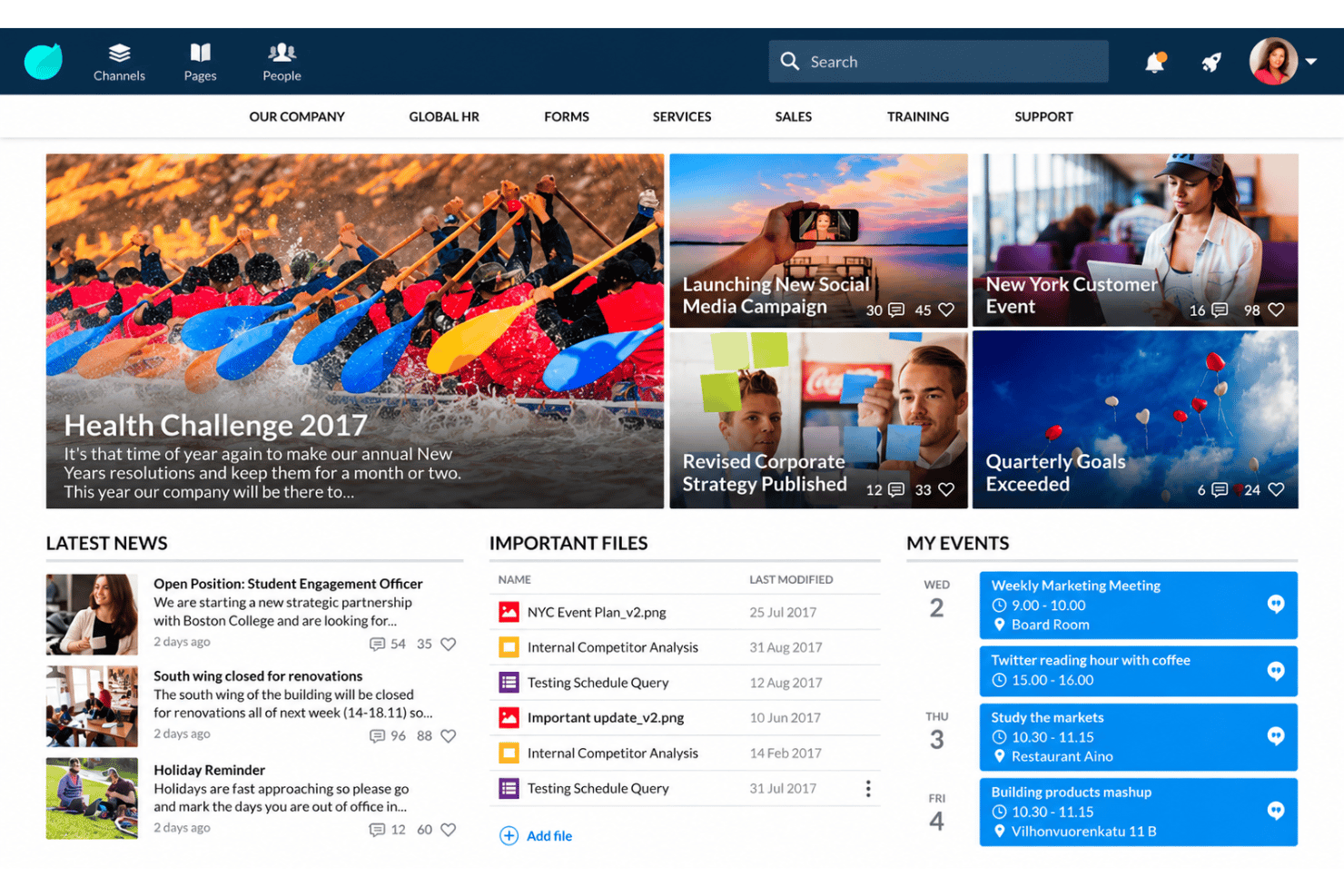
Happeo is an employee intranet software built for organizations running on Google Workspace that want a central hub for company information, collaboration tools, employee directories, and searchable knowledge. I'd consider it if your team needs a polished social intranet with channels, pages, and federated search across Google Drive, but doesn't want the setup overhead of a SharePoint-based option like LumApps. Compared to Workplace from Meta, which shut down in 2025, Happeo gives you a stable, Google-native alternative with stronger content management and governance for internal knowledge.
Happeo Evaluation Summary
- Pricing upon request
- Free trial available
Varför du kan lita på våra programvarurecensioner
Vårt team har testat och recenserat programvara sedan 2012. Som HR-experter själva vet vi hur svårt — och viktigt — det är att välja rätt programvara.
För den här guiden utvärderade vi verktyg genom praktisk testning och oberoende research, och betygsatte verktygen enligt våra urvalskriterier. Vi drar även nytta av insikter från branschens tankeledare och praktiserande HR-experter.
Våra recensioner speglar vårt mänskliga redaktionella omdöme, inte ett säljbudskap.
Expertgranskare:
Happeo Overview
Happeo is a polished intranet for organizations built around Google Workspace. I’d choose it for channels, pages, employee directories, federated search, and governed knowledge sharing in one interface. Its Google-native integrations and approachable onboarding give it an edge over more complex platforms, though pricing and configuration support deserve careful review. Happeo is best suited to hybrid or distributed teams that want a modern internal hub without extensive administration. I’d compare its quote-based cost, support options, and search depth against your content volume before selecting it.
pros
-
Federated search spans Drive, email, and intranet content.
-
Pages, channels, and org charts centralize knowledge and communication.
-
Granular permissions and analytics support governed intranet publishing.
cons
-
Reviewers report searchability still needs improvement inside content.
-
Editors want predefined templates and more top-menu control.
-
Happeo’s Google Workspace dependence limits access for non-Google users.
-

Justworks
Visit WebsiteThis rating combines scores from multiple user review sites to reflect overall customer sentiment about the product.4.6 -
Prevue Assessments
Visit WebsiteThis rating combines scores from multiple user review sites to reflect overall customer sentiment about the product.4.6 -
Small Improvements
Visit WebsiteThis rating combines scores from multiple user review sites to reflect overall customer sentiment about the product.4.3





How We Test & Score Our Tools
We’ve spent years building, refining, and improving our software testing and scoring system. The rubric is designed to capture the nuances of software selection and what makes a tool effective, focusing on critical aspects of the decision-making process.
Below, you can see exactly how our testing and scoring works across seven criteria. It allows us to provide an unbiased evaluation of the software based on core functionality, standout features, ease of use, onboarding, customer support, integrations, customer reviews, and value for money.
Core Functionality (25% of final score)
The starting point of our evaluation is always the core functionality of the tool. Does it have the basic features and functions that a user would expect to see? Are any of those core features locked to higher-tiered pricing plans? At its core, we expect a tool to stand up against the baseline capabilities of its competitors.
Standout Features (25% of final score)
Next, we evaluate uncommon standout features that go above and beyond the core functionality typically found in tools of its kind. A high score reflects specialized or unique features that make the product faster, more efficient, or offer additional value to the user.
We also evaluate how easy it is to integrate with other tools typically found in the tech stack to expand the functionality and utility of the software. Tools offering plentiful native integrations, 3rd party connections, and API access to build custom integrations score best.
Ease of Use (10% of final score)
We consider how quick and easy it is to execute the tasks defined in the core functionality using the tool. High scoring software is well designed, intuitive to use, offers mobile apps, provides templates, and makes relatively complex tasks seem simple.
Onboarding (10% of final score)
We know how important rapid team adoption is for a new platform, so we evaluate how easy it is to learn and use a tool with minimal training. We evaluate how quickly a team member can get set up and start using the tool with no experience. High scoring solutions indicate little or no support is required.
Customer Support (10% of final score)
We review how quick and easy it is to get unstuck and find help by phone, live chat, or knowledge base. Tools and companies that provide real-time support score best, while chatbots score worst.
Customer Reviews (10% of final score)
Beyond our own testing and evaluation, we consider the net promoter score from current and past customers. We review their likelihood, given the option, to choose the tool again for the core functionality. A high scoring software reflects a high net promoter score from current or past customers.
Value for Money (10% of final score)
Lastly, in consideration of all the other criteria, we review the average price of entry level plans against the core features and consider the value of the other evaluation criteria. Software that delivers more, for less, will score higher.
Core Features
Knowledge Pages And Spaces
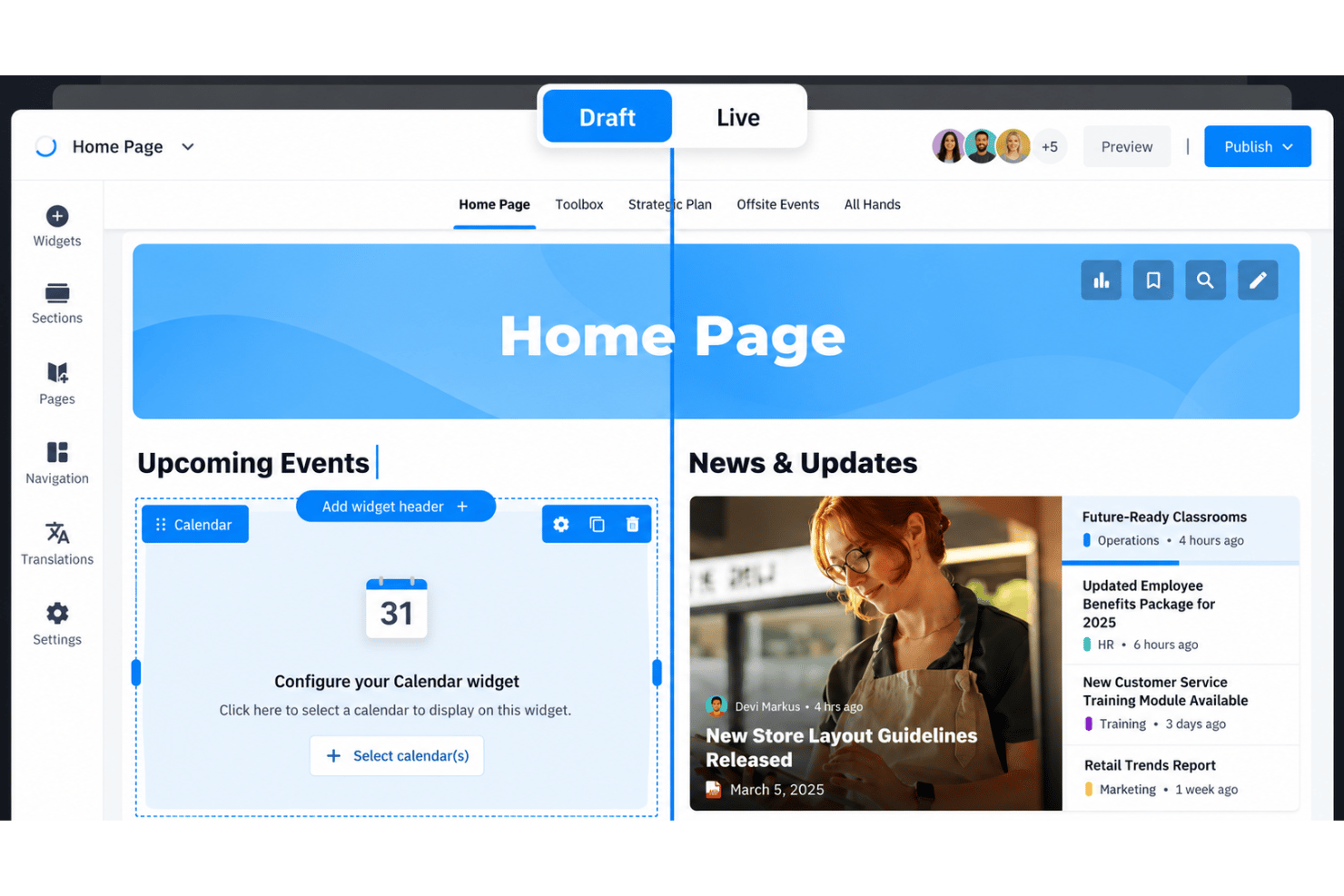
Create structured pages and spaces for policies, onboarding materials, procedures, and department information. Google Docs-style editing and content review reminders help teams maintain current, organized knowledge.
Internal Search
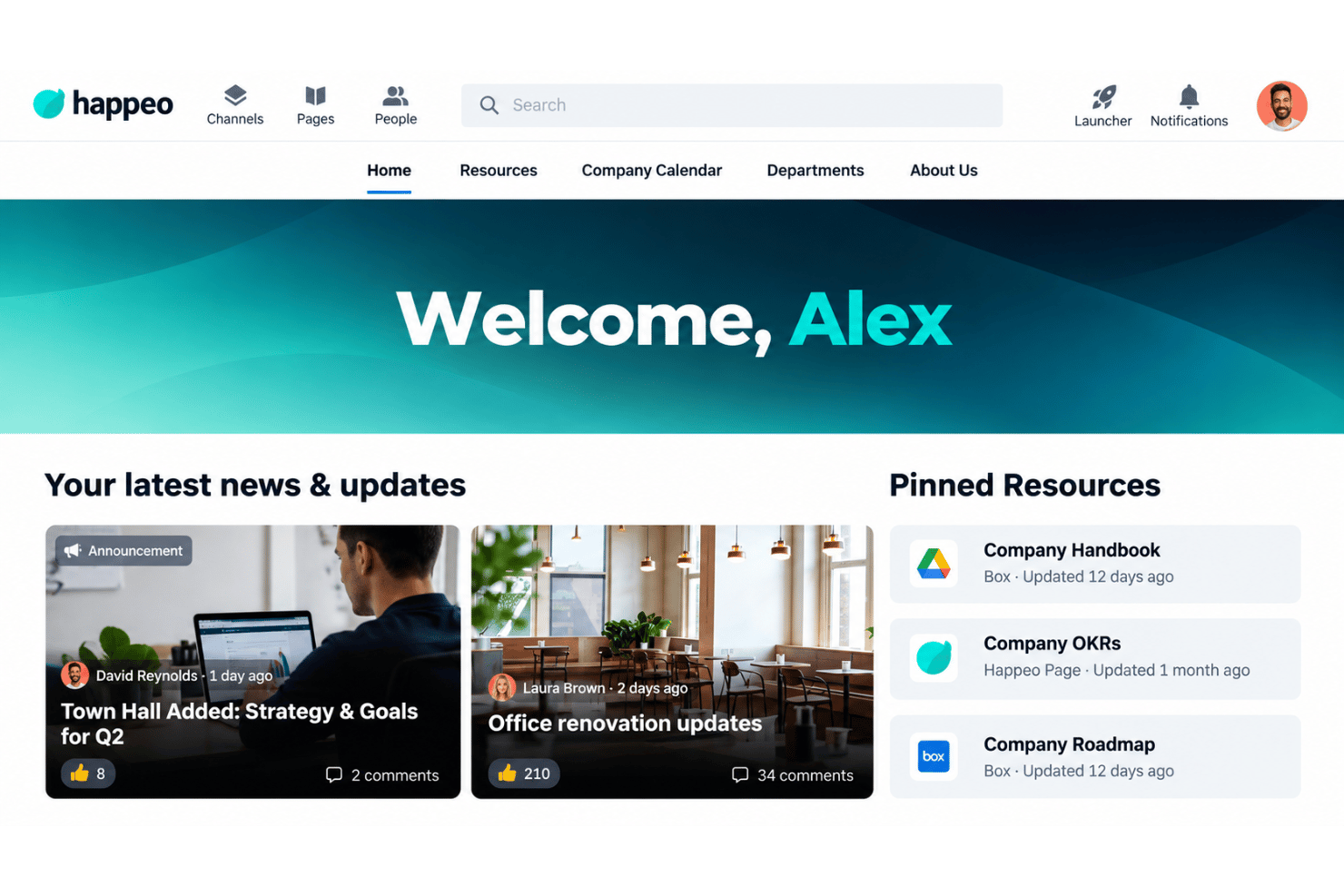
Search Happeo pages, channels, posts, people, and documents from one search bar. Semantic matching, typo tolerance, filters, and permission-based results help employees find relevant information faster.
Channels And Announcements
Publish targeted announcements and organize conversations in channels for departments, locations, or projects. Read tracking shows whether employees have viewed important updates, while searchable posts remain available for later reference.
People Directory And Org Chart
Browse searchable employee profiles alongside an organization chart. Employees can identify the right contact, understand reporting relationships, and find colleagues by department or role.
Permissions And Governance
Assign permissions to control who can view, edit, publish, or manage pages and spaces. Governance controls let HR, IT, and other departments own their content without giving every employee administrative access.
Intranet Analytics
Review engagement, search activity, page performance, and content usage through analytics dashboards. These reports help internal communications and HR teams identify overlooked information and measure whether employees are finding updates.
Ease of Use
Happeo is easy to use for Google Workspace teams, with familiar editing, clear navigation, channels, pages, employee profiles, and one search bar for intranet and Drive content. Its approachable onboarding suits HR and communications teams without dedicated intranet administrators. User reviews still flag inconsistent search results, limited page templates, and restricted top-menu customization. Overall, Happeo feels more approachable than complex enterprise intranets, but less flexible for teams needing deep customization or non-Google workflows.
Integrations
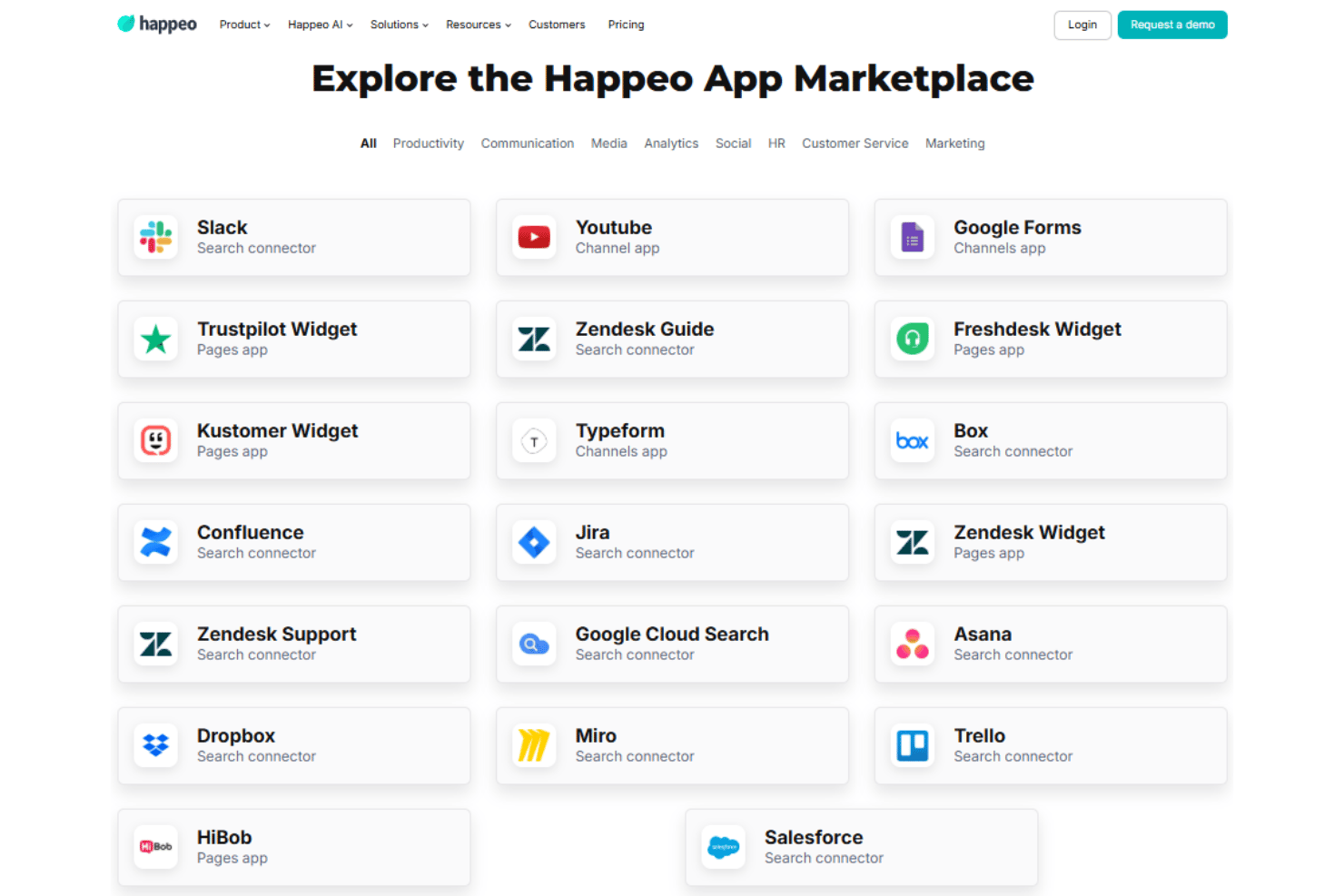
Happeo integrates with Slack, Google Workspace, Microsoft 365, Google Forms, Trustpilot, Zendesk Guide, Freshdesk, Kustomer, Typeform, Box, and Confluence, among others.
Happeo also offers a REST API and Widget SDK for building custom apps and connecting additional third-party tools through its App Marketplace.
Happeo Specs
- 2-Factor Authentication
- API
- Batch Permissions & Access
- Calendar Management
- Call Recording
- Chat
- Contact Management
- Contact Sharing
- Customer Management
- Document Comparison
- Email Integration
- External Integrations
- File Sharing
- File Transfer
- Google Apps Integration
- History/Version Control
- Multi-User
- Notifications
- Project Management
- Scheduling
- Supplier Management
- Video