

10 Best Dropbox Alternatives in 2026

Best Dropbox Alternatives Shortlist


Dropbox is great for simple file sharing, but managing sensitive HR records requires much more. If you need granular access controls, automated compliance tracking, or streamlined employee onboarding, dedicated HR document management software is essential. This guide compares the top Dropbox alternatives to help you find the right fit.
What Is Dropbox?
Dropbox is a cloud-based file storage and real-time collaboration platform that lets individuals and teams store, sync, share, and manage files online. Users can organize documents in folders, control sharing permissions, recover earlier file versions, and access content across web, desktop, and mobile apps. HR teams can use Dropbox to manage policies, contracts, employee records, and other workplace documents.
Dropbox Alternatives Comparison Table
This comparison table highlights pricing and key specs for my top Dropbox alternatives.
| Tool | Best For | Trial Info | Price | ||
|---|---|---|---|---|---|
| 1 | Best for encrypted file sharing with audit trails | 14-day free trial | From $19/user/month (billed annually) | Website | |
| 2 | Best for Microsoft 365-native file storage | 30-day free trial | From $7/user/month (billed annually) | Website | |
| 3 | Best for multi-device backup with deep recovery | Not available | From $6.99/month (billed annually) | Website | |
| 4 | Best for regulated teams who need file governance | Free demo + 15-day free trial available | From $22/user/month (billed annually) | Website | |
| 5 | Best for zero-knowledge encrypted file storage | 30-day free trial | From CAD $6/user/month (billed annually) | Website | |
| 6 | Best for teams using Google Workspace | Free plan + 14-day free trial available | From CAD $9.20/user/month (billed annually) | Website | |
| 7 | Best for compliance-heavy storage and control | 14-day free trial | From CAD$21/user/month (billed annually) | Website | |
| 8 | Best for storage with SCIM and compliance controls | Free demo + 14-day free trial available | From $14/user/month (billed annually) | Website | |
| 9 | Best for Zoho-native file storage | Free plan available | From CAD $3/user/month (billed annually) | Website | |
| 10 | Best for self-hosted storage with data sovereignty | Free demo + 14-day free trial available | Pricing upon request | Website |
Why Trust Our Software Recommendations
Our team has been testing and reviewing software since 2012. As HR experts ourselves, we know how difficult—and important—it is to choose the right software.
For this guide, we evaluated tools using hands-on testing and independent research, scoring tools using our selection criteria. We also draw on insights from industry thought leaders and practicing HR experts.
Our reviews reflect our human editorial judgment, not a sales pitch.
Expert reviewers:
Dropbox Alternatives Reviews
Below is a detailed breakdown of top alternatives, covering each software’s key features, pricing, and pros and cons to help you choose the right fit.

Tresorit
Best for encrypted file sharing with audit trails
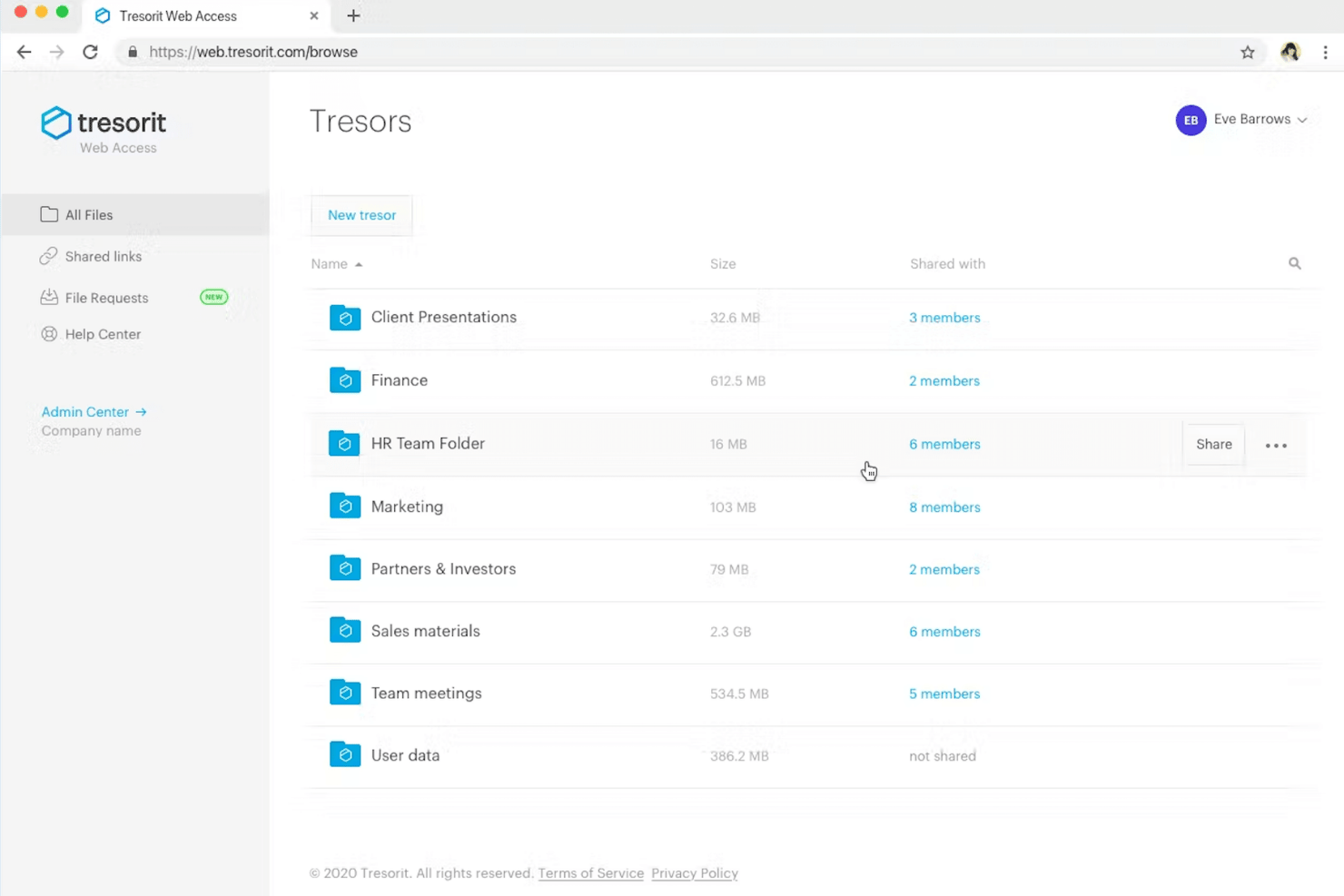
Tresorit is a zero-knowledge, end-to-end encrypted cloud storage platform designed for organizations that need maximum security and strict privacy controls when handling confidential personnel files.
Who Is Tresorit Best For?
Tresorit is best for HR departments, legal teams, and compliance officers operating under privacy mandates like GDPR, HIPAA, or FINRA to protect sensitive employee records.
Why Tresorit Is a Good Dropbox Alternative
I picked Tresorit because it combines encrypted file sharing with audit trails, making it a strong Dropbox alternative for HR records. I use permission controls to limit access to employee files and confidential policies. Audit trails help my team review who accessed or shared documents during sensitive HR and legal workflows.
Tresorit Key Features
- Zero-knowledge architecture: Ensures files are encrypted locally on the sender’s device to avoid third-party breaches.
- Data residency controls: Select specific geographical regions and cloud server locations to store employee data.
- Encrypted link security: Share sensitive HR documents using protected links.
- Remote device wipe: Revoke access and erase cached Tresorit files from managed company or employee devices if a device is lost, stolen, or compromised.
Tresorit Integrations
Tresorit integrates with Microsoft 365, Microsoft Teams, Gmail, and Microsoft Sentinel. It also provides an API for custom integrations.
Pros and Cons
Pros:
- Low learning curve for non-technical users
- Audit trails document file access and sharing
- Offers maximum data privacy
Cons:
- Large-file uploads can feel slow
- Sync can lag behind faster competitors
OneDrive
Best for Microsoft 365-native file storage
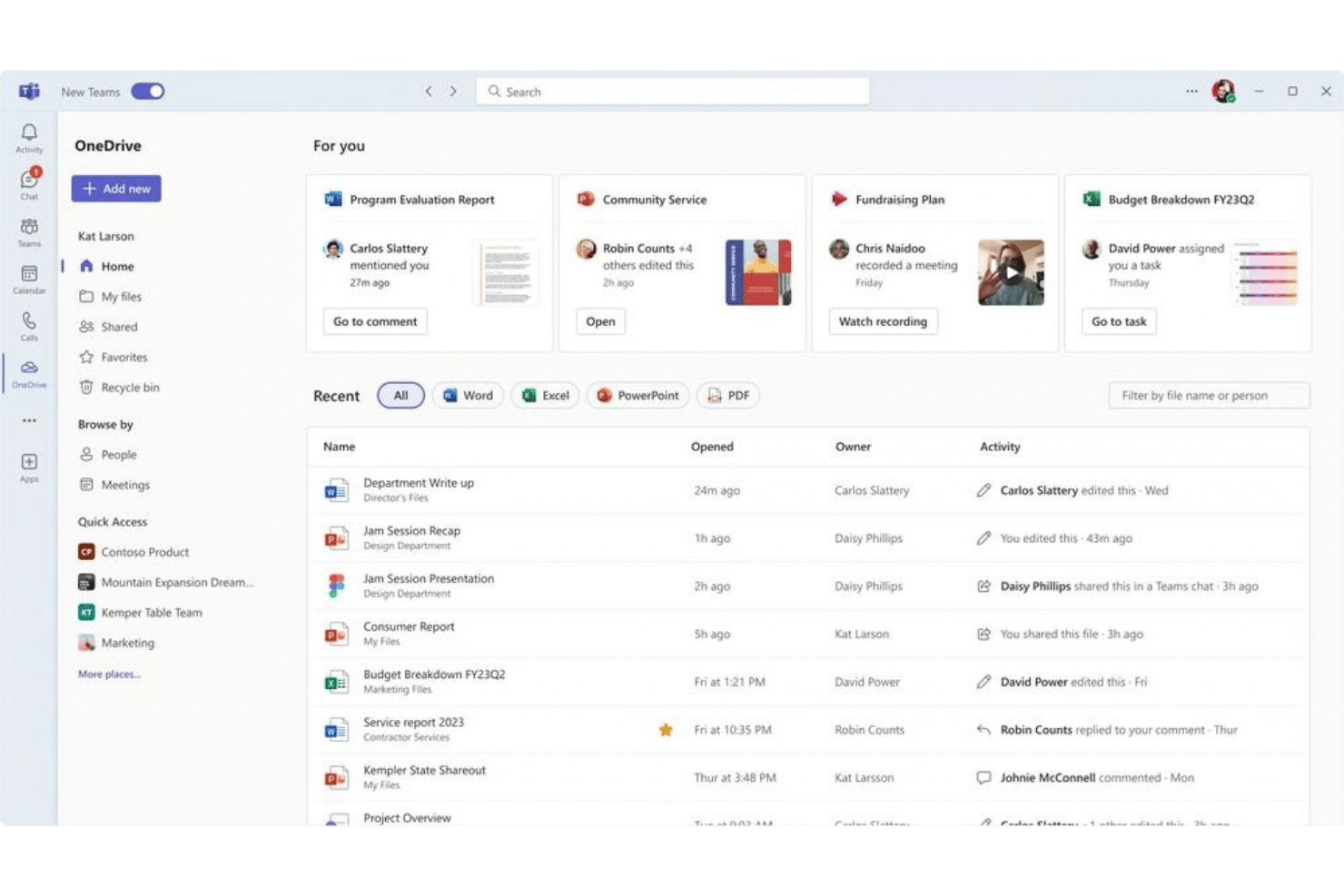
OneDrive (Microsoft OneDrive)is cloud file storage for teams that need secure document sharing, permissions, version history, and easy access to employee records.
Who Is OneDrive Best For?
OneDrive is a good fit for HR teams at organizations already using Microsoft 365 for centralized employee document management.
Why OneDrive Is a Good Dropbox Alternative
I rate OneDrive highly because its Microsoft 365-native file storage keeps HR records alongside Word and Excel documents. Its version history helps review policy changes without creating duplicate copies, while selective sync allows staff to access sensitive employee files locally only when needed without taking up local disk space.
OneDrive Key Features
- Personal Vault: Store sensitive documents behind identity verification.
- Mobile document scanning: Scan paper records into OneDrive from the mobile app.
- File search: Find files by name, content, or file type.
- Files On-Demand: Access cloud files without downloading them to your device.
OneDrive Integrations
OneDrive integrates across the Microsoft ecosystem, including Microsoft 365, Microsoft Teams, SharePoint, Word, and Excel. An API is also available for custom integrations.
Pros and Cons
Pros:
- Protects sensitive files with verification
- Easy to restore earlier document drafts
- Intuitive user interface
Cons:
- Permission management becomes confusing across shared folders
- Large uploads can synchronize slowly
IDrive
Best for multi-device backup with deep recovery
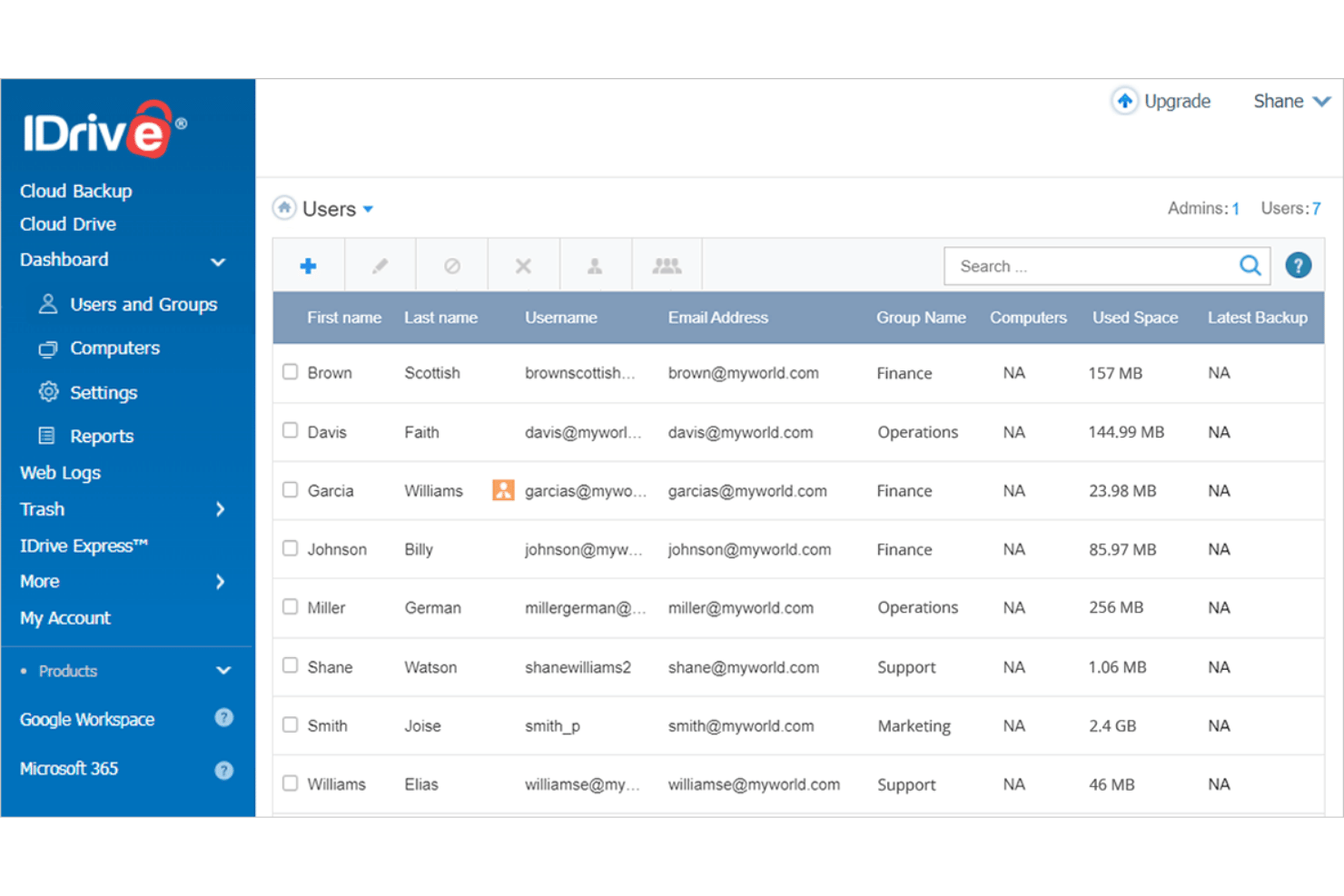
IDrive is a cloud backup and archive solution that provides centralized, multi-device data protection, continuous file versioning, and immutable storage safeguards for sensitive personnel records.
Who Is IDrive Best For?
IDrive is best for HR and IT teams managing remote workforces that need to automatically back up workstations, mobile devices, external drives, and application databases.
Why IDrive Is a Good Dropbox Alternative
I picked IDrive because it’s built for multi-device backup with deep recovery. My team uses it to back up employee files from laptops, servers, mobile devices, and external drives. Version history and deleted-file recovery help us restore recruitment records or policy documents when someone overwrites or removes them.
IDrive Key Features
- Private encryption keys: Lets your team choose an encryption key IDrive doesn’t store.
- Continuous Data Protection (CDP): Captures file changes as they occur.
- Immutable storage: Protects backed-up HR files from ransomware changes.
- IDrive Express: Accelerates large-scale data backup by shipping physical hard drives to avoid network bandwidth bottlenecks.
IDrive Integrations
IDrive integrates with Microsoft 365, Microsoft Entra ID, Google Workspace, Salesforce, and Synology. It also supports API for custom integrations.
Pros and Cons
Pros:
- Strong encryption protects sensitive records
- Version history restores overwritten employee files
- Backs up many devices under one account
Cons:
- Restore speeds can frustrate large recoveries
- Sync storage feels secondary to backup

Egnyte
Best for regulated teams who need file governance
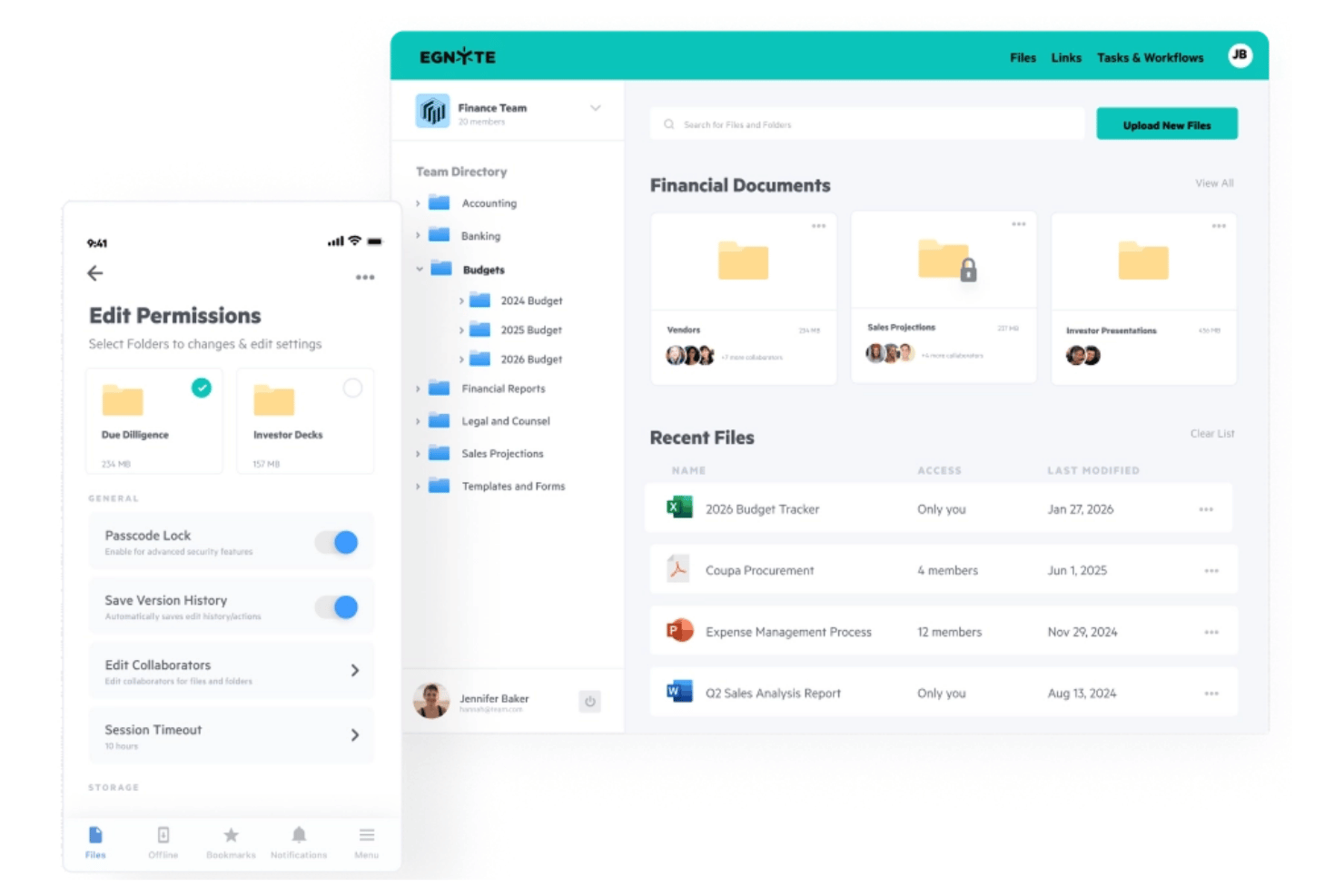
Egnyte is an AI-powered content cloud for HR teams with centralized employee files, permission controls, audit trails, and compliant sharing.
Who Is Egnyte Best For?
Egnyte is best for HR teams in regulated industries—such as healthcare, finance, or government contracting—who must strictly control confidential personnel records across hybrid or distributed workforces.
Why Egnyte Is a Good Dropbox Alternative
I picked Egnyte because it bridges local desktop access with cloud storage while enforcing automatic retention schedules and automated review workflows. Unlike standard consumer cloud storage, it combines hybrid desktop syncing with compliance-grade controls, letting teams process sensitive HR documents without risking policy breaches or data sprawl.
Egnyte Key Features
- Co-editing: Edit complex files with others without downloads or version conflicts.
- AI Assistant: Summarize documents and create custom prompts for content tasks.
- AI search: Search text, audio, video, and metadata with filters.
- Electronic signatures: Route documents for e-signature through automated workflows.
Egnyte Integrations
Egnyte integrates with Microsoft 365, Google Workspace, Salesforce, DocuSign, Procore, Bluebeam, Zapier, and Jotform. An API for custom integrations is also available.
Pros and Cons
Pros:
- Secure external sharing supports sensitive documents
- Detailed audit trails track file activity
- Offers granular permission controls
Cons:
- Sharing limits can be unclear
- Desktop sync can report false successes
Sync
Best for zero-knowledge encrypted file storage
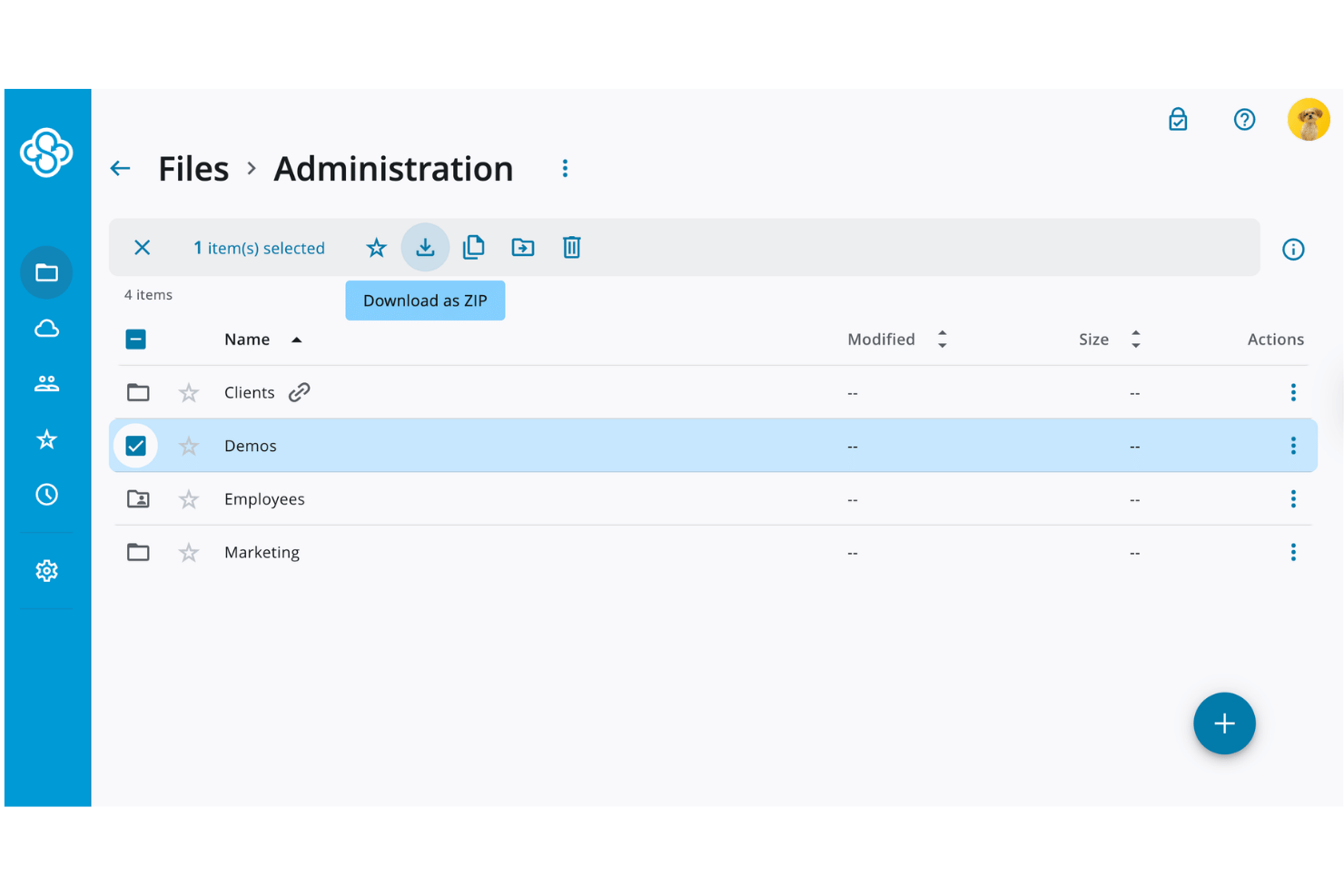
Sync (sync.com) is a cloud file storage and document collaboration platform that organizes employee records, shares policies, and controls access to sensitive workplace documents.
Who Is Sync Best For?
Sync is a strong fit for HR teams that need zero-knowledge encryption for confidential employee records, policies, and workplace documents.
Why Sync Is a Good Dropbox Alternative
I picked Sync because its zero-knowledge encrypted file storage keeps employee records private, even from Sync. My team uses centralized folders and permission controls to share policies with specific colleagues or external collaborators. Real-time backup and file recovery also help us restore records after accidental deletion or ransomware.
Sync Key Features
- Cross-device access: Open files from web, desktop, and mobile apps.
- Custom-branded file portal: Share documents through a portal featuring your company logo.
- Files on demand: Browse cloud files through Windows Explorer or Mac Finder.
- Unlimited storage plans: Pro Teams Unlimited includes unlimited storage and data transfer.
Sync Integrations
Sync integrates with Microsoft Office 365, but other native integrations and API support aren’t clearly documented.
Pros and Cons
Pros:
- Ransomware recovery restores accidentally deleted files
- Compliant with HIPAA, GDPR, and Canadian PIPEDA laws
- Unlimited storage supports large HR archives
Cons:
- No built-in web preview or co-editing
- Uploads can feel slow for large libraries

Best for teams using Google Workspace
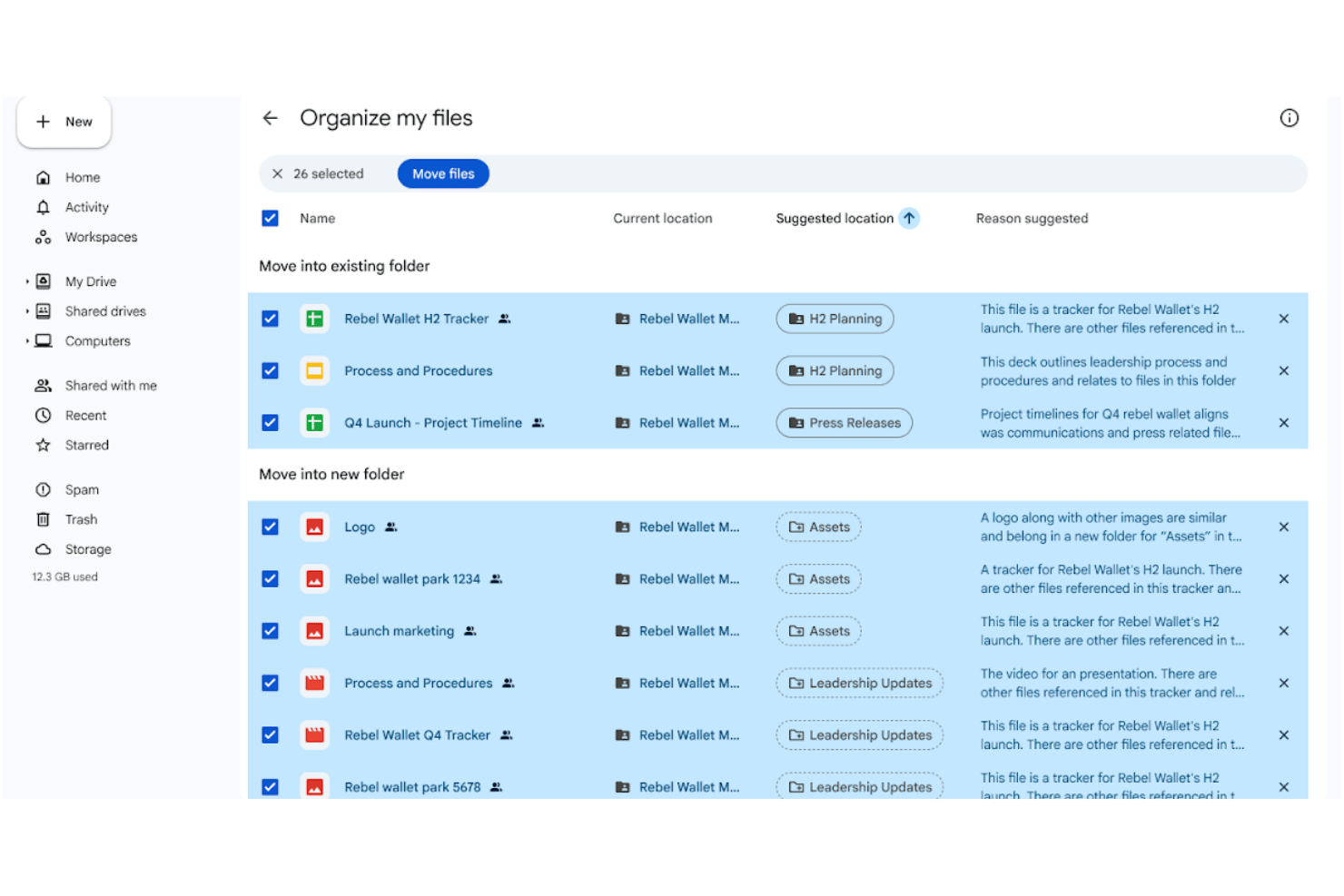
Google Drive is a cloud-based file storage and collaboration platform for teams managing personnel records, policies, and shared files across the organization.
Who Is Google Drive Best For?
Google Drive is a strong fit for HR teams that already use Google Workspace and need shared access to personnel files, policies, and team documents.
Why Google Drive Is a Good Dropbox Alternative
I’ve included Google Drive because it combines cloud file storage with a built-in productivity suite and a much more generous free tier. I use shared drives for HR policies and personnel files, then manage access through role-based permissions. Version history also lets me review or restore changes to key documents.
Google Drive Key Features
- AI-powered search: Finds relevant files using natural-language queries and file activity.
- Electronic signatures: Requests and manages signatures for contracts and approvals.
- PDF annotation: Adds comments and text highlights to PDF documents.
- Ransomware protection: Detects threats and supports file recovery through Drive for desktop.
Google Drive Integrations
Google Drive integrates deeply with Google Workspace, including Google Sheets, Gmail, and Google Meet. It also offers an API for custom integrations.
Pros and Cons
Pros:
- Natural-language search locates documents quickly
- Offers higher file storage than Dropbox
- Easy-to-use interface
Cons:
- Desktop sync can create duplicate files
- Permission settings can confuse occasional collaborators
Box
Best for compliance-heavy storage and control
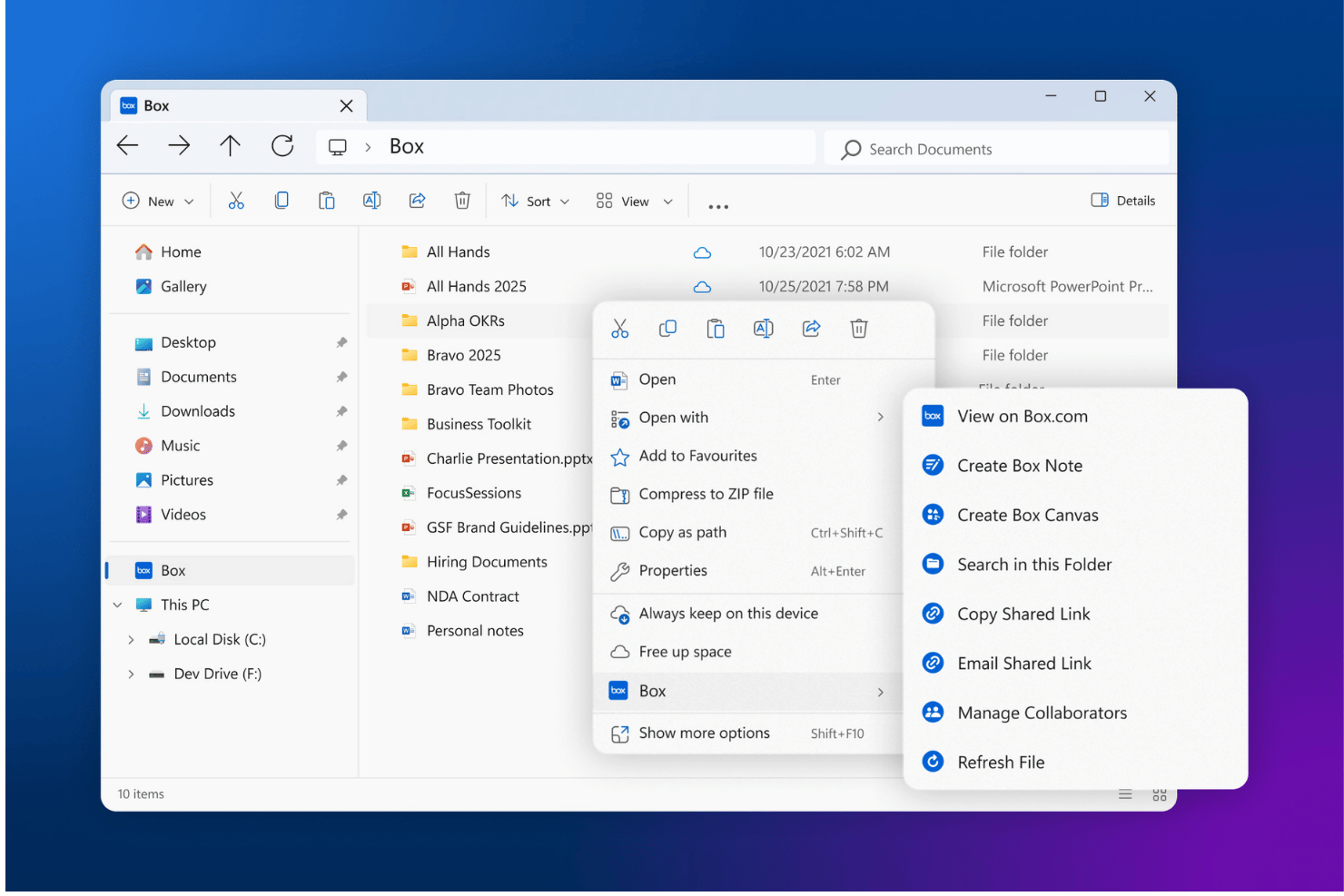
Box is a cloud content management platform for organizing employee records, sharing documents, managing approvals, and controlling access across internal and external stakeholders.
Who Is Box Best For?
Box is best for mid-market and enterprise HR teams that require strict administrative governance, legal hold capabilities, and automated cross-departmental review processes for confidential employee records.
Why Box Is a Good Dropbox Alternative
I picked Box because of its fine-grained permission controls (7 distinct access levels), built-in legal holds, and automated retention schedules. Paired with native AI agents capable of summarizing complex policy binders or analyzing bulk candidate forms, Box offers security-first compliance and workflow automation far beyond standard cloud storage drives.
Box Key Features
- E-signatures: Send HR forms for signature, approval, and tracking within Box.
- Box AI: Ask questions about stored documents and generate summaries.
- Workflow automation: Create processes for onboarding and approvals using a drag-and-drop builder.
- Box Shield: Automatically classify sensitive personal data and detect unauthorized access attempts or suspicious download activity in real time.
Box Integrations
Box offers 1,500+ integrations, including Microsoft 365, Google Workspace, Salesforce, ServiceNow, Slack, Zapier, Adobe Acrobat, and HubSpot. It provides open APIs for custom integrations.
Pros and Cons
Pros:
- Includes a built-in suite of tools
- Retention policies support audits and legal holds
- Granular permissions protect sensitive employee records
Cons:
- Advanced administration requires substantial configuration
- Premium compliance tools can be costly
Best for storage with SCIM and compliance controls
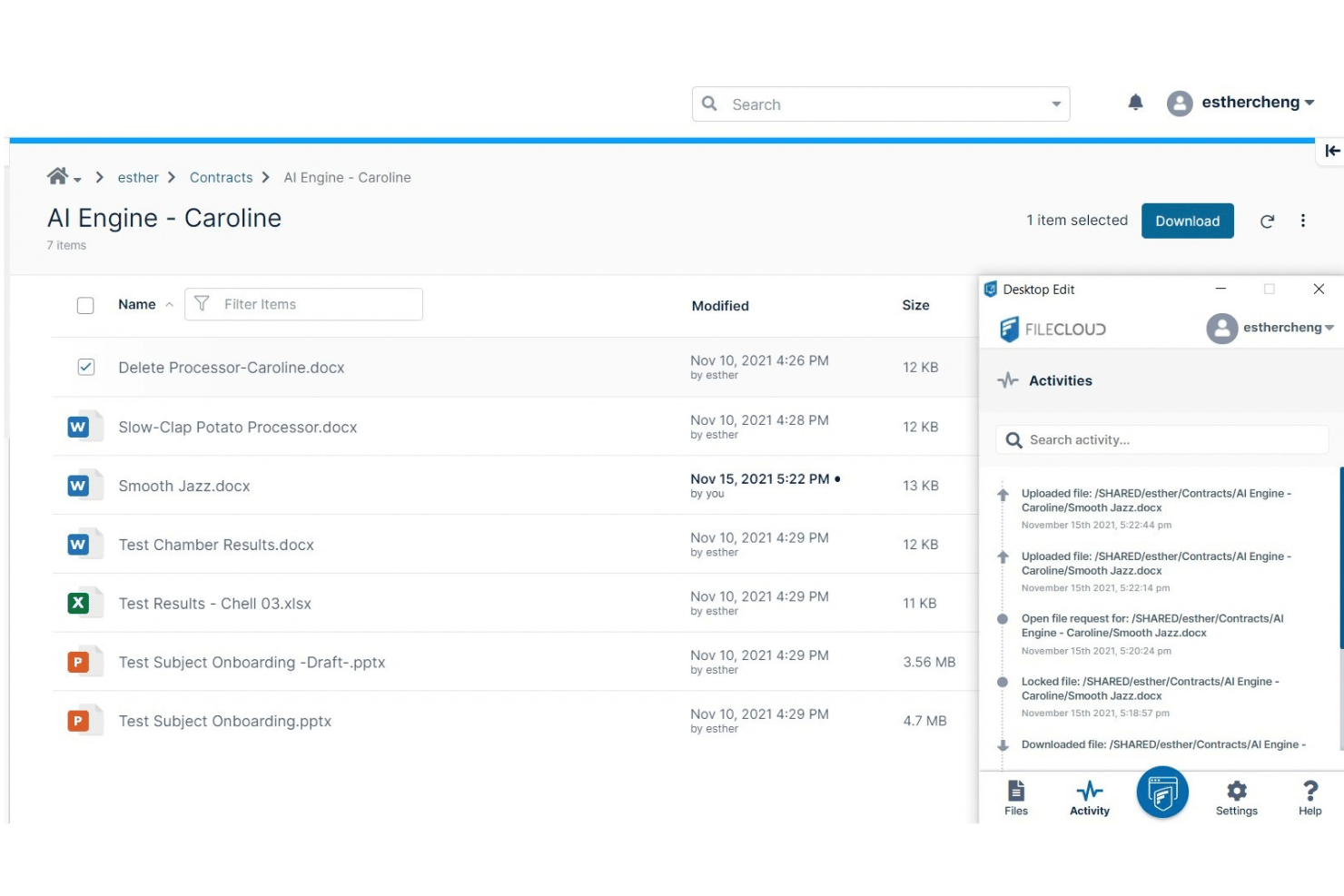
FileCloud is an enterprise content governance platform that offers self-hosted, cloud, or hybrid storage to provide organizations with complete control over where sensitive personnel records reside.
Who Is FileCloud Best For?
FileCloud suits HR and IT teams that need controlled document storage with SCIM provisioning and compliance-focused granular access controls.
Why FileCloud Is a Good Dropbox Alternative
I picked FileCloud because it combines flexible hosting—on-premises, private cloud, or AWS/Azure—with Zero Trust file sharing and built-in Digital Rights Management (DRM). You can enforce precise, context-aware access policies based on employee location, IP ranges, or device posture, ensuring sensitive HR records cannot be shared or downloaded without explicit authorization.
FileCloud Key Features
- File versioning: Keeps previous document versions available for review.
- Audit logs: Records user actions, timestamps, IP addresses, and devices.
- Metadata management: Adds custom fields and extracts metadata from files.
- No-code workflow automation: Build automated approval paths for document sign-offs, onboarding requests, and internal reviews.
FileCloud Integrations
FileCloud supports integrations with Microsoft Entra ID, Signit, Microsoft Teams, Google Docs, Okta, AWS S3, Azure Blob, Wasabi, and Zapier. A REST API for custom integrations is also available.
Pros and Cons
Pros:
- Secure unlimited external guest sharing
- Strong security engine to keep files safe
- Self-hosted deployment preserves data control
Cons:
- Sync delays on large folders or files
- User interface can feel dense and technical
Best for Zoho-native file storage
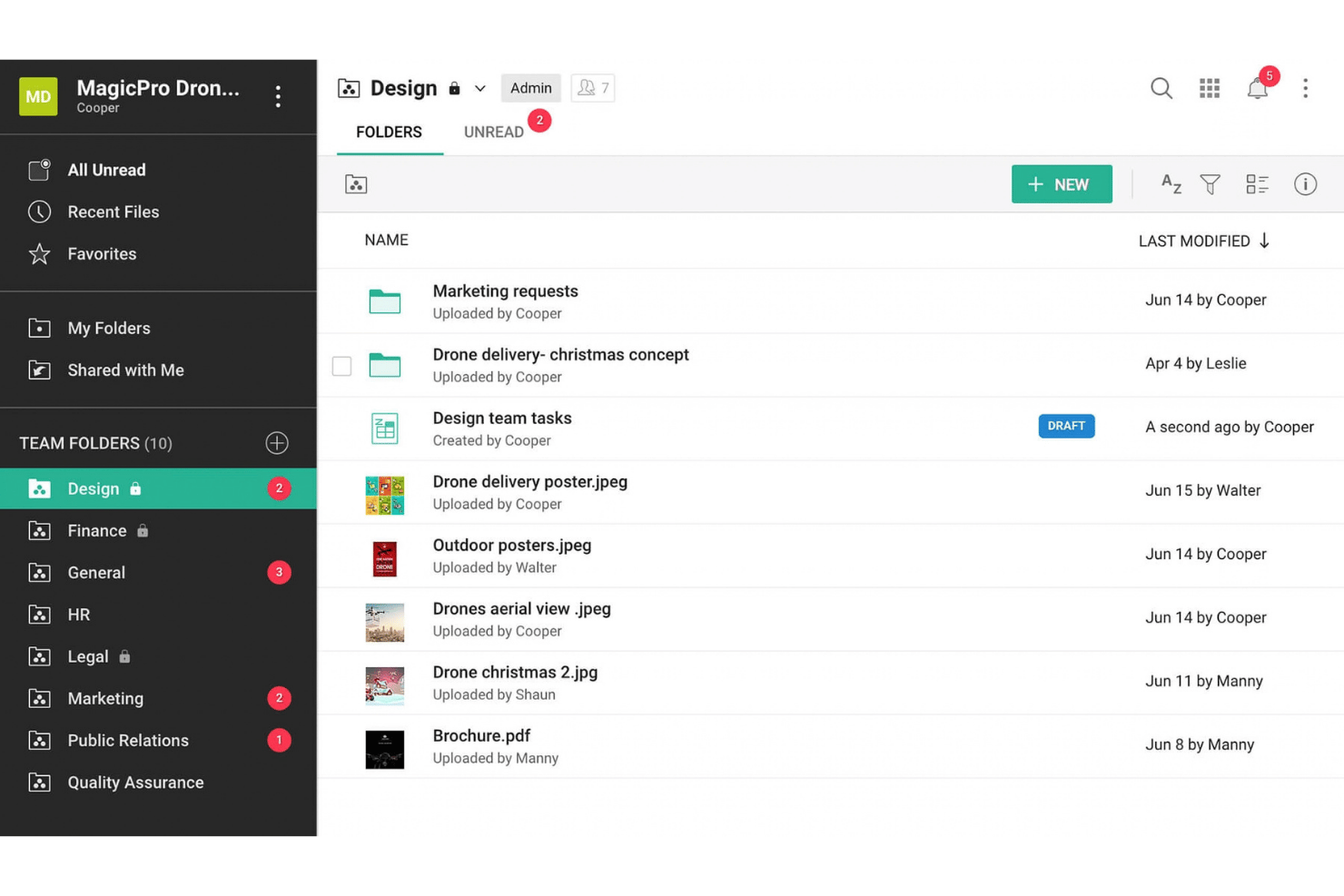
Zoho WorkDrive is an enterprise content collaboration platform designed for teams to store, manage, and collaborate on documents within structured team folders and custom workspaces.
Who Is Zoho WorkDrive Best For?
Zoho WorkDrive is best for SMBs and growing organizations already using Zoho that need unified document management.
Why Zoho WorkDrive Is a Good Dropbox Alternative
I picked Zoho WorkDrive for Zoho-native file storage because your team can centralize personnel files and collaborate on documents in real time. Its Writer, Sheet, and Show integration keeps HR documents within the Zoho ecosystem, while file organization and search locate policies, forms, and records quickly.
Zoho WorkDrive Key Features
- Workflow automation: Create rules for recurring document tasks and approvals.
- File collection: Request and receive employee documents through dedicated links.
- Admin console: Manage team access, roles, and workspace settings.
- Offline sync: Access selected files without an internet connection.
Zoho WorkDrive Integrations
Zoho WorkDrive integrates with Zoho Cliq, Zoho Connect, Gmail, Microsoft Office, Zapier, and Outlook. It also offers a REST API for custom integrations.
Pros and Cons
Pros:
- Offers native tools for document creation
- Team folders support structured document ownership
- Offers multiple features at a fraction of the cost
Cons:
- Interface sometimes loads slowly
- Sync can take longer than expected
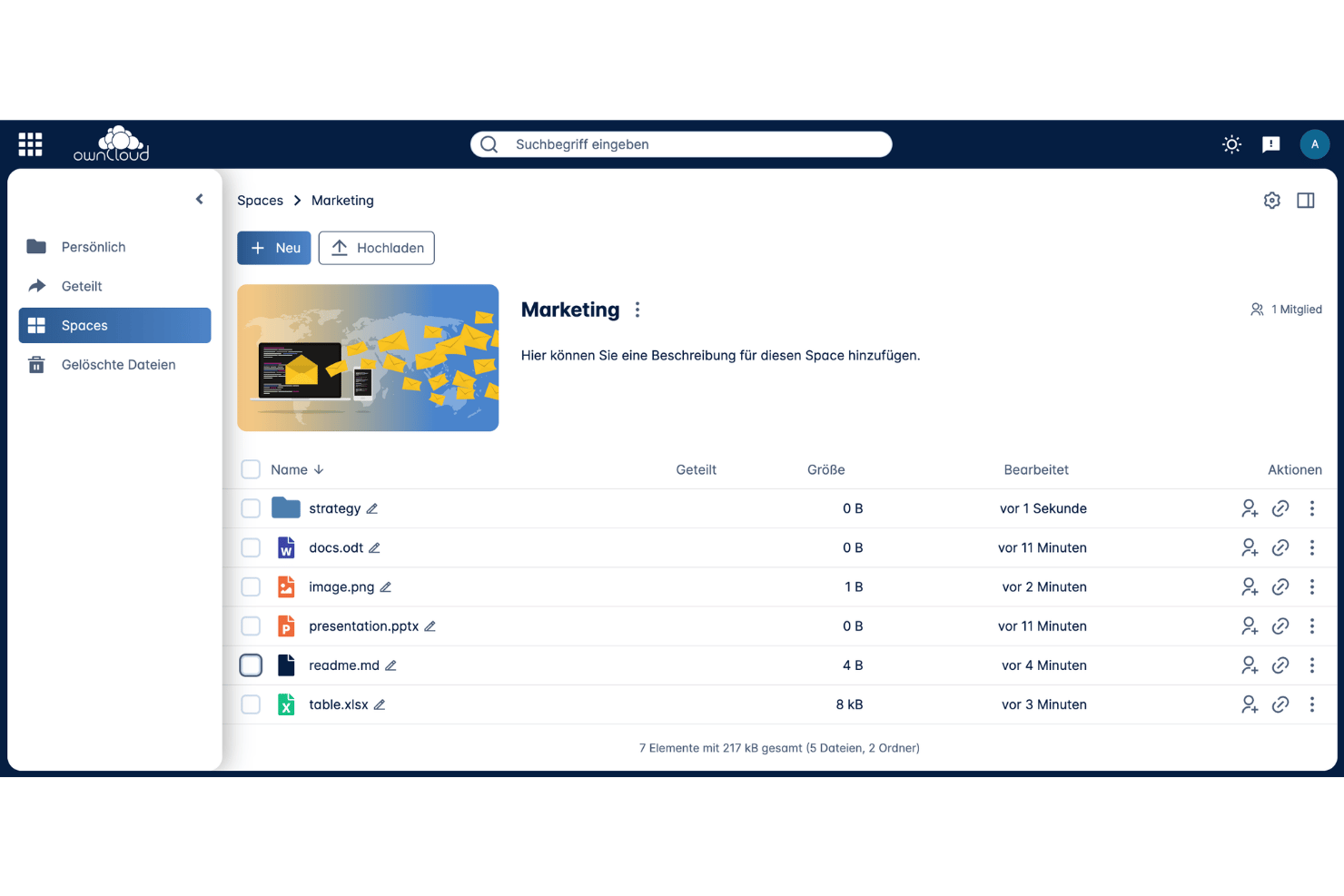
ownCloud, by Kiteworks, is an open-source content collaboration platform designed for teams that need controlled document access, secure external sharing, versioned files, and alternatives to public-cloud storage.
Who Is ownCloud Best For?
ownCloud is best for HR teams with strict data-residency requirements that must host confidential employee records within their own data centers or private cloud environments.
Why ownCloud Is a Good Dropbox Alternative
I picked ownCloud because it supports self-hosted storage with data sovereignty. You can deploy HR files on-premises or in a chosen data center, with encryption, two-factor authentication, and file lifecycle management. I recommend using its password-protected, expiring links when sharing employee documents externally.
ownCloud Key Features
- Isolated spaces: Organize documents into dedicated, project-level storage environments for independent file access.
- Automated file firewall & workflows: Set rule-based access policies to block unapproved file operations.
- Real-time co-authoring: Work simultaneously on documents and presentations with your team.
- Secure view dynamic watermarking: Prevent sensitive personnel record leaks by displaying view-only documents with dynamically generated user timestamps and IP watermarks.
ownCloud Integrations
ownCloud’s Web Office supports integrations with OnlyOffice, Microsoft 365, Collabora Online, and Microsoft Office Online. An API for custom integrations is also available.
Pros and Cons
Pros:
- File lifecycle management supports retention policies
- Password-protected, expiring external sharing links
- Self-hosting keeps employee files under your control
Cons:
- Sync performance depends on server configuration
- Deployment requires infrastructure and administrator expertise
Other Dropbox Alternatives
Here are some additional alternatives that didn’t make it onto my shortlist but are still worth checking out:
- ShareFile
For client file exchange with custom branding
- Seafile
For self-hosted file sync on personal server
- pCloud
For lifetime storage with Swiss-grade encryption
- MEGA
For storing large files at low per-TB cost
- Nextcloud
For open-source file storage
- Koofr
For EU-hosted file storage
- Proton Drive
For privacy-first encrypted file storage
- Apple iCloud Drive
For teams using Apple to store and sync files
- CentreStack
For file server access without a VPN
- Jottacloud
For unlimited-user storage


How I Evaluate Dropbox Alternatives
I split my evaluation into three parts. First, core functionality: a tool must sync files reliably and control sharing permissions with granularity—these carry the most weight. Second, I look for admin compliance dashboards. Third, I consider migration support and total cost of ownership.
Core Functionality (Table Stakes for This List)
When I'm selecting tools for my list, I score each one on a scale from 0 (does not offer the functionality) to 5 (excels in this area) for each core functionality listed below. I then convert the total into a percentage to help assess each tool's overall fit, with extra weight on any functionalities I've deemed essential.
- File Sync & Storage (Essential): I check whether changes propagate across devices in near real-time and how the platform handles sync conflicts when two people edit the same file.
- Sharing & Permissions Control (Essential): I look for granular options like link expiration, password-protected shares, and folder-level role assignments that let you lock down employee records by department or team.
- Cross-Platform Accessibility: Desktop, web, and mobile apps all need consistent functionality so remote HR leads can pull up a policy document from a phone just as easily as from a laptop.
- Version History & Recovery: I evaluate how far back version history extends and how quickly you can restore an overwritten file, which matters when someone accidentally saves over a signed offer letter.
- Collaborative Editing: Real-time co-editing and inline commenting reduce the back-and-forth of downloading, revising, and re-uploading drafts of handbooks or benefit summaries.
- Storage Scalability: I consider how storage tiers grow with your organization, especially whether adding headcount or archiving years of employee files forces a steep jump to the next plan.
Once I have a list of tools that meet the criteria, I consider what sets each platform apart.
Differentiating Factors (What Sets Vendors Apart)
Here's how I compare and contrast different vendors:
Standout Features
I look for admin compliance dashboards that give HR leaders visibility into who accessed employee files, when, and what was shared externally. I also evaluate client and guest portals—tools like ShareFile and Tresorit let you exchange offer letters or contracts with candidates without requiring them to create an account. Smart search with AI content classification matters too, especially when you need to locate files containing PII across years of records.
Beyond Features
I check where each vendor physically stores data and whether regional hosting options exist, since HR teams handling employee records often need to confirm GDPR or SOC 2 alignment firsthand. Migration support matters too—I look for tools that preserve folder structures and permissions during the switch from Dropbox, because rebuilding nested department folders manually wastes weeks. I also evaluate SSO and directory integrations with providers like Okta or Azure AD, which tie user provisioning to employee lifecycle events like onboarding and offboarding.
Why Look for Dropbox Alternatives?
While Dropbox is a good document management software, some users seek alternatives for specific needs. You might be looking for an alternative because of the following reasons:
- Limited HR-specific workflows for employee records
- Sharing controls that feel too broad for sensitive files
- Higher costs as teams add storage and advanced controls
- Regional hosting requirements that Dropbox may not meet
- Migration concerns when preserving permissions and folder structures
Dropbox Key Features
Here are some of the key features of Dropbox to help you contrast and compare what other solutions offer:
- File syncing and storage: Store HR files centrally and sync updates across desktop, web, and mobile apps.
- Sharing permissions: Set view or edit access for shared folders and files. Passwords, link expiration dates, and restricted sharing options help control access to sensitive employee information.
- Version history and recovery: Restore deleted files or earlier versions when someone overwrites an offer letter, policy, or benefits document.
- Team folders and groups: Organize records by department, location, or document type. Groups let administrators assign access to multiple employees without managing every person individually.
- Audit logs: Review activity reports showing events such as logins, file changes, downloads, sharing actions, and membership updates.
- Single sign-on and provisioning: Connect Dropbox with SAML 2.0 identity providers and directory services. Administrators can manage account access during onboarding, role changes, and offboarding.
- Device and account controls: Unlink devices, end active sessions, remove local copies, or remotely wipe company data. Admins can also transfer files from a deactivated user to another team member.
- PDF editing and eSignatures: Edit PDF forms and send documents for electronic signatures through Dropbox and Dropbox Sign.
- File transfer: Send large files through Dropbox Transfer instead of attaching them to email.
Costs and Pricing of Dropbox Alternatives
Selecting the best alternative requires understanding the pricing models and plans available. Costs vary based on features, team size, add-ons, and storage requirements. The table below summarizes common plans, average prices, and typical features offered by alternative software.
Plan Comparison Table for Dropbox Alternatives
| Plan Type | Average Price | Common Features |
|---|---|---|
| Free Plan | $0/user/month | Limited storage, basic file sharing, device synchronization, and standard support. |
| Personal Plan | $5-$25/user/month | Increased storage, file version history, sharing permissions, and mobile access. |
| Business Plan | $15-$50/user/month | Team folders, administrator controls, audit logs, collaboration tools, and priority support. |
| Enterprise Plan | $25-$100/user/month or custom pricing | Advanced security, single sign-on, compliance controls, dedicated support, and custom storage options. |