

10 Best Enterprise AI Solutions Reviewed in 2026

Best Enterprise AI Solutions Shortlist


Managing HR today means juggling numerous data points, employee needs, and making swift decisions—all at once. That’s where enterprise AI solutions come in. They handle repetitive tasks, turn data into insights, and help you plan your workforce more effectively so you can focus on the people behind the numbers.
From my experience testing and reviewing HR software, I’ve seen how the right AI tools can transform everyday operations. In this article, I’ll share the top enterprise AI solutions I’ve reviewed, highlighting their key capabilities and how they can make your team’s work easier and more efficient.
Why Trust Our Software Recommendations
Our team has been testing and reviewing software since 2012. As HR experts ourselves, we know how difficult—and important—it is to choose the right software.
For this guide, we evaluated tools using hands-on testing and independent research, scoring tools using our selection criteria. We also draw on insights from industry thought leaders and practicing HR experts.
Our reviews reflect our human editorial judgment, not a sales pitch.
Expert reviewers:
Enterprise AI Solutions Comparison Table
This comparison table summarizes pricing details for my top enterprise AI solution selections:
| Tool | Best For | Trial Info | Price | ||
|---|---|---|---|---|---|
| 1 | Best with customizable AI-powered workflows | Free plan available; 14-day free trial | From $9/user/month (billed annually) | Website | |
| 2 | Best for tailored HR AI workflows | Free demo available | Pricing upon request | Website | |
| 3 | Best for AI-driven HR analytics | Free demo available | Pricing upon request | Website | |
| 4 | Best for AI payroll automation tools | Free demo available | Pricing upon request | Website | |
| 5 | Best for AI global compliance features | 30-day free trial + free demo | Pricing upon request | Website | |
| 6 | Best for AI-driven HR support | Free demo | Pricing upon request | Website | |
| 7 | Best for AI-automated employee queries | Free demo available | Pricing upon request | Website | |
| 8 | Best for team collaboration AI tools | Free demo available | Pricing upon request | Website | |
| 9 | Best for AI workforce planning | Free demo available | Pricing upon request | Website | |
| 10 | Best for AI employee engagement feedback tools | Free demo available | Pricing upon request | Website |

Best Enterprise AI Solution Reviews
Below are my detailed summaries of the best enterprise AI solutions that made it onto my shortlist. My reviews offer a detailed look at the key features, pros & cons, integrations, and ideal use cases of each tool to help you find the best one for you.

Best with customizable AI-powered workflows
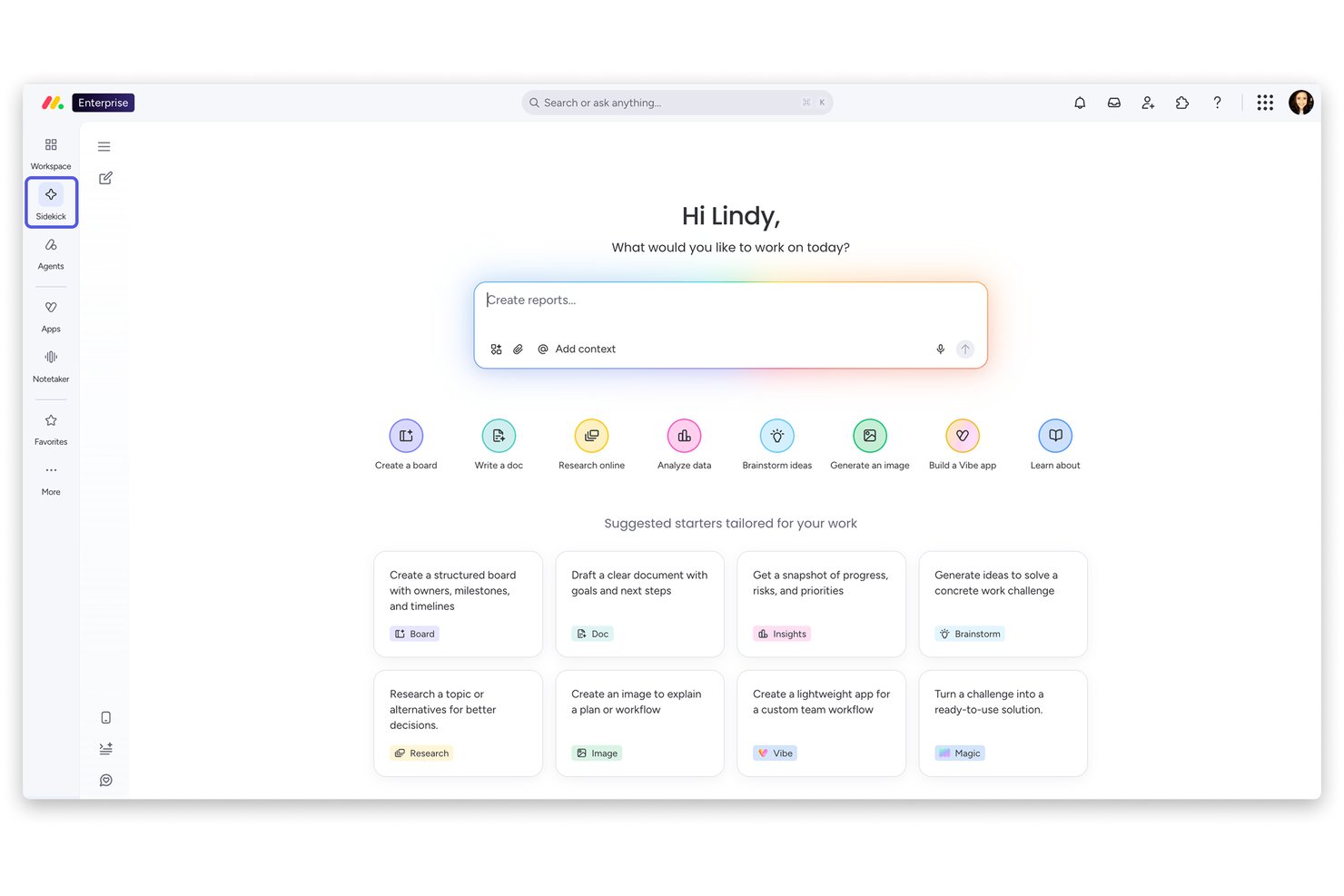
monday AI Workspace is a general-purpose AI work platform that combines no-code agent building, generative AI assistants, automated workflows, and customizable project boards across teams and departments.
Who Is monday AI Workspace Best For?
It's a strong fit for cross-functional enterprise teams that need to coordinate work across multiple departments without being locked into a single-purpose tool.
Why I Picked monday AI Workspace
I've included monday AI Workspace in my top picks because its AI workflow customization goes deeper than most general platforms. AI Blocks let teams embed AI-powered actions directly into any board workflow. The no-code monday agents builder also lets you design and deploy task-specific AI agents without writing code. In practice, my team can automate complex, multi-step processes that adapt to specific needs rather than fitting work into a rigid template.
monday AI Workspace Key Features
- AI-powered Canvas: Enables teams to brainstorm and organize projects visually with real-time collaboration.
- AI Spend Governance: Lets admins set per-user AI credit limits and monitor usage with automated alerts.
- Role-based permissions: Supports multi-level access controls and content restriction for boards and dashboards.
- Two-way email integration: Connects with Gmail and Outlook to manage communications directly within boards.
monday AI Workspace Integrations
monday AI Workspace offers native integrations with Slack, Microsoft Teams, Google Drive, Gmail, Outlook, Zoom, and GitHub. It supports Zapier and provides an API for custom integrations.
Pros and Cons
Pros:
- Strong audit logging and spend governance tools
- No-code AI agent builder supports custom logic
- AI workflow builder adapts across departments
Cons:
- Lacks native talent acquisition AI features
- No purpose-built HR analytics modules
New Product Updates from monday AI Workspace
monday AI Workspace Adds Human Approval Routing
monday AI Workspace adds a human-in-the-loop approval block to AI Workflows, sending approval requests and routing workflow paths based on responses. For more information, visit monday AI Workspace's official site.
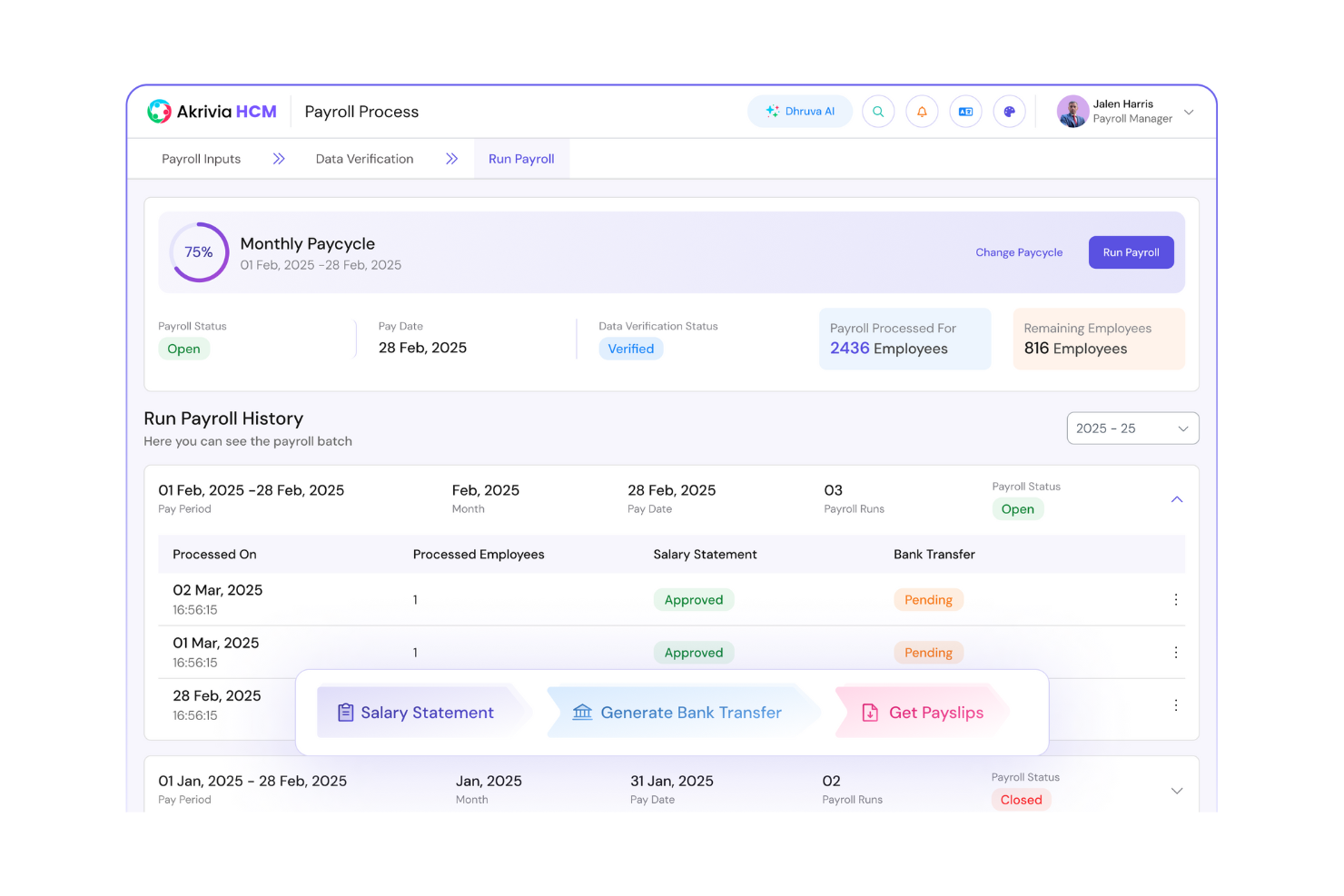
Best for tailored HR AI workflows
Pros and Cons
Pros:
- Provides insightful workforce analytics
- Effective automation of HR tasks
- Highly customizable workflows
Cons:
- Limited reporting tools in lower tiers
- Requires ongoing customization adjustments

Workday
Best for AI-driven HR analytics
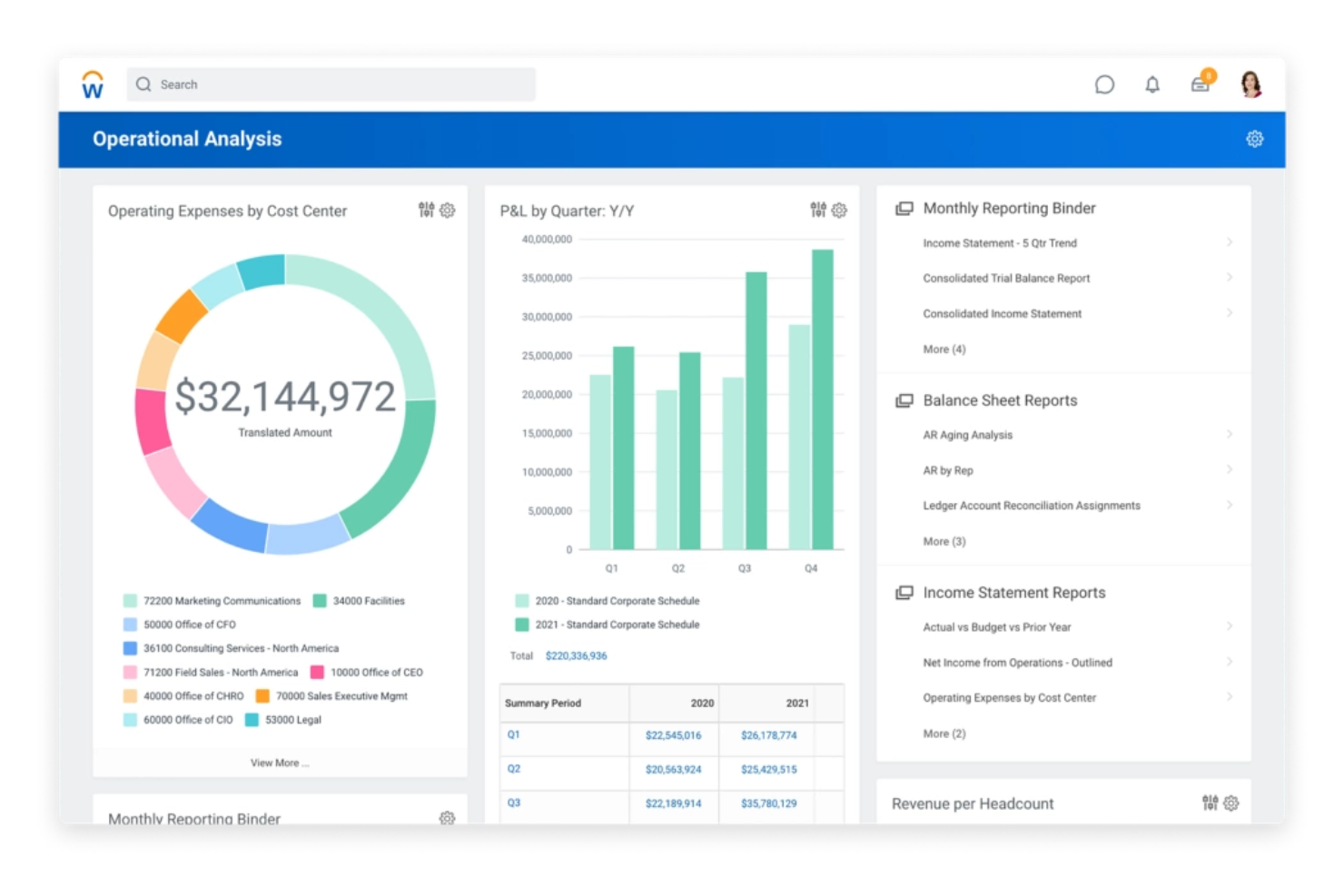
Workday is an enterprise platform for HR and finance management used by large organizations. It provides AI technologies and machine learning models through its Enterprise AI platform to support decision-making and operational efficiency.
Why I picked Workday: The AI capabilities of Workday are embedded in its Enterprise AI Platform, focusing on analytics for HR. You can leverage features like an Agent System of Record and AI-driven products such as Workday Paradox. It also includes AI-enabled analytics using advanced AI systems that provide meaningful insights at scale. Overall, Workday stands out for its ability to cater to specific industry needs while providing comprehensive AI solutions.
Standout Features & Integrations:
Features include AI-enabled HR analytics that help forecast HR trends and needs, and identify exceptions and forecast workforce needs with strong data governance practices. Machine learning capabilities assist in personalizing employee experiences. AI-driven insights offer real-time data analysis to support strategic decisions. These analytics help
Integrations include Salesforce, Microsoft Azure, Google Cloud, AWS, Slack, ServiceNow, Adobe, Box, Okta, and LinkedIn.
Pros and Cons
Pros:
- AI-driven insights for decision-making
- Strong industry-specific solutions
- AI agents support HR decisions
Cons:
- Complex interface may take time to master
- Inflexible scaling for full enterprise scope

ADP
Best for AI payroll automation tools
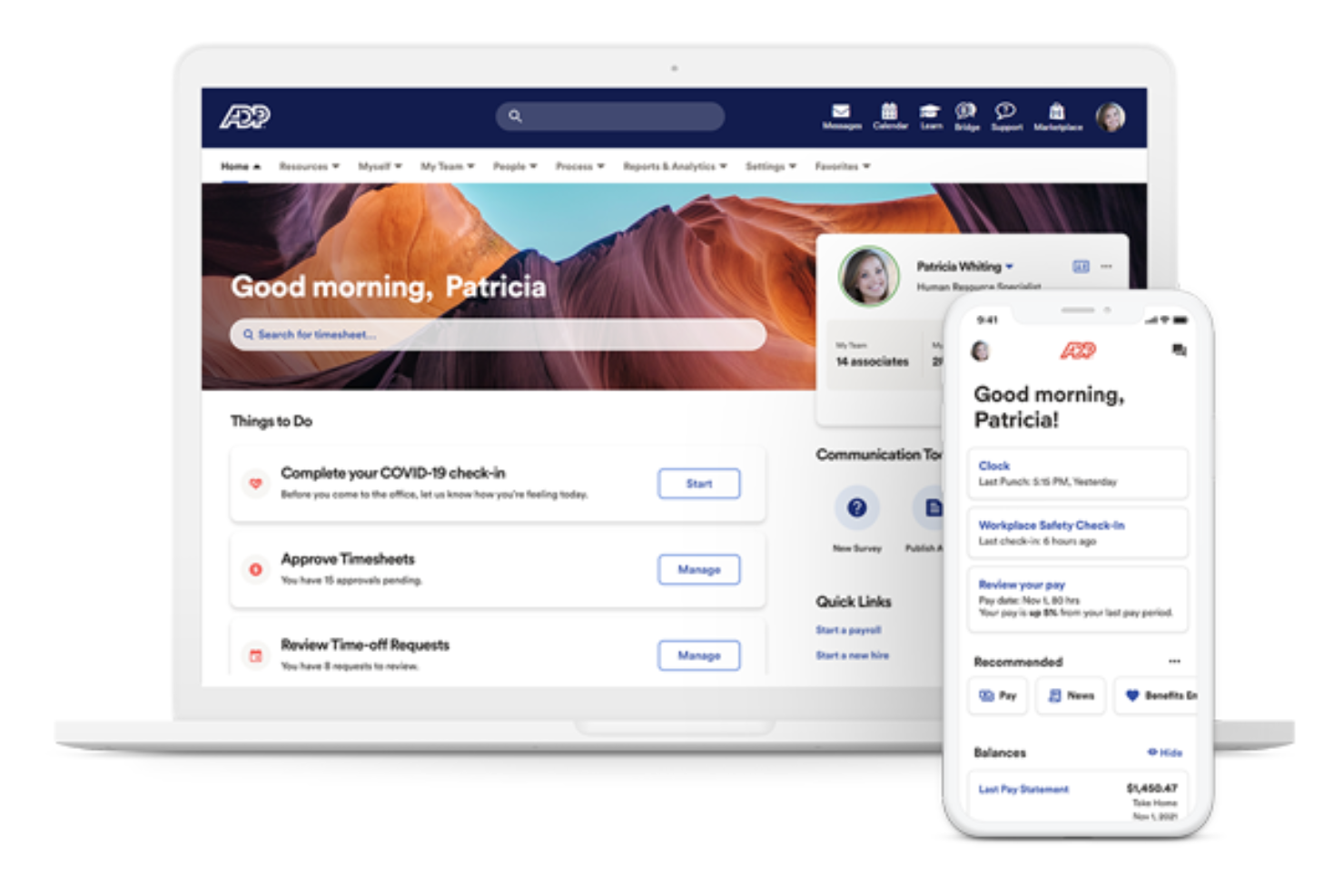
ADP is a payroll and HR management platform widely used by businesses of all sizes. It offers a suite of AI-driven tools that improve payroll processing, compliance management, and employee data analytics.
Why I picked ADP: ADP's standout feature is its payroll automation, supported by AI capabilities that simplify complex payroll tasks. The platform uses AI to ensure compliance with ever-changing regulations, reducing the risk of errors. ADP is a payroll and HR system used across organizations of all sizes. It applies AI technologies, algorithms, and machine learning models to automate payroll calculations, compliance checks, and compensation analysis.
Standout Features & Integrations:
Features include automated tax filing, which helps you stay compliant with tax regulations. Real-time analytics provide insights into payroll trends and employee compensation. ML-based tools also assist with risk management.
Integrations include QuickBooks, Xero, Microsoft Dynamics, Oracle, SAP, Workday, Salesforce, BambooHR, Kronos, and NetSuite.
Pros and Cons
Pros:
- Real-time data insights
- Strong compliance management
- Efficient payroll processing
Cons:
- Inconsistent mobile app functionality
- Pricing models are inefficient for frequent payrolls

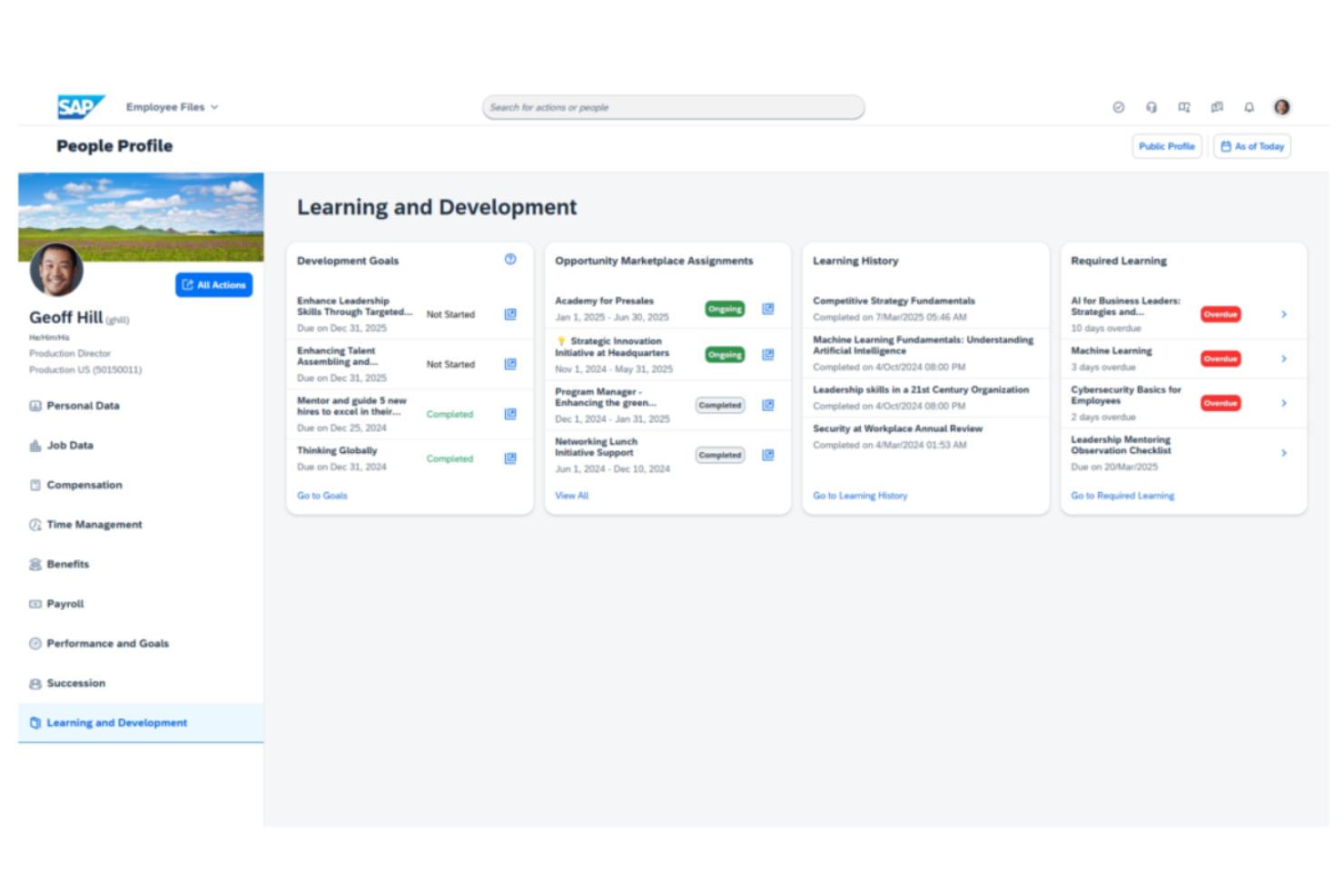
SAP SuccessFactors HCM is a cloud-based human capital management platform built for large enterprises managing global workforces. It supports HR teams with AI-enabled tools that handle compliance, talent management, and workforce operations across multiple regions.
Why I picked SAP SuccessFactors HCM: Why I picked SAP SuccessFactors HCM is its strong ability to support global compliance. The platform uses AI technologies and automated checks to help navigate regulatory requirements across countries. Its tools assist with payroll, workforce data management, and talent processes, making it a reliable choice for multinational organizations prioritizing compliance within complex business operations.
Standout Features & Integrations:
Features include performance management tools, a learning management system for employee development, and compensation tools for managing pay structures globally. Its AI capabilities support data governance and compliance monitoring across regions.
Integrations include Microsoft Office 365, Google Workspace, LinkedIn, Slack, Salesforce, Adobe, DocuSign, ServiceNow, Kronos, and SuccessFactors.
Pros and Cons
Pros:
- AI-based payroll solutions
- AI-driven talent management
- Strong global compliance support
Cons:
- May require extensive training
- Complex implementation process

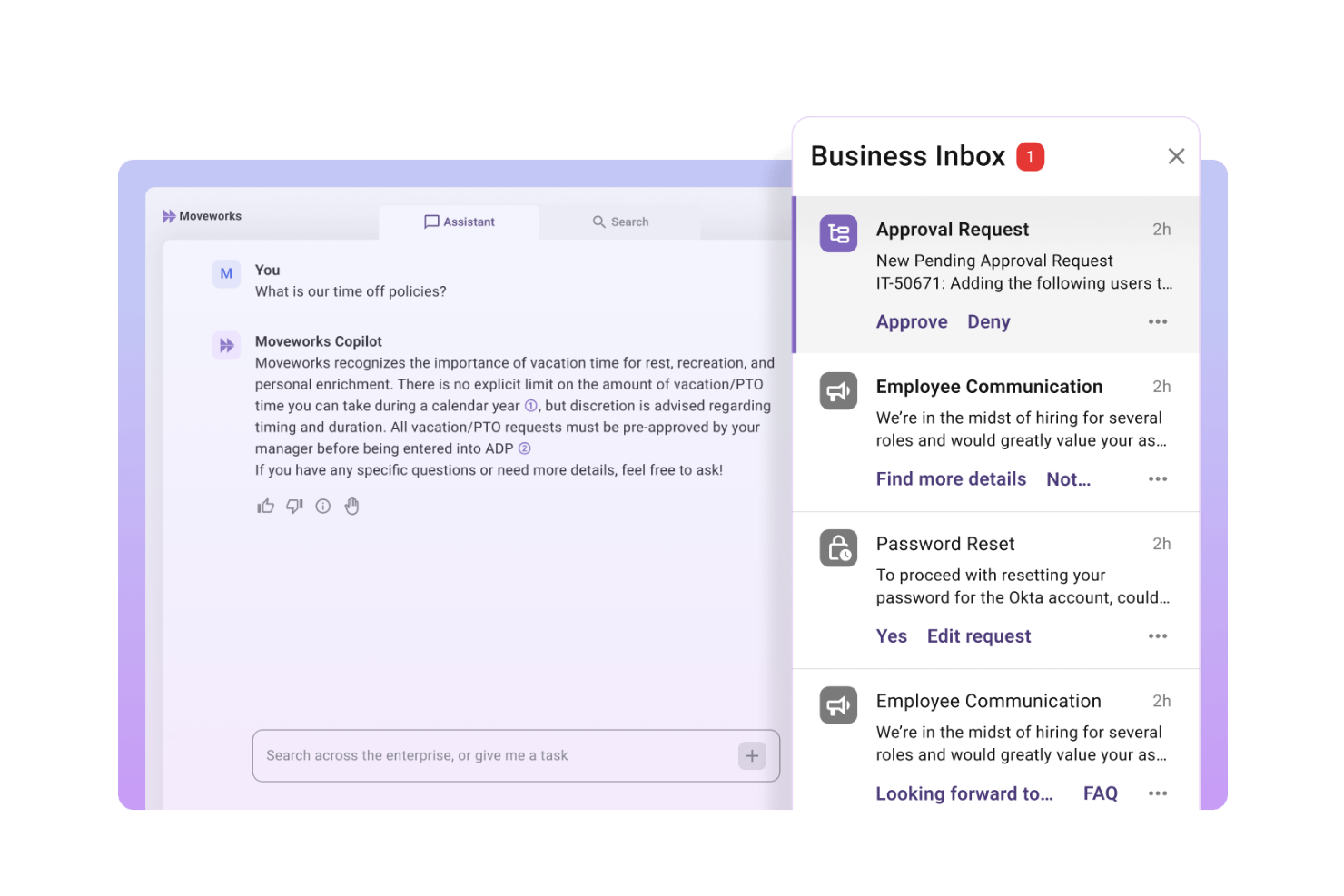
Moveworks is an AI-driven platform that automates HR support and employee communication. It uses natural language processing (NLP) and machine learning models to resolve employee queries quickly and improve support workflows.
Why I picked Moveworks: Moveworks excels in providing AI-driven HR support, helping you automate responses to employee queries. The platform's natural language processing capabilities allow it to understand and respond to a wide range of HR-related questions. You can also use its AI-driven insights to track and improve employee engagement. In my experience, Moveworks' focus on automating HR support aligns with its strength in AI-driven solutions.
Standout Features & Integrations:
Features include AI-powered chatbots that provide instant assistance to employee queries, reducing the workload on HR teams. The platform offers automated ticketing systems to simplify issue resolution. You can also benefit from its analytics tools to gain insights into employee interactions and support efficiency.
Integrations include Slack, Microsoft Teams, ServiceNow, Workday, Salesforce, Zendesk, Okta, Google Workspace, Microsoft Office 365, and Box.
Pros and Cons
Pros:
- Provides valuable engagement insights
- Reduces the HR team's workload
- Efficient query resolution
Cons:
- May require initial setup time
- Limited customization options

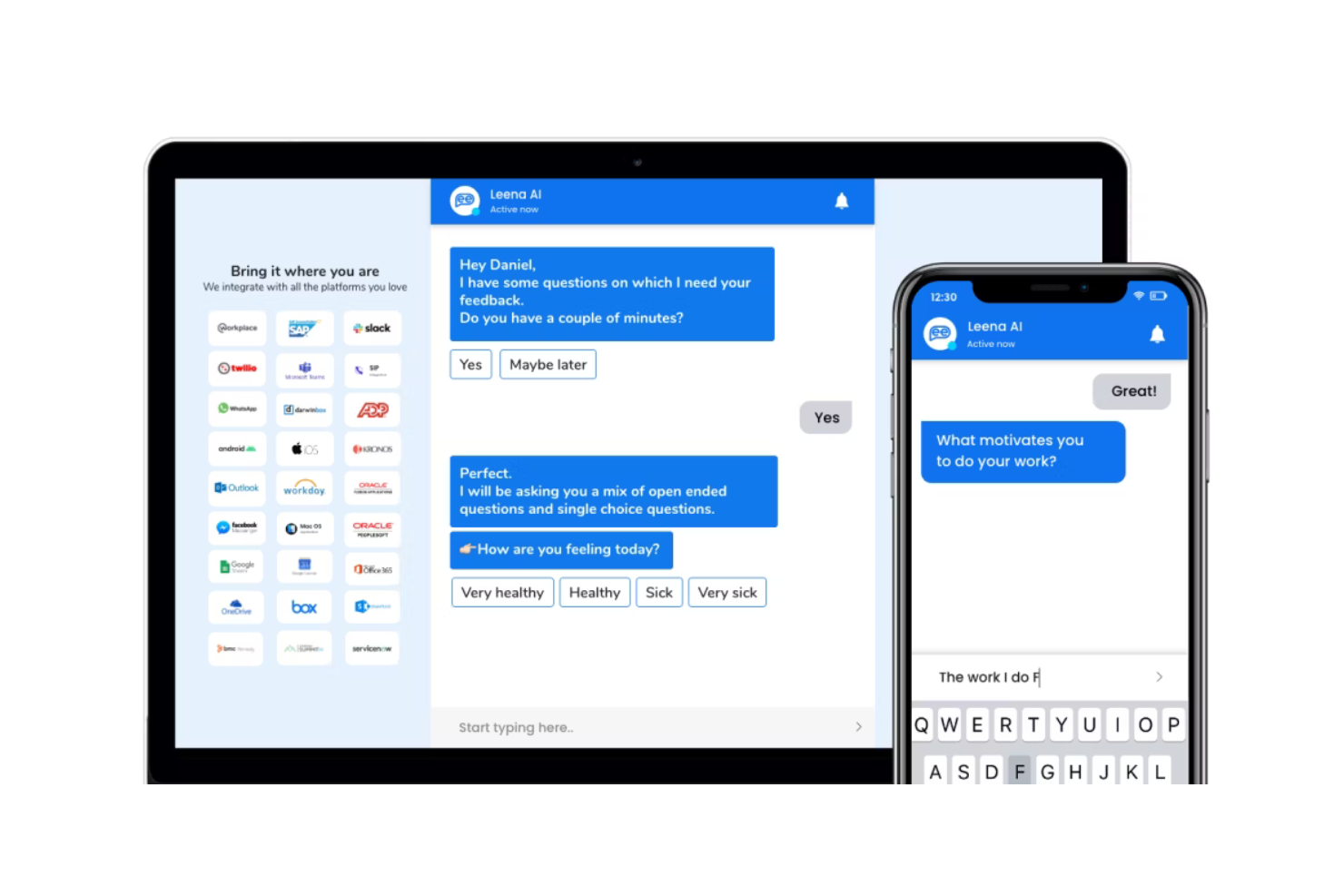
Leena AI is an AI-driven platform tailored for HR teams to automate employee queries and simplify HR operations. It uses AI-powered chatbots and virtual assistants for automated employee interactions, which reduces manual workload for HR teams.
Why I picked Leena AI: Leena AI excels in automating routine employee queries, reducing the workload on HR teams. With AI chatbots, you can provide instant responses to common questions, aligning with their suggested use of automated employee queries. The platform's AI capabilities extend to generating insights from employee interactions, helping you understand and improve employee satisfaction. In my experience, its focus on automation and AI-driven insights makes it a valuable tool for modern HR teams.
Standout Features & Integrations:
Features include an AI chatbot that provides instant responses to employee queries. The platform also offers a knowledge base for employees to find information independently. AI colleagues also support process automation across HR functions.
Integrations include Workday, SAP SuccessFactors, Oracle HCM, Microsoft Teams, Slack, ADP, BambooHR, G-Suite, Microsoft Office 365, and ServiceNow.
Pros and Cons
Pros:
- AI colleagues automate employee support
- Reduces the HR team's workload
- Quick setup and deployment
Cons:
- Limited processing of non-standard employee queries
- Limited customization options

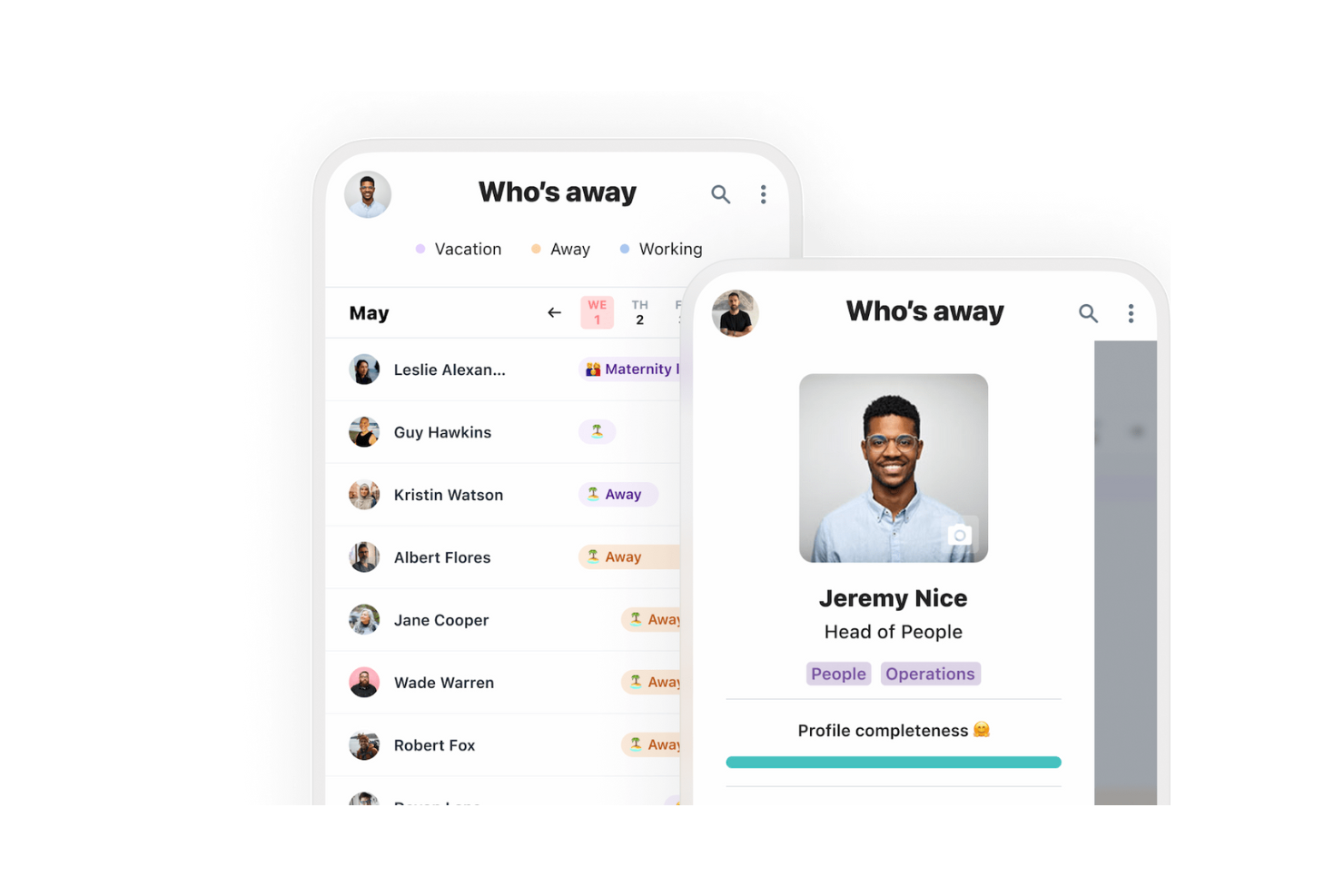
Humans is a modern HR platform designed for businesses looking to improve team collaboration and simplify HR processes. Its main users include HR teams and managers who utilize its AI-driven tools to manage employee data and improve communication within teams.
Why I picked Humans: Humans excels in promoting team collaboration through its intuitive interface and AI-powered features. You can simplify communication with automated notifications and reminders, ensuring your team stays informed. The platform's AI capabilities also include data-driven insights that help you make informed HR decisions. These capabilities make it a strong fit for organizations looking to improve coordination across HR and operational ecosystems.
Standout Features & Integrations:
Features include a user-friendly dashboard that makes it easy to manage employee information. Automated workflows help you reduce manual tasks and increase efficiency. The platform also offers analytics tools to provide insights into team performance and engagement.
Integrations include Slack, Microsoft Teams, Google Workspace, BambooHR, Personio, Workday, SAP SuccessFactors, Okta, Zoom, and Jira.
Pros and Cons
Pros:
- Data-driven HR insights
- Automated notifications and reminders
- Intuitive user interface
Cons:
- Requires training for initial setup and usage
- Limited customization options

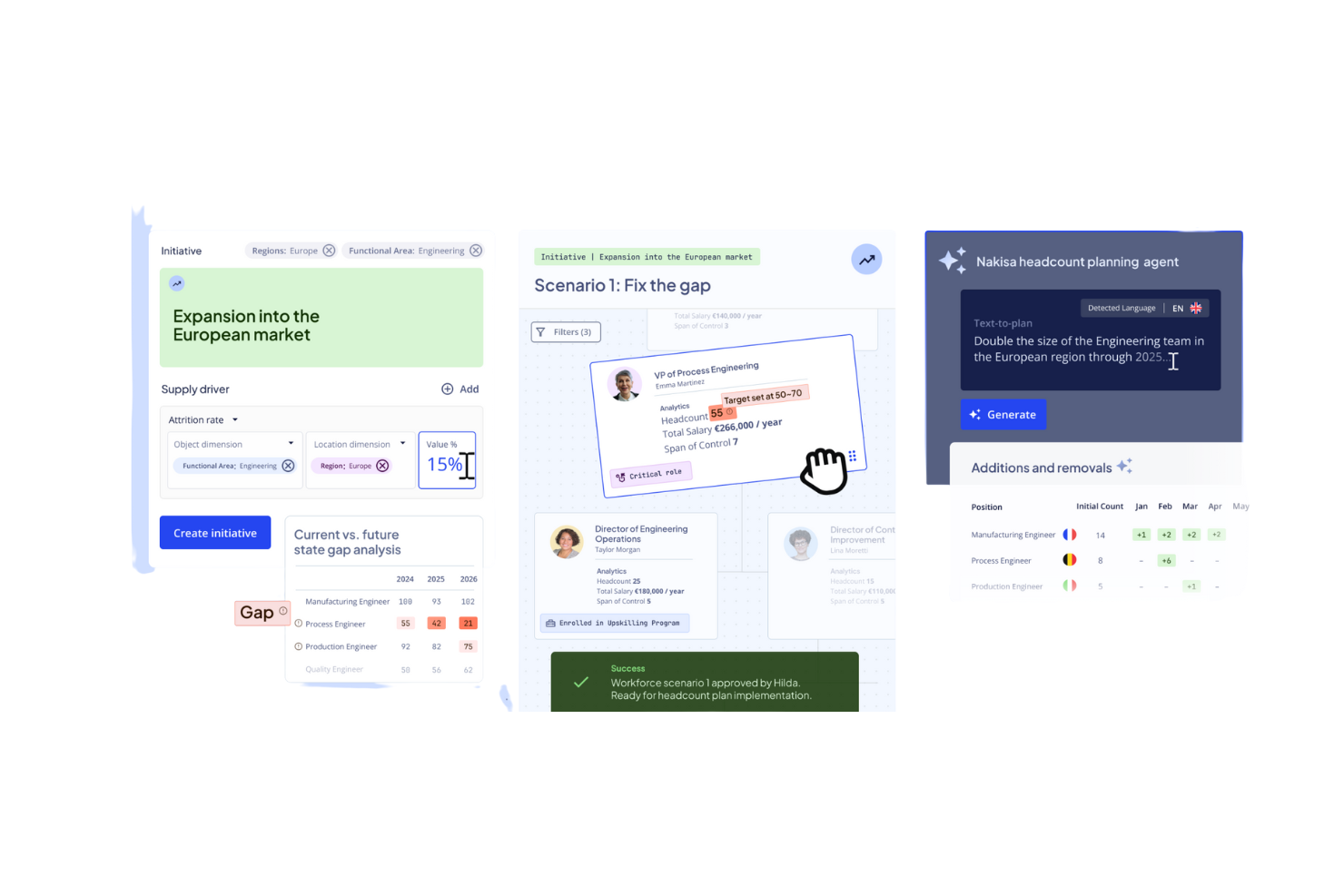
Nakisa is a workforce planning platform for large enterprises managing complex structures. It offers AI-enabled org design, scenario modeling, and workforce analysis to help organizations align talent needs with long-term planning. Its tools help analyze data sources across HR systems for better workforce forecasting.
Why I picked Nakisa: Nakisa excels in workforce planning by providing AI tools that help you visualize and manage organizational structures. It offers predictive analytics to forecast workforce needs and align them with business goals, and its planning suites help organizations anticipate workforce needs, evaluate structures, and support digital transformation initiatives tied to long-term workforce strategies.
Standout Features & Integrations:
Features include organizational charting, which helps you visualize your company's structure. Talent management tools are available to support recruitment and development. Forecasting tools help identify skill gaps using AI models and structured datasets.
Integrations include SAP SuccessFactors, Workday, Oracle HCM, Microsoft Azure, Salesforce, ADP, BambooHR, Kronos, Ceridian, and PeopleSoft.
Pros and Cons
Pros:
- Predictive analytics for workforce needs
- Strong visualization capabilities
- Effective scenario planning tools
Cons:
- Limited customization for non-standard employees
- May not be ideal for non-technical users
Leapsome
Best for AI employee engagement feedback tools
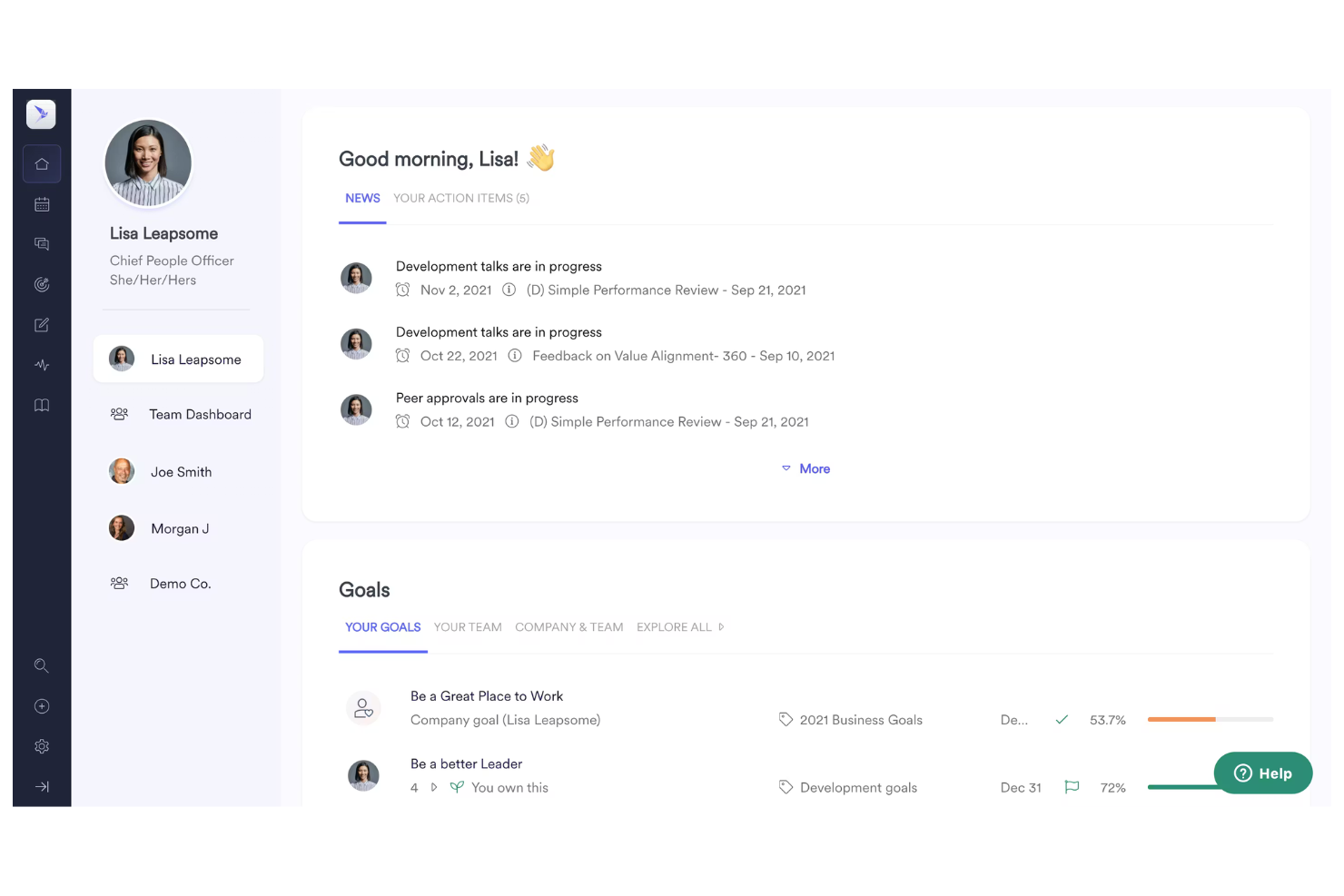
Leapsome is an employee engagement and performance management platform used by HR teams to improve feedback, development, and alignment. It combines performance insights with AI-powered tools that improve employee engagement and help organizations strengthen workplace culture.
Why I picked Leapsome: Leapsome's emphasis on engagement is supported by AI applications that help deliver continuous feedback, performance reviews, and learning guidance. Its AI strategy includes generative AI-powered analytics that surface trends in employee morale and productivity, supporting HR teams aiming to improve engagement through structured, data-informed workflows.
Standout Features & Integrations:
Features include: customizable surveys, OKR and goal alignment tools, and a learning module for employee development. AI-backed insights help HR teams interpret feedback patterns and support digital transformation initiatives around employee experience.
Integrations include Slack, Microsoft Teams, Google Workspace, BambooHR, Personio, Workday, SAP SuccessFactors, Okta, Zoom, and Jira.
Pros and Cons
Pros:
- Offers customizable surveys
- Supports goal alignment
- Encourages continuous feedback
Cons:
- Some training required
- Limited analytical depth
Other Enterprise AI Solutions
Here are some additional enterprise AI solutions options that didn’t make it onto my shortlist, but are still worth checking out:


How I Evaluate Enterprise AI Solutions
Every tool on this list has to go beyond AI branding and deliver measurable impact—like actually reducing time-to-hire through intelligent matching or flagging attrition risks before they hit your retention numbers. I split my evaluation into core functionality every platform must have to qualify and the differentiating factors that separate good options from great ones.
Core Functionality (Table Stakes For This List)
When I'm selecting tools for my list, I rank each one on a scale from 0 (does not offer the functionality) to 5 (excels in this area) for each core functionality listed below. Then, I calculate the tool's total score into a percentage. Each tool needs to achieve a minimum total score of 65% to be considered for inclusion.
- Generative AI Assistants: I look for conversational AI that can handle real employee questions—like pulling up leave balances or explaining benefits eligibility—across chat, mobile, and collaboration tools.
- Predictive Workforce Analytics: The platform should surface forward-looking insights, such as flagging teams with rising attrition risk or forecasting headcount needs based on growth plans.
- Intelligent Talent Matching: I evaluate how well AI scores and ranks candidates against open roles, including whether it can parse skills from nontraditional resumes or support internal mobility recommendations.
- AI Workflow Automation: Beyond static if-then rules, I check whether the tool uses AI to route approvals, generate offer letters, or trigger onboarding sequences based on contextual data.
- Enterprise Security & Compliance: Each platform should carry certifications like SOC 2 and ISO 27001, offer role-based access controls, and maintain audit logs suited for handling sensitive HR data at scale.
- HRIS & Enterprise Integrations: I evaluate the depth of prebuilt connectors with platforms like Workday, SAP SuccessFactors, and Oracle HCM, plus open API access for custom builds.
Once I have a list of tools that meet this criteria, I consider what sets each platform apart.
Differentiating Factors (What Sets Vendors Apart)
Here's how I compare and contrast different vendors:
Standout Features
A skills intelligence graph adds real depth—it maps your workforce's capabilities and powers recommendations for internal moves, upskilling paths, and succession plans. I also look at how platforms handle bias detection and explainability, especially for hiring and promotion decisions where fairness audits and transparent scoring matter most. Sentiment analysis is another differentiator worth noting. Tools that read survey responses and communication patterns to flag burnout risks give HR leaders a real head start on engagement issues.
Beyond Features
AI governance matters a lot here—I check whether platforms are transparent about how employee data trains their models and whether they offer human-in-the-loop controls for high-stakes decisions like promotions. Implementation speed is another big factor. Pre-trained HR models and ready-made workflow templates can cut months off a rollout compared to starting from scratch. I also evaluate the total cost of ownership, including hidden compute and retraining fees, since enterprise AI pricing can balloon fast beyond the initial per-employee quote.
How to Choose Enterprise AI Solutions
It’s easy to get bogged down in long feature lists and complex pricing structures. To help you stay focused as you work through your unique software selection process, here’s a checklist of factors to keep in mind:
| Factor | What to Consider |
|---|---|
| Scalability | Can the solution grow with your business? Consider whether it accommodates more users, data, and processes as your organization expands. Look for tools that offer scalable resources. |
| Integrations | Does it connect with your existing systems? Check compatibility with tools like CRM, ERP, and communication platforms to ensure smooth data flow and workflow efficiency. |
| Customizability | Can you tailor it to fit your processes? Evaluate if the solution allows you to modify workflows, dashboards, and reports to match your team's specific needs. |
| Ease of Use | Is the solution user-friendly? Consider the learning curve and interface design. A tool that's easy to navigate will reduce training time and increase adoption rates. |
| Implementation and Onboarding | How quickly can you get started? Assess the setup time and available support during onboarding. Look for vendors offering training materials and dedicated onboarding assistance. |
| Cost | What's the total cost of ownership? Look beyond the initial price. Factor in subscription fees, setup costs, and any additional charges for premium features or support. |
| Security Safeguards | Are your data protected? Ensure the solution complies with security standards like encryption and access controls to safeguard sensitive information. |
| Support Availability | What support options are offered? Evaluate the availability of customer service, response times, and support channels like chat, email, or phone for timely assistance. |
What Are Enterprise AI Solutions?
Enterprise AI solutions are tools designed to automate and improve business processes using artificial intelligence. These products are typically used by HR professionals, data analysts, and business managers to improve efficiency and decision-making.
Automated workflows, predictive analytics, and natural language processing capabilities help with data management, employee engagement, and operational insights. Overall, these tools provide significant value by enabling organizations to work smarter and more efficiently.
Features
When selecting enterprise AI solutions, keep an eye out for the following key features:
- Predictive analytics: Provides forecasts based on data trends, helping you make informed decisions.
- Natural language processing: Enables the system to understand and respond to human language, improving user interaction.
- Automated workflows: simplify repetitive tasks, freeing up time for more strategic activities.
- Data visualization: Offers visual representations of data to simplify analysis and reporting.
- AI-driven insights: Delivers actionable insights from data to improve strategic planning.
- Employee engagement tools: Boosts morale and productivity by facilitating feedback and communication.
- Compliance management: Ensures adherence to regulations, reducing the risk of legal issues.
- Customizable dashboards: Allows you to tailor views to match your specific needs and preferences.
- Integration capabilities: Connects seamlessly with other systems to ensure smooth data flow.
- Scalability: Adapts to growing business needs, supporting more users and data over time.
Benefits
Implementing enterprise AI solutions provides several benefits for your team and your business. Here are a few you can look forward to:
- Improved decision-making: AI-driven insights help you make informed decisions by analyzing data trends.
- Increased efficiency: Automated workflows reduce manual tasks, allowing your team to focus on strategic goals.
- Enhanced communication: Natural language processing improves interactions and responses, fostering better communication.
- Better compliance: Compliance management features help ensure your organization meets regulatory standards.
- Personalized experiences: Customizable dashboards let you tailor the interface to meet your specific needs.
- Scalability: The ability to scale supports your business growth by accommodating more users and data.
- Engaged workforce: Employee engagement tools boost morale and productivity through effective feedback and communication.
Costs and Pricing
Selecting enterprise AI solutions requires an understanding of the various pricing models and plans available. Costs vary based on features, team size, add-ons, and more. The table below summarizes common plans, their average prices, and typical features included in enterprise AI solutions:
Plan Comparison Table for Enterprise AI Solutions
| Plan Type | Average Price | Common Features |
|---|---|---|
| Free Plan | $0 | Basic analytics, limited user support, and restricted data storage. |
| Personal Plan | $5-$25/user/month | Enhanced analytics, customizable dashboards, and basic integration capabilities. |
| Business Plan | $30-$60/user/month | Advanced data insights, automated workflows, and wide-ranging integration options. |
| Enterprise Plan | $70-$150/user/month | Full customization, AI-driven decision support, and dedicated customer service. |
Enterprise AI Solutions FAQs
Here are some answers to common questions about enterprise AI solutions:
How do enterprise AI solutions handle data privacy?
Enterprise AI solutions typically implement strong data privacy measures, such as encryption and access controls, to protect sensitive information. You should look for solutions that comply with regulations like GDPR or HIPAA, depending on your industry. Ask vendors about their data handling practices and look for features that allow you to control data access within your team. Always review the privacy policies and ensure they align with your organization’s requirements for data protection.
Can enterprise AI solutions integrate with existing systems?
Yes, most enterprise AI solutions offer integration capabilities with existing systems like CRM, ERP, and communication platforms. It’s essential to evaluate the integration options provided by the vendor to ensure compatibility with your current tools. Check if the solution supports APIs or pre-built connectors for seamless data exchange. This integration can simplify workflows and improve the overall efficiency of your operations.
What kind of support can we expect during implementation?
You can expect varying levels of support during implementation, depending on the vendor. Many providers offer onboarding assistance, training materials, and dedicated account managers to help you get started. It’s crucial to ask about the available resources, such as webinars, tutorials, or live chat support, to ensure a smooth transition. Understanding the level of support can help your team quickly adapt to the new system and maximize its benefits.
How scalable are enterprise AI solutions?
Enterprise AI solutions are generally designed to be scalable, accommodating growing data volumes and user bases. Before choosing a solution, assess the scalability options and any limitations that might affect your future needs. Look for features like flexible pricing plans and the ability to add or remove users easily. Scalability ensures that the solution can grow with your business, providing long-term value and support for your operations.
Are there customization options available?
Yes, many enterprise AI solutions offer customization options to tailor the software to your specific needs. You can often adjust workflows, dashboards, and reports to better align with your business processes. When evaluating a solution, ask about the extent of customization available and whether it requires technical expertise. Customization can improve user experience and ensure the tool fits seamlessly into your existing operations.