

Bucketlist Rewards Review: Pros, Cons, Features & Pricing



A great employee rewards and recognition program sounds simple, until you’re the one trying to pick the right platform, get people to actually use it, and prove it’s worth the budget.
That’s where Bucketlist Rewards comes in.
In this review, we’ll break down what it does well, where it falls short, how pricing works, and who it makes the most sense for, so you can make a confident decision.
Bucketlist Rewards Evaluation Summary

- Pricing upon request
- Free demo available
Why Trust Our Software Recommendations
Our team has been testing and reviewing software since 2012. As HR experts ourselves, we know how difficult—and important—it is to choose the right software.
For this guide, we evaluated tools using hands-on testing and independent research, scoring tools using our selection criteria. We also draw on insights from industry thought leaders and practicing HR experts.
Our reviews reflect our human editorial judgment, not a sales pitch.
Expert reviewers:
Bucketlist Rewards Overview
Bucketlist Rewards is an employee recognition and rewards platform that helps organizations build consistent appreciation programs, boost engagement, and support retention by letting teams give shoutouts, earn redeemable points, and claim rewards like gift cards and experiences.
It includes structured recognition tools, a global rewards marketplace, and features for nominations and custom awards, all designed to make recognition part of everyday workflows.
pros
-
Provides a global rewards marketplace with gift cards, experiences, swag, and charitable options.
-
Includes built-in employee recognition features like peer-to-peer shoutouts and points-based rewards.
-
Supports structured programs such as nominations, incentives, and milestone awards.
cons
-
Some users find the initial setup a bit time-consuming.
-
You might notice a few limitations in reporting capabilities.
-
Not designed as a fully self-serve solution, but it does include hands-on customer support and strategic guidance.
Is Bucketlist Rewards Right For Your Needs?
Who Would be a Good Fit for Bucketlist Rewards?
Bucketlist Rewards is best for any business or team that wants a consistent way to recognize employees, boost engagement, and improve retention with points-based rewards.
-
HR Teams
Great for HR since they can manage recognition, rewards, and participation across the company without needing a complicated setup.
-
Leadership Teams
Ideal for leaders who want a clear way to reinforce company values, boost morale, and reduce turnover over time.
-
Healthcare
Makes sense for healthcare, where employee appreciation often gets overlooked, and recognition helps people feel seen in high-pressure roles.
-
Retail
A good match for retail where turnover is common and frequent recognition can keep frontline staff motivated and engaged.
-
Manufacturing Teams
Fits manufacturing well since it helps highlight good work across shifts and reinforces habits like teamwork and safe behavior.
-
Field and Frontline Operations
Useful for teams that aren’t always at a computer, since recognition can still happen consistently across distributed workers.
Who Would be a Bad Fit for Bucketlist Rewards?
Bucketlist Rewards is a weak fit if your team doesn’t need structured recognition, doesn’t have budget buy-in, or won’t actively use the platform.
-
No HR or Program Champion
If nobody owns the program internally, adoption usually drops fast, and the platform ends up being ignored.
-
Companies Without Culture Initiatives
When leadership isn’t bought in, recognition becomes “optional,” and people stop using it.
-
Short-term or gig-based workforces
When workers rotate frequently, it’s hard to build lasting recognition habits or get long-term value from a rewards program.
-
Organizations with broken fundamentals
If core issues like poor management or unclear expectations aren’t addressed, recognition tools won’t fix the underlying problems.
-
Highly regulated industries with strict ethics rules
In environments with tight compliance controls, reward-based recognition may require heavy oversight and can limit how freely the platform is used.
-
Small Companies with Occasional Use Cases
If you’re just trying to give quick rewards once in a while, a full recognition platform can feel like overkill.
How We Test & Score Our Tools
We’ve spent years building, refining, and improving our software testing and scoring system. The rubric is designed to capture the nuances of software selection and what makes a tool effective, focusing on critical aspects of the decision-making process.
Below, you can see exactly how our testing and scoring works across seven criteria. It allows us to provide an unbiased evaluation of the software based on core functionality, standout features, ease of use, onboarding, customer support, integrations, customer reviews, and value for money.
Core Functionality (25% of final score)
The starting point of our evaluation is always the core functionality of the tool. Does it have the basic features and functions that a user would expect to see? Are any of those core features locked to higher-tiered pricing plans? At its core, we expect a tool to stand up against the baseline capabilities of its competitors.
Standout Features (25% of final score)
Next, we evaluate uncommon standout features that go above and beyond the core functionality typically found in tools of its kind. A high score reflects specialized or unique features that make the product faster, more efficient, or offer additional value to the user.
We also evaluate how easy it is to integrate with other tools typically found in the tech stack to expand the functionality and utility of the software. Tools offering plentiful native integrations, 3rd party connections, and API access to build custom integrations score best.
Ease of Use (10% of final score)
We consider how quick and easy it is to execute the tasks defined in the core functionality using the tool. High scoring software is well designed, intuitive to use, offers mobile apps, provides templates, and makes relatively complex tasks seem simple.
Onboarding (10% of final score)
We know how important rapid team adoption is for a new platform, so we evaluate how easy it is to learn and use a tool with minimal training. We evaluate how quickly a team member can get set up and start using the tool with no experience. High scoring solutions indicate little or no support is required.
Customer Support (10% of final score)
We review how quick and easy it is to get unstuck and find help by phone, live chat, or knowledge base. Tools and companies that provide real-time support score best, while chatbots score worst.
Customer Reviews (10% of final score)
Beyond our own testing and evaluation, we consider the net promoter score from current and past customers. We review their likelihood, given the option, to choose the tool again for the core functionality. A high scoring software reflects a high net promoter score from current or past customers.
Value for Money (10% of final score)
Lastly, in consideration of all the other criteria, we review the average price of entry level plans against the core features and consider the value of the other evaluation criteria. Software that delivers more, for less, will score higher.
Core Features
Peer-to-Peer + Manager Recognition
Lets teammates and managers give shoutouts so appreciation becomes consistent (not random or only during reviews).
Social Recognition Feed
Recognition shows up in a feed where people can engage with posts using things like comments and reactions, which helps it feel more “alive” inside the team.
Company Values Tagging
Recognition can be tied back to company values so shoutouts reinforce the behaviors the company actually wants repeated.
Points-Based Rewards + Redemption Catalog
Employees earn points and redeem them for rewards, which gives recognition a real incentive attached to it.
Global Rewards Marketplace
Bucketlist supports reward options across countries, which helps teams with remote staff or distributed offices.
Employee Incentives + Custom Awards
You can create internal awards (like top performer) and run nomination-style programs to drive performance and participation.

Standout Features
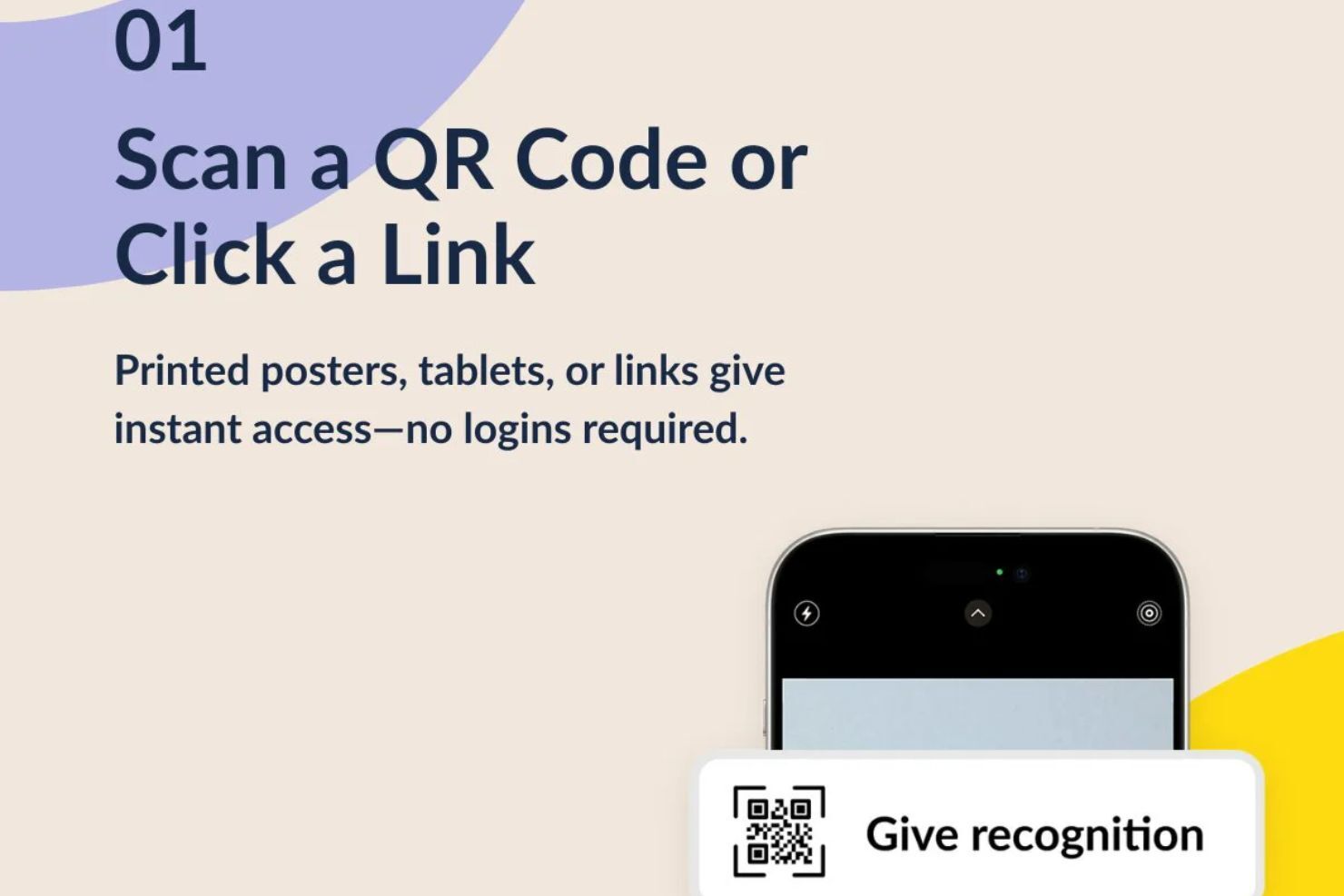
External Recognition via QR Code/Link
Customers, guests, or deskless workers can submit recognition without having a company email or platform login.
Admin Moderation + Controls for External Submissions
Admins can review and manage external shoutouts before they appear, which helps keep recognition clean, relevant, and appropriate.
Ease of Use
Bucketlist Rewards is easy to use from both the recognition and rewards side, which makes it simple for employees to stay active on the platform without needing much training.
Users say it’s easy to find coworkers to reward, even if you don’t know their full name, and recognition feels more fun with photos and GIFs. Redeeming points is simple too, with plenty of gift card options and virtual rewards that can arrive instantly.

Onboarding
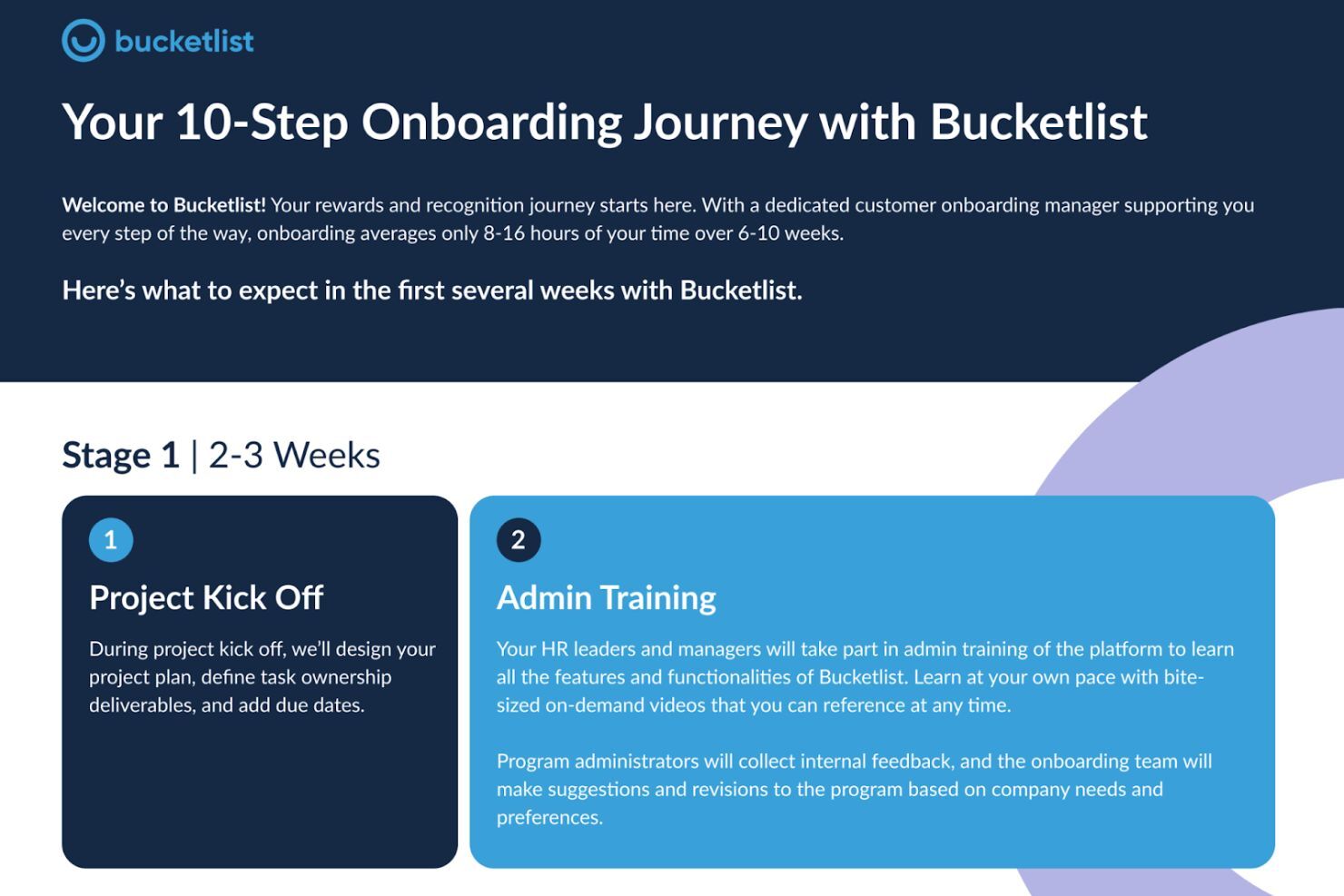
Bucketlist’s onboarding is pretty structured and guided, with a dedicated onboarding manager and a rollout that usually takes around 6–10 weeks, spread across roughly 8–16 total hours of setup time.
You’ll also find guides on small rollout helpers like setting up a first-login “welcome” award to get employees participating right away. And if you’re not ready to connect tools yet, they support manual employee setup through a CSV upload so you can still launch without delays.
Customer Support
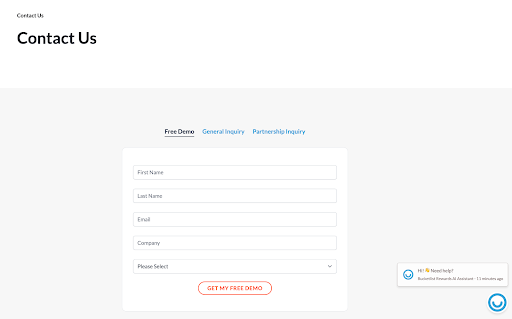
Bucketlist’s customer support is pretty easy to reach, and they make it clear on their Contact Us page that you can either submit a request through their contact form or call their support line directly.
They also have a Help Center knowledge base for self-serve troubleshooting, plus an on-site chat assistant for quick questions when you’re browsing the platform.
Integrations
Bucketlist Rewards makes integrations a big part of the platform, so it’s easier to plug recognition and rewards into the tools your team already uses.
They integrate with common workplace tools like Slack, Microsoft, and ADP, so recognition fits into your daily workflow instead of feeling like another platform to manage. These integrations also make employee syncing easier and reduce manual admin work.

Value for Money
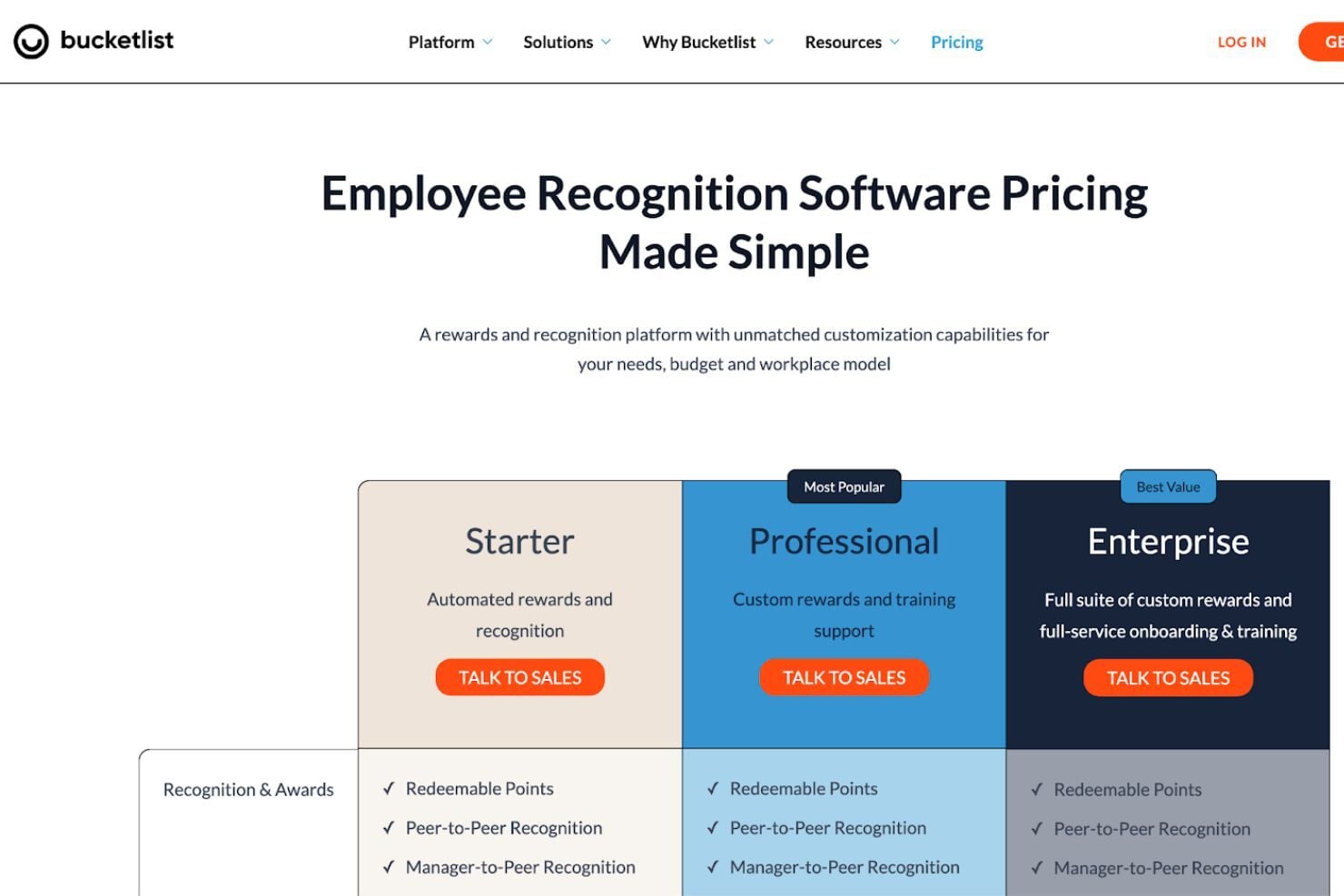
Bucketlist Rewards uses a tiered pricing model where you pick a plan based on the level of features and support your company needs, and you’ll need to talk to sales to get an exact quote.
Pricing Tiers:
- Starter: Redeemable points, peer-to-peer recognition, service milestones, nominations & incentives, and basic rewards like gift cards and donations.
- Professional: Everything in Starter, plus added program support and expanded reward options like experiences and swag.
- Enterprise: Everything in Professional, plus more advanced controls and tools for larger teams that need deeper configuration.
Overall, the value comes from how flexible the platform is, since you can start with the essentials and move up once your recognition program grows or your team needs more control and reward variety.
Bucketlist Rewards Specs
- 2-Factor Authentication
- 360 Degree Feedback
- API
- Application Tracking
- Attendance Tracking
- Batch Permissions & Access
- Compliance Tracking
- Dashboard
- Data Export
- Data Import
- Data Visualization
- Employee Database
- Employee Engagement
- Employee Incentive Management
- Employee Onboarding
- Employee Training
- Expense Tracking
- External Integrations
- Feedback Management
- Multi-User
- Notifications
- Payroll
- Performance Appraisal
- Scheduling
- Time Management
- Timesheets
- Travel Management
- Vacation & Absence Calendar
Bucketlist Rewards FAQs
How easy is it to customize rewards on Bucketlist Rewards?
Can I track the effectiveness of my rewards program?
Does Bucketlist Rewards offer peer-to-peer recognition?
Is there a mobile app available?
How secure is my team's data with Bucketlist Rewards?
Can I integrate Bucketlist Rewards with my HR software?
How quickly can my team start using Bucketlist Rewards?
What kind of support can I expect if I encounter issues?
Bucketlist Rewards Company Overview & History
Bucketlist Rewards is an employee recognition and rewards platform based in Vancouver, British Columbia. Founded in 2015 by Jason Lindstrom and Bart Wisniowski, it focuses on helping companies improve workplace culture through structured recognition, engagement, and rewards programs.
Bucketlist Rewards Major Milestones
- 2015: Founded by Jason Lindstrom and Bart Wisniowski.
- 2021: Became Great Place to Work Certified.
- 2024: Named UVic Co-op Employer of the Year.
- 2025: Announced Great Place to Work–Certified for 2025/2026.