


Docebo vs. Litmos LMS: Comparison and Expert Reviews 2026


If you’re comparing learning management systems, you’re likely trying to solve challenges like delivering effective training, keeping users engaged, and managing content without friction. It’s not always clear which tool strikes the right balance between powerful features and simplicity. Docebo and Litmos are both popular choices, but they differ in how they support learning, customization, and day-to-day management.
In this article, I’ll walk you through a clear comparison of Docebo and Litmos LMS. You’ll see the pros and cons, best-fit use cases, pricing breakdowns, security details, and insights into day-to-day usability—so you can make a confident, informed choice.
Docebo vs. Litmos LMS: An Overview
Docebo

Litmos LMS


Why Trust Our Software Recommendations
Our team has been testing and reviewing software since 2012. As HR experts ourselves, we know how difficult—and important—it is to choose the right software.
For this guide, we evaluated tools using hands-on testing and independent research, scoring tools using our selection criteria. We also draw on insights from industry thought leaders and practicing HR experts.
Our reviews reflect our human editorial judgment, not a sales pitch.
Expert reviewers:
Docebo vs. Litmos LMS Pricing Comparison
| Docebo | Litmos LMS | |
|---|---|---|
| Free Trial | Free demo available | 14-day free trial |
| Pricing | Pricing upon request | Pricing upon request |
Docebo vs. Litmos LMS Pricing & Hidden Costs
Docebo uses a custom-quote pricing model based on factors like active users, feature tiers, and add-ons, meaning you’ll need to contact sales to get exact pricing. Litmos also offers flexible, quote-based pricing with tiered plans (such as Foundation and Platinum) and optional add-ons like content libraries or advanced services. In both cases, costs can increase with add-ons, integrations, onboarding, and premium support—so the base price rarely reflects the full investment.
To choose the right vendor, start by mapping out your must-have features, expected user growth, and integration requirements. Then, ask each provider for a detailed breakdown of what’s included versus what costs extra. This helps you compare the total cost of ownership—not just the starting price—and avoid surprises later on.
Docebo vs. Litmos LMS Feature Comparison
Both Docebo and Litmos cover the core capabilities you’d expect from a modern LMS, including course creation and delivery, learning paths, certifications, reporting, and support for multiple training formats like eLearning, mobile, and instructor-led sessions. They also overlap in areas like gamification, social or collaborative learning, integrations, and AI-driven features that help personalize learning experiences and automate administrative tasks.
Where they differ is in how they specialize. Docebo stands out for its enterprise-grade scalability and AI-powered ecosystem, including advanced automation, content personalization, and extended enterprise capabilities that support complex, multi-audience training environments. Litmos, on the other hand, differentiates itself with its simplicity and speed to deploy, plus built-in content libraries and strong compliance training tools that make it especially appealing for organizations that want quick, structured training without heavy customization.
| Docebo | Litmos LMS | |
|---|---|---|
| API | ||
| Class Management | ||
| Comparative Reporting | ||
| Corporate/Business | ||
| Dashboards | ||
| Data Export | ||
| Data Import | ||
| Data Visualization | ||
| Document Comparison | ||
| Employee Training | ||
| External Integrations | ||
| Feedback Management | ||
| Gamification | ||
| Gradebook | ||
| Mobile App | ||
| Multi-User | ||
| Notifications | ||
| Personal Learning | ||
| Report & Compliance | ||
| Report Cards | ||
| SCORM | ||
| Scheduling | ||
| Student Registration | ||
| Video Courses |
Docebo vs. Litmos LMS Integrations
| Integration | Docebo | Litmos |
| Salesforce | ✅ | ✅ |
| Microsoft Teams | ✅ | ✅ |
| Zoom | ✅ | ✅ |
| Slack | ✅ | ❌ |
| Shopify | ✅ | ✅ |
| Okta | ✅ | ✅ |
| Workday | ✅ | ✅ |
| BambooHR | ✅ | ✅ |
| API | ✅ | ✅ |
| Zapier | ✅ | ❌ |
Docebo and Litmos both cover the most popular integrations, but Docebo stands out with broader options for HR, ecommerce, and workflow automation. If your team relies on communication tools like Slack or automation tools like Zapier, Docebo offers broader flexibility, while Litmos covers the essentials for most standard training environments.
Docebo vs. Litmos LMS Security, Compliance & Reliability
| Factor | Docebo | Litmos |
| Data Privacy | Offers GDPR compliance, data residency options, and regular audits. | Provides GDPR compliance and strong privacy controls for user data. |
| Encryption | Uses end-to-end encryption for data in transit and at rest. | Secures data with encryption both in transit and at rest. |
| Uptime Guarantee | Delivers a 99.9% uptime SLA with real-time status monitoring. | Maintains a 99.9% uptime SLA and transparent service status updates. |
| Access Controls | Supports SSO, multi-factor authentication, and granular permissions. | Offers SSO, role-based access, and multi-factor authentication. |
| Regulatory Support | Includes SOC 2 Type II and ISO 27001 certifications. | Holds SOC 2 Type II and ISO 27001 certifications. |
Both Docebo and Litmos deliver strong security, compliance, and reliability, but Docebo’s granular access controls and flexible data residency options give it a slight edge for organizations with complex needs. Litmos stands out for its straightforward privacy controls and reliable uptime, making it a solid choice for teams that want robust protection without extra complexity.
Docebo vs. Litmos LMS Ease of Use
| Factor | Docebo | Litmos LMS |
|---|---|---|
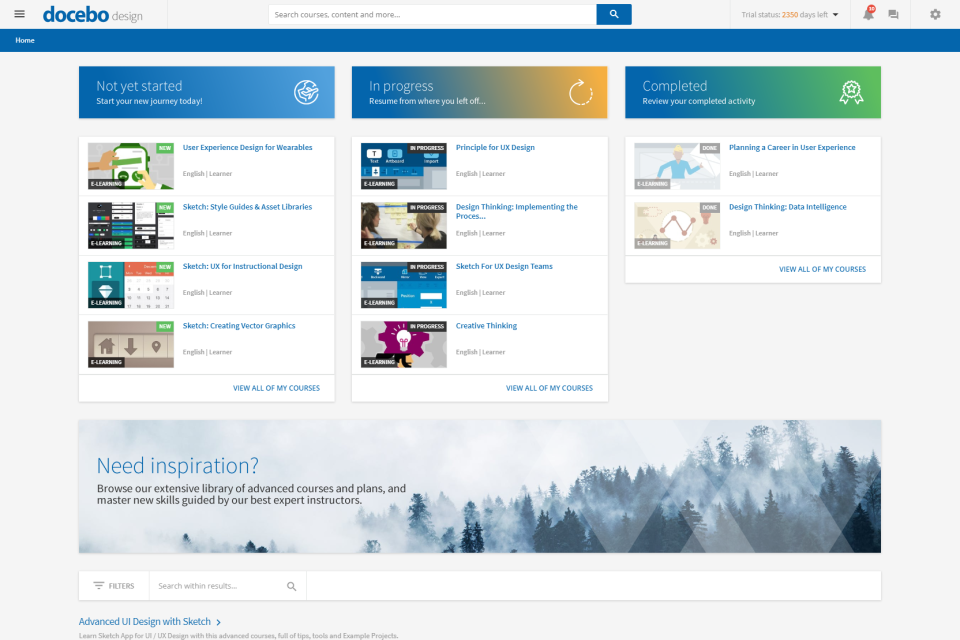
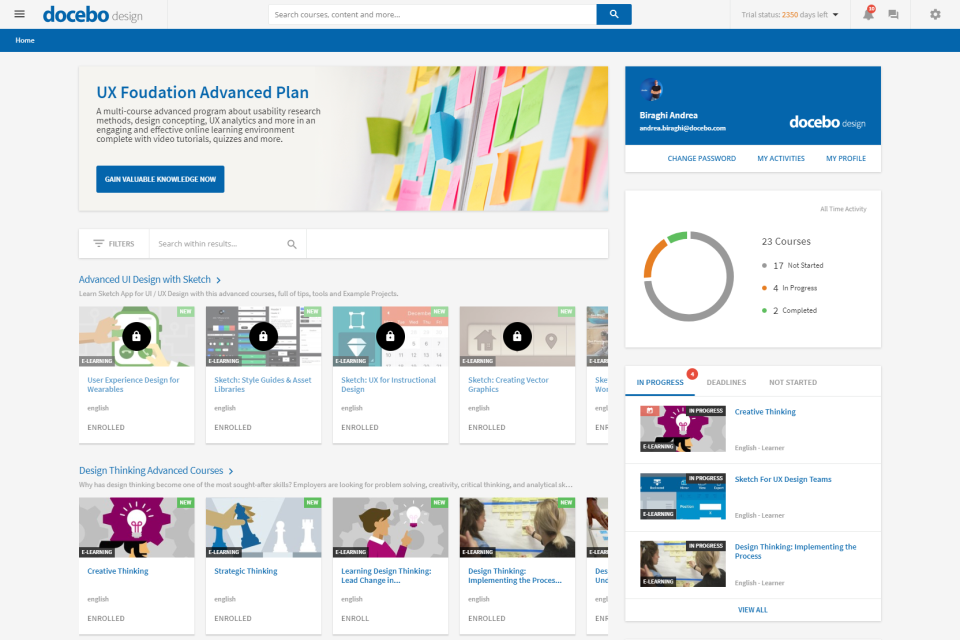
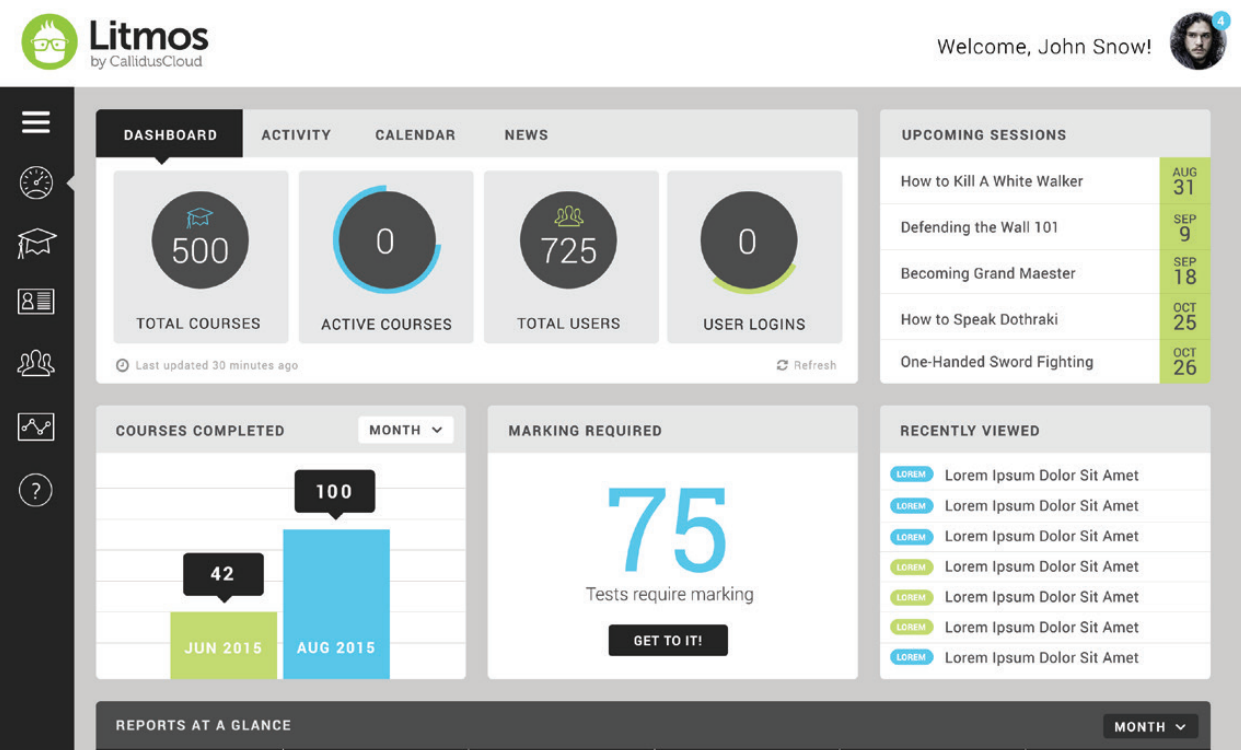
| User Interface | Offers a modern, customizable interface with guided navigation. | Features a clean, intuitive layout that’s easy for all users. |
| Onboarding Experience | Provides in-app walkthroughs and robust documentation. | Delivers step-by-step onboarding and helpful video tutorials. |
| Course Setup | Drag-and-drop tools make course creation fast and flexible. | Prebuilt templates help launch courses quickly. |
| Admin Controls | Centralized dashboards simplify admin tasks and reporting. | User management is streamlined with batch upload tools. |
| Support Resources | 24/7 live chat and an online community are available. | Responsive ticket support and an extensive knowledge base. |
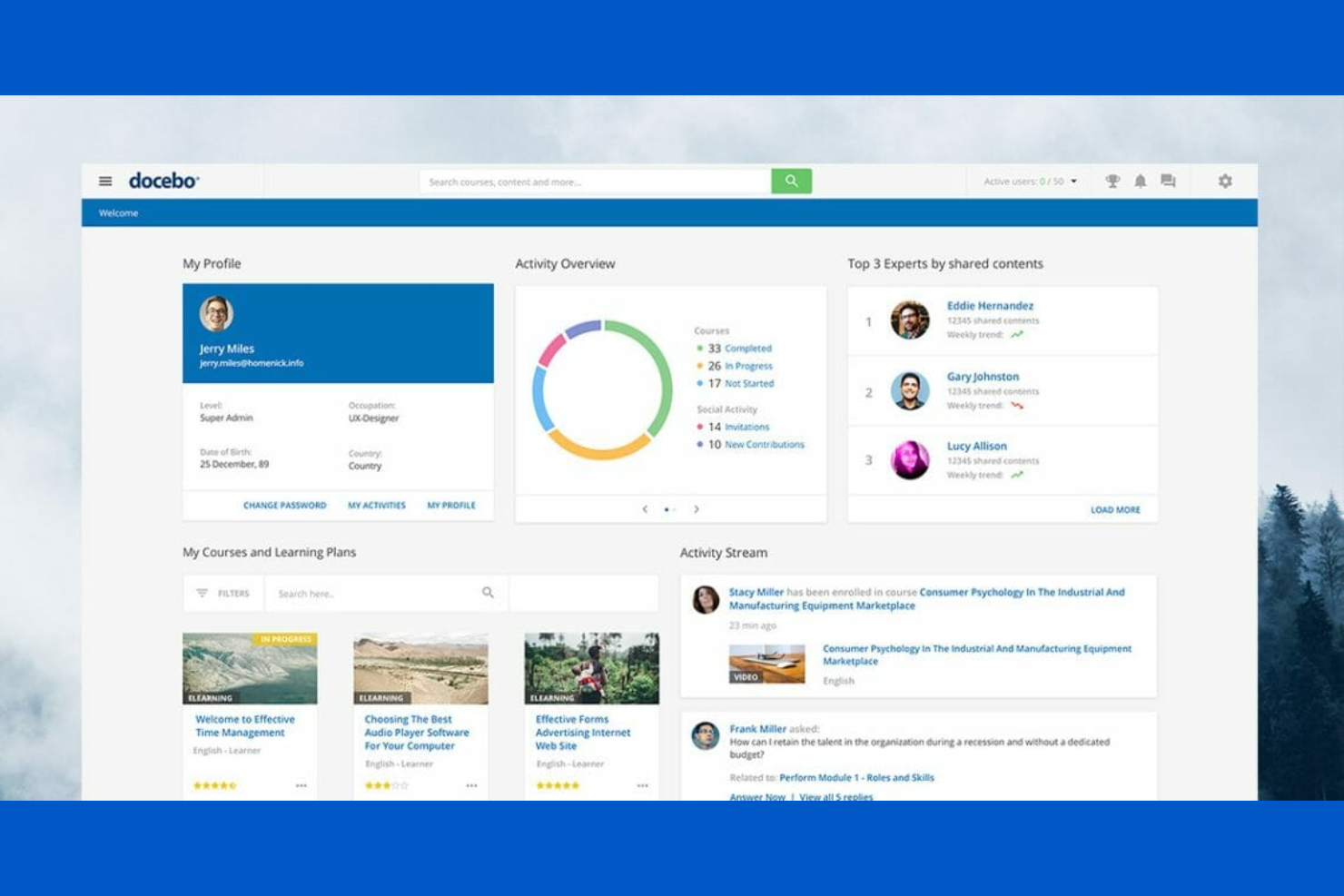
Both tools aim for simplicity, but Litmos LMS is more user-friendly right out of the gate, especially for non-technical admins. I find Docebo’s interface and customizability a big plus for teams that want to fine-tune the look and feel, while Litmos LMS excels at helping new users get started fast.
Docebo vs Litmos LMS: Pros & Cons
Docebo
- Docebo's automation capabilities save you time by streamlining administrative tasks.
- Its scalability supports large enterprises with extensive training needs.
- The platform's robust reporting tools give you detailed insights into your team's learning progress.
- The interface can be complex, making it challenging for new users to navigate.
- Some users find the onboarding process lengthy and requiring significant time investment.
- There might be a learning curve for teams unfamiliar with advanced LMS features.
Litmos LMS
- You can easily manage compliance training with its robust tracking features.
- Your team will benefit from its intuitive user interface that simplifies navigation.
- It offers a wide variety of ready-to-use courses to enhance learning flexibility.
- Your work might be slowed by occasional delays in customer support response.
- Some users find the reporting tools less customizable than they’d like.
- You might experience limitations with the depth of analytics offered.
Best Use Cases for Docebo and Litmos LMS
Docebo
- Large Enterprises Docebo's scalability and automation make it perfect for managing extensive training programs across numerous employees.
- Healthcare Industry Its detailed reporting tools help you track compliance and skill development, essential in healthcare settings.
- Financial Services Docebo supports complex regulatory training needs with its robust feature set.
- Technology Companies Tech firms benefit from its ability to deliver continuous learning and keep your team updated with the latest skills.
- HR Departments HR teams can streamline administrative tasks and focus on strategic initiatives with Docebo's automation.
- Training Providers If you're a training provider, Docebo's wide range of features can enhance your course offerings and user engagement.
Litmos LMS
- Healthcare Training Litmos excels in managing compliance and certification requirements, crucial for healthcare teams.
- Retail Workforce Its ready-to-use courses provide quick and effective training solutions for retail staff.
- Financial Services You can rely on Litmos's tracking capabilities to ensure compliance with financial regulations.
- Corporate Training For large corporations, Litmos's intuitive interface simplifies training management across departments.
- Sales Teams Sales teams benefit from its flexible learning options to keep up with product knowledge.
- Customer Support Litmos helps customer support teams improve skills with its wide variety of training materials.
Who Should Use Docebo, and Who Should Use Litmos LMS?
Docebo is best suited for mid-sized to large enterprises that need a highly customizable, scalable LMS to support complex training programs. If you’re managing multiple audiences—like employees, partners, and customers—and need advanced automation, integrations, and AI-driven personalization, Docebo is built for that level of sophistication. It’s a strong fit for companies with long-term growth plans that want a flexible platform they can tailor extensively over time.
Litmos is a better choice for organizations that want a straightforward, easy-to-deploy LMS without a steep learning curve. If your priority is getting training up and running quickly—especially for compliance, onboarding, or standardized learning programs—Litmos offers a more out-of-the-box experience. It works well for small to mid-sized teams or businesses that value simplicity, speed, and built-in content over deep customization.
Differences Between Docebo and Litmos LMS
| Docebo | Litmos LMS | |
|---|---|---|
| AI Capabilities | Advanced AI across the platform (content creation, automation, search, personalization). | AI features available (e.g., AI assistant, content tools), but more limited and tier-dependent. |
| Content Approach | Focuses on custom learning content creation and integrates with third-party content providers. | Offers built-in content collections and pre-packaged courses for faster deployment. |
| Customization | Highly customizable (white-labeling, workflows, APIs, headless learning options). | Customizable branding and roles, but less flexible overall compared to Docebo. |
| Enterprise Training | Strong support for external training functionality (customers, partners) with multi-domain environments. | Supports external training, but is less robust for large-scale extended enterprise use cases. |
| Personalization | Strong AI-driven personalization with content recommendations, automation, and adaptive learning paths. | Offers structured learning paths, with some AI features in higher tiers but less emphasis on deep personalization. |
| Read Docebo ReviewOpens new window | Read Litmos LMS ReviewOpens new window |
Similarities Between Docebo and Litmos LMS
| Course Authoring | Both platforms allow you to create, upload, and manage custom courses, including support for eLearning standards like SCORM. |
|---|---|
| Gamification | Both include engagement features like gamification elements, notifications, or social learning tools to improve learner participation. |
| Learning Paths | Each enables structured learning paths to guide users through courses and training programs. |
| Mobile Learning | Each provides mobile apps and responsive design, letting users access training on any device, anywhere. |
| Reporting Tools | Both include robust reporting dashboards for tracking learner progress, completions, and engagement metrics. |
| Read Docebo ReviewOpens new window Read Litmos LMS ReviewOpens new window | |