
Genesys Review: Pros, Cons, Features, and Pricing
I look past Genesys’ feature list to ask whether its workforce management is strongest as part of a broader contact-center platform—and what that means for fit, cost, and control.

We review tools independently, and commissions help fund our testing. See our transparency policy, our methodology, or suggest a tool.
Genesys is workforce management software within its cloud contact center platform, with tools for forecasting demand, scheduling agents, and managing intraday changes. If your team already runs Genesys Cloud CX and wants those workforce workflows alongside its contact center operations, Genesys is a more natural fit than a separate platform such as Verint.
Genesys Evaluation Summary
4.4/5
- From $75/user/month (billed annually)
- Free demo available
Why Trust Our Software Recommendations
6,700+
Reviews
20
Industry experts
16+
Evaluation factors
14
Years
Our team has been testing and reviewing software since 2012. As HR experts ourselves, we know how difficult—and important—it is to choose the right software.
For this guide, we evaluated tools using hands-on testing and independent research, scoring tools using our selection criteria. We also draw on insights from industry thought leaders and practicing HR experts.
Our reviews reflect our human editorial judgment, not a sales pitch.
Expert reviewers:
- Phil GrayCOO
 Kim BehnkeHR Tech Editor & Analyst
 Josh BarkerPeople Ops Manager

Genesys Overview
I’d choose Genesys when contact-center forecasting and scheduling need to sit beside live operations: it forecasts voice and digital demand, builds schedules, tracks intraday adherence, and handles time-off requests and shift trades. That native connection is an advantage over standalone tools, while teams needing only workforce scheduling may find the broader platform more than they need. Pricing isn’t public, so compare the full platform quote, not just WFM; Genesys also offers AppFoundry integrations. I’d judge the interface, onboarding plan, and support access in a demo before committing, especially if your team doesn’t already use Genesys Cloud CX.
Pros
- Forecasts and schedules voice, email, chat, messaging, and workitems together.
- Mobile self-service supports schedule viewing, time-off requests, and shift trades.
- Multiple forecasting models include automatic selection and imported historical data.
Cons
- Users report forecasts misjudging digital workload and required staffing.
- Schedulers describe manual schedule adjustments and weak reporting explanations.
- Scheduling-only teams inherit Genesys’ broader contact-center platform footprint.


How We Test & Score Our Tools
We’ve spent years building, refining, and improving our software testing and scoring system. The rubric is designed to capture the nuances of software selection and what makes a tool effective, focusing on critical aspects of the decision-making process.
Below, you can see exactly how our testing and scoring works across seven criteria. It allows us to provide an unbiased evaluation of the software based on core functionality, standout features, ease of use, onboarding, customer support, integrations, customer reviews, and value for money.
Core Functionality (25% of final score)
The starting point of our evaluation is always the core functionality of the tool. Does it have the basic features and functions that a user would expect to see? Are any of those core features locked to higher-tiered pricing plans? At its core, we expect a tool to stand up against the baseline capabilities of its competitors.
Standout Features (25% of final score)
Next, we evaluate uncommon standout features that go above and beyond the core functionality typically found in tools of its kind. A high score reflects specialized or unique features that make the product faster, more efficient, or offer additional value to the user.
We also evaluate how easy it is to integrate with other tools typically found in the tech stack to expand the functionality and utility of the software. Tools offering plentiful native integrations, 3rd party connections, and API access to build custom integrations score best.
Ease of Use (10% of final score)
We consider how quick and easy it is to execute the tasks defined in the core functionality using the tool. High scoring software is well designed, intuitive to use, offers mobile apps, provides templates, and makes relatively complex tasks seem simple.
Onboarding (10% of final score)
We know how important rapid team adoption is for a new platform, so we evaluate how easy it is to learn and use a tool with minimal training. We evaluate how quickly a team member can get set up and start using the tool with no experience. High scoring solutions indicate little or no support is required.
Customer Support (10% of final score)
We review how quick and easy it is to get unstuck and find help by phone, live chat, or knowledge base. Tools and companies that provide real-time support score best, while chatbots score worst.
Customer Reviews (10% of final score)
Beyond our own testing and evaluation, we consider the net promoter score from current and past customers. We review their likelihood, given the option, to choose the tool again for the core functionality. A high scoring software reflects a high net promoter score from current or past customers.
Value for Money (10% of final score)
Lastly, in consideration of all the other criteria, we review the average price of entry level plans against the core features and consider the value of the other evaluation criteria. Software that delivers more, for less, will score higher.
Core Features
AI-Powered Demand Forecasting
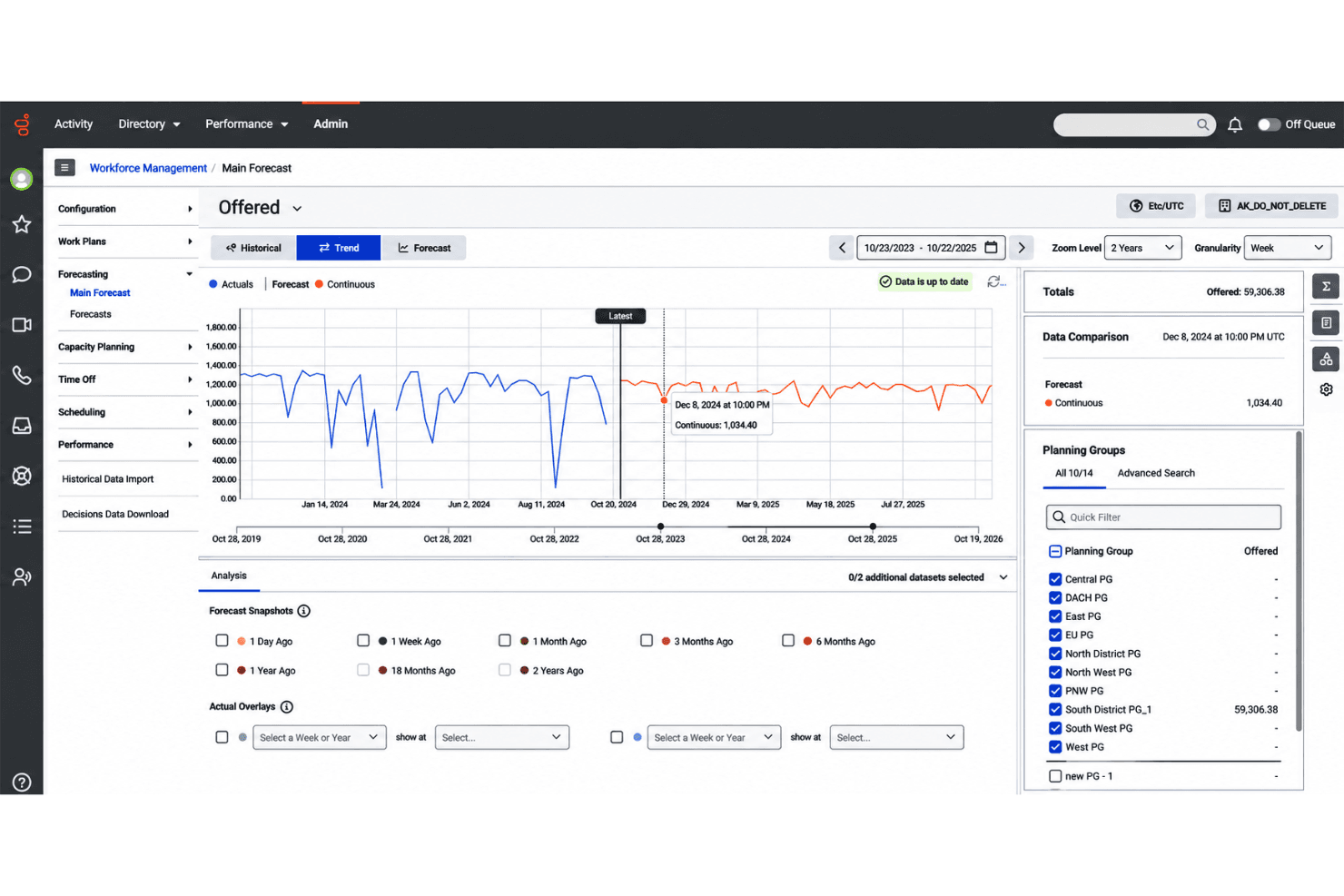
Genesys forecasts interaction volumes using current and historical data, with more than 25 models and automatic model selection. You can compare methods and account for patterns or outliers before planning staffing.
Multichannel Workforce Planning
Genesys forecasts and schedules voice and digital work, including email, chat, messaging, and work items. This helps you plan blended teams against the mix of interactions they’re expected to handle.
Automated Schedule Creation
Genesys builds schedules from forecasts, staffing requirements, work plans, and time off. You can also create flexible or blank schedules when a forecast isn’t available.
Real-Time Schedule Adherence
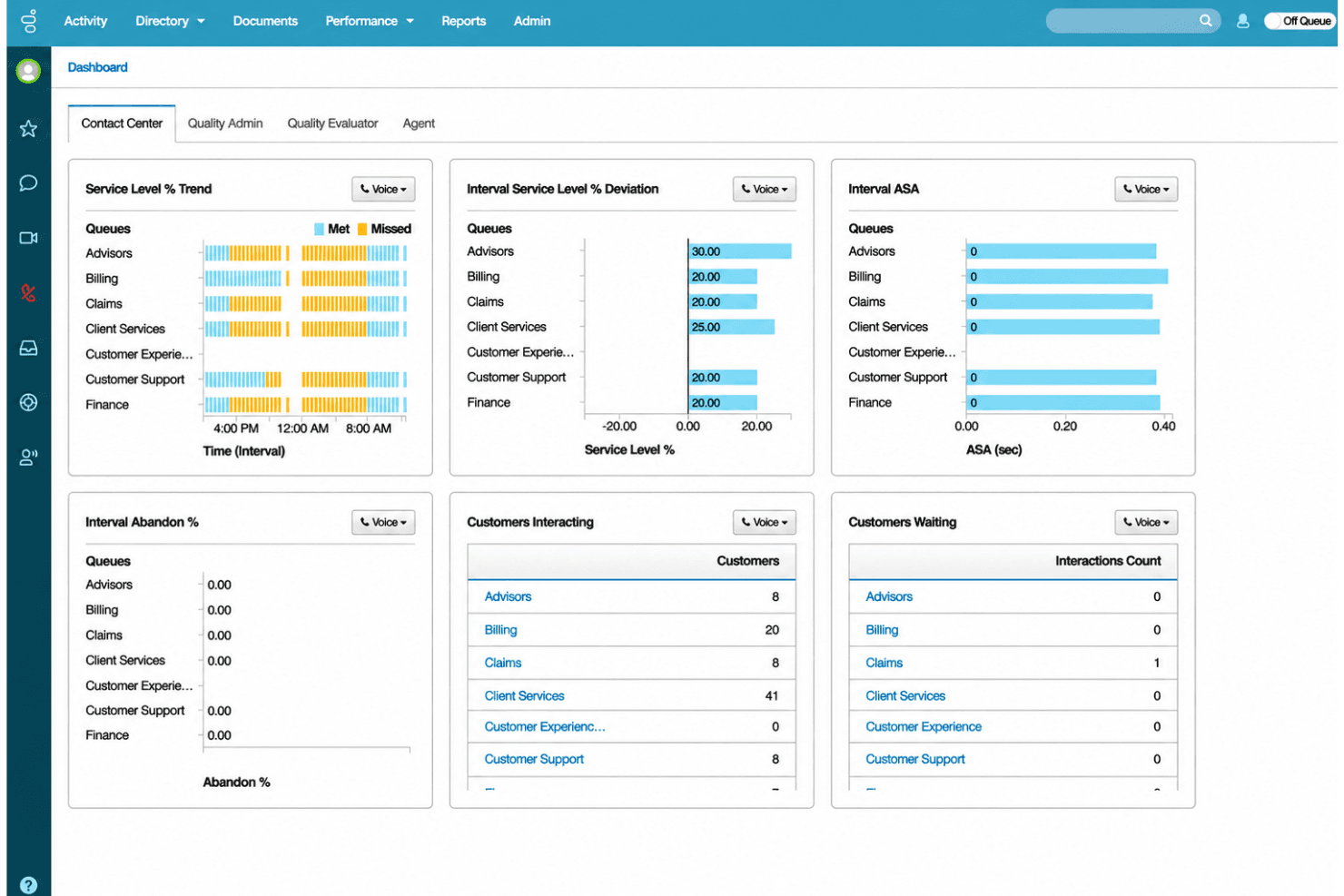
Managers can monitor whether agents are following scheduled activities and review adherence alongside service levels and occupancy. That makes it easier to spot coverage gaps while the workday is underway.
Intraday Schedule Management
Genesys lets managers compare forecasts with actual interaction volume and adjust schedules using real-time data. For example, they can respond to a volume spike by revisiting staffing and schedule coverage.
Employee Self-Service
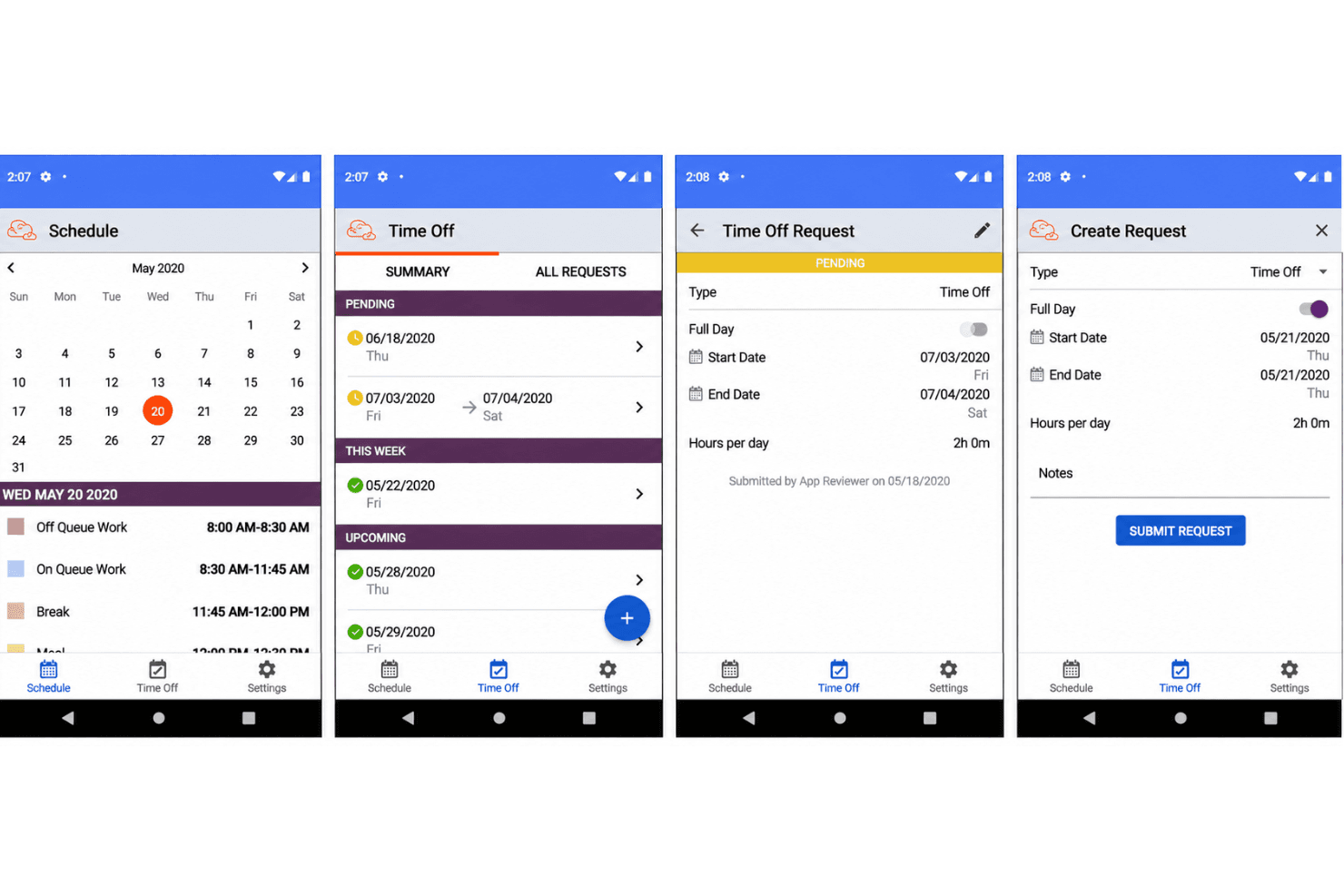
In the Genesys Tempo app, employees can view schedules, request time off, trade shifts, and receive schedule updates. This gives agents a direct way to manage routine schedule changes without relying on a manager for every request.
Ease of Use
Genesys offers an intuitive interface for agents, but its workforce management tools can take time to master. The Tempo app lets employees check schedules, request time off, and trade shifts. However, administrators may face complexity when configuring forecasts, managing schedules, and generating reports. Managers may also need to make manual adjustments when forecasts don't accurately reflect workloads. I'd recommend Genesys for teams that can benefit from its multichannel planning and real-time adherence capabilities.
Integrations
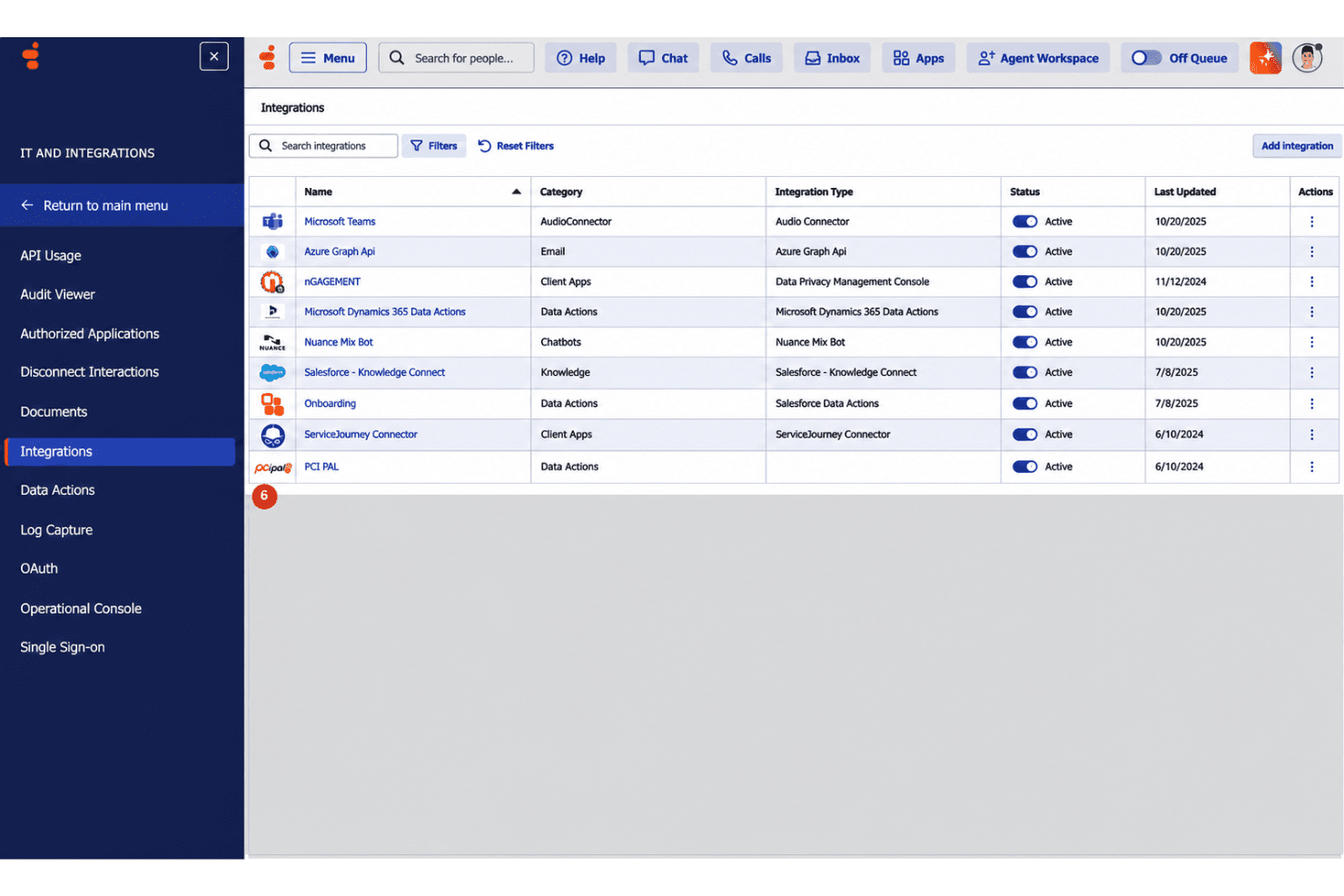
Genesys Cloud integrates with Salesforce, ServiceNow, Microsoft Dynamics 365, Zendesk, Microsoft Teams, Zoom, Amazon Lex, Google Dialogflow, Okta, and OneLogin, among others.
Genesys also provides over 3,000 public APIs and an AppFoundry Marketplace with prebuilt integrations for connecting third-party applications.
Genesys Specs
- Analytics: Yes
- API: Yes
- Calendar Management: Yes
- Chat: Yes
- Click-to-Dial: Yes
- CRM Integration: Yes
- Customer Management: Yes
- Customer Service: Yes
- Dashboard: Yes
- Dashboards: No
- Data Export: Yes
- Data Import: Yes
- Data Visualization: Yes
- External Integrations: Yes
- Feedback Management: Yes
- Knowledge Base: Yes
- Lead Management: No
- Lead Scoring: No
- Multi-Source Feedback: Yes
- Multi-User: Yes
- Net Promoter Score: Yes
- Notifications: Yes
- Omnichannel Referrals: No
- Online Surveys: Yes
- Review Moderation: No
- Scheduling: Yes
- Sentiment Analysis: Yes
- Social Media Monitoring: Yes


