


HeyMilo Review 2026: Pros, Cons, Features and Pricing Explained



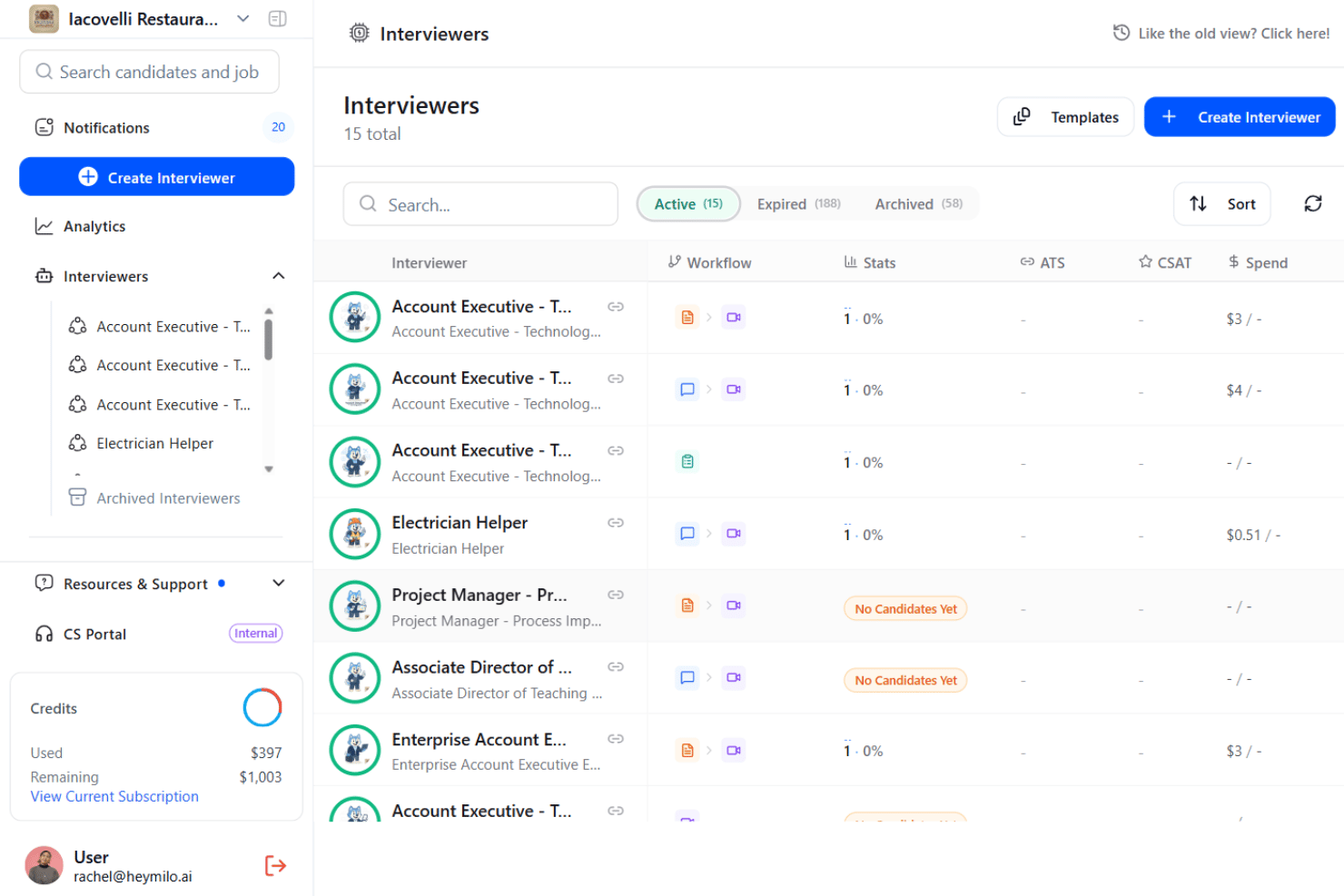
HeyMilo is an AI recruiting software that conducts automated voice interviews with candidates to replace manual phone screening. I'd consider it if your team handles high-volume hiring and needs to screen more applicants without adding headcount to your recruiting team. If you've looked at HireVue but found its enterprise setup and pricing too heavy for where your organization is right now, HeyMilo gives you AI-powered candidate interviewing in a format that's easier to deploy for mid-market teams.
HeyMilo Evaluation Summary
- Pricing upon request
- Free demo available
Why Trust Our Software Reviews
We’ve been testing and reviewing HR software systems since 2019. As HR experts ourselves, we know how critical and difficult it is to make the right decision when selecting software.
We invest in deep research to help our audience make better software purchasing decisions. We’ve tested more than 2,000 tools for different HR management use cases and written over 1,000 comprehensive software reviews. Learn how we stay transparent & our software review methodology.
HeyMilo Overview
In my opinion, HeyMilo stands out for its simple interface, helpful onboarding, and responsive support—making it easy for new teams to adopt. I think its automation and candidate matching go deeper than most entry-level tools, though its integration options feel limited if you need a full HR tech stack. Pricing seems fair for mid-sized companies that want capable AI features without complexity.
If you’re deciding between lightweight and enterprise-level solutions, I’d judge HeyMilo as a smart pick for growing HR teams who value speed, accuracy, and hands-on customer care.
pros
-
Automates sourcing and initial candidate screening in minutes
-
Real-time analytics track pipeline performance and bottlenecks
-
AI-driven recommendations help reduce manual decision fatigue
cons
-
Limited direct integrations with external ATS platforms
-
Some users report inconsistent candidate matching for niche roles
-
No transparent public pricing for enterprise-level features
Is HeyMilo Right For Your Needs?
Who Would be a Good Fit for HeyMilo?
HeyMilo makes sense for talent acquisition teams that need to fill roles quickly using data-driven automation and outreach. It’s a strong match for organizations handling frequent, high-volume hiring or scaling their recruitment process with limited resources. Because of its AI matching and workflow automation, you’ll get the most value with recurring or structured hiring needs and clear job requirements.
-
Tech Startups
Rapid AI sourcing and screening lets lean teams handle spikes in developer, engineer, or product hiring.
-
Recruitment Process Outsourcing
Automating client pipelines and analytics improves efficiency for agencies managing multiple hiring projects at once.
-
Healthcare Staffing
Automated role-matching and scheduling support large candidate pools and compliance-driven hiring requirements.
-
Retail Chains
Centralized dashboards and outreach tools help hire at volume across locations or for seasonal surges.
-
Enterprise Talent Acquisition
AI workflows and customizations align with complex, multi-role recruiting operations and structured compliance needs.
-
HR Departments at SMBs
Guided onboarding and templates empower small HR teams to modernize recruiting without dedicated tech support.
Who Would be a Bad Fit for HeyMilo?
HeyMilo isn’t built for hiring processes that rely on highly subjective decisions or industries where candidate data isn’t easily structured. Teams with unique, niche, or infrequent hiring needs may find AI automation overkill or not precise enough. Those needing deep integrations with legacy systems or operating in highly regulated environments with strict data residency rules may also face limitations.
-
Creative Agencies
Highly portfolio-driven or subjective role evaluation doesn’t align with HeyMilo’s structured AI screening.
-
Academia
Faculty searches often require nuanced, committee-driven processes not suited for automation.
-
Government Agencies
Strict data residency and compliance needs may not match HeyMilo’s current feature set or hosting regions.
-
Boutique Headhunters
Niche and relationship-based recruiting can feel too manual for mass AI candidate pipelines.
-
Trades or Construction
Roles without digital resumes or an online presence limit AI sourcing and automated outreach utility.
-
Single-Position Hiring
Companies with rare or one-off hiring don’t realize value from workflow automation or analytics features.
How We Test & Score Our Tools
We’ve spent years building, refining, and improving our software testing and scoring system. The rubric is designed to capture the nuances of software selection and what makes a tool effective, focusing on critical aspects of the decision-making process.
Below, you can see exactly how our testing and scoring works across seven criteria. It allows us to provide an unbiased evaluation of the software based on core functionality, standout features, ease of use, onboarding, customer support, integrations, customer reviews, and value for money.
Core Functionality (25% of final score)
The starting point of our evaluation is always the core functionality of the tool. Does it have the basic features and functions that a user would expect to see? Are any of those core features locked to higher-tiered pricing plans? At its core, we expect a tool to stand up against the baseline capabilities of its competitors.
Standout Features (25% of final score)
Next, we evaluate uncommon standout features that go above and beyond the core functionality typically found in tools of its kind. A high score reflects specialized or unique features that make the product faster, more efficient, or offer additional value to the user.
We also evaluate how easy it is to integrate with other tools typically found in the tech stack to expand the functionality and utility of the software. Tools offering plentiful native integrations, 3rd party connections, and API access to build custom integrations score best.
Ease of Use (10% of final score)
We consider how quick and easy it is to execute the tasks defined in the core functionality using the tool. High scoring software is well designed, intuitive to use, offers mobile apps, provides templates, and makes relatively complex tasks seem simple.
Onboarding (10% of final score)
We know how important rapid team adoption is for a new platform, so we evaluate how easy it is to learn and use a tool with minimal training. We evaluate how quickly a team member can get set up and start using the tool with no experience. High scoring solutions indicate little or no support is required.
Customer Support (10% of final score)
We review how quick and easy it is to get unstuck and find help by phone, live chat, or knowledge base. Tools and companies that provide real-time support score best, while chatbots score worst.
Customer Reviews (10% of final score)
Beyond our own testing and evaluation, we consider the net promoter score from current and past customers. We review their likelihood, given the option, to choose the tool again for the core functionality. A high scoring software reflects a high net promoter score from current or past customers.
Value for Money (10% of final score)
Lastly, in consideration of all the other criteria, we review the average price of entry level plans against the core features and consider the value of the other evaluation criteria. Software that delivers more, for less, will score higher.
Core Features
Automated Sourcing
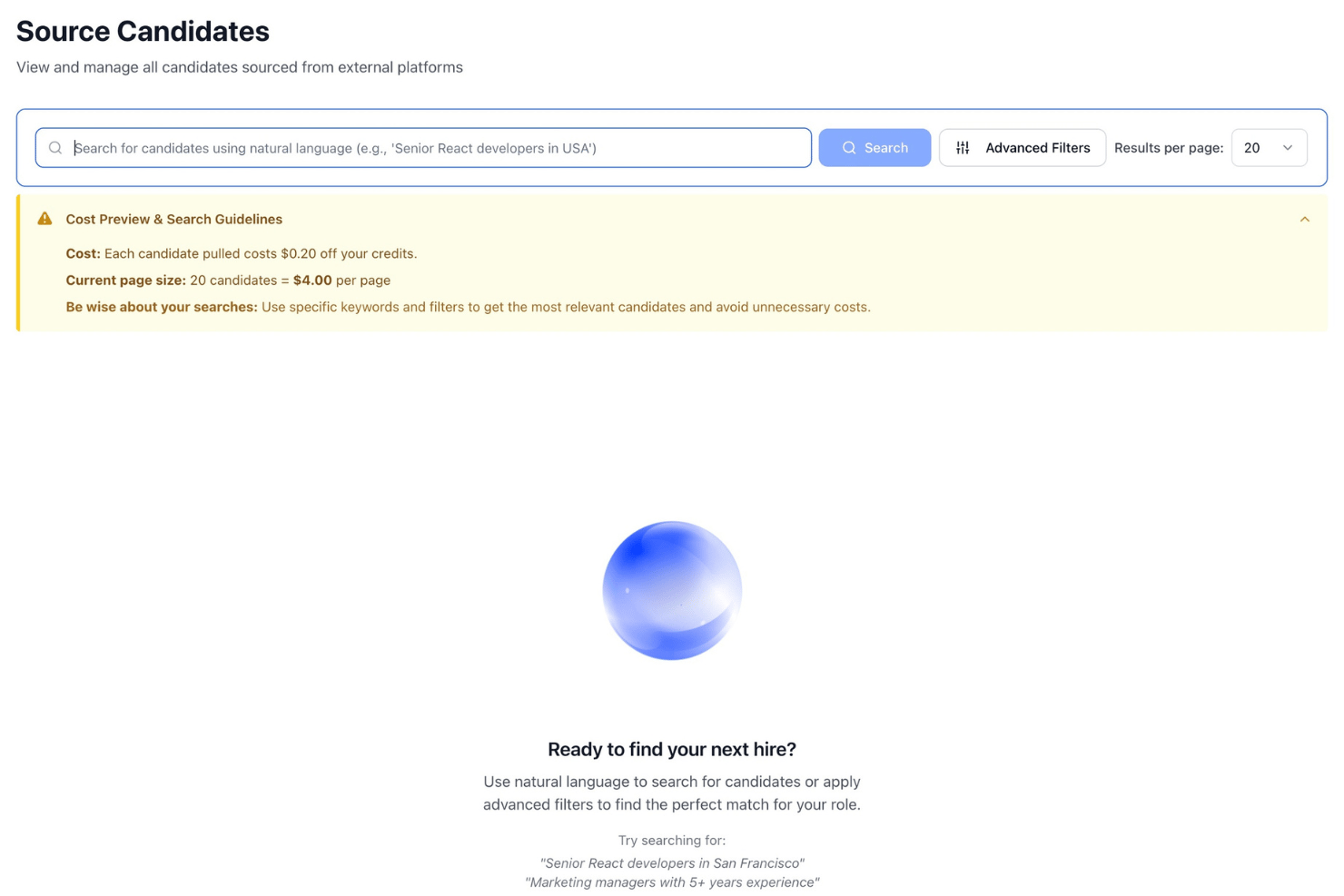
HeyMilo quickly scans the web for relevant candidates based on job details. This helps recruiters fill pipelines with more qualified leads in less time.
AI Candidate Matching
Its algorithm evaluates resumes and profiles against job criteria for intelligent shortlisting. You get fast, data-driven recommendations without manual scanning.
Conversational Candidate Outreach
HeyMilo reaches out to candidates with personalized AI-written messages. This boosts response rates and saves teams hours on cold outreach.
Interview Coordination
HeyMilo automates interview scheduling by syncing with calendars and sending reminders. Recruiters reduce back-and-forth emails and keep candidates engaged.
Real-Time Pipeline Analytics
The platform tracks candidate progress, bottlenecks, and recruiter performance. You gain insights into hiring efficiency and can adjust processes on the fly.
Diversity Optimization
HeyMilo flags and helps mitigate biased language or screening behaviors. This feature supports inclusive hiring and aligns with DEI initiatives.
Standout Features
Customizable AI Workflows
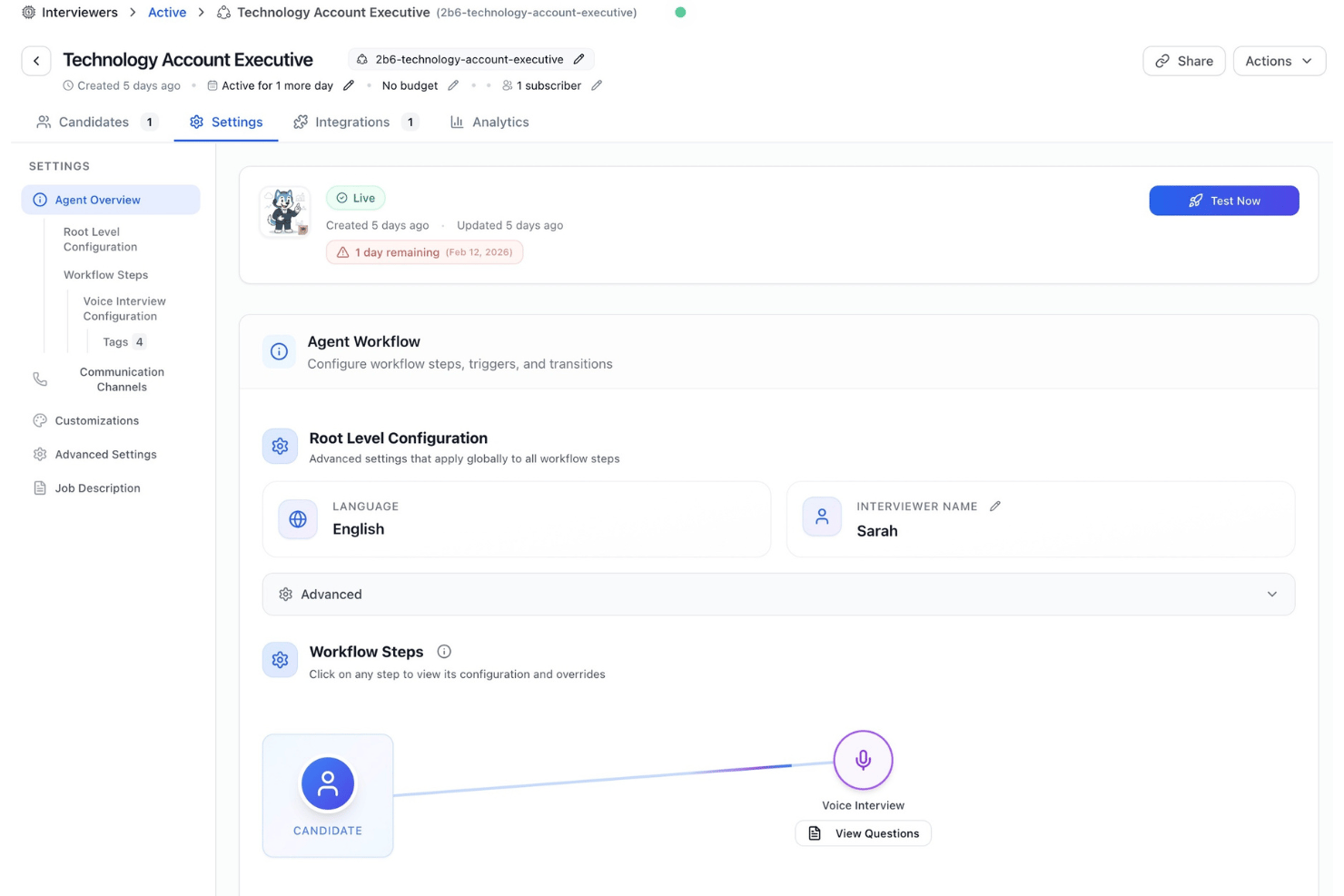
HeyMilo lets recruiters tailor automation steps to match unique hiring processes. You can set custom triggers and approval paths for different roles or departments.
Instant Employer Branding Insights
The platform analyzes outreach language and employer presence for brand consistency. Recruiters receive suggestions to strengthen messaging and candidate perception in real time.
Ease of Use
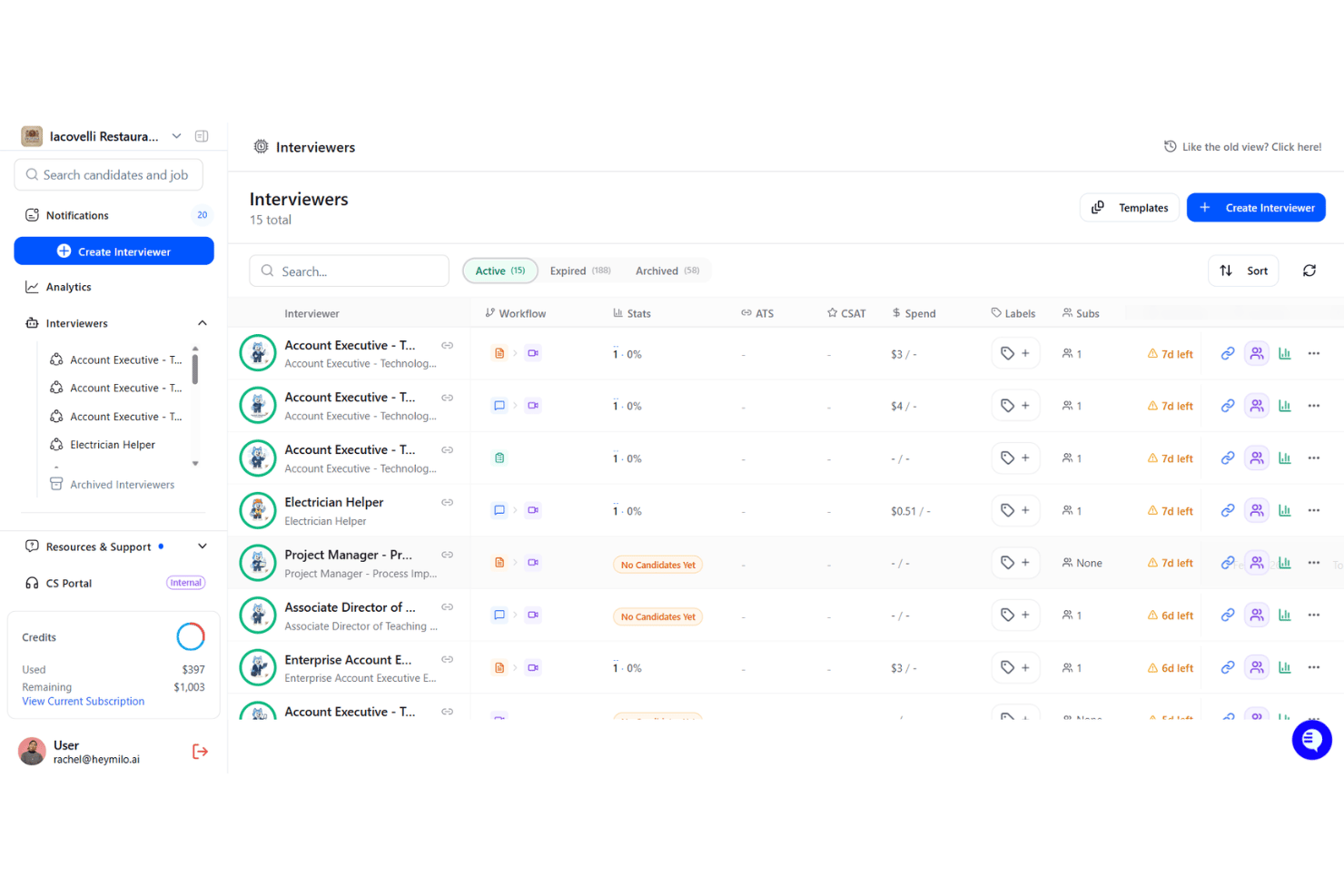
HeyMilo feels approachable, especially for recruiters new to AI tools. I think its layout is clear, onboarding is guided, and actions like setting up workflows or sending outreach are intuitive. Users often mention minimal barriers to getting started and quick learning curves, thanks to dashboard prompts and inline tips.
Onboarding
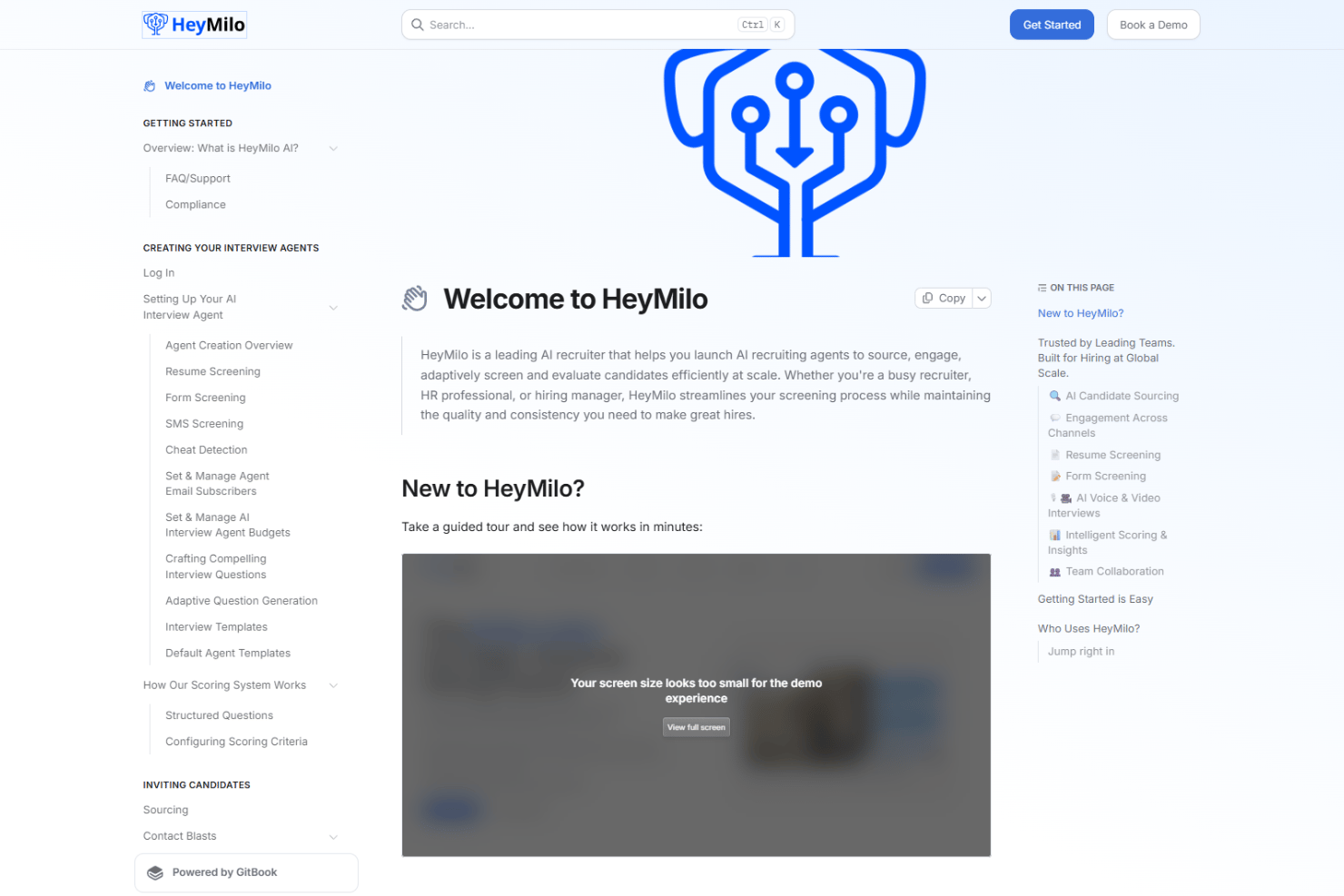
New users generally say HeyMilo’s onboarding is fast and reassuring, with step-by-step setup guides and in-app walkthroughs that highlight key features. I appreciate the quick access to live chat support and a searchable help center, which seem to resolve most questions before they slow teams down.
Customer Support
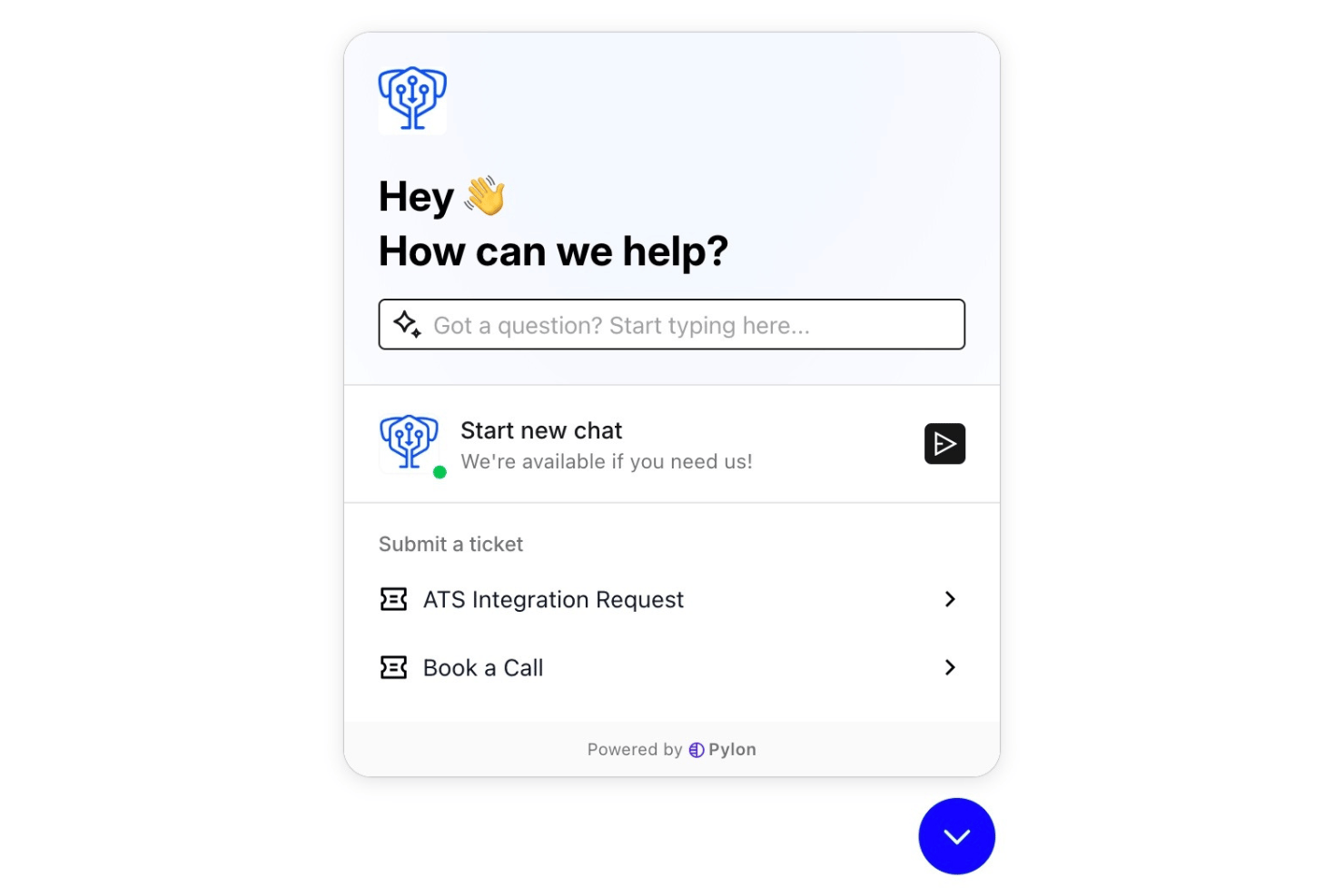
HeyMilo’s customer support draws praise for being quick and knowledgeable, especially via live chat. I notice users highlight the responsiveness and helpful follow-ups that resolve issues within hours, not days. The resource library and easy ticketing also help users feel supported at every step.
Integrations
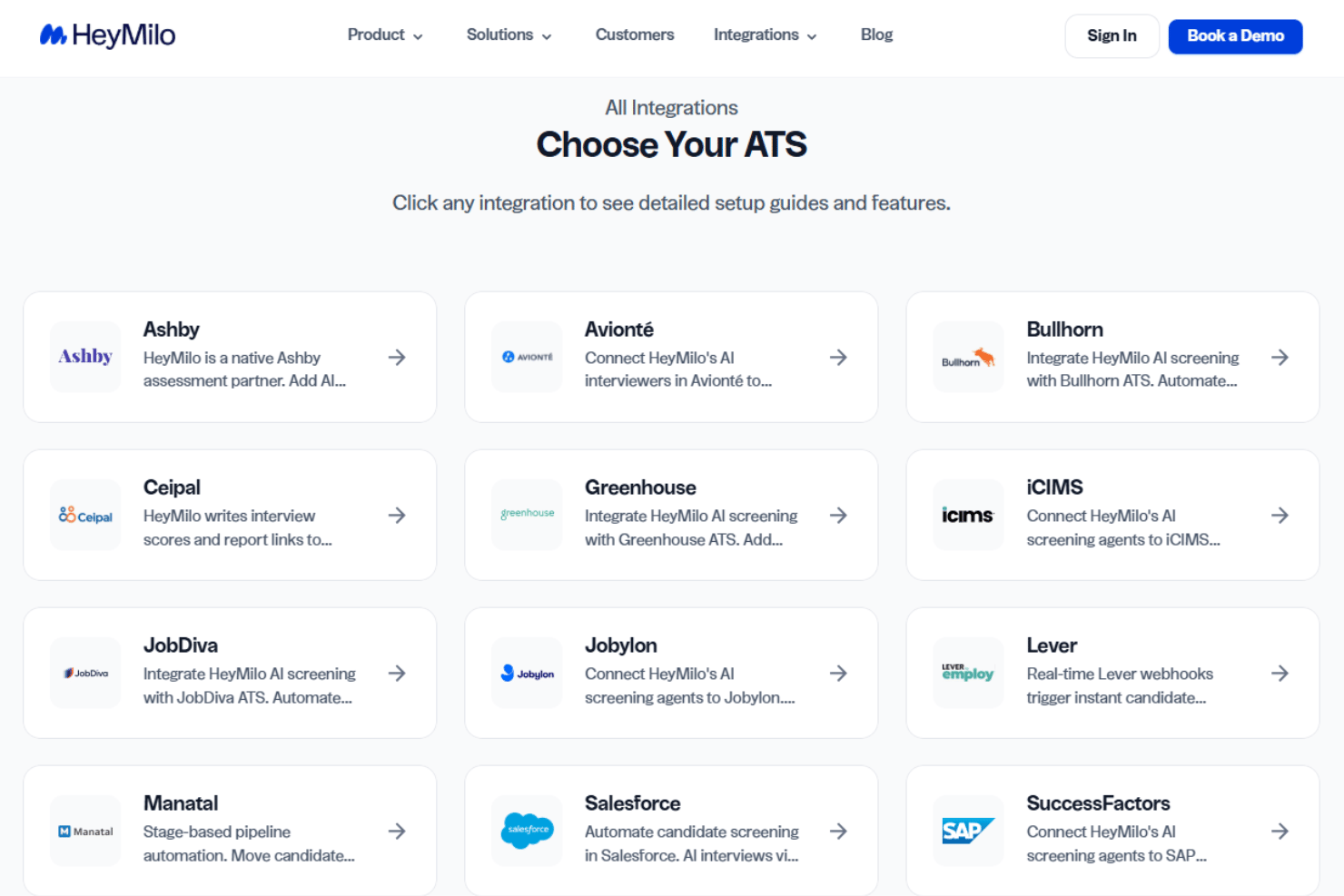
HeyMilo integrates with Greenhouse, Lever, Workday, Google Calendar, Outlook, Slack, Microsoft Teams, Zoom, LinkedIn, and DocuSign.
HeyMilo also offers an API to connect with custom systems and supports integration with select third-party tools.
Value for Money
HeyMilo does not publish its pricing publicly, so you'll need to book a demo and contact the sales team for a custom quote. Pricing is tailored to factors like team size, hiring volume, and required features. While this makes it harder to compare costs upfront, it also allows organizations to pay for the capabilities they need rather than a fixed plan.
- Custom Plans: Pricing is tailored to your hiring needs, with feature access based on factors such as team size, hiring volume, automation requirements, integrations, and support.
HeyMilo Specs
- 360 Degree Feedback
- API
- Application Tracking
- Batch Permissions & Access
- Behavioral Testing
- Budgeting
- Calendar Management
- Candidate Database
- Cognitive Testing
- Compliance Tracking
- Dashboard
- Data Export
- Data Import
- Data Visualization
- Email Integration
- Employee Database
- Employee Engagement
- Employee Incentive Management
- Employee Onboarding
- External Integrations
- Feedback Management
- Forecasting
- Interview Scheduling
- Multi-User
- Notifications
- Onboarding
- Personality Testing
- Psychometric Testing
- Referral Tracking
- Scheduling
- Soft Skill Testing
- Softphone
- Status Notifications
- Travel Management
HeyMilo FAQs
How does HeyMilo handle sensitive candidate data securely?
Does HeyMilo comply with GDPR and other privacy regulations?
Can I use HeyMilo with our existing ATS and HR tools?
What support and resources are available for onboarding new recruiters?
How customizable are HeyMilo’s AI workflows for different roles or departments?
What types of hiring teams will get the most value from HeyMilo?
Can HeyMilo help improve diversity hiring?
What is HeyMilo’s typical implementation timeline?
HeyMilo Company Overview & History
HeyMilo is a next-generation AI recruiting software company headquartered in San Francisco, California. The team is comprised of experienced professionals in HR technology, though the company maintains a relatively lean workforce. HeyMilo focuses exclusively on developing its flagship hiring platform and does not own other products or have known affiliations with other companies. Public information about notable clients, financial performance, or company valuation has not been disclosed as of 2026.
HeyMilo Major Milestones
- 2022: Company founded with a mission to bring AI automation to recruiting.
- 2023: Public launch of the HeyMilo platform.
- 2023: Raised seed funding from prominent venture capital firms.
- 2024: Featured in HR Tech media for its AI-driven employer branding tools.